QUOTE(Agito666 @ Apr 22 2009, 03:50 AM)
» Click to show Spoiler - click again to hide... «
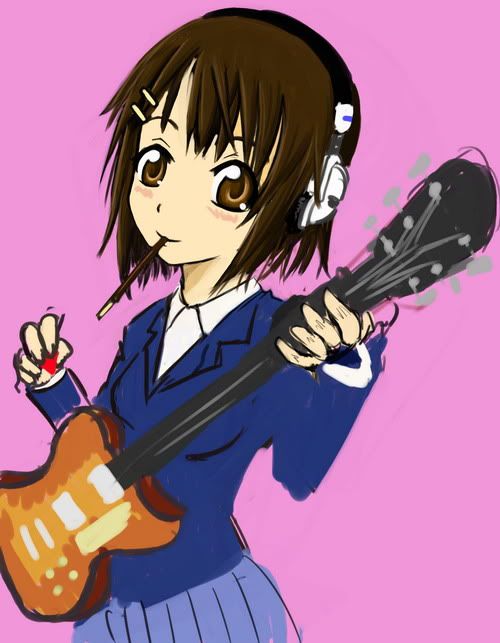


This post has been edited by LeechFever: Apr 22 2009, 04:40 PM
::: Art Attack ::: V2
|
|
 Apr 22 2009, 04:40 PM Apr 22 2009, 04:40 PM
Return to original view | Post
#141
|
 
Senior Member
2,841 posts Joined: Jun 2008 From: The East of the Motherland  
|
QUOTE(Agito666 @ Apr 22 2009, 03:50 AM) » Click to show Spoiler - click again to hide... « This post has been edited by LeechFever: Apr 22 2009, 04:40 PM |
|
|
|
|
|
Apr 22 2009, 05:30 PM
Return to original view | Post
#142
|
|
Senior Member
2,841 posts Joined: Jun 2008 From: The East of the Motherland
|
QUOTE(DonutZai @ Apr 22 2009, 05:23 PM) » Click to show Spoiler - click again to hide... « » Click to show Spoiler - click again to hide... « First time. lol. Comments/critics welcomed. |
|
|
Apr 22 2009, 06:08 PM
Return to original view | Post
#143
|
|
Senior Member
2,841 posts Joined: Jun 2008 From: The East of the Motherland
|
QUOTE(DonutZai @ Apr 22 2009, 06:04 PM) Yeap.. color burn. R u using pentool/tablet? If not suggest, just use normal paint brush and control the hardness and opacity to achieve the blending. Color burn is a bit hard without sensitive pressure pen. Or else look up deviant art tutorial on how to use em.New to coloring. Any tips?  This post has been edited by LeechFever: Apr 22 2009, 06:10 PM |
|
|
Apr 22 2009, 07:41 PM
Return to original view | Post
#144
|
|
Senior Member
2,841 posts Joined: Jun 2008 From: The East of the Motherland
|
Here's ma work. Quick doodle since it's quite active today for some reason.
» Click to show Spoiler - click again to hide... « This post has been edited by LeechFever: Apr 23 2009, 11:13 AM |
|
|
Apr 23 2009, 09:31 AM
Return to original view | Post
#145
|
|
Senior Member
2,841 posts Joined: Jun 2008 From: The East of the Motherland
|
QUOTE(m3er @ Apr 23 2009, 09:10 AM) » Click to show Spoiler - click again to hide... « i'm so new to painter. sorry for the messy, bad anatomy/perspective, tonal bla bla bla... just some doodling ended up with full coloring with my attempt of get used to the brushes. i was drawing this with my mouse by the way since i dont have a tablet.  . Drawing with a mouse is a bit tough but there is a way to do it but not as clean as tablet. . Drawing with a mouse is a bit tough but there is a way to do it but not as clean as tablet. |
|
|
Apr 25 2009, 11:30 PM
Return to original view | Post
#146
|
|
Senior Member
2,841 posts Joined: Jun 2008 From: The East of the Motherland
|
QUOTE(DonutZai @ Apr 25 2009, 10:08 PM) haha yes yes.. stickman's the most basic. ...........traditionally or digitally? If digital just use the normal brush on the toolbar and adjust the opacity and hardness to control the blend. If u r using tablet, u need to set up the flow as well.i do 'box' man for practice often in the past. need more artwork here. P.s. on the side note. whats the most reliable brushes for coloring? |
|
|
|
|
|
Apr 26 2009, 08:28 AM
Return to original view | Post
#147
|
|
Senior Member
2,841 posts Joined: Jun 2008 From: The East of the Motherland
|
QUOTE(Agito666 @ Apr 26 2009, 05:48 AM)  kamen rider fan art, i created a fan fiction rider  Added on April 26, 2009, 8:32 am QUOTE(DonutZai @ Apr 26 2009, 01:36 AM) yes thanks. i meant digitally. Which software r u using? If the software have a layering function, it actually helps on the brushing at the corner drawing by using lasso on a clean outline. For paint.net, I found that u can actually blend colors (sharp edged brush) by adjusting the transparency of the brush, alternating it between the two blends. The result may not be as good as photoshop and a bit tougher to use though.i found some sharp edged brushes to use. round ones are hard at some angle and require constant size changing. This post has been edited by LeechFever: Apr 26 2009, 08:32 AM |
|
|
Apr 28 2009, 01:00 PM
Return to original view | Post
#148
|
|
Senior Member
2,841 posts Joined: Jun 2008 From: The East of the Motherland
|
QUOTE(Hiroishime @ Apr 27 2009, 11:55 PM) » Click to show Spoiler - click again to hide... « |
|
|
Apr 28 2009, 02:31 PM
Return to original view | Post
#149
|
|
Senior Member
2,841 posts Joined: Jun 2008 From: The East of the Motherland
|
QUOTE(Hiroishime @ Apr 28 2009, 01:46 PM) theme is urban racer, but im not really sure what exactly urban is... Gear with racer?? not a good match Im afraid cause gear represents a lot of things, in fact because u put a pocket watch there makes it even less obvious. Try tyre or the tyre groove pattern.urban=city life.. thats all i know about urban and pretty much from what i researched, most urban art is based on buildings >_< so there goes.. building in the middle... and i dont think i delivered the message lol  trying to connect racer with 'gear's.. which i think doesnt really work.. This post has been edited by LeechFever: Apr 28 2009, 02:33 PM |
|
|
May 7 2009, 04:42 PM
Return to original view | Post
#150
|
|
Senior Member
2,841 posts Joined: Jun 2008 From: The East of the Motherland
|
QUOTE(Agito666 @ May 7 2009, 08:54 AM) » Click to show Spoiler - click again to hide... « recent traditional work during Final year project.  This post has been edited by LeechFever: May 7 2009, 04:43 PM |
|
|
May 7 2009, 07:00 PM
Return to original view | Post
#151
|
|
Senior Member
2,841 posts Joined: Jun 2008 From: The East of the Motherland
|
QUOTE(Agito666 @ May 7 2009, 06:56 PM) immediating Oh!Great muscle proportion.. Here's a suggestion. Draw it with black pen. Blanko the error part. When u scan it and auto level it, the white yellowish part will be gone. Less messy as well. Havent try it before though, but I guess it should work. i can see the leg is shorter..but lazy to erase it, cause will make whole paper got black mark.. This post has been edited by LeechFever: May 7 2009, 07:03 PM |
|
|
May 9 2009, 06:51 PM
Return to original view | Post
#152
|
|
Senior Member
2,841 posts Joined: Jun 2008 From: The East of the Motherland
|
Can u at least use photoshop, cut it and enlarge some of the characters? the character proportion sizes from near to the furthest end are bugging me,
|
|
|
May 9 2009, 07:14 PM
Return to original view | Post
#153
|
|
Senior Member
2,841 posts Joined: Jun 2008 From: The East of the Motherland
|
QUOTE(X.E.D @ May 9 2009, 07:05 PM) Hmm... gonna install Manga Studio for the first time later on. Hopefully it clicks. Problem with that is that there's a minimum width limit and u cannot use that to erase tiny line accurately. I tried it recently and found out that ordinary blanko should be fine cause u can adjust how u want to the "blanko" ink to spread, either into fine lines or thick. May not look pretty on papers but looks quite fine when u scan and auto level it.@Leechfever Blanko tape instead of liquid should work wonders on that. |
|
|
|
|
|
May 9 2009, 07:28 PM
Return to original view | Post
#154
|
|
Senior Member
2,841 posts Joined: Jun 2008 From: The East of the Motherland
|
QUOTE(slumberus @ May 9 2009, 07:23 PM) nach. I did not individually create the characters one by one. I did it together as one piece. Actually they are all proportionally correct. Probably u view some as off-sized when the character are intended to be giants. Though I have to admit the wrestling guy with the scar and chest hair seem a bit too big compare to the actual design.Size-wise - they're as large or as small as they're supposed to be. And about them higher at the back... I guess I wanted to show more of themselves. /shrug. Its meant to be something like this.  Ur art obviously have some that are either too tall (or is it simply standing on a stair way?) and the head slightly bigger than the ones in front. Especially the back rows. This post has been edited by LeechFever: May 9 2009, 07:35 PM |
|
|
May 19 2009, 06:05 PM
Return to original view | Post
#155
|
|
Senior Member
2,841 posts Joined: Jun 2008 From: The East of the Motherland
|
@ xiong_21
Looks nice but ya do need some more improvement. Keep it up. @Agito666 The left seems ok but the right still need more improvement on the proportion and stuffs especially the legs. |
|
|
May 20 2009, 11:12 PM
Return to original view | Post
#156
|
|
Senior Member
2,841 posts Joined: Jun 2008 From: The East of the Motherland
|
@steven, No matter what, it's still better to colour it. Still good though.
This post has been edited by LeechFever: May 20 2009, 11:19 PM |
|
|
May 21 2009, 06:18 PM
Return to original view | Post
#157
|
|
Senior Member
2,841 posts Joined: Jun 2008 From: The East of the Motherland
|
@ iMaxJ, Heiii... Not a bad piece....
|
|
|
May 28 2009, 01:08 PM
Return to original view | Post
#158
|
|
Senior Member
2,841 posts Joined: Jun 2008 From: The East of the Motherland
|
QUOTE(masquevale @ May 28 2009, 08:42 AM)  My entry for ATI HIS Techpowerup contest. I wish I could make a 3D model of her but I flunk my 3D course. TT_TT 3D Collaboration anyone? PS: NAmcoBandai actually made two version of Tales of Hearts(DS) one with Anime FMV by production IG and the other 3DCG fmv by Shirogumi. Tales of Vesperia single handedly help solding-out Xbox360 in japan. The Latest 360-tan is working hard to be moe. XD |
|
|
May 31 2009, 10:16 PM
Return to original view | Post
#159
|
|
Senior Member
2,841 posts Joined: Jun 2008 From: The East of the Motherland
|
@doinkz_gaara
Nice work. Though I'm not so sure why this took a month to complete? Is it that u try to arrange the wordings on their faces? PS: Btw, Big Bang. Is that some sort of a band name? |
|
|
Jun 3 2009, 12:17 AM
Return to original view | Post
#160
|
|
Senior Member
2,841 posts Joined: Jun 2008 From: The East of the Motherland
|
QUOTE(ewynn @ Jun 2 2009, 11:35 PM) Color with paint.net = ) . How is it?? I think it can be done better than that. Here, recap of ma previous work done with paint.net 100% (including the sketch/drawing....no scanner at the time)» Click to show Spoiler - click again to hide... « » Click to show Spoiler - click again to hide... « and, (also 100% with paint.net including the sketch/dwg) » Click to show Spoiler - click again to hide... « This post has been edited by LeechFever: Jun 3 2009, 12:23 AM |
| Change to: |  0.0480sec 0.0480sec
 0.36 0.36
 7 queries 7 queries
 GZIP Disabled GZIP Disabled
Time is now: 6th December 2025 - 10:48 PM |
 Quote
Quote