Welcome Guest ( Log In | Register )

Bump Topic Topic Closed RSS Feed
17 Pages < 1 2 3 4 5 > » Bottom

Outline · [ Standard ] · Linear+

Unifi Official TM UniFi High Speed Broadband Thread V40, READ 1ST PAGE FOR RELEVANT WIFI INFO

views
     
westlife
post Jul 11 2022, 11:45 PM

10k Club
********
All Stars
14,269 posts

Joined: Jan 2011
QUOTE(jacktiew @ Jul 11 2022, 11:04 PM)
For me, no budget for linksys, only TP-Link Deco haha. My low budget way to do it. Enable 5G only on main network since some of my old devices are too dumb to do the steering. Surprisingly 2 unit of Deco X20 5G signal can cover my whole 1700 sqft double storey house. Deco's seamless roaming has no issue at all.
Btw, can linksys split wifi band?
*
can split of course. haha. tongue.gif but since the steering works quite well. i never split.

splitting the bands has the problem that u may be connected to 2.4GHz most of the time if u are moving around the house.

using this model MR8300 - 2.4 and 5 GHz(2x) (simultaneous tri-band) with one node WHW0101.
good enough to cover my house (double storey as well)

although it is wifi 5, but good enough since my unifi speed is only 100Mbps. Going to upgrade to 300Mbps soon though.


westlife
post Jul 14 2022, 08:25 PM

10k Club
********
All Stars
14,269 posts

Joined: Jan 2011
QUOTE(mrquidz @ Jul 9 2022, 09:41 PM)
2 working days.

also i just texted back the service guy, he said will send me the router after raya. nice!
*
Bro u received ur wifi router? Is it wifi 6? I went on Monday and I got the exact same deal as u and they also said it comes with wifi router free but never say wifi 5 or wifi 6.

The lady said they will call me on the installation but until today I never receive any calls and the speed is also not upgraded. Today is Thurs already and tmr jaybee is not a working day. Faint.
westlife
post Jul 15 2022, 06:11 AM

10k Club
********
All Stars
14,269 posts

Joined: Jan 2011
QUOTE(Azusa_San @ Jul 14 2022, 09:34 PM)
you get 6 months free or only 129 for 300mbps?
*
6 months free and rm129 perpertual for 300Mbps and free wifi router (wifi 6).

This post has been edited by westlife: Jul 17 2022, 12:29 PM
westlife
post Jul 15 2022, 10:37 AM

10k Club
********
All Stars
14,269 posts

Joined: Jan 2011
finally received calls from tm installer. but i am not at home today. change to sunday for installation. tongue.gif

see if the wifi router he brought is wifi 5 or 6.

user posted image

This post has been edited by westlife: Jul 15 2022, 10:39 AM
westlife
post Jul 15 2022, 10:50 AM

10k Club
********
All Stars
14,269 posts

Joined: Jan 2011
QUOTE(xCryptik @ Jul 15 2022, 09:18 AM)
Call 100 or refer live chat to request it.
OR
Change to maxis if you prefer to.
*
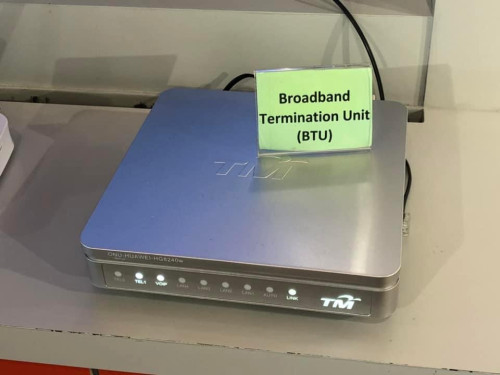
i have not restarted my BTU before. on 100Mbps plan since 2016. not sure if they also change mine to private ip... maybe i can try tonite. my ip has been public ip... but never restarted BTU after they announce the private ip stuff for 100Mbps...

since my connection is going to be changed to 300Mbps soon after this sunday. haha.

westlife
post Jul 16 2022, 05:49 AM

10k Club
********
All Stars
14,269 posts

Joined: Jan 2011
Hey guys, just want to ask. It is certainly not worth it to add rm15 to upgrade to wifi 6 mesh rite? It is rm360 (not sure if have SST) or not?
westlife
post Jul 16 2022, 09:22 AM

10k Club
********
All Stars
14,269 posts

Joined: Jan 2011
actually one thing I do not really understand why bolehland fibre broadband requires PPoE (username and password) while lion city all the ISPs do not require that which just they just provide BTU and u connect it to any wifi router it will works straightaway.

when finding wifi routers to support unifi, also must find those that allows the entering of username and password for PPoE and not all may work for unifi. If need to support the unifi tv also need to buy those wifi router that supports VLANs even.

This post has been edited by westlife: Jul 16 2022, 09:25 AM
westlife
post Jul 16 2022, 12:13 PM

10k Club
********
All Stars
14,269 posts

Joined: Jan 2011
user posted image
westlife
post Jul 16 2022, 05:30 PM

10k Club
********
All Stars
14,269 posts

Joined: Jan 2011
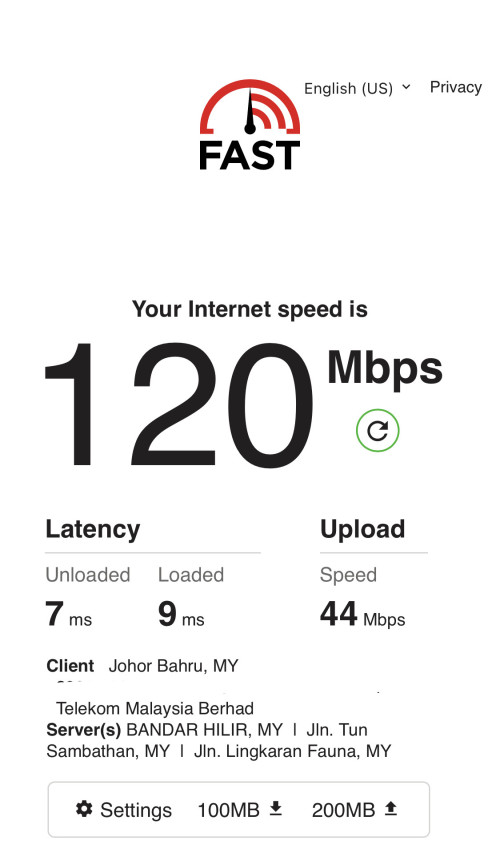
QUOTE(soonwai @ Jul 16 2022, 02:48 PM)
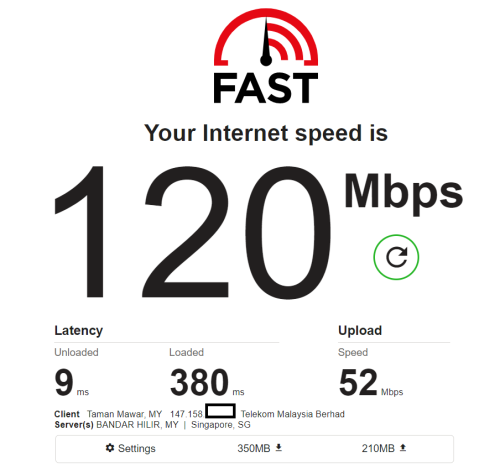
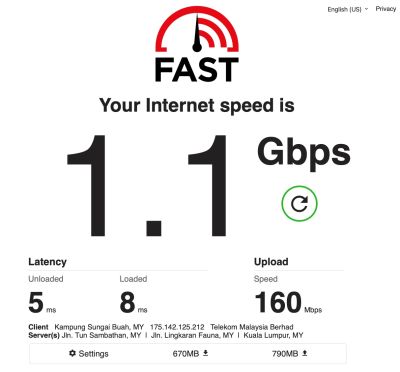
Your loaded latency is extremely high.

user posted image
Ignore the 1.1Gbps result, my Unifi is only 800Mbps.

Note that my test was on LAN.
*
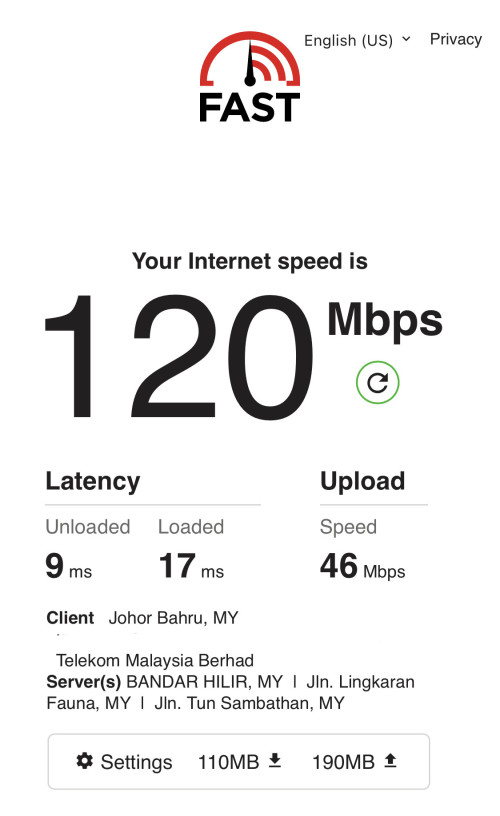
Am using Linksys wifi 5 mesh. And this is tested in my master bedroom upstairs.

Anyway to improve on this loaded latency?

westlife
post Jul 16 2022, 05:33 PM

10k Club
********
All Stars
14,269 posts

Joined: Jan 2011
QUOTE(cheekian @ Jul 16 2022, 03:07 PM)
For sure Wifi 6 router, but not sure what router they will give, depends on the stock.
*
Ic. Hopefully it is ok one. They give 2 x wifi 6 router?
westlife
post Jul 16 2022, 07:22 PM

10k Club
********
All Stars
14,269 posts

Joined: Jan 2011
QUOTE(kcl2006ch @ Jul 16 2022, 05:55 PM)
if the package got mesh wifi , sure they will give 2 unit router configure as mesh
*
I never opt for mesh wifi. Do they also give 2 x routers?

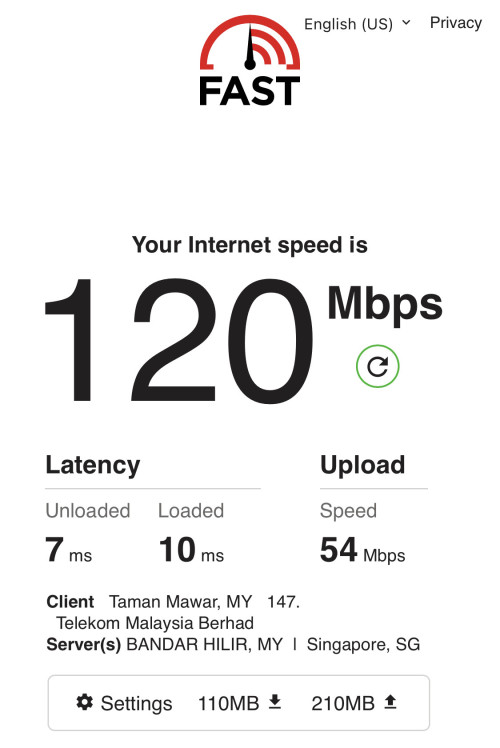
Speed downstairs.

user posted image

This post has been edited by westlife: Jul 16 2022, 07:23 PM
westlife
post Jul 16 2022, 08:33 PM

10k Club
********
All Stars
14,269 posts

Joined: Jan 2011
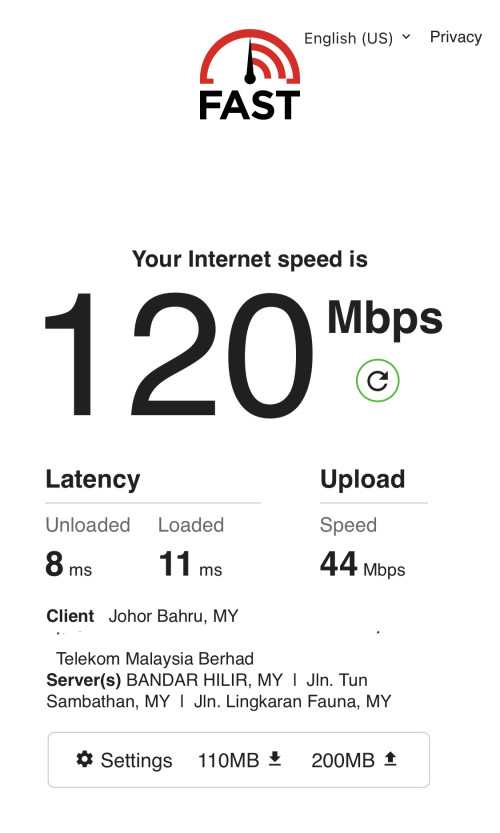
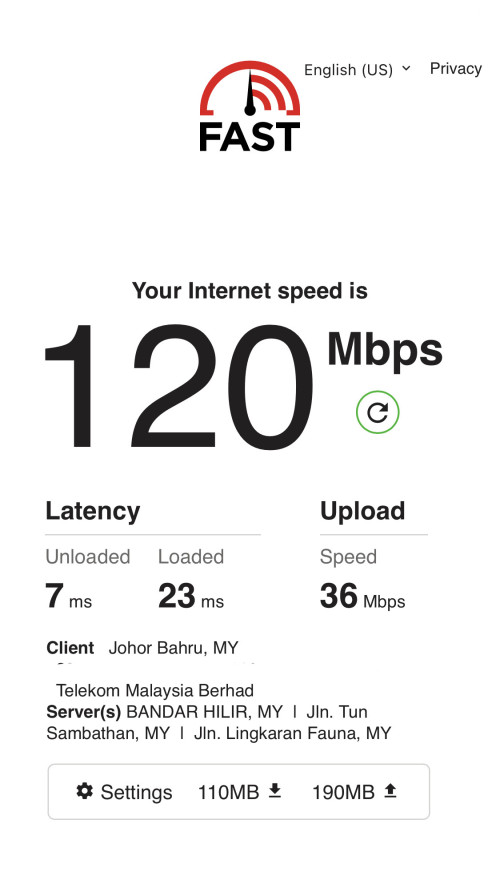
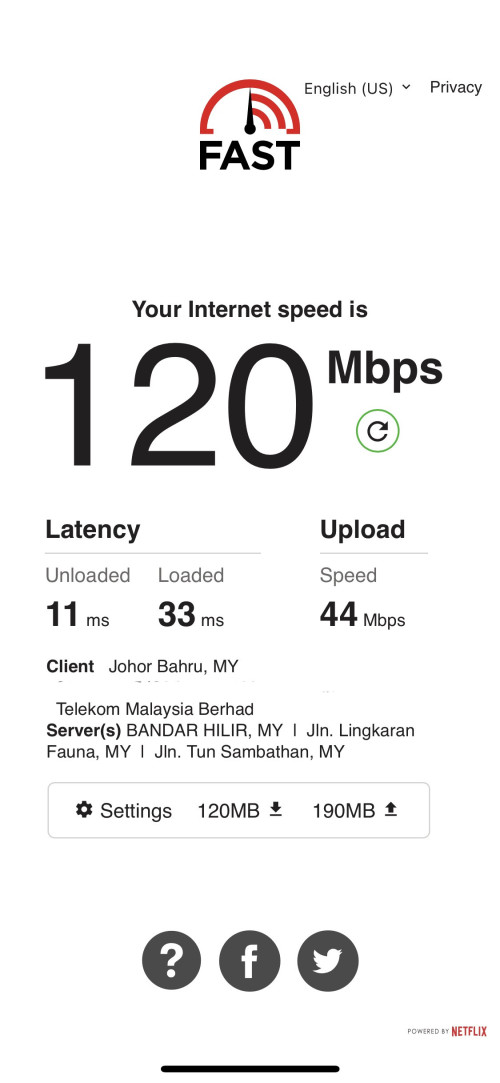
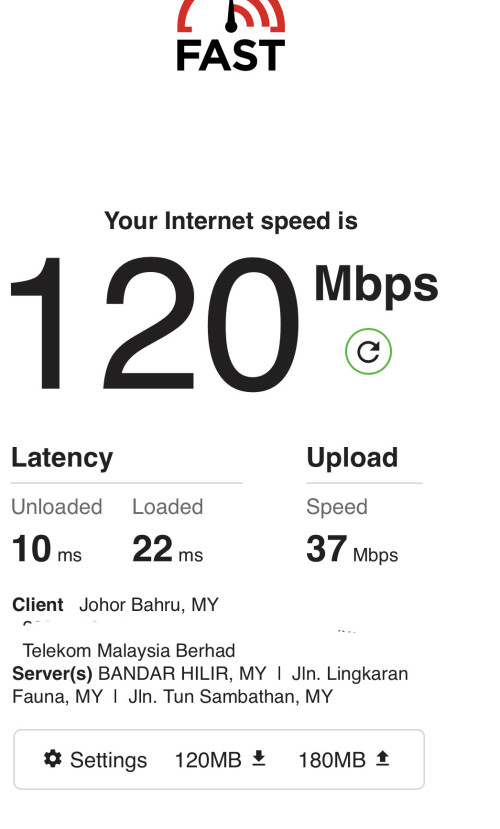
user posted image
user posted image
user posted image
user posted image
westlife
post Jul 17 2022, 12:59 AM

10k Club
********
All Stars
14,269 posts

Joined: Jan 2011
QUOTE(cheekian @ Jul 17 2022, 12:39 AM)
Nope, for my case only 1 router, I received D-Link DIR-X1860Z, without subscribe mesh package.
*
ic.. then i shall see tmr when the installer comes, what router and how many router they will give. dry.gif

you received this recently as well? what plan are u on currently?

This post has been edited by westlife: Jul 17 2022, 01:00 AM
westlife
post Jul 17 2022, 04:30 AM

10k Club
********
All Stars
14,269 posts

Joined: Jan 2011
QUOTE(soonwai @ Jul 16 2022, 02:48 PM)
Your loaded latency is extremely high.

user posted image
Ignore the 1.1Gbps result, my Unifi is only 800Mbps.

Note that my test was on LAN.
*
Test at living room (parent node)

user posted image

Test at master bedroom (child node)
Managed to bring down the loaded latency after swapping the nodes.

user posted image
user posted image
user posted image


This post has been edited by westlife: Jul 17 2022, 04:32 AM
westlife
post Jul 17 2022, 04:55 AM

10k Club
********
All Stars
14,269 posts

Joined: Jan 2011
anyone is having this ONU-ALCATEL-LUCENT-I240G? what is the maximum speed it supports?
westlife
post Jul 17 2022, 09:23 AM

10k Club
********
All Stars
14,269 posts

Joined: Jan 2011
QUOTE(SilentVampire @ Jul 17 2022, 09:09 AM)
1Gbps.
*
I see. That’s good. Meaning no need to change BTU for higher speed plans.

Yesterday nite do a swap of my mesh parent and client node now my master bedroom also can get very good loaded latency. thanks for @soonwei to point out. Previously I managed to get full speed upstairs I was very happy already but did not know the loaded latency can make quite a big impact also. becos I am playing mobile game last time I always played half way for no reason the Ping suddenly got very high or sometimes I got disconnects from the game server and need to reconnect or even restart the app.

After the fixed it is much better now. 👍😜

Am using wifi 5 mesh.

Besides, I restarted my BTU yesterday I am still getting public ip (100Mbps plan).

user posted image

user posted image

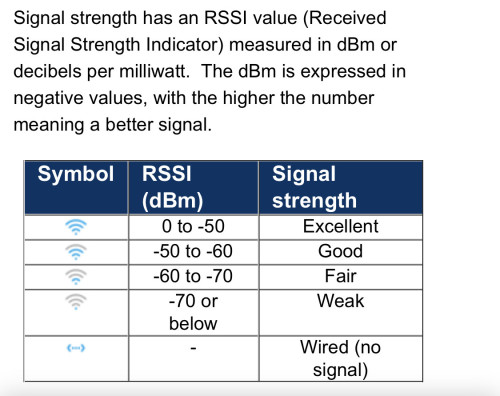
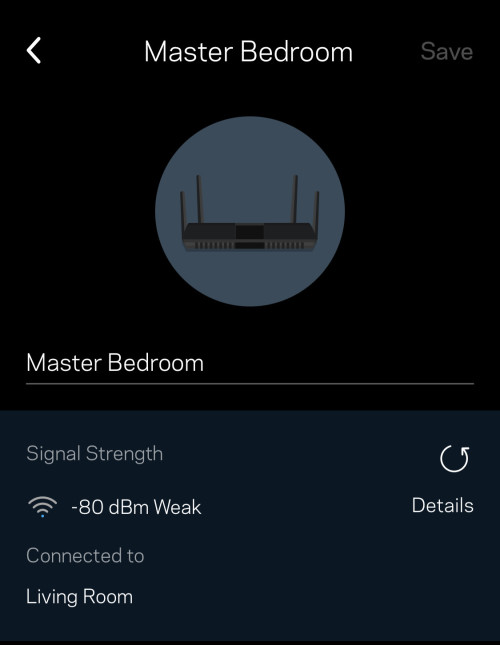
The signal of my child node is quite weak.

user posted image

user posted image

This post has been edited by westlife: Jul 17 2022, 09:38 AM
westlife
post Jul 17 2022, 10:18 AM

10k Club
********
All Stars
14,269 posts

Joined: Jan 2011
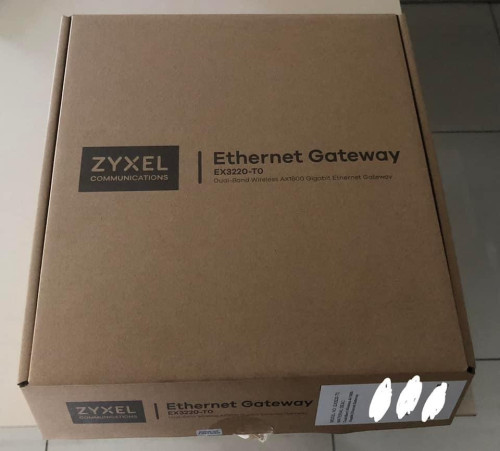
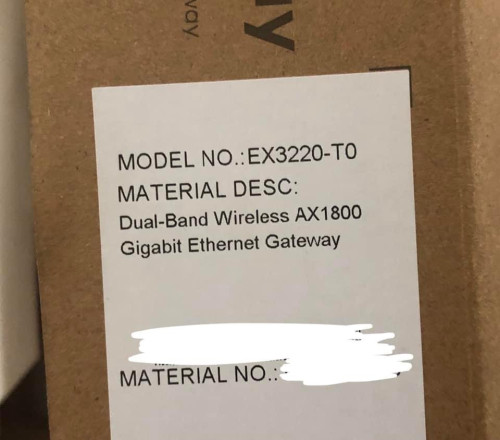
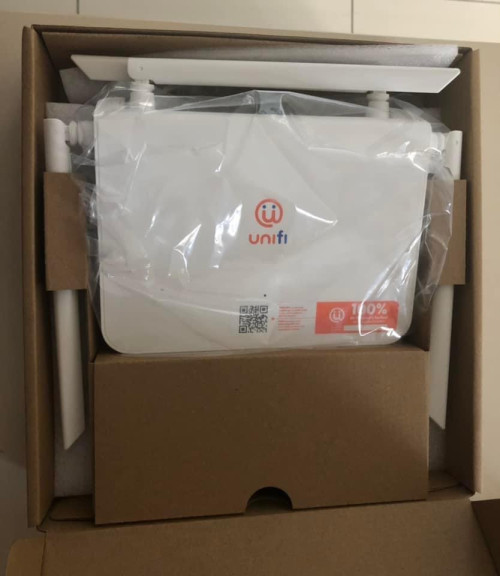
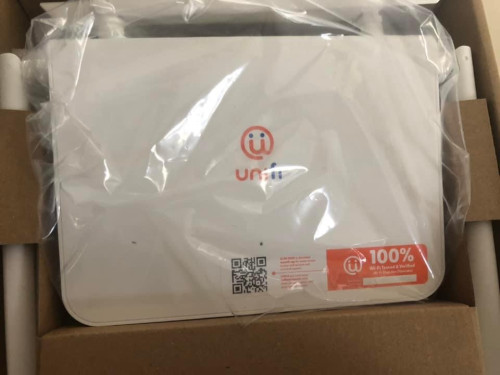
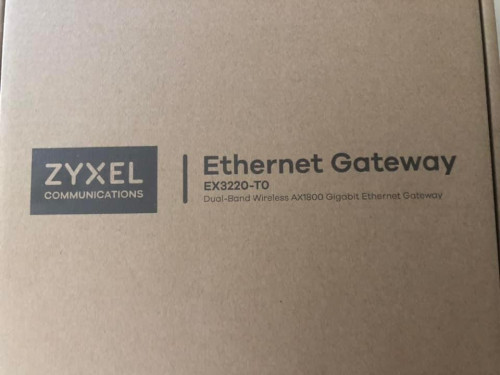
Finally received the wifi router from the installer.

Is this wifi 5 or 6? Anyway I am not using it since I already have my mesh. But good to keep it for spare or pass it to my parents. This model considered ok still or it is just a trash? Haha.

or this model is actually a mesh wifi router also (although one unit)?

seems like it is actually a Mesh Wireless Gateway? but dun think it works with other brand of mesh rite?

user posted image
user posted image
user posted image
user posted image
user posted image

This post has been edited by westlife: Jul 17 2022, 10:34 AM
westlife
post Jul 17 2022, 12:10 PM

10k Club
********
All Stars
14,269 posts

Joined: Jan 2011
hi guys, i had settled my mesh now.

which i want to ask also

1) do u guys turn on IPv6 for your unifi? Does it improve/degrade your user experience by turning on? Should one enable it for unifi?

2) which public DNS gives the faster user experience? 8.8.8.8 or 1.1.1.1?
westlife
post Jul 17 2022, 12:24 PM

10k Club
********
All Stars
14,269 posts

Joined: Jan 2011
QUOTE(akhito @ Jul 17 2022, 12:19 PM)
*

*
ic. thanks. will try them out. tongue.gif

funny that lowyat has this indication if a post is from IPv6 or not. haha.

This post has been edited by westlife: Jul 17 2022, 12:25 PM
westlife
post Jul 17 2022, 06:01 PM

10k Club
********
All Stars
14,269 posts

Joined: Jan 2011
QUOTE(cheekian @ Jul 17 2022, 04:17 PM)
This brand not really sure, quite a new brand at here, need try then will know.

It is Wi-Fi 6 router, also can do mesh
https://www.youtube.com/watch?v=1jtkLHC7g1o

BTW to reply you your last question on yesterday, I am using 300Mbps staywithunifi BTW.
*
Yeah quite a new brand, haven’t tried it. but watch the YouTube video also knowing that it can be considered as a mesh wifi router which it is not bad for that case. but only have one unit of it. Else can see if the mesh is working better than my current Linksys wifi 5 mesh.

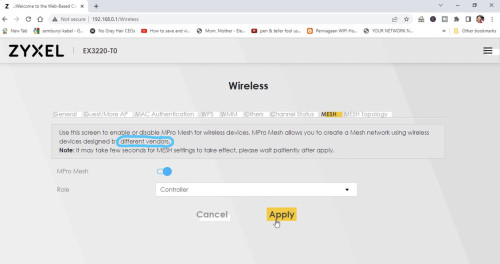
Saw the video the mesh configuration indicates that it can work with wireless devices from different vendors? If it is true, then not too bad also. But probably the other brand also needs to support the same protocol or something to work.

After you are changed to 300Mbps, do they really cancel off ur unifi tv?

What about your fixed line? Do you still have the telephone line remained? Does ur line still have the 600 mins free talktime?

user posted image

17 Pages < 1 2 3 4 5 > » Top
Topic ClosedOptions
 

Change to:
| Lo-Fi Version
0.2589sec    0.10    7 queries    GZIP Disabled
Time is now: 9th December 2025 - 01:54 AM