I got the prompt but I cancel it so it didn't upgrade. I always do clean installation, dislike to straight upgrade.
If the prompt specifically said it was going to update to windows 11 then id be fine and opt for clean installs etc .
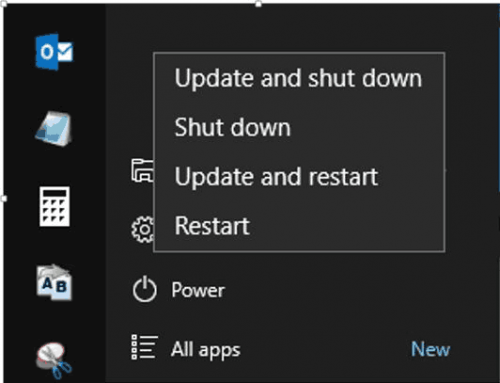
This time it was just a usual 'windows update' on the start menu shutdown. I haven't even backed anything up . So I was shocked to get it updated like that.
If the prompt specifically said it was going to update to windows 11 then id be fine and opt for clean installs etc . This time it was just a usual 'windows update' on the start menu shutdown. I haven't even backed anything up . So I was shocked to get it updated like that.
Windows 11 is actually based on Windows 10 and they both are very much identical. UI minor redesigned with add-on features. All Windows 10 would get the free upgrade to Windows 11. It is why you can link your Windows 10 product key to your Microsoft Account and when you do the clean installation of Windows 11, login back to your Microsoft Account and the Windows 11 will auto activated. It is very much like Office 365, when you purchase Office 365 2019 but when Microsoft released Office 365 2021, you get auto upgraded to Office 365 2021 when Windows Update is performing the Windows Update process.
If the prompt specifically said it was going to update to windows 11 then id be fine and opt for clean installs etc . This time it was just a usual 'windows update' on the start menu shutdown. I haven't even backed anything up . So I was shocked to get it updated like that.
You can revert back to Windows 10 within 10 days after upgrading to Win 11
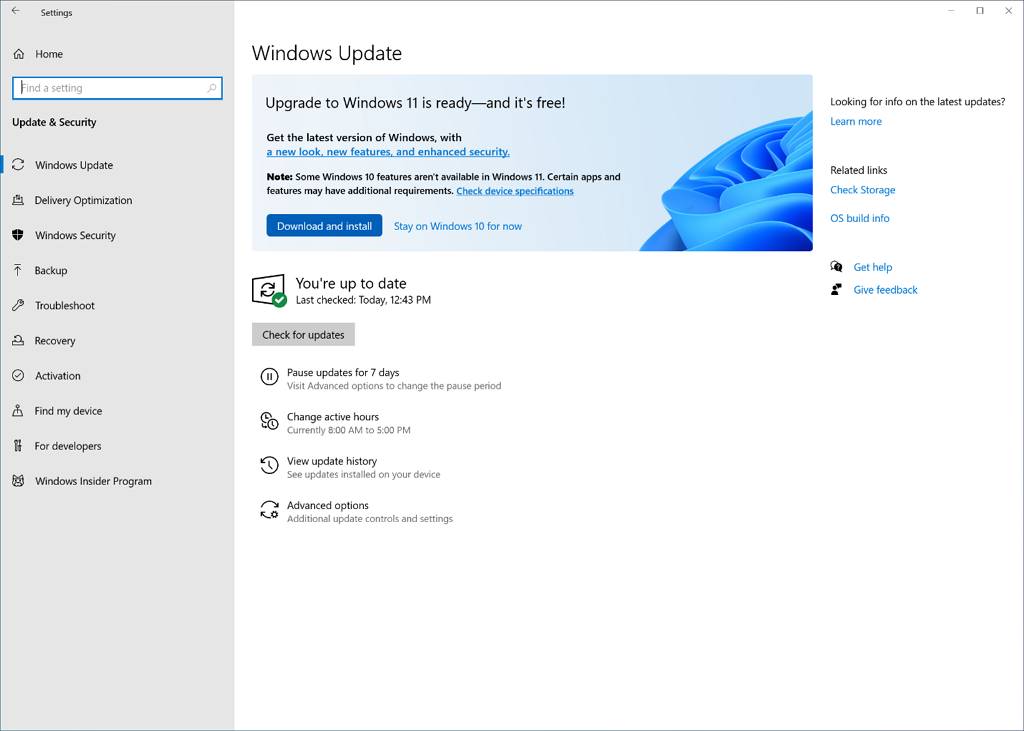
I saw many online screenshot got big banner about win11 when on windows update screen Not see that?
Usually most user don't read carefully. Just click and proceed to their daily task (works or gaming). Again how many users really read the User Agreement or Service Agreement on Youtube, Facebook, Twitter, Windows, Microsoft, etc? Usually anything pop up, just click Yes or Agree or Next.
I have a message pop up on my Windows 10 asking me whether I wanted to upgrade to Windows 11 or not. So I can confirm there is a message.
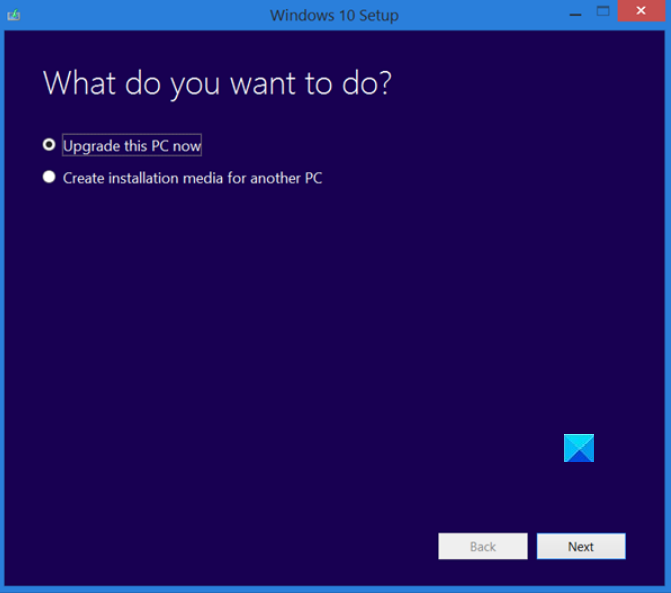
My physical CPU's Windows 10 got the 2nd screen. My Windows 10 VM having the 1st screenshot. So I saw both screen before.
This post has been edited by life5tyle: Oct 26 2021, 11:09 AM
I saw many online screenshot got big banner about win11 when on windows update screen Not see that?
QUOTE(life5tyle @ Oct 26 2021, 11:07 AM)
Usually most user don't read carefully. Just click and proceed to their daily task (works or gaming). Again how many users really read the User Agreement or Service Agreement on Youtube, Facebook, Twitter, Windows, Microsoft, etc? Usually anything pop up, just click Yes or Agree or Next.
I have a message pop up on my Windows 10 asking me whether I wanted to upgrade to Windows 11 or not. So I can confirm there is a message.
My physical CPU's Windows 10 got the 2nd screen. My Windows 10 VM having the 1st screenshot. So I saw both screen before.
No. I'm pretty sure I just don't click yes on everything.
I swear this was the only thing I clicked. This isn't my first rodeo with Windows. I did however turn on TPM to prep for W11, but Im not sure how that would correlate to Windows updating to 11 without telling me.
No. I'm pretty sure I just don't click yes on everything.
I swear this was the only thing I clicked. This isn't my first rodeo with Windows. I did however turn on TPM to prep for W11, but Im not sure how that would correlate to Windows updating to 11 without telling me.
Actually Microsoft make a trick here.
You need to click stay at Windows 10, else the next update will install Windows 11 for you if they detect your system meet all the requirements.
No. I'm pretty sure I just don't click yes on everything.
I swear this was the only thing I clicked. This isn't my first rodeo with Windows. I did however turn on TPM to prep for W11, but Im not sure how that would correlate to Windows updating to 11 without telling me.
You turn on TPM mean you agree to upgrade. LOL! You still can revert it back. Remember to turn off your Windows Update or turn off TPM until you ready to upgrade to Windows 11.
Successful run Google Play Store & Amazon Appstore in Windows 11. 😍🥰😊 They is no Official way as Microsoft already partner with Amazon.
Installation Instruction 1) How to install Google Play Store at Windows 11
2) How to install adb platform
Great feature, done install on one of the laptops. Notice shutdown and after update screen is black instead of blue. Still learning how to use it. Designs are great. I did fresh install of Windows 11. Others computer still using Windows 10. Afraid got bugs.
guy how to do clean installations on win 11 ? i think my win is having issue.
btw my pc come with dell OEM win 10 home, but after i get my PC, i make purchase of win 10 pro, after update to win PRO, i update to win 11, but look like i have way too many bugs on my PC. but fresh installations might cause me a lot trouble to restall back on my pc driver and software. my is dell AW r12.
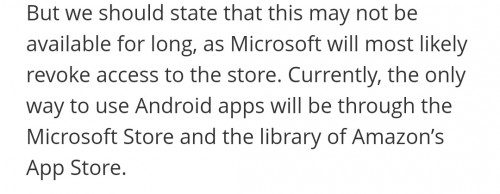
I don't think so, if Microsoft want to use Google Play Store, they is no point Microsoft now using Amazon Appstore. The Google Play Store is so stable and smooth not like Amazon Appstore a bit lagging.
guy how to do clean installations on win 11 ? i think my win is having issue.
btw my pc come with dell OEM win 10 home, but after i get my PC, i make purchase of win 10 pro, after update to win PRO, i update to win 11, but look like i have way too many bugs on my PC. but fresh installations might cause me a lot trouble to restall back on my pc driver and software. my is dell AW r12.
The easier way reinstall back your Windows 10 using Dell ISO where you can ask CS request for download link if you did not received the CD and later update to Windows 11 if you have trouble on solving the driver issue.
I don't think so, if Microsoft want to use Google Play Store, they is no point Microsoft now using Amazon Appstore. The Google Play Store is so stable and smooth not like Amazon Appstore a bit lagging.
Yes Amazon store is very limited besides some of the apps I purchased are all in googlestore I do not wish to buy again those apps. Hope there will continue be loophole to use googlestore if this one is closed.
Great feature, done install on one of the laptops. Notice shutdown and after update screen is black instead of blue. Still learning how to use it. Designs are great. I did fresh install of Windows 11. Others computer still using Windows 10. Afraid got bugs.
Windows Subsystem for Android required higher spec PC, make sure you have 8 GB RAM as minimum, 16 GB RAM as recommended.


 Oct 26 2021, 08:25 AM


 Quote
Quote






 0.0331sec
 0.26
0.26
 6 queries
 GZIP Disabled