I read the article. So basically they are saying that S21 adaptive refresh rate will only work under bright ambient light. If you are using in the darker environment or room, the adaptive mode won't work and it will stay at 120hz all the time. Am I right?
does it matter if i turn off auto brightness?? or it doesnt matter if i turn on or off auto brightness. in darker room, rr will stay at 120hz?
does it matter if i turn off auto brightness?? or it doesnt matter if i turn on or off auto brightness. in darker room, rr will stay at 120hz?
Just tested it on my side. Indeed it stays at 120 Hz in darker room, damn VRR not working here. Auto brightness does not play a role here, it is based on the ambient brightness detected by the sensor.
Just tested it on my side. Indeed it stays at 120 Hz in darker room, damn VRR not working here. Auto brightness does not play a role here, it is based on the ambient brightness detected by the sensor.
interesting information bro. do you have fps meter to test? thanks for sharing bro
interesting information bro. do you have fps meter to test? thanks for sharing bro
No need FPS meter, Android 11 got built-in refresh rate checker. You need to turn on Developer options to enable this setting though. Under Debugging, there is an option called as Show refresh rate
Btw FPS and refresh rate are two different things. Maybe you can get this fact right 1st.
This post has been edited by Josh95: Feb 3 2021, 05:50 PM
No need FPS meter, Android 11 got built-in refresh rate checker. You need to turn on Developer options to enable this setting though. Under Debugging, there is an option called as Show refresh rate
Btw FPS and refresh rate are two different things. Maybe you can get this fact right 1st.
i know the difference between FPS and Refresh rate. it it just that with Xiaomi built in FPS meter that can monitor RR also...so i thought perhaps samsung or third party one can show also.. phone is mi10t lite
in xiaomi it is called Frame Rate Monitor Tools
This post has been edited by marcyeo: Feb 3 2021, 06:08 PM
i know the difference between FPS and Refresh rate. it it just that with Xiaomi built in FPS meter that can monitor RR also...so i thought perhaps samsung or third party one can show also.. phone is mi10t lite
in xiaomi it is called Frame Rate Monitor Tools
I'm glad you know the difference. Those naming schemes needs to be renamed. Those terms used interchangeably (since they are correlated in some ways) and non tech savvy people will definitely get confused. Well, if the built-in tool does its job, I don't see the need for any third party software unless you seeking for more detailed features and info.
As far as I know, no Samsung tools that can check this though. If you want to use third party, I have just stumbled one on the Play Store Refresh Rate Checker
Edit: Just tested this is not real time checker. I see if I can find one
This post has been edited by Josh95: Feb 3 2021, 06:20 PM
I'm glad you know the difference. Those naming schemes needs to be renamed. Those terms used interchangeably (since they are correlated in some ways) and non tech savvy people will definitely get confused. Well, if the built-in tool does its job, I don't see the need for any third party software unless you seeking for more detailed features and info.
As far as I know, no Samsung tools that can check this though. If you want to use third party, I have just stumbled one on the Play Store Refresh Rate Checker
Edit: Just tested this is not real time checker. I see if I can find one
Found one that is real time, although not as comprehensive as the Xiaomi's one that came with FPS, resolution and Refresh rate overlay. Display Checker with Real-Time Refresh Rate
Found one that is real time, although not as comprehensive as the Xiaomi's one that came with FPS, resolution and Refresh rate overlay. Display Checker with Real-Time Refresh Rate
thanks for the recommendation bro. will check it out
Cancelled with Courts due to them not having stocks at all (have to wait till God knows when) and went to the Samsung Store and managed to get the additional one-year warranty inclusive of 1st year screen protection plus all the 3 gifts and one month waiver (worth 8% and must do EPP, lump sum pay won't get discount lol). Take note that the extended warranty FOC has branch-based quota.
I think those who missed out the PO this is the best deal to get.
This post has been edited by emy_xvidia: Feb 3 2021, 06:58 PM
guys about the ROI unique code...u can only use when u register on the same site that u preorder the phone...example..u register ROI at samsung then samsung will give unique code..then that code will only be used i u buy at samsung site....if u register ROI at harvey norman then u preorder thru HN site then it will be eligible....but if u register ROI at samsung then got the uniqe code but u preorder at SenQ.....that code will not be eligible to redeem...becau the ROI gift is based on the participating partner...
Hi, I am taking it upon myself to put out there to forummers here, who may not be in the know, lest they be unduly worried.
And I say this in the sincerest of ways. It’s good to share. In fact it’s encouraged. But your experience is based on a SD S20 Ultra, not the 21. As the current Exynos variant is of a newer iteration which more than a handful have testified to its vast improvement, it may not, in this heat issue, be due to the SoC. Yes, SD as we speak is still a better chip but if you do not expound based on apple to apple, then there is always an area of uncertainty.
No ill will or intent but saying just so those uninitiated seeking advice do not get misled.
No need FPS meter, Android 11 got built-in refresh rate checker. You need to turn on Developer options to enable this setting though. Under Debugging, there is an option called as Show refresh rate
Btw FPS and refresh rate are two different things. Maybe you can get this fact right 1st.
I read the article too.. another interesting finding from their graph is that 1440p consumes less display power compared to when set at 1080p? Weird haha.
When I turn on my refresh rate checker from developer settings, my display only alternates between 120 -> 60hz -> back to 120hz again when I touch the display. Is yours the same?
I can't seem to activate the claimed 10hz VRR
This post has been edited by Pyjamas999: Feb 3 2021, 07:08 PM
i know the difference between FPS and Refresh rate. it it just that with Xiaomi built in FPS meter that can monitor RR also...so i thought perhaps samsung or third party one can show also.. phone is mi10t lite
in xiaomi it is called Frame Rate Monitor Tools
There's a built-in tool for One UI 3.1. I used it here.


 Feb 3 2021, 05:32 PM


 Quote
Quote


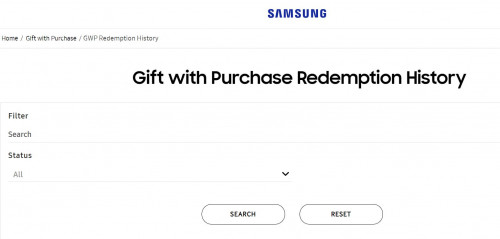


 . That will only bring you to your redemption account history.


 0.0315sec
 0.78
0.78
 6 queries
 GZIP Disabled