Welcome Guest ( Log In | Register )

Bump Topic Topic Closed RSS Feed
125 Pages « < 30 31 32 33 34 > » Bottom

Outline · [ Standard ] · Linear+

 AMDŽ Socket-AM2 Overclocking thread (V2), discuss our setup/overclocking issues

views
     
Worm77
post Jul 10 2007, 11:46 PM

Getting Started
**
Junior Member
94 posts

Joined: Jan 2003
From: Far Far Away .....


Batch CAALG 0709WPCW .. Regarding the voltage, I'm trying out how far can the Brisbane go and how stable is my PSU when giving it full load .. I think my ram is the bottleneck ler .. How to reduce the ram speed ar?? I'm running it at DDR533 ..
dreaming
post Jul 11 2007, 12:06 AM

Getting Started
**
Junior Member
124 posts

Joined: Nov 2006


Hi all,

my pc spec:
AM2 X2 3600+, Biostar TA690G (Bios R69AM605.BST), GSkill F2-6400CL4-2GBPK

Yesterday i mange to oc my X2 3600+ brisbane to 9.5x290 = 2.75GHZ with 1.35v, orthos stable for 6 hours, passed 3dmark06, OCCT and dual superpi, HTT set to 600MHZ or 3x, RAM SPEED is below 800MHZ cause i use 533MHZ in bios...
Everything are working fine.

But today when i start my pc, it show me some weird sympton...
this msg appear in CMOS --> "warning!! your system running safe mode. please setup CPU host clock"

when i press F1 to continue, window can load but the processor speed was back to 1.9GHZ.

when i restart it and check in bios, the CPU FSB show in bios still is 290MHZ... after reboot
msg --> "warning!! your system running safe mode. please setup CPU host clock" still appear in CMOS
and when load into window, it still show 1.9GHZ and CPUZ show 200x9.5.

then i have to reset bios to default by using load optimise default;
msg --> "warning!! your system running safe mode. please setup CPU host clock" disappear from CMOS when boot; and i have to set FSB, 200, 220, 250, 270, 290 and restart for few times to get my window load at 2.75GHZ.... crazy... rclxub.gif

i'm not sure where was wrong.... izzit coz by bios version?
help... icon_question.gif

bryanyeo87
post Jul 11 2007, 12:41 AM

Below the Belt
*******
Senior Member
3,175 posts

Joined: May 2006
QUOTE(Worm77 @ Jul 10 2007, 11:46 PM)
Batch CAALG 0709WPCW .. Regarding the voltage, I'm trying out how far can the Brisbane go and how stable is my PSU when giving it full load .. I think my ram is the bottleneck ler .. How to reduce the ram speed ar?? I'm running it at DDR533 ..
*
hmm...interesting stepping, anyway let me chk it out...for ur ram, just use ddr 400 lor...or u can try to loosen the timings...or use 2t command rate OR!!!! mostly left out is trfc rate...increase it to say....127 or 195ns?


QUOTE(dreaming @ Jul 11 2007, 12:06 AM)
Hi all,

my pc spec:
AM2 X2 3600+, Biostar TA690G (Bios R69AM605.BST), GSkill F2-6400CL4-2GBPK

Yesterday i mange to oc my X2 3600+ brisbane to 9.5x290 = 2.75GHZ with 1.35v, orthos stable for 6 hours, passed 3dmark06, OCCT and dual superpi, HTT set to 600MHZ or 3x, RAM SPEED is  below 800MHZ cause i use 533MHZ in bios...
Everything are working fine.

But today when i start my pc, it show me some weird sympton...
this msg appear in CMOS --> "warning!! your system running safe mode. please setup CPU host clock"

when i press F1 to continue, window can load but the processor speed was back to 1.9GHZ.

when i restart it and check in bios, the CPU FSB show in bios still is 290MHZ... after reboot
msg --> "warning!! your system running safe mode. please setup CPU host clock" still appear in CMOS
and when load into window, it still show 1.9GHZ and CPUZ show 200x9.5.

then i have to reset bios to default by using load optimise default;
msg --> "warning!! your system running safe mode. please setup CPU host clock" disappear from CMOS when boot; and i have to set FSB, 200, 220, 250, 270, 290 and restart for few times to get my window load at 2.75GHZ.... crazy...  rclxub.gif

i'm not sure where was wrong.... izzit coz by bios version?
help...  icon_question.gif

*
soudns like bios version prob...pls read ur manual or the biostar website about flashing thier bios to newer version....and pls use DOS to flash...not in windows in case fail..if ur already using latest bios, pls disregard this post laugh.gif
sempronic
post Jul 11 2007, 01:33 AM

Enthusiast
*****
Senior Member
986 posts

Joined: Jul 2006
From: :: infront the steering ::


QUOTE(dreaming @ Jul 11 2007, 12:06 AM)
Hi all,

my pc spec:
AM2 X2 3600+, Biostar TA690G (Bios R69AM605.BST), GSkill F2-6400CL4-2GBPK

Yesterday i mange to oc my X2 3600+ brisbane to 9.5x290 = 2.75GHZ with 1.35v, orthos stable for 6 hours, passed 3dmark06, OCCT and dual superpi, HTT set to 600MHZ or 3x, RAM SPEED is  below 800MHZ cause i use 533MHZ in bios...
Everything are working fine.

But today when i start my pc, it show me some weird sympton...
this msg appear in CMOS --> "warning!! your system running safe mode. please setup CPU host clock"

when i press F1 to continue, window can load but the processor speed was back to 1.9GHZ.

when i restart it and check in bios, the CPU FSB show in bios still is 290MHZ... after reboot
msg --> "warning!! your system running safe mode. please setup CPU host clock" still appear in CMOS
and when load into window, it still show 1.9GHZ and CPUZ show 200x9.5.

then i have to reset bios to default by using load optimise default;
msg --> "warning!! your system running safe mode. please setup CPU host clock" disappear from CMOS when boot; and i have to set FSB, 200, 220, 250, 270, 290 and restart for few times to get my window load at 2.75GHZ.... crazy...  rclxub.gif

i'm not sure where was wrong.... izzit coz by bios version?
help...  icon_question.gif
*
update ur bios with the modded or latest one...
use the most stable one.....
try anything till it is ok....
afosz
post Jul 11 2007, 01:46 AM

Justice, My Foot!
******
Senior Member
1,413 posts

Joined: Jun 2006
From: Shah Alam
QUOTE(dreaming @ Jul 11 2007, 12:06 AM)
But today when i start my pc, it show me some weird sympton...
this msg appear in CMOS --> "warning!! your system running safe mode. please setup CPU host clock"

when i press F1 to continue, window can load but the processor speed was back to 1.9GHZ.

when i restart it and check in bios, the CPU FSB show in bios still is 290MHZ... after reboot
msg --> "warning!! your system running safe mode. please setup CPU host clock" still appear in CMOS
and when load into window, it still show 1.9GHZ and CPUZ show 200x9.5.

then i have to reset bios to default by using load optimise default;
msg --> "warning!! your system running safe mode. please setup CPU host clock" disappear from CMOS when boot; and i have to set FSB, 200, 220, 250, 270, 290 and restart for few times to get my window load at 2.75GHZ.... crazy...  rclxub.gif

i'm not sure where was wrong.... izzit coz by bios version?
help...  icon_question.gif
*
IINM, if that kind of msg appears, if you choose to continue (F1), you'll load in Safe Mode. Or am I wrong? As for me, I don't dare to continue if that msg appears. I'll enter BIOS again, play around and exit. Will do the same thing until the msg disappears. If it still doesn't, then I lower bus a bit
SUSbudakdegilz
post Jul 11 2007, 02:47 AM

Regular
******
Senior Member
1,138 posts

Joined: Dec 2006


safe mode is so annoying to BIOSTAR board....my TForce 5100 can't even pass 260MHz... mad.gif
8tvt
post Jul 11 2007, 09:03 AM

Peace Lover
*******
Senior Member
8,753 posts

Joined: Jan 2003
guys˛....

R69AM605.BST is the latest bios for TA690G at the moment...
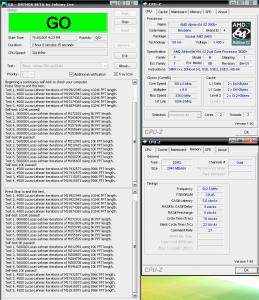
the board is rock stable.. i even manage to pump to 345fsb.. due to my brisbane is reaching it's wall.. so not attempt to try more...

last night i flash newest bios and even stress them... and for those who still wandering to search the CpuMul... the latest bios has it..
try to find >> NPT Fid Control.. that's should be cpuMul.. i even try 10x.. lol it's cannot works ofcourse...bcoz brisbane end up 9.5x.. but 'half˛' don't have.. all even number.. so i try 9x..

keep tweak ur option to reach 3ghz especially ram setting.. i even tell some tips previously..


Attached thumbnail(s)
Attached Image Attached Image
Worm77
post Jul 11 2007, 10:01 AM

Getting Started
**
Junior Member
94 posts

Joined: Jan 2003
From: Far Far Away .....


QUOTE(bryanyeo87 @ Jul 11 2007, 12:41 AM)
hmm...interesting stepping,  anyway let me chk it out...for ur ram, just use ddr 400 lor...or u can try to loosen the timings...or use 2t command rate OR!!!! mostly left out is trfc rate...increase it to say....127 or 195ns?
*
bryanyeo87,
Using DDR533 at 2T CR .. Increased the trfc to 105ns .. Will try higher ns ..

QUOTE(8tvt @ Jul 11 2007, 09:03 AM)
guys˛....

R69AM605.BST is the latest bios for TA690G at the moment...
the board is rock stable.. i even manage to pump to 345fsb.. due to my brisbane is reaching it's wall.. so not attempt to try more...

last night i flash newest bios and even stress them... and for those who still wandering to search the CpuMul... the latest bios has it..
try to find >> NPT Fid Control.. that's should be cpuMul.. i even try 10x.. lol it's cannot works ofcourse...bcoz brisbane end up 9.5x.. but 'half˛' don't have.. all even number.. so i try 9x..

keep tweak ur option to reach 3ghz especially ram setting.. i even tell some tips previously..
*
8tvt,
I'm also using R69AM605.BST .. Very stable but I'm stuck at 308, max is 310 .. Can't go higher than that .. Must be my ram that needed tweaking .. Good thing about this bios is the option for ram setting is working .. Can't work on Bios601, goes back to default everytime the setting is changed ..

Bios 601 also has the NPT Fid Control thingy, tried 9x,5x and 10x (Like you said, not working of course) .. After that, I leave it to AUTO mode ..
8tvt
post Jul 11 2007, 10:21 AM

Peace Lover
*******
Senior Member
8,753 posts

Joined: Jan 2003
Worm77,

u should setting up ur ram first.. as most of the case the ram bottlenecking oc attempt...
try lower down ur fsb.. as u know the cpu can go higher..
push the ram first.. select correct voltage.. and other ram setting..
different ram different setting.. so u need to figure it out..
i even supply the ram to 2.1v.. maybe urs need more..
Worm77
post Jul 11 2007, 10:33 AM

Getting Started
**
Junior Member
94 posts

Joined: Jan 2003
From: Far Far Away .....


I supplied 2.1v too .. Need to play around with the settings ..

What is the method of knowing whether the ram is properly set up??
8tvt
post Jul 11 2007, 12:05 PM

Peace Lover
*******
Senior Member
8,753 posts

Joined: Jan 2003
u can use orthos or super PI to stress ram for a period of time..
biostar also got built-in memtest, u can enable the Integrated Memory Test in the bios' oc section.. push the ram than u know the limit..
afosz
post Jul 11 2007, 01:20 PM

Justice, My Foot!
******
Senior Member
1,413 posts

Joined: Jun 2006
From: Shah Alam
8tvt,
The latest BIOS has cpu multiplier? You said that the multiplier is X9, X10 something like that but no 'half˛'. Does that mean our Brisbane is not using X9.5 anymore? sad.gif Since X10 is impossible because max is X9.5, but use X9 doesn't make the GHz high sweat.gif
TSsoulfly
post Jul 11 2007, 01:33 PM

revving towards 10,000 rpm
Group Icon
VIP
15,903 posts

Joined: Jan 2003
From: Miri


QUOTE(afosz @ Jul 11 2007, 01:20 PM)
8tvt,
The latest BIOS has cpu multiplier? You said that the multiplier is X9, X10 something like that but no 'half˛'. Does that mean our Brisbane is not using X9.5 anymore? sad.gif Since X10 is impossible because max is X9.5, but use X9 doesn't make the GHz high sweat.gif
*

i think what he mean was the new bios does not support half-multiplier options. but probably u will still have 9.5x multi when running default speed.

afosz
post Jul 11 2007, 01:50 PM

Justice, My Foot!
******
Senior Member
1,413 posts

Joined: Jun 2006
From: Shah Alam
QUOTE(soulfly @ Jul 11 2007, 01:33 PM)
i think what he mean was the new bios does not support half-multiplier options. but probably u will still have 9.5x multi when running default speed.
*
I see. By default, we still running at x9.5, but if we choose to change the cpu multiplier, the only option is those numbers with no +0.5 in the back notworthy.gif

Let say I've OCed my cpu, can I just flash the BIOS just like that? I mean in DOS, not windows or do I need to downclock, and start all over again?
8tvt
post Jul 11 2007, 02:11 PM

Peace Lover
*******
Senior Member
8,753 posts

Joined: Jan 2003
QUOTE(afosz @ Jul 11 2007, 01:20 PM)
8tvt,
The latest BIOS has cpu multiplier? You said that the multiplier is X9, X10 something like that but no 'half˛'. Does that mean our Brisbane is not using X9.5 anymore? sad.gif Since X10 is impossible because max is X9.5, but use X9 doesn't make the GHz high sweat.gif
*
QUOTE(soulfly @ Jul 11 2007, 01:33 PM)
i think what he mean was the new bios does not support half-multiplier options. but probably u will still have 9.5x multi when running default speed.
*
precisely..

the multipler got 10x,9x,8x... no 9.5x,8.5x...
if set auto,the value for 3600+ brisbane is 9.5x.. while i set 10x it's max out 9.5x..

since the memory divider refers from rounded number of cpuMul.. so i won't care much about the 'half'..
i'm dropping the cpuMul just to test higher fsb.. but the ram bandwidth still the same... coz 9.5x n 9x share the same table..
n again with 9x i got 335fsb n 1000Mhz HTT..
tight the ram a little bit and supply 2.1v.. it's just nice.. 10 000 Mb/s


Added on July 11, 2007, 2:17 pm
QUOTE(afosz @ Jul 11 2007, 01:50 PM)
I see. By default, we still running at x9.5, but if we choose to change the cpu multiplier, the only option is those numbers with no +0.5 in the back notworthy.gif

Let say I've OCed my cpu, can I just flash the BIOS just like that? I mean in DOS, not windows or do I need to downclock, and start all over again?
*
several times i flashed the bios.. i don't change the oc value..
and again previous setting still intact... great..

This post has been edited by 8tvt: Jul 11 2007, 02:17 PM
likito
post Jul 11 2007, 02:58 PM

Regular
******
Senior Member
1,468 posts

Joined: Sep 2006
From: Taman Melati, KL


AMD X2 3800+ 2.0ghz , asus m2n-e , kingston hyperx 1gb pair ..
oc result 2.4ghz bus:240mhz stock fan .. i willtry oc next time get better result .
afosz
post Jul 11 2007, 03:13 PM

Justice, My Foot!
******
Senior Member
1,413 posts

Joined: Jun 2006
From: Shah Alam
Just flash the new R69AM605.BST, but so sad all set to default value, is it normal? Thus I need to OC again, and I did sweat.gif
8tvt
post Jul 11 2007, 03:35 PM

Peace Lover
*******
Senior Member
8,753 posts

Joined: Jan 2003
QUOTE(afosz @ Jul 11 2007, 03:13 PM)
Just flash the new R69AM605.BST, but so sad all set to default value, is it normal? Thus I need to OC again, and I did sweat.gif
*
how u flash? i'm using awdflash through dos..
i never try windows and bios option..
afosz
post Jul 11 2007, 03:50 PM

Justice, My Foot!
******
Senior Member
1,413 posts

Joined: Jun 2006
From: Shah Alam
QUOTE(8tvt @ Jul 11 2007, 03:35 PM)
how u flash? i'm using awdflash through dos..
i never try windows and bios option..
*
awdflash? how's that?

I flash from upgrade BIOS in BIOS tongue.gif Insert diskette or pendrive (don't know which it detects because I plug in both), upgrade BIOS, settle
Worm77
post Jul 11 2007, 05:24 PM

Getting Started
**
Junior Member
94 posts

Joined: Jan 2003
From: Far Far Away .....


I flashed mine from from Windows using the BIOS Flash program from Biostar .. Been doing that for many times .. All with success ..

8tvt
I've been doing testing for OC'ing ram by using methods you mentioned .. I thought U got some easier way wor .. biggrin.gif .. Will try different settings with my ram till I max it out ..

125 Pages « < 30 31 32 33 34 > » Top
Topic ClosedOptions
 

Change to:
| Lo-Fi Version
0.0290sec    0.26    6 queries    GZIP Disabled
Time is now: 7th December 2025 - 06:35 AM