Digi App lazada voucher become more stingy no? from RM5 worth of vouchers now cut to RM3 worth for each.
Digi Infinite Fan Club [V4], Infinite 150, 100, 80
Digi Infinite Fan Club [V4], Infinite 150, 100, 80
|
|
 Apr 2 2019, 04:03 PM Apr 2 2019, 04:03 PM
|
 
Junior Member
134 posts Joined: Feb 2014 
|
Digi App lazada voucher become more stingy no? from RM5 worth of vouchers now cut to RM3 worth for each.
|
|
|
|
|
|
Apr 2 2019, 04:33 PM
|

Junior Member
179 posts Joined: Mar 2010 From: Kuala Lumpur 
|
QUOTE(fruitie @ Apr 2 2019, 03:51 PM) I don't find it cruel at all. Try with UniFi and Astro, you need to pay for re-connecting payment. Pay what you owe, if can afford but don't want to pay, I don't understand the rationale behind this. What's the difference of paying now and later after barred? Such inconvenience.   Yeahh I understand. Astro and Unifi more cruel. Just want to hold the payment only . never thought the line will be barred. i thought digi can hold payment for more 2 month like umobile. |
|
|
Apr 2 2019, 04:35 PM
|
 
Staff
72,805 posts Joined: Sep 2005 From: KUL 
|
QUOTE(mrlongshen @ Apr 2 2019, 04:33 PM) Yeahh I understand. Astro and Unifi more cruel. Just want to hold the payment only . never thought the line will be barred. i thought digi can hold payment for more 2 month like umobile. |
|
|
Apr 2 2019, 04:43 PM
|
|
Junior Member
179 posts Joined: Mar 2010 From: Kuala Lumpur
|
QUOTE(fruitie @ Apr 2 2019, 04:35 PM) Well, learnt the hard way then. tq fruitie for the explanation. |
|
|
Apr 2 2019, 08:23 PM
|

Junior Member
298 posts Joined: Mar 2011
|
Hi sifu here..
I want to change my infinite to digi prepaid.. how to do it? |
|
|
Apr 2 2019, 08:29 PM
Show posts by this member only | IPv6 | Post
#1126
|

All Stars
17,499 posts Joined: Feb 2006 From: KL
|
QUOTE(godslayer84 @ Apr 2 2019, 08:23 PM) Hi sifu here.. digi centreI want to change my infinite to digi prepaid.. how to do it? |
|
|
|
|
|
Apr 2 2019, 09:36 PM
|
|
Junior Member
298 posts Joined: Mar 2011
|
QUOTE(alexanderclz @ Apr 2 2019, 08:29 PM) digi centre thanks.any charge? |
|
|
Apr 2 2019, 09:39 PM
Show posts by this member only | IPv6 | Post
#1128
|
|
All Stars
17,499 posts Joined: Feb 2006 From: KL
|
QUOTE(godslayer84 @ Apr 2 2019, 09:36 PM) thanks. FOCany charge? |
|
|
Apr 3 2019, 02:47 PM
|

Senior Member
3,363 posts Joined: Sep 2005 
|
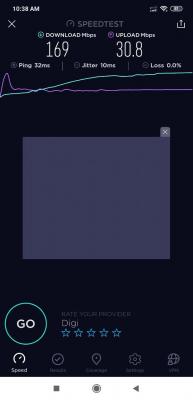
Finally on my working place CA/4G+ is actually running
 » Click to show Spoiler - click again to hide... « Previously just 100mbps only single band is running even it's shown 4G+ |
|
|
Apr 3 2019, 03:28 PM
|
|
Junior Member
21 posts Joined: Sep 2008 From: Shah Alam
|
Hi guys,
Is there a router that I can put my simcard inside it? Like a signal booster or something. Is there such thing? I got 1 Digi sim that I use extensively for Data only This post has been edited by lolwhat: Apr 3 2019, 03:33 PM |
|
|
Apr 3 2019, 03:36 PM
|
|
Staff
72,805 posts Joined: Sep 2005 From: KUL
|
QUOTE(lolwhat @ Apr 3 2019, 03:28 PM) Hi guys, Most of us are using it in a router. Huawei B618 is the famous model. Refer to this thread for B618 discussion: https://forum.lowyat.net/index.php?showtopic=4557293Is there a router that I can put my simcard inside it? Like a signal booster or something. Is there such thing? I got 1 Digi sim that I use extensively for Data only |
|
|
Apr 3 2019, 03:43 PM
|
|
Senior Member
3,363 posts Joined: Sep 2005
|
QUOTE(lolwhat @ Apr 3 2019, 03:28 PM) Hi guys, how much is your budget.Is there a router that I can put my simcard inside it? Like a signal booster or something. Is there such thing? I got 1 Digi sim that I use extensively for Data only if within rm200 b310 (very long lasting modem) if within rm500 b618 22d/65d (better coverage for indoor signal strong) |
|
|
Apr 5 2019, 07:40 PM
|

Senior Member
1,595 posts Joined: Jan 2016
|
QUOTE(alexchew_2020 @ Apr 2 2019, 01:02 AM) are u using android phone? install hmanager.. get data rsrp n sinr..at least u know what dbm reading u had to compare... I forgot to take a screenshot of the signal strength before putting that antenna up, basically after installing it the rssi never went below 69 external antenna need to be turn on on setting inweb ui 192.168.8.1 and there isnt any need for turning on external antenna in B310s, there isnt an option for it...router automatically switches to external once plugged in 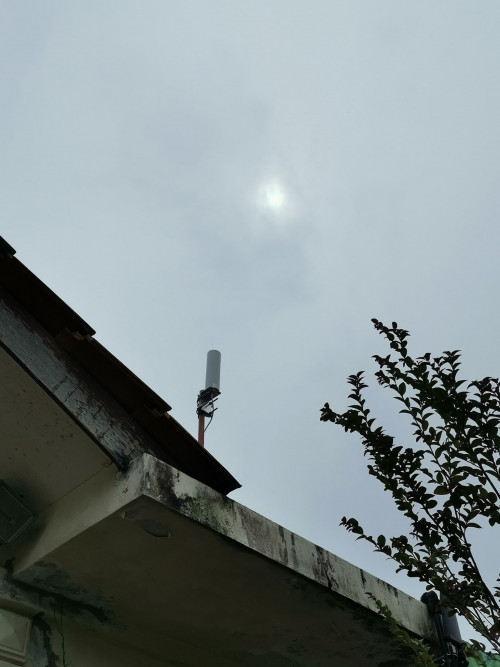 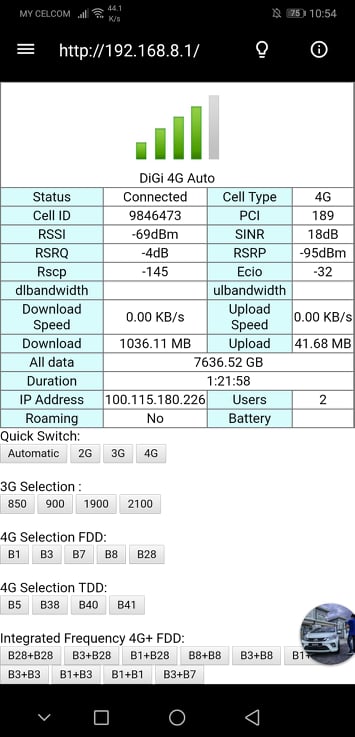 This post has been edited by QuantumEdge: Apr 5 2019, 07:40 PM |
|
|
|
|
|
Apr 5 2019, 11:12 PM
|
|
Senior Member
3,363 posts Joined: Sep 2005
|
QUOTE(QuantumEdge @ Apr 5 2019, 07:40 PM) I forgot to take a screenshot of the signal strength before putting that antenna up, basically after installing it the rssi never went below 69 is it? i'm not sure your web ui for b310 how is it..and there isnt any need for turning on external antenna in B310s, there isnt an option for it...router automatically switches to external once plugged in but previously i'm using b310 my model UI need to enable external..else it wont run... selectable... maybe u put auto...hmm..not sure... haha... it does got auto, external, internet option... can we see before plug antenna and after plug antenna reading on hmanager apps?  This post has been edited by alexchew_2020: Apr 5 2019, 11:13 PM |
|
|
Apr 6 2019, 08:19 AM
|
|
Senior Member
1,007 posts Joined: Nov 2006
|
QUOTE(alexchew_2020 @ Apr 3 2019, 02:47 PM) Finally on my working place CA/4G+ is actually running If it’s single band, it won’t be 4G+. » Click to show Spoiler - click again to hide... « Previously just 100mbps only single band is running even it's shown 4G+ |
|
|
Apr 6 2019, 08:22 AM
|
|
Senior Member
1,007 posts Joined: Nov 2006
|
QUOTE(QuantumEdge @ Apr 1 2019, 05:52 PM) Little help here guys, I've been using I150 with Huawei B310s-22 for quite a long time now, but the signal and speed varies throughtout the day so I had bought an OMNI directional external antenna...but I couldnt find any setting to switch the antenna to external, or is it automatic? And yes, signal strength does affect the total throughout that you can get.BTW the speed changes so much...that 70mbps+ one is full bar while the 30mbps one is 2 bars...yikes 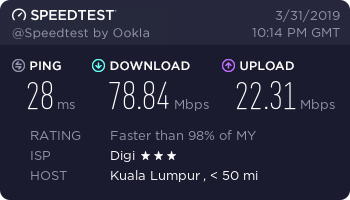 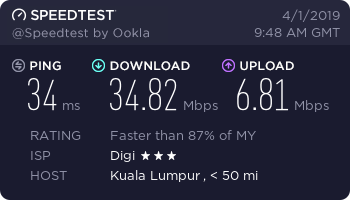 |
|
|
Apr 7 2019, 01:16 AM
|
|
Senior Member
1,595 posts Joined: Jan 2016
|
QUOTE(alexchew_2020 @ Apr 5 2019, 11:12 PM) is it? i'm not sure your web ui for b310 how is it.. With enternal antenna and withoutbut previously i'm using b310 my model UI need to enable external..else it wont run... selectable... maybe u put auto...hmm..not sure... haha... it does got auto, external, internet option... can we see before plug antenna and after plug antenna reading on hmanager apps? 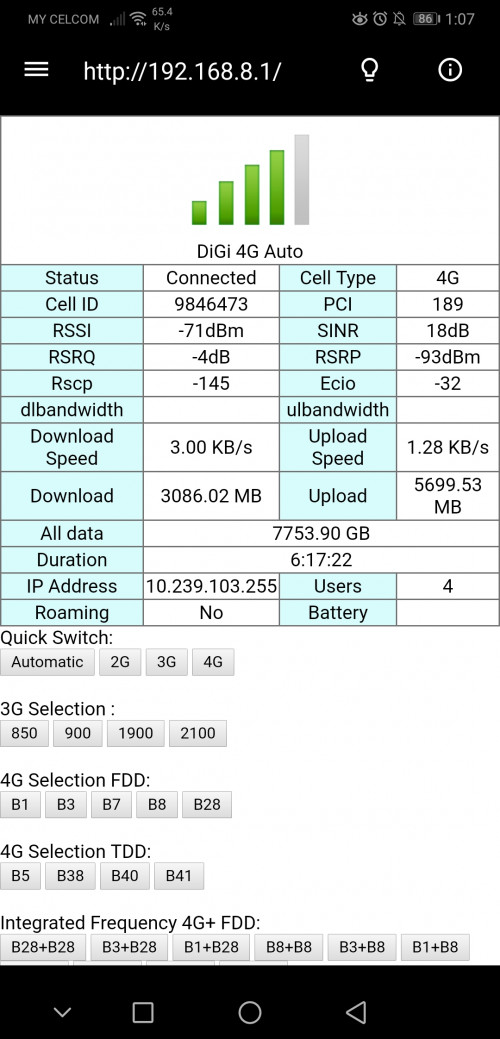 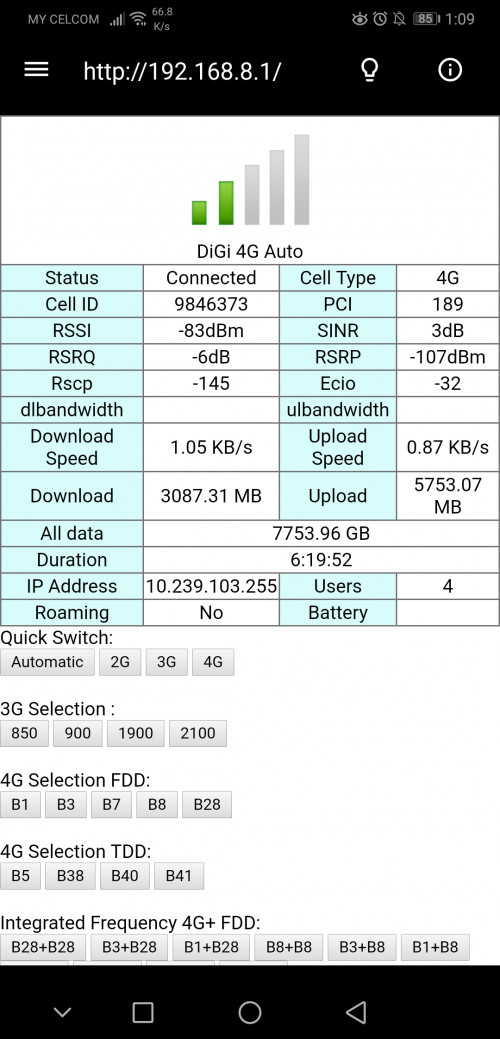 I saw someone's B310s had the options to choose the antenna, but mine doesnt 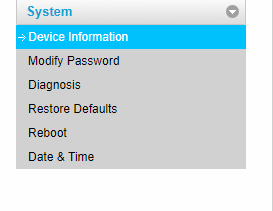 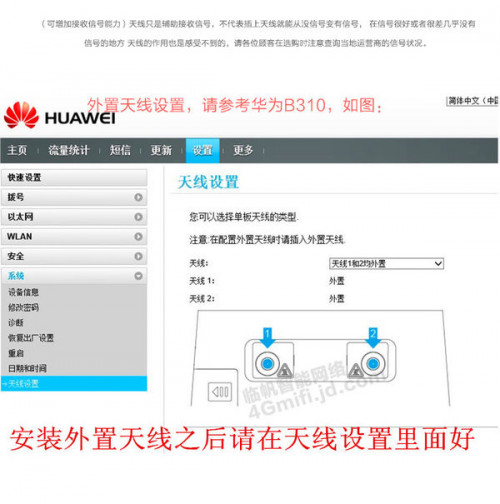 This post has been edited by QuantumEdge: Apr 7 2019, 01:16 AM |
|
|
Apr 7 2019, 11:41 AM
Show posts by this member only | IPv6 | Post
#1138
|

Senior Member
836 posts Joined: Apr 2010
|
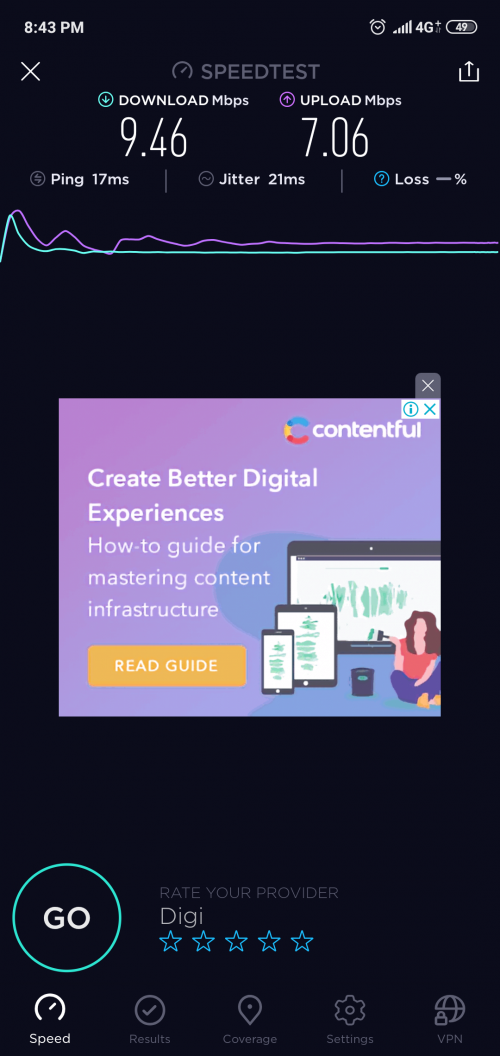
Just noticed that Klang area has 4g+
 |
|
|
Apr 7 2019, 02:39 PM
|

Junior Member
205 posts Joined: Feb 2006 From: you@$$J
|
QUOTE(evolutiontech88 @ Apr 7 2019, 11:41 AM) Just noticed that Klang area has 4g+ Doesnt look like 4G+ speed though |
|
|
Apr 7 2019, 02:56 PM
Show posts by this member only | IPv6 | Post
#1140
|
|
Senior Member
836 posts Joined: Apr 2010
|
QUOTE(endG @ Apr 7 2019, 02:39 PM) Doesnt look like 4G+ speed though It's 4g+On i80 plan. Capped speed at 10 mbps |
| Change to: |  0.0288sec 0.0288sec
 0.33 0.33
 6 queries 6 queries
 GZIP Disabled GZIP Disabled
Time is now: 5th December 2025 - 11:19 PM |
 Quote
Quote