QUOTE(LaiN87 @ May 7 2021, 09:04 AM)
jjj2, you are not fully understanding the situation.
My PC is set DNS manually to google DNS in windows. 8.8.8.8
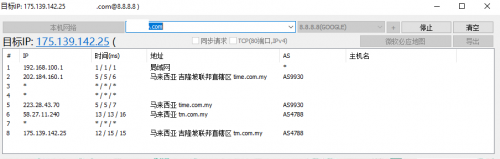
However, it still links back to Time DNS. That's what it means by DNS proxy.
This means when I set my DNS to 8.8.8.8 or 1.1.1.1, and try to go to MCMC blocked websites, it will still be blocked as it is linked to TIME DNS.
It seems like it's an issue with Huawei ONT / routers. Maybe others can check too.
Somewhere along the line connecting there's some interception by Time.
Hi, I fully understand what you meant. And we have tested on our side using the HG8245H5 in bridge mode. Anyway we will have to test again on your equipment that you mentioned again at other sites.
Please kindly provide the details below :
1) ONU/ONT Model : HG8145V5 (I guess you are using this)
2) Router Model & its corresponding DNS setup
One more test you can do is via a connected VPN, and once you are connected, run the leak test again, if you notice any TIME's DNS (usually 203.121.x.x) in between, then it confirms the leak.
As I mentioned, we still believe the new ONT which connects you via IPOE & having default primary TIME DNS configured is causing this. Anyway, let's wait for our test result.
Thanks.
Update :Tested again with HG8145V5 with DNS altered to public DNS, no proxied or 'leak' detected.
We can conclude that it's the ONT or either your computer OS is giving the issue.
Thanks.
This post has been edited by jjj2: May 11 2021, 12:13 AM 

 May 5 2021, 12:53 AM


 Quote
Quote





 0.0362sec
 0.81
0.81
 7 queries
 GZIP Disabled