Welcome Guest ( Log In | Register )

Outline · [ Standard ] · Linear+

Guide How to make Windows XP be like Windows Vista, [Now with even MORE visual mods]

views
     
TSJ-Slade
post Mar 10 2007, 12:38 PM, updated 18y ago

|[ Phenom II ]|
*******
Senior Member
2,823 posts

Joined: Jun 2006
From: West Malaysia


Alright peeps, I have noticed that there are several threads where people display their Windows Vista 'visual style' on their Windows XP but there isn't any official thread that teaches exactly how to do it. So I have gathered a mini-tutorial on the tools and links you need to get started. Contributors are always welcomed. notworthy.gif


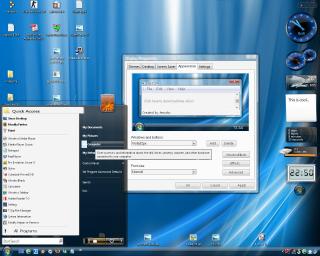
This is my desktop screenshot. I am 99% complete to the actual screen of Vista:
Attached Image
Note: I did not just use VTP 6.0. I customized everything one by one from scratch. From VTP 6, to WB5, to Visual Tooltip, and now even TopDesk for Flip 3D. Don't worry, I have included all of them in this Guide.


Navigation Index:
» Click to show Spoiler - click again to hide... «


Note: Items labeled with "Recommended user posted image" are strong recommendations by me


Newbie's Guide:

► Install Vista Transformation Pack 6.0 Recommended user posted image
http://www.windowsxlive.net/?page_id=15

Sample Screenshot:
(Note: Some of the illustrations here might differ from actual outcome)
Attached Image Attached Image Attached Image
Images courtesy of Windows X's Shrine


Note: This installer has almost everything you need in to get that Vista look but it might contain bugs or certain styles that you might not like. If you prefer to have control over all the features that you would like to have, then read Post #2 onwards...


► [Alternative] Windows Vista Inspirat RC1 by ~Rubenernesto
- Another "all-in-one" pack including icons.
Sample Screenshot:
» Click to show Spoiler - click again to hide... «

http://www.deviantart.com/deviation/39791165/


► [Alternative] Vista RC2-RTM - update 2 by ~JuanPerez
- Another "all-in-one" pack including icons.
Sample Screenshot:
» Click to show Spoiler - click again to hide... «

http://www.deviantart.com/deviation/42852311/

► [Alternative] XP to Vista by ~splintered13
- Another "all-in-one" pack but without icons but includes Top Desk. You can use Vista Icon Pack to complete it. smile.gif
Sample Screenshot:
» Click to show Spoiler - click again to hide... «

http://www.deviantart.com/deviation/51827792/

This post has been edited by J-Slade: Apr 25 2007, 10:26 PM
TSJ-Slade
post Mar 10 2007, 12:39 PM

|[ Phenom II ]|
*******
Senior Member
2,823 posts

Joined: Jun 2006
From: West Malaysia


For advanced users:


► Windows Vista Misc Pack
This are some "not-so-complete" packs. I will include what I know about them.

1) XP Vista Pack by ~oddbasket (credits to sotong168) Recommended user posted image
user posted image
http://www.deviantart.com/deviation/47056403/
- Contains [ pointers / sounds / wallpaper ]


► Windows Vista Icon Pack Recommended user posted image
Of course, the icons are the most important thing in a Visual Style. And we need high resolution icon packs. Why not give this one a try?

1) Vista Icon Pack v3 (credits to 2uk3y)

user posted image
http://www.vistaiconpack.com/
DOWNLOAD: http://www.nakido.com/90624F7C6102C3C02E22...5581E23CB959A9F
(Note: I would advice you to download using a download manager)

Screenshot:
Attached Image
- Contains [ icons / boot screen / logon screen / process bars / taskbars / visual tooltip]


► Windows Vista Logon Screen
The logon screen where you select your User account.
user posted image

1) Windows Vista Ultimate Logon by =ears1991 (credits to 2uk3y)
http://www.deviantart.com/deviation/38038968/
2) Windows Vista Logon by ~sahtel08 (credits to 2uk3y)
http://www.deviantart.com/deviation/38535220/

► Windows Vista Boot Screen
This is the loading screen on Vista. Just like the real vista, its only contains the loading bar. No logo whatsoever..
user posted image

1) Vista Boot XP by ~ssombret007 (credits to ijat84)
http://www.deviantart.com/deviation/43800802/


► Windows Vista Sidebar
The sidebar is basically the bar at the side................. okay what else did you think it was? tongue.gif
It basically contains 'gadgets' that we can use that is similar to Mac OS X dashboard widgets...

1) thoosje's Vista sidebar.
http://www.thoosje.com/

Here are some screenshots of my desktop using this sidebar:
Attached Image
Note: This one contains some bugs and it got really tiresome and so I uninstalled it. This sidebar can be found default in Vista Transformation Pack 6.0

2) Aero Sidebar V2 by =ears1991 (credits to sniper69)
user posted image
http://www.deviantart.com/deviation/45898316/

3) Samurize Vista Sidebar V3 by halfwayglad (credits to sotong168)
user posted image
http://www.deviantart.com/deviation/47519480/

4) The Real Vista sidebar
Please read the post #3 for details.


► Windows Vista Visual Tooltip
This is basically a tool that lets you have a "preview" of the current window that has been minimised. It looks like this:
Attached Image

1) Visual Tooltip by Christian Salmon
http://chsalmon.club.fr/index.php?en/Download Recommended user posted image
2) Visual Task Tips (credits to sniper69)
View Screenshot.
http://www.visualtasktips.com/

► Windows Vista Clock
Okay, this is silly. Because the final version of Windows Vista's clock looks just like Windows XP's clock. However, in one of the earlier builds of Vista (longhorn), the clock looks different. For a sample picture of how it looks like, check out some of my earlier screenies and look at the bottom right how the clock is arranged in a different way.

1) LClock
http://www.softpedia.com/get/Desktop-Enhan...nt/LClock.shtml
http://www.neowin.net/forum/index.php?showtopic=157465


► Windows Vista Flip 3D
One of the new features in Vista is the ability to switch between tasks in style. When pressing "Windows + Tab", the windows actually cascade in a 3D manner for easy preview of which window to go to.

Attached Image
Image courtesy of Greasy Sweet's February Desktop.

1) If its Flip 3D you want, its TopDesk you're looking for:
http://www.otakusoftware.com/topdesk/

My screenshot:
Attached Image

2) For those of you that can't afford TopDesk but still craving for Flip-3D like effects on your XP machine, here's a program that's FREE, consumes little resources and handles the job pretty well: Madotate 2.02. It supposed to be a Japanese program but a proper English translation is included inside the zip file.
Hope you guys enjoy it.

(credits to Onyx_black)
Screen shots on Page 7 (Post #127)
Download on Page 7 (Post #127)


► Windows Media Player 11
Well, the latest Windows Media Player around. I don't really use this much but the new interface looks great.

user posted image

1) Download Windows Media Player 11
http://www.microsoft.com/windows/windowsme...11/default.aspx

2) Download Windows Media Player 11 skin (for older versions of Windows Media Player. Credits to sotong168)
http://www.deviantart.com/deviation/45808870/


► Microsoft Internet Explorer 7
The latest release of Internet Explorer offers higher security for safe browsing and also the 'new' feature of tabbed browsing for easier navigation.

1) Download Microsoft Internet Explorer 7
http://www.microsoft.com/windows/products/...ie/default.mspx

This post has been edited by J-Slade: Apr 25 2007, 02:57 AM
TSJ-Slade
post Mar 10 2007, 12:40 PM

|[ Phenom II ]|
*******
Senior Member
2,823 posts

Joined: Jun 2006
From: West Malaysia


Final Touches:

► Windows Vista Wallpaper (36 official wallpaper from Final RTM Build 6000)

Attached Image

1) Download Vista Wallpaper Pack (credits to Onyx_black) Recommended user posted image
2) Download Vista Wallpaper Pack [ mirror ] Recommended user posted image
3) Vista Wallpaper Downloads (credits to 2uk3y)
4) Unreleased Windows Vista Wallpapers by Hamad Darwish (credits to Onyx_black)


► Windows Vista Sidebar (for real crazy enthusiast) Recommended user posted image

Attached Image

The above sidebar is the ORIGINAL Windows Vista Sidebar by Microsoft. Yes, this is the real deal. But it is rather complicated. But with given time and patience, you can achieve it too.

1) You need to have something called VAIOXP.
http://www.aeroxp.org/board/index.php?showtopic=7728
VAIOXP is basically an written program that enables Windows XP to install Windows Vista applications. However, before you begin, you need to install these 4 important stuff first.

Prerequisites:

* Visual C++ 2005 Redistributable Package
* Microsoft Internet Explorer 7
* Wireless LAN API (KB918997) (VAIOXP users only)
* Windows Media Player 11 (Windows Sidebar users)

2) Then you install the VAIOXP Preview Build 2 rev. 3 build 4 (for Windows XP)
http://www.gcnaddict.com/mirror/vaio/vaioxp_b2r3.4_feb02.zip
DOWNLOAD: http://h1.ripway.com/jasonaw/vaioxp_b2r3.4_feb02.zip

3) Then you install the Windows Vista Sidebar
http://www.wincert.net/forum/index.php?showtopic=505
DOWNLOAD: http://h1.ripway.com/jasonaw/RTM_Sidebar_Installer.rar

4) Installing Gadgets:
Download all you Gadgets from:
http://vista.gallery.microsoft.com/vista/S....aspx?mkt=en-us
Use 7zip archiver to uncompress the .Gadget files to a sub directory then copy that folder to the gadgets folder in Program Files\Windows Sidebar and add .Gadget to the end of folder name.


► Windows Vista System Infomation
Basically this is when you have a look at your system properties.


user posted image
1) Vista System Properties for XP by ~joel85

user posted image

2) Vista System Properties 1.8 by =ears1991 (credits to Greasy Sweet)

user posted image
3) Vista System Style 1.0 by ~MystikDarkEchoes

This post has been edited by J-Slade: Apr 25 2007, 10:25 PM
TSJ-Slade
post Mar 10 2007, 12:41 PM

|[ Phenom II ]|
*******
Senior Member
2,823 posts

Joined: Jun 2006
From: West Malaysia


Windows Vista Skins & Visual Styles:


► Windows Vista Aero Glass Style (for those with Windowblinds 5 Enhanced)

user posted image

If you check out my desktop above, you would have noticed that the edges of my applications have this 'see through' effect like glass. To achieve this, you need 2 steps.

1) Buy & Install WindowBlinds 5
http://www.stardock.com/products/windowblinds/

2) Use a suitable WindowBlinds 5 skin.
- Windows X's skin
Those whom I have already sent the file, please don't redistribute it. It took me a lot of effort to obtain this skin. Hope you understand...
- Vista 2.4 -2.3 refresh- by ~jemaho (credit to Greasy Sweet)
- Vista Ultimate by ~planetlive
- AeroGlassXP V4 "The Remix II" by ~Ironjer Recommended user posted image
- VistaPerfection X4 RCX by ~kayeirene
- MiLork Vista Theme 1.1 by ~MiLork (credits to Onyx_black)
Preview: user posted image

Note: There is no 'best' WB5 skin around. It all comes down to which you like. Personally I have tried both and I still prefer Windows X's one. Which is not readily available to download from the net. I had to rip it off from one of his earlier versions of VTP... wink.gif


► Windows Vista Aero Glass Style (for those without Windowblinds 5)

user posted image

1) VistaVG RTM by ~Vishal-Gupta Recommended user posted image


user posted image

2) MiVista 5720 UPDATED AGAIN by ~leosss

This post has been edited by J-Slade: Apr 25 2007, 10:14 PM
TSJ-Slade
post Mar 10 2007, 12:42 PM

|[ Phenom II ]|
*******
Senior Member
2,823 posts

Joined: Jun 2006
From: West Malaysia


Advanced Visual Mods:


► Vista Startmenu Emulator RC2 for XP
Finally got it to work =)

1) Vista Startmenu Emulator RC2 for XP (credits to 2uk3y)

user posted image
The RC2 release of Vista Start menu Emulator is ready for use on Windows XP.

Improvements:

- The whole code has been re-written to reach higher performance in the application.
- Updated GUI (graphical user interface: new icons, new background, new link panels, shutdown, lock and shutdown menu buttons are also updated, Start orb also replaced)
- working search (start search is now searching in your Start menu\Programs folder as you type, you can even live-search the internet from it)
- faster shortcuts
- redesigned Properties dialog

NOTE: For those of you who are facing errors, you must install this first:
Microsoft .NET Framework Version 2.0

Fix provided by J-Slade
Enjoy smile.gif


► Vista Startmenu Button

user posted image

This simple application will make the cut off start orb to be complete see the image preview above. This application is standalone and can be moved anywhere in the desktop and it can also be run automatically at start up.

DOWNLOAD LINK


► Vista Sidebar Styler (credits to Greasy Sweet)
QUOTE(Greasy Sweet @ Mar 2 2007, 02:30 PM)
Thanks alot guys, I got a little gift for ya'll  laugh.gif

Windows sidebar styler
32-Bit 64-Bit

(Taken from Aeroxp Forums) My FULL credits to Aeroxp and the author of this wonderfull app who is: Stanimir Stoyanov.

Windows Sidebar Styler is an application which takes advantage of various technologies introduced in Windows Vista in order to provide extensions to the existing functionality of Windows Sidebar.

Custom styles allow users to customize the appearance of Windows Sidebar so that it fits the style of other UI elements, such as the Aero Glass colorization or an actual third party theme. Designers could save their visual styles for Sidebar so that other Windows users could apply them. Designers would not necessarily create these files on Windows Vista - Sidebar Styler is backward-compatible with legacy operating systems as well.

Gadgets - these mini applications which are managed by Windows Sidebar can now take full advantage of Windows Presentation Foundation - a powerful managed code-oriented framework for presenting rich visual compositions such as vector graphics, 3D drawing, animations and more. In addition to that, it could be used in conjunction with the Communication Foundation in order for the Gadgets to connect to services and provide frequently updated information.

Using compiled class libraries also helps protect the intellectual property of developers because the actual source code is not distributed.

The tight integration with the core of Windows Sidebar allows the application to extend the current set of features of Windows Sidebar by allowing users to customize its appearance and by providing a more powerful framework for building Gadgets and visualizing information.

--
So what this basically does it to enable skinning in Windows Sidebar.
You will be able to apply sidebar themes made by others or create one yourself, customize everything from the sidebar background .png, to the button images.
Here are some examples of skins I have applied.
Attached Image Attached Image

alexnovelli, of Deviantart has already made some neat skins for this app. Enjoy!  thumbup.gif
*
► Windows Vista Ultimate Exclusive Wallpaper (credits to Onyx_black)
http://windowsultimate.com/files/folders/u...ds/default.aspx
Microsoft's Vista Ultimate website has released new 'Ultimate' Wallpapers. thumbup.gif rclxm9.gif

Windows Ultimate Wallpaper - Start - 4:3, 24", 30"

user posted image user posted image user posted image

Windows Ultimate Wallpaper - Strands - 4:3, 24", 30"

user posted image user posted image user posted image

Note: For those using 1024 x 768, Just download the 1920 x 1440 and resize it in Photoshop.


► Windows Vista Logon Screen (FrontMotion) (credits to Greasy Sweet)
QUOTE(Greasy Sweet @ Mar 10 2007, 11:14 PM)
I found an alternative to LogonXp, It's called FrontMotion. I have not tried this as I'm no longer using XP, but from the descriptions and screens from the site, it looks pretty promising.

Features

    * User reconfigurable logon interface
    * Interactive Macromedia Flash Themes
    * Remote Desktop support in Windows XP and Terminal Services support.
    * Fast User Switching support in Windows XP (Standalone and Domain Mode)
    * Configurable Windows 2000 or Windows XP security behavior (Runs Task Manager                              on Ctrl-Alt-Del)
    * Screen Rotation support
    * Windows XP Password Reset Wizard support.
    * No DLL hacking required. Safe even after Service Pack upgrades.
    * Built-in 'recovery mode'.

Check out the Webpage, which has a neat little flash that displays the logons in action.  smile.gif

After installing this, try out Flahorn's Skin for FrontMotion called Energy Milestone 1

Author's instructions to install:
How to install:
1.Download and instal FrontMotion Login
2.Unpack logon to the folder "Program Files\FrontMotion Login\Themes"
3.Open Control Panel in the classic view
4.Click on the FrontMotion Login, choose "Energy[your screen resolution]"
5.Go to "Advanced" tab and check "Use FMLogon (reguires reboot)"
6.Restart your Windows

Preview:
» Click to show Spoiler - click again to hide... «

*
► Vista Image Icon Preview (credits to yukihatsu)
Xentient Thumbnails
Screenshot

This software enables your pictures to be displayed in thumbnail view although it is in icon preview mode... (just like in vista... biggrin.gif) tested it already... no problems so far... thumbup.gif


► Windows Vista Games for Windows XP (credits to Hackezkk)
QUOTE(Hackezkk @ Apr 7 2007, 06:31 PM)
Vista Games for Windoze XP  icon_idea.gif

user posted image

Just the mini-games coming with the future Windows Vista, plus a DLL (Vista.Emulation.dll)...
This DLL allow to run these games in Windows XP without any trouble.

Games are in two Rar files.

File one contains: Freecell, Hearts, MineSwepper, Solitaire, Spider Solitaire

File two contains: Purble Place & Shangai (Purble Place is an educational game for kids)

http://rapidshare.de/files/34090096/VistGam1.rar
http://rapidshare.de/files/34092878/VistGam2.rar
*
This post has been edited by J-Slade: Apr 8 2007, 11:27 PM
TSJ-Slade
post Mar 10 2007, 12:44 PM

|[ Phenom II ]|
*******
Senior Member
2,823 posts

Joined: Jun 2006
From: West Malaysia


Message for the Author:

Frequently Asked Questions (FAQ)

1) Dear J-Slade, there are so many tweaks for the Vista visuals... which one to choose from?
- If you do not want to confuse yourself with so many applications, I suggest you just use Vista Transformation Pack. I unchecked some of the options during installation such as start orb, styler, toolbar, sidebar.. etc. These options have bugs in them. I replaced them with some of the standalone apps stated in the 2nd post.
- But to be honest, VTP and WB5 is eating a lot of resources for my rig and so I self customised everything. Will give u more updates within these few days


2) Bro, seriously.... this is very confusing. There is too many options. Can you just suggest which is the best & safest combination so that I don't screw up my OS and have to reformat.. etc.
- Okay firstly, let me share some screenshots of my desktop. Its not that exact but I am very comfortable with how it looks like.
Attached Image
This is what my desktop looks like.

Attached Image
This is to show the Start Menu and the HDD icons with the remaining space available.

Attached Image
This is the Control Panel icons. I like the new set of icons =)

How the hell do I do THAT?

i) Firstly, I installed the Windows Vista Sidebar. (You can find the instructions on Post #3)

ii) Then I installed Vista Icon Pack 3. (You can find the download link on Post #2).
However, I 'unchecked' some of the options during Installation.
- Vista Cursor. (Why? Read step No. 3)
- Visual Tooltip. (Why? Because this is the old version. The new version can be downloaded here: http://chsalmon.club.fr/index.php?en/Download)

iii) After that, I installed XP Vista Pack by oddbasket. (You can find the download link on Post #2)
- This pack contains the PROPER vista cursor, PROPER vista sound scheme & PROPER vista wallpapers.
- After installing, you have to set it yourself. For the sounds, go to Control Panel > Sounds and Audio Devices > Sounds. Under sound scheme, choose "Vista RTM"
- As for the cursor, go to Control Panel > Mouse > Pointers. Under scheme choose "Windows Aero".

iv) Finally, install the Visual Style by Vishal-Gupta.
http://www.deviantart.com/deviation/48901895/

v) For an added touch, you can have the exclusive Windows Vista Ultimate wallpaper llike mine. (You can find the download link on Post #5)

vi) If you have any problems with the icons on your CD/DVD-ROM drive, check our FAQ No 4

3) My Yahoo! Messenger has an error while using WindowBlinds 5. What is the cause of this?
- The new Yahoo! Messenger has its own skinning engine. To work around this, try using Yahoo! Messenger 7.0 and below. Also, some say that WindowBlinds 5.5 has already corrected this error.
http://www.oldversion.com/program.php?n=yahoo

4) When I use large icons (48px), it seems that the CD/DVD-ROM icons will not display properly. There will be this IE7 icon overlapping all the icons. How do I solve this?
QUOTE
I contacted Microsoft Support, and after working my way up the escallation tree, I got to a tech with some knowledge.

Apparently this problem is related to the Shell Icon size. If you are using large icons in your shell and install IE 7, this problem appears.

You can test this by changing your shell icon size by right clicking on the desktop (in a blank area of course), select the Appearance Tab,

Click the Effects... button, and uncheck Use Large Icons. Then go to the CD drive in Windows Explorer and observe that the bug goes away.

The use large icons sets a registry setting to 48.

You can use regedit to set that eky and one (1) other key to 47 so that you have large icons and no bug when viewing your CD drive in Windows Explorer.

Set the following two (2) registry keys to 47.

HKEY_CURRENT_USER\Control Panel\Desktop\WindowMetrics\Shell Icon BPP

HKEY_CURRENT_USER\Control Panel\Desktop\WindowMetrics\Shell Icon Size

Happy Computing!


Active Members (more than 10 posts) from the previous XP to Vista thread:
1) Greasy Sweet
2) sniper69
3) 2uk3y
4) sotong168
5) id86
6) LovesReborn
7) Hackezkk

and... many more who also contributed, I would like to thank all of you for participating and keeping this thread alive. notworthy.gif

This post has been edited by J-Slade: May 20 2007, 11:23 PM
aimleeds
post Mar 10 2007, 04:43 PM

Getting Started
**
Junior Member
124 posts

Joined: Dec 2006
From: Klang->Portsmouth


how to remove icon in the sidebar? tq..
moto-moto
post Mar 10 2007, 05:05 PM

Enthusiast
*****
Senior Member
707 posts

Joined: Jan 2006


for the vista start emulator,is it possoible the make it in transparent?the screen shot shown is not transparent...
Greasy Sweet
post Mar 10 2007, 05:16 PM

Getting Started
**
Junior Member
248 posts

Joined: Aug 2006
From: Balmora


QUOTE(aimleeds @ Mar 10 2007, 04:43 PM)
how to remove icon in the sidebar? tq..
*
What icon? could you be more specific with your question?
hurricane21
post Mar 10 2007, 08:16 PM

Senior Probation
******
Senior Member
1,389 posts

Joined: Feb 2006
From: Southern Region


wow~
more and more stuffs~

the REAL vista sidebar how to do it?
mind to had step-by-step ss?
coz i cant do it.
eXPeri3nc3
post Mar 10 2007, 08:54 PM

It's coming! 3ɔu3ıɹǝdxǝ ♥
*******
Senior Member
9,257 posts

Joined: Aug 2005
From: Not so sure myself Status: 1+3+3=7


Vista Startmenu Emulator RC2 for XP seems cool.

Will try it thanks.
TSJ-Slade
post Mar 10 2007, 10:20 PM

|[ Phenom II ]|
*******
Senior Member
2,823 posts

Joined: Jun 2006
From: West Malaysia


QUOTE(hurricane21 @ Mar 10 2007, 08:16 PM)
wow~
more and more stuffs~

the REAL vista sidebar how to do it?
mind to had step-by-step ss?
coz i cant do it.
*
The step by step is all there. Just install the 4 things needed, then install VAIOXP, then install the VIsta Sidebar... maybe u can share with us in more detail about the problem you are facing.


QUOTE(eXPeri3nc3 @ Mar 10 2007, 08:54 PM)
Vista Startmenu Emulator RC2 for XP seems cool.

Will try it thanks.
*
It looks cool... but it doesn't work for me. I keep getting error sad.gif
eXPeri3nc3
post Mar 10 2007, 10:26 PM

It's coming! 3ɔu3ıɹǝdxǝ ♥
*******
Senior Member
9,257 posts

Joined: Aug 2005
From: Not so sure myself Status: 1+3+3=7


QUOTE(J-Slade @ Mar 10 2007, 10:20 PM)
The step by step is all there. Just install the 4 things needed, then install VAIOXP, then install the VIsta Sidebar... maybe u can share with us in more detail about the problem you are facing.
It looks cool... but it doesn't work for me. I keep getting error  sad.gif
*
It's not really resource hungry right? unsure.gif
TSJ-Slade
post Mar 10 2007, 10:31 PM

|[ Phenom II ]|
*******
Senior Member
2,823 posts

Joined: Jun 2006
From: West Malaysia


QUOTE(eXPeri3nc3 @ Mar 10 2007, 10:26 PM)
It's not really resource hungry right? unsure.gif
*
Nope. It works just fine. I'd still rather rely on the real vista sidebar than other sidebar emulators which might have bugs and all that. Plus, the vista sidebar can install new gadgets from Microsoft's Gadget Gallery:

http://vista.gallery.microsoft.com/vista/S....aspx?mkt=en-us
eXPeri3nc3
post Mar 10 2007, 10:38 PM

It's coming! 3ɔu3ıɹǝdxǝ ♥
*******
Senior Member
9,257 posts

Joined: Aug 2005
From: Not so sure myself Status: 1+3+3=7


QUOTE(J-Slade @ Mar 10 2007, 10:31 PM)
Nope. It works just fine. I'd still rather rely on the real vista sidebar than other sidebar emulators which might have bugs and all that. Plus, the vista sidebar can install new gadgets from Microsoft's Gadget Gallery:

http://vista.gallery.microsoft.com/vista/S....aspx?mkt=en-us
*
Erm, I'm referring to the Startmenu emulator sweat.gif
TSJ-Slade
post Mar 10 2007, 10:48 PM

|[ Phenom II ]|
*******
Senior Member
2,823 posts

Joined: Jun 2006
From: West Malaysia


QUOTE(eXPeri3nc3 @ Mar 10 2007, 10:38 PM)
Erm, I'm referring to the Startmenu emulator sweat.gif
*
Oh... that one I didnt get to work at all. Keep getting error msg. I can't even install it at all.
Greasy Sweet
post Mar 10 2007, 11:14 PM

Getting Started
**
Junior Member
248 posts

Joined: Aug 2006
From: Balmora


I found an alternative to LogonXp, It's called FrontMotion. I have not tried this as I'm no longer using XP, but from the descriptions and screens from the site, it looks pretty promising.

Features

* User reconfigurable logon interface
* Interactive Macromedia Flash Themes
* Remote Desktop support in Windows XP and Terminal Services support.
* Fast User Switching support in Windows XP (Standalone and Domain Mode)
* Configurable Windows 2000 or Windows XP security behavior (Runs Task Manager on Ctrl-Alt-Del)
* Screen Rotation support
* Windows XP Password Reset Wizard support.
* No DLL hacking required. Safe even after Service Pack upgrades.
* Built-in 'recovery mode'.

Check out the Webpage, which has a neat little flash that displays the logons in action. smile.gif

After installing this, try out Flahorn's Skin for FrontMotion called Energy Milestone 1

Author's instructions to install:
How to install:
1.Download and instal FrontMotion Login
2.Unpack logon to the folder "Program Files\FrontMotion Login\Themes"
3.Open Control Panel in the classic view
4.Click on the FrontMotion Login, choose "Energy[your screen resolution]"
5.Go to "Advanced" tab and check "Use FMLogon (reguires reboot)"
6.Restart your Windows

» Click to show Spoiler - click again to hide... «


This post has been edited by Greasy Sweet: Mar 11 2007, 10:17 PM
MelvinGoh
post Mar 11 2007, 12:33 AM

New Member
*
Junior Member
43 posts

Joined: Apr 2005
From: Scotland, United Kingdom


Hey J-Slade... good guide!!! bravo rclxms.gif thumbup.gif

I managed to get my Windows Vista Sidebar throught the VAIOXP method and it was great.
Among all gadgets, only those Clocks gadget cant work. I tried downloading numerous clock gadgets but all showed black image only.
Here's a printscreen of it. Any idea about the problem? hmm.gif
hope u can help =]
user posted image


Cheers mate!
Hackezkk
post Mar 11 2007, 12:52 AM

~::CiPan'S LovEr::~
******
Senior Member
1,959 posts

Joined: Jan 2003
From: ~1337~


how to install Vista start emu?
aimleeds
post Mar 11 2007, 03:44 AM

Getting Started
**
Junior Member
124 posts

Joined: Dec 2006
From: Klang->Portsmouth


QUOTE(Greasy Sweet @ Mar 10 2007, 09:16 AM)
What icon? could you be more specific with your question?
*
i am sorry.. what i mean is how to remove any icon that been auto matically added in the sidebar after i installed VTP? i want to remove the clock icon and the rss feed icon.
Onyx_black
post Mar 11 2007, 11:53 AM

Casual
***
Junior Member
449 posts

Joined: Dec 2006


Microsoft's Vista Ultimate website has released new 'Ultimate' Wallpapers. thumbup.gif rclxm9.gif

Windows Ultimate Wallpaper - Start - 4:3, 24", 30"

user posted image user posted image user posted image

Windows Ultimate Wallpaper - Strands - 4:3, 24", 30"

user posted image user posted image user posted image
Greasy Sweet
post Mar 11 2007, 01:21 PM

Getting Started
**
Junior Member
248 posts

Joined: Aug 2006
From: Balmora


QUOTE(aimleeds @ Mar 11 2007, 03:44 AM)
i am sorry.. what i mean is how to remove any icon that been auto matically added in the sidebar after i installed VTP? i want to remove the clock icon and the rss feed icon.
*
I'm not sure what you mean, but if you're talking about the gadget and how to close them, just click on the little x on the top right of the gadget or right click and close from there.
eXPeri3nc3
post Mar 11 2007, 04:54 PM

It's coming! 3ɔu3ıɹǝdxǝ ♥
*******
Senior Member
9,257 posts

Joined: Aug 2005
From: Not so sure myself Status: 1+3+3=7


QUOTE(Greasy Sweet @ Mar 10 2007, 11:14 PM)
I found an alternative to LogonXp, It's called FrontMotion. I have not tried this as I'm no longer using XP, but from the descriptions and screens from the site, it looks pretty promising.

Features

    * User reconfigurable logon interface
    * Interactive Macromedia Flash Themes
    * Remote Desktop support in Windows XP and Terminal Services support.
    * Fast User Switching support in Windows XP (Standalone and Domain Mode)
    * Configurable Windows 2000 or Windows XP security behavior (Runs Task Manager                              on Ctrl-Alt-Del)
    * Screen Rotation support
    * Windows XP Password Reset Wizard support.
    * No DLL hacking required. Safe even after Service Pack upgrades.
    * Built-in 'recovery mode'.

Check out the Webpage, which has a neat little flash that displays the logons in action.  smile.gif

After installing this, try out Flahorn's Skin for FrontMotion called Energy Milestone 1

Author's instructions to install:
How to install:
1.Download and instal FrontMotion Login
2.Unpack logon to the folder "Program Files\FrontMotion Login\Themes"
3.Open Control Panel in the classic view
4.Click on the FrontMotion Login, choose "Energy[your screen resolution]"
5.Go to "Advanced" tab and check "Use FMLogon (reguires reboot)"
6.Restart your Windows

user posted image
*
Seems cool! what is the min specs of using this patch? huh.gif
2uk3y
post Mar 11 2007, 06:07 PM

┌П┐(◣_◢)┌П┐
*******
Senior Member
2,095 posts

Joined: Oct 2005
From: 2�18' | 102�23'


QUOTE(Onyx_black @ Mar 11 2007, 11:53 AM)
Microsoft's Vista Ultimate website has released new 'Ultimate' Wallpapers. thumbup.gif rclxm9.gif

Windows Ultimate Wallpaper - Start - 4:3, 24", 30"

user posted image user posted image user posted image

Windows Ultimate Wallpaper - Strands - 4:3, 24", 30"

user posted image user posted image user posted image
*
i guess u find it HERE right....??? hmm.gif
next time can u plz include the source where u get it...... !!!! wink.gif
Onyx_black
post Mar 11 2007, 06:22 PM

Casual
***
Junior Member
449 posts

Joined: Dec 2006


QUOTE(2uk3y @ Mar 11 2007, 06:07 PM)
i guess u find it HERE right....??? hmm.gif
next time can u plz include the source where u get it...... !!!! wink.gif
*
Yeah, you did a good job finding the source. tongue.gif OK, next time I'll post cool stuff along with the links, thanks for reminding me. nod.gif

This post has been edited by Onyx_black: Mar 11 2007, 06:22 PM
Hackezkk
post Mar 11 2007, 06:27 PM

~::CiPan'S LovEr::~
******
Senior Member
1,959 posts

Joined: Jan 2003
From: ~1337~


anyone knwo how to change windows name using reshacker??forgot ledi lahh..huuhuhuh
tq

user posted image


Greasy Sweet
post Mar 11 2007, 07:07 PM

Getting Started
**
Junior Member
248 posts

Joined: Aug 2006
From: Balmora


QUOTE(eXPeri3nc3 @ Mar 11 2007, 04:54 PM)
Seems cool! what is the min specs of using this patch? huh.gif
*
Well, accordimg to the FAQS on the website:

QUOTE
Does FrontMotion Login use up a lot of memory and CPU cycles?

Flash files are dynamically loaded when they are displayed and unloaded when they are not shown. No extra memory and CPU cycles are used when you are using your applications.
2uk3y
post Mar 11 2007, 08:30 PM

┌П┐(◣_◢)┌П┐
*******
Senior Member
2,095 posts

Joined: Oct 2005
From: 2�18' | 102�23'


just 1 question..... biggrin.gif
which one is look like real vista ultimate system properties ??? hmm.gif
» Click to show Spoiler - click again to hide... «

sniper69
post Mar 11 2007, 09:04 PM

.: One Shot One Kill :. .+|Level 9 Type Shit|+.
*******
Senior Member
7,173 posts

Joined: Jan 2003
From: PCH


personally, i do like the first one smile.gif
Irishcoffee
post Mar 11 2007, 09:04 PM

ilX / Espressivo
*******
Senior Member
2,994 posts

Joined: Jan 2003
From: Behind You

@2uk3y
the 1st 1 other juz FAKE version

@TS
y my real vista sidebar so lag now???after upgrade to new version la
2uk3y
post Mar 11 2007, 09:09 PM

┌П┐(◣_◢)┌П┐
*******
Senior Member
2,095 posts

Joined: Oct 2005
From: 2�18' | 102�23'


QUOTE(Irishcoffee @ Mar 11 2007, 09:04 PM)
@2uk3y
the 1st 1 other juz FAKE version

@TS
y my real vista sidebar so lag now???after upgrade to  new version la
*
ok TQ !!! icon_rolleyes.gif
slickz
post Mar 11 2007, 09:17 PM

Exalted Senior Elite Member
*******
Senior Member
2,149 posts

Joined: Jan 2003
From: Behind you! Look!


do you guys get the smooth fading windows animation in those mods? What about the flip 3d? Are videos in flip 3d shown in realtime as well? Cos vista does all that.
sniper69
post Mar 11 2007, 09:24 PM

.: One Shot One Kill :. .+|Level 9 Type Shit|+.
*******
Senior Member
7,173 posts

Joined: Jan 2003
From: PCH


QUOTE(slickz @ Mar 11 2007, 09:17 PM)
do you guys get the smooth fading windows animation in those mods? What about the flip 3d? Are videos in flip 3d shown in realtime as well? Cos vista does all that.
*
smooth fading, i'm not sure smile.gif, but i think have, but flip 3D, got...but without realtime show biggrin.gif
TSJ-Slade
post Mar 11 2007, 10:47 PM

|[ Phenom II ]|
*******
Senior Member
2,823 posts

Joined: Jun 2006
From: West Malaysia


Guys, I have written a tutorial for those who do not want to use VTP6 & WindowBlinds5. Check out our FAQ section on Post #6.

It is safe and stable and secured. However, no glass effect la.... laugh.gif


Hope you guys enjoyed it thumbup.gif
butterflydarling
post Mar 11 2007, 10:49 PM

On my way
****
Senior Member
544 posts

Joined: Oct 2006
From: Cheras Kajang, Cyberjaya


j-slade, ur desktop looks so so sooo cool!!!
yukihatsu
post Mar 11 2007, 11:00 PM

On my way
****
Senior Member
672 posts

Joined: Dec 2006
QUOTE(J-Slade @ Mar 10 2007, 12:44 PM)
Message for the Author:
Attached Image
This is to show the Start Menu and the HDD icons with the remaining space available.
what software do you use to get the remaining harddisk space thing?
hmm.gif
TSJ-Slade
post Mar 11 2007, 11:04 PM

|[ Phenom II ]|
*******
Senior Member
2,823 posts

Joined: Jun 2006
From: West Malaysia


QUOTE(yukihatsu @ Mar 11 2007, 11:00 PM)
what software do you use to get the remaining harddisk space thing?
hmm.gif
*
It is together with Vista Icon Pack. Already comes with it. icon_rolleyes.gif
yukihatsu
post Mar 11 2007, 11:10 PM

On my way
****
Senior Member
672 posts

Joined: Dec 2006
QUOTE(J-Slade @ Mar 11 2007, 11:04 PM)
It is together with Vista Icon Pack. Already comes with it.  icon_rolleyes.gif
*
i see... thanks for the help... laugh.gif rclxm9.gif
2uk3y
post Mar 11 2007, 11:16 PM

┌П┐(◣_◢)┌П┐
*******
Senior Member
2,095 posts

Joined: Oct 2005
From: 2�18' | 102�23'


QUOTE(yukihatsu @ Mar 11 2007, 11:00 PM)
what software do you use to get the remaining harddisk space thing?
hmm.gif
*
.....u also can get it HERE !!!! laugh.gif whistling.gif
asmly14
post Mar 11 2007, 11:28 PM

Casual
***
Junior Member
335 posts

Joined: Nov 2004
From: Paradise in Hell


QUOTE
► Windows Vista Flip 3D
One of the new features in Vista is the ability to switch between tasks in style. When pressing Alt-Tab, the windows actually cascade in a 3D manner for easy preview of which window to go to.


Image courtesy of Greasy Sweet's February Desktop.

1) If its Flip 3D you want, its TopDesk you're looking for:
http://www.otakusoftware.com/topdesk/
It's not ALT tab if you want the aero flipping. It's "start" +tab
2uk3y
post Mar 11 2007, 11:33 PM

┌П┐(◣_◢)┌П┐
*******
Senior Member
2,095 posts

Joined: Oct 2005
From: 2�18' | 102�23'


QUOTE(asmly14 @ Mar 11 2007, 11:28 PM)
It's not ALT tab if you want the aero flipping. It's "start" +tab
*
huh.... start+tab ???? hmm.gif

maybe u change the press key..... look at option !!! rolleyes.gif
the default key is ALT+TAB !!! nod.gif

This post has been edited by 2uk3y: Mar 11 2007, 11:34 PM
yukihatsu
post Mar 11 2007, 11:41 PM

On my way
****
Senior Member
672 posts

Joined: Dec 2006
QUOTE(2uk3y @ Mar 11 2007, 11:16 PM)
.....u also can get it HERE !!!!  laugh.gif  whistling.gif
*
thanks~ by the way, have to register 1st before you can download the patch?
TSJ-Slade
post Mar 11 2007, 11:44 PM

|[ Phenom II ]|
*******
Senior Member
2,823 posts

Joined: Jun 2006
From: West Malaysia


QUOTE(asmly14 @ Mar 11 2007, 11:28 PM)
It's not ALT tab if you want the aero flipping. It's "start" +tab
*
Oh yea... thats right sweat.gif

But the topdesk one is Alt-Tab. Dunno if can change the keys. unsure.gif
2uk3y
post Mar 11 2007, 11:53 PM

┌П┐(◣_◢)┌П┐
*******
Senior Member
2,095 posts

Joined: Oct 2005
From: 2�18' | 102�23'


QUOTE(yukihatsu @ Mar 11 2007, 11:41 PM)
thanks~ by the way, have to register 1st before you can download the patch?
*
nope !!! rolleyes.gif
Greasy Sweet
post Mar 12 2007, 12:03 AM

Getting Started
**
Junior Member
248 posts

Joined: Aug 2006
From: Balmora


QUOTE(asmly14 @ Mar 11 2007, 11:28 PM)
It's not ALT tab if you want the aero flipping. It's "start" +tab
*
Topdesk = ALT+TAB

Flip3d = Winkey + TAB
moto-moto
post Mar 12 2007, 11:08 AM

Enthusiast
*****
Senior Member
707 posts

Joined: Jan 2006


a noob question here...what is the diferrence between vtp 6 and the rc2 by juan perez?the rc2 is win blind rite then is vtp something like win blind as well?
Greasy Sweet
post Mar 12 2007, 12:49 PM

Getting Started
**
Junior Member
248 posts

Joined: Aug 2006
From: Balmora


QUOTE(moto-moto @ Mar 12 2007, 11:08 AM)
a noob question here...what is the diferrence between vtp 6 and the rc2 by juan perez?the rc2 is win blind rite then is vtp something like win blind as well?
*
VTP 6 short for Vista Customization Pack Ver.6 is an all in one package which include those little applets that complete the Vista look.

RC2 by JuanPerez is a WindowBlind5 Skin, only WB5 can enable the transparency on your titlebars and taskbar.

Main skin = WB5
Misc. applets = VTP6


yukihatsu
post Mar 12 2007, 03:20 PM

On my way
****
Senior Member
672 posts

Joined: Dec 2006
Can anyone tell me what is this ? can it be used to replace windowblinds 5 to get the glass effect?
moto-moto
post Mar 12 2007, 05:49 PM

Enthusiast
*****
Senior Member
707 posts

Joined: Jan 2006


QUOTE(Greasy Sweet @ Mar 12 2007, 12:49 PM)
VTP 6 short for Vista Customization Pack Ver.6 is an all in one package which include those little applets that complete the Vista look.

RC2 by JuanPerez is a WindowBlind5 Skin, only WB5 can enable the transparency on your titlebars and taskbar.

Main skin = WB5
Misc. applets = VTP6
*
oh...which means i can use this two simultaneously rite?
Greasy Sweet
post Mar 12 2007, 08:20 PM

Getting Started
**
Junior Member
248 posts

Joined: Aug 2006
From: Balmora


QUOTE(moto-moto @ Mar 12 2007, 05:49 PM)
oh...which means i can use this two simultaneously rite?
*
Yeah, thats the idea. nod.gif

QUOTE(yukihatsu @ Mar 12 2007, 03:20 PM)
Can anyone tell me what is this ? can it be used to replace windowblinds 5 to get the glass effect?
*
I have no idea what this program is and does. Its probably safer to stick to WB5 since it does the Per-pixel blending fine.

This post has been edited by Greasy Sweet: Mar 12 2007, 08:25 PM
TSJ-Slade
post Mar 12 2007, 10:56 PM

|[ Phenom II ]|
*******
Senior Member
2,823 posts

Joined: Jun 2006
From: West Malaysia


QUOTE(yukihatsu @ Mar 12 2007, 03:20 PM)
Can anyone tell me what is this ? can it be used to replace windowblinds 5 to get the glass effect?
*
Doesn't look very assuring. Until someone has tried it, I will not post on the front page.
2uk3y
post Mar 12 2007, 11:17 PM

┌П┐(◣_◢)┌П┐
*******
Senior Member
2,095 posts

Joined: Oct 2005
From: 2�18' | 102�23'


QUOTE(yukihatsu @ Mar 12 2007, 03:20 PM)
Can anyone tell me what is this ? can it be used to replace windowblinds 5 to get the glass effect?
*
i've try this...... !!! sweat.gif
when i see current rating: 2.53, with total votes: 1470 ..... i know something wrong with it..... !!!! nod.gif
yes it can make border to glass style but got bug, max button cant use which is important..... !!! doh.gif mega_shok.gif

but maybe only me face this problem....not sure others !!! icon_rolleyes.gif
btw i've disable WB to test it !!!

This post has been edited by 2uk3y: Mar 12 2007, 11:18 PM
yukihatsu
post Mar 12 2007, 11:47 PM

On my way
****
Senior Member
672 posts

Joined: Dec 2006
QUOTE(2uk3y @ Mar 12 2007, 11:17 PM)
i've try this......  !!!  sweat.gif 
when i see current rating: 2.53, with total votes: 1470 ..... i know something wrong with it..... !!!!  nod.gif
yes it can make border to glass style but got bug, max button cant use which is important..... !!!  doh.gif  mega_shok.gif

but maybe only me face this problem....not sure others !!!  icon_rolleyes.gif
btw i've disable WB to test it !!!
*
i've tried it myself too... VERY buggy... doh.gif not recommended at all.. windowblinds is still the best software if you want to get the glass effect... thumbup.gif

TSJ-Slade
post Mar 13 2007, 12:09 AM

|[ Phenom II ]|
*******
Senior Member
2,823 posts

Joined: Jun 2006
From: West Malaysia


QUOTE(2uk3y @ Mar 12 2007, 11:17 PM)
i've try this......  !!!  sweat.gif 
when i see current rating: 2.53, with total votes: 1470 ..... i know something wrong with it..... !!!!  nod.gif
yes it can make border to glass style but got bug, max button cant use which is important..... !!!  doh.gif  mega_shok.gif

but maybe only me face this problem....not sure others !!!  icon_rolleyes.gif
btw i've disable WB to test it !!!
*
QUOTE(yukihatsu @ Mar 12 2007, 11:47 PM)
i've tried it myself too... VERY buggy...  doh.gif  not recommended at all.. windowblinds is still the best software if you want to get the glass effect...  thumbup.gif
*
Thanks for the feedback guys. I hope the application didn't screw up your PC. unsure.gif
sniper69
post Mar 13 2007, 12:12 AM

.: One Shot One Kill :. .+|Level 9 Type Shit|+.
*******
Senior Member
7,173 posts

Joined: Jan 2003
From: PCH


just wanna share with you guys...take a look my Windows Experience Index, 6.9 thumbup.gif

user posted image

» Click to show Spoiler - click again to hide... «

2uk3y
post Mar 13 2007, 12:15 AM

┌П┐(◣_◢)┌П┐
*******
Senior Member
2,095 posts

Joined: Oct 2005
From: 2�18' | 102�23'


QUOTE(J-Slade @ Mar 13 2007, 12:09 AM)
Thanks for the feedback guys. I hope the application didn't screw up your PC.  unsure.gif
*
nope.... coz i use juztreboot..... after restart all change reset to default !!! wink.gif whistling.gif
TSJ-Slade
post Mar 13 2007, 12:18 AM

|[ Phenom II ]|
*******
Senior Member
2,823 posts

Joined: Jun 2006
From: West Malaysia


QUOTE(2uk3y @ Mar 13 2007, 12:15 AM)
nope.... coz i use juztreboot..... after restart all change reset to default !!!  wink.gif  whistling.gif
*
You bought the juzt reboot card? shocking.gif

How much does that cost? Or did I get it wrong.... is it smtg else?
2uk3y
post Mar 13 2007, 09:04 AM

┌П┐(◣_◢)┌П┐
*******
Senior Member
2,095 posts

Joined: Oct 2005
From: 2�18' | 102�23'


QUOTE(J-Slade @ Mar 13 2007, 12:18 AM)
You bought the juzt reboot card?  shocking.gif

How much does that cost? Or did I get it wrong.... is it smtg else?
*
actually i found at my office..... so dont know the price, maybe RM200 !!!! smile.gif
Greasy Sweet
post Mar 13 2007, 09:17 AM

Getting Started
**
Junior Member
248 posts

Joined: Aug 2006
From: Balmora


QUOTE(2uk3y @ Mar 13 2007, 09:04 AM)
actually i found at my office..... so dont know the price, maybe RM200 !!!!  smile.gif
*
You're really lucky laugh.gif
sotong168
post Mar 13 2007, 09:55 AM

in retiring mode
*******
Senior Member
5,291 posts

Joined: Dec 2004
From: I Luv Msia
QUOTE(sniper69 @ Mar 13 2007, 12:12 AM)
just wanna share with you guys...take a look my Windows Experience Index, 6.9 thumbup.gif

user posted image

» Click to show Spoiler - click again to hide... «

*
hoho, tot u break the barrier coz the max score is 5.9
kingmax
post Mar 13 2007, 04:50 PM

Enthusiast
*****
Senior Member
751 posts

Joined: Oct 2006


QUOTE(2uk3y @ Mar 12 2007, 11:17 PM)
i've try this...... !!! sweat.gif
when i see current rating: 2.53, with total votes: 1470 ..... i know something wrong with it..... !!!! nod.gif
yes it can make border to glass style but got bug, max button cant use which is important..... !!! doh.gif mega_shok.gif

but maybe only me face this problem....not sure others !!! icon_rolleyes.gif
btw i've disable WB to test it !!!
*
QUOTE(yukihatsu @ Mar 12 2007, 11:47 PM)
i've tried it myself too... VERY buggy... doh.gif not recommended at all.. windowblinds is still the best software if you want to get the glass effect... thumbup.gif
*
Don't download from joejoe site , they haven't update it yet

Preview

Get from here http://www.vystal.de.vu/

This post has been edited by kingmax: Mar 13 2007, 04:55 PM
Onyx_black
post Mar 13 2007, 08:09 PM

Casual
***
Junior Member
449 posts

Joined: Dec 2006


I come across with some of the wallpapers unreleased by Microsoft for Vista.
There are a few choices of resolutions to choose from, more on this site ==> http://www.joejoe.org/forum/lofiversion/in...php?t5317.html I uploaded a sample wallpaper pack for a resolution of 1024X768. Enjoy!

Attached Image

Download here (1024X768) ==> http://www.savefile.com/files/550590

This post has been edited by Onyx_black: Mar 13 2007, 08:11 PM
Greasy Sweet
post Mar 13 2007, 08:53 PM

Getting Started
**
Junior Member
248 posts

Joined: Aug 2006
From: Balmora


QUOTE(Onyx_black @ Mar 13 2007, 08:09 PM)
I come across with some of the wallpapers unreleased by Microsoft for Vista.
There are a few choices of resolutions to choose from, more on this site ==> http://www.joejoe.org/forum/lofiversion/in...php?t5317.html I uploaded a sample wallpaper pack for a resolution of 1024X768. Enjoy!

Attached Image

Download here (1024X768) ==> http://www.savefile.com/files/550590
*
Don't forget to credit the owner and photographer of the wallpapers, Hamad Darwish for those crystal clear and perfect photographs.
slashie
post Mar 14 2007, 09:33 AM

Getting Started
**
Junior Member
203 posts

Joined: Nov 2006
From: Miak Kuching


Got anyone successfully install VIsta Startmenu Emulator? Been trying to install this thing using different method, but still cannot make it work. vmad.gif
fariz
post Mar 14 2007, 10:06 AM

Tan Sri F
Group Icon
VIP
16,825 posts

Joined: Jan 2003
From: Siberia
QUOTE(Greasy Sweet @ Mar 13 2007, 08:53 PM)
Don't forget to credit the owner and photographer of the wallpapers, Hamad Darwish for those crystal clear and perfect photographs.
*
here...

http://www.flickr.com/photos/darwishh/
sotong168
post Mar 14 2007, 10:14 AM

in retiring mode
*******
Senior Member
5,291 posts

Joined: Dec 2004
From: I Luv Msia
QUOTE(fariz @ Mar 14 2007, 10:06 AM)
simply gorgeous!!! those pics make me wanna cry, wonder how much M$ paid him on the selected pic hmm.gif
yukihatsu
post Mar 14 2007, 10:40 AM

On my way
****
Senior Member
672 posts

Joined: Dec 2006
http://www.flickr.com/photos/darwishh/85160117/

anyone knows where i can get the wallpaper version of this picture?
vailance
post Mar 14 2007, 02:50 PM

wat??
*****
Senior Member
841 posts

Joined: Feb 2005
From: Melaka>KL


some question to thread starter,
im using AeroGlassXP V4 "The Remix II" by ~Ironjer, btw im facing so prob..
mine to ask how u change the user picture at the start menu?
and the "Welcome,Administrator" at the start menu also,the sentence all in 1 line,mine very messy with my windows account's name. how to fix it?
last, how to change the vista system properties to the cpl file??
pls pm me or share it at here thx!
sniper69
post Mar 14 2007, 03:05 PM

.: One Shot One Kill :. .+|Level 9 Type Shit|+.
*******
Senior Member
7,173 posts

Joined: Jan 2003
From: PCH


it would be a clearer if you can provide us screenshot (SS) smile.gif...
2uk3y
post Mar 14 2007, 08:05 PM

┌П┐(◣_◢)┌П┐
*******
Senior Member
2,095 posts

Joined: Oct 2005
From: 2�18' | 102�23'


QUOTE(slashie @ Mar 14 2007, 09:33 AM)
Got anyone successfully install VIsta Startmenu Emulator? Been trying to install this thing using different method, but still cannot make it work. vmad.gif
*
actually i not sure why most of u cant run the startmenu..... hmm.gif
for me, 1st time i run no problem at all hehe !!! wink.gif
so this some screenshot from my pc !!!! icon_rolleyes.gif
user posted image
moto-moto
post Mar 14 2007, 08:24 PM

Enthusiast
*****
Senior Member
707 posts

Joined: Jan 2006


QUOTE(2uk3y @ Mar 14 2007, 08:05 PM)
actually i not sure why most of u cant run the startmenu.....  hmm.gif
for me, 1st time i run no problem at all hehe !!!  wink.gif
so this some screenshot from my pc !!!!  icon_rolleyes.gif
user posted image
*
may i know which win blind r u using?
TSJ-Slade
post Mar 14 2007, 08:27 PM

|[ Phenom II ]|
*******
Senior Member
2,823 posts

Joined: Jun 2006
From: West Malaysia


QUOTE(moto-moto @ Mar 14 2007, 08:24 PM)
may i know which win blind r u using?
*
The start menu is not from a windowblind skin. Its a Start Menu emulator...


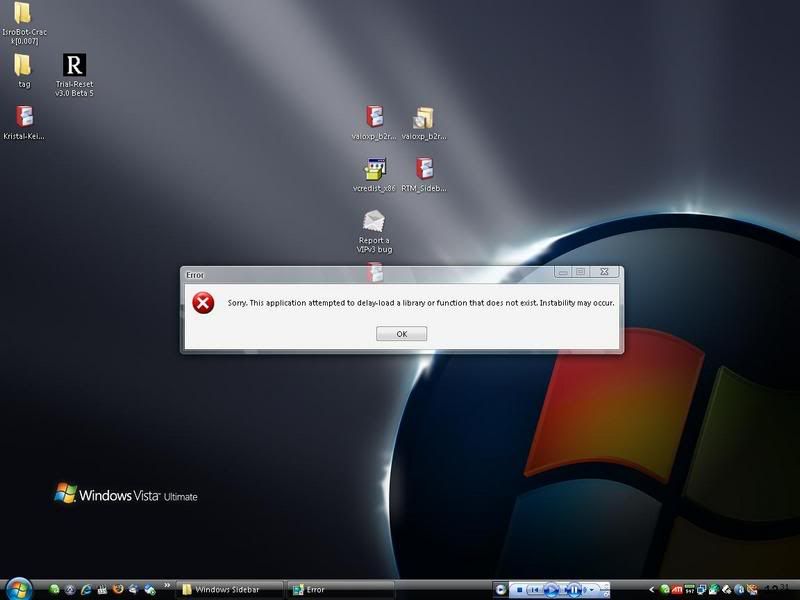
I keep getting this error!!!
Attached Image

Argh!!! 2uk3y you're so lucky!!

EDIT

I know how to fix it already. Will update you guys in 10 minutes =)

This post has been edited by J-Slade: Mar 14 2007, 08:34 PM
2uk3y
post Mar 14 2007, 08:38 PM

┌П┐(◣_◢)┌П┐
*******
Senior Member
2,095 posts

Joined: Oct 2005
From: 2�18' | 102�23'


QUOTE(moto-moto @ Mar 14 2007, 08:24 PM)
may i know which win blind r u using?
*
vistaperfection !!! biggrin.gif

QUOTE(J-Slade @ Mar 14 2007, 08:27 PM)
The start menu is not from a windowblind skin. Its a Start Menu emulator...
I keep getting this error!!!
Attached Image

Argh!!! 2uk3y you're so lucky!!

EDIT

I know how to fix it already. Will update you guys in 10 minutes =)
*
from that error.... u need to install .NET !!!!! hmm.gif
TSJ-Slade
post Mar 14 2007, 08:50 PM

|[ Phenom II ]|
*******
Senior Member
2,823 posts

Joined: Jun 2006
From: West Malaysia


QUOTE(2uk3y @ Mar 14 2007, 08:38 PM)
from that error.... u need to install .NET !!!!!  hmm.gif
*
Yeah I found out already. Anyway I have edited the front page on where to get the installer.


Tried it for about 5 minutes and didn't like it. Still got some bugs to work on. But overall, its very nice smile.gif


*edit*

I added a Navigation Index on the front page for people to navigate our thread easier. Help me test the links and see if it works. Thanks.

This post has been edited by J-Slade: Mar 14 2007, 09:12 PM
sniper69
post Mar 14 2007, 10:40 PM

.: One Shot One Kill :. .+|Level 9 Type Shit|+.
*******
Senior Member
7,173 posts

Joined: Jan 2003
From: PCH


downloaded & installed frontmotion login, together with recommended skin by Greasy, damn cool dude, i eargerly wanna show you guys, but i can't take any SS la...any solution...thumbup.gif
Greasy Sweet
post Mar 14 2007, 11:42 PM

Getting Started
**
Junior Member
248 posts

Joined: Aug 2006
From: Balmora


QUOTE(sniper69 @ Mar 14 2007, 10:40 PM)
downloaded & installed frontmotion login, together with recommended skin by Greasy, damn cool dude, i eargerly wanna show you guys, but i can't take any SS la...any solution...thumbup.gif
*
Do it the manual way, laugh.gif take a photo with a camera! laugh.gif
slashie
post Mar 15 2007, 09:25 AM

Getting Started
**
Junior Member
203 posts

Joined: Nov 2006
From: Miak Kuching


QUOTE(J-Slade @ Mar 14 2007, 08:50 PM)
Yeah I found out already. Anyway I  have edited the front page on where to get the installer.
Tried it for about 5 minutes and didn't like it. Still got some bugs to work on. But overall, its very nice  smile.gif
Thanks for the fix. thumbup.gif notworthy.gif , and to 2uk3y also notworthy.gif

besaid
post Mar 15 2007, 10:20 AM

On my way
****
Senior Member
668 posts

Joined: Jul 2006
From: Klang Valley


edited due to sensitivity...

This post has been edited by besaid: Mar 15 2007, 01:24 PM
TSJ-Slade
post Mar 15 2007, 10:36 AM

|[ Phenom II ]|
*******
Senior Member
2,823 posts

Joined: Jun 2006
From: West Malaysia


QUOTE(besaid @ Mar 15 2007, 10:20 AM)
deleted
*
Warez or illegal download discussion strictly prohibited.

This post has been edited by J-Slade: Mar 15 2007, 02:26 PM
2uk3y
post Mar 15 2007, 12:08 PM

┌П┐(◣_◢)┌П┐
*******
Senior Member
2,095 posts

Joined: Oct 2005
From: 2�18' | 102�23'


QUOTE(J-Slade @ Mar 15 2007, 10:36 AM)
Warez or illegal download discussion strictly prohibited.
*
thumbup.gif thumbup.gif thumbup.gif
besaid
post Mar 15 2007, 01:24 PM

On my way
****
Senior Member
668 posts

Joined: Jul 2006
From: Klang Valley


may i know is there any other alternatives then???
sotong168
post Mar 15 2007, 02:35 PM

in retiring mode
*******
Senior Member
5,291 posts

Joined: Dec 2004
From: I Luv Msia
QUOTE(Onyx_black @ Mar 13 2007, 08:09 PM)
Attached Image
*
go to http://www.hamaddarwish.com/ , u could download all his works (1920x1200) in a single zip file thumbup.gif
victorlaw
post Mar 15 2007, 02:45 PM

Getting Started
**
Junior Member
77 posts

Joined: Oct 2004


Ok.. noob here.. after installing this VTP6.0....
here are some of the things im unclear of.
How to get the sidebar back once i "close" it and like there is a way to hide the taskbar once hide how to get it back? hehe.

Pls help tongue.gif
Pdot
post Mar 15 2007, 05:27 PM

Schadenfreude
****
Senior Member
671 posts

Joined: Sep 2005
From: www.cockobo.net


Sorry I haven't try the VTP yet but Im wondering is there any custom installation in VTP, instead of installing all those Boot screen and Patch Uxtheme that I've done it at my young age tongue.gif , I just request for the Vista icons patching and Animation progress.

*BOLD - summarize laugh.gif

Suppose to ask this in VTP thread, I think here is the same too. You guys are just too active in this XP Vista transforming till several about similar threads opened.

This post has been edited by Pdot: Mar 15 2007, 05:32 PM
moto-moto
post Mar 15 2007, 06:12 PM

Enthusiast
*****
Senior Member
707 posts

Joined: Jan 2006


can i use vtp 6 and vista rc2-rtm together?
Greasy Sweet
post Mar 15 2007, 08:34 PM

Getting Started
**
Junior Member
248 posts

Joined: Aug 2006
From: Balmora


QUOTE(victorlaw @ Mar 15 2007, 02:45 PM)
Ok.. noob here.. after installing this VTP6.0....
here are some of the things im unclear of.
How to get the sidebar back once i "close" it and like there is a way to hide the taskbar once hide how to get it back? hehe.

Pls help tongue.gif
*
I have never used VTP, but I'm assuming the sidebar provided in VTP is Windows Sidebar. In that case: to re-open sidebar, look for the directory in program files it should be named "Windows sidebar". the sidebar.exe file is in there.

To hide taskbar, simply right click on it and go to properties, under the tasbar tab check "auto hide taskbar". Just scroll your mouse over it to make it reappear again.

QUOTE(moto-moto @ Mar 15 2007, 06:12 PM)
can i use vtp 6 and vista rc2-rtm together?
*
Dude... I already answered your question a few pages back..

Onyx_black
post Mar 15 2007, 09:11 PM

Casual
***
Junior Member
449 posts

Joined: Dec 2006


QUOTE(Greasy Sweet @ Mar 15 2007, 08:34 PM)
I have never used VTP, but I'm assuming the sidebar provided in VTP is Windows Sidebar. In that case: to re-open sidebar, look for the directory in program files it should be named "Windows sidebar". the sidebar.exe file is in there.
*
The sidebar in VTP 6.0 is not Windows Sidebar (if you're talking about the real one from Vista.) rather it has Thoosje's Vista sidebar. (didn't really like it by the way.)
moto-moto
post Mar 15 2007, 09:16 PM

Enthusiast
*****
Senior Member
707 posts

Joined: Jan 2006


QUOTE(Greasy Sweet @ Mar 15 2007, 08:34 PM)
Dude... I already answered your question a few pages back..
*
sorry dude...didn't know rc2 is a wba file until i try to downloaded it...i tot it is something like vtp6...sorry...
Greasy Sweet
post Mar 16 2007, 02:07 AM

Getting Started
**
Junior Member
248 posts

Joined: Aug 2006
From: Balmora


QUOTE(Onyx_black @ Mar 15 2007, 09:11 PM)
The sidebar in VTP 6.0 is not Windows Sidebar (if you're talking about the real one from Vista.) rather it has Thoosje's Vista sidebar. (didn't really like it by the way.)
*
Kay gotcha. Coming back to victorlaw's question: so since VTP's sidebar is Thoosje's sidebar, I think there is a shortcut to the sidebar in the start menu for you to access whenever you wanna re-open it. If you want it to run everytime you login just drag the .exe into your "startup" folder in the start menu.

QUOTE(moto-moto @ Mar 15 2007, 09:16 PM)
sorry dude...didn't know rc2 is a wba file until i try to downloaded it...i tot it is something like vtp6...sorry...
*
Alrighty. Juan Perez's RC2 skin is nice and all, but since the forward and backward button are actually part of the titlebar, it doesn't serve any functionality and it looks real ugly when you maximize any window.
sniper69
post Mar 16 2007, 02:32 AM

.: One Shot One Kill :. .+|Level 9 Type Shit|+.
*******
Senior Member
7,173 posts

Joined: Jan 2003
From: PCH


personally, i like Butch's Vista smile.gif, specially when maximized windows...still clear look
besaid
post Mar 16 2007, 03:21 PM

On my way
****
Senior Member
668 posts

Joined: Jul 2006
From: Klang Valley


anyone know what happened to Vista Icon Pack v3???i cant download it...

-edit-

sorry,didnt notice the chinese link below.the main site is down though


Added on March 16, 2007, 5:19 pmi followed all the steps in post#6.but my boot skin now turned into the 1 that looks exactly like the one when booting for 1st time after formatting and re-installing XP,the rough looking one...please help me

even this also wont help

1) Vista Boot XP by ~ssombret007 (credits to ijat84)
http://www.deviantart.com/deviation/43800802/ http://www.deviantart.com/deviation/43800802/

This post has been edited by besaid: Mar 16 2007, 05:19 PM
sniper69
post Mar 16 2007, 08:43 PM

.: One Shot One Kill :. .+|Level 9 Type Shit|+.
*******
Senior Member
7,173 posts

Joined: Jan 2003
From: PCH


QUOTE(Greasy Sweet @ Mar 14 2007, 11:42 PM)
Do it the manual way,  laugh.gif take a photo with a camera!  laugh.gif
*
as promised smile.gif

user posted image user posted image user posted image

i don't know how to upload the animation, but if you guys can take a closer look, the animation is there...smile.gif
10071985
post Mar 16 2007, 09:11 PM

Workaholic
*******
Senior Member
2,744 posts

Joined: Jan 2003
From: Seremban


erm
i know vtp has alot of bugs
but wat bout RC1 and RC2?
and do they eat up alot memory?
TSJ-Slade
post Mar 16 2007, 09:53 PM

|[ Phenom II ]|
*******
Senior Member
2,823 posts

Joined: Jun 2006
From: West Malaysia


QUOTE(10071985 @ Mar 16 2007, 09:11 PM)
erm
i know vtp has alot of bugs
but wat bout RC1 and RC2?
and do they eat up alot memory?
*
IF you're afraid of bugs and such, try my ANOTHER alternative method that I mentioned in Post #6 in the FAQ section.
Greasy Sweet
post Mar 16 2007, 10:32 PM

Getting Started
**
Junior Member
248 posts

Joined: Aug 2006
From: Balmora


QUOTE(sniper69 @ Mar 16 2007, 08:43 PM)
as promised smile.gif

user posted image user posted image  user posted image

i don't know how to upload the animation, but if you guys can take a closer look, the animation is there...smile.gif
*
Damn nice ! I can see animation on the stripes too. laugh.gif nod.gif
sniper69
post Mar 16 2007, 10:40 PM

.: One Shot One Kill :. .+|Level 9 Type Shit|+.
*******
Senior Member
7,173 posts

Joined: Jan 2003
From: PCH


QUOTE(Greasy Sweet @ Mar 16 2007, 10:32 PM)
Damn nice ! I can see animation on the stripes too.  laugh.gif  nod.gif
*
but the interesting thing is, the user picture is somekind deleted/disappear doh.gif

user posted image

i don't know why, change to default picture also same result, at last, ended up...just leave it unresolved - cooler logon screen is better tongue.gif
TSJ-Slade
post Mar 17 2007, 03:13 PM

|[ Phenom II ]|
*******
Senior Member
2,823 posts

Joined: Jun 2006
From: West Malaysia


» Click to show Spoiler - click again to hide... «


Oh nvm.... I found some screenshots already. It was a very good resemblance for Longhorn not Vista sweat.gif

This post has been edited by J-Slade: Mar 17 2007, 03:15 PM
sotong168
post Mar 17 2007, 09:01 PM

in retiring mode
*******
Senior Member
5,291 posts

Joined: Dec 2004
From: I Luv Msia
QUOTE(J-Slade @ Mar 17 2007, 03:13 PM)
» Click to show Spoiler - click again to hide... «


Oh nvm.... I found some screenshots already. It was a very good resemblance for Longhorn not Vista  sweat.gif
*
i have v3.0 & 3.1, and i like the glass clear transparency.

btw, some unofficial & official vista high resolution wallpaper to share:
http://www.mydeskcity.com/xpbz67.htm
http://www.mydeskcity.com/xpbz66.htm
http://www.mydeskcity.com/xpbz65.htm
http://www.mydeskcity.com/xpbz64.htm
http://www.mydeskcity.com/xpbz63.htm
http://www.mydeskcity.com/xpbz62.htm
http://www.mydeskcity.com/xpbz59.htm
http://www.mydeskcity.com/xpbz58.htm
http://www.mydeskcity.com/xpbz57.htm
http://www.mydeskcity.com/xpbz56.htm
http://www.mydeskcity.com/xpbz55.htm

sniper69
post Mar 17 2007, 09:10 PM

.: One Shot One Kill :. .+|Level 9 Type Shit|+.
*******
Senior Member
7,173 posts

Joined: Jan 2003
From: PCH


nice sotong, i love green wallpaper tongue.gif thumbup.gif
catsper
post Mar 17 2007, 10:40 PM

Elite
******
Senior Member
1,241 posts

Joined: Jan 2003
From: KL


I ve just installed windows vista sidebar but some of the gadgets seem cant rendered properly. Any solution?

Refer to my pic attached. Look at slideshow, clock and CPU meter(above calendar).


Attached thumbnail(s)
Attached Image
sniper69
post Mar 17 2007, 10:44 PM

.: One Shot One Kill :. .+|Level 9 Type Shit|+.
*******
Senior Member
7,173 posts

Joined: Jan 2003
From: PCH


QUOTE(catsper @ Mar 17 2007, 10:40 PM)
I ve just installed windows vista sidebar but some of the gadgets seem cant rendered properly. Any solution?

Refer to my pic attached. Look at slideshow, clock and CPU meter(above calendar).
*
i have this XP before, after i installed .Net Framework 2.0 (update) ok already...i'm not too sure if .Net Framework 2.0 is the culprit though...because, sometimes, i got this + error scrip; wish to debug thingy...doh.gif
catsper
post Mar 17 2007, 10:54 PM

Elite
******
Senior Member
1,241 posts

Joined: Jan 2003
From: KL


I hav .NET framework 2.0 installed. No error msg thou. Anyone got idea how to solve?

This post has been edited by catsper: Mar 17 2007, 11:02 PM


Attached thumbnail(s)
Attached Image
jooku1
post Mar 17 2007, 10:56 PM

Enthusiast
*****
Senior Member
704 posts

Joined: Apr 2005
From: Billboard Land


QUOTE(catsper @ Mar 17 2007, 10:40 PM)
I ve just installed windows vista sidebar but some of the gadgets seem cant rendered properly. Any solution?

Refer to my pic attached. Look at slideshow, clock and CPU meter(above calendar).
*
Go to the Wincert site here http://www.wincert.net/forum/index.php?showtopic=485
Under the Readme FAQ section, look for the link for the file Regsidebar.rar. CLick and run the file.

I had the same problem too.
catsper
post Mar 17 2007, 11:03 PM

Elite
******
Senior Member
1,241 posts

Joined: Jan 2003
From: KL


The link was dead. Can send one copy to me.

catsper86(at)hotmail.com
jooku1
post Mar 17 2007, 11:11 PM

Enthusiast
*****
Senior Member
704 posts

Joined: Apr 2005
From: Billboard Land


QUOTE(catsper @ Mar 17 2007, 11:03 PM)
The link was dead. Can send one copy to me.

catsper86(at)hotmail.com
*
Ok man, check your mail now

catsper
post Mar 17 2007, 11:12 PM

Elite
******
Senior Member
1,241 posts

Joined: Jan 2003
From: KL


Wow, ur response was fast. Thanks for sharing, mate. Cheers.
awyongcarl
post Mar 19 2007, 04:41 AM

Regular
******
Senior Member
1,870 posts

Joined: Dec 2004


I'm wondering if the WindowsBlind 5.5 can be stack with Vista Transformation Pack 6 Final ?

Will it be problematic if I install VTP6 first then WB5.5 or Vice versa?

sniper69
post Mar 19 2007, 06:53 AM

.: One Shot One Kill :. .+|Level 9 Type Shit|+.
*******
Senior Member
7,173 posts

Joined: Jan 2003
From: PCH


QUOTE(awyongcarl @ Mar 19 2007, 04:41 AM)
I'm wondering if the WindowsBlind 5.5 can be stack with Vista Transformation Pack 6 Final ?

Will it be problematic if I install VTP6 first then WB5.5 or Vice versa?
*
well, i used it anyway...VTP 6.0 + WB5.5 WB5.0

This post has been edited by sniper69: Mar 19 2007, 06:12 PM
LovesReborn
post Mar 19 2007, 09:11 AM

Regular
******
Senior Member
1,739 posts

Joined: Sep 2005
From: somewhere
i am using VTP5.5 + WB5.5 . so far so good.
sotong168
post Mar 19 2007, 02:07 PM

in retiring mode
*******
Senior Member
5,291 posts

Joined: Dec 2004
From: I Luv Msia
QUOTE(sniper69 @ Mar 19 2007, 06:53 AM)
well, i used it anyway...VTP 6.0 + WB5.5
*
QUOTE(LovesReborn @ Mar 19 2007, 09:11 AM)
i am using VTP5.5 + WB5.5 . so far so good.
*
yo..u guys already upgraded to v5.5, that is fast rolleyes.gif
sniper69
post Mar 19 2007, 06:11 PM

.: One Shot One Kill :. .+|Level 9 Type Shit|+.
*******
Senior Member
7,173 posts

Joined: Jan 2003
From: PCH


erk...typo...it's WB 5.0, not WB5.5 doh.gif, pardon me
TSJ-Slade
post Mar 20 2007, 09:56 PM

|[ Phenom II ]|
*******
Senior Member
2,823 posts

Joined: Jun 2006
From: West Malaysia


Anyone here using the new windowblinds 5.5? Does it have conflicts with Maya?
nerd
post Mar 20 2007, 10:33 PM

another brick in the wall.
*******
Senior Member
3,373 posts

Joined: Jan 2003
From: My House


hmm, why izzit when I hide my taskbar, I can't make firefox (or anything else for that matter) fullscreen? it leaves a gap where the taskbar is supposed to be! any help would be appreciated, thanks. smile.gif

oh yeah, it seems that my Aero ain't working either! sweat.gif

using VTP6 btw.

This post has been edited by nerd: Mar 20 2007, 10:42 PM
TSJ-Slade
post Mar 20 2007, 11:18 PM

|[ Phenom II ]|
*******
Senior Member
2,823 posts

Joined: Jun 2006
From: West Malaysia


QUOTE(nerd @ Mar 20 2007, 10:33 PM)
hmm, why izzit when I hide my taskbar, I can't make firefox (or anything else for that matter) fullscreen? it leaves a gap where the taskbar is supposed to be! any help would be appreciated, thanks. smile.gif

oh yeah, it seems that my Aero ain't working either! sweat.gif

using VTP6 btw.
*
ARe you using windowblinds? to be honest, in order for VTP 6 to work fully, u need windowblinds 5 enchanced at least.
nerd
post Mar 20 2007, 11:23 PM

another brick in the wall.
*******
Senior Member
3,373 posts

Joined: Jan 2003
From: My House


no I'm not for the time being, but I have it. just reformatted my PC actually.

ok, I'll tinker when I have some time smile.gif thanks!
avengers88
post Mar 21 2007, 04:18 PM

Whatever man
******
Senior Member
1,615 posts

Joined: May 2005


hi .. the rickvista thingy for sidebar dun have installer one ar ?
then how to get the sidebar ar ?
nerd
post Mar 21 2007, 06:10 PM

another brick in the wall.
*******
Senior Member
3,373 posts

Joined: Jan 2003
From: My House


QUOTE(J-Slade @ Mar 20 2007, 11:18 PM)
ARe you using windowblinds? to be honest, in order for VTP 6 to work fully, u need windowblinds 5 enchanced at least.
*
Ok, I only have WB5. What skin do I need to use to get the Aero effect?

How do I remove this gap?

user posted image

And how do I get a proper Filmstrip view instead of this?

user posted image

These two issues is what is preventing me from maintaining VTP6. sad.gif

This post has been edited by nerd: Mar 21 2007, 06:17 PM
Skylinestar
post Mar 21 2007, 06:51 PM

Mega Duck
********
All Stars
10,477 posts

Joined: Jan 2003
From: Sarawak
QUOTE
And how do I get a proper Filmstrip view instead of this?

u can't change it unless u change the whole Shellstyle.dll
terriez
post Mar 21 2007, 10:13 PM

Casual
***
Junior Member
353 posts

Joined: Jan 2003
From: Cheras


how to install the Vista Icon Pack v3. I just extracted it. What to do?

TSJ-Slade
post Mar 21 2007, 11:07 PM

|[ Phenom II ]|
*******
Senior Member
2,823 posts

Joined: Jun 2006
From: West Malaysia


QUOTE(terriez @ Mar 21 2007, 10:13 PM)
how to install the Vista Icon Pack v3. I just extracted it. What to do?
*
Eh, once installed it didn't change your Icons already meh?
awyongcarl
post Mar 22 2007, 01:24 AM

Regular
******
Senior Member
1,870 posts

Joined: Dec 2004


lol..
How to I off the hide task bar? -.-
I can't make it visible now..lol
slashie
post Mar 22 2007, 09:38 AM

Getting Started
**
Junior Member
203 posts

Joined: Nov 2006
From: Miak Kuching


QUOTE(nerd @ Mar 21 2007, 06:10 PM)
Ok, I only have WB5. What skin do I need to use to get the Aero effect?

How do I remove this gap?

user posted image
If i not mistaken, it got something to do with the VisualTooltip application. If you have this application running on your taskbar, right click on it, go to option > taskbar > change all number to 0, click ok and i think it would solve the problem.

QUOTE(awyongcarl @ March 22 2007, 01:24 AM)

lol..
How to I off the hide task bar? -.-
I can't make it visible now..lol


The fastest way that i can think of to make it visible again is by using CTR+ALT+DELETE button. It somehow cancel off the "Hide taskbar" option.

This post has been edited by slashie: Mar 22 2007, 09:50 AM
vailance
post Mar 22 2007, 01:23 PM

wat??
*****
Senior Member
841 posts

Joined: Feb 2005
From: Melaka>KL


for windows sidebar(win vista), is there a temp monitor gadget available?
iJoel
post Mar 22 2007, 01:46 PM

Getting Started
**
Junior Member
294 posts

Joined: Oct 2006


► Windows Vista Misc Pack
This are some "not-so-complete" packs. I will include what I know about them.

1) XP Vista Pack by ~oddbasket (credits to sotong168) Recommended


Have some probe with this one, it says the installation package is not supported by my processor.. ??


Added on March 22, 2007, 2:00 pmAnd how do i change my icons to the Vista icon pack 3 ??
manually ? o_o

This post has been edited by iJoel: Mar 22 2007, 02:00 PM
Onyx_black
post Mar 22 2007, 06:05 PM

Casual
***
Junior Member
449 posts

Joined: Dec 2006


Anyone tried using MiLork's Vista Theme 1.1? For what I've heard, this skin is the closest resemblance to Windows Vista. thumbup.gif
Attached Image

Here's my desktop, after applying MiLork's Vista Theme.
Attached Image Attached Image

More info here => http://www.deviantart.com/deviation/357692...me+-in%3Ascraps

This post has been edited by Onyx_black: Mar 22 2007, 10:42 PM
Skylinestar
post Mar 22 2007, 07:03 PM

Mega Duck
********
All Stars
10,477 posts

Joined: Jan 2003
From: Sarawak
make sure u install the VIP3 in safe mode
Onyx_black
post Mar 22 2007, 08:20 PM

Casual
***
Junior Member
449 posts

Joined: Dec 2006


For those of you that can't afford TopDesk but still craving for Flip-3D like effects on your XP machine, here's a program that's FREE, consumes little resources and handles the job pretty well: Madotate 2.02. It supposed to be a Japanese program but a proper English translation is included inside the zip file.
Hope you guys enjoy it.

Screenshot,
Attached Image
*Credits to TechII from DevianArt for the screenshot.

Get it here! Attached File  Madotate_2.02.02.zip ( 389.84k ) Number of downloads: 19482

sniper69
post Mar 22 2007, 08:22 PM

.: One Shot One Kill :. .+|Level 9 Type Shit|+.
*******
Senior Member
7,173 posts

Joined: Jan 2003
From: PCH


QUOTE(Onyx_black @ Mar 22 2007, 06:05 PM)
Anyone tried using MiLork's Vista Theme 1.1? For what I've heard, this skin is the closest resemblance to Windows Vista. thumbup.gif
» Click to show Spoiler - click again to hide... «


My desktop,
» Click to show Spoiler - click again to hide... «


More info here => http://www.deviantart.com/deviation/357692...me+-in%3Ascraps
*
doh.gif, russian? i have no idea dude..., can't understand
terriez
post Mar 22 2007, 08:23 PM

Casual
***
Junior Member
353 posts

Joined: Jan 2003
From: Cheras


Mine is Developers', how all the .ico?

figured it out. Thanks

This post has been edited by terriez: Mar 22 2007, 09:17 PM
Onyx_black
post Mar 22 2007, 09:30 PM

Casual
***
Junior Member
449 posts

Joined: Dec 2006


QUOTE(sniper69 @ Mar 22 2007, 08:22 PM)
doh.gif, russian? i have no idea dude..., can't understand
*
Which part that you didn't understand? Honestly I don't understand Russian too, but common sense will bring you there. tongue.gif

Attached Image

There are 7 icons, right? The first one will install the theme once you click on it. The second icon which is on the right of the first icon will install Styler Toolbar. While the third icon (below the first one) will give you the flexibility to choose the color of a windows' border, the user account picture (which is a bonus for those of you who use Front Motion Login, because the picture doesn't "black-out"), the background for the common task area and whether you prefer the title to be shown on the top border of a particular window etc.

Attached Image

This post has been edited by Onyx_black: Mar 22 2007, 09:30 PM
TSJ-Slade
post Mar 22 2007, 09:31 PM

|[ Phenom II ]|
*******
Senior Member
2,823 posts

Joined: Jun 2006
From: West Malaysia


QUOTE(terriez @ Mar 22 2007, 08:23 PM)
Mine is Developers', how all the .ico?

figured it out. Thanks
*
You need to get the end user version. Not the developers one.
sniper69
post Mar 22 2007, 09:44 PM

.: One Shot One Kill :. .+|Level 9 Type Shit|+.
*******
Senior Member
7,173 posts

Joined: Jan 2003
From: PCH


QUOTE(Onyx_black @ Mar 22 2007, 09:30 PM)
Which part that you didn't understand? Honestly I don't understand Russian too, but common sense will bring you there. tongue.gif

» Click to show Spoiler - click again to hide... «


There are 7 icons, right? The first one will install the theme once you click on it. The second icon which is on the right of the first icon will install Styler Toolbar. While the third icon (below the first one) will give you the flexibility to choose the color of a windows' border, the user account picture (which is a bonus for those of you who use Front Motion Login, because the picture doesn't "black-out"), the background for the common task area and whether you prefer the title to be shown on the top border of a particular window etc.

» Click to show Spoiler - click again to hide... «

*
i get it already actually, hmm.gif about folder1 and folder2 what's that? is that a icon package?

btw, yes, before using this, my user picture is black (because i'm on FrontMotion Login Screen), but now fixed smile.gif thumbup.gif, anyway...IMO, this is the best Vista look
Onyx_black
post Mar 22 2007, 10:00 PM

Casual
***
Junior Member
449 posts

Joined: Dec 2006


QUOTE(sniper69 @ Mar 22 2007, 09:44 PM)
i get it already actually, hmm.gif about folder1 and folder2 what's that? is that a icon package?

btw, yes, before using this, my user picture is black (because i'm on FrontMotion Login Screen), but now fixed smile.gif thumbup.gif, anyway...IMO, this is the best Vista look
*
Not sure about the first one. hmm.gif
Attached Image

The second however removes log off/ shut down text which help increase the realism of having a "Vista".
Attached Image
bhorng
post Mar 22 2007, 10:31 PM

On my way
****
Senior Member
534 posts

Joined: Apr 2006


hi guys, I got problem with the software after couple of months using it..... it hung my pc....
sniper69
post Mar 22 2007, 10:31 PM

.: One Shot One Kill :. .+|Level 9 Type Shit|+.
*******
Senior Member
7,173 posts

Joined: Jan 2003
From: PCH


i think the first one is for icon patching or shell package, i tried to install/run, but failed because said, it was wrong version doh.gif, anyway...currently using all of this MiLork Vista Theme, it's awesome...

yeah, folder2 said that'll remove log on/off and shut down
Onyx_black
post Mar 22 2007, 10:40 PM

Casual
***
Junior Member
449 posts

Joined: Dec 2006


QUOTE(bhorng @ Mar 22 2007, 10:31 PM)
hi guys, I got problem with the software after couple of months using it..... it hung my pc....
*
Which software are you referring to?
sniper69
post Mar 23 2007, 12:02 PM

.: One Shot One Kill :. .+|Level 9 Type Shit|+.
*******
Senior Member
7,173 posts

Joined: Jan 2003
From: PCH


weirdla under MiLork's Vista Theme...rclxub.gif

user posted image
Onyx_black
post Mar 23 2007, 01:19 PM

Casual
***
Junior Member
449 posts

Joined: Dec 2006


QUOTE(sniper69 @ Mar 23 2007, 12:02 PM)
weirdla under MiLork's Vista Theme...rclxub.gif

user posted image
*
Will get back to you later, I know how to solve it. Laptop not with me now... doh.gif
Greasy Sweet
post Mar 23 2007, 01:56 PM

Getting Started
**
Junior Member
248 posts

Joined: Aug 2006
From: Balmora


QUOTE(sniper69 @ Mar 23 2007, 12:02 PM)
weirdla under MiLork's Vista Theme...rclxub.gif

user posted image
*
This is a common problem that is present in all skins, make sure your icons are of the proper size. its either 32px or 48px. Try changing your icon size to either 32 if it is already in 48 or vice versa. This'll fix the icon overlapping in the start menu.

cheers. thumbup.gif
sniper69
post Mar 23 2007, 04:18 PM

.: One Shot One Kill :. .+|Level 9 Type Shit|+.
*******
Senior Member
7,173 posts

Joined: Jan 2003
From: PCH


QUOTE(Greasy Sweet @ Mar 23 2007, 01:56 PM)
This is a common problem that is present in all skins, make sure your icons are of the proper size. its either 32px or 48px. Try changing your icon size to either 32 if it is already in 48 or vice versa. This'll fix the icon overlapping in the start menu.

cheers.  thumbup.gif
*
actually i did, i changed to 32x32 icon size, but i think the icon hidden behind the white pane right tongue.gif, anyway, let just wait for Mr. onyx_black once he get back to his laptop tongue.gif thumbup.gif

thanks Greasy...
Onyx_black
post Mar 23 2007, 07:34 PM

Casual
***
Junior Member
449 posts

Joined: Dec 2006


QUOTE(sniper69 @ Mar 23 2007, 04:18 PM)
actually i did, i changed to 32x32 icon size, but i think the icon hidden behind the white pane right tongue.gif, anyway, let just wait for Mr. onyx_black once he get back to his laptop tongue.gif thumbup.gif

thanks Greasy...
*
Sorry for the late reply. blush.gif
OK, here's the bad news: you can't use large icons.
To fix it, right-click on your desktop and select "Properties", select the "Appearance" tab, click on "Effects" and uncheck "Use large icons".

Hope this solution will fix the problem.
yukihatsu
post Mar 23 2007, 07:41 PM

On my way
****
Senior Member
672 posts

Joined: Dec 2006
Xentient Thumbnails

this software enables your pictures to be displayed in thumbnail view although it is in icon preview mode... (just like in vista... biggrin.gif) tested it already... no problems so far... thumbup.gif
sniper69
post Mar 23 2007, 09:31 PM

.: One Shot One Kill :. .+|Level 9 Type Shit|+.
*******
Senior Member
7,173 posts

Joined: Jan 2003
From: PCH


QUOTE(Onyx_black @ Mar 23 2007, 07:34 PM)
Sorry for the late reply. blush.gif
OK, here's the bad news: you can't use large icons.
To fix it, right-click on your desktop and select "Properties", select the "Appearance" tab, click on "Effects" and uncheck "Use large icons".

Hope this solution will fix the problem.
*
hmm.gif, the problem solved when i set to 32x32 on Milork's Configuration Tools tongue.gif, thanks anyway...thumbup.gif
Greasy Sweet
post Mar 23 2007, 11:27 PM

Getting Started
**
Junior Member
248 posts

Joined: Aug 2006
From: Balmora


QUOTE(sniper69 @ Mar 23 2007, 09:31 PM)
hmm.gif, the problem solved when i set to 32x32 on Milork's Configuration Tools tongue.gif, thanks anyway...thumbup.gif
*
Cool good to know you fixed that mundane problem.


I never really like Milork's skin or anyone else's for that matter. jemaho's one is way better than the millions of "vista" copy skins out there, He'd provide atleast two sub styles for his skin (32px and 48px). So no problems with the icons & Its about the cleanest and most usable one in my opinion. But the one skin that really started it all was Kol's VistaXP which for some reason was cease and desist'd by M$ back then.
TSJ-Slade
post Mar 24 2007, 12:56 AM

|[ Phenom II ]|
*******
Senior Member
2,823 posts

Joined: Jun 2006
From: West Malaysia


QUOTE(Greasy Sweet @ Mar 23 2007, 11:27 PM)
Cool good to know you fixed that mundane problem.
I never really like Milork's skin or anyone else's for that matter. jemaho's one is way better than the millions of "vista" copy skins out there, He'd provide atleast two sub styles for his skin (32px and 48px). So no problems with the icons & Its about the cleanest and most usable one in my opinion. But the one skin that really started it all was Kol's VistaXP which for some reason was cease and desist'd by M$ back then.
*
But the kol skin is still available. Download the Vista Ultimate by Planet-something.... a lot of Deviants claim that he stole the exact skin from kol.
Greasy Sweet
post Mar 24 2007, 01:20 AM

Getting Started
**
Junior Member
248 posts

Joined: Aug 2006
From: Balmora


QUOTE(J-Slade @ Mar 24 2007, 12:56 AM)
But the kol skin is still available. Download the Vista Ultimate by Planet-something.... a lot of Deviants claim that he stole the exact skin from kol.
*
I didn't say it was unavailable.. The skin resources say otherwise to those who claim he "stole" from Kol's skin..
TSJ-Slade
post Mar 24 2007, 01:59 PM

|[ Phenom II ]|
*******
Senior Member
2,823 posts

Joined: Jun 2006
From: West Malaysia


I have added everyone's contributions. Let me know if I missed out on any. Thanks everyone notworthy.gif
2uk3y
post Mar 24 2007, 07:00 PM

┌П┐(◣_◢)┌П┐
*******
Senior Member
2,095 posts

Joined: Oct 2005
From: 2�18' | 102�23'


good job J-Slade thumbup.gif ....

btw why this thread not pinned yet....... coz i saw there is "How to change Windows XP to Mac OS X" thread pinned !!!!! hmm.gif
shocker
post Mar 24 2007, 07:55 PM

LivingLegend
*****
Senior Member
901 posts

Joined: Sep 2004
From: Penang, Malaysia


I got a question, all those gadgets/widgets running at the desktop and all the eye candy from semi transparent windows and skins thumbup.gif brows.gif , does it really take its toll on system performance cry.gif ? does it effect PC performance like make it running slower....if I have dual channel 256MB X 2=512MB RAM in my system, is it OK to do medium level skinning, not too heavy or advance skinning rolleyes.gif ?

This post has been edited by shocker: Mar 24 2007, 07:55 PM
TSJ-Slade
post Mar 24 2007, 09:29 PM

|[ Phenom II ]|
*******
Senior Member
2,823 posts

Joined: Jun 2006
From: West Malaysia


QUOTE(shocker @ Mar 24 2007, 07:55 PM)
I got a question, all those gadgets/widgets running at the desktop and all the eye candy from semi transparent windows and skins thumbup.gif  brows.gif , does it really take its toll on system performance cry.gif ? does it effect PC performance like make it running slower....if I have dual channel 256MB X 2=512MB RAM in my system, is it OK to do medium level skinning, not too heavy or advance skinning rolleyes.gif ?
*
I would say it takes about 10~15% more requirements. But thats just it. The sidebar is the one that takes the most requirements actually. The more gadgets u have, even more memory it takes.

Windowblinds they say it doesnt take much memory at all because the engine is based entirely from Windows itself. It is not an external graphic engine, it basically works just like visual styles.

However....... VTP 6 is the culprit. The codes that Window X has written somehow consumes memory. To go around this, check out the FAQ section for an alternative that doesn't take memory. Using Vista Icon Pack 3.0 & Vista XP Pack, I have everything offered in VTP 6 already.... excluding the Aero Glass effect of course which requires WindowBlinds. To play safe, you can just use visual style..

oh well just go check out the first page FAQ~!! icon_rolleyes.gif
yukihatsu
post Mar 24 2007, 09:44 PM

On my way
****
Senior Member
672 posts

Joined: Dec 2006
anyone knows how to change the system font to Calibri? need to do registry tweaking har?

[edit]found the solution already thumbup.gif[/edit]

This post has been edited by yukihatsu: Mar 25 2007, 12:36 AM
shocker
post Mar 24 2007, 11:15 PM

LivingLegend
*****
Senior Member
901 posts

Joined: Sep 2004
From: Penang, Malaysia


thanks j slade, ur reply was a very very informative one..... notworthy.gif thumbup.gif

edit: I just thought of this question, asked at other thread before sometime back but no response cry.gif , anyway, can we use yahoo widgets (formerly known as konfabulator) without installing the yahoo widget programme at the first place drool.gif ? I mean would (yahoo) widgets integrate with (window) widgets without anything need to be installed cool.gif ?

This post has been edited by shocker: Mar 24 2007, 11:49 PM
eXPeri3nc3
post Mar 25 2007, 01:19 AM

It's coming! 3ɔu3ıɹǝdxǝ ♥
*******
Senior Member
9,257 posts

Joined: Aug 2005
From: Not so sure myself Status: 1+3+3=7


I tried the tooltip thingy on my campus computer, damn cool thumbup.gif
nice tutorial btw. nod.gif
max_cjs0101
post Mar 25 2007, 03:39 AM

Tarp hater and detector
Group Icon
Staff
1,368 posts

Joined: Nov 2004
From: A' Ghàidhealtachd


Is there any way to FULLY uninstall vista transformation pack 6?

hiiragizawa
post Mar 25 2007, 02:05 PM

Casual
***
Junior Member
365 posts

Joined: Jan 2003

J-Slade, just to update you on the wallpaper. Follow the link below.
http://www.istartedsomething.com/20070310/...papers-remixed/

Also, anyone has any links for a 1280*800 vista logon for xp?
Best I could find is :
http://www.deviantart.com/deviation/29512453/

This post has been edited by hiiragizawa: Mar 25 2007, 02:10 PM
jooku1
post Mar 25 2007, 06:37 PM

Enthusiast
*****
Senior Member
704 posts

Joined: Apr 2005
From: Billboard Land


QUOTE(shocker @ Mar 24 2007, 11:15 PM)
thanks j slade, ur reply was a very very informative one..... notworthy.gif thumbup.gif

edit: I just thought of this question, asked at other thread before sometime back but no response cry.gif , anyway, can we use yahoo widgets (formerly known as konfabulator) without installing the yahoo widget programme at the first place drool.gif ? I mean would (yahoo) widgets integrate with (window) widgets without anything need to be installed cool.gif ?
*
Well, I'm running both the windows sidebar AND Yahoo widgets on my desktop with no problems whatsoever.
Have a look at my screenshot, the windows sidebar are the two columns on the right, whereas the yahoo widget which is running is the TV Guide.
So no worries, but you do need to install the yahoo widget engine separately.
Attached Image
shocker
post Mar 26 2007, 12:06 AM

LivingLegend
*****
Senior Member
901 posts

Joined: Sep 2004
From: Penang, Malaysia


QUOTE(jooku1 @ Mar 25 2007, 06:37 PM)
Well, I'm running both the windows sidebar AND Yahoo widgets on my desktop with no problems whatsoever.
Have a look at my screenshot, the windows sidebar are the two columns on the right, whereas the yahoo widget which is running is the TV Guide.
So no worries, but you do need to install the yahoo widget engine separately.
Attached Image
*
bro, thanks for ur reply but I think I didnt make my question clear here blink.gif ...or perhaps I didnt quite get the part where I bolded above... doh.gif smile.gif

my question is rather on whether those widgets from yahoo and gadgets from windows will integrate with windows vista's gadget engine without installing yahoo widget programme icon_question.gif ? as far as I know and not mistaken so far, yahoo ones are with .widget extention while windows ones are with .gadget...we know both widgets and gadgets are same thing and works in a similar ways just that they come from 2 different companies of brands... notworthy.gif

This post has been edited by shocker: Mar 26 2007, 12:07 AM
jooku1
post Mar 26 2007, 08:43 AM

Enthusiast
*****
Senior Member
704 posts

Joined: Apr 2005
From: Billboard Land


QUOTE(shocker @ Mar 26 2007, 12:06 AM)
bro, thanks for ur reply but I think I didnt make my question clear here blink.gif ...or perhaps I didnt quite get the part where I bolded above... doh.gif  smile.gif

my question is rather on whether those widgets from yahoo and gadgets from windows will integrate with windows vista's gadget engine without installing yahoo widget programme icon_question.gif ? as far as I know and not mistaken so far, yahoo ones are with .widget extention while windows ones are with .gadget...we know both widgets and gadgets are same thing and works in a similar ways just that they come from 2 different companies of brands... notworthy.gif
*
sorry, I'm running them both independently.
As far as I know, Yahoo widgets can't integrate into Windows Sidebar and vice versa, unless of course someone creates an alternative version of the widget/gadget in question.
So yup, you have to install both Yahoo Widget Engine and Windows Sidebar...for the time being, I guess.
nerd
post Mar 27 2007, 08:57 PM

another brick in the wall.
*******
Senior Member
3,373 posts

Joined: Jan 2003
From: My House


user posted image

here's mine, gave up VTP and used Vista 2.4 instead.

how do I remove that 'stub' when I hide my taskbar? it's spoiling the neat look.
TSJ-Slade
post Mar 27 2007, 10:09 PM

|[ Phenom II ]|
*******
Senior Member
2,823 posts

Joined: Jun 2006
From: West Malaysia


QUOTE(nerd @ Mar 27 2007, 08:57 PM)
user posted image

here's mine, gave up VTP and used Vista 2.4 instead.

how do I remove that 'stub' when I hide my taskbar? it's spoiling the neat look.
*
Take more screenshot of ur explorer and start menu!! rclxms.gif


Added on March 27, 2007, 11:33 pmSorry yea guys I haven't been contributing much. I have something quite cool wanna share with you.

Those who are NOT using WindowBlinds like me for example, the Start Menu Orb is a bit funny looking right? Either its too small or its cut half way on the top of the orb right? So I have a solution for it.

Vista Start Menu Orb

user posted image

Ultimate Start Buttons Updated by ~blajano

All you have to do is:
1) Run the .exe file
2) Right click on the orb to go Properties
3) Set 'Z-order' to be "Always on Top" and Accessibility to "Systray" or whichever you are comfortable.
4) Click Ok and it will close the app.
5) Start the application again and drag it over your current Start Menu Orb. For some special reason, it will 'snap' to the right position so you don't need to worry about it. Also, it takes very very little memory... 3k mem around there. Thats less than 4mb of ram icon_rolleyes.gif
6) If you don't wanna see it in your system try, just set Accessibility to "None" because you can always right click to set the preferance.


ENJOY~!

This post has been edited by J-Slade: Mar 27 2007, 11:36 PM
ubuntu
post Mar 28 2007, 06:45 PM

On my way
****
Senior Member
620 posts

Joined: Dec 2006
Hi, does anyone know which Logon patch is the most similar to Vista Logon Screen? Is it the Vista cursor and sound scheme that comes default with VTP6 is the same with Vista Misc Pack by oddbasket (which is the real Vista deal)? Thanks.

This post has been edited by ubuntu: Mar 30 2007, 10:58 AM
nerd
post Mar 28 2007, 09:05 PM

another brick in the wall.
*******
Senior Member
3,373 posts

Joined: Jan 2003
From: My House


QUOTE(J-Slade @ Mar 27 2007, 10:09 PM)
Take more screenshot of ur explorer and start menu!! rclxms.gif
*
After I download Vista Icon Pack. Hehe. tongue.gif

How do I remove that small stub that's protuding? sad.gif

joenjill
post Mar 28 2007, 09:46 PM

Regular
******
Senior Member
1,015 posts

Joined: Jan 2003
From: ~kUala lUmpur~
i install the original vista sidebar.....but i found that many sidebar gadgets cant use~
how can i use the slide picture.....vista clock....and many....

TSJ-Slade
post Mar 28 2007, 11:03 PM

|[ Phenom II ]|
*******
Senior Member
2,823 posts

Joined: Jun 2006
From: West Malaysia


QUOTE(nerd @ Mar 28 2007, 09:05 PM)
After I download Vista Icon Pack. Hehe. tongue.gif

*
Download quick. The links I gave from the chinese site might be removed at any time.


QUOTE(joenjill @ Mar 28 2007, 09:46 PM)
i install the original vista sidebar.....but i found that many sidebar gadgets cant use~
how can i use the slide picture.....vista clock....and many....
*
For me it all works perfectly. Vista clock works normal... slide pictures work well only when dragged to the desktop. In the sidebar, it just takes a small portion of the pictures..
10071985
post Mar 28 2007, 11:14 PM

Workaholic
*******
Senior Member
2,744 posts

Joined: Jan 2003
From: Seremban


i dunno y i cant install the windows sidebar
i alreaqdy installed vaioxp
but when i click the sidebar installer
nothing appear
jooku1
post Mar 29 2007, 12:17 AM

Enthusiast
*****
Senior Member
704 posts

Joined: Apr 2005
From: Billboard Land


QUOTE(joenjill @ Mar 28 2007, 09:46 PM)
i install the original vista sidebar.....but i found that many sidebar gadgets cant use~
how can i use the slide picture.....vista clock....and many....
*
Ok here's the deal. The installation of the sidebar is not as straightforward as the TS makes it out to be (no offence J-Slade icon_rolleyes.gif ). I encountered numerous problems before finally getting it to work correctly.

Firstly go thru the Read Me FAQ in this link http://www.wincert.net/forum/index.php?showtopic=485

It should solve the vista clock problem

Those with the weather gadget problem where it keeps displaying "getting data", go here http://www.joejoe.org/forum/index.php?showtopic=3536

Do trawl around the 2 forums mentioned above for solutions.

Good luck
TSJ-Slade
post Mar 29 2007, 01:29 AM

|[ Phenom II ]|
*******
Senior Member
2,823 posts

Joined: Jun 2006
From: West Malaysia


eh... sweat.gif

I noticed some people had difficulties in installing the sidebar too. But what I posted on the 1st page was exactly what I did. In fact I have reformatted my pc 3 times and all 3 times i just install in that sequence that I did and it worked. But in any case, if anyone has problems, try asking here we'll try to help as much as we can.
Hackezkk
post Mar 29 2007, 02:41 AM

~::CiPan'S LovEr::~
******
Senior Member
1,959 posts

Joined: Jan 2003
From: ~1337~


me too
at first,works like charm...after i format my pc..install vaio xp again..sidebar not working anymore
2uk3y
post Mar 29 2007, 08:48 AM

┌П┐(◣_◢)┌П┐
*******
Senior Member
2,095 posts

Joined: Oct 2005
From: 2�18' | 102�23'


me also cant make sidebar run..... i try try try also cant..... doh.gif
follow the step on 1st page, still cant... dont know why !!!! hmm.gif
JavaKom09088
post Mar 29 2007, 08:55 PM

Casual
***
Junior Member
442 posts

Joined: Sep 2006


halo

i installed the vista icon pack 3 ...(ok la ...nice) but then they changed my windows xp logon and logout screen ! now i uninstall the vista icon pack 3 but then they never change my logout and login screen back for me ...how to change back to windows xp login/ logout screen !? need help asap !!!!
tanyunghing
post Mar 30 2007, 12:37 PM

New Member
*
Junior Member
32 posts

Joined: Jan 2003
From: on earth


anyone heard of styler? is for the toolbar modification.
fariz
post Mar 30 2007, 12:40 PM

Tan Sri F
Group Icon
VIP
16,825 posts

Joined: Jan 2003
From: Siberia
QUOTE(tanyunghing @ Mar 30 2007, 12:37 PM)
anyone heard of styler? is for the toolbar modification.
*
http://forum.lowyat.net/index.php?showtopic=283778 whistling.gif
woopypooky
post Mar 30 2007, 12:46 PM

Regular
******
Senior Member
1,292 posts

Joined: Dec 2004


can i have the bubble screensaver from vista?

Onyx_black
post Mar 30 2007, 02:01 PM

Casual
***
Junior Member
449 posts

Joined: Dec 2006


QUOTE(woopypooky @ Mar 30 2007, 12:46 PM)
can i have the bubble screensaver from vista?
*
Here you go, not sure if this is the one you're looking for. hmm.gif

Attached File  Bubbles.zip ( 158.44k ) Number of downloads: 94


This post has been edited by Onyx_black: Mar 30 2007, 02:02 PM
amyhs99
post Mar 30 2007, 07:50 PM

Look at all my stars!!
*******
Senior Member
3,807 posts

Joined: Jan 2003


i got this prob, what should i do?
user posted image
Pdot
post Mar 30 2007, 08:10 PM

Schadenfreude
****
Senior Member
671 posts

Joined: Sep 2005
From: www.cockobo.net


QUOTE(amyhs99 @ Mar 30 2007, 07:50 PM)
Font problem is either you go to Appearance advance tab to change the font size or change another VS with bigger start menu panel.
Kai Sheng
post Mar 30 2007, 11:18 PM

Getting Started
**
Junior Member
81 posts

Joined: Dec 2006
All sifu... please help...

user posted image

Notice the START button... and all the bar... so suddenly become like that... what happen arr??? Very woried lor...
sniper69
post Mar 31 2007, 02:28 AM

.: One Shot One Kill :. .+|Level 9 Type Shit|+.
*******
Senior Member
7,173 posts

Joined: Jan 2003
From: PCH


QUOTE(Kai Sheng @ Mar 30 2007, 11:18 PM)
All sifu... please help...

user posted image

Notice the START button... and all the bar... so suddenly become like that... what happen arr??? Very woried lor...
*
that's because, you're using pirated WindowsBlind 5 or something wrong with your display driver smile.gif
Kai Sheng
post Mar 31 2007, 03:22 AM

Getting Started
**
Junior Member
81 posts

Joined: Dec 2006
QUOTE(sniper69 @ Mar 31 2007, 02:28 AM)
that's because, you're using pirated WindowsBlind 5 or something wrong with your display driver smile.gif
*
Dunno whether it is Jack Sparrow version or not... my brother give it to me... says that it's original and he paid for it.


Anyway when I open menu such as 'Display Properties' it will state "Unable to load BitMap Image" or something like that I think...


Any other people experiencing the same problem like me???

Pdot
post Mar 31 2007, 04:22 AM

Schadenfreude
****
Senior Member
671 posts

Joined: Sep 2005
From: www.cockobo.net


QUOTE(Kai Sheng @ Mar 31 2007, 03:22 AM)
Dunno whether it is Jack Sparrow version or not... my brother give it to me... says that it's original and he paid for it.
Anyway when I open menu such as 'Display Properties' it will state "Unable to load BitMap Image" or something like that I think...
Any other people experiencing the same problem like me???
*
laugh.gif Jack sparrow.
QUOTE
Note: A 16MB DirectX 8 or later compatible video card with appropriate driver support is required for per-pixel alpha-blended skins. Some integrated graphics solutions and lower-end cards from before 2004 may not be able to use per-pixel skins.

Press spec: http://www.stardock.com/products/windowblinds/

You might need a good GC at first or It might be the wb theme corrupted, have you try any other themes yet?
sniper69
post Mar 31 2007, 07:27 AM

.: One Shot One Kill :. .+|Level 9 Type Shit|+.
*******
Senior Member
7,173 posts

Joined: Jan 2003
From: PCH


QUOTE(Kai Sheng @ Mar 31 2007, 03:22 AM)
Dunno whether it is Jack Sparrow version or not... my brother give it to me... says that it's original and he paid for it.
Anyway when I open menu such as 'Display Properties' it will state "Unable to load BitMap Image" or something like that I think...
Any other people experiencing the same problem like me???
*
QUOTE(Pdot @ Mar 31 2007, 04:22 AM)
laugh.gif Jack sparrow.

Press spec: http://www.stardock.com/products/windowblinds/

You might need a good GC at first or It might be the wb theme corrupted, have you try any other themes yet?
*
hmm.gif it could be your display driver i guess, FYI, i did have this kind of problem, but after redownload the proper version, it'll be all right...smile.gif
Kai Sheng
post Mar 31 2007, 03:05 PM

Getting Started
**
Junior Member
81 posts

Joined: Dec 2006
Actually I have been using the same version of WindowBlinds for 3 months already... it just happens last night after I restarted my PC... suddenly everything become like that... and the button like close, minimize or maximize in windows shows "Unable to load BitMap Image"... cry.gif


Well... I'll try changing my redownload and reinstall my driver back... see how things turn out...


Thanks for the feedback sifu notworthy.gif


*Oh yah... for information I'm using GeForce 6800GS as my GC...
jason18689
post Mar 31 2007, 11:37 PM

[xx Years @ LYN]
*******
Senior Member
3,681 posts

Joined: Nov 2005
From: -


nice thread there brother.....
and now i really loved my window....lol...
anyway, credits to TS, J-Slade !!!
Hackezkk
post Apr 1 2007, 11:09 AM

~::CiPan'S LovEr::~
******
Senior Member
1,959 posts

Joined: Jan 2003
From: ~1337~


user posted image

Can u see any weird bout ma windoze?hehehe

user posted image
sniper69
post Apr 1 2007, 12:09 PM

.: One Shot One Kill :. .+|Level 9 Type Shit|+.
*******
Senior Member
7,173 posts

Joined: Jan 2003
From: PCH


QUOTE(Hackezkk @ Apr 1 2007, 11:09 AM)
» Click to show Spoiler - click again to hide... «


Can u see any weird bout ma windoze?hehehe

» Click to show Spoiler - click again to hide... «

*
laugh.gif, "Tolong Kamik"; "Lari!"...
StratOS
post Apr 1 2007, 12:25 PM

Berries~ Mmmm~
*********
All Stars
20,901 posts

Joined: Jan 2003
From: Miri, Sarawak


wut happened to my menu.. pls help me..

user posted image
Hackezkk
post Apr 1 2007, 12:28 PM

~::CiPan'S LovEr::~
******
Senior Member
1,959 posts

Joined: Jan 2003
From: ~1337~


try to use smaller icon size

StratOS
post Apr 1 2007, 12:38 PM

Berries~ Mmmm~
*********
All Stars
20,901 posts

Joined: Jan 2003
From: Miri, Sarawak


hmm.. ok... done.. but now how to load the picture in the box.. i wanna change the pic... now its cacat.. laugh.gif

i mean no picture come out now.. laugh.gif

This post has been edited by StratOS: Apr 1 2007, 12:39 PM
Hackezkk
post Apr 1 2007, 12:48 PM

~::CiPan'S LovEr::~
******
Senior Member
1,959 posts

Joined: Jan 2003
From: ~1337~


thats normal
me oso like dat
anyone know how to change user pic?
huhuuh
StratOS
post Apr 1 2007, 12:53 PM

Berries~ Mmmm~
*********
All Stars
20,901 posts

Joined: Jan 2003
From: Miri, Sarawak


laugh.gif dunno why.. 1st time got.. now i try reinstall it more worse.. doh.gif
Hackezkk
post Apr 1 2007, 01:32 PM

~::CiPan'S LovEr::~
******
Senior Member
1,959 posts

Joined: Jan 2003
From: ~1337~


try use other theme
heheh
ck_tonny
post Apr 1 2007, 02:14 PM

Casual
***
Junior Member
414 posts

Joined: Jan 2006
Why I cant extract the vista icon pack file?
Hackezkk
post Apr 1 2007, 02:58 PM

~::CiPan'S LovEr::~
******
Senior Member
1,959 posts

Joined: Jan 2003
From: ~1337~


what u mean by cant extract??
do u hav winrar?
ck_tonny
post Apr 1 2007, 05:14 PM

Casual
***
Junior Member
414 posts

Joined: Jan 2006
Yah I got winrar, when i extract it display an error msg 'The archive is either unknown format or damaged'
Hackezkk
post Apr 1 2007, 06:27 PM

~::CiPan'S LovEr::~
******
Senior Member
1,959 posts

Joined: Jan 2003
From: ~1337~


ur file might corrupted la bro
try donload it again
liddokun10
post Apr 1 2007, 09:02 PM

Getting Started
**
Junior Member
77 posts

Joined: Jan 2003
Wow vista looks nice. Here's a link to a vista demo of aero on youtube Vista!

OMG! There must be something wrong with me. Did I say vista looks nice? What's come over me? blink.gif

eXPeri3nc3
post Apr 1 2007, 10:27 PM

It's coming! 3ɔu3ıɹǝdxǝ ♥
*******
Senior Member
9,257 posts

Joined: Aug 2005
From: Not so sure myself Status: 1+3+3=7


Eh did you guys noticed that the tooltip thingy can 3d flip to the left side when you press Ctrl and Alt? or it's just me? unsure.gif
LovesReborn
post Apr 2 2007, 07:48 AM

Regular
******
Senior Member
1,739 posts

Joined: Sep 2005
From: somewhere
mine can flip also... actually Ctrl only also can,but you wont be able to turn as much as Ctrl+Alt and see the title...
eXPeri3nc3
post Apr 2 2007, 09:59 PM

It's coming! 3ɔu3ıɹǝdxǝ ♥
*******
Senior Member
9,257 posts

Joined: Aug 2005
From: Not so sure myself Status: 1+3+3=7


Oh I see... I was like eh? How come can turn one... laugh.gif
Nice feature leh...
CBC888
post Apr 3 2007, 02:08 AM

New Member
*
Junior Member
17 posts

Joined: Apr 2007
QUOTE
J-Slade,Mar 10 2007, 12:38 AM]

Note: I did not just use VTP 6.0. I customized everything one by one from scratch. From VTP 6, to WB5, to Visual Tooltip, and now even TopDesk for Flip 3D. Don't worry, I have included all of them in this Guide.

Sorry if this is a dumb question, but... did you actually use/install VTP 6.0, or did you manually install each feature/component - as outlined in Post #2?

I would like to achieve as complete and close as possible a look and feel as Vista, without incurring any of the potential bugs and/or performance issues associated with VTP. If I follow the steps that you outlined in Post #2 (listed below) for advanced users and select the RECOMMENDED versions of each program/utility/add-on, would I end up with as complete an effect as with VTP?

- Windows Vista Misc Pack
- Windows Vista Icon Pack
- Windows Vista Logon Screen
- Windows Vista Visual Tooltip
- Windows Vista Flip 3D
- Windows Media Player 11
- Microsoft Internet Explorer 7
- Windows Vista Wallpaper
- Windows Vista Sidebar (The REAL sidebar from Microsoft)
- Windows Vista System Infomation (right click My Computer > Properties)
- WindowBlinds 5 Enhanced skins
- Vista Startmenu Emulator RC2 for XP
- Vista Startmenu Button
- Vista Sidebar Styler

Thanks in advance!


LovesReborn
post Apr 3 2007, 07:13 AM

Regular
******
Senior Member
1,739 posts

Joined: Sep 2005
From: somewhere
you should get all the goodies that VTP6.0 has,if i didnt missed out anything. if i am not mistaken, i think VTP doesnt have aero glass feature...if you are using WB skins then it would even better that VTP6. correct me if i am wrong.
jason18689
post Apr 3 2007, 04:20 PM

[xx Years @ LYN]
*******
Senior Member
3,681 posts

Joined: Nov 2005
From: -


haha....
great wallpaper and great taskbar i got from this thread man...

but, when i click "SHOW TO DESTOP" button a the quick launch...
the slider clock disappear too !

overclocker11
post Apr 3 2007, 07:25 PM

~meow~meow~
*****
Senior Member
912 posts

Joined: Jan 2003
From: Kuala Lumpur/Bangi


hi..i downloaded vtp6 for newbie...how to open back vista sidebar after i close it?..
LovesReborn
post Apr 3 2007, 07:30 PM

Regular
******
Senior Member
1,739 posts

Joined: Sep 2005
From: somewhere
press win+M to minimize all windows rather than using show desktop.

you should be able to find Thoosje at start>all programs
if cannot find, then you can try going to C:>program files>Thoosje sidebar.

have fun modding.
Hybrified
post Apr 3 2007, 09:00 PM

Regular
******
Senior Member
1,071 posts

Joined: Feb 2007
From: Pj,SS2


Im having problem with the Aero sidebar ....

it seem that my zone alarm keep asking me permission for this sidebar each time i launch it .

i already click remember this setting, but it still keep asking me again n again cry.gif
Onyx_black
post Apr 3 2007, 09:37 PM

Casual
***
Junior Member
449 posts

Joined: Dec 2006


QUOTE(Hybrified @ Apr 3 2007, 09:00 PM)
Im having problem with the Aero sidebar ....

it seem that my zone alarm keep asking me permission for this sidebar each time i launch it .

i already click remember this setting, but it still keep asking me again n again cry.gif
*
It's because every time you close it and run it again the program will automatically created a temporary folder. In other words it will keep extracting a "new" (but same) executable file every time you reboot your computer. With that, it causes your firewall to ask your permission for your sidebar to access the Internet because the firewall doesn't recognize the "existing" .exe file.

To solve this problem, (I'm trying to recall what I did last time, since I no longer using Thooje's or any other kind of sidebar the information here might not be 100% accurate, hope it works for you.) you go to "C:\Documents and Settings\Username\Local Settings\Temp", make sure you enable hidden files and folders option first.

Locate the .exe file of your Aero sidebar in one of the many folders inside your temp directory.

When you got the file, create a shortcut either in that temp directory itself or on your desktop.

Cut the shortcut and place it in your Startup folder which is under "Start => All Programs => Startup".

Tell me if this method works. thumbup.gif

This post has been edited by Onyx_black: Apr 3 2007, 09:43 PM
yukihatsu
post Apr 3 2007, 09:42 PM

On my way
****
Senior Member
672 posts

Joined: Dec 2006
anyone knows how to remove the Vista Drive Bar??

SS

user posted image

this is the installer, can't remember where I downloaded it..


user posted image

*edit*
problem solved.. thanks Sniper69 for the tips... smile.gif


This post has been edited by yukihatsu: Apr 4 2007, 12:09 AM
eXPeri3nc3
post Apr 3 2007, 10:09 PM

It's coming! 3ɔu3ıɹǝdxǝ ♥
*******
Senior Member
9,257 posts

Joined: Aug 2005
From: Not so sure myself Status: 1+3+3=7


QUOTE(CBC888 @ Apr 3 2007, 02:08 AM)
Sorry if this is a dumb question, but...  did you actually use/install VTP 6.0, or did you manually install each feature/component - as outlined in Post #2?

I would like to achieve as complete and close as possible a look and feel as Vista, without incurring any of the potential bugs and/or performance issues associated with VTP.  If I follow the steps that you outlined in Post #2 (listed below) for advanced users and select the RECOMMENDED versions of each program/utility/add-on, would I end up with as complete an effect as with VTP?

- Windows Vista Misc Pack
- Windows Vista Icon Pack
- Windows Vista Logon Screen
- Windows Vista Visual Tooltip
- Windows Vista Flip 3D
- Windows Media Player 11
- Microsoft Internet Explorer 7
- Windows Vista Wallpaper
- Windows Vista Sidebar (The REAL sidebar from Microsoft)
- Windows Vista System Infomation (right click My Computer > Properties)
- WindowBlinds 5 Enhanced skins
- Vista Startmenu Emulator RC2 for XP
- Vista Startmenu Button
- Vista Sidebar Styler

Thanks in advance!
*
By following the post, I seriously think that it should be very similar to Vista's GUI. nod.gif
sniper69
post Apr 3 2007, 10:23 PM

.: One Shot One Kill :. .+|Level 9 Type Shit|+.
*******
Senior Member
7,173 posts

Joined: Jan 2003
From: PCH


QUOTE(yukihatsu @ Apr 3 2007, 09:42 PM)
anyone knows how to remove the Vista Drive Bar??

SS

» Click to show Spoiler - click again to hide... «


this is the installer, can't remember where I downloaded it..

» Click to show Spoiler - click again to hide... «

*
laugh.gif, it happened to me...but solved when i use TuneUp Styler, actually i use very same as your (the vista drive icon), but i found, not cool tongue.gif, so uninstall...but damn it, the icon still there, even after refreshing icon cache, rebooting, not help...at last, until i use my TuneUp Utilities 2007 thumbup.gif
TSJ-Slade
post Apr 3 2007, 10:40 PM

|[ Phenom II ]|
*******
Senior Member
2,823 posts

Joined: Jun 2006
From: West Malaysia


QUOTE(jason18689 @ Apr 3 2007, 04:20 PM)
haha....
great wallpaper and great taskbar i got from this thread man...

but, when i click "SHOW TO DESTOP" button a the quick launch...
the slider clock disappear too !
*
Its the same with Windows Vista. When u show desktop, it minimizes the sidebar as well.
yukihatsu
post Apr 3 2007, 11:02 PM

On my way
****
Senior Member
672 posts

Joined: Dec 2006
QUOTE(sniper69 @ Apr 3 2007, 10:23 PM)
laugh.gif, it happened to me...but solved when i use TuneUp Styler, actually i use very same as your (the vista drive icon), but i found, not cool tongue.gif, so uninstall...but damn it, the icon still there, even after refreshing icon cache, rebooting, not help...at last, until i use my TuneUp Utilities 2007 thumbup.gif
*
Tuneup Utilities? I'm using TU2006 now.. mind showing me how to remove it using TU??
sad.gif
TSJ-Slade
post Apr 3 2007, 11:04 PM

|[ Phenom II ]|
*******
Senior Member
2,823 posts

Joined: Jun 2006
From: West Malaysia


QUOTE(CBC888 @ Apr 3 2007, 02:08 AM)
Sorry if this is a dumb question, but...  did you actually use/install VTP 6.0, or did you manually install each feature/component - as outlined in Post #2?

I would like to achieve as complete and close as possible a look and feel as Vista, without incurring any of the potential bugs and/or performance issues associated with VTP.  If I follow the steps that you outlined in Post #2 (listed below) for advanced users and select the RECOMMENDED versions of each program/utility/add-on, would I end up with as complete an effect as with VTP?

- Windows Vista Misc Pack
- Windows Vista Icon Pack
- Windows Vista Logon Screen
- Windows Vista Visual Tooltip
- Windows Vista Flip 3D
- Windows Media Player 11
- Microsoft Internet Explorer 7
- Windows Vista Wallpaper
- Windows Vista Sidebar (The REAL sidebar from Microsoft)
- Windows Vista System Infomation (right click My Computer > Properties)
- WindowBlinds 5 Enhanced skins
- Vista Startmenu Emulator RC2 for XP
- Vista Startmenu Button
- Vista Sidebar Styler

Thanks in advance!
*
There is no best..... if you want a suggestion, try reading post #6 at the FAQ section. I have my selection there. But of course, it is not 'that' accurate to Vista. Its more to my liking. Bug free and pleasant to the eyes smile.gif
angelic-x
post Apr 3 2007, 11:40 PM

Not a member
****
Senior Member
644 posts

Joined: Dec 2006

i have a problem before useing Side bar..

when i change my resolution to 1280x1024. that problem come.

the side bar like become short.. i try change back my resolution to 1024x768.

that problem not working.. guys how to solved it?
sniper69
post Apr 4 2007, 12:15 AM

.: One Shot One Kill :. .+|Level 9 Type Shit|+.
*******
Senior Member
7,173 posts

Joined: Jan 2003
From: PCH


QUOTE(angelic-x @ Apr 3 2007, 11:40 PM)
i have a problem before useing Side bar..

when i change my resolution to 1280x1024. that problem come.

the side bar like become short.. i try change back my resolution to 1024x768.

that problem not working.. guys how to solved it?
*
which one sidebar you're using? Vista sidebar? ear1911's? there are many sidebar tongue.gif, anyway...if ears1911's, you need to edit a file which can be set to your resolution...icon_idea.gif
CBC888
post Apr 4 2007, 12:15 AM

New Member
*
Junior Member
17 posts

Joined: Apr 2007
QUOTE(J-Slade @ Apr 3 2007, 11:04 AM)
There is no best..... if you want a suggestion, try reading post #6 at the FAQ section. I have my selection there. But of course, it is not 'that' accurate to Vista. Its more to my liking. Bug free and pleasant to the eyes  smile.gif
*
I am still a bit confused...

1) It was my understanding that VTP is simply a collection of various utilities/mods to give XP the look and feel of Vista. If that is the case, why would VTP be "eating a lot of resources" as you indicated in Post #6?... It sounds as though VTP is a utility/program in itself that remains in memory to manage the collection of mods...?

2) Which components of VTP did you actually install and use?

3) What is the difference between Windows X's WB skin (which you prefer) and the AeroGlassXP V4 WB skin (which you also recommend)?

4) Is Windows X's WB skin the same as the one (Aero_Style.zip) attached to Post #10 at http://www.jcxp.net/forums/index.php?showtopic=14842 ? If not, do you know where I would be able to obtain a copy of this skin?

5) In Post #6 step iv), you said to install the Visual Style by Vishal-Gupta. Why did you need to do this if you are using The Windows X skin with WB to achieve the "see through" effect like glass (as shown in your attached screenshots)? I thought that the Visual Style by Vishal-Gupta was an alternative for those who are not using WB?...

6) What is the Start Menu Emulator? I gathered from your posts that all of them are still buggy... are you currently using any of these emulators?

Sorry for all the questions - thought I'd save posting several times. smile.gif

Any suggestions/help would be appreciated!

Thanks in advance!

LovesReborn
post Apr 4 2007, 07:14 AM

Regular
******
Senior Member
1,739 posts

Joined: Sep 2005
From: somewhere
1) there are several programs in the VTP that need to be running as long as your computer is on. sidebar for example, it will eat up a certain amount of memory as long as the sidebar is used.

2)i personally believe that J-Slade is using VTP6.0, meanwhile i am using VTP5.5. i think we both did modify something other than using VTP just as it is. we uninstalled some programs of VTP and install other programs to get the prefered view.

3)not much different. everyone has their own preference.just choose one that you think you like the most.

4)i am not sure about that.

5)the "how to i do THAT" section is more like a summary on how to get all the goodies done. however, in that particular summary WB is not used, maybe because J-Slade want that section to be applicable to all users,not just WB users.

6) Start Menu Emulator is like a windows explorer in start menu(something that Vista has.). but i am not sure how to fix the problems on that because i prefer the start menu that looks like XP,so i never tried that.

This post has been edited by LovesReborn: Apr 4 2007, 07:15 AM
Hybrified
post Apr 4 2007, 11:47 AM

Regular
******
Senior Member
1,071 posts

Joined: Feb 2007
From: Pj,SS2


QUOTE(Onyx_black @ Apr 3 2007, 09:37 PM)
It's because every time you close it and run it again the program will automatically created a temporary folder. In other words it will keep extracting a "new" (but same) executable file every time you reboot your computer. With that, it causes your firewall to ask your permission for your sidebar to access the Internet because the firewall doesn't recognize the "existing" .exe file.

To solve this problem, (I'm trying to recall what I did last time, since I no longer using Thooje's or any other kind of sidebar the information here might not be 100% accurate, hope it works for you.) you go to "C:\Documents and Settings\Username\Local Settings\Temp", make sure you enable hidden files and folders option first.

Locate the .exe file of your Aero sidebar in one of the many folders inside your temp directory.

When you got the file, create a shortcut either in that temp directory itself or on your desktop.

Cut the shortcut and place it in your Startup folder which is under "Start => All Programs => Startup".

Tell me if this method works. thumbup.gif
*
thks for your great info bro ! notworthy.gif notworthy.gif

will try out tonite when i back home ..... icon_idea.gif

no wonder la this happend . cz it doesnt happend to me b4 hehe ...

angelic-x
post Apr 4 2007, 06:28 PM

Not a member
****
Senior Member
644 posts

Joined: Dec 2006

QUOTE(angelic-x @ Apr 3 2007, 11:40 PM)
i have a problem before useing Side bar..

when i change my resolution to 1280x1024. that problem come.

the side bar like become short.. i try change back my resolution to 1024x768.

that problem not working.. guys how to solved it?
*
ok.. thanks for helping.. rclxms.gif

Skylinestar
post Apr 4 2007, 07:18 PM

Mega Duck
********
All Stars
10,477 posts

Joined: Jan 2003
From: Sarawak
i've one problem using tune-up styler2. when i apply a set of icons, all icons change except when i view in Windows Explorer. all the folders in My computer change but not in windows explorer. i rebuild the icon cache but still the same. why?

besides that, when i change the bootscreen, there's no effect to it. it still remains the old, default bootscreen on my pc. why?


Added on April 4, 2007, 7:32 pmanyone knows how to replace the microsoft flag logo with the vista circular thingy?


This post has been edited by Skylinestar: Apr 4 2007, 07:33 PM
yukihatsu
post Apr 4 2007, 07:35 PM

On my way
****
Senior Member
672 posts

Joined: Dec 2006
is there a way to restore the Log Off and Shut Down text after applying LS Patch?? other than using the Windows XP CD to repair it... need help urgently.. sad.gif
Skylinestar
post Apr 4 2007, 07:42 PM

Mega Duck
********
All Stars
10,477 posts

Joined: Jan 2003
From: Sarawak
QUOTE(yukihatsu @ Apr 4 2007, 07:35 PM)
is there a way to restore the Log Off and Shut Down text after applying LS Patch?? other than using the Windows XP CD to repair it... need help urgently.. sad.gif
*
run the LS Patch again.
yukihatsu
post Apr 4 2007, 07:44 PM

On my way
****
Senior Member
672 posts

Joined: Dec 2006
QUOTE(Skylinestar @ Apr 4 2007, 07:42 PM)
run the LS Patch again.
*
smile.gif thank you... rclxm9.gif
CBC888
post Apr 4 2007, 11:01 PM

New Member
*
Junior Member
17 posts

Joined: Apr 2007
VTP 6.0 includes "Updated Vista RTM boot screen", "Updated Vista RTM icons", "Updated Vista RTM logon background", "Updated Vista RTM sounds scheme", etc...

Is it better to use these (which come with VTP 6.0), or to manually install the following separately:

- Vista Boot XP by ~ssombret007 (http://www.deviantart.com/deviation/43800802/)
- Vista Icon Pack v3 (http://www.vistaiconpack.com/)
- Windows Vista Ultimate Logon by =ears1991 (http://www.deviantart.com/deviation/38038968/)
- XP Vista Pack by ~oddbasket (http://www.deviantart.com/deviation/47056403/)

Which one(s) MORE CLOSELY resemble/match those which are included with Vista?

Thanks!

TSJ-Slade
post Apr 5 2007, 12:38 AM

|[ Phenom II ]|
*******
Senior Member
2,823 posts

Joined: Jun 2006
From: West Malaysia


QUOTE(CBC888 @ Apr 4 2007, 12:15 AM)
I am still a bit confused...

1) It was my understanding that VTP is simply a collection of various utilities/mods to give XP the look and feel of Vista.  If that is the case, why would VTP be "eating a lot of resources" as you indicated in Post #6?...  It sounds as though VTP is a utility/program in itself that remains in memory to manage the collection of mods...?

2) Which components of VTP did you actually install and use?

3) What is the difference between Windows X's WB skin (which you prefer) and the AeroGlassXP V4 WB skin (which you also recommend)?

4) Is Windows X's WB skin the same as the one (Aero_Style.zip) attached to Post #10 at http://www.jcxp.net/forums/index.php?showtopic=14842 ?  If not, do you know where I would be able to obtain a copy of this skin?

5) In Post #6 step iv), you said to install the Visual Style by Vishal-Gupta.  Why did you need to do this if you are using The Windows X skin with WB to achieve the "see through" effect like glass (as shown in your attached screenshots)?  I thought that the Visual Style by Vishal-Gupta was an alternative for those who are not using WB?...

6) What is the Start Menu Emulator?  I gathered from your posts that all of them are still buggy... are you currently using any of these emulators?

Sorry for all the questions - thought I'd save posting several times. smile.gif

Any suggestions/help would be appreciated!

Thanks in advance!
*
1. VTP is just an all-in-one installer that runs several 3rd party apps. The problem with these apps is that it has lotsa bugs. Why? Because they are small in size as the creator of VTP 6.0 wanted the installer to be small.

2. When I used VTP 6, I just used the Icons, Wallpaper, Sounds, Pointers, Visual Tooltip...

3. The difference? Hmmm, why don't you get both and see the difference for yourself (after you install WindowBlinds 5 of course)

4. It could be. Just PM me and ask for it. I will send it to you.

5. Yea correct, the Vishal-Gupta one is for those without WindowBlinds. Btw, I am not using WindowBlinds at the moment. This Windowblinds have bugs with my applications such as Goldwave and Maya. I dunno about version 5.5 though, they might have already fixed it but I'd rather not try.

6. Start Menu emulator works. The problem is, it always disappear into the background. You will get what I mean after u try running it. Don't worry, it doesnt need to install so you can just try it out without screwing up ur OS.


QUOTE(CBC888 @ Apr 4 2007, 11:01 PM)
VTP 6.0 includes "Updated Vista RTM boot screen", "Updated Vista RTM icons", "Updated Vista RTM logon background", "Updated Vista RTM sounds scheme", etc...

Is it better to use these (which come with VTP 6.0), or to manually install the following separately:

- Vista Boot XP by ~ssombret007  (http://www.deviantart.com/deviation/43800802/)
- Vista Icon Pack v3  (http://www.vistaiconpack.com/)
- Windows Vista Ultimate Logon by =ears1991  (http://www.deviantart.com/deviation/38038968/)
- XP Vista Pack by ~oddbasket  (http://www.deviantart.com/deviation/47056403/)

Which one(s) MORE CLOSELY resemble/match those which are included with Vista?

Thanks!
*
To be honest, Vista Icon Pack and XP Vista Pack contain ORIGINAL elements extracted directly from Vista.
1) Vista Icon Pack - Icons
2) XP Vista Pack - Wallpaper, Cursor & Sound.

Vista Boot XP by ~ssombret007 is also exactly how Vista looks like.

and............ hey Windows Vista Ultimate Logon by =ears1991 is also exactly like how Vista looks like. I guess we have a perfect match here! thumbup.gif

*edit*
Of course manually one by one is the more real one. VTP is not that accurate to Vista.

This post has been edited by J-Slade: Apr 5 2007, 12:39 AM
CBC888
post Apr 5 2007, 01:01 AM

New Member
*
Junior Member
17 posts

Joined: Apr 2007
QUOTE(J-Slade @ Feb 8 2007, 12:26 PM)
Just added it to the list. Thanks for sharing!
But I noticed that the final Vista icons are not similar to the ones in Vista Icon Pack...

QUOTE(J-Slade @ Apr 4 2007, 12:38 PM)
To be honest, Vista Icon Pack and XP Vista Pack contain ORIGINAL elements extracted directly from Vista.
1) Vista Icon Pack - Icons
2) XP Vista Pack - Wallpaper, Cursor & Sound.
In an earlier post, you seemed to indicate that the Vista Icon Pack icons were different from the final Vista icons, but your last reply seems to indicate that these icons were extracted directly from Vista... I am confused?!?

Are the icons, cursors, sound, etc. included in these 2 packs more complete than the ones that come with VTP 6?

QUOTE
2. When I used VTP 6, I just used the Icons, Wallpaper, Sounds, Pointers, Visual Tooltip...
Since it seems that I will be installing most/all of these features manually to try to maintain the Vista look and feel, am I correct in assuming that there really isn't anything that I need to install directly from VTP 6? (What exactly are msstyles files? Do I need them, or are they taken care of via the WB skin?)

Thanks again!

LovesReborn
post Apr 5 2007, 07:37 AM

Regular
******
Senior Member
1,739 posts

Joined: Sep 2005
From: somewhere
QUOTE(CBC888 @ Apr 5 2007, 01:01 AM)

Since it seems that I will be installing most/all of these features manually to try to maintain the Vista look and feel, am I correct in assuming that there really isn't anything that I need to install directly from VTP 6?  (What exactly are msstyles files?  Do I need them, or are they taken care of via the WB skin?)

*
msstyles files are the themes for your windows, you can try going to control panel>display see the themes there? those themes are determined by .msstyle files. by using msstyle files, you will not need windowblinds.
Hybrified
post Apr 5 2007, 09:47 AM

Regular
******
Senior Member
1,071 posts

Joined: Feb 2007
From: Pj,SS2


QUOTE(Hybrified @ Apr 4 2007, 11:47 AM)
thks for your great info bro ! notworthy.gif  notworthy.gif

will try out tonite when i back home .....  icon_idea.gif

no wonder la this happend . cz it doesnt happend to me b4 hehe ...
*
Wow bro !! it really does work .....

notworthy.gif notworthy.gif notworthy.gif

ur pro man hands.gif icon_rolleyes.gif
Onyx_black
post Apr 5 2007, 11:22 AM

Casual
***
Junior Member
449 posts

Joined: Dec 2006


QUOTE(Hybrified @ Apr 5 2007, 09:47 AM)
Wow bro !! it really does work .....

notworthy.gif  notworthy.gif  notworthy.gif

ur pro man hands.gif  icon_rolleyes.gif
*
Thanks Hybrified, but I'm no professional blush.gif ,still in the process of learning.
Skylinestar
post Apr 5 2007, 07:21 PM

Mega Duck
********
All Stars
10,477 posts

Joined: Jan 2003
From: Sarawak
anyone knows how to replace the microsoft flag logo at the top right corner in my computer with the vista circular thingy?
Hackezkk
post Apr 5 2007, 10:50 PM

~::CiPan'S LovEr::~
******
Senior Member
1,959 posts

Joined: Jan 2003
From: ~1337~


how?
u can install VTP/Windows blind or edit explorer.exe using reshacker
overclocker11
post Apr 6 2007, 01:03 AM

~meow~meow~
*****
Senior Member
912 posts

Joined: Jan 2003
From: Kuala Lumpur/Bangi


my vista sidebar sometime kennot boot..after windows start,the sidebar didnt open..
Hackezkk
post Apr 7 2007, 06:31 PM

~::CiPan'S LovEr::~
******
Senior Member
1,959 posts

Joined: Jan 2003
From: ~1337~


Vista Games for Windoze XP icon_idea.gif

user posted image

Just the mini-games coming with the future Windows Vista, plus a DLL (Vista.Emulation.dll)...
This DLL allow to run these games in Windows XP without any trouble.

Games are in two Rar files.

File one contains: Freecell, Hearts, MineSwepper, Solitaire, Spider Solitaire

File two contains: Purble Place & Shangai (Purble Place is an educational game for kids)

http://rapidshare.de/files/34090096/VistGam1.rar
http://rapidshare.de/files/34092878/VistGam2.rar
sotong168
post Apr 8 2007, 08:46 AM

in retiring mode
*******
Senior Member
5,291 posts

Joined: Dec 2004
From: I Luv Msia
QUOTE(Hackezkk @ Apr 7 2007, 06:31 PM)
Vista Games for Windoze XP  icon_idea.gif

user posted image

Just the mini-games coming with the future Windows Vista, plus a DLL (Vista.Emulation.dll)...
This DLL allow to run these games in Windows XP without any trouble.

Games are in two Rar files.

File one contains: Freecell, Hearts, MineSwepper, Solitaire, Spider Solitaire

File two contains: Purble Place & Shangai (Purble Place is an educational game for kids)

http://rapidshare.de/files/34090096/VistGam1.rar
http://rapidshare.de/files/34092878/VistGam2.rar
*
hoho, initially is vista sleeve ported to xp, then screen saver, and now the games pulak wink.gif , thks mate, i suppose the games are much prettier than xp one thumbup.gif
CBC888
post Apr 8 2007, 09:40 AM

New Member
*
Junior Member
17 posts

Joined: Apr 2007
Does anyone know how to replace the XP "Unlock Computer" dialog window that appears when the "On resume, password protect" option is enabled for the screensaver or when Win-L is pressed? I've managed to get my XP system to look like Vista in most aspects except for this one...
Skylinestar
post Apr 8 2007, 10:23 AM

Mega Duck
********
All Stars
10,477 posts

Joined: Jan 2003
From: Sarawak
QUOTE(Hackezkk @ Apr 7 2007, 06:31 PM)
Vista Games for Windoze XP  icon_idea.gif

user posted image

Just the mini-games coming with the future Windows Vista, plus a DLL (Vista.Emulation.dll)...
This DLL allow to run these games in Windows XP without any trouble.

Games are in two Rar files.

File one contains: Freecell, Hearts, MineSwepper, Solitaire, Spider Solitaire

File two contains: Purble Place & Shangai (Purble Place is an educational game for kids)

http://rapidshare.de/files/34090096/VistGam1.rar
http://rapidshare.de/files/34092878/VistGam2.rar

*
why the icons are still the old xp look?
Hackezkk
post Apr 8 2007, 11:01 AM

~::CiPan'S LovEr::~
******
Senior Member
1,959 posts

Joined: Jan 2003
From: ~1337~


bout the icon
dunno
heheheh

QUOTE
Does anyone know how to replace the XP "Unlock Computer" dialog window that appears when the "On resume, password protect" option is enabled for the screensaver or when Win-L is pressed? I've managed to get my XP system to look like Vista in most aspects except for this one...

try use Front Motion Login with energy theme


Added on April 8, 2007, 11:24 amanyone using tiz?

Yod'm 3D
Yet anOther Desktop Manager 3D
http://chsalmon.club.fr/index.php?en/Yod-m-3d-about

kewll
such ubuntu beryl

This post has been edited by Hackezkk: Apr 8 2007, 11:24 AM
fense
post Apr 8 2007, 04:43 PM

Struggle to be RICH
*****
Senior Member
948 posts

Joined: Dec 2005


anything need to take care when using transfomation pack"?
speedguy10
post Apr 8 2007, 05:45 PM

~Do not look at my avatar~
******
Senior Member
1,828 posts

Joined: Sep 2004


If I m using original Window XP, can i use Window Sidebar /Gadget produced by Micrsoft without doing any crack ? If it can, where can i download the genuine Window Sidebar ?
sniper69
post Apr 8 2007, 06:06 PM

.: One Shot One Kill :. .+|Level 9 Type Shit|+.
*******
Senior Member
7,173 posts

Joined: Jan 2003
From: PCH


QUOTE(speedguy10 @ Apr 8 2007, 05:45 PM)
If I m using original Window XP, can i use Window Sidebar /Gadget produced by Micrsoft without doing any crack ? If it can, where can i download the genuine Window Sidebar ?
*
laugh.gif doh.gif, no need to crack la, it's free, in fact you're gonna need some "tools" for make it work on WinXP, you can check from 1st to 5th post by our Desktop WinXP~Vista Guru tongue.gif, J-Slade

btw, no WAREZ discussion smile.gif
SnoWFisH
post Apr 8 2007, 07:18 PM

Look at all my stars!!
*******
Senior Member
2,250 posts

Joined: Jan 2003
From: Penang / Bentong, Pahang / Genting


cant get minesweeper to work. run first time can. run second time, can hear the error beep but nothing come appeared.
ijat84
post Apr 8 2007, 07:36 PM

Kodi
*****
Senior Member
884 posts

Joined: Aug 2005
From: http://portfolio.hafizadt.ghazali.tv


QUOTE(SnoWFisH @ Apr 8 2007, 07:18 PM)
cant get minesweeper to work. run first time can. run second time, can hear the error beep but nothing come appeared.
*
look at start>all programs>vista games
the one that you double click is something like installer, you can delete it smile.gif

This post has been edited by ijat84: Apr 8 2007, 07:37 PM
[W]HIT3_@NG3L
post Apr 8 2007, 10:43 PM

Look at all my stars!!
*******
Senior Member
2,104 posts

Joined: Nov 2004
hi guys,
i have windowblinds 5.5
but i dunno where to start
download which programme? i didn't saw any skin of vista for windowblinds unsure.gif
TSJ-Slade
post Apr 8 2007, 11:22 PM

|[ Phenom II ]|
*******
Senior Member
2,823 posts

Joined: Jun 2006
From: West Malaysia


QUOTE([W]HIT3_@NG3L @ Apr 8 2007, 10:43 PM)
hi guys,
i have windowblinds 5.5
but i dunno where to start
download which programme? i didn't saw any skin of vista for windowblinds unsure.gif
*
Check out Post #4, Step #2
We've listed out several options there.


QUOTE(sniper69 @ Apr 8 2007, 06:06 PM)
laugh.gif doh.gif, no need to crack la, it's free, in fact you're gonna need some "tools" for make it work on WinXP, you can check from 1st to 5th post by our Desktop WinXP~Vista Guru tongue.gif, J-Slade

btw, no WAREZ discussion smile.gif
*
me Guru? wah... blush.gif *shy*


[W]HIT3_@NG3L
post Apr 8 2007, 11:29 PM

Look at all my stars!!
*******
Senior Member
2,104 posts

Joined: Nov 2004
errr...no window X skin? sad.gif
since u said there is no the exact skin of window vista for windowblinds
so how? try VTP?
and which sidebar is nice u gave a lot of choice rclxub.gif
i read your FAQ but i still don't understand blush.gif
i just installed the XP Vista Pack by ~oddbasket smile.gif
TSJ-Slade
post Apr 8 2007, 11:49 PM

|[ Phenom II ]|
*******
Senior Member
2,823 posts

Joined: Jun 2006
From: West Malaysia


QUOTE([W]HIT3_@NG3L @ Apr 8 2007, 11:29 PM)
errr...no window X skin? sad.gif
since u said there is no the exact skin of window vista for windowblinds
so how? try VTP?
and which sidebar is nice u gave a lot of choice rclxub.gif
i read your FAQ but i still don't understand blush.gif
i just installed the XP Vista Pack by ~oddbasket smile.gif
*
Windows X's skin have to PM me for it. I dun simply let ppl download... hehe...

The best sidebar is still the real vista sidebar on Post #3

The FAQ which part you didn't understand?
TSJ-Slade
post Apr 9 2007, 02:04 AM

|[ Phenom II ]|
*******
Senior Member
2,823 posts

Joined: Jun 2006
From: West Malaysia


Guys, I found a new all in one pack. Check it out. smile.gif

user posted image

http://www.deviantart.com/deviation/51827792/


speedguy10
post Apr 9 2007, 02:16 AM

~Do not look at my avatar~
******
Senior Member
1,828 posts

Joined: Sep 2004


QUOTE(sniper69 @ Apr 8 2007, 06:06 PM)
laugh.gif doh.gif, no need to crack la, it's free, in fact you're gonna need some "tools" for make it work on WinXP, you can check from 1st to 5th post by our Desktop WinXP~Vista Guru tongue.gif, J-Slade

btw, no WAREZ discussion smile.gif
*
Haha, WinXP~Vista Guru tongue.gif, J-Slade thumbup.gif notworthy.gif Yeah, i did on my desktop from XP to Vista. But those several Sidebar recommended by Guru is not produced by Microsoft.


However, now i just wanna use Window Genuine Sidebar on my laptop that using OEM Genuine Window XP. However i cannot find where is the link to download from Microsoft Website. Anyone can guide me ?
sniper69
post Apr 9 2007, 06:59 AM

.: One Shot One Kill :. .+|Level 9 Type Shit|+.
*******
Senior Member
7,173 posts

Joined: Jan 2003
From: PCH


QUOTE(J-Slade @ Apr 9 2007, 02:04 AM)
Guys, I found a new all in one pack. Check it out.  smile.gif

» Click to show Spoiler - click again to hide... «


http://www.deviantart.com/deviation/51827792/
*
hmm.gif, nice... but from the package, looks like we don't have to use VTP? yes? no? unsure.gif
CBC888
post Apr 9 2007, 08:53 AM

New Member
*
Junior Member
17 posts

Joined: Apr 2007
I'm using the latest version of Visual Tooltip, but I keep getting the following error:

VisualToolTip.exe has encountered a problem and needs to close. We are sorry for the inconvenience.

This seems to happen if I click back and forth on the window buttons on the taskbar.

Has anyone else been having problems with this program and/or does anyone have a solution?

Thanks.

sniper69
post Apr 9 2007, 02:27 PM

.: One Shot One Kill :. .+|Level 9 Type Shit|+.
*******
Senior Member
7,173 posts

Joined: Jan 2003
From: PCH


QUOTE(CBC888 @ Apr 9 2007, 08:53 AM)
I'm using the latest version of Visual Tooltip, but I keep getting the following error:

VisualToolTip.exe has encountered a problem and needs to close.  We are sorry for the inconvenience.

This seems to happen if I click back and forth on the window buttons on the taskbar.

Has anyone else been having problems with this program and/or does anyone have a solution?

Thanks.
*
well, i'm using this Visual Task Tips, and never encountered any problem... FYI this visual's thumbnails shows real time, but too bad, it can't show video player...
eXPeri3nc3
post Apr 9 2007, 02:46 PM

It's coming! 3ɔu3ıɹǝdxǝ ♥
*******
Senior Member
9,257 posts

Joined: Aug 2005
From: Not so sure myself Status: 1+3+3=7


Hmm, the advance start menu was buggy... Sad... If not it's nice. sad.gif
help.a.newbie
post Apr 9 2007, 09:52 PM

New Member
*
Junior Member
10 posts

Joined: Feb 2007


QUOTE(CBC888 @ Apr 8 2007, 07:53 PM)
I'm using the latest version of Visual Tooltip, but I keep getting the following error:

VisualToolTip.exe has encountered a problem and needs to close.  We are sorry for the inconvenience.

This seems to happen if I click back and forth on the window buttons on the taskbar.

Has anyone else been having problems with this program and/or does anyone have a solution?

Thanks.
*
that happened to me a lot off times...by anychance u put it on the start up?


Added on April 9, 2007, 9:55 pmwhere can u get the vista games


Added on April 9, 2007, 9:55 pmwhere can u get the vista games


Added on April 9, 2007, 10:18 pmcan sum1 send the vista games....i dont have "rapid share"


Added on April 9, 2007, 10:18 pmcan sum1 send the vista games....i dont have "rapid share"

This post has been edited by help.a.newbie: Apr 9 2007, 10:18 PM
CBC888
post Apr 9 2007, 11:27 PM

New Member
*
Junior Member
17 posts

Joined: Apr 2007
QUOTE(help.a.newbie @ Apr 9 2007, 09:52 AM)
that happened to me a lot off times...by anychance u put it on the start up?

Yes, I had it enabled on Windows start up. sniper69 offered a good alternative...

QUOTE(sniper69 @ Apr 9 2007, 02:27 AM)
well, i'm using this Visual Task Tips, and never encountered any problem... FYI this visual's thumbnails shows real time, but too bad, it can't show video player...

Thanks for the suggestion... I gave Visual Task Tips a try and it has been very stable so far! I think it may have even fixed a related problem that was probably caused by Visual Tooltip. It is not as fancy as Visual Tooltip and it doesn't offer options for customization, but it gets the job done with stability - PLUS:

- As you pointed out, the thumbnails are updated real time (unlike Visual Tooltip)!
- It provides thumbnails even for minimized windows (unlike Visual Tooltip)!
- Although (as you pointed out) it does not show running videos, neither does Visual Tooltip.

Thanks again!
sniper69
post Apr 9 2007, 11:50 PM

.: One Shot One Kill :. .+|Level 9 Type Shit|+.
*******
Senior Member
7,173 posts

Joined: Jan 2003
From: PCH


well, thanks... hey i found something interesting, you can even zoom in/zoom out by using mouse wheel... just point at any active taskbar, your thumbnail will either zoomed in/out depend on mouse wheel... cool thumbup.gif
SnoWFisH
post Apr 10 2007, 03:38 AM

Look at all my stars!!
*******
Senior Member
2,250 posts

Joined: Jan 2003
From: Penang / Bentong, Pahang / Genting


Tried liao..still doesnt work.....
anyway how do u uninstall the vista games?
[W]HIT3_@NG3L
post Apr 10 2007, 12:22 PM

Look at all my stars!!
*******
Senior Member
2,104 posts

Joined: Nov 2004
hey guys,
windowblinds skin doesn't include vista boot screen and login scrren?
so i go for VTP?
ijat84
post Apr 10 2007, 01:31 PM

Kodi
*****
Senior Member
884 posts

Joined: Aug 2005
From: http://portfolio.hafizadt.ghazali.tv


QUOTE(SnoWFisH @ Apr 10 2007, 03:38 AM)
Tried liao..still doesnt work.....
anyway how do u uninstall the vista games?
*
delete manually
LovesReborn
post Apr 10 2007, 05:12 PM

Regular
******
Senior Member
1,739 posts

Joined: Sep 2005
From: somewhere
QUOTE([W]HIT3_@NG3L @ Apr 10 2007, 12:22 PM)
hey guys,
windowblinds skin doesn't include vista boot screen and login scrren?
so i go for VTP?
*
you can either use VTP or other softwares that allow you to change the boot screen and login screen.

you can try read post #2 by J-Slade. some ideas on getting the boot screen and loginscreen was posted there.
jdreamer
post Apr 10 2007, 07:42 PM

Screw ITP!
********
Senior Member
11,092 posts

Joined: Nov 2005
From: Melbourne


It's better to apply Vista UI transformation to system or setup files?
ubuntu
post Apr 10 2007, 08:00 PM

On my way
****
Senior Member
620 posts

Joined: Dec 2006
QUOTE(J-Slade @ Mar 10 2007, 12:39 PM)
► Windows Vista Logon Screen
The logon screen where you select your User account.
user posted image

1) Windows Vista Ultimate Logon by =ears1991 (credits to 2uk3y)
http://www.deviantart.com/deviation/38038968/
Hello, Does anyone know how to install this login screen?
eXPeri3nc3
post Apr 10 2007, 10:01 PM

It's coming! 3ɔu3ıɹǝdxǝ ♥
*******
Senior Member
9,257 posts

Joined: Aug 2005
From: Not so sure myself Status: 1+3+3=7


QUOTE(CBC888 @ Apr 9 2007, 11:27 PM)
Yes, I had it enabled on Windows start up.  sniper69 offered a good alternative...
Thanks for the suggestion...  I gave Visual Task Tips a try and it has been very stable so far!  I think it may have even fixed a related problem that was probably caused by Visual Tooltip.  It is not as fancy as Visual Tooltip and it doesn't offer options for customization, but it gets the job done with stability - PLUS:

- As you pointed out, the thumbnails are updated real time (unlike Visual Tooltip)!
- It provides thumbnails even for minimized windows (unlike Visual Tooltip)!
- Although (as you pointed out) it does not show running videos, neither does Visual Tooltip.

Thanks again!
*
Seems interesting I'mma change it right now. brows.gif
Skylinestar
post Apr 10 2007, 10:18 PM

Mega Duck
********
All Stars
10,477 posts

Joined: Jan 2003
From: Sarawak
what's the memory consumption of Visual Task Tips?
jdreamer
post Apr 10 2007, 10:28 PM

Screw ITP!
********
Senior Member
11,092 posts

Joined: Nov 2005
From: Melbourne


How to uninstall thoosje's Vista sidebar? I wanna change to the other sidebar.

I'm using VTP.
CBC888
post Apr 10 2007, 10:35 PM

New Member
*
Junior Member
17 posts

Joined: Apr 2007
QUOTE(Skylinestar @ Apr 10 2007, 10:18 AM)
what's the memory consumption of Visual Task Tips?

I'm not at my PC now - but I noticed that after I uninstalled Visual Tooltip and installed Visual Task Tips, the memory usage (as displayed in the Windows Sidebar) dropped from 28% to 27%. So it would seem that Visual Task Tips uses less memory, which is to be expected since it does not offer the docking features, etc. found in Visual Tooltip (features which I don't use anyhow).

[W]HIT3_@NG3L
post Apr 10 2007, 11:00 PM

Look at all my stars!!
*******
Senior Member
2,104 posts

Joined: Nov 2004
i found 2 new sidebars but i think they are old
http://www.deviantart.com/deviation/35450899/
http://www.deviantart.com/deviation/34931278/

the second sidebar looks nice anyone tried it?
i haven't install any sidebar anyone would recommend which is nice? wink.gif

is this the 1st version of ears1991 sidebar?
http://www.deviantart.com/deviation/40705349/

This post has been edited by [W]HIT3_@NG3L: Apr 10 2007, 11:02 PM
sniper69
post Apr 10 2007, 11:44 PM

.: One Shot One Kill :. .+|Level 9 Type Shit|+.
*******
Senior Member
7,173 posts

Joined: Jan 2003
From: PCH


QUOTE(Skylinestar @ Apr 10 2007, 10:18 PM)
what's the memory consumption of Visual Task Tips?
*
6MB shouldn't be a burden right biggrin.gif...
Thunderbolt
post Apr 11 2007, 05:15 PM

Tonight We Dine In Penang!
******
Senior Member
1,191 posts

Joined: Jan 2007
From: Penang


Great Share J-Slade thumbup.gif
eXPeri3nc3
post Apr 11 2007, 06:26 PM

It's coming! 3ɔu3ıɹǝdxǝ ♥
*******
Senior Member
9,257 posts

Joined: Aug 2005
From: Not so sure myself Status: 1+3+3=7


QUOTE(sniper69 @ Apr 10 2007, 11:44 PM)
6MB shouldn't be a burden right biggrin.gif...
*
Also, I just found out that the moment you scroll on the thumbnail you can control the size of it... doh.gif
HolyWiz
post Apr 11 2007, 08:00 PM

New Member
*
Junior Member
27 posts

Joined: Jul 2006


OH~MEEE~GOD!!! I love this one!!! XP system with Vista appearance!!! COOL!!!
help.a.newbie
post Apr 12 2007, 06:08 AM

New Member
*
Junior Member
10 posts

Joined: Feb 2007


where can u INSTALL the sidebar? when download, u get files...but know install
CBC888
post Apr 12 2007, 10:56 AM

New Member
*
Junior Member
17 posts

Joined: Apr 2007
Okay, I know this is a strange question, but does anyone (maybe someone with Vista installed) know what the naming convention is for the 36 Vista RTM wallpaper files (in the Web/Wallpaper directory?)? Is it simply img1.jpg ... img36.jpg, or do they use descriptive filenames (eg. New Aurora.jpg)?
~Rogue~
post Apr 13 2007, 07:13 PM

megane fettish
******
Senior Member
1,333 posts

Joined: Dec 2005
From: World of Fettish


guys vista RC1 is better or RC 2?


Added on April 13, 2007, 8:25 pminstall in system or setup files?


Added on April 13, 2007, 9:20 pmi have installed the tranformation pack 6.0 but the boot up screen dint change at all!!

anyways to change it to windows vista?

This post has been edited by ~Rogue~: Apr 13 2007, 09:20 PM
Mooneyes
post Apr 13 2007, 09:32 PM

Time heals
*******
Senior Member
2,731 posts

Joined: Dec 2005
From: Hell


i dun quite understand how to replace boot screen..says there rename the image to ntoskrnl n then put back to system 32 fplder...tried it but nothing happened shakehead.gif
eXPeri3nc3
post Apr 14 2007, 02:12 AM

It's coming! 3ɔu3ıɹǝdxǝ ♥
*******
Senior Member
9,257 posts

Joined: Aug 2005
From: Not so sure myself Status: 1+3+3=7


QUOTE(Mooneyes @ Apr 13 2007, 09:32 PM)
i dun quite understand how to replace boot screen..says there rename the image to ntoskrnl n then put back to system 32 fplder...tried it but nothing happened  shakehead.gif
*
Do it in safe mode. If you do it in normal mode WPF will replace it back with the original one.
Mooneyes
post Apr 14 2007, 07:25 PM

Time heals
*******
Senior Member
2,731 posts

Joined: Dec 2005
From: Hell


QUOTE(eXPeri3nc3 @ Apr 14 2007, 02:12 AM)
Do it in safe mode. If you do it in normal mode WPF will replace it back with the original one.
*
tried it nfew times oso nothing..still the same boring xp boot hmm.gif
2uk3y
post Apr 14 2007, 08:06 PM

┌П┐(◣_◢)┌П┐
*******
Senior Member
2,095 posts

Joined: Oct 2005
From: 2�18' | 102�23'


QUOTE(Mooneyes @ Apr 14 2007, 07:25 PM)
tried it nfew times oso nothing..still the same boring xp boot hmm.gif
*
which bootscreen do u want to use ??? hmm.gif

try use BootSkin, safe and easy !!! nod.gif wink.gif

This post has been edited by 2uk3y: Apr 14 2007, 08:09 PM
Mooneyes
post Apr 14 2007, 10:30 PM

Time heals
*******
Senior Member
2,731 posts

Joined: Dec 2005
From: Hell


vista boot screen...i dun wanna use 3rd party software...later my old p4 pc take ages to load tongue.gif
2uk3y
post Apr 14 2007, 11:18 PM

┌П┐(◣_◢)┌П┐
*******
Senior Member
2,095 posts

Joined: Oct 2005
From: 2�18' | 102�23'


QUOTE(Mooneyes @ Apr 14 2007, 10:30 PM)
vista boot screen...i dun wanna use 3rd party software...later my old p4 pc take ages to load tongue.gif
*
as far as i know, bootskin dont make ur pc load slow la..... hmm.gif
its just change ur bootscreen only, thats all !!!! laugh.gif

since u said that cant change ur bootscreen by replace the ntoskrnl.exe....
so try 1st la, if u dont want just uninstall !!! whistling.gif
sotong168
post Apr 15 2007, 04:36 AM

in retiring mode
*******
Senior Member
5,291 posts

Joined: Dec 2004
From: I Luv Msia
QUOTE(Mooneyes @ Apr 14 2007, 10:30 PM)
vista boot screen...i dun wanna use 3rd party software...later my old p4 pc take ages to load tongue.gif
*
some sites said bootskin is (arguably) boot faster than then default one as it only takes few hundred KB to boot as compare to few MB on windows default (including ntoskrnl.exe). i'm using bootskin btw.
CBC888
post Apr 15 2007, 04:41 AM

New Member
*
Junior Member
17 posts

Joined: Apr 2007
QUOTE(Mooneyes @ Apr 14 2007, 07:25 AM)
tried it nfew times oso nothing..still the same boring xp boot hmm.gif

I had the same problem... I tried several Vista boot screens which involved replacing ntoskrnl.exe with ANOTHER version of this program, but none of them worked.

I finally came across Vista RTM Boot Screen for XP by ~neomatrixrs (http://www.deviantart.com/deviation/50484289/), which worked beautifully:

1. Get a copy of ResHacker (http://www.angusj.com/resourcehacker/).

2. Copy ntoskrnl.exe and ntkrnlpa.exe into the ResHacker directory.

3. Follow the SECOND option described in the ReadMe.txt file for the Vista RTM Boot Screen for XP to change the resource of the original bootscreen:

------------------------------------------------------------------------------------------------
(2) Change the resource of original bootscreen.
The Boot screen archive also contains a resource file named VistaBoot.res.
U can change the resources of original boot screen using ResHacker manually.

Open ntoskrnl.exe [Under C:\Windows\system32 ] in ResHacker.
Click on Action Menu -> Update All Resouces ...
Locate the VistaBoot.res file under Open Dialog Box and click on Open.
A message box will be appeared "11 resource items updated." Now save and replace the existing one.

NOTE : If U are working on multiuser system. Re-perform 2nd method with ntkrnlpa.exe having in same folder.
------------------------------------------------------------------------------------------------

4. Boot into Safe Mode (to avoid WFP - Windows File Protection) and replace ntoskrnl.exe and ntkrnlpa.exe in C:\WINDOWS\system32 with the updated versions in the ResHacker directory.

5. Reboot and enjoy the new boot screen (which, BTW, is exactly like the one that comes with Vista RTM)!

NOTE: I think that this is the best method to change the boot screen because you are updating the resources of the ORIGINAL boot screen - NOT REPLACING the files with other ones. This means that if Microsoft ever updates these 2 files (as they did this past week with a critical security update), you can simply update the resources in the 2 files again and still be using the most up-to-date versions of these files!
Mooneyes
post Apr 15 2007, 12:04 PM

Time heals
*******
Senior Member
2,731 posts

Joined: Dec 2005
From: Hell


thanx CBC888 for the tips...i tried again n again the method without using 3rd party program n at last it works..dunno why sweat.gif but thanx anyway
eXPeri3nc3
post Apr 15 2007, 06:59 PM

It's coming! 3ɔu3ıɹǝdxǝ ♥
*******
Senior Member
9,257 posts

Joined: Aug 2005
From: Not so sure myself Status: 1+3+3=7


QUOTE(sotong168 @ Apr 15 2007, 04:36 AM)
some sites said bootskin is (arguably) boot faster than then default one as it only takes few hundred KB to boot as compare to few MB on windows default (including ntoskrnl.exe). i'm using bootskin btw.
*
So, the difference in size really matters when it comes to cold boot? unsure.gif unsure.gif
ITGuys
post Apr 16 2007, 02:18 AM

Getting Started
**
Junior Member
110 posts

Joined: Jul 2006
can anyone reupload the windows vista mini games for xp?? the link is expired...sad.gif

--edit--

nvm...found on other website..

This post has been edited by ITGuys: Apr 16 2007, 11:39 PM
CBC888
post Apr 16 2007, 09:18 AM

New Member
*
Junior Member
17 posts

Joined: Apr 2007
Does anyone know if the "Auto Update function" in Vista Icon Pack v3 serves any purpose? It doesn't look like they have updated this package in a while, and it doesn't seem likely that they will update it in the future... So then is it necessary to install this option/feature and have it take up system resources on startup? hmm.gif

dandandan
post Apr 16 2007, 11:19 AM

New Member
*
Junior Member
22 posts

Joined: Jan 2007


any1 know y i wan to install the Windows Vista Sidebar (for real crazy enthusiast) Recommended by J-Slade

in the step 3 Then you install the Windows Vista Sidebar
http://www.wincert.net/forum/index.php?showtopic=485
i can't install windows vista sidefar after d/l it.it error n said tat is nor proper win32 program??/help..
WindRider
post Apr 16 2007, 07:31 PM

New Member
*
Junior Member
39 posts

Joined: Aug 2005


Bros,

Do anyone know, what happen to my start menu?

I have use WindBlind 5.5, and AeroGlass Skin. Anyway, i can adjust the user name on left top, and insert the pic on the right top? I have try to add pic on user account, but still not showing here.

Pls Help icon_question.gif


Attached thumbnail(s)
Attached Image
WindRider
post Apr 16 2007, 07:35 PM

New Member
*
Junior Member
39 posts

Joined: Aug 2005


I also having problem on the windows sidebar, the recylebin is showed as grey off at the sidebar. I ahve got framework net 3.0 installed, and i have run the regsidebar.bat file. But i still facing this problem.

Anyone encounter this??


Attached thumbnail(s)
Attached Image
akkihiko
post Apr 17 2007, 02:16 AM

アキヒコ
******
Senior Member
1,602 posts

Joined: Apr 2007
From: KL


any people using vista transforming pack?? it's transform xp totally to vista including the start menu and taskbar
yukihatsu
post Apr 17 2007, 01:50 PM

On my way
****
Senior Member
672 posts

Joined: Dec 2006
QUOTE(WindRider @ Apr 16 2007, 07:31 PM)
Bros,

Do anyone know, what happen to my start menu?

I have use WindBlind 5.5, and AeroGlass Skin. Anyway, i can adjust the user name on left top, and insert the pic on the right top? I have try to add pic on user account, but still not showing here.

Pls Help  icon_question.gif
*
are you using the Windows Vista Logon Screen (FrontMotion)?? if so, try to uninstall it.. it has some issues with the user picture and user name... smile.gif
CZero
post Apr 17 2007, 01:52 PM

Something For Nothing
*****
Senior Member
823 posts

Joined: Jun 2005
From: 0:0:0:0:0:0:7f00:1
QUOTE(akkihiko @ Apr 17 2007, 02:16 AM)
any people using vista transforming pack?? it's transform xp totally to vista including the start menu and taskbar
*
Now I'm using 'em but it seems there's so much bug (or glitch, i presume) in it. Will post the bug i've encounter someday.
sotong168
post Apr 17 2007, 02:43 PM

in retiring mode
*******
Senior Member
5,291 posts

Joined: Dec 2004
From: I Luv Msia
QUOTE(eXPeri3nc3 @ Apr 15 2007, 06:59 PM)
So, the difference in size really matters when it comes to cold boot?  unsure.gif  unsure.gif
*
no idea, i use it for the sake of many attractive choices blush.gif

QUOTE(WindRider @ Apr 16 2007, 07:31 PM)
Bros,

Do anyone know, what happen to my start menu?

I have use WindBlind 5.5, and AeroGlass Skin. Anyway, i can adjust the user name on left top, and insert the pic on the right top? I have try to add pic on user account, but still not showing here.

Pls Help  icon_question.gif
*
use other themes, if i'm not mistake, the theme u mentioned is preset
eXPeri3nc3
post Apr 17 2007, 03:20 PM

It's coming! 3ɔu3ıɹǝdxǝ ♥
*******
Senior Member
9,257 posts

Joined: Aug 2005
From: Not so sure myself Status: 1+3+3=7


QUOTE(sotong168 @ Apr 17 2007, 02:43 PM)
no idea, i use it for the sake of many attractive choices blush.gif
use other themes, if i'm not mistake, the theme u mentioned is preset
*
Lol ok ok.. As my friend was asking the same thing. flex.gif
hihihehe
post Apr 17 2007, 05:57 PM

10k Club
********
All Stars
13,790 posts

Joined: Jan 2006
From: stress & confuse world


i currently using vtp5.5.so i need to uninstall the vtp5.5 1st b4 install vtp6 or just continue install it??n which option i should disable tht i heard got bugs when install vtp6?
Skylinestar
post Apr 17 2007, 07:33 PM

Mega Duck
********
All Stars
10,477 posts

Joined: Jan 2003
From: Sarawak
i just installed the real sidebar.
when i launch task manager, there's 2 entries of sidebar. 1 is about 25MB, another is about 10MB. is it normal?
WindRider
post Apr 17 2007, 11:01 PM

New Member
*
Junior Member
39 posts

Joined: Aug 2005


Guys,

I have uninstalled the FrontMotion Login, and change a skins for that. I still having some issues, the pic is still not at the right place, and you can see the submenu words had been cut off half...

Any expect here can me on solving the issues i have...

Thanksss rclxub.gif


Attached thumbnail(s)
Attached Image
etingkieng
post Apr 18 2007, 11:05 AM

New Member
*
Junior Member
39 posts

Joined: Nov 2004


thanks very much...haha... it is time to cheat my friend, let them see 'true' vista...
hihihehe
post Apr 18 2007, 01:30 PM

10k Club
********
All Stars
13,790 posts

Joined: Jan 2006
From: stress & confuse world


i have installed vtp6 n found out my task bar got new 2 item which is styler n visual tooltips.i duwan these 2 things at my task bar.so got any ways to get rid of it???

n 1 more i cant install the vista sidebar which was recommend by J-slade.got error...
Skylinestar
post Apr 18 2007, 07:12 PM

Mega Duck
********
All Stars
10,477 posts

Joined: Jan 2003
From: Sarawak
QUOTE(hihihehe @ Apr 18 2007, 01:30 PM)
i have installed vtp6 n found out my task bar got new 2 item which is styler n visual tooltips.i duwan these 2 things at my task bar.so got any ways to get rid of it???

n 1 more i cant install the vista sidebar which was recommend by J-slade.got error...
*
which sidebar? the real vista sidebar?
~~5ive~~
post Apr 18 2007, 08:06 PM

Im n0one
*******
Senior Member
2,751 posts

Joined: Dec 2004
From: Malaysia


QUOTE(J-Slade @ Mar 10 2007, 12:40 PM)
► Windows Vista Sidebar (for real crazy enthusiast) Recommended user posted image

Attached Image

The above sidebar is the ORIGINAL Windows Vista Sidebar by Microsoft. Yes, this is the real deal. But it is rather complicated. But with given time and patience, you can achieve it too.

1) You need to have something called VAIOXP.
http://www.aeroxp.org/board/index.php?showtopic=7728
VAIOXP is basically an written program that enables Windows XP to install Windows Vista applications. However, before you begin, you need to install these 4 important stuff first.

Prerequisites:

* Visual C++ 2005 Redistributable Package
* Microsoft Internet Explorer 7
* Wireless LAN API (KB918997) (VAIOXP users only)
* Windows Media Player 11 (Windows Sidebar users)

2) Then you install the VAIOXP Preview Build 2 rev. 3 build 4 (for Windows XP)
http://www.gcnaddict.com/mirror/vaio/vaioxp_b2r3.4_feb02.zip

3) Then you install the Windows Vista Sidebar
http://www.wincert.net/forum/index.php?showtopic=485

4) Installing Gadgets:
Download all you Gadgets from:
http://vista.gallery.microsoft.com/vista/S....aspx?mkt=en-us
Use 7zip archiver to uncompress the .Gadget files to a sub directory then copy that folder to the gadgets folder in Program Files\Windows Sidebar and add .Gadget to the end of folder name.

*
Hi...newbies here. I have done till step 3. I open the sidebar.exe and saw a sidebar at my desktop. But i have problem to put it the gadgets. No such folder exist in my C:/Program files/WIndow sidebar/gadgets. So after i download the xxx.gadget, where should i paste them to?

This post has been edited by ~~5ive~~: Apr 18 2007, 08:07 PM
Skylinestar
post Apr 18 2007, 09:12 PM

Mega Duck
********
All Stars
10,477 posts

Joined: Jan 2003
From: Sarawak
QUOTE(~~5ive~~ @ Apr 18 2007, 08:06 PM)
Hi...newbies here. I have done till step 3. I open the sidebar.exe and saw a sidebar at my desktop. But i have problem to put it the gadgets. No such folder exist in my C:/Program files/WIndow sidebar/gadgets. So after i download the xxx.gadget, where should i paste them to?
*
after u download xxx.gadget, extract the folder xxx (i use winrar) toC:\Program Files\Windows Sidebar\Gadgets

that means the xxx folder is inside C:\Program Files\Windows Sidebar\Gadgets.
don't forget to rename the folder to end with xxx.Gadget

This post has been edited by Skylinestar: Apr 18 2007, 09:13 PM
Skylinestar
post Apr 18 2007, 09:12 PM

Mega Duck
********
All Stars
10,477 posts

Joined: Jan 2003
From: Sarawak
QUOTE(~~5ive~~ @ Apr 18 2007, 08:06 PM)
Hi...newbies here. I have done till step 3. I open the sidebar.exe and saw a sidebar at my desktop. But i have problem to put it the gadgets. No such folder exist in my C:/Program files/WIndow sidebar/gadgets. So after i download the xxx.gadget, where should i paste them to?
*
after u download xxx.gadget, extract the folder xxx (i use winrar), to C:\Program Files\Windows Sidebar\Gadgets

that means the xxx folder is inside C:\Program Files\Windows Sidebar\Gadgets.
don't forget to rename the folder to end with xxx.Gadget

hihihehe
post Apr 18 2007, 09:17 PM

10k Club
********
All Stars
13,790 posts

Joined: Jan 2006
From: stress & confuse world


i have make my whole system messy sad.gif
now i gonna restore back to last known good configuration sad.gif
blu3chip
post Apr 18 2007, 10:06 PM

Casual
***
Junior Member
447 posts

Joined: Jan 2003
From: KL


does anyone know where i can get the vista icons from? as in .ico or .png forms instead of the vista pack which needs a third party software to be used. thanks! smile.gif
TSJ-Slade
post Apr 18 2007, 10:08 PM

|[ Phenom II ]|
*******
Senior Member
2,823 posts

Joined: Jun 2006
From: West Malaysia


The Vista Icon Pack comes with an installer....... no meh?
~~5ive~~
post Apr 18 2007, 11:09 PM

Im n0one
*******
Senior Member
2,751 posts

Joined: Dec 2004
From: Malaysia


QUOTE(Skylinestar @ Apr 18 2007, 09:12 PM)
after u download xxx.gadget, extract the folder xxx (i use winrar) toC:\Program Files\Windows Sidebar\Gadgets

that means the xxx folder is inside C:\Program Files\Windows Sidebar\Gadgets.
don't forget to rename the folder to end with xxx.Gadget
*
C:\Program Files\Windows Sidebar\Gadgets --> this i need to create myself?

i dun have such folder in my program files...
blu3chip
post Apr 19 2007, 08:39 AM

Casual
***
Junior Member
447 posts

Joined: Jan 2003
From: KL


QUOTE(J-Slade @ Apr 18 2007, 10:08 PM)
The Vista Icon Pack comes with an installer....... no meh?
*
yeah it does, which is what i don't want! i just need high res icons which i can change manually. running the flyakite OS X so the vista icon pack might interfere with the current settings. flex.gif
viqq
post Apr 19 2007, 03:32 PM

From the Eastside
******
Senior Member
1,836 posts

Joined: Oct 2005
From: Mars

why my VTP doesn't work as it should be ...the start button orb is so erm cacat..i tot they already included the fix but doesn't help. anyone encounter the same problem? but after i tried out the VTP, I can it's quite nice in appearance but for slow computers, it is highly not recommended by me.
TSJ-Slade
post Apr 19 2007, 03:37 PM

|[ Phenom II ]|
*******
Senior Member
2,823 posts

Joined: Jun 2006
From: West Malaysia


QUOTE(blu3chip @ Apr 19 2007, 08:39 AM)
yeah it does, which is what i don't want! i just need high res icons which i can change manually. running the flyakite OS X so the vista icon pack might interfere with the current settings. flex.gif
*
J-Slade's Tip of the Week

Then what you need is the Vista Icon Pack Developer's Kit. It's an .exe which will extract the icon files and not patch anything. icon_rolleyes.gif

ftp://ftp.sharewarecenter.de/downloads/VIPv3_DEV.exe
~~5ive~~
post Apr 19 2007, 06:11 PM

Im n0one
*******
Senior Member
2,751 posts

Joined: Dec 2004
From: Malaysia


QUOTE(~~5ive~~ @ Apr 18 2007, 11:09 PM)
C:\Program Files\Windows Sidebar\Gadgets --> this i need to create myself?

i dun have such folder in my program files...
*
erm...how bout my prob? sorry for that as im a fresh noob blush.gif
so i create those folder myself then put the gadget i download inside?
sniper69
post Apr 19 2007, 07:16 PM

.: One Shot One Kill :. .+|Level 9 Type Shit|+.
*******
Senior Member
7,173 posts

Joined: Jan 2003
From: PCH


QUOTE(~~5ive~~ @ Apr 19 2007, 06:11 PM)
erm...how bout my prob? sorry for that as im a fresh noob  blush.gif
so i create those folder myself then put the gadget i download inside?
*
IIANM, installer will self create the folder and we have to do it manually (copy-paste thingy)... in Vista, yes, it's *.Gadget (actually, *.Gadget file is compressed file), unfortunately, WinXP don't recognize this (*.Gadget) as a compressed file thus, we can't use the file, but we can rename *.Gadget file to *.rar or *.zip (my case, i'm on WinRAR), extract to any folder, rename the folder to *.Gadget, for example, Clock.Gadget...

1. rename to Clock.rar
2. extract to any folder you decide, say C:\Extracted\Clock
3. rename Clock folder to Clock.Gadget
4. move to/copy to C:\Program Files\Windows Sidebar\Gadgets
5. you should be able use your gadgets already...
blu3chip
post Apr 19 2007, 08:17 PM

Casual
***
Junior Member
447 posts

Joined: Jan 2003
From: KL


QUOTE(J-Slade @ Apr 19 2007, 03:37 PM)
J-Slade's Tip of the Week

Then what you need is the Vista Icon Pack Developer's Kit. It's an .exe which will extract the icon files and not patch anything.  icon_rolleyes.gif

ftp://ftp.sharewarecenter.de/downloads/VIPv3_DEV.exe
*
sounds good! downloading it now, thanks man! laugh.gif why's it an .exe file though?
hihihehe
post Apr 19 2007, 08:26 PM

10k Club
********
All Stars
13,790 posts

Joined: Jan 2006
From: stress & confuse world


is thr a dreamscene software??it can use the videos as a wallpaper...
~~5ive~~
post Apr 19 2007, 09:18 PM

Im n0one
*******
Senior Member
2,751 posts

Joined: Dec 2004
From: Malaysia


QUOTE(sniper69 @ Apr 19 2007, 07:16 PM)
IIANM, installer will self create the folder and we have to do it manually (copy-paste thingy)... in Vista, yes, it's *.Gadget (actually, *.Gadget file is compressed file), unfortunately, WinXP don't recognize this (*.Gadget) as a compressed file thus, we can't use the file, but we can rename *.Gadget file to *.rar or *.zip (my case, i'm on WinRAR), extract to any folder, rename the folder to *.Gadget, for example, Clock.Gadget...

1. rename to Clock.rar
2. extract to any folder you decide, say C:\Extracted\Clock
3. rename Clock folder to Clock.Gadget
4. move to/copy to C:\Program Files\Windows Sidebar\Gadgets
5. you should be able use your gadgets already...
*
thx for ur reply...
but the folder isnt there....it didnt self create....
installer? i cant found the installer of Vista side bar. Im using the post#3 recommend vista side bar.

i download it. its file name is "VistaVG_RTM_by_Vishal_Gupta.rar".
then i extract it. then inside the folder got another "sidebar.rar". i extract again. but inside dun have installer, i juz saw a sidebar.exe and i open thru that way. So where is the installer?
ITGuys
post Apr 19 2007, 09:56 PM

Getting Started
**
Junior Member
110 posts

Joined: Jul 2006
get the vista RTM sidebar installer here http://www.wincert.net/forum/index.php?showtopic=505
TSJ-Slade
post Apr 20 2007, 12:24 AM

|[ Phenom II ]|
*******
Senior Member
2,823 posts

Joined: Jun 2006
From: West Malaysia


QUOTE(blu3chip @ Apr 19 2007, 08:17 PM)
sounds good! downloading it now, thanks man! laugh.gif why's it an .exe file though?
*
.exe sometimes are compressed packages as well just like .zip or .rar

QUOTE(ITGuys @ Apr 19 2007, 09:56 PM)
get the vista RTM sidebar installer here http://www.wincert.net/forum/index.php?showtopic=505
*
Thanks ITGuy.. I have updated the front page. thumbup.gif

This post has been edited by J-Slade: Apr 20 2007, 12:31 AM
~~5ive~~
post Apr 20 2007, 02:10 AM

Im n0one
*******
Senior Member
2,751 posts

Joined: Dec 2004
From: Malaysia


QUOTE(ITGuys @ Apr 19 2007, 09:56 PM)
get the vista RTM sidebar installer here http://www.wincert.net/forum/index.php?showtopic=505
*
Thx for ur link.
But this is the problem i face after download it.

Attached Image
ITGuys
post Apr 20 2007, 02:26 PM

Getting Started
**
Junior Member
110 posts

Joined: Jul 2006
QUOTE
Thx for ur link.
But this is the problem i face after download it.

Attached Image
download the attachment, extract it and run it, it should be better...

credit to wincert.net


Attached File(s)
Attached File  RegSidebar.zip ( 295bytes ) Number of downloads: 25
NeO2
post Apr 20 2007, 02:50 PM

On my way
****
Senior Member
693 posts

Joined: Jan 2005


thanks a lot J-Slade for de guide..
i followed de guide step by step and after some trial and error,
it worked..
now left boot screen and system information only to change only.. icon_rolleyes.gif
~~5ive~~
post Apr 20 2007, 05:37 PM

Im n0one
*******
Senior Member
2,751 posts

Joined: Dec 2004
From: Malaysia


QUOTE(ITGuys @ Apr 20 2007, 02:26 PM)
download the attachment, extract it and run it, it should be better...

credit to wincert.net
*
Hi...again thx for ur link....but i cant download it.... cry.gif
can giv me another link that to download that file?
thx...
ITGuys
post Apr 20 2007, 07:02 PM

Getting Started
**
Junior Member
110 posts

Joined: Jul 2006
here you go http://rapidshare.com/files/26955225/RegSidebar.rar.html
~~5ive~~
post Apr 20 2007, 08:13 PM

Im n0one
*******
Senior Member
2,751 posts

Joined: Dec 2004
From: Malaysia


QUOTE(ITGuys @ Apr 20 2007, 07:02 PM)
Thx for ur link...Now it works well....im downloading gadget.... biggrin.gif
bahgger
post Apr 21 2007, 12:07 AM

Casual
***
Junior Member
371 posts

Joined: Jan 2003
Thank you for compiling all this helpful information smile.gif
~~5ive~~
post Apr 21 2007, 01:23 PM

Im n0one
*******
Senior Member
2,751 posts

Joined: Dec 2004
From: Malaysia


QUOTE(J-Slade @ Mar 10 2007, 12:38 PM)
Alright peeps, I have noticed that there are several threads where people display their Windows Vista 'visual style' on their Windows XP but there isn't any official thread that teaches exactly how to do it. So I have gathered a mini-tutorial on the tools and links you need to get started. Contributors are always welcomed.  notworthy.gif
This is my desktop screenshot. I am 99% complete to the actual screen of Vista:
Attached Image
Note: I did not just use VTP 6.0. I customized everything one by one from scratch. From VTP 6, to WB5, to Visual Tooltip, and now even TopDesk for Flip 3D. Don't worry, I have included all of them in this Guide.
*
QUOTE(J-Slade @ Mar 10 2007, 12:44 PM)
Message for the Author:

Frequently Asked Questions (FAQ)

2) Bro, seriously.... this is very confusing. There is too many options. Can you just suggest which is the best & safest combination so that I don't screw up my OS and have to reformat.. etc.
- Okay firstly, let me share some screenshots of my desktop. Its not that exact but I am very comfortable with how it looks like.
Attached Image
This is what my desktop looks like.

Attached Image
This is to show the Start Menu and the HDD icons with the remaining space available.

Attached Image
This is the Control Panel icons. I like the new set of icons =)

How the hell do I do THAT?

i) Firstly, I installed the Windows Vista Sidebar. (You can find the instructions on Post #3)

ii) Then I installed Vista Icon Pack 3. (You can find the download link on Post #2).
However, I 'unchecked' some of the options during Installation.
- Vista Cursor. (Why? Read step No. 3)
- Visual Tooltip. (Why? Because this is the old version. The new version can be downloaded here: http://chsalmon.club.fr/index.php?en/Download)

iii) After that, I installed XP Vista Pack by oddbasket. (You can find the download link on Post #2)
- This pack contains the PROPER vista cursor, PROPER vista sound scheme & PROPER vista wallpapers.
- After installing, you have to set it yourself. For the sounds, go to Control Panel > Sounds and Audio Devices > Sounds. Under sound scheme, choose "Vista RTM"
- As for the cursor, go to Control Panel > Mouse > Pointers. Under scheme choose "Windows Aero".

iv) Finally, install the Visual Style by Vishal-Gupta.
http://www.deviantart.com/deviation/48901895/

v) For an added touch, you can have the exclusive Windows Vista Ultimate wallpaper llike mine. (You can find the download link on Post #5)

vi) If you have any problems with the icons on your CD/DVD-ROM drive, check our FAQ No 4
*
99% look alike with real vista is according to the guide above? Or u addon any other thing?
s7ran9er
post Apr 21 2007, 03:46 PM

ლ(;◉;益;◉;ლ)
*******
Senior Member
4,210 posts

Joined: Jan 2003
OT Post:
Such useful thread should be pin up. biggrin.gif
And I think some of the thread above that were pinned up are no longer useful, for some people.
LovesReborn
post Apr 21 2007, 07:55 PM

Regular
******
Senior Member
1,739 posts

Joined: Sep 2005
From: somewhere
5ive> the steps to make your desktop 99% like vista (as J-slade said) is all mentioned already if not mistaken, i cant see anything left out.
TSJ-Slade
post Apr 21 2007, 08:58 PM

|[ Phenom II ]|
*******
Senior Member
2,823 posts

Joined: Jun 2006
From: West Malaysia


QUOTE(~~5ive~~ @ Apr 21 2007, 01:23 PM)
99% look alike with real vista is according to the guide above? Or u addon any other thing?
*
Actually to be frank with you, there are a lot of things missing to look 'exactly' like Vista. But if you're satisfied with just the desktop look, then it is very complete already.

Btw, I believe there is no 100% exactly like Vista windowblinds skin...

Why? Because Microsoft will ask them to remove it or sue whoever does that since the look of Vista is copyrighted.

On the bright side, I know some of you already might have known this, but those without WIndowBlinds 5, there is a very accurate ms style other than Vishall Gupta's one...

VistaPerfection X4 Msstyles by ~kayeirene

user posted image

Link: http://www.deviantart.com/deviation/43412013/


P/S: I know it is accurate because I am also using Vista Business on my laptop tongue.gif

This post has been edited by J-Slade: Apr 21 2007, 09:00 PM
eXPeri3nc3
post Apr 21 2007, 09:21 PM

It's coming! 3ɔu3ıɹǝdxǝ ♥
*******
Senior Member
9,257 posts

Joined: Aug 2005
From: Not so sure myself Status: 1+3+3=7


It seemed to change the start menu... Cool. wink.gif
Will try.
TSJ-Slade
post Apr 21 2007, 09:34 PM

|[ Phenom II ]|
*******
Senior Member
2,823 posts

Joined: Jun 2006
From: West Malaysia


Guys, I found another goodie of the day... I'm sure a lot of you are looking for this.

Flip 3D for Windows XP

user posted image

LINK: http://www.deviantart.com/deviation/48740848/


*Note*
Please read the comments section in the link to get a clearer idea of what it really is ph34r.gif

This post has been edited by J-Slade: Apr 21 2007, 09:36 PM
kingmax
post Apr 22 2007, 03:27 AM

Enthusiast
*****
Senior Member
751 posts

Joined: Oct 2006


New updates for aero skin for XP

user posted image

Get from here http://www.vystal.de.vu/

It's just an exe , try to install it and test. smile.gif

This post has been edited by kingmax: Apr 22 2007, 03:37 AM
choyster
post Apr 22 2007, 03:38 AM

Regular
******
Senior Member
1,802 posts

Joined: May 2006


i'm starting to get bored with the aero interface
yukihatsu
post Apr 22 2007, 09:37 AM

On my way
****
Senior Member
672 posts

Joined: Dec 2006
QUOTE(kingmax @ Apr 22 2007, 03:27 AM)
New updates for aero skin for XP

user posted image

Get from here http://www.vystal.de.vu/

It's just an exe , try to install it and test. smile.gif
*
tried it before... very buggy... shakehead.gif

QUOTE(choyster @ Apr 22 2007, 03:38 AM)
i'm starting to get bored with the aero interface
*
me too... tongue.gif
2uk3y
post Apr 22 2007, 11:23 AM

┌П┐(◣_◢)┌П┐
*******
Senior Member
2,095 posts

Joined: Oct 2005
From: 2�18' | 102�23'


QUOTE(choyster @ Apr 22 2007, 03:38 AM)
i'm starting to get bored with the aero interface
*
with WB there is lot of skin u can choose laaa, not aero only !!!!! doh.gif laugh.gif
Skylinestar
post Apr 22 2007, 03:17 PM

Mega Duck
********
All Stars
10,477 posts

Joined: Jan 2003
From: Sarawak
i also get sick with aero..then change back to luna...then miss the aero again due to so many beautiful screenshots of vista.

finally, chnage to aero basic
kingmax
post Apr 22 2007, 03:57 PM

Enthusiast
*****
Senior Member
751 posts

Joined: Oct 2006


QUOTE(yukihatsu @ Apr 22 2007, 09:37 AM)
tried it before... very buggy...  shakehead.gif
me too...  tongue.gif
*
This one is new , forgot to insert the change log and improvement

Beta 2.0 (bugfixes & new features) (release: 14 April 2007)

now supports blur on mostly all video cards
controlbox has blur
border doesn't disappear on moving anymore
less Memory usage
customize your border:
color adjustment
blur strengh
transparency
caption color
animated border

System requirement
OS:
2000/2003/XP/Vista
Video Card:
nVidia GeForce 2 series
or higher
Processor:
Inel Pentium II, 233 MHz
or higer
RAM:
256 MB, DDR2

Try it , quite nice smile.gif
TSJ-Slade
post Apr 23 2007, 12:12 AM

|[ Phenom II ]|
*******
Senior Member
2,823 posts

Joined: Jun 2006
From: West Malaysia


Currently I'm in search for the best Vista WB skin. I wonder if I shld create a new thread for it. LOL.. sure get deleted wan..


Anyway right now I think the best skin so far that I am using is the one mentioned by greasy sweet. The jemaho skin...

user posted image

LINK: Jamaho DeviantArt

I knw why I didnt like this before... cos I forgot to use

i) LS Patch
ii) Install Calibri Font

This post has been edited by J-Slade: Apr 23 2007, 12:13 AM
lAh0S
post Apr 23 2007, 07:58 AM

lAh0S is back !!
******
Senior Member
1,177 posts

Joined: Jul 2006
From: Pulao Penang


I not sure whether got people post this before, but browse back so pages is a tough thing.
So my problem is ....
Attached Image
Er, after i successfully installed VIPv3, this is the only problem.
How to fix it?
eXPeri3nc3
post Apr 23 2007, 11:24 AM

It's coming! 3ɔu3ıɹǝdxǝ ♥
*******
Senior Member
9,257 posts

Joined: Aug 2005
From: Not so sure myself Status: 1+3+3=7


QUOTE(J-Slade @ Apr 21 2007, 09:34 PM)
Guys, I found another goodie of the day... I'm sure a lot of you are looking for this.

Flip 3D for Windows XP

user posted image

LINK: http://www.deviantart.com/deviation/48740848/
*Note*
Please read the comments section in the link to get a clearer idea of what it really is  ph34r.gif
*
It's the same from OtakuSoftware ph34r.gif
~~5ive~~
post Apr 23 2007, 01:45 PM

Im n0one
*******
Senior Member
2,751 posts

Joined: Dec 2004
From: Malaysia


QUOTE(eXPeri3nc3 @ Apr 23 2007, 11:24 AM)
It's the same from OtakuSoftware  ph34r.gif
*
inside the link already stated from otaku doh.gif
eXPeri3nc3
post Apr 23 2007, 06:03 PM

It's coming! 3ɔu3ıɹǝdxǝ ♥
*******
Senior Member
9,257 posts

Joined: Aug 2005
From: Not so sure myself Status: 1+3+3=7


QUOTE(~~5ive~~ @ Apr 23 2007, 01:45 PM)
inside the link already stated from otaku  doh.gif
*
I'm just stating it what doh.gif
yukihatsu
post Apr 23 2007, 06:17 PM

On my way
****
Senior Member
672 posts

Joined: Dec 2006
QUOTE(lAh0S @ Apr 23 2007, 07:58 AM)
I not sure whether got people post this before, but browse back so pages is a tough thing.
So my problem is ....
Attached Image
Er, after i successfully installed VIPv3, this is the only problem.
How to fix it?
*
rclxub.gif I don't see any problem with your startbar... wait, you mean the double Internet Explorer icon? if so, just right click on one of the icons and select "Remove From This List".. smile.gif


QUOTE(eXPeri3nc3 @ Apr 23 2007, 11:24 AM)
It's the same from OtakuSoftware  ph34r.gif
*
It is, but scroll down and read the comments on the deviation page.. you'll know why it's different from the one from OtakuSoftware... whistling.gif biggrin.gif

This post has been edited by yukihatsu: Apr 23 2007, 06:18 PM
bobtiang
post Apr 23 2007, 06:59 PM

I live in a 6 STARS Hotel
******
Senior Member
1,788 posts

Joined: Jan 2003
From: 冰城

QUOTE(lAh0S @ Apr 23 2007, 07:58 AM)
I not sure whether got people post this before, but browse back so pages is a tough thing.
So my problem is ....
Er, after i successfully installed VIPv3, this is the only problem.
How to fix it?
*
dude, if you don't mind. can you please provide the link you get VIPv3 from?
the one from 1st page (china site) just wont work, i had tried for 2 days.

and do you need to install VIP from SafeMode, coz i read somewhere some1 said better to install from SafeMode.

it would nice if you can just send me tongue.gif bobtiang(at)gmail.com
TSJ-Slade
post Apr 23 2007, 07:51 PM

|[ Phenom II ]|
*******
Senior Member
2,823 posts

Joined: Jun 2006
From: West Malaysia


QUOTE(bobtiang @ Apr 23 2007, 06:59 PM)
dude, if you don't mind. can you please provide the link you get VIPv3 from?
the one from 1st page (china site) just wont work, i had tried for 2 days.

and do you need to install VIP from SafeMode, coz i read somewhere some1 said better to install from SafeMode.

it would nice if you can just send me  tongue.gif  bobtiang(at)gmail.com
*
This link shld work.

1st mirror
http://download.pchome.net/php/tdownload2....zip&svr=1&typ=0

2nd mirror
http://download.pchome.net/php/tdownload2....zip&svr=2&typ=0

I didn't have to install in safe mode. Still works superb. Better than getting icons from VTP smile.gif
bobtiang
post Apr 23 2007, 10:03 PM

I live in a 6 STARS Hotel
******
Senior Member
1,788 posts

Joined: Jan 2003
From: 冰城

Hey J-Slade, you are a king smile.gif
I was first worried when i saw your 1st page post, so damn long... not sure if i will be able to achieve Vista look transformation.

but now, I got it work 1 after another
Thanks to XP-Vista Transformation Guru, J-Slade biggrin.gif

but, i still have a few issues which I need advice from you all:

1. Start menu misalignment

Attached Image

2. Control panel icon and Windows open file popup icon wont change.
will this get changed after I install VIP?

Attached Image

Attached Image


3. I am using IconPackager at the same time, do I need to unload or uninstall this app before using VIP?


thanks in advance. rclxms.gif

This post has been edited by bobtiang: Apr 23 2007, 10:48 PM
Uzumaki NaruTo
post Apr 23 2007, 10:33 PM

oro?
*******
Senior Member
4,187 posts

Joined: Jan 2003
From: sleepy melati


Hi guys, any idea to solve this issue? its a combination of styler toolbar and visualTooltip 2.1
user posted image

Apparently visual tooltip cant 'render' the styler toolbar. any helps are highly appreciated
darude87
post Apr 23 2007, 10:49 PM

hhhoooiii!!!
******
Senior Member
1,412 posts

Joined: Jun 2005


i forgot where i got my vista startbar from,and the round start shape's top is cut off,tried to use both startbar emulator from this thread,also not working nice,got any other that can make my start bar looks perfect?
TSJ-Slade
post Apr 23 2007, 10:55 PM

|[ Phenom II ]|
*******
Senior Member
2,823 posts

Joined: Jun 2006
From: West Malaysia


@ bobtiang,

1st problem.
- Apparently WindRider is also facing the same problem as you. But I don't know how to solve this. But lets debug... hmmm firstly, which skin are you using? WB or Msstyle?

2nd problem.
- Vista Icon Pack will solve everything. It contains icons for Control Panels as well.

3rd problem.
- Of course IconPackager will conflict with VIP. I suggest you unload it 1st if you can.


Guys, apparently a lot of people can't seem to get the Icon Pack. I don't know why all sources of it on the internet has been removed but I am uploading it to my site here. Please download it quick. I intend to remove it really soon.

LINK: http://h1.ripway.com/jasonaw/VIPv3_SP.zip


HURRY!!!!!
TSJ-Slade
post Apr 23 2007, 10:57 PM

|[ Phenom II ]|
*******
Senior Member
2,823 posts

Joined: Jun 2006
From: West Malaysia


QUOTE(darude87 @ Apr 23 2007, 10:49 PM)
i forgot where i got my vista startbar from,and the round start shape's top is cut off,tried to use both startbar emulator from this thread,also not working nice,got any other that can make my start bar looks perfect?
*
I already had this in the front page. It just takes some patience to look at it. unsure.gif

► Vista Startmenu Button

user posted image

This simple application will make the cut off start orb to be complete see the image preview above. This application is standalone and can be moved anywhere in the desktop and it can also be run automatically at start up.

DOWNLOAD LINK

2uk3y
post Apr 23 2007, 11:01 PM

┌П┐(◣_◢)┌П┐
*******
Senior Member
2,095 posts

Joined: Oct 2005
From: 2�18' | 102�23'


@bobtiang...

1st picture.... the wb skin that u use maybe for lower resolution so ur desktop is higher, not sure about that !!!! hmm.gif

2nd picture... unload ur iconpackager and install again, that should do the trick !!!! nod.gif

This post has been edited by 2uk3y: Apr 23 2007, 11:02 PM
bobtiang
post Apr 23 2007, 11:03 PM

I live in a 6 STARS Hotel
******
Senior Member
1,788 posts

Joined: Jan 2003
From: 冰城

QUOTE(J-Slade @ Apr 23 2007, 10:55 PM)
@ bobtiang,

1st problem.
- Apparently WindRider is also facing the same problem as you. But I don't know how to solve this. But lets debug... hmmm firstly, which skin are you using? WB or Msstyle?
[bobtiang] I am using WB 5.5 with AeroGlass skin (from 1st page).

QUOTE(J-Slade @ Apr 23 2007, 10:55 PM)
Guys, apparently a lot of people can't seem to get the Icon Pack. I don't know why all sources of it on the internet has been removed but I am uploading it to my site here. Please download it quick. I intend to remove it really soon.

LINK: http://h1.ripway.com/jasonaw/VIPv3_SP.zip
HURRY!!!!!
For the 2 links you provided previously, i managed to dl it using the download add on (DownloadThemAll) on FF browser.

THANKS A LOT dude...

This post has been edited by bobtiang: Apr 23 2007, 11:05 PM
2uk3y
post Apr 23 2007, 11:03 PM

┌П┐(◣_◢)┌П┐
*******
Senior Member
2,095 posts

Joined: Oct 2005
From: 2�18' | 102�23'


QUOTE(Uzumaki NaruTo @ Apr 23 2007, 10:33 PM)
Hi guys, any idea to solve this issue? its a combination of styler toolbar and visualTooltip 2.1
user posted image

Apparently visual tooltip cant 'render' the styler toolbar. any helps are highly appreciated
*
for this i'm not sure.... is this problem always happen or sometime ok ??? hmm.gif
TSJ-Slade
post Apr 23 2007, 11:09 PM

|[ Phenom II ]|
*******
Senior Member
2,823 posts

Joined: Jun 2006
From: West Malaysia


Oh well, long time never updated already. Here is my current desktop:

Attached Image

sorry its a bit messy. assignments all pilling up.... argh.. uni life is killing meeeeee...
darude87
post Apr 23 2007, 11:38 PM

hhhoooiii!!!
******
Senior Member
1,412 posts

Joined: Jun 2005


QUOTE(J-Slade @ Apr 23 2007, 10:57 PM)
I already had this in the front page. It just takes some patience to look at it.  unsure.gif

► Vista Startmenu Button

user posted image

This simple application will make the cut off start orb to be complete see the image preview above. This application is standalone and can be moved anywhere in the desktop and it can also be run automatically at start up.

DOWNLOAD LINK
*
i tried this 1 too,but i just seems can't place it right to look good

PS: help!! i accidentally wrongly set 1 of the settings and now i can't even view the button

This post has been edited by darude87: Apr 23 2007, 11:43 PM
bobtiang
post Apr 24 2007, 12:30 AM

I live in a 6 STARS Hotel
******
Senior Member
1,788 posts

Joined: Jan 2003
From: 冰城

QUOTE(2uk3y @ Apr 23 2007, 11:01 PM)
@bobtiang...

1st picture.... the wb skin that u use maybe for lower resolution so ur desktop is higher, not sure about that !!!! hmm.gif

2nd picture... unload ur iconpackager and install again, that should do the trick !!!! nod.gif
*
hi, I tried changed the resolution from my ori 1800*1200 down to 1024*768, but i still got the same misalignment.

i restore the windows default icon on IconPacakger, and then installed VIP. and all icons were now turn to Vista look.

but personally, i think Iconpackager is much more cooooler smile.gif
so, i might wanna change it back to use IconPacaker.
2uk3y
post Apr 24 2007, 08:19 AM

┌П┐(◣_◢)┌П┐
*******
Senior Member
2,095 posts

Joined: Oct 2005
From: 2�18' | 102�23'


QUOTE(bobtiang @ Apr 24 2007, 12:30 AM)
hi, I tried changed the resolution from my ori 1800*1200 down to 1024*768, but i still got the same misalignment.

i restore the windows default icon on IconPacakger, and then installed VIP. and all icons were now turn to Vista look.

but personally, i think Iconpackager is much more cooooler smile.gif
so, i might wanna change it back to use IconPacaker.
*
so in that case use other skin tongue.gif

This post has been edited by 2uk3y: Apr 24 2007, 08:19 AM
ubuntu
post Apr 24 2007, 11:40 AM

On my way
****
Senior Member
620 posts

Joined: Dec 2006
QUOTE(J-Slade @ Apr 23 2007, 11:09 PM)
Oh well, long time never updated already. Here is my current desktop:

Attached Image

sorry its a bit messy. assignments all pilling up.... argh.. uni life is killing meeeeee...
*
Bro J-Slade, what skin are you apply to? hmm.gif Looks cool! rclxms.gif
2uk3y
post Apr 24 2007, 11:45 AM

┌П┐(◣_◢)┌П┐
*******
Senior Member
2,095 posts

Joined: Oct 2005
From: 2�18' | 102�23'


QUOTE(ubuntu @ Apr 24 2007, 11:40 AM)
Bro J-Slade, what skin are you apply to?  hmm.gif  Looks cool!  rclxms.gif
*
try read post #335.... !!!!! rolleyes.gif
butterflydarling
post Apr 24 2007, 01:08 PM

On my way
****
Senior Member
544 posts

Joined: Oct 2006
From: Cheras Kajang, Cyberjaya


wah lau eh!!!! very nice...good job j-slade~
~~5ive~~
post Apr 24 2007, 01:59 PM

Im n0one
*******
Senior Member
2,751 posts

Joined: Dec 2004
From: Malaysia


QUOTE(J-Slade @ Apr 23 2007, 11:09 PM)
Oh well, long time never updated already. Here is my current desktop:

Attached Image

sorry its a bit messy. assignments all pilling up.... argh.. uni life is killing meeeeee...
*
oh....i like the calender...get it from where? biggrin.gif
bobtiang
post Apr 24 2007, 02:10 PM

I live in a 6 STARS Hotel
******
Senior Member
1,788 posts

Joined: Jan 2003
From: 冰城

I know that is Rainlendar, used it sometime ago, cool gadget. not sure what is the latest version though. i assume the cool weather also from rainlendar?

J-Slade, where do you get that CPU/RAM usage gadget?
jooku1
post Apr 24 2007, 03:49 PM

Enthusiast
*****
Senior Member
704 posts

Joined: Apr 2005
From: Billboard Land


QUOTE(bobtiang @ Apr 24 2007, 02:10 PM)
I know that is Rainlendar, used it sometime ago, cool gadget. not sure what is the latest version though. i assume the cool weather also from rainlendar?

J-Slade, where do you get that CPU/RAM usage gadget?
*
It's actually a gadget bundled with the Vista Sidebar. Comes in single and dual core flavours.
~~5ive~~
post Apr 24 2007, 06:57 PM

Im n0one
*******
Senior Member
2,751 posts

Joined: Dec 2004
From: Malaysia


QUOTE(jooku1 @ Apr 24 2007, 03:49 PM)
It's actually a gadget bundled with the Vista Sidebar. Comes in single and dual core flavours.
*
Im using multi metar dual core...download from the gallery.... biggrin.gif
looking for rainlendar now.... tongue.gif
TSJ-Slade
post Apr 24 2007, 10:42 PM

|[ Phenom II ]|
*******
Senior Member
2,823 posts

Joined: Jun 2006
From: West Malaysia


QUOTE(butterflydarling @ Apr 24 2007, 01:08 PM)
wah lau eh!!!! very nice...good job j-slade~
*
Thanks my dear wub.gif


QUOTE(~~5ive~~ @ Apr 24 2007, 01:59 PM)
oh....i like the calender...get it from where?  biggrin.gif
*
QUOTE(~~5ive~~ @ Apr 24 2007, 06:57 PM)
Im using multi metar dual core...download from the gallery.... biggrin.gif
looking for rainlendar now.... tongue.gif
*
The calender is actually this neat lil software called Rainlendar.

Rainlendar
user posted image user posted image user posted image

LINK: http://www.rainlendar.net/cms/index.php

QUOTE(bobtiang @ Apr 24 2007, 02:10 PM)
I know that is Rainlendar, used it sometime ago, cool gadget. not sure what is the latest version though. i assume the cool weather also from rainlendar?

J-Slade, where do you get that CPU/RAM usage gadget?
*
The weather thing is a gadget. You can get all of them from here:
LINK: http://vista.gallery.microsoft.com/vista/S....aspx?mkt=en-us

Try checking out the new Zune gadget. Its basically a music player on your sidebar.

The Zune

user posted image

LINK: http://gallery.live.com/liveItemDetail.asp...c44ad7094b0&l=1

This post has been edited by J-Slade: Apr 24 2007, 10:43 PM
bobtiang
post Apr 24 2007, 11:06 PM

I live in a 6 STARS Hotel
******
Senior Member
1,788 posts

Joined: Jan 2003
From: 冰城

Hi guys,

So, i am playing around with some other theme as I am having prob with StartMenu with AeroGlass skin.

now for this nice skin also i cannot use, tried all the combination of resolution from 1800-->1024
and also Vista32X and 48X.

see, its so damn fugly sad.gif
what is the possible root caused here? please advice


Attached thumbnail(s)
Attached Image
2uk3y
post Apr 24 2007, 11:14 PM

┌П┐(◣_◢)┌П┐
*******
Senior Member
2,095 posts

Joined: Oct 2005
From: 2�18' | 102�23'


yo bobtiang..... u use WB right ??? hmm.gif
bobtiang
post Apr 24 2007, 11:37 PM

I live in a 6 STARS Hotel
******
Senior Member
1,788 posts

Joined: Jan 2003
From: 冰城

ya, WindowBlinds 5 (5.5 (build 92 x86))
Now i need to use Ares skin, which also give me the transparent efect.

but... i would like to make it work as everyone is enjoying it smile.gif
~~5ive~~
post Apr 25 2007, 12:04 AM

Im n0one
*******
Senior Member
2,751 posts

Joined: Dec 2004
From: Malaysia


Erm...may i know the advantages of WB? since no WB oso can aero effect.....

Im newbie here....sorry if ask a noob question sad.gif
TSJ-Slade
post Apr 25 2007, 12:31 AM

|[ Phenom II ]|
*******
Senior Member
2,823 posts

Joined: Jun 2006
From: West Malaysia


QUOTE(~~5ive~~ @ Apr 25 2007, 12:04 AM)
Erm...may i know the advantages of WB? since no WB oso can aero effect.....

Im newbie here....sorry if ask a noob question sad.gif
*
You can do AERO without WB but you can't do AERO GLASS without WB. Hope that helps smile.gif
jooku1
post Apr 25 2007, 12:32 AM

Enthusiast
*****
Senior Member
704 posts

Joined: Apr 2005
From: Billboard Land


QUOTE(~~5ive~~ @ Apr 24 2007, 06:57 PM)
Im using multi metar dual core...download from the gallery.... biggrin.gif
looking for rainlendar now.... tongue.gif
*
Yup, my bad...you need to download from the gallery.
It even has quad core now!


Added on April 25, 2007, 12:34 amHey J-Slade can you be more specific as to which weather gadget you're using?
Coz my iWeather gadget isn't as big as yours.
Is it Accuweather or Weatherbug or what?

thanks

This post has been edited by jooku1: Apr 25 2007, 12:34 AM
CBC888
post Apr 25 2007, 12:59 AM

New Member
*
Junior Member
17 posts

Joined: Apr 2007
QUOTE(jooku1 @ Apr 24 2007, 12:32 PM)
Hey J-Slade can you be more specific as to which weather gadget you're using?
Coz my iWeather gadget isn't as big as yours.
Is it Accuweather or Weatherbug or what?

thanks
*
It is the standard Microsoft Weather gadget (essentially the same as the iWeather gadget).
You need to UNDOCK the gadget from the Sidebar (ie. drag it away from the Sidebar) in order to get the detailed (larger) display.
This is true for many of the Sidebar gadgets.


This post has been edited by CBC888: Apr 25 2007, 01:28 AM
jooku1
post Apr 25 2007, 01:45 AM

Enthusiast
*****
Senior Member
704 posts

Joined: Apr 2005
From: Billboard Land


QUOTE(CBC888 @ Apr 25 2007, 12:59 AM)
It is the standard Microsoft Weather gadget (essentially the same as the iWeather gadget).
You need to UNDOCK the gadget from the Sidebar (ie. drag it away from the Sidebar) in order to get the detailed (larger) display.
This is true for many of the Sidebar gadgets.
*
Cheers, man. thanks for the tip biggrin.gif
CBC888
post Apr 25 2007, 01:48 AM

New Member
*
Junior Member
17 posts

Joined: Apr 2007
Can anyone (perhaps someone running Vista) please upload the default Vista screensaver Windows Logo?
If it is like XP, it should be the same as the logon screensaver: logon.scr

Does anyone know whether or not this screensaver would work with XP?

Thanks!


~~5ive~~
post Apr 25 2007, 02:10 AM

Im n0one
*******
Senior Member
2,751 posts

Joined: Dec 2004
From: Malaysia


QUOTE(J-Slade @ Apr 25 2007, 12:31 AM)
You can do AERO without WB but you can't do AERO GLASS without WB. Hope that helps  smile.gif
*
But at ur #4 post stated ways for AERO GLASS with WB and AERO GLASS without WB.....

so mean?? rclxub.gif

Btw, WB is complicated software or how? if it is not too tough, i think i can make it...haha.....but definitely not this com....wait later i switch com to test....haha biggrin.gif
bobtiang
post Apr 25 2007, 02:47 AM

I live in a 6 STARS Hotel
******
Senior Member
1,788 posts

Joined: Jan 2003
From: 冰城

WB - Windows Blind is a very user friendly application to change windows look and feel.
so, go ahead for it. super ez only.
ddww
post Apr 25 2007, 04:14 PM

~DoDy~
*****
Senior Member
908 posts

Joined: Jul 2006


Guys... I'm having trouble on the Flip3D thing... Madotate 2.02 doesn't really perform like a real Flip3D tat the topdesk provides... not at all i may say... Any other suggested software?

Edit : I also donno how to apply the Windows Vista Ultimate Logon Screen... Any step by step tips?

Edit 2 : Okay.. I'd got my own topdesk... but it does not perform like wat the windows vista's... or its just mine? i mean although it does the 3dFlip, but it does not allow you to click on the slide tat you wish to jump to rite?

This post has been edited by ddww: Apr 25 2007, 04:38 PM
HughieRmX
post Apr 25 2007, 05:14 PM

::.. ♬|♪ HaRdC0Re TrAnCE AddiCT ♬|♪..::
*******
Senior Member
3,394 posts

Joined: Jan 2003
From: Kuala Lumpur


Greetings ! smile.gif

HmmM .. I am facing some difficulties with the transformation pack that I have downloaded .. not all the icons have been modified and it seems like the theme itself also didnt change unsure.gif
and there are some technical errors that pop out when I was halfway installing it ..

Regards,
HughiE
kingmax
post Apr 25 2007, 05:55 PM

Enthusiast
*****
Senior Member
751 posts

Joined: Oct 2006


QUOTE(~~5ive~~ @ Apr 25 2007, 12:04 AM)
Erm...may i know the advantages of WB? since no WB oso can aero effect.....

Im newbie here....sorry if ask a noob question sad.gif
*
QUOTE(~~5ive~~ @ Apr 25 2007, 02:10 AM)
But at ur #4 post stated ways for AERO GLASS with WB and AERO GLASS without WB.....

so mean??  rclxub.gif

Btw, WB is complicated software or how? if it is not too tough, i think i can make it...haha.....but definitely not this com....wait later i switch com to test....haha  biggrin.gif
*
You can have AERO GLASS without WB
Just disable the WB if you have it and install this vystal.You can have AERO not the see through glass.I had recommand but no one seem to bother about it. wink.gif

Btw ,it's still beta still got a bit og bug but it runs great
http://crossfade.airmode.de/Vystal.rar
2uk3y
post Apr 25 2007, 07:49 PM

┌П┐(◣_◢)┌П┐
*******
Senior Member
2,095 posts

Joined: Oct 2005
From: 2�18' | 102�23'


QUOTE(ddww @ Apr 25 2007, 04:14 PM)
Guys... I'm having trouble on the Flip3D thing... Madotate 2.02 doesn't really perform like a real Flip3D tat the topdesk provides... not at all i may say... Any other suggested software?

Edit : I also donno how to apply the Windows Vista Ultimate Logon Screen... Any step by step tips?

Edit 2 : Okay.. I'd got my own topdesk... but it does not perform like wat the windows vista's... or its just mine? i mean although it does the 3dFlip, but it does not allow you to click on the slide tat you wish to jump to rite?
*
for Windows Vista Ultimate Logon Screen, use LogonStudio.... !!!!

yup u rite !!!!

QUOTE(HughieRmX @ Apr 25 2007, 05:14 PM)
Greetings ! smile.gif

HmmM .. I am facing some difficulties with the transformation pack that I have downloaded .. not all the icons have been modified and it seems like the theme itself also didnt change unsure.gif
and there are some technical errors that pop out when I was halfway installing it ..

Regards,
HughiE
*
what error u get ??? do u do it in safemode ?? hmm.gif
TSJ-Slade
post Apr 25 2007, 09:36 PM

|[ Phenom II ]|
*******
Senior Member
2,823 posts

Joined: Jun 2006
From: West Malaysia


QUOTE(HughieRmX @ Apr 25 2007, 05:14 PM)
Greetings ! smile.gif

HmmM .. I am facing some difficulties with the transformation pack that I have downloaded .. not all the icons have been modified and it seems like the theme itself also didnt change unsure.gif
and there are some technical errors that pop out when I was halfway installing it ..

Regards,
HughiE
*
You can go to Control Panel > Add/Remove Program then find VTP and click on "uninstall/change" then there is an option to "rebuild icon cache"... it should fix all the icons up.

bryanyeo87
post Apr 25 2007, 09:48 PM

Below the Belt
*******
Senior Member
3,175 posts

Joined: May 2006
i have tried to change it according to post #6's step by step customization, but how come i cant get the side bar to launch and why are my fonts like this?


» Click to show Spoiler - click again to hide... «


and the side bar comes with this error =/, i made sure to get the appropriate updates and hotfix..

» Click to show Spoiler - click again to hide... «


not to mention yahoo crashes...cant launch control panel(miraculously fixed)

This post has been edited by bryanyeo87: Apr 25 2007, 09:57 PM
speedguy10
post Apr 25 2007, 10:00 PM

~Do not look at my avatar~
******
Senior Member
1,828 posts

Joined: Sep 2004


can anyone teach me how to install font tongue.gif
TSJ-Slade
post Apr 25 2007, 10:30 PM

|[ Phenom II ]|
*******
Senior Member
2,823 posts

Joined: Jun 2006
From: West Malaysia


QUOTE(bryanyeo87 @ Apr 25 2007, 09:48 PM)
i have tried to change it according to post #6's step by step customization, but how come  i cant get the side bar to launch and why are my fonts like this?
» Click to show Spoiler - click again to hide... «


and the side bar comes with this error =/, i made sure to get the appropriate updates and hotfix..

» Click to show Spoiler - click again to hide... «


not to mention yahoo crashes...cant launch control panel(miraculously fixed)
*
Firstly I don't see anything wrong with your fonts.

Secondly I have uploaded the working files for the sidebar so you might wanna check that one out.

Thirdly, Yahoo is known to crash on windowblinds 5.... but it has been fixed on version 5.5


QUOTE(speedguy10 @ Apr 25 2007, 10:00 PM)
can anyone teach me how to install font tongue.gif
*
1) Copy your font

2) Control Panel > Fonts

3) Paste your fonts
TSJ-Slade
post Apr 25 2007, 10:40 PM

|[ Phenom II ]|
*******
Senior Member
2,823 posts

Joined: Jun 2006
From: West Malaysia


Guys, due to popular demand, I have uploaded the files required to install the real Vista sidebar namely the VAIOXP and sidebar installer. I hope it will help you guys. Everyone who thanked me for this thread, I would like to thank you also for taking time to read. Those who have contributed to the thread, I sincerely would like to say a BIG thank you notworthy.gif
bryanyeo87
post Apr 25 2007, 10:58 PM

Below the Belt
*******
Senior Member
3,175 posts

Joined: May 2006
QUOTE(J-Slade @ Apr 25 2007, 10:30 PM)
Firstly I don't see anything wrong with your fonts.

Secondly I have uploaded the working files for the sidebar so you might wanna check that one out.

Thirdly, Yahoo is known to crash on windowblinds 5.... but it has been fixed on version 5.5
i mean the font got white color in the font background, i managed 2 fixed yahoo after Un-installing IE7 but now i get a error saying wininet.dll error etc but i can use yahoo now...and im not using WB 5.5....too laggy...
HughieRmX
post Apr 25 2007, 11:31 PM

::.. ♬|♪ HaRdC0Re TrAnCE AddiCT ♬|♪..::
*******
Senior Member
3,394 posts

Joined: Jan 2003
From: Kuala Lumpur


Greetings ! smile.gif

@2uk3y
I cant really recall what is the content of the error message but it did asked me to insert my Windows XP Pro. Installation CD to recover some files .. ;sweat:


@J-Slade
Ya, I did that too .. but then not all the icons are turned also. HmmM .. dont know whats wrong with it ..

Regards,
HughiE
speedguy10
post Apr 26 2007, 03:28 AM

~Do not look at my avatar~
******
Senior Member
1,828 posts

Joined: Sep 2004


QUOTE(J-Slade @ Apr 25 2007, 10:40 PM)
Guys, due to popular demand, I have uploaded the files required to install the real Vista sidebar namely the VAIOXP and sidebar installer. I hope it will help you guys. Everyone who thanked me for this thread, I would like to thank you also for taking time to read. Those who have contributed to the thread, I sincerely would like to say a BIG thank you  notworthy.gif
*
Want to ask if i dun wan to install Prerequisites for VAIOXP.
:

* Visual C++ 2005 Redistributable Package
* Microsoft Internet Explorer 7
* Wireless LAN API (KB918997) (VAIOXP users only)
* Windows Media Player 11 (Windows Sidebar users)

Can i straight install VAIOXP? Due to mine window is *ahem* version and cannot update tongue.gif

Really wan to use real vista side bar.

notworthy.gif really need to thank u again tongue.gif


sniper69
post Apr 26 2007, 06:57 AM

.: One Shot One Kill :. .+|Level 9 Type Shit|+.
*******
Senior Member
7,173 posts

Joined: Jan 2003
From: PCH


QUOTE(speedguy10 @ Apr 26 2007, 03:28 AM)
Want to ask if i dun wan to install Prerequisites for VAIOXP.
:

* Visual C++ 2005 Redistributable Package
* Microsoft Internet Explorer 7
* Wireless LAN API (KB918997) (VAIOXP users only)
* Windows Media Player 11 (Windows Sidebar users)

Can i straight install VAIOXP? Due to mine window is *ahem* version and cannot update tongue.gif

Really wan to use real vista side bar.

notworthy.gif really need to thank u again tongue.gif
*
nope... shakehead.gif, you can't, you must have those listed software in order to enjoy Vista Sidebar, otherwise, it won't work... you can always use AutoPatcher.Com for updates... smile.gif
TheXxBestxX
post Apr 26 2007, 11:14 AM

...sPEeDinG t0 HeaVeN...
******
Senior Member
1,253 posts

Joined: Jan 2007
From: Columbus, Ohio
but it use torrent which is we are the streamyx user who get p2p throttle.
knight
post Apr 26 2007, 12:39 PM

The Truth is Out There..
******
Senior Member
1,842 posts

Joined: Jan 2003


Wonder is it save to use this?? Years back, these customisation seems not stable and I remember1 with the apple slidebar1 turn my system to a 3rd party and many thing happen after that...Any problem u faced??
sniper69
post Apr 26 2007, 02:47 PM

.: One Shot One Kill :. .+|Level 9 Type Shit|+.
*******
Senior Member
7,173 posts

Joined: Jan 2003
From: PCH


QUOTE(TheXxBestxX @ Apr 26 2007, 11:14 AM)
but it use torrent which is we are the streamyx user who get p2p throttle.
*
hmm.gif, just don't get the *.torrent file la... doh.gif, get *.exe file instead... well mine all *.exe tongue.gif

QUOTE(knight @ Apr 26 2007, 12:39 PM)
Wonder is it save to use this?? Years back, these customisation seems not stable and I remember1 with the apple slidebar1 turn my system to a 3rd party and many thing happen after that...Any problem u faced??
*
if don't have problem, i must be lying, but to tell you the truth, the problem solved when we came here, discuss, tell us what's exactly the problem is... AFAIK, i'm on VTP 6.0 (which is known to be as lot of bug - which is i don't tongue.gif), Vista IconPack v3, Vista RealSideBar (VAIOXP) and so on... and some are giving me headache... tongue.gif
TSJ-Slade
post Apr 26 2007, 03:06 PM

|[ Phenom II ]|
*******
Senior Member
2,823 posts

Joined: Jun 2006
From: West Malaysia


QUOTE(knight @ Apr 26 2007, 12:39 PM)
Wonder is it save to use this?? Years back, these customisation seems not stable and I remember1 with the apple slidebar1 turn my system to a 3rd party and many thing happen after that...Any problem u faced??
*
good point... but if you read the FAQ section of my step by step methods, it is entirely safe. I wouldnt recommend VTP unless you have absolutely no idea how to use those advance stuff.
CBC888
post Apr 26 2007, 10:00 PM

New Member
*
Junior Member
17 posts

Joined: Apr 2007
QUOTE(speedguy10 @ Apr 25 2007, 03:28 PM)
Want to ask if i dun wan to install Prerequisites for VAIOXP.
:

* Visual C++ 2005 Redistributable Package
* Microsoft Internet Explorer 7
* Wireless LAN API (KB918997) (VAIOXP users only)
* Windows Media Player 11 (Windows Sidebar users)

Can i straight install VAIOXP? Due to mine window is *ahem* version and cannot update tongue.gif

Really wan to use real vista side bar.

notworthy.gif really need to thank u again tongue.gif
*
Just to clarify, the Visual C++ 2005 Redistributable Package is no longer required because the latest version of VAIOXP includes "the merge modules for the Visual C++ redistributable modules". (Refer to posts #13 & #15 on the Vista RTM Sidebar for Windows XP/2k3 website and the January 19th, 2007 post on the VAIOXP website.)

Also, for those of you who are still encountering problems/errors with the installation of the Vista RTM Sidebar, may I strongly suggest that you follow the instructions offered by ricktendo64 in post #11 on the Vista RTM Sidebar for Windows XP/2k3 website:

The install probably fails because I did not include regsvr32.exe in with the sidebar files... This is for 2k3 compatibility, the regsvr32.exe from XP will not work on 2k3 and vice versa

-Install VAIOXP (SideNote: The VAIO Shell Extention will not show up in XP x64 but there is a trick on how to get this to show... But I forgot how, something about loading a seperate explorere.exe thats located in a seperate folder)
- So when installing this manually copy regsvr32.exe from system32 and place it in the same directory as Sidebar.cab and Sidebar.inf
- Right Click on Sidebar.inf and select install (error pops up)
- Browse to Sidebar.cab and hit Select then OK
- Finally copy Sidebar.inf to X:\WINDOWS\inf (make sure to turn on "Show Hidden Files")
- Go to Add/Remove Programs in the Sidebar uninstall section hit the Change button (this will register the sidebar DLL and EXE files)
- Start the sidebar


I can testify that I followed these directions EXACTLY and was able to install the Vista RTM Sidebar (WITHOUT the Visual C++ 2005 Redistributable Package) without any problems and it is running perfectly!

Hope this helps! rolleyes.gif


TSJ-Slade
post Apr 27 2007, 08:33 PM

|[ Phenom II ]|
*******
Senior Member
2,823 posts

Joined: Jun 2006
From: West Malaysia


Gosh.. since I uploaded the Vista Icon Pack, there has been 27 downloads already. This thread is pretty hot! cool2.gif
CBC888
post Apr 28 2007, 01:15 AM

New Member
*
Junior Member
17 posts

Joined: Apr 2007
QUOTE(J-Slade @ Apr 27 2007, 08:33 AM)
Gosh.. since I uploaded the Vista Icon Pack, there has been 27 downloads already. This thread is pretty hot!  cool2.gif
*
Speaking of the Vista Icon Pack, I noticed that it does not include the RTM version of the "Safely Remove Hardware" icon on the bottom right system tray. Does anyone know where I could obtain the RTM version of this icon and where it needs to be replaced (ie. which file contains/is linked to the icon)? Thanks!


awang
post Apr 28 2007, 05:58 PM

Casual
***
Junior Member
478 posts

Joined: Jan 2003
From: Seremban/ Kuching


i hope u guys did not miss the vista drives icon.. smile.gif

This post has been edited by awang: Apr 28 2007, 06:06 PM


Attached thumbnail(s)
Attached Image
tanyunghing
post Apr 28 2007, 06:23 PM

New Member
*
Junior Member
32 posts

Joined: Jan 2003
From: on earth


I had been searching for the vista icon pack v3 for about weeks. Now, I am so glad that J-Slade finally shared it... Using it now... n I must say is greater than icon packager version.


Hybrified
post Apr 29 2007, 08:31 AM

Regular
******
Senior Member
1,071 posts

Joined: Feb 2007
From: Pj,SS2


Err guys,

I notice my wallpaper keep reset back to default when i restart my pc ... any idew what's goin on ??

btw im using winblind 5.5 the aeroglass theme wan ....
fariz
post Apr 29 2007, 08:53 AM

Tan Sri F
Group Icon
VIP
16,825 posts

Joined: Jan 2003
From: Siberia
in Windowblinds, disable the option whether to automatically use the wallpaper included with the skin
Hybrified
post Apr 29 2007, 09:25 AM

Regular
******
Senior Member
1,071 posts

Joined: Feb 2007
From: Pj,SS2


yea i done that, prob solve alreadi .. thx so much bro biggrin.gif


knight
post Apr 29 2007, 10:20 AM

The Truth is Out There..
******
Senior Member
1,842 posts

Joined: Jan 2003


QUOTE(J-Slade @ Apr 26 2007, 03:06 PM)
good point... but if you read the FAQ section of my step by step methods, it is entirely safe. I wouldnt recommend VTP unless you have absolutely no idea how to use those advance stuff.
*
My word 'safe is not about ur step...is about the software...years back, I did try this look alike apple interface and it turned my window into 3rd party...I thought no problem but at last problem comes out and there is no cure...I had no choice that time but to format everything...lost my data lor..sigh..
TSJ-Slade
post Apr 29 2007, 07:37 PM

|[ Phenom II ]|
*******
Senior Member
2,823 posts

Joined: Jun 2006
From: West Malaysia


QUOTE(tanyunghing @ Apr 28 2007, 06:23 PM)
I had been searching for the vista icon pack v3 for about weeks. Now, I am so glad that J-Slade finally shared it... Using it now... n I must say is greater than icon packager version.
*
I'm glad to know that you guys can now comfortably download it. But need to credit the 1st forumer who sent it to me but I forgot his nick... darn sad.gif

QUOTE(knight @ Apr 29 2007, 10:20 AM)
My word 'safe is not about ur step...is about the software...years back, I did try this look alike apple interface and it turned my window into 3rd party...I thought no problem but at last problem comes out and there is no cure...I had no choice that time but to format everything...lost my data lor..sigh..
*
Hohoho... to be honest I think VTP is not safe. Lets just wait till there is version 6.5 then we'll judge.
HughieRmX
post Apr 30 2007, 08:17 AM

::.. ♬|♪ HaRdC0Re TrAnCE AddiCT ♬|♪..::
*******
Senior Member
3,394 posts

Joined: Jan 2003
From: Kuala Lumpur


Greetings Guyz !

It seems that most of the theme and fonts of the Vista Transformation pack doesn't apply on my computer. What should I do ? unsure.gif

Regards,
HughiE
2uk3y
post Apr 30 2007, 02:39 PM

┌П┐(◣_◢)┌П┐
*******
Senior Member
2,095 posts

Joined: Oct 2005
From: 2�18' | 102�23'


QUOTE(HughieRmX @ Apr 30 2007, 08:17 AM)
Greetings Guyz !

It seems that most of the theme and fonts of the Vista Transformation pack doesn't apply on my computer. What should I do ? unsure.gif

Regards,
HughiE
*
just uninstall that VTP and read "For advanced users" section on post #2..... !!!! nod.gif
HughieRmX
post Apr 30 2007, 03:40 PM

::.. ♬|♪ HaRdC0Re TrAnCE AddiCT ♬|♪..::
*******
Senior Member
3,394 posts

Joined: Jan 2003
From: Kuala Lumpur


QUOTE(2uk3y @ Apr 30 2007, 02:39 PM)
just uninstall that VTP and read "For advanced users" section on post #2..... !!!!  nod.gif
*
Oh..ok. Thanks for telling me that .. happy.gif

Regards,
HughiE
TSJ-Slade
post May 1 2007, 02:04 PM

|[ Phenom II ]|
*******
Senior Member
2,823 posts

Joined: Jun 2006
From: West Malaysia


QUOTE(HughieRmX @ Apr 30 2007, 03:40 PM)
Oh..ok. Thanks for telling me that .. happy.gif

Regards,
HughiE
*
Actually if VTP fails, you can go to Control Panel > Add or Remove Programs then just rebuild items from there. Basically its like 'apply again'..
chicaman
post May 1 2007, 08:02 PM

( ;゚Д゚) t(-.-t)
*******
Senior Member
9,707 posts

Joined: Feb 2005
From: Why U wana know? Status: Meditating™
this one works best for me biggrin.gif
TSJ-Slade
post May 2 2007, 12:30 AM

|[ Phenom II ]|
*******
Senior Member
2,823 posts

Joined: Jun 2006
From: West Malaysia


QUOTE(chicaman @ May 1 2007, 08:02 PM)
this one works best for me biggrin.gif
*
What does? unsure.gif
JavaKom09088
post May 2 2007, 09:52 AM

Casual
***
Junior Member
442 posts

Joined: Sep 2006


halo actually i wanted to use the real windows vista sidebar on my xp pc
but i'm not sure about the VAIOXP and the Wireless LAN API (KB918997)
is both of these just work on laptop or also will work on pc ?
need help here !
cyew86
post May 2 2007, 11:59 AM

oh my ...
*******
Senior Member
4,251 posts

Joined: Aug 2006
Any idea why all my fonts in title bar are plain white in colour? it will be fine after i re-apply the skin but the problem comes back after i restart my system
icon_question.gif icon_question.gif icon_question.gif
notworthy.gif notworthy.gif notworthy.gif
[attachmentid=225756]

using vista48px by jemaho

This post has been edited by cyew86: May 2 2007, 12:00 PM
yukihatsu
post May 2 2007, 12:13 PM

On my way
****
Senior Member
672 posts

Joined: Dec 2006
jemaho's skin is like that... that's why i use other skin...
TSJ-Slade
post May 2 2007, 12:25 PM

|[ Phenom II ]|
*******
Senior Member
2,823 posts

Joined: Jun 2006
From: West Malaysia


QUOTE(JavaKom09088 @ May 2 2007, 09:52 AM)
halo actually i wanted to use the real windows vista sidebar on my xp pc
but i'm not sure about the VAIOXP and the Wireless LAN API (KB918997)
is both of these just work on laptop or also will work on pc ?
need help here !
*
It works on Windows XP. Does that answer your question?

QUOTE(cyew86 @ May 2 2007, 11:59 AM)
Any idea why all my fonts in title bar are plain white in colour? it will be fine after i re-apply the skin but the problem comes back after i restart my system
icon_question.gif  icon_question.gif  icon_question.gif
notworthy.gif  notworthy.gif  notworthy.gif
» Click to show Spoiler - click again to hide... «

using vista48px by jemaho
*
Jemaho skin is like that. When the window is 'deselected', the words appear as white. But when you select the window, it shld turn black.

cyew86
post May 2 2007, 03:27 PM

oh my ...
*******
Senior Member
4,251 posts

Joined: Aug 2006
even when i select it, it is still white
i guess its a bug ... sad.gif
HughieRmX
post May 3 2007, 10:53 AM

::.. ♬|♪ HaRdC0Re TrAnCE AddiCT ♬|♪..::
*******
Senior Member
3,394 posts

Joined: Jan 2003
From: Kuala Lumpur


QUOTE(J-Slade @ May 1 2007, 02:04 PM)
Actually if VTP fails, you can go to Control Panel > Add or Remove Programs then just rebuild items from there. Basically its like 'apply again'..
*
Thanks for telling me that .. wink.gif
I will try it out and see how things go .. hmm.gif

Regards,
HughiE
JavaKom09088
post May 4 2007, 08:35 AM

Casual
***
Junior Member
442 posts

Joined: Sep 2006


QUOTE(J-Slade @ May 2 2007, 12:25 PM)
It works on Windows XP. Does that answer your question?
Jemaho skin is like that. When the window is 'deselected', the words appear as white. But when you select the window, it shld turn black.
*
hmm ok thanks ~ notworthy.gif i'll try vista sidebar ~ rclxms.gif
normeck
post May 4 2007, 11:36 AM

Look at all my stars!!
*******
Senior Member
3,158 posts

Joined: Dec 2006


sorry if this question have been ask before...
if i got two monitor...
can i set vista sidebar to the right? (the complicated one)

i think ive tried before...
but cannot....


Added on May 4, 2007, 12:39 pm
QUOTE(normeck @ May 4 2007, 11:36 AM)
sorry if this question have been ask before...
if i got two monitor...
can i set vista sidebar to the right? (the complicated one)

i think ive tried before...
but cannot....
*
» Click to show Spoiler - click again to hide... «


what happen?

everything ok now...
Wlan must be install!
i thought it not nessesary as i assump that was Wireless Lan..my desktop dont have that....
hehehhe!...
now ok...tq..


This post has been edited by normeck: May 4 2007, 01:04 PM
sniper69
post May 4 2007, 08:08 PM

.: One Shot One Kill :. .+|Level 9 Type Shit|+.
*******
Senior Member
7,173 posts

Joined: Jan 2003
From: PCH


wave.gif hey all...

i have this minor issue, which i wonder why some of my font is in italic instead of normal text type... for example, for some programs (xfire, ym for instance) instead of normal text i used to be, it comes with italic text (name list for example)
xtreme_paranoid
post May 4 2007, 10:07 PM

UNKNOWN
******
Senior Member
1,427 posts

Joined: Sep 2006


Vista Startmenu Emulator RC2 for XP

need to use windowblinds?
i recently use vtp..
can use Vista Startmenu Emulator RC2 for XP with vtp?
TSJ-Slade
post May 4 2007, 11:20 PM

|[ Phenom II ]|
*******
Senior Member
2,823 posts

Joined: Jun 2006
From: West Malaysia


QUOTE(xtreme_paranoid @ May 4 2007, 10:07 PM)
Vista Startmenu Emulator RC2 for XP

need to use windowblinds?
i recently use vtp..
can use  Vista Startmenu Emulator RC2 for XP with vtp?
*
The startmenu no need to install. Just double click and run. Make sure you have the .NET thing installed.
HughieRmX
post May 5 2007, 09:53 AM

::.. ♬|♪ HaRdC0Re TrAnCE AddiCT ♬|♪..::
*******
Senior Member
3,394 posts

Joined: Jan 2003
From: Kuala Lumpur


Greetings Guyz !

I guess there is some problems with my computer whereby previously I'm using the IconPackager and then right now it seems that most of the Vista icons doesn't work with it. I tried uninstalling it before but yet the problem still exists .. unsure.gif

Regards,
HughiE
kyosukeX
post May 5 2007, 01:12 PM

Getting Started
**
Junior Member
68 posts

Joined: Mar 2007
From: Klang
after i installed xp vista pack ...

the 1st time i reboot my comp i can hear windows vista startup sound and others..

but after the 2nd reboot and so on...
i cant hear most of the vista sounds anymore .. just a few able to hear...

any idea how to solve tis problem? icon_question.gif


xin
post May 5 2007, 03:17 PM

Maisonducat Storekeeper
*******
Senior Member
6,549 posts

Joined: Jan 2003
QUOTE(kyosukeX @ May 5 2007, 01:12 PM)
after i installed xp vista pack ...

the 1st time i reboot my comp i can hear windows vista startup sound and others..

but after the 2nd reboot and so on...
i cant hear most of the vista sounds anymore .. just a few able to hear...

any idea how to solve tis problem? icon_question.gif
*
go to add/remove programs in control panel ..select VTP if u are u sing tat ..then rebuild vista themes ..
kyosukeX
post May 5 2007, 05:07 PM

Getting Started
**
Junior Member
68 posts

Joined: Mar 2007
From: Klang
QUOTE(xin @ May 5 2007, 03:17 PM)
go to add/remove programs in control panel ..select VTP if u are u sing tat ..then rebuild vista themes ..
*
hmm.... it still didnt work =(

i wan vista sound scheme!!! cry.gif
yukihatsu
post May 5 2007, 05:18 PM

On my way
****
Senior Member
672 posts

Joined: Dec 2006
QUOTE(kyosukeX @ May 5 2007, 05:07 PM)
hmm.... it still didnt work =(

i wan vista sound scheme!!!  cry.gif
*
go to control panels>sounds and audio devices>audio
under "sound scheme", select Vista RTM.
hope it helps.
nikmuhammadhafiz
post May 6 2007, 05:16 PM

Getting Started
**
Junior Member
151 posts

Joined: Dec 2006

why i install vista theme my firefox jadi naik atas pastu turun bawah make me pening =.= how to fix this problem
yukihatsu
post May 6 2007, 05:54 PM

On my way
****
Senior Member
672 posts

Joined: Dec 2006
you mean the window is bouncing?

read this (1st post).
hope it helps. smile.gif
nikmuhammadhafiz
post May 6 2007, 08:08 PM

Getting Started
**
Junior Member
151 posts

Joined: Dec 2006

thx =.=~~~~~~~~~~~~~~~~
haka
post May 7 2007, 11:15 AM

Casual
***
Junior Member
439 posts

Joined: Jan 2003
From: SunOfCity


y i install the windows sidebar will got error when i open this program.


Attached thumbnail(s)
Attached Image
~~5ive~~
post May 7 2007, 01:48 PM

Im n0one
*******
Senior Member
2,751 posts

Joined: Dec 2004
From: Malaysia


QUOTE(haka @ May 7 2007, 11:15 AM)
y i install the windows sidebar will got error when i open this program.
*
which 1 u install?
ubuntu
post May 7 2007, 07:41 PM

On my way
****
Senior Member
620 posts

Joined: Dec 2006
QUOTE(nikmuhammadhafiz @ May 6 2007, 05:16 PM)
why i install vista theme my firefox jadi naik atas pastu turun bawah make me pening =.= how to fix this problem
*
Oh, senang saje, klik mana-mana toobar yang kosong, pastu uncheck Bookmarks Toolbar.


Added on May 7, 2007, 7:43 pmHi,

Can anyone reupload the Vista games for XP? The link is expired already.

This post has been edited by ubuntu: May 7 2007, 07:43 PM
cyew86
post May 7 2007, 08:50 PM

oh my ...
*******
Senior Member
4,251 posts

Joined: Aug 2006
[attachmentid=227832]

Greetings,
any idea how to rename that "My Recent Documents" to "Recent Items"?
and I am using the vista icon pack, but i can't get the WMP icon just like the one in Vista, is this normal? any other method to get that icon?

Thanks nod.gif
weileongz
post May 7 2007, 09:22 PM

Gaijin
*****
Senior Member
947 posts

Joined: Jan 2003


I cant get wallpaper every time when i restart my pc. it always get black color...any solutions ?
CBC888
post May 8 2007, 01:09 AM

New Member
*
Junior Member
17 posts

Joined: Apr 2007
QUOTE(cyew86 @ May 7 2007, 08:50 AM)
[attachmentid=227832]

Greetings,
any idea how to rename that "My Recent Documents" to "Recent Items"?
and I am using the vista icon pack, but i can't get the WMP icon just like the one in Vista, is this normal? any other method to get that icon?

Thanks  nod.gif
*
If you are using the latest XP version of Windows Media Player 11(11.0.5721.5145), then you can use the WMP11 Skin Pack for XP by ~pierdelp (http://www.deviantart.com/deviation/52704429/).

I installed it (copied the files) manually in Safe Mode, instead of using the included Replacer utility. It does not include the transparent Vista skin (impossible for XP), but it does update your Windows Media Player with the new Vista-version icons and offers 3 skins: Black, White and Vista Basic. I am very pleased with the results.

Hope this helps! smile.gif


cyew86
post May 8 2007, 03:24 AM

oh my ...
*******
Senior Member
4,251 posts

Joined: Aug 2006
QUOTE(CBC888 @ May 8 2007, 01:09 AM)
If you are using the latest XP version of Windows Media Player 11(11.0.5721.5145), then you can use the WMP11 Skin Pack for XP by ~pierdelp (http://www.deviantart.com/deviation/52704429/).

I installed it (copied the files) manually in Safe Mode, instead of using the included Replacer utility.  It does not include the transparent Vista skin (impossible for XP), but it does update your Windows Media Player with the new Vista-version icons and offers 3 skins: Black, White and Vista Basic.  I am very pleased with the results.

Hope this helps!  smile.gif
*
it's perfect, thank you notworthy.gif J-Slade should include this in front page
and i had to install in safe mode too, i dunno how to use the replacer sweat.gif
so now left with renaming "My Recent Document" hmm.gif

This post has been edited by cyew86: May 8 2007, 03:30 AM
_killer_
post May 8 2007, 08:13 AM

Getting Started
**
Junior Member
123 posts

Joined: Feb 2005
From: --++KDABB++--


QUOTE(nikmuhammadhafiz @ May 6 2007, 05:16 PM)
why i install vista theme my firefox jadi naik atas pastu turun bawah make me pening =.= how to fix this problem
*
nayoe muar?
zyulander
post May 8 2007, 05:43 PM

Casual
***
Junior Member
471 posts

Joined: Jul 2006


anyone tried to emulate dreamscene in their xp yet?

i suggest using these 2

desktop dreamscapes(3d rendered) resource hungry and limited tho
vital desktop video(uses ur screensaver and video)

i used both n it worked fine wif icons,sidebars and stuff.

how bout u guys,any recommendations?
weileongz
post May 8 2007, 11:03 PM

Gaijin
*****
Senior Member
947 posts

Joined: Jan 2003


no one answer my question sad.gif please help
avengers88
post May 9 2007, 04:09 AM

Whatever man
******
Senior Member
1,615 posts

Joined: May 2005


do any of u knows bout the minimizing windows and stuff ..
well , u know window vista when u minimize , there is some effect ..
and when open a folder also there is an effect like the whole thing open up or something , if u all tried window vista , i guess u know what i meant . any software that can make it like that ?
kyosukeX
post May 9 2007, 09:12 PM

Getting Started
**
Junior Member
68 posts

Joined: Mar 2007
From: Klang
QUOTE(yukihatsu @ May 5 2007, 05:18 PM)
go to control panels>sounds and audio devices>audio
under "sound scheme", select Vista RTM.
hope it helps.
*
zzz...i kno that...but still no sounds...

no1 here can help meh... cry.gif
yukihatsu
post May 9 2007, 09:42 PM

On my way
****
Senior Member
672 posts

Joined: Dec 2006
QUOTE(kyosukeX @ May 9 2007, 09:12 PM)
zzz...i kno that...but still no sounds...

no1 here can help meh... cry.gif
*
=.= swtz.. go here and download the Windows Vista Misc Pack... install it and you should have the Vista sounds now.. cool2.gif

This post has been edited by yukihatsu: May 9 2007, 09:42 PM
amalgazmut
post May 10 2007, 02:08 PM

New Member
*
Junior Member
4 posts

Joined: Jan 2003
hi guys
I'm using windows 2000 professional sp2..where can i find vista theme..for my os.
anybody have done it.
thanq guys
nelss
post May 10 2007, 03:46 PM

Getting Started
**
Junior Member
123 posts

Joined: Nov 2005


any patch to make the window bar transparent just like the real vista aero glass style that use without window blind? tried Vista VG RTM and MiVista 5720, both also without transparent..
cyew86
post May 10 2007, 04:27 PM

oh my ...
*******
Senior Member
4,251 posts

Joined: Aug 2006
http://fastaero.wordpress.com/

for those without WB, can try it out, but it is still buggy. I never try it myself personally but there are people who claim the program to be:

Very smart blur algorithm with low cpu load.
* Works fast
* Works without any other tools , such as WindowBlinds , StyleXP...
* You don't need to install any thing or uninstall anything.
* You can visit : FastAero.wordpress.com for any new updates.

**WILL NOT WORK WITH WINDOWBLINDS INSTALLED**

hope that helps

This post has been edited by cyew86: May 10 2007, 05:08 PM
Phoenixwunin
post May 10 2007, 11:16 PM

Newbie
*****
Senior Member
841 posts

Joined: Jan 2005
From: Penang > Parit Buntar > Bagan Serai > Taiping

aye~... I'm using Vista right now... but it seems that the original Vista are giving me much more troubles and more buggy than Windows XP customized into Vista (and that... take into account the memory consuming sidebar on XP)


Think I'll revert back to XP and use this guide to create my own Vista later on...
cyew86
post May 10 2007, 11:43 PM

oh my ...
*******
Senior Member
4,251 posts

Joined: Aug 2006
that is why i never install sidebar ... and never install stuff that i think unnecessary, like visual tooltip and flip3d ... i only have 512MB Ram, dun wan my pc to be laggy
Phoenixwunin
post May 11 2007, 01:55 AM

Newbie
*****
Senior Member
841 posts

Joined: Jan 2005
From: Penang > Parit Buntar > Bagan Serai > Taiping

actually.. from my one day experience with Vista... I think Windows Vista and all those fancy things gives me more bugs and consume more memory than using the modified XP to Vista along with those sidebar.

Even Vista Transformation Pack doesn't gives me that much of problem with original Vista. Well.. at least to me.. tongue.gif
HughieRmX
post May 11 2007, 08:02 AM

::.. ♬|♪ HaRdC0Re TrAnCE AddiCT ♬|♪..::
*******
Senior Member
3,394 posts

Joined: Jan 2003
From: Kuala Lumpur


Greetings ~

I have tried using this transformation pack but what I notice is the Internet Explorer Icons and Bars on top of the application somewhere near the address bar .. seems to be corrupted. Cant configure the settings as well .. what can I do ? unsure.gif

Regards,
HughiE
CHIP CN
post May 11 2007, 08:09 AM

Tuned by CHIP CN
******
Senior Member
1,262 posts

Joined: Apr 2007


QUOTE(Phoenixwunin @ May 10 2007, 11:16 PM)
aye~... I'm using Vista right now... but it seems that the original Vista are giving me much more troubles and more buggy than Windows XP customized into Vista (and that... take into account the memory consuming sidebar on XP)
Think I'll revert back to XP and use this guide to create my own Vista later on...
*
vista more trouble than XP..... i agreed..... even using c2d.....
cyew86
post May 12 2007, 03:03 AM

oh my ...
*******
Senior Member
4,251 posts

Joined: Aug 2006
QUOTE(HughieRmX @ May 11 2007, 08:02 AM)
Greetings ~

I have tried using this transformation pack but what I notice is the Internet Explorer Icons and Bars on top of the application somewhere near the address bar .. seems to be corrupted. Cant configure the settings as well .. what can I do ? unsure.gif

Regards,
HughiE
*
try rebuilding icon cache or reinstall the pack
i customized my desktop using separate programs, not VTP

btw, anyone care to share what is wrong with vista? my bro's AMD X2 rig seems to run it just fine
Phoenixwunin
post May 12 2007, 08:18 AM

Newbie
*****
Senior Member
841 posts

Joined: Jan 2005
From: Penang > Parit Buntar > Bagan Serai > Taiping

QUOTE(cyew86 @ May 12 2007, 03:03 AM)
btw, anyone care to share what is wrong with vista? my bro's AMD X2 rig seems to run it just fine
*
Vista?? Seems to me it isn't one core friendly... works great on dual-core though..


I'm experiencing a little headache with the lagginess of Vista on my AMD Athlon 3000+ rig...

Another thing is driver compatibility... it took me two days to find a reliable driver for my Chaintech AV-710... apart from that.. it works great.
normeck
post May 12 2007, 09:26 PM

Look at all my stars!!
*******
Senior Member
3,158 posts

Joined: Dec 2006


is there any gadget that monitor temp for vista side bar ?
tq
minghao
post May 12 2007, 09:31 PM

Taeyeon Saranghae <3
*******
Senior Member
2,221 posts

Joined: Feb 2006

QUOTE(Phoenixwunin @ May 12 2007, 08:18 AM)
Vista?? Seems to me it isn't one core friendly... works great on dual-core though..
I'm experiencing a little headache with the lagginess of Vista on my AMD Athlon 3000+ rig...

Another thing is driver compatibility... it took me two days to find a reliable driver for my Chaintech AV-710... apart from that.. it works great.
*

At the moment my rig juz runs smooth with vista.Althoght is low end rig..but runs smooth.Dont lag b4..really!My old rig:AMD Athlon 2800+754,1GB CORSAIR VS,Sapphire RAdeon9550 overclocked at vista 400/400.Runs smooth,no probelm at all.

dadurtyz
post May 13 2007, 12:06 AM

On my way
****
Senior Member
658 posts

Joined: May 2006
From: Melaka


How to make only icon on desktop large?..

i use setting on appearance but all icon will go large..

How??

This post has been edited by dadurtyz: May 13 2007, 01:32 AM
Skylinestar
post May 13 2007, 10:28 AM

Mega Duck
********
All Stars
10,477 posts

Joined: Jan 2003
From: Sarawak
QUOTE(dadurtyz @ May 13 2007, 12:06 AM)
How to make only icon on desktop large?..

i use setting on appearance but all icon will go large..

How??
*
until today nobody has the answer. i've seen a program that allows tile view for icons on the dsktop. but it's not stable for my pc.

This post has been edited by Skylinestar: May 13 2007, 10:28 AM
dadurtyz
post May 13 2007, 11:47 AM

On my way
****
Senior Member
658 posts

Joined: May 2006
From: Melaka


How to Fix this prob?~ plss help me

[img=http://img120.imageshack.us/img120/4042/sidebargz2.th.jpg]

1st. The picture Slide show not Fit to Slide show gadget.
2nd. Why my Drive info don't show any information??
3rd. How to change the skin???
4th. I Cant fully Use widget that download form M$ sidebar site..

plsss help me to fix this..i use VAIOXP sidebar on 1st page thread..

thx~
normeck
post May 13 2007, 03:49 PM

Look at all my stars!!
*******
Senior Member
3,158 posts

Joined: Dec 2006


is there any gadget that monitor temp for vista side bar ?
tq
TSJ-Slade
post May 13 2007, 11:08 PM

|[ Phenom II ]|
*******
Senior Member
2,823 posts

Joined: Jun 2006
From: West Malaysia


QUOTE(dadurtyz @ May 13 2007, 11:47 AM)
How to Fix this prob?~ plss help me

[img=http://img120.imageshack.us/img120/4042/sidebargz2.th.jpg]

1st. The picture Slide show not Fit to Slide show gadget.
2nd. Why my Drive info don't show any information??
3rd. How to change the skin???
4th. I Cant fully Use widget that download form M$ sidebar site..

plsss help me to fix this..i use VAIOXP sidebar on 1st page thread..

thx~
*
1. The latest sidebar has fixed that I think.
LINK: http://www.wincert.net/forum/index.php?showtopic=485
2. COuld be same as above. A bug. Download and install the latest one.
3. I haven't tried that before.
4. Yes you can. This sidebar is the same as the original Vista one le..

QUOTE(normeck @ May 13 2007, 03:49 PM)
is there any gadget that monitor temp for vista side bar ?
tq
*
Hohoho... I have been hunting down for one as well. Can't find any at the moment.

ubuntu
post May 14 2007, 09:37 AM

On my way
****
Senior Member
620 posts

Joined: Dec 2006
Hi, any solution to fix this?

» Click to show Spoiler - click again to hide... «


My Windows sidebar got error with Slide Show and MSN gadget. Thank you.
JavaKom09088
post May 15 2007, 11:22 AM

Casual
***
Junior Member
442 posts

Joined: Sep 2006


halo ~ i got something to ask about the windows vista real sidebar

seems that it need to install few things be4 install the sidebar, anyone know wat is the use for this Wireless LAN API (KB918997) (VAIOXP users only) is it just for laptop users or also can use in desktop ? is that just for windows tat use wireless internet network ? pls help here ~ thanks yea ~
zieraq
post May 15 2007, 01:30 PM

Getting Started
**
Junior Member
58 posts

Joined: Jul 2006
From: Banting


is there a way to replace animation like copying/moving to anything similar to vista?
Skylinestar
post May 15 2007, 06:26 PM

Mega Duck
********
All Stars
10,477 posts

Joined: Jan 2003
From: Sarawak
QUOTE(JavaKom09088 @ May 15 2007, 11:22 AM)
halo ~ i got something to ask about the windows vista real sidebar

seems that it need to install few things be4 install the sidebar, anyone know wat is the use for this Wireless LAN API (KB918997) (VAIOXP users only) is it just for laptop users or also can use in desktop ? is that just for windows tat use wireless internet network ? pls help here ~ thanks yea ~
*
i didn't install it but the sidebar still works without problem.
ITGuys
post May 15 2007, 08:38 PM

Getting Started
**
Junior Member
110 posts

Joined: Jul 2006
QUOTE(ubuntu @ May 14 2007, 09:37 AM)
Hi, any solution to fix this?

» Click to show Spoiler - click again to hide... «


My Windows sidebar got error with Slide Show and MSN gadget. Thank you.
*
u can use this gadget, Desktop Wallpaper. Exactly same as the slideshow gadget but got extra features and it's works well.

This post has been edited by ITGuys: May 15 2007, 08:38 PM
JavaKom09088
post May 15 2007, 08:47 PM

Casual
***
Junior Member
442 posts

Joined: Sep 2006


QUOTE(Skylinestar @ May 15 2007, 06:26 PM)
i didn't install it but the sidebar still works without problem.
*
oh thanks but do i need to install VIAOXP be4 install the sidebar or i can just straight away install the sidebar alone ?
blink.gif
ITGuys
post May 15 2007, 08:55 PM

Getting Started
**
Junior Member
110 posts

Joined: Jul 2006
VIAOXP is a must b4 install the sidebar i guess...
JavaKom09088
post May 15 2007, 09:17 PM

Casual
***
Junior Member
442 posts

Joined: Sep 2006


QUOTE(ITGuys @ May 15 2007, 08:55 PM)
VIAOXP is a must b4 install the sidebar i guess...
*
i tried 2 times ! one is without install viaoxp another one is with viaoxp ...but both also not works la .... cry.gif pls help !!!
Phoenixwunin
post May 15 2007, 10:10 PM

Newbie
*****
Senior Member
841 posts

Joined: Jan 2005
From: Penang > Parit Buntar > Bagan Serai > Taiping

What about Wireless LAN API (KB918997).. have you install it??



JavaKom09088
post May 16 2007, 09:46 AM

Casual
***
Junior Member
442 posts

Joined: Sep 2006


yea ..i install the VIAOXP without install the - Wireless LAN API (KB918997).. do i need to install it be4 install the VIAOXP ???? pls help
TSJ-Slade
post May 16 2007, 12:58 PM

|[ Phenom II ]|
*******
Senior Member
2,823 posts

Joined: Jun 2006
From: West Malaysia


QUOTE(JavaKom09088 @ May 16 2007, 09:46 AM)
yea ..i install the VIAOXP without install the -  Wireless LAN API (KB918997)..  do i need to install it be4 install the VIAOXP ???? pls help
*
The answer is yes.

Anyway, I found smtg interesting.

ThumbSizer

user posted image

http://computer-arts.info/2007/05/13/thumb..._xprevtool.html


Basically its makes your Windows XP do what Windows Vista can which is resize the thumbnails! I haven't try but it looks promising.
TSJ-Slade
post May 16 2007, 01:01 PM

|[ Phenom II ]|
*******
Senior Member
2,823 posts

Joined: Jun 2006
From: West Malaysia


OMG! OMG! OMG!

I found a fully functional Vista Start Menu!!!

Vista Start Menu Beta


user posted image

LINK: http://www.windowsxlive.net/?p=817


It works great!!!!!!!!!!!!!!!!!!!!!!!!!!!!!!!!!!

This post has been edited by J-Slade: May 16 2007, 11:45 PM
JavaKom09088
post May 16 2007, 06:55 PM

Casual
***
Junior Member
442 posts

Joined: Sep 2006


QUOTE(J-Slade @ May 16 2007, 01:01 PM)
OMG! OMG! OMG!

I found a fully functional Vista Start Menu!!!

Vista Start Menu Beta


user posted image

LINK: http://computer-arts.info/2007/05/13/vista..._menu_beta.html
It works great!!!!!!!!!!!!!!!!!!!!!!!!!!!!!!!!!!
*
nod.gif great ! but i tried ...sumthing not very normal .... sad.gif it wont start when windows starts ...and consume a lots of memory .....
have to wait for beta 2 ...

This post has been edited by JavaKom09088: May 16 2007, 06:57 PM
TSJ-Slade
post May 16 2007, 07:49 PM

|[ Phenom II ]|
*******
Senior Member
2,823 posts

Joined: Jun 2006
From: West Malaysia


QUOTE(JavaKom09088 @ May 16 2007, 06:55 PM)
nod.gif  great ! but i tried ...sumthing not very normal .... sad.gif  it wont start when windows starts ...and consume a lots of memory .....
have to wait for beta 2 ...
*
To let it start with windows, all you have to do is copy the .exe file and paste it under the 'Startup' folder in the start menu (your original one)
ubuntu
post May 16 2007, 08:25 PM

On my way
****
Senior Member
620 posts

Joined: Dec 2006
QUOTE(ITGuys @ May 15 2007, 08:38 PM)
u can use this gadget, Desktop Wallpaper. Exactly same as the slideshow gadget but got extra features and it's works well.
*
Thanks bro, I'll try it now. rclxms.gif
JavaKom09088
post May 16 2007, 09:08 PM

Casual
***
Junior Member
442 posts

Joined: Sep 2006


QUOTE(J-Slade @ May 16 2007, 07:49 PM)
To let it start with windows, all you have to do is copy the .exe file and paste it under the 'Startup' folder in the start menu (your original one)
*

rclxms.gif u r super PRO !!!!! thanks J-Slade !!!!!!! my xp is more and more like vista biggrin.gif
cyew86
post May 16 2007, 11:51 PM

oh my ...
*******
Senior Member
4,251 posts

Joined: Aug 2006
tried it, but think i wudnt want to burden up my memory with lotsa startup items ... i have 512MB only sad.gif
Phoenixwunin
post May 17 2007, 01:04 AM

Newbie
*****
Senior Member
841 posts

Joined: Jan 2005
From: Penang > Parit Buntar > Bagan Serai > Taiping

QUOTE(J-Slade @ May 16 2007, 01:01 PM)
OMG! OMG! OMG!

I found a fully functional Vista Start Menu!!!

Vista Start Menu Beta


user posted image

LINK: http://www.windowsxlive.net/?p=817
It works great!!!!!!!!!!!!!!!!!!!!!!!!!!!!!!!!!!
*
Dmn... even the start menu can be copied exactly like Vista... sweat.gif

You're making me want to ditch my Vista right away laugh.gif . Stupid Vista consume too much memory... even if I applied all the customization XP to Vista... still wouldn't be able to beat Vista in is memory consuming segment yawn.gif

Next time I reformat.. will definitely go for Vista again.. this time.. facelifted version from XP laugh.gif


*Now I'm waiting for Dreamscene to be emulated in XP... cool.gif
JavaKom09088
post May 17 2007, 10:01 AM

Casual
***
Junior Member
442 posts

Joined: Sep 2006


i found something like vista flip 2D is called AltSwitch ...dunno whether u guys know or not just to share ~ ...

u can download it from here and have a try ~ biggrin.gif
AltSwitch

This post has been edited by JavaKom09088: May 17 2007, 10:03 AM


Attached thumbnail(s)
Attached Image Attached Image

Attached image(s)
Attached Image
CuteSniper22
post May 17 2007, 10:19 PM

Casual
***
Junior Member
315 posts

Joined: Sep 2006
If customize Windows XP desktop to windows Vista by installing Vista Transformation Pack 6.0, will this cause pc consume more cpu usage and eletricity due to vista interface.
yukihatsu
post May 17 2007, 10:54 PM

On my way
****
Senior Member
672 posts

Joined: Dec 2006
QUOTE(CuteSniper22 @ May 17 2007, 10:19 PM)
If customize Windows XP desktop to windows Vista by installing Vista Transformation Pack 6.0, will this cause pc consume more cpu usage and eletricity due to vista interface.
*
memory and cpu usage, YES. eletricity, ermm? never heard people complaining bout their eletricity bill increase.. XDXD;;
TSJ-Slade
post May 17 2007, 10:55 PM

|[ Phenom II ]|
*******
Senior Member
2,823 posts

Joined: Jun 2006
From: West Malaysia


QUOTE(CuteSniper22 @ May 17 2007, 10:19 PM)
If customize Windows XP desktop to windows Vista by installing Vista Transformation Pack 6.0, will this cause pc consume more cpu usage and eletricity due to vista interface.
*
err... no?

eXPeri3nc3
post May 17 2007, 11:01 PM

It's coming! 3ɔu3ıɹǝdxǝ ♥
*******
Senior Member
9,257 posts

Joined: Aug 2005
From: Not so sure myself Status: 1+3+3=7


QUOTE(J-Slade @ May 16 2007, 01:01 PM)
OMG! OMG! OMG!

I found a fully functional Vista Start Menu!!!

Vista Start Menu Beta


user posted image

LINK: http://www.windowsxlive.net/?p=817
It works great!!!!!!!!!!!!!!!!!!!!!!!!!!!!!!!!!!
*
ZOMG Had to test this on my friend's comp. Thx for da heads up. thumbup.gif

QUOTE(CuteSniper22 @ May 17 2007, 10:19 PM)
If customize Windows XP desktop to windows Vista by installing Vista Transformation Pack 6.0, will this cause pc consume more cpu usage and eletricity due to vista interface.
*
It will, if you're on an ancient rig. laugh.gif
And I never knew that using the skin will cause a fluctuation in electricity lol laugh.gif xD
spikeee
post May 18 2007, 08:41 PM

Look at all my stars!!
*******
Senior Member
2,924 posts

Joined: Jan 2005
From: Stamford Bridge


It's not VISTA : VISTA, but it's my favourite form of being 'vista' tongue.gif


Attached thumbnail(s)
Attached Image
name
post May 20 2007, 01:22 AM

Regular
******
Senior Member
1,014 posts

Joined: Jan 2003
From: Johor
adeh..
could someone over here
can teach me..
the easiest way..
or.. just a normal guide.
coz i saw tooo many instruction..
i dont know which one to follow ..

faint ady~

2uk3y
post May 20 2007, 01:34 AM

┌П┐(◣_◢)┌П┐
*******
Senior Member
2,095 posts

Joined: Oct 2005
From: 2�18' | 102�23'


QUOTE(name @ May 20 2007, 01:22 AM)
adeh..
could someone over here
can teach me..
the easiest way..
or.. just a normal guide.
coz i saw tooo many instruction..
i dont know which one to follow ..

faint ady~
*
just follow the step "For advanced users:" from Post #2 !!!!! nod.gif
ajbths
post May 20 2007, 03:16 AM

New Member
*
Newbie
1 posts

Joined: May 2007


hey could someone please upload the games for xp again...i would like to try them out...the link expired a long time )ago...thanks!
CBC888
post May 20 2007, 09:54 AM

New Member
*
Junior Member
17 posts

Joined: Apr 2007
QUOTE(ajbths @ May 19 2007, 03:16 PM)
hey could someone please upload the games for xp again...i would like to try them out...the link expired a  long time )ago...thanks!
*
Try the following site:

http://jonnyw1989.wordpress.com/2007/01/31/windows-vista-games-for-xp-update/

All the games (except for Chess Titans - not yet port to XP) are there with instructions and tips on how to get them to work. thumbup.gif


oyama
post May 21 2007, 12:42 AM

Enthusiast
*****
Senior Member
925 posts

Joined: Jan 2006
From: Penang


can sumbody help me with this?
i just install the vista sidebar...
i install all the requirement program..

but suddenly error message popup..and ask me to debug?
what it is? waaa.... sad.gif sad.gif

user posted image

i only manage to have few gadget..as calculator, calendar,
digital clock, and system properties...


Added on May 21, 2007, 1:00 am
QUOTE(oyama @ May 21 2007, 01:42 AM)
can sumbody help me with this?
i just install the vista sidebar...
i install all the requirement program..

but suddenly error message popup..and ask me to debug?
what it is? waaa.... sad.gif  sad.gif

user posted image

i only manage to have few gadget..as calculator, calendar,
digital clock, and system properties...
*
haha..nevermind..have to restart it 1st..hahha..
whistling.gif whistling.gif solve the problem


Added on May 21, 2007, 11:01 amthis my desktop new look..
hhaha..salute J-BLADE

yeahhh...

user posted image

rclxms.gif rclxms.gif rclxms.gif

This post has been edited by oyama: May 21 2007, 11:01 AM
ubuntu
post May 21 2007, 02:04 PM

On my way
****
Senior Member
620 posts

Joined: Dec 2006
QUOTE
this my desktop new look..
hhaha..salute J-BLADE


Haha... Dude, are you salute J-Slade or J-Blade? biggrin.gif


This post has been edited by ubuntu: May 21 2007, 02:06 PM
TSJ-Slade
post May 21 2007, 02:11 PM

|[ Phenom II ]|
*******
Senior Member
2,823 posts

Joined: Jun 2006
From: West Malaysia


QUOTE(ubuntu @ May 21 2007, 02:04 PM)
Haha... Dude, are you salute J-Slade or J-Blade?  biggrin.gif
*
sweat.gif sweat.gif sweat.gif
silrave
post May 21 2007, 03:50 PM

Look at all my stars!!
*******
Senior Member
5,893 posts

Joined: Jun 2006


hmmm waooooo coool..
but this is make xp became vista or jz the desktop became vista?
LovesReborn
post May 21 2007, 08:46 PM

Regular
******
Senior Member
1,739 posts

Joined: Sep 2005
From: somewhere
this is making XP looks and feels like vista.
cyew86
post May 21 2007, 09:09 PM

oh my ...
*******
Senior Member
4,251 posts

Joined: Aug 2006
but of course, it wont be 100% the same. but it gives u the freedom to customize what u like from vista and ditch those stuff that u dun like. like me, i ditched the sidebar and visual tooltip. the Flip3D is buggy and resources hogging, so i never install it oso.
silrave
post May 21 2007, 10:10 PM

Look at all my stars!!
*******
Senior Member
5,893 posts

Joined: Jun 2006


wao sound cool will it make pc lag?


Added on May 21, 2007, 10:47 pmsad download le and dunno how to install can teach?

This post has been edited by silrave: May 21 2007, 10:47 PM
LovesReborn
post May 22 2007, 05:52 AM

Regular
******
Senior Member
1,739 posts

Joined: Sep 2005
From: somewhere
follow post #1 until #3. it wont really makes your pc lags. but it might take a few seconds more at start up. because there are more programs that need to be loaded.
silrave
post May 22 2007, 03:49 PM

Look at all my stars!!
*******
Senior Member
5,893 posts

Joined: Jun 2006


why after install then my laptop can't see chinese word.
can anyone teach me how to solve this problem
jason18689
post May 22 2007, 06:37 PM

[xx Years @ LYN]
*******
Senior Member
3,681 posts

Joined: Nov 2005
From: -


btw, is there anyway to revert back ah ?
cuz i felt that my pc is quite lag leh...
and to be truth, my pc is only p4 1.8ghz 512mb ram....
so i guess that`s the factor..
super macgyver
post May 22 2007, 07:06 PM

★~13k Spam Club~★
********
All Stars
19,324 posts

Joined: Jan 2003


QUOTE(Phoenixwunin @ May 12 2007, 08:18 AM)
Vista?? Seems to me it isn't one core friendly... works great on dual-core though..
I'm experiencing a little headache with the lagginess of Vista on my AMD Athlon 3000+ rig...

Another thing is driver compatibility... it took me two days to find a reliable driver for my Chaintech AV-710... apart from that.. it works great.
*
U using how much ram?

Av-710 u using wat ver for vista? coz i am also a owner of it. icon_rolleyes.gif
silrave
post May 22 2007, 09:47 PM

Look at all my stars!!
*******
Senior Member
5,893 posts

Joined: Jun 2006


QUOTE(silrave @ May 22 2007, 03:49 PM)
why after install then my laptop can't see chinese word.
can anyone teach me how to solve this problem
*
TOT every software in chines word i can't see it.TOT
how ?
spikeee
post May 23 2007, 12:14 PM

Look at all my stars!!
*******
Senior Member
2,924 posts

Joined: Jan 2005
From: Stamford Bridge


i don/t believe in installing those vista transformation packs :s don't trust them, upon installation, usually they leave behind some corrupted files etc

i prefer my windowblinds and object deskttop!
oyama
post May 23 2007, 02:09 PM

Enthusiast
*****
Senior Member
925 posts

Joined: Jan 2006
From: Penang


QUOTE(spikeee @ May 23 2007, 01:14 PM)
i don/t believe in installing those vista transformation packs :s don't trust them, upon installation, usually they leave behind some corrupted files etc

i prefer my windowblinds and object deskttop!
*
i adjust the look of my XP similar to vista..
but dun use VTP laaa...last time i did install it..
but then i format my lappie..hahha...

but windows blind v5 is a bit kacau laaaa...
YM can't function properly..
Few games also can't be loaded..
NOw i looking forward to find v5.5..
huhu..heard dat it solve the compatible problem..hahha
now using VistaVG RTM...
cutun1217
post May 23 2007, 02:16 PM

Getting Started
**
Junior Member
200 posts

Joined: Mar 2005


QUOTE(spikeee @ May 23 2007, 12:14 PM)
i don/t believe in installing those vista transformation packs :s don't trust them, upon installation, usually they leave behind some corrupted files etc

i prefer my windowblinds and object deskttop!
*
same to me. all the transformation only bring some effect which maybe nice to see, but not nice to use. waste of resource and corrupted file.
still stick with ordinary win.
spikeee
post May 23 2007, 03:09 PM

Look at all my stars!!
*******
Senior Member
2,924 posts

Joined: Jan 2005
From: Stamford Bridge


windowblinds rulez tongue.gif

oyama
post May 23 2007, 11:22 PM

Enthusiast
*****
Senior Member
925 posts

Joined: Jan 2006
From: Penang


QUOTE(ubuntu @ May 21 2007, 03:04 PM)
Haha... Dude, are you salute J-Slade or J-Blade?  biggrin.gif
*
haha..sorry..my mistakes...
J-Slade..hahhaha...

2 Pages  1 2 >Top
 

Change to:
| Lo-Fi Version
0.2775sec    0.49    6 queries    GZIP Disabled
Time is now: 15th December 2025 - 07:25 AM