QUOTE(cHaRsIeWpAu^^ @ Feb 17 2017, 09:12 PM)
Okay my one is 15' hahahah 1tb Radeon 460...Maybe it's 15... that's why.
I'm using safari as well with some word processing
MacBook Pro Retina with touch bar User Thread V3, All you can feedback here as well
|
|
Feb 18 2017, 01:25 AM
|
![]() ![]() ![]()
Junior Member
404 posts Joined: Aug 2015 |
|
|
|
|
|
|
Feb 18 2017, 08:47 PM
|
![]() ![]()
Junior Member
171 posts Joined: May 2013 |
sharing my experience working with the entry level model
-8GB is more than enough for me to open photoshop, illustrator, pdf reader and safari to handle the workflows -battery life is supreme but i still need to charge after 5 o 6 hours (50-70% brightness) - if i keep my battery level under 50% , it can stay alive for more than8 /10hours (browsing purpose) -retina display is awesome -if you are working in low light environment, u definitely need to turn on higher than 50% brightness to keep track the pixel (designer thing) -keyboard is awesome, so much better than gen1 the problem i facing -13inch is good, unfortunately my web design work requires bigger screen the photoshop layer panel is the only issue i facing now , it has small spaces to show few layers only -screen easily to get dirty |
|
|
Feb 18 2017, 08:48 PM
|
![]() ![]()
Junior Member
171 posts Joined: May 2013 |
oh ya one more thing
the speaker...... fuiyoh best thing ever seriously |
|
|
Feb 20 2017, 12:33 PM
|
|
VIP
11,883 posts Joined: Jan 2003 |
QUOTE(kietto @ Feb 18 2017, 08:47 PM) sharing my experience working with the entry level model Hi. As apps like Photoshop have Touch Bar support built-in, could you share on how the Touch Bar has helped with your workflow?-8GB is more than enough for me to open photoshop, illustrator, pdf reader and safari to handle the workflows -battery life is supreme but i still need to charge after 5 o 6 hours (50-70% brightness) - if i keep my battery level under 50% , it can stay alive for more than8 /10hours (browsing purpose) -retina display is awesome -if you are working in low light environment, u definitely need to turn on higher than 50% brightness to keep track the pixel (designer thing) -keyboard is awesome, so much better than gen1 the problem i facing -13inch is good, unfortunately my web design work requires bigger screen the photoshop layer panel is the only issue i facing now , it has small spaces to show few layers only -screen easily to get dirty |
|
|
Feb 20 2017, 03:25 PM
|
![]() ![]()
Junior Member
296 posts Joined: Jan 2003 From: Kay Ell |
I just bought an USB C to multiport adapter. Once I put on that adapter then it will disconnect my wifi from MBP. Anyone else experience the same thing?
|
|
|
Feb 20 2017, 08:25 PM
|
![]() ![]() ![]()
Junior Member
404 posts Joined: Aug 2015 |
|
|
|
|
|
|
Feb 20 2017, 08:55 PM
|
|
VIP
11,883 posts Joined: Jan 2003 |
|
|
|
Feb 20 2017, 09:30 PM
|
![]() ![]() ![]() ![]() ![]() ![]() ![]()
Senior Member
2,669 posts Joined: Jan 2003 |
QUOTE(darkjackal @ Feb 20 2017, 03:25 PM) I just bought an USB C to multiport adapter. Once I put on that adapter then it will disconnect my wifi from MBP. Anyone else experience the same thing? QUOTE(kokhoong0624 @ Feb 20 2017, 08:25 PM) I got a M.craftsman USB adaptor from Machines. Don't experience that. Using 13" Macbook pro TB |
|
|
Feb 20 2017, 10:17 PM
|
![]() ![]() ![]()
Junior Member
386 posts Joined: Dec 2008 From: Petaling Jaya |
|
|
|
Feb 20 2017, 10:48 PM
|
![]() ![]()
Junior Member
171 posts Joined: May 2013 |
QUOTE(shockk @ Feb 20 2017, 12:33 PM) Hi. As apps like Photoshop have Touch Bar support built-in, could you share on how the Touch Bar has helped with your workflow? oh mine is without touchbar but one my friend is using the touchbar feature to boost his workflow he did share some info to me if no mistaken, he sets the touchbar for the shortcut keys he always use like select - inverse function - black & white tabs opening (some designer prefer minimal work layout, so they close all except the layer and color) - property |
|
|
Feb 22 2017, 10:30 AM
|
|
VIP
11,883 posts Joined: Jan 2003 |
QUOTE(johnm @ Feb 20 2017, 10:17 PM) Poor EMI shieldingQUOTE(kietto @ Feb 20 2017, 10:48 PM) oh mine is without touchbar Great to hear that! Thanks for sharing.but one my friend is using the touchbar feature to boost his workflow he did share some info to me if no mistaken, he sets the touchbar for the shortcut keys he always use like select - inverse function - black & white tabs opening (some designer prefer minimal work layout, so they close all except the layer and color) - property |
|
|
Feb 22 2017, 01:38 PM
|
![]() ![]()
Junior Member
296 posts Joined: Jan 2003 From: Kay Ell |
QUOTE(johnm @ Feb 20 2017, 10:17 PM) What I find online, it said that the UBS-C emit interference toward 2.4ghz wireless adapter. Which is true because if I use 5ghz wireless then it be able to connect. Some tips online that given but I not yet try out - wrap the dongle with aluminium foil to isolate the interference. |
|
|
Feb 24 2017, 02:27 AM
|
|
VIP
11,883 posts Joined: Jan 2003 |
Hey guys. What's up?
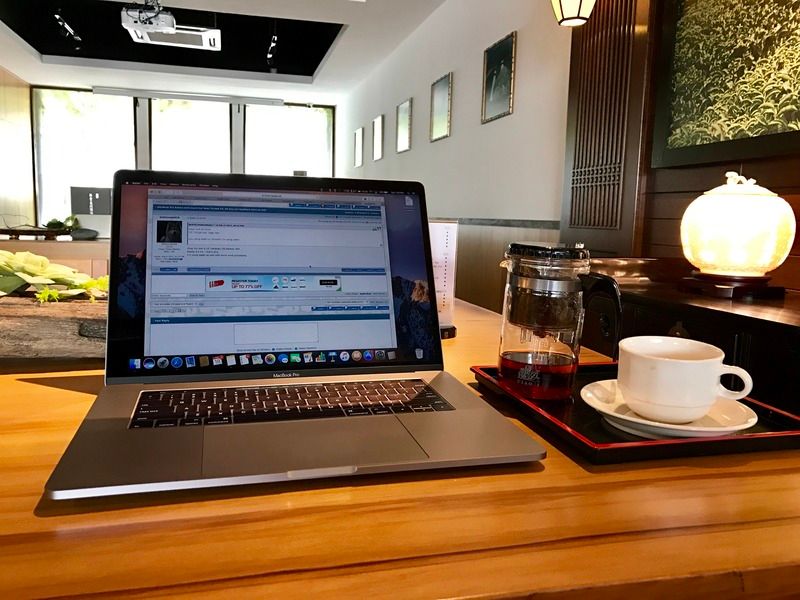
Finally bit the bullet and got my very own 2016 MacBook Pro. My initial impressions after a day of usage, is just WoW! 😳 Build Quality is just impeccable. And this display is just awesome especially with the noticeably-improved contrast ratio over the previous generation of Retina displays of the previous MacBook Pro notebooks. And the Space Grey colour, Oh My God it is GORGEOUS! And the speakers, holy crap, I think these are hands down the best notebook speakers ever, period! There's actually really good bass response! The Touch Bar is just amazing. I could do great stuff like easily bold, underline, italicise, colour my text in Gmail and format text quickly via the Touch Bar in Microsoft Word. And being able to scrub through a YouTube video playing in full screen is just plain awesome too. Last but not least, I love the tap-and-slide function to adjust volume and brightness on the Touch Bar. It is kind of like a Mini-iOS touch screen. 👌🏻 The keyboard is a joy to type on and accuracy is just way better than the previous non-butterfly versions of the previous MacBook Pro notebooks. Sometimes I do find that the limited physical travel can be a bit fatiguing for long typing sessions, but then I'll just plug in my Razer Blackwidow Chroma mechanical keyboard for such usage. Battery life is truly remarkable so far for me for light-to-average app usage. After updating to the latest macOS Sierra, typing a long email (for roughly 20 minutes) on the Gmail web interface in Safari only sipped the battery and the usage time remaining showed a staggering 9 hours+ remaining (constantly) via my monitoring app. My display was set to 30% brightness, and it is sufficient for dimly lit indoor conditions since the total overall brightness output has been increased a lot since the previous generation. All in all, if you are wondering whether this laptop is worth the price, I would say a big YES if you are the type that appreciates bleeding edge state of the art technology. There's just something about the thin build, extreme light weight, and power in such an amazingly-put together and engineered package. Just sharing. 😊 ![]() This post has been edited by shockk: Feb 24 2017, 03:25 PM |

|
|
|
|
|
Feb 24 2017, 11:05 PM
|
![]() ![]() ![]()
Junior Member
404 posts Joined: Aug 2015 |
QUOTE(shockk @ Feb 24 2017, 02:27 AM) Hey guys. What's up? What specs you get? Finally bit the bullet and got my very own 2016 MacBook Pro. My initial impressions after a day of usage, is just WoW! 😳 Build Quality is just impeccable. And this display is just awesome especially with the noticeably-improved contrast ratio over the previous generation of Retina displays of the previous MacBook Pro notebooks. And the Space Grey colour, Oh My God it is GORGEOUS! And the speakers, holy crap, I think these are hands down the best notebook speakers ever, period! There's actually really good bass response! The Touch Bar is just amazing. I could do great stuff like easily bold, underline, italicise, colour my text in Gmail and format text quickly via the Touch Bar in Microsoft Word. And being able to scrub through a YouTube video playing in full screen is just plain awesome too. Last but not least, I love the tap-and-slide function to adjust volume and brightness on the Touch Bar. It is kind of like a Mini-iOS touch screen. 👌🏻 The keyboard is a joy to type on and accuracy is just way better than the previous non-butterfly versions of the previous MacBook Pro notebooks. Sometimes I do find that the limited physical travel can be a bit fatiguing for long typing sessions, but then I'll just plug in my Razer Blackwidow Chroma mechanical keyboard for such usage. Battery life is truly remarkable so far for me for light-to-average app usage. After updating to the latest macOS Sierra, typing a long email (for roughly 20 minutes) on the Gmail web interface in Safari only sipped the battery and the usage time remaining showed a staggering 9 hours+ remaining (constantly) via my monitoring app. My display was set to 30% brightness, and it is sufficient for dimly lit indoor conditions since the total overall brightness output has been increased a lot since the previous generation. All in all, if you are wondering whether this laptop is worth the price, I would say a big YES if you are the type that appreciates bleeding edge state of the art technology. There's just something about the thin build, extreme light weight, and power in such an amazingly-put together and engineered package. Just sharing. 😊 ![]() |
|
|
Feb 25 2017, 12:06 PM
|
![]() ![]() ![]()
Junior Member
386 posts Joined: Dec 2008 From: Petaling Jaya |
QUOTE(shockk @ Feb 24 2017, 02:27 AM) Hey guys. What's up? some keyboard complaints on macrumors forum. yours?Finally bit the bullet and got my very own 2016 MacBook Pro. My initial impressions after a day of usage, is just WoW! 😳 Build Quality is just impeccable. And this display is just awesome especially with the noticeably-improved contrast ratio over the previous generation of Retina displays of the previous MacBook Pro notebooks. And the Space Grey colour, Oh My God it is GORGEOUS! And the speakers, holy crap, I think these are hands down the best notebook speakers ever, period! There's actually really good bass response! The Touch Bar is just amazing. I could do great stuff like easily bold, underline, italicise, colour my text in Gmail and format text quickly via the Touch Bar in Microsoft Word. And being able to scrub through a YouTube video playing in full screen is just plain awesome too. Last but not least, I love the tap-and-slide function to adjust volume and brightness on the Touch Bar. It is kind of like a Mini-iOS touch screen. 👌🏻 The keyboard is a joy to type on and accuracy is just way better than the previous non-butterfly versions of the previous MacBook Pro notebooks. Sometimes I do find that the limited physical travel can be a bit fatiguing for long typing sessions, but then I'll just plug in my Razer Blackwidow Chroma mechanical keyboard for such usage. Battery life is truly remarkable so far for me for light-to-average app usage. After updating to the latest macOS Sierra, typing a long email (for roughly 20 minutes) on the Gmail web interface in Safari only sipped the battery and the usage time remaining showed a staggering 9 hours+ remaining (constantly) via my monitoring app. My display was set to 30% brightness, and it is sufficient for dimly lit indoor conditions since the total overall brightness output has been increased a lot since the previous generation. All in all, if you are wondering whether this laptop is worth the price, I would say a big YES if you are the type that appreciates bleeding edge state of the art technology. There's just something about the thin build, extreme light weight, and power in such an amazingly-put together and engineered package. Just sharing. 😊 ![]() |
|
|
Feb 25 2017, 12:38 PM
Show posts by this member only | IPv6 | Post
#96
|
|
VIP
11,883 posts Joined: Jan 2003 |
QUOTE(johnm @ Feb 25 2017, 12:06 PM) So far so good. The thing about the keyboard complaints I have read on various forums (before I even purchased my own one) is that a lot of them are due to dust / grime under the keyboard keys, and some users have reported that initial keyboard issues with their 2016 MacBook Pro went away after some time of usage. So perhaps this new second generation Butterfly mechanism needs some burn-in time. Also, I bet many users use their 2016 MacBook Pro for gaming too. What I would want to say is that this keyboard is really NOT MEANT for gaming, and I personally do not recommend to game on it. And in my opinion, heavy gaming sessions will cause the keyboard to wear out quicker than it should. At least, plug in an external keyboard or use the Apple Magic Keyboard for gaming. Hehe. This post has been edited by shockk: Feb 25 2017, 12:39 PM |
|
|
Feb 27 2017, 10:44 AM
|
![]() ![]()
Junior Member
150 posts Joined: Jan 2011 |
anyone here got the extra hyeprdrive dock ? .... i guess i missed it when the other forumers were in list to purchase it .... i would like to purchase 1 if any of u planning to sell it or has an extra .... thank you
This post has been edited by riderz135: Feb 27 2017, 10:45 AM |
|
|
Feb 27 2017, 04:45 PM
|
![]()
Junior Member
26 posts Joined: Nov 2014 |
Guys, wanting to ask something before making my purchase.
Is there a huge difference of performance in the 13inch and 15inch? Other than the number of cores, I see no difference between both of them. Or is it better to get the 2015 15inch one as it has more ports? |
|
|
Feb 27 2017, 05:05 PM
|
|
Staff
12,090 posts Joined: Dec 2004 From: Malaysia |
QUOTE(Chryos1029 @ Feb 27 2017, 04:45 PM) Guys, wanting to ask something before making my purchase. It's pretty huge if you're comparing the latest 13" vs 15".Is there a huge difference of performance in the 13inch and 15inch? Other than the number of cores, I see no difference between both of them. Or is it better to get the 2015 15inch one as it has more ports? 1) The 15" has an i7 processor which is much more capable. Number of cores helps a little but it's the architechture difference here that makes the difference. 2) The 15" comes with 16GB of RAM as a standard. Better multitasking and if you're in the creative line, usually the softwares used will welcome more RAM. 3) The 15" comes with a Radeon Pro graphics processing unit which is much more powerful than the Intel Iris found in the 13" models. |
|
|
Feb 27 2017, 10:26 PM
|
![]() ![]()
Junior Member
199 posts Joined: May 2010 |
Hi guys, sorry if this has been asked, but I just can't find any thread on this.
1) How's the performance of the MacBook Pro 13 with virtual desktop for windows? 2) Especially the touch bar, how would it work when I'm in virtual desktop? I'm thinking of purchasing the MBP cos I got subsidy from my company, and the requirement is that it can run virtual desktop, plus my work relies heavily on MS Visio. Personally, I am using MBP 13 2011, and iMac 27 2011 as I like to take/edit photos and videos. since got subsidy, might as well get new Mac instead of Surface Pro or other Dell laptops. Cheers |
| Change to: | 0.0328sec
1.23
6 queries
GZIP Disabled
Time is now: 18th December 2025 - 11:07 PM |