Welcome Guest ( Log In | Register )

Bump Topic Topic Closed RSS Feed
83 Pages « < 79 80 81 82 83 >Bottom

Outline · [ Standard ] · Linear+

Maxis The Official LYN Maxis Wireless (3G/3.5G) Thread, Now it comes with soap !

views
     
JWCheah
post Oct 5 2007, 01:06 PM

Getting Started
**
Junior Member
251 posts

Joined: Sep 2007


I've with Maxis technical Dept at KLCC, they claim that the USB wireless is still new and the are doing some adjustment on their end to resolve this but bear in mind that they did mention that they did not promise a consistent 1.5M - 2.0M thru out, but it is capable. Hmmmm..... that is the part I felt cheated.... "sob* sigh*.... sad but true.

Let just pray that their so-called "adjustment" WORKS!!!
wr6969
post Oct 5 2007, 02:27 PM

Casual
***
Junior Member
314 posts

Joined: Jan 2003


QUOTE(apisgogo @ Oct 5 2007, 12:52 PM)
in the beginning, im torn between few ISP; Maxis HSDPA, Celcom 3.5G and IzzI. The monthly bill for all of them is almost the same range. I settled on maxis simply because of the cheapest solution for me at the time being. Here's my reason:

Izzi = 12 month advance. Nope.
Celcom = have to invest on HSDPA Modem (1k++ for E220, 1k++ for expresscard HSDPA, RM 6++ for V3xx) not really wanna spend that much.
Maxis = RM138 and done.

this is my reason, might not work with others.

if your reason of a broadband is to haul the highest speed, choose streamyx. I simply choose wireless, because of the mobility. smile.gif
You are not doing a proper comparison by conveniently leaving out a number of key factors in your decision making.

(1) the USB modem from Maxis is on a rental basis, you do not own it. You can buy a HSDPA PC Card modem for less than RM 400 now in lelong.com.my to be used with Celcom 3G. And you own the modem.

(2) the minimum contract period for Maxis is 18 months. If the service sucks, you have to transfer your account to someone else. Slightly more difficult to do than selling off your HSDPA modem if you had gone with Celcom. With Celcom, there is no minimum contract period. If you don't like the service, terminate it next month, then sell off the modem. There are a lot of potential buyers in lelong.com.my.

(3) as someone has pointed out before, you can do an easy payment scheme with IzziNet. Yes, you promise to pay them 12 months in advance, but by signing up for interest free monthly repayments with participating banks, you only pay on a monthly basis - no different from Maxis or Celcom in this regard. If you don't have a credit card from one of their participating banks, get one, credit cards are free nowadays anyway.

There are of course other more minor issues with Celcom's 3G service, such as having to go through one common gateway, but for the majority of users (?) this is not a major consideration, I think...

The biggest issue with many Maxis broadband subscribers now is that they find the service sucks, but find it hard to cancel because of the minimum contract period, and finding someone to transfer the account to. If you're sure that the locations you will mainly be using the Maxis service has sufficient coverage and gives you a good speed, then go ahead. Otherwise, it's a game of chance, as prasys has found out. Now he's stuck with Maxis for the next 17.5 months biggrin.gif
kevyon6
post Oct 5 2007, 02:45 PM

Getting Started
**
Junior Member
179 posts

Joined: May 2006
From: Kuala Lumpur


that's why once you notice the speed sux quickly return it to the centre within 7days for termination. if not you better pray hard hard for maxis to upgrade their service. its pointless calling their customer support coz they can't do much about it. been thru that.

This post has been edited by kevyon6: Oct 5 2007, 03:24 PM
apisgogo
post Oct 5 2007, 04:53 PM

Audiofreakosauros 6.1
*****
Senior Member
925 posts

Joined: Nov 2006
From: Shah Alam


maybe i didnt reveal all 'key factors'


QUOTE(wr6969 @ Oct 5 2007, 02:27 PM)
You are not doing a proper comparison by conveniently leaving out a number of key factors in your decision making.

(1) the USB modem from Maxis is on a rental basis, you do not own it.  You can buy a HSDPA PC Card modem for less than RM 400 now in lelong.com.my to be used with Celcom 3G.  And you own the modem.
PC Card is PCMCIA Card Type, Which,my notebook only supports expresscard. It is because of rental I decided to take the maxis plan.


(2) the minimum contract period for Maxis is 18 months.  If the service sucks, you have to transfer your account to someone else.  Slightly more difficult to do than selling off your HSDPA modem if you had gone with Celcom.  With Celcom, there is no minimum contract period.  If you don't like the service, terminate it next month, then sell off the modem.  There are a lot of potential buyers in lelong.com.my.
heh, this cant help smile.gif


(3) as someone has pointed out before, you can do an easy payment scheme with IzziNet.  Yes, you promise to pay them 12 months in advance, but by signing up for interest free monthly repayments with participating banks, you only pay on a monthly basis - no different from Maxis or Celcom in this regard.  If you don't have a credit card from one of their participating banks, get one, credit cards are free nowadays anyway.
if i take easy payment, it will add more monthly prepayment to my expense. (RM 99 for Celcom 3.5G, probably RM100 for easy payment) so, maxis is the simplest and easiest solution for me.


There are of course other more minor issues with Celcom's 3G service, such as having to go through one common gateway, but for the majority of users (?) this is not a major consideration, I think...

The biggest issue with many Maxis broadband subscribers now is that they find the service sucks, but find it hard to cancel because of the minimum contract period, and finding someone to transfer the account to.  If you're sure that the locations you will mainly be using the Maxis service has sufficient coverage and gives you a good speed, then go ahead.  Otherwise, it's a game of chance, as prasys has found out.  Now he's stuck with Maxis for the next 17.5 months  biggrin.gif
*
and, my ultimate purpose of broadband is to send my business emails, research, download artwork from client at megaupload (i could get 200kbps btw by mgaupload), and mobility coz i always travel.


the solution that maxis provided is suited me well. you just need to find yours.

cloudstrife07
post Oct 5 2007, 08:05 PM

I'm back, beaches!
*******
Senior Member
4,688 posts

Joined: Jan 2003
From: http://127.0.0.1


my speed:

user posted image

user posted image


cloudstrife07
post Oct 5 2007, 09:39 PM

I'm back, beaches!
*******
Senior Member
4,688 posts

Joined: Jan 2003
From: http://127.0.0.1


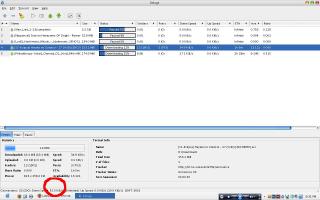
my torrent @ 9.36pm iianm.

it reaches 52kBps! starter package 384kbps.


Attached thumbnail(s)
Attached Image
apisgogo
post Oct 5 2007, 11:26 PM

Audiofreakosauros 6.1
*****
Senior Member
925 posts

Joined: Nov 2006
From: Shah Alam


user posted image

speed at my home, 11th floor, condo @ mutiara damansara...


yhuii
post Oct 6 2007, 07:04 PM

Getting Started
**
Junior Member
141 posts

Joined: Sep 2007
From: kay.kay sabah.-->cyberjaya hostel~


whats the different netween 3G and 3.5G??
prasys
post Oct 6 2007, 10:11 PM

Heros Never Die
Group Icon
VIP
12,925 posts

Joined: Mar 2005
From: Kuala Lumpur
Hint : Use google !

Anway

3G - UMTS (aka old tech) - speeds up to 384Kbps only (both up and down)
3.5G - HSDPA (improved Old thing) that delivers a faster downlink rate. Supports up to 14.4Mbps

HSDPA also provides a lower latency to the users as opposed to UMTS. There are many advantages of using HSDPA over UMTS. But both of them are in the same family.
wufei
post Oct 7 2007, 12:41 AM

Look at all my stars!!
*******
Senior Member
3,039 posts

Joined: Jan 2003
From: Laputa


Holy Sh**, maxis is crawling.,,

Now 12:40 am.
vincentl
post Oct 7 2007, 01:22 AM

LIM
******
Senior Member
1,240 posts

Joined: Jan 2003
From: Batu Caves


I heard some of maxisbb user would be using 017 and some 012
got difference ?


Added on October 7, 2007, 1:30 amshakehead.gif super slow with super a lot of time out ....

Tracing route to www.l.google.com [64.233.189.104]
over a maximum of 30 hops:

1 551 ms 619 ms 670 ms 10.213.251.131
2 580 ms * * 10.213.150.135
3 * * * Request timed out.
4 433 ms 459 ms 439 ms 58.71.133.97
5 438 ms * 644 ms 58.71.133.66
6 484 ms * 685 ms 58.71.133.1
7 * 1049 ms 697 ms 202.122.151.117
8 642 ms 520 ms * 202.122.151.70
9 659 ms * 460 ms 202.75.128.25
10 478 ms 539 ms * 218.189.31.105
11 660 ms * 489 ms global.hgc.com.hk [218.189.8.197]
12 428 ms 499 ms * global.hgc.com.hk [218.189.8.215]
13 689 ms * 622 ms global.hgc.com.hk [218.189.8.212]
14 * * * Request timed out.
15 * * * Request timed out.
16 * * * Request timed out.
17 * * * Request timed out.
18 737 ms * 640 ms google2-RGE.hkix.net [218.100.16.24]
19 * * * Request timed out.
20 1107 ms 720 ms * hk-in-f104.google.com [64.233.189.104]
21 * * 599 ms hk-in-f104.google.com [64.233.189.104]

Trace complete.

This post has been edited by vincentl: Oct 7 2007, 01:30 AM
prasys
post Oct 7 2007, 08:20 AM

Heros Never Die
Group Icon
VIP
12,925 posts

Joined: Mar 2005
From: Kuala Lumpur
Maxis is crawling the whole day. Upgrade process ? downgrading process...I dont know

But then , when I surf the Internet using my maxis postpaid (aka with maxis APN). The Internet is fast...
llhm87
post Oct 7 2007, 12:30 PM

Casual
***
Junior Member
346 posts

Joined: Oct 2006
From: Kuala Lumpur, Malaysia


Yeap. Surfing is fast. Just when doing speedtest, the speed show on the test is slow.

This post has been edited by llhm87: Oct 7 2007, 12:30 PM
gr44
post Oct 7 2007, 12:59 PM

Getting Started
**
Junior Member
269 posts

Joined: Aug 2005


i just want to ask if i get the usb modem rm138 can i download whole day..using bitorrent,any p2p program...

and if rm98 package can i download same thing all day?which is better..im staying at kelana jaya..anyone can recommend me...tq
jackywsw
post Oct 7 2007, 02:53 PM

New Member
*
Junior Member
46 posts

Joined: Jan 2007
QUOTE(llhm87 @ Oct 7 2007, 12:30 PM)
Yeap. Surfing is fast. Just when doing speedtest, the speed show on the test is slow.
*
Huh? For me, the speedtest results reflects the speed of browsing...Took so much time to load...
The first day when it was newly installed with the maxis guy, the speed looks good...But after observing it for the next few days, it was totally unreliable...Could you imagine it will take more than 2 mins juz to login to yahoo mail..... sweat.gif

QUOTE(gr44 @ Oct 7 2007, 12:59 PM)
i just want to ask if i get the usb modem rm138 can i download whole day..using bitorrent,any p2p program...

and if rm98 package can i download same thing all day?which is better..im staying at kelana jaya..anyone can recommend me...tq
*
I think P2P port was blocked by maxis wbb and onli will be open during night time 1-6am..

gr44
post Oct 7 2007, 03:09 PM

Getting Started
**
Junior Member
269 posts

Joined: Aug 2005


so how fast can it go using the usb thing??if i try to download at daytime what happen using p2p??will have connection or dont have..btw which is better usb or modem
prasys
post Oct 7 2007, 03:20 PM

Heros Never Die
Group Icon
VIP
12,925 posts

Joined: Mar 2005
From: Kuala Lumpur
Dude let me tell you this

If you are into P2P..Just forget it. Just forget it. Its just nice for light surfing only and playing some cheap web-based MMORPG Games or running around in RO World. If you try to download during daytime , your download will be uber slow or it will say can't find tracker. It will just spit some random error message.

Maxis' speed suck by the way. Just to let you know , you'll regret. Better test it first before saying yes. How fast you say. Its up to 3.6Mbps. Can you get 3.6Mbps. Thats a yes and a no question. the peak is at least ~2.8Mbps (cause you need to minus all the overheads and other factors). I think you can't get more then 2Mbps at this moment. So yeah , speed varies


jackywsw
post Oct 7 2007, 04:31 PM

New Member
*
Junior Member
46 posts

Joined: Jan 2007
QUOTE(gr44 @ Oct 7 2007, 03:09 PM)
so how fast can it go using the usb thing??if i try to download at daytime what happen using p2p??will have connection or dont have..btw which is better usb or modem
*
Well, I don't really get what you mean by modem / usb..or mayb that's diff set of tool/data card to connnect to the wireless broadband..
Referring to the 1 i had, Maxish ad provided a ZTE modem and it is directly connecting to ur network card via cross UTP cable.
And the performance and reliability is totally un-acceptable.
If you just prefer light surfing, reading articles, mails occasionally, then it should be ok.

But if you are expecting to do P2P or even direct downloads from tools like Megaupload/Rapidshare, you can just forget it.
When the P2P port is blocked; which means it is denying all the traffic flowing through the port. Therefore, you can still turn on your bit torrent application but nothing will flow through and data will not transmit (might as well u juz turn off the application which at least helps you to save some processing memory laugh.gif )

Also, not everytime the connection willbe connected with HSDPA. And even it does, sometimes it will still take so much time to load a page even though there's no other bandwidth untilization/download progress on-going.

Enough said..will return them the modem+phone to cancel the service.
Luckily it was still under 7 days of trial..Will opt for wired adsl connection. thumbup.gif
llhm87
post Oct 7 2007, 04:33 PM

Casual
***
Junior Member
346 posts

Joined: Oct 2006
From: Kuala Lumpur, Malaysia


QUOTE(gr44 @ Oct 7 2007, 03:09 PM)
so how fast can it go using the usb thing??if i try to download at daytime what happen using p2p??will have connection or dont have..btw which is better usb or modem
*
USB and Modem is just the same. Both device are for you to use it to connect to the internet. But if you want it really portable, just go for the USB which you have to pay RM138 per month. If you just want your modem to be use at home only, go for the normal modem, the ZTE modem I mean. Can help you save RM40 per month because ZTE modem only need to Pay RM98 per month. The price is based on POWER Package.


Added on October 7, 2007, 4:39 pm
QUOTE(jackywsw @ Oct 7 2007, 04:31 PM)
Well, I don't really get what you mean by modem / usb..or mayb that's diff set of tool/data card to connnect to the wireless broadband..
Referring to the 1 i had, Maxish ad provided a ZTE modem and it is directly connecting to ur network card via cross UTP cable.
And the performance and reliability is totally un-acceptable.
If you just prefer light surfing, reading articles, mails occasionally, then it should be ok.

But if you are expecting to do P2P or even direct downloads from tools like Megaupload/Rapidshare, you can just forget it.
When the P2P port is blocked; which means it is denying all the traffic flowing through the port. Therefore, you can still turn on your bit torrent application but nothing will flow through and data will not transmit (might as well u juz turn off the application which at least helps you to save some processing memory  laugh.gif )

Also,  not everytime the connection willbe connected with HSDPA. And even it does, sometimes it will still take so much time to load a page even though there's no other bandwidth untilization/download progress on-going.

Enough said..will return them the modem+phone to cancel the service.
Luckily it was still under 7 days of trial..Will opt for wired adsl connection.  thumbup.gif
*
Can I know where is your area? Although I facing some difficulty on slow connection but my problem is not as bad as you mention. Maxis is upgrading their network in order to serve you better. I am not promoting Maxis because I did call them to complaint regarding the slow connection speed. If you want to use P2P during the daytime. Just forget it because Maxis 100% block P2P during the daytime but I'm sure that you can run P2P application during 1am - 6am. I get connected to HSDPA all the while except when I'm idle then Maxis will kick me to UMTS. But once I'm active again, it will switch back to HSDPA quickly. This is the way Maxis use to preserve their bandwidth. If you don't want to get kick to other network type, do a infinite ping to some place / site / server.

This post has been edited by llhm87: Oct 7 2007, 04:39 PM
jackywsw
post Oct 7 2007, 04:45 PM

New Member
*
Junior Member
46 posts

Joined: Jan 2007
QUOTE(llhm87 @ Oct 7 2007, 04:33 PM)
USB and Modem is just the same. Both device are for you to use it to connect to the internet. But if you want it really portable, just go for the USB which you have to pay RM138 per month. If you just want your modem to be use at home only, go for the normal modem, the ZTE modem I mean. Can help you save RM40 per month because ZTE modem only need to Pay RM98 per month. The price is based on POWER Package.
*
LOL, i get what you mean by the USB device which serves exactly the same as the ZTE modem besides that it is smaller in size and portable?
Anyway, you could still carry ur ZTE modem together with ur lappie on outdoor occasion; just that it is not so convenient laugh.gif

However, transmitting data via usb cable will be slower compared to UTP cable if i dun understand wrongly.
UTP cable carries analogue signal and it could merely have loss of signals unless the cable/network card is faulty compared to usb cable that carries electric signals..


Added on October 7, 2007, 5:25 pm
QUOTE(llhm87 @ Oct 7 2007, 04:33 PM)
USB and Modem is just the same. Both device are for you to use it to connect to the internet. But if you want it really portable, just go for the USB which you have to pay RM138 per month. If you just want your modem to be use at home only, go for the normal modem, the ZTE modem I mean. Can help you save RM40 per month because ZTE modem only need to Pay RM98 per month. The price is based on POWER Package.


Added on October 7, 2007, 4:39 pm

Can I know where is your area? Although I facing some difficulty on slow connection but my problem is not as bad as you mention. Maxis is upgrading their network in order to serve you better. I am not promoting Maxis because I did call them to complaint regarding the slow connection speed. If you want to use P2P during the daytime. Just forget it because Maxis 100% block P2P during the daytime but I'm sure that you can run P2P application during 1am - 6am. I get connected to HSDPA all the while except when I'm idle then Maxis will kick me to UMTS. But once I'm active again, it will switch back to HSDPA quickly. This is the way Maxis use to preserve their bandwidth. If you don't want to get kick to other network type, do a infinite ping to some place / site / server.
*
I am staying in pusat bandar puchong...Just started to use the wireles broadband since last thursday.
As I am just to try out the service before becoming the scapegoat with their 18 minimum months of subscription, I did not bother to call up to complaint/log report over the slow network connection. Didn't realize if there was any maintenance on-going to upgrade the performance of their network. As for me, I would not believe in such statements/promises/excuse from the ISP to say that just to keep their customers to continue subscribing. Mayb I had encountered this with Streamyx before where they told the same but nothing was succeeded in the end.

Honestly, the streamyx's performance in my old hse is much much more better as compared maxis wireless broadband.
I understand wireless connection would definitely has its limitation and can't expect it to be working as good with wired connection; but those maxis agents juzkeep boasting/blowing water that their wireless broadband is much more faster and reliable compared to streamyx.
And therefore, no point complaining any further...Juz opt for wired connectiong if possible.

And also the availability of the services are based on 'luck'. Sometimes it could load with an accepted speed but there are times that browsing is almost near to impossible.

This post has been edited by jackywsw: Oct 7 2007, 05:25 PM

83 Pages « < 79 80 81 82 83 >Top
Topic ClosedOptions
 

Change to:
| Lo-Fi Version
0.0203sec    0.42    6 queries    GZIP Disabled
Time is now: 6th December 2025 - 11:37 PM