How much is the GE62 2QF Apache Pro? Looking for a 14-15.6 inch laptop with GTX970
MSI Gaming Notebook Thread V3
MSI Gaming Notebook Thread V3
|
|
 Jul 24 2015, 01:37 AM Jul 24 2015, 01:37 AM
|
 
Senior Member
3,435 posts Joined: Oct 2008 From: Kota Bharu   
|
How much is the GE62 2QF Apache Pro? Looking for a 14-15.6 inch laptop with GTX970
|
|
|
|
 |
Jul 24 2015, 04:34 PM
|

Junior Member
120 posts Joined: Apr 2011
|
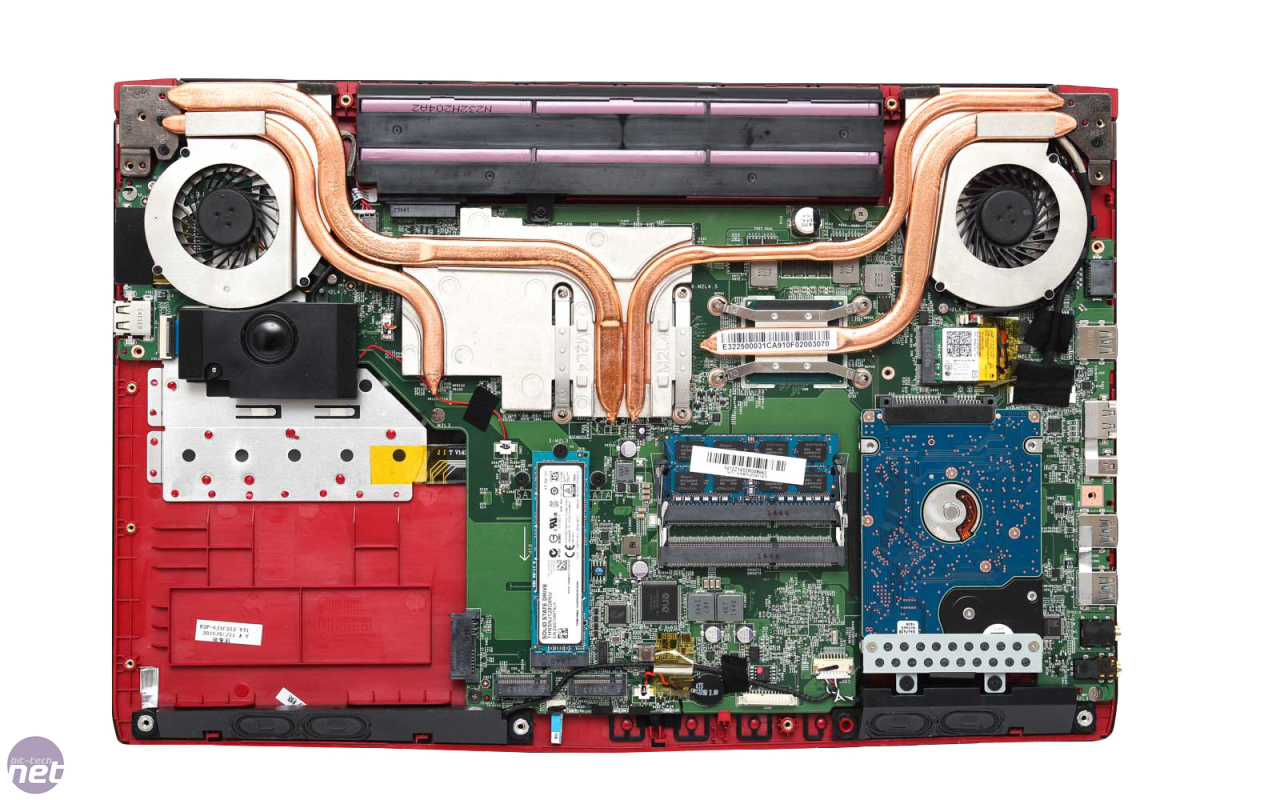
QUOTE(tachlio @ Jul 23 2015, 07:25 PM) As MSI PE60 using same chassis as GE62 Please make sure to use M.2-2280 type SSD. » Click to show Spoiler - click again to hide... « I like to know does I able to using 42mm M2 SSD on it?? Below is the spec   This post has been edited by MSI-NB: Jul 24 2015, 04:36 PM |
|
|
Jul 24 2015, 04:34 PM
|
|
Junior Member
120 posts Joined: Apr 2011
|
removed
This post has been edited by MSI-NB: Jul 24 2015, 04:36 PM |
|
|
Jul 24 2015, 04:37 PM
|
|
Junior Member
120 posts Joined: Apr 2011
|
QUOTE(FaezFarhan @ Jul 24 2015, 01:37 AM) How much is the GE62 2QF Apache Pro? Looking for a 14-15.6 inch laptop with GTX970 Kindly refer our latest booklet here: http://bit.ly/mymsinb_booklet |
|
|
Jul 24 2015, 05:14 PM
Show posts by this member only | IPv6 | Post
#505
|

Senior Member
3,102 posts Joined: May 2005 From: Penang *̡͌l̡*̡̡
|
QUOTE(MSI-NB @ Jul 24 2015, 04:34 PM) Please make sure to use M.2-2280 type SSD. Really no way to fix my 2240 there? As mine is shorted.Does MSI will offer below NVIDIA Bundles Metal Gear Solid V: The Phantom Pain http://www.guru3d.com/news-story/nvidia-bu...antom-pain.html » Click to show Spoiler - click again to hide... « |
|
|
Jul 24 2015, 05:28 PM
|
|
Junior Member
120 posts Joined: Apr 2011
|
MSI Exclusive Technology – Audio Boost and Audio Boost 2 Both MSI Audio Boost and Audio Boost 2 feature Gold flash audio jack. The Gold Flash Audio Jack advantages : 1. Authentic Audio Output 2. Stable Sound Transmission 3. Reduce Obstruction 4. Low Noise 5. Low Distortion  Only MSI Audio Boost 2 support real 7.1 channel output, rivals the desktop audio output with line-in/line-out . 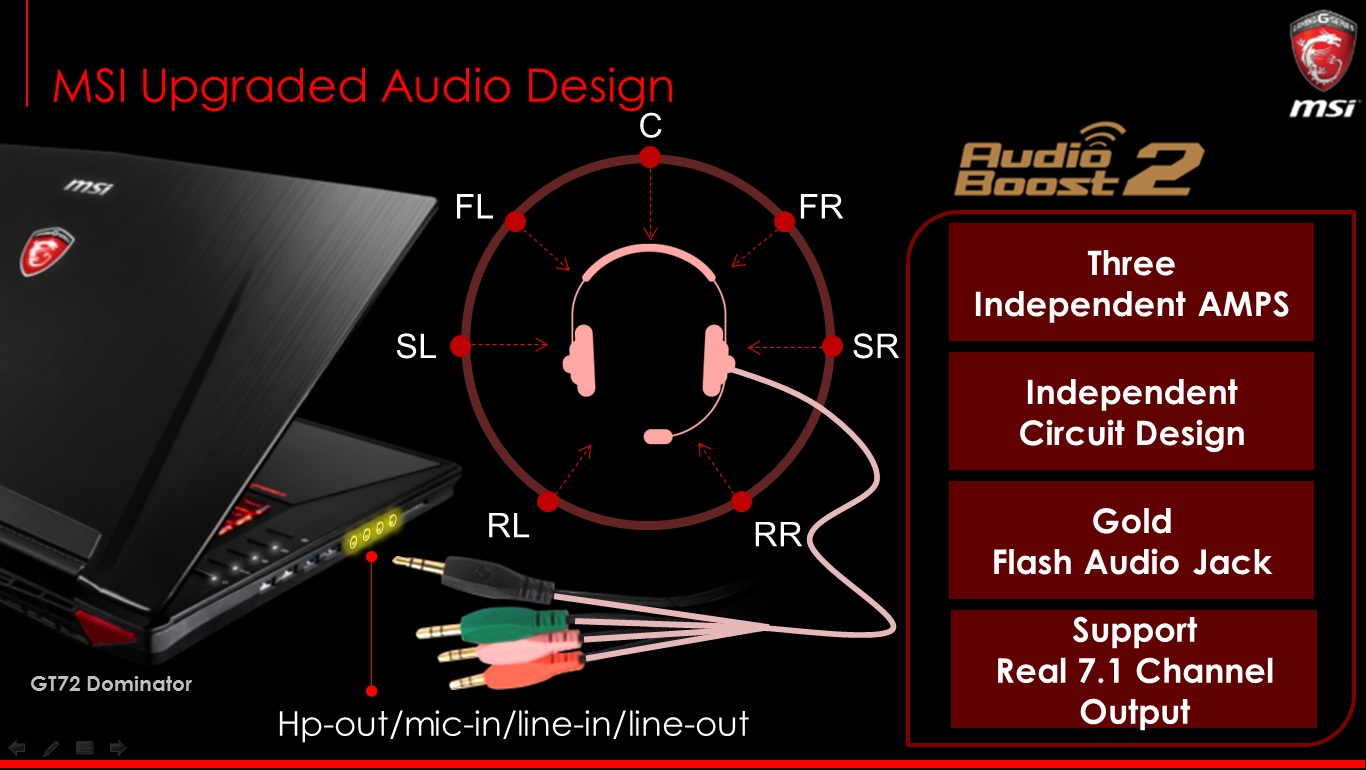 Audio Boost and Audio Boost 2 both enhance audio output by 30%. And both of them provides built-in AMP(amplifier) to boost low-power audio signal ! (do not need Extra Audio Amplifier) 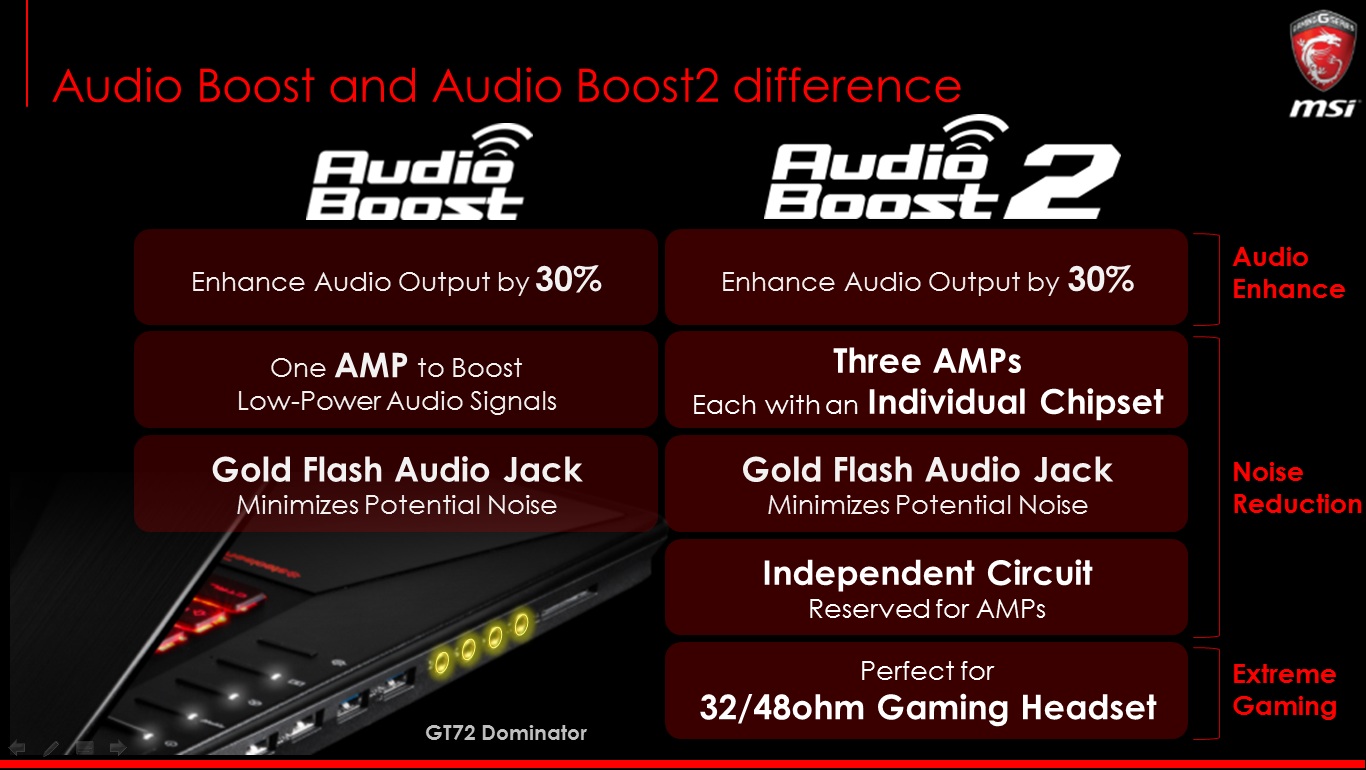 |
|
|
|
|
|
Jul 24 2015, 06:26 PM
|
|
Junior Member
120 posts Joined: Apr 2011
|
Broadwell Updates We’re sure you haven’t missed the new Broadwell CPUs – also known as the 5th Generation Core CPUs from Intel. As ever, the new CPU family brings out performance increases and improved battery life due to a new 14nm manufacturing process. We’ve already established that the new CPU family beats the old Haswell (4th Gen Core), but in case you’ve missed this, Bit-Tech has conducted an independent test of the PE60 and its Core i7-5700HQ CPU. 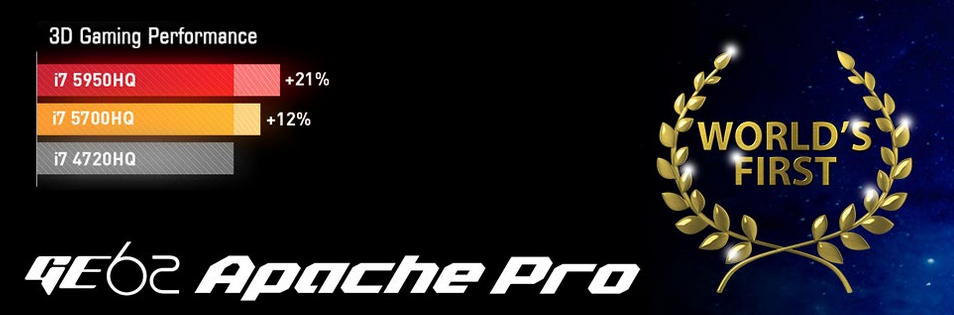 The i7-5700HQ is a direct successor to the i7-4720HQ, widely used across our range of notebooks, and the performance increases are clear to see, despite a 100MHz turbo boost deficit compared to the older CPU. In fact, Bit-Tech points out that “the Intel Core i7-5700HQ was an even match, even for the Intel Core i7-4800MQ” which is a notch higher up than the i7-4700HQ series. Or, to put it another way: “Thanks to the addition of hyper-threading, the Intel Core i7-5700HQ was able to topple desktop quad-cores such as the Core i5-4670K convincingly in Cinebench R15”. Broadwell therefore shrinks the gap between mobile and desktop CPU performance even further, and we’re extremely happy to announce that our Gaming and Prestige series are both being shipped out with Broadwell CPUs as you read this. Also, the transition couldn’t be simpler, see the very handy guide HERE. |
|
|
Jul 29 2015, 10:00 AM
|
|
Junior Member
120 posts Joined: Apr 2011
|
[NEW!]Buy selected MSI Gaming Notebooks with GTX™ 980M or 970M, get Metal Gear Solid V: The Phantom Pain Free*. 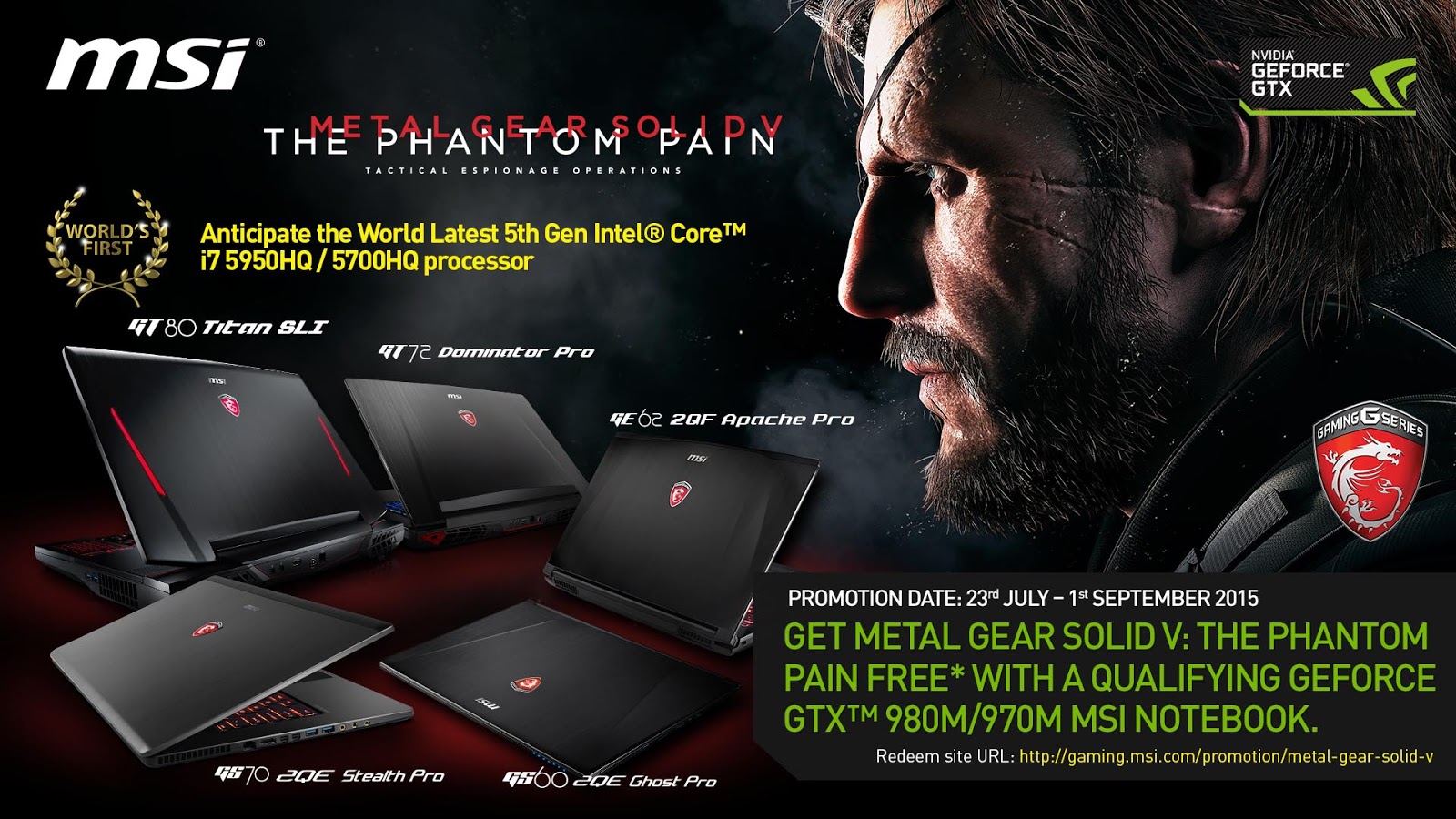 For a limited time, get the latest mega hit from Kojima Productions, METAL GEAR SOLID V: THE PHANTOM PAIN with a qualifying purchase of GeForce® 980M/970M notebook. Only GeForce GTX gives you the power and performance to game like the Big Boss. Experience METAL GEAR SOLID V: THE PHANTOM PAIN, with incredible visuals, uncompromised gameplay, and advanced technologies. NVIDIA G-SYNC™ delivers smooth and stutter-free gaming, GeForce Experience™ provides optimal playable settings, and NVIDIA GameStream™ technology streams your game to any NVIDIA SHIELD™ device. Experience METAL GEAR SOLID V: THE PHANTOM PAIN The Way It’s Meant to be Played—only with GeForce GTX. Promotion Date: 23rd July 2015 - 1st September 2015 Eligible models: MSI Gaming Notebook with GTX980M and GTX970M: Game Release Date: 15th September 2015* Redemption Period: 23rd July 2015 - 1st October 2015 Redemption Site: http://event.msi.com/vga/2015/nv_mgsv_tpp/en_apac_index.html *T&C applies, while stocks last. |
|
|
Jul 29 2015, 02:16 PM
Show posts by this member only | IPv6 | Post
#509
|
|
Senior Member
3,102 posts Joined: May 2005 From: Penang *̡͌l̡*̡̡
|
|
|
|
Jul 30 2015, 01:04 PM
|

Senior Member
4,337 posts Joined: Jan 2003 From: Bora-bora u jelly? Special: Age of multi-monitor 
|
Hello MSI. My 1 yo laptop got problem. Where can I send for warranty claim near selangor KL. Any service center at lowyat plaza? Tq
|
|
|
Jul 31 2015, 10:43 AM
|
|
Junior Member
120 posts Joined: Apr 2011
|
QUOTE(tachlio @ Jul 29 2015, 02:16 PM) Coming soon, we will update here once it is out in the market  |
|
|
Jul 31 2015, 10:44 AM
|
|
Junior Member
120 posts Joined: Apr 2011
|
QUOTE(Mr_47 @ Jul 30 2015, 01:04 PM) Hello MSI. My 1 yo laptop got problem. Where can I send for warranty claim near selangor KL. Any service center at lowyat plaza? Tq Hi, you may refer service centre location here: http://my.msi.com/page/msinewmap |
|
|
Jul 31 2015, 10:54 AM
|
|
Junior Member
120 posts Joined: Apr 2011
|
[NEW!]Stand a chance to win a MSI GP62 worth RM3,299 when you purchase MSI GT/GS series! 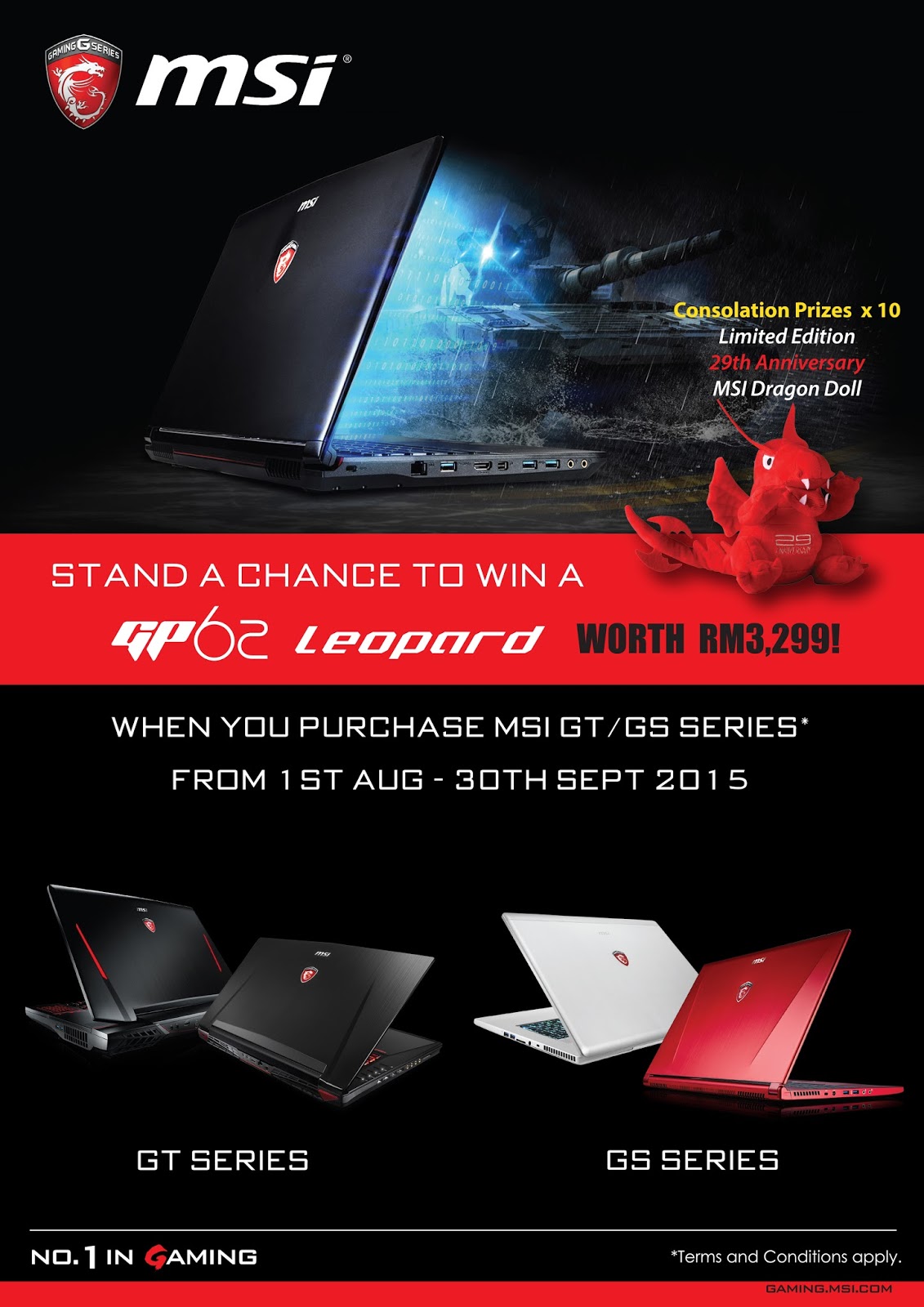 Stand a chance to win a MSI GP62 worth RM3,299 when you purchase MSI GT/GS series! Promotion period: 1st August - 30th September 2015 Lucky Draw Registration period: 1st August - 9th October 2015 @ 9PM Eligible MSI Notebook models: MSI GT or GS series with GTX900M graphics card. Participated Dealers list: http://bit.ly/1IbZEd8 How to join? 1. Purchase any MSI GT or GS Apache with Participated MSI Authorized Dealers from 1st August - 30th September 2015 2. Fill up and complete GP62 Lucky Draw Form (You may get it from the participated resellers) Please include the following details: - Must attach with Proof of purchase (Invoice) and Serial Number Sticker on box *Otherwise disqualified - Full Name as per NRIC - Contact Number 3. Submit the lucky draw form to the participated resellers and you're done! 4. Lucky Draw Prizes as follow: - Grand Prize: MSI GP62 worth RM3,299 x 1 winner - Consolation Prizes: Limited Edition 29th Anniversary MSI Dragon Doll x 10 winners Terms & Conditions 1. Lucky Draw entries close on the 9th October 2015 @ 9PM. 2. Winners will be announced by 23rd October 2015. 3. Participant MUST match the eligible criteria in order to participate in this contest. 4. MSI Malaysia reserves the right to disqualify entries that do not meet the rules and regulations of the contest. These include entries submitted with invalid, incorrect and inappropriate information. 5. Prizes are subject to availability while stocks last. MSI Malaysia reserves the right to substitute the prizes for its price equivalent where necessary. |
|
|
|
|
|
Jul 31 2015, 12:12 PM
|
|
Senior Member
4,337 posts Joined: Jan 2003 From: Bora-bora u jelly? Special: Age of multi-monitor
|
QUOTE(MSI-NB @ Jul 31 2015, 10:44 AM) tqtqtqtq  |
|
|
Aug 1 2015, 09:16 AM
|

Junior Member
235 posts Joined: Apr 2010
|
Hi im using the GT60 20c, is it possible to upgrade it to windows 10 in terms of driver compatibility? I've checked on the website for the drivers and so far only supports for win7/8. Thank you
|
|
|
Aug 1 2015, 11:29 PM
|

Senior Member
1,507 posts Joined: May 2007
|
Hi,
I have GE72 2QE. I had keyboard replacement however in the process of repairing by service centre, they spoiled my LCD cable and need to wait 2 weeks. So I'm bringing back to use with external monitor via HDMI (no internal display). I've done recovery via msi burnrecovery which image i did when i first bought. Now I'm having issue with my Nvidia graphic card where it didnt want to switch to my nvidia card when i play game. - I did set the game to use Nvidia card. - Also tried to set global to Nvidia but still same. - tried reinstall nvidia driver, experience, phyx with driver cleaner too but still same - flashed BIOS to latest for - turn off Intel HD 4600 adapter in device manager(and even worse lag) - updated windows 8.1 all updates. the symptoms is when i start my game, the power button will turn orange for awhile and it switch back to blue, then during loading it will switch to orange and blue back again and remain blue during the game. I'm getting Framerate bad as 4-6FPS while i shud get 60FPS. Monitored NVIDIA GPU activity but doesn't seems that it uses Nvidia in anyway. Nvidia Driver : 353.62 (tried 353.30 too) Nvidia Experience: 2.5.12.11 Intel HD Driver: 10.18.14.4251 Windows 8.1 Please help. This post has been edited by vincentlaw: Aug 2 2015, 10:08 AM |
|
|
Aug 5 2015, 04:00 PM
|

Junior Member
32 posts Joined: Apr 2015
|
today saw tech armory post GE62-2QE temperature test, the nVdia gtx960m temperature is 88c and they manage tweak to 81c by use some secret method....any comment for this hot laptop? my friend actually planning to buy until see this result because we recall a forumer say GE62 temperature very good.
  
|
|
|
Aug 5 2015, 06:00 PM
|
|
Junior Member
120 posts Joined: Apr 2011
|
QUOTE(Kivaa @ Aug 1 2015, 09:16 AM) Hi im using the GT60 20c, is it possible to upgrade it to windows 10 in terms of driver compatibility? I've checked on the website for the drivers and so far only supports for win7/8. Thank you Hi Kivaa, GT60 2OC is upgradable to Windows 10, for more information, please refer to the list here: http://event.msi.com/2015/windows10/en/upgrade.html |
|
|
Aug 5 2015, 06:05 PM
|
|
Junior Member
120 posts Joined: Apr 2011
|
QUOTE(vincentlaw @ Aug 1 2015, 11:29 PM) Hi, Hi Vincent, could you PM us your contact details? We would like to assist you asap.I have GE72 2QE. I had keyboard replacement however in the process of repairing by service centre, they spoiled my LCD cable and need to wait 2 weeks. So I'm bringing back to use with external monitor via HDMI (no internal display). I've done recovery via msi burnrecovery which image i did when i first bought. Now I'm having issue with my Nvidia graphic card where it didnt want to switch to my nvidia card when i play game. - I did set the game to use Nvidia card. - Also tried to set global to Nvidia but still same. - tried reinstall nvidia driver, experience, phyx with driver cleaner too but still same - flashed BIOS to latest for - turn off Intel HD 4600 adapter in device manager(and even worse lag) - updated windows 8.1 all updates. the symptoms is when i start my game, the power button will turn orange for awhile and it switch back to blue, then during loading it will switch to orange and blue back again and remain blue during the game. I'm getting Framerate bad as 4-6FPS while i shud get 60FPS. Monitored NVIDIA GPU activity but doesn't seems that it uses Nvidia in anyway. Nvidia Driver : 353.62 (tried 353.30 too) Nvidia Experience: 2.5.12.11 Intel HD Driver: 10.18.14.4251 Windows 8.1 Please help. |
|
|
Aug 5 2015, 06:32 PM
|

Junior Member
32 posts Joined: May 2011
|
Hi MSI. Im currently using GE72 2QL notebook.
I would like to ask about the price of additional 8GB RAM. This post has been edited by laptopfans: Aug 5 2015, 06:37 PM |
| Change to: |  0.0260sec 0.0260sec
 0.56 0.56
 6 queries 6 queries
 GZIP Disabled GZIP Disabled
Time is now: 1st December 2025 - 10:42 PM |
 Quote
Quote