

QUOTE(DairymanCanada @ Apr 12 2013, 08:38 AM)
That router is currently unsupported by OpenWRT so we can't make firmware for it.

Any intention to port OpenWRT into this model?Thanks

Tp LInk TL-MR3420 Owner CLub V2.5, need a pro here
|
|
 Apr 12 2013, 09:07 AM Apr 12 2013, 09:07 AM
|
 
Senior Member
8,025 posts Joined: Feb 2005 From: Planet Boleland  
|
QUOTE(DairymanCanada @ Apr 12 2013, 08:38 AM) That router is currently unsupported by OpenWRT so we can't make firmware for it. Any intention to port OpenWRT into this model?Thanks |
|
|
|
|
|
Apr 12 2013, 09:10 AM
|

Junior Member
97 posts Joined: Feb 2013
|
That's up to the OpenWRT development team.
Not in our space.  |
|
|
Apr 12 2013, 09:13 AM
|
|
Senior Member
8,025 posts Joined: Feb 2005 From: Planet Boleland
|
QUOTE(Wahroonga Farm @ Apr 12 2013, 09:10 AM) That's up to the OpenWRT development team. I guess i should email them to do it.Not in our space. Thanks for the head up. |
|
|
Apr 12 2013, 05:23 PM
|

Junior Member
43 posts Joined: Dec 2012
|
why when maxis network is 3g the rssi is 60-70 but when its turbo, the rssi rise to 90?
|
|
|
Apr 12 2013, 06:22 PM
|
|
Senior Member
8,025 posts Joined: Feb 2005 From: Planet Boleland
|
QUOTE(xplayxtreme @ Apr 12 2013, 05:23 PM) why when maxis network is 3g the rssi is 60-70 but when its turbo, the rssi rise to 90? different Cell , maybe  lower rssi is 3G cell which is nearer to you higher rssi is highspeed cell/ DC-HSPA which is further away take note of the Cell ID , is it the same ? |
|
|
Apr 12 2013, 07:01 PM
|
|
Junior Member
43 posts Joined: Dec 2012
|
sometimes it become 3g and sometimes it become turbo..haha..maybe the dc-hspa tower is far from my house..aiya...
|
|
|
|
|
|
Apr 12 2013, 07:02 PM
|
|
Junior Member
43 posts Joined: Dec 2012
|
QUOTE(digilife @ Apr 12 2013, 06:22 PM) different Cell , maybe the cell didnt change..bcoz when it becomes 3g, only for bout 10 seconds then it changes back to turbo.. lower rssi is 3G cell which is nearer to you higher rssi is highspeed cell/ DC-HSPA which is further away take note of the Cell ID , is it the same ? |
|
|
Apr 12 2013, 07:50 PM
|
 
Elite
6,931 posts Joined: Apr 2011 From: Bolehland for sure ^_^
|
QUOTE(xplayxtreme @ Apr 12 2013, 07:02 PM) the cell didnt change..bcoz when it becomes 3g, only for bout 10 seconds then it changes back to turbo.. that's a normal case,.. modem is design to save power so can cool down,.. when u dont have any traffic, the modem will auto fall back to 3G to save power,.. as like your computer go to screensaver mode |
|
|
Apr 12 2013, 07:56 PM
|
|
Junior Member
43 posts Joined: Dec 2012
|
ahhhh..no wonder...thank you so much for the info..btw, why is my blackwidow openwrt doesnt show my QoS? it also didnt show MCC MNC...
|
|
|
Apr 12 2013, 07:57 PM
|
|
Elite
6,931 posts Joined: Apr 2011 From: Bolehland for sure ^_^
|
QUOTE(xplayxtreme @ Apr 12 2013, 07:56 PM) ahhhh..no wonder...thank you so much for the info..btw, why is my blackwidow openwrt doesnt show my QoS? it also didnt show MCC MNC... i am using the openwrt Barrier breaker,.. QoS never show but the rest is all there under modem section if u choose keep the connection alive option under modem section, your modem will be on traffic data all time,.. This post has been edited by chuahcs79: Apr 12 2013, 07:58 PM |
|
|
Apr 12 2013, 08:02 PM
|
|
Junior Member
43 posts Joined: Dec 2012
|
QUOTE(chuahcs79 @ Apr 12 2013, 07:57 PM) i am using the openwrt Barrier breaker,.. QoS never show but the rest is all there under modem section yeah im using barrier breaker as well...i guess QoS section not too important...im still trying to find best fengshui atm..still not puas hati with rssi -90 when turbo..hahah..is there any website that can show nearest cell tower at my area? if u choose keep the connection alive option under modem section, your modem will be on traffic data all time,..  |
|
|
Apr 12 2013, 08:09 PM
|
|
Senior Member
8,025 posts Joined: Feb 2005 From: Planet Boleland
|
I was using Black Widow since Wed and i noticed that sometimes my connection freezes and have to manually off > on to resume my connection and the Purple does turns to solid blue and Hanged.
Now i am using back AA and so far so good. So those of you that is using AA, try BW BB at your own risk.  Btw, i have 2 # Mr3420 one on AA and one on BW BB. This is my AA 
|
|
|
Apr 12 2013, 08:14 PM
|
|
Junior Member
43 posts Joined: Dec 2012
|
QUOTE(digilife @ Apr 12 2013, 08:09 PM) I was using Black Widow since Wed and i noticed that sometimes my connection freezes and have to manually off > on to resume my connection and the Purple does turns to solid blue and Hanged. does AA comes with Cell information as well?Now i am using back AA and so far so good. So those of you that is using AA, try BW BB at your own risk. Btw, i have 2 # Mr3420 one on AA and one on BW BB. This is my AA
|
|
|
|
|
|
Apr 12 2013, 08:24 PM
|
|
Senior Member
8,025 posts Joined: Feb 2005 From: Planet Boleland
|
QUOTE(xplayxtreme @ Apr 12 2013, 08:14 PM) does AA comes with Cell information as well? No, but its more stable ~ from my experience.This my BB screenshot 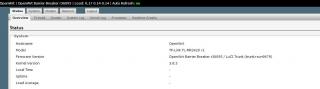
This post has been edited by digilife: Apr 12 2013, 08:24 PM |
|
|
Apr 12 2013, 11:41 PM
|
|
Senior Member
5,296 posts Joined: Nov 2006
|
QUOTE(digilife @ Apr 12 2013, 08:09 PM) I was using Black Widow since Wed and i noticed that sometimes my connection freezes and have to manually off > on to resume my connection and the Purple does turns to solid blue and Hanged. What modem you use??Now i am using back AA and so far so good. So those of you that is using AA, try BW BB at your own risk. Btw, i have 2 # Mr3420 one on AA and one on BW BB. This is my AA
|
|
|
Apr 13 2013, 12:59 AM
|
|
Elite
6,931 posts Joined: Apr 2011 From: Bolehland for sure ^_^
|
QUOTE(OlgaC4 @ Apr 12 2013, 11:41 PM) What modem you use?? that is a million dollar question, he have TONS of mode,..  |
|
|
Apr 13 2013, 06:09 AM
|
|
Junior Member
97 posts Joined: Feb 2013
|
BlackWidow Experimental 2013-04-13 – The Network Status page should show all the data for all modems now (excepting MCC/MNC and QOS which are tower dependent, the Add Modem Support page is working again so you can specify the Data Port for PPP modems and the Communication Port for all modems, added a "reset to original" function to the reset button so, if you hold it in for 20-60 secs, it will reset the firmware back to the state it was when you flashed it, changed Keep Alive so it reboots the router if the connection is dropped rather than restarting the WAN, Support for tethered Android phones is in place. The Network Status page doesn't work for this but you can get internet from your phone and there are probably other things done to it that I can't remember any more but those are the highlights.
HERE The ROOTer WIKI gives a run down of the ROOTer software evolution and the ROOTer User Index shows some of our Beta testers. This post has been edited by Wahroonga Farm: Apr 13 2013, 10:36 AM |
|
|
Apr 13 2013, 07:29 AM
|
|
Senior Member
8,025 posts Joined: Feb 2005 From: Planet Boleland
|
QUOTE(Wahroonga Farm @ Apr 13 2013, 06:09 AM) BlackWidow Experimental 2013-04-12 – The Network Status page should show all the data for all modems now (excepting MCC/MNC and QOS which are tower dependent, the Add Modem Support page is working again so you can specify the Data Port for PPP modems and the Communication Port for all modems, added a "reset to original" function to the reset button so, if you hold it in for 20-60 secs, it will reset the firmware back to the state it was when you flashed it, changed Keep Alive so it reboots the router if the connection is dropped rather than restarting the WAN, Support for tethered Android phones is in place. The Network Status page doesn't work for this but you can get internet from your phone and there are probably other things done to it that I can't remember any more but those are the highlights. This is going to be Exciting. More parameters to play play again. HERE The ROOTer WIKI gives a run down of the ROOTer software evolution and the ROOTer User Index shows some of our Beta testers. Updated : I just flashed my 1043ND to latest BB 2013-04-12 and in the process enabled USB Modem support onto this 1043ND ( factory FW do not support USB modem ) So far so good, smooth and Purple LED on MF680 always ~ all auto detect , can even connect on default APN Goam.net......    (Android PING is bad because a lot of updating is running in the background when i do this speedtest , and Android eats a lot of Bandwidth + Quota too ) 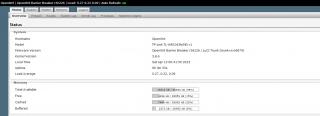
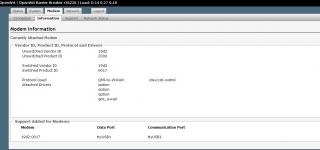
A big THANK YOU to the Development Team @ OpenWRT Thanks  This post has been edited by digilife: Apr 13 2013, 09:17 AM |
|
|
Apr 13 2013, 10:39 AM
|
|
Junior Member
97 posts Joined: Feb 2013
|
There is an update of the latest experimental image.
BlackWidow Experimental 2013-04-13 is the latest. The image filled the 4Mb flash image, so a little bit of pruning was required to ensure operational stability. All features are intact. This post has been edited by Wahroonga Farm: Apr 13 2013, 10:40 AM |
|
|
Apr 13 2013, 12:08 PM
|
|
Junior Member
384 posts Joined: Jan 2006 From: Penang 
|
I'd really like to see LuCI's DDNS package preloaded in future ROOTer versions. I have to manually add this package every time I upgrade to a newer build, but I can't do it manually for a few routers that are located at remote locations.
Again, appreciate all the works that you all have done on top of the original OpenWRT firmware.  |
|
Topic ClosedOptions
|
| Change to: |  0.0276sec 0.0276sec
 0.61 0.61
 6 queries 6 queries
 GZIP Disabled GZIP Disabled
Time is now: 15th December 2025 - 05:13 AM |
 Quote
Quote