Outline ·
[ Standard ] ·
Linear+
Tp Link TL-MR3420 3G/3.75G router owner club V1
|
digilife
|
 Nov 12 2012, 01:00 PM Nov 12 2012, 01:00 PM
|

|
QUOTE(blacktubi @ Nov 12 2012, 12:46 PM) Too bad I am 400KM away from LYP  Now running on Tesco Extra Jumbo Sales LAN cable  On my next trip to LYP, i buy for you lor.........how long you wan? I have 3# , 2meter ,3meter and 5meter Show is the 2meter packaging, rm10, a bit expensive but worth it , really. The longer the cheaper. 
You see my Ping on a non OpenWRT HW550 router, you sure jelly 1 
My net response is very fast on low ping.  |
|
|
|
|
|
TSchuahcs79
|
Nov 12 2012, 01:04 PM
|
Look at all my stars!!

|
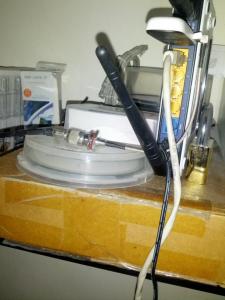
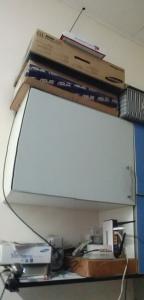
Cat6 or Cat6e or not make zero different to me i am 100% not jelly your ping & speed at all, even with my higher ping than yours, i load websites like fibre connection too, plus Openwrt can watch hulu.com with dns forwarding now, no need VPN,..  so user with stock firmware need to reconsider about it,. my setup: E372 maxis set ( spoiled ) + Panel antenna + CRC9 + TL_MR3420 ( openwrt ) + Cat5 ( 1 meter ) setup : [attachmentid=3151595] IDM:( 1.8~1.9MB/s now stable ) [attachmentid=3151596] speedtest:  This post has been edited by chuahcs79: Nov 12 2012, 01:12 PM This post has been edited by chuahcs79: Nov 12 2012, 01:12 PM |
|
|
|
|
|
blacktubi
|
Nov 12 2012, 01:08 PM
|
-
|
QUOTE(digilife @ Nov 12 2012, 01:00 PM) On my next trip to LYP, i buy for you lor.........how long you wan? I have 3# , 2meter ,3meter and 5meter Show is the 2meter packaging, rm10, a bit expensive but worth it , really. The longer the cheaper.
You see my Ping on a non OpenWRT HW550 router, you sure jelly 1
My net response is very fast on low ping. I think I buy myself this one detail.tmall.com/item.htm?id=15274771242 Because my router need to be placed on very very very outside so can put my panel antenna  |
|
|
|
|
|
TSchuahcs79
|
Nov 12 2012, 01:16 PM
|
Look at all my stars!!
|
QUOTE(blacktubi @ Nov 12 2012, 01:08 PM) I think I buy myself this one detail.tmall.com/item.htm?id=15274771242 Because my router need to be placed on very very very outside so can put my panel antenna your price quite cheap for 10 meter quite interested as well,..  |
|
|
|
|
|
digilife
|
Nov 12 2012, 01:26 PM
|
|
|
QUOTE(chuahcs79 @ Nov 12 2012, 01:16 PM) your price quite cheap for 10 meter quite interested as well,.. to you wat cat also the same, might as well save the $$ for some food  |
|
|
|
|
|
sanderz
|
Nov 12 2012, 01:29 PM
|
|
|
Just bought TP-Link TL-MR3420 v2 yesterday at Thunder Match @ Paradigm mall PJ for RM119. What a nice router. Doesn't need to restart after applying settings.  RM119 worth it?? This post has been edited by sanderz: Nov 12 2012, 01:31 PM |
|
|
|
|
|
blacktubi
|
Nov 12 2012, 01:34 PM
|
-
|
QUOTE(sanderz @ Nov 12 2012, 01:29 PM) Just bought TP-Link TL-MR3420 v2 yesterday at Thunder Match @ Paradigm mall PJ for RM119. What a nice router. Doesn't need to restart after applying settings. RM119 worth it?? Lelong selling @ RM81.50 I remember like C-zone of Viewnet RM80  |
|
|
|
|
|
digilife
|
Nov 12 2012, 01:34 PM
|
|
|
QUOTE(sanderz @ Nov 12 2012, 01:29 PM) Just bought TP-Link TL-MR3420 v2 yesterday at Thunder Match @ Paradigm mall PJ for RM119. What a nice router. Doesn't need to restart after applying settings. RM119 worth it?? Nope, mine rm85 from ALL It Hypermart, LYP Yeah, and its very cooling using it, no heat generated too. Some dude says that need to restart after applying settings, all because he dun even own one |
|
|
|
|
|
ibnuasad
|
Nov 12 2012, 01:53 PM
|
|
|
QUOTE(chuahcs79 @ Nov 12 2012, 02:46 AM) now this is one of the big perks for user who flash openwrt,.. works like a charm, streaming hulu.com now [attachmentid=3151217] QUOTE(azim61 @ Nov 12 2012, 07:09 AM) thx  test and confirm working for me chuahcs79 can put it in the 1st page Enjoy QUOTE(chuahcs79 @ Nov 12 2012, 12:01 PM) already pin it to first post below openwrt this morning, watching tons of hulu.com this morning too  -------- Signal StrengthWithout panel antennaSignal Quality: 18,99 WITH panel antennaSignal Quality: 29,99 » Click to show Spoiler - click again to hide... « This post has been edited by ibnuasad: Nov 12 2012, 01:53 PM |
|
|
|
|
|
twhong_91
|
Nov 12 2012, 01:53 PM
|
|
|
hello~ i need some help here!
My relative is using TP LINK TD-W8961ND model and now the password is gone because I pressed the QSS button. So how to set back the password now guys? any ideas?
|
|
|
|
|
|
digilife
|
Nov 12 2012, 01:55 PM
|
|
|
QUOTE(ibnuasad @ Nov 12 2012, 01:53 PM) Enjoy -------- Signal StrengthWithout panel antennaSignal Quality: 18,99 WITH panel antennaSignal Quality: 29,99 » Click to show Spoiler - click again to hide... « Your antenna position is AWESOME, Chuah also no fight |
|
|
|
|
|
sanderz
|
Nov 12 2012, 01:55 PM
|
|
|
QUOTE(digilife @ Nov 12 2012, 01:34 PM) Nope, mine rm85 from ALL It Hypermart, LYP Yeah, and its very cooling using it, no heat generated too. Some dude says that need to restart after applying settings, all because he dun even own one Oh shit RM119 =.= Yea, very cool. And no restart after change password, Wireless, settings. etc. Very good |
|
|
|
|
|
ibnuasad
|
Nov 12 2012, 01:57 PM
|
|
|
QUOTE(twhong_91 @ Nov 12 2012, 01:53 PM) hello~ i need some help here! My relative is using TP LINK TD-W8961ND model and now the password is gone because I pressed the QSS button. So how to set back the password now guys? any ideas? Refer here: How to hard reset TP-LINK products to factory default settings (Wireless Router)QUOTE(digilife @ Nov 12 2012, 01:55 PM) Hehe |
|
|
|
|
|
digilife
|
Nov 12 2012, 01:57 PM
|
|
|
QUOTE(sanderz @ Nov 12 2012, 01:55 PM) Oh shit RM119 =.= Yea, very cool. And no restart after change password, Wireless, settings. etc. Very good some pipu still says V1 VERY GOOD la............ for me that dun need to flash OpenWRT, i says V2 much better |
|
|
|
|
|
psjjl
|
Nov 12 2012, 02:01 PM
|
|
|
QUOTE(digilife @ Nov 12 2012, 01:57 PM) some pipu still says V1 VERY GOOD la............ for me that dun need to flash OpenWRT, i says V2 much better Wow, there is great. Will catch one V2 for sure. |
|
|
|
|
|
twhong_91
|
Nov 12 2012, 02:05 PM
|
|
|
QUOTE(ibnuasad @ Nov 12 2012, 01:57 PM) sorry but im totally confused in this and im not a tech savvy. am i supposed to reset it through the following website? 
|
|
|
|
|
|
hairul
|
Nov 12 2012, 02:17 PM
|
|
|
QUOTE(twhong_91 @ Nov 12 2012, 02:05 PM) sorry but im totally confused in this and im not a tech savvy. am i supposed to reset it through the following website?
Reset at Small button on the router its self. After that, need to configure again in router website. From what i saw, if u able to login to its default ID/PASS, then its already reset This post has been edited by hairul: Nov 12 2012, 02:30 PM |
|
|
|
|
|
twhong_91
|
Nov 12 2012, 02:20 PM
|
|
|
QUOTE(hairul @ Nov 12 2012, 02:17 PM) Reset at Small button on the router its delft. After that, need to configure again in router website. From what i saw, if u able to login to its default ID/PASS, then its already reset I din press the reset button though, I juz pressed the QSS button. so, it's ad reset? how to set a password then? My relative is gonna kill me. lol |
|
|
|
|
|
hairul
|
Nov 12 2012, 02:33 PM
|
|
|
QUOTE(twhong_91 @ Nov 12 2012, 02:20 PM) I din press the reset button though, I juz pressed the QSS button. so, it's ad reset? how to set a password then? My relative is gonna kill me. lol QSS Button its just for A Easy Pairing within your network. Its different from WIFI or ROuter Password. Refer Here http://www.tp-link.com/en/article/?faqid=171 |
|
|
|
|
|
twhong_91
|
Nov 12 2012, 02:40 PM
|
|
|
QUOTE(hairul @ Nov 12 2012, 02:33 PM) QSS Button its just for A Easy Pairing within your network. Its different from WIFI or ROuter Password. Refer Here http://www.tp-link.com/en/article/?faqid=171erm.. when I reconnect to network, i can choose to connect to it with setting up the network or without setting it up. So now I should choose to connect it by re-setting the network right? |
|
|
|
|



 Quote
Quote







 0.0309sec
 0.60
0.60
 6 queries
 GZIP Disabled