Welcome Guest ( Log In | Register )

Bump Topic Topic Closed RSS Feed
131 Pages « < 114 115 116 117 118 > » Bottom

Outline · [ Standard ] · Linear+

 Tp Link TL-MR3420 3G/3.75G router owner club V1

views
     
taaron
post Nov 9 2012, 11:04 PM

New Member
*
Junior Member
49 posts

Joined: Jun 2007


QUOTE(chuahcs79 @ Nov 9 2012, 10:37 PM)
dont need to jealous, just got a Panel antenna from blacktubi to enjoy the speed  icon_rolleyes.gif

before is 45~55% only
yours before = 55%, after = 87% (with Panel antenna and TX33), increase of ~30%

mine now without antenna and TX26 = 74%, so if add-on Panel antenna and TX33 will be >100% assuming same increase of ~30%??
TSchuahcs79
post Nov 9 2012, 11:15 PM

Look at all my stars!!
Group Icon
Elite
6,931 posts

Joined: Apr 2011
From: Bolehland for sure ^_^


QUOTE(taaron @ Nov 9 2012, 11:04 PM)
yours before = 55%, after = 87% (with Panel antenna and TX33), increase of ~30%

mine now without antenna and TX26 = 74%, so if add-on Panel antenna and TX33 will be >100% assuming same increase of ~30%??
*
it confirm will stable down your connection like never before,

loading websites will be major improve and in a blink,

and also u will notice bad weather super heavy rain, your connection does not change a bit thumbup.gif


Added on November 9, 2012, 11:16 pm
QUOTE(chulk @ Nov 9 2012, 10:51 PM)
handy guide? what handy guide?

u mean the review previously ? i cant find that thread anymore.....
*
handy guide is refer to which direction to point the panel to in your area icon_idea.gif


Added on November 9, 2012, 11:17 pm
QUOTE(noobandroid @ Nov 9 2012, 10:52 PM)
bro,ask you, stock firmware more stable or ddwrt? stock can see signal strength but ddwrt cant see in percent
*
i didnt try DD wrt before due to DDWRT no failsafe, if brick it then router = useless on the spot

according to what i know stock firmware is a bit buggy, the % of signal is not that accurate notworthy.gif


Added on November 9, 2012, 11:19 pm
QUOTE(sotong168 @ Nov 9 2012, 11:00 PM)
Darn, another poison frm sifu
*
It is not poison, it is Toxic Venom, ha ha,.

just share my experience to you guys on my panel antenna ,

it is 100% honest opinion ,

as i have 3G UMTS2100 Yagi as well

this panel is 99% way better than Yagi notworthy.gif

This post has been edited by chuahcs79: Nov 9 2012, 11:19 PM

hairul
post Nov 10 2012, 12:32 AM

** Learn From The Mistake **
*****
Senior Member
944 posts

Joined: Jan 2003
From: SHAH ALAM


QUOTE(chuahcs79 @ Nov 9 2012, 09:43 PM)
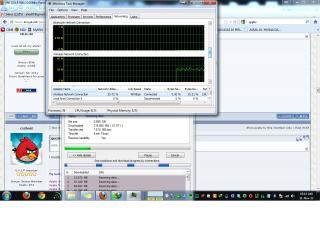
my TL-MR3420 V1 ( on stock firmware ) + E372 huawei set ( 33 TX ) + Panel antenna ( from blacktubi )
speed is super stable @ 1.7 ~ 1.85MB/s this hourĀ  rclxms.gif

[attachmentid=3147895]
*
Any effect on speed & stabilty by using maxis default DNS ? i saw you key-in manually 8.8.8.8 / 8.8.4.4

This post has been edited by hairul: Nov 10 2012, 12:38 AM
TSchuahcs79
post Nov 10 2012, 12:42 AM

Look at all my stars!!
Group Icon
Elite
6,931 posts

Joined: Apr 2011
From: Bolehland for sure ^_^


QUOTE(hairul @ Nov 10 2012, 12:32 AM)
Any effect on speed & stabilty by using maxis default DNS ? i saw you key-in manually 8.8.8.8 / 8.8.4.4
*
i prefer google DNS, much faster than maxis default DNS, notworthy.gif
n0v1ce
post Nov 10 2012, 12:50 AM

Casual
***
Junior Member
316 posts

Joined: Oct 2009
QUOTE(chuahcs79 @ Nov 10 2012, 12:42 AM)
i prefer google DNS, much faster than maxis default DNS,  notworthy.gif
*
... and able to access to certain sites too cool2.gif
TSchuahcs79
post Nov 10 2012, 01:07 AM

Look at all my stars!!
Group Icon
Elite
6,931 posts

Joined: Apr 2011
From: Bolehland for sure ^_^


QUOTE(n0v1ce @ Nov 10 2012, 12:50 AM)
... and able to access to certain sites too cool2.gif
*
yeah that's the main point brows.gif

maxis DNS many occassion is always down or buggy before sweat.gif
ralph_d
post Nov 10 2012, 03:12 AM

Enthusiast
*****
Senior Member
847 posts

Joined: Jan 2011
From: Tenom, North Borneo


Just finished test new mr3420v2+my old modem.

max reception i can get is 22%
download is around 1~1.2Mbps
the speedtest location default is Johor hmm.gif
(hotlink prepaid broadband)

my place is quite rural, apartment building ground floor facing the hill, my unit was like near the top of the hill, and the only tower visible is at the bottom of the hill. good thing my modem still can get green light.
hairul
post Nov 10 2012, 05:13 AM

** Learn From The Mistake **
*****
Senior Member
944 posts

Joined: Jan 2003
From: SHAH ALAM


QUOTE(chuahcs79 @ Nov 10 2012, 01:07 AM)
yeah that's the main pointĀ  brows.gif

maxis DNS many occassion is always down or buggy beforeĀ  sweat.gif
*
Thanks for the advice both of you... rclxms.gif tongue.gif

This post has been edited by hairul: Nov 10 2012, 05:14 AM
TSchuahcs79
post Nov 10 2012, 12:07 PM

Look at all my stars!!
Group Icon
Elite
6,931 posts

Joined: Apr 2011
From: Bolehland for sure ^_^


QUOTE(ralph_d @ Nov 10 2012, 03:12 AM)
Just finished test new mr3420v2+my old modem.

max reception i can get is 22%
download is around 1~1.2Mbps
the speedtest location default is Johor hmm.gif
(hotlink prepaid broadband)

my place is quite rural, apartment building ground floor facing the hill, my unit was like near the top of the hill, and the only tower visible is at the bottom of the hill. good thing my modem still can get green light.
*
well as long as u try to place the combination set near the window, it confirm will able to get signal,. notworthy.gif
AmuroRay
post Nov 10 2012, 01:13 PM

New Member
*
Junior Member
14 posts

Joined: Oct 2006
From: KL Cheras PJ
Dear all, may i know is TL-MR3420 V1 support ZTE MF680 or Huawei E372 ? any one tried it before...? was thinking to get 1 from blacktubi... thanks smile.gif
psjjl
post Nov 10 2012, 01:31 PM

Casual
***
Junior Member
392 posts

Joined: Dec 2007


QUOTE(AmuroRay @ Nov 10 2012, 01:13 PM)
Dear all, may i know is TL-MR3420 V1 support ZTE MF680 or Huawei E372 ? any one tried it before...? was thinking to get 1 from blacktubi... thanks smile.gif
*
MR3420 support both modems, MF680 and E372.
TSchuahcs79
post Nov 10 2012, 01:38 PM

Look at all my stars!!
Group Icon
Elite
6,931 posts

Joined: Apr 2011
From: Bolehland for sure ^_^


QUOTE(AmuroRay @ Nov 10 2012, 01:13 PM)
Dear all, may i know is TL-MR3420 V1 support ZTE MF680 or Huawei E372 ? any one tried it before...? was thinking to get 1 from blacktubi... thanks smile.gif
*
yes it do support both, plug in and on router and it will auto dial your modem,. notworthy.gif


AmuroRay
post Nov 10 2012, 04:17 PM

New Member
*
Junior Member
14 posts

Joined: Oct 2006
From: KL Cheras PJ
QUOTE(psjjl @ Nov 10 2012, 01:31 PM)
MR3420 support both modems, MF680 and E372.
*
QUOTE(chuahcs79 @ Nov 10 2012, 01:38 PM)
yes it do support both, plug in and on router and it will auto dial your modem,.  notworthy.gif
*
Thanks for you guys notworthy.gif bcos i don't see them in the support list smile.gif
Btw, which one are recommended ? thanks again smile.gif
TSchuahcs79
post Nov 10 2012, 04:24 PM

Look at all my stars!!
Group Icon
Elite
6,931 posts

Joined: Apr 2011
From: Bolehland for sure ^_^


QUOTE(AmuroRay @ Nov 10 2012, 04:17 PM)
Thanks for you guys  notworthy.gif  bcos i don't see them in the support list smile.gif
Btw, which one are recommended ? thanks again smile.gif
*
E372 = stable and reasonable speed ( even when get warm speed still stable )
ZTE Mf680 = high speed and less consistency ( especially when it get warm)

both of them also need cooling notworthy.gif
AmuroRay
post Nov 10 2012, 04:58 PM

New Member
*
Junior Member
14 posts

Joined: Oct 2006
From: KL Cheras PJ
QUOTE(chuahcs79 @ Nov 10 2012, 04:24 PM)
E372 = stable and reasonable speed ( even when get warm speed still stable )
ZTE Mf680 = high speed and less consistency ( especially when it get warm)

both  of them  also need cooling  notworthy.gif
*
thanks again bro smile.gif
tpskynet
post Nov 10 2012, 08:05 PM

Getting Started
**
Junior Member
57 posts

Joined: Jul 2011
wanna to ask ~
could we can open port for port forwarding if using this router ?
TSchuahcs79
post Nov 10 2012, 10:56 PM

Look at all my stars!!
Group Icon
Elite
6,931 posts

Joined: Apr 2011
From: Bolehland for sure ^_^


QUOTE(tpskynet @ Nov 10 2012, 08:05 PM)
wanna to ask ~
could we can open port for port forwarding if using this router ?
*
u mind to explain more detail on " open port" ?

so far i know some port is block by ISP, only ISP can open certain port for you
blacktubi
post Nov 10 2012, 10:59 PM

-
Group Icon
Elite
8,418 posts

Joined: Jul 2008

QUOTE(tpskynet @ Nov 10 2012, 08:05 PM)
wanna to ask ~
could we can open port for port forwarding if using this router ?
*
This router support port forwarding WAN and 3G

But most 3G operator is running on private IP basis

You need to be under Public IP for proper Port Forwarding.


digilife
post Nov 11 2012, 12:05 AM

The MNP guy, its me yeah.
*******
Senior Member
8,025 posts

Joined: Feb 2005
From: Planet Boleland


QUOTE(tpskynet @ Nov 10 2012, 08:05 PM)
wanna to ask ~
could we can open port for port forwarding if using this router ?
*
What telco you using?

If Maxis, call them to give you a Public IP, but the speed will be slower BUT stable
aliex87
post Nov 11 2012, 10:19 AM

Casual
***
Junior Member
376 posts

Joined: Nov 2005


speed today with E367 (TX27) +MR3420(OpenWRT) + patch panel antenna. Cannot get the same speed what ever i do if direct connect to laptop....

» Click to show Spoiler - click again to hide... «


131 Pages « < 114 115 116 117 118 > » Top
Topic ClosedOptions
 

Change to:
| Lo-Fi Version
0.0194sec    0.35    6 queries    GZIP Disabled
Time is now: 15th December 2025 - 06:30 PM