

im just drawing for fun and self satisfaction..ive never study art/design before so i guess there's definitely rooms for improvement
 ..
.. came across here to admire some artwork and decide to share some of mine

::: ART ATTACK V3 :::, all about handmade ART :D
|
|
 Oct 13 2011, 12:47 AM Oct 13 2011, 12:47 AM
|
 
Senior Member
1,649 posts Joined: Sep 2008 
|
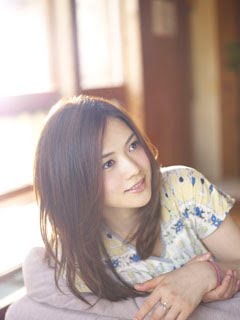
thnx.. well.. the aragaki yui is still not completed so i guess i have some fixing to do XD (man.. digital is so much more convenient)
im just drawing for fun and self satisfaction..ive never study art/design before so i guess there's definitely rooms for improvement .. came across here to admire some artwork and decide to share some of mine |
|
|
|
|
|
Oct 13 2011, 12:50 AM
|

Senior Member
2,610 posts Joined: Aug 2011
|
@ Bonchi
My main "issues", if you can call it that, is that the brushstrokes are a little static, and the skin looks very "plastic". Personal preferences, I prefer paintings that have a little "looseness" to it, more painterly than photorealistic, but that's just me. There's no such thing as doing things "right"; end result is ultimately the important part. How you get there is mostly a matter of your own preferences and what is the most "efficient" for you. Me, I prefer painting hair in such a way that you go from "big blocks" of color using a basic round brush, and gradually moving to detailing the smaller strands of hair using a combination of speckled brushes and really small round hard-edged airbrush. This "Big and loose ---> small and tight" method is how I tackle EVERYTHING in my drawing because that's how I'm most efficient. About the only thing I can advise you, considering your particular working method, is to add a little random texture to both the skin and hair, to make it less plastic. Added on October 13, 2011, 12:58 amRelated: Here's what I usually get with my method (Excuse the noise, the painting is meant to look like a painting and therefore has a lot of texture). It's part of a beard instead of hair, but the general working method I use is the same, except that I use a chunkier brush for beards to get that "scruffy" look:  This post has been edited by DragonReine: Oct 13 2011, 12:58 AM |
|
|
Oct 13 2011, 01:19 AM
|
|
Senior Member
1,649 posts Joined: Sep 2008
|
how you get the hair flow so curvy.. no matter how hard i try, my bamboo just cant register it
 it ends up squarish/scratchy. it really looks out of control. so i resort to chunky with the solid brush first then straight to bristle to hide the edgy look. could it be my settings problem? it ends up squarish/scratchy. it really looks out of control. so i resort to chunky with the solid brush first then straight to bristle to hide the edgy look. could it be my settings problem? btw, saw some of your artwork here. they're awesome  how did you manage overall texture? its as if like its drawn on a cloth canvas. is it done with certain filters or pure brush strokes how did you manage overall texture? its as if like its drawn on a cloth canvas. is it done with certain filters or pure brush strokesThis post has been edited by Bonchi: Oct 13 2011, 01:26 AM |
|
|
Oct 13 2011, 01:28 AM
|

Senior Member
690 posts Joined: Nov 2010 From: anywhere?
|
wow, this tered makes me miss painting even more.
 its been like 4 years already. its been like 4 years already. |
|
|
Oct 13 2011, 01:37 AM
|

Junior Member
455 posts Joined: Dec 2008 
|
QUOTE(Adamiquesce @ Oct 12 2011, 10:49 PM) dont talk kok here please,explain. so rude@h4x wow,nice anbu mask,btw,cant c&c unfinished work.  in visual arts, realism =/= realistic paintings . realism basically is illustrating something that IS and not something that COULD BE, the major theme in realist paintings is to reflect things that are grounded solely in reality This post has been edited by Hexism: Oct 13 2011, 01:37 AM |
|
|
Oct 13 2011, 01:47 AM
|
|
Senior Member
2,610 posts Joined: Aug 2011
|
@ Bonchi
MIGHT be a settings problem. I mean, I use an Intuo4 so I'm not sure if the interface is the same, but Intuos4 IS very sensitive, so it registers strokes more accurately. You might also want to look at the "Smoothing" settings of your brush. If it's turned off it CAN result in an angular brushstroke path. Also a good idea to check your image resolution, how many DPI it has. Lower DPI ( <150 DPI) will look very "blocky" and pixelated. My artwork is usually done at resolutions of up to 400 DPI, with the widest point of the painting reaching at least 4500 pixels, before I shrink it to the "final" size. My computer is quite fast so it can handle that sort of size, but if your computer isn't very high-end this method might result in a smoking hot PC (and not in a good way) As for the texturing, it's mostly brushstrokes (for the figure/background), with a final filter pass for the "finishing". I use a fair number of custom brushes, most of them of the speckled/bristled variety which I use for adding lots of texture to the painting, with some chalky/pastel brushes for blending. For the finishing, what I do is make a new layer using pure neutral grey (RGB = 128, 128, 128) and put an Add Noise filter at 400% with Uniform distribution. I run this noisy layer through the Brushstrokes -> Splatter filter a few times, followed by several applications of the basic Blur filter, desaturate that layer slightly (around -40 to -70), and then turn the layer blending mode to Overlay at 3 - 10% opacity (Usually end up around 6 or 7 percent), before flattening the whole image for resizing. |
|
|
|
|
|
Oct 13 2011, 02:28 AM
|
|
Senior Member
1,649 posts Joined: Sep 2008
|
hmm smoothing is turn on.. i guess its the resolution and the pressure sensitivity which is half of intuos might be the limitation.. ive tried my best and its just not smooth at all..
» Click to show Spoiler - click again to hide... « ive finally get the idea of texturing came across some brushes for skin texturing when googling for tutorials.. guess im gonna give it a try. i guess posting my artwork here is a good thing after all  to be able to get some critics to make it better. youve taught me alot today @dragonreine to be able to get some critics to make it better. youve taught me alot today @dragonreine  thanks alot! thanks alot! |
|
|
Oct 13 2011, 02:30 AM
|

Junior Member
480 posts Joined: Aug 2011
|
phew good thing im using sai. Only understand like 50% what dragon said
|
|
|
Oct 13 2011, 03:03 AM
|
|
Senior Member
1,649 posts Joined: Sep 2008
|
@dragonreine i tried using a cosmetic brush i found on deviant art for the powdery skin texture and used them on the face and neck..also applied the noisy overlay method you thought and came up with this
 ...also used solid brush to put some highlights on the hair ...also used solid brush to put some highlights on the hair » Click to show Spoiler - click again to hide... « am i doing it right? any C&C are welcome This post has been edited by Bonchi: Oct 13 2011, 03:06 AM |
|
|
Oct 13 2011, 07:52 AM
|
|
Junior Member
455 posts Joined: Dec 2008
|
30 minutes or so
 |
|
|
Oct 13 2011, 08:27 AM
|

Senior Member
1,255 posts Joined: Aug 2011
|
QUOTE(Adamiquesce @ Oct 12 2011, 08:34 PM) realism is quite awesome,even though they are copying,have u ever wonder how they do it?the techniques they used,how the hands work. Realism is awesome of course. Just not keen on the copying part cause it just feels like tracing no matter what technique they used (with exception of hyper-realism copying). Personally, I feel art should be something different from "real" by putting in stuff that you cannot find in "real" world. Or else I be in photography club by now. Also, art should be free flowing, that is without constraint of following what the photo tells you to do but rather what you want it to be.» Click to show Spoiler - click again to hide... « This post has been edited by DaddyO: Oct 13 2011, 08:29 AM |
|
|
Oct 13 2011, 08:51 AM
|
 
Elite
11,861 posts Joined: Oct 2008 From: Bangalasia
|
QUOTE(Bonchi @ Oct 13 2011, 03:03 AM) @dragonreine i tried using a cosmetic brush i found on deviant art for the powdery skin texture and used them on the face and neck..also applied the noisy overlay method you thought and came up with this the eye leashes is not same with photo? XD ...also used solid brush to put some highlights on the hair » Click to show Spoiler - click again to hide... « am i doing it right? any C&C are welcome i do notice when the first wip you post there and i thought you will notice that XD and iris is kinda plain XD Added on October 13, 2011, 11:27 amand about "realism" style. for me if you can control the actual lighting technique...it is already done 70% already haha XD for me lighting does heavily affect realism level  This post has been edited by Agito666: Oct 13 2011, 11:27 AM |
|
|
Oct 13 2011, 12:08 PM
|
|
Senior Member
1,649 posts Joined: Sep 2008
|
QUOTE(Agito666 @ Oct 13 2011, 08:51 AM) the eye leashes is not same with photo? XD i do notice when the first wip you post there and i thought you will notice that XD and iris is kinda plain XD  thanks for telling me.. i didnt realized till now that they're smudged when i zoomed in.. dunno when it happened thanks for telling me.. i didnt realized till now that they're smudged when i zoomed in.. dunno when it happened |
|
|
|
|
|
Oct 13 2011, 01:47 PM
|
|
Elite
11,861 posts Joined: Oct 2008 From: Bangalasia
|
lunch time doodle paint
  |
|
|
Oct 13 2011, 03:38 PM
|

Senior Member
711 posts Joined: Jul 2011 From: Soulport
|
QUOTE(Hexism @ Oct 13 2011, 01:37 AM) so rude oops sorry in visual arts, realism =/= realistic paintings . realism basically is illustrating something that IS and not something that COULD BE, the major theme in realist paintings is to reflect things that are grounded solely in reality   hmmm something that is and not something that could be,reflect things that are grounded solely in reality. hmmm something that is and not something that could be,reflect things that are grounded solely in reality.that was I thinking all this while about realism,so ur guess about my perception is invalid. QUOTE(DaddyO @ Oct 13 2011, 08:27 AM) Realism is awesome of course. Just not keen on the copying part cause it just feels like tracing no matter what technique they used (with exception of hyper-realism copying). Personally, I feel art should be something different from "real" by putting in stuff that you cannot find in "real" world. Or else I be in photography club by now. Also, art should be free flowing, that is without constraint of following what the photo tells you to do but rather what you want it to be. excellent opinion."art should be free flowing,"like it. |
|
|
Oct 13 2011, 04:09 PM
|

Junior Member
343 posts Joined: Jul 2011 From: Land of SaberLion :3
|
QUOTE(DaddyO @ Oct 13 2011, 08:27 AM) Realism is awesome of course. Just not keen on the copying part cause it just feels like tracing no matter what technique they used (with exception of hyper-realism copying). Personally, I feel art should be something different from "real" by putting in stuff that you cannot find in "real" world. Or else I be in photography club by now. Also, art should be free flowing, that is without constraint of following what the photo tells you to do but rather what you want it to be. NIce Quote...  What is art???  Less ppl can understand & most of the ppl can't understand= Art.  |
|
|
Oct 13 2011, 04:31 PM
|
|
Senior Member
711 posts Joined: Jul 2011 From: Soulport
|
» Click to show Spoiler - click again to hide... « always easy in digital. for me,just pencil and paper. |
|
|
Oct 13 2011, 06:11 PM
|
|
Junior Member
480 posts Joined: Aug 2011
|

|
|
|
Oct 13 2011, 07:02 PM
|
Junior Member
307 posts Joined: Jul 2011 From: Somewhere in KL
|
QUOTE(Adamiquesce @ Oct 13 2011, 04:31 PM) » Click to show Spoiler - click again to hide... « always easy in digital. for me,just pencil and paper.  Digital art is not as easy as you think. You need to cope with lots of precision matters when it comes to digital arts. |
|
|
Oct 13 2011, 07:52 PM
|
|
Senior Member
711 posts Joined: Jul 2011 From: Soulport
|
what I meant was undo and redo,history,layers,variety of brush,colors and others that traditional way cant do or difficult to do,if there are stains on your paper,and that's it,even an eraser cant help.
u said as if traditional arts don't need precision. QUOTE(Bonchi @ Oct 13 2011, 12:47 AM) thnx.. well.. the aragaki yui is still not completed so i guess i have some fixing to do XD (man.. digital is so much more convenient) no worries,I guess all of us here dont have any special classes for art,self-study.im just drawing for fun and self satisfaction..ive never study art/design before so i guess there's definitely rooms for improvement .. came across here to admire some artwork and decide to share some of mine This post has been edited by Adamiquesce: Oct 13 2011, 07:55 PM |
|
Topic ClosedOptions
|
| Change to: |  0.0348sec 0.0348sec
 0.18 0.18
 6 queries 6 queries
 GZIP Disabled GZIP Disabled
Time is now: 8th December 2025 - 11:42 PM |
 Quote
Quote


