QUOTE(Adamiquesce @ Apr 14 2012, 03:57 AM)


::: ART ATTACK V3 :::, all about handmade ART :D
|
|
 Apr 14 2012, 09:34 PM Apr 14 2012, 09:34 PM
Show posts by this member only | IPv6 | Post
#1841
|
 
Junior Member
146 posts Joined: Apr 2007 From: Sabah, Malaysia  
|
QUOTE(Adamiquesce @ Apr 14 2012, 03:57 AM) |
|
|
|
|
|
Apr 14 2012, 09:38 PM
|

Senior Member
711 posts Joined: Jul 2011 From: Soulport
|
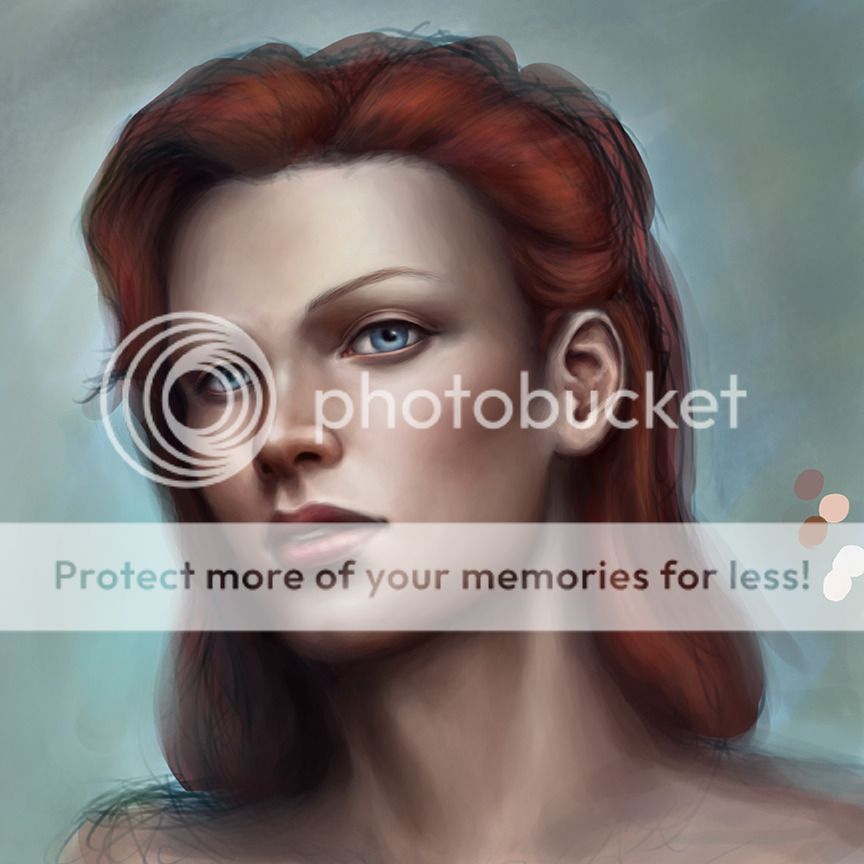
seriously...
why I work so slowly... sudah berjam2,masih sebelah muka lagi... |
|
|
Apr 14 2012, 09:41 PM
Show posts by this member only | IPv6 | Post
#1843
|
|
Junior Member
146 posts Joined: Apr 2007 From: Sabah, Malaysia
|
chill la =P patience is the key, but ur fren here anxious to get update xD
|
|
|
Apr 14 2012, 10:01 PM
|

Senior Member
1,023 posts Joined: May 2010
|
mwahah adam..maybe u got something else in mind..dats why la kenot concetrate XD
|
|
|
Apr 14 2012, 10:11 PM
|
|
Senior Member
711 posts Joined: Jul 2011 From: Soulport
|
QUOTE(acefreakz @ Apr 14 2012, 09:41 PM) chill la =P patience is the key, but ur fren here anxious to get update xD haha thanks,but I think im the most patient human in the world...huhuQUOTE(Sai91 @ Apr 14 2012, 10:01 PM) mwahah adam..maybe u got something else in mind..dats why la kenot concetrate XD no la,just I keep pausing and resting and chatting.... |
|
|
Apr 15 2012, 03:20 AM
|
|
Senior Member
1,023 posts Joined: May 2010
|
QUOTE(DragonReine @ Apr 14 2012, 06:34 PM) Work in progress: how many layer u need to make that detail? » Click to show Spoiler - click again to hide... «  and how many color usually u use..  This post has been edited by Sai91: Apr 15 2012, 03:20 AM |
|
|
|
|
|
Apr 15 2012, 07:57 AM
|

Senior Member
2,610 posts Joined: Aug 2011
|
QUOTE(Sai91 @ Apr 15 2012, 03:20 AM) how many layer u need to make that detail? One layer and one layer only, m'dear and how many color usually u use..  As for colours, I'm not sure how many I used, but I usually keep a "palette" when I am painting skin. The spots on the side are the colours I used for the skin, AFTER I shaded the entire image with purple to get the shadows and lights. |
|
|
Apr 15 2012, 11:02 PM
|
|
Senior Member
711 posts Joined: Jul 2011 From: Soulport
|
decided to go all out on this one
but still....not like I wanted...  This post has been edited by Adamiquesce: Apr 15 2012, 11:04 PM |
|
|
Apr 16 2012, 01:00 AM
|
|
Senior Member
2,610 posts Joined: Aug 2011
|
Getting there, Adam! Looking forward to see how it looks when finished.
|
|
|
Apr 16 2012, 03:57 AM
|
|
Senior Member
1,023 posts Joined: May 2010
|
QUOTE(DragonReine @ Apr 15 2012, 07:57 AM) One layer and one layer only, m'dear oOo..one layer.. ony..As for colours, I'm not sure how many I used, but I usually keep a "palette" when I am painting skin. The spots on the side are the colours I used for the skin, AFTER I shaded the entire image with purple to get the shadows and lights. me use like 12 layer just to the colour.. = 3= u prefer use more than 3 or 4 color? and one layer? or many layer also can? |
|
|
Apr 16 2012, 10:12 AM
Show posts by this member only | IPv6 | Post
#1851
|
|
Junior Member
146 posts Joined: Apr 2007 From: Sabah, Malaysia
|
@adam, y not drawing the 2 eyes 1st ar? looks nice still btw
 |
|
|
Apr 16 2012, 10:16 AM
|
 
Elite
11,861 posts Joined: Oct 2008 From: Bangalasia
|
same with me, i majority do colouring in 1 layer.
how to blend colour in PS... i usually use pen pressure (half power pressing) to blend, then pick the colour in middle and paint to smoother more .... repeat until you feel tired XD |
|
|
Apr 16 2012, 11:01 AM
|
|
Senior Member
2,610 posts Joined: Aug 2011
|
I don't use many layers if the portrait doesn't have much in the way of backgrounds. Even then, I keep to 3-4 layers, max. I work at high resolutions, so too many layers kill my PC's memory
For colours, I start off with about 4-6 colours for the overall painting, and gradually expand upon the colour palette of each individual element of the painting as I polish it.  I use palettes less and less nowadays, though. I just pick and manually change the colours in the Colours tab. |
|
|
|
|
|
Apr 16 2012, 12:55 PM
|

Senior Member
3,385 posts Joined: Aug 2006 From: Sao Paolo, Brazil 
|
start rough and nail the proportions and anatomy first before getting to the details.
|
|
|
Apr 16 2012, 01:47 PM
|
|
Senior Member
711 posts Joined: Jul 2011 From: Soulport
|
QUOTE(acefreakz @ Apr 16 2012, 10:12 AM) @adam, y not drawing the 2 eyes 1st ar? looks nice still btw haha expected people to ask that,actually,I'd be drawing the skin first and finally the 2 eyes usually,but this time I wanna try something different,completing the piece from left to right.but,hey,starting from the eyes is good too. starting point is not that important,as long as u stay consistent,decent final product can be achieved. |
|
|
Apr 16 2012, 01:51 PM
Show posts by this member only | IPv6 | Post
#1856
|
|
Junior Member
146 posts Joined: Apr 2007 From: Sabah, Malaysia
|
@adam yeah i guess it's a preference issue too xD, imo eyes is the most important part xD
|
|
|
Apr 16 2012, 02:03 PM
|
|
Senior Member
1,023 posts Joined: May 2010
|
QUOTE(Agito666 @ Apr 16 2012, 10:16 AM) same with me, i majority do colouring in 1 layer. how to blend colour in PS... i usually use pen pressure (half power pressing) to blend, then pick the colour in middle and paint to smoother more .... repeat until you feel tired XD QUOTE(DragonReine @ Apr 16 2012, 11:01 AM) I don't use many layers if the portrait doesn't have much in the way of backgrounds. Even then, I keep to 3-4 layers, max. I work at high resolutions, so too many layers kill my PC's memory For colours, I start off with about 4-6 colours for the overall painting, and gradually expand upon the colour palette of each individual element of the painting as I polish it. I use palettes less and less nowadays, though. I just pick and manually change the colours in the Colours tab. QUOTE(maranello55 @ Apr 16 2012, 12:55 PM) start rough and nail the proportions and anatomy first before getting to the details. thank you so much sifu2   really useful tips |
|
|
Apr 16 2012, 02:16 PM
|

Senior Member
662 posts Joined: Jan 2003
|
QUOTE(Sai91 @ Apr 15 2012, 03:20 AM) how many layer u need to make that detail? http://www.androidblues.com/JealousyStepby...alousystep.html and how many color usually u use.. maybe you can refer to this guide, saw this quite sometime ago, but i never really paint like this. -EDIT- did this yesterday iBait  This post has been edited by mclelun: Apr 16 2012, 02:36 PM |
|
|
Apr 16 2012, 03:14 PM
|
|
Senior Member
711 posts Joined: Jul 2011 From: Soulport
|
QUOTE(acefreakz @ Apr 16 2012, 01:51 PM) @adam yeah i guess it's a preference issue too xD, imo eyes is the most important part xD yup,very important,it is the center of focus.QUOTE(mclelun @ Apr 16 2012, 02:16 PM) http://www.androidblues.com/JealousyStepby...alousystep.html hahaha,nice ideamaybe you can refer to this guide, saw this quite sometime ago, but i never really paint like this. -EDIT- did this yesterday iBait » Click to show Spoiler - click again to hide... « and I see what u did there  |
|
|
Apr 16 2012, 03:21 PM
|
|
Elite
11,861 posts Joined: Oct 2008 From: Bangalasia
|
doodle.
look there is a scary murderer there   thinking a epic pose for lina inverse in dota2  This post has been edited by Agito666: Apr 16 2012, 03:21 PM |
|
Topic ClosedOptions
|
| Change to: |  0.0271sec 0.0271sec
 0.50 0.50
 6 queries 6 queries
 GZIP Disabled GZIP Disabled
Time is now: 15th December 2025 - 01:07 PM |
 Quote
Quote