Asus G-Series Notebooks Thread V3, G74's Pics at Post #483 :)
|
|
 Nov 30 2011, 09:21 PM Nov 30 2011, 09:21 PM
|
 
Junior Member
58 posts Joined: Oct 2011  
|
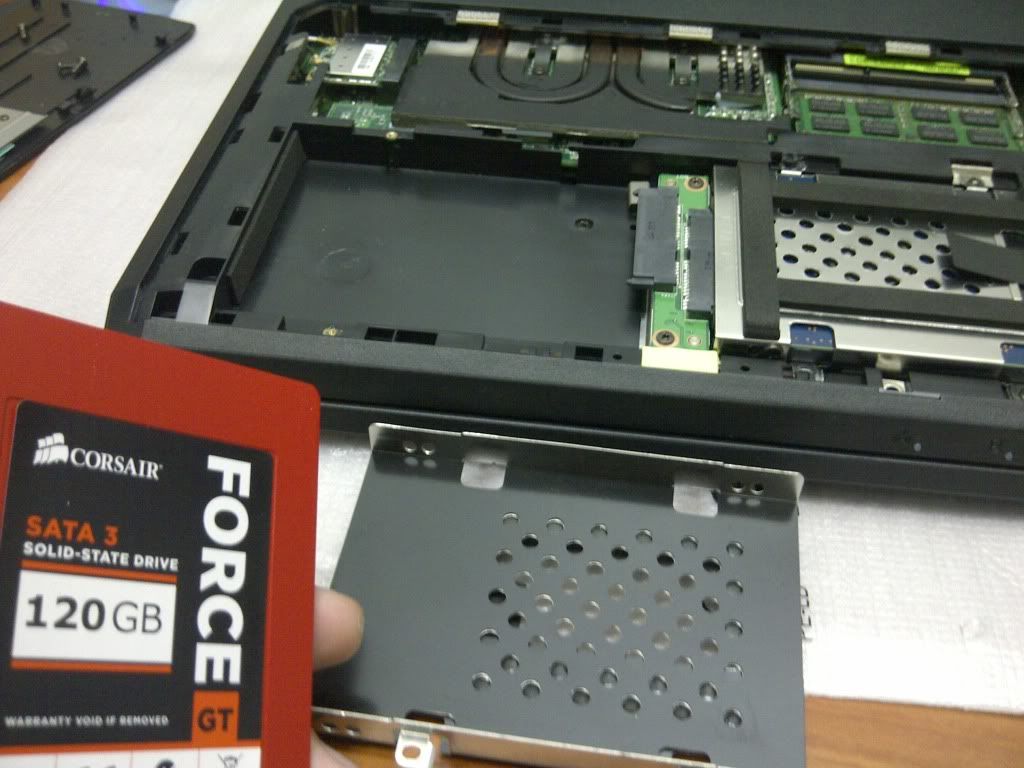
installing ssd
|
|
|
|
|
|
Nov 30 2011, 09:36 PM
|

Junior Member
295 posts Joined: Jul 2009 From: Kota Kinabalu
|
QUOTE(Volt @ Nov 30 2011, 09:12 PM) In my case, I haven't try it yet. That game really does require alot of power to play it on the highest setting. Even a gtx570 straggle a bit when ubersampling is on. I really wanted to try it on the laptop but sister forget where she place it last time adeh..... cool brah.. So far already tried Crysis 1&2, BF3, MW3, and Drangon Age 2. All can play on mid/highest setting  would really like to know how metro 2033 and the witcher 2 perform at 1080p .... i have the games but my display cannot do 1080p.. need to get a full hd external lcd monitor 1st... and yeah.. ubersampling is a real killer.. u overclock ur 560 or not?? Added on November 30, 2011, 9:37 pm QUOTE(xxxcriminal @ Nov 30 2011, 09:21 PM) installing ssd if there's a possibility to upgrade the gpu in the future, im sure ull be the 1st in msia to do it haha..
This post has been edited by trustmeiamlegit: Nov 30 2011, 09:37 PM |
|
|
Nov 30 2011, 10:48 PM
|
|
Junior Member
58 posts Joined: Oct 2011
|
QUOTE(Bushido @ Nov 29 2011, 09:02 PM) Actually the cooler doesn't do a lot but just cool down the arm rest and keyboard area. The G air intakes are underneath the screen. not from bottom of d keyboard ma??
This post has been edited by xxxcriminal: Nov 30 2011, 10:51 PM |
|
|
Nov 30 2011, 11:03 PM
|

Junior Member
89 posts Joined: Mar 2009
|
anyone know what is the software to take picture using web cam?
seem like the asus virtual camera does not function to take camera or is there any app that bundle with our laptop to enable us to take pic? thx edited sory guys i juz found out that by pressing fn+v will pop out 1 windows for photoshooting using ur web cam still exploring this laptop   This post has been edited by ian913: Nov 30 2011, 11:08 PM |
|
|
Nov 30 2011, 11:07 PM
|

Junior Member
636 posts Joined: Mar 2006 From: KL
|
something odd is happening to mine...now the backlit keyboard is not working in windows.. = /
but during boot up is okay... this happen after a windows update... sucks if have to reinstall... fixed : Reinstall back the utility driver..sheeshhh thanks windows update !! Guys, Have bought 4GB RAM today. Installed it under the keyboard "DIMM SLOT 4" according to the manual. But the notebook bios and windows cant detect it. Anyone installed via DIMM Slot 1 & 4 ? Or must be in sequence 1 & 2 ?? Any advice is much appreciated. This post has been edited by Evirober: Nov 30 2011, 11:18 PM |
|
|
Nov 30 2011, 11:25 PM
|

Newbie
1 posts Joined: Nov 2011
|
Hi, been looking at this thread for a while now
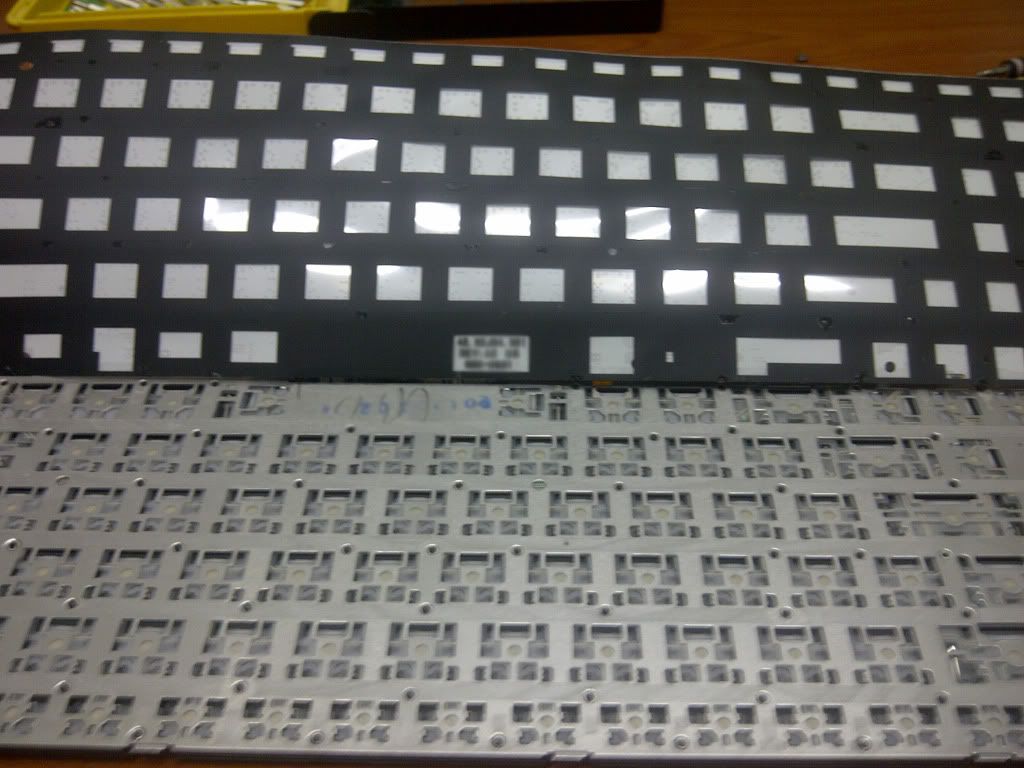
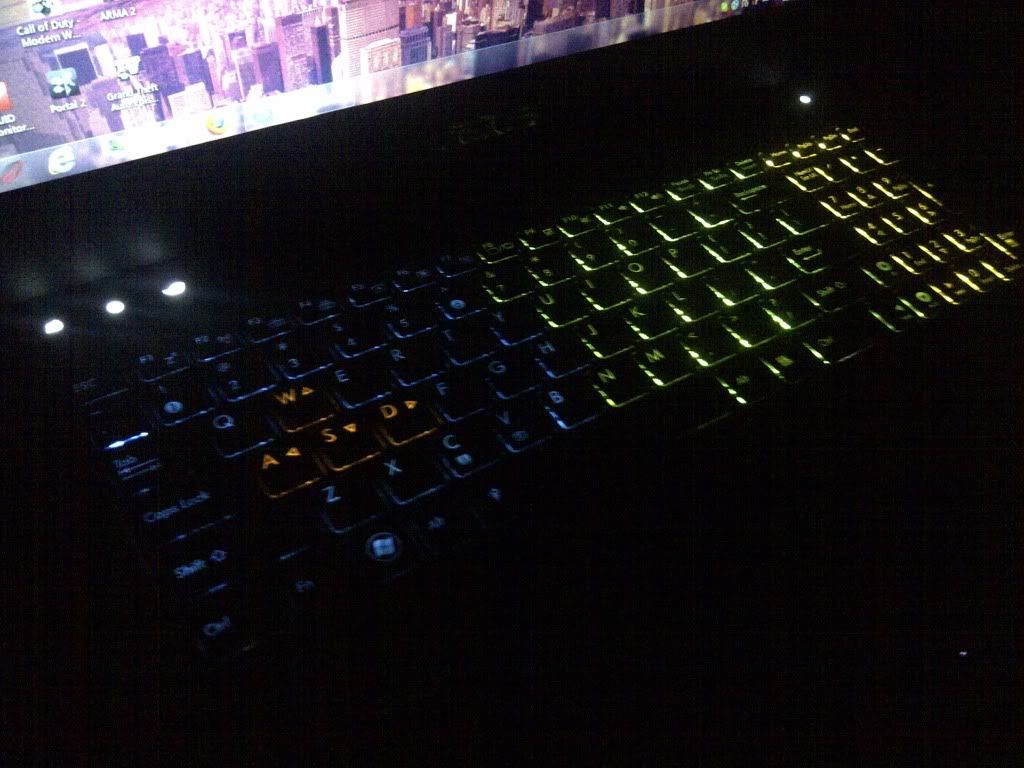
 Feels like its time to share~ I have a G53SX (3D) btw Well nothing special, just a few add-ons  » Click to show Spoiler - click again to hide... « Special thanks to TS Jeffrey for keyboard light tutorial  |
|
|
|
|
|
Nov 30 2011, 11:28 PM
|
|
Newbie
1 posts Joined: Nov 2011
|
QUOTE(Evirober @ Nov 30 2011, 11:07 PM) Guys, Is it same 1333Mhz?Have bought 4GB RAM today. Installed it under the keyboard "DIMM SLOT 4" according to the manual. But the notebook bios and windows cant detect it. Anyone installed via DIMM Slot 1 & 4 ? Or must be in sequence 1 & 2 ?? Any advice is much appreciated. |
|
|
Nov 30 2011, 11:30 PM
|
|
Junior Member
636 posts Joined: Mar 2006 From: KL
|
Bluzzy-: Yup Corsair 1x4GB 1333Mhz
|
|
|
Nov 30 2011, 11:34 PM
|
|
Newbie
1 posts Joined: Nov 2011
|
QUOTE(Evirober @ Nov 30 2011, 11:30 PM) Bluzzy-: Yup Corsair 1x4GB 1333Mhz I'm using the same RAM. Not sure about your case.. Is the RAM inserted properly? Slot 1 is hidden, slot 2 & 3 is behind the back panel, slot 4 is below the keyboard and black plastic by the way -- Maybe try the bottom slot? This post has been edited by Bluzzy-: Nov 30 2011, 11:42 PM |
|
|
Nov 30 2011, 11:51 PM
|

Senior Member
3,304 posts Joined: Mar 2006 From: Chicago(Port25)
|
QUOTE(Evirober @ Nov 30 2011, 11:07 PM) Guys, This is my main concern which ops me to install on the bottom panel. As the manual has warned about it before.Have bought 4GB RAM today. Installed it under the keyboard "DIMM SLOT 4" according to the manual. But the notebook bios and windows cant detect it. Anyone installed via DIMM Slot 1 & 4 ? Or must be in sequence 1 & 2 ?? Any advice is much appreciated. |
|
|
Nov 30 2011, 11:53 PM
|

Junior Member
75 posts Joined: May 2005
|
I've add in the same RAM just few days ago, under the keyboard. Mine's all well, running in Dual channel, no problems. Did you insert the RAM into the slot with a slight degree angle and then only push it down with a click?
|
|
|
Nov 30 2011, 11:56 PM
|
|
Junior Member
636 posts Joined: Mar 2006 From: KL
|
Bluzzy- Yup used DIMM Slot 4
Yups...inserted it twice..to make sure its sits in properly. And there is no way to put it on the wrong side as there is an indicator pin. Faulty RAM ? Tomorrow will bring my notebook to the shop and try with another stick and see how. So you guys install on DIMM Slot 1 and 4 no issues ? riku2replica: Yeah..initially that was my conclusion that it must be in that sequence. This post has been edited by Evirober: Nov 30 2011, 11:57 PM |
|
|
Dec 1 2011, 12:51 AM
|

Senior Member
671 posts Joined: Jul 2007
|
I also face that problem at the first time but i then realize that you have to slightly/gently push the ram into the connector before clipping it
|
|
|
|
|
|
Dec 1 2011, 03:44 AM
|

Senior Member
524 posts Joined: May 2009
|
QUOTE(xxxcriminal @ Nov 30 2011, 09:21 PM) installing ssd That's one long nail! hahahah
Added on December 1, 2011, 4:03 amomfg. I'm seriously sick of my windows explorer crashing randomly  WHAT THE... WHAT THE...Well everything is okay-i-guess and I feel like reformatting my laptop Not sure if it's a virus or.. some error.. IDK. This post has been edited by kahtsin: Dec 1 2011, 04:03 AM |
|
|
Dec 1 2011, 04:10 AM
|
|
Senior Member
524 posts Joined: May 2009
|
Can this be the reason why it keeps crashing? -.-

|
|
|
Dec 1 2011, 05:07 AM
|
|
Senior Member
524 posts Joined: May 2009
|
Guys, I think I know what's the problem. Due to many google searching activity, I alot of ppl recommend this "Shexview" thingy to remove/manage shell extension.
Well take a look at this. 
By using Shexview, disable these two things. And notive that my windows explorer stop crashin. Wondering what sorcery is this. Oh, and do you guys have a explorer.exe in your System32 folder under (assuming your OS is on (C:)\Windows\System32 This post has been edited by kahtsin: Dec 1 2011, 05:11 AM |
|
|
Dec 1 2011, 08:04 AM
|
 
Elite
14,813 posts Joined: Nov 2006
|
^the Asus WebStorage always crash the explorer..
|
|
|
Dec 1 2011, 10:56 AM
|
|
Junior Member
89 posts Joined: Mar 2009
|
QUOTE(lee_what2004 @ Dec 1 2011, 08:04 AM) ^the Asus WebStorage always crash the explorer.. what is the function of this web storageit very annoying to me when it keep on pop out  |
|
|
Dec 1 2011, 11:07 AM
|
|
Elite
14,813 posts Joined: Nov 2006
|
For cloud storage..
|
|
|
Dec 1 2011, 11:48 AM
|

Senior Member
1,661 posts Joined: Apr 2009
|
QUOTE(Bluzzy- @ Nov 30 2011, 11:25 PM) » Click to show Spoiler - click again to hide... « You are welcome! |
| Change to: |  0.0208sec 0.0208sec
 1.37 1.37
 6 queries 6 queries
 GZIP Disabled GZIP Disabled
Time is now: 23rd December 2025 - 10:49 PM |
 Quote
Quote