


Feels like its time to share~ I have a G53SX (3D) btw

Well nothing special, just a few add-ons

» Click to show Spoiler - click again to hide... «
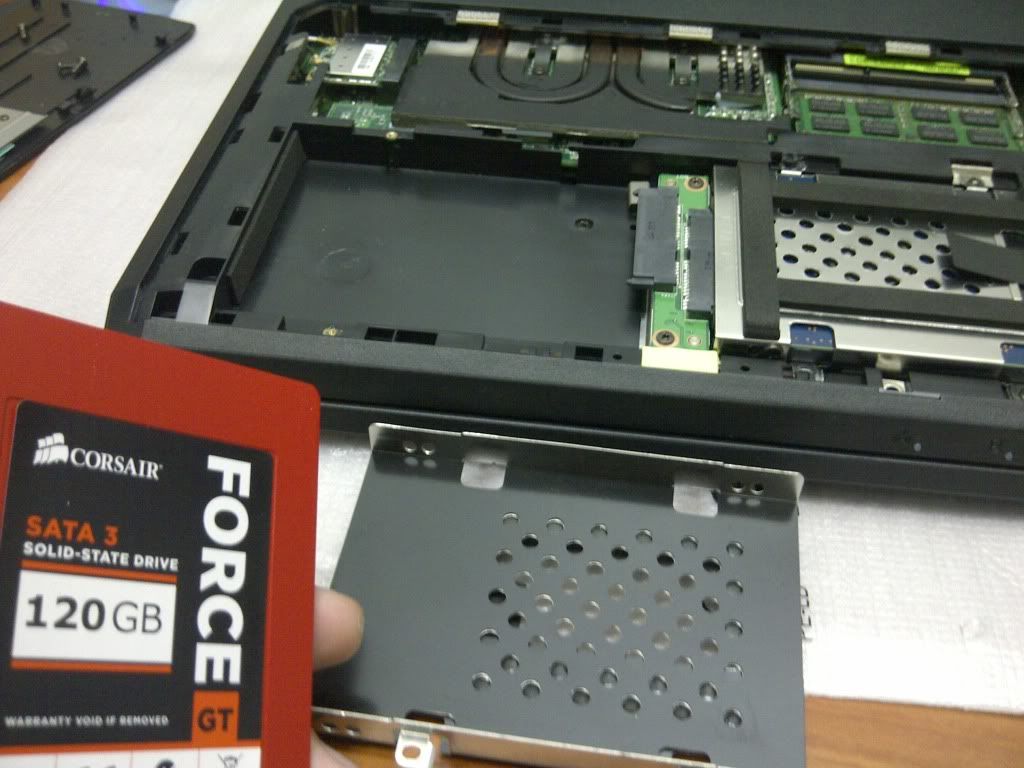
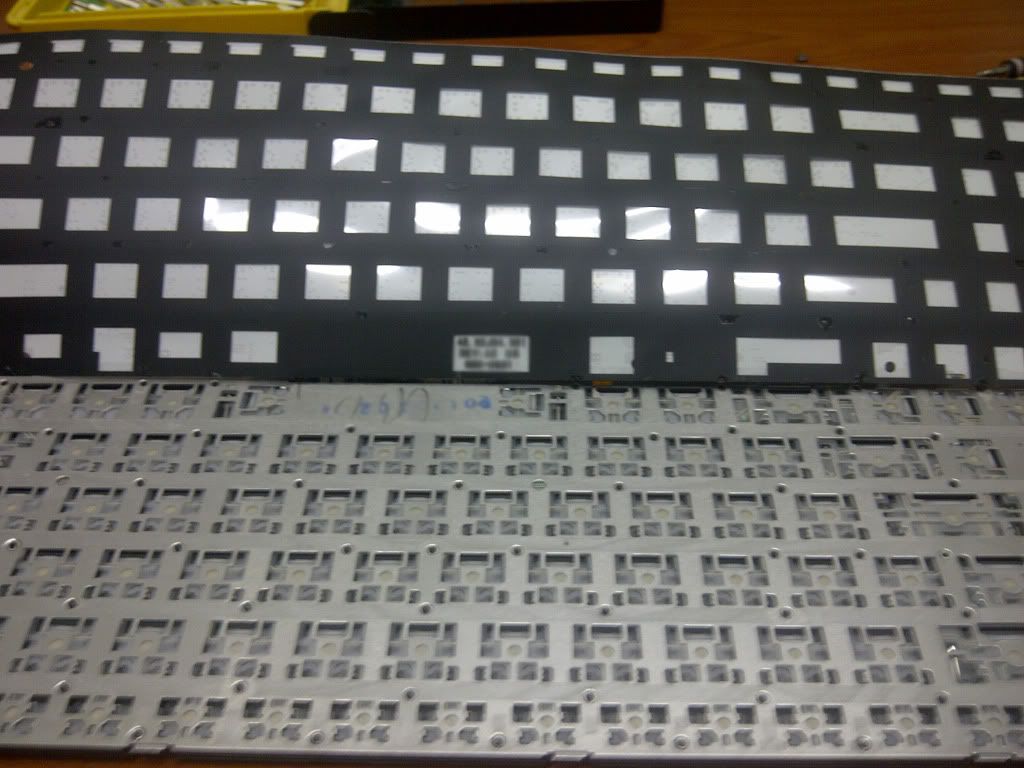
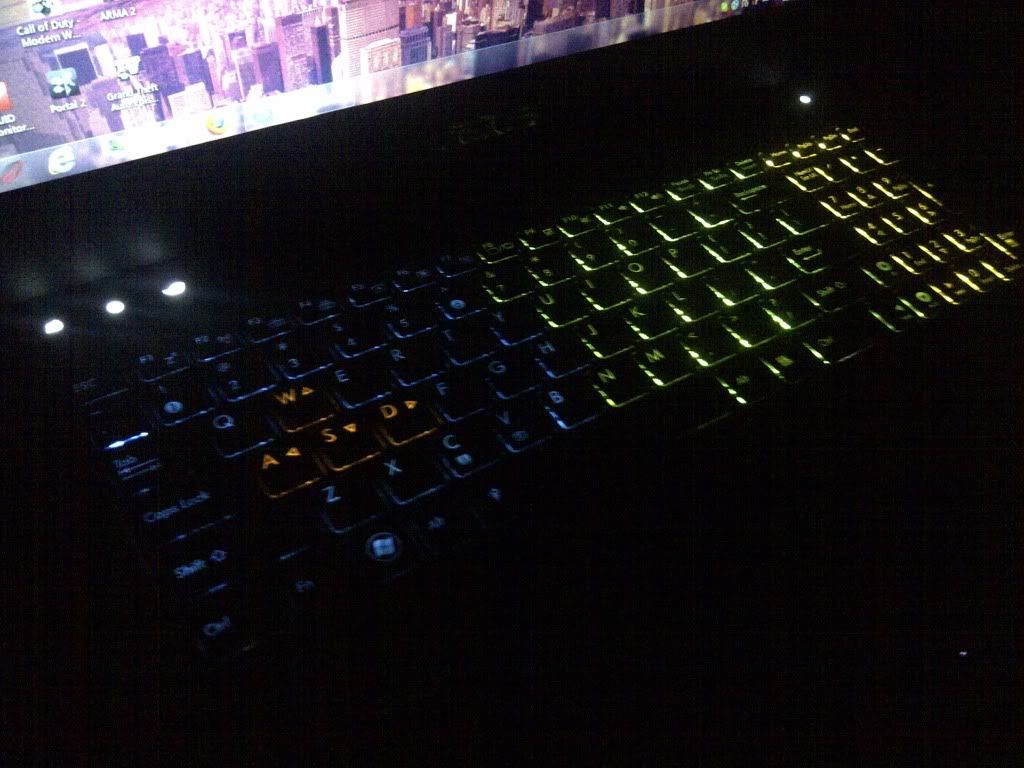
Special thanks to TS Jeffrey for keyboard light tutorial

Asus G-Series Notebooks Thread V3, G74's Pics at Post #483 :)
|
|
 Nov 30 2011, 11:25 PM Nov 30 2011, 11:25 PM
Return to original view | Post
#1
|
 
Newbie
1 posts Joined: Nov 2011 
|
Hi, been looking at this thread for a while now
Feels like its time to share~ I have a G53SX (3D) btw Well nothing special, just a few add-ons » Click to show Spoiler - click again to hide... « Special thanks to TS Jeffrey for keyboard light tutorial |
|
|
|
|
|
Nov 30 2011, 11:28 PM
Return to original view | Post
#2
|
|
Newbie
1 posts Joined: Nov 2011
|
QUOTE(Evirober @ Nov 30 2011, 11:07 PM) Guys, Is it same 1333Mhz?Have bought 4GB RAM today. Installed it under the keyboard "DIMM SLOT 4" according to the manual. But the notebook bios and windows cant detect it. Anyone installed via DIMM Slot 1 & 4 ? Or must be in sequence 1 & 2 ?? Any advice is much appreciated.  |
|
|
Nov 30 2011, 11:34 PM
Return to original view | Post
#3
|
|
Newbie
1 posts Joined: Nov 2011
|
QUOTE(Evirober @ Nov 30 2011, 11:30 PM) Bluzzy-: Yup Corsair 1x4GB 1333Mhz I'm using the same RAM. Not sure about your case.. Is the RAM inserted properly? Slot 1 is hidden, slot 2 & 3 is behind the back panel, slot 4 is below the keyboard and black plastic by the way  -- Maybe try the bottom slot? This post has been edited by Bluzzy-: Nov 30 2011, 11:42 PM |
|
|
Dec 1 2011, 07:23 PM
Return to original view | Post
#4
|
|
Newbie
1 posts Joined: Nov 2011
|
QUOTE(Volt @ Dec 1 2011, 01:51 PM) @xxxcriminal and Bluzzy Are you cloning your OS to the SSD? Or clean install?Is there any special procedure how to transfer the recovery partition into the ssd? Im plannning to change to ssd too but I still not sure how to copy that partition. Mind shed some light? THIS might help you. But if you plan to clean install OS on SSD, then i don't see the point for a recovery partition. Just keep a spare Win7 Home Premium x64 disk and use the key on the sticker below your laptop. I still have the recovery partition on the HDD though. Can't seem to remove it, so i just left it there, lol. |
|
|
Dec 1 2011, 09:29 PM
Return to original view | Post
#5
|
|
Newbie
1 posts Joined: Nov 2011
|
QUOTE(Volt @ Dec 1 2011, 09:17 PM) @Bluzzy and xxxcriminal Nope, the recovery partition is just a backup of the factory OS, a win7 disk can also do what it does (repair mode etc) The trouble to clean install is the drivers.. so basically we dont always need the recovery partition to start up the window? Lol - silly me, I tot the recovery partition is a requirement for the bios. Dont no where i got that from. I must misread it somewhere. In that case I might join you guyz soon  Some useful and newer ones here The other drivers should just get from Asus page  BTW, which SSD you got?  |
|
|
Dec 1 2011, 09:52 PM
Return to original view | Post
#6
|
|
Newbie
1 posts Joined: Nov 2011
|
QUOTE(Volt @ Dec 1 2011, 09:37 PM) Nice, thanks for sharing. That help alot Crucial and Intel using different chip from Corsair.. If you have budget like <600 and want 120GB, get either Corsair or OCZ About the ssd.... Im not sure, im considering either Crucial, Corsair or Intel. Eying on 120GB at least.  |
|
|
Dec 1 2011, 11:16 PM
Return to original view | Post
#7
|
|
Newbie
1 posts Joined: Nov 2011
|
QUOTE(Evirober @ Dec 1 2011, 11:06 PM) Guys...those who have upgraded to SSD 10-11 seconds how long does it take to boot up ? |
| Change to: |  0.0442sec 0.0442sec
 0.84 0.84
 7 queries 7 queries
 GZIP Disabled GZIP Disabled
Time is now: 4th December 2025 - 10:16 AM |
 Quote
Quote