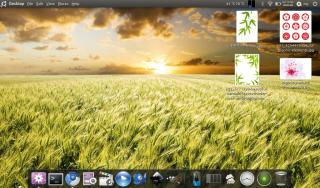
it ubuntu 10.10 amd64....install to my netbook...

Show off your Desktop !, [IMAGE HEAVY !]
|
|
 Nov 14 2010, 02:26 AM Nov 14 2010, 02:26 AM
|
 
Senior Member
1,439 posts Joined: Aug 2010  
|
mine...just simple desktop...with beautiful fany snsd...
it ubuntu 10.10 amd64....install to my netbook...
|
|
|
|
|
|
Nov 14 2010, 03:51 AM
|

Junior Member
142 posts Joined: Dec 2006
|
Nice thread. Hope can pinned this thread.
Here my Ubuntu 10.04 amd64 on my netbook. » Click to show Spoiler - click again to hide... « |
|
|
Nov 14 2010, 04:34 AM
|

Senior Member
2,789 posts Joined: Jul 2010 From: Silicon Valley
|
XD yeah me too , hope moderator can pin this , by the way :
Wanfaris : whats that Wolf logo on your top tab @@? |
|
|
Nov 14 2010, 04:52 AM
|

Senior Member
1,748 posts Joined: Mar 2010
|
QUOTE(cocooh @ Nov 14 2010, 04:34 AM) whats that Wolf logo on your top tab @@? Amarok |
|
|
Nov 14 2010, 04:56 AM
|
|
Senior Member
2,789 posts Joined: Jul 2010 From: Silicon Valley
|
O.o ok thx XD
|
|
|
Nov 14 2010, 05:00 AM
|
|
Senior Member
1,439 posts Joined: Aug 2010
|
QUOTE(G-17 @ Nov 14 2010, 04:52 AM) Amarok yup..thats right....good eq....  |
|
|
|
|
|
Nov 14 2010, 07:09 AM
|

Senior Member
2,930 posts Joined: Jan 2007 From: Kolej Universiti Agrosains Malaysia, Melaka 
|
QUOTE(wanfaris @ Nov 14 2010, 01:44 AM) wah...tq.... wohoo. it's about internet and you can take whatever it does offer haha, I don't know where my son got that wallie. Added on November 14, 2010, 1:45 am mind sharing ur wallie....look very nice...  Added on November 14, 2010, 7:17 am QUOTE(cocooh @ Nov 14 2010, 04:34 AM) XD yeah me too , hope moderator can pin this , by the way : yerpp you can play amarok in gnome too, but if you are lucky, amarok can be run smoothly without any crashing >> search amarok start up crashed you'll find tonnes of complaints into kdebug! A good thing about amarok is, it has build in lyrics feature. Wanfaris : whats that Wolf logo on your top tab @@? This post has been edited by powerwoot: Nov 14 2010, 07:17 AM |
|
|
Nov 14 2010, 08:53 AM
|

Junior Member
427 posts Joined: Jul 2008 
|
  my ubuntu desktop <3 This post has been edited by powerfox: Nov 14 2010, 09:00 AM |
|
|
Nov 14 2010, 11:42 AM
|
|
Senior Member
1,439 posts Joined: Aug 2010
|
QUOTE(powerfox @ Nov 14 2010, 08:53 AM) my ubuntu desktop <3 how u get this wallie??sharing plez...  |
|
|
Nov 14 2010, 11:47 AM
|

Senior Member
4,582 posts Joined: Jan 2003 From: West johor
|
I just use standard KDE desktop/wallpaper.
|
|
|
Nov 14 2010, 11:47 AM
|

Junior Member
178 posts Joined: Oct 2007
|
Just a simple desktop.
» Click to show Spoiler - click again to hide... « This post has been edited by kaibathelegacy: Nov 16 2010, 12:04 AM |
|
|
Nov 14 2010, 08:51 PM
|

Senior Member
2,780 posts Joined: Jun 2008 From: yokumo village
|
QUOTE(fat16 @ Nov 14 2010, 11:47 AM) I just use standard KDE desktop/wallpaper. me too |
|
|
Nov 15 2010, 02:56 AM
|
|
Senior Member
2,789 posts Joined: Jul 2010 From: Silicon Valley
|
woah @@ alot of nice customization XD
|
|
|
|
|
|
Nov 15 2010, 03:01 AM
|
|
Senior Member
1,439 posts Joined: Aug 2010
|
QUOTE(cocooh @ Nov 15 2010, 02:56 AM) woah @@ alot of nice customization XD yup...need to pin this topic.... |
|
|
Nov 15 2010, 04:19 AM
|
|
Senior Member
1,748 posts Joined: Mar 2010
|
Been too busy to make any new themes lately, but here are some older screenshots from past months, just to keep this thread going.
From my secondary desktop. Debian Testing + OpenBox with my own GTK, OBT, CSS browser stylesheet/startpage and various other configs. Already posted these on the other screenshot thread.     The themes (along with others) are available in my thread here (nick is gutterslob), if anyone wants them. http://crunchbanglinux.org/forums/topic/62...gallery/page/3/ They're probably more suited to Openbox, but the GTKs should be usable in any GTK environment as long as you have the latest version of gtk2-engines-murrine installed. Probably too minimal for most Gnome users, though. Cheers. This post has been edited by G-17: Nov 15 2010, 04:23 AM |
|
|
Nov 15 2010, 09:52 AM
|
|
Senior Member
2,930 posts Joined: Jan 2007 From: Kolej Universiti Agrosains Malaysia, Melaka
|
QUOTE(wanfaris @ Nov 15 2010, 03:01 AM) yup...need to pin this topic.... mod is seldom around, the best if someone could pm wkkay to get this sticked. We can see his determination towards open source very clearly. Or another new mod for this thread? just my opinion. |
|
|
Nov 15 2010, 11:48 AM
|

Senior Member
997 posts Joined: Feb 2007 
|
Mine....

|
|
|
Nov 17 2010, 02:27 AM
|

Senior Member
1,241 posts Joined: Apr 2009
|
Guys i kinda new in linux thingy but very anxious to mod and explore this platform.. im using linux mint isadora now.. just google around found up linux theme website.. ok click download it and then....:-( i cant use any of the theme that the site provide .. can someone guide me in easiest way ? i google around the solution also damn hard to understand
|
|
|
Nov 17 2010, 02:48 AM
|
|
Senior Member
1,748 posts Joined: Mar 2010
|
@Sarbath
It might be more helpful if you included the link to that site you mentioned. I assume you downloaded an archive (either .zip, .tzr or .tar.gz), right? Usually, you'll find a folder inside the archive. you copy-pasta it into the ~/.themes (DOTthemes folder in your /home directory... press Ctrl+h in your file manager to see hidden folders/files) That's how it *usually* works, but I can't be certain until you link the site you downloaded it from. |
|
|
Nov 17 2010, 04:01 AM
|
|
Senior Member
2,789 posts Joined: Jul 2010 From: Silicon Valley
|
guyz , covergloobus 1.76 RC1 is released ^^ Features the "Now Playing" progress bar , preety amazing
Added on November 17, 2010, 5:46 amUpdated my Lappie » Click to show Spoiler - click again to hide... « Using the latest Covergloobus 1.76 RC1 This post has been edited by cocooh: Nov 17 2010, 05:46 AM |
| Change to: |  0.0174sec 0.0174sec
 0.72 0.72
 6 queries 6 queries
 GZIP Disabled GZIP Disabled
Time is now: 15th December 2025 - 02:18 PM |
 Quote
Quote