Welcome Guest ( Log In | Register )

113 Pages « < 106 107 108 109 110 > » Bottom

Outline · [ Standard ] · Linear+

Home Networking N Router By Asus RTN-66U / Asus RTN-16 / RT-N56U, Asus RT-N Series Supported Unifi

views
     
XxlicolexX
post Jan 21 2016, 12:50 AM

Getting Started
**
Junior Member
95 posts

Joined: Aug 2006
Hi, I am planing to change the Asus ac68u router for my unifi 30mb , but I am newbie on network device, may I know the ac68u is good? Or any other router suggestion ?

This post has been edited by XxlicolexX: Jan 21 2016, 12:54 AM
teensoul
post Mar 9 2016, 12:02 PM

New Member
*
Newbie
1 posts

Joined: Sep 2006
Hi AsusMy,

I'm using ASUS Router RTN-66U for the past 2 years and have no issues using the ASUS DDNS service.
Recently, I'm upgraded from Unifi VIP5 to Unifi 30 and also the ASUS firmware "3.0.0.4.378_9459".

This happened coincidently on this Monday. After the restart of the Unifi Modem and Router, I can't access the DDNS service anymore and will need to use ASUS NSLookup and type in the IP address instead of the DDNS hostname. Typing the IP address works, but will need to check this everytime I reboot the router.

Is there any settings which I need to reconfigure?
dreamthief
post Mar 9 2016, 02:30 PM

Banned
*******
Senior Member
2,656 posts

Joined: Jan 2003
QUOTE(teensoul @ Mar 9 2016, 12:02 PM)
Hi AsusMy,

I'm using ASUS Router RTN-66U for the past 2 years and have no issues using the ASUS DDNS service.
Recently, I'm upgraded from Unifi VIP5 to Unifi 30 and also the ASUS firmware "3.0.0.4.378_9459".

This happened coincidently on this Monday. After the restart of the Unifi Modem and Router, I can't access the DDNS service anymore and will need to use ASUS NSLookup and type in the IP address instead of the DDNS hostname. Typing the IP address works, but will need to check this everytime I reboot the router.

Is there any settings which I need to reconfigure?
*
check the System log, what does it says on DDNS? It should give you some indication.

Happened to my RT-N66U. I had to

a) Go to the DDNS configuration page, un-select to don't use DDNS and re-checking it. Clicking apply.
b) Restart the router again
c) There was a problem with the DDNS outage. Just had to wait.
kmrdeva
post Mar 9 2016, 02:49 PM

Look at all my stars!!
*******
Senior Member
4,776 posts

Joined: Jan 2003
Just upgraded to an AC68U router from the N66U.

The N66U was good enough to cover every room of my whole 12xx square feet condo, with about 1-2 signal bars at the lift corridor and stairs room (where I smoke and play with my phone). Router in the living room, and I could get a stable 144Mbps connection on wifi in my study room. Way better than my old TP-Link wifi router.

The AC68U is even better! 300Mbps in the study room, 3-4 signal bars outside, way stronger signal and speed in the home. Well worth the almost 1K price, imho.

Anyone in Penang want a 2 year old N66U for half price? biggrin.gif biggrin.gif
rathishsiva
post Mar 26 2016, 11:29 PM

Casual
***
Junior Member
413 posts

Joined: Nov 2006
Hi Guys, any custom routers which support Astro IPTV? i currently have a N56U which works with Unifi, but i understand that ASUS routers are not compatible yet with Astro IPTV. Appreciate your advice. icon_question.gif
blizzardcarl92
post Mar 29 2016, 11:10 AM

Getting Started
**
Junior Member
80 posts

Joined: Oct 2015
hi guys, was wondering if asus rt-n12 can support TIME Fibre 100mbps? newbie here
chamelion
post Mar 30 2016, 11:09 AM

Back to Bricking
*******
Senior Member
2,755 posts

Joined: Dec 2004
QUOTE(zher4883 @ Nov 23 2015, 02:49 PM)
RT= router
DSL= ADSL modem+router
*
Hi,

Unifi 5 need to use RT or DSL?

Tq
Kanuki
post Mar 30 2016, 11:12 AM

Getting Started
**
Junior Member
123 posts

Joined: Jun 2005


QUOTE(chamelion @ Mar 30 2016, 11:09 AM)
Hi,

Unifi 5 need to use RT or DSL?

Tq
*
Router with WAN port that can support VLAN 500 Tagging.

ASUSmy
post Mar 30 2016, 11:58 AM

Look at all my stars!!
*******
Senior Member
2,319 posts

Joined: Mar 2010
QUOTE(chamelion @ Mar 30 2016, 11:09 AM)
Hi,

Unifi 5 need to use RT or DSL?

Tq
*
Hi chamelion,

For UNIFI look for models with RT.

Thank you
chamelion
post Mar 30 2016, 04:19 PM

Back to Bricking
*******
Senior Member
2,755 posts

Joined: Dec 2004
TQ
yawnz8
post Apr 9 2016, 01:11 PM

New Member
*
Junior Member
38 posts

Joined: Oct 2012


Gonna change to unifi 30mbps from 5mbps in a few weeks. Planning on getting a new router for my three storey house and the router and modem will be placed in the middle floor. What router should i buy to get max coverage
junclj
post Apr 10 2016, 04:20 PM

Look at all my stars!!
*******
Senior Member
2,348 posts

Joined: Apr 2008


QUOTE(yawnz8 @ Apr 9 2016, 01:11 PM)
Gonna change to unifi 30mbps from 5mbps in a few weeks. Planning on getting a new router for my three storey house and the router and modem will be placed in the middle floor. What router should i buy to get max coverage
*
It's depends. I never try the RM1000+ router. Not sure how strong about the wifi signal about these kind of routers.

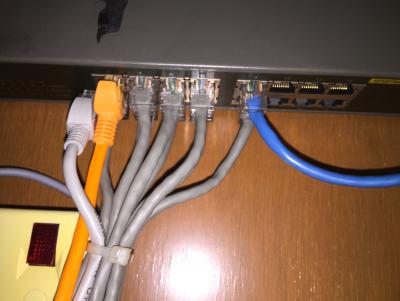
However, for best budgets. You need to buy a 16 ports network switch, one 802.11ac dual band router and two budget 802.11n routers.

I hope your house should be wired with network like this.
Attached Image

Attached Image

Attached Image

So, you can set a router at upper floor then another at lower floor. So it will become one router at each floor. To get the same SSID, you have to set all your routers to 20mhz because 40mhz will disturb your second and third routers. Your middle floor router which is your main router should remain at 192.168.1.1, then change the starting IP from 192.168.1.2 to 192.168.1.4. So you can change your second router to 192.168.1.2 and your third router to 192.168.1.3. Set your main router SSID name, change it to 20mhz, then set it to Band 11, set it to WPA2.

Your second router located at upper floor. So, after you change your second router to 192.168.1.2, set your wifi SSID name exactly the same with your main router, make sure is WPA2 with the same password, change it to 20mhz, then set it to Band 1. Then disable DHCP. After that restart router.

Your third router located at lower floor. After changed to 192.168.1.3, both set your wifi SSID name and same WPA2 password. Change it to 20mhz, then set it to Band 6. Then disable DHCP. After that restart router.

Now, you can enjoy your internet through wifi under the same SSID. You can bring your laptop everywhere you want, you can watch Youtube with your phone no matter where you go. Upper floor excellent signal, middle floor excellent signal then lower floor also got excellent signal.

P/S. Your second and third router should plug to LAN1~LAN4 but not WAN.
I just create a post at this morning, http://junclj.blogspot.my/2016/04/ssid.html

This post has been edited by junclj: Apr 10 2016, 04:35 PM

Hornet
post Apr 10 2016, 05:00 PM

What?
*******
Senior Member
4,251 posts

Joined: Jan 2003
From: Malacca, Malaysia, Earth


QUOTE(Kanuki @ Mar 30 2016, 11:12 AM)
Router with WAN port that can support VLAN 500 Tagging.
*
Anyone knows how to check for this?

Thanks... I'm looking for a router for upgrading to Unifi

This post has been edited by Hornet: Apr 10 2016, 05:00 PM
junclj
post Apr 10 2016, 09:26 PM

Look at all my stars!!
*******
Senior Member
2,348 posts

Joined: Apr 2008


QUOTE(Hornet @ Apr 10 2016, 05:00 PM)
Anyone knows how to check for this?

Thanks... I'm looking for a router for upgrading to Unifi
*
You just need to buy a Unifi verified router. Asus router is my first choice since its easy to setup. You just need to request take camera for the "Order Job Sheet" from TM technician during Unifi installation. Please save your Order Job Sheet properly without get lost of it. The password from that Order Job Sheet is used to setup your new routers in the future.
Hornet
post Apr 11 2016, 08:40 PM

What?
*******
Senior Member
4,251 posts

Joined: Jan 2003
From: Malacca, Malaysia, Earth


QUOTE(junclj @ Apr 10 2016, 09:26 PM)
You just need to buy a Unifi verified router. Asus router is my first choice since its easy to setup. You just need to request take camera for the "Order Job Sheet" from TM technician during Unifi installation. Please save your Order Job Sheet properly without get lost of it. The password from that Order Job Sheet is used to setup your new routers in the future.
*
Thanks for informing me about that, had no idea we have to do that to setup our own router later on.

Is it to obtain the Unifi login password and id?
junclj
post Apr 11 2016, 11:24 PM

Look at all my stars!!
*******
Senior Member
2,348 posts

Joined: Apr 2008


QUOTE(Hornet @ Apr 11 2016, 08:40 PM)
Thanks for informing me about that, had no idea we have to do that to setup our own router later on.

Is it to obtain the Unifi login password and id?
*
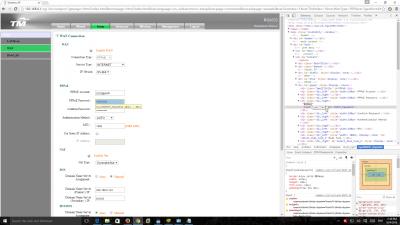
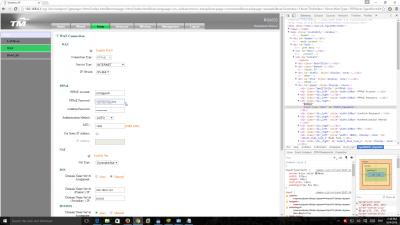
Request to take camera for the Order Job Sheet or use Google Chrome to login your router with 192.168.0.1,

For UniFi RG4332 router,
Router login:
Username : operator
Password : h566UniFi

Please don't login your router as "admin". Its is useless, use the username and password above to login the TM Unifi router.

Attached Image

Attached Image

Attached Image

Attached Image

Attached Image

Attached Image


Hornet
post Apr 12 2016, 10:23 PM

What?
*******
Senior Member
4,251 posts

Joined: Jan 2003
From: Malacca, Malaysia, Earth


QUOTE(junclj @ Apr 11 2016, 11:24 PM)
Request to take camera for the Order Job Sheet or use Google Chrome to login your router with 192.168.0.1,

For UniFi RG4332 router,
Router login:
Username : operator
Password : h566UniFi

Please don't login your router as "admin". Its is useless, use the username and password above to login the TM Unifi router.

*
Alright. Thanks a lot for the detail guide notworthy.gif
iv'N
post Apr 14 2016, 09:00 AM

On my way
****
Senior Member
657 posts

Joined: Jan 2003
What are suggested routers for time?
ASUSmy
post Apr 14 2016, 10:02 AM

Look at all my stars!!
*******
Senior Member
2,319 posts

Joined: Mar 2010
QUOTE(iv'N @ Apr 14 2016, 09:00 AM)
What are suggested routers for time?
*
Hi iv'N,

What Internet package are you using.

Thank you
dixonleong
post Apr 16 2016, 01:39 AM

Casual
***
Junior Member
384 posts

Joined: Dec 2005


deciding betwen RT-N12HP & RT-N14UHP to replace unfi 30mb router (RG something)
is both router hypptv ready (plug and playprovided i have the unifi id and password) ?
and are the 9dbi antenna able to provide long range signal for a 24x80 2 storey house (from front ground floor to end first floor)? currently using range extender and is extremely not stable, hence looking to replace the unifi router, pls suggest

also whats the current version or revision i should look out for when purchasing?

113 Pages « < 106 107 108 109 110 > » Top
 

Change to:
| Lo-Fi Version
0.0279sec    0.46    6 queries    GZIP Disabled
Time is now: 7th December 2025 - 05:07 AM