Welcome Guest ( Log In | Register )

Outline · [ Standard ] · Linear+

Home Networking N Router By Asus RTN-66U / Asus RTN-16 / RT-N56U, Asus RT-N Series Supported Unifi

views
     
junclj
post Apr 10 2016, 04:20 PM

Look at all my stars!!
*******
Senior Member
2,348 posts

Joined: Apr 2008


QUOTE(yawnz8 @ Apr 9 2016, 01:11 PM)
Gonna change to unifi 30mbps from 5mbps in a few weeks. Planning on getting a new router for my three storey house and the router and modem will be placed in the middle floor. What router should i buy to get max coverage
*
It's depends. I never try the RM1000+ router. Not sure how strong about the wifi signal about these kind of routers.

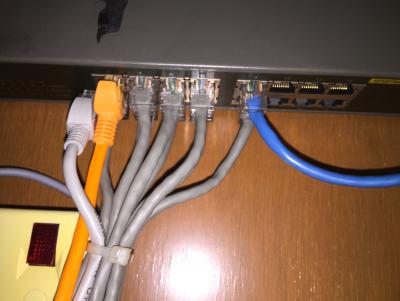
However, for best budgets. You need to buy a 16 ports network switch, one 802.11ac dual band router and two budget 802.11n routers.

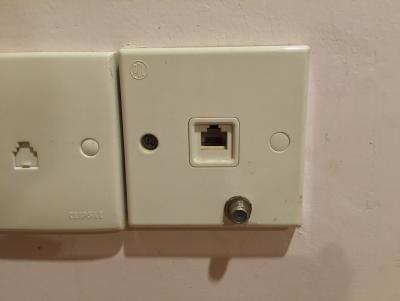
I hope your house should be wired with network like this.
Attached Image

Attached Image

Attached Image

So, you can set a router at upper floor then another at lower floor. So it will become one router at each floor. To get the same SSID, you have to set all your routers to 20mhz because 40mhz will disturb your second and third routers. Your middle floor router which is your main router should remain at 192.168.1.1, then change the starting IP from 192.168.1.2 to 192.168.1.4. So you can change your second router to 192.168.1.2 and your third router to 192.168.1.3. Set your main router SSID name, change it to 20mhz, then set it to Band 11, set it to WPA2.

Your second router located at upper floor. So, after you change your second router to 192.168.1.2, set your wifi SSID name exactly the same with your main router, make sure is WPA2 with the same password, change it to 20mhz, then set it to Band 1. Then disable DHCP. After that restart router.

Your third router located at lower floor. After changed to 192.168.1.3, both set your wifi SSID name and same WPA2 password. Change it to 20mhz, then set it to Band 6. Then disable DHCP. After that restart router.

Now, you can enjoy your internet through wifi under the same SSID. You can bring your laptop everywhere you want, you can watch Youtube with your phone no matter where you go. Upper floor excellent signal, middle floor excellent signal then lower floor also got excellent signal.

P/S. Your second and third router should plug to LAN1~LAN4 but not WAN.
I just create a post at this morning, http://junclj.blogspot.my/2016/04/ssid.html

This post has been edited by junclj: Apr 10 2016, 04:35 PM
junclj
post Apr 10 2016, 09:26 PM

Look at all my stars!!
*******
Senior Member
2,348 posts

Joined: Apr 2008


QUOTE(Hornet @ Apr 10 2016, 05:00 PM)
Anyone knows how to check for this?

Thanks... I'm looking for a router for upgrading to Unifi
*
You just need to buy a Unifi verified router. Asus router is my first choice since its easy to setup. You just need to request take camera for the "Order Job Sheet" from TM technician during Unifi installation. Please save your Order Job Sheet properly without get lost of it. The password from that Order Job Sheet is used to setup your new routers in the future.
junclj
post Apr 11 2016, 11:24 PM

Look at all my stars!!
*******
Senior Member
2,348 posts

Joined: Apr 2008


QUOTE(Hornet @ Apr 11 2016, 08:40 PM)
Thanks for informing me about that, had no idea we have to do that to setup our own router later on.

Is it to obtain the Unifi login password and id?
*
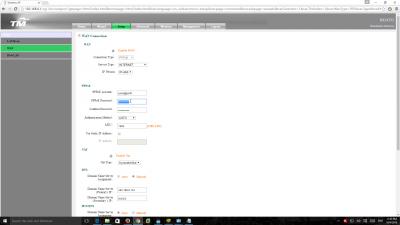
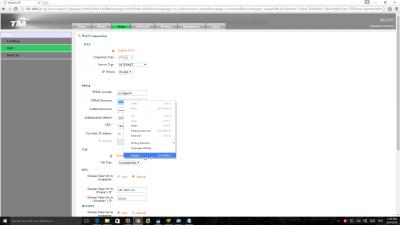
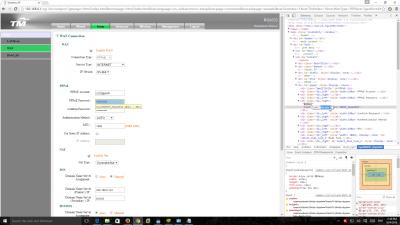
Request to take camera for the Order Job Sheet or use Google Chrome to login your router with 192.168.0.1,

For UniFi RG4332 router,
Router login:
Username : operator
Password : h566UniFi

Please don't login your router as "admin". Its is useless, use the username and password above to login the TM Unifi router.

Attached Image

Attached Image

Attached Image

Attached Image

Attached Image

Attached Image


junclj
post Apr 16 2016, 12:22 PM

Look at all my stars!!
*******
Senior Member
2,348 posts

Joined: Apr 2008


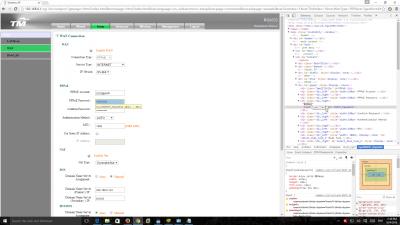
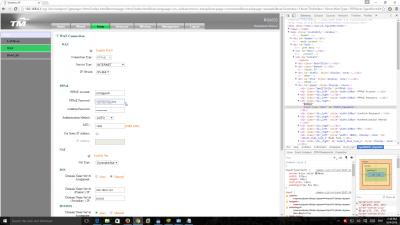
I was gone through the TM stock RG router and found something inside that router at the Tr069 section. Since I got problem to access my HyppTV with Asus router. I found that the only solution is plug it back to the LAN4 of TM stock RG router to activate HyppTV again. Then try your luck to plug it back to the LAN4 of your Asus router again after the channels are available to watch.

Here below are some of the settings that I was found inside that RG router. I think this should be the main reason why my Asus always not working for my HyppTV but have to use back my TM router to reactivate my HyppTV. However, I just got one month free watch. After one month, I will not watch HyppTV anymore. Currently I was subscribed to MYIPTV. I am watching astro through IPTV. It does not required to switch my port to LAN4.

QUOTE
WAN: DHCP
Service Type: TR069
IP Version: IPv4
MTU:1500
Enable Nat
NAT Type: SymmetricNat
VLAN: Enable VLAN Tagging
VLAN ID: 209

Tr069
URL: http://acs.tm.com.my:8082/tmacstr069
Username: cpe
Password: 0123456789abcdfffff

Inform Interval: 43200
Connection Request Username: ccs
Connection Request Password: 0123456789abcdfffff


This post has been edited by junclj: Apr 16 2016, 12:42 PM


Change to:
| Lo-Fi Version
0.0439sec    0.24    7 queries    GZIP Disabled
Time is now: 7th December 2025 - 08:18 AM