Welcome Guest ( Log In | Register )

Bump Topic Topic Closed RSS Feed
121 Pages « < 95 96 97 98 99 > » Bottom

Outline · [ Standard ] · Linear+

Unifi Official TM UniFi High Speed Broadbrand Thread V6, News: RM200 for installation after Sept

views
     
birain
post Sep 4 2010, 09:14 PM

良い一日を
******
Senior Member
1,448 posts

Joined: Apr 2007
QUOTE(Borsch Soup @ Sep 4 2010, 06:37 PM)
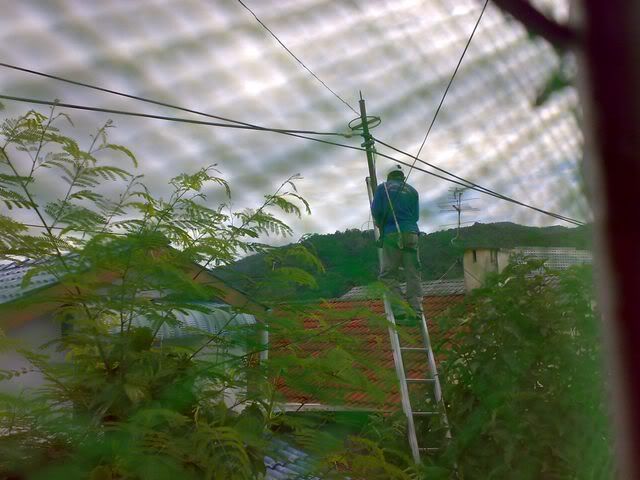
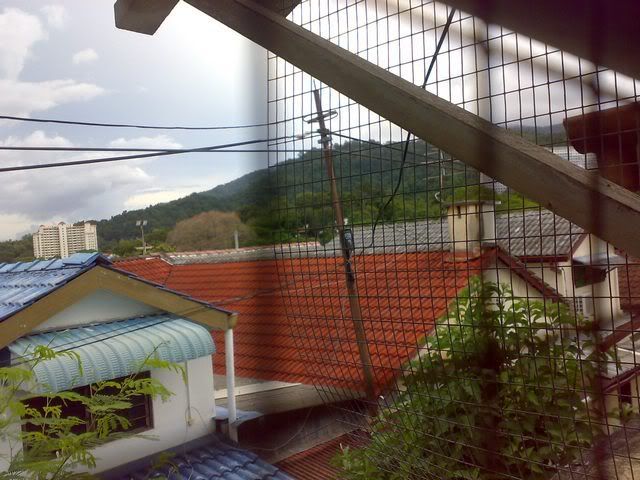
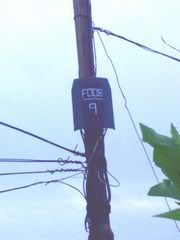
Hi guys, WTA is this something to do with unifi fiber?

tm contractor
user posted image

new box, previously not there, new wiring also.
user posted image

user posted image
*
nope,not unifi. it's just an ordinary phone distribution box. laugh.gif

it should look something like this
user posted image

This post has been edited by birain: Sep 4 2010, 09:18 PM
tommyfai
post Sep 4 2010, 09:56 PM

Casual
***
Junior Member
408 posts

Joined: Feb 2008
From: puchong


user posted image

Happy with it. same speed everyday.
wcewong
post Sep 4 2010, 11:12 PM

New Member
*
Newbie
0 posts

Joined: Jul 2005
QUOTE(billytong @ Sep 4 2010, 09:15 AM)
Seems to me the non Gigabit version RB750 is the same thing too, at half of the price too. The Spec sheet does not mention about any Vlan tagging on both models.(RB750, RB750G) So will IPTV work? then of cause neither of them have wireless access.  doh.gif
*
Confirm it works, both IPTV and Data needs VLAN tagging. IPTV on VLAN id 600, Data on VLAN id 500.

I plugged in my WRT310N running DD-WRT into my RB750G. Now I have both wireless and wired access.

If you are concerned about cost, maybe there is a cheaper solution.
bsb85my
post Sep 5 2010, 02:02 AM

╮(╯_╰)╭
*****
Senior Member
744 posts

Joined: Oct 2004
From: ~Somewhere on Earth~


i would like to ask..is there torrent throttling like Screamyx?
ruffstuff
post Sep 5 2010, 02:24 AM

Look at all my stars!!
*******
Senior Member
3,345 posts

Joined: Jan 2003
QUOTE(wcewong @ Sep 4 2010, 11:12 PM)
Confirm it works, both IPTV and Data needs VLAN tagging. IPTV on VLAN id 600, Data on VLAN id 500.

I plugged in my WRT310N running DD-WRT into my RB750G. Now I have both wireless and wired access.

If you are concerned about cost, maybe there is a cheaper solution.
*
The cheaper solution is RB250gs. If only RB750G have wireless as well, then it should be a great bargain.
kaspersky-fan
post Sep 5 2010, 05:04 AM

Regular
******
Senior Member
1,602 posts

Joined: Jun 2007
Sifus here...

encountered a new problem.. my notebook is using N connection, while my bros with G... my bro seem to encounter problem where he would be disconnected/cant browse or go online and needs to reconnect but at the same time my N connection is working fine, what should i do? change the channel bandwidth?
meLi
post Sep 5 2010, 06:11 AM

On my way
****
Senior Member
674 posts

Joined: Mar 2006
From: Subang Selangor & Taman Desa Kuala Lumpur


QUOTE(expl0it @ Sep 4 2010, 09:13 PM)
Anyone having the same IPTV problem as me? (posted previously)
*
Mine IPTV problem since friday till now. Already report to tm. Subang Airport area.

TQ
SUSBorsch Soup
post Sep 5 2010, 07:49 AM

The East is Red. Defeat the new Opium called Corruption
*******
Senior Member
2,641 posts

Joined: Feb 2009
From: A trail leading to the Waterfall of Penang.
QUOTE(birain @ Sep 4 2010, 09:14 PM)
nope,not unifi. it's just an ordinary phone distribution box. laugh.gif

it should look something like this
user posted image
*
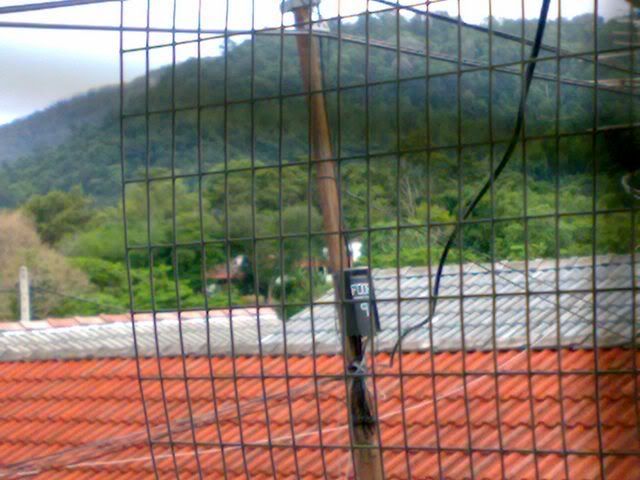
Lolz Ok, I get it, so it is not unifi sad.gif but nevermind laa, perhaps streamyx 4mbps? laugh.gif TQ

Anyway I took 2 more pics, it's got number on it F008 9, after that on another one got F008 10, I think it leads to main road.

user posted imageuser posted image
billytong
post Sep 5 2010, 08:12 AM

Lord Sauron
*******
Senior Member
4,522 posts

Joined: Jan 2003
From: Mordor, Middle Earth.


QUOTE(wcewong @ Sep 4 2010, 11:12 PM)
Confirm it works, both IPTV and Data needs VLAN tagging. IPTV on VLAN id 600, Data on VLAN id 500.

I plugged in my WRT310N running DD-WRT into my RB750G. Now I have both wireless and wired access.

If you are concerned about cost, maybe there is a cheaper solution.
*

Well good news that you have confirm it work on both IPTV and data. Thank you. That means the RB750 is also gonna work, since it is just another non gigabit version of RB750G and the RB750 is about the price of RB250GS smile.gif
special920
post Sep 5 2010, 09:34 AM

New Member
*
Junior Member
23 posts

Joined: Oct 2009
Anyone have problem with the voip service, my phone cannot make or receive call although the voip and my phone light on the BTU is on.
I have to restart my BTU unit every 4-5 days so my voip can work again.
Any solution?
Drsirpet
post Sep 5 2010, 10:01 AM

New Member
*
Junior Member
6 posts

Joined: Dec 2008


QUOTE(wiraone @ Sep 4 2010, 01:41 AM)
Just wondering if any of you are experiencing corrupt download on files more than 50mb? I've hell lot of problem tonight trying to download nvidia drivers, I've tried downloading through my mbp and also to my newly installed pc and big files are always giving crc errors when trying to uncompress. Just couldn't think of the reason..
*
same with me..
any solution guys cry.gif
mytown
post Sep 5 2010, 10:27 AM

Getting Started
**
Junior Member
66 posts

Joined: Jan 2007


QUOTE(wcewong @ Sep 4 2010, 11:12 PM)
Confirm it works, both IPTV and Data needs VLAN tagging. IPTV on VLAN id 600, Data on VLAN id 500.

I plugged in my WRT310N running DD-WRT into my RB750G. Now I have both wireless and wired access.

If you are concerned about cost, maybe there is a cheaper solution.
*
Good to hear there is alternative solution. Can i just check with u whether port forwarding works after this changes?

How about configuration? Is it the same as stated by rizvanrp and klseet earlier on ?

Thanks.


Added on September 5, 2010, 10:38 am
QUOTE(special920 @ Sep 5 2010, 09:34 AM)
Anyone have problem with the voip  service, my phone cannot make or receive call although the voip and my phone light on the BTU is on.
I have to restart my BTU unit every 4-5 days so my voip can work again.
Any solution?
*
Already installed unifi for 2 weeks and never off nor reboot since then. So far never had any major issues beside known issues like not able to port forward.

However, one issue that trouble me is that my HTC HD2 running on froyostone keep on drop off from WiFi connection though my HD2 WIFI was on. This happened after I left my HD2 without handling for few hours.

Never have problem with the phone

This post has been edited by mytown: Sep 5 2010, 10:38 AM

oreomambo
post Sep 5 2010, 10:54 AM

Enthusiast
*****
Senior Member
878 posts

Joined: Jun 2009
QUOTE(mytown @ Sep 5 2010, 10:27 AM)
Good to hear there is alternative solution. Can i just check with u whether port forwarding works after this changes?

How about configuration? Is it the same as stated by rizvanrp and klseet earlier on ?

Thanks.


Added on September 5, 2010, 10:38 am

Already installed unifi for 2 weeks and never off nor reboot since then. So far never had any major issues beside known issues like not able to port forward.

However, one issue that trouble me is that my HTC HD2 running on froyostone keep on drop off from WiFi connection though my HD2 WIFI was on. This happened after I left my HD2 without handling for few hours.

Never have problem with the phone
*
Since you are using froyo mod, check your wireless setting in your phone. Settings->Wireless & network-> wifi settings ->(hit the more button) -> Advance -> Wifi- Sleep policy.

Check if your radio button is having "When screen turns off". That means if you switch off your screen or lock the phone, the wireless will be disconnected after a while of idle. If you want it enabled all the time, choose "Never". Beware that it will drain ur batt like a sucker. These are the settings on my Nexus with froyo, but it should be more or less the same for you.

On the other note, my fracking dlink causes so much frustrations. Goes bonkers daily and had to switch off for a cool down period for a while. And that is just by watching IPTV alone for a short period without any other connected wireless nor lan. Wonder why Telekom can pass QC on such hardware against their own custom firmware. UAT for only 1 day also will find problems.
kaspersky-fan
post Sep 5 2010, 11:49 AM

Regular
******
Senior Member
1,602 posts

Joined: Jun 2007
QUOTE(oreomambo @ Sep 5 2010, 10:54 AM)
Since you are using froyo mod, check your wireless setting in your phone. Settings->Wireless & network-> wifi settings ->(hit the more button) -> Advance -> Wifi- Sleep policy.

Check if your radio button is having "When screen turns off". That means if you switch off your screen or lock the phone, the wireless will be disconnected after a while of idle. If you want it enabled all the time, choose "Never". Beware that it will drain ur batt like a sucker. These are the settings on my Nexus with froyo, but it should be more or less the same for you.

On the other note, my fracking dlink causes so much frustrations. Goes bonkers daily and had to switch off for a cool down period for a while. And that is just by watching IPTV alone for a short period without any other connected wireless nor lan. Wonder why Telekom can pass QC on such hardware against their own custom firmware. UAT for only 1 day also will find problems.
*
hey dude how long from the date you first install does the dlink start to react this way? i just got mine yesterday.... i want to get ready another router before the dlink becomes bonkers
WhiteMouse
post Sep 5 2010, 12:14 PM

Casual
***
Junior Member
323 posts

Joined: Jul 2005
From: Kuala Lumpur


haiz my unifi down from yesterday 10pm till now

no dsl light on the btu now using digi broadband online


ZipD
post Sep 5 2010, 12:23 PM

Casual
***
Junior Member
434 posts

Joined: Jan 2003


QUOTE(Drsirpet @ Sep 5 2010, 10:01 AM)
same with me..
any solution guys cry.gif
*
I have the same issue of downloading large rar/zip files that are corrupted, anything from nvidia drivers and whatnot. Tried the following but no help:

1. rebooting everything
2. updating network drivers

And this problem is on all three of my machines. Anyone else has this?
donakmar
post Sep 5 2010, 12:45 PM

New Member
*
Newbie
0 posts

Joined: Sep 2010


Hi guys,

I am subscribing to the VIP20. Few months back I have problem with the upload speed that can only manage to reach average about 6MB which is rectified last month. Both upload and download achieved more than 20MB speed. But recently few weeks back, both download and upload speed only managed to achieve in average 6-8MB only. I am staying in Damansara Perdana.

I have send email to unifi but no respond yet. Why is this happening, Are they having network issues. Anyone from this area having the same problem too. Kindly need the members help here. Thank you


cannavaro
post Sep 5 2010, 01:01 PM

CATTENACIO
*******
Senior Member
3,008 posts

Joined: Sep 2005
From: T.T.D.I, Bukit Damansara


QUOTE(donakmar @ Sep 5 2010, 12:45 PM)
Hi guys,

I am subscribing  to the VIP20. Few months back I have problem with the upload speed that can only manage to reach average about 6MB which is rectified last month. Both upload and download achieved more than 20MB speed. But recently few weeks back, both download and upload speed only managed to achieve in average 6-8MB only. I am staying in Damansara Perdana.

I have send email to unifi but no respond yet. Why is this happening, Are they having network issues. Anyone from this area having the same problem too. Kindly need the members help here. Thank you
*
Calling their hotline is better. Be stern with them.
mytown
post Sep 5 2010, 01:40 PM

Getting Started
**
Junior Member
66 posts

Joined: Jan 2007


QUOTE(oreomambo @ Sep 5 2010, 10:54 AM)
Since you are using froyo mod, check your wireless setting in your phone. Settings->Wireless & network-> wifi settings ->(hit the more button) -> Advance -> Wifi- Sleep policy.

Check if your radio button is having "When screen turns off". That means if you switch off your screen or lock the phone, the wireless will be disconnected after a while of idle. If you want it enabled all the time, choose "Never". Beware that it will drain ur batt like a sucker. These are the settings on my Nexus with froyo, but it should be more or less the same for you.

On the other note, my fracking dlink causes so much frustrations. Goes bonkers daily and had to switch off for a cool down period for a while. And that is just by watching IPTV alone for a short period without any other connected wireless nor lan. Wonder why Telekom can pass QC on such hardware against their own custom firmware. UAT for only 1 day also will find problems.
*
Thanks for the input. I have checked the settings you mentioned. All are pre- configured with settings you mentioned. I suspect it is something to do with dlink 615router as if i connect to my 3com router for streamyx or my dlink 3.5G MIFI Modem router, there is no problem of disconnection. I thing i should also point out is that, the wifi setting in my Android HD2 showed connected but there is no data transfer if I try to browse. Problem rectify when i off the WiFi connection and reconnect again. It is not big deal but i would love to have things sync overnight via my unifi in background so that i don't need to manually update before I leave for work in the morning.
prominen
post Sep 5 2010, 02:01 PM

Getting Started
**
Junior Member
290 posts

Joined: Sep 2006
From: Kepong + KL
guys, unifi bill can pay using what bank for internet banking?

121 Pages « < 95 96 97 98 99 > » Top
Topic ClosedOptions
 

Change to:
| Lo-Fi Version
0.0601sec    0.39    7 queries    GZIP Disabled
Time is now: 1st December 2025 - 05:00 PM