How To DIY Remove the 'MUFC' At Your Man United 2007-2008 Home & Away Jersey's Back StripeOk guys.. for those who might not know.. for the Man United 2007-2009 home and 2007-2008 away jersey, in the domestic matches (EPL, FA Cup, League Cup, Charity Shield), the jersey's white/red stripe behind the jersey (for the player issue or match worn jersey) doesn't have the 'MUFC' wordings:

The player issue jersey for the 2007-2009 home & 2007-2008 away has no 'MUFC' wordings at the back stripe
For all replica versions and player issue jersey for UEFA Champions League, the 'MUFC' wordings do exists.
If you are like me.. I would love to 'DIY' and make my own replica jersey look as close as possible to what the players wear. So I would love to have the white stripe behind my 2007-2009 home jersey to have no 'MUFC' wordings on the white stripe. Then I can apply the EPL nameset on the back and make it look as close as possible to what the players actually wear on the pitch during EPL matches..
So if you want to do so, here's the steps:
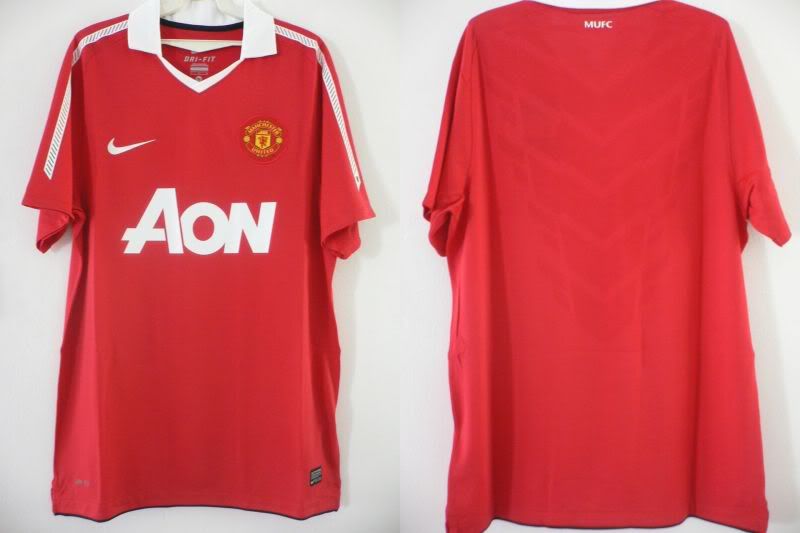
1. This will be the victim to jerseyman's DIY today:
As you can see from the photo. On the back white stripe there is the 'MUFC' wordings
2. Next is to use the Dylon Stain Remover to peel off the top of the white stripe. As from my previous guide (how to remove namesets/patches) you can find the Dylon Stain Remover at local stores such as Tesco or Carrefour:

Dylon Stain Remover

Sold at Tesco for RM10.70 per bottle
Put some Dylon Stain Remover liquid beneath the area where the MUFC is printed on the white stripe:
3. Leave the liquid to settle for few minutes. Then try to peel off the white stripe carefully:
4. Once you've peeled off part of the white stripe (where the MUFC is printed), use a triangular ruler (set square) and draw a 90 degrees line beneath the 'MUFC' as a guide for you to cut it off later:
5. Then carefully cut off the white stripe to remove the area where the MUFC wordings exists. Be careful when doing so:
to be continued...


 Jul 2 2010, 12:10 PM


 Quote
Quote




 0.0410sec
 0.60
0.60
 7 queries
 GZIP Disabled