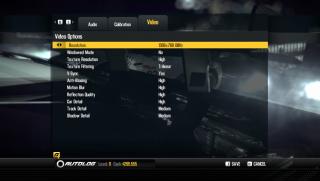
Just made a short simple video comparing a stock GT640M LE(500MHz) vs BIOS MOD GT640M LE(1000MHz) running NFS SHIFT 2. 100% OC on GPU! But bottlenecked by the slow DDR3.
Temp only increased around 4 celsius in gaming, 6 celsius in stress test from stock (still within the safe range).
Different games will definitely get different results. Performance increased in gaming is about 40% to 70%, depending on what game.
It is like having a lightweight(1.67kg-1.72kg) and portable(13.3 inch) laptop with a GT650M DDR3 GPU performance.
Sorry for the bad camera phone quality.
what is the resolution and detail set in the game?
what sleeve you guys are using? wanted to buy the think tank artificial intelligence bag...but a bit small...cant close zip...would love to have a light bag to go with it...
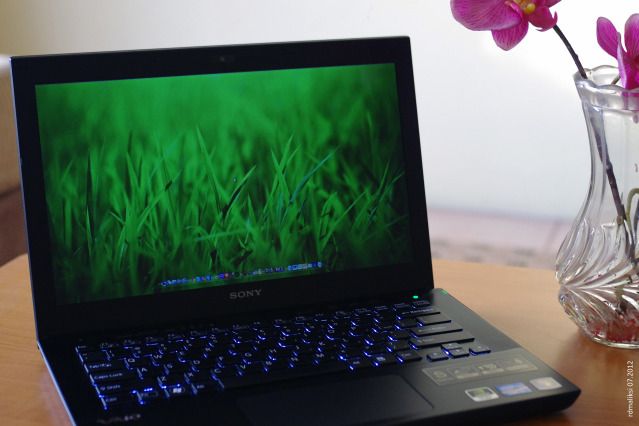
my vaio S premium...
This post has been edited by Rhoel: Jul 24 2012, 07:34 PM
what sleeve you guys are using? wanted to buy the think tank artificial intelligence bag...but a bit small...cant close zip...would love to have a light bag to go with it...
my vaio S premium...
wow..nice...vaio s premium back lit keyboard is blue color?
what sleeve you guys are using? wanted to buy the think tank artificial intelligence bag...but a bit small...cant close zip...would love to have a light bag to go with it...
my vaio S premium...
Wow how come it's blue?
QUOTE(Amal @ Jul 24 2012, 10:09 PM)
Come and join us. If yours is the S 2012 series, it should be fine.
Process is very easy.
You can ask our friend Rhoel here.
Mmm Rhoel is using premium one too. Mine's standard version. How to do the MD5 checksum BIOS thingy btw? Sorry I'm a huge noob in this lol.
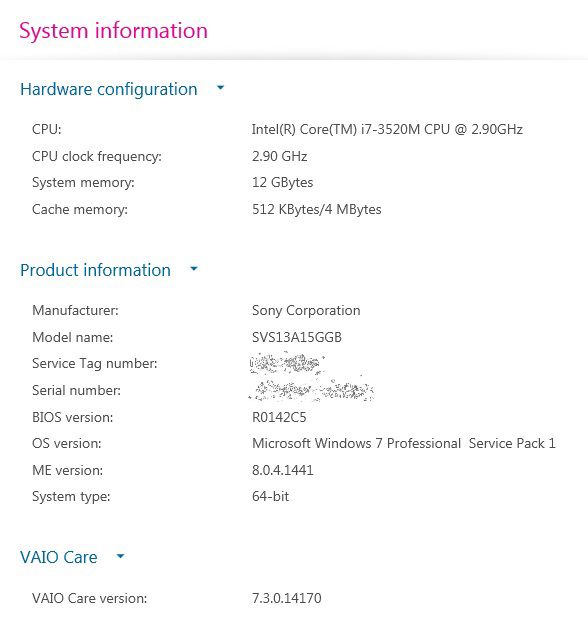
just check you computer/system specs in vaio care....
then see current bios...
what i did was...since the stock bios that came with my notebook is not the same as the updated one... I updated it first to the current by downloading it from the sony support site...
then run the bios update (make sure u got enough battery or better yet plug in ur notebook)...then after updating to the latest...download the all the flash that is there available...and start flashing...lol
just check you computer/system specs in vaio care....
then see current bios...
what i did was...since the stock bios that came with my notebook is not the same as the updated one... I updated it first to the current by downloading it from the sony support site...
then run the bios update (make sure u got enough battery or better yet plug in ur notebook)...then after updating to the latest...download the all the flash that is there available...and start flashing...lol
The BIOS will change. So far I'm having problems in downloading this update via Vaio Care. I wonder if it's fine if I skip this update. Too tempted to try the 900MHz version first


 Jul 22 2012, 02:53 PM


 Quote
Quote


 Trying to double check to see whether the BIOS matched or not. Never tried OCing before so kinda nervous bout it haha.




 0.0313sec
 0.65
0.65
 6 queries
 GZIP Disabled