

QUOTE(Eithanius @ Jun 16 2010, 04:56 PM)
good luck on that... 

??Err.. I'm guessing you can't remove MBP batteries like other laptops out there...? Sorry I haven't received my MBP yet I don't know how it looks like. >.<

Hardware The New MacBook/MacBook Pro/Air Users Thread v5, Share your joy and your pain here ;)
|
|
 Jun 16 2010, 04:58 PM Jun 16 2010, 04:58 PM
|
 
Senior Member
963 posts Joined: Dec 2007 
|
QUOTE(Eithanius @ Jun 16 2010, 04:56 PM) good luck on that... ??Err.. I'm guessing you can't remove MBP batteries like other laptops out there...? Sorry I haven't received my MBP yet I don't know how it looks like. >.< |
|
|
|
|
|
Jun 16 2010, 05:00 PM
|

Senior Member
2,664 posts Joined: Apr 2008 From: Here and There 
|
QUOTE(baoz @ Jun 16 2010, 04:55 PM) I just ordered my 13" MBP, yay! Expected to ship next week. 1.  One Q on batteries since we're on it now. I usually use my laptop at home on my workstation so it's plugged in to AC power all the time. And I definitely would wanna extend my battery life as long as I can so... 1. Do I take out my battery as long as I'm plugged in? 2. If so, how many % should I leave it at when I take it out.. 100% or 50% or less?  you do realize its a non removable battery right? you do realize its a non removable battery right?2. best to leave it in AC as it doesnt overcharge the battery is cut of, remember to calibrate every 3 weeks to 1 month,use the battery when needed till it reaches below 5% then only charge and do us a favor by reading this up http://support.apple.com/kb/ht1490 |
|
|
Jun 16 2010, 05:01 PM
|

Senior Member
3,952 posts Joined: Apr 2005 From: Sector 1921B, Delta Quadrant
|
QUOTE(baoz @ Jun 16 2010, 04:58 PM) ?? nowadays laptop battery charging tech has evolved to the extent that once the battery are fully charged, it will only continue to provide power to your laptop without overcharging your battery...Err.. I'm guessing you can't remove MBP batteries like other laptops out there...? Sorry I haven't received my MBP yet I don't know how it looks like. >.< |
|
|
Jun 16 2010, 05:02 PM
|
|
Senior Member
2,664 posts Joined: Apr 2008 From: Here and There
|
QUOTE(baoz @ Jun 16 2010, 04:58 PM) ?? what? its like getting a car that you are not sure of what it looks like here is a picture for you, i didnt know have to resort to this level of spoonfeeding Err.. I'm guessing you can't remove MBP batteries like other laptops out there...? Sorry I haven't received my MBP yet I don't know how it looks like. >.< 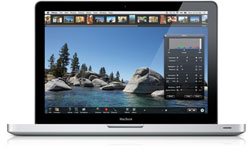 |
|
|
Jun 16 2010, 05:04 PM
|
|
Senior Member
3,952 posts Joined: Apr 2005 From: Sector 1921B, Delta Quadrant
|
QUOTE(nimrod323 @ Jun 16 2010, 05:02 PM) what? its like getting a car that you are not sure of what it looks like here is a picture for you, i didnt know have to resort to this level of spoonfeeding typical malaysian mentality lar... ask first then research... |
|
|
Jun 16 2010, 05:06 PM
|
|
Senior Member
2,664 posts Joined: Apr 2008 From: Here and There
|
QUOTE(Eithanius @ Jun 16 2010, 05:04 PM) typical malaysian mentality lar... ask first then research... we should start charging for ignorance, the more google friendly or the higher the common-sense-o-meter it should be a higher price. |
|
|
|
|
|
Jun 16 2010, 05:17 PM
|

Junior Member
33 posts Joined: Jun 2007
|
QUOTE(nimrod323 @ Jun 16 2010, 05:06 PM) we should start charging for ignorance, the more google friendly or the higher the common-sense-o-meter it should be a higher price. I ordered my macbook 13 inch on Friday Night , and they delivered to my house on Monday Morning ! Surprisingly FAST ! |
|
|
Jun 16 2010, 05:37 PM
|
|
Senior Member
963 posts Joined: Dec 2007
|
QUOTE(nimrod323 @ Jun 16 2010, 05:02 PM) what? its like getting a car that you are not sure of what it looks like here is a picture for you, i didnt know have to resort to this level of spoonfeeding Can you even see the battery from that picture. Please, it's just a mild question. Anyway, thanks for all the other constructive replies. This post has been edited by baoz: Jun 16 2010, 05:39 PM |
|
|
Jun 16 2010, 05:43 PM
|
|
Senior Member
2,664 posts Joined: Apr 2008 From: Here and There
|
QUOTE(baoz @ Jun 16 2010, 05:37 PM) Can you even see the battery from that picture. mild question? come on, you said exactly this: sorry I haven't received my MBP yet I don't know how it looks like. >.< did you imply the battery? if yes make it clear and no, you cant look at the battery from my picture because you have to remove the back panel, all 10 screws to be exact, and the picture is still accurate in both assertions . A basic search in apple.com/mabookpro would have netted you all the info you need before you purchase anything. Make sure you know exactly what you are getting into first, since this not a RM1-2 item.Please, it's just a mild question. Anyway, thanks for all the other constructive replies. |
|
|
Jun 16 2010, 05:47 PM
|
|
Senior Member
963 posts Joined: Dec 2007
|
QUOTE(nimrod323 @ Jun 16 2010, 05:43 PM) mild question? come on, you said exactly this: sorry I haven't received my MBP yet I don't know how it looks like. >.< did you imply the battery? if yes make it clear and no, you cant look at the battery from my picture because you have to remove the back panel, all 10 screws to be exact, and the picture is still accurate in both assertions . A basic search in apple.com/mabookpro would have netted you all the info you need before you purchase anything. Make sure you know exactly what you are getting into first, since this not a RM1-2 item. Look, I'm not a tech person. All I've found from the website so far is on how to calibrate the battery, not whether it's removable or not. Maybe I didn't read between the lines. And since most laptops can have their batteries removed, I would assume it's a standard thing. So I'm just asking a question about it before I receive my laptop. To me, it's not the most important criteria so I would have ordered it anyway regardless of being able to remove battery or not. |
|
|
Jun 16 2010, 05:56 PM
|
|
Senior Member
2,664 posts Joined: Apr 2008 From: Here and There
|
QUOTE(baoz @ Jun 16 2010, 05:47 PM) Look, I'm not a tech person. All I've found from the website so far is on how to calibrate the battery, not whether it's removable or not. Maybe I didn't read between the lines. And since most laptops can have their batteries removed, I would assume it's a standard thing. So I'm just asking a question about it before I receive my laptop. To me, it's not the most important criteria so I would have ordered it anyway regardless of being able to remove battery or not. look here, we dont expect you to be a techie, this is a very simple point, its just batteries. And the point im trying to make here is simple, make sure you go through everything that needs to be known about a product the good and the bad, and you dont have to read between the lines a little bit of attentiveness to this particular part in the spec listing says it all, you wouldnt ask this question if you have just paid a little attention to the easy to read material found here http://www.apple.com/macbookpro/specs-13inch.html |
|
|
Jun 16 2010, 06:44 PM
|
|
Senior Member
963 posts Joined: Dec 2007
|
QUOTE(nimrod323 @ Jun 16 2010, 05:56 PM) look here, we dont expect you to be a techie, this is a very simple point, its just batteries. And the point im trying to make here is simple, make sure you go through everything that needs to be known about a product the good and the bad, and you dont have to read between the lines a little bit of attentiveness to this particular part in the spec listing says it all, Alright thanks for the info. I did see that but I didn't know what a built-in battery is.you wouldnt ask this question if you have just paid a little attention to the easy to read material found here http://www.apple.com/macbookpro/specs-13inch.html Anyway, enough has been said. let's not turn this into a flamewar. |
|
|
Jun 16 2010, 06:45 PM
|

Senior Member
7,916 posts Joined: Jul 2005 From: Kuala Lumpur
|
QUOTE(baoz @ Jun 16 2010, 05:47 PM) Look, I'm not a tech person. All I've found from the website so far is on how to calibrate the battery, not whether it's removable or not. Maybe I didn't read between the lines. And since most laptops can have their batteries removed, I would assume it's a standard thing. So I'm just asking a question about it before I receive my laptop. To me, it's not the most important criteria so I would have ordered it anyway regardless of being able to remove battery or not. that's because you only read the battery calibration page, not the macbook pro page. it's not that u didnt read between the lines, you're on the wrong page! QUOTE To give the MacBook Pro the biggest battery possible without adding size or weight, Apple engineers eliminated all the parts required of a removable battery and embedded the battery into the notebook. This created enough space for a battery with significantly greater capacity — one that can run for up to 10 hours (8 to 9 hours on the 15- and 17-inch MacBook Pro) on a single charge. http://www.apple.com/macbookpro/battery/ i get it, most notebooks have removable batteries so yes, it's not wrong to expect the MBP has removable batteries as well. but really, anyone buying a certain gadget, particularly something that's expensive as a laptop, would've at least read through the spec sheet even if u dont understand 90% of it. but im sure "built-in battery" isnt that hard to swallow EDIT: oh so u really didnt know what built-in battery is.  haha. okay, built-in simply means the battery isn't meant to be removed/replaced by the customer. any notebook has a built-in screen, built-in keyboard, wi-fi antenna, speakers, you name it. it's the parts that is integrated to the product. haha. okay, built-in simply means the battery isn't meant to be removed/replaced by the customer. any notebook has a built-in screen, built-in keyboard, wi-fi antenna, speakers, you name it. it's the parts that is integrated to the product.most apple products have built-in batteries like the macbooks, ipods and iphones. This post has been edited by dvlzplayground: Jun 16 2010, 06:51 PM |
|
|
|
|
|
Jun 16 2010, 07:02 PM
|
|
Senior Member
2,664 posts Joined: Apr 2008 From: Here and There
|
QUOTE(baoz @ Jun 16 2010, 06:44 PM) Alright thanks for the info. I did see that but I didn't know what a built-in battery is. nver meant it that way either so no harms done,cheerioAnyway, enough has been said. let's not turn this into a flamewar. |
|
|
Jun 16 2010, 07:32 PM
|

Senior Member
1,264 posts Joined: Feb 2006 From: KL, Malaysia 
|
Hi there,
I have been using iTunes since I bought my mbp last year. I realised one big limitation (or maybe i dont know about it) of ITunes which is I cant click on the Currently playing song whenever I start playing a song while being in another album in iTunes. I would like to know any ways that I can be linked to the currently playing song like in WMP ? Also, I read that Itunes can be used to trim song , I searched iTunes for awhile, i dont seem to see the feature of this ? =) Cheers |
|
|
Jun 16 2010, 07:43 PM
|

Junior Member
67 posts Joined: Jun 2009
|
i got a problem here..my cnnection while using broadband modem always automatically discnnected..i dnt know why la..then i hve to reconnect it back, and after several minutes, it will dscnnected again..anyone hve experience this??
|
|
|
Jun 16 2010, 07:49 PM
|

Senior Member
596 posts Joined: Sep 2004 
|
QUOTE(keepme88 @ Jun 16 2010, 08:43 PM) i got a problem here..my cnnection while using broadband modem always automatically discnnected..i dnt know why la..then i hve to reconnect it back, and after several minutes, it will dscnnected again..anyone hve experience this?? Is it your coverage okey ??. Try different laptop or switch to windows OS to try n see. If same then it not OS problem, else should be drivers modem problem or setting maybe.. |
|
|
Jun 16 2010, 10:04 PM
|
|
Junior Member
67 posts Joined: Jun 2009
|
QUOTE(esssymanex @ Jun 16 2010, 07:49 PM) Is it your coverage okey ??. Try different laptop or switch to windows OS to try n see. If same then it not OS problem, else should be drivers modem problem or setting maybe.. my modem works properly when it runs on windows..but not with macOsX..coverage at my area only hve 2bar of 3g cnnection..is it normal to occur with low coverage? it is only few setting in my modem cofiguration..This post has been edited by keepme88: Jun 16 2010, 10:05 PM |
|
|
Jun 17 2010, 02:45 AM
|
|
Newbie
1 posts Joined: Jun 2010
|
Hi everyone,
i might be off topic but i need help.... i got a 17'' macbook pro unibody (early 2009) and my lcd is needs replacement (ink leak).. obviously care does not cover me cause it was accidental damage.. apple wants to charge me rm 3500 for a replacement.... oh god i cant afford rm3500 now and its ridiculous as a new 13'' mbp is the same price of the repair.... anyone can help.... any cheaper way without losing out on quality thanks a million sri |
|
|
Jun 17 2010, 02:49 AM
|
|
Senior Member
2,664 posts Joined: Apr 2008 From: Here and There
|
QUOTE(srihram @ Jun 17 2010, 02:45 AM) Hi everyone, pm wei, he could try to help you out, but screens are not cheap so prepare to shell out a big amount.i might be off topic but i need help.... i got a 17'' macbook pro unibody (early 2009) and my lcd is needs replacement (ink leak).. obviously care does not cover me cause it was accidental damage.. apple wants to charge me rm 3500 for a replacement.... oh god i cant afford rm3500 now and its ridiculous as a new 13'' mbp is the same price of the repair.... anyone can help.... any cheaper way without losing out on quality thanks a million sri |
|
Topic ClosedOptions
|
| Change to: |  0.0192sec 0.0192sec
 0.28 0.28
 6 queries 6 queries
 GZIP Disabled GZIP Disabled
Time is now: 8th December 2025 - 08:01 AM |
 Quote
Quote