Welcome Guest ( Log In | Register )

46 Pages « < 35 36 37 38 39 > » Bottom

Outline · [ Standard ] · Linear+

 Panasonic VIERA TH-P50S10K

views
     
lightning69
post Oct 22 2009, 10:39 AM

Look at all my stars!!
*******
Senior Member
2,298 posts

Joined: Jan 2003
From: Miri, Sarawak


I got my 50S10 yesterday. So far the picture quality is very good, but there is one very disturbing thing with this panasonic plasma tv. I heard many people and reviewers mention about the color inaccuracy with strange green tint and i thought they were very minimum. But man, I was quite shock to see the green color problem actually very bad. It is so visible and looks very bad.

I was playing Uncharted 2 last night and those green color appear very clearly on Nathan's face....(how do you call that eg. when someone shave his beard and then there is this like darker tone skin on the face)...that part appears green on the 50S10!!! Is that bad!!!

When I play Ice age 3, the shadow part of the mammoth and Sid(their hair color is brown) but it appear green. I will try to post some screen shot later.

Is there a way to reduce this green effect or eliminate it? Need help.
kayroll
post Oct 22 2009, 11:02 AM

On my way
****
Senior Member
612 posts

Joined: Jul 2009
From: Kuantan
QUOTE(lightning69 @ Oct 22 2009, 10:39 AM)
I got my 50S10 yesterday.  So far the picture quality is very good, but there is one very disturbing thing with this panasonic plasma tv.  I heard many people and reviewers mention about the color inaccuracy with strange green tint and i thought they were very minimum.  But man, I was quite shock to see the green color problem actually very bad. It is so visible and looks very bad. 

I was playing Uncharted 2 last night and those green color appear very clearly on Nathan's face....(how do you call that eg. when someone shave his beard and then there is this like darker tone skin on the face)...that part appears green on the 50S10!!! Is that bad!!!

When I play Ice age 3, the shadow part of the mammoth and Sid(their hair color is brown) but it appear green.  I will try to post some screen shot later.

Is there a way to reduce this green effect or eliminate it?  Need help.
*
warm up your s10k for 100++ hours......then the problem shoul be ok....or ask anfieldude for the calibration....this one need to be done after break in period. Right me if i'm wrong... nod.gif
anfieldude
post Oct 22 2009, 11:11 AM

Look at all my stars!!
*******
Senior Member
3,858 posts

Joined: Jan 2008
QUOTE(lightning69 @ Oct 22 2009, 10:39 AM)
I got my 50S10 yesterday.  So far the picture quality is very good, but there is one very disturbing thing with this panasonic plasma tv.  I heard many people and reviewers mention about the color inaccuracy with strange green tint and i thought they were very minimum.  But man, I was quite shock to see the green color problem actually very bad. It is so visible and looks very bad. 

I was playing Uncharted 2 last night and those green color appear very clearly on Nathan's face....(how do you call that eg. when someone shave his beard and then there is this like darker tone skin on the face)...that part appears green on the 50S10!!! Is that bad!!!

When I play Ice age 3, the shadow part of the mammoth and Sid(their hair color is brown) but it appear green.  I will try to post some screen shot later.

Is there a way to reduce this green effect or eliminate it?  Need help.
*
As kayroll says, nothign u can do unless u go into the service menu and make some changes. It has a strong green push and is a known problem with the S10. However, it can be calibrated out.
lightning69
post Oct 22 2009, 11:15 AM

Look at all my stars!!
*******
Senior Member
2,298 posts

Joined: Jan 2003
From: Miri, Sarawak


QUOTE(anfieldude @ Oct 22 2009, 11:11 AM)
As kayroll says, nothign u can do unless u go into the service menu and make some changes. It has a strong green push and is a known problem with the S10. However, it can be calibrated out.
*
Can i do the calibration now or do i need to wait till its fully run-in?

Thanks


Added on October 22, 2009, 11:24 amThe other problem I notice is the black level. I try to do a basic calibration with some TV calibration photos i got from the internet. The calibration done with this calibration screen would appear good on movies when their is a lot of bright object on the screen. What I mean is that the black looks fantastic if the movie scene is a bright scene. But when the movies enter a very dark scene, the the black becomes grey and it appears like the tv is set too bright. But if I calibrate the black to be balck on dark scene, then the picture would look dull on bright scene and its looks too dark.


This post has been edited by lightning69: Oct 22 2009, 11:24 AM
anfieldude
post Oct 22 2009, 12:33 PM

Look at all my stars!!
*******
Senior Member
3,858 posts

Joined: Jan 2008
QUOTE(lightning69 @ Oct 22 2009, 11:15 AM)
Can i do the calibration now or do i  need to wait till its fully run-in?

Thanks


Added on October 22, 2009, 11:24 amThe other problem I notice is the black level.  I try to do a basic calibration with some TV calibration photos i got from the internet.  The calibration done with this calibration screen would appear good on movies when their is a lot of bright object on the screen.  What I mean is that the black looks fantastic if the movie scene is a bright scene.  But when the movies enter a very dark scene, the the black becomes grey and it appears like the tv is set too bright.  But if I calibrate the black to be balck on dark scene, then the picture would look dull on bright scene and its looks too dark.
*
Again, something that needs to be done in service menu, there is a setting called sub-brightness that can be adjusted to bring the set out of black faster or slower. Can you let me know how u adjusted the brightness? Was it using a windowed pattern or full black pattern? What test patterns did u use? Also what r u viewing it with, HTPC, media player?

Calibration shd be done after 200hrs so that the phospors have settled.
SIWIS
post Oct 22 2009, 12:34 PM

Getting Started
**
Junior Member
262 posts

Joined: Jan 2003
From: Sibu, Sarawak


Post your tv problem screenshot so that forumer here can help.
Lone*Wolf
post Oct 22 2009, 12:46 PM

Regular
******
Senior Member
1,442 posts

Joined: Sep 2006
QUOTE(anfieldude @ Oct 22 2009, 12:33 PM)
Again, something that needs to be done in service menu, there is a setting called sub-brightness that can be adjusted to bring the set out of black faster or slower. Can you let me know how u adjusted the brightness? Was it using a windowed pattern or full black pattern? What test patterns did u use? Also what r u viewing it with, HTPC, media player?

Calibration shd be done after 200hrs so that the phospors have settled.
*
Wow, meaning that plasma owners will probably have to wait for months before they can fully appreciate their purchase, huh? (thats is, if they do a professional calibration after that). No wonder plasmas' getting a lot of flak, and LCD's the preferred choice for the masses.
anfieldude
post Oct 22 2009, 12:52 PM

Look at all my stars!!
*******
Senior Member
3,858 posts

Joined: Jan 2008
QUOTE(Lone*Wolf @ Oct 22 2009, 12:46 PM)
Wow, meaning that plasma owners will probably have to wait for months before they can fully appreciate their purchase, huh? (thats is, if they do a professional calibration after that).  No wonder plasmas' getting a lot of flak, and LCD's the preferred choice for the masses.
*
LCDs also need to be run in before calibration. The electronics take time to settle down. For LCDs preferably 100hrs. Will they change with time, most definately. Things degrade. Again, remember there are backlights and some things just take time to settle down.

Just a note, they look fine even when it is new, this is just so that the calibration is not wasted if the phospors do ctake longer to settle. Most sets are run-in at least a few hrs at the factory. For some plasmas, 50-100hrs run in at the factory and then QA'ed to see if it is within spec before release. Of course, these things add to the cost of the set...Also most electronics fail within 50hrs or then run for a long time without problems, Early Failure Rate is good to weed out before shipping.

This post has been edited by anfieldude: Oct 22 2009, 12:54 PM
Eldrow
post Oct 22 2009, 12:52 PM

New Member
*
Junior Member
16 posts

Joined: Jan 2003
Managed to get this up on my wooden feature wall. No problems so far (2x days). Initially thought that the bracket was a little small and flimsy and was surprised that it was more sturdy than I gave it credit for. The bracket doesn't have a brand. I've seen it being sold at outlets carrying electrical appliances to Harvey Normal (though much more expensive). I'm pretty sure that you can grab the same one from Jln Pasar as well, at a slightly lower cost. Comes in two variants, same design. One for the smaller screens, up to 42inch and the larger one for 46inch and above. The larger one is supposed to be able to take up to 80kgs (doubtful). Based on specs, the 50S is supposed to be around 34Kgs or thereabouts, so no problem smile.gif Also, don't save on the mounting screws, while six is recommended, I got kiasu and bolted another 2 more in just to be safe tongue.gif

Btw, I got the one with just the upward/downward tilt +/- 15 degrees, not the one with the extendable arm and screen face direction. Once fastened, you can only adjust the left/right alignment, and screen tilt. Works for me, although some might want the arm to swing the screen facind their kitchen etc.

edit: VESA compliant, and the mating/mounting points fitted nicely to the back of the TH-P50S10K.

Have fun!


QUOTE(ycs @ Oct 15 2009, 08:06 AM)
has anyone hang the 50S10 on wall and which bracket you using?
*
This post has been edited by Eldrow: Oct 22 2009, 12:56 PM
Lone*Wolf
post Oct 22 2009, 01:02 PM

Regular
******
Senior Member
1,442 posts

Joined: Sep 2006
QUOTE(anfieldude @ Oct 22 2009, 12:52 PM)
LCDs also need to be run in before calibration. The electronics take time to settle down. For LCDs preferably 100hrs. Will they change with time, most definately. Things degrade. Again, remember there are backlights and some things just take time to settle down.

Just a note, they look fine even when it is new, this is just so that the calibration is not wasted if the phospors do ctake longer to settle. Most sets are run-in at least a few hrs at the factory. For some plasmas, 50-100hrs run in at the factory and then QA'ed to see if it is within spec before release. Of course, these things add to the cost of the set...Also most electronics fail within 50hrs or then run for a long time without problems, Early Failure Rate is good to weed out before shipping.
*
This is interesting, do all units go through the 'run-in' process in the factory before going retail? Or just particular brands?
anfieldude
post Oct 22 2009, 01:06 PM

Look at all my stars!!
*******
Senior Member
3,858 posts

Joined: Jan 2008
QUOTE(Lone*Wolf @ Oct 22 2009, 01:02 PM)
This is interesting, do all units go through the 'run-in' process in the factory before going retail?  Or just particular brands?
*
I believe for plasma's all brands do some sort of run in. The more established brands (that are with premiums) do longer run ins, measure them after the run in, check some basic greyscale data and reject the ones that are out of control/spec. In some cases, u can get the data pre and post run in if u input the serial number.

I believe the professional sets have more stringent controls.
Lone*Wolf
post Oct 22 2009, 01:16 PM

Regular
******
Senior Member
1,442 posts

Joined: Sep 2006
QUOTE(anfieldude @ Oct 22 2009, 01:06 PM)
I believe for plasma's all brands do some sort of run in. The more established brands (that are with premiums) do longer run ins, measure them after the run in, check some basic greyscale data and reject the ones that are out of control/spec. In some cases, u can get the data pre and post run in if u input the serial number.

I believe the professional sets have more stringent controls.
*
hmm.. this is new to me as i tot they just send out their units virgin. this also means the plasma's run-in period is longer than said, right, esp most have already clocked some run-in hours from the factory floor itself.
anfieldude
post Oct 22 2009, 01:22 PM

Look at all my stars!!
*******
Senior Member
3,858 posts

Joined: Jan 2008
QUOTE(Lone*Wolf @ Oct 22 2009, 01:16 PM)
hmm..  this is new to me as i tot they just send out their units virgin.  this also means the plasma's run-in period is longer than said, right, esp most have already clocked some run-in hours from the factory floor itself.
*
Yes. But varies model to model. Of course the lower end ones will not have as much run in.
Lone*Wolf
post Oct 22 2009, 01:25 PM

Regular
******
Senior Member
1,442 posts

Joined: Sep 2006
QUOTE(anfieldude @ Oct 22 2009, 01:22 PM)
Yes. But varies model to model. Of course the lower end ones will not have as much run in.
*
Guess the Pana S10s ... laugh.gif

Thanks for the info anyway smile.gif
daryl.k
post Oct 22 2009, 03:14 PM

Casual
***
Junior Member
467 posts

Joined: Feb 2007


can discuss price here?

what's the price for 50S10 now? the last best offer i got was RM5600 without any freebie or BD player...

today, my colleague told me about this shop in Puchong...giving RM5500, still can nego...looks like price getting cheaper already....
richard912
post Oct 22 2009, 03:33 PM

d('_')b
******
Senior Member
1,821 posts

Joined: Jun 2009
From: 3°7'59"N 101°37'49"E


QUOTE(daryl.k @ Oct 22 2009, 03:14 PM)
can discuss price here?

what's the price for 50S10 now? the last best offer i got was RM5600 without any freebie or BD player...

today, my colleague told me about this shop in Puchong...giving RM5500, still can nego...looks like price getting cheaper already....
*
I think can get lower than that from jintex. A fren of mine just checked it out over the weekend
ahbsl
post Oct 22 2009, 04:48 PM

New Member
*
Junior Member
40 posts

Joined: Oct 2009
[quote=Eldrow,Oct 22 2009, 12:52 PM]
Managed to get this up on my wooden feature wall. No problems so far (2x days). Initially thought that the bracket was a little small and flimsy and was surprised that it was more sturdy than I gave it credit for. The bracket doesn't have a brand. I've seen it being sold at outlets carrying electrical appliances to Harvey Normal (though much more expensive). I'm pretty sure that you can grab the same one from Jln Pasar as well, at a slightly lower cost. Comes in two variants, same design. One for the smaller screens, up to 42inch and the larger one for 46inch and above. The larger one is supposed to be able to take up to 80kgs (doubtful).


How much u paid for the bracket for 50'' plasma ?
lightning69
post Oct 22 2009, 08:31 PM

Look at all my stars!!
*******
Senior Member
2,298 posts

Joined: Jan 2003
From: Miri, Sarawak


QUOTE(anfieldude @ Oct 22 2009, 12:33 PM)
Again, something that needs to be done in service menu, there is a setting called sub-brightness that can be adjusted to bring the set out of black faster or slower. Can you let me know how u adjusted the brightness? Was it using a windowed pattern or full black pattern? What test patterns did u use? Also what r u viewing it with, HTPC, media player?

Calibration shd be done after 200hrs so that the phospors have settled.
*
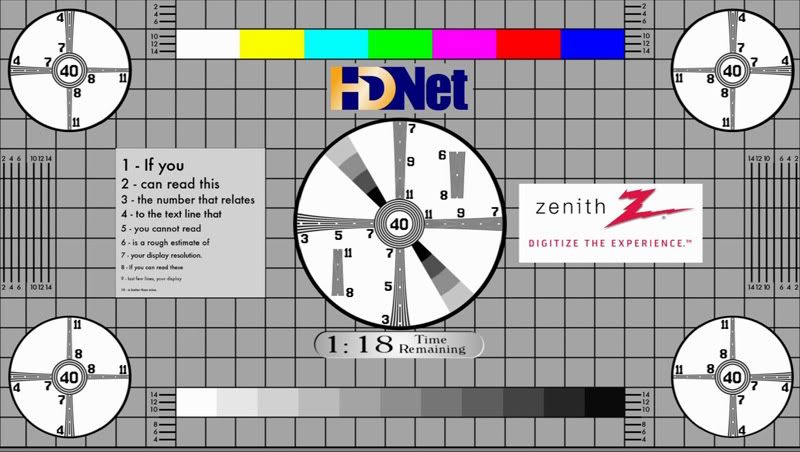
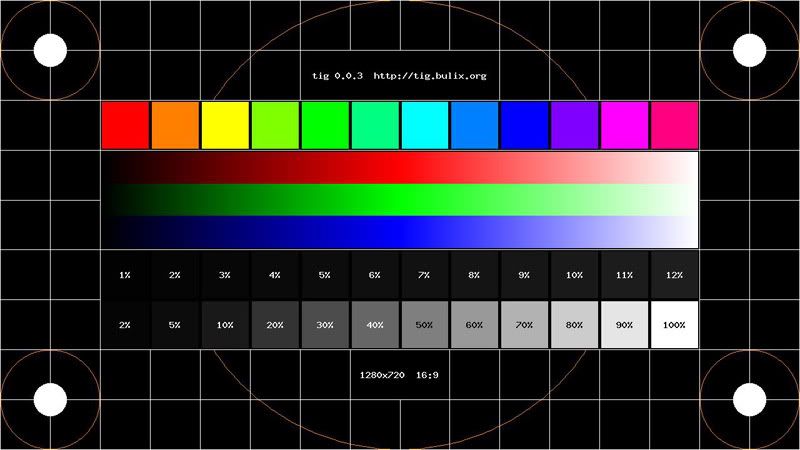
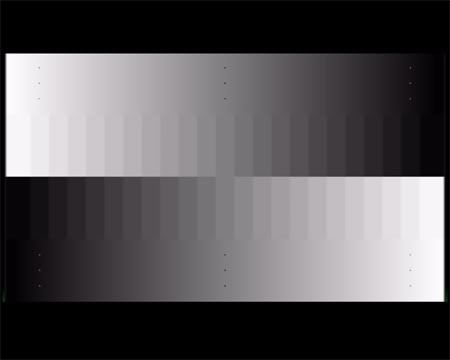
Actually i calibrate my 50S10 with these:
user posted image
user posted image
user posted image
I'm using WDTV. Can you help out with a simple guide to calibrate the 50S10?

This post has been edited by lightning69: Oct 22 2009, 08:42 PM
anfieldude
post Oct 22 2009, 08:44 PM

Look at all my stars!!
*******
Senior Member
3,858 posts

Joined: Jan 2008
QUOTE(lightning69 @ Oct 22 2009, 08:31 PM)
Actually i calibrate my 50S10 with these:
» Click to show Spoiler - click again to hide... «

I'm using WDTV.  Can you help out with a simple guide to calibrate the 50S10?
*
I've been meaning to start a thread on LYN on using basic test patterns for simple calibration of contrast, brightness, sharpness but have not had the time. I have asked permission from the owner of the test patterns if I can link them, so for now, pls PM me so I can send u the link and some basic instructions to at least get ur brightness, contrast settings correct.

BTW, these settings are no use to do anything.

This post has been edited by anfieldude: Oct 22 2009, 08:44 PM
ar188
post Oct 22 2009, 08:47 PM

Look at all my stars!!
*******
Senior Member
9,206 posts

Joined: Jun 2006
QUOTE(anfieldude @ Oct 22 2009, 08:44 PM)

BTW, these settings are no use to do anything.
*
the 3 pictures looks ok on my monitor.. voila! my LCD monitor is calibrated.. biggrin.gif

46 Pages « < 35 36 37 38 39 > » Top
 

Change to:
| Lo-Fi Version
0.0206sec    1.32    6 queries    GZIP Disabled
Time is now: 23rd December 2025 - 04:57 AM