Welcome Guest ( Log In | Register )

108 Pages « < 3 4 5 6 7 > » Bottom

Outline · [ Standard ] · Linear+

 Air Cooling Discussion Thread V3, Database, FAQ, Guides and Discussion!

views
     
TStkh_1001
post Sep 11 2008, 07:05 PM

Look at all my stars!!
*******
Senior Member
2,547 posts

Joined: Oct 2007


QUOTE(168257061 @ Sep 11 2008, 05:25 AM)
» Click to show Spoiler - click again to hide... «

*
finaly u posted liao thumbup.gif

will update it later biggrin.gif

QUOTE(UltramanToron @ Sep 11 2008, 07:26 AM)
core temp or speedfan more reliable? lol
*
for 45nm procs only coretemp 0.99.3 and realtemp 2.75beta will give u accurate reading..

EDIT: for now only tongue.gif

This post has been edited by tkh_1001: Sep 11 2008, 07:10 PM
chyu89
post Sep 11 2008, 09:31 PM

I'm not a gynaecologist but I'll take a look
*******
Senior Member
2,465 posts

Joined: Sep 2007
From: Kuala Lumpur     Status: Freeride not dead
QUOTE(ham_revilo @ Sep 11 2008, 02:58 PM)
imo the sideways gap are a small.. dont u think so?? it would be like too much air blowing in and less going out.. imho its not really good for the airflow...

anyway u can do a setup like that and snap some pics for better understanding and maybe post some result though brows.gif
*
Will try if i got free time. Only have a hp camera.

Re: it would be like too much air blowing in and less going out
i thought what goes in will automatically goes out?
emilz
post Sep 11 2008, 09:41 PM

Regular
******
Senior Member
1,377 posts

Joined: Jan 2003
From: Nothing special


i got noctua u12f running wif dfi dk p45

oc till 3.2 only and the temp only 37 degree

hehe

ccf will tell later

This post has been edited by emilz: Sep 11 2008, 09:44 PM
metsatsu
post Sep 11 2008, 09:57 PM

Chocolate Starfish
Group Icon
VIP
2,510 posts

Joined: Dec 2004
From: Penang Island and Bidor


hey guys, I think i finally figured out why my cpu temp is so high. I think it's due to several factors.

1. very hot graphic card HD4870 810/950
2. 3 HDDs in the hard drive bay which pretty much blocked the front fan intake
3. small case (cooler master mystique)

So i decided to install a 120mm intake side panel fan. to see if it's helping. so far it 'looked' as if the temp actually dropped a little. but I will need to let it 'burn-in' for a while before i can get a more substantial results.

and on top of that, I've also reapplied the thermal compound. but this time i tried getting it thin and smooth, before putting my ultima90 hsf on.

will update the result soon smile.gif
TStkh_1001
post Sep 11 2008, 10:02 PM

Look at all my stars!!
*******
Senior Member
2,547 posts

Joined: Oct 2007


erm....

i think maybe u are right about ventilation...

but 4870 will straight exhaust the hot air to the rear of the case one right?

from what i have read in the conclusion of the experiment... the guy say the most effective case cooling is by putting one single fan to exhaust rear only rclxub.gif

http://icrontic.com/articles/pc_airflow_heat_cooling_guide
metsatsu
post Sep 11 2008, 10:10 PM

Chocolate Starfish
Group Icon
VIP
2,510 posts

Joined: Dec 2004
From: Penang Island and Bidor


i know the HD4870 exhaust the air out from the case. but yet, the card is sooo hot, that it actually warms up my side panel, as well the whole rare surface of my casing. that's why the ambient temp of the casing is always quite high.

now i have 2 fans as intake and one rear exahsut smile.gif
DaRkSyThE
post Sep 12 2008, 12:23 AM

Look at all my stars!!
Group Icon
VIP
4,809 posts

Joined: Jan 2005


QUOTE(metsatsu @ Sep 11 2008, 10:10 PM)
i know the HD4870 exhaust the air out from the case. but yet, the card is sooo hot, that it actually warms up my side panel, as well the whole rare surface of my casing. that's why the ambient temp of the casing is always quite high.

now i have 2 fans as intake and one rear exahsut smile.gif
*
the stock cooler itself is not enough to keep the temps down.
you need a better heatsink for it.

putting fans will help with the airflow but the heat prob will still be there
SoulReaver
post Sep 12 2008, 12:37 AM

TerribleLover
****
Senior Member
513 posts

Joined: Dec 2006
From: Cheras, Kuala Lumpur


I got 3 intake (1 front, 1 side, 1 bottom) 3 Output (2 Top, 1 Rear)
My HD4870 have no probs. Idle@ Stocks Speed is 52c in Non-AirCon Room (I know its kinda High). Everything inside is running well. Sidepanel wont get warm, etc etc.

P.S. If wanna use just one fan at the Rear of the casing. I think i should use fans like Vizo Windstorm O.o?

This post has been edited by SoulReaver: Sep 12 2008, 12:38 AM
ham_revilo
post Sep 12 2008, 12:49 AM

I
*******
Senior Member
6,583 posts

Joined: Feb 2008


QUOTE(metsatsu @ Sep 11 2008, 09:57 PM)
hey guys, I think i finally figured out why my cpu temp is so high. I think it's due to several factors.

1. very hot graphic card HD4870 810/950
2. 3 HDDs in the hard drive bay which pretty much blocked the front fan   intake
3. small case (cooler master mystique)

So i decided to install a 120mm intake side panel fan. to see if it's helping. so far it 'looked' as if the temp actually dropped a little. but I will need to let it 'burn-in' for a while before i can get a more substantial results.

and on top of that, I've also reapplied the thermal compound. but this time i tried getting it thin and smooth, before putting my ultima90 hsf on.

will update the result soon smile.gif
*
imo ventilation is depending on your casing... if u feel that there is some places that is lack of ventilation, meaning no air is going through that area, try installing a fan to blow towards that area...

but keep in mind that u need to get those hot air out.. so to me, its kinda test and error situation... try changing position of the fans around your casing and see hows the result shows...

one more thing is, i think the fan which is install to blow your HDD is not going to improve any ventilation in your casing... if u want a front fan to improve your ventilation, put the fan "inside" your casing... its something like that:

Attached Image
source of the pics is from here

anyway there is alot of ways to cool down your pc components, im just givings some suggestions smile.gif

This post has been edited by ham_revilo: Sep 12 2008, 12:54 AM
metsatsu
post Sep 12 2008, 07:40 AM

Chocolate Starfish
Group Icon
VIP
2,510 posts

Joined: Dec 2004
From: Penang Island and Bidor


latest update

metsatsu/ Thermalright Ultima-90/ Tuniq Tx2 / Intel C2Q Q9450 @ 3.40ghz(28% overclock)/ 1.19v/ silverstone FN91 90mm fan/ 54c/ 68c/ non-aircond/ prime95

so i guess the side panel fan which is blowing directly on the cpu and the re-application of the thermal paste did help!

P/S: i've also slightly increased my voltage tongue.gif

QUOTE
the stock cooler itself is not enough to keep the temps down.
you need a better heatsink for it.

putting fans will help with the airflow but the heat prob will still be there
yah, i knew that too. my gpu temp is pretty ok. coz it was flashed to ASUS 4870 top bios, so it has a better fan profile, able to keep the gpu temp down to 60c at all time. but the problem is the heat conducted through the metal part to the casing. but that one doesn't really worry me much as long as i can find ways to keep the interior air temp low.

QUOTE
I got 3 intake (1 front, 1 side, 1 bottom) 3 Output (2 Top, 1 Rear)
My HD4870 have no probs. Idle@ Stocks Speed is 52c in Non-AirCon Room (I know its kinda High). Everything inside is running well. Sidepanel wont get warm, etc etc.

P.S. If wanna use just one fan at the Rear of the casing. I think i should use fans like Vizo Windstorm O.o?
I suppose thats your cpu temp right?

QUOTE
imo ventilation is depending on your casing... if u feel that there is some places that is lack of ventilation, meaning no air is going through that area, try installing a fan to blow towards that area...

but keep in mind that u need to get those hot air out.. so to me, its kinda test and error situation... try changing position of the fans around your casing and see hows the result shows...

one more thing is, i think the fan which is install to blow your HDD is not going to improve any ventilation in your casing... if u want a front fan to improve your ventilation, put the fan "inside" your casing... its something like that:
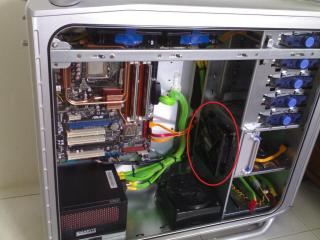
Attached Image
source of the pics is from here

anyway there is alot of ways to cool down your pc components, im just givings some suggestions smile.gif


looks interesting, but my case really lacks of space. especially how my 4870 is sticking right at the HDD cage. just enough space for the 2 pcie power connectors to be bent awkwardly and connected rclxub.gif by the way thanks for the suggestion thumbup.gif

This post has been edited by metsatsu: Sep 12 2008, 11:04 AM


Attached thumbnail(s)

Attached Image
SoulReaver
post Sep 12 2008, 10:18 AM

TerribleLover
****
Senior Member
513 posts

Joined: Dec 2006
From: Cheras, Kuala Lumpur


QUOTE
I got 3 intake (1 front, 1 side, 1 bottom) 3 Output (2 Top, 1 Rear)
My HD4870 have no probs. Idle@ Stocks Speed is 52c in Non-AirCon Room (I know its kinda High). Everything inside is running well. Sidepanel wont get warm, etc etc.

P.S. If wanna use just one fan at the Rear of the casing. I think i should use fans like Vizo Windstorm O.o?


Its My HD4870's Temp. blush.gif Will Post up my CPU temp next week... smile.gif
metsatsu
post Sep 12 2008, 12:14 PM

Chocolate Starfish
Group Icon
VIP
2,510 posts

Joined: Dec 2004
From: Penang Island and Bidor


QUOTE(SoulReaver @ Sep 12 2008, 10:18 AM)
Its My HD4870's Temp.  blush.gif Will Post up my CPU temp next week... smile.gif
*
ok ok. by the way what's your clock speed for 4870?

by the way, do u guys think that 4 sticks of oc'ed ram can contribute to higher temperature? as in compared to a only pair of default voltage ram?

i dunno how it's like for u guys, coz if i put my hand about 4 inch away from the ram area. i can feel the heat radiating from it. So u can imagine the warm air which was sucked straight into the HSF, contributes to the higher temp of my cpu.

This post has been edited by metsatsu: Sep 12 2008, 12:17 PM
SoulReaver
post Sep 12 2008, 01:18 PM

TerribleLover
****
Senior Member
513 posts

Joined: Dec 2006
From: Cheras, Kuala Lumpur


QUOTE(metsatsu @ Sep 12 2008, 12:14 PM)
ok ok. by the way what's your clock speed for 4870?

by the way, do u guys think that 4 sticks of oc'ed ram can contribute to higher temperature? as in compared to a only pair of default voltage ram?

i dunno how it's like for u guys, coz if i put my hand about 4 inch away from the ram area. i can feel the heat radiating from it. So u can imagine the warm air which was sucked straight into the HSF, contributes to the higher temp of my cpu.
*
GPU Clock : 790mhz Mem Clock : 900mhz (CCC)

I prefer active cooling for my rams. Just bought a Ram Cooler. If not mistaken, Those HeatSpreaders on the Performance Rams are just to spread the heat of the chipset throught the heatspreader thus heat is not concentrated within the chipset itself. If u have a Combo or HeatSpreader+ Ram Cooler. In my opinion, its much better.
CHiNO730
post Sep 12 2008, 07:52 PM

On my way
****
Senior Member
526 posts

Joined: Aug 2008


CHiNO730 / Zalman CNPS9500 / Intel Core 2 Duo E6420 @ 3.100GHz (46% OC) / 1.300V/ 92mm Zalman Fan / 49c/ 66c/ Non-Airconditioned/ Orthos

Other Stats:

Was running a GPU benchmark too at the same time to try and heat up the case and record a max temp.

Room Temp: 33C
Case Temp: 42C
GPU Temp: 69C


user posted image
metsatsu
post Sep 12 2008, 10:26 PM

Chocolate Starfish
Group Icon
VIP
2,510 posts

Joined: Dec 2004
From: Penang Island and Bidor


QUOTE(CHiNO730 @ Sep 12 2008, 07:52 PM)
CHiNO730 / Zalman CNPS9500 / Intel Core 2 Duo E6420 @ 3.100GHz (46% OC) / 1.300V/ 92mm Zalman Fan / 49c/ 66c/ Non-Airconditioned/ Orthos

Other Stats:

Was running a GPU benchmark too at the same time to try and heat up the case and record a max temp.

Room Temp: 33C
Case Temp: 42C
GPU Temp: 69C
user posted image
*
u know what. I think i should record my room temp just like chino. at least it gives me an idea of the relativity of the cpu temp and room temp. coz at early in the morning, my cpu load temp can go down by 5c. but dunno what my room temp is. sad.gif maybe i should buy a thermometer
TStkh_1001
post Sep 13 2008, 12:37 AM

Look at all my stars!!
*******
Senior Member
2,547 posts

Joined: Oct 2007


QUOTE(SoulReaver @ Sep 12 2008, 12:37 AM)
I got 3 intake (1 front, 1 side, 1 bottom) 3 Output (2 Top, 1 Rear)
My HD4870 have no probs. Idle@ Stocks Speed is 52c in Non-AirCon Room (I know its kinda High). Everything inside is running well. Sidepanel wont get warm, etc etc.

P.S. If wanna use just one fan at the Rear of the casing. I think i should use fans like Vizo Windstorm O.o?
*
unless u are somebody who can handle noise... i suggest u use lower cfm fans that is less noisy and put more exhaust than intake... this way u create a negative pressure environment...u can read here on why wink.gif

http://www.xoxide.com/computer-cooling.html

QUOTE(metsatsu @ Sep 12 2008, 07:40 AM)
latest update

metsatsu/ Thermalright Ultima-90/ Tuniq Tx2 / Intel C2Q Q9450 @ 3.40ghz(28% overclock)/ 1.19v/ silverstone FN91 90mm fan/ 54c/ 68c/ non-aircond/ prime95

*
updated ur latest update thumbup.gif


QUOTE(CHiNO730 @ Sep 12 2008, 07:52 PM)
CHiNO730 / Zalman CNPS9500 / Intel Core 2 Duo E6420 @ 3.100GHz (46% OC) / 1.300V/ 92mm Zalman Fan / 49c/ 66c/ Non-Airconditioned/ Orthos

Other Stats:

Was running a GPU benchmark too at the same time to try and heat up the case and record a max temp.

Room Temp: 33C
Case Temp: 42C
GPU Temp: 69C
» Click to show Spoiler - click again to hide... «

*
hey bro... i need ur screenshot to post up the results yo biggrin.gif

QUOTE(metsatsu @ Sep 12 2008, 10:26 PM)
u know what. I think i should record my room temp just like chino. at least it gives me an idea of the relativity of the cpu temp and room temp. coz at early in the morning, my cpu load temp can go down by 5c. but dunno what my room temp is. sad.gif maybe i should buy a thermometer
*
hey bro... why not try run half naked rig n see how it goes? brows.gif

This post has been edited by tkh_1001: Sep 13 2008, 12:38 AM
SoulReaver
post Sep 13 2008, 01:01 AM

TerribleLover
****
Senior Member
513 posts

Joined: Dec 2006
From: Cheras, Kuala Lumpur


QUOTE
unless u are somebody who can handle noise... i suggest u use lower cfm fans that is less noisy and put more exhaust than intake... this way u create a negative pressure environment...u can read here on why wink.gif


Hmmm. If So, Which one should i use as exhaust? CM690 Side Panel cant be outtake right O.o" Btm definately cant be exhaust, Side Panel cant be also><" Where else O.O"
teamloks
post Sep 13 2008, 04:16 AM

Regular
******
Senior Member
1,176 posts

Joined: Aug 2008
yah btm need to intake what i hear frm who aa forgot that hot air will go upper biggrin.gif
UltramanToron
post Sep 13 2008, 04:53 AM

Getting Started
**
Junior Member
241 posts

Joined: Oct 2004
any1 know t-rad2 have arrive o not?

http://www.thermalright.com/new_a_page/pro...oler_trad2.html

user posted image
AceCombat
post Sep 13 2008, 08:51 AM


Group Icon
Elite
5,434 posts

Joined: Dec 2006


@ultraman
i've been posted in hardware section.
it should be arrived on october or november smile.gif

108 Pages « < 3 4 5 6 7 > » Top
 

Change to:
| Lo-Fi Version
0.0220sec    0.39    6 queries    GZIP Disabled
Time is now: 5th December 2025 - 06:09 AM
