Welcome Guest ( Log In | Register )

Bump Topic Topic Closed RSS Feed
6 Pages < 1 2 3 4 5 > » Bottom

Outline · [ Standard ] · Linear+

Nokia [Nokia N82 Official Thread V2], Storytelling rediscovered continues...

views
     
cute_boboi
post May 28 2008, 12:12 AM

° 忍 °
*******
Senior Member
6,462 posts

Joined: Nov 2004
From: [Latitude-N3°9'25"] [Longitude-E101°42'45"]


QUOTE(lucaswjk @ May 26 2008, 07:06 PM)
Need N82 user to test this, has anyone ever feel the heat from N82???
~ During charging, yes I do.
~ Due to magnet, mayb but i unable to confirm...
~ Due to file corruption, mayb the OS will use more power for watever task like infinite loop.
Overall if the phone have no problem, i m quite happy with the battery life. Last me 2days on normal use.
*
1) During charging using those 4x gang extension in room temperature without aircond (estimate 28-30C), I tried to put the phone on top of the charging adapter. Both the adapter and phone are very warm.
But after separate it from lying on top of adapter, it is only mildly warm for both charger and phone.

2) No magnet pouch. I can test if someone buy one for me. tongue.gif

3) Never had file corruption before, and don't intend to have it for testing. I'm very cautious about "safely removing hardware" on both PC and h/p.


QUOTE(aitoshi @ May 26 2008, 10:15 PM)
i am trying N82 earpiece HS-43 just now. I am figuring what is the function for the centre button between increase/decrease volume. anyone know the function for that?
Do you know how can I skip track in music player using HS-43?
*
I realised this couple of months back. There is NO documentation on HS-43 inside N82 package. I tried to search in Nokia website. Zilch. Seach in google. Zilch. So I drop an email to customer AND support at Nokia-Asia website. No response. Then I use my standard spam method. Email them every week. Still no response. Finally I gave up. doh.gif

Then, all of a sudden, I receive a reply this month: (email modified)

QUOTE
From: <removed>
To: cute_boboi
Sent: <removed>
Subject: RE: Ask Nokia - Singapore:: Technical Support[THREAD ID: <removed>]


Dear cute_boboi,

Thank you for emailing Nokia Careline.

We sincerely apologise for the delay as we have been experiencing some
technical difficulties with our system.

In response to your email, For the full functionality of the HS-43 Headset
, When the Nokia word in the middle is facing you. On the left side , this
is where the volume controls are located ( music, call, radio ).

The middle button where the NOKIA word is printed. This is the button when
your using the headset as handsfree: Call -Answer / End Key , when used
as a HEADSET for RADIO - button functions as " press to go to next saved
station "

Basically these are the functions on the HS-43 Headset.

You may like to visit our website at www.nokia.com.sg for more information
and support for your Nokia device. If you have further enquiries, please
write to us again or contact Nokia Careline at <removed>. We operate
between the hours of 8:00am and 8:00pm, seven days a week.

Please help us improve our service by completing the Nokia E-mail
Satisfaction Survey at the following link:
<removed>

Kind regards,

KC
Nokia Careline
doh.gif I want a user manual documentation, not just a simple explanation. rclxub.gif I'm sure each Nokia products and accessories comes with a few types of documentation in PDF: user manual, compliance, RoHS, technical spec, etc.

I have not replied the email yet nor fill in the satisfaciton survey, which I will do it soon. shakehead.gif

This post has been edited by cute_boboi: May 28 2008, 12:21 AM
cute_boboi
post May 28 2008, 12:25 AM

° 忍 °
*******
Senior Member
6,462 posts

Joined: Nov 2004
From: [Latitude-N3°9'25"] [Longitude-E101°42'45"]


QUOTE(ziggy87 @ May 28 2008, 12:17 AM)
"this is where the volume controls are located ( music, call, radio )"

wat does this mean eh?
the 3 buttons are for those purposes?
can those features be activated when the hp is in standby?
and music, call, radio buttons are from top to bottom or vice versa?
the explanation is so confusing hmmm
*
... and it comes from, guess where ? Kiasu-land Nokia Careline doh.gif supposedly the better support centre.

The above basically mean the volume control can be used while playing music, call and radio.
Yes, you can tweak the volume when in standby mode. The volume buttons don't activate the LCD.
Try it.
rclxub.gif
cute_boboi
post May 28 2008, 12:39 AM

° 忍 °
*******
Senior Member
6,462 posts

Joined: Nov 2004
From: [Latitude-N3°9'25"] [Longitude-E101°42'45"]


QUOTE(ziggy87 @ May 28 2008, 12:27 AM)
but if i'm not mistaken, i've searched & downloaded a manual in pdf for HS-43 (googling)
it has another version in thai language i think..but i cant find it back thru google
but downloaded, read thru, and deleted laugh.gif  laugh.gif
tat time haven get N82 oso
was juz surverying and studying it
*
Now is payback time. You found it before, so... please google until you find it and share here brows.gif

cute_boboi
post May 28 2008, 03:07 PM

° 忍 °
*******
Senior Member
6,462 posts

Joined: Nov 2004
From: [Latitude-N3°9'25"] [Longitude-E101°42'45"]


QUOTE(ziggy87 @ May 28 2008, 12:48 AM)
u really need it? if not then consider not buyin 1

btw..cute_boboi..i think the manual i got was for HS-44,AD-44
roflmao~~~ laugh.gif  laugh.gif  laugh.gif
coz i tot of getting it after i got N82 but it turned out not compatible hahaha
sorry..it's such a turn off blush.gif  blush.gif
*
doh.gif adoi!

I thought I miss out something while googling, which you found...

QUOTE(bsl555 @ May 28 2008, 01:07 AM)
YES! I need one when I'm travelling around the city on foot. I can't be standing like a dungu to recharge the phone at some building complex in public area wall plug. My regret on N82 is not having great battery performance. Use GPS or wifi, the battery drain can be faster than your car petrol gauge! I'm still uneasy at N82 battery performance. Or looks like I buy a cheaper SE phone thats proven with great battery performance if I'm out for long hours.
*
Why not try those 3rd party AAA battery charger which claim can extend 2-3x usage, bla bla bla ? I've never tried it, a bit skeptical on it blowing up/fire/etc. hmm.gif Anyone use it before ?

Or you can get a separate BT GPS device which is more accurate and response faster ?

QUOTE(-storm- @ May 28 2008, 07:01 AM)
Hi, does anyone experiencing this problem im having... when i use Nokia browser i can't multitask already, once i hold down the menu button for the task manager it just freeze up, then i need to press the red button to go back to active standby then open back menu and go back into browser which is still operating only task manager freezes. Other application ok, only with nokia browser i can't use task manager.
*
Yes, I do encounter it once in a while. I treat it as "Microsoft" symptom. This kind of things will happen when the Symbian OS gets more complicated and more features/apps installed/running.
My solution is what you wrote above. Red cancel call button.

QUOTE(Terence573 @ May 28 2008, 02:37 PM)
Got a bit of dust inside my n82...inside the screen.So uneasy seeing it..
Anyone know how to remove the front cover? izzit just like n73?
*
If it is original, send to Nokia service centre. They should do it for free. If AP, then sorry la. Quite hard to ask them to open up just to clear some dust for you, unless you know them well.

cute_boboi
post May 28 2008, 03:21 PM

° 忍 °
*******
Senior Member
6,462 posts

Joined: Nov 2004
From: [Latitude-N3°9'25"] [Longitude-E101°42'45"]


QUOTE(havenzhiv @ May 28 2008, 03:11 PM)
Anyone know if the Nokia Map in n82 black is version 1.0 or 2.0? how to check?
*
Open Nokia Maps. While loading, if the Earth is showing Europe and Africa as centre, it is version 1. If it is showing Timbuktu, it is version 2. If it shows a reddish orange planet, that is Mars, version 3... whistling.gif


Seriously, it is as easy as Options -> About -> first line on top "v2.0 ______"

cute_boboi
post May 28 2008, 03:56 PM

° 忍 °
*******
Senior Member
6,462 posts

Joined: Nov 2004
From: [Latitude-N3°9'25"] [Longitude-E101°42'45"]


I hope you didn't really try open Nokia Maps and see which part of the Earth you are facing tongue.gif

cute_boboi
post May 28 2008, 05:59 PM

° 忍 °
*******
Senior Member
6,462 posts

Joined: Nov 2004
From: [Latitude-N3°9'25"] [Longitude-E101°42'45"]


QUOTE(ziggy87 @ May 28 2008, 04:52 PM)
sorry la dude notworthy.gif  notworthy.gif  notworthy.gif
*
Never mind lah smile.gif icon_rolleyes.gif

QUOTE(cucubud @ May 28 2008, 05:14 PM)
Why worry how to search for names?  Just go Contacts and key in j then follow by o.  All names with JO will appear.  If got too many names with JO, then key in h, then all names with JOH will appear.
*
Sometimes is due to personal preference. I like all my names sort in full names, M'sian style.
e.g.
Wong Ah Kow
Charles Mohan
Mohamad Zaid bin Ibrahim

Not in:
Ah Kow, Wong
or Kow, Wong Ah
or Wong.Ah Kow
etc. doh.gif

I have a big headache to sync with Outlook address book, in the end it mess up my phone book and I have to rectify one by one. sweat.gif Maybe I don't know how to sync with Outlook properly tongue.gif

cute_boboi
post May 28 2008, 07:18 PM

° 忍 °
*******
Senior Member
6,462 posts

Joined: Nov 2004
From: [Latitude-N3°9'25"] [Longitude-E101°42'45"]


QUOTE(cucubud @ May 28 2008, 06:35 PM)
When you search, you key in w then o then n then g, this name will appear regardless which way it is displayed.  Maybe other names like Ken Wong and KKWong will also displayed.  So, choose from there which one you want to call.
*
Searching is one thing. Displaying it in proper order when scrolling is another. I'm a organised person. rolleyes.gif I don't like to see the names in messy:

KKWong
Wong Ah Kow
Wong, Charles
Ah Fatt, Wong
GK, Wong
Robert Wong
rclxub.gif
It is so messy !!!


Added on May 28, 2008, 7:21 pm
QUOTE(Terence573 @ May 28 2008, 06:42 PM)
I tried googling for disassemble nokia and it does shows complete disassenble steps...well for better understand what is inside ur n82 take a look at this
http://www.scribd.com/doc/2440938/Nokia-N82-Disassembly

They use a set of special tools though...I use my finger nail tool. icon_idea.gif
Pulling the cover like regular n73( just the screen part)..remove the dust...and voila.done.But I tend to left a little prints left inside the cover dang!
*
I think someone posted this PDF file in N82 V1 before hmm.gif sorry, can't recall who you are.

I don't dare to open up yet, as still under warranty until 2009 sweat.gif
Maybe you can tell us do you manage to fix it all back ? So far any problem using it after the surgery ? smile.gif


This post has been edited by cute_boboi: May 28 2008, 07:21 PM
cute_boboi
post May 29 2008, 12:00 PM

° 忍 °
*******
Senior Member
6,462 posts

Joined: Nov 2004
From: [Latitude-N3°9'25"] [Longitude-E101°42'45"]


QUOTE(quick_shaq @ May 28 2008, 11:17 PM)
N82 can fit till how much memory eyh ?
4GB can right?
*
Repeat again. N82 can support 32GB micro-SDHC. But current max available in market is 8GB. A few of us here are using, including me.

QUOTE(quick_shaq @ May 29 2008, 12:46 AM)
wow ...much better to hear that...
now more attracted to the N82 black  wub.gif
but still in dilema ..izzit a great choice ? doh.gif
*
Do you prefer:
1) Slide or candybar ?
2) Does a 2.4" vs 2.8" screen matter to you ?
3) Does a xenon flash matter to you ?
4) Does music player keys matter to you ?
5) Does small keypad matter to you ?

The rest of advantages and disadvantages are roughly the same. Battery life sucks, etc.

cute_boboi
post May 29 2008, 12:46 PM

° 忍 °
*******
Senior Member
6,462 posts

Joined: Nov 2004
From: [Latitude-N3°9'25"] [Longitude-E101°42'45"]


QUOTE(ziggy87 @ May 29 2008, 12:28 PM)
dude..using 8gb slow anot?
*
Lag down a bit by 100ms to 1.5s, depending on what app I'm opening. It also depends on how much music and/or images, videos you put inside. Definitely will slow down.

The extra space is worth it, especially when you are planning to take a long video. tongue.gif

cute_boboi
post Jun 24 2008, 11:26 PM

° 忍 °
*******
Senior Member
6,462 posts

Joined: Nov 2004
From: [Latitude-N3°9'25"] [Longitude-E101°42'45"]


Just copy the entire memory card over. Then reset to factory default.

cute_boboi
post Jun 27 2008, 01:01 PM

° 忍 °
*******
Senior Member
6,462 posts

Joined: Nov 2004
From: [Latitude-N3°9'25"] [Longitude-E101°42'45"]


Means you need to go back to that site and follow the instruction to download and install phyton first.

Or google for phyton S60v3 installation.

cute_boboi
post Jul 2 2008, 10:29 AM

° 忍 °
*******
Senior Member
6,462 posts

Joined: Nov 2004
From: [Latitude-N3°9'25"] [Longitude-E101°42'45"]


QUOTE(Hybz @ Jul 1 2008, 07:17 PM)
anyoen tried the barcode scanner ? i wonder how it works lolz
*
Yes, it works. Try to scan my signature below. It's QR Code type of barcode. (Quick Recognition)

cute_boboi
post Jul 2 2008, 12:18 PM

° 忍 °
*******
Senior Member
6,462 posts

Joined: Nov 2004
From: [Latitude-N3°9'25"] [Longitude-E101°42'45"]


1) You connect using USB cable or Bluetooth ?
2) When you connect, your phone choose:
(a) PC Suite ?
(b) USB Transfer ?
3) Using WinXP or Vista or what ?

You must choose (2)(a) and let WinXP detect everything, which include a modem driver. Never tested on Vista, not sure it supports or not.

cute_boboi
post Jul 2 2008, 05:54 PM

° 忍 °
*******
Senior Member
6,462 posts

Joined: Nov 2004
From: [Latitude-N3°9'25"] [Longitude-E101°42'45"]


QUOTE(Hybz @ Jul 2 2008, 02:07 PM)
yup it works biggrin.gif

But it dont work on those barcode from hypermarket .... scan for >5 minute nothing happend
*
Of course lah, those are other types of barcodes: UPC, UCC/EAN, Code-39, Code-128, etc.
Barcode Types

Nokia only supports QR Code and DataMatrix, but I have not tried DataMatrix so far.

cute_boboi
post Jul 2 2008, 06:51 PM

° 忍 °
*******
Senior Member
6,462 posts

Joined: Nov 2004
From: [Latitude-N3°9'25"] [Longitude-E101°42'45"]


QUOTE(newbuyer @ Jul 2 2008, 06:18 PM)
Hi i connect using PC suite mode.
The computer detected and installed all the drivers.
I check and N82 modem driver is installed.
But somehow i click one touch access,
it still said no modem detect.
Really dun know what the problem.
Please help.
Thank you
*
In the one touch access, goto settings and change the default modem to N82 (or something which has similiar name). Also set it to higher priority order if possible.


cute_boboi
post Jul 2 2008, 07:03 PM

° 忍 °
*******
Senior Member
6,462 posts

Joined: Nov 2004
From: [Latitude-N3°9'25"] [Longitude-E101°42'45"]


If you mean PC USB to N82 USB, so far not possible.

If you mean PC USB to N82 mini-slot for charging, then yes.
cute_boboi
post Jul 3 2008, 11:26 AM

° 忍 °
*******
Senior Member
6,462 posts

Joined: Nov 2004
From: [Latitude-N3°9'25"] [Longitude-E101°42'45"]


QUOTE(christopher_mhm @ Jul 2 2008, 10:45 PM)
hey.. i wanna ask is anyone here using quick office premier on ur n82? n what is the quickoffice premier version?
*
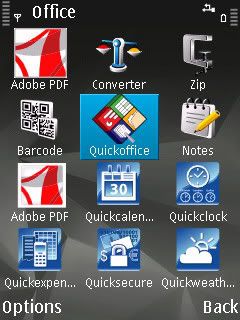
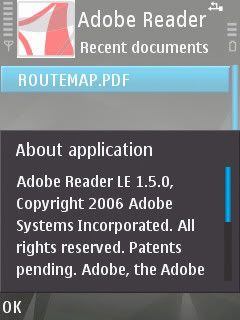
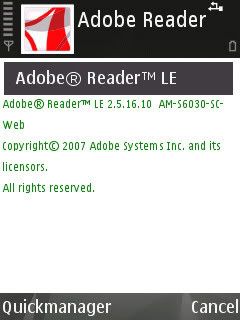
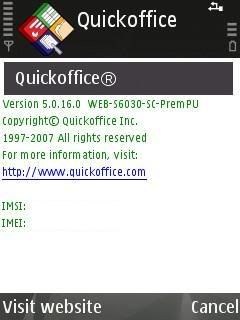
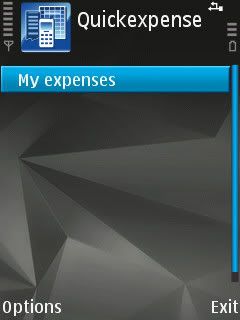
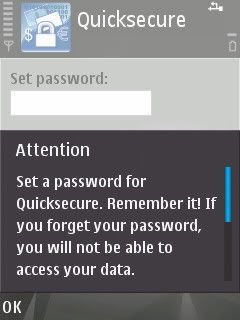
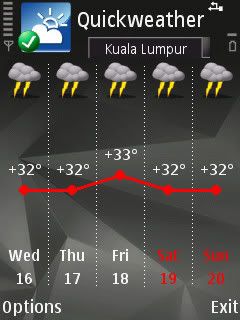
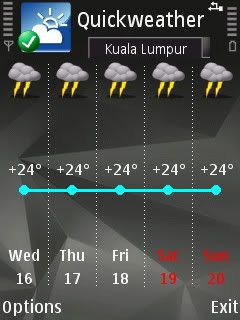
blush.gif Just to share, Quickoffice v5.0.16.0 premier:

Application->Office menu:
user posted image
» Click to show Spoiler - click again to hide... «


to be continued...

cute_boboi
post Jul 3 2008, 11:27 AM

° 忍 °
*******
Senior Member
6,462 posts

Joined: Nov 2004
From: [Latitude-N3°9'25"] [Longitude-E101°42'45"]


... continue
» Click to show Spoiler - click again to hide... «


cute_boboi
post Jul 3 2008, 11:28 AM

° 忍 °
*******
Senior Member
6,462 posts

Joined: Nov 2004
From: [Latitude-N3°9'25"] [Longitude-E101°42'45"]


QUOTE(Fearless @ Jul 3 2008, 11:21 AM)
A bit confuse.

USB port CA-100 is connecting to mini or micro USB?
*
CA-100 connects to the charger port. Not micro-USB or mini-USB.


6 Pages < 1 2 3 4 5 > » Top
Topic ClosedOptions
 

Change to:
| Lo-Fi Version
0.0358sec    0.32    7 queries    GZIP Disabled
Time is now: 11th December 2025 - 02:13 AM