Download link
i saw this on newspaper but i can't download it.. anyone success dl it please let me know ^^
This post has been edited by froz3nnoob: Jan 31 2008, 05:51 PM
Windows VISTA Service Pack 1 Discussion
Windows VISTA Service Pack 1 Discussion
|
|
 Jan 31 2008, 05:50 PM, updated 18y ago Jan 31 2008, 05:50 PM, updated 18y ago
Show posts by this member only | Post
#1
|
 
Senior Member
837 posts Joined: Oct 2006 From: Malaysia  
|
Download link
i saw this on newspaper but i can't download it.. anyone success dl it please let me know ^^ This post has been edited by froz3nnoob: Jan 31 2008, 05:51 PM |
|
|
|
|
|
Jan 31 2008, 08:20 PM
Show posts by this member only | Post
#2
|
 
Moderator
9,277 posts Joined: Jan 2005 From: KL. Best place in Malaysia. Nuff said 
|
there are already 3/4 threads that gave that link already. Godai for bringing up old news
|
|
|
Feb 1 2008, 09:40 AM
Show posts by this member only | Post
#3
|

Senior Member
4,524 posts Joined: Oct 2007 From: ~Still finding the place~
|
Windows Vista Service Pack 1 Beta Overview??
this pdf file i got it long long time ago..  |
|
|
Feb 1 2008, 10:20 AM
Show posts by this member only | Post
#4
|

Junior Member
45 posts Joined: Sep 2007
|
Microsoft announced release note for window vista SP1 on 31/1/08.,including some change and security update.
Please visit http://snipurl.com/1ypt0 Info From http://wongsk.blogspot.com |
|
|
Feb 1 2008, 10:32 AM
Show posts by this member only | Post
#5
|
|
Junior Member
45 posts Joined: Sep 2007
|
Microsoft announced release note for window vista SP1 on 31/1/08.,including some change and security update.
Please visit http://snipurl.com/1ypt0 Info From http://wongsk.blogspot.com |
|
|
Feb 1 2008, 10:49 AM
Show posts by this member only | Post
#6
|

Senior Member
3,918 posts Joined: Nov 2004
|
so is this final yet?
|
|
|
|
|
|
Feb 1 2008, 11:04 AM
Show posts by this member only | Post
#7
|
|
Moderator
9,277 posts Joined: Jan 2005 From: KL. Best place in Malaysia. Nuff said
|
no it's not
|
|
|
Feb 1 2008, 02:01 PM
Show posts by this member only | Post
#8
|
|
Senior Member
837 posts Joined: Oct 2006 From: Malaysia
|
yes, its final i think. i saw on the newspaper. it say they got through alot of tester already.
 |
|
|
Feb 1 2008, 02:09 PM
Show posts by this member only | Post
#9
|
|
Moderator
9,277 posts Joined: Jan 2005 From: KL. Best place in Malaysia. Nuff said
|
QUOTE(froz3nnoob @ Feb 1 2008, 02:01 PM) yes, its final i think. i saw on the newspaper. it say they got through alot of tester already. yes, I'm one of the beta testers you dum dum and this is what you get from ur link 
It's not even frickin' RC1 version  This post has been edited by linkinstreet: Feb 1 2008, 02:10 PM |
|
|
Feb 2 2008, 06:45 AM
|
 
Elite
24,354 posts Joined: Nov 2004 From: Setapak, Kuala Lumpur
|
Just visit Microsoft's site. They will advertise on their main page if release SP1 for Vista.
|
|
|
Feb 4 2008, 11:21 PM
|

Senior Member
1,309 posts Joined: Dec 2004 From: The Lion City
|
from microsoft website:
Media Alert: Microsoft Releases Windows Vista Service Pack 1, Windows Server 2008 to Manufacturing Client and server operating systems help provide customers with increased efficiency, performance and security. REDMOND, Wash. - Feb. 4, 2008 What: Windows Vista Service Pack 1 (SP1) was released to manufacturing today and will start being available to customers in March, starting with Microsoft Volume Licensing customers. Windows Server 2008 was also released to manufacturing today and will be available for purchase to new customers on March 1. Microsoft Volume Licensing customers with active Microsoft Software Assurance coverage or an Enterprise Agreement will be able to download the server software toward the end of February as part of the joint Microsoft SQL Server 2008 and Visual Studio 2008 "Heroes Happen Here" launch event. Where: http://windowsvistablog.com/blogs/windowsvista/default.aspx http://blogs.technet.com/windowsserver http://www.microsoft.com/presspass/feature...2-04WS2008.mspx How: Windows Vista SP1 includes quality improvements that help enhance reliability, security and performance. Windows Server 2008 builds on the success and strengths of past server solutions and helps give organizations a solid foundation for their information technology (IT) infrastructure. Organizations using Windows Vista SP1 and Windows Server 2008 together can see a number of improvements for IT professionals, including benefits in security and manageability, overall system performance, and streamlined planning and deployment. source: http://www.microsoft.com/presspass/press/2...VistaSP1MA.mspx |
|
|
Feb 5 2008, 12:05 AM
|
|
Senior Member
1,282 posts Joined: Dec 2004 From: penang
|
QUOTE(dualshock @ Feb 4 2008, 11:21 PM) from microsoft website: already can get the iso from BTMedia Alert: Microsoft Releases Windows Vista Service Pack 1, Windows Server 2008 to Manufacturing Client and server operating systems help provide customers with increased efficiency, performance and security. REDMOND, Wash. - Feb. 4, 2008 What: Windows Vista Service Pack 1 (SP1) was released to manufacturing today and will start being available to customers in March, starting with Microsoft Volume Licensing customers. Windows Server 2008 was also released to manufacturing today and will be available for purchase to new customers on March 1. Microsoft Volume Licensing customers with active Microsoft Software Assurance coverage or an Enterprise Agreement will be able to download the server software toward the end of February as part of the joint Microsoft SQL Server 2008 and Visual Studio 2008 "Heroes Happen Here" launch event. Where: http://windowsvistablog.com/blogs/windowsvista/default.aspx http://blogs.technet.com/windowsserver http://www.microsoft.com/presspass/feature...2-04WS2008.mspx How: Windows Vista SP1 includes quality improvements that help enhance reliability, security and performance. Windows Server 2008 builds on the success and strengths of past server solutions and helps give organizations a solid foundation for their information technology (IT) infrastructure. Organizations using Windows Vista SP1 and Windows Server 2008 together can see a number of improvements for IT professionals, including benefits in security and manageability, overall system performance, and streamlined planning and deployment. source: http://www.microsoft.com/presspass/press/2...VistaSP1MA.mspx |
|
|
Feb 5 2008, 12:13 AM
|

Senior Member
7,740 posts Joined: Jun 2006 From: Some Yih 
|
QUOTE(dualshock @ Feb 4 2008, 11:21 PM) REDMOND, Wash. - Feb. 4, 2008 What: Windows Vista Service Pack 1 (SP1) was released to manufacturing today and will start being available to customers in March, starting with Microsoft Volume Licensing customers. i tot it was 8 feb...grr |
|
|
|
|
|
Feb 5 2008, 12:53 AM
|

Elite
6,139 posts Joined: Jan 2003
|
QUOTE(gstoh @ Feb 5 2008, 12:05 AM) already can get the iso from BT holy shit.. 2.8GB for SP1? lol |
|
|
Feb 5 2008, 11:07 AM
|
|
Senior Member
1,282 posts Joined: Dec 2004 From: penang
|
QUOTE(jinaun @ Feb 5 2008, 12:53 AM) holy shit.. 2.8GB for SP1? lol  that is vista with sp1 .... This post has been edited by gstoh: Feb 5 2008, 11:09 AM |
|
|
Feb 5 2008, 11:38 AM
|
|
Moderator
9,277 posts Joined: Jan 2005 From: KL. Best place in Malaysia. Nuff said
|
QUOTE(jinaun @ Feb 5 2008, 12:53 AM) holy shit.. 2.8GB for SP1? lol full installation la dude, not an update.This post has been edited by linkinstreet: Feb 5 2008, 11:39 AM |
|
|
Feb 5 2008, 01:14 PM
|

Senior Member
2,729 posts Joined: Oct 2005 From: Gotham City
|
can sm1 pm me whr 2 download da full version?
n i kal microsoft, nt released atm..oni in march... which one correct now? |
|
|
Feb 5 2008, 03:20 PM
|

Junior Member
90 posts Joined: Feb 2007
|
Vista SP1 aviable in March ..
Added on February 5, 2008, 3:23 pmRTM is availabe but not avaible to WU TECHNET MADN After march This post has been edited by ongoky: Feb 5 2008, 03:23 PM |
|
|
Feb 5 2008, 05:46 PM
|
|
Elite
24,354 posts Joined: Nov 2004 From: Setapak, Kuala Lumpur
|
Be careful of what you download. There is an iso with major bug there. I think it's 1840 at the end of version number for x64. Builds with 2040 is the one without bug.
I don't have info for x86(32bit) though. However, there is this news like this one that discourages me: http://neowin.net/index.php?act=view&id=45439 This post has been edited by TristanX: Feb 5 2008, 05:47 PM |
|
|
Feb 6 2008, 05:03 AM
|

Senior Member
5,291 posts Joined: Dec 2004 From: I Luv Msia
|
Microsoft may have soothed the angst of the service pack hungry masses by releasing Vista SP1 to manufacturing, but users won't be able to actually download it until mid-March at the earliest, company officials said Monday. During beta testing for Vista SP1, Microsoft found that some device drivers were causing problems on systems with SP1 installed. Although the issues can be fixed by uninstalling and reinstalling the drivers, Microsoft decided this would be too complicated for most users. As a result, Microsoft will spend the next month hunting for additional problematic device drivers, said David Zipkin, senior product manager in Windows Client Group."With drivers, we wanted to make sure when folks upgrade to Vista that they have a smooth experience," Zipkin said.
In mid-March, Microsoft plans to release Vista SP1 in 5 languages - English, French, Spanish, German and Japanese - through Windows Update and the Download Center, Zipkin said, adding that Microsoft will ensure that SP1 isn't pushed out to PCs that have the aforementioned drivers installed. In April, Microsoft will begin auto updates of Vista SP1 to users who've chosen this option, and will also release the rest of the language specific versions of Vista SP1, Zipkin said. Microsoft has handed off the final Vista SP1 bits to its OEM partners, and if testing goes well, they'll soon begin building new PCs based on Vista SP1 images. Microsoft has also begun pressing Vista SP1 DVDs for its retail and volume licensing customers. more details @ CRN News |
|
|
Feb 6 2008, 06:10 PM
|

All Stars
17,053 posts Joined: Jan 2003
|
when only can get it?
|
|
|
Feb 7 2008, 02:10 AM
|

Senior Member
1,464 posts Joined: Dec 2004
|
i am already running SP1, 1800
from what i heard, RC1 Refresh 2 will be exactly the same as RTM... so far no problem with this one  This post has been edited by deric88: Feb 7 2008, 02:12 AM |
|
|
Feb 7 2008, 02:16 PM
|

Senior Member
2,603 posts Joined: Sep 2006
|
QUOTE(deric88 @ Feb 7 2008, 02:10 AM) i am already running SP1, 1800 me too using itfrom what i heard, RC1 Refresh 2 will be exactly the same as RTM... so far no problem with this one http://img137.imageshack.us/img137/7905/sp1oj7.jpg  |
|
|
Feb 7 2008, 04:21 PM
|
|
All Stars
17,053 posts Joined: Jan 2003
|
got improvement?
|
|
|
Feb 8 2008, 12:48 AM
|

Senior Member
3,304 posts Joined: Mar 2006 From: Chicago(Port25)
|
seems like no respond.....
 |
|
|
Feb 8 2008, 01:23 AM
|
|
Senior Member
2,603 posts Joined: Sep 2006
|
QUOTE(Darkmage12 @ Feb 7 2008, 04:21 PM) got improvement? QUOTE(riku2replica @ Feb 8 2008, 12:48 AM) seems like no respond..... dunno, can't feel any (if any)i thought SP1 just an upgrade version (adds new stuff only) |
|
|
Feb 8 2008, 01:29 AM
|
|
Senior Member
1,464 posts Joined: Dec 2004
|
QUOTE(E-J@1 @ Feb 8 2008, 01:23 AM) dunno, can't feel any (if any) the version of SP1 u having is the SP1 beta, not even RC1i thought SP1 just an upgrade version (adds new stuff only) RC1 Refresh 2 is confirmed to be the RTM version tht will be released soon. Uninstall your service pack 1 to install the RC1 Refresh 2, more info pm me |
|
|
Feb 15 2008, 12:04 PM
|

Junior Member
441 posts Joined: Nov 2004 
|
As usual, Vista SP1 cracked..... lol
|
|
|
Feb 15 2008, 12:52 PM
|
|
Moderator
9,277 posts Joined: Jan 2005 From: KL. Best place in Malaysia. Nuff said
|
QUOTE(zidane01zidane @ Feb 8 2008, 01:41 AM) wat laa microsoft....I upgrade to SP1 also still BSOD all the time. My PC specs is quite powerful already! Later I'll go and reformat to XP and wait until Vista get bttr when other ppl have no such problem, blame your PC, not the OS |
|
|
Feb 15 2008, 01:05 PM
|
|
Junior Member
441 posts Joined: Nov 2004
|
QUOTE(zidane01zidane @ Feb 8 2008, 01:41 AM) wat laa microsoft....I upgrade to SP1 also still BSOD all the time. My PC specs is quite powerful already! Later I'll go and reformat to XP and wait until Vista get bttr yala, i have no problem whatsoever installing vista so many times on different pc, |
|
|
Feb 15 2008, 06:20 PM
|

Senior Member
1,191 posts Joined: Jan 2007 From: Penang
|
QUOTE(Sony Trinitron @ Feb 15 2008, 12:04 PM) As usual, Vista SP1 cracked..... lol And many to follows  |
|
|
Feb 16 2008, 11:33 AM
|

Junior Member
43 posts Joined: Mar 2007
|
i'm using sp1 too...
but seems like nothing diff.. not much diff at all..  |
|
|
 Feb 16 2008, 01:46 PM Feb 16 2008, 01:46 PM
|

Senior Member
539 posts Joined: Jan 2007 From: Cuba
|
Just download and installed vista sp1 from MSDN Subscriber Downloads links & Geewizzz! there a lot of different with this sp1 running on my vista home premium.
- Several Reliability Improvements - Performance and Power Consumption Improvements - Security Improvements If you were the MSDN Subscriber why wait? Go & visit there for this sp1! This post has been edited by easyzuddin: Feb 16 2008, 01:47 PM |
|
|
Feb 16 2008, 06:01 PM
|
|
Moderator
9,277 posts Joined: Jan 2005 From: KL. Best place in Malaysia. Nuff said
|
QUOTE(Paine @ Feb 16 2008, 11:33 AM) i'm using sp1 too... Full or RC version?but seems like nothing diff.. not much diff at all.. |
|
|
Feb 17 2008, 02:48 PM
|

Senior Member
5,366 posts Joined: Aug 2005 
|
by the time it's available, would our pc download it automatically, using default windows update settings
|
|
|
Feb 17 2008, 06:58 PM
|
|
Senior Member
837 posts Joined: Oct 2006 From: Malaysia
|
i can't download it T.T when i download is a PDF file.. how to open?
|
|
|
Feb 17 2008, 11:50 PM
|

Junior Member
254 posts Joined: Jun 2006
|
so now is Vista SP1 is offically released ?? i got download the ahem version but scared to install ... later got bug and whatnot ==""
|
|
|
Feb 18 2008, 05:54 PM
|

Elite
4,603 posts Joined: Jan 2003 From: PJ
|
QUOTE(linkinstreet @ Feb 16 2008, 06:01 PM) Full or RC version? Well it's (RTM) released on connect for sure. |
|
|
Feb 21 2008, 09:22 AM
|

Senior Member
2,205 posts Joined: Jan 2003
|
So when are they going to release it huh?
Im tired of waiting liao... Not really want to use but if got improvement, will try n see. Currently downgraded to XP which runs perfectly but does battery management a bit poorer. |
|
|
Feb 21 2008, 09:26 AM
|
|
Moderator
9,277 posts Joined: Jan 2005 From: KL. Best place in Malaysia. Nuff said
|
QUOTE(Eoma @ Feb 18 2008, 05:54 PM) Well it's (RTM) released on connect for sure. I know, just asking him what version he's using |
|
|
Feb 21 2008, 05:17 PM
|
|
Moderator
9,277 posts Joined: Jan 2005 From: KL. Best place in Malaysia. Nuff said
|
QUOTE(microsoft) We know that many of you are anxious to get your hands on the Windows Vista Service Pack 1 RTM bits. And to that end, we have some good news. We are pleased to announce that--while broad RTW availability is still scheduled for March--the SP1 Update RTM bits are available now to TechNet subscribers. If you are subscriber, please visit TechNet Plus Subscriptions and sign in to access Top Subscriber Downloads. If you have a prior version of the SP1 beta installed, you must uninstall it prior to installing the final version. Check out Things to know before you download Windows Vista SP1 for more information, and for updated details on all aspects of Windows Vista SP1, stop by the Windows Vista TechCenter. Go Get it if ur a technet subscriberFor a closer look Inside Vista SP1 File Copy Improvements pull up Mark Russinovich's (of Sysinternals fame) blog and learn about the evolution of the file copy. Also catch Mark and a panel of experts on March 5 at 9:00 AM Pacific Time for a live, interactive discussion on adopting Windows Vista into a desktop infrastructure. Sign up for Still Undecided on Windows Vista? and hear about the challenges, workarounds, and tips & tricks they have learned along the way. For access to guidance, resources, tools, and straight-talk articles today, visit the Springboard Series for Windows Vista. Also from the Sysinternals crew, you'll definitely want to grab the update of Sigcheck, a command-line file version display and signature checking utility. Sigcheck v1.50 adds a new option for displaying file hashes. |
|
|
Feb 21 2008, 05:19 PM
|
|
Junior Member
90 posts Joined: Feb 2007
|
Running SP1 Full version now .
Improved network connectivoty File transfer HIGHLIGHT !!!! 40 % faster ... almost same with XP speed or some how faster boot up battery and overall performance .. |
|
|
Feb 22 2008, 01:54 PM
|
|
Senior Member
539 posts Joined: Jan 2007 From: Cuba
|
 For oem system builder go and get it today 02/22/2008 at the site. Register as partner with your live id and get the file. For oem system builder go and get it today 02/22/2008 at the site. Register as partner with your live id and get the file.download consist of : 1. 6001.18000.080118-1840_iso_client_sp_wave0-frmcsp0_dvd.img (iso) (1.13 GB) - Vista SP1 image file - The file will be in .img format. - Use a third-party DVD authoring software to burn the .img file to a DVD. - Select the appropriate .exe file(s) in the language(s) you need to install and copy from the DVD to your destination computer. - Follow the instructions in the step-by-step guide for upgrading your existing system image(s) to Windows Vista SP1. Important In order to upgrade to Windows Vista SP1, you must use the new OEM Preinstallation Kit. 2. 6001.18000.080118-1840-kb3opk_en.img (iso) (1.43 GB) - English version The Windows OEM Preinstallation Kit (OPK) has been updated to support the following operating systems: - Windows Vista with Service Pack 1 (SP1) - Windows Server 2008 Link This post has been edited by easyzuddin: Feb 24 2008, 03:24 PM |
|
|
Feb 22 2008, 08:51 PM
|
|
Senior Member
973 posts Joined: Oct 2004 From: CarJunk
|
hye..just downloaded vista sp1 from torrent..
after installing..no directX 10.1? |
|
|
Feb 23 2008, 04:13 AM
|

VIP
727 posts Joined: Nov 2006
|
QUOTE(User_Xp @ Feb 22 2008, 08:51 PM) hye..just downloaded vista sp1 from torrent.. Why the fuss? just got it vista64 SP1 over windows update.after installing..no directX 10.1? |
|
|
Feb 23 2008, 05:08 AM
|

Senior Member
783 posts Joined: Jan 2003 From: Hertfordshire
|
64bit got SP1, 32bit still need to wait, damn...
|
|
|
Feb 23 2008, 10:22 PM
|
|
Senior Member
973 posts Joined: Oct 2004 From: CarJunk
|
QUOTE(4agze @ Feb 23 2008, 05:08 AM) 64bit got SP1, 32bit still need to wait, damn... lol...directx 10.1 only in vista x64?? |
|
|
Mar 10 2008, 12:43 AM
|

Senior Member
2,994 posts Joined: Jan 2003 From: Behind You
|
juz installed vista sp1
y no dx10.1??any sifu can help? Attached thumbnail(s) 
|
|
|
Mar 10 2008, 02:10 PM
|

Newbie
50 posts Joined: Nov 2007
|
stable enough??
|
|
|
Mar 10 2008, 09:16 PM
|
|
Elite
4,603 posts Joined: Jan 2003 From: PJ
|
QUOTE(Irishcoffee @ Mar 10 2008, 12:43 AM) juz installed vista sp1 You need a DX10.1 card and DX10.1 supporting drivers before it will show in DXDiag (Display--> DDI version)y no dx10.1??any sifu can help? Only ones supporting that are the Radeon HD 2xx and 3xx series. To ease your suspense a bit, go look in the Windows\System32 folder, if you see d3d10_1.dll that means you've got DX10.1 already. All SP1 installations will have that, it's just a matter of whether your hardware calls for it. |
|
|
Mar 10 2008, 11:08 PM
|
|
Senior Member
2,994 posts Joined: Jan 2003 From: Behind You
|
ok means sp1 is dx10.1 ready whn i hav a dx10.1 gc
anyway i can feel sp1 now is faster thn b4 but still need alot improvement |
|
|
Mar 11 2008, 12:04 AM
|
|
Moderator
9,277 posts Joined: Jan 2005 From: KL. Best place in Malaysia. Nuff said
|
file transfer is still slower than XP, but still more reliable as it uses direct IO instead of caching. all things seems to load faster too
|
|
|
Mar 13 2008, 01:23 AM
|

Junior Member
93 posts Joined: Jan 2003 From: Penang
|
All of you got the SP1 from the link easyzuddin provided???
or got any other source to get it? |
|
|
Mar 13 2008, 07:49 AM
|

Senior Member
6,562 posts Joined: Jan 2003
|
QUOTE(ketan1785 @ Mar 13 2008, 01:23 AM) All of you got the SP1 from the link easyzuddin provided??? I got the full Vista SP1 iso from Technet.or got any other source to get it? |
|
|
Mar 13 2008, 12:50 PM
|
|
Moderator
9,277 posts Joined: Jan 2005 From: KL. Best place in Malaysia. Nuff said
|
I got from MSDN subscriber zone
|
|
|
Mar 14 2008, 04:57 AM
|
|
Senior Member
539 posts Joined: Jan 2007 From: Cuba
|
I just gave the easiest link how to get SP1 to those who is not the Technet Plus subscribers and the MSDN Top Subscriber which is you have to make some payment. Though I have both account from Technet and MSDN but as I understand many want to experience getting early the SP1 so I gave the alternative link that is more secure from any malware yet you just need to register as OEM partner and it's free. Enjoy!
This post has been edited by easyzuddin: Mar 14 2008, 04:59 AM |
|
|
Mar 14 2008, 03:59 PM
|
|
Senior Member
2,205 posts Joined: Jan 2003
|
Cant even get the site to load... must be hammered quite badly...
|
|
|
Mar 14 2008, 05:07 PM
|

Senior Member
853 posts Joined: Oct 2007 From: Hulu Selangor
|
how big will the update installer file be?
|
|
|
Mar 14 2008, 06:00 PM
|
|
Moderator
9,277 posts Joined: Jan 2005 From: KL. Best place in Malaysia. Nuff said
|
Dunno, I got the ISO, which already has windows + SP1 in it. SP1 itself should be 50~100MB
|
|
|
Mar 15 2008, 11:56 AM
|
|
Junior Member
93 posts Joined: Jan 2003 From: Penang
|
ok~ so its the same between the partner oem version n the standalone upgrade kit(not yet release)?
Coz I'm waiting for the standalone kit~! My vista is campus version so i guess its volume licencing 1, is there anyway i can have a vista preloaded with sp1 and not vista then manually install standalone update... *(something like getting a vista sp1 from microsoft then use back the vista key), possible? |
|
|
Mar 15 2008, 01:35 PM
|
|
Moderator
9,277 posts Joined: Jan 2005 From: KL. Best place in Malaysia. Nuff said
|
Altho I have no idea what you are saying, I have an inkling of what you intented to say, and yes, you can install standalone Vista + SP1 and use ur old CD-key
|
|
|
Mar 15 2008, 02:01 PM
|
|
Junior Member
93 posts Joined: Jan 2003 From: Penang
|
hahaha~ sry i think i make it too complicated already.
In another words, i wish to ask, after microsoft roll out sp1, market will have retail version of vista SP1. What i have is vista key only, so can we activate vista sp1 with vista-only key? Just like XP and XP SP2, they both have different key. Can we use XP key on XP SP2? (something similar)  ) haha hopefully i can make it clearer this time~! ) haha hopefully i can make it clearer this time~! |
|
|
Mar 15 2008, 02:07 PM
|
|
Senior Member
539 posts Joined: Jan 2007 From: Cuba
|
can no problem one... since the 25-character Windows Vista license key is still valid.
|
|
|
Mar 15 2008, 10:21 PM
|
|
Senior Member
973 posts Joined: Oct 2004 From: CarJunk
|
QUOTE(Eoma @ Mar 10 2008, 09:16 PM) You need a DX10.1 card and DX10.1 supporting drivers before it will show in DXDiag (Display--> DDI version) bro..just install sp1 rtm...no d3d10_1.dll in system32 folder Only ones supporting that are the Radeon HD 2xx and 3xx series. To ease your suspense a bit, go look in the Windows\System32 folder, if you see d3d10_1.dll that means you've got DX10.1 already. All SP1 installations will have that, it's just a matter of whether your hardware calls for it.  |
|
|
Mar 16 2008, 09:04 AM
|

VIP
11,594 posts Joined: Jan 2003 From: Area 51
|
I may be a bit late, but I have just installed SP1
 Attached thumbnail(s) 
|
|
|
Mar 16 2008, 09:07 AM
|

VIP
16,825 posts Joined: Jan 2003 From: Siberia
|
http://blogs.msdn.com/zainnab/archive/2008.../vista-sp1.aspx
Vista SP1 I get a lot of question as to when Vista Service Pack 1 will be out. Here is the answer I received today: March 18, 2008 SP1 available on Windows Update, Download Center, MSDN & TechNet April 18, 2008 SP1 pushed via automatic download |
|
|
Mar 16 2008, 04:17 PM
|

Senior Member
599 posts Joined: Oct 2007 From: Finding the Core
|
ahhh..cant wait to upgrade my vista to sp1...
do u know why some of the gadgets cant load properly in the sidebar?i cant find any solution for this.....even i installed new |
|
|
Mar 17 2008, 03:09 AM
|

Senior Member
651 posts Joined: Apr 2005 From: KL
|
oh, tomorrow can get the final release of SP1 liaw... hope it would be less problematic as the RC was for me..
|
|
|
Mar 18 2008, 03:31 PM
|

Senior Member
1,129 posts Joined: Jan 2003
|
Anyone has the link to download this service pack 1? plzzz give me, all i can get from google is still that bloody technet website
|
|
|
Mar 18 2008, 03:43 PM
|
|
Senior Member
539 posts Joined: Jan 2007 From: Cuba
|
|
|
|
Mar 18 2008, 05:26 PM
|

Senior Member
517 posts Joined: Jun 2007 From: Jeddah
|
sp1 final finely out?
Added on March 18, 2008, 5:49 pmSp1 update is 500+or - mb downloading it now 6.000.1800 Added on March 18, 2008, 5:50 pm QUOTE(Hou_JaI @ Mar 18 2008, 03:31 PM) Anyone has the link to download this service pack 1? plzzz give me, all i can get from google is still that bloody technet website u got pmThis post has been edited by hussam_o_r: Mar 18 2008, 05:50 PM |
|
|
Mar 18 2008, 10:17 PM
|
|
Elite
6,139 posts Joined: Jan 2003
|
Windows6.0-KB936330-X64 is abt 743MB
while Windows6.0-KB936330-X86 is abt 444MB |
|
|
Mar 19 2008, 12:50 AM
|

VIP
2,064 posts Joined: Jan 2003
|
Windows Vista SP1 is now available in Standalone version and Windows Update.
http://www.microsoft.com/downloads/details...&DisplayLang=en |
|
|
Mar 19 2008, 01:11 AM
|

Junior Member
508 posts Joined: Mar 2005 From: KL/Cyberjaya.
|
How's the feel of SP1?
|
|
|
Mar 19 2008, 01:14 AM
|

Senior Member
4,234 posts Joined: Sep 2006
|
It's only for the standalone, no words on the windows update yet.
The standalone is a one size fits all version, that's why its so huge. The WU one is about 65 MB. |
|
|
Mar 19 2008, 12:24 PM
|

Senior Member
847 posts Joined: Jan 2005
|
so, if i download the SP1 standalone and installed with current Vista (updated with all the latest update), there should be no problem right?
why is there so much difference between the standalone and the Window Update version? Standalone - 450MB Update ~ 65MB QUOTE # Microsoft strongly recommends using Windows Update to download and install Windows Vista SP1 on single PCs: This post has been edited by blessedvillain: Mar 19 2008, 12:26 PM* The download size from Windows Update of Windows Vista SP1 for x86 is 65 MB (compared to 450 MB from the Microsoft Download Center). * The download size from Windows Update of Windows Vista SP1 for x64 is 125 MB (compared to 745 MB from the Microsoft Download Center). * Windows Update will recognize PCs with known problematic drivers and postpone downloading Windows Vista SP1 until the PC has updated drivers or other applicable updates. Using Windows Update will help ensure you have the most trouble-free update experience possible. * Some Windows Vista users may encounter an issue with a small set of hardware devices that may not function properly after updating a Windows Vista PC to Windows Vista SP1. This is an issue with the way the device drivers were re-installed during the Windows Vista SP1 update process, not with the drivers themselves-these drivers worked on Windows Vista RTM and they work on Windows Vista SP1. This problem is typically corrected by simply uninstalling and reinstalling the driver. We are working with the manufacturers of these devices to get the known problematic drivers and their install programs updated, and also on other solutions we can use to ensure a smooth customer experience when updating to Windows Vista SP1 using Windows Update. For new PCs provisioned with Windows Vista SP1, this is not an issue. # If you choose to install Windows Vista SP1 via the standalone installer available on the Microsoft Download Center, Microsoft advises that you first visit Windows Update and install all optional drivers. Read Knowledge Base Articles 948187 and 948343 for more information. # If you have a prior version of the Windows Vista SP1 beta installed, you must uninstall it prior to installing the final version. Use the Control Panel applet "Programs and Features" and select "View installed updates" from the top left of the task pane. Under Windows, look for "Service Pack for Windows (KB936330). |
|
|
Mar 19 2008, 12:36 PM
|

Elite
6,799 posts Joined: Jan 2003
|
because standalone is 5 languages..
|
|
|
Mar 19 2008, 12:46 PM
|
|
Senior Member
847 posts Joined: Jan 2005
|
QUOTE(cstkl1 @ Mar 19 2008, 12:36 PM) because standalone is 5 languages.. ok..downloading now |
|
|
Mar 19 2008, 12:51 PM
|
|
Elite
6,799 posts Joined: Jan 2003
|
not bad
download 30 minutes installation 15 minutes.. hmm testing now.. |
|
|
Mar 19 2008, 12:53 PM
|
|
Senior Member
847 posts Joined: Jan 2005
|
QUOTE(cstkl1 @ Mar 19 2008, 12:51 PM) not bad i just started downloading, but i limit the download speed 20KBps right now.... so that i still can surf. Do report in again and tell us bout your freshly updated Vista SP1 download 30 minutes installation 15 minutes.. hmm testing now.. |
|
|
Mar 19 2008, 02:02 PM
|
|
Senior Member
4,234 posts Joined: Sep 2006
|
QUOTE(blessedvillain @ Mar 19 2008, 12:24 PM) so, if i download the SP1 standalone and installed with current Vista (updated with all the latest update), there should be no problem right? The problem is about the incompatible drivers and such.why is there so much difference between the standalone and the Window Update version? Standalone - 450MB Update ~ 65MB I ran WU yesterday and windows prompt me to update some drivers and uninstall some .dll s, but I didn't do so, because I've already deleted the .dll but the registry or something is still there. I used a registry editor to no avail. For me, this would be the reason why I'd want to avoid the standalone |
|
|
Mar 19 2008, 02:22 PM
|
|
Elite
6,799 posts Joined: Jan 2003
|
what he means is
with windows updates it will update ure drivers along with SP1.. hence less conflicts the prob is it wont update to SP1 until all the drivers are compatible. Added on March 19, 2008, 3:05 pmhmm no dx10.1 weird. second update burning dvd before using vista self burning software on 4.5gb DVD takes 13 mins 20 sec now takes 9 mins 5 sec same HDD.. third update transfer rate on raptor to other HDD before 53.7mb/s now 72.6mb/s transfer was the same file size which was a iso of a game.. before was gears of war now tried using COD 4. This post has been edited by cstkl1: Mar 19 2008, 06:35 PM |
|
|
Mar 19 2008, 06:39 PM
|

Senior Member
719 posts Joined: Nov 2006 From: :morF
|
a quick question, how much space does it need to install sp1 for x64?
|
|
|
Mar 19 2008, 07:01 PM
|

Junior Member
570 posts Joined: Jan 2003 From: /k/ isle
|
i've updated mine to SP1 too, complaining about language not supported so have to uninstall those language, then continue with installation...took about an hour to do it. It still sucks and still takes me ages to configure those network settings
This post has been edited by Avex: Mar 19 2008, 07:10 PM |
|
|
Mar 19 2008, 07:37 PM
|
|
VIP
2,064 posts Joined: Jan 2003
|
Windows Update finally show Vista SP1 available after i uninstall the Intel Display drivers.
There are a list of drivers which will caused SP1 not showing in your WU. Link |
|
|
Mar 19 2008, 07:58 PM
|
|
Junior Member
508 posts Joined: Mar 2005 From: KL/Cyberjaya.
|
Had a smooth update to SP1, except for this little thing...
 Wow I can't wait for SP2 O.O. |
|
|
Mar 19 2008, 08:44 PM
|

Senior Member
6,016 posts Joined: Feb 2007
|
18gb of ram on 32bit of vista wtf?
err btw, just updated to sp1, heh, BSOD after 1st stage of installation |
|
|
Mar 19 2008, 08:45 PM
|

All Stars
12,505 posts Joined: May 2007 From: Triumph in the Skies Status:In LoV3 Again
|
18GB
 For what having so much of RAM ? |
|
|
Mar 19 2008, 08:46 PM
|
|
Moderator
9,277 posts Joined: Jan 2005 From: KL. Best place in Malaysia. Nuff said
|
lolwhu?
not like Vista can use even 4GB of it |
|
|
Mar 19 2008, 08:46 PM
|

Senior Member
4,670 posts Joined: Dec 2004
|
Downloading the 65MB update. Hope it works as it should.
|
|
|
Mar 19 2008, 08:53 PM
|

Senior Member
1,507 posts Joined: May 2007
|
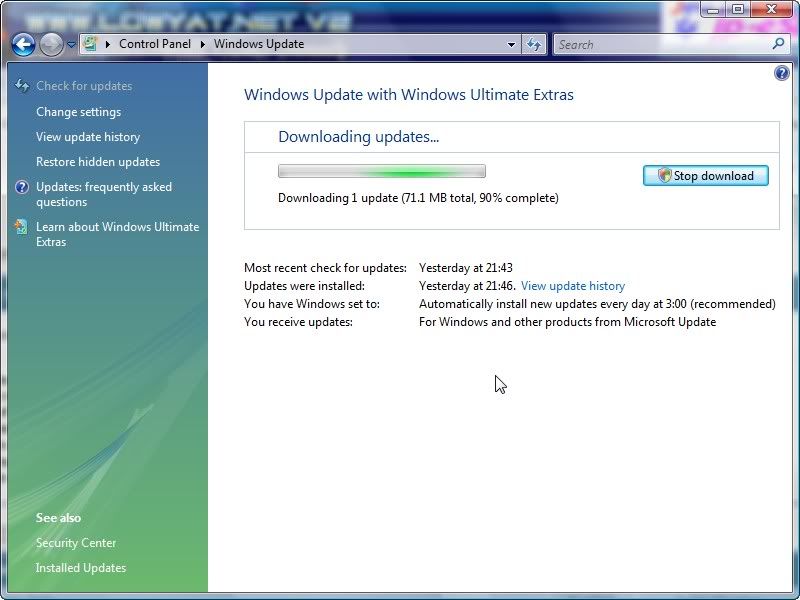
66.9mb WU.....
 in progress in progressEDIT: suddently is change to 69.8mb... wtf.... This post has been edited by vincentlaw: Mar 19 2008, 09:14 PM |
|
|
Mar 19 2008, 09:30 PM
|
|
Junior Member
508 posts Joined: Mar 2005 From: KL/Cyberjaya.
|
So anyone else getting 900% more RAM after updating to SP1? Mine's still at 18GB after 2 reboots, lol.
|
|
|
Mar 19 2008, 09:35 PM
|
|
Senior Member
6,016 posts Joined: Feb 2007
|
just getting tons of windows border popping up on my desktop lol, most of them are unclickable + blank >_>
wlm 8.5 gone haywired and have to reinstall... some nvidia apps at crash after login to desktop, previously was working fine even im using ati card. This post has been edited by 1024kbps: Mar 19 2008, 09:38 PM |
|
|
Mar 19 2008, 09:39 PM
|
|
Senior Member
7,740 posts Joined: Jun 2006 From: Some Yih
|
Downloaded and tried SP1.
I uninstall it after 30 minutes of use Reason ? see screenshot.. » Click to show Spoiler - click again to hide... « I highly suggest to reinstall fresh Vista with SP1..otherwise, your computer will be damn messed up. |
|
|
Mar 19 2008, 09:46 PM
|

Senior Member
1,232 posts Joined: Dec 2005 From: Kuala Lumpur
|
hmm...i really dunno why you guys had so much problem after installed sp1? Mine nothing happen and done very well also....hmm..
|
|
|
Mar 19 2008, 10:19 PM
|

Senior Member
1,839 posts Joined: Mar 2005
|
Mine too, updated through WU. Installed, rebooted, and works just fine.
|
|
|
Mar 19 2008, 10:25 PM
|
|
Junior Member
93 posts Joined: Jan 2003 From: Penang
|
I still haven see mine from WU... anyone knows any problem?
|
|
|
Mar 19 2008, 10:34 PM
|

All Stars
10,688 posts Joined: Jan 2005
|
ive finished d/load the SP1.. now gonna install
hopefully all works as planned.. |
|
|
Mar 19 2008, 10:39 PM
|
|
Senior Member
1,507 posts Joined: May 2007
|
finish updated thru WU.... it took me less than 10mins to install...
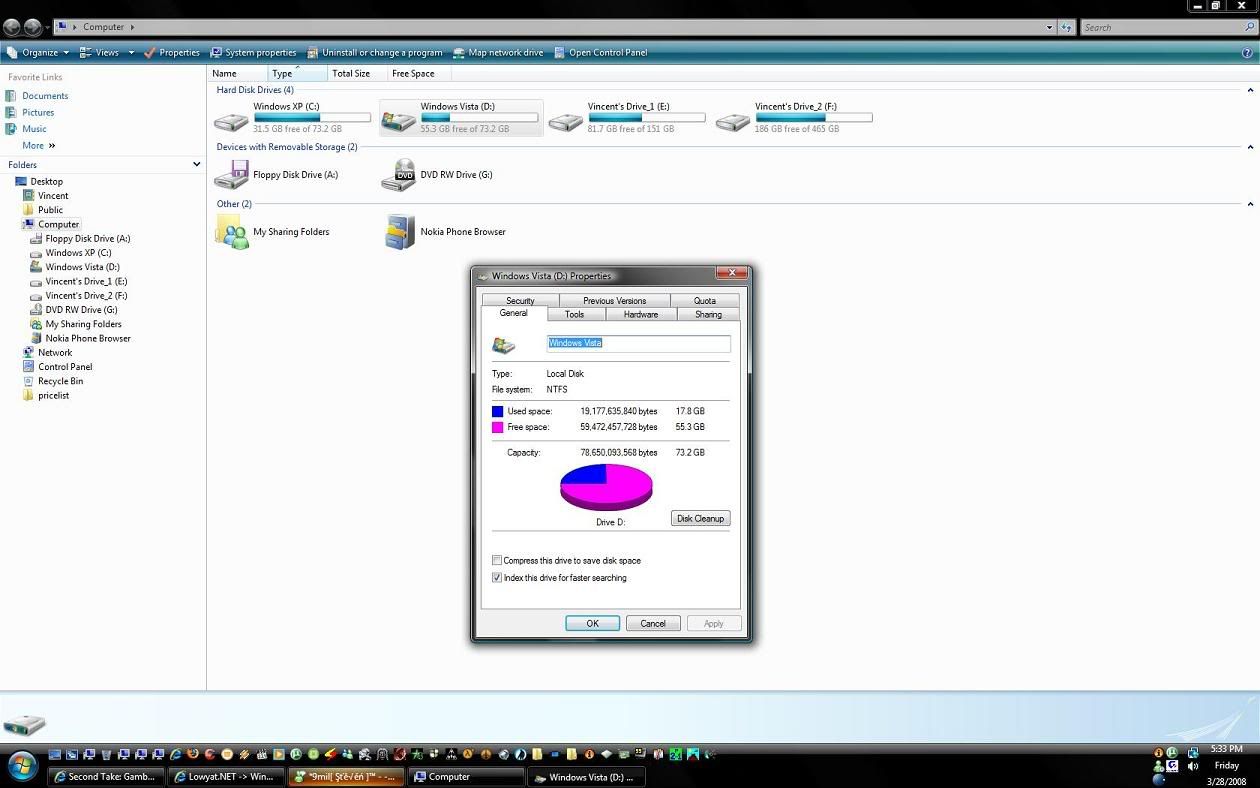
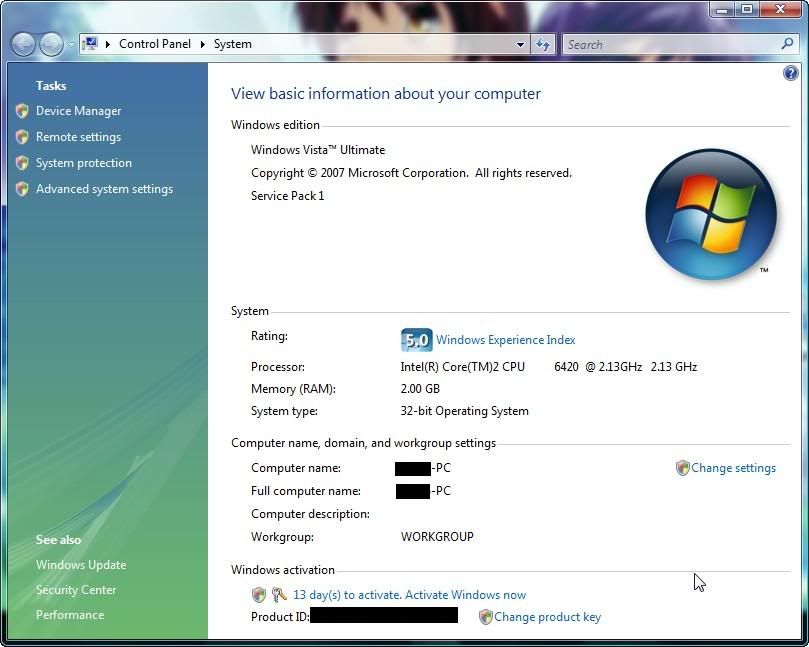
very fast since OCed to 3.6ghz i think.. so far no problem memory = no problem codec, program = no problem as i tried almost 80% of my program d.... later will do some benchy to see wats the diff.... This post has been edited by vincentlaw: Mar 19 2008, 10:40 PM Attached thumbnail(s) 
|
|
|
Mar 19 2008, 10:45 PM
|
|
All Stars
10,688 posts Joined: Jan 2005
|
QUOTE(vincentlaw @ Mar 19 2008, 10:39 PM) finish updated thru WU.... it took me less than 10mins to install... wahh, very fast meh very fast since OCed to 3.6ghz i think.. so far no problem memory = no problem codec, program = no problem as i tried almost 80% of my program d.... later will do some benchy to see wats the diff.... my quaddy clocked at 3.4ghz still in middle of updating program after installations now took almost 10min already.. could be sumthin' wrong with my pc? hahaa |
|
|
Mar 19 2008, 11:10 PM
|

Senior Member
1,098 posts Joined: Nov 2006
|
Two-thumbs up to Microsoft for releasing Vista SP1... I downloaded the 434Mb version for my Home Premium 32bit.... It took about 50 minutes to download and about 1 hour to install.... It went smooth as butter. After the restarts, my Vista is far more... 1. Responsive 2. No more Media Center crashes 3. Menus in Start Menu open up instantly Problems? None for me so far... It was as good as I expected. Also, my resource monitor on my Windows Sidebar is pretty amazing... CPU #1 and CPU #2 always less than 10% while RAM is at 40% Now must download for my Ultimate 64bit... Before that, its time to apply this service pack on my dad's spanking new HP Pavilion tx1000... |
|
|
Mar 19 2008, 11:28 PM
|
|
Senior Member
847 posts Joined: Jan 2005
|
Upgraded to SP1.. now Vista can see 4GB.
 |
|
|
Mar 19 2008, 11:37 PM
|
|
Senior Member
6,016 posts Joined: Feb 2007
|
no its not, just open task manager and see, total the physical memory still stuck at 3325mb lol.
|
|
|
Mar 19 2008, 11:38 PM
|

Senior Member
1,484 posts Joined: Aug 2005 From: Kuala Lumpur
|
So is it recommended to install SP1?
|
|
|
Mar 19 2008, 11:46 PM
|
|
Senior Member
1,507 posts Joined: May 2007
|
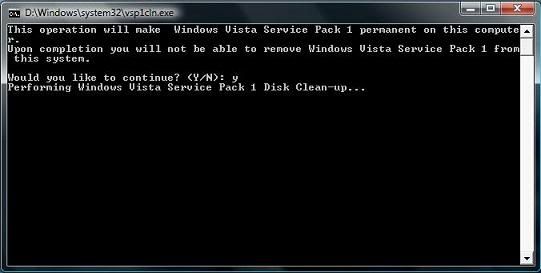
QUOTE(gengstapo @ Mar 19 2008, 10:45 PM) wahh, very fast meh yape very fast.. u use WU or standalone installer... i use WU... after WU finish download.. install in WU took about 3mins then it request u to restart... when u shuting down it will install 3 process (first 1 is longest, 2nd 1 very very fast and 3rd 1 is medium slow) ..overall took me ~10mins only...my quaddy clocked at 3.4ghz still in middle of updating program after installations now took almost 10min already.. could be sumthin' wrong with my pc? hahaa below is the proof of compatible program (red box).... hehe.. wanted to open more but lazy already.... 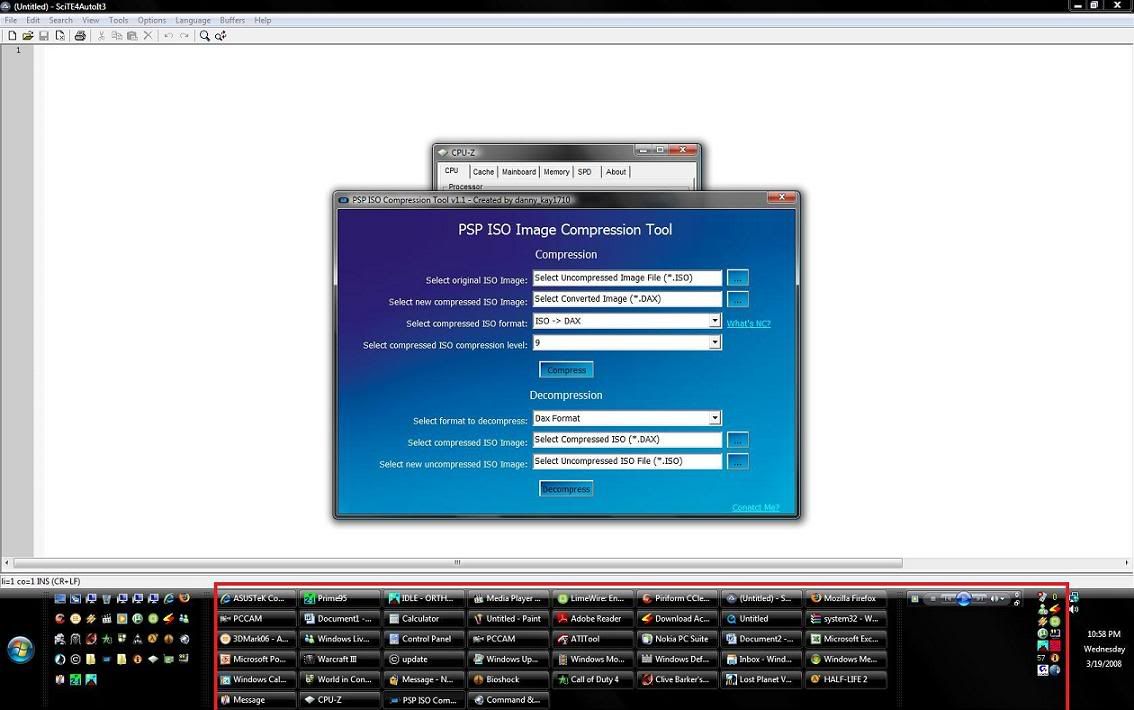 This post has been edited by vincentlaw: Mar 19 2008, 11:48 PM |
|
|
Mar 20 2008, 12:15 AM
|
|
All Stars
10,688 posts Joined: Jan 2005
|
hmm mine finished as planned.. seems everything goes fine
tested with my previous codec, seems working.. wmp also working fb2k etc.. |
|
|
Mar 20 2008, 12:45 AM
|
|
Senior Member
7,740 posts Joined: Jun 2006 From: Some Yih
|
just noticed...w.u stated that my Service Pack 1 installation as "Failed"
This post has been edited by pikacu: Mar 20 2008, 01:08 AM |
|
|
Mar 20 2008, 01:46 AM
|
|
Senior Member
847 posts Joined: Jan 2005
|
what am i supposed to notice after SP1 installation? feels like the same only...
|
|
|
Mar 20 2008, 01:54 AM
|
|
Elite
6,799 posts Joined: Jan 2003
|
ati catalyst control a bit unstable..
sleep mode. multi monitor etc. |
|
|
Mar 20 2008, 03:55 AM
|
|
Senior Member
599 posts Joined: Oct 2007 From: Finding the Core
|
just update to SP1.....but cant see any noticeable improvement....
my sidebar still cant load certain gadgets properly especially those from hobbylounge |
|
|
Mar 20 2008, 09:19 AM
|
|
All Stars
10,688 posts Joined: Jan 2005
|
QUOTE(cstkl1 @ Mar 20 2008, 01:54 AM) ati catalyst control a bit unstable.. yeahh, i think sosleep mode. multi monitor etc. i leave my pc idle & it turn off when i resuming, it turn to Bsod suddenly.. aint try the ATi thinggy yet.. |
|
|
Mar 20 2008, 10:35 AM
|

Senior Member
823 posts Joined: Jun 2005 From: 0:0:0:0:0:0:7f00:1
|
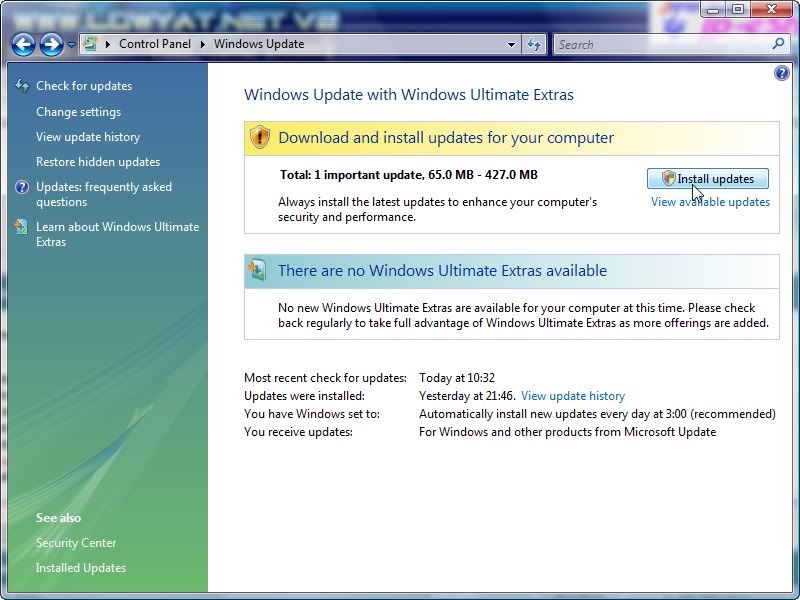
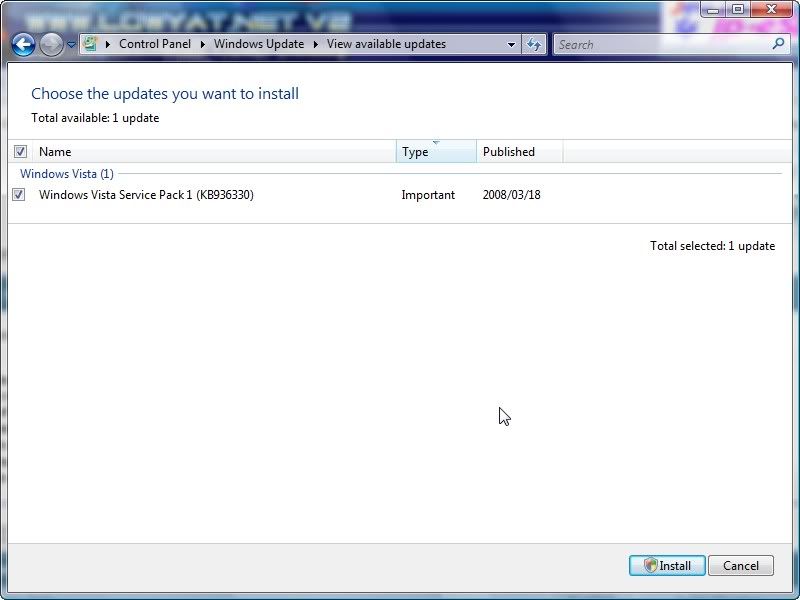
QUOTE(defaultname365 @ Mar 19 2008, 11:10 PM) » Click to show Spoiler - click again to hide... « » Click to show Spoiler - click again to hide... « 71 MB or 427 MB? o.O |
|
|
Mar 20 2008, 10:59 AM
|
|
Senior Member
4,670 posts Joined: Dec 2004
|
All systems green on my BenQ S41 so far.
 At least i'm not having any RAM detection problems like kur0gan3. |
|
|
Mar 20 2008, 11:02 AM
|

Senior Member
3,494 posts Joined: Jan 2003 From: Nosgoth
|
Me downloading the 434MB one now in office, go back install it on my comp~
|
|
|
Mar 20 2008, 11:57 AM
|

Validating
264 posts Joined: Aug 2006 From: Cheras
|
eh, whats the difference between the standalone and the WU? After installing its the same issit?
|
|
|
Mar 20 2008, 11:59 AM
|
|
Junior Member
508 posts Joined: Mar 2005 From: KL/Cyberjaya.
|
Standalone includes ALL the important bug fixes from before + SP1, while the Windows Update way will detect what patches you have already and then download only the ones that you don't have.
|
|
|
Mar 20 2008, 12:15 PM
|

Senior Member
2,818 posts Joined: Jan 2003 From: Hokkaido, Japan
|
For those with software problems after installing SP1 why not do a clean install.
|
|
|
Mar 20 2008, 12:45 PM
|
|
Junior Member
93 posts Joined: Jan 2003 From: Penang
|
planning to do so although i've not yet install sp1 in my current system
|
|
|
Mar 20 2008, 01:07 PM
|
|
Senior Member
823 posts Joined: Jun 2005 From: 0:0:0:0:0:0:7f00:1
|
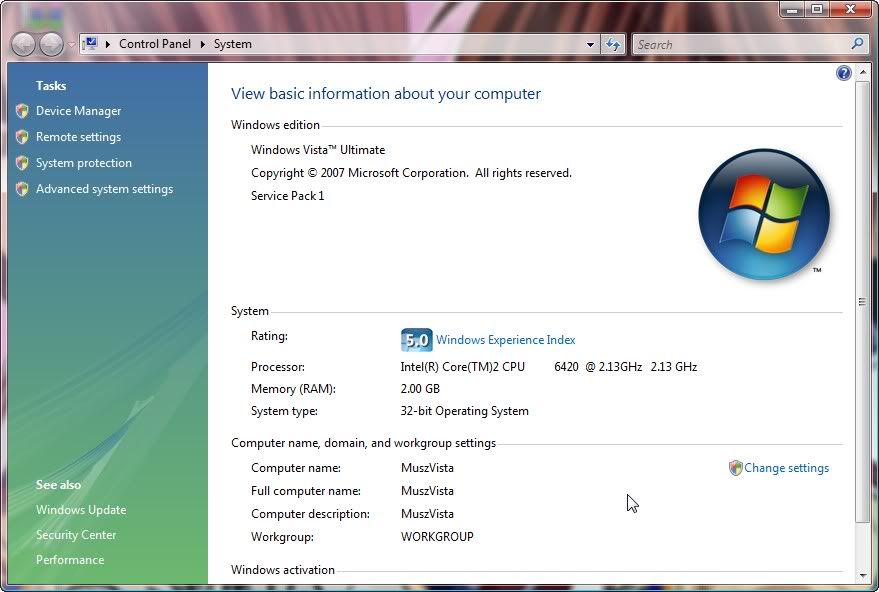 At last....  |
|
|
Mar 20 2008, 01:45 PM
|
|
All Stars
10,688 posts Joined: Jan 2005
|
why there is "Upgrade Windows Vista" wording on some screenie as shown by some members here?
i dont have the wording.. -.- |
|
|
Mar 20 2008, 02:00 PM
|

Junior Member
32 posts Joined: Feb 2008
|
Thats because people who use Windows Ultimate is the highest end level of all the microsoft OS. So they're only expecting you to upgrade to ultimate only, where as those users who use a windows OS below leve of ultimate, can still upgrade to Ultimate (or to business or other editions) can do it.
|
|
|
Mar 20 2008, 02:55 PM
|
|
Moderator
9,277 posts Joined: Jan 2005 From: KL. Best place in Malaysia. Nuff said
|
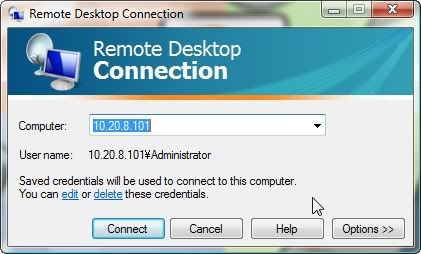
They changed the way Remote Desktop works. Now more secure and you can block what remote desktop can or cannot do like copying something to and from the clipboard from both PC
Added on March 20, 2008, 2:56 pmZOMFG! My team fortress 2 loads 2 times as fast now.. D: This post has been edited by linkinstreet: Mar 20 2008, 02:56 PM |
|
|
Mar 20 2008, 03:23 PM
|
|
Senior Member
823 posts Joined: Jun 2005 From: 0:0:0:0:0:0:7f00:1
|
It become like this. I like the old one more...
  |
|
|
Mar 20 2008, 03:30 PM
|

Senior Member
2,865 posts Joined: Jan 2003
|
 Updated mine yesterday nite..so far so good..but it did mess up mine old Prodigy 7.1LT setting. After reinstall the driver, work like charm.. Highly recommend to all!!  |
|
|
Mar 20 2008, 04:56 PM
|
|
Senior Member
1,129 posts Joined: Jan 2003
|
the most obvious improvement is control panel, used to take quite long to load up all the icon in it, after sp 1, its just took a blink of an eye 0-0
|
|
|
Mar 20 2008, 05:13 PM
|

Senior Member
790 posts Joined: Jan 2006
|
when i use the windows update to check for the service pack 1 update
didn't show any new update.... should i download 434MB service pack 1 file or just wait for windows update version ? |
|
|
Mar 20 2008, 05:32 PM
|
|
Senior Member
837 posts Joined: Oct 2006 From: Malaysia
|
QUOTE(wengjoe @ Mar 20 2008, 06:13 PM) when i use the windows update to check for the service pack 1 update check for update. cause i already update =x last night auto updated =.= xDdidn't show any new update.... should i download 434MB service pack 1 file or just wait for windows update version ? |
|
|
Mar 20 2008, 06:22 PM
|
|
Senior Member
823 posts Joined: Jun 2005 From: 0:0:0:0:0:0:7f00:1
|
Now I realize, it took time to load Windows Photo Gallery. And much slower startup time...
|
|
|
Mar 20 2008, 06:34 PM
|
|
Senior Member
3,494 posts Joined: Jan 2003 From: Nosgoth
|
OMG, the 434MB one is only for 32 bit system, for mine which is 64bit, the service pack is 768MB !!!
I tried to use the windoes update and click check for update, it dint show anything (T.T) |
|
|
Mar 20 2008, 06:34 PM
|
|
Moderator
9,277 posts Joined: Jan 2005 From: KL. Best place in Malaysia. Nuff said
|
QUOTE(CZero @ Mar 20 2008, 06:22 PM) Now I realize, it took time to load Windows Photo Gallery. And much slower startup time... PC ko tu mmg banyak problem lol |
|
|
Mar 20 2008, 06:39 PM
|
|
Senior Member
539 posts Joined: Jan 2007 From: Cuba
|
hahaha......awat hang kutuk dia? PC dia tu cangih nor..
|
|
|
Mar 20 2008, 07:42 PM
|
|
Senior Member
823 posts Joined: Jun 2005 From: 0:0:0:0:0:0:7f00:1
|
Ceh
.Neway, the other thing I discover is 1. A noticeable faster copy/cut paste speed, but I prefer using 3rd party software like TeraCopy more. 2. The deleting speed doesn't improved at all. 3. I got a short delay whether I open up Computer. 4. UAC pop up faster. 5. Slower shutting down speed. WTF? I think I need to fresh install my Vista back and update everything before I start installing application and games. PS : Hey, my 200th post! |
|
|
Mar 20 2008, 08:06 PM
|
|
Junior Member
508 posts Joined: Mar 2005 From: KL/Cyberjaya.
|
QUOTE(CZero @ Mar 20 2008, 07:42 PM) Ceh Better that way actually. I'm waiting for a standalone Vista SP1 installer to try out..Neway, the other thing I discover is 1. A noticeable faster copy/cut paste speed, but I prefer using 3rd party software like TeraCopy more. 2. The deleting speed doesn't improved at all. 3. I got a short delay whether I open up Computer. 4. UAC pop up faster. 5. Slower shutting down speed. WTF? I think I need to fresh install my Vista back and update everything before I start installing application and games. PS : Hey, my 200th post! |
|
|
Mar 20 2008, 08:08 PM
|
|
Moderator
9,277 posts Joined: Jan 2005 From: KL. Best place in Malaysia. Nuff said
|
i can download the OEM installer (vista+SP1) if you want, but the speed was soooooooo slow that I stopped the download T.T
tell you what, I download this and you send me the ISO for EVA :awe: Added on March 20, 2008, 8:10 pm QUOTE(CZero @ Mar 20 2008, 07:42 PM) Ceh Teracopy is gay. I found that it copies more slowly the more high end the PC is. And heck. Vista is better as it don't use disk cache but instead direct IO for copying. Slower yes, but there will be no corrupted files.Neway, the other thing I discover is 1. A noticeable faster copy/cut paste speed, but I prefer using 3rd party software like TeraCopy more. 2. The deleting speed doesn't improved at all. 3. I got a short delay whether I open up Computer. 4. UAC pop up faster. 5. Slower shutting down speed. WTF? I think I need to fresh install my Vista back and update everything before I start installing application and games. PS : Hey, my 200th post! This post has been edited by linkinstreet: Mar 20 2008, 08:10 PM |
|
|
Mar 20 2008, 08:14 PM
|
|
Junior Member
508 posts Joined: Mar 2005 From: KL/Cyberjaya.
|
QUOTE(linkinstreet @ Mar 20 2008, 08:08 PM) i can download the OEM installer (vista+SP1) if you want, but the speed was soooooooo slow that I stopped the download T.T Lawl, where you downloading the OEM installer from? Torrent or MS website? tell you what, I download this and you send me the ISO for EVA :awe: Added on March 20, 2008, 8:10 pmTeracopy is gay. I found that it copies more slowly the more high end the PC is. And heck. Vista is better as it don't use disk cache but instead direct IO for copying. Slower yes, but there will be no corrupted files |
|
|
Mar 20 2008, 08:16 PM
|

Junior Member
188 posts Joined: Oct 2006
|
Upgraded using the standalone. Everything seems fine except battlefield 2, kept crashing mid-game, till i re-installed the drivers for my 8800gts. All's good now.
|
|
|
Mar 20 2008, 08:17 PM
|
|
Moderator
9,277 posts Joined: Jan 2005 From: KL. Best place in Malaysia. Nuff said
|
QUOTE(kurogane @ Mar 20 2008, 08:14 PM) Lawl, where you downloading the OEM installer from? Torrent or MS website? MS website. You have to become an OEM partner with them (I registered under my varsity's name) and get the link from easyzudin's post. But they won't let you use direct download, which is gay as I can use direct download on beta testing page. But there are no ISO for beta testers T.T |
|
|
Mar 20 2008, 08:22 PM
|
|
Junior Member
508 posts Joined: Mar 2005 From: KL/Cyberjaya.
|
QUOTE(linkinstreet @ Mar 20 2008, 08:17 PM) MS website. You have to become an OEM partner with them (I registered under my varsity's name) and get the link from easyzudin's post. But they won't let you use direct download, which is gay as I can use direct download on beta testing page. But there are no ISO for beta testers T.T Well, server getting hammered now probably. Just try later or we can always get help from The Pirate Bay. |
|
|
Mar 20 2008, 08:22 PM
|

Senior Member
1,667 posts Joined: Jan 2003 From: The Cool Name Place
|
Installed it on my office computer..
Here's what I noticed:- 1) Network speed seems faster (Transferring file over network) 2) Startup and shutdown also faster |
|
|
Mar 20 2008, 08:31 PM
|

Senior Member
1,634 posts Joined: Mar 2006 From: Ipoh @ Puchong
|
So, is it worth to upgrade to SP1 now? Or keep with the non-SP1 version and wait for further feedback of SP1? Coz I think I'm going to install my Vista back, or might wait for XP SP3 release...
|
|
|
Mar 20 2008, 08:42 PM
|

Senior Member
2,776 posts Joined: Jul 2006
|
Mine faster a lot than b4...
|
|
|
Mar 20 2008, 08:44 PM
|

Junior Member
408 posts Joined: Oct 2007
|
install this sp1 one month ago...
got a lot of improvemnet |
|
|
Mar 20 2008, 08:51 PM
|
|
Senior Member
3,494 posts Joined: Jan 2003 From: Nosgoth
|
Guys little bit help please, after finished download this big fat 746MB SP1 for 64bit based system, when install it show this:

I strongly suspect this is due to I did install Chinese language pack in my comp, do I need to uninstall it first, if so, how do I do it? Plz help~~  |
|
|
Mar 20 2008, 08:52 PM
|
|
Senior Member
1,098 posts Joined: Nov 2006
|
QUOTE(RokXIII @ Mar 20 2008, 08:31 PM) So, is it worth to upgrade to SP1 now? Or keep with the non-SP1 version and wait for further feedback of SP1? Coz I think I'm going to install my Vista back, or might wait for XP SP3 release... 150% worth downloading Vista SP1. Here are more of what I noticed after SP1 on my notebook Home Premium : - games tend to load faster (strangely) (e.g. NFS Underground 2) - faster UAC screen (which is great) - pressing Ctrl+Alt+Del instantly pops-up the menu (no lag at all!!) - faster copy / paste / data transferring, two and fro hard disk, hard disk to thumb drive, vice versa - [my notebook oddity] - - when I hover my mouse over the round Start button, to the left of the bar holding it, the transparency would flicker once (Aero becomes a little darker). Now... NO MORE !!! - found that most programs start-up faster, though very little improvement - Aero interface is SMOOOTH... - Control Panel loads up quickly (especially Uninstall option, where the tiny icons pop-up instantly, no lag !) One of my the issues I had with Vista is start-up time. The Sidebar would take ages to load (everything else already load...). Now, it appears instantly with my Welcome Center window. Only now I have the time to install Vista SP1 on my dad's new pavilion laptop... Microsoft. You have done it..... At this moment. |
|
|
Mar 20 2008, 08:55 PM
|
|
Senior Member
2,776 posts Joined: Jul 2006
|
 |
|
|
Mar 20 2008, 09:13 PM
|
|
All Stars
10,688 posts Joined: Jan 2005
|
QUOTE(Savor_Savvy @ Mar 20 2008, 08:55 PM) ive done update my vista, been messing up with Rundll32 instructions & sudden my pc got problem lastly, ive format & install new again |
|
|
Mar 20 2008, 09:15 PM
|
|
Senior Member
2,776 posts Joined: Jul 2006
|
Pc scan with avira. NO DETECTION...
|
|
|
Mar 20 2008, 09:16 PM
|

Senior Member
777 posts Joined: Sep 2007 From: bandar baru bangi
|
yeah...just installed sp1 for my vista??basically,dunno what hv change,but now my safely remove hardware appear...
|
|
|
Mar 20 2008, 09:45 PM
|
|
Senior Member
3,494 posts Joined: Jan 2003 From: Nosgoth
|
Alright I jsut found out how to remove the Chinese language pack, but now I worry after I remove it and install SP1, i can't reinstall back Chinese language pack... ...
|
|
|
Mar 20 2008, 09:47 PM
|
|
Senior Member
973 posts Joined: Oct 2004 From: CarJunk
|
hello..i having problem installing the vista sp1...internal error or sumthin...
 |
|
|
Mar 20 2008, 10:03 PM
|
|
Senior Member
1,185 posts Joined: Aug 2005
|
just finished downloading sp1 32-bit version this noon.
but when i was trying to install..... "at least 3gb". then after cleaned up it became "at least 4gb" -______- how many free space does it need anyway? is there anyway to install it without clearing my important stuff on C:\? |
|
|
Mar 20 2008, 10:13 PM
|
|
Junior Member
93 posts Joined: Jan 2003 From: Penang
|
I installed it with around 5gb left... nothing was complaining~! Free up a little more space ???
|
|
|
Mar 20 2008, 10:16 PM
|

Junior Member
285 posts Joined: Jul 2007 From: Sabah, North Borneo, Borneo Island.
|
i updated my vista this morning and i noticed the startup/shutdown period has slowed down.
 and sometimes my windows explorer shuts down for no apparent reason(very irritating s**t!!!)  very irritating laaaaa like this!!!! WTF bill gates!!!!! lucky i keep my morning musume videos on different laptop hehehe!!! |
|
|
Mar 20 2008, 10:23 PM
|
|
Senior Member
1,098 posts Joined: Nov 2006
|
QUOTE(borneosailor @ Mar 20 2008, 10:16 PM) i updated my vista this morning and i noticed the startup/shutdown period has slowed down. Hmmm.... before installing Vista SP1, it is very important to take several steps. Some have reported issues with language, and due to the "Chinese Language pack" installed. Others due to background running apps (like anti-virus, firewall). I closed all my background apps (see your taskbar). Or could be due to the state of your hard disk (e.g virus, spyware)... and sometimes my windows explorer shuts down for no apparent reason(very irritating s**t!!!) very irritating laaaaa like this!!!! WTF bill gates!!!!! lucky i keep my morning musume videos on different laptop hehehe!!!If continue to have issues like this, just Clean Install Vista. And then install SP1. Finally installed Vista SP1 on my dad's pavilion laptop. Super spanking smooth. Smoother than ever. Imagine, brand new laptop with Vista, and then put SP1 (not yet install any 3rd party software).... installation took less than 1 hour. Wow. |
|
|
Mar 20 2008, 11:16 PM
|
|
Senior Member
973 posts Joined: Oct 2004 From: CarJunk
|
internal error when installing!why??
|
|
|
Mar 20 2008, 11:24 PM
|
|
Junior Member
40 posts Joined: Sep 2005
|
after installing it, i can't play FIFA08 thru direct ip wif fren. everytime also DC after kickoff! |
|
|
Mar 20 2008, 11:35 PM
|
|
Senior Member
539 posts Joined: Jan 2007 From: Cuba
|
|
|
|
Mar 20 2008, 11:52 PM
|
|
Senior Member
790 posts Joined: Jan 2006
|
install the standalone service pack 1 since WU can't detect service pack 1 for my vista premium
so far everything seem good... after a few boot up,things does improve This post has been edited by wengjoe: Mar 21 2008, 12:13 AM |
|
|
Mar 21 2008, 12:20 AM
|

Senior Member
1,304 posts Joined: Nov 2005 From: A place
|
my nforce 68i sli nforce network adaptor screw up after SP1....
i using windows vista ultimate 64bit... it keep showing unidentified network... but i try to switch it back to xp with dual boot it work fine which mean SP1 FXXK up my network adaptor... reinstallation is carry on but it still unidentified network... once again bill gate "Szxk" |
|
|
Mar 21 2008, 12:24 AM
|
|
Elite
6,139 posts Joined: Jan 2003
|
ok.. now vista SP1 is officially out.. how the heck i make a slipstream vista dvd with integrated Sp1?
thanks |
|
|
Mar 21 2008, 01:41 AM
|
|
Junior Member
184 posts Joined: Jan 2003
|
Sure it requires minimum 4 GB of free space to begin the installation process, but after all is done, seems that around 2 GB of my (C:) drive are missing. Those who downloaded and update using the stand alone installer, does it really eats 2 GB+ of your space?
|
|
|
 Mar 21 2008, 02:21 AM Mar 21 2008, 02:21 AM
|

Junior Member
253 posts Joined: Oct 2004 From: Bangi/Kajang
|
QUOTE(amanechoir @ Mar 21 2008, 01:41 AM) Sure it requires minimum 4 GB of free space to begin the installation process, but after all is done, seems that around 2 GB of my (C:) drive are missing. Those who downloaded and update using the stand alone installer, does it really eats 2 GB+ of your space? yups, SP1 stand alone will eat arround 2GB used space of your HDDdonno how many used space took bye SP1 with WU |
|
|
Mar 21 2008, 07:02 AM
|
|
Validating
264 posts Joined: Aug 2006 From: Cheras
|
Don't know issit my pc problem or vista sp1 problem, after i install sp1, I can't play nfs prostreet. Everytime I continue career, when load finish then it says nfs.exe stopped working bla bla bla then ask want find solution or close program.
And also I feel startup abit slower. lol |
|
|
Mar 21 2008, 07:52 AM
|
|
Moderator
9,277 posts Joined: Jan 2005 From: KL. Best place in Malaysia. Nuff said
|
try compatibility mode. My prostreet works fine (faster loading to boot) and my startup is the same
|
|
|
Mar 21 2008, 09:03 AM
|

Senior Member
3,569 posts Joined: Apr 2007
|
I updated my Ulti 64bit yesterday. Everything went on smoothly.
But I dun noticed any difference on SP1 so far... |
|
|
Mar 21 2008, 09:58 AM
|

Senior Member
561 posts Joined: Aug 2006 From: Kajang, Selangor
|
emmm i also dont feel any improvement after install sp1 just the same....
|
|
|
Mar 21 2008, 09:59 AM
|
|
Senior Member
1,098 posts Joined: Nov 2006
|
More improvements I've noticed on my notebook running Home Premium :
- burning DVDs no longer result in "error, disc cannot be used". This is awesome, as sometimes even a brand new DVD+RW after a single burn process, cannot be used again - running multiple applications at the same time no longer results in "memory hogging" (e.g, very laggish interface) - Vista is far more responsive in many areas, most notably areas that have graphics (e.g, icons, large number of apps) - Gaming performance increased (a fact, haven't done fraps though) - NFS Underground 2 no longer crashes - Internet Explorer 7 barely crashes at all, however, err.... it did, but that was because I fired up one too many tabs with heavy graphics....  - Windows Media Player seems to burn Audio CDs without any issues (previously, a few tracks would be burnt, but for some reason, not full...) - Various installation processes take up less time (most notably, installing for sound driver) - recovering from Sleep mode, no longer have the pause before being able to use the mouse Other areas that I do have slight issues, and has seen NO improvements, but, its not really a problem, issit? : - slow internet connection (we can all blame, you-know-who) - takes many, many dial attempts to connect to broadband connection - the "internet connection" icon sometimes is not working (e.g, suppose to have the connected icon on taskbar, but its just two blank computers) - Safari for Windows : The World's Greatest Web Browser is as good, and NEVER ever crashed, no idea what I wanted improved, but hey, I love x10 this browser |
|
|
Mar 21 2008, 10:12 AM
|
|
Validating
264 posts Joined: Aug 2006 From: Cheras
|
QUOTE(linkinstreet @ Mar 21 2008, 07:52 AM) try compatibility mode. My prostreet works fine (faster loading to boot) and my startup is the same what do u mean by compatibility mode? The compatibility mode with windows xp sp2 that one? I tried that too, but still same. Edit: And usually defragment takes how long ah? I defrag for like 3hours still not done. This post has been edited by DeathChaosX: Mar 21 2008, 10:13 AM |
|
|
Mar 21 2008, 10:38 AM
|
|
Senior Member
2,818 posts Joined: Jan 2003 From: Hokkaido, Japan
|
QUOTE(defaultname365 @ Mar 21 2008, 09:59 AM) More improvements I've noticed on my notebook running Home Premium : just curious, u seems to be promoting vista a lot. are you working for microsoft? - burning DVDs no longer result in "error, disc cannot be used". This is awesome, as sometimes even a brand new DVD+RW after a single burn process, cannot be used again - running multiple applications at the same time no longer results in "memory hogging" (e.g, very laggish interface) - Vista is far more responsive in many areas, most notably areas that have graphics (e.g, icons, large number of apps) - Gaming performance increased (a fact, haven't done fraps though) - NFS Underground 2 no longer crashes - Internet Explorer 7 barely crashes at all, however, err.... it did, but that was because I fired up one too many tabs with heavy graphics.... - Windows Media Player seems to burn Audio CDs without any issues (previously, a few tracks would be burnt, but for some reason, not full...) - Various installation processes take up less time (most notably, installing for sound driver) - recovering from Sleep mode, no longer have the pause before being able to use the mouse Other areas that I do have slight issues, and has seen NO improvements, but, its not really a problem, issit? : - slow internet connection (we can all blame, you-know-who) - takes many, many dial attempts to connect to broadband connection - the "internet connection" icon sometimes is not working (e.g, suppose to have the connected icon on taskbar, but its just two blank computers) - Safari for Windows : The World's Greatest Web Browser is as good, and NEVER ever crashed, no idea what I wanted improved, but hey, I love x10 this browser |
|
|
Mar 21 2008, 11:52 AM
|
|
Senior Member
1,098 posts Joined: Nov 2006
|
QUOTE(shady @ Mar 21 2008, 10:38 AM) just curious, u seems to be promoting vista a lot. are you working for microsoft? No. But pro-Microsoft. More improvements after SP1 : - Live Thumbnail preview (on the taskbar) is more active (previously, if there is animation in a window, the Live Thumbnail would not show it in motion) although issue persists in various cases - Windows Sidebar is far more responsive (previously, dragging a Gadget would result in a pause, before being able to move it further). - Overall window load times are quicker - Resource usage is much lower on (see image for proof) : Image taken when system is idle (nothing running) :  Note : The resource bar increases/decreases every second. But overall, I get less than 25% all the time. The memory usage plunges below 15% when system is idle for more than an hour. If I bring up my resource monitor, after leaving my system for a while :  This post has been edited by defaultname365: Mar 21 2008, 12:19 PM |
|
|
Mar 21 2008, 01:23 PM
|
|
Senior Member
6,016 posts Joined: Feb 2007
|
i think SP1 got some user interface improvement, but im not very sure, for those who havent have SP1 or newly installed vista pls comfirm lol,
eg Volume properties, and Folder tree view.   and the build in image viewer still suck as usual, it will make ur JPG images look worse(kinda 8bit GIF compression) than before LOL  good job macrosoft |
|
|
Mar 21 2008, 03:08 PM
|

Senior Member
1,798 posts Joined: Sep 2004 From: Yuen Long, HK || Seremban || Kuala Lumpur
|
i had changed my mobo & processor, but i'm using original win vista, so i can't activate vista now, coz change hardware, you guys know how to do that?
|
|
|
Mar 21 2008, 03:12 PM
|
|
VIP
16,825 posts Joined: Jan 2003 From: Siberia
|
QUOTE(rstusa @ Mar 21 2008, 03:08 PM) i had changed my mobo & processor, but i'm using original win vista, so i can't activate vista now, coz change hardware, you guys know how to do that? call microsoft, make up some stories.  |
|
|
Mar 21 2008, 03:52 PM
|
|
Senior Member
1,634 posts Joined: Mar 2006 From: Ipoh @ Puchong
|
QUOTE(fariz @ Mar 21 2008, 03:12 PM) call microsoft, make up some stories. if you're lucky, they won't ask u anything, just like what I did last time. A female Chinese stuff help me to reactivate without asking any question... |
|
|
Mar 21 2008, 04:07 PM
|

Senior Member
1,239 posts Joined: Jan 2003 From: PJ/Malacca
|
QUOTE(53x0r @ Mar 21 2008, 12:31 AM) currently downloading sp1 from windows update, file size only 69mb.. hope everything ends up fine after installing it.. I had to manually download SP1 from MS site, my windows update didn't detect SP1 QUOTE(rstusa @ Mar 21 2008, 03:08 PM) i had changed my mobo & processor, but i'm using original win vista, so i can't activate vista now, coz change hardware, you guys know how to do that? It happend to mine also after I overclocked my cpu, then have to activate it through phone activation. Very good service I've just installed SP1 and I can say that it feels faster now especially in copying files, browsing windows explorer etc. Gonna test some games now. |
|
|
Mar 21 2008, 04:08 PM
|
|
Elite
6,799 posts Joined: Jan 2003
|
QUOTE(fariz @ Mar 21 2008, 03:12 PM) call microsoft, make up some stories. QUOTE(RokXIII @ Mar 21 2008, 03:52 PM) if you're lucky, they won't ask u anything, just like what I did last time. A female Chinese stuff help me to reactivate without asking any question... eh no need to go so extreme boys..hey but true rokxiii.. the chinese counterpart was much nicer.. heck even chatted to me hows malaysia.. y i am eating so late for dinner etc.. hows ure day/... just use the voice automation system give those silly block of nos make sure u say yes to reinstallation of vista on the same pc and presto no issue.. |
|
|
Mar 21 2008, 04:11 PM
|

Elite
4,541 posts Joined: Jan 2003 From: BSRPPG51 Access Concentrator
|
Takes about 30 minutes inclusive one long restart on my work computer and also a couple of test machines using WSUS. Seems to be okay, only need to repatch uxtheme files to use custom themes.
Now have to put the computer into some rigorous training to refill the prefetcher folder. The computer takes longer to boot after SP1 was installed. |
|
|
Mar 21 2008, 04:24 PM
|
|
Senior Member
1,507 posts Joined: May 2007
|
QUOTE(RokXIII @ Mar 21 2008, 03:52 PM) if you're lucky, they won't ask u anything, just like what I did last time. A female Chinese stuff help me to reactivate without asking any question... hmm that is if u meet up some new recruits... coz sumtimes they dont really remember what they need to do.. ..... hehe.... anyway thier call centre locally from 8am-6pm shud be just at menara olympia in KL.... i work there b4 but under other department... |
|
|
Mar 21 2008, 04:39 PM
|

Senior Member
1,680 posts Joined: Jan 2003 From: Cyberjaya
|
skeptical about defaultname365...hahah...
in fact....look at the task manager shot Memory 2045 Cache 1825 Free 5 Which one is fake right now???? |
|
|
Mar 21 2008, 04:45 PM
|
|
Senior Member
1,507 posts Joined: May 2007
|
QUOTE(defaultname365 @ Mar 21 2008, 11:52 AM) » Click to show Spoiler - click again to hide... « This post has been edited by vincentlaw: Mar 21 2008, 04:45 PM |
|
|
Mar 21 2008, 05:50 PM
|
|
Senior Member
6,016 posts Joined: Feb 2007
|
QUOTE(dinozilla @ Mar 21 2008, 04:39 PM) skeptical about defaultname365...hahah... if u are using vista right now, open task manager, then u should see the similar things if u have superfetch enabled(its enabled by default).in fact....look at the task manager shot Memory 2045 Cache 1825 Free 5 Which one is fake right now???? without it the Free memory would be larger. |
|
|
Mar 21 2008, 05:52 PM
|

Senior Member
2,009 posts Joined: Oct 2006 From: My house
|
just installed sp1 on my vista in 15min time..
so far to problem..now i can see full 4gb ram at my computer properties i realize that the disply,grphic color getting better gaming also no problem so far.. |
|
|
Mar 21 2008, 06:09 PM
|
|
Elite
4,541 posts Joined: Jan 2003 From: BSRPPG51 Access Concentrator
|
QUOTE(defaultname365 @ Mar 21 2008, 11:52 AM) Note : The resource bar increases/decreases every second. But overall, I get less than 25% all the time. The memory usage plunges below 15% when system is idle for more than an hour. If I bring up my resource monitor, after leaving my system for a while :  |
|
|
Mar 21 2008, 06:52 PM
|
|
Validating
264 posts Joined: Aug 2006 From: Cheras
|
Is it normal when ur pc is idle with only kaspersky running, the ram usage stays at 30%. I tried restarted, after restarting, ram usage also 30%, only running kaspersky. Btw, I'm using 2 x 1gig ram.
Edit: And also, why did the sisoftware show that my ram is pc5200 ddr2-333? Is that normal? coz the ram i bought is ddr2-667. 
This post has been edited by DeathChaosX: Mar 21 2008, 07:14 PM |
|
|
Mar 21 2008, 07:51 PM
|
|
Senior Member
973 posts Joined: Oct 2004 From: CarJunk
|
guys...i got an error when installing vista sp1...any solution?help me
 |
|
|
Mar 21 2008, 07:58 PM
|
|
Senior Member
1,098 posts Joined: Nov 2006
|
QUOTE(asellus @ Mar 21 2008, 06:09 PM) Are you the one of the few people who has their memory count jacked up like the one below? Not too sure about that, but to get the lowest usage of memory/cpu resource, you must keep your computer idle for about an hour (disable screen saver too). At one point, you just hit "Print Screen" and voila... Before SP1, I always get upto 40% memory usage and both CPUs would be above 20% (sometimes jump higher). I am talking about when the computer is idle. And yes, I disabled System Restore, Superfetch and even a few Services. |
|
|
Mar 21 2008, 07:58 PM
|
|
Senior Member
2,009 posts Joined: Oct 2006 From: My house
|
@User_Xp
what error?can u specifiy? This post has been edited by fesick: Mar 21 2008, 07:58 PM |
|
|
Mar 21 2008, 08:05 PM
|
|
Senior Member
973 posts Joined: Oct 2004 From: CarJunk
|
QUOTE(fesick @ Mar 21 2008, 07:58 PM) @User_Xp what error?can u specifiy? An internal error occurred while installing the service pack. Error code:0x800700D. See http://go.microsfot.com/fwlink/?LinkId=101139 for details |
|
|
Mar 21 2008, 08:06 PM
|
|
Elite
4,541 posts Joined: Jan 2003 From: BSRPPG51 Access Concentrator
|
QUOTE(defaultname365 @ Mar 21 2008, 07:58 PM) Not too sure about that, but to get the lowest usage of memory/cpu resource, you must keep your computer idle for about an hour (disable screen saver too). At one point, you just hit "Print Screen" and voila... Before SP1, I always get upto 40% memory usage and both CPUs would be above 20% (sometimes jump higher). I am talking about when the computer is idle. And yes, I disabled System Restore, Superfetch and even a few Services. |
|
|
Mar 21 2008, 08:24 PM
|
|
Senior Member
973 posts Joined: Oct 2004 From: CarJunk
|
QUOTE(53x0r @ Mar 21 2008, 12:31 AM) currently downloading sp1 from windows update, file size only 69mb.. hope everything ends up fine after installing it.. i can`t get sp1 update in WU |
|
|
Mar 21 2008, 08:50 PM
|
|
Senior Member
6,016 posts Joined: Feb 2007
|
read this
http://support.microsoft.com/?kbid=948343#method5 and this http://technet.microsoft.com/en-us/windows...a/bb968859.aspx then u proabaly know why cant get SP1 installed or showed in windozeupdate. |
|
|
Mar 21 2008, 08:52 PM
|
|
Senior Member
1,098 posts Joined: Nov 2006
|
QUOTE(asellus @ Mar 21 2008, 08:06 PM) From your Task Manager screenshot, you have 2GB of memory, and 1.9GB of it is used (proved from the Memory meter and also 90% Physical Memory utilization). That is a high usage of resources. Unless of course there is a cosmetic error in Task Manager. Then how do you explain about my Sidebar Gadget ? Its impossible 90% of my memory is used. Its just ridiculous as I put the computer in idle mode. I know the meter can jump every second or so, but still.... |
|
|
Mar 21 2008, 09:18 PM
|
|
Senior Member
1,507 posts Joined: May 2007
|
QUOTE(DeathChaosX @ Mar 21 2008, 06:52 PM) Is it normal when ur pc is idle with only kaspersky running, the ram usage stays at 30%. I tried restarted, after restarting, ram usage also 30%, only running kaspersky. Btw, I'm using 2 x 1gig ram. 667mhz is the effective clock while 333 is the ram clock.... its called DDR = double data rate... so 333(got another 0.5) x2 ~667... its normalEdit: And also, why did the sisoftware show that my ram is pc5200 ddr2-333? Is that normal? coz the ram i bought is ddr2-667. » Click to show Spoiler - click again to hide... « This post has been edited by vincentlaw: Mar 21 2008, 09:19 PM |
|
|
Mar 21 2008, 09:44 PM
|
|
Elite
4,541 posts Joined: Jan 2003 From: BSRPPG51 Access Concentrator
|
QUOTE(defaultname365 @ Mar 21 2008, 08:52 PM) Then how do you explain about my Sidebar Gadget ? This Vista gadget?Its impossible 90% of my memory is used. Its just ridiculous as I put the computer in idle mode. I know the meter can jump every second or so, but still.... It says you are using 1822MB out of 2045MB available. It did not contradict what the Task Manager says. The only problem here is why the meter indicator is so low even if 90% of your RAM is being used, which is why I asked whether your Vista SP1 System Properties shows the correct amount of RAM or not. Maybe you are the select few people who has their RAM count screwed up by SP1 upgrade. Below is what mine has with the same gadget. The meter shows correctly unlike yours.  |
|
|
Mar 21 2008, 09:50 PM
|

Junior Member
490 posts Joined: Oct 2005
|
Cannot install Windows Vista SP1?
http://www.montaguespirit.com/?p=375 More info: http://support.microsoft.com/?kbid=948343 |
|
|
Mar 21 2008, 10:35 PM
|
|
Senior Member
1,098 posts Joined: Nov 2006
|
QUOTE(asellus @ Mar 21 2008, 09:44 PM) This Vista gadget? Yeah, you're right. Perhaps the Sidebar Gadget does not update the meter as fast as the numbers do. It says you are using 1822MB out of 2045MB available. It did not contradict what the Task Manager says. The only problem here is why the meter indicator is so low even if 90% of your RAM is being used, which is why I asked whether your Vista SP1 System Properties shows the correct amount of RAM or not. Maybe you are the select few people who has their RAM count screwed up by SP1 upgrade. Below is what mine has with the same gadget. The meter shows correctly unlike yours. The Task Manager is a bit odd too, the meter indicator is low when memory usage is high. Anyways, my System Properties shows Memory (RAM) : 2.0 GB This is a more recent shot I took about an hour ago :  |
|
|
Mar 21 2008, 10:41 PM
|
|
Validating
264 posts Joined: Aug 2006 From: Cheras
|
QUOTE(vincentlaw @ Mar 21 2008, 09:18 PM) 667mhz is the effective clock while 333 is the ram clock.... its called DDR = double data rate... so 333(got another 0.5) x2 ~667... its normal okay thanks, I get it now. |
|
|
Mar 21 2008, 10:58 PM
|
|
Junior Member
490 posts Joined: Oct 2005
|
Because of Windows Vista SP1, it cause some software become incompatible.
http://www.montaguespirit.com/?p=369 |
|
|
Mar 22 2008, 03:02 AM
|
|
Senior Member
1,239 posts Joined: Jan 2003 From: PJ/Malacca
|
Damn, my NFS Pro Street keeps on crashing now. The only game with problems so far.
|
|
|
Mar 22 2008, 07:08 AM
|
|
Senior Member
973 posts Joined: Oct 2004 From: CarJunk
|
wow..i can install sp1..
the improvements?dunno lar  |
|
|
Mar 22 2008, 10:34 AM
|

Senior Member
4,852 posts Joined: Aug 2006
|
Is worth to upgrade to SP1?
|
|
|
Mar 22 2008, 11:06 AM
|
|
Senior Member
599 posts Joined: Oct 2007 From: Finding the Core
|
better upgrade than nothing......i notice a little improvement in speed
|
|
|
Mar 22 2008, 11:20 AM
|
|
Senior Member
1,098 posts Joined: Nov 2006
|
QUOTE(Core_Trace(R) @ Mar 22 2008, 11:06 AM) better upgrade than nothing......i notice a little improvement in speed There is a multitude of areas that has been improved. Its not just speed. If at all you are thinking of getting Vista, it should be Vista + SP1. |
|
|
Mar 22 2008, 01:34 PM
|
|
Senior Member
2,009 posts Joined: Oct 2006 From: My house
|
QUOTE(User_Xp @ Mar 22 2008, 07:08 AM) wow..i can install sp1.. can install ady..hehethe improvements?dunno lar |
|
|
Mar 22 2008, 02:08 PM
|
|
Elite
6,799 posts Joined: Jan 2003
|
second rig ran into trouble with the sp1
that was using vista home premium 64 bit. random crashes due to conflict with nvidia drivers hmm my advice.. so far with multiple mobo and card config with sp1 wait till graphic card new drivers come out.. |
|
|
Mar 22 2008, 04:08 PM
|
|
Validating
264 posts Joined: Aug 2006 From: Cheras
|
QUOTE(scpt @ Mar 22 2008, 03:02 AM) Damn, my NFS Pro Street keeps on crashing now. The only game with problems so far. same here man, I thought I was the only one with that problem. |
|
|
Mar 22 2008, 05:37 PM
|
|
Senior Member
4,852 posts Joined: Aug 2006
|
Shit,now im scared to update.
|
|
|
Mar 22 2008, 07:18 PM
|
|
Senior Member
973 posts Joined: Oct 2004 From: CarJunk
|
QUOTE(Cheesenium @ Mar 22 2008, 05:37 PM) Shit,now im scared to update. why scared to update?just try lor..me using sp1...notice stability and performance improvements about crashing in some games...no comment lar coz i`m not using my pc for gaming... |
|
|
Mar 22 2008, 08:37 PM
|
|
Senior Member
1,098 posts Joined: Nov 2006
|
QUOTE(scpt @ Mar 22 2008, 03:02 AM) Damn, my NFS Pro Street keeps on crashing now. The only game with problems so far. Did you try running with compatibility mode? |
|
|
Mar 22 2008, 08:44 PM
|
|
Senior Member
6,016 posts Joined: Feb 2007
|
why dont try to reinstall nfs prostreet? my wlm 8.5 also went haywired after applied SP1, but after reinstall wlm and its been working fine till now
|
|
|
Mar 22 2008, 10:08 PM
|

Senior Member
1,241 posts Joined: Jun 2005 From: Klang
|
thanks to sigmatel and creative, i can never update to service pack 1 unless that new drivers are rolled out by them. at this rate, it would be 2009 when they actually attempt to release new drivers.
so, should i risk installing the non windows update version and suffer the so called incompatibility problems that microsoft claimed will happen? i cant believe that a reputable company like microsoft could not circumvent the so called problems caused by hardware with those drivers (which ironically are actually the latest versions). i am at a lost here.... |
|
|
Mar 22 2008, 11:20 PM
|
|
Senior Member
1,507 posts Joined: May 2007
|
new updates...... nvidia + vista user go patch up.. will increase performance alot.... read the page link below
http://www.fudzilla.com/index.php?option=c...d=6418&Itemid=1 some news about sp1 patch on microsoft official website... http://windowsvistablog.com/blogs/windowsv...ows-update.aspx This post has been edited by vincentlaw: Mar 22 2008, 11:22 PM |
|
|
Mar 22 2008, 11:33 PM
|
|
All Stars
17,053 posts Joined: Jan 2003
|
how to you all update it? using the built-in windows update?
|
|
|
Mar 22 2008, 11:57 PM
|
|
Junior Member
188 posts Joined: Oct 2006
|
Hmmm. Not sure if it's because of the SP1, but COD4 demo can't run on my pc now. LOL.
|
|
|
Mar 23 2008, 12:03 AM
|
|
Senior Member
1,507 posts Joined: May 2007
|
QUOTE(Darkmage12 @ Mar 22 2008, 11:33 PM) how to you all update it? using the built-in windows update? its best using windows update....Added on March 23, 2008, 12:04 am QUOTE(RahXeph0n @ Mar 22 2008, 11:57 PM) Hmmm. Not sure if it's because of the SP1, but COD4 demo can't run on my pc now. LOL. ive no problem on mine after update.... i used Windows update... so far not a single problem.... i wonder why u all have so much problem... try not to use the standalone installer... and update everythg from windows update before upgrading to sp1... thats at least wat i did.... coz im using ori vista...This post has been edited by vincentlaw: Mar 23 2008, 12:04 AM |
|
|
Mar 23 2008, 12:49 AM
|
|
All Stars
17,053 posts Joined: Jan 2003
|
how long did it take to download the whole thing? and the patching process everything smooth running?
This post has been edited by Darkmage12: Mar 23 2008, 12:49 AM |
|
|
Mar 23 2008, 12:52 AM
|

Senior Member
1,756 posts Joined: Nov 2004 From: Kuala Lumpur
|
it is smoother after installed the sp1...
|
|
|
Mar 23 2008, 02:24 AM
|
|
Senior Member
777 posts Joined: Sep 2007 From: bandar baru bangi
|
hurm,cannot install sp1 since my vista is 'ehem' version...even update online still can detect my ehem key
|
|
|
Mar 23 2008, 02:55 AM
|
|
Senior Member
1,098 posts Joined: Nov 2006
|
QUOTE(BuLaNaR @ Mar 23 2008, 02:24 AM) hurm,cannot install sp1 since my vista is 'ehem' version...even update online still can detect my ehem key Spend some quality time exploring this site:http://www.microsoft.com/genuine/ and then enjoy the feature: http://www.microsoft.com/windows/products/...ta/default.aspx |
|
|
Mar 23 2008, 02:59 AM
|
|
Elite
4,603 posts Joined: Jan 2003 From: PJ
|
QUOTE(cstkl1 @ Mar 22 2008, 02:08 PM) second rig ran into trouble with the sp1 Which drivers are you using ? Mine works fine since 169.xx till the latest 173.xx series. Ultimate x64.that was using vista home premium 64 bit. random crashes due to conflict with nvidia drivers hmm my advice.. so far with multiple mobo and card config with sp1 wait till graphic card new drivers come out.. |
|
|
Mar 23 2008, 09:10 AM
|
|
All Stars
10,222 posts Joined: Jan 2003
|
some of u might remember i was asking on the behalf on a fren a while back regarding conversion to original vista ultimate for his pirated rig in preparation for sp1 and just 2 days back, he called me to his house, said no need to go ori liao for now.
apparently, MS has been half hearted in implementation the OEM crack detection, as my friend downloaded a variation of the crack, run it after sp1 installation and continue using vista sp1 without any problem..... heck he even installed it in front of me, and now his system properties really show vista sp1, still with an oem key. now to those using pirated version, pls dun ask or pm me where to get it, i wash my hand on it, just want to put it up for discussion. hope it's not against the rules, and if it is, please remove my post. |
|
|
Mar 23 2008, 10:49 AM
|
|
Senior Member
973 posts Joined: Oct 2004 From: CarJunk
|
QUOTE(BuLaNaR @ Mar 23 2008, 02:24 AM) hurm,cannot install sp1 since my vista is 'ehem' version...even update online still can detect my ehem key using `ehem` version...can instal sp1 through WU p;s-dun ask me how i do it...this is my privacy This post has been edited by User_Xp: Mar 23 2008, 10:51 AM |
|
|
Mar 23 2008, 11:15 AM
|
|
Senior Member
1,239 posts Joined: Jan 2003 From: PJ/Malacca
|
QUOTE(DeathChaosX @ Mar 22 2008, 04:08 PM) same here man, I thought I was the only one with that problem. QUOTE(defaultname365 @ Mar 22 2008, 08:37 PM) Did you try running with compatibility mode? Tried that as well, didn't work. Weird thing is when I tried to play it in XP the game also crash. Gonna reinstall it later.Crysis performance b4 installing SP1, high settings and not very smooth. After installing SP1, can play at very high settings at average of 30 fps. Another issue with SP1, it's showing my cpu speed at default eventhough I overclocked it from 2.66 to 3.3GHz(415x8). Anyone else got this problem?  This post has been edited by scpt: Mar 23 2008, 11:30 AM |
|
|
Mar 23 2008, 01:01 PM
|
|
Validating
264 posts Joined: Aug 2006 From: Cheras
|
QUOTE(scpt @ Mar 23 2008, 11:15 AM) Tried that as well, didn't work. Weird thing is when I tried to play it in XP the game also crash. Gonna reinstall it later. I already tried compatibility mode and also reinstalled it, but it's still the same.Crysis performance b4 installing SP1, high settings and not very smooth. After installing SP1, can play at very high settings at average of 30 fps. Another issue with SP1, it's showing my cpu speed at default eventhough I overclocked it from 2.66 to 3.3GHz(415x8). Anyone else got this problem? |
|
|
Mar 23 2008, 01:47 PM
|
|
Senior Member
777 posts Joined: Sep 2007 From: bandar baru bangi
|
anyone know how to increase DISK DATA TRANSFER RATE in windows experience index???it depends on what???im using sata 2 and now get 5.2
|
|
|
Mar 23 2008, 01:49 PM
|
|
Senior Member
1,507 posts Joined: May 2007
|
QUOTE(scpt @ Mar 23 2008, 11:15 AM) » Click to show Spoiler - click again to hide... « 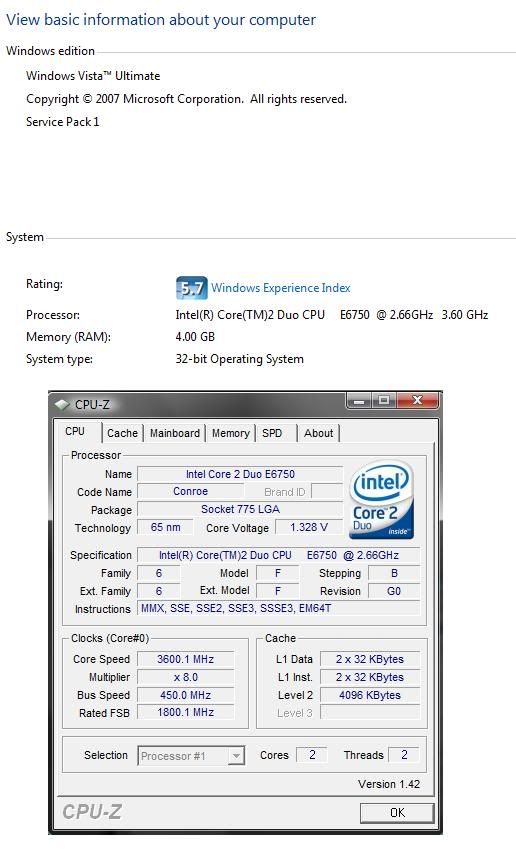 Added on March 23, 2008, 1:53 pm QUOTE(BuLaNaR @ Mar 23 2008, 01:47 PM) anyone know how to increase DISK DATA TRANSFER RATE in windows experience index???it depends on what???im using sata 2 and now get 5.2 My Index score no problem... Using Seagate 7200.10 ST3320620AS SATA2 as main windows vista and WD Caviar SE16 WD5000AAKS SATA2 as personal data storageur sata 2 is wat brand and model.. if seagate then u shud have a white jumper on ur seagate hdd and u shud plug that out to get sata2 performance... by default the white jumper is plugged into the harddisk for compatible sake, activating at sata1 only... 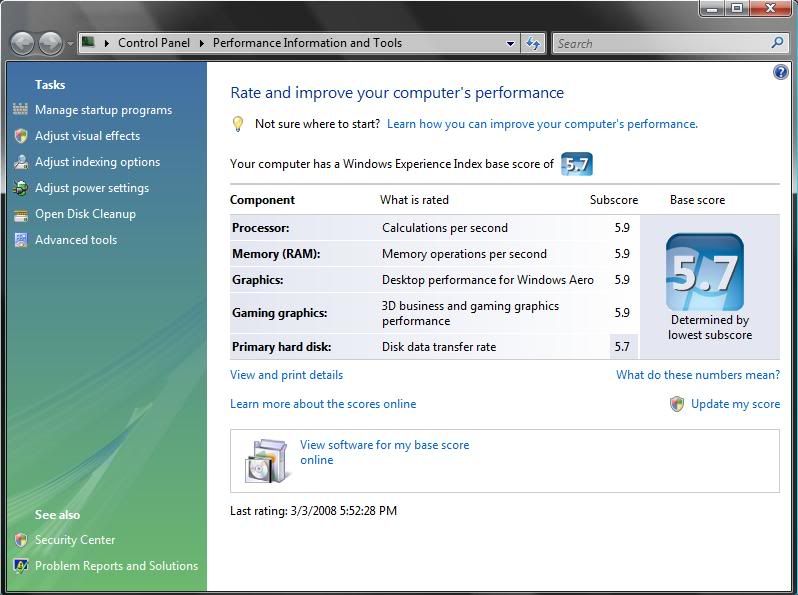 This post has been edited by vincentlaw: Mar 23 2008, 01:56 PM |
|
|
Mar 23 2008, 02:38 PM
|
|
Senior Member
4,524 posts Joined: Oct 2007 From: ~Still finding the place~
|
my windows experience index still the same..lol..
i thought it will be get higher but still the same.. This post has been edited by StevenQ: Mar 23 2008, 02:43 PM |
|
|
Mar 23 2008, 03:30 PM
|
|
Senior Member
2,776 posts Joined: Jul 2006
|
Aih...auditionsea cannot log in after sp1 update. Anyone has this prob???
|
|
|
Mar 23 2008, 03:45 PM
|
|
Senior Member
973 posts Joined: Oct 2004 From: CarJunk
|
QUOTE(BuLaNaR @ Mar 23 2008, 01:47 PM) anyone know how to increase DISK DATA TRANSFER RATE in windows experience index???it depends on what???im using sata 2 and now get 5.2 u using 8 MB cache or 16 MB cache HDD??try enabling advance performance at device manager...try to defrag ur HDD Added on March 23, 2008, 3:48 pmany different between wave0 and wave1 installer?? This post has been edited by User_Xp: Mar 23 2008, 03:48 PM |
|
|
Mar 23 2008, 04:24 PM
|
|
Senior Member
6,562 posts Joined: Jan 2003
|
QUOTE(BuLaNaR @ Mar 23 2008, 01:47 PM) anyone know how to increase DISK DATA TRANSFER RATE in windows experience index???it depends on what???im using sata 2 and now get 5.2 Does the score really matters? It's just numbers. If you want 5.9, get two Raptor-X run it at RAID-0. |
|
|
Mar 23 2008, 04:52 PM
|
|
Senior Member
1,507 posts Joined: May 2007
|
QUOTE(kianwee @ Mar 23 2008, 04:24 PM) Does the score really matters? It's just numbers. If you want 5.9, get two Raptor-X run it at RAID-0. 1 raptor is enuf... ... the score reflect to ur performance.. so 5.2 vs 5.9 means ur hdd perform slightly slower...... take note for seagate user to take off the jumper for sata2 performance....default came with jumper on.... |
|
|
Mar 23 2008, 04:53 PM
|
|
All Stars
17,053 posts Joined: Jan 2003
|
QUOTE(kianwee @ Mar 23 2008, 04:24 PM) Does the score really matters? It's just numbers. If you want 5.9, get two Raptor-X run it at RAID-0. you don't need that to get 5.9 |
|
|
Mar 23 2008, 06:13 PM
|
|
Junior Member
188 posts Joined: Oct 2006
|
QUOTE(vincentlaw @ Mar 23 2008, 12:03 AM) its best using windows update.... Mmmm. Are you refering to the demo as well? Because I am. I suppose if you have the full version then maybe you're patched or something. I don't know. I looked a bit online, seems COD4 sometimes have issues with RealTek on board audio drivers, so I guess maybe that's the problem, and as this is the demo I'm talking about, there's no fix. haha. Added on March 23, 2008, 12:04 am ive no problem on mine after update.... i used Windows update... so far not a single problem.... i wonder why u all have so much problem... try not to use the standalone installer... and update everythg from windows update before upgrading to sp1... thats at least wat i did.... coz im using ori vista...  Makes me re-think my interest in getting the full COD4 though. Makes me re-think my interest in getting the full COD4 though.  |
|
|
Mar 23 2008, 09:24 PM
|
|
Junior Member
93 posts Joined: Jan 2003 From: Penang
|
Does anyone know if i fresh install vista... what update do i need to get before i would be offered sp1 in WU?
|
|
|
Mar 23 2008, 09:58 PM
|
|
Senior Member
6,562 posts Joined: Jan 2003
|
QUOTE(ketan1785 @ Mar 23 2008, 09:24 PM) Does anyone know if i fresh install vista... what update do i need to get before i would be offered sp1 in WU? Why not you get a copy of Vista DVD with SP1? That will save you the trouble of updating it again later. |
|
|
Mar 23 2008, 10:14 PM
|

Senior Member
1,298 posts Joined: Jan 2003 From: utopia
|
any idea?
cant update it keep on pop up i already change to english form regioan and language using Windows6.0-KB936330-X86-wave0 
This post has been edited by chickenducksoup: Mar 23 2008, 10:15 PM |
|
|
Mar 23 2008, 10:15 PM
|
|
Junior Member
93 posts Joined: Jan 2003 From: Penang
|
But i got ori vista without sp1... where to get another with sp1 version?
|
|
|
Mar 23 2008, 10:27 PM
|
|
Senior Member
1,507 posts Joined: May 2007
|
QUOTE(ketan1785 @ Mar 23 2008, 10:15 PM) But i got ori vista without sp1... where to get another with sp1 version? then do it thru WU..... im not sure u need to update all before u upgrading to sp1 anot.. but i did update everythg then only to sp1... im working 100% fine so far.... |
|
|
Mar 23 2008, 10:37 PM
|
|
Senior Member
4,670 posts Joined: Dec 2004
|
QUOTE(RahXeph0n @ Mar 23 2008, 06:13 PM) Mmmm. Are you refering to the demo as well? Because I am. I suppose if you have the full version then maybe you're patched or something. I don't know. I looked a bit online, seems COD4 sometimes have issues with RealTek on board audio drivers, so I guess maybe that's the problem, and as this is the demo I'm talking about, there's no fix. haha. I'm running the latest patched CoD4 v1.5 with Service Pack 1 and Realtek HD Audio ALC262 on a laptop and i don't have any problems. Makes me re-think my interest in getting the full COD4 though. |
|
|
Mar 24 2008, 12:40 AM
|
|
Senior Member
973 posts Joined: Oct 2004 From: CarJunk
|
QUOTE(chickenducksoup @ Mar 23 2008, 10:14 PM) any idea? only English version of sp1 are release..cant update it keep on pop up i already change to english form regioan and language using Windows6.0-KB936330-X86-wave0
juz wait for other language version release |
|
|
Mar 24 2008, 01:10 AM
|
|
Senior Member
599 posts Joined: Oct 2007 From: Finding the Core
|
QUOTE(User_Xp @ Mar 23 2008, 03:45 PM) u using 8 MB cache or 16 MB cache HDD?? is this option risky? afraid that there will be some data losses try enabling advance performance at device manager...try to defrag ur HDD Added on March 23, 2008, 3:48 pmany different between wave0 and wave1 installer?? Added on March 24, 2008, 1:17 am QUOTE(BuLaNaR @ Mar 23 2008, 01:47 PM) anyone know how to increase DISK DATA TRANSFER RATE in windows experience index???it depends on what???im using sata 2 and now get 5.2 there are some site that tell we can even manipulate/hack the score.....try herehttp://unlockforus.blogspot.com/2007/10/fu...experience.html This post has been edited by Core_Trace®: Mar 24 2008, 01:17 AM |
|
|
Mar 24 2008, 01:33 AM
|

Senior Member
1,743 posts Joined: Jul 2006 From: Shah Alam
|
the score IIANM is in xml format..u cn easily edit it...my fren try wanna tipu me b4 dis by showing their score were 6.0,,,AFAIK the max is 5.9
|
|
|
Mar 24 2008, 01:44 AM
|
|
Senior Member
653 posts Joined: Dec 2006
|
vista sp1 run fine & smooth on my 2 yr'o com
|
|
|
Mar 24 2008, 03:02 AM
|
|
Senior Member
1,839 posts Joined: Mar 2005
|
An update on my Vista with SP 1. Just discovered that after waking up from standby, some of my programs won't work properly. Among that I've discovered, Windows Media Player won't start, and Yahoo Messenger 9 would crash upon connected. I need to restart to overcome this.
|
|
|
Mar 24 2008, 03:26 AM
|
|
Senior Member
1,507 posts Joined: May 2007
|
QUOTE(Core_Trace(R) @ Mar 24 2008, 01:10 AM) there are some site that tell we can even manipulate/hack the score.....try here his problem here is genuinely getting 5.2 which he claims to be not satisfied... maybe lower from before upgrade to sp1.... therefore there isnt any point of discussing any manipulation or hacking for the point at all since he didnt hack or do anythg..... let say if before he upgrade is 5.7 then after upgrade is 5.2, then it is either some internal problem or the sp1 is faulty on his machine...http://unlockforus.blogspot.com/2007/10/fu...experience.html |
|
|
Mar 24 2008, 03:40 AM
|
|
Banned
1,112 posts Joined: Oct 2007
|
Hoowhaa~~~ I just installed Vista SP1 it's amazing the respond and performance is so good now~~~
hoho~~~ I also test it with ahem version can activate no problems. I fall in love with my original Vista again. |
|
|
Mar 24 2008, 03:41 AM
|

Senior Member
692 posts Joined: Dec 2004 From: Soviet Sarawak
|
just got SP1 up and running. overall I think it was worth it, most of the stuff comes out faster, eg folder browsing, Ctrl-Alt-Del, thumbnails load faster too. BTW one more thing I noticed, before SP1 was installed on my com, 3.5GB RAM was stated at the System window. Now corrected to 4GB RAM.
|
|
|
Mar 24 2008, 03:45 AM
|
|
Banned
1,112 posts Joined: Oct 2007
|
QUOTE(scph50004 @ Mar 24 2008, 03:41 AM) just got SP1 up and running. overall I think it was worth it, most of the stuff comes out faster, eg folder browsing, Ctrl-Alt-Del, thumbnails load faster too. BTW one more thing I noticed, before SP1 was installed on my com, 3.5GB RAM was stated at the System window. Now corrected to 4GB RAM. Yeah, me notice that too. SP1 will recognize 4GB from now on but I guess that is the max and cant go anymore higher because of 32-bit engine. |
|
|
Mar 24 2008, 04:17 AM
|
|
Senior Member
1,507 posts Joined: May 2007
|
QUOTE(scph50004 @ Mar 24 2008, 03:41 AM) just got SP1 up and running. overall I think it was worth it, most of the stuff comes out faster, eg folder browsing, Ctrl-Alt-Del, thumbnails load faster too. BTW one more thing I noticed, before SP1 was installed on my com, 3.5GB RAM was stated at the System window. Now corrected to 4GB RAM. 3.5gb is the real 1.... 4gb is just to clear confusion of users....... if u install 4gb on ur 32bit windows OS... the actual utilize is not 4gb... instead only about 3gb+ is used.... 4gb minus out ur hardware memory such as 3dcard and souncard and etc.... for example let say ur 3dcard is 512mb... so it only use 3.5gb for ur system....vista sp1 stated 4gb is to clear the user confusion and stop alot of user from asking "eh i instlal 4gb and i get only 3gb+ ram, WHY????" memory remapping = using 4gb memory on 32bit OS method, is unable to use in windows if im not wrong.... therefore want to use 4gb or more memory? go 64bit OS This post has been edited by vincentlaw: Mar 24 2008, 04:19 AM |
|
|
Mar 24 2008, 06:34 AM
|
|
Senior Member
777 posts Joined: Sep 2007 From: bandar baru bangi
|
QUOTE(vincentlaw @ Mar 23 2008, 04:52 PM) 1 raptor is enuf... bro,how to pull off dat jumper..im using seagate ... the score reflect to ur performance.. so 5.2 vs 5.9 means ur hdd perform slightly slower...... take note for seagate user to take off the jumper for sata2 performance....default came with jumper on.... |
|
|
Mar 24 2008, 08:33 AM
|
|
All Stars
10,222 posts Joined: Jan 2003
|
erh, if i'm using 2gb of rams now, with vista sp1, then upgrade to 4gb, will i need to reactivate my vista?
asked in the help desk, but some fag replied with unrelated stuffs This post has been edited by alwizbthere: Mar 24 2008, 08:34 AM |
|
|
Mar 24 2008, 08:49 AM
|

Senior Member
2,564 posts Joined: Jan 2003
|
nope no need
QUOTE(alwizbthere @ Mar 24 2008, 08:33 AM) erh, if i'm using 2gb of rams now, with vista sp1, then upgrade to 4gb, will i need to reactivate my vista? asked in the help desk, but some fag replied with unrelated stuffs |
|
|
Mar 24 2008, 08:57 AM
|
|
Senior Member
4,670 posts Joined: Dec 2004
|
QUOTE(vincentlaw @ Mar 24 2008, 03:26 AM) his problem here is genuinely getting 5.2 which he claims to be not satisfied... maybe lower from before upgrade to sp1.... therefore there isnt any point of discussing any manipulation or hacking for the point at all since he didnt hack or do anythg..... let say if before he upgrade is 5.7 then after upgrade is 5.2, then it is either some internal problem or the sp1 is faulty on his machine... Don't worry too much about the WEI as it isn't a true test of what your pc can do. Heck... i scored 4.3 for disk transfer but the rest of my scores are 4.8, 4.8, 5.6, 5.4.But i don't have any problems playing games like CoD4 or DoW OR CoH. |
|
|
Mar 24 2008, 09:27 AM
|
|
Junior Member
490 posts Joined: Oct 2005
|
QUOTE(User_Xp @ Mar 24 2008, 12:40 AM) only English version of sp1 are release.. Who told you only English version released? 5 languages the SP1 supported.juz wait for other language version release QUOTE(vincentlaw @ Mar 24 2008, 04:17 AM) 3.5gb is the real 1.... 4gb is just to clear confusion of users....... if u install 4gb on ur 32bit windows OS... the actual utilize is not 4gb... instead only about 3gb+ is used.... 4gb minus out ur hardware memory such as 3dcard and souncard and etc.... for example let say ur 3dcard is 512mb... so it only use 3.5gb for ur system.... Yes. You're right. Actually the system just use up to 3.5GB. It show 4GB just to make things clearer to end users (especially dummy). Even without SP1, you can make it to show 4GB.vista sp1 stated 4gb is to clear the user confusion and stop alot of user from asking "eh i instlal 4gb and i get only 3gb+ ram, WHY????" memory remapping = using 4gb memory on 32bit OS method, is unable to use in windows if im not wrong.... therefore want to use 4gb or more memory? go 64bit OS http://www.myitlab.net/index.php?showtopic=144 QUOTE(alwizbthere @ Mar 24 2008, 08:33 AM) erh, if i'm using 2gb of rams now, with vista sp1, then upgrade to 4gb, will i need to reactivate my vista? No need.asked in the help desk, but some fag replied with unrelated stuffs |
|
|
Mar 24 2008, 09:55 AM
|
|
All Stars
10,222 posts Joined: Jan 2003
|
thanks mate, 4gb rams, here i come
|
|
|
Mar 24 2008, 10:44 AM
|
|
Senior Member
1,239 posts Joined: Jan 2003 From: PJ/Malacca
|
QUOTE(DeathChaosX @ Mar 23 2008, 01:01 PM) I already tried compatibility mode and also reinstalled it, but it's still the same. I reinstalled and problem solved.QUOTE(vincentlaw @ Mar 23 2008, 01:49 PM) hmm that 1 is OCed? it is as if u didnt OCed at all... 333 BS and 1333FSB is the default 1... hmmm i OCed mine to 3.6ghz and no problem Hmm seems to be a one time problem for me, now its showing my OC speed again. |
|
|
Mar 24 2008, 12:57 PM
|
|
Senior Member
1,507 posts Joined: May 2007
|
QUOTE(Aoshi_88 @ Mar 24 2008, 08:57 AM) Don't worry too much about the WEI as it isn't a true test of what your pc can do. Heck... i scored 4.3 for disk transfer but the rest of my scores are 4.8, 4.8, 5.6, 5.4. problem ofcoz not so obvious coz when u play games, most of the data will be transfered to ur memory... which wat memory for.. so u wont feel lack..But i don't have any problems playing games like CoD4 or DoW OR CoH. if u do compare data transfer, such as copy big files from one hdd to another hdd in a big sum of capacity, then u compare to better hdd, u will notice the difference 4+ index still perform well in vista since if im not wrong the min requirement is 3+ and recommended is 4+ Added on March 24, 2008, 12:59 pm QUOTE(alwizbthere @ Mar 24 2008, 09:55 AM) thanks mate, 4gb rams, here i come remember that if u are using those high end card such as 3870x2 or 9800Gx2...... they have 1gb memory ... so if u want to use 32bit OS(which is commonly used), then dont bother to get 4gb... instead get 3gb ram coz the max u can go is 3gb for full utilize... it will show 4gb if u install it but only 3gb is used......This post has been edited by vincentlaw: Mar 24 2008, 12:59 PM |
|
|
Mar 24 2008, 03:35 PM
|

Senior Member
841 posts Joined: Feb 2005 From: Melaka>KL
|
my boot time is faster around 1min+ compare to last and i did a clean install 1st. also changed a new hdd la. so far sp1 giving me no prob. and it faster alot when copying large files
|
|
|
Mar 24 2008, 03:41 PM
|
|
Senior Member
831 posts Joined: Jun 2006
|
ive updated mine to sp1 n seems like no changes at all,to me dat is...
|
|
|
Mar 24 2008, 06:09 PM
|
|
Senior Member
4,852 posts Joined: Aug 2006
|
I still cant get SP1 to be shown on my Windows Update.
Is there anyway to fix this? |
|
|
Mar 24 2008, 06:25 PM
|
|
Senior Member
1,507 posts Joined: May 2007
|
QUOTE(Cheesenium @ Mar 24 2008, 06:09 PM) I still cant get SP1 to be shown on my Windows Update. press the "check for update" on the left side panel of windows Update? wait and make sure ur internet connection is smooth...Is there anyway to fix this? |
|
|
Mar 24 2008, 06:35 PM
|
|
Senior Member
4,852 posts Joined: Aug 2006
|
QUOTE(vincentlaw @ Mar 24 2008, 06:25 PM) press the "check for update" on the left side panel of windows Update? wait and make sure ur internet connection is smooth... Yeah,i did press and my connection is ok.I have remove the problematic drivers in my system and it's still not offered. |
|
|
Mar 24 2008, 06:42 PM
|
|
Junior Member
490 posts Joined: Oct 2005
|
QUOTE(vailance @ Mar 24 2008, 03:35 PM) my boot time is faster around 1min+ compare to last and i did a clean install 1st. also changed a new hdd la. so far sp1 giving me no prob. and it faster alot when copying large files Yes, you're right. This is the best way to find out the performance of SP1. Without format and reinstall Windows, you might have some driver or software that might cause problem. It proven to be faster on boot up time. |
|
|
Mar 24 2008, 06:47 PM
|
|
All Stars
10,222 posts Joined: Jan 2003
|
QUOTE(vincentlaw @ Mar 24 2008, 12:57 PM) problem ofcoz not so obvious coz when u play games, most of the data will be transfered to ur memory... which wat memory for.. so u wont feel lack.. dun worry bout tat, i know pretty well bout tat as i myself has posted few post regarding it in hardware Q & A. using only 8800gts g80 312mb, so probably should see bout 3.5gb+if u do compare data transfer, such as copy big files from one hdd to another hdd in a big sum of capacity, then u compare to better hdd, u will notice the difference 4+ index still perform well in vista since if im not wrong the min requirement is 3+ and recommended is 4+ Added on March 24, 2008, 12:59 pm remember that if u are using those high end card such as 3870x2 or 9800Gx2...... they have 1gb memory ... so if u want to use 32bit OS(which is commonly used), then dont bother to get 4gb... instead get 3gb ram coz the max u can go is 3gb for full utilize... it will show 4gb if u install it but only 3gb is used...... |
|
|
Mar 24 2008, 08:25 PM
|
|
Senior Member
1,507 posts Joined: May 2007
|
QUOTE(alwizbthere @ Mar 24 2008, 06:47 PM) dun worry bout tat, i know pretty well bout tat as i myself has posted few post regarding it in hardware Q & A. using only 8800gts g80 312mb, so probably should see bout 3.5gb+ lol did i seems like worrying??? im explaning there... anbd ur 312mb.. LOL typo... but u shud get 3.7gb instead since 4,096mb - 320mb = 3,776mb..... is u have other hardware that utilises memory then will bcom lesser than 3.7gb...This post has been edited by vincentlaw: Mar 24 2008, 08:27 PM |
|
|
Mar 24 2008, 09:10 PM
|
|
Senior Member
6,016 posts Joined: Feb 2007
|
regardless how many video memory u have, u will still get 3.25GB(3325MB) if u have 4Gb of physical memory installed on 32bit of vista.
and it will reduce further if u are using on-board VGA. |
|
|
Mar 24 2008, 09:38 PM
|
|
All Stars
10,222 posts Joined: Jan 2003
|
QUOTE(vincentlaw @ Mar 24 2008, 08:25 PM) lol did i seems like worrying??? im explaning there... LOL really typo, cos i was tulan my car kena bang from behind today... anbd ur 312mb.. LOL typo... but u shud get 3.7gb instead since 4,096mb - 320mb = 3,776mb..... is u have other hardware that utilises memory then will bcom lesser than 3.7gb...anyway, wat i mean bout worrying is just to tell ya u don't need to explain this to me, i know bout it pretty well |
|
|
Mar 24 2008, 09:43 PM
|
|
Senior Member
1,507 posts Joined: May 2007
|
QUOTE(1024kbps @ Mar 24 2008, 09:10 PM) regardless how many video memory u have, u will still get 3.25GB(3325MB) if u have 4Gb of physical memory installed on 32bit of vista. obsolutely totally 100% confirm wrong... totally disagree... it varies acording to ur system memory utilization... not fix..... i have 4gb memory and Asus 8800GT TOP edition 512mb graphic card.... i get only 3.5gb utilization from ram only....and it will reduce further if u are using on-board VGA. |
|
|
Mar 24 2008, 09:59 PM
|
|
Senior Member
6,016 posts Joined: Feb 2007
|
QUOTE(vincentlaw @ Mar 24 2008, 09:43 PM) obsolutely totally 100% confirm wrong... totally disagree... it varies acording to ur system memory utilization... not fix..... i have 4gb memory and Asus 8800GT TOP edition 512mb graphic card.... i get only 3.5gb utilization from ram only.... post a screenshot of ur dxdiag then or task manager also can.or may be u can explain to me, why im using 2600xt with 256mb of video memory, my total physical memory only left 3.25gb? |
|
|
Mar 24 2008, 10:47 PM
|
|
Senior Member
1,507 posts Joined: May 2007
|
QUOTE(1024kbps @ Mar 24 2008, 09:59 PM) post a screenshot of ur dxdiag then as u wish or task manager also can.or may be u can explain to me, why im using 2600xt with 256mb of video memory, my total physical memory only left 3.25gb? .... here is the screenshot ... sry for those who think too big.. purposely dont want to minimise so it is CLEAR enuf to see .... the everest ultimate is to double confirm it... im not sure how can u get 3.25gb but im pretty sure it is cause by the rest of ur hardware..... or maybe settings.. anyway ur statement is a wrong statement... as for mine... 4 x 1,024mb = 4,096mb...... 4,096mb - 512mb = 3,584mb........ but im still wondering why 2mb missing from dxdiag... the everest is the correct value.... maybe 2mb use for BIOS or sumthg like that 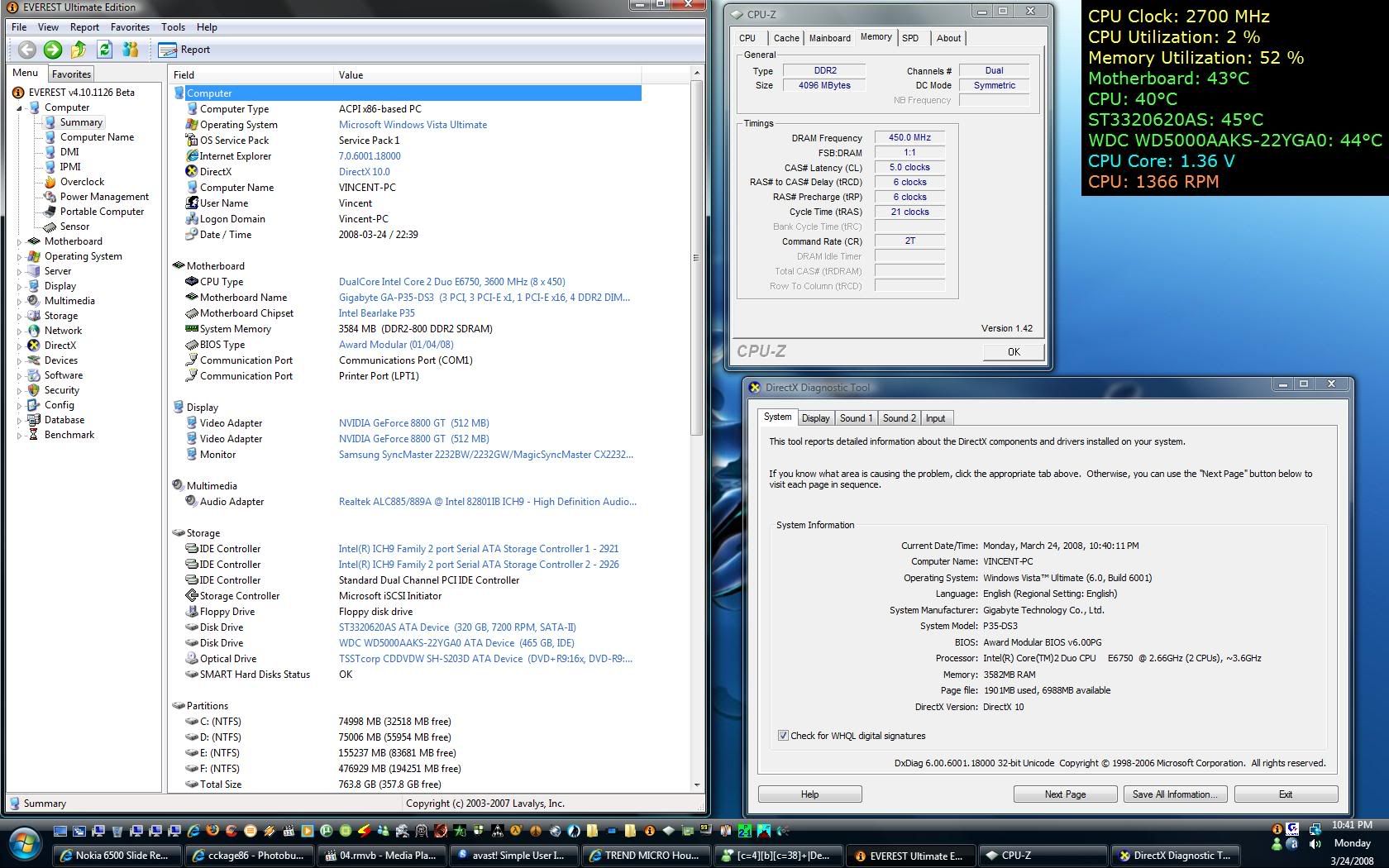 This post has been edited by vincentlaw: Mar 24 2008, 11:04 PM |
|
|
Mar 24 2008, 10:56 PM
|
|
Senior Member
777 posts Joined: Sep 2007 From: bandar baru bangi
|
ur sata 2 is wat brand and model.. if seagate then u shud have a white jumper on ur seagate hdd and u shud plug that out to get sata2 performance... by default the white jumper is plugged into the harddisk for compatible sake, activating at sata1 only...
[/quote] bro...if i pull the jumpe at the hard disk..need to pull jumper at mobo oso??? |
|
|
Mar 24 2008, 11:16 PM
|
|
Senior Member
1,507 posts Joined: May 2007
|
QUOTE(BuLaNaR @ Mar 24 2008, 10:56 PM) bro...if i pull the jumpe at the hard disk..need to pull jumper at mobo oso??? i assume u are using biostar ta690g mobo acording to ur signature..... ur mobo support sata2 hdd... so ur u can take off ur seagate hdd jumper for sata2 mode... default plug in = sata1 compatibility mode..... about ur mobo.. there shudnt be anythg to configure for sata..... its automatic.... so just go ahead and take off the white small tiny jumper from ur seagate hdd to get into sata2 mode.. off ur computer only do it ah...... i will faint if u leave ur computer on and do that......my seagate model???? see above quoted picture... ST3320620AS... u can see it in everest report or everest OSD or in my signature below... |
|
|
Mar 24 2008, 11:32 PM
|

Senior Member
2,910 posts Joined: Oct 2007 From: Melaka
|
before update service pack 1
Attached thumbnail(s) 
|
|
|
Mar 24 2008, 11:35 PM
|
|
Senior Member
2,910 posts Joined: Oct 2007 From: Melaka
|
after update ,my max clear theme become like tis
Attached thumbnail(s) 
|
|
|
Mar 24 2008, 11:39 PM
|
|
Senior Member
1,507 posts Joined: May 2007
|
ur maxclear thggie is a customization of windows... so perhaps u need to reinstall it to get the compatibility coz in the process of upgrading sp1.. some of the system file code is change or wat... anyway just try to reinstall it
|
|
|
Mar 24 2008, 11:50 PM
|
|
Senior Member
2,910 posts Joined: Oct 2007 From: Melaka
|
QUOTE(vincentlaw @ Mar 24 2008, 11:39 PM) ur maxclear thggie is a customization of windows... so perhaps u need to reinstall it to get the compatibility coz in the process of upgrading sp1.. some of the system file code is change or wat... anyway just try to reinstall it lazy to reinstall window,now only customize theme wont work,but the original aero still can run,so use back original looks lo and i notice tat my pc become slow during start up,need to wait about 2 minutes before i can start click anythings,only the wireless connection become faster than b4 |
|
|
Mar 24 2008, 11:54 PM
|
|
Senior Member
6,016 posts Joined: Feb 2007
|
QUOTE(vincentlaw @ Mar 24 2008, 10:47 PM) as u wish ok it seems only nvidia 8 series user can use up to 3.5gb on 32bit OS .... here is the screenshot ... sry for those who think too big.. purposely dont want to minimise so it is CLEAR enuf to see .... the everest ultimate is to double confirm it... im not sure how can u get 3.25gb but im pretty sure it is cause by the rest of ur hardware..... or maybe settings.. anyway ur statement is a wrong statement... as for mine... 4 x 1,024mb = 4,096mb...... 4,096mb - 512mb = 3,584mb........ but im still wondering why 2mb missing from dxdiag... the everest is the correct value.... maybe 2mb use for BIOS or sumthg like that while ati user only can see 3.2gb, again please prove im wrong lol |
|
|
Mar 24 2008, 11:56 PM
|
|
Senior Member
2,910 posts Joined: Oct 2007 From: Melaka
|
anybody facing the same theme problem same with me after update ?
|
|
|
Mar 25 2008, 12:10 AM
|
|
Senior Member
1,507 posts Joined: May 2007
|
QUOTE(1024kbps @ Mar 24 2008, 11:54 PM) ok it seems only nvidia 8 series user can use up to 3.5gb on 32bit OS u really want ah.... then i have to do it with my old x800GT... hahaha... u want me do it with X800GT? maybe later u "ohh maybe x800 range users only can get it, mine diff cause x2000 series"... while ati user only can see 3.2gb, again please prove im wrong lol This post has been edited by vincentlaw: Mar 25 2008, 12:12 AM |
|
|
Mar 25 2008, 12:26 AM
|
|
Senior Member
6,016 posts Joined: Feb 2007
|
QUOTE(vincentlaw @ Mar 25 2008, 12:10 AM) u really want ah.... then i have to do it with my old x800GT... hahaha... u want me do it with X800GT? maybe later u "ohh maybe x800 range users only can get it, mine diff cause x2000 series"... i did search on google before, as i cant find any ati card user have 3584mb of ram with 32bit of xp or vista, unless they are using x64 of xp or vista. i will stop discuss it further as we are in off-topic already, post ur x800gt and the dxdiag+everest, and full stop lol  |
|
|
Mar 25 2008, 12:58 AM
|
|
Senior Member
1,507 posts Joined: May 2007
|
QUOTE(1024kbps @ Mar 25 2008, 12:26 AM) i did search on google before, as i cant find any ati card user have 3584mb of ram with 32bit of xp or vista, unless they are using x64 of xp or vista. ooo hmmm will try later i will stop discuss it further as we are in off-topic already, post ur x800gt and the dxdiag+everest, and full stop lol |
|
|
Mar 25 2008, 01:09 AM
|

Senior Member
2,982 posts Joined: Jan 2003 From: Changi T2, T3; SG
|
QUOTE(Cheesenium @ Mar 24 2008, 06:09 PM) I still cant get SP1 to be shown on my Windows Update. sp1 thru windows update only available from mid aprilIs there anyway to fix this? |
|
|
Mar 25 2008, 01:23 AM
|

Junior Member
345 posts Joined: Sep 2005
|
QUOTE(1024kbps @ Mar 24 2008, 11:54 PM) ok it seems only nvidia 8 series user can use up to 3.5gb on 32bit OS no lo...while ati user only can see 3.2gb, again please prove im wrong lol i can get 4 gb in my vista 32 bit witg geforce 8600m gt 2x2gb combination hmm vista sp 1... faster than rtm... but now wan try server 08 as workstation This post has been edited by xphonerz: Mar 25 2008, 01:25 AM |
|
|
Mar 25 2008, 01:37 AM
|
|
Senior Member
1,507 posts Joined: May 2007
|
QUOTE(hoongji @ Mar 25 2008, 01:09 AM) sp1 thru windows update only available from mid april wrong.. pls read the 5pages before this... alot of use use WU to do it including me.Added on March 25, 2008, 1:38 am QUOTE(1024kbps @ Mar 25 2008, 12:26 AM) i did search on google before, as i cant find any ati card user have 3584mb of ram with 32bit of xp or vista, unless they are using x64 of xp or vista. dude this is wat u asking for again...... ATI x800GT 256mb.... everest + dxdiag....... and below that is a pic of my 8800GT + x800GT.. i will stop discuss it further as we are in off-topic already, post ur x800gt and the dxdiag+everest, and full stop lol hmm but why still like that 3.5gb ah.... didnt refresh or wat??? here are some article which help to understand why 3.5gb and the max memory to utilize..... happy reading http://www.vistaclues.com/reader-question-...-memory-limits/ http://blogs.msdn.com/dcook/archive/2007/0...-my-memory.aspx http://www.codinghorror.com/blog/archives/000811.html http://littleway.blogspot.com/2007/12/enab...to-support.html 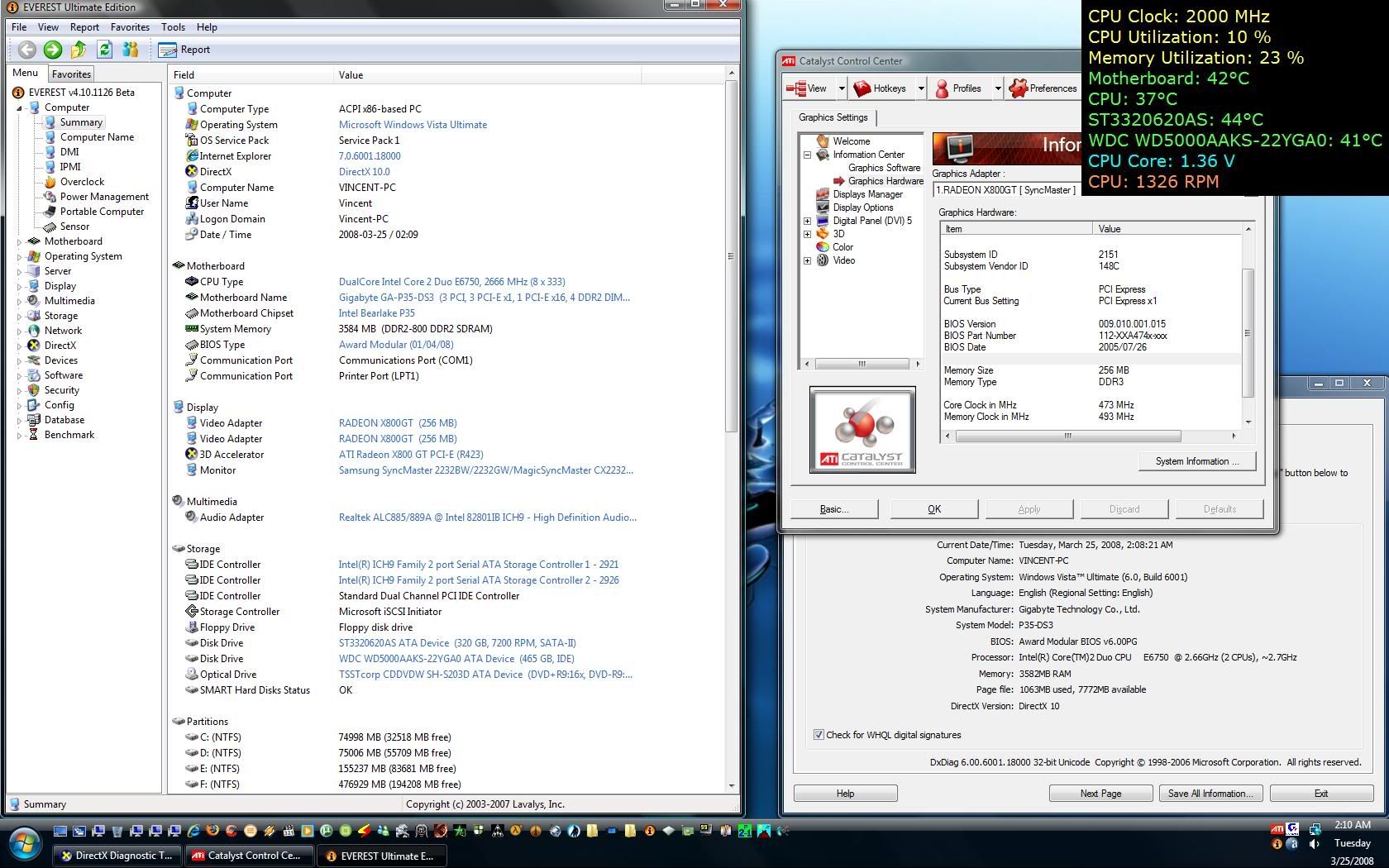  This post has been edited by vincentlaw: Mar 25 2008, 02:54 AM |
|
|
Mar 25 2008, 07:57 PM
|
|
Banned
1,112 posts Joined: Oct 2007
|
Hellgate London on Vista SP1 using 2GB very smooth now hoho~~~
This post has been edited by mgxbox: Mar 25 2008, 08:00 PM |
|
|
Mar 25 2008, 08:43 PM
|
|
Senior Member
1,098 posts Joined: Nov 2006
|
QUOTE(cwk88 @ Mar 24 2008, 01:44 AM) vista sp1 run fine & smooth on my 2 yr'o com See? Vista works great not only on new hardware, but on old hardware too. |
|
|
Mar 25 2008, 09:35 PM
|

Senior Member
6,410 posts Joined: Jan 2003 From: MLK
|
Arr matey!
Anyone using Optical sound output here ? Specifically X-Fi users. I'm having problem with Digital output since there's no sound coming from it. Analog is working fine. |
|
|
Mar 25 2008, 09:42 PM
|
|
Banned
1,112 posts Joined: Oct 2007
|
QUOTE(Joseph Hahn @ Mar 25 2008, 09:35 PM) Arr matey! Contact Creative for a solutions this is not a Vista problem. It's a driver Creative problems. Shoot Creative! Anyone using Optical sound output here ? Specifically X-Fi users. I'm having problem with Digital output since there's no sound coming from it. Analog is working fine. |
|
|
Mar 26 2008, 01:24 AM
|
|
Senior Member
653 posts Joined: Dec 2006
|
QUOTE(defaultname365 @ Mar 25 2008, 08:43 PM) See? Vista works great not only on new hardware, but on old hardware too. yes.. im still using althon 3500+ (single core) with asus A8N-E mobo |
|
|
Mar 26 2008, 12:36 PM
|
|
Senior Member
561 posts Joined: Aug 2006 From: Kajang, Selangor
|
ah it working fine wif my pc a little bit faster....
|
|
|
Mar 27 2008, 05:55 PM
|
|
Senior Member
837 posts Joined: Oct 2006 From: Malaysia
|
anyone can list the full update of service pack one T_T i can't find out all myself ~~ plx ^^
|
|
|
Mar 27 2008, 06:25 PM
|

Junior Member
227 posts Joined: Jan 2008 From: Kuala Lumpur
|
Is the loading screen, when you boot your computer different with the SP 1 ?
|
|
|
Mar 27 2008, 08:45 PM
|

Senior Member
1,651 posts Joined: Dec 2006
|
QUOTE(mgxbox @ Mar 27 2008, 03:34 PM) It's works much more faster on files transfering between partitions than the release version & more stable with lesser bug haha...not as fast as transfers in xp. btw it's a good improvement on Vista, hope microsoft can bring better updates for it next.QUOTE(User_Xp @ Mar 27 2008, 07:42 PM) ...when malaysia can build the pure os? i believe its a mmm.... nope. QUOTE(Aoshi_88 @ Mar 27 2008, 08:33 PM) Different versions of Vista exist for DIFFERENT USERS. It's NOT because Microsoft is trying to squeeze every cent out of you. Why sell you Vista Business at a higher price when you are a home user and only require Vista Home Premium? btw it will be better if it only got 1 or 2 version.from my point of view, Vista Basic is made just for the sake of the late "Designed For XP : Vista Capable" logo slapped onto the computers year before Vista was unveiled. and there are too much versions of Vista. btw, better discuss more on SP1 features here. |
|
|
Mar 28 2008, 04:39 PM
|
|
All Stars
17,053 posts Joined: Jan 2003
|
hey after you install the SP1 do you guys type in this command in command prompt "vsp1cln.exe"
|
|
|
Mar 28 2008, 05:25 PM
|
|
Senior Member
1,507 posts Joined: May 2007
|
QUOTE(Darkmage12 @ Mar 28 2008, 04:39 PM) hey after you install the SP1 do you guys type in this command in command prompt "vsp1cln.exe" nope.. but i just tried after u mention... will complete it now... and will show some printscreen here before and after do this... this info is what i get from net==================================================================== Vsp1cln.exe - Vista SP1 File Removal Tool I've been running Vista SP1 for the past few days, and the system is quite stable. It was time to make Vista SP1 permanent on this machine. I had 45.6 GB free before running the above tool. Vsp1cln.exe is described as: Vsp1cln.exe is an optional tool that you can run after you install SP1. This tool removes older versions of components that have been updated in SP1, which are stored during the installation in case you need to uninstall SP1 later. Saving these older components increases the amount of disk space that is used. Typically, you should run Vsp1cln.exe if you want to reclaim this disk space after applying SP1 and if you will not need to uninstall SP1. Note, however, that you cannot uninstall SP1 after you run this tool. UAC asks for permission when running the tool, and a command prompt pops up asking if you want to make SP1 permanent. After the tool had run on my machine, disk space went from 45.6 GB to 47.3 GB. If you're sure you are going to be keeping SP1 this might be a worth while tool to run. ==================================================================== After installing Windows Vista Service Pack 1 (SP1), you probably will notice that the free disk space of your system hard drive will reduce significantly. The additional space used and occupied by Vista SP1 is used to store Vista RTM files so that system can be reverted to old RTM version when users decide to uninstall the service pack. If you have installed SP1 and decided to keep it, Microsoft has packaged SP1 with Vsp1cln.exe File Removal Tool to reclaim disk space. Windows Vista SP1 Deployment Guide describes that vsp1cln.exe File Removal Tool as following: Windows Vista SP1 File Removal Tool Vsp1cln.exe is an optional tool that you can run after you install SP1. This tool removes older versions of components that have been updated in SP1, which are stored during the installation in case you need to uninstall SP1 later. Saving these older components increases the amount of disk space used.. Typically, you should run Vsp1cln.exe if you want to reclaim this disk space after applying SP1 and if you will not need to uninstall SP1. You can use this tool both online and offline, but you must have SP1 installed. You cannot uninstall SP1 after you run this tool on an image. To run Windows Vista SP1 File Removal Tool, open a command prompt (Cmd) or simply press "Winkey + R" keyboard shortcut. Then enter the following command: Vsp1cln.exe Once cleaning process completed, several hundreds megabytes of disk space will be freed, with reports saying around 800 MB, depending on edition of Vista installed. For advanced users,there are plenty of switches and options available to Vsp1cln.exe: VSP1CLN.exe [/h] | [/o: offline Windows files folder path] [/quiet] /? or /h: display Vsp1cln commands list. /o:[offline windows files folder path]: location of Windows Vista offline image that wants to remove RTM files /quiet: silent execution, no display. /verbose: display extra details. There is no download needed, as Vsp1cln.exe comes included with SP1. Note that once ran, SP1 cannot be uninstalled. For those who really run out of disk space, Vista Junk Cleaner script can also be used to delete unwanted files and reclaim more space. ==================================================================== This post has been edited by vincentlaw: Mar 28 2008, 05:29 PM |
|
|
Mar 28 2008, 05:27 PM
|
|
All Stars
17,053 posts Joined: Jan 2003
|
i also dunno lo cos it say make this permanent.....btw after i install SP1 it seems my hard disk space increase by more than 10GB how come? you also like that?
|
|
|
Mar 28 2008, 05:41 PM
|
|
Senior Member
1,507 posts Joined: May 2007
|
Ok here is about the Vista Service Pack 1 File Remover Tool..... vsp1cln.exe
basically it delete ur backup for old vista(no sp1).... tats all.... gain back ur hdd space... below is what happen BEFORE » Click to show Spoiler - click again to hide... « PROCESS - only took me 10-15sec to finish it... » Click to show Spoiler - click again to hide... « AFTER » Click to show Spoiler - click again to hide... « conclusion... Gaining back ~800mb free space... might differ for other PC This post has been edited by vincentlaw: Mar 28 2008, 06:13 PM |
|
|
Mar 28 2008, 05:51 PM
|
|
Senior Member
653 posts Joined: Dec 2006
|
i gaining back 700~800mb free space too
|
|
|
Mar 28 2008, 06:20 PM
|

Senior Member
6,583 posts Joined: Feb 2008
|
sorry for the noob question, is there any significant different between sp1 and non-sp1.... im using sp1 and i really dont see changes... loading for me is still the same with my previous vista...
|
|
|
Mar 28 2008, 06:24 PM
|
|
Senior Member
2,818 posts Joined: Jan 2003 From: Hokkaido, Japan
|
QUOTE(ham_revilo @ Mar 28 2008, 06:20 PM) sorry for the noob question, is there any significant different between sp1 and non-sp1.... im using sp1 and i really dont see changes... loading for me is still the same with my previous vista... It's a colletion of bug fixes since RTM and the OS core has gone through some changes. Performance difference wise, you will notice file copy or HDD related activities become faster.Core Performance Game performance The two articles above is quite informative. |
|
|
Mar 28 2008, 06:26 PM
|
|
Senior Member
517 posts Joined: Jun 2007 From: Jeddah
|
Internet explorer much better stopped hagging up
|
|
|
Mar 28 2008, 06:45 PM
|
|
Senior Member
6,583 posts Joined: Feb 2008
|
QUOTE(hussam_o_r @ Mar 28 2008, 06:26 PM) Internet explorer much better stopped hagging up by the way since i install vista with my others program, my IE7 went haywire and wont even connect to the internet but im not sure if this is cause by vista but i have really try alot of ways to get it connected back and at last i got piss off and use firefox since i always been using it and dont really like use IE7..... btw, just after installing sp1, i couldnt use my printer but luckily went google and found the solution... its something about the "printer spooler service"... wonder if anyone faced this kind of problem before... |
|
|
Mar 28 2008, 07:30 PM
|

All Stars
10,479 posts Joined: Jan 2003 From: Sarawak
|
any fixes involving media center?
|
|
|
Mar 28 2008, 08:13 PM
|
|
Senior Member
6,583 posts Joined: Feb 2008
|
QUOTE
that is what it said from the website gave by shady... great website though.. This post has been edited by ham_revilo: Mar 28 2008, 08:14 PM |
|
|
Mar 28 2008, 08:19 PM
|
|
Senior Member
1,098 posts Joined: Nov 2006
|
The WoW starts with
Vista SP1. Why? Because my computer is AS RESPONSIVE as it was with Windows XP. |
|
|
Mar 28 2008, 08:27 PM
|
|
Senior Member
6,583 posts Joined: Feb 2008
|
QUOTE(defaultname365 @ Mar 28 2008, 08:19 PM) The WoW starts with then good news for u... actually there is still a lil problems with sp1 for some user like me.... Vista SP1. Why? Because my computer is AS RESPONSIVE as it was with Windows XP. but most of it can be solve if go google... so all and all, vista rocks and i really prefer vista more than any other OS... |
|
|
Mar 28 2008, 09:24 PM
|
|
All Stars
17,053 posts Joined: Jan 2003
|
QUOTE(defaultname365 @ Mar 28 2008, 08:19 PM) The WoW starts with wah so good? my can see some improvement la.... you got do anything ma?Vista SP1. Why? Because my computer is AS RESPONSIVE as it was with Windows XP. |
|
|
 Mar 29 2008, 12:13 AM Mar 29 2008, 12:13 AM
|
|
Senior Member
539 posts Joined: Jan 2007 From: Cuba
|
Top Six Tips Before you Install Vista SP1
Chris Pirillo says "SP1 for Vista is officially out now. There have been issues with the install reported, as can happen when you update anything. Goretsky sent these tips in, to hopefully help you bypass any troubles." |
|
|
Mar 29 2008, 03:00 AM
|
|
Senior Member
6,583 posts Joined: Feb 2008
|
thanks for the tips but in the mean while i have nothing wrong with my sp1 but my friend said his pc happens to bsod.... lucky me...:haha:
btw the youtube is lag and there isnt sound on it... is it me or what?? |
|
|
Mar 29 2008, 03:01 AM
|
|
Senior Member
539 posts Joined: Jan 2007 From: Cuba
|
yes sometime it's lagging.
|
|
|
Mar 29 2008, 07:38 AM
|

Senior Member
827 posts Joined: Apr 2007 From: Kuantan@Malacca
|
hmm,where can i get the 64mb update for sp1? im nowjuz downloading the 434mb wan?it they the same? this 434mb wan can install on my vista home premium 32bit or not?
This post has been edited by yuan415: Mar 29 2008, 07:55 AM |
|
|
Mar 29 2008, 08:07 AM
|
|
VIP
16,825 posts Joined: Jan 2003 From: Siberia
|
QUOTE(yuan415 @ Mar 29 2008, 07:38 AM) hmm,where can i get the 64mb update for sp1? use windows update, size differ between system QUOTE im nowjuz downloading the 434mb wan?it they the same? this 434mb wan can install on my vista home premium 32bit or not? Vista SP1 32-bit - 434 MBany 32-bit vista |
|
|
Mar 29 2008, 08:18 AM
|
|
Senior Member
827 posts Joined: Apr 2007 From: Kuantan@Malacca
|
any 32-bit vista [/quote] so i can use rite?den how about vista 64bit? |
|
|
Mar 29 2008, 08:20 AM
|
|
VIP
16,825 posts Joined: Jan 2003 From: Siberia
|
QUOTE(yuan415 @ Mar 29 2008, 08:18 AM) so i can use rite?den how about vista 64bit? for 64-bit vista  This post has been edited by fariz: Mar 29 2008, 08:21 AM |
|
|
Mar 29 2008, 03:20 PM
|

Senior Member
881 posts Joined: Aug 2007 From: Petaling Jaya
|
I using sp1 right now.
Actually I can see little difference between sp1 and previous version... boot a bit faster and the responce time also faster. |
|
|
Mar 29 2008, 05:42 PM
|

Senior Member
1,002 posts Joined: Jan 2003 From: kl
|
want to ask.. i just use the windows update to update my windows, will it automatically install the sp1 for me?
how to check whether my pc is already sp1 or not? |
|
|
Mar 29 2008, 05:44 PM
|
|
Senior Member
6,583 posts Joined: Feb 2008
|
QUOTE(loselegend @ Mar 29 2008, 03:20 PM) I using sp1 right now. hopefully u dont bump into any trouble later.... my pc starts to show a lil problem starting from my printer then just only i have difficulties logging into windows and have to restart a few times before getting into windows... then now one of my core going 100% on idle... Actually I can see little difference between sp1 and previous version... boot a bit faster and the responce time also faster. now dare not restart as it may not boot into windows... |
|
|
Mar 29 2008, 05:44 PM
|
|
Senior Member
2,009 posts Joined: Oct 2006 From: My house
|
@aidlover
yerp..it will update for u.. just open ur computer properties.. edited.. This post has been edited by fesick: Mar 29 2008, 05:46 PM |
|
|
Mar 29 2008, 05:51 PM
|

Junior Member
160 posts Joined: Mar 2008 From: PJ
|
actually how to know if we have sp1 installed? i browse through the update history and haven't seen it and i'm sure mine was already up-to-date
|
|
|
Mar 29 2008, 06:32 PM
|
|
All Stars
17,053 posts Joined: Jan 2003
|
got 1 la inside got 1 called SP1 you go the update history see
|
|
|
Mar 29 2008, 06:35 PM
|
|
Junior Member
160 posts Joined: Mar 2008 From: PJ
|
they said look into properties but all i can see is windows vista home basic, nothing more...i also looked into update history...nowhere to be found lar...
|
|
|
Mar 29 2008, 07:09 PM
|
|
Senior Member
6,583 posts Joined: Feb 2008
|
really sorry for the noob question... it is so hard for me to surf around to search around coz its too laggy....
so how do i uninstall the SP1.... that damn thing has cause me nothing problems and really suffering from lagging and all sort of shit... cant even go into windows without restating my pc several times... |
|
|
Mar 29 2008, 09:40 PM
|
|
Senior Member
1,002 posts Joined: Jan 2003 From: kl
|
i check my windows update hisotry.. no sp1 installation package also..
i am sure its already up to date. i also check my computer properties. just write there windows vista. no SP1 or watsoever. |
|
|
Mar 29 2008, 11:42 PM
|
|
Senior Member
4,524 posts Joined: Oct 2007 From: ~Still finding the place~
|
right click your "Computer", and see what written there...
|
|
|
Mar 29 2008, 11:59 PM
|
|
All Stars
17,053 posts Joined: Jan 2003
|
QUOTE(ham_revilo @ Mar 29 2008, 07:09 PM) really sorry for the noob question... it is so hard for me to surf around to search around coz its too laggy.... wow SP1 lag?so how do i uninstall the SP1.... that damn thing has cause me nothing problems and really suffering from lagging and all sort of shit... cant even go into windows without restating my pc several times... |
|
|
Mar 30 2008, 12:26 AM
|

Junior Member
140 posts Joined: Apr 2007
|
so far so good leh my sp1
improved faster copying files |
|
|
Mar 30 2008, 02:41 AM
|
|
Senior Member
6,583 posts Joined: Feb 2008
|
QUOTE(sagittaru @ Mar 30 2008, 12:26 AM) so far so good leh my sp1 yeah i know performance has been improve but this sh*t came to me not often... it happens once in a while and i really cant stand it and im sure that it is not virus or anything... it keeps on hang and i need to restart it for around 5-8 times before it goes back to normal...damn frustrating improved faster copying files too bad i didnt create a restore point when i update to sp1... anyone knows how to roll back to normal vista?? |
|
|
Mar 30 2008, 07:41 AM
|
|
Senior Member
881 posts Joined: Aug 2007 From: Petaling Jaya
|
if windows update dun have sp1, means tht ur pc mayb cant support sp1.
|
|
|
Mar 30 2008, 11:50 AM
|
|
Senior Member
4,670 posts Joined: Dec 2004
|
QUOTE(loselegend @ Mar 30 2008, 07:41 AM) if windows update dun have sp1, means tht ur pc mayb cant support sp1. LOLWHAT!?Funniest comment I've seen ALL MORNING. HAAAAAAAAAAAAAAAAAAAAAAAAAAHAHAHAHAHAHAHAHAHAHAHAHAHAHHA Let me go calm myself down before i reply..... ~~~ |
|
|
Mar 30 2008, 12:16 PM
|
|
Senior Member
1,002 posts Joined: Jan 2003 From: kl
|
QUOTE(StevenQ @ Mar 29 2008, 11:42 PM) right click your "Computer", and see what written there... check the screenshot out. no sp1 word..and my windows update is up to date Attached thumbnail(s) 
|
|
|
Mar 30 2008, 12:23 PM
|

Junior Member
582 posts Joined: Dec 2005 From: Kuala Lumpur
|
QUOTE(loselegend @ Mar 30 2008, 07:41 AM) if windows update dun have sp1, means tht ur pc mayb cant support sp1. pc cant support SP 1 ???? If u are running the OS now that mean u pc alredi support AiksThis post has been edited by jonathanchee315: Mar 30 2008, 12:25 PM |
|
|
Mar 30 2008, 12:27 PM
|
|
All Stars
10,688 posts Joined: Jan 2005
|
QUOTE(jonathanchee315 @ Mar 30 2008, 12:23 PM) window cant support SP 1 mebi its time to try the offline installer? ???? If u are running the OS now it is alredi support Attached thumbnail(s) 
|
|
|
Mar 30 2008, 01:49 PM
|
|
All Stars
17,053 posts Joined: Jan 2003
|
QUOTE(loselegend @ Mar 30 2008, 07:41 AM) if windows update dun have sp1, means tht ur pc mayb cant support sp1. QUOTE(Aoshi_88 @ Mar 30 2008, 11:50 AM) LOLWHAT!? at least we have something funny to see hahahaFunniest comment I've seen ALL MORNING. HAAAAAAAAAAAAAAAAAAAAAAAAAAHAHAHAHAHAHAHAHAHAHAHAHAHAHHA Let me go calm myself down before i reply..... ~~~ |
|
|
Mar 30 2008, 01:53 PM
|
|
Senior Member
4,524 posts Joined: Oct 2007 From: ~Still finding the place~
|
go and download the standalone pack or try to call microsoft to ask why WU dont have sp1...
|
|
|
Mar 30 2008, 03:46 PM
|
|
Senior Member
675 posts Joined: Jan 2003 From: PJ, Selangor
|
QUOTE(Aoshi_88 @ Mar 30 2008, 11:50 AM) LOLWHAT!? Dont LOL so hard. It is true. It was stated in many hardware sites quoting that SP 1 wont be available if one of your hardware isnt compatible with Vista SP1.Funniest comment I've seen ALL MORNING. HAAAAAAAAAAAAAAAAAAAAAAAAAAHAHAHAHAHAHAHAHAHAHAHAHAHAHHA Let me go calm myself down before i reply..... ~~~ I have yet to try it but after reading many forums regarding it build up my believe on the statement. By the way, anyone experience more broken software functionality after SP1 update? Particularly on games.. installed many only a couple works. |
|
|
Mar 30 2008, 07:33 PM
|
|
Banned
1,112 posts Joined: Oct 2007
|
QUOTE(ham_revilo @ Mar 30 2008, 02:41 AM) yeah i know performance has been improve but this sh*t came to me not often... it happens once in a while and i really cant stand it and im sure that it is not virus or anything... it keeps on hang and i need to restart it for around 5-8 times before it goes back to normal...damn frustrating Looks like some of your hardware drivers could be not supporting SP1 or maybe some software (eg. Daemon Tools) crashed with SP1. too bad i didnt create a restore point when i update to sp1... anyone knows how to roll back to normal vista?? Mine so far so good~~~ This post has been edited by mgxbox: Mar 30 2008, 07:35 PM |
|
|
Mar 30 2008, 07:40 PM
|
|
Senior Member
1,507 posts Joined: May 2007
|
QUOTE(onscreen @ Mar 30 2008, 03:46 PM) Dont LOL so hard. It is true. It was stated in many hardware sites quoting that SP 1 wont be available if one of your hardware isnt compatible with Vista SP1. I have yet to try it but after reading many forums regarding it build up my believe on the statement. By the way, anyone experience more broken software functionality after SP1 update? Particularly on games.. installed many only a couple works. thats what happen when ppl fail to comprehense what he said or fail to express wat it shud meant...... actually loselegend try to mean that the software incompatible... but its misunderstood as hardware support...... >_<"..... |
|
|
Mar 30 2008, 08:34 PM
|
|
Senior Member
823 posts Joined: Jun 2005 From: 0:0:0:0:0:0:7f00:1
|
Did anyone experience problem when trying to open a pictures? Mine took quite some times before it open.
|
|
|
Mar 30 2008, 09:34 PM
|
|
Senior Member
2,009 posts Joined: Oct 2006 From: My house
|
@CZero what s.ware do u use?
acd?m.viewer?paint? |
|
|
Mar 30 2008, 09:40 PM
|
|
Senior Member
1,002 posts Joined: Jan 2003 From: kl
|
i know why i cant install sp1 already. i have other language pack and they still havent have the language pack files.. slow Msoft
|
|
|
Mar 30 2008, 11:02 PM
|
|
Senior Member
6,583 posts Joined: Feb 2008
|
QUOTE(aidlover @ Mar 30 2008, 09:40 PM) i know why i cant install sp1 already. i have other language pack and they still havent have the language pack files.. slow Msoft bro i really dont think its a good move to SP1... imo its still not mature and it cause some problems... although it cant be fix by ur own but still its really troublesome and its not only me that is having problems with SP1... |
|
|
Mar 30 2008, 11:41 PM
|
|
All Stars
17,053 posts Joined: Jan 2003
|
QUOTE(ham_revilo @ Mar 30 2008, 11:02 PM) bro i really dont think its a good move to SP1... imo its still not mature and it cause some problems... although it cant be fix by ur own but still its really troublesome and its not only me that is having problems with SP1... so far so good im hoping nothing serious happens to my laptop |
|
|
Mar 31 2008, 12:03 AM
|
|
Senior Member
6,583 posts Joined: Feb 2008
|
QUOTE(Darkmage12 @ Mar 30 2008, 11:41 PM) so far so good im hoping nothing serious happens to my laptop let together hope so... for me, the problem doesnt comes just after i update sp1 ... use it for few days and problems starts to pop out and really hope no problem anymore... |
|
|
Mar 31 2008, 01:25 AM
|
|
Junior Member
36 posts Joined: Mar 2008
|
I am using the original version of window Vista homeEdition... trying to update to SP1.... can some1 giv me the link to download it?
Or any other way to settle it? |
|
|
Mar 31 2008, 02:09 AM
|
|
Senior Member
6,583 posts Joined: Feb 2008
|
QUOTE(Phantom3301 @ Mar 31 2008, 01:25 AM) I am using the original version of window Vista homeEdition... trying to update to SP1.... can some1 giv me the link to download it? try checking for updates from ur windows update... that better and easier too...Or any other way to settle it? |
|
|
Mar 31 2008, 02:13 AM
|

Senior Member
557 posts Joined: Jul 2006 From: PhotoJournalist
|
updating just now.. but i don't know what a benefit updating this?..
Added on March 31, 2008, 2:13 amupdating just now.. but i don't know what a benefit updating this?.. This post has been edited by shogun_125: Mar 31 2008, 02:13 AM |
|
|
Mar 31 2008, 10:14 AM
|

Junior Member
79 posts Joined: May 2007 From: Penang, & Melaka
|
Just installed SP1 on my Vista Ultimate, and it's kinda stable, the speed improved but still no good in playing games,.. hu3
|
|
|
Mar 31 2008, 10:52 AM
|
|
Senior Member
1,507 posts Joined: May 2007
|
QUOTE(- f 0 7 - @ Mar 31 2008, 10:14 AM) Just installed SP1 on my Vista Ultimate, and it's kinda stable, the speed improved but still no good in playing games,.. hu3 it depends in which game u are playing.. some of the game in vista sp1 with dx10 games have slight improvement..... but at the same time some of the game wont perform so good compared to non-sp1...... the improvement will not make u "wahhhhh........." coz it is just software changes... not hardware... most of the dx9 games have perform worse in sp1.... some exceptional too depending games, resolution, settings and more... |
|
|
Mar 31 2008, 11:12 AM
|
|
Junior Member
79 posts Joined: May 2007 From: Penang, & Melaka
|
Thankz 4 ur info man...
Haha..LOL! This post has been edited by - f 0 7 -: Mar 31 2008, 10:14 PM |
|
|
Mar 31 2008, 02:02 PM
|
|
Senior Member
6,583 posts Joined: Feb 2008
|
QUOTE(shogun_125 @ Mar 31 2008, 02:13 AM) updating just now.. but i don't know what a benefit updating this?.. Added on March 31, 2008, 2:13 amupdating just now.. but i don't know what a benefit updating this?.. QUOTE(shady @ Mar 28 2008, 06:24 PM) It's a colletion of bug fixes since RTM and the OS core has gone through some changes. Performance difference wise, you will notice file copy or HDD related activities become faster. to know what is the benefit then look at those websites....Core Performance Game performance The two articles above is quite informative. |
|
|
Mar 31 2008, 02:45 PM
|
|
Junior Member
79 posts Joined: May 2007 From: Penang, & Melaka
|
VISTA SERVICE PACK 1 DIRECT DOWNlOAD
» Click to show Spoiler - click again to hide... « » Click to show Spoiler - click again to hide... « Njoy!! This post has been edited by - f 0 7 -: Mar 31 2008, 02:55 PM |
|
|
Mar 31 2008, 07:35 PM
|
|
All Stars
17,053 posts Joined: Jan 2003
|
QUOTE(ham_revilo @ Mar 31 2008, 12:03 AM) let together hope so... for me, the problem doesnt comes just after i update sp1 dude don't give me a heart attack can? ... use it for few days and problems starts to pop out and really hope no problem anymore...QUOTE(vincentlaw @ Mar 31 2008, 10:52 AM) it depends in which game u are playing.. some of the game in vista sp1 with dx10 games have slight improvement..... but at the same time some of the game wont perform so good compared to non-sp1...... the improvement will not make u "wahhhhh........." coz it is just software changes... not hardware... most of the dx9 games have perform worse in sp1.... some exceptional too depending games, resolution, settings and more... hmmm so what games ur playing? im using vista on laptop so maybe performance not up to standard cos my desktop is way too powerful? lol |
|
|
Mar 31 2008, 08:50 PM
|

Senior Member
834 posts Joined: Sep 2006
|
I hate to say this but, SP1 crashes my Windows Movie Maker...
This post has been edited by littleman: Mar 31 2008, 08:51 PM |
|
|
Mar 31 2008, 09:12 PM
|
|
Senior Member
1,002 posts Joined: Jan 2003 From: kl
|
i have to uninstall chinese language in order to install sp1..
|
|
|
Mar 31 2008, 09:24 PM
|

Senior Member
2,547 posts Joined: Oct 2007 
|
QUOTE(Darkmage12 @ Mar 31 2008, 07:35 PM) dude don't give me a heart attack can? i wish u the best but i guess u gonna meet at least a lil bit of prob soon IMO mostly can be fixed lar...mine crash few times after update.... in the end, i updated my LAN driver from windows update n no probs already so far |
|
|
Mar 31 2008, 09:26 PM
|
|
Senior Member
834 posts Joined: Sep 2006
|
How to fix my windows movie maker crash??
|
|
|
Mar 31 2008, 09:32 PM
|
|
Senior Member
7,740 posts Joined: Jun 2006 From: Some Yih
|
QUOTE(littleman @ Mar 31 2008, 09:26 PM) How to fix my windows movie maker crash?? I am pretty sure that nothing can be done..expect uninstall SP1.or if u insist using SP1, reformat Vista, and then install SP1 |
|
|
Mar 31 2008, 09:32 PM
|

Senior Member
4,060 posts Joined: Dec 2007 From: クアラルンプール > 日本
|
MY PC auto Update to SP1...now my Ram can see from 3020 >3070 hehe
|
|
|
Mar 31 2008, 09:34 PM
|
 
Staff
5,250 posts Joined: Nov 2004
|
Lol...same here...But at the System Properties, i'm sure everyone's that is using 4gb display the correct amount?
|
|
|
Mar 31 2008, 09:48 PM
|
|
Senior Member
834 posts Joined: Sep 2006
|
I have just uninstall SP1..But still crash..
Last time before I install SP1 it can still be use without any problems... shi--- vista! |
|
|
Mar 31 2008, 09:51 PM
|
|
Moderator
9,277 posts Joined: Jan 2005 From: KL. Best place in Malaysia. Nuff said
|
QUOTE(Lacus @ Mar 31 2008, 09:34 PM) Lol...same here...But at the System Properties, i'm sure everyone's that is using 4gb display the correct amount? display yes, but in system resources it still shows 3.4GB of allocated RAM that can be used |
|
|
Mar 31 2008, 10:34 PM
|
|
Junior Member
306 posts Joined: Sep 2007
|
Me too.
Can only "see" 4GB of rams but in reality only 3+ GB Also regained a few GB of space in the main partition For the lulz |
|
|
Mar 31 2008, 11:52 PM
|

Senior Member
726 posts Joined: Jan 2003
|
hv been using sp1 since RC.... so far so good...
|
|
|
Apr 1 2008, 12:57 AM
|
|
Junior Member
79 posts Joined: May 2007 From: Penang, & Melaka
|
yeah.. true2!!
|
|
|
Apr 1 2008, 04:01 PM
|
|
Senior Member
2,009 posts Joined: Oct 2006 From: My house
|
dont ever use IE8 beta..
u`ll regret |
|
|
Apr 1 2008, 04:09 PM
|
|
Junior Member
14 posts Joined: Jan 2007
|
btw what is the latest pricing of vista after microsoft malaysia launched the "just for malaysia" vista home premium discount campaign?
http://www.microsoft.com/malaysia/windows/...cialoffers.mspx http://www.microsoft.com/malaysia/windows/shop/tnc.mspx anyone know? |
|
|
Apr 1 2008, 04:17 PM
|
|
Senior Member
561 posts Joined: Aug 2006 From: Kajang, Selangor
|
ermm dunno but what is da price??
|
|
|
Apr 1 2008, 04:40 PM
|
|
Junior Member
160 posts Joined: Mar 2008 From: PJ
|
Ok back to the question whether my vista is sp1 equipped or not. Please find the attachment. They said we can view it in the system properties. But I can't see it even though there is nothing more to update.

|
|
|
Apr 1 2008, 06:09 PM
|
|
Junior Member
490 posts Joined: Oct 2005
|
QUOTE(kakeru_chan @ Apr 1 2008, 04:40 PM) Ok back to the question whether my vista is sp1 equipped or not. Please find the attachment. They said we can view it in the system properties. But I can't see it even though there is nothing more to update. Your Windows Vista is not yet SP1.
Read it here: http://www.montaguespirit.com/?p=369 |
|
|
Apr 1 2008, 07:13 PM
|
|
Senior Member
2,547 posts Joined: Oct 2007
|
QUOTE(fesick @ Apr 1 2008, 04:01 PM) dont ever use IE8 beta.. whats wrong with that bro?u`ll regret |
|
|
Apr 1 2008, 08:18 PM
|
|
Senior Member
4,060 posts Joined: Dec 2007 From: クアラルンプール > 日本
|
I think only Ultimate only got show SP1 ...my home premium does't show it...but i am very sure i got update it to SP1...coz this downlaod is very long ...after install it need restart and during resatrt got configuration got 3 step and it take very long time...hehe
This post has been edited by RegentCid: Apr 1 2008, 08:19 PM |
|
|
Apr 1 2008, 08:20 PM
|
|
Moderator
9,277 posts Joined: Jan 2005 From: KL. Best place in Malaysia. Nuff said
|
no, all edition has SP1 shown on the WU.
|
|
|
Apr 1 2008, 08:33 PM
|
|
Junior Member
160 posts Joined: Mar 2008 From: PJ
|
ic...so my windows is not equipped with sp1...but how do I get it though? because I always use the windows update and there's nothing left that needs to be updated so I thought that it is up-to-date
Added on April 1, 2008, 8:36 pmahh ic...the link to download the SP1 is in the link that you gave me...thanx myitlab.net This post has been edited by kakeru_chan: Apr 1 2008, 08:36 PM |
|
|
Apr 1 2008, 10:09 PM
|
|
Senior Member
539 posts Joined: Jan 2007 From: Cuba
|
Slipstream Windows Vista with SP1 & Create a Bootable Vista SP1 DVD
here the LINK. It's so easy!, and hope this will help.. |
|
|
Apr 2 2008, 04:19 AM
|
|
Senior Member
6,583 posts Joined: Feb 2008
|
QUOTE(RegentCid @ Apr 1 2008, 08:18 PM) I think only Ultimate only got show SP1 ...my home premium does't show it...but i am very sure i got update it to SP1...coz this downlaod is very long ...after install it need restart and during resatrt got configuration got 3 step and it take very long time...hehe i doubt that u r in sp1 now... usually they will show that ur system is sp1... its not for ultimate only... its for all vista... maybe u should try checking for updates or install the standalone... |
|
|
Apr 2 2008, 07:03 AM
|

Junior Member
7 posts Joined: Apr 2008
|
Windows Vista SP1 includes many performance enhancements. For example, SP1:
Addresses an issue in the current version of Windows Vista that makes browsing network file shares consume significant bandwidth and not perform as quickly as expected. Improves the performance of copying files. In internal tests, copying files from one folder to another on the same local disk was 25 percent faster. Copying files from a remote computer that was not running Windows Vista SP1 was 45 percent faster. Because of networking improvements in SP1, copying files from a remote computer that was also running Windows Vista SP1 was as much as 50 percent faster. Improves the progress estimation when copying files by using Windows Explorer so that the time estimate in the progress window appears within two seconds. Improves the speed of adding files to and extracting files from compressed folders. Improves the performance of power transitions (for example, resuming from hibernation and standby mode). Improves the performance of domain-joined computers when operating off the domain. Before Windows Vista SP1, users would experience long delays when opening the File dialog box. Improves battery life on some computers by reducing CPU use and redrawing the screen less frequently. Improves the logon experience by removing the occasional 10-second delay between pressing CTRL-ALT-DELETE and the password prompt appearing. Reduces the time to return to a user's session when using the Photo screensaver. Improves overall media performance by reducing many glitches. In internal testing, reduces by approximately 75 percent the time to start Event Viewer. This post has been edited by Microsoft®: Apr 2 2008, 07:03 AM |
|
|
Apr 2 2008, 09:51 AM
|
|
All Stars
17,053 posts Joined: Jan 2003
|
haih yesterday mine still stalled at shut down
|
|
|
Apr 2 2008, 10:06 AM
|

Senior Member
2,627 posts Joined: Jan 2003 From: Sepang,Cheras,Jupiter
|
mine is Vista Home edition.can install SP1?
another thing is i just recover my vista and after windows installed all the securities patches,blue screen appear again.anybody know why? |
|
|
Apr 2 2008, 10:58 AM
|
|
Elite
4,603 posts Joined: Jan 2003 From: PJ
|
QUOTE(amenlo9 @ Apr 2 2008, 10:06 AM) mine is Vista Home edition.can install SP1? Yes you can. SP1 can be applied to any/every version of Vista. QUOTE another thing is i just recover my vista and after windows installed all the securities patches,blue screen appear again.anybody know why? Could be anything from faulty hardware (RAM), to a bad running copy of Vista (something went wrong somewhere, bad programms etc etc), malware/virus. Try to do a startup repair first (boot from the DVD, and choose repair, then follow the instructions). If that still doesn't work and you want to keep your programs and setting intact, re-install Vista from within Vista (an in-place install); i.e. boot into Vista, insert the Vista DVD and install. The best and most recommended way would be to have a clean format and install though, as you erase everything and start clean. When installing programs again, install them one by one, to see which (if any) of them causes any problems. One by one would mean, install, reboot, everything ok, then only install the next one. |
|
|
Apr 2 2008, 10:58 AM
|
|
Senior Member
4,060 posts Joined: Dec 2007 From: クアラルンプール > 日本
|
QUOTE(ham_revilo @ Apr 2 2008, 03:19 AM) i doubt that u r in sp1 now... usually they will show that ur system is sp1... its not for ultimate only... its for all vista... maybe u should try checking for updates or install the standalone... But my update section is empty le...all can update i already update le...even the mircosoft sliverlight 1.0 also intall le through update list |
|
|
Apr 2 2008, 11:00 AM
|
|
Elite
4,603 posts Joined: Jan 2003 From: PJ
|
QUOTE(RegentCid @ Apr 2 2008, 10:58 AM) But my update section is empty le...all can update i already update le...even the mircosoft sliverlight 1.0 also intall le through update list That could mean that you have a driver installed that is classified "unstable for SP1" by Microsoft, hence it does not show up under Windows update. They are doing this to prevent users from upgrading to SP1 and suddenly finding their system unstable/prone to crashes. Try installing from the offline installer. |
|
|
Apr 2 2008, 04:37 PM
|
|
All Stars
17,053 posts Joined: Jan 2003
|
QUOTE(RegentCid @ Apr 2 2008, 10:58 AM) But my update section is empty le...all can update i already update le...even the mircosoft sliverlight 1.0 also intall le through update list Try pressing the check for update? |
|
|
Apr 2 2008, 05:09 PM
|
|
Senior Member
4,060 posts Joined: Dec 2007 From: クアラルンプール > 日本
|
Try already..still nothing on it.......But ram from 3020 become 3070 already
This post has been edited by RegentCid: Apr 2 2008, 05:10 PM |
|
|
Apr 2 2008, 06:11 PM
|
|
Junior Member
7 posts Joined: Apr 2008
|
QUOTE(RegentCid @ Apr 2 2008, 10:58 AM) But my update section is empty le...all can update i already update le...even the mircosoft sliverlight 1.0 also intall le through update list In order to resolve your issue, you should try installing Microsoft(R) Windows Vista(tm) Service Pack 1 Five Language Standalone (KB936330). You can go here for more information on how to download it :http://www.microsoft.com/downloads/details...&displaylang=en |
|
|
Apr 3 2008, 01:42 AM
|
|
Senior Member
7,740 posts Joined: Jun 2006 From: Some Yih
|
*drool* at oem
|
|
|
Apr 3 2008, 02:10 AM
|
|
Senior Member
7,740 posts Joined: Jun 2006 From: Some Yih
|
QUOTE(vincentlaw @ Apr 3 2008, 01:51 AM) izzit okay for u to expose ur serial number??? that is not serial number...just product id |
|
|
Apr 3 2008, 09:33 AM
|
|
Senior Member
2,009 posts Joined: Oct 2006 From: My house
|
aah la bro..when we insert serial number there`s no oem letter inserted right
|
|
|
Apr 3 2008, 09:35 AM
|
|
Moderator
9,277 posts Joined: Jan 2005 From: KL. Best place in Malaysia. Nuff said
|
some ppl can know what ur serial is by reverse encoding ur product id XD
|
|
|
Apr 3 2008, 09:45 AM
|
|
Senior Member
2,009 posts Joined: Oct 2006 From: My house
|
seriously
hacker? sad sad |
|
|
Apr 3 2008, 09:54 AM
|

Junior Member
140 posts Joined: Jan 2007 From: Seremban
|
just installed vista ultimate yesterday, i come out bsod written memory manager on the screen. is there anything i can do ?
|
|
|
Apr 3 2008, 10:20 AM
|
|
Senior Member
2,009 posts Joined: Oct 2006 From: My house
|
list down ur pc spec acopy
|
|
|
Apr 3 2008, 10:28 AM
|
|
Senior Member
4,060 posts Joined: Dec 2007 From: クアラルンプール > 日本
|
oo....been deleted away by mod...thx...i post at late night...quite blur blur forgot to del the at activation number
This post has been edited by RegentCid: Apr 3 2008, 10:39 AM |
|
|
Apr 3 2008, 12:29 PM
|
|
Junior Member
140 posts Joined: Jan 2007 From: Seremban
|
QUOTE(fesick @ Apr 3 2008, 10:20 AM) list down ur pc spec acopy mobo - Msi P35 Neodisplay - NX8600GT-TD512EZ/D2(Shader O.C.) Hdd - 160GB Maxtor Memory - 1GB Mushkin DDR2 667mhz X 2 This post has been edited by acopy: Apr 4 2008, 09:49 AM |
|
|
Apr 3 2008, 02:27 PM
|
|
Senior Member
1,634 posts Joined: Mar 2006 From: Ipoh @ Puchong
|
just updated to Vista SP1, but I can't use the Window Update... it not able to find any new updates and return error to me, dunno why..
btw, I'm using origina Vista Business. |
|
|
Apr 3 2008, 03:15 PM
|

Junior Member
326 posts Joined: Jun 2007 From: Denai Alam
|
just updated my vista ultimate yesterday.. and seems not much difference.. anybody can post here what are the changes? thanks, appreciate a lot..
|
|
|
Apr 3 2008, 04:32 PM
|
|
Junior Member
79 posts Joined: May 2007 From: Penang, & Melaka
|
QUOTE(simpul @ Apr 3 2008, 03:15 PM) just updated my vista ultimate yesterday.. and seems not much difference.. anybody can post here what are the changes? thanks, appreciate a lot.. Here is the differences between normal Vista and Vista SP1Windows Vista SP1 - Core Performance Windows Vista SP1 - Gaming Performance This post has been edited by - f 0 7 -: Apr 3 2008, 04:33 PM |
|
|
Apr 3 2008, 05:01 PM
|
|
Senior Member
1,507 posts Joined: May 2007
|
QUOTE(- f 0 7 - @ Apr 3 2008, 04:32 PM) Here is the differences between normal Vista and Vista SP1 wont dont ask topic starter to quote this on the first post... then ask them refer to 1st post... alot ppl asking this question and its getting anoying...Windows Vista SP1 - Core Performance Windows Vista SP1 - Gaming Performance |
|
|
Apr 3 2008, 09:18 PM
|
|
Junior Member
29 posts Joined: Jul 2007
|
QUOTE(acopy @ Apr 3 2008, 09:54 AM) just installed vista ultimate yesterday, i come out bsod written memory manager on the screen. is there anything i can do ? You have to know the error code, then it will help you. You may also find this Windows Vista SP1 Guide : The Day After ! useful. |
|
|
Apr 4 2008, 12:09 AM
|

Senior Member
4,016 posts Joined: Jan 2007
|
anyone faced problem cant update to SP1?anybody can help me with this problem?
|
|
|
Apr 4 2008, 12:19 AM
|
|
Senior Member
2,009 posts Joined: Oct 2006 From: My house
|
QUOTE(vandechrome @ Apr 4 2008, 12:09 AM) anyone faced problem cant update to SP1?anybody can help me with this problem? cant update but can dload the sp1 tru window update orcant update at all? |
|
|
Apr 4 2008, 01:29 AM
|
|
Senior Member
6,583 posts Joined: Feb 2008
|
QUOTE(vandechrome @ Apr 4 2008, 12:09 AM) anyone faced problem cant update to SP1?anybody can help me with this problem? bro, read through the guide given by JoesephKoo... then u will know y u cant update sp1... great tips there... |
|
|
Apr 4 2008, 06:12 AM
|
|
Senior Member
4,016 posts Joined: Jan 2007
|
can give me the link to the guide..im dowloading the SP1 n try to install,but got error message..
|
|
|
Apr 4 2008, 11:16 AM
|
|
Junior Member
140 posts Joined: Jan 2007 From: Seremban
|
QUOTE(JoesephKoo @ Apr 3 2008, 09:18 PM) You have to know the error code, then it will help you. You may also find this Windows Vista SP1 Guide : The Day After ! useful. checked, the error come from my realtek driver. need to stay away from the sp1 for the moment to avoid bsod. |
|
|
Apr 4 2008, 01:13 PM
|
|
Senior Member
6,583 posts Joined: Feb 2008
|
how is the message like??
if can pls post screen shot... Added on April 4, 2008, 1:13 pm QUOTE(vandechrome @ Apr 4 2008, 06:12 AM) can give me the link to the guide..im dowloading the SP1 n try to install,but got error message.. how is the message like??if can pls post screen shot... This post has been edited by ham_revilo: Apr 4 2008, 01:13 PM |
|
|
Apr 4 2008, 02:23 PM
|
|
Junior Member
160 posts Joined: Mar 2008 From: PJ
|
i've installed sp1 just now and i think it worked fine...no problem experienced whatsoever...

|
|
|
Apr 4 2008, 05:24 PM
|

Junior Member
40 posts Joined: Nov 2006 From: Kuala Lumpur
|
You can create your own vista sp1 installation dvd as long you have the vista dvd and the standalone installer.
Added on April 4, 2008, 5:24 pmSp1 installed in boot camp macbook last 3 weeks. This post has been edited by ezpcx: Apr 4 2008, 05:24 PM |
|
|
Apr 4 2008, 10:25 PM
|
|
Staff
5,250 posts Joined: Nov 2004
|
Hmm, actually installing SP1 makes my pc much better..So far no more BSOD on Memory Management after too much alt+tab in gaming..always tend to alt tab to desktop
|
|
|
Apr 4 2008, 10:36 PM
|
|
Senior Member
4,016 posts Joined: Jan 2007
|
QUOTE(ham_revilo @ Apr 4 2008, 01:13 PM) how is the message like?? this is the error msg poup in my windows while installing SP1if can pls post screen shot... Added on April 4, 2008, 1:13 pm how is the message like?? if can pls post screen shot... 
|
|
|
Apr 4 2008, 11:40 PM
|
|
Senior Member
6,583 posts Joined: Feb 2008
|
QUOTE(vandechrome @ Apr 4 2008, 10:36 PM) this is the error msg poup in my windows while installing SP1 bro, here is ur solution... i cant promise anything but just hope its works.. good luck...
This post has been edited by ham_revilo: Apr 5 2008, 12:25 AM |
|
|
Apr 5 2008, 01:50 AM
|
|
Senior Member
4,016 posts Joined: Jan 2007
|
thanx bro..will try it later cuz have to be done now..
|
|
|
Apr 5 2008, 10:22 AM
|
|
Senior Member
2,627 posts Joined: Jan 2003 From: Sepang,Cheras,Jupiter
|
how to create current Windows as my restore point before i install SP1?just in case something wrong i can fall back it.
|
|
|
Apr 5 2008, 10:28 AM
|

Junior Member
478 posts Joined: Jan 2003 From: Seremban/ Kuching
|
i guess its a lot better now after installing SP1 right after a fresh installation..everything is smooth comparing without SP1, no more lags in transferring files which i hate the most..
|
|
|
Apr 5 2008, 11:30 AM
|
|
All Stars
17,053 posts Joined: Jan 2003
|
QUOTE(linkinstreet @ Apr 3 2008, 09:35 AM) some ppl can know what ur serial is by reverse encoding ur product id XD got the serial can use ah? |
|
|
Apr 5 2008, 12:36 PM
|
|
Senior Member
1,507 posts Joined: May 2007
|
QUOTE(amenlo9 @ Apr 5 2008, 10:22 AM) how to create current Windows as my restore point before i install SP1?just in case something wrong i can fall back it. startmenu-->program--->accesories--->system tools--->system restore |
|
|
Apr 5 2008, 01:58 PM
|
|
Senior Member
6,583 posts Joined: Feb 2008
|
QUOTE(awang @ Apr 5 2008, 10:28 AM) i guess its a lot better now after installing SP1 right after a fresh installation..everything is smooth comparing without SP1, no more lags in transferring files which i hate the most.. after installing all ur software still the same?afaik SP1 is often clash with the current software for some ppl... so maybe installing SP1 after install a fresh copy of vista is a good move... |
|
|
Apr 5 2008, 04:53 PM
|
|
All Stars
10,222 posts Joined: Jan 2003
|
all my installed softwares have no problem running at all...
wat kind of softwares are u talking about? |
|
|
Apr 5 2008, 08:00 PM
|
|
Senior Member
6,583 posts Joined: Feb 2008
|
normal software la... like msn, firefox, adobe, office and so on....
i read it some where in the papers saying if u upgrade SP1 from normal vista there may have a slight conflict with the current software for some ppl only... so not all... but if u have a fresh copy of vista and upgrade it to SP1 then it will be a diff story... |
|
|
Apr 5 2008, 09:29 PM
|
|
Senior Member
2,627 posts Joined: Jan 2003 From: Sepang,Cheras,Jupiter
|
just successfully updated to SP1.luckily dint experience any blue screen issue and software/driver conflict.but noticed that now windows startup take longer time to boot up.
now i am able to use auto update already because i tried to update and installed latest securities patch,no more blue screen appear.yeah |
|
|
Apr 6 2008, 02:34 AM
|

Senior Member
2,263 posts Joined: Jan 2003 From: MMU Cyberjaya, Sandakan
|
just updated to SP1... but didnt notice any difference, everything is just look the same or feel the same until i move or copy big file to another drive
haha |
|
|
Apr 6 2008, 10:31 AM
|
|
Senior Member
7,740 posts Joined: Jun 2006 From: Some Yih
|
to future-sp1-user :
SP1 offline installation contain all security patch that made before SP1. means, after u install fresh vista, u can install sp1 directly (without using WU). |
|
|
Apr 6 2008, 08:47 PM
|
|
Senior Member
1,298 posts Joined: Jan 2003 From: utopia
|
when is wave 1 coming?
i need for my chinese version vista |
|
|
Apr 7 2008, 12:29 AM
|
|
Senior Member
995 posts Joined: Jan 2003 From: FIZ.BY.P
|
Windows Vista SP1 published already?
Anybody knows if our original copy of Windows Vista which comes with our laptop will automatically update itself? Or do we have do something manually ourselves first? I own Windows Vista Business btw. |
|
|
Apr 7 2008, 02:22 AM
|
|
Senior Member
6,583 posts Joined: Feb 2008
|
QUOTE(TYK @ Apr 7 2008, 12:29 AM) Windows Vista SP1 published already? yes is out edi... and afaik its for all vista user so that include business...Anybody knows if our original copy of Windows Vista which comes with our laptop will automatically update itself? Or do we have do something manually ourselves first? I own Windows Vista Business btw. try using windows update to check whether u can update to SP1 or not.... if cant then i think u need to update using the standalone... btw, my advise is stick to windows update rather than the standalone... |
|
|
Apr 7 2008, 02:25 AM
|
|
Senior Member
7,740 posts Joined: Jun 2006 From: Some Yih
|
I am using Vista Business SP1
Installed from stand-alone SP1 installer. |
|
|
Apr 7 2008, 07:43 AM
|
|
Senior Member
2,009 posts Joined: Oct 2006 From: My house
|
the file size of standalone sp1 too big..
|
|
|
Apr 8 2008, 10:18 AM
|

Senior Member
1,070 posts Joined: Feb 2008
|
i just format my pc from vista business to vista ultimate, both are 32bit. why ultimate consume so much spaces.
the partition i used for OS is 20GB. i install business only 11GB++, but ultimate is 18GB+. i check what are the files that consume so much space and its ultimate hidden system files. for anyone who have/are using ultimate 32bit, share your info/experience pls. (correct me if i'm wrong) thx |
|
|
Apr 8 2008, 10:38 AM
|
|
Junior Member
79 posts Joined: May 2007 From: Penang, & Melaka
|
QUOTE(arthur88 @ Apr 8 2008, 10:18 AM) i just format my pc from vista business to vista ultimate, both are 32bit. why ultimate consume so much spaces. Coz Vista Ultimate have some extra features such Window Media Center.. etc.the partition i used for OS is 20GB. i install business only 11GB++, but ultimate is 18GB+. i check what are the files that consume so much space and its ultimate hidden system files. for anyone who have/are using ultimate 32bit, share your info/experience pls. (correct me if i'm wrong) thx |
|
|
Apr 8 2008, 04:58 PM
|
|
Senior Member
2,776 posts Joined: Jul 2006
|
After half-month, no prob so far....
|
|
|
Apr 8 2008, 05:34 PM
|

Senior Member
3,256 posts Joined: Dec 2006 From: Mars not Venus Status: In a Relationship
|
QUOTE(- f 0 7 - @ Apr 8 2008, 10:38 AM) Coz Vista Ultimate have some extra features such Window Media Center.. etc. Erm, I thought Vista Home Premium also has Window Media Center? No? |
|
|
Apr 8 2008, 05:52 PM
|
|
Junior Member
408 posts Joined: Oct 2007
|
ultimate extra???(useless one)
bitlocker |
|
|
Apr 8 2008, 06:37 PM
|
|
Junior Member
490 posts Joined: Oct 2005
|
Only certain version of Windows Vista have the Windows Media Center. So is Windows DVD Maker too.
|
|
|
Apr 8 2008, 07:11 PM
|
|
Senior Member
2,547 posts Joined: Oct 2007
|
QUOTE(Savor_Savvy @ Apr 8 2008, 04:58 PM) After half-month, no prob so far.... on SP1 ? |
|
|
Apr 8 2008, 08:18 PM
|

Junior Member
5 posts Joined: Apr 2008
|
where can i get a installation of vista....a cracked also can...
|
|
|
Apr 8 2008, 08:38 PM
|

Senior Member
2,061 posts Joined: Jan 2003 From: Jabaronie to Astaka Status: のあ..?
|
QUOTE(sinz5913 @ Apr 8 2008, 08:18 PM) where can i get a installation of vista....a cracked also can... fuhh..u'll get "holiday" soon by mod..so better dun discuss warez/pirate here.. btw read the rules before posting This post has been edited by mdzaboy: Apr 8 2008, 08:40 PM |
|
|
Apr 8 2008, 09:06 PM
|
|
VIP
16,825 posts Joined: Jan 2003 From: Siberia
|
QUOTE(sinz5913 @ Apr 8 2008, 08:18 PM) where can i get a installation of vista....a cracked also can... let me crack your warning bar first..btw, I found your dupe account too.. bumping your own thread This post has been edited by fariz: Apr 8 2008, 09:09 PM |
|
|
Apr 9 2008, 12:49 AM
|
|
Senior Member
823 posts Joined: Jun 2005 From: 0:0:0:0:0:0:7f00:1
|
» Click to show Spoiler - click again to hide... « Uh oh... And I notice something. There's lagging every time I close IE7... Sometimes have to open task manager to close it.. |
|
|
Apr 9 2008, 01:33 AM
|
|
Senior Member
6,583 posts Joined: Feb 2008
|
QUOTE(fariz @ Apr 8 2008, 09:06 PM) let me crack your warning bar first.. wow... thats something... didnt know u could find out something like that.. haha... next time takut to duplicate acc edi... btw, I found your dupe account too.. bumping your own thread QUOTE(CZero @ Apr 9 2008, 12:49 AM) » Click to show Spoiler - click again to hide... « Uh oh... And I notice something. There's lagging every time I close IE7... Sometimes have to open task manager to close it.. anyway i have one .exe files that will cause my oc to lag when i just click on it only... i mean a single click.... then my whole pc will go lagging for a few minute before it goes back into normal... then have to delete it and dl another version only can use... but apparently that doesnt happen before i have SP1... btw, my IE is working fine... so i maybe it is something else... |
|
|
Apr 10 2008, 04:54 PM
|
|
Senior Member
2,009 posts Joined: Oct 2006 From: My house
|
QUOTE And I notice something. There's lagging every time I close IE7... Sometimes have to open task manager to close it.. i faced this problem b4..i restore then everything ok now.. This post has been edited by fesick: Apr 10 2008, 04:55 PM |
|
|
Apr 10 2008, 09:54 PM
|

Senior Member
3,000 posts Joined: Sep 2005 From: Puchong, Selangor
|
Damn... WEI before SP1 was 4.7, after Sp1 was 4.6, and now playing FIFA will lag... Even wit graphics card set to 'performance'...
Anyway to solve this? |
|
|
Apr 11 2008, 03:45 AM
|
|
Senior Member
6,583 posts Joined: Feb 2008
|
QUOTE(DJFoo000 @ Apr 10 2008, 09:54 PM) Damn... WEI before SP1 was 4.7, after Sp1 was 4.6, and now playing FIFA will lag... Even wit graphics card set to 'performance'... bro, i didnt know u also posted here Anyway to solve this? anyways, check back this thread where i posted the solution... |
|
|
Apr 13 2008, 04:02 AM
|

Senior Member
3,112 posts Joined: Jul 2006
|
well, SP1 solved my USB port not recognize problem...and less not responding scene now...good job compare to SP1 in XP...
|
|
|
Apr 13 2008, 01:58 PM
|
|
Senior Member
2,028 posts Joined: Jan 2003 From: Kuala Lumpur, MYS
|
after sp1, my system is much more stable than before. never hand and no bsod.
|
|
|
Apr 13 2008, 08:54 PM
|

Senior Member
2,162 posts Joined: Sep 2004
|
Just notice they fix the full screen + Off display thing already
But then, I am not sure why my screen stay on (with 1 min auto-off display) when I didn't run anything full screen, only some youtube site in my FF stays open. Maybe thats the case |
|
|
Apr 25 2008, 07:13 PM
|
|
Senior Member
3,494 posts Joined: Jan 2003 From: Nosgoth
|
Wow finally the SP 1 is available for my comp's language pack. I install it via windows update. Now my computer operate faster than before, I means, open up new folder and copy, as well as internet explorer. Quite happy with it. Also I notice my Windows performance score are better than before. The gaming & graphic one from 4.6 to 4.8, now I'm happy with this update~~
|
|
|
May 5 2008, 05:11 AM
|

Junior Member
85 posts Joined: Dec 2006
|
SP1 is great. before this no problem. now still no problem. lols. haha. btw. if some1 got sound or graphic problem after installing vista sp1 pls update ur driver. device manager --> choose the hardware --> click enable or update driver = u're done
|
|
|
May 5 2008, 08:31 PM
|
|
Senior Member
4,808 posts Joined: Sep 2006
|
Just upgrade. Took me about 45m to fully install SP 1 by WU. All installation went smoothly. Still havent notice any significant changes.
Notice that we can now choose which drive to defrag and it will also tell if u really need to defrag o not This post has been edited by adriankhoo153: May 5 2008, 09:29 PM Attached thumbnail(s) 
|
|
|
May 6 2008, 04:37 AM
|
|
Senior Member
2,048 posts Joined: Oct 2004
|
upgraded directly from XP to vista service pack 1 and now i notice my hardisk is spinning non stop (the HDD light is on ALL THE TIME).
i cant figure out what service/program is spinning the HDD. anyone else have the same issue? |
|
|
May 6 2008, 07:59 AM
|
|
Senior Member
7,740 posts Joined: Jun 2006 From: Some Yih
|
err all the time? maybe Vista is trying to "indexing" all the files inside your computer.
|
|
|
May 6 2008, 08:07 AM
|
|
Senior Member
4,808 posts Joined: Sep 2006
|
That is where the prefetch memory come from.
|
|
|
May 6 2008, 03:14 PM
|
|
Senior Member
2,048 posts Joined: Oct 2004
|
QUOTE(pikacu @ May 6 2008, 07:59 AM) err all the time? maybe Vista is trying to "indexing" all the files inside your computer. yeah all the time, the light has never gone off in the past 48 hours |
|
|
May 6 2008, 03:25 PM
|
|
VIP
16,825 posts Joined: Jan 2003 From: Siberia
|
QUOTE(fx_53_xt @ May 6 2008, 03:14 PM) yeah all the time, the light has never gone off in the past 48 hours usually, it will be like that for several days. depends on the numbers of files you have in your HDD(s) |
|
|
May 6 2008, 05:26 PM
|

Senior Member
2,378 posts Joined: May 2008
|
Guys, i encounter a strange problem in my Windows Vista recently. I bought a new dell laptop and it comes with Windows Vista Home Primeum.
The problem is, when i edit a word document and open the same document the very next day, it will shown the original unedited version. This is not once or twice. Every single day it's happening. I did save a back up copy in my pen drive n it seems ok. But the copy in my hard disk will roll back to original version. Do anyone encounter this problem before? |
|
|
May 6 2008, 07:11 PM
|

Junior Member
14 posts Joined: May 2008 From: ampang/klcc
|
thanks for the link....
update time |
|
|
May 6 2008, 07:30 PM
|
|
Senior Member
4,808 posts Joined: Sep 2006
|
QUOTE(roy_zu @ May 6 2008, 05:26 PM) Guys, i encounter a strange problem in my Windows Vista recently. I bought a new dell laptop and it comes with Windows Vista Home Primeum. I would say the problem is from Office and not Vista la.. Anyway are u using Microsoft Office 2007?The problem is, when i edit a word document and open the same document the very next day, it will shown the original unedited version. This is not once or twice. Every single day it's happening. I did save a back up copy in my pen drive n it seems ok. But the copy in my hard disk will roll back to original version. Do anyone encounter this problem before? |
|
|
May 6 2008, 08:48 PM
|
|
Senior Member
7,740 posts Joined: Jun 2006 From: Some Yih
|
QUOTE(roy_zu @ May 6 2008, 05:26 PM) » Click to show Spoiler - click again to hide... « |
|
|
May 7 2008, 01:29 PM
|
|
Senior Member
2,378 posts Joined: May 2008
|
Yup, i'm using Microsoft Office 2007... But i use the same installation package in my previous Windows XP and no problem at all...
Yes, i do save my document... I'll close the document once saved and open back again.. Will be n problem. But the next the it will show the older version. I don't understand how this can be happen... I can't be everytime rename the document and save as a new file rite? |
|
|
May 7 2008, 11:07 PM
|
|
Senior Member
4,808 posts Joined: Sep 2006
|
Hmm, this is strange.. Maybe a corrupted doc or something? Or perhaps a read only file.
|
|
|
May 8 2008, 12:51 AM
|
|
Senior Member
7,740 posts Joined: Jun 2006 From: Some Yih
|
QUOTE(roy_zu @ May 7 2008, 01:29 PM) Yup, i'm using Microsoft Office 2007... But i use the same installation package in my previous Windows XP and no problem at all... it seems like the file is read-only...Yes, i do save my document... I'll close the document once saved and open back again.. Will be n problem. But the next the it will show the older version. I don't understand how this can be happen... I can't be everytime rename the document and save as a new file rite? |
|
|
May 11 2008, 01:30 AM
|

Junior Member
401 posts Joined: Oct 2005
|
Hi everyone,
Not sure whether is this the right place to ask, but where can I get Windows Vista Ultimate SP1 Retail Pack in Malaysia? This post has been edited by lytros: May 11 2008, 01:31 AM |
|
|
May 11 2008, 01:52 AM
|
|
Moderator
9,277 posts Joined: Jan 2005 From: KL. Best place in Malaysia. Nuff said
|
Lowyat?
|
|
|
May 11 2008, 09:10 AM
|
|
Junior Member
401 posts Joined: Oct 2005
|
Ok, which shop exactly? I still see the older retail pack witout sp1. Is there a local online shop I can refer too?
Btw, I'm seeing USA online shops selling Vista Ultimate SP1 Retail for US$320 which is about RM1025. Currently from the Lowyat price lists I've seen it's about RM1500. Looking for the price which is comparable to US price. Thanks. |
|
|
May 11 2008, 11:49 AM
|
|
Moderator
9,277 posts Joined: Jan 2005 From: KL. Best place in Malaysia. Nuff said
|
I don't think they have the new slipstreamed SP1 batch yet.
|
|
|
May 11 2008, 01:46 PM
|

Senior Member
1,852 posts Joined: Jan 2003
|
my windows update didnt show update for sp1. btw i'm using home premium OEM. how to install it?
|
|
|
May 11 2008, 04:53 PM
|
|
Junior Member
401 posts Joined: Oct 2005
|
QUOTE(linkinstreet @ May 11 2008, 11:49 AM) I don't think they have the new slipstreamed SP1 batch yet. Ah... So i guess i have to wait then. Hope the price is comparable when it's available locally. Thanks.This post has been edited by lytros: May 11 2008, 04:54 PM |
|
|
May 12 2008, 02:46 AM
|
|
Senior Member
675 posts Joined: Jan 2003 From: PJ, Selangor
|
QUOTE(1zR4eL @ May 11 2008, 01:46 PM) my windows update didnt show update for sp1. btw i'm using home premium OEM. how to install it? Odd, mine show on the very first day of the release. Tried the show all available updates? |
|
|
May 12 2008, 08:38 AM
|

Senior Member
516 posts Joined: Feb 2005 From: Melbourne, Australia
|
QUOTE(onscreen @ May 12 2008, 02:46 AM) Odd, mine show on the very first day of the release. Tried the show all available updates? mine dint show up as well. Is it better to install it via WU or download the updater file from microsoft? I'm using laptop anyway.m |
|
|
May 12 2008, 08:49 AM
|
|
VIP
16,825 posts Joined: Jan 2003 From: Siberia
|
QUOTE(1zR4eL @ May 11 2008, 01:46 PM) my windows update didnt show update for sp1. btw i'm using home premium OEM. how to install it? QUOTE(zidane88 @ May 12 2008, 08:38 AM) mine dint show up as well. Is it better to install it via WU or download the updater file from microsoft? I'm using laptop anyway. No Vista SP1 via Windows Update? We Have the Solutions!m |
|
|
May 12 2008, 12:22 PM
|

Senior Member
6,543 posts Joined: Dec 2004 From: Miri
|
QUOTE(linkinstreet @ May 11 2008, 11:49 AM) I don't think they have the new slipstreamed SP1 batch yet. linkinstreet has a copy with SP1 in it, but he's not sharing with me  but nvm tho... I already got my copy through MSDN... but nvm tho... I already got my copy through MSDN... |
|
|
May 12 2008, 02:36 PM
|

Senior Member
976 posts Joined: Feb 2008 From: KU1TAN PHG
|
QUOTE(FarCry3r @ May 12 2008, 12:22 PM) linkinstreet has a copy with SP1 in it, but he's not sharing with me Got copy already?..Wanna to share with me?..Also like to have it to.. but nvm tho... I already got my copy through MSDN... |
|
|
May 12 2008, 02:41 PM
|
|
Senior Member
6,543 posts Joined: Dec 2004 From: Miri
|
QUOTE(safone @ May 12 2008, 02:36 PM) Got copy already?..Wanna to share with me?..Also like to have it to.. come to my place lor, I'll burn one for ya... |
|
|
May 12 2008, 02:58 PM
|
|
Senior Member
976 posts Joined: Feb 2008 From: KU1TAN PHG
|
Lol..sorry bro..ur place if a little bit far lar..
Can ar..just burn 1 copy and send it to me.. I give to u postage fee.. |
|
|
May 12 2008, 03:12 PM
|
|
Senior Member
6,543 posts Joined: Dec 2004 From: Miri
|
QUOTE(safone @ May 12 2008, 02:58 PM) Lol..sorry bro..ur place if a little bit far lar.. not rili far lor... just few hundreds KM only... plus you can jalan2 here oso... Can ar..just burn 1 copy and send it to me.. I give to u postage fee.. |
|
|
May 12 2008, 03:15 PM
|
|
Senior Member
976 posts Joined: Feb 2008 From: KU1TAN PHG
|
He..he..maybe can lar some other time..
|
|
|
May 12 2008, 04:08 PM
|

Senior Member
2,236 posts Joined: Jan 2003
|
cant install sp1 on my pc , not enough hd space
I partition vista to 8 gig hd when I install it left 1 gig plus plus a bit only and the sp1 need humangous 3 gig extra free space |
|
|
May 12 2008, 09:04 PM
|
|
Senior Member
976 posts Joined: Feb 2008 From: KU1TAN PHG
|
Exactly right..my 40gb partition is now got 11gb of free space include the software that I install.
But after install SP1..for surely the free space is increase a little bit. Did u notice that?.. |
|
|
May 13 2008, 09:00 AM
|
|
Senior Member
6,543 posts Joined: Dec 2004 From: Miri
|
QUOTE(safone @ May 12 2008, 09:04 PM) Exactly right..my 40gb partition is now got 11gb of free space include the software that I install. If you're happy with SP1, you can remove uninstall information to save lots of spaces, to do so, follow these:But after install SP1..for surely the free space is increase a little bit. Did u notice that?.. QUOTE 1 - Click START -> Run. Type vsp1cln (make sure you have elevated privileges) 2 - when the tool started, press Y key on the keyboard to start 3 - taadaaa~~~ you have extra precious spaces! |
|
|
May 13 2008, 11:25 PM
|
|
Senior Member
976 posts Joined: Feb 2008 From: KU1TAN PHG
|
Waa..can get more space more kah?..
Ok...will try it..lets see what happen anyway..10q FYI.. |
|
|
May 14 2008, 09:11 AM
|
|
Senior Member
6,543 posts Joined: Dec 2004 From: Miri
|
QUOTE(safone @ May 13 2008, 11:25 PM) Waa..can get more space more kah?.. oh hell yeah it will, the uninstall file contain your Vista SP0 (plain Vista) files so you can go back to original files if SP1 sucks Ok...will try it..lets see what happen anyway..10q FYI.. |
|
|
May 14 2008, 09:26 AM
|

Senior Member
1,182 posts Joined: Jan 2003
|
Microsoft May 2008 Patch Tuesday was released at 10am PST 13 May (1am 14 May MYT).
No updates for WinVista SP1 this round except for the usual monthly malicious software removal tool. However, if you have Office 2007, there are 3 critical/security updates released. |
|
|
 May 17 2008, 12:38 PM May 17 2008, 12:38 PM
|

Junior Member
237 posts Joined: Apr 2008
|
can show off all the way and download link to update VISTA home to SP1 ma..
i watch from page 1 to 25..,but still blur.. TS giving SP1 "BETA ", where can i download SP1 i find Overview of Windows Vista SP1 in micro website... issit this service pack 1 file for me to download ? This post has been edited by weiwen: May 17 2008, 12:45 PM |
|
|
May 17 2008, 12:59 PM
|
|
Senior Member
6,543 posts Joined: Dec 2004 From: Miri
|
here's your Windows Vista Service Pack 1 download link:
CODE http://www.microsoft.com/downloads/info.aspx?na=22&p=2&SrcDisplayLang=en&SrcCategoryId=&SrcFamilyId=&u=%2fdownloads%2fdetails.aspx%3fFamilyID%3db0c7136d-5ebb-413b-89c9-cb3d06d12674%26DisplayLang%3den |
|
|
May 17 2008, 04:08 PM
|
|
Junior Member
237 posts Joined: Apr 2008
|
just this 1 ? any driver need to update to increase the performance of vista
|
|
|
May 17 2008, 04:55 PM
|
|
Senior Member
6,543 posts Joined: Dec 2004 From: Miri
|
you can always update if there's any newer driver for your system, if it isn't any, there's no need to update them, just install SP1...
|
|
|
May 21 2008, 07:29 PM
|

Junior Member
29 posts Joined: Apr 2008
|
QUOTE(FarCry3r @ May 17 2008, 04:55 PM) you can always update if there's any newer driver for your system, if it isn't any, there's no need to update them, just install SP1... after i dl sp1.. i open file.. and alway show me. Window explorer has stopped work ( solving problem ) |
|
|
May 22 2008, 09:27 AM
|
|
Senior Member
6,543 posts Joined: Dec 2004 From: Miri
|
QUOTE(moontank @ May 21 2008, 07:29 PM) after i dl sp1.. i open file.. and alway show me. Window explorer has stopped work ( solving problem ) maybe the best solution is to install fresh vista vanilla and install sp1 before installing other applications, or just install from sp1 dvd... |
|
|
May 24 2008, 11:49 PM
|

Senior Member
1,122 posts Joined: Jan 2003
|
imma making the jump to vista home premium within this few days
i read a few reviews on the gaming capabilities of Vista SP1 and XP SP3 and i think it is OK to make the jump naow any Vista SP1 gamers here wanna share their comments? |
|
|
May 25 2008, 12:56 AM
|
|
Moderator
9,277 posts Joined: Jan 2005 From: KL. Best place in Malaysia. Nuff said
|
yeah, XP sucks. Nuff said
|
|
|
May 27 2008, 03:20 PM
|
|
All Stars
10,479 posts Joined: Jan 2003 From: Sarawak
|
i've just installed SP1 on my Vista Ultimate. phew...takes 40 minutes to install an update (i've already downloaded the offline installer earlier).
there's a weird folder created in C:\ with files related to SP1, can i delete them? (folder named 06b9282b41b3ae971f65335811a4ea) i used to have 4.6GB free space on my c drive. after install SP1, free space become 5.0GB. microsoft remove a lot of old junks? This post has been edited by Skylinestar: May 27 2008, 03:22 PM |
|
|
May 29 2008, 11:09 PM
|

Senior Member
6,738 posts Joined: Dec 2006 From: Kuala Lumpur, Malaysia | Eau Claire, Wisconsin
|
QUOTE(linkinstreet @ May 25 2008, 12:56 AM) yeah, XP sucks. Nuff said Not really. XP is good, a lot of software can work with it. No offense. QUOTE(Skylinestar @ May 27 2008, 03:20 PM) i've just installed SP1 on my Vista Ultimate. phew...takes 40 minutes to install an update (i've already downloaded the offline installer earlier). I usually delete this type of folder but it's in XP.there's a weird folder created in C:\ with files related to SP1, can i delete them? (folder named 06b9282b41b3ae971f65335811a4ea) i used to have 4.6GB free space on my c drive. after install SP1, free space become 5.0GB. microsoft remove a lot of old junks? |
|
|
May 30 2008, 04:14 AM
|

Senior Member
513 posts Joined: Jul 2007
|
erm....guys .....where can find the vista x64 sp1 to dl ?
|
|
|
May 30 2008, 06:20 AM
|
|
VIP
16,825 posts Joined: Jan 2003 From: Siberia
|
QUOTE(davidbilly87 @ May 30 2008, 04:14 AM) erm....guys .....where can find the vista x64 sp1 to dl ? http://forum.lowyat.net/topic/654804 |
|
|
May 30 2008, 10:47 PM
|
|
Senior Member
513 posts Joined: Jul 2007
|
QUOTE(fariz @ May 30 2008, 07:20 AM) thks bro ...but i dl is size 8xx mb 1 |
|
|
Jun 1 2008, 06:06 PM
|

Senior Member
1,507 posts Joined: Jun 2005 From: Earth of Milky Way
|
I'm unable to play AuditionSEA (an online game).
*using Vista Home Premium SP1 |
|
|
Jun 2 2008, 10:09 AM
|

Senior Member
942 posts Joined: Jan 2007
|
QUOTE(Dr@gon @ Jun 1 2008, 06:06 PM) I'm unable to play AuditionSEA (an online game). Ummm maybe when you installed the game you're supposed to put the game on " Run as Administrator " ? Or right click the Icon>Properties>Compatibility>Run as Administrator ..? *using Vista Home Premium SP1 Not sure though, all my online games seem to work |
|
|
Jun 2 2008, 10:10 AM
|
|
Junior Member
228 posts Joined: Jun 2008 From: Subang Jaya, Selangor.
|
You know what?
My advice is to NOT intsall Vista at this time unless Service Pack 2 comes in. Vista has a lot of bugs. |
|
|
Jun 2 2008, 10:15 AM
|
|
Senior Member
2,280 posts Joined: Jun 2006
|
QUOTE(SilentE @ Jun 2 2008, 10:10 AM) You know what? Oi - noob, sorry to say what bugs are you mentioning? Don't claim something that you don't even know.My advice is to NOT intsall Vista at this time unless Service Pack 2 comes in. Vista has a lot of bugs. If you do not want to use Vista - then don't. Don't tell people about bugs. Bugs exists even you are not using Vista. Don't post crap just to increase your post count. Vista after service pack 1 fixes a lot of "bugs" and enchanced the system than the previous RTM release. Even without service pack 1 - the update and roll ups is enough to maintain the system stability; but of course the service pack is recommended. |
|
|
Jun 2 2008, 01:21 PM
|
|
Senior Member
6,543 posts Joined: Dec 2004 From: Miri
|
QUOTE(dopodplaya @ Jun 2 2008, 10:15 AM) Oi - noob, sorry to say what bugs are you mentioning? Don't claim something that you don't even know. n00b sucks! anything have bugs, even MacOSX have bug, geez...If you do not want to use Vista - then don't. Don't tell people about bugs. Bugs exists even you are not using Vista. Don't post crap just to increase your post count. Vista after service pack 1 fixes a lot of "bugs" and enchanced the system than the previous RTM release. Even without service pack 1 - the update and roll ups is enough to maintain the system stability; but of course the service pack is recommended. |
|
|
Jun 2 2008, 01:59 PM
|
|
Senior Member
6,738 posts Joined: Dec 2006 From: Kuala Lumpur, Malaysia | Eau Claire, Wisconsin
|
QUOTE(SilentE @ Jun 2 2008, 10:10 AM) You know what? Not really, I haven't really gotten any problems since I updated to SP1. My advice is to NOT intsall Vista at this time unless Service Pack 2 comes in. Vista has a lot of bugs. QUOTE(dopodplaya @ Jun 2 2008, 10:15 AM) Oi - noob, sorry to say what bugs are you mentioning? Don't claim something that you don't even know. Agree on the bolded part. If you do not want to use Vista - then don't. Don't tell people about bugs. Bugs exists even you are not using Vista. Don't post crap just to increase your post count. Vista after service pack 1 fixes a lot of "bugs" and enchanced the system than the previous RTM release. Even without service pack 1 - the update and roll ups is enough to maintain the system stability; but of course the service pack is recommended. QUOTE(FarCry3r @ Jun 2 2008, 01:21 PM) n00b sucks! anything have bugs, even MacOSX have bug, geez... Agree, everything has bugs, I use a MacBook and agree that Mac OS X has bugs. |
|
|
Jun 4 2008, 09:29 AM
|
|
Senior Member
1,182 posts Joined: Jan 2003
|
QUOTE(TechnoDude94 @ Jun 2 2008, 01:59 PM) Not really, I haven't really gotten any problems since I updated to SP1. All software we use have bugs! That says it all. There is no perfect software out there. If everything is perfect, software companies can close shop and programmers will be out of jobs as no new versions and updates will be released, since it's perfect.Agree on the bolded part. Agree, everything has bugs, I use a MacBook and agree that Mac OS X has bugs. I actually bought my new PC on the day Vista SP1 released, and didn't even realized until after i installed some required updates, Windows Update show me that SP1 is available, and I immediately download the full installer (5 language) so that I can also share the installer with friends. Have been using SP1 for Vista since then and I can say, i did not face frequent problems, save for some occassional minor issues, well... like said, no software is free from bugs. |
|
|
Jun 4 2008, 01:41 PM
|
|
Senior Member
6,738 posts Joined: Dec 2006 From: Kuala Lumpur, Malaysia | Eau Claire, Wisconsin
|
QUOTE(jolmy @ Jun 4 2008, 09:29 AM) All software we use have bugs! That says it all. There is no perfect software out there. If everything is perfect, software companies can close shop and programmers will be out of jobs as no new versions and updates will be released, since it's perfect. I downloaded and installed the SP1 (36 languages) been using it from it's release on Microsoft's Download website and haven't encountered any problems. I actually bought my new PC on the day Vista SP1 released, and didn't even realized until after i installed some required updates, Windows Update show me that SP1 is available, and I immediately download the full installer (5 language) so that I can also share the installer with friends. Have been using SP1 for Vista since then and I can say, i did not face frequent problems, save for some occassional minor issues, well... like said, no software is free from bugs. |
| Change to: |  0.1813sec 0.1813sec
 0.77 0.77
 6 queries 6 queries
 GZIP Disabled GZIP Disabled
Time is now: 22nd December 2025 - 05:02 AM |
 Quote
Quote