

In the meantime, can read about the tjunction in my CPU core temperature guide

Intel Penryn Overclocking Thread, Toasting next gen 45nm babes ~
|
|
 Aug 20 2008, 05:59 PM Aug 20 2008, 05:59 PM
|
 
Elite
14,576 posts Joined: May 2006 From: Sarawak   
|
Nobody knows the tjunction of Intel's desktop processor. However, that's going to change once Intel announces the specs of the CPU DTS at the IDF....
In the meantime, can read about the tjunction in my CPU core temperature guide |
|
|
|
|
|
Aug 20 2008, 08:26 PM
|
 
Senior Member
1,293 posts Joined: Mar 2005 From: Ladang
|
so.. no prove tat realtemp give the right temperature for e8400^^ than coretemp.. and so, those say coretemp is crap, then i duno want how to describe them ady..
ya.. easy to count from realtemp, 105/95 times x" celcius will get coretemp temp reading..^^ |
|
|
Aug 20 2008, 08:51 PM
|

All Stars
13,203 posts Joined: Jul 2006
|
since E72 is under 45nm, i put this here.
klik inside task bar, red+blue is coretemp, white is speedfan. got thermal throttle to 6x around this temperature. is coretemp reading correctly? This post has been edited by ktek: Aug 20 2008, 08:53 PM |
|
|
Aug 21 2008, 12:50 AM
|
|
Senior Member
1,293 posts Joined: Mar 2005 From: Ladang
|
GOOD temperature.. if is true
|
|
|
Aug 22 2008, 10:49 PM
|

Senior Member
3,239 posts Joined: Jun 2005
|
tested my X3320. fsb wall 450, max overclock 3.375ghz.
currently priming at 1.225 vCore (idle: 1.216; load 1.200) quite disappointed as my mobo barely stressed... everything on stock except vCore, which doesnt differ much from stock voltage actually @kmarc seem like u switching back to Q6600  |
|
|
Aug 23 2008, 02:09 AM
|

Senior Member
2,009 posts Joined: Oct 2006 From: My house
|
new core temp 0.99.3
so the temp reading is correct? |
|
|
|
|
|
Aug 23 2008, 02:21 AM
|

Senior Member
551 posts Joined: Dec 2005
|
It's already out...
CODE Desktop TJFor Dual and Quad Core CPUs 45nm Desktop Dual-Core ProcessorsTJ •Intel®Core™2 Duo processor E8000 and E7000 series 100°C 45 nm Desktop Quad-Core Processors •Intel®Core™2 Quad processor Q9000 and Q8000 series100°C •Intel®Core™2 Extreme processor QX9650 95°C •Intel®Core™2 Extreme processor QX9770 85°C http://intel.wingateweb.com/US08/published...MTS001_100r.pdf This post has been edited by satanhead2003: Aug 23 2008, 02:23 AM |
|
|
Aug 23 2008, 02:55 AM
|

Senior Member
2,547 posts Joined: Oct 2007 
|
so we just adjust our tjmax to 100c?
  This post has been edited by tkh_1001: Aug 23 2008, 02:55 AM |
|
|
Aug 23 2008, 09:45 AM
|
|
Senior Member
2,009 posts Joined: Oct 2006 From: My house
|
ye la kot,as core temp 0.99.3 it detect as 100c
if like that my core temp quite high worr |
|
|
Aug 23 2008, 11:44 AM
|
|
Senior Member
3,239 posts Joined: Jun 2005
|
wooow... Tjmax at 100C? thats meant my proc running at 50-54C idle, load around 64-68C... that's hot..
but gigabyte HWmon show temperature around 20-25C only LOL |
|
|
Aug 24 2008, 01:39 PM
|
|
Senior Member
3,239 posts Joined: Jun 2005
|
3.23GHz IBT 30 LOOPS!! (watching mythbusters at background..)
Loadline Calibration:DISABLE vCORE: 1.14375V IDLE: 1.104V LOAD: 1.088V » Click to show Spoiler - click again to hide... « 3.36GHz IBT 20 loops Loadline Calibration:ENABLE vCORE: 1.28125V IDLE: 1.264V LOAD: 1.248V » Click to show Spoiler - click again to hide... « 3DMark 06 v1.0.1 Score 16058 SM2: 6710 SM3: 6561 CPU: 5438 » Click to show Spoiler - click again to hide... « |
|
|
Aug 26 2008, 06:46 PM
|

Junior Member
112 posts Joined: Jan 2007 From: Johorean studying in Gombak
|
Some quick test with E8500 E0 stepping
VID : 1.25V FPO #: Q822A595 Spec : SLB9K 3.9GHz, slightly undervolted (1.24V) ~ (30 minutes of Small FFT priority 8 playing some music videos at the back at the same time..yay to Nami Tamaki  ) )
4.5GHz SuperPi 1M 10.404s 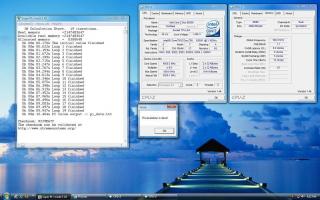
This post has been edited by msyafiq_m: Aug 26 2008, 06:48 PM |
|
|
Aug 26 2008, 08:50 PM
|

Elite
4,746 posts Joined: Dec 2007 From: Speed rule
|
QUOTE(msyafiq_m @ Aug 26 2008, 06:46 PM) Some quick test with E8500 E0 stepping Any 4.5ghz orthos ss to show? VID : 1.25V FPO #: Q822A595 Spec : SLB9K 3.9GHz, slightly undervolted (1.24V) ~ (30 minutes of Small FFT priority 8 playing some music videos at the back at the same time..yay to Nami Tamaki )
4.5GHz SuperPi 1M 10.404s
  |
|
|
|
|
|
Aug 26 2008, 10:22 PM
|
|
Junior Member
112 posts Joined: Jan 2007 From: Johorean studying in Gombak
|
QUOTE(OC4/3 @ Aug 26 2008, 08:50 PM) Any 4.5ghz orthos ss to show? have to wait for this weekend..dont have the time right now..  |
|
|
Aug 27 2008, 12:37 AM
|

Junior Member
411 posts Joined: Apr 2007
|
QUOTE(msyafiq_m @ Aug 26 2008, 10:22 PM) have to wait for this weekend..dont have the time right now.. Hi bro, it seems I have the same batch as yours, bought from Robyncom  But somehow I think my processor made in Thailand la, check it out hahaha! Look under "System Information" reported by OCCT. I thought it would be Wolfdale, but "Katmai" kot! But somehow I think my processor made in Thailand la, check it out hahaha! Look under "System Information" reported by OCCT. I thought it would be Wolfdale, but "Katmai" kot!This post has been edited by gregy: Aug 27 2008, 12:38 AM Attached thumbnail(s) 
|
|
|
Aug 27 2008, 02:20 PM
|
|
Senior Member
3,239 posts Joined: Jun 2005
|
my penryn x3320 also codename katmai and detected as pentium 3 or 4, forgot already... forgot which software did that..
|
|
|
Aug 30 2008, 02:22 PM
|

Junior Member
131 posts Joined: Jul 2006
|
anyone know about these VTT or GTL settings which are in my BLOOD IRON mobo.
|
|
|
Sep 7 2008, 08:26 PM
|

Senior Member
5,827 posts Joined: Jan 2003 From: Selayang, Selangor
|
Well I am running my E8500 CO stepping at VCore 1.2825v for FSB430
Temps are 39C at Idle and 67C on 100% load for 1 hour under Orthos. Just having my hand on this OC business. I seem to get memory errors running at a lower VCore, hmn... not sure why. Is the VCore setting to high or just alright?? |
|
|
Sep 8 2008, 08:13 AM
|
|
Elite
14,576 posts Joined: May 2006 From: Sarawak
|
QUOTE(RViN @ Sep 7 2008, 08:26 PM) Well I am running my E8500 CO stepping at VCore 1.2825v for FSB430 430 x 9.5 = 4085mhz? That's a good OC. Temps are 39C at Idle and 67C on 100% load for 1 hour under Orthos. Just having my hand on this OC business. I seem to get memory errors running at a lower VCore, hmn... not sure why. Is the VCore setting to high or just alright??  Intel states that the max vcore for your proc is 1.3625v so your vcore is ok at the moment..... |
|
|
Sep 8 2008, 11:58 PM
|
|
Senior Member
5,827 posts Joined: Jan 2003 From: Selayang, Selangor
|
QUOTE(kmarc @ Sep 8 2008, 08:13 AM) 430 x 9.5 = 4085mhz? That's a good OC. Cool, well I can push it all the way up to 4.5Ghz with VCore 1.31V. The thing I am wondering is why am I getting memory errors in Orthos when running a lower VCore, shouldnt I get CPU errors? Still blur there lol Or is this error due to the memory on the Proc?? Intel states that the max vcore for your proc is 1.3625v so your vcore is ok at the moment..... Rams seems to be doing fine. Crucial Tracers at 5-5-5-15 1033Mhz at 2.0V. Can go all the way up to 1066Mhz at 2.0V  Stable Stable |
| Change to: |  0.0289sec 0.0289sec
 0.56 0.56
 6 queries 6 queries
 GZIP Disabled GZIP Disabled
Time is now: 11th December 2025 - 02:28 AM |
 Quote
Quote


