Outline ·
[ Standard ] ·
Linear+
Hardware Hackintosh Thread, The Official OSX86 Thread
|
wiraone
|
 Jun 1 2011, 08:10 PM Jun 1 2011, 08:10 PM
|

|
To lessen your headache with dual booting, best is to install the SL first, 1 & 2) this will create a guid partition. Done with this, install Win7, you need to format the empty partition to fat32 from SL or else Win7 will complain about guid parititon and won't allow you to proceed further. After you've installed the Win7, boot using iboot and reinstall chameleon/chimera whichever you choose. This will allow you to choose which OS you want to boot.
3) extra drivers, well, no idea, probably .. haven't try installing into laptop ..
4) dsdt most probably required if you want a properly working setup, this is surely needed for sleep.. but if you can use sleepenabler w/o dsdt, then it is fine too.
5) depends, if you want to have a bleeding edge, go and download 10.6.7 combo update.
|
|
|
|
|
|
xbbshampoo
|
Jun 2 2011, 12:02 AM
|
|
|
QUOTE(messenger @ Apr 18 2011, 01:53 PM) just finish my hackintosh. 2 day to finish installing  is the screen color will be vivid just as like the original imac? |
|
|
|
|
|
amir_tengkorak
|
Jun 3 2011, 09:51 AM
|
|
|
hi guys,
anyone here using RTL8187 on hackintosh?
|
|
|
|
|
|
globalisation
|
Jun 3 2011, 11:45 PM
|
Getting Started

|
hye all, i'm new in this mac here, but wanna give it a try.
i been looking around in web way to install mac os. saw various way, but donno which 1 should i use. + i donno whether my sytem support or not.
can u guys tell me which way i should use? and whether my system support or not?
|
|
|
|
|
|
myee
|
Jun 4 2011, 03:31 AM
|
|
|
Hi guys...i manage to install the Leopard Snow until manage to update to leopard snow 10.6.6. But the problem right know is my laptop make noisy sound at speaker. i tried to off the speaker but didn't give a respond ...please anyone how to fix that problem
|
|
|
|
|
|
lch36
|
Jun 6 2011, 04:21 PM
|
|
|
Guyz, can i juz follow this http://www.hackint0sh.org/f200/69517.htmto install hackintosh to my HP Mini210 netbook? |
|
|
|
|
|
d4rkholeang3l
|
Jun 8 2011, 05:09 PM
|
|
|
Hello...being trying to install hackintosh on my hp pavilion dv6-6001tx
After the first boot from iBoot, i insert snow leopard disk and press f5
After a few minutes, came out two line stating 'system halted'
Any ideas? Thanks
|
|
|
|
|
|
wiraone
|
Jun 9 2011, 08:24 AM
|
|
|
QUOTE(d4rkholeang3l @ Jun 8 2011, 05:09 PM) Hello...being trying to install hackintosh on my hp pavilion dv6-6001tx After the first boot from iBoot, i insert snow leopard disk and press f5 After a few minutes, came out two line stating 'system halted' Any ideas? Thanks Can you write down here what exactly said on your screen? Couldn't help much with the system halted error since it can be caused by anything that cause the system to stop the installation. It is much easier to see where it stop if you use verbose option. During the bootup with iboot, supply -v option and it will give more information on your screen. And please share you system specifications here too.
Added on June 9, 2011, 8:36 amAdding more help here on your hp installation, check this thread: http://www.tonymacx86.com/viewtopic.php?f=...=18470&start=20Try to use iboot legacy instead of iboot and see if this works for you. This post has been edited by wiraone: Jun 9 2011, 08:36 AM |
|
|
|
|
|
AllHell
|
Jun 9 2011, 02:25 PM
|
Getting Started
|
HP Mini 110-3004TU Snow Leopard 10.6.7 Dual Boot Windows 7 My Sources: You will need: - HP Mini 110-3004TU
Processor : Intel Atom N475 (1.83 GHz)
Graphic Card : Intel Graphic Media Accelerator 3150 - Snow Leopard 10.6.0 Retail Disk or Image
- 1 Empty USB/External HDD (minimum 8 Gb)
- Windows 7 USB Installer
- 110-3004TU OSX Archive
- Mac OS X v10.6.7 Update Combo
*disable bluetooth and just enable wifi in ur windows environment on ur netbook before u proceed!!! PART 1- insert a USB/external HDD (minimum 8 Gb) to a real mac running snow leopard or a windows pc running a snow leopard vmware image or a hackintoshed snow leopard pc
- run Disk Utility located in applications>utilities>
- select the USB/external HDD
- erase tab, format option mac os extended (journaled), name it SL NBM, click erase
- mount a 10.6.0 snow leopard image or insert a 10.6.0 snow leopard retail disk
- still in Disk Utility, click restore tab
- drag the mounted mac os x install dvd from desktop to source field
- drag the SL NBM partition that u have just created in ur USB/external HDD to destination field
- uncheck erase destination, click restore, approx 30-40 mins
- run netbookbootmaker 0.82 from OSX Archive/01, select SL NBM from the dropdown menu, then click prepare boot drive, approx 5-10 mins
- in finder window, click go then select go to folder
- type /Volumes/SL NBM/System/Installation/Packages in the search box then enter
- delete OSInstall.pkg, drag OSInstall.pkg.orig to desktop then rename it to OSInstall.pkg and drag it back to Packages
PART 2- restart and spam f9, select to boot from SL NBM usb/external hdd, highlight SL NBM before the 5 sec countdown ends, type arch=x86_32 cpus=1 then enter
- if everything goes fine u should see the mac os x installer
- click utilities, then select Disk Utility
- select ur netbook HDD
- select the partition tab, volume scheme 2 partitions
- partition one name it Windows7, format ms-dos (fat)
- partition two name it MacOSX, format mac os extended (journaled)
- options, GUID Partition Table, then apply
- once completed, continue installation into ur MacOSX partition, approx 30-40 mins
PART 3- restart with ur SL NBM usb/external hdd still intact
- spam f9, select to boot from SL NBM usb/external hdd, highlight MacOSX before the 5 sec countdown ends, type arch=x86_32 cpus=1 then enter
- fill in the post installation trivial stuffs:
- do not transfer my information now
- skip apple id
- skip registration information
- enter full name, account name and a simple short password because u'll be typing it a lot
- install MacOSXUpdCombo10.6.7, approx 20-30 mins
- once intallation is done, don't restart, just leave the update window open
- copy mach_kernel from OSX Archive/02 to desktop
- run Terminal located in applications>utilities>
- enter the following command lines:
- sudo -s
- Enter your root password
- cd /
- mv mach_kernel mach_kernel_1062
- cp ~/Desktop/mach_kernel /
- chown 0:0 mach_kernel
- exit
- exit
- click restart from the update window with ur SL NBM usb/external hdd still intact
- spam f9, select to boot from SL NBM usb/external hdd, highlight MacOSX before the 5 sec countdown ends, type arch=x86_32 cpus=1 then enter
*it is advisable to backup the whole MacOSX partition now using carbon copy cloner, i've repeated the same installation routine more than 10 times after something goes wrong, it's TORTURE! PART 4- run netbookinstaller 0.8.5pre from OSX Archive/03
- select MacOSX partition from the dropdown menu, and click prepare drive, approx 5-10 mins
- in finder window, click go then select go to folder
- type /Extra/ in the search box then enter
- browse inside generalextensions and delete it's whole content
- copy all the files inside OSX Archive/04 and paste it in generalextensions
- install aboutthismac.pkg from OSX Archive/05
- install voodoops2controller.pkg from OSX Archive/06
- in finder window, click go then select go to folder
- type /System/Library/Extensions/ in the search box then enter
- delete VoodooPS2Controller.kext
- in finder window, click go then select go to folder
- type /Extra/ in the search box then enter
- run UpdateExtra, approx 10-15 mins
- remove ur SL NBM usb/external hdd
- install Wifi.pkg from OSX Archive/07 and restart
- ur netbook is now self sufficient to start without the SL NBM usb/external hdd
- in finder window, click go then select go to folder
- type /Extra/ in the search box then enter
- run UpdateExtra, approx 10-15 mins, restart
- enjoy ur Snow Leopard MacOSX 10.6.7!
*install flash in safari to avoid it from crashing PART 5- start ur windows 7 installation from usb drive
- click install now
- custom installation
- select the windows7 partition that u have created earlier
- click drive options and format, notice that the installation won't allow u to install to that particular partition
- just restart and start the windows 7 installation again
- select the previously formatted partition, and u can install windows 7 normally now
- once windows 7 is running do the following:
- Open Run
- type diskpart
- type list disk
- type select disk X, where X is the HDD number where Windows 7 and MacOSX are installed
- type list partition
- type select partition X, where X is the number of MacOSX partition
- type active
- type exit
- shutdown
- insert your SL NBM usb/external hdd and start ur netbook
- spam f9, select to boot from SL NBM usb/external hdd, highlight MacOSX before the 5 sec countdown ends, type arch=x86_32 cpus=1 then enter
PART 6repeat these steps that u have done before: - run netbookinstaller 0.8.5pre from OSX Archive/03
- select MacOSX partition from the dropdown menu, and click prepare drive, approx 5-10 mins
- in finder window, click go then select go to folder
- type /Extra/ in the search box then enter
- browse inside generalextensions and delete it's whole content
- copy all the files inside OSX Archive/04 and paste it in generalextensions
- install aboutthismac.pkg from OSX Archive/05
- install voodoops2controller.pkg from OSX Archive/06
- in finder window, click go then select go to folder
- type /System/Library/Extensions/ in the search box then enter
- delete VoodooPS2Controller.kext
- in finder window, click go then select go to folder
- type /Extra/ in the search box then enter
- run UpdateExtra, approx 10-15 mins
- remove ur SL NBM usb/external hdd
- install Wifi.pkg from OSX Archive/07 and restart
- in finder window, click go then select go to folder
- type /Extra/ in the search box then enter
- run UpdateExtra, approx 10-15 mins, shutdown
PART 7- start ur windows 7 installation from usb drive
- select Repair your computer and click next
- click Command Prompt
- type diskpart
- type list disk
- type select disk X, where X is the HDD number where Windows 7 and MacOSX are installed
- type list partition
- type select partition X, where X is the number of Windows 7 partition
- type active
- type exit
- restart
- start ur windows 7 installation from usb drive again
- select Repair your computer and click next
- click Startup Repair and restart
now u should be able to select and boot from either Windows NTFS or MacOSX from the bootloader screen within the 5 sec timer ALL IS DONE!!! This post has been edited by AllHell: Jun 9 2011, 02:34 PM |
|
|
|
|
|
kaiwen1210
|
Jun 9 2011, 02:55 PM
|
Getting Started
|
QUOTE(AllHell @ Jun 9 2011, 02:25 PM) HP Mini 110-3004TU Snow Leopard 10.6.7 Dual Boot Windows 7 » Click to show Spoiler - click again to hide... « My Sources: You will need:
- HP Mini 110-3004TU
Processor : Intel Atom N475 (1.83 GHz)
Graphic Card : Intel Graphic Media Accelerator 3150
- Snow Leopard 10.6.0 Retail Disk or Image
- 1 Empty USB/External HDD (minimum 8 Gb)
- Windows 7 USB Installer
- 110-3004TU OSX Archive
- Mac OS X v10.6.7 Update Combo
*disable bluetooth and just enable wifi in ur windows environment on ur netbook before u proceed!!! PART 1
- insert a USB/external HDD (minimum 8 Gb) to a real mac running snow leopard or a windows pc running a snow leopard vmware image or a hackintoshed snow leopard pc
- run Disk Utility located in applications>utilities>
- select the USB/external HDD
- erase tab, format option mac os extended (journaled), name it SL NBM, click erase
- mount a 10.6.0 snow leopard image or insert a 10.6.0 snow leopard retail disk
- still in Disk Utility, click restore tab
- drag the mounted mac os x install dvd from desktop to source field
- drag the SL NBM partition that u have just created in ur USB/external HDD to destination field
- uncheck erase destination, click restore, approx 30-40 mins
- run netbookbootmaker 0.82 from OSX Archive/01, select SL NBM from the dropdown menu, then click prepare boot drive, approx 5-10 mins
- in finder window, click go then select go to folder
- type /Volumes/SL NBM/System/Installation/Packages in the search box then enter
- delete OSInstall.pkg, drag OSInstall.pkg.orig to desktop then rename it to OSInstall.pkg and drag it back to Packages
PART 2
- restart and spam f9, select to boot from SL NBM usb/external hdd, highlight SL NBM before the 5 sec countdown ends, type arch=x86_32 cpus=1 then enter
- if everything goes fine u should see the mac os x installer
- click utilities, then select Disk Utility
- select ur netbook HDD
- select the partition tab, volume scheme 2 partitions
- partition one name it Windows7, format ms-dos (fat)
- partition two name it MacOSX, format mac os extended (journaled)
- options, GUID Partition Table, then apply
- once completed, continue installation into ur MacOSX partition, approx 30-40 mins
PART 3
- restart with ur SL NBM usb/external hdd still intact
- spam f9, select to boot from SL NBM usb/external hdd, highlight MacOSX before the 5 sec countdown ends, type arch=x86_32 cpus=1 then enter
- fill in the post installation trivial stuffs:
- do not transfer my information now
- skip apple id
- skip registration information
- enter full name, account name and a simple short password because u'll be typing it a lot
- install MacOSXUpdCombo10.6.7, approx 20-30 mins
- once intallation is done, don't restart, just leave the update window open
- copy mach_kernel from OSX Archive/02 to desktop
- run Terminal located in applications>utilities>
- enter the following command lines:
- sudo -s
- Enter your root password
- cd /
- mv mach_kernel mach_kernel_1062
- cp ~/Desktop/mach_kernel /
- chown 0:0 mach_kernel
- exit
- exit
- click restart from the update window with ur SL NBM usb/external hdd still intact
- spam f9, select to boot from SL NBM usb/external hdd, highlight MacOSX before the 5 sec countdown ends, type arch=x86_32 cpus=1 then enter
*it is advisable to backup the whole MacOSX partition now using carbon copy cloner, i've repeated the same installation routine more than 10 times after something goes wrong, it's TORTURE! PART 4
- run netbookinstaller 0.8.5pre from OSX Archive/03
- select MacOSX partition from the dropdown menu, and click prepare drive, approx 5-10 mins
- in finder window, click go then select go to folder
- type /Extra/ in the search box then enter
- browse inside generalextensions and delete it's whole content
- copy all the files inside OSX Archive/04 and paste it in generalextensions
- install aboutthismac.pkg from OSX Archive/05
- install voodoops2controller.pkg from OSX Archive/06
- in finder window, click go then select go to folder
- type /System/Library/Extensions/ in the search box then enter
- delete VoodooPS2Controller.kext
- in finder window, click go then select go to folder
- type /Extra/ in the search box then enter
- run UpdateExtra, approx 10-15 mins
- remove ur SL NBM usb/external hdd
- install Wifi.pkg from OSX Archive/07 and restart
- ur netbook is now self sufficient to start without the SL NBM usb/external hdd
- in finder window, click go then select go to folder
- type /Extra/ in the search box then enter
- run UpdateExtra, approx 10-15 mins, restart
- enjoy ur Snow Leopard MacOSX 10.6.7!
*install flash in safari to avoid it from crashing PART 5
- start ur windows 7 installation from usb drive
- click install now
- custom installation
- select the windows7 partition that u have created earlier
- click drive options and format, notice that the installation won't allow u to install to that particular partition
- just restart and start the windows 7 installation again
- select the previously formatted partition, and u can install windows 7 normally now
- once windows 7 is running do the following:
- Open Run
- type diskpart
- type list disk
- type select disk X, where X is the HDD number where Windows 7 and MacOSX are installed
- type list partition
- type select partition X, where X is the number of MacOSX partition
- type active
- type exit
- shutdown
- insert your SL NBM usb/external hdd and start ur netbook
- spam f9, select to boot from SL NBM usb/external hdd, highlight MacOSX before the 5 sec countdown ends, type arch=x86_32 cpus=1 then enter
PART 6repeat these steps that u have done before:
- run netbookinstaller 0.8.5pre from OSX Archive/03
- select MacOSX partition from the dropdown menu, and click prepare drive, approx 5-10 mins
- in finder window, click go then select go to folder
- type /Extra/ in the search box then enter
- browse inside generalextensions and delete it's whole content
- copy all the files inside OSX Archive/04 and paste it in generalextensions
- install aboutthismac.pkg from OSX Archive/05
- install voodoops2controller.pkg from OSX Archive/06
- in finder window, click go then select go to folder
- type /System/Library/Extensions/ in the search box then enter
- delete VoodooPS2Controller.kext
- in finder window, click go then select go to folder
- type /Extra/ in the search box then enter
- run UpdateExtra, approx 10-15 mins
- remove ur SL NBM usb/external hdd
- install Wifi.pkg from OSX Archive/07 and restart
- in finder window, click go then select go to folder
- type /Extra/ in the search box then enter
- run UpdateExtra, approx 10-15 mins, shutdown
PART 7
- start ur windows 7 installation from usb drive
- select Repair your computer and click next
- click Command Prompt
- type diskpart
- type list disk
- type select disk X, where X is the HDD number where Windows 7 and MacOSX are installed
- type list partition
- type select partition X, where X is the number of Windows 7 partition
- type active
- type exit
- restart
- start ur windows 7 installation from usb drive again
- select Repair your computer and click next
- click Startup Repair and restart
now u should be able to select and boot from either Windows NTFS or MacOSX from the bootloader screen within the 5 sec timer ALL IS DONE!!!  sound and wifi is not working on my 110-3304tu with SL on.. any solution? i needed audio and wifi badly i had installed kext and it just making the usb port stopped working, even worse, and endup with reinstalling OS anyone help  This post has been edited by kaiwen1210: Jun 9 2011, 02:57 PM This post has been edited by kaiwen1210: Jun 9 2011, 02:57 PM |
|
|
|
|
|
AllHell
|
Jun 9 2011, 03:12 PM
|
Getting Started
|
it's very subjective bro, because i don't know what kind of kext have u installed and replaced..what ver of snow leo are u on? ur best bet is to just do part 4 of my guide and see how it goes..if it still fails, just start the installation from scratch, sorry can't help much bro
This post has been edited by AllHell: Jun 9 2011, 03:14 PM
|
|
|
|
|
|
timelime
|
Jun 9 2011, 05:41 PM
|
Getting Started
|
i did google around but find little information about my spec: my other spec are: sandy bridge 2600 winfast gtx 460 1X 4G kingston ddr3 1333 ram wireless longitech keyboard and mouse liteon dvd rom clean formated 60G hd I changed bios setting, boot dvdrom 1st, sata raid to ahci. 1 tried the iboot legacy+multibeast method but i failed. iboot legacy worked perfectly by not the sl retail dvd (original). it failed to installed and i got a kernal panic instead. pic attached show kernal panic message. please help me on this. i already tried few day without sleep 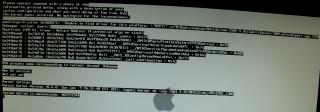
|
|
|
|
|
|
wiraone
|
Jun 9 2011, 06:03 PM
|
|
|
@timeline, are you trying to install on a specific desktop or your own build? What brand/model is your motherboard?
|
|
|
|
|
|
kaiwen1210
|
Jun 9 2011, 06:47 PM
|
Getting Started
|
QUOTE(AllHell @ Jun 9 2011, 03:12 PM) it's very subjective bro, because i don't know what kind of kext have u installed and replaced..what ver of snow leo are u on? ur best bet is to just do part 4 of my guide and see how it goes..if it still fails, just start the installation from scratch, sorry can't help much bro hey the ralink wireless utility how to use, i connected but no internet also This post has been edited by kaiwen1210: Jun 9 2011, 10:34 PM |
|
|
|
|
|
wiraone
|
Jun 9 2011, 08:57 PM
|
|
|
@timeline, a bit of googling on the error you're getting, few things coming out from the search but the one that might be the same problem as yours is .. forgotten to swap the retail DVD and press F5 to choose the retail DVD.
|
|
|
|
|
|
AllHell
|
Jun 9 2011, 11:59 PM
|
Getting Started
|
QUOTE(kaiwen1210 @ Jun 9 2011, 06:47 PM) hey the ralink wireless utility how to use, i connected but no internet also connected to ur wifi connection is it? then check ur network status in system preference, there should be a new ethernet connection created by the utility.. This post has been edited by AllHell: Jun 10 2011, 12:01 AM |
|
|
|
|
|
kaiwen1210
|
Jun 10 2011, 12:37 AM
|
Getting Started
|
when i close the netbook, the netbook sleep, but when close for a time i open it back it show me the error ask me hold down power to restart ?
seem like the sleep dosent work, how could i fix it?
This post has been edited by kaiwen1210: Jun 10 2011, 12:56 AM
|
|
|
|
|
|
timelime
|
Jun 10 2011, 11:27 PM
|
Getting Started
|
QUOTE(wiraone @ Jun 9 2011, 06:03 PM) @timeline, are you trying to install on a specific desktop or your own build? What brand/model is your motherboard? sorry, my spec is: intel DP67BGB3 sandy bridge 2600 winfast gtx 460 1X 4G kingston ddr3 1333 ram wireless longitech keyboard and mouse liteon dvd rom clean formated 60G hd sure i did swap dvd and hit F5 to refresh, and hit Enter. only do that can have a apple screen like picture i showed. i even try PCIRootUID -x, safety boot. still the same. I suspect bios setting is wrong. since so little hackintosh owner using intel mobo I got no imformation about this board bios correct setting. will try usb install this weekend....wish me luck |
|
|
|
|
|
wiraone
|
Jun 11 2011, 08:29 AM
|
|
|
@timeline, have you tried the Andy method? His AndyCD boot can be found here: http://www.insanelymac.com/forum/index.php?showtopic=252849 Try to disable Turbo, EIST in your BIOS. And according to one posting in tonymacx86, you may need to disable the 2 core in your bios as can be found in this discussion: http://www.tonymacx86.com/viewtopic.php?f=79&t=11572This post has been edited by wiraone: Jun 11 2011, 08:33 AM |
|
|
|
|
|
timelime
|
Jun 11 2011, 10:41 AM
|
Getting Started
|
QUOTE(wiraone @ Jun 11 2011, 08:29 AM) @timeline, have you tried the Andy method? His AndyCD boot can be found here: http://www.insanelymac.com/forum/index.php?showtopic=252849 Try to disable Turbo, EIST in your BIOS. And according to one posting in tonymacx86, you may need to disable the 2 core in your bios as can be found in this discussion: http://www.tonymacx86.com/viewtopic.php?f=79&t=11572will busy this weekend trying on this. thanks bro.  |
|
|
|
|



 Quote
Quote


 0.0237sec
 1.38
1.38
 6 queries
 GZIP Disabled