QUOTE(wiraone @ Jun 12 2011, 04:12 PM)
@timeline, good to know you've it working. Suggested if you've extra space in your HD, create another backup partition so you don't need to reinstall everytime you messed up your setting. Use Carbon Copy Cloner and it will save a lot of your time reinstalling the OS when something goes wrong.
On the graphics card, have you install the latest chimera from multibeast? What I did on my daughter setup (her pc has gts430), was to run the nvidia updater and then install the latest chimera and that all need to get it run on its native resolution.
On the DLink USB, I didn't do much either to get it working, it seems just working. Check if you've it connected on USB3 port though, I've had a headache trying to figure out what wrong with my initial setup just to find out that I've my USB on USB3 ports which not natively supported by SL.
I agreed with your opinion, it seems that tonymac is much more newbie friendly. Don't really care if he copied it from someone else, but he makes everything easy for newbie like me before when trying to get things working.
fighting for a week as a noob to get my graphic card working right!
i tried all kind of things, any methods anyone can find in tonymac, insanely mac, osx86...all forum.
my finding for my gtx 460:
andybootcd is unfriendly to nvidia graphic card.
but i can't use any other but andybootcd(in fact i think andycd is a amazing stuff, boot with 8g ram and without tweaking bios),
so here is what i did:
boot with andybootcd,
install 10.6.3 retailer cd
install 10.6.7 combo update
DON'T use andy's package but follow Robo2k guide(sucess:intel dh67gd/non-k i7 2600/hd5850) in tonymac. of cause install NON of those ati kext.
remove NVenabler
install tony nvidia 2.0
set com.apple.boot.plist to
graphicsenabler=yes
pciroot=1
1920x1280x32
set device id to 0e22(for gtx 460) in applegraphicsmanegement.kext, also in the same kext set macbookpro 4,1 and 5,1 interval from 250 to 0.
don't ask my any theory and why, i can't answer any of them.
and it WORKS!!!!!! with full hd resolution and qe/ci enable(tested with dashboard and frontrow)!!!

now....sound....multibeast HDA enabler, applehda rollback, alc8xxhna voodoohda all don't work for me.
check from system profiler: audio showing devide alc892
but in system preference: sound showing no input and output device.


guess need another weekend for this...
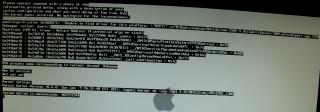
tried sleepenabler but freaking me out, got kp while loading os, failed to load with -s or -x.
have to login windows7 with macdrive and delete the sleepenebler.kext.
haven't mention dwa110. is like pain in the ass without access online while tweaking thing, need to restart and swap to window7 for internet. so inconviniece. but i understand the hope to get my dwa 110 working in sl is slim. those geek in xos forum get their hand on diy airport wireless card. they are totally insane.
dumpt question, why are there have 2 com.apple.boot.plist?
(1 in extra folder and another one in library/preference/system configuration, i know the contents are different)
Added on June 16, 2011, 10:36 amQUOTE(OmniAtlas @ Jun 15 2011, 11:08 AM)
Well, I think I've given up on my Hackintosh -- will be upgrading my computer to an AMD (the offer was too good to refuse) -- AM3 955 Phenom II 3.2 ghz black edition; and also a NVIDIA GTX 560 TI, both which have poor support on Mac OS X.
I'll have to stick with Mac OS on my MB Air; unless of course one of you can point me to the right direction running Mac OS X on an AMD.
dude, u haave to check this out:
10.6.5 Legacy Kernel is out with Good News for AMD UsersThis post has been edited by timelime: Jun 16 2011, 08:13 PM 

 Jun 9 2011, 05:41 PM


 Quote
Quote


 0.0521sec
 0.18
0.18
 7 queries
 GZIP Disabled