BackgroundWhen Donald Trump put Huawei into the US Trade
blacklist thus limiting all new Huawei phones to Google services, like most people, I was pretty sure I would never buy a Huawei phone ever again. Going without GMS is one thing, but my more immediate concern is the difficulty in reselling the phone after use given that I buy, try and sell off my phones very regularly. Unless I was prepared to cut some major losses, it would be a risk to try any new Huawei phone after this ban. Still, I was curious as to how things would work without GMS. I remember balking at Huawei's asking price when the Mate 30 Pro was launched though, and their subsequent “must owned two previous Huawei devices to be eligible to buy a Mate 30 Pro”
preorder convinced me the Mate 30 Pro was definitely not for me - or for anyone other than serious Huawei fanboys! That said, I did own a couple of Huawei devices previously, with my last one being the P20 Pro back in 2018. I came close to buying the Mate 20X but procrastinated and in the end never got around to getting one. That said, having read all the reviews of the Mate 30 Pro and seen the sample photos it was capable of producing, getting it at RM1,999 was too good of a bargain to pass on, even if it came without GMS. It would be a good time as any to experiment!
Unboxing and PackagingThe Mate 30 Pro comes in a very standard packaging bundle you would expect from flagship phones. A fast charging brick, a transparent case, USC C earphones, a cable, some paperwork and a RM100 gift card for you to spend on Huawei accessories - nice! The lack of a 3.5mm to USB C adapter didn't bother me as much as the lack of a factory fitted screen protector did coz it meant that I wouldn't be able to use the phone right out of the box (Ok, it's more like I
don't dare, haha).
Design and BuildMuch has been said about the Mate 30 Pro's "waterfall" curved display and screen, so I won't echo what other reviewers have said here, but I will say that it was very hard to put the phone down in the first few days I received the phone. The Mate 30 Pro really stood out in the sea of standard smartphone designs we see year in and year out. It looked very much like a concept phone with how much the screen curved at the edges, it had no earpiece grille or volume rocker buttons. Go figure! The phone felt very balanced in the hand, with just the right amount of well distributed weight. Given that a certain competitor (won't mention any names but it starts with "S" and ends with "amsung") is now making and selling "flagship phones" for close to RM4k with a plastic back, the Mate 30 Pro's premium design build is even more outstanding and relevant even now - a year after it was launched!
Usage and PerformanceThe Mate 30 Pro performs pretty much how any flagship phone would these days - smooth and lag free. I've had zero problems doing most tasks with the phone but I should note here that I don't play games, so I have no idea how it performs in that respect. The phone also doesn't heat up too much during prolonged usage (e.g. an hour of phone calls). Having used a couple of phones with 90hz refresh rate displays prior to using the Mate 30 Pro, I did notice some difference when scrolling through websites and what not, but it's not a dealbreaker by any means. The AMOLED display is gorgeous, with deep blacks and very nice colour saturation. The haptics on the phone is very, very good too - however I feel the vibration could be stronger especially in silent mode. Like the newer iPhones, the Mate 30 Pro has a 3D camera in front for facial recognition and it's crazy fast. Yes, faster than the iPhone, and that's high praise coming from me, a self-confessed iFag. I've compared it side by side with my wife's iPhone 11 Pro Max and I would say the Mate 30 Pro beats the iPhone marginally and what's more, the Mate 30 Pro allows facial recognition to unlock the phone immediately without needing to swipe up after that, which makes it even more of a pleasure. Unfortunately, most banking apps in the Android ecosystem still do not allow facial recognition as a means of accessing the apps securely for now, so you'll have to still rely on the under-display FP sensor - but that's not a bad thing too. The FP sensor is crazy fast and accurate! Having used the under display FP readers of the S10+, the Note 10+, the S10 Lite, the OP 7 Pro, the Poco F2 Pro and the Mi 10, I can say without any hesitation the FP sensor on the Mate 30 Pro leaves the others in the dust. No competition! The other area where the phone truly shines is in the cellular signal strength - I've got better reception from this phone in parts of my office vs my other phones previously (including a couple of SD865 powered phones) running on Maxis.
As mentioned, the phone doesn't come with a earpiece, it uses the display instead to emit sound hence you will feel some vibration from the phone during phone calls and some may not like how it feels. One might also ask "But where to put your ear?". Well, just imagine the earpiece grille is where it's suppose to be and put your ear there or thereabouts and you should be fine, haha. I got used to that pretty quickly though. Also because there is no volume rocker, it's very difficult or close to impossible to adjust the volume during a phone call - but set your earpiece volume to about 80% and you should be fine in most situations - unless you have an angry person at the other end of the line shouting profanities at you but at that point you'd probably have other pressing concerns than the volume of the call. Besides these two minor annoyances, I would say there really isn't much I can fault during my day to day use.
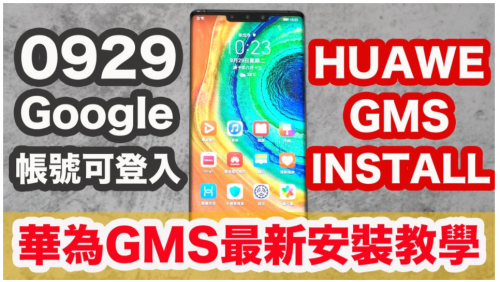
And so we come to the elephant in the room, GMS - or rather the lack of it. First and foremost, Huawei's App Gallery has a long way to go before it can convince anyone to comfortably switch over from their dependence on the Play Store, so there shouldn't be any illusion on that. However that said, a lot of apps that you use can be installed via searching for the APK files using Petal Search or other third party apps like Aptoide. I've managed to get most of my frequently used apps working without issues from the above method however I must say that there are some apps that will not work properly or at all without Google Play services even after you have installed the APK files. If you comb through the past few pages of posts here then you'd roughly get an idea of what apps will work and what won't without GMS as other users and I have shared here so I won't go into too much detail here. But in a nutshell, if you depend highly on Google's services such as Google Drive, Google Photos, etc., then this phone is definitely not for you but I'm guessing you already know that. There are a handful that have successfully side-loaded GMS on this phone but I'm not one of them. I didn't try. I went one month without GMS and except for two or three apps, I didn't miss much to be honest.
Battery LifeHuawei devices have a reputation of having stellar battery life and the Mate 30 Pro is no different. I've gone two full days without charging the phone with a total of
10 hours SOT, which is pretty amazing for a phone with a 4500mAh battery. The standby drain is incredibly efficient and I suspect the lack of Google Play Services running on the background may have helped greatly with that. I guess the 60hz refresh rate display helps too. Charging speed is OK but I did not test how fast it'll get from 0 to 100 with the original accessories. I usually charge the phone with about 40% or so capacity remaining and will get it to 100% in just over an hour or so using a third party 30W charger and cable.
CameraI'm probably not in the best position to give a professional review of the camera, seeing how I'm really just a casual point-and-shoot kinda photographer, but I would say that the camera is really, really good. The colours are great and the saturation is much more life-like compared to that of the P20 Pro previously. The night shots are unrivalled (yes, even better than the iPhone) and if there's one small, small criticism I might have is that the wide-angle shot is not as wide as other phones. I did not try the staple "moon" shot but I did try the 30x zoom and it works
good - might be useful for the inner spy in some people, hahaha. Won't post any photo samples here as I am sure you'll be able to find much better photos taken with the phone with more capable photographers on the Net, but in summary, the camera will not disappoint.
OthersAudio - The single bottom firing speaker is as good as it gets with a single speaker. It's plenty loud, sound is quite balanced and pretty much gets the job done. Connecting a third party USB C earphone will get the message that it is not a "Huawei compatible accessory" but it still works fine. Bluetooth connection to my AirPods Pro works great so no issues there too.
Expanded Memory - Still don't see the point of Huawei's NM card, but 256GB internal storage is plenty
 Conclusion
So, when all is said and done, what to make of my one month experiment with the Mate 30 Pro? Well, it's definitely not for everyone - especially if one wants to use it right out of the box. But if you don't rely too much on Google services like myself and if you can get the phone at a bargain and are prepared to sacrifice certain apps, then the Mate 30 Pro is a great phone. I honestly didn't think I would last more than a week with the phone, but to go as long as I did is truly a testament on what a good phone it is - even without GMS.
Thanks for reading. Cheers!


 Oct 9 2020, 03:47 PM


 Quote
Quote


 Since I wasn't going to use it without protection and don't intend to keep it for much longer, decided not to buy another tempered glass for it since it's a bit costly.

 0.0385sec
 0.91
0.91
 6 queries
 GZIP Disabled