Welcome Guest ( Log In | Register )

Bump Topic Topic Closed RSS Feed
125 Pages « < 10 11 12 13 14 > » Bottom

Outline · [ Standard ] · Linear+

 AMDŽ Socket-AM2 Overclocking thread (V2), discuss our setup/overclocking issues

views
     
casperito
post Jun 19 2007, 02:26 AM

221.133.99.99
****
Senior Member
662 posts

Joined: Feb 2006
From: int eth 5/0/16 vlan 13


QUOTE(afosz @ Jun 18 2007, 11:03 PM)
O ok. So when is it the best time to run Orthos? Is it ok to just leave it running while I'm asleep for example? If Orthos stopped while I didn't monitor it and it has stopped for a while, does it affect my system?

Quite easy to reach 3.0GHz with Brisbane? Quite hard for me though with stock cooler sweat.gif Have been adjusting several stuff and now running at 2.9
*
juz like lohwenli said... for example, 1st u oc to around 2.0-2.5 then u prime around 20-30 minutes if pass then slowly make the HTT higher.. until u reach the limit... this is the same tactic used when OCing opty socket 939 back in the old days...
after u reach the limit, it's better to prime 24 hour for better stability... if u lazy, then 8 hours is enough..
plus, brisbane is not that hot compare to windsore... i made it to 3.0 onli by using my stock fan... got to 3.2 but didn't prime...
my x2 5200+ got to 3.2ghz but the temp is around 70-75c on Ultra 120 when prime... so scary... dun want to do that again....
sempronic
post Jun 19 2007, 02:43 AM

Enthusiast
*****
Senior Member
986 posts

Joined: Jul 2006
From: :: infront the steering ::


u need to OC and burn in....increase ur OC and burn in again....
repeat it till the max of ur system can go.....

do the burn in can make ur system mature.....
like my Windsor....before this only can go up to 2.6ghz....

then i prime it many times....and use the PC at 2.6ghz setting in quite a time...then when i try to OC it more...it can go up to 2.8ghz at the same vcore.....

then i repeat the thing i do before....and use at 2.8ghz setting for a while...and try to push my Windsor up again and i can boot it stable at 3.0ghz stable......

my 3800+ Windsor at 3.0ghz - Click

sjn hassan
post Jun 19 2007, 08:20 AM

Member's of MAKAN MEGGI club
*******
Senior Member
3,544 posts

Joined: Jan 2003
From: United States of Cybertron


How to Diffrentiate between Brisbane and Windsor?

Currently Brisbane Core Processors from AMD come in following flavours

1. 3600+
2. 4000+
3. 4400+
4. 4800+
5. 5000+

1. Clock Speed : All Brisbane Core Processors except 5000+ have ODD Frequency Speeds, that is

Brisbane Core :

3600+ : 1900 Mhz
4000+ : 2100 Mhz
4400+ : 2300 Mhz
4800+ : 2500 Mhz
5000+ : 2600 Mhz

Notice that all speeds except for 5000+ has odd speeds i.e 1900, 2100 etc.
All equivalent Windsor Processors have even clock speeds which are :

Windsor Core :


3600+ : 2000 Mhz
4000+ : 2200 Mhz
4400+ : 2200 Mhz
4800+ : 2400 Mhz
5000+ : 2600 Mhz

Speed of the processor can be checked on the top of the box as in the image in the top right corner.

FOR more detail, go to this link

http://www.techenclave.com/forums/definiti...hlon-92177.html
8tvt
post Jun 19 2007, 08:50 AM

Peace Lover
*******
Senior Member
8,753 posts

Joined: Jan 2003
QUOTE(sjn hassan @ Jun 18 2007, 10:23 PM)
i'm using micron d9gkx.

i'm using 300HT. 1 more wierd thing..why i can't set the divider to 533 / 667/ 800 but if set to AUTO.pc will set the ram to 800 @ actual speed 1080MHz and it can boot to windows but not stable enough to run STRESS test  hmm.gif
*
i think u need to tweak the advance ram option...
seram
post Jun 19 2007, 09:14 AM

Getting Started
**
Junior Member
139 posts

Joined: Mar 2007
From: Haunted Mansion


hello

i tried to oc more but when my ram reach 400mhz then blue screen come out.. i dont know why maybe my ram can't support..

hope bro soulfly can update mine

3600+ X2 Brisbane G1 | seram | BIOSTAR TForce 570U | Patriot PC2-PC5300 | Cooler Master Eclipse 2727 Mhz

» Click to show Spoiler - click again to hide... «
lohwenli
post Jun 19 2007, 09:30 AM

Penang Overclockers Club
*****
Senior Member
971 posts

Joined: Aug 2006
From: Penang


QUOTE(casperito @ Jun 19 2007, 02:26 AM)
juz like lohwenli said... for example, 1st u oc to around 2.0-2.5 then u prime around 20-30 minutes if pass then slowly make the HTT higher.. until u reach the limit... this is the same tactic used when OCing opty socket 939 back in the old days...
*
Its not just for AM2 and 939, its for all processors, Intel or AMD. I've been overclocking on socket A, 478 and AM2, and many things are just the same (not all though).

QUOTE(sempronic @ Jun 19 2007, 02:43 AM)
do the burn in can make ur system mature.....
like my Windsor....before this only can go up to 2.6ghz....
*
There is a myth that needs busting around here-does burning in improve overclocking? Because its common knowledge that semiconductors do not like being abused. I can understand if we stress test to check if the overclocked settings are stable, but I seriously think that getting a better overclock because you 'burned-in' the processor is just plain bullshit shakehead.gif Even the 'thermal paste sink-in' idea doesn't hold much weight, as the temperature reduction is honestly not that much as to give another 100MHz better overclock.

This post has been edited by lohwenli: Jun 20 2007, 01:14 AM
afosz
post Jun 19 2007, 11:50 AM

Justice, My Foot!
******
Senior Member
1,413 posts

Joined: Jun 2006
From: Shah Alam
QUOTE(seram @ Jun 19 2007, 09:14 AM)
hello

i tried to oc more but when my ram reach 400mhz then blue screen come out.. i dont know why maybe my ram can't support..

hope bro soulfly can update mine

3600+ X2 Brisbane G1 | seram | BIOSTAR TForce 570U | Patriot PC2-PC5300 | Cooler Master Eclipse 2727 Mhz
I think your RAM can support. It just need a proper timing, or maybe increase Vdimm to 2.05 or 2.15 maybe biggrin.gif

soulfly, update mine

3600+ X2 Brisbane G1 | afosz | BIOSTAR TA690G-AM2 | Mushkin DDR2-667 | stock AMD cooler 2811 Mhz

Attached Image Attached Image

This post has been edited by afosz: Jun 19 2007, 11:51 AM
8tvt
post Jun 19 2007, 12:18 PM

Peace Lover
*******
Senior Member
8,753 posts

Joined: Jan 2003
why not try 316fsb.. loose all the trfc if cannot boot..
afosz
post Jun 19 2007, 01:03 PM

Justice, My Foot!
******
Senior Member
1,413 posts

Joined: Jun 2006
From: Shah Alam
QUOTE(8tvt @ Jun 19 2007, 12:18 PM)
why not try 316fsb.. loose all the trfc if cannot boot..
*
What is trfc? sweat.gif and about loose or tight timing, which timing is loose, which is tight?

Currently still trying, at temp at 45~48C at BIOS, is it ok? Dont know which reliable software to monitor temp for Vista

This post has been edited by afosz: Jun 19 2007, 01:04 PM
kmarc
post Jun 19 2007, 02:44 PM

The future is here - Cryptocurrencies!
Group Icon
Elite
14,576 posts

Joined: May 2006
From: Sarawak


QUOTE(afosz @ Jun 19 2007, 01:03 PM)
What is trfc? sweat.gif and about loose or tight timing, which timing is loose, which is tight?

Currently still trying, at temp at 45~48C at BIOS, is it ok? Dont know which reliable software to monitor temp for Vista
*
TRFC is row refresh cycle time. It is one of the RAMs settings. The most common settings that are tweaked are the:
1) Cas latency (CL)
2) Ras to Cas delay (tRCD)
3) Ras precharge (tRP)
4) Active to precharge delay (rRAS)

These are memory timings, commonly written as CL-tRCD-tRP-rRAS e.g. 2-2-2-5.

The lower the memory timings, the faster the RAMs run. 2-2-2-5 are tight timings which runs faster than loose timings e.g. 3-3-3-8 at the same clock speed.

For DDR rams, the best is 2-2-2-5
For DDR2 rams, I think the best is 3-3-3-8..... (sorry, I don't have ddr2... whistling.gif)
kalakatu
post Jun 19 2007, 04:03 PM

Insanely Addictive
*******
Senior Member
2,323 posts

Joined: Apr 2006
From: Somewhere I Belong


guys, did AMD slash their price?
i just saw X2 3600 Brisbane at Garage Sale (Robyncom) for only RM205 instead of RM245 before..
sempronic
post Jun 19 2007, 08:47 PM

Enthusiast
*****
Senior Member
986 posts

Joined: Jul 2006
From: :: infront the steering ::


QUOTE(lohwenli @ Jun 19 2007, 09:30 AM)
Its not just for AM2 and 939, its for all processors, Intel or AMD. I've been overclocking on socket A, 478 and AM2, and many things are just the same (not all though).
There is a myth that needs busting around here-does burning in improve overclocking? Because its common knowledge that semiconductors do not like being abused. I can understand if we stress test to check if the overclocked settings are stable, but I seriously think that getting a better overclock because you 'burned-in' the processor is just plain bullshit shakehead.gif Even the 'thermal paste sink-in' idea doesn't hold much weight, as the temperature reduction is honestly not that much as to give another 100MHz better overclock.
*
why not u try??
it is what i experience....
if burn in...and stable...we can try to increase the setting and burn it back...
also depend on the proc capabilities.....
why need to use "bull shit" word to other people opinion?? doh.gif doh.gif
and this is a discussion thread... is there any thing that make someone say something like that? whistling.gif

This post has been edited by sempronic: Jun 19 2007, 08:49 PM
TSsoulfly
post Jun 19 2007, 11:18 PM

revving towards 10,000 rpm
Group Icon
VIP
15,903 posts

Joined: Jan 2003
From: Miri


lohwenli.... just to let you know that burn-in is also a part of cpu binning process.

i say burn-in works. but it's up to you to believe it or not. it's like explaining the existence of god to an atheist.
afosz
post Jun 19 2007, 11:36 PM

Justice, My Foot!
******
Senior Member
1,413 posts

Joined: Jun 2006
From: Shah Alam
QUOTE(soulfly @ Jun 19 2007, 11:18 PM)
lohwenli.... just to let you know that burn-in is also a part of cpu binning process.

i say burn-in works. but it's up to you to believe it or not. it's like explaining the existence of god to an atheist.
*
Err what does it mean? Is it like the more and longer you burn-in, and stable, its potential of going further will most likely increase?
mfa333
post Jun 20 2007, 01:24 AM

Huhah!
*******
Senior Member
2,588 posts

Joined: Jan 2003
From: KL-Skudai

QUOTE(8tvt @ Jun 19 2007, 12:18 PM)
why not try 316fsb.. loose all the trfc if cannot boot..
*
aik, i remember few days ago u said that touching advance ram timing (especially trfc) is just wasting your time? tongue.gif
lohwenli
post Jun 20 2007, 01:37 AM

Penang Overclockers Club
*****
Senior Member
971 posts

Joined: Aug 2006
From: Penang


Ok, I take back the bullshit blush.gif

But yeah, I would like to try burning in and see if its true. Only wish I had the cash to afford a replacement chip in case I toast mine (quite likely), which unfortunately I don't have $$ cry.gif

Yeah, I know about the burn-in stress testing done at the manufacturing line. Though from what I know its only to check for defects in the chip, and not to improve its capabilities (assuming its possible).

Anyone would like to give their stories of burning in giving an improved overclock? Please give your own experiences only, or refer a link to someone's experience of their own.

There is one factor I would like to eliminate though. Most of the burn-in before and after stories that i've heard do not actually use the same hardware components or the same settings. Even when no components are changed, the BIOS may have been updated, which in itself sometimes improves overclocking results. I would like to see a case where burning in gives an improvement in overclocking where the system is not changed at all; which is quite difficult to imagine, as overclockers will just tweak and tweak nonstop..
splitzz
post Jun 20 2007, 04:48 AM

New Member
*
Junior Member
49 posts

Joined: Jan 2003
Hm.. i just got a new x23600+ brisbane installed and the temp shows like 60c average and 66c on load. Using Abit kn9s with stock hsf. Isnt that a bit too high for amd procs..what more its the newer core? And afaik, i installed the hsf correctly. But one thing weird, the cpufan is blowing air into the cpu instead of drawing it out. Anyone elses' 3600 brisbane also same scenario?
jsnkok
post Jun 20 2007, 07:02 AM

Casual
***
Junior Member
345 posts

Joined: Apr 2005
From: Kajang
QUOTE(splitzz @ Jun 20 2007, 04:48 AM)
Hm.. i just got a new x23600+ brisbane installed and the temp shows like 60c average and 66c on load. Using Abit kn9s with stock hsf. Isnt that a bit too high for amd procs..what more its the newer core? And afaik, i installed the hsf correctly. But one thing weird, the cpufan is blowing air into the cpu instead of drawing it out. Anyone elses' 3600 brisbane also same scenario?
*
Please update your BIOS to the latest version. it's just a misread by the M/B Chip regarding the inaccurate temperature.
cheers
kmarc
post Jun 20 2007, 07:26 AM

The future is here - Cryptocurrencies!
Group Icon
Elite
14,576 posts

Joined: May 2006
From: Sarawak


QUOTE(lohwenli @ Jun 20 2007, 01:37 AM)
Ok, I take back the bullshit  blush.gif

But yeah, I would like to try burning in and see if its true. Only wish I had the cash to afford a replacement chip in case I toast mine (quite likely), which unfortunately I don't have $$ cry.gif

Yeah, I know about the burn-in stress testing done at the manufacturing line. Though from what I know its only to check for defects in the chip, and not to improve its capabilities (assuming its possible).

Anyone would like to give their stories of burning in giving an improved overclock? Please give your own experiences only, or refer a link to someone's experience of their own.

There is one factor I would like to eliminate though. Most of the burn-in before and after stories that i've heard do not actually use the same hardware components or the same settings. Even when no components are changed, the BIOS may have been updated, which in itself sometimes improves overclocking results. I would like to see a case where burning in gives an improvement in overclocking where the system is not changed at all; which is quite difficult to imagine, as overclockers will just tweak and tweak nonstop..
*
I was actually researching on this "burning in" stuff to enable higher overclocking. Some people will swear by it but some experts in the field thinks it just a myth.

There was one good article about burning in by a so-call expert, will try to find it at post it here.

Now have to go to work.... sad.gif
seram
post Jun 20 2007, 09:02 AM

Getting Started
**
Junior Member
139 posts

Joined: Mar 2007
From: Haunted Mansion


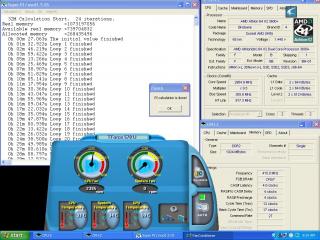
I dont know about " burn - in " but this is my last oc for my system i think my system cannot go more...

Attached Image


3600+ X2 Brisbane G1 | seram | BIOSTAR TForce 570U | Patriot PC2-PC5300 | Cooler Master Eclipse | 2904 Mhz


thanks to afosz for remind me about ram voltage i increase to 2.10 and get 2.9ghz.. icon_rolleyes.gif

125 Pages « < 10 11 12 13 14 > » Top
Topic ClosedOptions
 

Change to:
| Lo-Fi Version
0.0257sec    0.45    6 queries    GZIP Disabled
Time is now: 11th December 2025 - 11:35 AM