

QUOTE(FusionXY @ Aug 21 2020, 05:50 PM)
Oops. You quoted on the wrong person.
Thanks.

oppssyy....sorry mate. wrong quoteThanks.
TIME [OFFICIAL] TIME Fibre Broadband™ v4, Experience the ONE TRUE 2Gbps
|
|
 Aug 21 2020, 09:37 PM Aug 21 2020, 09:37 PM
Return to original view | IPv6 | Post
#41
|
 
Senior Member
2,378 posts Joined: Dec 2005  
|
QUOTE(FusionXY @ Aug 21 2020, 05:50 PM) Oops. You quoted on the wrong person. oppssyy....sorry mate. wrong quoteThanks. |
|
|
|
|
|
Aug 21 2020, 09:43 PM
Return to original view | IPv6 | Post
#42
|
|
Senior Member
2,378 posts Joined: Dec 2005
|
QUOTE(sendi @ Aug 21 2020, 06:18 PM) Hi there, My situation was opposite. The contractor was willing to leave extra cables looped near modem upon my request without any charges plus did wiring based on my instruction.Recently i just installed TIME at my unit. However, during the instalation process, i wasnt there as i was busy at work and was attended by a female family member alone. I was told that there will not be any additional cost, but what baffles me was at the end of the instalation, they requested RM150. Reason was additional 10M from the default 20M was used for the fibre optic. They charged RM10 per additional Meter and RM50 for drilling a hole from front door to inside. It seems that the contractor who did the wiring decided to use a longer distance when a shorter distance was available. My family member was alone while they are two person, therefore chose to keep quiet to prevent any "trouble: Has anyone faced such situation before? I find this very unfair and the contractor insisted on CASH only. They also did not sign nor stamp on the document when payment was made. The service report only marked the additional 10M fibre optic plus access point. Plus, the workman ship was horrible, the gluegun used as an adhesive for fibre optic did not last and my wires are now dangling Your experience, i look at it this way 1) Preferably someone told the contractor when you want to lay the cable (this part, unfortunately your slight mistake) 2) Charging, not writing it in report and giving bad workmanship (totally contractors mistake) 3) You should opt not to sign the report (when the service is not satisfactory) Just my view. Moving forward, maybe you might able to complain to TIME about this. |
|
|
Aug 24 2020, 10:48 PM
Return to original view | IPv6 | Post
#43
|
|
Senior Member
2,378 posts Joined: Dec 2005
|
QUOTE(blacktubi @ Aug 24 2020, 10:08 PM) I am using TIME, my latency to both Valve SG servers is 11ms on Ethernet LAN. Your mileage may vary. mine on TIME, i get sub 10ms on WIFI. sgp-1.valve.net sgp-2.valve.net Make sure you use a good router if you rely on wireless for gaming. using gaming router |
|
|
Aug 28 2020, 08:46 AM
Return to original view | IPv6 | Post
#44
|
|
Senior Member
2,378 posts Joined: Dec 2005
|
QUOTE(rickyro @ Aug 27 2020, 08:48 PM) 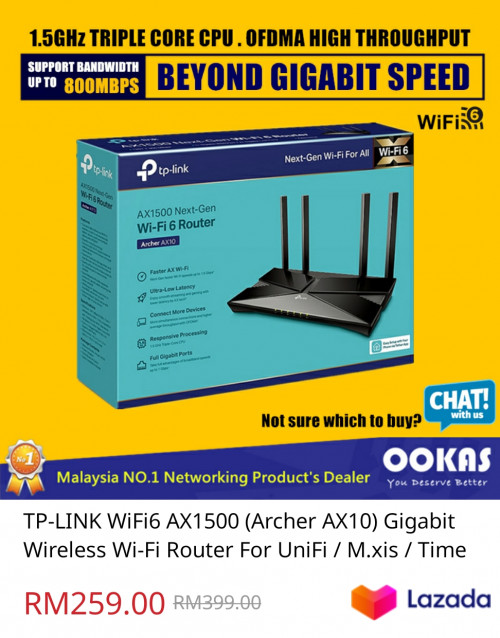 Can this Wi-Fi 6 router able to support both 500mbps download and 500mbps upload on WiFi 6? On paper it seems able to, but what about in reality.. I'm on 2x RE650 repeaters now, 2nd repeater able to get 150mbps only Was alao thinking of getting 2xM9 plus too If your home is big, then you might need repeaters or build a mesh network to cover your whole house. |
|
|
Sep 11 2020, 06:29 PM
Return to original view | IPv6 | Post
#45
|
|
Senior Member
2,378 posts Joined: Dec 2005
|
QUOTE(anwa @ Sep 11 2020, 05:46 PM) Hi sifus. I just got Time installed today, wangsa maju. Took the 500Mbps plan. How come my wifi speed measured by fast.com is only 50-60Mpbs? I'm using the free modem connected 2.4Ghz. My parents home 100Mbps unifi I'm getting 80-90Mbps using deco m9. Is it something wrong with my installation? Anything that I can do? Change modem? Reset by calling Time? Thanks use a LAN cable cucuk at your router. Use your PC to do speed test. Speed test from PC close to 500mbps? Yes : Its not TIME side issue. Your wifi issue to solve. No : Then call TIME to settle (but usually when they installing, they already test and show you the speed) Wifi issue can be many factors. (previously discussed in this thread i believe) |
|
|
Sep 11 2020, 07:52 PM
Return to original view | IPv6 | Post
#46
|
|
Senior Member
2,378 posts Joined: Dec 2005
|
QUOTE(anwa @ Sep 11 2020, 07:38 PM) LAN seems to get 400, looks like need to change to tplink a9 , I think recommended here? Change dual band router. I would suggest AX router. |
|
|
|
|
|
Sep 12 2020, 09:32 PM
Return to original view | IPv6 | Post
#47
|
|
Senior Member
2,378 posts Joined: Dec 2005
|
QUOTE(hilly50 @ Sep 12 2020, 09:06 PM) Anyone looking for new owner for rm99 plan can pm me. thx what do you mean new owner? |
|
|
Sep 18 2020, 02:26 PM
Return to original view | IPv6 | Post
#48
|
|
Senior Member
2,378 posts Joined: Dec 2005
|
QUOTE(miyakochan89 @ Sep 18 2020, 12:45 PM) I have been a lot of issues with streaming shows. It always stop every 10 minutes and then i have to refresh the browser to get it started again. It's getting really annoying when I am watching a 1 and half hour show. Even restarting the router doesn't work. guess its your device not the network i guess.does it happen to other device as well? |
|
|
Sep 20 2020, 02:36 PM
Return to original view | IPv6 | Post
#49
|
|
Senior Member
2,378 posts Joined: Dec 2005
|
QUOTE(chineu6 @ Sep 20 2020, 01:14 PM) Hi everyone, need some help here. It's been quite a few years that I subscribe to TIME broadband 100mbps package with the given TP Link Archer C1200 router. Having no issues with connection speed all this while until lately, here are some problems that I encountered. So previously on the phone you can get 100+mbps for dl and ul. Only recently the dl dropped to 30+mbps?1. When laptop connected to 5GHz network, both download and upload speed able to get 100+- mbps which is normal. However, when my Honor 20 Pro phone, Mi Box S and Ipad connected to 5GHz network, download gets only 30-40 mbps but upload able to get 90-100 mbps. 2. During the test, my devices show connected to 5GHz network with excellent signal strength. Stand right in front of router and do speedtest still the same issue. 3. Rebooted router, same issue. Go into TP Link and restore all settings back to default, same issue. 4. Called up TIME tech support, they did a so called "reset" from their side and ask me use my phone browse to testyourspeed.time.com.my. Did a speedtest from TIME website using my phone and result shows 100+mbps on both download and upload. TIME considered this issue solved and close the ticket. 5. After hang up the call, open my Ookla speedtest app using my phone and re-test again, again it shows download 30+mbps and upload 100+ mbps. Tested on 2.4GHz network, download shows 20+ mbps and upload 90+ mbps. 6. I can see that my Mi Box S is loading Netflix videos slowly and even when playing videos, I can see pixelation which I believe Netflix is optimizing the video quality based on my connection speed. I've been using the same phone and did speed test using Ookla speedtest app all this while and I get actually get 100+ mbps on both download and upload. Sorry if my explanation causes any confusion. I hope someone could help me to solve my connection issues. Thank you very much! |
|
|
Sep 22 2020, 09:44 AM
Return to original view | IPv6 | Post
#50
|
|
Senior Member
2,378 posts Joined: Dec 2005
|
QUOTE(lwk523 @ Sep 22 2020, 05:18 AM) Hi bro, Can...you need to make PPP connection from your PCIs that possible ? I need connect my pc to ONU directly .  |
|
|
Sep 23 2020, 01:45 PM
Return to original view | IPv6 | Post
#51
|
|
Senior Member
2,378 posts Joined: Dec 2005
|
QUOTE(jjj2 @ Sep 23 2020, 12:44 PM) Hi, the VLAN tagging does not occur at Router level, so you can replace with AX5 router. Sorry not sure what it means it doesnt happen at router level. Thanks. If you say TIME doesnt tag ethernet frame hence can use any router, then it makes sense. |
|
|
Sep 28 2020, 11:44 PM
Return to original view | IPv6 | Post
#52
|
|
Senior Member
2,378 posts Joined: Dec 2005
|
QUOTE(dongster @ Sep 28 2020, 07:30 PM) Hi all, maybe someone disturbed your optical cable.Been on TIME for 5+ years and it's been good so far till today. All of a sudden internet went down, restarted modem and router and found modem LOS light blinking red. Called CS and they said will arrange technician to check. That was in the morning. Called back in afternoon to follow up and they said appointment booked for 8th October.. what?? Suppose to be without broadband for 1 week? Live in condo and no one has touched the fiber into my unit and modem in a cabinet which no one touches Can I do anything? |
|
|
Sep 29 2020, 10:07 AM
Return to original view | IPv6 | Post
#53
|
|
Senior Member
2,378 posts Joined: Dec 2005
|
QUOTE(stormer.lyn @ Sep 29 2020, 09:51 AM) I plan to install Time, since it has just arrived at my apartment. Of course I want it now, now, now! There are few dealer/reseller here. They are helpful and can assist you well till you get your internet up. I've used one of them here.  Is there any benefit to going through a dealer/reseller/installer, versus applying on the Time website itself? Through website maybe you might get delayed replies/updates. |
|
|
|
|
|
Oct 7 2020, 12:27 PM
Return to original view | IPv6 | Post
#54
|
|
Senior Member
2,378 posts Joined: Dec 2005
|
QUOTE(benitok @ Oct 7 2020, 07:58 AM) On Saturday Time came to install my fibre. Everything was ok, until Sunday morning and my Huawei modem LOS led start flashing red. I did not even have 24 hours of Time internet. You didnt see they pull new fiber to home? (use the old unifi fiber?)On Tuesday a Time technician came out to check and he says that my line is broken from my unit to the main box in the condo, but he cannot fix it and the installer must come back. (Why come to my unit if you cannot fix my issue) So I phoned Time to ask, when can the installer come back and they said maybe before the end of the week, since the installer must get approval to install the cable. I cancelled my TM Unifi to change to Time. I had TM Unifi for more than a year without any cable issue. According to Time the installer was suppose to pull in a new cable to my unit during the install, but he didn't. I think he used the existing Unifi cable. So now it's Wednesday and I do not know what is happening with my Time internet. Starting to regret changing to Time. If anybody from Time can assist I would appreciate it. Thanks. You should not have signed the installation agreement if you are not happy with the installation. |
|
|
Nov 18 2020, 07:13 PM
Return to original view | IPv6 | Post
#55
|
|
Senior Member
2,378 posts Joined: Dec 2005
|
QUOTE(fakerdemit @ Nov 18 2020, 02:45 AM) I'm having a poor wifi connection from my room, the router is like 2-3 meter away from my room. I don't know why, maybe there is dead spot in my room. I'm looking for ways to improve the wifi connection because of wfh. Can someone suggest some tips or device to buy? u plan to change landlord router as well?Currently using default router, but I don't think can upgrade to a better one because I'm only renting the room and the router was provided by the landlord. My housemate got himself a wifi extender but according to him even that doesn't improve the speed. So I'm looking at wifi mesh but not sure which one should I get. |
|
|
Nov 19 2020, 12:25 PM
Return to original view | IPv6 | Post
#56
|
|
Senior Member
2,378 posts Joined: Dec 2005
|
QUOTE(fakerdemit @ Nov 19 2020, 02:05 AM) No really since I'll be moving out anyway in a year and probably not gonna use the router though. Do you think I should just upgrade the router and bring it with me when I move out? I think cheaper solution is just pull a long LAN cable to your room. Then use a WIFI AP device.Ok thank you. I just need to figure out how to pull the LAN cable to my room. Any suggestion other than nail cable clip? |
|
|
Nov 28 2020, 08:34 PM
Return to original view | IPv6 | Post
#57
|
|
Senior Member
2,378 posts Joined: Dec 2005
|
QUOTE(Xflkekw @ Nov 28 2020, 01:34 PM) Hi, any Time distributor for Penang Mainland, Bukit Mertajam area able to confirm if this is true? Depending on your management in giving the permission. So here is the story, Time contractors came and install their fibre cable infrastructure in my apartment back in June this year (Saw them install the cable and pull the cable to every floor). Unfortunately, until now there is no news from Time on when the service will be available. Now here is where it gets interesting, when I ask my management, apparently TM is somehow preventing Time from providing their service because TM came and fix their fibre cable first (April - May). Is such thing possible?  Your management has rights to approve which company comes in. Usually by default is Telekom, because the existing phone lines from telekom. |
|
|
Dec 11 2020, 09:28 PM
Return to original view | IPv6 | Post
#58
|
|
Senior Member
2,378 posts Joined: Dec 2005
|
QUOTE(austinjklim @ Dec 11 2020, 09:11 PM) Anyone experiencing slow internet with TIME? Pj Area. <1mbps down whole day. after router restart? on Wifi?I am not experiencing any slow speed |
|
|
Dec 17 2020, 09:18 AM
Return to original view | IPv6 | Post
#59
|
|
Senior Member
2,378 posts Joined: Dec 2005
|
QUOTE(pavitran @ Dec 17 2020, 08:50 AM) Hey guys, i've been having some issues lately with my internet connection. There's some latency when accessing website (1-2s) and say video streaming (starts after 3-4s). IPv6 DNS maybe you can set manual DNS.Disabling IPv6 on the router seems to solve all the problems above and everything is buttery smooth again. While im happy with IPv4, IPv6 setup would be ideal for future proofing. Anyone with the same issue ? What configuration should i use to setup IPv6 on the TIME wifi router ? DHCPv6 vs SLAAC+StatelessDHCP vs others ? Router : TP Link AC1200 (Time unit). Currently have Pi-Hole with Unbound as local dns server , if that matters. my config for ipv6 is native, PPP, stateless. seem working fine. of course, just lately the loading of pages were not smooth. i was all the while playing around with ipv4 DNS, thinking its DNS is the one making the loading sluggish. maybe everyone at TIME facing same issue. |
|
|
Dec 18 2020, 04:19 PM
Return to original view | IPv6 | Post
#60
|
|
Senior Member
2,378 posts Joined: Dec 2005
|
QUOTE(Matchy @ Dec 18 2020, 03:21 PM) is it me or the connection been sluggish recently? did a test just now, speed around 200mbps only. (im on 500mbps package) getting frequent disconnection when using my work vpn. on Ethernet cable is 200Mbps? |
| Change to: |  0.0364sec 0.0364sec
 0.32 0.32
 7 queries 7 queries
 GZIP Disabled GZIP Disabled
Time is now: 8th December 2025 - 11:00 AM |
 Quote
Quote