QUOTE(v_radha @ Aug 20 2020, 11:49 PM)
Hi, how can i check the available numbers in MySikap? I wanted to check what are the available numbers but system is prompting me to enter the number
<a href='https://pictr.com/images/2020/08/20/7SXNW5.md.jpg' target='_blank'>https://pictr.com/images/2020/08/20/7SXNW5.md.jpg </a>
Okay
Mysikap is not a place to check all available number
It limits
1st off you need to press the "papar no. Kenderaan terkini" button
It will open a new page with jpj search
Go select your state, in this case, melaka
Then enter the security code, some times 3 times in a row
If the code is hard to see, refresh
It will either show the latest number sold on jpj or will inform you that the system is down, or not selling any
That number is your cut off point.
If let at it shows 5467, and you want 2775, then sorry, your number is not on system to be selected anymore
Then let say you want 7687, then you can go mysikap to key in the number
If available, it will show you if not, it will inform you that the number tiada dalam sistem or something like that
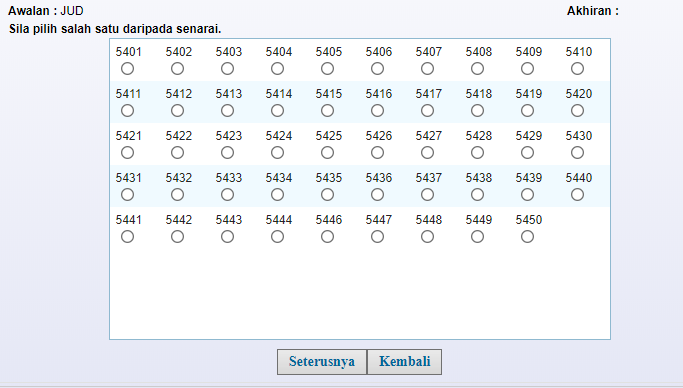
You can use julat
Where like your number choice above, select a range of 7650 to 7700 (max 50 numbers only) and it will show a range of numbers
If there is still available, the select and proceed to the next pages to pay
Mysikap is not a open page where all numbers are shown
Heck even when you want to see a range of numbers, they maxed out on 50 number only


 Aug 18 2020, 08:54 AM


 Quote
Quote



 0.0256sec
 0.68
0.68
 6 queries
 GZIP Disabled