Welcome Guest ( Log In | Register )

23 Pages « < 10 11 12 13 14 > » Bottom

Outline · [ Standard ] · Linear+

Guide Review & Setup - Xiaomi DaFang IP Cam

views
     
WIS9000
post Apr 9 2018, 12:30 PM

On my way
****
Junior Member
534 posts

Joined: Nov 2007
thanks for the guide hikashi.

i have a xiami router 3 and dafang and seems to have done the steps of creating the following folder "TDDOWNLOAD\xiaofang"

However, when i try to dump the videos from the sdcard to my the router, it keeps giving me the failure error. Is there some other steps needed?

i have a xiaomi xiaoyi camera before this and the daily backup to xm router works fine. also i've turned off the xiaoyi during the testing of dafang.
hikashi
post Apr 9 2018, 07:01 PM

Pusheeeeeeeett
******
Senior Member
1,065 posts

Joined: Sep 2005

QUOTE(WIS9000 @ Apr 9 2018, 12:30 PM)
thanks for the guide hikashi.

i have a xiami router 3 and dafang and seems to have done the steps of creating the following folder "TDDOWNLOAD\xiaofang"

However, when i try to dump the videos from the sdcard to my the router, it keeps giving me the failure error. Is there some other steps needed?

i have a xiaomi xiaoyi camera before this and the daily backup to xm router works fine. also i've turned off the xiaoyi during the testing of dafang.
*
Im nt familiar with mirouter setup. But ive seen plenty guides around, you can check them up
BacktoBasics
post Apr 9 2018, 11:15 PM

Regular
******
Senior Member
1,802 posts

Joined: Oct 2015
QUOTE(pvkerc @ Mar 23 2018, 07:12 PM)
I bought several Xiaomi Dafang.

2 questions:
* Does anybody know how to see more then one cam at the same time? (in the MIIhome App or other?)
This for surveilliance.

* A lot of other users seems to have problem playing "motion detections" movies. Download stuck at 0%.
Any solutions?

thanks!
*
Hey bro, have you found the solution to install more than one da fang or view more than one at the same time?
WIS9000
post Apr 15 2018, 02:32 AM

On my way
****
Junior Member
534 posts

Joined: Nov 2007
any solution for the motion detection video not able to download / view?
ryder_78
post Apr 17 2018, 08:54 AM

Look at all my stars!!
*******
Senior Member
2,064 posts

Joined: Jul 2010


Hi guys,
I think I have asked before on this thread several months ago on uploading the video to Cloud and the answer is it doesn't work at that time due to some issues. May I ask if this problem has been resolved?

The thing is this. I may be getting this Xiaomi Dafang only if it serves my purpose. I understand it records videos and stores the video file in the SD card. However, I need the unit to store the video in Cloud so that the user can access the videos at any time. For my usage, I am planning to use the Dafang as a surveillance video camera to capture intruder break-in to my apartment. I am taking into consideration that the Xiaomi Dafang unit will be smashed into bits and pieces by the intruder who has successfully broken into the unit. I am assuming a successful break-in by a robber. Hence, if the video camera together with the SD card have been damaged, the user wouldn't be able to view the video that has been recorded onto the SD card isn't it? So in this context, the recording onto Cloud would be applicable as even though the unit has been broken into pieces, the user would still be able to access the video file which is uploaded onto Cloud.

Any advice if the unit would be able to record video and store it on Cloud? If yes, the next question is whether the unit will only record video upon detection motion? What is the maximum duration that the unit will be able store a full video recording before it rewrites the video? 12 hours? 24 hours? Or 2 to 3 days?

Any information would be appreciated.
jctasoga
post Apr 17 2018, 09:04 AM

Getting Started
**
Junior Member
179 posts

Joined: Dec 2008
From: BP, JH


QUOTE(ryder_78 @ Apr 17 2018, 08:54 AM)
Hi guys,
I think I have asked before on this thread several months ago on uploading the video to Cloud and the answer is it doesn't work at that time due to some issues. May I ask if this problem has been resolved?

The thing is this. I may be getting this Xiaomi Dafang only if it serves my purpose. I understand it records videos and stores the video file in the SD card. However, I need the unit to store the video in Cloud so that the user can access the videos at any time. For my usage, I am planning to use the Dafang as a surveillance video camera to capture intruder break-in to my apartment. I am taking into consideration that the Xiaomi Dafang unit will be smashed into bits and pieces by the intruder who has successfully broken into the unit. I am assuming a successful break-in by a robber. Hence, if the video camera together with the SD card have been damaged, the user wouldn't be able to view the video that has been recorded onto the SD card isn't it? So in this context, the recording onto Cloud would be applicable as even though the unit has been broken into pieces, the user would still be able to access the video file which is uploaded onto Cloud.

Any advice if the unit would be able to record video and store it on Cloud? If yes, the next question is whether the unit will only record video upon detection motion? What is the maximum duration that the unit will be able store a full video recording before it rewrites the video? 12 hours? 24 hours? Or 2 to 3 days?

Any information would be appreciated.
*
it will not serve your purpose because it is not uploaded in real time. it uploads twice a day at specific time (i think its morning 8am and evening 5pm?).

motion detection : yes (but mine also sensitive to light changes ie on off light also detect as motion)

video recording with motion detection : yes (about 10 to 15sec) will be alerted to your mobile phone with mihome app.
ryder_78
post Apr 17 2018, 09:11 AM

Look at all my stars!!
*******
Senior Member
2,064 posts

Joined: Jul 2010


QUOTE(jctasoga @ Apr 17 2018, 09:04 AM)
it will not serve your purpose because it is not uploaded in real time. it uploads twice a day at specific time (i think its morning 8am and evening 5pm?).

motion detection : yes (but mine also sensitive to light changes ie on off light also detect as motion)

video recording with motion detection : yes (about 10 to 15sec) will be alerted to your mobile phone with mihome app.
*
Thanks for the response which was appreciated. From your post, the Xiaomi Dafang may be partially useful to me even though it has failed with the recording onto Cloud. IF the recording isn't in real time (twice a day at specific time), then I think it will not serve the purpose in my context.

However, the video recording with motion detection may be useful to me. Assuming that there is a 10 to 15 seconds delay with the recording on motion detection, it can still be useful assuming that the intruder who has successfully broken into the unit takes more than 1 minute before he spots the Xiaomi Dafang and breaks it. In some way, the Dafang would have recorded some of the intruders' activities before it's smashed into bits and pieces. Perhaps I'll get one since the price is rather affordable.

Thanks.

This post has been edited by ryder_78: Apr 17 2018, 09:12 AM
ryder_78
post Apr 17 2018, 09:13 AM

Look at all my stars!!
*******
Senior Member
2,064 posts

Joined: Jul 2010


By the way, is the video quality recorded by the Dafang clear enough to make out the faces of people?
ryder_78
post Apr 17 2018, 09:18 AM

Look at all my stars!!
*******
Senior Member
2,064 posts

Joined: Jul 2010


Sorry, just to confirm. With the recording upon motion detection, when the Xiaomi Dafang alerts the user by sending a notification to his/her mobile phone, will the video be recorded onto the mobile phone? Or the video will be recorded onto the SD card?
jctasoga
post Apr 17 2018, 09:28 AM

Getting Started
**
Junior Member
179 posts

Joined: Dec 2008
From: BP, JH


QUOTE(ryder_78 @ Apr 17 2018, 09:18 AM)
Sorry, just to confirm. With the recording upon motion detection, when the Xiaomi Dafang alerts the user by sending a notification to his/her mobile phone, will the video be recorded onto the mobile phone? Or the video will be recorded onto the SD card?
*
the video will be recorded onto the SD card. u will need to download from the card to view the video.

thus, it is best to hide the camera or place it somewhere high enough not to able ppl to reach it... and long enough for you to view it.

another alternative is to push the video to a storage unit (ie the xiaomi router unit and if you read a few posts back, they put up the steps to make non xiaomi routers store the videos from dafang as well) i didnt read in details because at the moment, i haven got time to tinker with it.

for this price and capability (motion detect and rotating unit) i have accepted its flaws (no real time recording etc). i have a separate fixed cctv which has realtime recording so i only have this unit as a supplementary only (so i can view different angles).
WIS9000
post Apr 17 2018, 03:25 PM

On my way
****
Junior Member
534 posts

Joined: Nov 2007
QUOTE(jctasoga @ Apr 17 2018, 09:04 AM)
it will not serve your purpose because it is not uploaded in real time. it uploads twice a day at specific time (i think its morning 8am and evening 5pm?).

motion detection : yes (but mine also sensitive to light changes ie on off light also detect as motion)

video recording with motion detection : yes (about 10 to 15sec) will be alerted to your mobile phone with mihome app.
*
for the 3rd option, can the video be downloaded successfully? i've received the notification, but always failed to download the clip be it on mobile / wifi.
is there any setting needed to get this work?
hikashi
post Apr 18 2018, 09:31 AM

Pusheeeeeeeett
******
Senior Member
1,065 posts

Joined: Sep 2005

QUOTE(WIS9000 @ Apr 17 2018, 03:25 PM)
for the 3rd option, can the video be downloaded successfully? i've received the notification, but always failed to download the clip be it on mobile / wifi.
is there any setting needed to get this work?
*
Nope. Only works for china ip if not wrong.
WIS9000
post Apr 18 2018, 09:37 AM

On my way
****
Junior Member
534 posts

Joined: Nov 2007
QUOTE(hikashi @ Apr 18 2018, 09:31 AM)
Nope. Only works for china ip if not wrong.
*
hm.. this is not good then.. was hoping to use this as a security camera to alert me of possible intrusion, but now this is kinda sucks...
ryder_78
post Apr 18 2018, 04:18 PM

Look at all my stars!!
*******
Senior Member
2,064 posts

Joined: Jul 2010


QUOTE(WIS9000 @ Apr 18 2018, 09:37 AM)
hm.. this is not good then.. was hoping to use this as a security camera to alert me of possible intrusion, but now this is kinda sucks...
*
Not too sure if this if of any interest. After some searching around, I found these two spy (hidden) video cameras. Since it looks like a digital clock on the outside, it may not be noticed by the intruder and the video recording can be stored on the SD card without worrying whether the unit will get smashed to pieces as chances would be very low.

https://www.ebay.com/itm/Wireless-HD-1080P-...sIAAOSwgSBaMI4T

https://www.ebay.com/itm/1080P-Wireless-Wif...Z4AAOSwyCZazXux

user posted image

user posted image
WIS9000
post Apr 18 2018, 06:54 PM

On my way
****
Junior Member
534 posts

Joined: Nov 2007
QUOTE(ryder_78 @ Apr 18 2018, 04:18 PM)
Not too sure if this if of any interest. After some searching around, I found these two spy (hidden) video cameras. Since it looks like a digital clock on the outside, it may not be noticed by the intruder and the video recording can be stored on the SD card without worrying whether the unit will get smashed to pieces as chances would be very low.

https://www.ebay.com/itm/Wireless-HD-1080P-...sIAAOSwgSBaMI4T

https://www.ebay.com/itm/1080P-Wireless-Wif...Z4AAOSwyCZazXux

user posted image

user posted image
*
thanks. my initial plan was to have the camera as a deterrent. that's why i currently placed it in a visible spot and even turn on its blue light at night to let outside people see that i am recording.

and it there are movements, i was hoping that i can view the alert videos immediate .

now can only depend on the fixed timing upload to my mi router. any way to choose other upload time slots other than the 8am and 5pm timing. i know can force upload but it would be great if can let use set own choice.
fiqqq
post Apr 18 2018, 09:25 PM

đź‘€
****
Junior Member
541 posts

Joined: Mar 2009
From: Technically not from Lebanon


QUOTE(hikashi @ Apr 18 2018, 09:31 AM)
Nope. Only works for china ip if not wrong.
*
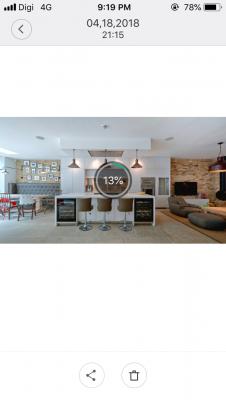
Weird, 1 of my DaFangs can download from cloud.
Attached Image
Attached Image
hikashi
post Apr 18 2018, 11:16 PM

Pusheeeeeeeett
******
Senior Member
1,065 posts

Joined: Sep 2005

QUOTE(fiqqq @ Apr 18 2018, 09:25 PM)
Weird, 1 of my DaFangs can download from cloud.
Attached Image
Attached Image
*
Oh wow how?
ryder_78
post Apr 19 2018, 08:58 AM

Look at all my stars!!
*******
Senior Member
2,064 posts

Joined: Jul 2010


QUOTE(WIS9000 @ Apr 18 2018, 06:54 PM)
thanks. my initial plan was to have the camera as a deterrent. that's why i currently placed it in a visible spot and even turn on its blue light at night to let outside people see that i am recording.

and it there are movements, i was hoping that i can view the alert videos immediate .

now can only depend on the fixed timing upload to my mi router. any way to choose other upload time slots other than the 8am and 5pm timing. i know can force upload but it would be great if can let use set own choice.
*
Thank for the response. It is surely good to have the video camera visible to act as a deterrent only if it works for the purpose, which means the captured video will be uploaded to Cloud and not on an SD card. If the video camera sends the recorded video to Cloud upon detection a motion via the motion-detection feature, then there isn't any issue anymore. If the video camera does not do that, and assuming the potential intruder is not too perturbed by the sight of the video camera, after a successful break-in through the main front gate, he may proceed to damage the video camera and all evidence would be lost if the recording is not uploaded to cloud but to an SD card.

That is assuming that the visible sight of the video camera does not cause any concern or alarm to the potential intruder or robber.

My other thought is that if the owner of a particular house or unit in an apartment has installed video cameras and/or alarms, this will give the perception that there is something valuable inside the house to cause the owner to install all these security measures. This may give the potential intruder more cause to break-in to the property although the sight of the video cameras and/or alarms may act as a deterrent. Nowadays robbers are smart. Even if there are video cameras, I am already thinking that these robbers will put on face masks to cover their faces if they want to attempt to break-in to a house or unit apartment.

If there is no video camera at the front of the property, the potential intruder might not wear face masks since he may not expect any video cameras inside the house or unit apartment. So when the intruder has successfully broken into the house or unit apartment, his/her face will be captured by the spy video camera that's hidden somewhere in the house, camouflaged by the unsuspecting form of a digital clock.

Considering the above, I am actually sitting on the fence whether to follow your idea of putting a visible video camera at the front of the property so that everyone will spot it when they walk past the house or unit apartment. There are pros and cons to it.

WIS9000
post Apr 19 2018, 10:19 AM

On my way
****
Junior Member
534 posts

Joined: Nov 2007
QUOTE(ryder_78 @ Apr 19 2018, 08:58 AM)
Thank for the response. It is surely good to have the video camera visible to act as a deterrent only if it works for the purpose, which means the captured video will be uploaded to Cloud and not on an SD card. If the video camera sends the recorded video to Cloud upon detection a motion via the motion-detection feature, then there isn't any issue anymore. If the video camera does not do that, and assuming the potential intruder is not too perturbed by the sight of the video camera, after a successful break-in through the main front gate, he may proceed to damage the video camera and all evidence would be lost if the recording is not uploaded to cloud but to an SD card.

That is assuming that the visible sight of the video camera does not cause any concern or alarm to the potential intruder or robber.

My other thought is that if the owner of a particular house or unit in an apartment has installed video cameras and/or alarms, this will give the perception that there is something valuable inside the house to cause the owner to install all these security measures. This may give the potential intruder more cause to break-in to the property although the sight of the video cameras and/or alarms may act as a deterrent. Nowadays robbers are smart. Even if there are video cameras, I am already thinking that these robbers will put on face masks to cover their faces if they want to attempt to break-in to a house or unit apartment.

If there is no video camera at the front of the property, the potential intruder might not wear face masks since he may not expect any video cameras inside the house or unit apartment. So when the intruder has successfully broken into the house or unit apartment, his/her face will be captured by the spy video camera that's hidden somewhere in the house, camouflaged by the unsuspecting form of a digital clock.

Considering the above, I am actually sitting on the fence whether to follow your idea of putting a visible video camera at the front of the property so that everyone will spot it when they walk past the house or unit apartment. There are pros and cons to it.
*
well do update us when you have decided.

meantime, i guess this dafang camera is just as good as a dud, unless there are updates on xiaomi's side to revert back to its previous condition where alert videos can be downloaded.
ryder_78
post Apr 19 2018, 12:18 PM

Look at all my stars!!
*******
Senior Member
2,064 posts

Joined: Jul 2010


QUOTE(WIS9000 @ Apr 19 2018, 10:19 AM)
well do update us when you have decided.

meantime, i guess this dafang camera is just as good as a dud, unless there are updates on xiaomi's side to revert back to its previous condition where alert videos can be downloaded.
*
Still exploring the options. Instead of video camera, I'm also studying on some cheap alarm systems. Just stumbled upon this one and will open a thread in the Home Renovation section to seek some views.

https://www.lelong.com.my/99-zones-wireless...7-01-Sale-I.htm

This post has been edited by ryder_78: Apr 19 2018, 12:18 PM

23 Pages « < 10 11 12 13 14 > » Top
 

Change to:
| Lo-Fi Version
0.0286sec    0.41    6 queries    GZIP Disabled
Time is now: 15th December 2025 - 10:33 AM