QUOTE(mdnurman @ Aug 27 2021, 11:20 PM)
No, but it is still hotI suggest you to buy another router instead.
This router had been abandoned.
TP-LINK Malaysia Official Thread, Technical Enquiries and Support
|
|
Aug 27 2021, 11:37 PM
Show posts by this member only | IPv6 | Post
#3761
|
![]() ![]() ![]() ![]() ![]() ![]() ![]()
Senior Member
3,669 posts Joined: Apr 2006 |
|
|
|
|
|
|
Aug 27 2021, 11:40 PM
Show posts by this member only | IPv6 | Post
#3762
|
![]() ![]() ![]() ![]() ![]() ![]()
Senior Member
1,524 posts Joined: Dec 2020 From: Perak |
|
|
|
Aug 28 2021, 12:11 AM
|
![]() ![]() ![]() ![]() ![]()
Senior Member
738 posts Joined: Oct 2006 |
|
|
|
Aug 28 2021, 12:11 AM
|
![]() ![]() ![]() ![]() ![]()
Senior Member
738 posts Joined: Oct 2006 |
|
|
|
Aug 28 2021, 12:28 AM
Show posts by this member only | IPv6 | Post
#3765
|
![]() ![]() ![]() ![]() ![]() ![]() ![]()
Senior Member
3,669 posts Joined: Apr 2006 |
|
|
|
Aug 28 2021, 08:59 AM
|
![]() ![]() ![]() ![]() ![]() ![]() ![]() ![]()
All Stars
10,478 posts Joined: Jan 2003 From: Sarawak |
|
|
|
|
|
|
Aug 28 2021, 09:12 AM
|
![]() ![]() ![]() ![]() ![]() ![]() ![]() ![]()
All Stars
13,483 posts Joined: Jan 2012 |
QUOTE(jchong @ Aug 21 2021, 02:38 PM) Haven't tried with another laptop yet. I guess either this... or disable ipv6 or turn off windows firewallYes, I have both 2.4 and 5GHz wifi on Actually the laptop is fairly new and supports Wifi 6. It connects to the AX73 using 5GHz and ax. The driver is also updated. I still reckon the problem is due to some security setting (dunno if in the laptop or Win 10 or the AX73?) which doesn't allow my laptop to be discoverable in the network. When I connect to my old router (a TP-Link TL-WR841HP) I don't have this problem. ![]() This post has been edited by andrekua2: Aug 28 2021, 09:14 AM |
|
|
Aug 28 2021, 01:18 PM
Show posts by this member only | IPv6 | Post
#3768
|
![]() ![]() ![]()
Junior Member
420 posts Joined: Feb 2007 |
QUOTE(mdnurman @ Aug 27 2021, 11:20 PM) not sure about the heating issue since my AX50 is running on V1.5 firmware and this router is ON 24/7 hence I have a RM15 cooling fan under it.... almost 9 months already i can say this router not bad la for 7 devices at home... since it is the only tp-link router running on intel chipset which abandon by tp-link then it might not get regular firmware update...... i am using unifi 500Mbps and can consistently getting that speed.... This post has been edited by sukhoi35mk: Aug 28 2021, 01:24 PM |
|
|
Aug 28 2021, 01:24 PM
Show posts by this member only | IPv6 | Post
#3769
|
![]() ![]() ![]()
Junior Member
420 posts Joined: Feb 2007 |
hi All,
I discover that the parental control in my AX50 is useless on blocking ipv6 traffic. It works flawlessly with ipv4 that I able to block websites such as youtube etc but once I enable ipv6 internet then the parental control become useless.... i am curious if other tp-link router users with parental control having the same issue or it is just happen to AX50.. |
|
|
Aug 28 2021, 02:56 PM
|
|
Elite
8,420 posts Joined: Jul 2008 |
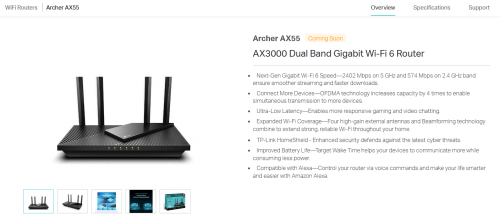
QUOTE(JohnLai @ Aug 28 2021, 12:28 AM) AX55 = this model doesn't seem to support DFS channel. It does support DFS channels and even Zero-Wait DFS. WPA3 right out of the box too. At least it comes with WPA3 support out of the box? I believe all TP-Link WiFi 6 models already received OneMesh and WPA3 update except the AX50. Hopefully TP-Link can secure a support deal with the new owner of Intel home wireless division. |
|
|
Aug 28 2021, 06:09 PM
Show posts by this member only | IPv6 | Post
#3771
|
![]() ![]() ![]()
Junior Member
358 posts Joined: May 2010 From: Batu Caves, Selangor |
Hi, my current setup is c5v as main router and tplink-c1200 as my repeater, internet connection is fine, but problem is i can't access my repeater for configuration as the IP shown is the main router, so i disconnected the lan cable connected between the routers and i connect my pc to the repeater so that i can configure in offline mode, it succeed for the first time in lan port 1 only, the next time i want to configure again using the same method i can't connect to the repeater in either of the LAN port, there is no more IP like 192, only shows auto ipv4 ip: 168 which i try googling but to no avail.
Can anyone teach me how to connect to this router in offline mode? TQVM |
|
|
Aug 28 2021, 06:31 PM
|
![]() ![]() ![]() ![]() ![]() ![]() ![]()
Senior Member
2,954 posts Joined: Apr 2008 |
Hi,
If wish to use Ethernet backhaul on Deco, any setting should I configure? This post has been edited by KKW: Aug 28 2021, 06:32 PM |
|
|
Aug 28 2021, 09:24 PM
|
|
Elite
8,420 posts Joined: Jul 2008 |
|
|
|
|
|
|
Aug 28 2021, 09:28 PM
Show posts by this member only | IPv6 | Post
#3774
|
![]() ![]() ![]() ![]() ![]() ![]() ![]()
Senior Member
3,669 posts Joined: Apr 2006 |
QUOTE(blacktubi @ Aug 28 2021, 02:56 PM) It does support DFS channels and even Zero-Wait DFS. WPA3 right out of the box too. Hmm, you are right. I believe all TP-Link WiFi 6 models already received OneMesh and WPA3 update except the AX50. Hopefully TP-Link can secure a support deal with the new owner of Intel home wireless division. https://www.tp-link.com/dk/home-networking/...#specifications |
|
|
Aug 28 2021, 10:25 PM
|
![]() ![]() ![]() ![]() ![]() ![]() ![]()
Senior Member
2,954 posts Joined: Apr 2008 |
QUOTE(blacktubi @ Aug 28 2021, 09:24 PM) Hello Boss!Yes, I’m still using Unifi and still rocking my old AC68U I’m asking behalf of someone, she wanted get Deco X68 for her house and her house got Ethernet outlets across the house also. So, I wonder would it able to connect to the Ethernet outlet to get much more stable connection |
|
|
Aug 28 2021, 10:32 PM
|
|
Elite
8,420 posts Joined: Jul 2008 |
QUOTE(KKW @ Aug 28 2021, 10:25 PM) Hello Boss! Yup, the Deco X68 is compatible with Ethernet backhaul. Just connect the main unit and second unit with a cable and you are good to go.Yes, I’m still using Unifi and still rocking my old AC68U I’m asking behalf of someone, she wanted get Deco X68 for her house and her house got Ethernet outlets across the house also. So, I wonder would it able to connect to the Ethernet outlet to get much more stable connection For Unifi or any VLAN Internet :- The LAN port is reserved for HyppTV by default, just disable it on the VLAN settings will do. Not required if the IPTV/VLAN feature is not required. |
|
|
Aug 29 2021, 02:11 AM
|
![]() ![]() ![]() ![]() ![]() ![]() ![]()
Senior Member
2,954 posts Joined: Apr 2008 |
QUOTE(blacktubi @ Aug 28 2021, 10:32 PM) Yup, the Deco X68 is compatible with Ethernet backhaul. Just connect the main unit and second unit with a cable and you are good to go. Nice, do it require any special configuration and need use the apps to add Deco like doing for wireless?For Unifi or any VLAN Internet :- The LAN port is reserved for HyppTV by default, just disable it on the VLAN settings will do. Not required if the IPTV/VLAN feature is not required. She not using Unifi |
|
|
Aug 29 2021, 12:52 PM
|
|
Elite
8,420 posts Joined: Jul 2008 |
QUOTE(KKW @ Aug 29 2021, 02:11 AM) Nice, do it require any special configuration and need use the apps to add Deco like doing for wireless? Let me guess, it's for SG since Deco X68 is already available there but not here yet. She not using Unifi For non VLAN ISP, just do the simple setup on the Deco app. 1- Connect main unit to the ISP modem 2- Turn on and setup main unit on Deco app, it's super easy 3- Switch on the second unit and wait until it auto link with main unit. Can be linked manually on the app if auto link fails. 4- Connect the second unit to the ethernet backhaul and it will switch over automatically after a restart. |

|
|
Aug 29 2021, 01:52 PM
|
![]() ![]() ![]() ![]() ![]() ![]() ![]()
Senior Member
2,954 posts Joined: Apr 2008 |
QUOTE(blacktubi @ Aug 29 2021, 12:52 PM) Let me guess, it's for SG since Deco X68 is already available there but not here yet. Hahaha, she from Australia For non VLAN ISP, just do the simple setup on the Deco app. 1- Connect main unit to the ISP modem 2- Turn on and setup main unit on Deco app, it's super easy 3- Switch on the second unit and wait until it auto link with main unit. Can be linked manually on the app if auto link fails. 4- Connect the second unit to the ethernet backhaul and it will switch over automatically after a restart. Thanks for the detail explanation., I will try to guide her and hopefully she would be able to set it up. |
|
|
Aug 29 2021, 02:13 PM
Show posts by this member only | IPv6 | Post
#3780
|
![]() ![]() ![]() ![]() ![]() ![]()
Senior Member
1,185 posts Joined: Nov 2020 |
Today I got a notification when I opened the deco app on my phone.
It said that my login had expired and that I need to login again. This is very weird as I had not changed the password. Logged in and everything looked fine, but is this login expired notification a proper normal function of tplink ? I have never had this message pop up before I have a same account logged in to a newer iPad and it was still logged in, no login expired notification when I used that Just wondering if it a security issue? Because my Spotify and PSN were recently hacked using the same email but different password |
| Change to: | 0.0289sec
1.01
6 queries
GZIP Disabled
Time is now: 17th December 2025 - 09:50 PM |