Welcome Guest ( Log In | Register )

17 Pages « < 14 15 16 17 >Bottom

Outline · [ Standard ] · Linear+

 AMD Ryzen, AM4 / AM5 Platform

views
     
nrw
post Mar 18 2021, 12:13 PM

Casual
***
Junior Member
398 posts

Joined: Jul 2014


QUOTE(Bonchi @ Mar 17 2021, 11:17 AM)
True true. But ryzen problem is that it is genuinely waking up from ccx and boosting at the slightest interrupts so the higher idle temps. that's why i had to up the llc on my ryzen to keep it stable due to the fluctuations. and also their implementation is not as good as intel when it comes to stepping.. Their cool and quiet feature sucks lolol.
*
you'd be surprised to see how well their cool&quiet, cstates, etc. working once you slot a renoir or probably cezanne into your board.
but since those are plagued by low cache this is also no solution (apart from the availability)
nrw
post Mar 18 2021, 01:46 PM

Casual
***
Junior Member
398 posts

Joined: Jul 2014


QUOTE(Bonchi @ Mar 18 2021, 12:48 PM)
I remember it is working quite well on the 1000 and 2000 series. Only zen2 onwards it became problematic. Maybe it's because of the chiplet design?
*
yeah I think so, the io die seems to be the main factor. the monolithic renoir really not too bad. can build a massively energy efficient system with that.
I've seen ppl having idle system! draw of sub 10W with a pico psu and renoir.

This post has been edited by nrw: Mar 18 2021, 01:46 PM
nrw
post May 28 2021, 09:47 PM

Casual
***
Junior Member
398 posts

Joined: Jul 2014


QUOTE(owikh84 @ May 28 2021, 06:34 PM)
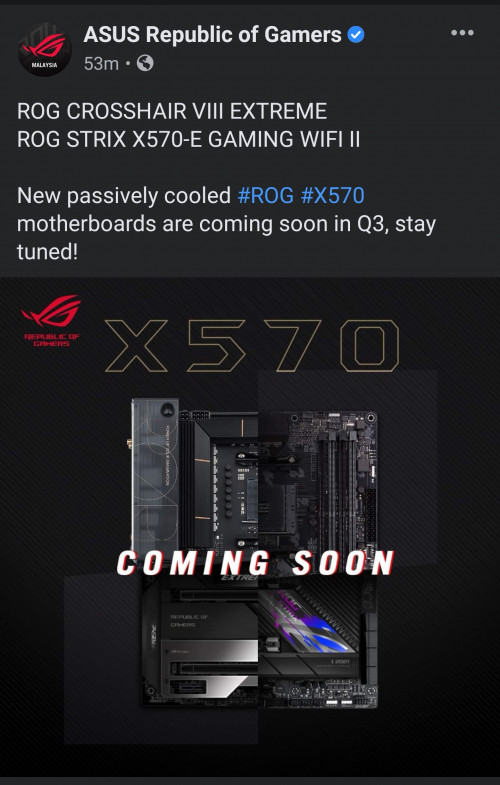
New X570 boards coming soon guys...

user posted image
*
Giga n MSI already leaked their new X570S chipset boards, too.
Probably be coming same time with the B2 stepping Vermeer's.
nrw
post Jun 5 2021, 02:36 PM

Casual
***
Junior Member
398 posts

Joined: Jul 2014


QUOTE(JohnLai @ Jun 5 2021, 01:59 PM)
I had been reading stuff about the Infinity Fabric for a while now, but can't find answer to some questions I have.

Infinity Fabric frequency is linked to RAM frequency. In 3950x and 5950x case, assuming IF 1800Mhz and RAM (1800Mhz effective at 3600Mhz), what is the CCD to CCD bandwidth via Infinity Fabric?

I search through the net and all I can find is the CCD to CCD via Infinity Fabric latency information. Nothing about bandwidth?
If I didn't get things wrong you're mixing up things.

If cores on different CCD's communicate with each other this has to go through the IO die and therefore through the IF. What speed (bandwidth) your ram is running should be irrelevant at this point, as it is not part of this communication process as inter-core latencies are within the L3 caches.

nrw
post Jun 11 2021, 03:28 AM

Casual
***
Junior Member
398 posts

Joined: Jul 2014


QUOTE(Bonchi @ Jun 10 2021, 11:22 PM)
being monolithic, Im pretty sure it will not have the high idle issues of the 3000X and 5000X and where you loss in IPC, you gained with lower memory latency. Good trigger you pull there.
*
Bit of a weird one though. No pcie4.0 coming from mobile, half the cache... doesn't really make much sense with that gpu
nrw
post Jun 13 2021, 12:52 AM

Casual
***
Junior Member
398 posts

Joined: Jul 2014


QUOTE(thankyou @ Jun 12 2021, 11:58 PM)
Just received the PC... just curious why GPU is connected with pcie 4.0? I thought 5700G support pcie 3.0 only?

is it because Proc <-- pcie 3.0 --> B550 <-- pcie 4.0 --> GPU?
*
running at 8GT/s so that's 3.0 is it not?
nrw
post Jun 13 2021, 02:05 AM

Casual
***
Junior Member
398 posts

Joined: Jul 2014


sai86
well gaming and downloading games I've never even been remotely close to 90C when I tested the 5900x... are you sure your pump is working properly?
or if you have a proper sensor... what's your flowrate?

This post has been edited by nrw: Jun 13 2021, 02:05 AM
nrw
post Jun 13 2021, 11:44 AM

Casual
***
Junior Member
398 posts

Joined: Jul 2014


update the bios as suggested, then enter your own power limits PPT, TDC, EDC (142, 105, 140) as your board increased them and then report back.
nrw
post Jun 13 2021, 03:46 PM

Casual
***
Junior Member
398 posts

Joined: Jul 2014


That's the AMD default sai86. It's thanks to reviewers 'comparing boards with the same cpu for benchmarks' without pointing out what happens that manufacturers and especially marketing divisions don't bother sticking to AMD default limits anymore with their out of the box bios configurations.

The 5800,5900, and 5950x have 142,95,140. The 5600x has 76,60,88 as limits.

Another way they love to cheat is with telemetry (hwinfo64 shows this as power reporting deviation)
You could fix these as well if your board has the options but that's not really necessary as of now.

This post has been edited by nrw: Jun 13 2021, 03:49 PM
nrw
post Jun 13 2021, 08:35 PM

Casual
***
Junior Member
398 posts

Joined: Jul 2014


regarding power reporting deviation you are correct, it is only valid on full loads. eventhough cb20 cycles it's pretty easy to test there.

just run multicore n see what the value goes though.
most likely its overreporting. in the case that u'd want to fix that u'd have to go yo your bios (ai tweaker), set CPU Core Current Telemetry to Manual and set a negative offset and try values until you reach something close to 100% in cb20.

but then again, this is not the culprit to your temp issues.
nrw
post Jun 14 2021, 01:06 PM

Casual
***
Junior Member
398 posts

Joined: Jul 2014


lol am I the only guy spreading his paste in a very thin layer manually before slapping the block on?! or do you all have extremely convex or concave heatspreaders? laugh.gif

to thankyou what board is exactly being used? do you have to option to OC your ram in the BIOS and which options are available?
This is where you should be able to extract most performance.
Other than this you could check if curve overclocking is available as well, this would be a little interesting as well.
nrw
post Jun 14 2021, 05:56 PM

Casual
***
Junior Member
398 posts

Joined: Jul 2014


QUOTE(thankyou @ Jun 14 2021, 04:24 PM)
[...]The board seems to be HP branded B550... It's pretty much locked down... You can do RAM OC via OMEN software (I'll share screenshot later)[...]

BIOS also seems pretty much locked down... I will share CPU-Z screenshot later...

There's also no way to use "non-HP" branded RAM or else, it will run at default clock speed @ 2400MHz. Wanted to upgrade RAM to 32GB... so I guess I'll have to either find the HP part or forget about the upgrade...

Please find a snapshot of the motherboard and RAM.
*
Useful info right there. Pretty sad that you can't utilize the strong IF on the 5700G
So for those who are out for an Cezanne they rather wait till Retail stocks arrives in just about less than 2 months time.


nrw
post Jun 14 2021, 11:26 PM

Casual
***
Junior Member
398 posts

Joined: Jul 2014


QUOTE(thankyou @ Jun 14 2021, 10:55 PM)
nrw here's the mentioned "1-click memory overclocking" on Omen software. Tried running Ryzen master but unfortunately, 5700G is not supported yet.
"Ryzen Master does not support current processor. Unsupported Processor!"
CPU-Z info on motherboard and RAM shared as well. SDP information is not available... due to HP I guess...
Can't complain much as the PC was delivered within 2 days... Will try to upgrade CPU cooler to NH-U9S for the time being and probably add a couple of fans as well..
*
thumbup.gif Thanks! Try using the Ram Turbo n see what changes.
https://zentimings.protonrom.com/ use this to check.

So worthwhile upgrades would be 1) a cheap B550 board and 2) a better cooler.
Potentially a 3) new RAM Kit for some who need a higher capacity/speed(depending on the IC on your current kit)
Still fine value right now with that 3070 (with a nice 12 pin connector btw)

I've got a B550M A-PRO here which I got with a bundle, which I might use for a Cezanne that will probably be running somewhere between 35-65W PPT and will be cooled by a Fuma 2.
Can't wait to try that then. Let's see how high I can push RAM on that shitty board laugh.gif ... endgame on RL already and bored.

This post has been edited by nrw: Jun 14 2021, 11:29 PM

nrw
post Jun 15 2021, 05:39 PM

Casual
***
Junior Member
398 posts

Joined: Jul 2014


QUOTE(Bonchi @ Jun 15 2021, 05:05 PM)
do post when you got your hands on the cezannes haha. really wonder how low can they stay on idle and also wonder how their memory latency will look like.
*
Will do, I hope early August AMD MY will release them in time. Will be interesting to see how well cheap boards work with it n not a 1k myr board like the B550i Strix that I used last time (great board btw).
Latency should be (well?) below 50ns. But I doubt this will absorb the cache disadvantage.
nrw
post Jun 16 2021, 10:02 PM

Casual
***
Junior Member
398 posts

Joined: Jul 2014


old stuff laugh.gif


This post has been edited by nrw: Jun 16 2021, 10:04 PM
nrw
post Jun 19 2021, 12:02 PM

Casual
***
Junior Member
398 posts

Joined: Jul 2014


they just seem to be clocking ~150-250MHz lower in average. be it single core or multi core. even with ramped up power targets and curve oc they settle in at a lower point as neither is as fruitful as expected.

an optimized 5700g slightly outperforms a stock 5800x in eco mode in cb r20.
in sc it roughly matches a stock 5600x after curve OC.
nrw
post Jun 19 2021, 11:02 PM

Casual
***
Junior Member
398 posts

Joined: Jul 2014


QUOTE(EBBattlefield @ Jun 19 2021, 10:58 PM)
10% less performance for 30% lower TDP is not bad.
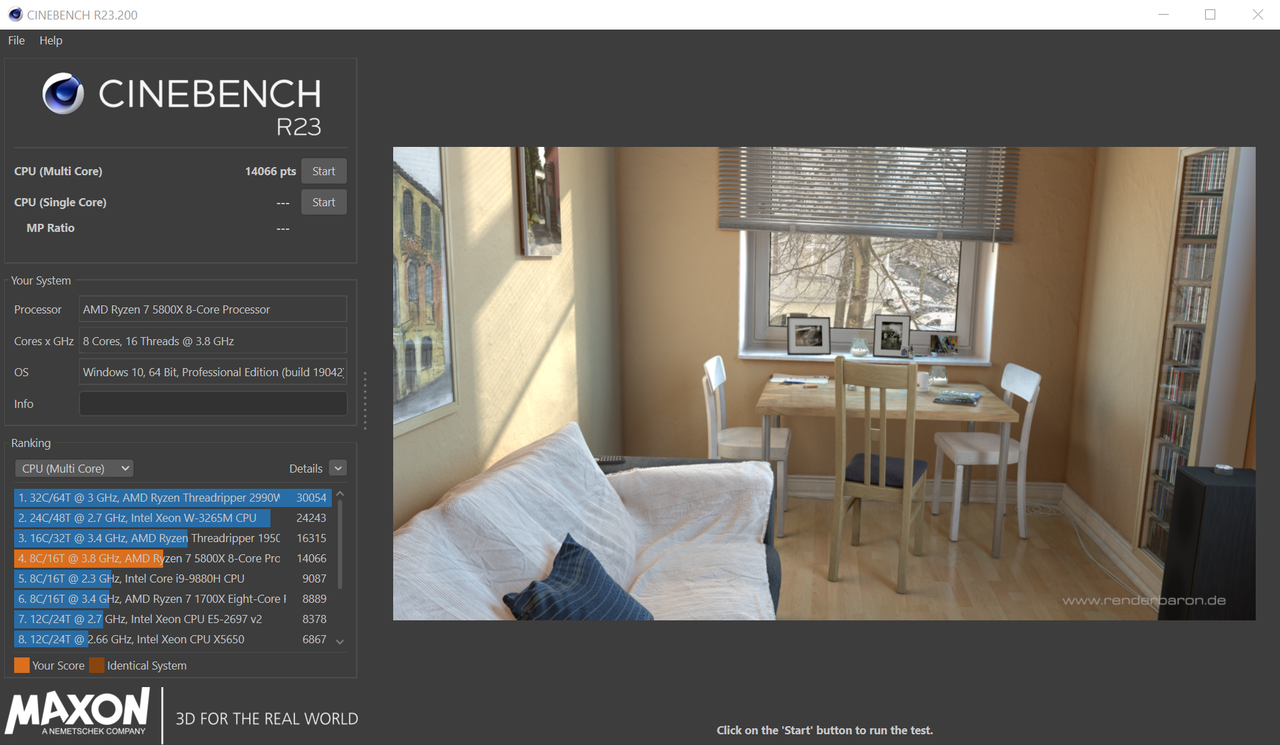
below is my 5800x with PBO on and temperature capped manually at 85C

user posted image
*
https://forum.lowyat.net/topic/4630857/+520#
Scroll down to my quick test for the 5700G (and have a good look at what owihk keeps posting, his posts really are valuable continuous quality content).

I think it has it's place in the line up and with the $USD pricing they might replace the 3700X and 3600 at similar prices. Gaming performance with discrete GPU is an issue but other than that there are strong sides.

This post has been edited by nrw: Jun 19 2021, 11:04 PM
nrw
post Dec 2 2021, 04:58 PM

Casual
***
Junior Member
398 posts

Joined: Jul 2014


QUOTE(MrSpeedy @ Nov 30 2021, 06:56 AM)
I have not following to this thread for a while.

Now I'm installing B450 chipset driver version 3.10.08.506 for my 5800x.

Do I still need to use the custom power plan or the default already fixes the power usage issue?
*
Zen 3 is fine without, still some benefits (power draw idle) with certain power plans but the windows default one work much better already.
nrw
post Apr 20 2022, 05:50 PM

Casual
***
Junior Member
398 posts

Joined: Jul 2014


coolkwc
QUOTE(SSJBen @ Apr 20 2022, 05:38 PM)
The other thing to check is PSU, yes as unlikely as that sounds - PSUs can cause random reboots. I've certainly ran into a few random reboots due to a failing PSU.
This thumbsup.gif
if it happens during high system stress. An aging PSU can get overwhelmed by transients pretty easily.
nrw
post Jun 15 2022, 06:08 PM

Casual
***
Junior Member
398 posts

Joined: Jul 2014


Can't really give any valuable insight for air cooling the 5800x3d.. however I noticed that mine running pretty cool with my custom loop after using the PBO2 tuner desktop app.

I suppose this will be quite useful for those air cooling it as well.

And given that for the 5800x3d extensive RAM OC is hardly worth the time, (if performance is what you're having in mind) it's well worth to spend that time elsewhere and use it running corecycler to figure out stable settings.

Here's a decent guide on how to do it
https://github.com/PrimeO7/How-to-undervolt.../main/README.md

This post has been edited by nrw: Jun 15 2022, 06:10 PM

17 Pages « < 14 15 16 17 >Top
 

Change to:
| Lo-Fi Version
0.2592sec    0.59    7 queries    GZIP Disabled
Time is now: 14th December 2025 - 08:53 AM