Welcome Guest ( Log In | Register )

Bump Topic Topic Closed RSS Feed
64 Pages « < 58 59 60 61 62 > » Bottom

Outline · [ Standard ] · Linear+

 ILLEGEAR Custom Gaming Laptops v.3, RTX ON! ILLEGEAR RTX Gaming Notebook.

views
     
AZIM@ILLEGEAR
post Mar 22 2019, 11:25 AM

New Member
*
Junior Member
28 posts

Joined: Feb 2017
From: Team ILLEGEAR


QUOTE(Exeunt @ Mar 22 2019, 10:21 AM)
hi boss,

in this https://store.illegear.com/high-performance...gear-raven.html

why dont have option to select 144hz screen ya ? even after select 1050ti
*
Hi Exeunt, we have completely sold out the 144Hz option for the RAVEN screen panel and it is temporarily out of stock, hope this clarifies! sweat.gif
TSPrince J
post Mar 22 2019, 12:06 PM

Regular
******
Senior Member
1,272 posts

Joined: May 2010
From: Team ILLEGEAR


QUOTE(Exeunt @ Mar 22 2019, 10:21 AM)
hi boss,

in this https://store.illegear.com/high-performance...gear-raven.html

why dont have option to select 144hz screen ya ? even after select 1050ti
*
Hi Exeunt,

Our 144Hz display config has sold out. You might be interested in ONYX Lite 144Hz http://store.illegear.com/slim-and-powerfu...-onyx-lite.html
dylan_chng
post Mar 23 2019, 02:55 PM

On my way
****
Junior Member
693 posts

Joined: Jul 2017
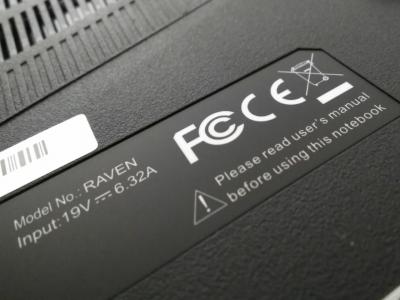
Where can I view the user's manual for the Raven?Attached Image
Asgaard
post Mar 24 2019, 01:13 AM

Regular
******
Senior Member
1,249 posts

Joined: Apr 2012
sometimes playing game, it will keep trigger touch pad on..

i definitely din press FN +F5. not sure what keep triggers them.

Any solution?
mcloudteo
post Mar 24 2019, 11:48 AM

Getting Started
**
Junior Member
72 posts

Joined: Dec 2009
QUOTE(Asgaard @ Mar 24 2019, 01:13 AM)
sometimes playing game, it will keep trigger touch pad on..

i definitely din press FN +F5. not sure what keep triggers them.

Any solution?
*
touchpad can turn on by double tap the upper left corner, not sure if this the trigger point for you.
Asgaard
post Mar 24 2019, 01:16 PM

Regular
******
Senior Member
1,249 posts

Joined: Apr 2012
QUOTE(mcloudteo @ Mar 24 2019, 11:48 AM)
touchpad can turn on by double tap the upper left corner, not sure if this the trigger point for you.
*
no wonder. any way to disable this? bye.gif
dylan_chng
post Mar 24 2019, 02:19 PM

On my way
****
Junior Member
693 posts

Joined: Jul 2017
QUOTE(Asgaard @ Mar 24 2019, 01:16 PM)
no wonder. any way to disable this? bye.gif
*
you could disable the devices in device manager.
TSPrince J
post Mar 24 2019, 05:17 PM

Regular
******
Senior Member
1,272 posts

Joined: May 2010
From: Team ILLEGEAR


QUOTE(Asgaard @ Mar 24 2019, 01:16 PM)
no wonder. any way to disable this? bye.gif
*
Hi Asgaard, you mean you want to disable the touchpad enable/disable sensor on the top left hand corner?
dylan_chng
post Mar 24 2019, 09:38 PM

On my way
****
Junior Member
693 posts

Joined: Jul 2017
Where is the speakers on an Illegear Raven? I know where the subwoofer is but am wondering where the regular speakers are.
dylan_chng
post Mar 24 2019, 09:48 PM

On my way
****
Junior Member
693 posts

Joined: Jul 2017
I'm have a few inquiries on the Raven Command Centre.

1) Keyboard backlight is turned off. However when I turn on the system the keyboard backlight is on until the Raven Command Centre pops up in Windows 10's notification portion of the taskbar. I eventually found out to have the keyboard backlight turned off permanently, I need to set the brightness to minimum. Is this the intended behaviour?

2) How do I pernamently disable the image projection? I turn it off every time my system turns out but the next time I turn on the system, the image projection on.
dylan_chng
post Mar 24 2019, 09:49 PM

On my way
****
Junior Member
693 posts

Joined: Jul 2017
On the Raven, does the turbo physical button have any illumination?
dylan_chng
post Mar 24 2019, 09:51 PM

On my way
****
Junior Member
693 posts

Joined: Jul 2017
Just to confirm, the Raven does not have a light indicator on whether the num pad is enabled or not right?
Asgaard
post Mar 24 2019, 10:01 PM

Regular
******
Senior Member
1,249 posts

Joined: Apr 2012
QUOTE(Prince J @ Mar 24 2019, 05:17 PM)
Hi Asgaard, you mean you want to disable the touchpad enable/disable sensor on the top left hand corner?
*
Yes. Any way to do it? Raven user here
dylan_chng
post Mar 25 2019, 12:03 AM

On my way
****
Junior Member
693 posts

Joined: Jul 2017
For the Raven, how long should I actually hold down the power button to on the machine?
TSPrince J
post Mar 25 2019, 12:24 PM

Regular
******
Senior Member
1,272 posts

Joined: May 2010
From: Team ILLEGEAR


QUOTE(dylan_chng @ Mar 24 2019, 09:48 PM)
I'm have a few inquiries on the Raven Command Centre.

1) Keyboard backlight is turned off. However when I turn on the system the keyboard backlight is on until the Raven Command Centre pops up in Windows 10's notification portion of the taskbar. I eventually found out to have the keyboard backlight turned off permanently, I need to set the brightness to minimum. Is this the intended behaviour? 

2) How do I pernamently disable the image projection? I turn it off every time my system turns out but the next time I turn on the system, the image projection on.
*
The image projection can be turned off using ILLEGEAR Command Center.

QUOTE(dylan_chng @ Mar 24 2019, 09:49 PM)
On the Raven, does the turbo physical button have any illumination?
*
No, it doesn't.

QUOTE(dylan_chng @ Mar 24 2019, 09:51 PM)
Just to confirm, the Raven does not have a light indicator on whether the num pad is enabled or not right?
*
There is no light but only on-screen indication.

QUOTE(Asgaard @ Mar 24 2019, 10:01 PM)
Yes. Any way to do it? Raven user here
*
That can be done by disconnecting the wire. Some of our users actually like this feature a lot.

QUOTE(dylan_chng @ Mar 25 2019, 12:03 AM)
For the Raven, how long should I actually hold down the power button to on the machine?
*
2 to 3 seconds.
dylan_chng
post Mar 25 2019, 02:28 PM

On my way
****
Junior Member
693 posts

Joined: Jul 2017
QUOTE(Prince J @ Mar 25 2019, 12:24 PM)
The image projection can be turned off using ILLEGEAR Command Center.
*
The Raven uses Raven Command Center and not Illegear Command Center right?

I know I can turn off the image projection in the command centre but every time I reboot the system/shut down and on again, the image projection is on.
TSPrince J
post Mar 25 2019, 04:00 PM

Regular
******
Senior Member
1,272 posts

Joined: May 2010
From: Team ILLEGEAR


QUOTE(dylan_chng @ Mar 25 2019, 02:28 PM)
The Raven uses Raven Command Center and not Illegear Command Center right?

I know I can turn off the image projection in the command centre but every time I reboot the system/shut down and on again, the image projection is on.
*
You can try installing the latest ILLEGEAR Command Center. Kindly email support@illegear.com with your serial number.
dylan_chng
post Mar 25 2019, 04:22 PM

On my way
****
Junior Member
693 posts

Joined: Jul 2017
QUOTE(AZIM@ILLEGEAR @ Mar 21 2019, 04:40 PM)
*
QUOTE(Prince J @ Mar 25 2019, 12:24 PM)
*
QUOTE(Prince J @ Mar 25 2019, 04:00 PM)
You can try installing the latest ILLEGEAR Command Center. Kindly email support@illegear.com with your serial number.
*
Ok. I will email support@illegear.com. Thank you Illegear for replying to my questions thus far. Much appreciated.
dylan_chng
post Mar 25 2019, 04:24 PM

On my way
****
Junior Member
693 posts

Joined: Jul 2017
Attached Image

Is there any way to show the display's brightness in the menu shown above?
mcloudteo
post Mar 25 2019, 04:53 PM

Getting Started
**
Junior Member
72 posts

Joined: Dec 2009
QUOTE(dylan_chng @ Mar 25 2019, 04:24 PM)
Attached Image

Is there any way to show the display's brightness in the menu shown above?
*
You mean brightness percentage?

64 Pages « < 58 59 60 61 62 > » Top
Topic ClosedOptions
 

Change to:
| Lo-Fi Version
0.0214sec    0.39    6 queries    GZIP Disabled
Time is now: 6th December 2025 - 10:57 AM