QUOTE(Demonic Wrath @ Aug 12 2016, 02:26 PM)
Enable Fast Sync.

Good point. Do we still have to go into Nvidia Inspector or is that in the NCP already?NVIDIA GeForce Community V17 (welcum pascal), ALL HAIL NEW KING TITAN NOT OUT YET ARGH
|
|
 Aug 12 2016, 02:52 PM Aug 12 2016, 02:52 PM
Return to original view | Post
#41
|
 
Senior Member
11,305 posts Joined: Jan 2003 
|
QUOTE(Demonic Wrath @ Aug 12 2016, 02:26 PM) Enable Fast Sync. Good point. Do we still have to go into Nvidia Inspector or is that in the NCP already? |
|
|
|
|
|
Aug 13 2016, 05:35 AM
Return to original view | Post
#42
|
|
Senior Member
11,305 posts Joined: Jan 2003
|
 This is my spaceship. There are many like it, but this one is mine.   5 solid hours of exploration in the Euclid Galaxy. Had to stop it here otherwise I wouldnt get any sleep at all. Running 4K60 at everything max, I had to cap it at 60fps, and V-Sync ON to play on the 4KTV. Cut scenes drops to 30, otherwise mostly a stable 60fps on the GTX1080. |
|
|
Aug 13 2016, 10:02 AM
Return to original view | Post
#43
|
|
Senior Member
11,305 posts Joined: Jan 2003
|
This is running off the secondary VR rig using GTX1080 and a 4K TV, no G-Sync. Hence the V-Sync.
|
|
|
Aug 13 2016, 10:08 AM
Return to original view | Post
#44
|
|
Senior Member
11,305 posts Joined: Jan 2003
|
That screenshot was taken before I decided to use V-Sync. The game requires a restart every time major graphics settings are changed, including V-Sync. Once I had the game running on V-Sync, I was too absorbed playing the game to take anymore screenshots.
|
|
|
Aug 13 2016, 10:56 AM
Return to original view | Post
#45
|
|
Senior Member
11,305 posts Joined: Jan 2003
|
QUOTE(adilz @ Aug 13 2016, 10:53 AM) So you're using the game setting Vsync. Have you tried Nvidia Adaptive Vsync in Control Panel? I set in Global Settings instead off per application for my rig, so everything just capped at 60 Hz. The effect looks the same to the eyes. Only after analyzing frame time can see the difference between the technique used by game Vsync and Nvidia Adaptive Vsync (you can see my test under my siggy link) Was too eager to leave the planet to test other methods. I'll run it again now with that and see if there's any difference. The standard V-Sync fixes most of the tearing although there are instances of input lag. |
|
|
Aug 13 2016, 12:03 PM
Return to original view | Post
#46
|
|
Senior Member
11,305 posts Joined: Jan 2003
|
QUOTE(Darksorrow3010 @ Aug 13 2016, 11:52 AM) means if no gsync, screen tearing/flickering/stuttering will still happen eventho your fps doesnt go above 144fps? The most ideal, no tearing scenario is when your fps is as close as possible to the monitor's native refresh rate. If you have 144hz monitor, then you need to tweak your settings in-game to get as close as 144fps. Anything higher you will definitely see tearing, anything lower....it depends on your GPU's rendering frametime. G-sync eliminates all this by varying the refresh rate of the monitor, matching the framerate rendered by your GPU, synchronizing every frames being output. But there are limitations. For example my 4K60 monitor covers framerates between 35fps-60fps to ensure the smoothest no-lag, no-tearing, no-stutter experience. Anything below 35fps there are no guarantees. Which is why G-Sync monitors that covers a higher native framerate is more expensive, the G-sync module inside the monitor had to work harder to make sure the experience is stutter/lag/tearing-free across broader range of framerates. |
|
|
|
|
|
Aug 13 2016, 12:19 PM
Return to original view | Post
#47
|
|
Senior Member
11,305 posts Joined: Jan 2003
|
The "Mixed" review are from the vocal ones who couldnt get their games running properly, DESPITE their systems under the system requirement still wanna run it, and not properly maintained (VC++ Redist not installed). The other annoyance is that you need to run the game in Borderless, not Full Screen, if you wanna tab-in/tab-out, otherwise, the game is running fine on my GTX1080.
Also, from some of the folks who bought this with expectations other than what the game actually represents. This is NOT a multiplayer game in a traditional sense. It's a single player game with online elements. Perfect for someone like me who hates multiplayer and loves exploration and single player narrative. This post has been edited by stringfellow: Aug 13 2016, 12:24 PM |
|
|
Aug 13 2016, 01:07 PM
Return to original view | Post
#48
|
|
Senior Member
11,305 posts Joined: Jan 2003
|
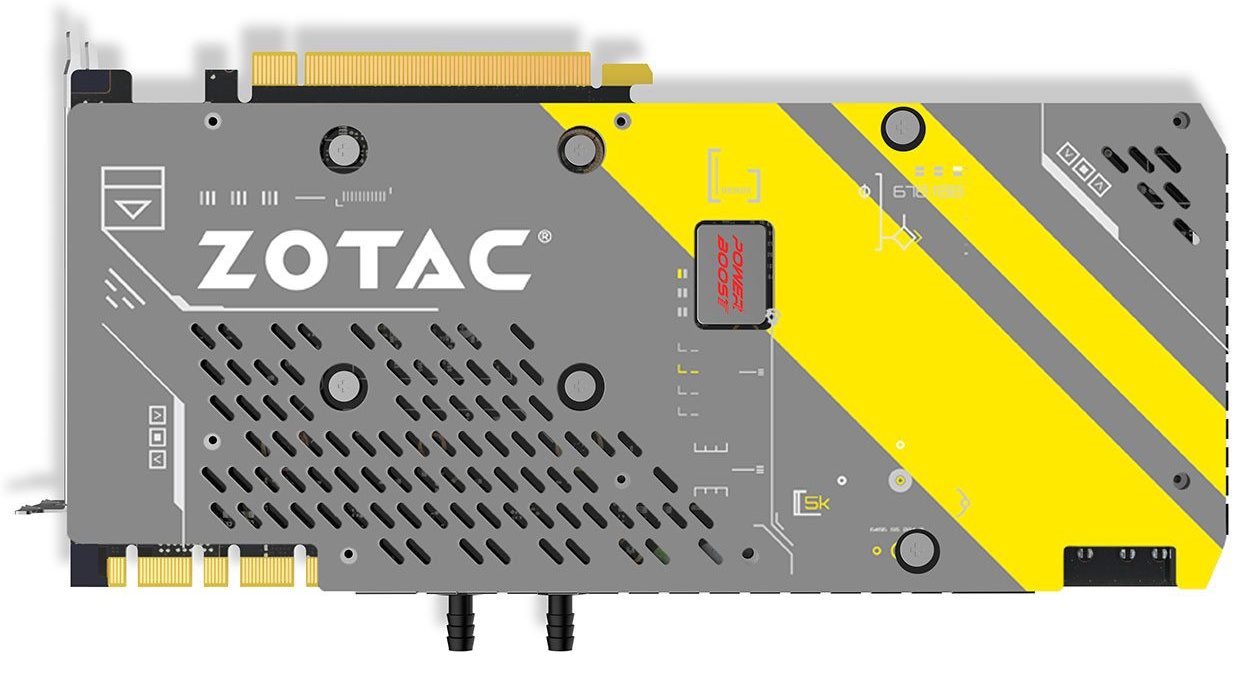
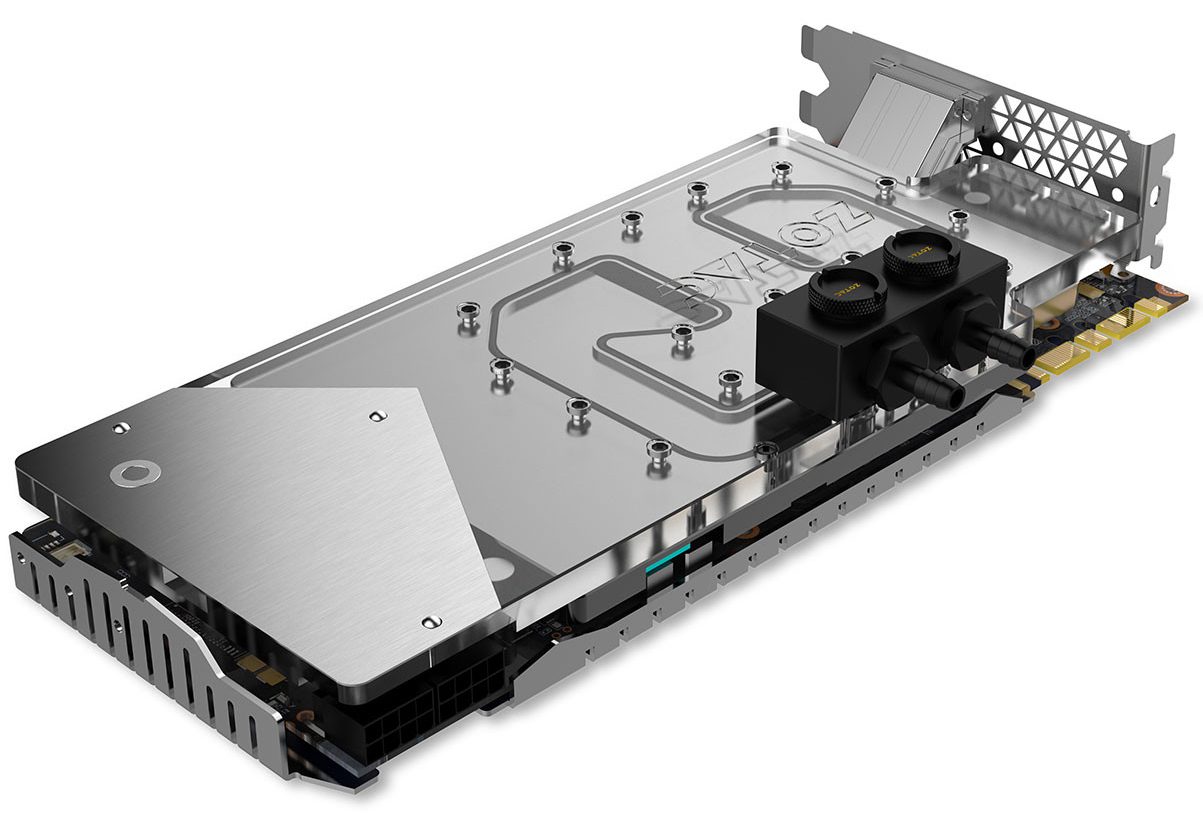
QUOTE(Moogle Stiltzkin @ Aug 13 2016, 12:43 PM) Zotac Outs Liquid-Cooled GeForce GTX 1080 ArcticStorm Graphics Card, Coming To Malaysia This Month Urgh, barb fittings on the waterblock coolant in and out. Those who wants to use PETG hard tubing will be out of luck.https://www.lowyat.net/2016/111582/zotac-ou...-graphics-card/ » Click to show Spoiler - click again to hide... « |
|
|
Aug 13 2016, 05:43 PM
Return to original view | Post
#49
|
|
Senior Member
11,305 posts Joined: Jan 2003
|
QUOTE(g104 @ Aug 13 2016, 01:38 PM) stringfellow try use fast sync  I did.  And the result? 59-60fps rock solid. But there is a catch, I had to disable my custom OC profile on MSI Afterburner on the GTX1080, the game becomes unstable with that OC once I set it to Fast Sync. I got "crash to desktop" a couple of times from within the game, never had a single crash with OC on V-Sync. Even with normal Boost 3.0 auto-OC, the game is still rock solid 59-60fps. A simple reset profile to default on MSI Afterburner and it's done.  |
|
|
Aug 13 2016, 09:20 PM
Return to original view | Post
#50
|
|
Senior Member
11,305 posts Joined: Jan 2003
|
No you dont. If you take a 1060, all you need is a 1080p monitor and FastSync.
|
|
|
Aug 13 2016, 10:32 PM
Return to original view | Post
#51
|
|
Senior Member
11,305 posts Joined: Jan 2003
|
QUOTE(Darksorrow3010 @ Aug 13 2016, 09:23 PM) i mean 1070 and above haha It's a matter of scaling. If you only have 1080p monitor, then punish your 1070 so that you get the best settings at 1080p 60 fps. That means raising the settings up to Very high and see if you get that frame rate and monitor refresh rate to match. QUOTE(Moogle Stiltzkin @ Aug 13 2016, 09:36 PM) but i heard that fastsync is only suitable for games where you have excess fps usually in older games with 100+ fps those you can safely use fastsync. however for more modern titles that really test performance, and is closer to 60 fps, fastsync might not work :/ or at least that was the explanation i saw on youtube about what it was. QUOTE(adilz @ Aug 13 2016, 09:54 PM) I did not notice that Fast Sync option until today ha ha ha. Too bad out of town to check it out on my PC. Did some reading though from a few sources and one thing caught my attention I guess in my case, Adaptive V-Sync is more useful. I miss my main rig already, so spoiled with G-Sync. 2 days back I played SFV versus with another friend who visited. That was with V-Sync ON. No issues there, we were throwing Hadoukens and Shoryukens without missing a beat. Input lag also cumulatively includes how your monitor/TV treats them as well. My 4K TV is the JS8000 locally, JS8500 in UK/USA, and that's at the bottom of the 4K TV heap at 36ms, and we didnt feel any lag that impeded into out fighting game matches. http://www.displaylag.com/display-database/From Linustechtips "the game's engine will run in the same conditions as it would with VSync OFF - it would render scenes as fast as the system canbut the main difference is that this will add some latency - the front buffer will only contain a completely rendered scene, where in the case of VSync OFF it will be displayed no matter the completion status" From Anandtech I highly recommend this article if want to understand what all this Vsync Input Lag hu haaa is all about "The end result of Fast Sync is that in the right cases we can have our cake and eat it too when it comes to v-sync and input lag. By constantly rendering frames as if v-sync was off, and then just grabbing the most recent frame and discarding the rest, Fast Sync means that v-sync can still be used to prevent tearing without the traditionally high input lag penalty it causes. With all of the above said, I should note that Fast Sync is purely about input lag and doesn’t address smoothness. In fact it may make things a little less smooth because it’s essentially dropping frames, and the amount of simulation time between frames can vary. But at high framerates this shouldn’t be an issue. Meanwhile Fast Sync means losing all of the power saving benefits of v-sync; rather than the GPU getting a chance to rest and clock down between frames, it’s now rendering at full speed the entire time as if v-sync was off. Finally, it’s probably useful to clarify how Fast Sync fits in with NVIDIA’s other input lag reduction technologies. Fast Sync doesn’t replace either Adaptive V-Sync or G-Sync, but rather compliments them. Adaptive V-Sync: reducing input lag when framerates are below the refresh rate by selectively disabling v-sync G-Sync: reducing input lag by refreshing the screen when a frame is ready, up to the display’s maximum refresh rate Fast Sync: reducing input lag by not stalling the GPU when the framerate hits the display’s refresh rate" Will definately check out fast sync when I get back home. The thing about fast sync based on the above article, which to me personally is a drawback is that it will let my GPU run at 100%, and I have 2 of them. I like Vsync (game or Nvidia adaptive) because my GPUs dont need to run 100% to give me that 60 fps I'm want (the very reason why I knew I will go SLI when I got the first GTX 1080, though initially I thought maybe after 6 months, but ended up SLI within a month). Shadow of Mordor at 4K ultra around 50-60% utilization, means less electricity and heat compared to letting both GPU run maxed out. If fast sync benefit any of the game I play, guess I can enabled it per application. So it will be adaptive as my global vsync settings, and fast sync to games that benefit from it. What do you guys think? Good comprimise between both? stringfellowI think you're better than me when it comes to this input lag thing (like i said my brain lags worst than my PC). So maybe you can try out some if those games you said that input lag were noticeable (FPS or fighting games was it?) and tell us if fast sync helps with the input lag. Also my opinion why the game crashed when you on Fast sync with your custom OC profile was because the GPU was maxing out, unlike when you had the normal Vsync. |
|
|
Aug 14 2016, 07:54 PM
Return to original view | Post
#52
|
|
Senior Member
11,305 posts Joined: Jan 2003
|
Compared FastSync and Adaptive Sync on No Man's Sky, no difference between them. They both work nicely with no tearing.
I have yet to try this with Rise of The Tomb Raider though. What little I tried with Killer Instinct, a Windows 10 exclusive game, it does pass the tearing and stutter test, a.k.a combos were fluid, even online. And I had very few online matches because of the shitty ping to the States. |
|
|
Aug 15 2016, 11:05 AM
Return to original view | Post
#53
|
|
Senior Member
11,305 posts Joined: Jan 2003
|
Cant comment on my SLI TXPs, they're being put under water now, and the rig has been formatted, prepped to run W10 from NVME M2 at the moment.
|
|
|
|
|
|
Aug 15 2016, 11:45 AM
Return to original view | Post
#54
|
|
Senior Member
11,305 posts Joined: Jan 2003
|
QUOTE(Darksorrow3010 @ Aug 15 2016, 11:28 AM) sorry im still trying to understand the mechanics here >< No problems if the game engine is competent enough to keep up with the monitor, massive tearing if it isn't. With your kind of framerates, enable FastSync (if you're running single card) or Adaptive V-Sync (if you're running multiple cards). Or use traditional V-Sync if the game doesn't affect your inputs and introduces lag. With every games, they need to be tweaked differently, there's no rule of thumb here........unless you're running G-Sync, that takes care of almost everything.soooo.... if a game fps fluctuates around 60-144fps (144hz monitor no gsync), what problem would u see? Bear in mind, some people aren't susceptible to tearing, they don't see it as obvious, or don't really mind tearing as they're "used" to it. Others can't stand it. Just like those who can't stand anything lower than 120hz and 144hz monitors while others are perfectly okay with 60hz. |
|
|
Aug 15 2016, 11:55 AM
Return to original view | Post
#55
|
|
Senior Member
11,305 posts Joined: Jan 2003
|
Just arrived ready to be installed today.
 32GB worth of DDR4 at 3200Mhz, and 512GB worth of NVME M2 running at 2.5GB/s read rate. |
|
|
Aug 15 2016, 12:19 PM
Return to original view | Post
#56
|
|
Senior Member
11,305 posts Joined: Jan 2003
|
Budget. Not doing anything other than gaming mostly on the rig. 16GB can do it, but task-switching on 16GB is just right there on the border of being "just enough", and I switch a lot between apps while gaming, recording and web browsing. My VR rig is 16GB and switching between programs, although mostly it works, some games and apps consume more than that and the rig starts page-filing. 32GB is the sweet spot for me. 64GB or 128GB is if I wanna run Windows in a RAMDisk environment, but with that NVME M2's blistering speed, I dont need RAMDisk.
|
|
|
Aug 15 2016, 01:18 PM
Return to original view | Post
#57
|
|
Senior Member
11,305 posts Joined: Jan 2003
|
QUOTE(adilz @ Aug 15 2016, 01:11 PM) Do you disable pagefile with 32 GB RAM or just leave Windows to manage it? I noticed that even with 32GB RAM, Windows still use pagefile. I left it as it is. I'm more worried with Windows page-filing because, the drive space it's taking the pagefile storage from, is from a RAID0 array of two 480GB SSDs. If anything happens during pagefiling and the array collapses, I lose both SSDs. Nothing so far, but prevention is better than regret later. |
|
|
Aug 15 2016, 01:44 PM
Return to original view | Post
#58
|
|
Senior Member
11,305 posts Joined: Jan 2003
|
QUOTE(Someonesim @ Aug 15 2016, 01:22 PM) Some said you wont notice tearing if monitor at high refresh rate like 144Hz as it refresh so fast, tearing frame wont be noticeable. 2.5GB read, 1.5GB write, W10 bootup less than 3 seconds under UEFI, you cannot access BIOS unless you initiate it through software within Windows or through the BIOS reset button on the motherboard.  3200MHz RAM 3200MHz RAM  that M.2 SSD can read/write how fast ? I wonder when will you upgrade to PCI-E card type SSD that M.2 SSD can read/write how fast ? I wonder when will you upgrade to PCI-E card type SSD  I disabled it I think. I donno what Windows and/or Chrome feeding on these day, without gaming my RAM usage will be 70-80% ( with 8 Chrome tabs opened ) on 8GB. QUOTE(adilz @ Aug 15 2016, 01:32 PM) Ahaaaaah. Used to have 32GB on my old rig, so had pagefile disabled coz I think its just taking up disk space without contributing much to system performance. Never had any issues with low memory having 32GB RAM. Currently on 16GB so I still have pagefile enabled until I can upgrade to 32GB. Hiberfil.sys disabled in my rig and laptop. That's another space hogger. Don't need hibernate since booting from SSD is fast anyways. I should try disabling that "Hibernate" option too and see if it improves system memory usage. QUOTE(richard912 @ Aug 15 2016, 01:33 PM) That Samsung 950 PRO M.2 has a read/write of 2500/1500 if not wrong. A more common 850 EVO has 540/520. So much powah!! Almost an instantaneous boot up on power It's the similar feel of leap forward when using SSD for the first time moving from HDD. File transfer so far, the transfer window just blinks! |
|
|
Aug 15 2016, 03:29 PM
Return to original view | Post
#59
|
|
Senior Member
11,305 posts Joined: Jan 2003
|
 Her "heart"....ripped out.  Can still see "blood" in her vein at the bottom. Can still see "blood" in her vein at the bottom. THREE Titan X Maxwells available for sale. With that EKWB waterblocks and backplates. Play your cards right, you get an official Nvidia HARD LED Bridge free.  |
|
|
Aug 16 2016, 01:21 PM
Return to original view | Post
#60
|
|
Senior Member
11,305 posts Joined: Jan 2003
|
QUOTE(kianweic @ Aug 16 2016, 12:52 PM) Don't wait, buy Titan X pascal now or buy the 3 Titan X maxwell that stringfellow is selling. 3 Titan X Maxwells (with EK Waterblocks and EK backplates!) for less or equal to the expected price of ONE Titan X Pascal in Malaysia (RM6600-7000). FREE Nvidia LED Hard SLI Bridge to sweeten the deal if you buy all three. Also, have you pre-ordered the Samsung Note 7 phone? I have and I will get it by early September. Choose. |
|
Topic ClosedOptions
|
| Change to: |  0.0914sec 0.0914sec
 0.14 0.14
 7 queries 7 queries
 GZIP Disabled GZIP Disabled
Time is now: 20th December 2025 - 04:00 AM |
 Quote
Quote