Welcome Guest ( Log In | Register )

7 Pages « < 2 3 4 5 6 > » Bottom

Outline · [ Standard ] · Linear+

 Cheap Asus Wifi Router Alternative, Huawei WS880 & Others

views
     
fruitie
post Sep 2 2016, 10:54 AM

Rise and Shine
Group Icon
Staff
72,797 posts

Joined: Sep 2005
From: KUL

QUOTE(OKLY @ Sep 2 2016, 08:03 AM)
Anyone knows where to buy replacement for the power adaptor? Mine is not working already, noticed it has quite high output of 3.0A.
*
QUOTE(raynman @ Sep 2 2016, 10:43 AM)
Why?

You lost the original Huawei WS880 power adapter?
*
He mentioned this what...
fruitie
post Sep 2 2016, 10:58 AM

Rise and Shine
Group Icon
Staff
72,797 posts

Joined: Sep 2005
From: KUL

QUOTE(raynman @ Sep 2 2016, 10:57 AM)
I am asking blacktubi, not OKLY. biggrin.gif
*
Oops. I belum wake up. laugh.gif blush.gif
fruitie
post Sep 2 2016, 10:39 PM

Rise and Shine
Group Icon
Staff
72,797 posts

Joined: Sep 2005
From: KUL

QUOTE(OKLY @ Sep 2 2016, 08:03 AM)
Anyone knows where to buy replacement for the power adaptor? Mine is not working already, noticed it has quite high output of 3.0A.
*
Crap, guess what? I just came back home and mine is not working too. cry.gif cry.gif
Can claim warranty? Just a month plus only...

QUOTE(blacktubi @ Sep 2 2016, 11:20 AM)
Yes. You can get it from lowyat TP-LINK SC or the shops there.
*
I am using stock TM UniFi Huawei router's adapter, is it OK? It's working though... Will it be not enough power or explode? sweat.gif
fruitie
post Sep 2 2016, 11:19 PM

Rise and Shine
Group Icon
Staff
72,797 posts

Joined: Sep 2005
From: KUL

QUOTE(sHawTY @ Sep 2 2016, 11:03 PM)
That depends, how much amps does it supply?
*
1A.. sweat.gif
fruitie
post Sep 3 2016, 12:34 AM

Rise and Shine
Group Icon
Staff
72,797 posts

Joined: Sep 2005
From: KUL

QUOTE(sHawTY @ Sep 2 2016, 11:30 PM)
That's quite low
Try to look for your Hypptv AC adaptor, the old HyppTV set top box adapter provides same voltage, same polarity but with 2A

And for the time being, don't connect anything to the USB port
*
I checked my HyppTV is also 1A. All the adapters I can think of are all marked at 1A...
Not connecting anything to it but 3A will be over killing for my case, old house.... sweat.gif
fruitie
post Sep 3 2016, 11:30 AM

Rise and Shine
Group Icon
Staff
72,797 posts

Joined: Sep 2005
From: KUL

QUOTE(denimblue @ Sep 3 2016, 08:31 AM)
Why is this Huawei WS880 power adapter spoilt so easily?

Luckily mine is still working like a champ. biggrin.gif
*
Don't speak too soon. laugh.gif
It won't show you any sign beforehand, straight spoilt. tongue.gif
fruitie
post Sep 3 2016, 09:35 PM

Rise and Shine
Group Icon
Staff
72,797 posts

Joined: Sep 2005
From: KUL

QUOTE(blacktubi @ Sep 3 2016, 02:37 PM)
Get something with 2A. This router pull more than 1A. You don't want to overload the power adapter. tongue.gif
*
I really don't know where can I find adapter... sweat.gif
What's the worst can happen if I continue using 1A? hmm.gif
So far it is working well and still getting maximum speed...

QUOTE(OKLY @ Sep 3 2016, 07:03 PM)
Found a similar spec adaptor at a shop that repairs electrical items. RM50.

Forgot to ask the shop one thing though, wonder if the faulty adaptor can be repaired? Is it just a fuse blown inside? hmm.gif
*
Which shop but really don't want to spend additional. sad.gif

I think just need to replace a new adapter and I hope Huawei will honour.

QUOTE(fkinmeng @ Sep 3 2016, 08:46 PM)
if adaptor rosak, can claim warranty from huawei sc?
*
I'm also wondering. I will get my friend to help me to claim since he is having the receipt...

Edit: Found some on Lazada. Are they compatible? How to know if it is compatible...? Only one standard type right? laugh.gif http://www.lazada.com.my/catalog/?q=2A+adapter

This post has been edited by fruitie: Sep 3 2016, 10:04 PM

fruitie
post Sep 3 2016, 10:23 PM

Rise and Shine
Group Icon
Staff
72,797 posts

Joined: Sep 2005
From: KUL

QUOTE(OKLY @ Sep 3 2016, 10:19 PM)
I guess if the router pulls more than 1A then your adaptor will blow and not be usable anymore.

I bought it from a small shop that repairs electrical items in SS2. It's the same row as Digi Store.

If anyone managed to claim, do update here.
*
OK, got it. smile.gif
I guess all adapter has standard tip. laugh.gif OK, I will purchase one from Lazada and hoping that it will not blow so fast while waiting for its arrival. sweat.gif
fruitie
post Sep 3 2016, 11:37 PM

Rise and Shine
Group Icon
Staff
72,797 posts

Joined: Sep 2005
From: KUL

QUOTE(blacktubi @ Sep 3 2016, 11:36 PM)
You can ignore it but not recommended. tongue.gif

I have some weird issues on a 1A adapter. You can get it from those accessories shop in Lowyat. TP-LINK SC sell it as well. RM20 each IINM.
*
No no, not ignoring. laugh.gif

Never mind, I just placed order on Lazada. Hopefully it comes as soon as possible. I don't think I will go to LYP anytime soon. sweat.gif
fruitie
post Sep 9 2016, 11:02 AM

Rise and Shine
Group Icon
Staff
72,797 posts

Joined: Sep 2005
From: KUL

QUOTE(sbd @ Sep 9 2016, 11:00 AM)
I wanna buy one, is it still rm199 at Sri or has anyone bought it in Digital Mall - closer to me.
*
No more. Gone since July.
fruitie
post Sep 16 2016, 01:33 AM

Rise and Shine
Group Icon
Staff
72,797 posts

Joined: Sep 2005
From: KUL

I noticed this line in the system log:
Sep 16 01:09:29 miniupnpd[736]: HTTP Connection from 192.168.1.234 closed unexpectedly

This is where my connection was connected but no connectivity, so I had to manually disconnect and reconnect again.

Any idea what is this? I tried Googling and it is something with Port Forwarding? It is something which I'm not familiar with. sweat.gif

Also I noticed there is DCHP Lease for 24H, is it something I should be aware about?

This post has been edited by fruitie: Sep 16 2016, 01:42 AM
fruitie
post Sep 16 2016, 12:19 PM

Rise and Shine
Group Icon
Staff
72,797 posts

Joined: Sep 2005
From: KUL

QUOTE(blacktubi @ Sep 16 2016, 11:53 AM)
miniupnpd actually have nothing to do with browsing. Try a factory reset and reconfigure your router again. I am sitting at 15 days of uptime without an issue.

24hour DHCP lease is usual.
*
Factory reset means my custom firmware will be gone too? Uptime no issue, mine is still on without restarting my router.
fruitie
post Sep 16 2016, 01:54 PM

Rise and Shine
Group Icon
Staff
72,797 posts

Joined: Sep 2005
From: KUL

QUOTE(blacktubi @ Sep 16 2016, 01:36 PM)
Nope, only the settings will be removed. What I mean is the long uptime without any issues. I was having issues previously but everything is fine after a factory reset.
*
Yes, the long time is still there for me but just my connection is disconnected. It still shows more than 3 days since I just came back on Tuesday.
fruitie
post Sep 16 2016, 05:10 PM

Rise and Shine
Group Icon
Staff
72,797 posts

Joined: Sep 2005
From: KUL

This is awkward but I can't seem to setup my UniFi on this router after I factory reset it. I remembered when I first setup it last time, it has a drop down selection for me and I selected UniFi Home, then it straight setup for me. This round nothing...
Anything I missed?

I used Quick Internet Setup...

Edit: Managed to find UniFi Home but it's still detecting connection timed out. sweat.gif Cannot setup..

This post has been edited by fruitie: Sep 16 2016, 05:27 PM
fruitie
post Sep 16 2016, 05:29 PM

Rise and Shine
Group Icon
Staff
72,797 posts

Joined: Sep 2005
From: KUL

QUOTE(raynman @ Sep 16 2016, 05:27 PM)
You can set the ISP profile manually as follows:-

1. Select LAN in the main WS880 menu
2. Select IPTV
3. Set ISP Profile to "Unifi-Home"
4. Apply

Kautim. biggrin.gif

user posted image
*
Thanks but still doesn't work. Internet status still shows "disconnected". cry.gif

Finally OK after I restarted my router and BTU. laugh.gif

This post has been edited by fruitie: Sep 16 2016, 05:36 PM
fruitie
post Sep 16 2016, 05:50 PM

Rise and Shine
Group Icon
Staff
72,797 posts

Joined: Sep 2005
From: KUL

QUOTE(raynman @ Sep 16 2016, 05:46 PM)
Good for you! rclxms.gif
*
But just went offline again. doh.gif doh.gif
I'm going out now, will be back tomorrow to see what is happening.
fruitie
post Sep 24 2016, 08:47 PM

Rise and Shine
Group Icon
Staff
72,797 posts

Joined: Sep 2005
From: KUL

QUOTE(sHawTY @ Sep 24 2016, 08:34 PM)
XWRT-VORTEX has just released firmware version 380.62 Stable for WS880

Download: http://xvtx.ru/xwrt/download.htm

Changelog: [Mark changes from 380.61 Update 1]
CODE
380.62 (23-Sept-2016)
  - NEW: Added nano 2.7.0 (user-friendly text editor)
         Documentation: https://www.nano-editor.org/dist/v2.6/nano.html
         Note that for space reasons, some of its features are disabled
         for the RT-N66U and RT-AC66U.  Entware users might want to
         uninstall the Entware version if they had it installed and want
         to use the built-in version instead.
  - NEW: Option to toggle the display of passwords on the PPTPD and
         OpenVPN server pages.
  - NEW: Allow providing a vendor class on the WAN page (DHCP option 60)
  - NEW: Add option to disable sending a RELEASE request when odhcp6c
         exits, allowing you to retain your received prefix with some
         ISPs.
  - CHANGED: Updated nettle to 3.2 (used for dnssec) and increased
             optimization level.
  - CHANGED: Updated minidlna to 1.1.6
  - CHANGED: Updated OpenVPN to 2.3.12
  - CHANGED: Updated OpenSSL to 1.0.2i
  - CHANGED: Revamped the Wireless Log page:
               - Merged some columns to gain more horizontal space
               - Longer hostname shown (truncated names are now
                 shown in a tooltip)
               - Display clients' IPv6 if they have one
  - CHANGED: Accept up to 250 characters for OpenVPN client's
             username and password (one provider needs 64).
  - CHANGED: Hide the WPA key on the Wireless config page, and only
             reveal it when you click on the field to edit it.
  - FIXED: OpenVPN client shouldn't display policy routing settings
           when using a TAP interface.
  - FIXED: DSL/ATM overhead setting was visible on MIPS models, which
           don't support it.
  - FIXED: Editing OpenVPN or PPTP users with any value longer than
           32 chars could lead to corruption of the user list.
  - FIXED: Custom config file for igmpproxy wasn't working.
  - FIXED: After turning off a Guest network, the next visit to the
           Wireless Settings page would show that guest network's settings
           instead of the parent band settings (Asus bug)
  - FIXED: Smart Connect rules didn't apply on the RT-AC88U (backported
           fix from 380_3941).
  - FIXED: Numerous memory leaks in the networkmap service. (Asus bug)
  - FIXED: Potential buffer overrun in the networkmap service. (Asus bug)
  - FIXED: Broken IPv6 connectivity if enabling SSH brute force
           protection (only MIPS models were affected)
  - FIXED: 5G LED would fail to turn back on when exiting stealth mode.
  - FIXED: Only hostname was used as remote server in an exported
           OpenVPN client config when using Namecheap DDNS.
  - FIXED: Security vulnerability (XSS/CSR) in httpd (backported
           fix from 380_4005).
  - FIXED: Chrome would try to autofill some fields (such as on the
           DDNS configuration page), which could be problematic.
  - FIXED: IPTraffic database was no longer properly named after
           the router's MAC address on the AC88/AC3100/AC5300.
           If you recently enabled it, you will need to either
           re-create a new database, or rename the existing
           database from tomato_cstats_000000000000.gz to
           tomato_cstats_XXXXXXXXXXXX.gz, where "XXXXXXXXXXXX" is
           your MAC as found with "nvram get et2macaddr", in
           lowercase (AC88/AC3100/AC5300 only).

           Regular traffic monitoring (stored in
           tomato_rstats_XXXXXXXXXXXX.gz) is fine.

*
Time to update again. laugh.gif
fruitie
post Sep 24 2016, 08:57 PM

Rise and Shine
Group Icon
Staff
72,797 posts

Joined: Sep 2005
From: KUL

QUOTE(sHawTY @ Sep 24 2016, 08:50 PM)
Go go go
I just finished updating mine thumbsup.gif
*
Yeah, me too. Not sure if it will fix my problem, just updated it for the sake of updating it. laugh.gif

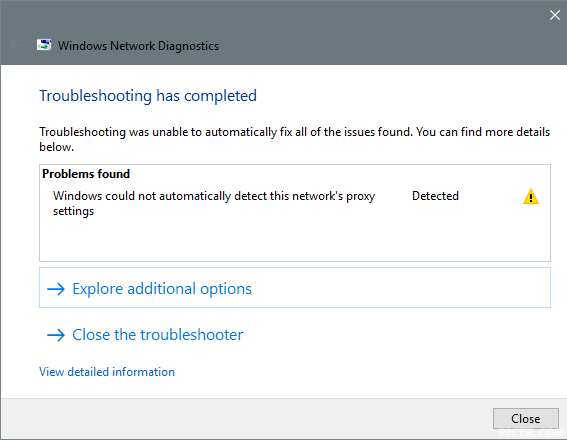
Edit: Straight struck with this error twice. doh.gif
user posted image

This post has been edited by fruitie: Sep 24 2016, 09:01 PM
fruitie
post Sep 30 2016, 06:05 PM

Rise and Shine
Group Icon
Staff
72,797 posts

Joined: Sep 2005
From: KUL

QUOTE(Wan @ Sep 30 2016, 05:50 PM)
Still got ka at Lowyat?
*
No more since July.
fruitie
post Oct 5 2016, 08:58 PM

Rise and Shine
Group Icon
Staff
72,797 posts

Joined: Sep 2005
From: KUL

QUOTE(sHawTY @ Oct 2 2016, 08:07 PM)
XWRT-VORTEX has just released firmware version 380.62 Update 1 Stable for WS880

Download: http://xvtx.ru/xwrt/download.htm

Changelog: [Mark changes from 380.62]
CODE
380.62_1 (29-Sept-2016)
  - CHANGED: Updated OpenSSL to 1.0.2j

*
Totally forgot about this. Will download and update the firmware. thumbup.gif

7 Pages « < 2 3 4 5 6 > » Top
 

Change to:
| Lo-Fi Version
0.0891sec    0.66    7 queries    GZIP Disabled
Time is now: 3rd December 2025 - 10:43 AM