Welcome Guest ( Log In | Register )

69 Pages « < 35 36 37 38 39 > » Bottom

Outline · [ Standard ] · Linear+

 Alienware Mothership V12, Intruder alert!

views
     
shirogawawa
post Jan 4 2017, 02:26 AM

Laptop enthusiast
*******
Senior Member
2,383 posts

Joined: Feb 2015
From: IT wonderland


QUOTE(stryfox @ Jan 4 2017, 02:20 AM)
Thanks bro. just thinking to buy old model for less than RM6k. upgrade from my current AW 14
*
if you like Dell aw 17

can consider this

CA17FHD-708126G-W10

i7-6700HQ
8GB D4
1TB+256GB
NV GTX1060 6GB
17.3"FHD
W10

the pricing if you can bargain, rm 7xxx can get already. its worth to upgrade budget to get this rather the older gen version/ design
rihuhs
post Jan 6 2017, 09:51 AM

Getting Started
**
Junior Member
167 posts

Joined: Jun 2007
From: Cheras


hi guys (especially X-51 owners) biggrin.gif

do any of you happen to know how and where (if possible) to get one of those closed loop liquid cooler found in the R3 version of the X-51?

looking for options to upgrade my CPU cooler. current choice include swapping with an aftermarket low profile coolers (like the Noctua NH-L9x65 or NH-L9i) or just simply swapping the stock 80mm CPU fan with a better one

i do believe cost is one of the main concern here since the closed loop watercooler in the R3 X-51 is pretty much proprietary stuff, but I'm just wondering how hard can it be? brows.gif


maybe we have fellow X-51 that already replaced their stock coolers? I'm looking for PnP solution, not planning to do any major modding smile.gif
erszebeth
post Jan 7 2017, 01:03 AM

Getting Started
**
Junior Member
259 posts

Joined: Oct 2010
From: Kuching, Sarawak


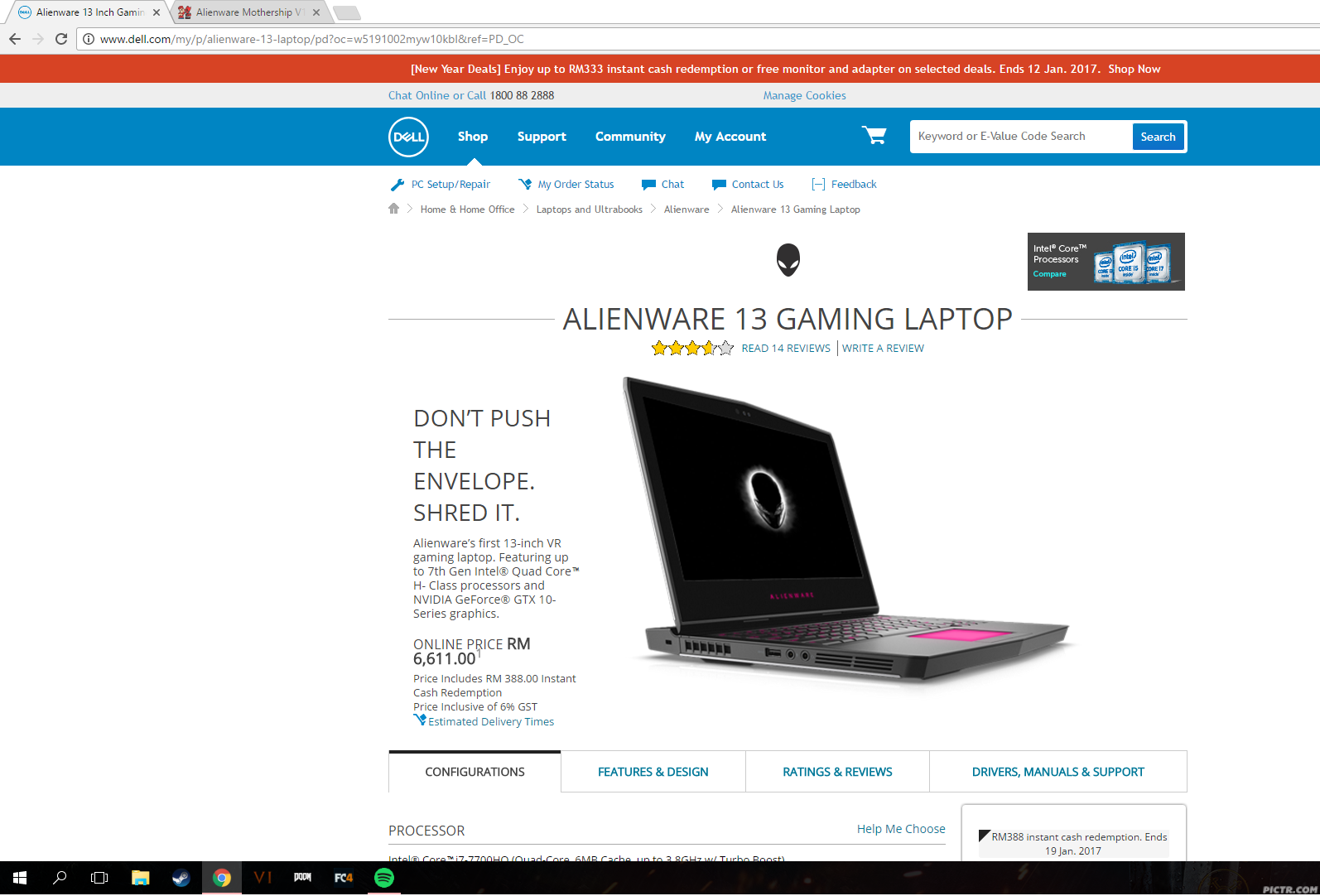
Yeay, finally AW 13 R3 finally hit our shore with kaby lake.

user posted image

.
.
.
.
.
.
.
.
.
.
.
.
.
.
.
.
.
.
.
.
.
Too bad no OLED display option. T_____T

user posted image
veddex
post Jan 7 2017, 07:18 PM

New Member
*
Junior Member
25 posts

Joined: Feb 2010


idk .. but alienware 13 look so ugly too me.. its just a 13" and the thick, err look like a sandwiches to me... just my personal thinking.. no sweat whistling.gif
edmund_yung
post Jan 7 2017, 09:20 PM

Regular
******
Senior Member
1,198 posts

Joined: Aug 2009


QUOTE(veddex @ Jan 7 2017, 07:18 PM)
idk .. but alienware 13 look so ugly too me.. its just a 13" and the thick, err look like a sandwiches to me...  just my personal thinking.. no sweat  whistling.gif
*
I kind of agree, It is as wide as a 15" laptop I wish Dell just put a bezel-less 15" XPS screen on it and call it a day.
Azureknight94
post Jan 8 2017, 02:54 AM

Regular
******
Senior Member
1,667 posts

Joined: Oct 2006


QUOTE(edmund_yung @ Jan 7 2017, 09:20 PM)
I kind of agree, It is as wide as a 15" laptop I wish Dell just put a bezel-less 15" XPS screen on it and call it a day.
*
Was hoping that they'd put a 1060 in the xps 15 and call it a day. But we can't have everything we want :/ the 13 specs wise is really good though. I7 + 256gb + good screen. If less bulky with a better design it'd be the best already.
edmund_yung
post Jan 8 2017, 09:10 AM

Regular
******
Senior Member
1,198 posts

Joined: Aug 2009


Maybe can slap in a 1TB M.2 SATA SSD into the AW13 for more storage because PCI-E is too expensive.
covansys solution
post Jan 8 2017, 09:24 AM

Getting Started
**
Junior Member
85 posts

Joined: Jan 2017


QUOTE(edmund_yung @ Jan 8 2017, 09:10 AM)
Maybe can slap in a 1TB M.2 SATA SSD into the AW13 for more storage because PCI-E is too expensive.
*
i think there got 2 m.2 slot
covansys solution
post Jan 8 2017, 09:25 AM

Getting Started
**
Junior Member
85 posts

Joined: Jan 2017


QUOTE(Azureknight94 @ Jan 8 2017, 02:54 AM)
Was hoping that they'd put a 1060 in the xps 15 and call it a day. But we can't have everything we want :/ the 13 specs wise is really good though. I7 + 256gb + good screen. If less bulky with a better design it'd be the best already.
*
depends u wan compare with which design lo.. razer of coz better design... they hv a full team dedicated to design their stuffs
alvinkhorfire
post Jan 15 2017, 10:43 PM

Getting Started
**
Junior Member
214 posts

Joined: Dec 2008
I need some advices here, so that I can solve a problem of the LCD screen of my Alienware M15x laptop. Any help is very much appreciated.

Initially, there was a slanted line on left side of my LCD screen (at left bottom corner of my first screenshot). Then, over the few days, some brown spots appeared. Now, the circular area is now darkened.

The weird thing is that the pixels on the brownish still can function, and display the image, as shown in the the second screenshot.

Is my LCD screen spoilt? How can I repair it? Or, should I call Dell to repair the LCD screen?

Yeah, my warranty has expired last year, but I still need to repair the LCD screen, as I still need to use my Alienware M15x laptop.

Thank you for the advices given. notworthy.gif


Attached Image


Attached Image

This post has been edited by alvinkhorfire: Jan 15 2017, 10:45 PM
edmund_yung
post Jan 16 2017, 10:14 AM

Regular
******
Senior Member
1,198 posts

Joined: Aug 2009


If I were you I will ask Dell for quotation and compare it with the price of getting a panel from Ebay.
thankyou
post Jan 16 2017, 06:54 PM

Regular
******
Senior Member
1,941 posts

Joined: Jan 2003
The upgrade seems reasonable...

16GB -> 32GB DDR4 @ RM 369.94
256GB -> 512GB SSD @ RM 287.26

This post has been edited by thankyou: Jan 16 2017, 06:54 PM
veddex
post Jan 16 2017, 08:14 PM

New Member
*
Junior Member
25 posts

Joined: Feb 2010


dont ask quotation from dell.. super unreasonable.. my AW 17r2 motherboard spoil they sent quotation rm8.5k and labor charge rm150.. the hell.. i go shop repair only rm450
alvinkhorfire
post Jan 16 2017, 09:26 PM

Getting Started
**
Junior Member
214 posts

Joined: Dec 2008
QUOTE(edmund_yung @ Jan 16 2017, 10:14 AM)
If I were you I will ask Dell for quotation and compare it with the price of getting a panel from Ebay.
*
Thanks for your advice. Sure, I will follow your advice.

So, the LCD screen cannot be repaired, right? Sigh, the darkened area is slowly growing every day.

QUOTE(veddex @ Jan 16 2017, 08:14 PM)
dont ask quotation from dell.. super unreasonable.. my AW 17r2 motherboard spoil they sent quotation rm8.5k and labor charge rm150.. the hell.. i go shop repair only rm450
*
Thanks for the advance warning. Which shop did you go to? Is the repairman fully complement in repairing Alienware laptops which, as we all know, are custom-built gaming laptops? How long is warranty of repair, given by the repair shop?

I am not cheapskate in seeking the lowest repair cost, until my laptop is compromised. For sure, the repair fee should be reasonable, and not too expensive.

Thank you for your advice. notworthy.gif
horns
post Jan 16 2017, 10:16 PM

\m/
*******
Senior Member
3,038 posts

Joined: Nov 2009
QUOTE(Ikmal91 @ Jan 2 2017, 06:57 PM)
Hello thar fellow Aliens,

So my power brick was fried due to a power surge a week or so ago. Buying a new adapter, and do you think buying a 330W brick is alright?

Also, been thinking about either buying a new desktop or just upgrade my current M17x R4.

6GB RAM, 500GB HDD, GTX 660M

I reckon I'd upgrade the RAM to 8GB or so, since I multitask a ton. I heard that doing 2x4GB is better than 1x8GB, would love your input on that, maybe for future proofing, just get 1x8GB and buy more 8GB sticks in the future just for the fun of it? XD

And do you guys think getting an mSata SSD be good for it?

Upgrades I've been thinking of...

1. Storage

HDD - Add 1TB along with the current 500GB (7200 RPM preferably?)
SSD - Add 1 mSATA SSD at 128GB (Just for Windows)

2. RAM

1 x 8GB - 1600mhz, 204 pins, Any brands recommended? (Should I get a 1866 instead?)
Future - Add 3 more 8GB

3. GPU

GTX 660M - Any upgrades recommended? Below RM1500 preferably.

Any input and recommendations are greatly apreciated! Pretty sure you guys are better at this than I am.
*
yes, get a 330w power brick; less heat produced by adapter, more power to laptop when it needs it.

in terms of upgrades, yes you can swap the following:
1. cpu: to 3820qm or 3840qm; (i swapped 3610qm with 3820qm);

2. storage: you can have 2x 2.5" sata ssd/hdd (running at sata3); 1x msata ssd (running at sata2); you can add another hdd caddy to replace the existing dvdrom and put another 2.5" sata ssd/hdd there (running at sata2);
my configurations are:
- 1x 256gb msata ssd (os drive)
- 2x 512gb sata ssd (apps, games)
- 1x 1tb hdd in hdd caddy

if you wonder the difference between sata2 and 3 ssd performance; yeah there are differences but very minor for normal use

3. ram: you can run it at single channel (1x 8gb) but imo it's better to get a pair and run it at dual channel (2x 8gb); value ram (ddr3/ddr3l 1600Mhz) is good enough; no significant differences compared to performance ram;
i have g.skill 4x 8gb and corsair vengeance 4x 8gb; compared to my samsung 4x 8gb stock ram, no obvious difference to me hehe

4. gpu: 680, 780m and 880m work fine with m17x r4 (i think 980m works too; you can pm e_mc_square for more info)
i'm running 880m

5. wifi: intel 7260-ac, if you have a .ac router.

veddex
post Jan 17 2017, 06:37 PM

New Member
*
Junior Member
25 posts

Joined: Feb 2010


QUOTE(alvinkhorfire @ Jan 16 2017, 09:26 PM)
Thanks for your advice. Sure, I will follow your advice.

So, the LCD screen cannot be repaired, right? Sigh, the darkened area is slowly growing every day.
Thanks for the advance warning. Which shop did you go to? Is the repairman fully complement in repairing Alienware laptops which, as we all know, are custom-built gaming laptops? How long is warranty of repair, given by the repair shop?

I am not cheapskate in seeking the lowest repair cost, until my laptop is compromised. For sure, the repair fee should be reasonable, and not too expensive. 

Thank you for your advice.  notworthy.gif
*
i recommended here.. they seem experts in apple product but don worry, see the testimony.. hundred of screen problems fix by them


Attached thumbnail(s)
Attached Image
Jay Chua CC
post Jan 21 2017, 02:55 PM

~Dont settle for good. Demand great~
*******
Senior Member
5,907 posts

Joined: Dec 2012
From: Taiping,Perak


Hi. New user of AW 13 R1 2015, in fact new to alienware and gaming laptops. Thinking whether to settle down with 1tb hdd or 240 gb sandisk ultra ll ssd. Is it a big diff in performance?
And also do this AW needs regular cleaning fan etc or even apllying thermal paste? New to this. Dont quite familiar with this as my previos laptops and macs dont need these. haha

This post has been edited by Jay Chua CC: Jan 21 2017, 02:58 PM
covansys solution
post Jan 22 2017, 12:02 AM

Getting Started
**
Junior Member
85 posts

Joined: Jan 2017


QUOTE(Jay Chua CC @ Jan 21 2017, 02:55 PM)
Hi. New user of AW 13 R1 2015, in fact new to alienware and gaming laptops. Thinking whether to settle down with 1tb hdd or 240 gb sandisk ultra ll ssd. Is it a big diff in performance?
And also do this AW needs regular cleaning fan etc or even apllying thermal paste? New to this. Dont quite familiar with this as my previos laptops and macs dont need these. haha
*
get a bigger ssd than 240gb.. huge diff

u r suggest to clean ur laptop every 6months. bring to shop to do better

as for thermal paste if u use thermal grizzly then around 1yr repaste... other brand 6months
Jay Chua CC
post Jan 22 2017, 12:14 AM

~Dont settle for good. Demand great~
*******
Senior Member
5,907 posts

Joined: Dec 2012
From: Taiping,Perak


QUOTE(covansys solution @ Jan 22 2017, 12:02 AM)
get a bigger ssd than 240gb.. huge diff

u r suggest to clean ur laptop every 6months. bring to shop to do better

as for thermal paste if u use thermal grizzly then around 1yr repaste... other brand 6months
*
Bigger than 240gb very expensive ohhh.
Any shop can do it? Usually they charge how much?
Apply the thermal paste can do it ourselve or send to shop also?
covansys solution
post Jan 22 2017, 08:45 AM

Getting Started
**
Junior Member
85 posts

Joined: Jan 2017


QUOTE(Jay Chua CC @ Jan 22 2017, 12:14 AM)
Bigger than 240gb very expensive ohhh.
Any shop can do it? Usually they charge how much?
Apply the thermal paste can do it ourselve or send to shop also?
*
U use San disk oso risky la.. dunno they use 1st gen tech ssd or 2nd.. now Samsung got 3rd gen ssd technology de

69 Pages « < 35 36 37 38 39 > » Top
 

Change to:
| Lo-Fi Version
0.0309sec    0.68    6 queries    GZIP Disabled
Time is now: 4th December 2025 - 11:25 PM