

How much would it cost for a GTX970M upgrade kit?
Kindly let me know, thank you

MSI Gaming Notebook Thread V3
|
|
 Mar 31 2015, 10:00 AM Mar 31 2015, 10:00 AM
|
 
Junior Member
363 posts Joined: Oct 2009 From: Kuala Lumpur  
|
I wanted to ask about graphic card upgrade kit, is it available in Malaysia?
How much would it cost for a GTX970M upgrade kit? Kindly let me know, thank you |
|
|
|
 |
Mar 31 2015, 12:02 PM
|

Junior Member
120 posts Joined: Apr 2011
|
QUOTE(lonelywolf90 @ Mar 31 2015, 10:00 AM) I wanted to ask about graphic card upgrade kit, is it available in Malaysia? Currently it is not available in Malaysia. Kindly contact service centre hotline 1300-88-2273 (operating from Mon-Fri, 9am-6pm, except public holiday) for more info. Thank you.How much would it cost for a GTX970M upgrade kit? Kindly let me know, thank you  |
|
|
Mar 31 2015, 04:44 PM
|

Junior Member
45 posts Joined: Jan 2015
|
I Want to install m.2 ssd In my ge62 Apache. I notice at the back panel there is warranty seal at the screw hole. If i remove the seal, will it void warranty?
|
|
|
Mar 31 2015, 11:04 PM
|

Senior Member
3,196 posts Joined: Feb 2006
|
3dMark Benchmark results 6481 point not bad...
Attached thumbnail(s) 
|
|
|
Apr 1 2015, 11:13 PM
Show posts by this member only | IPv6 | Post
#365
|
|
Junior Member
120 posts Joined: Apr 2011
|
QUOTE(Mnsyahir96 @ Mar 31 2015, 04:44 PM) I Want to install m.2 ssd In my ge62 Apache. I notice at the back panel there is warranty seal at the screw hole. If i remove the seal, will it void warranty? We encourage user to upgrade SSD or RAM via service centre or MSI authorized resellers to enjoy warranty service. Please note that any damage caused by user will void the system warranty. Kindly contact service centre hotline 1300-88-2273 (operating from Mon-Fri, 9am-6pm, except public holiday). Thank you. |
|
|
Apr 1 2015, 11:14 PM
|

Senior Member
1,190 posts Joined: Dec 2008
|
Interested in getting a GE62 before flying over to the UK, but it's Im really confused as to what specs are available at what price.
I'd get the 960/965m ones depending on price diff, but I would rather downgrade the graphic card and get an SSD installed instead, but will installing an SSD void international warranty? |
|
|
|
|
|
Apr 2 2015, 01:34 PM
|

Senior Member
594 posts Joined: Mar 2005 From: Bowser Koopa Castle
|
QUOTE(Decky @ Apr 1 2015, 11:14 PM) Interested in getting a GE62 before flying over to the UK, but it's Im really confused as to what specs are available at what price. From MSI post above you. I'd get the 960/965m ones depending on price diff, but I would rather downgrade the graphic card and get an SSD installed instead, but will installing an SSD void international warranty? QUOTE We encourage user to upgrade SSD or RAM via service centre or MSI authorized resellers to enjoy warranty service. Please note that any damage caused by user will void the system warranty. Kindly contact service centre hotline 1300-88-2273 (operating from Mon-Fri, 9am-6pm, except public holiday). Thank you. If u upgade SSD at authorized dealer, it wont void the warranty. |
|
|
Apr 2 2015, 03:32 PM
|
|
Junior Member
120 posts Joined: Apr 2011
|
GTX 950M/960M 3DMark Performance Performance figures are pretty abundant when it comes to the higher end of mobile graphics, but have you ever been curious about how the GeForce GTX 950M and 960M compare to, say, the 850M/860M? No? Well, that’s fine, because you’ll get the figures anyway. We present you – our own performance results, comparing the mid-range graphics in 3DMark Fire Strike. Emphasis on the newly launched 950M and the 960M (pink and bronze in the graph below).  If you want more performance comparisons, please let us know, and we’ll do our best to post more like this for the future. |
|
|
Apr 2 2015, 03:38 PM
|
|
Junior Member
120 posts Joined: Apr 2011
|
MSI Product Guide now updated with April 2015 issue! Note: Price included with 6% GST. View now: http://bit.ly/mymsinb_booklet 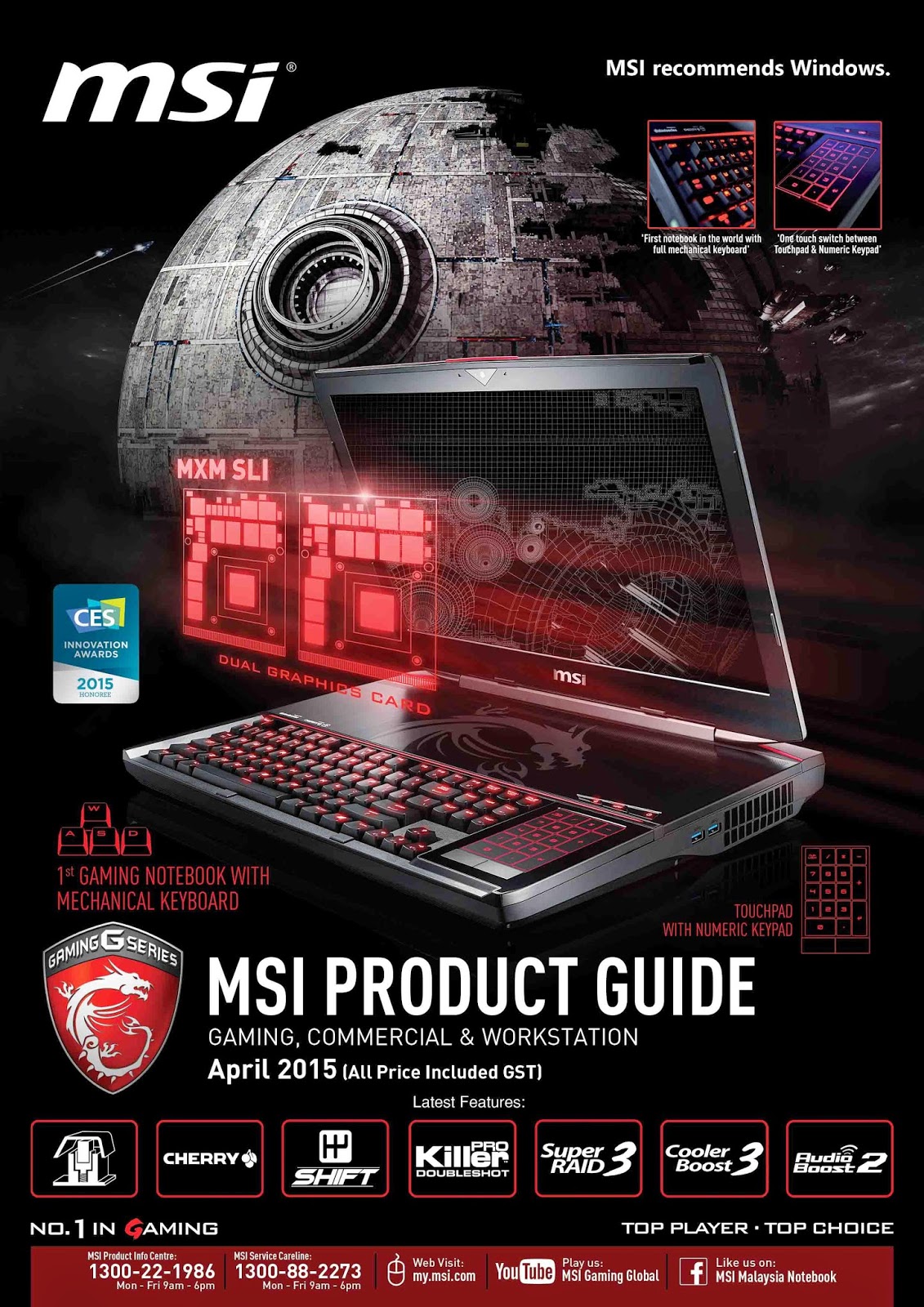 |
|
|
Apr 3 2015, 04:52 AM
|

Senior Member
1,507 posts Joined: May 2007
|
Hi, I just got my MSI GE72-2QE for near 3 weeks.l Starting a week ago, when i play games, i realized that the LEFT FAN is the only fan spinning fast and loud (audible spinning fan sound from my seat) but the RIGHT FAN isn't spinning at all (cant hear spinning sound even i put my ear on the vent or any air output).
I have my SHIFT gear always at 'GREEN'. I rebooted my PC before. So is this indicating a faulty fan hardware? How long does it takes for the fix if I bring it to MSI service centre? within few hours or need to leave it there (which i dont hope so for minor fix)? This post has been edited by vincentlaw: Apr 3 2015, 05:09 AM |
|
|
Apr 3 2015, 01:25 PM
|

Senior Member
1,236 posts Joined: Apr 2013
|
QUOTE(vincentlaw @ Apr 3 2015, 04:52 AM) Hi, I just got my MSI GE72-2QE for near 3 weeks.l Starting a week ago, when i play games, i realized that the LEFT FAN is the only fan spinning fast and loud (audible spinning fan sound from my seat) but the RIGHT FAN isn't spinning at all (cant hear spinning sound even i put my ear on the vent or any air output). Have you tried to switch on the so called "turbo boost cooler" ? Both should be spinning. For your case, I think one of the fan is not spinning because only the gpu/cpu is heating up ? Most game utilize gpu more and won't use up much of cpu so maybe that's the reason only one of the fan is spinning only.I have my SHIFT gear always at 'GREEN'. I rebooted my PC before. So is this indicating a faulty fan hardware? How long does it takes for the fix if I bring it to MSI service centre? within few hours or need to leave it there (which i dont hope so for minor fix)? |
|
|
Apr 3 2015, 04:52 PM
|
|
Senior Member
3,196 posts Joined: Feb 2006
|
I ran the burn in test using Furmark on GE62 2QF.
Its GPU temp would not pass 70 celcius. Initially i thought that it will toast my laptop but seriously not bad under full load it still can keep cool. Attached thumbnail(s) 
|
|
|
Apr 4 2015, 11:37 AM
|
|
Senior Member
1,190 posts Joined: Dec 2008
|
QUOTE(koopa @ Apr 2 2015, 01:34 PM) From MSI post above you. How do I check if a certain dealer from LYN is authorized? I've read some post in the LYN dispute corners that even some of those big stores (don't wanna say name) can con people when it comes to warranty information and about them being authorized dealers.If u upgade SSD at authorized dealer, it wont void the warranty. |
|
|
|
|
|
Apr 4 2015, 11:39 AM
|
|
Senior Member
1,236 posts Joined: Apr 2013
|
QUOTE(Decky @ Apr 4 2015, 11:37 AM) How do I check if a certain dealer from LYN is authorized? I've read some post in the LYN dispute corners that even some of those big stores (don't wanna say name) can con people when it comes to warranty information and about them being authorized dealers. If you got a catalog from MSI, behind there is a list of authorized dealer from MSI. |
|
|
Apr 4 2015, 11:41 AM
|
|
Senior Member
1,190 posts Joined: Dec 2008
|
QUOTE(miong93 @ Apr 4 2015, 11:39 AM) If you got a catalog from MSI, behind there is a list of authorized dealer from MSI. YEah just checked. So if their store not in the list e.g. Alieneye, they can't be trusted? |
|
|
Apr 4 2015, 11:50 AM
|
|
Senior Member
1,236 posts Joined: Apr 2013
|
You need to contact MSI to know about this. If it is not authorized seller, most probably the services provided is by the shop itself lo.
|
|
|
Apr 4 2015, 04:56 PM
|
|
Senior Member
594 posts Joined: Mar 2005 From: Bowser Koopa Castle
|
QUOTE(Decky @ Apr 4 2015, 11:41 AM) YEah just checked. So if their store not in the list e.g. Alieneye, they can't be trusted? Better not trust. I was dealing with non authorized before. Give me headache. I would really recommend going to the guys in the list. |
|
|
Apr 4 2015, 05:03 PM
|
|
Senior Member
1,190 posts Joined: Dec 2008
|
QUOTE(koopa @ Apr 4 2015, 04:56 PM) Better not trust. I was dealing with non authorized before. Give me headache. I would really recommend going to the guys in the list. What kinda headache? Yeah I PMed msi, because this user said that they're an authorized distributor but it wasn't on the catalogue. The LYN prices are slightly cheaper especially post-GST. GH sells MSI stuff ffor really expensive |
|
|
Apr 4 2015, 08:39 PM
|
|
Senior Member
1,507 posts Joined: May 2007
|
QUOTE(miong93 @ Apr 3 2015, 01:25 PM) Have you tried to switch on the so called "turbo boost cooler" ? Both should be spinning. For your case, I think one of the fan is not spinning because only the gpu/cpu is heating up ? Most game utilize gpu more and won't use up much of cpu so maybe that's the reason only one of the fan is spinning only. so i tried to use the turbo boost cooler button and i can feel the right fan spinning now. However the RIGHT FAN is not as strong as LEFT FAN. so my question is1. why left fan is more intense compare to right fan? 2. why at maximum, with turbo boost cooler, both fan does not have same max RPM? |
|
|
Apr 4 2015, 09:09 PM
|
|
Senior Member
3,196 posts Joined: Feb 2006
|
i notice the fan behavior too but since the temp is under 70 celcius even under full load i am ok...
|
| Change to: |  0.0206sec 0.0206sec
 0.95 0.95
 6 queries 6 queries
 GZIP Disabled GZIP Disabled
Time is now: 6th December 2025 - 10:51 AM |
 Quote
Quote