zzzz I never had this issue when using 344.75 driver but after updating to 344.80 oh gawd its stuttering like a retard .
Playing battlefield 4 was a nightmare
Yea, its the same for me. It was fine previously but the latest driver is causing stuttering on SC2 itself. Trying to reinstall the driver and see whether it helps or not.
guys.. those using msi tiger front cover gtx 970. may i know how's the idle and load temp and noise level of that card? a buddy of mine is interested, but couldnt find much review..
guys.. those using msi tiger front cover gtx 970. may i know how's the idle and load temp and noise level of that card? a buddy of mine is interested, but couldnt find much review..
temp-at idle is around 35-36 degrees while at full load it's 76 degrees(it stays relatively at this temp).
For noise , at load I won't say its the most quietest of card(compared to my asus directcuii, that one is dead silent) but it's certainly not an annoyingly loud card at all. My cpu stock fan is louder though(need to clean it )
If you're coming from previous generation of gpus, this would be a big upgrade
temp-at idle is around 35-36 degrees while at full load it's 76 degrees(it stays relatively at this temp).
For noise , at load I won't say its the most quietest of card(compared to my asus directcuii, that one is dead silent) but it's certainly not an annoyingly loud card at all. My cpu stock fan is louder though(need to clean it )
If you're coming from previous generation of gpus, this would be a big upgrade
really appreciate your reply..
btw guys, i've been playing nba 2k15 and batman arkham city lately, minor lag on nba but much more lag while playing BA city. wonder whats wrong. using reference gtx970 with old driver, 344.65. possible the driver? but BA city is such an old game..
btw guys, i've been playing nba 2k15 and batman arkham city lately, minor lag on nba but much more lag while playing BA city. wonder whats wrong. using reference gtx970 with old driver, 344.65. possible the driver? but BA city is such an old game..
yup, I also encountered it with my card, seems the gtx 970 is a bit buggy so far. Hopefully a new driver will fix the issue.
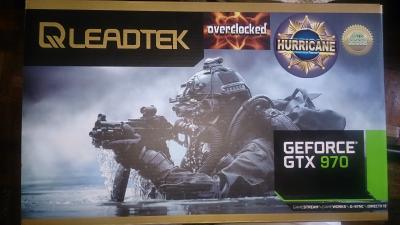
Purchased this from Newegg. Hopefully arriving before my birthday this 16th.
Acer XB280HK 28" 3840x2160 4K monitor with Nvidia G-Sync.
I have the ROG Swift 144Hz 2560x1440 G-Sync monitor, but trying to get the framerates up to 144fps requires serious quality setting downgrade to take full advantage of the ROG Swift, compared to keeping the settings maximum at 4K on 60Hz.
Yea, its the same for me. It was fine previously but the latest driver is causing stuttering on SC2 itself. Trying to reinstall the driver and see whether it helps or not.
Just an update. I completely remove all the NVidia drivers and reinstalled the latest version from Nvidia. Stuttering was not seen anymore. At least for now.
Purchased this from Newegg. Hopefully arriving before my birthday this 16th.
» Click to show Spoiler - click again to hide... «
Acer XB280HK 28" 3840x2160 4K monitor with Nvidia G-Sync.
I have the ROG Swift 144Hz 2560x1440 G-Sync monitor, but trying to get the framerates up to 144fps requires serious quality setting downgrade to take full advantage of the ROG Swift, compared to keeping the settings maximum at 4K on 60Hz.
its the very same one APES promote during a convention at KLCC right?
GSync indeed is good (i was there to test the monitor as well), but yeah, 144Hz is really hard to achieve with single or dual cards
its the very same one APES promote during a convention at KLCC right?
GSync indeed is good (i was there to test the monitor as well), but yeah, 144Hz is really hard to achieve with single or dual cards
do give a review when it arrived
That one is the Asus ROG Swift, 27" 2560x1440 at 144Hz with G-Sync. This one is the Acer XB280HK, 28" 3840x2160 at 60Hz with G-Sync. Both are priced at USD799. So it depends on which one you prefer: 1440p at 144 frames per second or 4K at 60 frames per second. I find that my usage fits the 4k60 than 1440p144. Like I mentioned earlier, it's harder to push a game to 144fps to get the full benefit of the ROG Swift panel, WITHOUT having to drop quality settings. With 4k60, I can opt not to have any AA and still have it above 45fps. And from Linus's observation in that video I linked above, framerates around that figure gets smoothen out by G-Sync, eliminating both tearing and lag.
That one is the Asus ROG Swift, 27" 2560x1440 at 144Hz with G-Sync. This one is the Acer XB280HK, 28" 3840x2160 at 60Hz with G-Sync. Both are priced at USD799. So it depends on which one you prefer: 1440p at 144 frames per second or 4K at 60 frames per second. I find that my usage fits the 4k60 than 1440p144. Like I mentioned earlier, it's harder to push a game to 144fps to get the full benefit of the ROG Swift panel, WITHOUT having to drop quality settings. With 4k60, I can opt not to have any AA and still have it above 45fps. And from Linus's observation in that video I linked above, framerates around that figure gets smoothen out by G-Sync, eliminating both tearing and lag.
which is exactly what GSync is built for, removing input lag.
im on your side as well, i think 144Hz is very unrealistic, considering there are games that limits your FPS (AssCreed, Shadow Of Mordor etc)
personally though, i wish there will be something like 75-90Hz monitors? eventhough the smoothness isnt much noticeable, but its still better than 60Hz
which is exactly what GSync is built for, removing input lag.
im on your side as well, i think 144Hz is very unrealistic, considering there are games that limits your FPS (AssCreed, Shadow Of Mordor etc)
personally though, i wish there will be something like 75-90Hz monitors? eventhough the smoothness isnt much noticeable, but its still better than 60Hz
Most of the Korean IPS monitors can overclock to 75hz easily, as you already know. I think it's time for some of the big name manufacturers to start upping their game too.
One thing I don't like about 4k still... freaking DPI scaling. Windows has fixed their sh!t regrading DPI scaling (mostly at least), but hot damn the majority of programs hasn't. Like... why? It's not difficult to implement proper scaling.
Just found out something odd, if anyone can add to this then please do.
Recently it seems like having Afterburner and Riva Tuner running together will cause stuttering in games. Was playind Dota 2 and for whatever weird reason, I was having stuttering issues on 60fps locked (with Riva) with a 970. Happening on BF4 and Titanfall as well, haven't tried other games.
I uncapped the framerate and there still is stuttering. Only when I have a restart of my PC and do not have Afterburner start-up, the stuttering is gone. So I thought it would be AB or Riva being the culprit, I updated to the latest version of AB and did not install Riva with it. Stuttering is gone for now, I think.
So, not sure if Riva has been the culprit to stuttering all this while or if a recent driver changed something. If anyone has a similar experience, do share.


 Dec 5 2014, 08:44 PM


 Quote
Quote


 )
)







 0.0334sec
 0.37
0.37
 6 queries
 GZIP Disabled