1. Strictly no discussions on warez, pirated apps 2. Do NOT ask for links to such apps or links to get free apps which needs to be paid for 3. Do NOT post links or references to such sites that promotes downloads of pirated, cracked, warez apps 4. Please keep the thread CLEAN from such illegal stuffs 5. Any members demands / pirated apps (or of similar nature) will be outright ignored and will attract warning and suspensions from the mods. 6. Posts / assistance given in this thread are on a voluntary basis by the members and please respect that. 7. Readers are advised to try out any suggestions at their own risk. 8. Learn to use "Search Topic" at bottom of each page before asking 9. Read the first post if you have a question before asking here, if you really cannot find the answer, you may ask here 10. Posters who spam non-relevant news just to get higher post count will be reported. *cough* Positron *cough*
Specifications :
» Click to show Spoiler - click again to hide... «
Display
4.3" Super AMOLED Plus
Dimensions
125.3 x 66.1 x 8.49mm
Memory
1GB of Random Access Memory (RAM) and 16 GB Internal Storage, Expandable up to 32 GB via MicroSD card.
Camera
8 Megapixels for the Rear Facing Camera with a LED Flash and 2 Megapixels for the front facing camera. Rear Facing Camera can record in Full HD at 1080 at 30 FPS.
Network
HSPA+ 21Mbps/ HSUPA 5.76Mbps EDGE/ GPRS Class 12 Quad band GSM 850/900/1800/1900 Quad band UMTS 850/900/1900/2100
Connectivity
Wi-Fi a/b/g/n BT v3.0+HS USB 2.0 OTG Connectors MicroUSB, 3.5mm Ear Jack MHL Port : * May not be applicable in some regions. * Display: "4.27" in actual measurement
Battery
1650mAh
Operating System
Android OS Gingerbread (Upgradeable to Ice Cream Sandwich on March 1st 2012)
» Click to show Spoiler - click again to hide... «
Engadget
» Click to show Spoiler - click again to hide... «
For a handset with such a broad range of standout features and specs, the Galaxy S II is remarkably easy to summarize. It's the best Android smartphone yet, but more importantly, it might well be the best smartphone, period. Of course, a 4.3-inch screen size won't suit everyone, no matter how stupendously thin the device that carries it may be, and we also can't say for sure that the Galaxy S II would justify a long-term iOS user foresaking his investment into one ecosystem and making the leap to another. Nonetheless, if you're asking us what smartphone to buy today, unconstrained by such externalities, the Galaxy S II would be the clear choice. Sometimes it's just as simple as that.
» Click to show Spoiler - click again to hide... «
Is it perfect? No, of course not. While we like some of Samsung’s tweaks – the Kies air app is surprisingly useful, for instance – we’d prefer to see a clean Gingerbread install rather than TouchWiz. How much of a delay that UI modification will force on future Android OS updates remains to be seen, and some changes – such as the keyboard – are frankly backward steps. There are also some annoying teething pains, such as the Video Maker app being unable to handle the Galaxy S II’s 1080p footage.
They pale in comparison to the Samsung’s strengths, however. The display belies its WVGA resolution with Super AMOLED Plus technology that manages to be both frugal and visible outdoors, while the dual-core 1.2GHz processor does a similar balancing act with power use and performance. Together they add up to a smartphone with brilliant battery life and the most future-proof hardware we’ve seen to-date. Layer on top of that a great camera, fulsome multimedia support, broad connectivity and a wafer-thin design, and we’re running out of reasons not to buy the Galaxy S II. Samsung has upped not only its game but the benchmark for smartphones in general.
» Click to show Spoiler - click again to hide... «
And so we come to the end of our epic Samsung Galaxy S2 review – and we know some of you might have jumped straight here to see what we think.
However, if you're considering purchasing this phone, we recommend you take a look through our review, as there's a lot to cover in the new phone and we wouldn't want you to miss anything now, would we?
But if you're after a one-word summary of the Samsung Galaxy S2: awesome. We've been waiting for a phone to set a benchmark among the dual-core breed, and we've found it in the Samsung Galaxy S2.
» Click to show Spoiler - click again to hide... «
Seldom do we rate a phone a full 5/5, but the Galaxy S II is one of the most advanced, well-rounded, and powerful smartphones we've ever tested. Samsung truly delivered on its second-generation Galaxy S. We can't get over how thin the Galaxy S II is, and it's a true joy to be able to browse the web with such smoothness and speed.
There certainly is room for improvement here. Samsung ought to work on making TouchWiz as lean as possible, and it'd be nice to turn it off entirely and revert back to stock Android for maximum speed. We also wonder whose idea it was to have the device make a beep when the battery is fully charged...if you like waking up at 3AM, this won't be a problem for you, but for those of us that like to sleep soundly, it's a big annoyance.
» Click to show Spoiler - click again to hide... «
The Plus indicates a transition from the Pentile matrix to a panel technology that has three sub-pixels for each pixel. The Pentile matrix shares eight sub-pixels between four pixels while the new pixel layout in Super AMOLED Plus follows what has been commonly done in LCD panels. This means the same four pixels will have a total of 12 sub-pixels. This should translate to improved color reproduction and a generally sharper-looking images.
Mass Storage Mode?
» Click to show Spoiler - click again to hide... «
1. Enable USB debugging from Menu > Settings > Applications 2. Return to Home screen 3. Plug in the USB Cable 4. Activate the Status Bar 5. Press ' connect usb storage' button
Tethering?
» Click to show Spoiler - click again to hide... «
Tethering is preinstalled in the Android Gingerbread OS. Go to Menu > Settings > Wireless & Networks > Tethering
NFC (Near Field Communications) Support?
» Click to show Spoiler - click again to hide... «
Currently, only the i9100P has NFC support but this model is not sold in Malaysia, Only the original version (i9100) and the G variant is being sold in Malaysia. (i9100G)
1GB of RAM not shown?
» Click to show Spoiler - click again to hide... «
Some RAM is reserved for GPU and CPU processes, the device does have 1GB of RAM but some of it must be reserved for the phone processes itself.
Samsung Galaxy S2 internal memory explanation
» Click to show Spoiler - click again to hide... «
The internal 16 GB is flash memory. 2 GB is partitioned (unviewable) and all your apps is installed there. Out of the balance 14 GB, about 2GB is used by phone system and you have about 12 GB left. When you installed apps with supporting data, example games downloads, dictionary data, news feed, tweeter feeds data etc, all such data goes into the other 12 GB partition
Camera Shutter sound?
» Click to show Spoiler - click again to hide... «
If your device is root, you can do this by renaming the shutter sound ogg file in /system/media/audio/ui. Rename it to .ogg.bak and it should stop the noise. Users are recommended to use the app 'Root Explorer' - locate entry and hold down, selct open in text editor. Make sure dialog box above you have tap/select RW.
Samsung Widgets does not appear in other Launchers?
» Click to show Spoiler - click again to hide... «
This is normal, Samsung Widgets only appear in TouchWiz (Default Samsung Launcher)
Check Hardware functions and Phone/Battery Information?
» Click to show Spoiler - click again to hide... «
For Hardware functions, dial *#0*# on your Phone Dialer. For Phone/Battery and other informations, dial *#*#4636#*#* on your Phone Dialer.
Maximize Battery Life?
» Click to show Spoiler - click again to hide... «
Details refer to above link
- Use GPS wisely - Turn off Bluetooth when not in use - Disable Wireless Network Positioning - Switch off WiFi Or Always keep it on - Disable Always On Mobile data - Kill 3G if phone always struggle to find it - Use Quick Screen timeout - Turn down brightness - Do not use Live wallpapers - Amoled display : Use a dark wallpaper - Use widgets wisely - Use a reasonable time interval for automatic updates - Monitor apps using battery - Cutdown streaming apps usage
Battery maintenance tips : from forum lowyat SGS thread
1) Avoid frequent full discharges because this puts additional strain on the battery. Several partial discharges with frequent recharges are better for lithium-ion than one deep one. Recharging a partially charged lithium-ion does not cause harm because there is no memory. (In this respect, lithium-ion differs from nickel-based batteries.) Short battery life in a device is mainly cause by heat rather than charge / discharge patterns.
2) Batteries with fuel gauge should be calibrated by applying a deliberate full discharge once every 30 charges. Running the pack down in the equipment does this. If ignored, the fuel gauge will become increasingly less accurate and in some cases cut off the device prematurely.
3) Keep the lithium-ion battery cool. Avoid a hot car. For prolonged storage, keep the battery at a 40% charge level.
4) Avoid purchasing spare lithium-ion batteries for later use. Observe manufacturing dates. Do not buy old stock, even if sold at clearance prices.
5) If you have a spare lithium-ion battery, use one to the fullest and keep the other cool by placing it in the refrigerator. Do not freeze the battery. For best results, store the battery at 40% state-of-charge.
How to calibrate battery ?
1.Run the device down until it turns itself off. 2.Turn it back on and wait for it to turn itself off again. 3.Remove the battery for 10 seconds. 4.Replace the battery, but leave the device off. 5.Charge the device until full and then for another hour. 6.**Root users only** Using a Terminal Emulator, type “su” enter, followed by “rm /data/system/batterystats.bin” ( can also be done more easily through CWM or SGSTools app) 7.Run the device’s battery down until it turns itself off. 8.Turn the device on and charge for at least 8 hours. 9.Unplug the device, turn off, then charge for another hour. 10.Unplug the device, turn on, wait 2 minutes. 11.Turn off again and charge for another hour. 12.Restart and use as normal.
Wakelocks?
» Click to show Spoiler - click again to hide... «
Use BetterBatteryStats to check what is keeping your phone Awake and not allowing the phone to enter deep sleep
In the words of the developer:
I wrote BetterBatteryStats because I was missing the great battery history that Spare Parts allowed to call on Froyo: - Process stats with User and System CPU time - Network Usage with bytes sent and received - Wakelock stats (the most important one when it comes to battery drain)
This app is still under development and may contain bugs. If you find one you can keep it, but I’d be happy if you could also report it to me. BetterBatteryStats is calling the “batteryinfo” service of Android to retrieve data already lying there without generating overhead. BetterBatteryStats is focussing and has been tested on Froyo and Gingerbread and the APK is set to run only on those versions only. What are wakelocks and why should you care about them? When it comes to Android the most discussed and commented topic that I know is battery drain / battery life. I’m a quite heavy user because I spend a lot of time on the train every day reading my mails, surfing and listening to music but still my phone is off for a long time during the day and while I accept the battery being drained while I use the phone I care about it draining slowly while “doing nothing”. And here’s the point: my SGS2 drains about 2-10 mAh where it was up at 20-100 mAh before I started cleaning stuff up.
» Click to show Spoiler - click again to hide... «
You would need a Google Checkout account to buy apps from the Google Marketplace. Firstly, you would need a Gmail account, if you do not have one, make one. After that, navigate to Google Checkout : https://checkout.google.com/ , Sign in using your gmail account and you will be guided to set up your Google Checkout account.
Phone not Detected by PC? Installing KIES did not help?
» Click to show Spoiler - click again to hide... «
How do I enable my phone to connect to Kies? Disable USB debugging Setting > Applications > Development > untick Enable USB Debugging
KIES is often reported to be unreliable esp on Win 7 systems. You do not need KIES to have phone detected by PC> Install KIES if you need to sync data ( eg contacts, address, music etc ) with phone.
Install the proprietary Samsung USB phone drivers : Google for this exe file : SAMSUNG_USB_Driver_for_Mobile_Phones_v1.3.350.0.exe
Factory/Hard Reset?
» Click to show Spoiler - click again to hide... «
Software Reset
1. Go to the Home screen. 2. Go to Settings. 3. Select Privacy. 4. Select Factory Data reset. 5. Select Reset Phone. 6. Select Erase Everything.
You devices should be resetting now.
Hardware Key Reset
1. Switch off the phone. Pull out the battery if you device is not responding. 2. Now press and hold down the volume up + volume down button. Then press and release the Home/Power button. 3. Next the phone will present a menu for you to choose, select Clear Storage. 4. Confirm if you want to go ahead.
Alternative
Also you could try to key in *2767*3855# and press dial.
Navigation in Google Maps?
» Click to show Spoiler - click again to hide... «
Basically, you just need to replace the map data : see tutorial here :
Tips from user selphy : Ok, for those of you who have trouble installing the Google Maps (for Navigation), i had issues too, but managed to do it through the following:
1. First, make sure your phone is rooted, then download the Google Maps-ownhere.apk (NOT the re-sign one), and transfer to your external SD card. 2. Using Titanium backup on your phone, wipe data and then uninstall both Google Maps and Street View. 3. Then using root explorer on your phone (i used Super Manager, which also has root functions), transfer the Google Maps-ownhere.apk file to your phone's system/app folder (make sure its set to R/W). 4. Then just reset the phone, and voila! Navigation is available!
Charging Output?
» Click to show Spoiler - click again to hide... «
Any car charger can be used as long as the minimum output is 500mA, Ideal is 1000mA. Chargers used to charged tablets which has an output of 2000mA can also be used and will not damage the battery. Charging times will be shorter.
Apps that are safe to remove?
» Click to show Spoiler - click again to hide... «
Please refer this link for more information on what is safe to remove or not: http://tinyurl.com/3lwgecv
Deep Sleep?
» Click to show Spoiler - click again to hide... «
Deep Sleep runs automatically by the kernel and on battery only. If connected to charger, the kernel won't trigger deep sleep mode (the CPU will throttle down to 200MHz). When activated, the kernel will reduce the CPU frequency like notebook standby and will wake the phone when any services require an update in order to save battery.
Drawback, it introduce the wake up lag to the phone. If your phone instantly wakes up on battery, it means there is an active app running in the foreground (normally apps which requires constant network access) or a nasty app did not suspend or kill by the OS.
App to use to monitor : CPU Spy.
Data Usage?
» Click to show Spoiler - click again to hide... «
Popular apps to monitor data usage is LBE Privacy Guard and Onavo. 3G watchdog is known to be not so accurate so I advice users to use Onavo as it is free and Reliable.
File System Used?
» Click to show Spoiler - click again to hide... «
The Samsung Galaxy S2 uses a EXT4 file system
Notification LED?
» Click to show Spoiler - click again to hide... «
No, this phone does not have a Notification LED sadly.
Locked Bootloader?
» Click to show Spoiler - click again to hide... «
No, the bootloader of this phone is not locked.
Nvidia Tegra Zone games?
» Click to show Spoiler - click again to hide... «
No, Nvidia Tegra Zone games are custom taylored for Tegra processors only, however most of these games have a non-Tegra alternative
Titanium Backup?
» Click to show Spoiler - click again to hide... «
Titanium Backup is the best app to backup your apps, there is 2 version available, Free and Pro.
Difference between the two apps
Features of the Free version: No time limit Very fast app listing (~1 second for 300 apps) Sort apps by name / last backup / backup frequency Filter apps by name / type / status / Apps Organizer labels (also affects Batch operations) Backup/restore regular apps + their settings Backup/restore protected apps + their settings Backup/restore system settings (incl. Wi-Fi AP list) Restores the Market links when restoring apps Zero-click background batch backup Interactive batch restore Many batch scenarios (eg: if more than N days since last backup, etc) Zero-click app un-installer Zero-click system app un-installer Desktop widgets A single weekly or biweekly scheduled backup User-defined apps lists with filtering, coloring and scheduling support
Additional features of the PRO/Donate version:
Multiple backups per app (history length can be chosen) Zero-click background batch restore Encryption of your backups (asymmetric crypto: the passphrase is needed on restore only) Batch verification of all backups Ultra fast HyperShell (much faster for almost everything) Market Doctor can remake any broken Market links (only for apps that were backed up with the link in place) App freezer can disable an app (and make it invisible) without un-installing it Batch app freezing/defrosting Unlimited, independent scheduled backups (each of which can run 1 to 7 times a week) Dalvik cache cleaner can free up precious internal memory Integrate updated system apps directly into your ROM to free up even more internal memory Synchronize all (or some of) your backups to Dropbox Retrieve all your backups from Dropbox (in case of lost phone or SD card failure) Brand the app with your name
Nandroid or Titanium?
» Click to show Spoiler - click again to hide... «
First of all , Nandroid Backup is NOT an app. You will have an option of a FULL backup of your phone as it is condition at time of backup using a BACKUP choice in ClockworkMod recovery. Your backup here is often called a Nandroid backup . All your phone's data, apps, settings, roms, kernel etc is FULLY 100 % backup, Under this ClockworkMod recovery you will also have option to RESTORE 100 % the phone status
Titanium Backup is an APP which requires phone to be rooted. You can use TB to backup all your apps and its associated data. You ONLY can use TB in a working phone . You can restore anything from TB if your phone crashes and cannot be rebooted. TB does not backup your kernel/roms,
Overheating Issues?
» Click to show Spoiler - click again to hide... «
For new users and to be user - the SGS II operating temperatures is higher than most other Androids, simply because it is dual core and its thinness transmit heat easily. Some users like to use the word " hot" - I'd said is warmer than normal. The word hot connotes a feeling of uneasiness and a possible burning effect on your skin, which it will not. Most users I believe will use some sort of casing or backcover - these will reduce the effect
If you have been using single core Androids 1 GHZ models before - you will not experienced the " hotness" as a serious concern, I'd say generally is about 2-3 degree centigrade more. Those who are coming over from say Blackberries and Symbian will feel the difference more obviously
Use an app to monitor battery temperatures - batterylife widget is a good free app. It shows you the temperature and voltage and is quite a well designed widget
These are guides to operating temperatures ( degree centigrade ) basing solely on my usage :
Idle not in use : 26 - 31 Browsing : 32-35 Gaming : 35 - 40 WiFi hotspot : 35 - 45 GPS : 35 -45
With prolong continuous usage over several hours it could hit 50 but I'd think such usage should be minimal unless you are one freaking gamer I read the phone has gone to extreme testing till 70 degree and still performs well
Back Cover feels flimsy?
» Click to show Spoiler - click again to hide... «
Watch this video and change your mind:
List of SEP Dealers in Malaysia?
» Click to show Spoiler - click again to hide... «
Samsung Elite Partners:
1. Convergence Gadget Sdn Bhd - SK 2A 2nd Floor, 1 Utama Shopping Centre, Bandar Utama, 47800 Petaling Jaya, Selangor
2. UI Mobile Sdn Bhd - Lot 1-08, KSL City Shopping Mall, Taman Abad, 80250 Johor Bahru, Johor
3. AMS Mobility Sdn Bhd - Lot 1-TC 1-31A, 1st Floor, Low Yat Plaza, 55100 Kuala Lumpur
4. Steven Tele-World Centre Sdn Bhd - Lot KG 6E, Ground Floor, Mahkota Parade 75000 Melaka
5. Mobile Spirit Sdn Bhd - Lot 2C-K-06&07, First Avenue Shopping Center, Penang
6. Incomm Marketing - S73, Aeon Jusco Terbau City Shopping Centrem Taman Desa Tebrau. 81100, Johor
7. Welfon Telecommunication Sdn Bhd - Lot No T-242A Third Floor The Gardens Mid Valley Megamall, 59200 KL
8. Ashita Communication Sdn Bhd - No1, Ground Floor Klang Parade, No:2112 KM2, Jalan Meru 41050 Klang
9. Ashita Communication Sdn Bhd - Kiosk C6 Lot No. F-02, )4, 06 & 08 First Floor, Terminal One Shopping Centre, Seremban
10. Netzcom (M) Sdn Bhd - Kiosk K-G13, Grd Flr Digital Mall, No.2 Jalan 14/20 Seksyen 14 46100, PJ, Selangor
11. Arrow Link Telecommunication Sdn Bhd - Lot G21, Tingkat Bawah, Greentown Mall, Jalan Hospital, 30450 Ipoh Perak.
12. Welfon Telecommunication Sdn Bhd - Lot GK09 Ground Floor, IOI Mall, Batu 9 Jalan Puchong, Bandar Puchong Jaya, 4710 Puchong, Selangor.
13. Ocean Eleven - Unit No. L4-31, The Mines, Jalan Dulang, Mines Resort City, 43300 Seri Kembangan, Selangor.
14. KTS Cellular Sdn Bhd - No.8 & 10, Jalan Goh Hock Huat, 41400 Klang Selangor.
15. BBS Distribution - GB-12, 1st Floor Sg Wan Plaza, Jalan Sultan Ismail 50250 Kuala Lumpur
16. Welfon Telecommunication Sdn Bhd - Unit No. F1.38, First Floor, Sunway Pyramid, Bandar Sunway, 46150 Petaling Jaya, Selangor.
17. Life Choice Telecommunication Sdn Bhd - Lot F66 First Floor, Jusco Ipoh, Ipoh Perak.
18. Ashita Communication Sdn Bhd - 3rd Floor Kiosk. No.3MPK 10-1, 01, 06, Alam Sentral Plaza, Shah Alam, Selangor
19. Skytrek - S-113, 2nd Floor, 1 Borneo Shopping Complex, Jalan Sulaiman, 88450 Kota Kinabalu, Sabah
20. Easy Cell - Lot 222, 2nd Floor Wisma Saberkas, Jalan Green. 93100 Kuching, Sarawak
» Click to show Spoiler - click again to hide... «
Rooting an Android phone opens its core functions that aren’t available when you buy it. One of the major benefits is the ability to install apps to the SD card, which saves space on the device. Rooting also enables you to install apps that required access to system files, example - backup , screenshots . Commonly use of rooting is to allow installation of alternative roms which is faster and better, more features, and reduced bloatware. Rooting will not remove your 3rd party apps, data/wipe clean your phone. And the chance of bricking the phone during rooting is close to impossible. Just make sure your phone has at least 50% battery charge. Do refer to the specific methods on how to unroot back if needed - easiest is to use SuperOneclick, One root solution or flash back official stock rom
Warranty?
» Click to show Spoiler - click again to hide... «
Rooting will void your warranty but you could always unroot it before you send to SME to fix your phone. Some SME might not even mind if your phone is rooted.
How to Root? (ONLY For the Original Galaxy S2 variant (i9100)
» Click to show Spoiler - click again to hide... «
Rooting
1. Download Odin and the correct CF-root zip file according to your firmware. To check, go to settings, about phone, scroll to the bottom. Look at kernel version, remember the last 3 letters, so let's say its XXKL1, then download the KL1 CF Root file.
2. Unzip the attached CF-Root-xxx-vX.X.zip
3. (USB) Disconnect your phone from your computer
4. Start ODIN
5. Click the PDA button, and select CF-Root-xxx-vX.X.tar
6. Put your phone in download mode (To enter download mode, power off the phone, then press the volume down+home+power button at the same time. Once you see the GT-I9100, let go of all 3 buttons. The phone will display "warning" and some text. Press volume up button to continue. Your phone should show an android icon and "downloading" text. This means you are in download mode now.)
7. (USB) Connect the phone to your computer
8. Make sure repartition is NOT checked
9. Click the START button
10. Wait for the phone to reboot
11. Done (if it took you more than 30 seconds, you need practise!)
It is definitely possible to remove that pesky warning triangle during boot when running a custom kernel, though you should be well aware that this method does NOT reset the custom kernel flash counter. The steps are not complicated, but they aren't easy either, so read well.
1. Make sure you have CF-Root flashed (see the first post). You must have the "CWM Manager" app available.
2. Make sure you have the same version of CF-Root extracted until you have the zImage file. (ZIP --> extract --> TAR --> extract --> zImage).
3. Push the zImage file to /sdcard . It must still be called zImage !
4. Find an original Samsung signed stock kernel (preferably from the same stock firmware you have, but it's not terribly important)
5. Reboot into download mode (adb reboot download, or boot the device with home and volume-down pressed)
6. Fire up ODIN, and flash the Samsung kernel
7. Boot the device with the stock kernel. CWM Manager will still be available.
8. Start CWM Manager, select Flash Kernel, and select the zImage from CF-Root you previously put on your SD-card. The kernel will flash and the device will reboot.
9.You will now notice you no longer have the warning triangle during boot, but you are actually running CF-Root with all it's goodies!
10. In the future, if you only use the Flash Kernel option inside CWM Manager instead of ODIN, the triangle will not return, neither will your flash counter increase. But keep in mind, that CWM Manager can only handle a direct "zImage" if you are NOT running a kernel with full busybox support (this is currently needed for flashing kernels out of .TAR and .ZIP files)
How to Root? (ONLY For the G Variant of the Samsung Galaxy S2 variant (i9100G)
» Click to show Spoiler - click again to hide... «
This guide is written by user I9100G, all credits to him
» Click to show Spoiler - click again to hide... «
First and foremost I am not an expert in such stuffs - this is based on my experience flashing the first Galaxy S and Galaxy Tab and present Galaxy S II. Any experts reading this please do correct me if I am wrong in any way
PIT stands for PARTITION INFORMATION TABLE. The pit file basically tells Odin how to divide the partitions (for formating) and also where certain components ( PDA, PHONE, CSC ) to go when flashing them individually. PIT understanding is very crucial when you wish to flash roms from samfirmware.com , one place I always discourage new users from attempting as it is a trap to bricking a phone if you do not understand what you are doing
Cooked roms take cares of PIT ; you rarely see cooked roms asking you to choose PIT during flash thro Odin. Most cook roms, the developer has built in his rom the PIT instructions
For example, in the samfirmware.com Galaxy S site, you can even see different types of PIT listed and a warning that you choose the right PIT file. In its SGS II site, If you look at samfirmware.com - there is a default PIT file you can download at the top box just above the list of firmwares for different regions. If you download any of these official roms, you will see some roms comes with a PIT file and some does not. You asked a very good question, why is the PIT included if is of no use ? My advise is simply this : If you see a PIT included in your rom, choose it during flashing as most probably the PIT is a changed version from default. You can only use this PIT to flash with the rom that comes with it. You cannot take this PIT and used it to flash another rom - this will brick your phone. When you use a wrong PIT - you have 2 possible scenarios : - failed flash and phone cannot boot - flash OK but the whole internal SD is formatted and cannot be detected at all by phone ( my experience with the Tab)
If the rom downloaded does not supplied a PIT file - than you just flash it without it or you choose the default PIT
As the PIT name implies, using PIT basically repartition /reformat your whole internal SD - once you select PIT, you will see repartition is auto selected. All your data in the internal SD will be wipe clean
You can choose NOT to select the PIT during flashing if you wish to have your internal SD intact. I cannot say whether you will have a successful flash. If is successful it just means your present rom PIT is similar to the rom you have downloaded. If is unsuccessful, just flash it again and select PIT
If the rom file is packaged together as a single tar file ( instead breakdown into separate entities of PDA, Phone, CSC ) , there is no need to use PIT. Just flash the tar file as PDA in Odin
Recovery/Download Mode?
» Click to show Spoiler - click again to hide... «
Download mode is used when you need to flash rom through Odin. Recovery mode is used when you wish to do a backup/restore of your phone, flash roms based on zip files, cleaning up your caches , update firmware officially through supplied update zip files etc.
Difference between Normal Recovery and ClockWorkMod Recovery?
» Click to show Spoiler - click again to hide... «
The one that comes with the phone (Normal Recovery) has very little to it. It only has few basic features such as reboot system, clear cache, clear data partition and apply update from SDcard.
ClockworkMod has much more to it such as :
1. Reboot system now
2. Apply update from sdcard
3. Wipe data/factory reset
4. Wipe cache partition
5. Install zip from card
6. Backup and restore
7. Mounts and storage
8. Advanced
9. Power off
What is ROM/Flashing/FAQ about Flashing?
» Click to show Spoiler - click again to hide... «
Q: What is a ROM?
A: A ROM contains the operating system and often additional software which can be “installed” to your mobile device. Most ROM’s provided by the chefs (people who create cutomized ROM’s) just contain the operating system and additional applications. Shipping ROM’s (ROM’s provided by the manufacturer or official providers) also contain a Radio ROM and a bootloader. Please notice: A ROM can ONLY be flashed to a device it is made for.
Q: What is a Radio ROM?
A: The Radio ROM contains the drivers for the communication devices of your phone. Some ROM’s need one or more specific Radio ROM’s to work properly. Usually the chef, who created the ROM recommends a Radio ROM. But don’t mind, if your Radio Rom does not match, you can always flash another without needing to flash the ROM containing the Operating System (OS) again.
Q: What means SIM-Unlock?
A: Lots of providers want to bind their customers. So they add a SIM-Lock to their devices with only allows to use SIM-Cards using their networks. If you want to use a SIM-Card from another provider, you need to SIM-unlock your device. This can be done by contacting the phone's provider (paid & sometimes free). This is common for USA based Tecos.
Q: Can I brick my phone by flashing a ROM?
A: YES. But if you follow all instructions, it is quite implausible that your device bricks.
Q: Does flashing affect the warranty of my device?
A: Yes, flashing an unofficial rom will void warranty. But as long as your device can be unrooted and be reflashed again to stock original rom you can than send in for warranty claims.
Q: What can I do, if i gain problems with the ROM i flashed to my device?
A: First of all you should inform the creator by posting in the ROM's thread if the problem is not described yet. Then you should wait for an update/fix or, if the issue is a showstopper for you, try another ROM.
Q: Which is the best/fastest/... ROM?
A: Nobody can answer you this properly. There are nearly daily new ROM's here and everybody has different demands to a ROM. If you want to know, which fits best for you, read the ROM description and try the ROM('s). Only you can decide, which ROM is the best (for you).
Q: What is the difference between a hardreset and a softreset?
A: A softreset reboots your device. A hardreset sets all settings back to the ROM's defaults. All of your data, settings and additionally installed programs will be deleted.
What is IMEI?
» Click to show Spoiler - click again to hide... «
The International Mobile Equipment Identity or IMEI is a number, usually unique, to identify GSM, WCDMA, and iDEN mobile phones, as well as some satellite phones. It is usually found printed inside the battery compartment of the phone. It can also be displayed on the screen of the phone by entering *#06# into the keypad on most phones.
The IMEI number is used by the GSM network to identify valid devices and therefore can be used for stopping a stolen phone from accessing the network in that country. For example, if a mobile phone is stolen, the owner can call his or her network provider and instruct them to "blacklist" the phone using its IMEI number. This renders the phone useless on that network and sometimes other networks too, whether or not the phone's SIM is changed.
How to Backup your IMEI? (IMPORTANT)
» Click to show Spoiler - click again to hide... «
Every user of this phone should always backup their IMEI just incase something goes wrong when flashing files, use 'ktool' to backup your IMEI, it can also be used to flash new kernel files.
» Click to show Spoiler - click again to hide... «
The JIG just resets your flash counter and remove the yellow triangle during first bootup What does this counter do exactly?
It's very simple: it counts the number of times you flash a custom ROM or kernel on your SGS II, so the guys over at Samsung know of it when you return the phone to them for any kind of problem you may have (this is done so they can say whether you've voided your warranty or not). Even using Odin to get back to stock won't help you and will let the counter go up by one The good news is that the counter can be reset by using one of those jigs we all know very well
No, unfortunately Samsung has very clear in mind what it's doing. It seems there is a second counter, which counts the number of times the custom flash counter has been reset, and the bad news is that its position/folder has not been discovered yet.
Please note that ROMS made for the Original S2 cannot be flashed with the G version of S2 or you will brick your phone. Only ROMS made for the G version can be flashed.
List of ROMS for G version?
» Click to show Spoiler - click again to hide... «
Currently there is only 4 ROMS made for G version which is Superrom, Juffo, DarkRom and GalaxyROM
» Click to show Spoiler - click again to hide... «
If you install cracked/pirated apps from illegal "ahem" sources or using one of those blackmarket, faked android market apps, etc BEWARE that your phone becomes unstable. Common symptoms said to be due to these are :
- unexplained sudden reboots - auto shutdown - unstable browsing - sudden swing back to homescreen, freeze while in midst of browsing - occasional hangs/freeze while in use
The instability issues is more apparent/commonly occurring if phone is on Android version above Froyo 2.2.2 . Gingerbread is obviously more insecure
No one knows exactly how these cracked apps interact with one another and a combination of certain specific apps could be the cause of these issues. Installing anti virus apps might help but is not a proven solution.
APN Settings for Malaysia Telco
» Click to show Spoiler - click again to hide... «
MAXIS
1) Home -> Menu -> Settings -> Wireless & networks -> Mobile networks -> Access Points Name 2) Menu -> New APN Name = Maxis(3G) APN = unet Username = maxis MMSC = http://172.16.74.100:10021/mmsc MMS proxy = 202.75.133.49 MMS port = 80 APN type = default,mms (Others, leave blank)
DIGI
1) Home -> Menu -> Settings -> Wireless & networks -> Mobile networks -> Access Points Name 2) Menu -> New APN Name : DiGi Internet User name : digi APN: diginet MCC: 502 MNC: 16 APN Type: default (Others, blank)
NOTE : If you subscribed to Digi Internet Prepaid package ( RM2/day package ): the APN is : 3gdgnet
1) Home -> Menu -> Settings -> Wireless & networks -> Mobile networks -> Access Points Name 2) Menu -> New APN Name : Celcom 3G APN : celcom3g MMSC: http://mms.celcom.net.my MMS Proxy : 10.128.1.242 MMS Port : 8080
Other settings you can try :
Celcom 3g internet setting :
Name : Celcom 3G Internet APN : celcom3g MCC : 502 MNC : 19 APN type : default
Celcom 3g MMS setting :
Name : Celcom 3G MMS APN : celcom3g MMSC : http://mms.celcom.net.my MMS proxy : 10.128.1.242 MMS port : 8080 MCC : 502 MNC : 19 APN type : mms
Celcom 2g internet setting :
Name : Celcom 2G Internet APN : celcom.net.my MCC : 502 MNC : 19 APN type : default
Celcom 2g MMS setting :
Name : Celcom 2G MMS APN : mms.celcom.net.my MMSC : http://mms.celcom.net.my MMS proxy : 10.128.1.242 MMS port : 8080 MCC : 502 MNC : 19 APN type : mms
Comparison between I9100 and I9100G?
» Click to show Spoiler - click again to hide... «
» Click to show Spoiler - click again to hide... «
Thanks to Spider on the CheckROM forums :
Most people come into custom roms and dont really understand what the forums are saying to them in the terms of doing things the right way, often things get misinterpreted as i understand but really you don't!!!
This is the case when it comes to custom roms installation, new comers think yeah i'll have a go and go for it without even understanding the basics of custom roms, wrong move, a little research didn't do anybody any harm, and is time well spent when it comes to taking a gamble on bricking your phone.
The main thing I've noticed is that people don't understand what a full wipe is and just go with what they see...
Going into clockwork mode and just selecting wipe. data, wipe delvic cache, wipe cache, is not a proper full wipe, its like wiping your arse with shit still in your bumhole untill you wash it, no no no, this method doesn't remove the old system files, there still there untill you carry out a format of the system partition, if you dont do this and install a rom over it you will have problems with the rom you just installed.
The correct procedure for doing a full wipe is below.
Go to clockwork mode recovery.
Go to mounts and storage and select it.
Go to format / system and select it. Scroll down to format system and select yes.
Go to format / data and select it. Scroll down to format data and select yes.
Go to format / cache and select it. Scroll down to format cache and select yes.
That's it no need to format anything else, just go back and install the rom from sd card.
This is the correct way of doing a full wipe everything is erased and formatted ready for the new rom, no old system files etc....
Spider
Free Apps from Amazon?
» Click to show Spoiler - click again to hide... «
1) Create a Amazon account. 2) Get your fake details from: www.fakenamegenerator.com 3) Once account is created, download the app onto your android device. 4) Sign into the app and start downloading the daily free apps.
*Amazon does not check your IP, only checks the address you register with them. the site above will help you generate fake address,credit card,name,etc..everything you need.
have tried jellybam..but the per app dpi thingy,not very easy to custumize like paranoid
so i leave it..aiyah,why d4rky leave paranoid wor?
its pretty easy. just follow the steps..
1. start module management 2. click on install or something like that.. 3. reboot 4. start module management again 5. tick the "per app dpi" settings at the side.. TICK only 6. reboot 7. click on "per-app dpi" under settings (below module managemnet) 8. navigate to your app and start customizing
its the same, got apply, start app, app settings to force stop. can choose tablet mode/phone mode for the app
oh, thanks.. title is misleading.. I upgrade via kies.
Wellll,it's not so much as misleading as it is misinformed. True,there is an official JB update,but,it hasn't been released to Malaysia. Do yourself a favor and from now on,flash using ODIN. It's simpler and safer. Plus,you get to try other country's fw. I myself am using a France JB and it's buttery smooth!
Anyone can share your experience on kernel wipe? flashed latest RR and having some random freeze so i planning to wipe everything and reinstall.
used kernel wipe.. basically it just wipes off ever kernel files so when u flash its like a "fresh" kernel.. wont be interfered with old kernel files..
guys, i m trying to update jellybean via ODIN but well, i couldnt even enter the download mode, it said pressing vol down+home button while pressing power button but it still doesnt enter the download mode. it will jus turn on as usual. duh
guys, i m trying to update jellybean via ODIN but well, i couldnt even enter the download mode, it said pressing vol down+home button while pressing power button but it still doesnt enter the download mode. it will jus turn on as usual. duh
hurm
This post has been edited by salimbest83: Feb 10 2013, 07:47 PM
i think u is G rite. usually u need to release that power key on samsung logo
yes i m on G. but i couldnt even see the samsung logo if i didnt release the power button. i will only able to see it after i release the power button. fuh
i try to search any link regarding jelly bean in first page, cannot find any, guess, i need to go to sammobile then..btw, jelly bean for france 4.1.2 for s2 G version...is it full wipe or not full wipe..?
This post has been edited by ogiveyakuza: Feb 10 2013, 08:11 PM
i try to search any link regarding jelly bean in first page, cannot find any, guess, i need to go to sammobile then..btw, jelly bean for france 4.1.2 for s2 G version...is it full wipe or not full wipe..?
if you're upgrading from stock ICS then need full wipe if you're upgrading from another custom ROM also need full wipe..
if you're upgrading from stock ICS then need full wipe if you're upgrading from another custom ROM also need full wipe..
so basically need full wipe
because b4 this, when i update my note thru odin, i never full wipe, juz str8 away select tar file, then update...so still need to full wipe? or is it recommended to full wipe? btw, i'm helping my bro to upgrade his fon, i'm using gnex...
because b4 this, when i update my note thru odin, i never full wipe, juz str8 away select tar file, then update...so still need to full wipe? or is it recommended to full wipe? btw, i'm helping my bro to upgrade his fon, i'm using gnex...
recommended to full wipe..
btw guys.. (maybe gin&tonic can help or anyone in particular )
can anyone with a touchwiz rom try to add in the AOSP contacts.apk, contactsprovider.apk and dialer.apk into your touchwiz ROM and see if it works? :S
push to system/apps/ set permissions rw-r-r reboot
just curious..
This post has been edited by mafioso: Feb 10 2013, 09:14 PM
recommended to full wipe.. [size=7]btw guys.. (maybe gin&tonic can help or anyone in particular )[/color]
can anyone with a touchwiz rom try to add in the AOSP contacts.apk, contactsprovider.apk and dialer.apk into your touchwiz ROM and see if it works? :S
push to system/apps/ set permissions rw-r-r
just curious..
geezzz, i dun want to full wipe...isnt the full wipe thing can cause brick thing or something as far as i can recall when they updated the note n s2 to ics rom..is it still happen..or juz affected only non g version which use exynos processor..
geezzz, i dun want to full wipe...isnt the full wipe thing can cause brick thing or something as far as i can recall when they updated the note n s2 to ics rom..is it still happen..or juz affected only non g version which use exynos processor..
full wipe is always recommended to avoid mismatch of system files or values/codes/etc.. so your phone will always run properly..
its to avoid FC on certain applications also..
anyway, you have many apps is it?
cuz if you dont have that many apps..
just sync your contacts with google backup your sms with "sms backup/restore" backup your whatsapp messages..
This is my post in previous thred before it closed:
I did battery calibration on my 4 month old S2 this morning. At 3.40am the battery is 100%. At 3.59am the battery drop to 97% only which minimal usage ( I felt proud since previously my minimal usage open browser and check message 3min will drop 1% ). Then i went to sleep and sadly when i wake up at 10.10am, the battery dropped to 79%! I didn't play anything but just open the wifi( previously before battery calibration, i always on my wifi and didn't drain the battery much like this). Is this some firmware problem or the battery need to change? ( I calibrate it by drain all the battery and fully char it till 100%, then i recharge it again till 100%)
used kernel wipe.. basically it just wipes off ever kernel files so when u flash its like a "fresh" kernel.. wont be interfered with old kernel files..
what kernel did u flash?
Thanks I am on dorimanx kernel which is come with ressurection remix 3.1.3 bundle. Encounter many random freeze and heavy battery drain during this few days so consider starting all over again with full wipe + kernel wipe(new step)
Drop by and surprise to see 3rd page in new thread.
Haha u wit the dialer issue.
If really like aosp dialer.
Install swipe dialer from play store. Works exactly like aosp dialer.
3rd party and system app same only one la.
hahaha. saw a thread on XDA that teaches you how to mod the touchwiz dialer so it becomes multi DPI.. but alot of coding leh..
i can change the code but too much work
yar im considering to install swipe dialer or ex dialer..
just felt like alliance ROM really gives a different feeling when using touchwiz (tested 2 weeks ago)
QUOTE(~C.W.S~ @ Feb 10 2013, 10:37 PM)
Thanks I am on dorimanx kernel which is come with ressurection remix 3.1.3 bundle. Encounter many random freeze and heavy battery drain during this few days so consider starting all over again with full wipe + kernel wipe(new step)
i think dorimanx kernel still gives out random freezes. thats why i jump ship.. not using dorimanx anymore.. actually you should just use stock.. its really good cuz the dev built the rom using stock kernel, so in terms of battery/performance. stock kernel (that comes with the rom) gives you the 100% feel + balance
i just used the stock kernel that came with vanilla rootbox.. my whatsapp hang issues are gone (in previous thread i got mention)
This post has been edited by mafioso: Feb 10 2013, 10:55 PM
This is my post in previous thred before it closed:
I did battery calibration on my 4 month old S2 this morning. At 3.40am the battery is 100%. At 3.59am the battery drop to 97% only which minimal usage ( I felt proud since previously my minimal usage open browser and check message 3min will drop 1% ). Then i went to sleep and sadly when i wake up at 10.10am, the battery dropped to 79%! I didn't play anything but just open the wifi( previously before battery calibration, i always on my wifi and didn't drain the battery much like this). Is this some firmware problem or the battery need to change? ( I calibrate it by drain all the battery and fully char it till 100%, then i recharge it again till 100%)
first off, if you are using a JB rom, there's no need for battery calibration as it resets automatically everytime once u recharge it
second, are you using the latest leaked JB? if yes then there's a media storage issue (AOSP based roms) where it'll drain a huge amount of battery
third, battery drop could be due to your apps installed also.. does it have wake issues? you can check it with BBS. (better battery stats).. marketlink need to play, but if u find it on XDA, its free. only for XDA users..
well, my battery is pregnant but if i left it on overnight with wifi on. it does drain at least 10% cuz it didnt went off by itself, i set that it will auto off after awhile under its wifi settings but it doesnt seem to work..
for me, my screentime with about 58 minutes after unplug from 100%.. (used for 1 hour straight with wifi).. battery only dropped around 10-15%
ofcuz since its at night i set my brightness to the lowest.. else i'll go blind while im using it on my bed.
need help. how much if i want to upgrade/update my S2 G version to jelly bean?
Well,the upgrade is usually free,provided that you have the phone already.
But,kidding aside,I assume that you don't know how to flash a ROM using ODIN. Using KIES would only get you to ICS. JB is still not natively available in Malaysia. So,unfortunately,you would need to flash another country's ROM into your phone. In this case,it's France's.
guys.need some help.i cant seems to charge my battery.will pop up charged paused,battery temperature too hot.and i dont think its my battery or charger problem since i tested it with different charger and different batteries and the same problem still occur.i can use the phone without any problem but i cant charge it at all.and if i just put the battery on, the phone will be hot on the right side on the back of the phone and at battery monitor my battery temp is 80 degrees. any solution? and how much to repair it?im thinking maybe the battery sensor is messed up.
btw i already tried factory reset but the problem still there
This post has been edited by AzureOfSky: Feb 11 2013, 01:30 AM
Guys,I noticed that after I upgraded to Jellybean,I somehow can't access my SDcard. It's a 2GB sdcard. I can't seem to find it using ES file explorer but my Music Player seems to detect the songs located in that card. Anyone know why?
guys.need some help.i cant seems to charge my battery.will pop up charged paused,battery temperature too hot.and i dont think its my battery or charger problem since i tested it with different charger and different batteries and the same problem still occur.i can use the phone without any problem but i cant charge it at all.and if i just put the battery on, the phone will be hot on the right side on the back of the phone and at battery monitor my battery temp is 80 degrees. any solution? and how much to repair it?im thinking maybe the battery sensor is messed up.
btw i already tried factory reset but the problem still there
let it cool down first to avoid anything bad from happening..
unplug the battery and leave it to cool off
do you have any other i9100 battery? maybe u can test with that battery.. but let your phone cool down first.. 80 degrees is dangerous..
This post has been edited by mafioso: Feb 11 2013, 01:36 AM
let it cool down first to avoid anything bad from happening..
unplug the battery and leave it to cool off
do you have any other i9100 battery? maybe u can test with that battery.. but let your phone cool down first.. 80 degrees is dangerous..
yea i got another battery and on both occasion the battery monitor app indicates the battery health is overheat and around 75-80 degrees. I do believe its something wrong with the charging board or motherboard since my phone will becomes so hot at the back even just after putting back the battery on the phone without running any apps.particularly hot around the lower right area at the back.since my phone is out of warranty, i disassemble it to check whether its wet or something wrong with it.been trying to figure it out for the past 5-6 hours. lol. gonna leave it open till tomorrow and put it back together again.
yea i got another battery and on both occasion the battery monitor app indicates the battery health is overheat and around 75-80 degrees. I do believe its something wrong with the charging board or motherboard since my phone will becomes so hot at the back even just after putting back the battery on the phone without running any apps.particularly hot around the lower right area at the back.since my phone is out of warranty, i disassemble it to check whether its wet or something wrong with it.been trying to figure it out for the past 5-6 hours. lol. gonna leave it open till tomorrow and put it back together again.
if its still hot after tmr then its best you send it back for warranty or to get it fixed..
Guys,I noticed that after I upgraded to Jellybean,I somehow can't access my SDcard. It's a 2GB sdcard. I can't seem to find it using ES file explorer but my Music Player seems to detect the songs located in that card. Anyone know why?
same thing happen to me. es file explorer can't read my sdcrad but file expert can. CWM manager also can't read my sdcard. dunno why.
weird. im using jellybean and es file manager i can access it.
try /storage/
Sorry if I sound a bit ignorant,but I can't seem to find the /storage anywhere in the browser. Isn't it usually external_sd? How do I find the /storage?
Sorry if I sound a bit ignorant,but I can't seem to find the /storage anywhere in the browser. Isn't it usually external_sd? How do I find the /storage?
it is it the root directory. try click favorite and see got or not.
Hi guys, my Galaxy S2 always encounter the problem of "insufficient storage" for apps and I can't even download and update my apps.
But when I check, I have a lot more space (around 20-30MB) in my apps partition. I even purchased SD card and move my apps to the SD card but the problem still persists.
Anybody encounter such problem with their S2 before?
Hi guys, my Galaxy S2 always encounter the problem of "insufficient storage" for apps and I can't even download and update my apps.
But when I check, I have a lot more space (around 20-30MB) in my apps partition. I even purchased SD card and move my apps to the SD card but the problem still persists.
Anybody encounter such problem with their S2 before?
first off, if you are using a JB rom, there's no need for battery calibration as it resets automatically everytime once u recharge it
second, are you using the latest leaked JB? if yes then there's a media storage issue (AOSP based roms) where it'll drain a huge amount of battery
third, battery drop could be due to your apps installed also.. does it have wake issues? you can check it with BBS. (better battery stats).. marketlink need to play, but if u find it on XDA, its free. only for XDA users..
well, my battery is pregnant but if i left it on overnight with wifi on. it does drain at least 10% cuz it didnt went off by itself, i set that it will auto off after awhile under its wifi settings but it doesnt seem to work..
for me, my screentime with about 58 minutes after unplug from 100%.. (used for 1 hour straight with wifi).. battery only dropped around 10-15%
ofcuz since its at night i set my brightness to the lowest.. else i'll go blind while im using it on my bed.
This one SME set unroot. Still ICS and waiting for official JB update. Not sure about the wake issues, i'll give my phone 3 days if the battery issue still there, i'll inform here. Thanks for responding
This one SME set unroot. Still ICS and waiting for official JB update. Not sure about the wake issues, i'll give my phone 3 days if the battery issue still there, i'll inform here. Thanks for responding
ICS ehy? im already on 4.2.1 .. but felt like reverting back to touchwiz when alliance comes out with v6.1.. i think i'll just sort my DPI issues with 3rd party apps.
have been using AOSP for more than a year. bored of it already.. since touchwiz implemented quite a number of features that AOSP didnt, felt like giving it a try.
This post has been edited by mafioso: Feb 11 2013, 03:40 PM
ICS ehy? im already on 4.2.1 .. but felt like reverting back to touchwiz when alliance comes out with v7.. i think i'll just sort my DPI issues with 3rd party apps.
have been using AOSP for more than a year. bored of it already.. since touchwiz implemented quite a number of features that AOSP didnt, felt like giving it a try.
How come you on JB now? I've search online says Malaysia still waiting for JB official update. And i've clicked software update in my S2 but no updates found. Did you root your phone? Btw mine is I9100G.
How come you on JB now? I've search online says Malaysia still waiting for JB official update. And i've clicked software update in my S2 but no updates found. Did you root your phone? Btw mine is I9100G.
im not using official its nightlies 4.2.1 pretty stable enough for nightlies build.
alot of AOSP/AOKP/PA roms on XDA are now based on it..
but alliance rom will be based on LS8 for the upcoming v6.1 and LSD for v7 (based on his post) both 4.1.2 though as they are touchwiz roms.
How come you on JB now? I've search online says Malaysia still waiting for JB official update. And i've clicked software update in my S2 but no updates found. Did you root your phone? Btw mine is I9100G.
the answer will be odin...
i updated my bro's yesterday with france firmware....
im not using official its nightlies 4.2.1 pretty stable enough for nightlies build.
alot of AOSP/AOKP/PA roms on XDA are now based on it..
but alliance rom will be based on LS8 for the upcoming v6.1 and LSD for v7 (based on his post) both 4.1.2 though as they are touchwiz roms.
My S2 still 4 months old, still under warranty, still virgin . Dun plan to make any changes of firmware to it. Guess i have to wait for official update then
My S2 still 4 months old, still under warranty, still virgin . Dun plan to make any changes of firmware to it. Guess i have to wait for official update then
4 months? still not bored with stock? hehe
i flashed my first rom.. after 3 months.. i think it was "checkrom"
after that hyperdroid androidmeda for the whole duration of GB resurrection for the whole duration of ICS
but for JB, i flashed alot of roms to test out.
but yea, if u have doubts its best you wait a few more months before you start flashing cuz you gotta take care of your flash counters as well. can be removed using "triangle away" or a usb jig
i just updated my paranoid to pAranoid PIE 2.99,but the problem is that some of the app suddenly unsuitable to my rom ,is changing rom meant yer change the software?so the app could not suitable to yer current rom?any other way to fix that?
i just updated my paranoid to pAranoid PIE 2.99,but the problem is that some of the app suddenly unsuitable to my rom ,is changing rom meant yer change the software?so the app could not suitable to yer current rom?any other way to fix that?
My S2 still 4 months old, still under warranty, still virgin . Dun plan to make any changes of firmware to it. Guess i have to wait for official update then
i flashed my 1st custom rom after 2 weeks i bought it. hahahaha XD
like they all said, once u go custom, u will never go back. i guess that's kinda true.
i flashed my 1st custom rom after 2 weeks i bought it. hahahaha XD
like they all said, once u go custom, u will never go back. i guess that's kinda true.
yeap.. been a long time CM/AOSP/AOKP user..
feel like trying out touchwiz once again.. but alliance still haven update their rom yet :S
already waited 2 days since they gave out the "green light" that there's gonna be an update..
cuz i dont wanna flash and use for 2-3 days then got new update again.. wanna start fresh and configure everything first. hahaha.
i felt that the new touchwiz by samsung is totally different now. unlike in the GB days.. this one implemented so many features that the AOSP based roms just couldnt have..
This post has been edited by mafioso: Feb 12 2013, 03:34 AM
feel like trying out touchwiz once again.. but alliance still haven update their rom yet :S
already waited 2 days since they gave out the "green light" that there's gonna be an update..
cuz i dont wanna flash and use for 2-3 days then got new update again.. wanna start fresh and configure everything first. hahaha.
i felt that the new touchwiz by samsung is totally different now. unlike in the GB days.. this one implemented so many features that the AOSP based roms just couldnt have..
wah..that's kinda tempting. gotta check out alliance rom lah after this. hehehe. what features that AOSP based roms couldn't have in the new touchwiz?
My S2 still 4 months old, still under warranty, still virgin . Dun plan to make any changes of firmware to it. Guess i have to wait for official update then
no need to wait bro. custom rom ways faster n better. just jump to something like Alliance, Omega v19.2 , Note 2 Mini wont turn back to stock after that
no need to wait bro. custom rom ways faster n better. just jump to something like Alliance, Omega v19.2 , Note 2 Mini wont turn back to stock after that
+ 1. Custom roms way better user experience. Hard to revert to stock.
can anyone tell me what's the current price for 2nd hand s2? is it still reliable to own this phone at this current time? my galaxy w just broke, but i didnt have much money to spend on newer phones, and i guess 2nd hand s2 will be enough..
can anyone tell me what's the current price for 2nd hand s2? is it still reliable to own this phone at this current time? my galaxy w just broke, but i didnt have much money to spend on newer phones, and i guess 2nd hand s2 will be enough..
few shop at Penang Prangin Mall selling around 700-800 plus only
Went to try samsung Jellybean for G version... wah cannot tahan, It started out laggy eventho i cleared data + rebooted a few times. went back to stable CM10 after 5 minutes. Maybe I'll try CM10.1 soon
Went to try samsung Jellybean for G version... wah cannot tahan, It started out laggy eventho i cleared data + rebooted a few times. went back to stable CM10 after 5 minutes. Maybe I'll try CM10.1 soon
Really surprise that official g version lagging. This is bad.
Went to try samsung Jellybean for G version... wah cannot tahan, It started out laggy eventho i cleared data + rebooted a few times. went back to stable CM10 after 5 minutes. Maybe I'll try CM10.1 soon
yeah, it's quite laggy. you should try cm10.1, it's more stable than stock jb. no sod or random reboot
Went to try samsung Jellybean for G version... wah cannot tahan, It started out laggy eventho i cleared data + rebooted a few times. went back to stable CM10 after 5 minutes. Maybe I'll try CM10.1 soon
Give it a try, just switched to CM10.1 and like it so much .
i just bought a used i9100, the non g version s2, but the wifi is not working after update to ics. whenever i tried to click on wifi but it just not going to on, the wifi icon not coming up...
No,nothing of the sort bro. Don't know why,but I have a really good experience with JellyBean on my G version. No wakelocks,lags or random reboots.
i was using blazing kernel v3, maybe that's the cause. it's not that laggy but cm is more smoother, very noticeable when you drag down the notification. overall, it's still better than stock ics, samsung really did a good job.
hello all sifu here .. im using a 4.0.3 malaysia firmware now .... i got download pps movie when i connect to pc .. i cant seach d .pps since i wish 2 flash to d 4.1.2 so i wish i can backup my pps download movie b4 flash and clear data... so how can i do this and please have a guide for me 2 update to 4.1.2 .. frances version got chinese language o no
hello all sifu here .. im using a 4.0.3 malaysia firmware now .... i got download pps movie when i connect to pc .. i cant seach d .pps since i wish 2 flash to d 4.1.2 so i wish i can backup my pps download movie b4 flash and clear data... so how can i do this and please have a guide for me 2 update to 4.1.2 .. frances version got chinese language o no
what is .pps movie?
u wish to upgrade to a custom 4.1.2 or just stock? are u rooted?
ermm .. its a hidden files like a windows.... all pps download movie are located at .pps but my download forlder is in internal storge ... so i wish 2 tranfer b4 i flash ..
Surprise that you dont have wakelocks on stock jb 4.1.2... mind to share the battery chart screenshoot? thanks...
Here you go bro.
No wakelocks,right? Or just my ineptness talking,haha! I'll be the first to admit,I actually have little idea of what wakelocks mean actually. Isn't wakelocks processes that keeps on running even though you've already turned off your phone's display? Like something that keeps on running in the background. Is that right?
using alliance now.. surprisingly my DPI issues are not a problem in the new 6.1
installed xposed framework and set those that doesnt look right to make it look right..
dialer flashed non standard TW apps. kinda liking touchwiz now, a very big improvement..
but i cant seem to have my facebook updated on the lockscreen.. :S mtxx, do you know how to fix this prob? since you said you're using alliance as well..
************ All that Glitters is Not GOLD ************
Senior Member
966 posts
Joined: Dec 2009
From: KL, Malaysia
I am using stock 2.3.6 non rooted..... My SMSes all are gone from my phone.... After researching a bit, i noticed that there is a default setting to limit 200 of them (checked from day one)..... When i realized it its too late i only found out after all of them are gone...... Now i increased the limit to 5000..... So question can i recover those SMS which i lost...? Thanks.......
I am using stock 2.3.6 non rooted..... My SMSes all are gone from my phone.... After researching a bit, i noticed that there is a default setting to limit 200 of them (checked from day one)..... When i realized it its too late i only found out after all of them are gone...... Now i increased the limit to 5000..... So question can i recover those SMS which i lost...? Thanks.......
Do you still have the previous nandroid copy? If you do, restore it
Then: 1. Install an app called "sms backup and restore" 2. Back it up, flash your stock rom again with full wipe. (Not internal memory) 3. Once phone is configured, go to your messaging and disable limit. 4. Restore your sms with the app.
************ All that Glitters is Not GOLD ************
Senior Member
966 posts
Joined: Dec 2009
From: KL, Malaysia
QUOTE(mafioso @ Feb 13 2013, 03:49 PM)
Do you still have the previous nandroid copy? If you do, restore it
Then: 1. Install an app called "sms backup and restore" 2. Back it up, flash your stock rom again with full wipe. (Not internal memory) 3. Once phone is configured, go to your messaging and disable limit. 4. Restore your sms with the app.
Nope i didnt backup using nandroid...... Yes i use the 'sms backup and restore' once means i able to restore up till a certain date which is early last year... However how do i recover my lost SMS from early last year till few days ago? Is it possible thanks.........
Nope i didnt backup using nandroid...... Yes i use the 'sms backup and restore' once means i able to restore up till a certain date which is early last year... However how do i recover my lost SMS from early last year till few days ago? Is it possible thanks.........
Delete all your sms and restore again. But this time disable limit and restore all.
using alliance now.. surprisingly my DPI issues are not a problem in the new 6.1
installed xposed framework and set those that doesnt look right to make it look right..
dialer flashed non standard TW apps. kinda liking touchwiz now, a very big improvement..
but i cant seem to have my facebook updated on the lockscreen.. :S mtxx, do you know how to fix this prob? since you said you're using alliance as well..
MALAYSIA not yet coming. but u can flash other country rite now. still works without problem.
Although i used my S2 around half year but i stil like a stupid noob, totally don know how to root or flash my phone.. do u mind to give me tutorial? i scare brick my phone..T.T
************ All that Glitters is Not GOLD ************
Senior Member
966 posts
Joined: Dec 2009
From: KL, Malaysia
QUOTE(mafioso @ Feb 13 2013, 04:26 PM)
Delete all your sms and restore again. But this time disable limit and restore all.
I understand ok will do it... But that will recover all my SMS till up to early last year that the date of last backup.... SO from that last backup till today there is no way of recovering those lost SMS which was not back up?.....Thanks
Although i used my S2 around half year but i stil like a stupid noob, totally don know how to root or flash my phone.. do u mind to give me tutorial? i scare brick my phone..T.T
so lets start with updating ur phone to Ice Cream Sandwich 4.0.3 or 4.0.4 then post ur phone Setting > About screen shot here.
ahh okay i'll search on the rom thread to see if there's fixes.. even news also cannot detect..
QUOTE(angalc557 @ Feb 13 2013, 03:34 PM)
I understand ok will do it... But that will recover all my SMS till up to early last year that the date of last backup.... SO from that last backup till today there is no way of recovering those lost SMS which was not back up?.....Thanks
you should have everything right? since you back up with "sms backup/restore" app..
************ All that Glitters is Not GOLD ************
Senior Member
966 posts
Joined: Dec 2009
From: KL, Malaysia
QUOTE(mafioso @ Feb 13 2013, 05:18 PM)
ahh okay i'll search on the rom thread to see if there's fixes.. even news also cannot detect.. you should have everything right? since you back up with "sms backup/restore" app..
just restore "ALL" instead of choosing the date..
I get what you mean.... The thing is this few weeks ago only i found out all my SMS is gone.... Then i rmb i only backup once using that app which was jan 2012...... So, i can able to restore all my SMS from jan 2012 backwards....(cuz that date of backup)..... However, from jan 2012 till today i dun have any backup so is there any way of getting back my SMS in that time frame which i didn;t backup......?
I get what you mean.... The thing is this few weeks ago only i found out all my SMS is gone.... Then i rmb i only backup once using that app which was jan 2012...... So, i can able to restore all my SMS from jan 2012 backwards....(cuz that date of backup)..... However, from jan 2012 till today i dun have any backup so is there any way of getting back my SMS in that time frame which i didn;t backup......?
you have 2 backups right? restore the first one, then restore the 2nd one.. for the 2nd one, when they ask if you wanna check for duplicates. just tick yes.. so you wont have repeated sms'es if u have the 2 files u can restore both.
IF you meant you only have the backup that was from jan 2012, then you wont be able to get back anything after that if you did not make any recent backups..
************ All that Glitters is Not GOLD ************
Senior Member
966 posts
Joined: Dec 2009
From: KL, Malaysia
QUOTE(mafioso @ Feb 13 2013, 05:31 PM)
you have 2 backups right? restore the first one, then restore the 2nd one.. for the 2nd one, when they ask if you wanna check for duplicates. just tick yes.. so you wont have repeated sms'es if u have the 2 files u can restore both. IF you meant you only have the backup that was from jan 2012, then you wont be able to get back anything after that if you did not make any recent backups..
all you get is what's in the file only.
Yes my situation is the second one ...... So really if ONE backup done there is no way..... Maybe another app or some program to recover deleted data? I have external SIM card reader but could not detect SMS only SIM SMS.....
This post has been edited by angalc557: Feb 13 2013, 04:36 PM
Yes my situation is the second one ...... So really if ONE backup done there is no way..... Maybe another app or some program to recover deleted data? I have external SIM card reader but could not detect SMS only SIM SMS.....
you can try with some recovery app. but highly unlikely.. most of the recovery apps only recovers media files/others..
************ All that Glitters is Not GOLD ************
Senior Member
966 posts
Joined: Dec 2009
From: KL, Malaysia
QUOTE(mafioso @ Feb 13 2013, 06:28 PM)
you can try with some recovery app. but highly unlikely.. most of the recovery apps only recovers media files/others..
I see...... Looks like the OS keeps SMS or conversations in the internal sd memory right not in the SIM? Means yup looks like it cannot be recovered....
I see...... Looks like the OS keeps SMS or conversations in the internal sd memory right not in the SIM? Means yup looks like it cannot be recovered....
phone memory.
thats why when you wipe. everything is gone.. its in the 2GB of memory.
************ All that Glitters is Not GOLD ************
Senior Member
966 posts
Joined: Dec 2009
From: KL, Malaysia
QUOTE(mafioso @ Feb 13 2013, 06:35 PM)
phone memory.
thats why when you wipe. everything is gone.. its in the 2GB of memory.
I see yup i thought so.... SO means well i think there is no other way of recovering SMS..... At least i only loose one year of SMS instead of all of them... This should be told to more people so they are aware of preferably on the first day they got the android phone.... Most of users only realize got such default limit of 200 only after they exceed the limit and found all are GONE..... Its too late then ....
This post has been edited by angalc557: Feb 13 2013, 05:41 PM
I see yup i thought so.... SO means well i think there is no other way of recovering SMS..... At least i only loose one year of SMS instead of all of them... This should be told to more people so they are aware of preferably on the first day they got the android phone.... Most of users only realize got such default limit of 200 only after they exceed the limit and found all are GONE..... Its too late then ....
yeap yeap. same mistake when i first got my s2.. didnt know they auto delete. now i have over 10000 sms'es.
never bothered to delete.. too lazy since now everyone uses whatsapp anyways.
************ All that Glitters is Not GOLD ************
Senior Member
966 posts
Joined: Dec 2009
From: KL, Malaysia
QUOTE(mafioso @ Feb 13 2013, 06:43 PM)
yeap yeap. same mistake when i first got my s2.. didnt know they auto delete. now i have over 10000 sms'es.
never bothered to delete.. too lazy since now everyone uses whatsapp anyways.
True..... Hmm oh you also kena this thing.... How many u lost about hundreds or tens that first time of yours....? Actually many users are not aware of this limit i also dun know till the day i lost all SMS then only go research....
True..... Hmm oh you also kena this thing.... How many u lost about hundreds or tens that first time of yours....? Actually many users are not aware of this limit i also dun know till the day i lost all SMS then only go research....
well, back 2011 my crush back then didnt have whatsapp, so lost about 2000+ ? lol. but now most of the ppl i know uses whatsapp, so if messages screwed up also i dont really bother
and well, IF they read the user's guide book they should know. but no one reads it. so yea
btw mtxxgin&tonic .. is this the lockscreen lag problem?
1. press button to unlock 2. screen freezes (semi transparent, able to see the homescreen for awhile) 3. then lockscreen appears?
if yes, which kernel did you guys flash to fix the problem? im currently on jeboo kernel.
************ All that Glitters is Not GOLD ************
Senior Member
966 posts
Joined: Dec 2009
From: KL, Malaysia
QUOTE(mafioso @ Feb 13 2013, 07:02 PM)
well, back 2011 my crush back then didnt have whatsapp, so lost about 2000+ ? lol. but now most of the ppl i know uses whatsapp, so if messages screwed up also i dont really bother
and well, IF they read the user's guide book they should know. but no one reads it. so yea btw mtxxgin&tonic .. is this the lockscreen lag problem?
1. press button to unlock 2. screen freezes (semi transparent, able to see the homescreen for awhile) 3. then lockscreen appears?
if yes, which kernel did you guys flash to fix the problem? im currently on jeboo kernel.
I see.... True haha..... Wow you loose a lot too.... Anyway life have to go on......
I have ONE more question for u.... I always use KIES to upgrade firmware like eg. 2.3.5 to 2.3.6...(stock) Nothing is lost perfect no need backup or restore at all everything is there even notes, sms, contacts, apps, settings..... Now the question is if i use KIES to upgrade my stock from 2.3.6 to 4.0.3 (ICS)...., Will NOTHING be lost including settings, calender, notes, and all of them in phone memory including Apps?...... Cuz different OS that why i worry .....
I see.... True haha..... Wow you loose a lot too.... Anyway life have to go on...... I have ONE more question for u.... I always use KIES to upgrade firmware like eg. 2.3.5 to 2.3.6...(stock) Nothing is lost perfect no need backup or restore at all everything is there even notes, sms, contacts, apps, settings..... Now the question is if i use KIES to upgrade my stock from 2.3.6 to 4.0.3 (ICS)...., Will NOTHING be lost including settings, calender, notes, and all of them in phone memory including Apps?...... Cuz different OS that why i worry .....
i think it wont affect.. but why would you wanna go with stock?
cuz i never update thru kies before. been using custom ROM till now. flash custom rom only lah.. you wont regret
well, back 2011 my crush back then didnt have whatsapp, so lost about 2000+ ? lol. but now most of the ppl i know uses whatsapp, so if messages screwed up also i dont really bother
and well, IF they read the user's guide book they should know. but no one reads it. so yea btw mtxxgin&tonic .. is this the lockscreen lag problem?
1. press button to unlock 2. screen freezes (semi transparent, able to see the homescreen for awhile) 3. then lockscreen appears?
if yes, which kernel did you guys flash to fix the problem? im currently on jeboo kernel.
No. The issue u mention only happen when u lock and immediately want to unlock. I think the lockscreen haven't finish loading. Very rare happen. Not a big deal for me.
Lockscreen freeze bug already solved with official jb, meaning its official kernel. Jeebo kernel also dun have lockscreen freeze issue.
Lockscreen freeze means after press Powe to unlock at lockscreen the touscreen become not responsive for 5 seconds.
No. The issue u mention only happen when u lock and immediately want to unlock. I think the lockscreen haven't finish loading. Very rare happen. Not a big deal for me.
Lockscreen freeze bug already solved with official jb, meaning its official kernel. Jeebo kernel also dun have lockscreen freeze issue.
Lockscreen freeze means after press Powe to unlock at lockscreen the touscreen become not responsive for 5 seconds.
ahh okay.. i just flashed philz kernel..
jeboo seemed to drain battery very fast for me. got 1 more to try.. speedmod.
i just bought a used i9100, the non g version s2, but the wifi is not working after update to ics. whenever i tried to click on wifi but it just not going to on, the wifi icon not coming up...
just jumped to AllianceROM before CNY and now having some problems. I turned off my phone while on Airplane mode and changed sim card then when i booted it up, it said all my apps were not installed
weird thing is i can uninstall them but unable to reinstall through playstore or even TB
so now wipe all and flash AllianceROM 6.1 and see how it goes
just jumped to AllianceROM before CNY and now having some problems. I turned off my phone while on Airplane mode and changed sim card then when i booted it up, it said all my apps were not installed
weird thing is i can uninstall them but unable to reinstall through playstore or even TB
so now wipe all and flash AllianceROM 6.1 and see how it goes
what a weird problem never heard of this kinda thing before. not sure if it's rom related or something else. so how's the phone now?
yep. now i realize how much i've missed touchwiz. it's the little quirks and features that make me like them, not that i was against them from the beginning.
OmegaROM's doing fine right now so letting it charge and we'll see how it goes. apps are all restored with data
yep. now i realize how much i've missed touchwiz. it's the little quirks and features that make me like them, not that i was against them from the beginning.
OmegaROM's doing fine right now so letting it charge and we'll see how it goes. apps are all restored with data
yeap yeap! i also jumped back to touchwiz.. very major improvement now.
feels that it has MORE features than the current AOSP roms out there. does the same thing as AOSP + touchwiz features..
im currently on alliance. lemme know hows omega! just checked their changelog. seems like omega has slightly more user control over the phone customizations compared to alliance.
yeap yeap! i also jumped back to touchwiz.. very major improvement now.
feels that it has MORE features than the current AOSP roms out there. does the same thing as AOSP + touchwiz features..
im currently on alliance. lemme know hows omega! just checked their changelog. seems like omega has slightly more user control over the phone customizations compared to alliance.
only used alliance for a few days but some controls were confusing like the status bar battery and lockscreen shortcuts etc
Omega is simplified to me and my settings stick to what i set so far
Here you go bro. No wakelocks,right? Or just my ineptness talking,haha! I'll be the first to admit,I actually have little idea of what wakelocks mean actually. Isn't wakelocks processes that keeps on running even though you've already turned off your phone's display? Like something that keeps on running in the background. Is that right?
can u tap on the battery chart... want to see the awake
hmm..so i want to know got any app that can transfer all data to my will be s3? things like message,app data..game data,contacts things like that lah
dont worry the s2 will stay with me also,maybe giving to my sister
Titanium Backup for apps & data (root require) SMS Backup and Restore for saving massages contacts you can just sync to your google account. that's the easiest way.
This post has been edited by Shizuru: Feb 14 2013, 08:30 PM
Titanium Backup for apps & data (root require) SMS Backup and Restore for saving massages contacts you can just sync to your google account. that's the easiest way.
I've encounter bootloop before after update to wanam LSD when I try to restore phone ID using TB. Did a full wipe and reflash rom solve the problem.
what triggers your bootloop?
same for me. I got that on Omega LSD then i full wipe and reflashed without restoring and it was working fine.
later on i turned it off to put back my casing and got stuck in bootloop again. tried clearing dalvik cache and fixing permissions but it got to the animation screen but it restarted back to Samsung with yellow triangle by itself. Then i tried all I could but still can't restore. Download mode shows Custom Binary count as 3 right now even when it's back on stock
same for me. I got that on Omega LSD then i full wipe and reflashed without restoring and it was working fine.
later on i turned it off to put back my casing and got stuck in bootloop again. tried clearing dalvik cache and fixing permissions but it got to the animation screen but it restarted back to Samsung with yellow triangle by itself. Then i tried all I could but still can't restore. Download mode shows Custom Binary count as 3 right now even when it's back on stock
your phone still under warranty kah? if not then dont care lah..
if anything happens you cannot fix for free also.. if they say "oh cannot fix for you cuz got yellow triangle and custom binary count"
you tiao them back and say" im paying you to repair my phone, why does it matter? "
Aiks.. Mobo cast 600bucks? Coz I wanna change my dad SII non-g model...(damn... Wifi modem damaged jor....) is that I can send the pongs to Samsung Pandan kapital SC centre and how long does need to fix
your phone still under warranty kah? if not then dont care lah..
if anything happens you cannot fix for free also.. if they say "oh cannot fix for you cuz got yellow triangle and custom binary count"
you tiao them back and say" im paying you to repair my phone, why does it matter? "
i went to the SC and they said no more warranty and that the IMEI was not updated when i checked through SMS
problem is i'm in sg now and can hardly go over JB during working hours but pay RM675 to repair when i wait 2 more weeks for XZ seems a bit much to me..
dunno what to do now
QUOTE(AC_ryan94 @ Feb 14 2013, 08:59 PM)
Aiks.. Mobo cast 600bucks? Coz I wanna change my dad SII non-g model...(damn... Wifi modem damaged jor....) is that I can send the pongs to Samsung Pandan kapital SC centre and how long does need to fix
Kansha
yeah, they wanna charge me RM675 at E-Gate, Penang. I said nvm
i went to the SC and they said no more warranty and that the IMEI was not updated when i checked through SMS
problem is i'm in sg now and can hardly go over JB during working hours but pay RM675 to repair when i wait 2 more weeks for XZ seems a bit much to me..
dunno what to do now yeah, they wanna charge me RM675 at E-Gate, Penang. I said nvm
same for me. I got that on Omega LSD then i full wipe and reflashed without restoring and it was working fine.
later on i turned it off to put back my casing and got stuck in bootloop again. tried clearing dalvik cache and fixing permissions but it got to the animation screen but it restarted back to Samsung with yellow triangle by itself. Then i tried all I could but still can't restore. Download mode shows Custom Binary count as 3 right now even when it's back on stock
still can't boot up. still stuck at yellow triangle screen. yep, tried a few different ROMs and even GB/ICS stock. =/
furthest i went was on Omega boot animation screen for about 15 minutes then i just turned it off
if can boot up to yellow triangle means still can save.. just gotta flash some other ROM
have you tried to flash back the GB rom? 2.3.4.. not 2.3.6 i still have it, if u want u can try.. i always flash that rom when i encountered issues. the rom is stock gingerbread for msia tho..
if can boot up to yellow triangle means still can save.. just gotta flash some other ROM
have you tried to flash back the GB rom? 2.3.4.. not 2.3.6 i still have it, if u want u can try.. i always flash that rom when i encountered issues. the rom is stock gingerbread for msia tho..
if u wanna try i can upload to dropbox or MF.
sure, sounds good. willing to give anything a try right now
sure, sounds good. willing to give anything a try right now
okay flash with odin as well.. download the latest should be fine. then to root, not sure if you can still rmb.. use CF root + super old version of CWM (so put flash files in internal SD) i guess i'll include it together lar.. cuz that was the root method back then..
all done with odin
apparently if you do it right.. there wont be any yellow triangle also.. cuz that was patched up in 2.3.6 2.3.4 still got no yellow triangle yet (if rooted properly )
i rooted since 2.3.4 and then been flashing around with CWM.. no yellow triangle
-- removed link
This post has been edited by mafioso: Mar 8 2013, 01:59 AM
already flashed sgs2-G with new JB stock ROM. very fast and stable ROM. but i don't like new JB stock keyboard. predictive text is hard,(Bahasa Melayu) and add text function is removed by samsung. ICS keyboard much more better than JB one.
This post has been edited by aziz79: Feb 15 2013, 01:14 AM
anything new other than the "holo" look? what about inside the chat?
the emoticon is placed at the bottom. and as for the notification, u can just read it there if there's more than 2 messages. dunno what's the max messages it will display. and if sharing pictures, it'll take up the whole bubble. no more "View" button.
i think that's it la. dunno what else is changed. haha
Not much yet, it's still on beta stage. Mostly just cosmetic updates. That's why no update available yet on play store.
QUOTE(liquidvamp @ Feb 15 2013, 01:38 AM)
the emoticon is placed at the bottom. and as for the notification, u can just read it there if there's more than 2 messages. dunno what's the max messages it will display. and if sharing pictures, it'll take up the whole bubble. no more "View" button.
i think that's it la. dunno what else is changed. haha
wow. if no more view more its quite nice right? sending funny pics would really be enjoy-able now.. or sending something sweet to love ones.. can see on the spot and can make sequence or something.
wow. if no more view more its quite nice right? sending funny pics would really be enjoy-able now.. or sending something sweet to love ones.. can see on the spot and can make sequence or something.
kinda true. haha. well.. try to update 1st la. then u'll know what i mean. XD
Ok guys, I cannot tahan seeing all you guys chatting here about rooting, JellyBean etc. Already rooted my S2, not virgin anymore
This is the rooted file I'm having in my S2: GT-I9100G_LP7_ClockworkMod-Recovery_5.5.0.4.tar
Btw, my version is still ICS. May i know how to upgrade to JellyBean? I'm new in rooting so please provide some explanation for any alien language used (i dunno what is flash ROM) . Help is much appreciated
Ok guys, I cannot tahan seeing all you guys chatting here about rooting, JellyBean etc. Already rooted my S2, not virgin anymore
This is the rooted file I'm having in my S2: GT-I9100G_LP7_ClockworkMod-Recovery_5.5.0.4.tar
Btw, my version is still ICS. May i know how to upgrade to JellyBean? I'm new in rooting so please provide some explanation for any alien language used (i dunno what is flash ROM) . Help is much appreciated
okay flash with odin as well.. download the latest should be fine. then to root, not sure if you can still rmb.. use CF root + super old version of CWM (so put flash files in internal SD) i guess i'll include it together lar.. cuz that was the root method back then..
all done with odin
apparently if you do it right.. there wont be any yellow triangle also.. cuz that was patched up in 2.3.6 2.3.4 still got no yellow triangle yet (if rooted properly )
i rooted since 2.3.4 and then been flashing around with CWM.. no yellow triangle
thanks man, waiting for the ROM now
all i can remember of stock rooting was flash CF Root through Odin's PDA and CWM was there. Now i need to flash inside as PDA as well after rooting?
This post has been edited by reijikageyama: Mar 8 2013, 08:29 AM
Thanks for the link! Btw, do i really need to wipe data/factory reset as stated in the procedure in the link? Do i need to backup 1st? I've heard there is an apps for root device to backup all data before flashing any firmware. What is the apps name?
Thanks for the link! Btw, do i really need to wipe data/factory reset as stated in the procedure in the link? Do i need to backup 1st? I've heard there is an apps for root device to backup all data before flashing any firmware. What is the apps name?
you need to wipe data/factory reset to avoid bootloop. for backing up data, use titanium backup
flashed the wrong firmware version earlier, flashed france i9100g firmware into i9100 phone. downloading the official jellybean from the link i posted earlier, hopefully its gonna work lol.
flashed the wrong firmware version earlier, flashed france i9100g firmware into i9100 phone. downloading the official jellybean from the link i posted earlier, hopefully its gonna work lol.
anyone got google play app to install? mine close everytime im open it my suspect is the paranoid gapps,cuz this only happen after i install the paranoid 3.0 PIE update
everytime my phone boot up,come this "process gapps.notresponding"
This post has been edited by meazurali89: Feb 15 2013, 04:34 PM
Hi there saw u using on screen buttons. Try lmt app from xda.
It's on screen buttons that appears only when u need it. Highly customizable. U can get back full screen wit it.
yea. read a bout it on XDA. kinda interesting. will try that with another rom lah. currently using PA3.0. automatically appear one. haha. thanks for the recommendation! right now im still finding which rom i wanna try since im soooo used to phablet mode already. haha.
I am up until this part: - Click PDA and select *.tar.md5 - Then finally click START! But my version still 4.0.3 ICS after auto reboot. Did i miss something?
must be u flashed the wrong version. try to look for 4.1.2 firmware.
dont use "power saving" with "Cpu power saving" phone sure hang. -.-
luckily i made a nandroid. else cannot even boot unless i perform a full wipe.. boot but just stuck before boot animation.. the one with "samsung galaxy i9100" logo kena today while in watching a movie in the cinema.
infact best dont use at all. could be buggy in that area of the rom.
This post has been edited by mafioso: Feb 15 2013, 07:05 PM
dont use "power saving" with "Cpu power saving" phone sure hang. -.-
luckily i made a nandroid. else cannot even boot unless i perform a full wipe.. boot but just stuck before boot animation.. the one with "samsung galaxy i9100" logo kena today while in watching a movie in the cinema.
infact best dont use at all. could be buggy in that area of the rom.
still no luck with GB =/ really need a jig right now
whats wrong with ur phone flashing process? mind going thru everything again? what was the error you received/how you flashed it/etc.
sure.
1. Boot into recovery and wipe cache + data + dalvik etc. 2. Flash md5 confirmed ROM file (Omega or Alliance). 3. Reboot.
Then problem happened and I did this:
1. Boot into recovery and wipe cache + data + dalvik etc. 2. Flash stock 4.0.3 ROM with Odin 1.87. (still can't boot) 3. Flash Siyah 5.0.1 ICS for root (still can't boot) 4. Flash AllianceROM 4.1 ICS with pit file [thread specified to use the pit file](still can't boot) 5. Flash back Alliance 6.1 followed by Omega v20 (still can't boot) 6. Boot into recovery and wipe cache + data + dalvik etc. (seeing the error message in #) 7. Flash XME XWKF1 with Odin 1.87 and still can't boot. It tried to boot up then I saw a whole screen of error messages about not being able to mount lots of stuff and it prompted me with option to reboot now so I did. Now still stuck and get past boot screen.
#I can see error messages when I go into recovery mode (vol up+home+power). Something about E:\ missing some logs
1. Boot into recovery and wipe cache + data + dalvik etc. 2. Flash md5 confirmed ROM file (Omega or Alliance). 3. Reboot.
Then problem happened and I did this:
1. Boot into recovery and wipe cache + data + dalvik etc. 2. Flash stock 4.0.3 ROM with Odin 1.87. (still can't boot) 3. Flash Siyah 5.0.1 ICS for root (still can't boot) 4. Flash AllianceROM 4.1 ICS with pit file [thread specified to use the pit file](still can't boot) 5. Flash back Alliance 6.1 followed by Omega v20 (still can't boot) 6. Boot into recovery and wipe cache + data + dalvik etc. (seeing the error message in #) 7. Flash XME XWKF1 with Odin 1.87 and still can't boot. It tried to boot up then I saw a whole screen of error messages about not being able to mount lots of stuff and it prompted me with option to reboot now so I did. Now still stuck and get past boot screen.
#I can see error messages when I go into recovery mode (vol up+home+power). Something about E:\ missing some logs
wow thats bad.. today i also kena bootloop.. stuck at the "samsung galaxy i9100" logo i just did a nandroid recovery.. lucky
try to download an AOSP rom + siyah or dorimanx kernel and see.. siyah got .tar files
Ok my S2 now in Jellybean but the problem is; it is not in rooted version any more. I cannot run my rooted apps. How can this be? Did i overwrite the previous rooted version and replace with this Jellybean which make the rooted firmware change to JB(without root)? Imma confuse here
Ok my S2 now in Jellybean but the problem is; it is not in rooted version any more. I cannot run my rooted apps. How can this be? Did i overwrite the previous rooted version and replace with this Jellybean which make the rooted firmware change to JB(without root)? Imma confuse here
you asked for stock
stock firmware got no root. you want root you go flash jeboo or philz kernel i think.
QUOTE(wan89 @ Feb 15 2013, 11:07 PM)
Can we install root firmware along with any other firmware( eg JellyBean) in one smartphone?
stock firmware got no root. you want root you go flash jeboo or philz kernel i think. don't understand. please elaborate.
Coz i see that my friend with S2 have rooted S2(got root apps) and also Jelly Bean version. But for me when i flashed JB update, the root gone. I want to install both. is it possible ?
i think that my internal memory is having a problem. coz i noticed that some of my video files that i downloaded disappeared one after another. is there any apps that we can use to do the force check on the internal memory storage?
Ok sorry for asking noob questions here. I have solve the issue de. Now my S2 is rooted and in JellyBean . This is how i made it:
1. Install Jellybean update first ( via this linkJellyBean update)
2. Install root ( Step by step of rooting ICS/JB) Sorry I'm new to this root2 stuff. Get excited manage to get it done. Thanks to those who help
play with it by installing rooted apps first.. once you're bored of it..
its time for a custom ROM after custom ROM -> custom kernels -> custom themes -> customize(edit) apk files (if you willing to be at that geek level) -> custom homescreens (www.mycolorscreen.com)
wow thats bad.. today i also kena bootloop.. stuck at the "samsung galaxy i9100" logo i just did a nandroid recovery.. lucky
try to download an AOSP rom + siyah or dorimanx kernel and see.. siyah got .tar files
see if that helps you fix your prob.
I also suffered bad bootloop last month after flashing Alliance Rom. Cannot bootup at all. Did a few full wipe also cannot. Funny thing is also cannot do nandriod restore. Luckily can flashed an old rom successfully otherwise really kantoi la. Now still with this old Disaster JB Rom. Sked to flash any custom Rom now leh.. Damnnnn...
I also suffered bad bootloop last month after flashing Alliance Rom. Cannot bootup at all. Did a few full wipe also cannot. Funny thing is also cannot do nandriod restore. Luckily can flashed an old rom successfully otherwise really kantoi la. Now still with this old Disaster JB Rom. Sked to flash any custom Rom now leh.. Damnnnn...
Ok sorry for asking noob questions here. I have solve the issue de. Now my S2 is rooted and in JellyBean . This is how i made it:
1. Install Jellybean update first ( via this linkJellyBean update)
2. Install root ( Step by step of rooting ICS/JB) Sorry I'm new to this root2 stuff. Get excited manage to get it done. Thanks to those who help
Alternatively, just flash the pre-rooted firmware straight from Odin available from the same thread (http://forum.xda-developers.com/showpost.php?p=37735669&postcount=297).
Noticed this firmware is causing some problems with my notification bar when using Nova or Apex Launcher.
Alternatively, just flash the pre-rooted firmware straight from Odin available from the same thread (http://forum.xda-developers.com/showpost.php?p=37735669&postcount=297).
Noticed this firmware is causing some problems with my notification bar when using Nova or Apex Launcher.
Yup,same here bro. Tried using nova launcher,the notification is acting out when brought down. So, the obly natural thing now is just wait for the app to update,lol.
Yup,same here bro. Tried using nova launcher,the notification is acting out when brought down. So, the obly natural thing now is just wait for the app to update,lol.
try ticking "Disable Hardware Overlay" in dev option
Wanna ask do anyone know how much will it cost to repair S2's wifi. My wifi had broken on me, but the mobile data network still working. I wondering what happen to my S2 and wanted to send it to the service centre for repair. Any idea on this?
Wanna ask do anyone know how much will it cost to repair S2's wifi. My wifi had broken on me, but the mobile data network still working. I wondering what happen to my S2 and wanted to send it to the service centre for repair. Any idea on this?
It might cause by damage wifi chip... Hardware prob means change new motherboard which cost about RM700...
I also suffered bad bootloop last month after flashing Alliance Rom. Cannot bootup at all. Did a few full wipe also cannot. Funny thing is also cannot do nandriod restore. Luckily can flashed an old rom successfully otherwise really kantoi la. Now still with this old Disaster JB Rom. Sked to flash any custom Rom now leh.. Damnnnn...
damn! means its alliance rom issue? like this means its not really stable yet. imagine if you're out or in the middle of something important.. then kena bootloop.
luckily i made a nandroid of alliance rom 3 days ago.. if not gotta restore back rootbox. LOL. means everything will be gone.
Wanna ask do anyone know how much will it cost to repair S2's wifi. My wifi had broken on me, but the mobile data network still working. I wondering what happen to my S2 and wanted to send it to the service centre for repair. Any idea on this?
RM675 quoted at Penang SC.
some places got discount also but i guess that depends.
QUOTE(mafioso @ Feb 16 2013, 11:43 AM)
damn! means its alliance rom issue? like this means its not really stable yet. imagine if you're out or in the middle of something important.. then kena bootloop.
luckily i made a nandroid of alliance rom 3 days ago.. if not gotta restore back rootbox. LOL. means everything will be gone.
damn sad mang.. no one in my opis got the microsd reader
damn! means its alliance rom issue? like this means its not really stable yet. imagine if you're out or in the middle of something important.. then kena bootloop.
luckily i made a nandroid of alliance rom 3 days ago.. if not gotta restore back rootbox. LOL. means everything will be gone.
Must store 1 stable Custom Rom that u have use before in your device for insurance. Any cock up can flash to revive the phone in case Nandroid don't work.
some places got discount also but i guess that depends. damn sad mang.. no one in my opis got the microsd reader
buy lo i guess thats your only choice.
QUOTE(gin&tonic @ Feb 16 2013, 12:03 PM)
Must store 1 stable Custom Rom that u have use before in your device for insurance. Any cock up can flash to revive the phone in case Nandroid don't work.
any touchwiz rom? in that case i'll download omega later.. can flash without wipe right? cuz i dont wanna lose my data also..
currently i still have rootbox zip file in my phone only.
buy lo i guess thats your only choice. any touchwiz rom? in that case i'll download omega later.. can flash without wipe right? cuz i dont wanna lose my data also..
currently i still have rootbox zip file in my phone only.
buy lo i guess thats your only choice. any touchwiz rom? in that case i'll download omega later.. can flash without wipe right? cuz i dont wanna lose my data also..
currently i still have rootbox zip file in my phone only.
Thx mafioso. Tried before wiping cache & dalvic a few times still kenot. Omega is is non wipe? Really sked to try man. reijkageyama u have the same prob as me. Let me know if Omega works. Thx..
Thx mafioso. Tried before wiping cache & dalvic a few times still kenot. Omega is is non wipe? Really sked to try man. reijkageyama u have the same prob as me. Let me know if Omega works. Thx..
hahaha.. yeah Omega is non-wipe. i tried flashing both wipe and non-wipe after having the bootloop problem but it still persists. currently still on 2.3.4 GB so prolly try again later on. gotta flash ICS and etc =/
Yes, Omega can flash without wipe. Thanks for the links
QUOTE(gin&tonic @ Feb 16 2013, 01:26 PM)
Thx mafioso. Tried before wiping cache & dalvic a few times still kenot. Omega is is non wipe? Really sked to try man. reijkageyama u have the same prob as me. Let me know if Omega works. Thx..
no prob. but walao. damn risky lah use LS8.. since its rom issue. but i read a few post. they say reflash the whole rom with kernel wipe and rom nuke.
somemore its not kernel related. take out battery only then "black screen of death" gotta make a habit to perform a nandroid every night now and then till the problem is fixed :S
QUOTE(reijikageyama @ Feb 16 2013, 01:30 PM)
hahaha.. yeah Omega is non-wipe. i tried flashing both wipe and non-wipe after having the bootloop problem but it still persists. currently still on 2.3.4 GB so prolly try again later on. gotta flash ICS and etc =/
how you transfer? thought u cannot boot?
and btw, if kena black screen and flash omega.. wont it conflict between alliance/omega files?
QUOTE(beebee @ Feb 16 2013, 12:35 PM)
Hi guys wanna update to the latest Official 4.1 ROM from sammobile is the French ROM workable? Does it have any Chinese keyboard?
Btw i9100g user here
use a custom keyboard (smart keyboard pro) and download it's dictionary
This post has been edited by mafioso: Feb 16 2013, 01:58 PM
hahaha.. yeah Omega is non-wipe. i tried flashing both wipe and non-wipe after having the bootloop problem but it still persists. currently still on 2.3.4 GB so prolly try again later on. gotta flash ICS and etc =/
I read in XDA theres a Kernel Cleaning Script. If its a kernel causing bootloop maybe this can help. I don't have the link. Its suppose to wipe clean old Kernels rubbish left behind when changing kernels. Hope this help.
I read in XDA theres a Kernel Cleaning Script. If its a kernel causing bootloop maybe this can help. I don't have the link. Its suppose to wipe clean old Kernels rubbish left behind when changing kernels. Hope this help.
hi! my friend using s2 non g version..using stock gb right now... he wan me to upgrade his phone to jb...may i know which one is stable? france for g version r8?
no prob. but walao. damn risky lah use LS8.. since its rom issue. but i read a few post. they say reflash the whole rom with kernel wipe and rom nuke.
somemore its not kernel related. take out battery only then "black screen of death" gotta make a habit to perform a nandroid every night now and then till the problem is fixed :S how you transfer? thought u cannot boot?
and btw, if kena black screen and flash omega.. wont it conflict between alliance/omega files? use a custom keyboard (smart keyboard pro) and download it's dictionary
there are still AllianceROM 6 and 6.1 along with OmegaROM v20 inside internal memory.
QUOTE(gin&tonic @ Feb 16 2013, 01:58 PM)
I read in XDA theres a Kernel Cleaning Script. If its a kernel causing bootloop maybe this can help. I don't have the link. Its suppose to wipe clean old Kernels rubbish left behind when changing kernels. Hope this help.
i have the kernel cleaning script but not inside my internal memory
hi! my friend using s2 non g version..using stock gb right now... he wan me to upgrade his phone to jb...may i know which one is stable? france for g version r8?
Non G kenot flash G version Rom. Check in SamMobile. Latest is Spain or France version.
This post has been edited by gin&tonic: Feb 16 2013, 02:59 PM
hi! my friend using s2 non g version..using stock gb right now... he wan me to upgrade his phone to jb...may i know which one is stable? france for g version r8?
Guys, its seems i need to replace Dock Connector Charging Port Flex Cable Ribbon for my s2 due to water damage. im just making this speculation based on my phone has no problem besides being unable to charge due to battery temperature too high.using battery monitor apps, it shows the battery temperature around 80 degrees and its health on overheat.but when i open the back cover of the phone, there;s nothing wrong with the battery but the heat dissipate from one of the connecting ribbon. plus i also tested it using another battery and i still cant charge it due to i think the temperature sensor/the ribbon gets too hot probably due to short circuit.
Just wanna ask does anyone here sell the Dock Connector Charging Port Flex Cable Ribbon. can quote me the price?or maybe the price if i want to send it for repair at shop. thanks
this is how the thing looks like.
This post has been edited by AzureOfSky: Feb 16 2013, 07:21 PM
hey guys, I installed i9100XXLS8 Poland Official Jelly Bean ROM on i9100. But I keep getting bootloop, is there anyway I can factory reset it? My CWM is gone! @.@
hey guys, I installed i9100XXLS8 Poland Official Jelly Bean ROM on i9100. But I keep getting bootloop, is there anyway I can factory reset it? My CWM is gone! @.@
Hi I have a SII and its currently running on ICS ( having upgraded it from Gingerbread). ( phone is rooted )
Am wondering whether its worth upgrading it to Jellybean. Been seeing a lot of negative comments on foreign forums and am wondering if anyone has the same issues over here.
Appreciate those who have upgraded their phones from ICS to JB could share their experiences.
Hi I have a SII and its currently running on ICS ( having upgraded it from Gingerbread). ( phone is rooted )
Am wondering whether its worth upgrading it to Jellybean. Been seeing a lot of negative comments on foreign forums and am wondering if anyone has the same issues over here.
Appreciate those who have upgraded their phones from ICS to JB could share their experiences.
Thanks !
I've upgraded my SII to JB. It is working great. The UI is very smooth.
Anyone knows what's the best samsung based rom now? I tried Omega which was pretty good at first until ntfs mounter doesn't work.
Any idea why WhatsApp asked me to reverify my number? This is the first time it is happening to me after flashing roms for so many time.
As mentioned frequently in this thread, LS8 is buggy. A few of us suffered severe bootloops. Just revert back to your older roms for the time being. Hope developers come out with a fix pretty soon.
hey guys, I installed i9100XXLS8 Poland Official Jelly Bean ROM on i9100. But I keep getting bootloop, is there anyway I can factory reset it? My CWM is gone! @.@
with root or without? you can go into Recovery (vol up+home+power) for factory reset/wipe cache and wipe dalvik cache or just restore a nandroid while you can.
As mentioned frequently in this thread, LS8 is buggy. A few of us suffered severe bootloops. Just revert back to your older roms for the time being. Hope developers come out with a fix pretty soon.
Hmm alright, what's the previous most stable rom? I was using ZERO bug rom v4 before this.
hey guys, I installed i9100XXLS8 Poland Official Jelly Bean ROM on i9100. But I keep getting bootloop, is there anyway I can factory reset it? My CWM is gone! @.@
with root or without? you can go into Recovery (vol up+home+power) for factory reset/wipe cache and wipe dalvik cache or just restore a nandroid while you can. >having bootloop >do it under setting
wat?
fix it last night and installed Omega ROM using my cousin i9100 as expirement since he use Note II now.
Hi I have a SII and its currently running on ICS ( having upgraded it from Gingerbread). ( phone is rooted )
Am wondering whether its worth upgrading it to Jellybean. Been seeing a lot of negative comments on foreign forums and am wondering if anyone has the same issues over here.
Appreciate those who have upgraded their phones from ICS to JB could share their experiences.
Thanks !
Loving JB so far. Better then ISC on my opinion. Tried neatlite LS8 and now wanamlite LSD. experience one bootloop so far when trying to restore ID using TB but easily recover with a reflash.
hey guys, I installed i9100XXLS8 Poland Official Jelly Bean ROM on i9100. But I keep getting bootloop, is there anyway I can factory reset it? My CWM is gone! @.@
can you enter download mode? if yes flash stock rom using odin.
i used none.. and pretty satisfied with the battery life..
tbh, i find that installing all these battery savers ends up draining more battery than not installing at all.
- sync only what you need - turn off data/wifi/GPS when not in use - use brightness below < or == 50% - install only apps that you need (many apps you dont use runs in the background and you dont notice it) - "disable" apps that you dont use in the app manager (if you're running jellybean) - do not "Clear Memory" in Task manager.. let android work it out like they should (they are just apps being put on hold.. but actually they wont drain you battery much.. if you often clear them, you end up draining more battery because android restarts it automatically. which means it needs to use more "power")
--- but at the same time im not on stock rom and stock kernel.. so it could be due to these 2 that gave me good battery life without instaling any battery saver apps.
This post has been edited by mafioso: Feb 17 2013, 06:29 PM
Aim for the sky, as if you fall, you will reach the clouds!
Senior Member
1,557 posts
Joined: Feb 2011
Hello everyone.. Firecrackers are going off like mad.. But despite the glorified brightness in the sky, I would like to share with everyone something that I had just discovered recently that took me years to figured it out. Anyway for those who are non-rooted, if you want to play ntfs formatted files for example your hard drive which is 1TB or more, then you could download the app called NEXUS MEDIA IMPORTER in the android market, and then just plug your hard drive using the OTG cable and just plug and play.. I tried and it works flawlessly, I guess it also works for rooted phones.. Thanks for your time, and I hoped it helped some of you..
not using AOSP anymore bro.. back to touchwiz for me
kinda like it now..
and today i kena the black screen of death of s2 again.. but surprisingly i can boot up..
what i did was off the phone.. then try to access recovery, but it should boot twice right? (the i9100 logo menu) after booting the first one, i let go.. then i can boot into my phone..
will try that again when that happens to confirm
This post has been edited by mafioso: Feb 18 2013, 12:39 AM
Loving JB so far. Better then ISC on my opinion. Tried neatlite LS8 and now wanamlite LSD. experience one bootloop so far when trying to restore ID using TB but easily recover with a reflash.
Thanks for the advise, Shizuru Will give wanamlite LSD a try
guys,anyone know where to get s3 touchwiz..s3 sound..3 lockscreen? i know it once in jellybam rom thread,but as you can see the thread download button had been closed
HI everyone, just curious, did you all change back to Malaysia version of CSC or stick with the CSC bundled in custom ROM for 4.1.2?
I am on 4.1.2(XWLS8, CSC FOP) stock, battery is quite fine (20h with 2h+ on screen time) but i wonder does CSC affect the network signal thus affecting battery life as well?
Search through everywhere but i am not able to get the CSC for Malaysia.
HI everyone, just curious, did you all change back to Malaysia version of CSC or stick with the CSC bundled in custom ROM for 4.1.2?
I am on 4.1.2(XWLS8, CSC FOP) stock, battery is quite fine (20h with 2h+ on screen time) but i wonder does CSC affect the network signal thus affecting battery life as well?
Search through everywhere but i am not able to get the CSC for Malaysia.
never bothered with CSC. just stick with what ever the rom come with.
Shizuru U r not suffering from bootloop with LS8 rom? Lucky u.
yeah, LS8 was pretty stable for me. except for always getting low memory storage notification. need to format system/data and my extsd to solve the issue.
Shizuru U r not suffering from bootloop with LS8 rom? Lucky u.
I am also not having any boot loop issue with LS8 (stock rooted) I saw some of XDA user which having amazing IMBA battery life (like 1d 3h on scree time). I wonder why ours can't last that long, probably something to do with CSC as all those ROM is with different country CSC.
What is all of yours battery life out there? I do freeze some apps using titanium backup.
I am also not having any boot loop issue with LS8 (stock rooted) I saw some of XDA user which having amazing IMBA battery life (like 1d 3h on scree time). I wonder why ours can't last that long, probably something to do with CSC as all those ROM is with different country CSC.
What is all of yours battery life out there? I do freeze some apps using titanium backup.
- ytd night while on my bed i had 70% ++ of battery while facebooking halfway.. my screen suddenly goes darker > brighter > darker > brighter..
and then it just went off.. after that i reboot, my battery only have 1% left? dafuq?
i think its time to change battery? never had this issue in while using AOSP with the same fat battery. but now i just changed kernel to jeboo, hopefully its kernel related that's causing it. :S
- ytd night while on my bed i had 70% ++ of battery while facebooking halfway.. my screen suddenly goes darker > brighter > darker > brighter..
and then it just went off.. after that i reboot, my battery only have 1% left? dafuq?
i think its time to change battery? never had this issue in while using AOSP with the same fat battery. but now i just changed kernel to jeboo, hopefully its kernel related that's causing it. :S
How old is your battery. If it is as old as your phone then its time to get a new one. Go to GS & look for Brotan. RM29 not bad. I have been using for 6 mths now, no issues.
How old is your battery. If it is as old as your phone then its time to get a new one. Go to GS & look for Brotan. RM29 not bad. I have been using for 6 mths now, no issues.
since august 2011.. a little fat.
time to change?
hmm, can you link me up? i admit im a little lazy now
easy wipe, peace of mind.. hehe.. Just thought it might come in handy, never use it before though
QUOTE(mafioso @ Feb 18 2013, 10:29 PM)
its just to clean up all the useless files by kernels you dont use. treat it like a "fresh" install for kernels everytime u change.
The problem is some cleaning scripts do more harm than good. Cache and Dalvik Cache don't need to be cleared unless you've modified some framework related files. Kernel flashing doesn't need it.
Most of the time, you'll just need to wipe init.d and be done with it (that is if the kernel includes some init.d files when it is installed).
The problem is some cleaning scripts do more harm than good. Cache and Dalvik Cache don't need to be cleared unless you've modified some framework related files. Kernel flashing doesn't need it.
Most of the time, you'll just need to wipe init.d and be done with it (that is if the kernel includes some init.d files when it is installed).
i see, i always clear cache/dv cache whenever i flash something. since thats what most of the tutorial posted. so i just follow
QUOTE(mick_dmilenniums @ Feb 18 2013, 11:18 PM)
Hi all! it is possible to flash from sd card? My usb port malfunction
int. or ext. ? both also can. as long as the CWM supports it.. just put the zip file into the sd card and navigate to it will do.
- ytd night while on my bed i had 70% ++ of battery while facebooking halfway.. my screen suddenly goes darker > brighter > darker > brighter..
and then it just went off.. after that i reboot, my battery only have 1% left? dafuq?
i think its time to change battery? never had this issue in while using AOSP with the same fat battery. but now i just changed kernel to jeboo, hopefully its kernel related that's causing it. :S
Same issue here, see my percentage battery dropped drastically in the end. Anyone face the same issue?
» Click to show Spoiler - click again to hide... «
i just ordered a new battery.. last time when i was using rootbox, i wont have random reboots/hang. but my battery does drop a significant amount if i reboot it without the charger plugged in..
its time to change battery anyways..
This post has been edited by mafioso: Feb 19 2013, 12:03 AM
What, change battery? I just bought this <6 months ! I only encounter this today, maybe this is the side effect of after rooting and installing JB? This 2 3 days after rooting my phone sometimes reboot by itself
What, change battery? I just bought this <6 months ! I only encounter this today, maybe this is the side effect of after rooting and installing JB? This 2 3 days after rooting my phone sometimes reboot by itself
have you been charging it 24/7? like at work.. just kept it plugged in from 9 to 5..
mine started to happen when my battery got fat. so i cant really say its a rom/root issue. until i have the new battery then only i will know whats wrong..
i see, i always clear cache/dv cache whenever i flash something. since thats what most of the tutorial posted. so i just follow
Lots of misinformation from one person to another. :/
Dalvik Cache contains constants/strings/routines from an APK so that it can be accessed faster in the future. Unless your APKs or frameworks change, erasing the Dalvik Cache won't do anything.
Cache contains temporary data from apps. Doesn't really matter as apps will cease to refer to the data once you exit the app (or restart your phone).
have you been charging it 24/7? like at work.. just kept it plugged in from 9 to 5..
mine started to happen when my battery got fat. so i cant really say its a rom/root issue. until i have the new battery then only i will know whats wrong..
Nope, i only overcharge it <10 times since i bought it ( charging during sleep ). Not sure either the rom or root is the prob in my phone now.
Btw, if i want to install other ROM/JB, i need to be sure my current baseband version in setting is the same as the one to be install right? Previously my baseband version is other number, after rooting it changed.
Lots of misinformation from one person to another. :/
Dalvik Cache contains constants/strings/routines from an APK so that it can be accessed faster in the future. Unless your APKs or frameworks change, erasing the Dalvik Cache won't do anything.
Cache contains temporary data from apps. Doesn't really matter as apps will cease to refer to the data once you exit the app (or restart your phone).
not that i dont believe you. every information is valuable.
but why every rom thread tells us to wipe both cache / dalvik cache upon flashing/flashing from a different rom/upgrading? and hmm, i guess most of the people do as we're told. so far it doesnt affect the phone usage or anything like that.
or they're just telling us to do that just to be on the safe side?
not that i dont believe you. every information is valuable.
but why every rom thread tells us to wipe both cache / dalvik cache upon flashing/flashing from a different rom/upgrading? and hmm, i guess most of the people do as we're told. so far it doesnt affect the phone usage or anything like that.
or they're just telling us to do that just to be on the safe side?
What Pikachu01 is trying to say is no need wipe Cache/Dalvic with every rom change? Wow is this possible?
This post has been edited by gin&tonic: Feb 19 2013, 08:31 AM
not that i dont believe you. every information is valuable.
but why every rom thread tells us to wipe both cache / dalvik cache upon flashing/flashing from a different rom/upgrading? and hmm, i guess most of the people do as we're told. so far it doesnt affect the phone usage or anything like that.
or they're just telling us to do that just to be on the safe side?
finally found someone willing to lend me a USB jig tonight. will try it after work and report back. are you still on Omega? gonna download the adb just in case.
not that i dont believe you. every information is valuable.
but why every rom thread tells us to wipe both cache / dalvik cache upon flashing/flashing from a different rom/upgrading? and hmm, i guess most of the people do as we're told. so far it doesnt affect the phone usage or anything like that.
or they're just telling us to do that just to be on the safe side?
QUOTE(gin&tonic @ Feb 19 2013, 08:30 AM)
What Pikachu01 is trying to say is no need wipe Cache/Dalvic with every rom change? Wow is this possible?
Not necessary for a kernel change. Not ROM change. ROM change would change the APKs and framework hence a Dalvik Cache wipe is necessary.
have you been charging it 24/7? like at work.. just kept it plugged in from 9 to 5..
mine started to happen when my battery got fat. so i cant really say its a rom/root issue. until i have the new battery then only i will know whats wrong..
There's no over charging. The device cut off charging when the battery is fully charged. One of the basic standards of handling lipo and liion is auto charging. Shit would have blown ages ago if you could over charge a battery.
finally found someone willing to lend me a USB jig tonight. will try it after work and report back. are you still on Omega? gonna download the adb just in case.
no im on alliance. just ordered a new battery from brotan. lately im always getting random auto shutdown from alliance. if it still happens with the new battery then it means i'll change rom. this never happens when i was on AOSP based roms.. (as in auto shutdown) cuz my battery is quite fat now so im not sure if its the battery affecting my phone usage.
QUOTE(pikachu01 @ Feb 19 2013, 09:48 AM)
Not necessary for a kernel change. Not ROM change. ROM change would change the APKs and framework hence a Dalvik Cache wipe is necessary.
so there's no need to wipe cache/d cache when there's no major upgrade in the framework/app (for upgrading lets say v1.2 rom to v1.3 rom) ?
QUOTE(LittleGhost @ Feb 19 2013, 01:07 PM)
There's no over charging. The device cut off charging when the battery is fully charged. One of the basic standards of handling lipo and liion is auto charging. Shit would have blown ages ago if you could over charge a battery.
you mean the s2 battery? :S but mine got fat due to overcharging. hahaha. its been more than a year anyway so i decided to change a new one.
no im on alliance. just ordered a new battery from brotan. lately im always getting random auto shutdown from alliance. if it still happens with the new battery then it means i'll change rom. this never happens when i was on AOSP based roms.. (as in auto shutdown) cuz my battery is quite fat now so im not sure if its the battery affecting my phone usage. so there's no need to wipe cache/d cache when there's no major upgrade in the framework/app (for upgrading lets say v1.2 rom to v1.3 rom) ? you mean the s2 battery? :S but mine got fat due to overcharging. hahaha. its been more than a year anyway so i decided to change a new one.
i faced random reboots when I was on CM10 JB Mali. every few days once. hopefully the USB Jig will solve it for me and I'll quietly go back to 4.1.1 and wait until 4.1.2 has been settled
i faced random reboots when I was on CM10 JB Mali. every few days once. hopefully the USB Jig will solve it for me and I'll quietly go back to 4.1.1 and wait until 4.1.2 has been settled
usb jig wont solve anything. it just helps you go into download mode/reset binary flash counters.
hmmm, if after the new battery arrives and it still has auto shutdown i might just go back to rootbox or try disaster rom.
QUOTE(pikachu01 @ Feb 19 2013, 02:22 PM)
Usually a version change in ROM also changes the framework/APKs. You're advised to wipe the Dalvik Cache for that. Other than that, no.
USB jig made my device flashable and bootable but now having problems flashing into OmegaROM v20 even after full wipe. now trying AllianceROM v6.1 and it's stuck at Installing update...
USB jig made my device flashable and bootable but now having problems flashing into OmegaROM v20 even after full wipe. now trying AllianceROM v6.1 and it's stuck at Installing update...
aiya.. this is way more serious then a simple bootloop bug
USB jig made my device flashable and bootable but now having problems flashing into OmegaROM v20 even after full wipe. now trying AllianceROM v6.1 and it's stuck at Installing update...
thanks guise. couldn't have done it without you all i have both otterbox and casemate tough but i prefer the tough although more dust accumulates. it depends on your preference
i already using Trident Aegis but doesn't feel secure coz Aegis didn't have any protection on the LCD region. I saw AMS Kraken got some protection but a bit bulky. So i might want to try Otterbox pulak.
i already using Trident Aegis but doesn't feel secure coz Aegis didn't have any protection on the LCD region. I saw AMS Kraken got some protection but a bit bulky. So i might want to try Otterbox pulak.
lcd region also need meh? I oledi feel satisfied with aegis
wanna ask for HELP.. i was using my s2 a moment ago..n now, it's turned off.. And i cant switch it back on.. I tried removing the battery, n reinsert, still cant turn on. bt then the phone will heat up if i connect it to battery. Tried recovery mode n etc bt not even startup screen or any reaction. it's like it is dead. help.
wanna ask for HELP.. i was using my s2 a moment ago..n now, it's turned off.. And i cant switch it back on.. I tried removing the battery, n reinsert, still cant turn on. bt then the phone will heat up if i connect it to battery. Tried recovery mode n etc bt not even startup screen or any reaction. it's like it is dead. help.
Brick? Sound like mobo is fried. Try using another battery or charge battery & see if can boot up.
wanna ask for HELP.. i was using my s2 a moment ago..n now, it's turned off.. And i cant switch it back on.. I tried removing the battery, n reinsert, still cant turn on. bt then the phone will heat up if i connect it to battery. Tried recovery mode n etc bt not even startup screen or any reaction. it's like it is dead. help.
This sounds the exact same issue i had way back. I had to send to SC and they had to change the whole mobo for it.
whatsapp notification on lockscreen is real time. just tested but currently facebook messages dont appear on "anydash" :S. just did some configuration, hope it works later!
extensions (got whatsapp,anydash,notes,etc): https://play.google.com/store/search?q=dash...+widgets&c=apps whatsapp notification on lockscreen is real time. just tested but currently facebook messages dont appear on "anydash" :S. just did some configuration, hope it works later!
extensions (got whatsapp,anydash,notes,etc): https://play.google.com/store/search?q=dash...+widgets&c=apps whatsapp notification on lockscreen is real time. just tested but currently facebook messages dont appear on "anydash" :S. just did some configuration, hope it works later!
thanks for this! now my lockscreen is be-au-ti-ful. XD
just edited my post :S some extensions you need to allow access in accessibility yeap. cannot wait for more extensions. you can configure the clock and make it fully transparent also (more suitable.. the background )
my minimal lockscreen & homescreen setup. sila tunjuk ajar..
» Click to show Spoiler - click again to hide... «
This post has been edited by liquidvamp: Feb 20 2013, 05:32 PM
jumped back to rootbox guess i really cannot use touchwiz.. eventhough i really liked alliance. haha surprisingly alliance is as fast as rootbox.
but some features i still cannot live without.
and yes only 4.2.x maybe u can try. with this widget, your android 4.2.x experience just boosted some extra points.
+1 for this. hehehe. im using PA3.0 right now. might change someday la. need to see see other roms. i just like my UI be smaller. that's all. lol. any suggestions? something similar to PA? besides pacman?
+1 for this. hehehe. im using PA3.0 right now. might change someday la. need to see see other roms. i just like my UI be smaller. that's all. lol. any suggestions? something similar to PA? besides pacman?
rootbox has everything. lol
AOKP, CM10.1, PA features (xposed framework app) and some mods on his own under "rootbox settings"
which kernel are you using? or u're just using the stock that comes with the rom? how about batt life?
im using the cm10.1 mcm build again..
last time i got issues with rootbox (the old kernel) .. while using whatsapp the whole phone freezes but now so far no issues yet so maybe the new version fixed it.
battery life cannot confirm yet. just bought a new battery today might be a little better results since its still new.
last time i got issues with rootbox (the old kernel) .. while using whatsapp the whole phone freezes but now so far no issues yet so maybe the new version fixed it.
battery life cannot confirm yet. just bought a new battery today might be a little better results since its still new.
ooh. okay. will try it soon lah. thanks for the recommendations bro! ure a great help!
ok been awhile since i've MIA from the flashing scene and i just flashed the euro stock 4.1.2 JB. Is there a way to root it since it's just out not long ago?
samsung dive right? its quite nice but even with gps enabled but not data/wifi.. pointless until the thief switch it on only can search for your device/lock/etc..
found the facebook extension but not available for our country i think know any way to download? -- i think it was temporarily taken down. just googled. uploaded 22 hours ago. hopefully it'll be back up soon.
why sometimes,my phone become unresponsive?i meant it boot perfecly but when i slie to wake it it doesnt wake,when i want to unlock it,it doesnt unlock? ..like it seem my phone become unreponsive but press home button,the screen turn on,but cant press anything on the screen
why sometimes,my phone become unresponsive?i meant it boot perfecly but when i slie to wake it it doesnt wake,when i want to unlock it,it doesnt unlock? ..like it seem my phone become unreponsive but press home button,the screen turn on,but cant press anything on the screen
since you're still new (as in fresh.. cuz u full wipe right?) why not go for rootbox? not that im a fan, but its quite developed (as in updated most of the time)
since you're still new (as in fresh.. cuz u full wipe right?) why not go for rootbox? not that im a fan, but its quite developed (as in updated most of the time)
since you're still new (as in fresh.. cuz u full wipe right?) why not go for rootbox? not that im a fan, but its quite developed (as in updated most of the time)
then flash it, then just reflash the rom again but dont flash kernel.. (wipe again if you feel like it since you just did a full wipe. nothing much of your setup is lost)
then see if u still got the lag or not
cuz when the developers build the rom, they always use stock kernel.
then flash it, then just reflash the rom again but dont flash kernel.. (wipe again if you feel like it since you just did a full wipe. nothing much of your setup is lost)
then see if u still got the lag or not
cuz when the developers build the rom, they always use stock kernel.
one more,how to make our games work with a different rom than we were once use install the game?
my zenonia 5 after tatanium backup,cant reconize my save files..even after im already lvl50++
ok been awhile since i've MIA from the flashing scene and i just flashed the euro stock 4.1.2 JB. Is there a way to root it since it's just out not long ago?
Use siyah kernel it has auto root for JB.
This post has been edited by Kris187: Feb 21 2013, 08:56 AM
lol since 2011 i still use smart keyboard pro.. simple enough and got proper typing
i prefer the swype style so i can type with one hand. and i prefer to do it like current samsung keyboard/swype where i can immediately add in my own words to swype easier rather than swiftkey's way of tapping it a few times to make it register
i prefer the swype style so i can type with one hand. and i prefer to do it like current samsung keyboard/swype where i can immediately add in my own words to swype easier rather than swiftkey's way of tapping it a few times to make it register
haha i can never get used to swype typing.. tried to go with it a few times.. end up still old school typing for me.
mafioso, Can you tell what battery you bought? Do I need to change my battery cover in order to use it?
My battery currently last me for 1 and half day without charging normally, but its been getting worst these last few weeks, where 1 whole day of usage is down to 15% by the time I get home from work.
Any suggestion would be welcomed.
Am on stock rom 4.0.4 and use my phone mainly for IMO, messaging and News reading.
mafioso, Can you tell what battery you bought? Do I need to change my battery cover in order to use it?
My battery currently last me for 1 and half day without charging normally, but its been getting worst these last few weeks, where 1 whole day of usage is down to 15% by the time I get home from work.
Any suggestion would be welcomed.
Am on stock rom 4.0.4 and use my phone mainly for IMO, messaging and News reading.
i bought one from brotan. (suggested by users here also. battery is quite good
nope. no need to change cover, its the stock 1650mAH. and 1 and a half day is good what. lol. but whats your total screen time?


 Feb 10 2013, 01:36 PM, updated 13y ago


 Quote
Quote












 ,is changing rom meant yer change the software?so the app could not suitable to yer current rom?any other way to fix that?








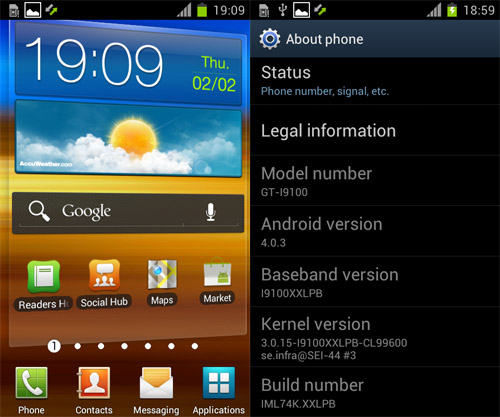













 still u need to put that cwm.zip inside ur sd card la bang... coz rom manager need that ... dude...


 Otterbox also got protection





 0.1942sec
 0.47
0.47
 6 queries
 GZIP Disabled