Welcome Guest ( Log In | Register )

Bump Topic Topic Closed RSS Feed
133 Pages « < 30 31 32 33 34 > » Bottom

Outline · [ Standard ] · Linear+

 Samsung Galaxy Note II LYN's Official Thread V11, 5 million sold already!!

views
     
GHOSTVIC
post Dec 6 2012, 12:08 PM

Casual
***
Junior Member
369 posts

Joined: Nov 2010
Guys im not so sure but, believe previously someone has posted in this forum about buying guide of SGNOTE2..

what r the things need to check and verify before get NOTE 2..
the steps / items..
gensys
post Dec 6 2012, 12:09 PM

Just got Another STAR! :)
****
Senior Member
577 posts

Joined: Oct 2008


QUOTE(nicregi @ Dec 6 2012, 11:54 AM)
Seriously slamming? Holly smoke!!!
*
Yup, i slam it on my table runner. made out of plastic. came out and back in perfectly without any scratch or mark.


Added on December 6, 2012, 12:10 pmbut pls do it in a smart way lah... don't try to slam it like in WWE just gentle slam.

This post has been edited by gensys: Dec 6 2012, 12:10 PM
sklchan
post Dec 6 2012, 12:27 PM

~~Life Goes On~~
*******
Senior Member
6,357 posts

Joined: Feb 2008
From: Penang


QUOTE(nicregi @ Dec 6 2012, 11:31 AM)
Adjustusing the taps. Don't touch gpu. Just the voltage. See below.

Original is say 1400000. Reduce them by drag the level. -25000 1 time.see 1600 mhz for reference.
*
CPU:

200MHz - 725mv
1700MHz - 1275mv
1800MHz - 1275mv

The rest all -100mv from default, DO NOT adjust >-100mv for 1600MHz, 1100MHz & 1000MHz as this will cause intermittent hang

GPU:

Min Freq - 54MHz
Max Freq - 533MHz (those extra >533MHz setting will eat more batt)

All voltage -50mv from default, anymore then this you might facing tearing on some benchmark/games even hang.

Audio:

Speaker Tuning - Disable (enable will causing major distortion and breaking sound, not nice to hear)

Speaker Gain - +6 (max), increased volume without/minor distortion and breaking sound, please control your max volume to prevent speaker damage in long run.

Others - I just choose the Eargasm, another 2 setting I leave it enable as default and another 2 setting disable.


Remember, every device build not the same, what work for me not really will 100% working for you... so good luck... icon_rolleyes.gif
kongkkm
post Dec 6 2012, 12:31 PM

~~Overcomer~~
****
Senior Member
647 posts

Joined: Sep 2009


QUOTE(sklchan @ Dec 6 2012, 12:27 PM)
» Click to show Spoiler - click again to hide... «

*
I'm using NEAK kernel, can I use the setting above? tongue.gif
sklchan
post Dec 6 2012, 12:36 PM

~~Life Goes On~~
*******
Senior Member
6,357 posts

Joined: Feb 2008
From: Penang


QUOTE(kongkkm @ Dec 6 2012, 12:31 PM)
I'm using NEAK kernel, can I use the setting above? tongue.gif
*
not sure, never on NEAK before, but for redpill i do see the CPU for 200MHz can even lower 1 extra step... so yeah these OC/UV mods are kernel dependent... hmm.gif
andrewtho
post Dec 6 2012, 12:42 PM

Hooded Knight
*******
Senior Member
5,936 posts

Joined: Dec 2009
From: City of Subang Jaya
QUOTE(gensys @ Dec 6 2012, 11:45 AM)
Slamming the SPen to a hard object to open it works. No marks left behind.
Earlier read someone use something to open his Spen and leave a mark?
*
Yup it does. I used a thin blade to open it. Left a mark.

Wonder if sc allow me to replace a new one since my pen is still over sensitive
crazyissac
post Dec 6 2012, 12:56 PM

Regular
******
Senior Member
1,457 posts

Joined: May 2009
From: In front of my laptop


QUOTE(nicregi @ Dec 6 2012, 11:31 AM)
Adjustusing the taps. Don't touch gpu. Just the voltage. See below.

Original is say 1400000. Reduce them by drag the level. -25000 1 time.see 1600 mhz for reference.
*
reduce the voltage will....? save battery life ?@@
so u mean reduce 1.8 same like 1.6 ?@@
sry i just too noob doh.gif
crazyissac
post Dec 6 2012, 01:02 PM

Regular
******
Senior Member
1,457 posts

Joined: May 2009
From: In front of my laptop


QUOTE(sklchan @ Dec 6 2012, 12:27 PM)
CPU:

200MHz - 725mv
1700MHz - 1275mv
1800MHz - 1275mv

The rest all -100mv from default, DO NOT adjust >-100mv for 1600MHz, 1100MHz & 1000MHz as this will cause intermittent hang

GPU:

Min Freq - 54MHz
Max Freq - 533MHz (those extra >533MHz setting will eat more batt)

All voltage -50mv from default, anymore then this you might facing tearing on some benchmark/games even hang.

Audio:

Speaker Tuning - Disable (enable will causing major distortion and breaking sound, not nice to hear)

Speaker Gain - +6 (max), increased volume without/minor distortion and breaking sound, please control your max volume to prevent speaker damage in long run.

Others - I just choose the Eargasm, another 2 setting I leave it enable as default and another 2 setting disable.
Remember, every device build not the same, what work for me not really will 100% working for you... so good luck...  icon_rolleyes.gif

*
how to -100mv and - 50mv ?@@"
1mv = 1000uv right ?@@
sweat.gif


Added on December 6, 2012, 1:05 pm
QUOTE(suirbaX @ Dec 6 2012, 01:00 PM)
Open STweaks, first tab

Tick Set On Boot

CPU MAX FREQ
800~1200MHz is pretty much usable..
Otherwise 600MHz is enough

And press apply. And you're done
*
so the reason why set the cpu freq is to save battery life ?
that's mean if i no much gaming then i reduce to 600Mhz
and if i want to playing game then switch back to max like 1.8 ?


This post has been edited by crazyissac: Dec 6 2012, 01:05 PM
gensys
post Dec 6 2012, 01:13 PM

Just got Another STAR! :)
****
Senior Member
577 posts

Joined: Oct 2008


QUOTE(andrewtho @ Dec 6 2012, 12:42 PM)
Yup it does. I used a thin blade to open it. Left a mark.

Wonder if sc allow me to replace a new one since my pen is still over sensitive
*
for those who wants to adjust the sensitivity of the spen, just gently slam it (i use a rubber mat) it would open easily.
dannygeni
post Dec 6 2012, 01:16 PM

Regular
******
Senior Member
1,804 posts

Joined: Jun 2009


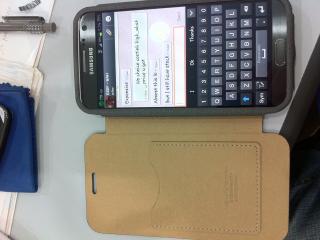
My new case. Spigen


Attached thumbnail(s)
Attached Image Attached Image
how5day
post Dec 6 2012, 01:32 PM

Getting Started
**
Junior Member
89 posts

Joined: May 2006


No stock no stock no stock in all digiiiiii
thsean
post Dec 6 2012, 01:33 PM

New Member
*
Newbie
3 posts

Joined: Dec 2012
can i know how to lock or unlock the screen without pressing the power button.

i googled about using the proximity autolock...but i cant figure out which options to check, and which to leave it unchecked.

can anyone help? i wanna save my power button and home button. XD unsure.gif
antt00
post Dec 6 2012, 01:33 PM

RescuE
********
All Stars
10,873 posts

Joined: Apr 2009
Uv of cpu, gpu or screen is kinda useless if your goal is to save battery. It's just minutes. More times it causes issues than savings energy if not properly done.

The big savings are disable auto brightness and use lowest possible brightness u can tahan, turn off data when not required, underclock.

Or just buy a spare battery or power pack lar.
antt00
post Dec 6 2012, 01:37 PM

RescuE
********
All Stars
10,873 posts

Joined: Apr 2009
QUOTE(suirbaX @ Dec 6 2012, 01:36 PM)
For me, it's underclock + undervolt + lowest brightness...

Expected to last 6~7 hours screen time on 3G
*
If u remove the uv i m sure you will still get the same screen time. Its the uc n screen brightness that is saving batt.
sklchan
post Dec 6 2012, 01:47 PM

~~Life Goes On~~
*******
Senior Member
6,357 posts

Joined: Feb 2008
From: Penang


UV will get you between 5%~10% power saving in idling mode... nod.gif
benny888
post Dec 6 2012, 01:47 PM

Gadget Freak
Group Icon
Elite
27,801 posts

Joined: Jun 2007
From: Johor


QUOTE(thsean @ Dec 6 2012, 01:33 PM)
can i know how to lock or unlock the screen without pressing the power button.

i googled about using the proximity autolock...but i cant figure out which options to check, and which to leave it unchecked.

can anyone help? i wanna save my power button and home button. XD  unsure.gif
*
Don't worry about the home button
This is not iphone
Worry this for nothing
Noobi3
post Dec 6 2012, 01:49 PM

Look at all my stars!!
*******
Senior Member
4,984 posts

Joined: May 2010
From: South Pole


QUOTE(suirbaX @ Dec 6 2012, 01:43 PM)
Then why did people risk uv-ing?
*
Because battery life and kernel wasn't that good b4 . It improved alot over time . Even stock roms are good enough for daily use with minimum lag .
thsean
post Dec 6 2012, 01:49 PM

New Member
*
Newbie
3 posts

Joined: Dec 2012
QUOTE(benny888 @ Dec 6 2012, 01:47 PM)
Don't worry about the home button
This is not iphone
Worry this for nothing
*
okie dokie.
tot31
post Dec 6 2012, 01:56 PM

I DON'T GIVE A DAMN
*******
Senior Member
2,451 posts

Joined: Jan 2003
From: GOD's Land


QUOTE(thsean @ Dec 6 2012, 01:33 PM)
can i know how to lock or unlock the screen without pressing the power button.

i googled about using the proximity autolock...but i cant figure out which options to check, and which to leave it unchecked.

can anyone help? i wanna save my power button and home button. XD  unsure.gif
*
I'm using this Proximity Screen Off.. It has features like hand gestures to On and Off your screen as well as Flip mode. It has a Lite version which is free. Swiping using your hand to screen off and off is really cool... biggrin.gif

This post has been edited by tot31: Dec 6 2012, 01:56 PM
fruitie
post Dec 6 2012, 02:05 PM

Rise and Shine
Group Icon
Staff
72,803 posts

Joined: Sep 2005
From: KUL

QUOTE(dannygeni @ Dec 6 2012, 01:16 PM)
My new case. Spigen
*
This is what I wanted, the purple and pink colour are nice. thumbup.gif
How much did you buy yours?

133 Pages « < 30 31 32 33 34 > » Top
Topic ClosedOptions
 

Change to:
| Lo-Fi Version
0.0248sec    0.75    6 queries    GZIP Disabled
Time is now: 3rd December 2025 - 08:09 PM