Welcome Guest ( Log In | Register )

Bump Topic Topic Closed RSS Feed
6 Pages  1 2 3 > » Bottom

Outline · [ Standard ] · Linear+

 [WTS] HIMEDIA Q5 Pro Quad Core 4K Smart Android TV, preload with Android 7 Nougat

views
     
TSnicety
post Nov 22 2012, 12:45 AM, updated 7y ago

Getting Started
**
Junior Member
108 posts

Joined: Aug 2011
From: Penang


Item: Himedia Q5 Pro Android TV Box

OS: Google Android 7 Nougat

Chipset: HiSilicon Hi3798C V200

CPU: Quad-core 64bit Cortex A53 CPU and quad-core Mail-720 GPU.

Memory: 2GB fast DDR3 RAM

Internal flash: 8GB eMMC 5.0

Resolution: Max. 4K(3840*2160 @60fps)

Video Decoding Format: H.265/HEVC 4Kx2K@60fps, H.264 4Kx2K@30fps, VP9 4Kx2k@60fps, VC-1 1080P@60fps, MPEG1/2/4

Video File Format: FLV, MOV, AVI, MKV, TS, M2TS, MP4, 3GP, MPG, 3D MVC, BDISO/BDMV Blu-ray Simple Navigation

Audio Decoding Format: DTS-HD, Dolby Digital Plus, MPEG L1/L2, AAC-LC, HE AAC V1/V2, APE/FLAC/Ogg/AMR-NB/WB, G.711(u/a)

Audio File Format: MP3, APE, Flac, AAC,Ogg,

Picture : JPG, BMP, GIF, PNG etc.

LAN : Gigabit Ethernet, Transfer Rate: 10/100/1000Mbps

WiFi: Dual Band WiFi: 2.4GHz/5GHz 802.11a/b/g/n/ac

Bluetooth: Bluetooth 4.0 + EDR (enhanced data rate)

Video Output: HDMI2.0a x1, CVBS x1,

Audio Output : R/L Stereo x1, Optical Digital Audio x1

USB : USB 2.0 x2, USB 3.0 x1

TF Card : 1

Remote Controller : Intelligent Infrared Remote

Voltage Input: 100-240V 50/60Hz

Output: 12V,2A

Design Material: Mental Case

Color: Silver

Dimensions : 170 x 110 x 25mm

Q5 Pro Price : RM490

For warranty purpose, pls place your order at the below link :
http://penangapps.com/Common/Ads.aspx?AdsID=185

Warranty: 12 months warranty

Package includes: Android Player, HDMI cable, User manual, Power adaptor and IR Remote Controller.

Dealing method: COD Penang, Poslaju WM=RM10, Poslaju EM=RM15

Location of seller: Penang

Contact method/details: nicety@penangapps.com or PM

1). Himedia Q10 Pro/Q5 Pro support 4K HDR, what is HDR (High-dynamic-range) mean ?
https://forum.lowyat.net/topic/2807510/+367

2). What is DTS-X support in Q5 Pro and Q10 Pro ?
https://forum.lowyat.net/topic/2807510/+344

3). What is 10bit color?
https://forum.lowyat.net/topic/2807510/+369

4). What is 10bit color?
https://forum.lowyat.net/topic/2807510/+369

5). What are the Q5/Q10 Pro supported peripherals?
http://www.futeko.com/newforum/index.php?topic=904.0

Attached Image Attached Image


Android Smart TV Box is not mean to replace traditional TV station but additional media center at your home performing different roles :


1). Play media files MP4, MKV, RMVB, Blu-ray and high quality audio codec, TrueHD/DTSHDMA 5.1 or 7.1 channel.

2). Transform your TV became Smart TV to browse Internet or email.

3). Works similarly as Android phone, down load and play Android Apps or Android Games.

4). Airplay the music from iPhone or iPad to your sound system(Hifi/AV receiver)

5). Share files with PC or vice versa.

6). Online streaming movies and dramas.

7). Free China Live TV channels and other Live TV Channels. ( Free live TV is do not have guaranteed service level )

8). To play subscribption base IPTV service such as CloudTV (cloudTv.bz)


Guideline for new buyer:
Please check here -> https://forum.lowyat.net/index.php?showtopi...post&p=67644791


Below are our value added services offer to customers for free :
1). Preinstall common streaming apps and useful Android tools
2). Pre-configured and ready to use apps such as xBMC/Kodi included addons
3). Post sales support and sharing common issues and solutions.
4). Quick start guide to shorten the learning curve.
5). Provision customer files repository in our SKYDRIVE storing various firmware versions, APK files, step by step guides.
6). Quick delivery, next business day dispatch.


FAQ
» Click to show Spoiler - click again to hide... «


Package includes: Android Player, HDMI cable, User manual, Power adaptor and IR Remote Controller.

Dealing method: COD Penang, Poslaju WM=RM10, Poslaju EM=RM12

Location of seller: Penang

Contact method/details: nicety@penangapps.com or PM

Age of item: New

This post has been edited by nicety: Jun 28 2018, 09:56 PM


Attached thumbnail(s)
Attached Image Attached Image Attached Image Attached Image
cklai
post Nov 22 2012, 02:57 PM

New Member
*
Junior Member
7 posts

Joined: Oct 2012


New product pm best pricer thx can suppoort 3d can watch hk drama pps
TSnicety
post Nov 22 2012, 09:32 PM

Getting Started
**
Junior Member
108 posts

Joined: Aug 2011
From: Penang


QUOTE(cklai @ Nov 22 2012, 02:57 PM)
New product  pm best pricer thx can suppoort 3d can watch hk drama pps
*
Yes, watch PPS is working perfectly. If you target for 3D movies maybe you have to consider other model HD900 model -> http://www.himedia-tech.cn/product_show.php?id=35

This post has been edited by nicety: Nov 22 2012, 11:37 PM
soapkeong
post Nov 23 2012, 10:13 AM

Getting Started
**
Junior Member
71 posts

Joined: Sep 2005


You mean HK drama is on PPS.TV apps? this is different from those IPTV where like astro or hyppo unifi right?
TSnicety
post Nov 23 2012, 12:24 PM

Getting Started
**
Junior Member
108 posts

Joined: Aug 2011
From: Penang


QUOTE(soapkeong @ Nov 23 2012, 10:13 AM)
You mean HK drama is on PPS.TV apps? this is different from those IPTV where like astro or hyppo unifi right?
*
I hope I understand your question correctly.
Default PPS.TV could not watch HK drama if your IP address within Malaysia range. But there is way to made it work. The device will preinstall with PPS could watch TVB latest drama.
soapkeong
post Nov 23 2012, 03:20 PM

Getting Started
**
Junior Member
71 posts

Joined: Sep 2005


QUOTE(nicety @ Nov 23 2012, 12:24 PM)
I hope I understand your question correctly.
Default PPS.TV could not watch HK drama if your IP address within Malaysia range. But there is way to made it work. The device will preinstall with PPS could watch TVB latest drama.
*
Hmm... I'm still not clear.. is this just a media player box ( where need to search online website for video streaming) rather than something like astro or hyppo TV ( unifi) right? Sorry I'm not familiar with this hope to make it clear before I get from you.

TSnicety
post Nov 23 2012, 04:49 PM

Getting Started
**
Junior Member
108 posts

Joined: Aug 2011
From: Penang


QUOTE(soapkeong @ Nov 23 2012, 03:20 PM)
Hmm... I'm still not clear.. is this just a media player box ( where need to search online website for video streaming)  rather than something like astro or hyppo TV ( unifi) right? Sorry I'm not familiar with this hope to make it clear before I get from you.
*
Let me simplified the explaination. The Android TV is similar to any Android tablet except the box do not have touch screen and phone function. Your TV connected to the Android box become the screen. The box itself has memory, processors, GPU to run the Android OS. Additional, you could install Android Apps from Google Play Store. One of the Android Apps is PPS.TV -> http://dl.pps.tv/pps_android_download.html . To watch the TVB drama, just start the PPS apps then you have list of drama to choose and play. Pls do not compare with Astro or Hyppo. Astro is using there proprietary decoder to play movies and Hyppo is web live TV streaming services.

Pls compare with any Android phones or Android tablet.

The different between traditional media and Android TV is the OS. Android OS give the flexibility to install Android apps and games.


staggerler
post Nov 23 2012, 05:09 PM

Getting Started
**
Junior Member
201 posts

Joined: Jan 2006


do u need to have a smart tv for this?
TSnicety
post Nov 23 2012, 07:20 PM

Getting Started
**
Junior Member
108 posts

Joined: Aug 2011
From: Penang


QUOTE(staggerler @ Nov 23 2012, 05:09 PM)
do u need to have a smart tv for this?
*
Not required, it could be use for any plasma, LCD, led or even old CRT TV, but the resolution for CRT TV is only 480p.

General speaking, once you plug in the Android TV, your none smart TV become smart TV, could browse Internet and play Android Apps.
limjonyee
post Nov 24 2012, 01:44 AM

Casual
***
Junior Member
329 posts

Joined: May 2005


hi, pm me the best price and warranty info. thanks!
TSnicety
post Nov 24 2012, 10:25 PM

Getting Started
**
Junior Member
108 posts

Joined: Aug 2011
From: Penang


QUOTE(limjonyee @ Nov 24 2012, 01:44 AM)
hi, pm me the best price and warranty info. thanks!
*
Thank you bro, 12 months factory warranty.
limjonyee
post Nov 30 2012, 12:17 PM

Casual
***
Junior Member
329 posts

Joined: May 2005


Received item from seller. One of the most polite seller in lyn. He always reply to queries and very informative too. Will surely deal with him again. Thanks!
TSnicety
post Nov 30 2012, 11:57 PM

Getting Started
**
Junior Member
108 posts

Joined: Aug 2011
From: Penang


QUOTE(limjonyee @ Nov 30 2012, 12:17 PM)
Received item from seller. One of the most polite seller in lyn. He always reply to queries and very informative too. Will surely deal with him again. Thanks!
*
Thank you bro, as promised we will continue share the knowledge as much as we could. Some of the info actually given by my customers and I just share with other customers :-)
kasimura
post Dec 9 2012, 07:24 PM

New Member
*
Junior Member
22 posts

Joined: Jul 2012


QUOTE(nicety @ Nov 23 2012, 04:49 PM)
Let me simplified the explaination. The Android TV is similar to any Android tablet except the box do not have touch screen and phone function. Your TV connected to the Android box become the screen. The box itself has memory, processors, GPU to run the Android OS. Additional, you could install Android Apps from Google Play Store. One of the Android Apps is PPS.TV -> http://dl.pps.tv/pps_android_download.html . To watch the TVB drama, just start the PPS apps then you have list of drama to choose and play. Pls do not compare with Astro or Hyppo. Astro is using there proprietary decoder to play movies and Hyppo is web live TV streaming services.

Pls compare with any Android phones or Android tablet.

The different between traditional media and Android TV is the OS. Android OS give the flexibility to install Android apps and games.
*
Are the streaming movies and serials only from HK? What about other countries, ie English TV shows and movies? Is there any subscription to pay to access the stream?

It can play 3D games (I think) but can it play 3D movies? You mentioned Himedia 900 for 3D movies, why? It plays BDMV and BDISO files doesn't it?

Some of the Android Market apps for smartphones can play full-length HD movies. So with this media player we should be able to do so on our TV, right?

It's disappointing to note that Q5 can't handle x264 files. Will future software update be able to solve this deficit?

I am keen to get this for its full Android OS function (ie with built-in Android Market) and free streaming TV shows and movies , especially at the promo price. Want to replace expensive Astro to reduce monthly bills. Though the streaming shows might not have popular TV shows like Discovery, etc, I hope to compensate it with Android apps that can access these shows. I had actually bought AVF AH069 (DON'T BUY!!!) but am really disappointed with it when I discovered that its Android function is rubbish! vmad.gif It does not even come with Android Market and I can even install it at all! I have to live with the useless and boring apps that came with it! The streaming apps that it provides do not work at all even though AVF website claims otherwise. Felt that I got conned big time! vmad.gif So now I am quite wary about claims of features and specs. hmm.gif I hope you can give honest answers and opinion especially on its inadequacies and negative points. Don't want to be conned a 2nd time and esp. after spending so much some more! icon_question.gif Thanks.
alexloon
post Dec 9 2012, 10:26 PM

Getting Started
**
Junior Member
100 posts

Joined: Jan 2003
QUOTE(kasimura @ Dec 9 2012, 07:24 PM)
Are the streaming movies and serials only from HK? What about other countries, ie English TV shows and movies? Is there any subscription to pay to access the stream?

It can play 3D games (I think) but can it play 3D movies? You mentioned Himedia 900 for 3D movies, why? It plays BDMV and BDISO files doesn't it?

Some of the Android Market apps for smartphones can play full-length HD movies. So with this media player we should be able to do so on our TV, right?

It's disappointing to note that Q5 can't handle x264 files. Will future software update be able to solve this deficit?

I am keen to get this for its full Android OS function (ie with built-in Android Market) and free streaming TV shows and movies , especially at the promo price. Want to replace expensive Astro to reduce monthly bills. Though the streaming shows might not have popular TV shows like Discovery, etc, I hope to compensate it with Android apps that can access these shows. I had actually bought AVF AH069 (DON'T BUY!!!) but am really disappointed with it when I discovered that its Android function is rubbish!  vmad.gif It does not even come with Android Market and I can even install it at all! I have to live with the useless and boring apps that came with it! The streaming apps that it provides do not work at all even though AVF website claims otherwise. Felt that I got conned big time!  vmad.gif  So now I am quite wary about claims of features and specs.  hmm.gif  I hope you can give honest answers and opinion especially on its inadequacies and negative points. Don't want to be conned a 2nd time and esp. after spending so much some more! icon_question.gif  Thanks.
*
haha.. i have the same reason and i already looking/study for it for a week just to understand how it works and of cause... Which brand and Model is really working.
And google search finally brought me here, this is a cool stuff.

I almost decide to get MK808 V2 but it make me pause awhile because it only play Highest bitrate 50mbps. And it cost rm200+.
The pause is because i'm not sure is Highest bitrate 50mbps ENOUGH?

How about this Q5, the Highest bitrate is? blink.gif


TSnicety
post Dec 10 2012, 12:56 AM

Getting Started
**
Junior Member
108 posts

Joined: Aug 2011
From: Penang


QUOTE(kasimura @ Dec 9 2012, 07:24 PM)
Are the streaming movies and serials only from HK? What about other countries, ie English TV shows and movies? Is there any subscription to pay to access the stream?

It can play 3D games (I think) but can it play 3D movies? You mentioned Himedia 900 for 3D movies, why? It plays BDMV and BDISO files doesn't it?

Some of the Android Market apps for smartphones can play full-length HD movies. So with this media player we should be able to do so on our TV, right?

It's disappointing to note that Q5 can't handle x264 files. Will future software update be able to solve this deficit?

I am keen to get this for its full Android OS function (ie with built-in Android Market) and free streaming TV shows and movies , especially at the promo price. Want to replace expensive Astro to reduce monthly bills. Though the streaming shows might not have popular TV shows like Discovery, etc, I hope to compensate it with Android apps that can access these shows. I had actually bought AVF AH069 (DON'T BUY!!!) but am really disappointed with it when I discovered that its Android function is rubbish!  vmad.gif It does not even come with Android Market and I can even install it at all! I have to live with the useless and boring apps that came with it! The streaming apps that it provides do not work at all even though AVF website claims otherwise. Felt that I got conned big time!  vmad.gif  So now I am quite wary about claims of features and specs.  hmm.gif  I hope you can give honest answers and opinion especially on its inadequacies and negative points. Don't want to be conned a 2nd time and esp. after spending so much some more! icon_question.gif  Thanks.
*
Thank you bro for your inquiry. The video streaming mainly from HK, Taiwan, Korea, and China because most of the free streaming apps was developed in China, however there are some US based streaming apps like IMdb and IceStream. To be honest, US movies are limited due to license issues. Although those China Streaming apps included some English movies unfortunately the apps menu all in Chinese only.

Refer to my thread, the support video format does not include BDMV and BDISO. If you refer to HiMedia 910B, both format are supported. Although the processor Hi3716C capable to support 3D graphic processing, but I would not over sell since Himedia does not mentioned Q5 support 3D movies.

Do you mean Full-length HD is 1080p? If yes, then no problem at all.

If you refer to my thread Q5 support H.264 video Codec. Please correct me if I did not understand your question correctly.

As you know, most of the media player or Android TV are manufacture in China, some of the manufacturer do not test properly and release to market. My advise to my customer is do not attracted by the latest processors and latest Android OS version but choose the reliable manufacture and stable device.

If your objective is to watch downloaded movies, you could choose Himedia 600 or 900 series. If your expectation is Android Apps, online streaming and browse internet then Q series is good choice or cheaper model http://forum.lowyat.net/index.php?showtopic=2430627&hl= which I have tested and confirmed work without problem.

The default Google Play Store(new name Android Market) has pres-installed, I have tested and guaranteed it works.

In case I missed reply any question, please kindly remind me.


Added on December 10, 2012, 1:38 am
QUOTE(alexloon @ Dec 9 2012, 10:26 PM)
haha.. i have the same reason and i already looking/study for it for a week just to understand how it works and of cause... Which brand and Model is really working.
And google search finally brought me here, this is a cool stuff.

I almost decide to get MK808 V2 but it make me pause awhile because it only play Highest bitrate 50mbps. And it cost rm200+.
The pause is because i'm not sure is Highest bitrate 50mbps ENOUGH?

How about this Q5, the Highest bitrate is?  blink.gif
*
Thank you for inquiry bro, below is the typical bit rate for different media, 50Mbps is not low if I compare with typical Blue Ray Bitrate.

Video
16 kbit/s – videophone quality (minimum necessary for a consumer-acceptable "talking head" picture using various video compression schemes)
128–384 kbit/s – business-oriented videoconferencing quality using video compression
1.5 Mbit/s max – VCD quality (using MPEG1 compression)[17]
3.5 Mbit/s typ — Standard-definition television quality (with bit-rate reduction from MPEG-2 compression)
9.8 Mbit/s max – DVD (using MPEG2 compression)[18]
8 to 15 Mbit/s typ – HDTV quality (with bit-rate reduction from MPEG-4 AVC compression)
19 Mbit/s approximate — HDV 720p (using MPEG2 compression)[19]
24 Mbit/s max — AVCHD (using MPEG4 AVC compression)[20]
25 Mbit/s approximate — HDV 1080i (using MPEG2 compression)[19]
29.4 Mbit/s max – HD DVD
40 Mbit/s max – Blu-ray Disc (using MPEG2, AVC or VC-1 compression)[21]

I have no info about the Q5 bitrate, but I tested 38GB of huge MKV file with no problem.

This post has been edited by nicety: Dec 10 2012, 01:38 AM
kasimura
post Dec 10 2012, 06:27 PM

New Member
*
Junior Member
22 posts

Joined: Jul 2012


QUOTE(nicety @ Dec 10 2012, 12:56 AM)
Thank you bro for your inquiry. The video streaming mainly from HK, Taiwan, Korea, and China because most of the free streaming apps was developed in China, however there are some US based streaming apps like IMdb and IceStream. To be honest, US movies are limited due to license issues. Although those China Streaming apps included some English movies unfortunately the apps menu all in Chinese only.

Refer to my thread, the support video format does not include BDMV and BDISO. If you refer to HiMedia 910B, both format are supported. Although the processor Hi3716C capable to support 3D graphic processing, but I would not over sell since Himedia does not mentioned Q5 support 3D movies.

Do you mean Full-length HD is 1080p? If yes, then no problem at all.

If you refer to my thread Q5 support H.264 video Codec. Please correct me if I did not understand your question correctly.

As you know, most of the media player or Android TV are manufacture in China, some of the manufacturer do not test properly and release to market. My advise to my customer is do not attracted by the latest processors and latest Android OS version but choose the reliable manufacture and stable device.

If your objective is to watch downloaded movies, you could choose Himedia 600 or 900 series. If your expectation is Android Apps, online streaming and browse internet then Q series is good choice or cheaper model http://forum.lowyat.net/index.php?showtopic=2430627&hl= which I have tested and confirmed work without problem.

The default Google Play Store(new name Android Market) has pres-installed, I have tested and guaranteed it works.

In case I missed reply any question, please kindly remind me.


Added on December 10, 2012, 1:38 am

Thank you for inquiry bro, below is the typical bit rate for different media, 50Mbps is not low if I compare with typical Blue Ray Bitrate.

Video
    16 kbit/s – videophone quality (minimum necessary for a consumer-acceptable "talking head" picture using various video compression schemes)
    128–384 kbit/s – business-oriented videoconferencing quality using video compression
    1.5 Mbit/s max – VCD quality (using MPEG1 compression)[17]
    3.5 Mbit/s typ — Standard-definition television quality (with bit-rate reduction from MPEG-2 compression)
    9.8 Mbit/s max – DVD (using MPEG2 compression)[18]
    8 to 15 Mbit/s typ – HDTV quality (with bit-rate reduction from MPEG-4 AVC compression)
    19 Mbit/s approximate — HDV 720p (using MPEG2 compression)[19]
    24 Mbit/s max — AVCHD (using MPEG4 AVC compression)[20]
    25 Mbit/s approximate — HDV 1080i (using MPEG2 compression)[19]
    29.4 Mbit/s max – HD DVD
    40 Mbit/s max – Blu-ray Disc (using MPEG2, AVC or VC-1 compression)[21]

I have no info about the Q5 bitrate, but I tested 38GB of huge MKV file with no problem.
*
Thanks for your prompt reply. The thing about H264, BDMV and BDISO I got it from other websites and reviews. Good to know it handles H264. As for BD and 3D, they aren't important because I already have the frustrating AVF player.

Are the streaming movie programs you mentioned free, ie without subscription? Some media player actually need to pay for the serial, etc. If the streaming shows are free , then can download by trial and error if don't know Mandarin characters. Anyway got lots of movies via BT. This Q5 has no BT function, correct? What I want is actually TV shows which some Google apps actually provide.

My original plan was to get a media player that can handle everything - Google apps, full HD 2D and 3D movies, net browsing and streaming TV shows and movies so that I can get rid of expensive Astro.Unfortunately got short changed with that AVF model despite researching. So now going through the works again. Q5 looks like a good choice. With HiControl browsing net would be easier. Can you please pm me best price for KL? Thanks.
TSnicety
post Dec 10 2012, 09:35 PM

Getting Started
**
Junior Member
108 posts

Joined: Aug 2011
From: Penang


QUOTE(kasimura @ Dec 10 2012, 06:27 PM)
Thanks for your prompt reply. The thing about H264, BDMV and BDISO I got it from other websites and reviews. Good to know it  handles H264. As for BD and 3D, they aren't important because I already have the frustrating AVF player.

Are the streaming movie programs you mentioned free, ie without subscription? Some media player actually need to pay for the serial, etc. If the streaming shows are free , then can download by trial and error if don't know Mandarin characters. Anyway got lots of movies via BT. This Q5 has no BT function, correct? What I want is actually TV shows which some Google apps actually provide.

My original plan was to get a media player that can handle everything - Google apps, full HD 2D and 3D movies, net browsing and streaming TV shows and movies so that I can get rid of expensive Astro.Unfortunately got short changed with that AVF model despite researching. So now going through the works again. Q5 looks like a good choice. With HiControl browsing net would be easier. Can you please pm me best price for KL? Thanks.
*
Thank you bro, the free streaming apps is PPS.TV, is totally free.

There plenty of BT apps for Andriod such as :
https://play.google.com/store/apps/details?...nt.client&hl=en
https://play.google.com/store/apps/details?...utorrent.client
https://play.google.com/store/apps/details?...w.torrent&hl=en


Added on December 10, 2012, 10:31 pm
QUOTE(alexloon @ Dec 9 2012, 10:26 PM)
haha.. i have the same reason and i already looking/study for it for a week just to understand how it works and of cause... Which brand and Model is really working.
And google search finally brought me here, this is a cool stuff.

I almost decide to get MK808 V2 but it make me pause awhile because it only play Highest bitrate 50mbps. And it cost rm200+.
The pause is because i'm not sure is Highest bitrate 50mbps ENOUGH?

How about this Q5, the Highest bitrate is?  blink.gif
*
Just got response from Q5 principle this morning, the local TS file video encoding bitrate until 80Mbps.

This post has been edited by nicety: Dec 10 2012, 10:32 PM
SUSnatzakaria
post Dec 11 2012, 09:33 PM

Regular
******
Senior Member
1,022 posts

Joined: Jan 2003
I have 2 of these and they work very well
TSnicety
post Dec 11 2012, 10:19 PM

Getting Started
**
Junior Member
108 posts

Joined: Aug 2011
From: Penang


QUOTE(natzakaria @ Dec 11 2012, 09:33 PM)
I have 2 of these and they work very well
*
Thank you so much bro for the sharing and free bump :-)
krayden
post Dec 12 2012, 10:32 PM

On my way
****
Junior Member
578 posts

Joined: Jun 2006


Can i use this to stream video from a NAS?
TSnicety
post Dec 12 2012, 10:52 PM

Getting Started
**
Junior Member
108 posts

Joined: Aug 2011
From: Penang


QUOTE(krayden @ Dec 12 2012, 10:32 PM)
Can i use this to stream video from a NAS?
*
There are two possibilities :
1). There is free ES Explorer apps where you can access the NAS server via Samba, NFS or Windows Shared folder. Pls explorer further from the below link about ES Explorer.
https://play.google.com/store/apps/details?...droid.pop&hl=en

2). If your NAS has media server enable, you could stream through uPnP client such as
https://play.google.com/store/apps/details?....silanoid&hl=en
https://play.google.com/store/apps/details?...ubbleupnp&hl=en

P/S : Android OS has the advantages of install millions of different apps free as per your requirement
krayden
post Dec 12 2012, 11:21 PM

On my way
****
Junior Member
578 posts

Joined: Jun 2006


I guess should be ok. My NAS has dlna and the bubble has xbmc. Thanks.
TSnicety
post Dec 12 2012, 11:28 PM

Getting Started
**
Junior Member
108 posts

Joined: Aug 2011
From: Penang


QUOTE(krayden @ Dec 12 2012, 11:21 PM)
I guess should be ok. My NAS has dlna and the bubble has xbmc. Thanks.
*
Then you can use DLNA client apps to stream from your NAS.

However, you will be surprise that NFS or Samba is faster and stable than DLNA. Pls see the comment in my another thread post#115 -> http://forum.lowyat.net/topic/2430627/+100


SUSnatzakaria
post Dec 13 2012, 09:54 PM

Regular
******
Senior Member
1,022 posts

Joined: Jan 2003
Do you know if they will be providing upgrade to JB?
Have you tried installing XBMC - doesnt work for me
TSnicety
post Dec 13 2012, 10:44 PM

Getting Started
**
Junior Member
108 posts

Joined: Aug 2011
From: Penang


QUOTE(natzakaria @ Dec 13 2012, 09:54 PM)
Do you know if they will be providing upgrade to JB?
Have you tried installing XBMC - doesnt work for me
*
At the moment they have no plan as it is not easy to stabilize in the ICS.

Will test the XBMC later and share with you :-)
SUSnatzakaria
post Dec 13 2012, 10:47 PM

Regular
******
Senior Member
1,022 posts

Joined: Jan 2003
Cant even install xbmc


Added on December 13, 2012, 10:48 pmor DramaFever unless I use some VPN and a hack to install flash

This post has been edited by natzakaria: Dec 13 2012, 10:48 PM
TSnicety
post Dec 14 2012, 12:33 AM

Getting Started
**
Junior Member
108 posts

Joined: Aug 2011
From: Penang


QUOTE(natzakaria @ Dec 13 2012, 10:47 PM)
Cant even install xbmc


Added on December 13, 2012, 10:48 pmor DramaFever unless I use some VPN and a hack to install flash
*
I managed to install xBMC server and xBMC Remote control. Drama Fever is not allow in Malaysia, will find a way to overcome this later and inform you.

This post has been edited by nicety: Dec 14 2012, 12:53 AM
SUSnatzakaria
post Dec 14 2012, 07:17 AM

Regular
******
Senior Member
1,022 posts

Joined: Jan 2003
XBMC server and remote control is useless.
DramaFever I have already installed and got it running
TSnicety
post Dec 14 2012, 08:47 AM

Getting Started
**
Junior Member
108 posts

Joined: Aug 2011
From: Penang


QUOTE(natzakaria @ Dec 14 2012, 07:17 AM)
XBMC server and remote control is useless.
DramaFever I have already installed and got it running
*
Bro, don't mind to share how made the DramaFever works and where you download the apk file? I believe it will benefit all the Android TV buyers.
SUSnatzakaria
post Dec 14 2012, 08:59 AM

Regular
******
Senior Member
1,022 posts

Joined: Jan 2003
Let me post later at night
syahbaha
post Dec 16 2012, 10:51 PM

New Member
*
Newbie
0 posts

Joined: Dec 2012
i want 1..how to order? when new stock will available? pm me please..
TSnicety
post Dec 16 2012, 11:05 PM

Getting Started
**
Junior Member
108 posts

Joined: Aug 2011
From: Penang


QUOTE(syahbaha @ Dec 16 2012, 10:51 PM)
i want 1..how to order? when new stock will available? pm me please..
*
Thank you for inquiry bro. Estimated new stock arrive by Friday.
Just click the below link to enter your mailing detail, full name and HO number, my bank detail will sent to you automatically.
SUSnatzakaria
post Dec 16 2012, 11:13 PM

Regular
******
Senior Member
1,022 posts

Joined: Jan 2003
QUOTE(nicety @ Dec 14 2012, 08:47 AM)
Bro, don't mind to share how made the DramaFever works and where you download the apk file? I believe it will benefit all the Android TV buyers.
*
In order to get dramafever to work is to trick the device to think its from US.
The only way this can be done is by using a VPN.
A decent VPN is SecurityKISS - free of coz
Next is to obtain the flash apk since the ICS no longer has flash.
Google and sideload install.


TSnicety
post Dec 16 2012, 11:53 PM

Getting Started
**
Junior Member
108 posts

Joined: Aug 2011
From: Penang


QUOTE(natzakaria @ Dec 16 2012, 11:13 PM)
In order to get dramafever to work is to trick the device to think its from US.
The only way this can be done is by using a VPN.
A decent VPN is SecurityKISS - free of coz
Next is to obtain the flash apk since the ICS no longer has flash.
Google and sideload install.
*
Thank you bro.
SUSnatzakaria
post Dec 17 2012, 11:29 PM

Regular
******
Senior Member
1,022 posts

Joined: Jan 2003
Managed to get XBMC running and watched SkySports and other LIVE TV Channels from UK and US.
Watchseries.us add on does not seem to work but found other alternatives.
Only problem is XBMC does not support hardware decoding on android yet unlike the AppleTV2 so low rez streams are fine but the HD streams tend to slowdown and stutter even with my 20Mbps unifi.
But its still a decent alternative to AppleTV2.

TSnicety
post Dec 18 2012, 12:00 AM

Getting Started
**
Junior Member
108 posts

Joined: Aug 2011
From: Penang


QUOTE(natzakaria @ Dec 17 2012, 11:29 PM)
Managed to get XBMC running and watched SkySports and other LIVE TV Channels from UK and US.
Watchseries.us add on does not seem to work but found other alternatives.
Only problem is XBMC does not support hardware decoding on android yet unlike the AppleTV2 so low rez streams are fine but the HD streams tend to slowdown and stutter even with my 20Mbps unifi.
But its still a decent alternative to AppleTV2.
*
Thank you bro. Actually the streaming technology is not just depend on Android or Apple TV but the apps design and the user community size is the key factors. I am streaming PPS with my 1Mbps streamyx line, everything is so smooth with 100kB/s transfer rate, so far I could not find any streaming apps better than PPS.TV, unfortunately PPS only available in mandarin. PPS is using P2P streaming technology, the bigger the user community the faster the streaming. http://en.wikipedia.org/wiki/PPS.tv

This post has been edited by nicety: Dec 18 2012, 12:08 AM
SUSnatzakaria
post Dec 18 2012, 12:07 AM

Regular
******
Senior Member
1,022 posts

Joined: Jan 2003
Yes too bad for the PPSTV and I have compared the video quality.
AppleTv2 is much better regardless of video source and I have made comparisons.
Maybe I will post video comparisons between this Android device against the ATV2 this weekend.
Just to get XBMC running on this device is good enough for me at the moment - and its running Frodo RC1 so maybe the final version may fix some of those issues.
TSnicety
post Dec 18 2012, 12:44 AM

Getting Started
**
Junior Member
108 posts

Joined: Aug 2011
From: Penang


QUOTE(natzakaria @ Dec 18 2012, 12:07 AM)
Yes too bad for the PPSTV and I have compared the video quality.
AppleTv2 is much better regardless of video source and I have made comparisons.
Maybe I will post video comparisons between this Android device against the ATV2 this weekend.
Just to get XBMC running on this device is good enough for me at the moment - and its running Frodo RC1 so maybe the final version may fix some of those issues.
*
Thank you bro, please don't get me wrong, we are not debating between Apple and Android here. There is pros and cons between Apple and Android, the important is the device serve the purpose required, running the free apps and watch the free movies.
limjonyee
post Dec 18 2012, 02:23 AM

Casual
***
Junior Member
329 posts

Joined: May 2005


Hi there, i have a question regarding XBMC and was researching on google, where it bought me here... what a coincidence... so how did u guys get Frodo RC1 XBMC to work on the Q5. For me, it just said your device is not compatible.... any tricks? please share. Thanks!
TSnicety
post Dec 18 2012, 11:35 PM

Getting Started
**
Junior Member
108 posts

Joined: Aug 2011
From: Penang


QUOTE(limjonyee @ Dec 18 2012, 02:23 AM)
Hi there, i have a question regarding XBMC and was researching on google, where it bought me here... what a coincidence... so how did u guys get Frodo RC1 XBMC to work on the Q5. For me, it just said your device is not compatible.... any tricks? please share. Thanks!
*
Sorry bro, I got the same error Device is not compatible.

@natzakaria, do you mind to share how do you make the XBMC Frodo RC1 work on Q5?
SUSnatzakaria
post Dec 19 2012, 09:22 AM

Regular
******
Senior Member
1,022 posts

Joined: Jan 2003
Let me review this weekend and post videos of it comparing with AppleTV2.
So far it's doing its job except for HD live streaming.
Once its acceptable I will post the tweaked apk
TSnicety
post Dec 19 2012, 10:08 PM

Getting Started
**
Junior Member
108 posts

Joined: Aug 2011
From: Penang


QUOTE(natzakaria @ Dec 19 2012, 09:22 AM)
Let me review this weekend and post videos of it comparing with AppleTV2.
So far it's doing its job except for HD live streaming.
Once its acceptable I will post the tweaked apk
*
Thank you so much bro :-)


Added on December 20, 2012, 10:47 pm
QUOTE(limjonyee @ Dec 18 2012, 02:23 AM)
Hi there, i have a question regarding XBMC and was researching on google, where it bought me here... what a coincidence... so how did u guys get Frodo RC1 XBMC to work on the Q5. For me, it just said your device is not compatible.... any tricks? please share. Thanks!
*
Hello Bro, I found the solution and successfully install the XBMC Frodo RC1 in my Q5, please choose None Neon Device

http://code.google.com/p/xbmc-android/down...f8.apk&can=2&q=
I just downloaded the XBMC APK file and install in Q5 successfully.

This post has been edited by nicety: Dec 22 2012, 09:23 PM
SUSnatzakaria
post Dec 22 2012, 09:57 AM

Regular
******
Senior Member
1,022 posts

Joined: Jan 2003
I have the RC2 now - but need someone to host it
TSnicety
post Dec 22 2012, 09:46 PM

Getting Started
**
Junior Member
108 posts

Joined: Aug 2011
From: Penang


QUOTE(natzakaria @ Dec 22 2012, 09:57 AM)
I have the RC2 now - but need someone to host it
*
Thank you bro, pls always feel free to share here.
SUSnatzakaria
post Dec 22 2012, 10:40 PM

Regular
******
Senior Member
1,022 posts

Joined: Jan 2003
Cant upload its over 50MB
limjonyee
post Dec 23 2012, 05:24 PM

Casual
***
Junior Member
329 posts

Joined: May 2005


QUOTE(nicety @ Dec 19 2012, 10:08 PM)
Thank you so much bro :-)


Added on December 20, 2012, 10:47 pm

Hello Bro, I found the solution and successfully install the XBMC Frodo RC1 in my Q5, please choose None Neon Device

http://code.google.com/p/xbmc-android/down...f8.apk&can=2&q=
I just downloaded the XBMC APK file and install in Q5 successfully.
*
Hi bro, thanks for pointing out the download. I just wanted a nice interface for the q5. Thanks.
TSnicety
post Dec 23 2012, 09:44 PM

Getting Started
**
Junior Member
108 posts

Joined: Aug 2011
From: Penang


QUOTE(limjonyee @ Dec 23 2012, 05:24 PM)
Hi bro,  thanks for pointing out the download. I just wanted a nice interface for the q5. Thanks.
*
No problem, pm me if you need additional help :-)
kaenji
post Dec 25 2012, 03:26 PM

New Member
*
Junior Member
15 posts

Joined: Dec 2009
QUOTE(nicety @ Nov 22 2012, 12:45 AM)
New Stock Arrive From Himedia Q5, special promotion price still continue RM399

user posted image

Item: Himedia Q5 Smart Android TV Box  ( refer to http://www.himedia-tech.cn/product_show.php?id=37 )

OS: Google Android 4.0.3

CPU: ARM Cortex™ A9, 1GHz

Memory: 1GB DDR

Nand flash: 4G

Price: RM399  (ready stock)

Place the order online and sent your mailing detail at http://penangapps.com/Common/Ads.aspx?AdsID=123

Warranty: 12 months factory warranty

Key Features:
- Fully metal design
- Sata Interface direct attached to SATA Harddisk
- 3 USB Host ports
- HiControl : Control the your TV Screen from your Android Phone
- HiShare : Share the movies or files from your Smart Phone with HiMedia Q5 Android TV box
- Mouse cursor control from the bundle remote control


Package includes: Android Player, HDMI cable, User manual, Power adaptor and IR Remote Controller.

Dealing method: COD Penang, Poslaju WM=RM10, Poslaju EM=RM12

Location of seller: Penang

Contact method/details: nicety@penangapps.com or PM

Age of item: New

user posted image
user posted image
user posted image

[attachmentid=3170033][attachmentid=3170036][attachmentid=3170040]
» Click to show Spoiler - click again to hide... «

*
pm best prices thx
i'm from penang too. can show demo?
TSnicety
post Dec 25 2012, 06:14 PM

Getting Started
**
Junior Member
108 posts

Joined: Aug 2011
From: Penang


QUOTE(kaenji @ Dec 25 2012, 03:26 PM)
pm best prices thx
i'm from penang too. can show demo?
*
Thank you for inquiry bro, no problem let me arrange the demo for you.
kasimura
post Dec 27 2012, 10:59 PM

New Member
*
Junior Member
22 posts

Joined: Jul 2012


QUOTE(nicety @ Dec 19 2012, 10:08 PM)
Thank you so much bro :-)


Added on December 20, 2012, 10:47 pm

Hello Bro, I found the solution and successfully install the XBMC Frodo RC1 in my Q5, please choose None Neon Device

http://code.google.com/p/xbmc-android/down...f8.apk&can=2&q=
I just downloaded the XBMC APK file and install in Q5 successfully.
*
Thanks for sharing. Have successfully installed XBMC Frodo RC1 in my Q5.


Added on December 27, 2012, 11:04 pm
QUOTE(natzakaria @ Dec 16 2012, 11:13 PM)
In order to get dramafever to work is to trick the device to think its from US.
The only way this can be done is by using a VPN.
A decent VPN is SecurityKISS - free of coz
Next is to obtain the flash apk since the ICS no longer has flash.
Google and sideload install.
*
Natzakaria, can you give more details on how to install the SecurityKISS VPN? Thanks.


This post has been edited by kasimura: Dec 27 2012, 11:04 PM
TSnicety
post Dec 27 2012, 11:06 PM

Getting Started
**
Junior Member
108 posts

Joined: Aug 2011
From: Penang


QUOTE(kasimura @ Dec 27 2012, 10:59 PM)
Thanks for sharing. Have successfully installed XBMC Frodo RC1 in my Q5.
*
No problem bro, RC2 has released. Just search from the same link provided above.

Found iMediaShare is not bad as well, you can download directly from GooglePlay :-)
kasimura
post Dec 27 2012, 11:07 PM

New Member
*
Junior Member
22 posts

Joined: Jul 2012


Peliculas HD ICS is a good app to watch English movies and some TV shows. AVG Antivirus said it comes with intrusive adware. It's not really a problem though.

This post has been edited by kasimura: Dec 27 2012, 11:12 PM
TSnicety
post Dec 27 2012, 11:15 PM

Getting Started
**
Junior Member
108 posts

Joined: Aug 2011
From: Penang


QUOTE(kasimura @ Dec 27 2012, 11:07 PM)
Peliculas HD ICS is a good app to watch English movies and some TV shows.
*
Noted bro will test Peliculas HD ICS soon. ( I will summary all the streaming Apps at the top of the thread, hope to share with more ppl )

About the SecureKiss setup setup, pls find the below link :
http://www.securitykiss.com/resources/tutorials/android/

First you need to registered with SecureKiss to get the login ID and password, SecureKiss will provide you the VPN Server IP address.
P/S : Free version of SecureKiss only limited to 300MB only
hykho
post Jan 4 2013, 02:45 PM

Getting Started
**
Junior Member
92 posts

Joined: Jun 2011
PM best price...
TSnicety
post Jan 4 2013, 10:08 PM

Getting Started
**
Junior Member
108 posts

Joined: Aug 2011
From: Penang


QUOTE(hykho @ Jan 4 2013, 02:45 PM)
PM best price...
*
Thank you bro, pmed to you already. Would be appreciated if you could place the order as per below link :

http://penangapps.com/Common/Ads.aspx?AdsID=123
feizaiII
post Jan 7 2013, 09:37 AM

***** Genuine? *****
*******
Senior Member
3,310 posts

Joined: Apr 2005
Hi ts.. thanks for putting a lot information about Q5 here.

Mind to share how to install XBMC and watch channel like skysport?
nelson3831
post Jan 7 2013, 12:19 PM

New Member
*
Junior Member
4 posts

Joined: Apr 2012
Still have? Pm me best price? Postage to klang? Thx
gwizardl
post Jan 7 2013, 04:06 PM

Getting Started
**
Junior Member
51 posts

Joined: Mar 2005
From: PJ


bro nicety, will u bring in Q10?
shon133
post Jan 7 2013, 05:13 PM

New Member
*
Junior Member
14 posts

Joined: Jul 2011
As you mention this Q5 can display on old CRT TV with display resolution 480i/p. I am looking like this media player, please pm me .


This post has been edited by shon133: Jan 7 2013, 05:58 PM
TSnicety
post Jan 8 2013, 12:38 AM

Getting Started
**
Junior Member
108 posts

Joined: Aug 2011
From: Penang


QUOTE(feizaiII @ Jan 7 2013, 09:37 AM)
Hi ts.. thanks for putting a lot information about Q5 here.

Mind to share how to install XBMC and watch channel like skysport?
*
I am so sorry bro, I believe you have download the wrong APK file, pls download the below and install as per below steps :

http://code.google.com/p/xbmc-android/down...0c.apk&can=2&q=

1). Install the downloaded APK file.
2). The first time launch will take some time for initialization.
3). After initialization, you should see menu Weather, Pictures, Video, Music and Program
4). Click Video and Add-ons
5). Click Get more, you should see list of the TV channel.
6). Select the channel and click install.
7). Continue to select your prefer channel and install. (Use cursor up/down to select)
8). Click the back Button to go back to Video Addons, then you can play the channel now.

P/s : XBMC Frodo is under Release Candidate 3, it is not final product and might not work 100% perfectly.
TSnicety
post Jan 8 2013, 12:41 AM

Getting Started
**
Junior Member
108 posts

Joined: Aug 2011
From: Penang


QUOTE(nelson3831 @ Jan 7 2013, 12:19 PM)
Still have?  Pm me best price?  Postage to klang?  Thx
*
Thank you bro, I feel very uncomfortable without response to the thread although already response to you via PM. Thank you for the inquiry :-)
TSnicety
post Jan 8 2013, 12:48 AM

Getting Started
**
Junior Member
108 posts

Joined: Aug 2011
From: Penang


QUOTE(gwizardl @ Jan 7 2013, 04:06 PM)
bro nicety, will u bring in Q10?
*
Yes, I will bring in Q10. If you need it urgent, I could bring in for you in the next batch. But to be noted that Q10 just launched last month, I am sure there will be bugs found in the new release. Therefore I slow down the speed to take in the Q10 until the second version firmware released.

This post has been edited by nicety: Jan 8 2013, 12:50 AM
TSnicety
post Jan 8 2013, 01:02 AM

Getting Started
**
Junior Member
108 posts

Joined: Aug 2011
From: Penang


QUOTE(shon133 @ Jan 7 2013, 05:13 PM)
As you mention this Q5 can display on old CRT TV with display resolution 480i/p. I am looking like this media player, please pm me .
*
Thank you for inquiry bro. The Q5 could support CBVS output(Yellow, Red, Wite cable) running PAL (576i) resolution or NTSC.


gwizardl
post Jan 8 2013, 05:44 PM

Getting Started
**
Junior Member
51 posts

Joined: Mar 2005
From: PJ


QUOTE(nicety @ Jan 8 2013, 12:48 AM)
Yes, I will bring in Q10. If you need it urgent, I could bring in for you in the next batch. But to be noted that Q10 just launched last month, I am sure there will be bugs found in the new release. Therefore I slow down the speed to take in the Q10 until the second version firmware released.
*
No rush bro, can wait better firmware, have u tested? allow save PPS to HDD? price please smile.gif
TSnicety
post Jan 8 2013, 09:12 PM

Getting Started
**
Junior Member
108 posts

Joined: Aug 2011
From: Penang


QUOTE(gwizardl @ Jan 8 2013, 05:44 PM)
No rush bro, can wait better firmware, have u tested? allow save PPS to HDD? price please smile.gif
*
Thank you bro, I wait for the next batch to bring in Q10 for my testing.

The price will be below RM499. I need to verify the custom duty tax before decide the price.
feizaiII
post Jan 9 2013, 12:39 AM

***** Genuine? *****
*******
Senior Member
3,310 posts

Joined: Apr 2005
QUOTE(nicety @ Jan 8 2013, 12:38 AM)
I am so sorry bro, I believe you have download the wrong APK file, pls download the below and install as per below steps :

http://code.google.com/p/xbmc-android/down...0c.apk&can=2&q=

1). Install the downloaded APK file.
2). The first time launch will take some time for initialization.
3). After initialization, you should see menu Weather, Pictures, Video, Music and Program
4). Click Video and Add-ons
5). Click Get more, you should see list of the TV channel.
6). Select the channel and click install.
7). Continue to select your prefer channel and install. (Use cursor up/down to select)
8). Click the back Button to go back to Video Addons, then you can play the channel now.

P/s : XBMC Frodo is under Release Candidate 3, it is not final product and might not work 100% perfectly.
*
Thx dude, very friendly and helpful here. I will try out tmr. Thanks again.
TSnicety
post Jan 9 2013, 10:11 AM

Getting Started
**
Junior Member
108 posts

Joined: Aug 2011
From: Penang


QUOTE(feizaiII @ Jan 9 2013, 12:39 AM)
Thx dude, very friendly and helpful here. I will try out tmr. Thanks again.
*
No problem bro :-)
kasimura
post Jan 17 2013, 12:37 AM

New Member
*
Junior Member
22 posts

Joined: Jul 2012


Check out viki app for some good TV series (with English subtitles). Just realised that Peliculas HD ICS is a trial app. Instal Peliculas HD. It is free and as good. Terminated my Astro and not missing a bit!
TSnicety
post Jan 17 2013, 11:40 AM

Getting Started
**
Junior Member
108 posts

Joined: Aug 2011
From: Penang


QUOTE(kasimura @ Jan 17 2013, 12:37 AM)
Check out viki app for some good TV series (with English subtitles). Just realised that Peliculas HD ICS is a trial app. Instal Peliculas HD. It is free and as good. Terminated my Astro and not missing a bit!
*
Thank you bro, will test the Viki and update in the thread to share with the rest of the forumers.
SUSnatzakaria
post Jan 17 2013, 12:16 PM

Regular
******
Senior Member
1,022 posts

Joined: Jan 2003
Viki works fine tested it sometime ago
SUSnatzakaria
post Jan 18 2013, 05:45 PM

Regular
******
Senior Member
1,022 posts

Joined: Jan 2003
Is youtube working? Where to download flash player?
TSnicety
post Jan 18 2013, 06:55 PM

Getting Started
**
Junior Member
108 posts

Joined: Aug 2011
From: Penang


QUOTE(natzakaria @ Jan 18 2013, 05:45 PM)
Is youtube working? Where to download flash player?
*
Yes, my YouTube is working, I will sent you the apk files tonight including the flash, sent me your email bro.
AwenThong
post Jan 21 2013, 09:19 PM

Getting Started
**
Junior Member
51 posts

Joined: Oct 2008
From: Pulau Pinang


Hi brother, where can I get this type of YPbPr component cable (1 output to 3 inputs) ? Thanks
TSnicety
post Jan 21 2013, 09:23 PM

Getting Started
**
Junior Member
108 posts

Joined: Aug 2011
From: Penang


QUOTE(AwenThong @ Jan 21 2013, 09:19 PM)
Hi brother, where can I get this type of YPbPr component cable (1 output to 3 inputs) ? Thanks
*
Sorry bro, not very sure where to buy. Maybe you share me wat do you plan to do, maybe there is better way to solve ur problem.
SUSnatzakaria
post Jan 21 2013, 09:46 PM

Regular
******
Senior Member
1,022 posts

Joined: Jan 2003
This box is definitely a good android media player.
Can even watch in HD the Australian Open live
Unfortunately not easy to teach to get it running since it involves close to 8 tweaks and steps
konakok
post Jan 22 2013, 03:35 AM

New Member
*
Junior Member
19 posts

Joined: Jan 2007
From: Penang Island


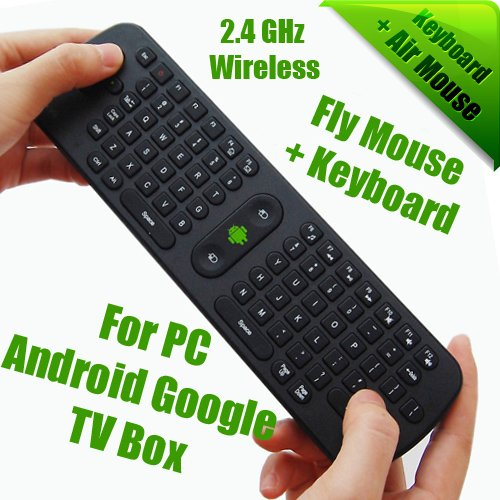
Please pm the bundle price of Air Mouse plus Player Q5 and Player Q5. Can COD in Penang!! Thanks
TSnicety
post Jan 22 2013, 08:46 AM

Getting Started
**
Junior Member
108 posts

Joined: Aug 2011
From: Penang


QUOTE(konakok @ Jan 22 2013, 03:35 AM)
Please pm the bundle price of Air Mouse plus Player Q5 and Player Q5. Can COD in Penang!! Thanks
*
Thank you for inquiry bro.

Just PMed to you, prefer cod location Air Itam or Greenlane.
elduck
post Jan 22 2013, 07:22 PM

New Member
*
Newbie
0 posts

Joined: Mar 2012
QUOTE(natzakaria @ Jan 21 2013, 09:46 PM)
This box is definitely a good android media player.
Can even watch in HD the Australian Open live
Unfortunately not easy to teach to get it running since it involves close to 8 tweaks and steps
*
I'm a buyer and am definitely enjoying using it. I download Korean dramas from a paid site and this box is super smart - I previously used the Seagate Media Player and that one has complex remote control that isn't user friendly. This one is much better although I recommend anyone thinking of getting this to purchase the Air Mouse as well (using your Android phone as a control is helpful but cumbersome - wonder if a USB keyboard is better).

I have essentially NO Astro and mainly watch Al Jazeera for news.

@ Natzakaria - I am having trouble with the Flash sites (bloomberg tv/Aussie Open) - reinstalled Flash from Nicety but it doesn't seem to work. Any advice?
TSnicety
post Jan 22 2013, 08:57 PM

Getting Started
**
Junior Member
108 posts

Joined: Aug 2011
From: Penang


QUOTE(elduck @ Jan 22 2013, 07:22 PM)
I'm a buyer and am definitely enjoying using it. I download Korean dramas from a paid site and this box is super smart - I previously used the Seagate Media Player and that one has complex remote control that isn't user friendly. This one is much better although I recommend anyone thinking of getting this to purchase the Air Mouse as well (using your Android phone as a control is helpful but cumbersome - wonder if a USB keyboard is better).

I have essentially NO Astro and mainly watch Al Jazeera for news.

@ Natzakaria - I am having trouble with the Flash sites (bloomberg tv/Aussie Open) - reinstalled Flash from Nicety but it doesn't seem to work. Any advice?
*
Thank you for the positive comment. It is more and more interesting to have more and more Q5 owner to participate in the discussion.

I sent the same flash APK to Natzakaria last week. Hope he could share something here.
SUSnatzakaria
post Jan 22 2013, 09:12 PM

Regular
******
Senior Member
1,022 posts

Joined: Jan 2003
QUOTE(elduck @ Jan 22 2013, 07:22 PM)
I'm a buyer and am definitely enjoying using it. I download Korean dramas from a paid site and this box is super smart - I previously used the Seagate Media Player and that one has complex remote control that isn't user friendly. This one is much better although I recommend anyone thinking of getting this to purchase the Air Mouse as well (using your Android phone as a control is helpful but cumbersome - wonder if a USB keyboard is better).

I have essentially NO Astro and mainly watch Al Jazeera for news.

@ Natzakaria - I am having trouble with the Flash sites (bloomberg tv/Aussie Open) - reinstalled Flash from Nicety but it doesn't seem to work. Any advice?
*
Your Aussie Open is using what app?
I use XBMC with some major tweaks that kicks in MX Player since XBMC does not support android hardware based decoding
elduck
post Jan 22 2013, 09:21 PM

New Member
*
Newbie
0 posts

Joined: Mar 2012
QUOTE(natzakaria @ Jan 22 2013, 09:12 PM)
Your Aussie Open is using what app?
I use XBMC with some major tweaks that kicks in MX Player since XBMC does not support android hardware based decoding
*
I'm low tech - only know how to use the browser.

Aust Open streams on their own website but it is using Flash. And at the moment, I'm having trouble getting the Flash player to cooperate.
SUSnatzakaria
post Jan 22 2013, 09:27 PM

Regular
******
Senior Member
1,022 posts

Joined: Jan 2003
Thats the main problem with ICS Android devices once they ditched flash and most of the times flash sites wont work.
At the moment theres no fix to it.
OK why dont you try and download Dolphin Browser from the store and try use that after installing the flash apk that was mailed to you and see if that works instead of using the built in browser
BTW I do sometimes use the android bluetooth keyboard with built in mouse and works like a charm
elduck
post Jan 22 2013, 09:53 PM

New Member
*
Newbie
0 posts

Joined: Mar 2012
QUOTE(natzakaria @ Jan 22 2013, 09:27 PM)
Thats the main problem with ICS Android devices once they ditched flash and most of the times flash sites wont work.
At the moment theres no fix to it.
OK why dont you try and download Dolphin Browser from the store and try use that after installing the flash apk that was mailed to you and see if that works instead of using the built in browser
BTW I do sometimes use the android bluetooth keyboard with built in mouse and works like a charm
*
Ah, sounds like a great workaround. Will give it a go.

For those who are looking at this product, I have ditched Astro but am still looking at workarounds for a lot of things. But if you are torrenting and downloading, you really don't need Astro, unless you want news.

The biggest problem with this box is that many streaming platforms are still stuck in Flash which ICS hates. This box cannot use Chrome (as a workaround) although I use a Mac and am going to test the Airplay capability. The only reliable channel that actually streams perfectly is Al Jazeera - this is the only channel you can actually 'use' like it is a TV channel.

Much of the content is orientated at Chinese-language users although I'm working on discovering what else can be done. However, it works like a dream if you download and playback. Also I'm using a TV that is at least 6 years old (LCD) and it works just fine (although a bigger TV is probably needed if you really want to experience the HD in it's full glory)

Will post a better review after I've tried the suggested workaround.
elduck
post Jan 22 2013, 10:08 PM

New Member
*
Newbie
0 posts

Joined: Mar 2012
QUOTE(elduck @ Jan 22 2013, 09:53 PM)
Ah, sounds like a great workaround. Will give it a go.

For those who are looking at this product, I have ditched Astro but am still looking at workarounds for a lot of things. But if you are torrenting and downloading, you really don't need Astro, unless you want news.

The biggest problem with this box is that many streaming platforms are still stuck in Flash which ICS hates. This box cannot use Chrome (as a workaround) although I use a Mac and am going to test the Airplay capability. The only reliable channel that actually streams perfectly is Al Jazeera - this is the only channel you can actually 'use' like it is a TV channel.

Much of the content is orientated at Chinese-language users although I'm working on discovering what else can be done. However, it works like a dream if you download and playback. Also I'm using a TV that is at least 6 years old (LCD) and it works just fine (although a bigger TV is probably needed if you really want to experience the HD in it's full glory)

Will post a better review after I've tried the suggested workaround.
*
Just tried it. No luck. Looks like we'll just have to wait till everyone gets around to HTML 5 perhaps.

Avoid JustinTV - does not work.
Mediashare Lite - this is not live streaming and the content can be quite dated (not sure about the paid version).

SUSnatzakaria
post Jan 22 2013, 10:36 PM

Regular
******
Senior Member
1,022 posts

Joined: Jan 2003
Try this on Dolphin Browser can even watch Arena now playing Perak v Selangor

http://www.wiziwig.tv
konakok
post Jan 22 2013, 10:55 PM

New Member
*
Junior Member
19 posts

Joined: Jan 2007
From: Penang Island


Just CoD at Belissa Row @9pm.Will test the Q5 2nite..
TSnicety
post Jan 22 2013, 11:09 PM

Getting Started
**
Junior Member
108 posts

Joined: Aug 2011
From: Penang


QUOTE(konakok @ Jan 22 2013, 10:55 PM)
Just CoD at Belissa Row @9pm.Will test the Q5 2nite..
*
Thank you, just follow the below video for the first time setup. Just sent you the HiControl and HiShare APK files, the Air Mouse that you bought will be very much efficient than the HiControl.

1.System setting: https://www.youtube.com/watch?v=rqWguo1I38Q&feature=youtu.be

2.Media playback: https://www.youtube.com/watch?v=Py9IzbuBGsM

3.APK download and install : https://www.youtube.com/watch?v=O5KpR685U18

4.HiControl operation: https://www.youtube.com/watch?v=nZndHyKZNzo

5.HiShare operation: https://www.youtube.com/watch?v=mGQ-VE1p9yI

6.Airplay operation: https://www.youtube.com/watch?v=wft9Kt7LPUE
boringpig
post Jan 23 2013, 10:23 AM

Regular
******
Senior Member
1,344 posts

Joined: Jan 2003
From: somewhere in the galaxy *~o~o*-*
aiya.. just found out u're selling this also..

best price? tongue.gif
TSnicety
post Jan 23 2013, 12:39 PM

Getting Started
**
Junior Member
108 posts

Joined: Aug 2011
From: Penang


QUOTE(boringpig @ Jan 23 2013, 10:23 AM)
aiya.. just found out u're selling this also..

best price? tongue.gif
*
Thank you bro, actually we are selective import new IT gadget including Car Dvr and Android TV box, mainly to share the experience with friends in the forum.
frans
post Jan 23 2013, 04:20 PM

New Member
*
Junior Member
13 posts

Joined: May 2005
Received my HImedia Q5 and tested good. Thanks to helpful seller ....
TSnicety
post Jan 23 2013, 08:01 PM

Getting Started
**
Junior Member
108 posts

Joined: Aug 2011
From: Penang


QUOTE(frans @ Jan 23 2013, 04:20 PM)
Received my HImedia Q5 and tested good. Thanks to helpful seller ....
*
Thank you bro, some time my response a bit slow hope you dun mind :-)
elduck
post Jan 23 2013, 09:37 PM

New Member
*
Newbie
0 posts

Joined: Mar 2012
A way to work around the FLASH problem if you also happen to have a Mac device is using Airplay, which this box, (sorry if I'm gushing) does beautifully. Nicety's video on how the Airplay function works is exactly as it works although you have to spend some time to familirise yourself with the process.

Worked for bloomberg tv. BYE BYE ASTRO.
TSnicety
post Jan 23 2013, 09:52 PM

Getting Started
**
Junior Member
108 posts

Joined: Aug 2011
From: Penang


QUOTE(elduck @ Jan 23 2013, 09:37 PM)
A way to work around the FLASH problem if you also happen to have a Mac device is using Airplay, which this box, (sorry if I'm gushing) does beautifully. Nicety's video on how the Airplay function works is exactly as it works although you have to spend some time to familirise yourself with the process.

Worked for bloomberg tv. BYE BYE ASTRO.
*
The video actually prepared by HiMedia which is really helpful to all the Q5 owner, I just share it in the thread.
SUSnatzakaria
post Jan 23 2013, 09:56 PM

Regular
******
Senior Member
1,022 posts

Joined: Jan 2003
nicety

Please share your findings on the new firmware
TSnicety
post Jan 23 2013, 10:31 PM

Getting Started
**
Junior Member
108 posts

Joined: Aug 2011
From: Penang


QUOTE(natzakaria @ Jan 23 2013, 09:56 PM)
nicety

Please share your findings on the new firmware
*
Pls find below finding & problem fix by firmware 1.1.1 : (Please do not update first as there is side effect to XBMC where xBMC screen blank after upgrade, already feedback to HiMedia )

1. Added Abode Flash as part of the firmware version 1.1.1
2. Fix minor problem of browser.
3. File Manager NAND/USB drive change to drive letter C/D/E (Only change in the default file manager app level, OS level still remain the same /mnt/sdcard, /mnt/sdc1,...)
4. Add on RTMP and RTSP protocol support ( http://en.wikipedia.org/wiki/Real_Time_Messaging_Protocol, http://en.wikipedia.org/wiki/Real_Time_Streaming_Protocol )
5. Fix minor problem of DTS codec
6. Fix minor problem of Samba service

There are other fixes which I was unable to simulate the problem so far. I have revert back to firmware 1.0.4 for Q5 since there is no major needs required.

However, Q2 has the major advantage after upgrade to 1.1.1 because DTS and ACC support is added which is not supported in the earlier firmware.

This post has been edited by nicety: Jan 23 2013, 10:37 PM
elduck
post Jan 23 2013, 11:14 PM

New Member
*
Newbie
0 posts

Joined: Mar 2012
Nicety - do you recommend then that I upgrade the Firmware since I'm not using XMBC?

Note that on my version, the Flash is still not working irregardless of whether it's Chrome (which doesn't work that well), or ICS Browser (installed latest version of flash)

On the use of Airplay - this can be a tad bit unstable at times and you need to make sure you're NOT running any other apps ie: Music PLayer or it will get confused.
TSnicety
post Jan 23 2013, 11:28 PM

Getting Started
**
Junior Member
108 posts

Joined: Aug 2011
From: Penang


QUOTE(elduck @ Jan 23 2013, 11:14 PM)
Nicety - do you recommend then that I upgrade the Firmware since I'm not using XMBC?

Note that on my version, the Flash is still not working irregardless of whether it's Chrome (which doesn't work that well), or ICS Browser (installed latest version of flash)

On the use of Airplay - this can be a tad bit unstable at times and you  need to make sure you're NOT running any other apps ie: Music PLayer or it will get confused.
*
I could give you both firmware 1.0.4 and 1.1.1, not sure you can access to my sky drive, I will sent you the link later. In any case, you could switch between firmware 1.0.4 and 1.1.1.
konakok
post Jan 24 2013, 12:47 PM

New Member
*
Junior Member
19 posts

Joined: Jan 2007
From: Penang Island


QUOTE(nicety @ Jan 22 2013, 11:09 PM)
Thank you, just follow the below video for the first time setup. Just sent you the HiControl and HiShare APK files, the Air Mouse that you bought will be very much efficient than the HiControl.

1.System setting: https://www.youtube.com/watch?v=rqWguo1I38Q&feature=youtu.be

2.Media playback: https://www.youtube.com/watch?v=Py9IzbuBGsM

3.APK download and install : https://www.youtube.com/watch?v=O5KpR685U18

4.HiControl operation: https://www.youtube.com/watch?v=nZndHyKZNzo

5.HiShare operation: https://www.youtube.com/watch?v=mGQ-VE1p9yI

6.Airplay operation: https://www.youtube.com/watch?v=wft9Kt7LPUE
*
Thank for the info, I connected to the internet can watch PPS n XMBC Al Jazeera without any problem.
Hi Control N Hi Share work with Asus Transformer Tablets but cannot linked with Samsung Galaxy 5 GT-I5503 H/Phone.
AirPlay link without any problem.
elduck
post Jan 24 2013, 02:45 PM

New Member
*
Newbie
0 posts

Joined: Mar 2012
QUOTE(konakok @ Jan 24 2013, 12:47 PM)
Thank for the info, I connected to the internet can watch PPS n XMBC Al Jazeera without any problem.
Hi Control N Hi Share work with Asus Transformer Tablets but cannot linked with Samsung Galaxy 5 GT-I5503 H/Phone.
AirPlay link without any problem.
*
PPS with Proxy yes?
TSnicety
post Jan 27 2013, 12:42 AM

Getting Started
**
Junior Member
108 posts

Joined: Aug 2011
From: Penang


QUOTE(konakok @ Jan 24 2013, 12:47 PM)
Thank for the info, I connected to the internet can watch PPS n XMBC Al Jazeera without any problem.
Hi Control N Hi Share work with Asus Transformer Tablets but cannot linked with Samsung Galaxy 5 GT-I5503 H/Phone.
AirPlay link without any problem.
*
@konakok, if not mistaken GT-I5503 is running Android 2.1 which is not supported by HiControl and HiShare.
boringpig
post Jan 30 2013, 10:22 PM

Regular
******
Senior Member
1,344 posts

Joined: Jan 2003
From: somewhere in the galaxy *~o~o*-*
Got my Q5 from nicety. Indeed a very nice guy smile.gif and helpful too!

Still playing around with the device. First time on an Android.
Any way to add more channel? I can see now in Live TV with channels from China.

I wish I could ditch my Astro too.

This post has been edited by boringpig: Jan 30 2013, 10:45 PM
TSnicety
post Jan 30 2013, 10:55 PM

Getting Started
**
Junior Member
108 posts

Joined: Aug 2011
From: Penang


QUOTE(boringpig @ Jan 30 2013, 10:22 PM)
Got my Q5 from nicety. Indeed a very nice guy smile.gif and helpful too!

Still playing around with the device. First time on an Android.
Any way to add more channel? I can see now in Live TV with channels from China.

I wish I could ditch my Astro too.
*
Thank you bro for the feedback. The TV channel from China is free. Due to license infringement, not all the channels could be added freely. But you could explorer few apps as shared by the buyers in the thread which contain other US/Korea channel. If you could read Chinese character, there are more TV Dramas available for the apps such as PPS. Please PM me if you need any helps :-) Alternatively you could downlaod/bittorrent movies from the net and play it offline.
boringpig
post Feb 1 2013, 03:09 PM

Regular
******
Senior Member
1,344 posts

Joined: Jan 2003
From: somewhere in the galaxy *~o~o*-*
Yep, will go through the entire thread. However, I can't seem to launch XBMC. It auto closes itself. Will try to re-install using the steps shared in previous post. smile.gif
SUSnatzakaria
post Feb 1 2013, 04:11 PM

Regular
******
Senior Member
1,022 posts

Joined: Jan 2003
QUOTE(boringpig @ Feb 1 2013, 03:09 PM)
Yep, will go through the entire thread. However, I can't seem to launch XBMC. It auto closes itself. Will try to re-install using the steps shared in previous post. smile.gif
*
Need to install the NON-NEON version
TSnicety
post Feb 1 2013, 07:05 PM

Getting Started
**
Junior Member
108 posts

Joined: Aug 2011
From: Penang


QUOTE(boringpig @ Feb 1 2013, 03:09 PM)
Yep, will go through the entire thread. However, I can't seem to launch XBMC. It auto closes itself. Will try to re-install using the steps shared in previous post. smile.gif
*
Hello bro,

Your XBMC has been preinstalled and tested. Maybe just restart the box first before reinstall. As mentioned by Natzakaria, pls down load none neon version if reinstall.
ckming
post Feb 3 2013, 10:30 AM

New Member
*
Junior Member
11 posts

Joined: Jan 2003
From: kuala lumpur


Hi, is it possible to change the theme of the Q5 since it's an android? It'll be nice to have widget and customisable launcher
TSnicety
post Feb 3 2013, 11:50 AM

Getting Started
**
Junior Member
108 posts

Joined: Aug 2011
From: Penang


QUOTE(ckming @ Feb 3 2013, 10:30 AM)
Hi, is it possible to change the theme of the Q5 since it's an android? It'll be nice to have widget and customisable launcher
*
Thank you fir inquiry bro. Yes, you can remove HiMedia launcher from the setup->Apps->HiMedia Launcher->Remove Default. Then you can install any Android launcher such as GO LAUNCHER.

It is exactly the same as the Android Phone including Theme and Widget, the only different is you do not need to pay thousand ringgits to have the Android Platform at home. Pls refer to the setup instruction video in my thread to have better understanding of the device.
boringpig
post Feb 11 2013, 08:55 PM

Regular
******
Senior Member
1,344 posts

Joined: Jan 2003
From: somewhere in the galaxy *~o~o*-*
QUOTE(nicety @ Feb 1 2013, 07:05 PM)
Hello bro,

Your XBMC has been preinstalled and tested. Maybe just restart the box first before reinstall. As mentioned by Natzakaria, pls down load none neon version if reinstall.
*
Hi,

It's working now. smile.gif

Anyway, is it normal that it can't play TVB Jade channel on LiveTV? It always jump to the next channel. It was updated to the latest version and rebooted the device.
TSnicety
post Feb 11 2013, 09:42 PM

Getting Started
**
Junior Member
108 posts

Joined: Aug 2011
From: Penang


QUOTE(boringpig @ Feb 11 2013, 08:55 PM)
Hi,

It's working now. smile.gif

Anyway, is it normal that it can't play TVB Jade channel on LiveTV? It always jump to the next channel. It was updated to the latest version and rebooted the device.
*
Gong Xi Fa Chai bro.
Watch TVB from PPS which is more stable than Live TV due to it consumed more bandwidth. Your problem seems due to bandwidth.
mattdwayne
post Feb 15 2013, 02:55 PM

New Member
*
Newbie
0 posts

Joined: Feb 2012
Just register for compliment Nicety, COD with him at Penang 14-02-2013 he is a nice,responsible and patient seller . Recommended seller thumbup.gif thumbup.gif thumbup.gif

Thanks

TSnicety
post Feb 15 2013, 10:32 PM

Getting Started
**
Junior Member
108 posts

Joined: Aug 2011
From: Penang


QUOTE(mattdwayne @ Feb 15 2013, 02:55 PM)
Just register for compliment Nicety, COD with him at Penang 14-02-2013 he is a nice,responsible and patient seller .  Recommended seller  thumbup.gif  thumbup.gif  thumbup.gif

Thanks
*
Thank you bro :-)
aidilskr
post Feb 16 2013, 03:29 PM

New Member
*
Newbie
0 posts

Joined: Jan 2007


Sometimes when playing video, the video player not responding.
The video still playing but you can't pause, adjust volume or anything.
Few seconds later a message appear saying the video player not responding with option to wait or close video player.

Anyone having the same issue or solutions?
TSnicety
post Feb 16 2013, 05:49 PM

Getting Started
**
Junior Member
108 posts

Joined: Aug 2011
From: Penang


QUOTE(aidilskr @ Feb 16 2013, 03:29 PM)
Sometimes when playing video, the video player not responding.
The video still playing but you can't pause, adjust volume or anything.
Few seconds later a message appear saying the video player not responding with option to wait or close video player.

Anyone having the same issue or solutions?
*
When play video, the player is busy decoding the video from the data source, if would like to adjust the volume just press -ve volume from the remote control bundled by Q5. If you using mouse and continuous a few click then the Android will prompt "Wait" or "Close". Actually this is not a problem, but the CPU was busy decoding your movies and not able to response to you promptly, just wait a seconds.

This post has been edited by nicety: Feb 16 2013, 05:50 PM
aidilskr
post Feb 16 2013, 07:23 PM

New Member
*
Newbie
0 posts

Joined: Jan 2007


QUOTE(nicety @ Feb 16 2013, 05:49 PM)
When play video, the player is busy decoding the video from the data source, if would like to adjust the volume just press -ve volume from the remote control bundled by Q5. If you using mouse and continuous a few click then the Android will prompt "Wait" or "Close". Actually this is not a problem, but the CPU was busy decoding your movies and not able to response to you promptly, just wait a seconds.
*
Yes, I'm using the Q5 remote control to adjust volume.
The program simply too busy to respond to my command. This is annoying when when the video suddenly have loud sound or when I want to fast forward. But it doesn't happen all the time. When its happen the best solution is to restart the machine.

The problem doesn't appear when using MX Player. And MX Player can even load the video faster than the default video player. But the advantage of using default media player is that you can change subtitle and audio from the remote control.

And just want to share this link: HiMedia Q5 support where you can download firmware for Q5. There's also guide how to update firmware.

TSnicety
post Feb 17 2013, 12:06 AM

Getting Started
**
Junior Member
108 posts

Joined: Aug 2011
From: Penang


QUOTE(aidilskr @ Feb 16 2013, 07:23 PM)
Yes, I'm using the Q5 remote control to adjust volume.
The program simply too busy to respond to my command. This is annoying when when the video suddenly have loud sound or when I want to fast forward. But it doesn't happen all the time. When its happen the best solution is to restart the machine.

The problem doesn't appear when using MX Player. And MX Player can even load the video faster than the default video player. But the advantage of using default media player is that you can change subtitle and audio from the remote control.

And just want to share this link: HiMedia Q5 support where you can download firmware for Q5. There's also guide how to update firmware.
*
Thank you for the link bro, just paste the link in the FAQ of the thread :-)

Instead of restart, maybe you can try task killer apps to kill unnecessary task and free the RAM space.

SUSnatzakaria
post Feb 17 2013, 12:07 PM

Regular
******
Senior Member
1,022 posts

Joined: Jan 2003
nicety

Has the manufacturer reverted regarding the firmware upgrade and xbmc?
TSnicety
post Feb 17 2013, 01:17 PM

Getting Started
**
Junior Member
108 posts

Joined: Aug 2011
From: Penang


QUOTE(natzakaria @ Feb 17 2013, 12:07 PM)
nicety

Has the manufacturer reverted regarding the firmware upgrade and xbmc?
*
Sorry Natzakaria, HiMedia ppl are balik kampung at the moment due to CNY holiday. The latest firmware still 1.1.1 released at 6th Jan 2013.
Superman7
post Feb 18 2013, 02:54 PM

10k Club
********
All Stars
11,086 posts

Joined: Jan 2003
PM me best price COD Penang, tonight.
Thanks.
TSnicety
post Feb 18 2013, 05:31 PM

Getting Started
**
Junior Member
108 posts

Joined: Aug 2011
From: Penang


QUOTE(Superman7 @ Feb 18 2013, 02:54 PM)
PM me best price COD Penang, tonight.
Thanks.
*
Thank you for inquiry bro. Just PMed to you.
Superman7
post Feb 19 2013, 09:15 AM

10k Club
********
All Stars
11,086 posts

Joined: Jan 2003
COD yesterday. Nice seller and very prompt response.
Thanks.
TSnicety
post Feb 19 2013, 01:38 PM

Getting Started
**
Junior Member
108 posts

Joined: Aug 2011
From: Penang


Thank you bro. Sometimes my response could slow or overlook the pm due to too many customer inquiry. Pls always feel free to remind me :-)
bloophead
post Feb 20 2013, 01:25 AM

New Member
*
Junior Member
36 posts

Joined: Jun 2005
Great little box. Can't seem to find a decent stream of Sky Sports News HD on XBMC, though?
TSnicety
post Feb 20 2013, 01:53 AM

Getting Started
**
Junior Member
108 posts

Joined: Aug 2011
From: Penang


QUOTE(bloophead @ Feb 20 2013, 01:25 AM)
Great little box. Can't seem to find a decent stream of Sky Sports News HD on XBMC, though?
*
Thank you bro, to add on the Sport News plugin, you can find the trick in Google. At the moment was busy and unable to research in Google, hope some forumer could share it here :-)
buat2taktau
post Feb 21 2013, 04:02 AM

New Member
*
Newbie
3 posts

Joined: Dec 2011
just want to ask, can this device support netflix and hulu?

also, what is your best price including postlaju to sabah?
TSnicety
post Feb 21 2013, 08:32 AM

Getting Started
**
Junior Member
108 posts

Joined: Aug 2011
From: Penang


QUOTE(buat2taktau @ Feb 21 2013, 04:02 AM)
just want to ask, can this device support netflix and hulu?

also, what is your best price including postlaju to sabah?
*
Yes, it support Netflix but I need to test Hulu before come back to you. To be noted two thing, but this is independent of Q5;

1). Netflix service not available for Malaysia IP, you need Secure VPN to enable the service.

2). Netflix is not free service
buat2taktau
post Feb 21 2013, 11:15 AM

New Member
*
Newbie
3 posts

Joined: Dec 2011
QUOTE(nicety @ Feb 21 2013, 08:32 AM)
Yes, it support Netflix but I need to test Hulu before come back to you. To be noted two thing, but this is independent of Q5;

1). Netflix service not available for Malaysia IP, you need Secure VPN to enable the service.

2). Netflix is not free service
*
i have both, just need device like this to watch it on my tv smile.gif
TSnicety
post Feb 21 2013, 12:07 PM

Getting Started
**
Junior Member
108 posts

Joined: Aug 2011
From: Penang


QUOTE(buat2taktau @ Feb 21 2013, 11:15 AM)
i have both, just need device like this to watch it on my tv smile.gif
*
Noted bro, let me come back to you after proper tested Hulu :-)
SUSnatzakaria
post Feb 21 2013, 12:10 PM

Regular
******
Senior Member
1,022 posts

Joined: Jan 2003
The problem with Android based devices is the location based and is geo locked.
There are actually a few apps that I tried to mask the location unfortunately none of them worked.
Otherwise the unblock-us.com would work which is working great for my ATV2 and ATV3.
Only way is again a Secure VPN for these Android devices - even DramaFever app does not work as it say the service is not available in your region while it works great on my Ipad, Iphone and Mac
buat2taktau
post Feb 21 2013, 12:31 PM

New Member
*
Newbie
3 posts

Joined: Dec 2011
QUOTE(natzakaria @ Feb 21 2013, 12:10 PM)
The problem with Android based devices is the location based and is geo locked.
There are actually a few apps that I tried to mask the location unfortunately none of them worked.
Otherwise the unblock-us.com would work which is working great for my ATV2 and ATV3.
Only way is again a Secure VPN for these Android devices - even DramaFever app does not work as it say the service is not available in your region while it works great on my Ipad, Iphone and Mac
*
yeah, and also firmware problem, since so many device like this on the market, manufacturer tends to no update they device to latest version of firmware, they rather to come out with new version of device with new set of firmware version sad.gif
TSnicety
post Feb 21 2013, 01:35 PM

Getting Started
**
Junior Member
108 posts

Joined: Aug 2011
From: Penang


QUOTE(buat2taktau @ Feb 21 2013, 12:31 PM)
yeah, and also firmware problem, since so many device like this on the market, manufacturer tends to no update they device to latest version of firmware, they rather to come out with new version of device with new set of firmware version sad.gif
*
You have highlighted very good point, this is the different between HiMedia and other manufacturers.

Since last year September, Q5 has 4 firmware versions released :

1.0.2
1.0.3
1.0.4
1.1.1

http://www.himediatech.com/firmwares.asp?id=198

This post has been edited by nicety: Feb 22 2013, 12:21 AM
TSnicety
post Feb 22 2013, 12:44 AM

Getting Started
**
Junior Member
108 posts

Joined: Aug 2011
From: Penang


QUOTE(buat2taktau @ Feb 21 2013, 04:02 AM)
just want to ask, can this device support netflix and hulu?

also, what is your best price including postlaju to sabah?
*
Hello Bro, confirmed Netflix is working as it is but not Hulu.
buat2taktau
post Feb 22 2013, 12:49 AM

New Member
*
Newbie
3 posts

Joined: Dec 2011
QUOTE(nicety @ Feb 22 2013, 12:44 AM)
Hello Bro, confirmed Netflix is working as it is but not Hulu.
*
nice smile.gif

do it support wireless keyboard?

also, best price including postlaju to sabah smile.gif
TSnicety
post Feb 22 2013, 12:56 AM

Getting Started
**
Junior Member
108 posts

Joined: Aug 2011
From: Penang


QUOTE(buat2taktau @ Feb 22 2013, 12:49 AM)
nice smile.gif

do it support wireless keyboard?

also, best price including postlaju to sabah smile.gif
*
Yes, you can use wireless keyboard alone or combo of mouse and keyboard. I am using Air Mouse ( http://forum.lowyat.net/index.php?showtopic=2608892&hl= ).
rgchai
post Feb 22 2013, 11:33 AM

Getting Started
**
Junior Member
167 posts

Joined: Oct 2007
From: Kuching


Bought 2 units of Q5. Fast reply & responsive seller, recommended for all.

For the product itself, it has high quality metal box and clock display, looks nice. I'm not sure if other android devices have such customisation, but this box allows you to hide the android status bar so that can play movie in full screen, nice feature to have... smile.gif The only drawback is the slightly lagging on responding to remote control.
TSnicety
post Feb 22 2013, 07:16 PM

Getting Started
**
Junior Member
108 posts

Joined: Aug 2011
From: Penang


QUOTE(rgchai @ Feb 22 2013, 11:33 AM)
Bought 2 units of Q5. Fast reply & responsive seller, recommended for all.

For the product itself, it has high quality metal box and clock display, looks nice. I'm not sure if other android devices have such customisation, but this box allows you to hide the android status bar so that can play movie in full screen, nice feature to have... smile.gif The only drawback is the slightly lagging on responding to remote control.
*
Thank you so much for the support and positive feedback :-)
Pls feel free to sent me email or pm if you have any questions.
kayorayo80
post Feb 24 2013, 07:26 PM

New Member
*
Newbie
0 posts

Joined: Dec 2010


hello bos .... saya nak tanya u ada jual tak himedia hd900 series . saya check ada satu penjual kat kl tapi susah betul nak contact . i prefer penjual kat penang .... kalau ada himedia hd900 series reply cepat yer
TSnicety
post Feb 24 2013, 08:05 PM

Getting Started
**
Junior Member
108 posts

Joined: Aug 2011
From: Penang


QUOTE(kayorayo80 @ Feb 24 2013, 07:26 PM)
hello bos .... saya nak tanya u ada jual tak himedia hd900 series . saya check ada satu penjual kat kl tapi susah betul nak contact . i prefer penjual kat penang .... kalau ada himedia hd900 series reply cepat yer
*
Sorry bro, as informed by HiMedia 900 and 600 series going to be end of life soon because it does not support Android ICS, most of the Android functions does not work. Saya tidak jual 900 kerana reason ini unless your purpose main play 3D movies and Android function is not important.
AwenThong
post Feb 24 2013, 11:21 PM

Getting Started
**
Junior Member
51 posts

Joined: Oct 2008
From: Pulau Pinang


Hi bro, are u selling Q10 ? and what's the best price ? Thanks
TSnicety
post Feb 24 2013, 11:36 PM

Getting Started
**
Junior Member
108 posts

Joined: Aug 2011
From: Penang


QUOTE(AwenThong @ Feb 24 2013, 11:21 PM)
Hi bro, are u selling Q10 ? and what's the best price ? Thanks
*
Thank you for inquiry bro, Q10 is RM480 but no stock at the moment.
pierrecool
post Feb 28 2013, 10:24 PM

Getting Started
**
Junior Member
157 posts

Joined: Apr 2007
hi bro, ssome query to u hope u dont mind,

1. i think all the streaming video apps like pps, youku, had blocked oversea ip, mean certain movie drama we can't view it, do u have solution for this?

2. does Q5 have any pre-installed up todate TV channel i can directly view it?

3. does Q5 have movie size limitation that i can play on it? my collection mkv >10gb, bdmv >30gb.

4. is Q5 still strong in the production cycle? got any rumors new model coming out tongue.gif ?

5. Different between Q5 & Q10? i really want the usb3.0 >.<

6. length of the HDMI cable in box?

Thanks for patiently viewing my questions. smile.gif
TSnicety
post Feb 28 2013, 11:52 PM

Getting Started
**
Junior Member
108 posts

Joined: Aug 2011
From: Penang


QUOTE(pierrecool @ Feb 28 2013, 10:24 PM)
hi bro, ssome query to u hope u dont mind,

1. i think all the streaming video apps like pps, youku, had blocked oversea ip, mean certain movie drama we can't view it, do u have solution for this?

2. does Q5 have any pre-installed up todate TV channel i can directly view it?

3. does Q5 have movie size limitation that i can play on it? my collection mkv >10gb, bdmv >30gb.

4. is Q5 still strong in the production cycle? got any rumors new model coming out tongue.gif ?

5. Different between Q5 & Q10? i really want the usb3.0 >.<

6. length of the HDMI cable in box?

Thanks for patiently viewing my questions. smile.gif
*
No problem bro, just need some time to prepare and response to your questions.

1). There is way to unblock it just you need some effort since it is free.
2). The preinstall TV channels only cover China TV channels.
3). I have tested 37GB MKV with DTS sound.
4). I ask the same questions to HiMedia last week, the answer is NO replacement model for Q5. But the 600 and 900 series model running Android 2.2 and 2.3 will be obsoleted soon.
5). As you said there is USB 3 and embedded casing for SATA disk and 1GB Ethernet port. As we shared to our customer, we will not bring in Q10 until next firmware release. Q10 is not cheap and just released last Dec, we would like to ensure no issue before sell.
6. The HDMI cable is about 1meter long.

Please always feel free to ask.

This post has been edited by nicety: Mar 1 2013, 12:00 AM
yujin86
post Mar 2 2013, 11:09 PM

Regular
******
Senior Member
1,736 posts

Joined: Dec 2006


hey bro
can giv me ur best price+postage to jb?
thanks
TSnicety
post Mar 2 2013, 11:51 PM

Getting Started
**
Junior Member
108 posts

Joined: Aug 2011
From: Penang


QUOTE(yujin86 @ Mar 2 2013, 11:09 PM)
hey bro
can giv me ur best price+postage to jb?
thanks
*
Thank you bro for inquiry. Just PMed to you.
kimann
post Mar 4 2013, 04:36 PM

New Member
*
Junior Member
14 posts

Joined: Apr 2010
Just received my Q5!
Thanks for your service!!
Keep it up!!
thumbup.gif thumbup.gif thumbup.gif
TSnicety
post Mar 4 2013, 05:25 PM

Getting Started
**
Junior Member
108 posts

Joined: Aug 2011
From: Penang


QUOTE(kimann @ Mar 4 2013, 04:36 PM)
Just received my Q5!
Thanks for your service!!
Keep it up!!
thumbup.gif  thumbup.gif  thumbup.gif
*
Thank you bro, hope u enjoy with the device.

TSnicety
post Mar 8 2013, 09:49 PM

Getting Started
**
Junior Member
108 posts

Joined: Aug 2011
From: Penang


Dear Buyers,

If you have challenge with the China proxy, please kindly PM to me.

This post has been edited by nicety: Mar 8 2013, 10:54 PM
SUSnatzakaria
post Mar 8 2013, 10:21 PM

Regular
******
Senior Member
1,022 posts

Joined: Jan 2003
Nicety pls provide with proxy - thanks
MOMOchacha
post Mar 10 2013, 06:24 AM

Regular
******
Senior Member
1,949 posts

Joined: Nov 2006
From: village land


Pls gv me. Best price plus postage to sabah
TSnicety
post Mar 10 2013, 03:05 PM

Getting Started
**
Junior Member
108 posts

Joined: Aug 2011
From: Penang


QUOTE(MOMOchacha @ Mar 10 2013, 06:24 AM)
Pls gv me. Best price plus postage to sabah
*
Thank you for inquiry bro, just PMed to you. Pls sent me your expectation such that I could preinstall the apps you need.
familykien
post Mar 13 2013, 05:12 PM

New Member
*
Junior Member
28 posts

Joined: Sep 2006

is it dual core processor?
TSnicety
post Mar 13 2013, 05:51 PM

Getting Started
**
Junior Member
108 posts

Joined: Aug 2011
From: Penang


QUOTE(familykien @ Mar 13 2013, 05:12 PM)
is it dual core processor?
*
Thank you for inquiry bro, the processor is single core. Please allow me to share with you my ecperience, hope you don't mind. Buying Android TV box is different from choosing tablet with fastest processors or number of cores. The important is the audio and audio codec and the reliability of the box and Operating System. The most important is the support from the hardware principle and continuous bug fix and firmware upgraded.
shenlowyat
post Mar 14 2013, 09:55 AM

New Member
*
Newbie
0 posts

Joined: Jan 2012
Can this set to play Astro channel like openbox s10?
SUSnatzakaria
post Mar 14 2013, 10:11 AM

Regular
******
Senior Member
1,022 posts

Joined: Jan 2003
No Astro channel but more Channels than you can ever imagine
familykien
post Mar 14 2013, 07:02 PM

New Member
*
Junior Member
28 posts

Joined: Sep 2006

QUOTE(nicety @ Mar 13 2013, 05:51 PM)
Thank you for inquiry bro, the processor is single core. Please allow me to share with you my ecperience, hope you don't mind. Buying Android TV box is different from choosing tablet with fastest processors or number of cores. The important is the audio and audio codec and the reliability of the box and Operating System. The most important is the support from the hardware principle and continuous bug fix and firmware upgraded.
*
haha, i see!
normally i survey and choose some "smart" device will looking the cpu and the ram.
but really hard to choose, because too many brand in Malaysia. but so far i buy for my family to watch some movie or drama and TOTO!
hahaha
TSnicety
post Mar 14 2013, 08:24 PM

Getting Started
**
Junior Member
108 posts

Joined: Aug 2011
From: Penang


QUOTE(shenlowyat @ Mar 14 2013, 09:55 AM)
Can this set to play Astro channel like openbox s10?
*
Thank you bro, Openbox S10 is satellite receiver which is different from Andriod TV player. Beside playing TV channels, Android TV Box could perform the below functions :

1). Play media files MP4, MKV, RMVB and etc with full HD resolution and high quality audio codec, 5.1 or 7.1 channel.

2). Use as PC to browse Internet or email.

3). Works similarly as Android phone, down load and execute Android Apps or Andriod Games.

4). Airplay the music from iPhone or iPad to your sound system(Hifi/AV receiver)

5). Share files with PC or vice versa.

Andriod player is not mean to replace Astro but additional entertainment equipment at your home.
TSnicety
post Mar 14 2013, 08:39 PM

Getting Started
**
Junior Member
108 posts

Joined: Aug 2011
From: Penang


QUOTE(familykien @ Mar 14 2013, 07:02 PM)
haha, i see!
normally i survey and choose some "smart" device will looking the cpu and the ram.
but really hard to choose, because too many brand in Malaysia. but so far i buy for my family to watch some movie or drama and TOTO!
hahaha
*
I hv a customer requested 4D apps as well :-)

Yes, when you choose PC, you should choose the CPU and RAM because most of the PC are guaranteed by branded manufacturer like Dell, HP, Sony, Hitachi or etc. You do not worry about support and services.

But if you buy smart phone, I think you will first choose Apple, Samsung, HTC then only CPU. Similarly, when you choose Android TV box, you should choose the brand first because the reliability of the hardware and operating system is critical.
tschan
post Mar 17 2013, 10:17 AM

New Member
*
Junior Member
19 posts

Joined: Mar 2005


PM me the price for Q5 include air mouse. I'm from Penang, where can we meet for COD?
TSnicety
post Mar 17 2013, 12:12 PM

Getting Started
**
Junior Member
108 posts

Joined: Aug 2011
From: Penang


QUOTE(tschan @ Mar 17 2013, 10:17 AM)
PM me the price for Q5 include air mouse. I'm from Penang, where can we meet for COD?
*
Hello Chan,

Prefer cod location Air Itam, looking forward your response ASAP. Would be appreciated if you could PM me your HP number.
shiminov
post Mar 22 2013, 09:41 PM

New Member
*
Newbie
0 posts

Joined: May 2005


I must complement this seller. He knows his stuff. Prompt reply for any question, that's very important because I don't have to waste time searching the Internet for tons of confusing solution! Keep it up nicety! Cheers!
TSnicety
post Mar 22 2013, 09:56 PM

Getting Started
**
Junior Member
108 posts

Joined: Aug 2011
From: Penang


QUOTE(shiminov @ Mar 22 2013, 09:41 PM)
I must complement this seller. He knows his stuff. Prompt reply for any question, that's very important because I don't have to waste time searching the Internet for tons of confusing solution! Keep it up nicety! Cheers!
*
Thank you bro, pls bear with me in case my response is slow.
Biskut coklat
post Mar 23 2013, 12:31 AM

Getting Started
**
Junior Member
104 posts

Joined: Mar 2010
Bro,

Interested in this device. However got 1 question. What is the main difference between q5 and q10? When i read the specs, it's almost identical.

Also, what's the best price to courier to selangor. Thanks
TSnicety
post Mar 23 2013, 01:45 AM

Getting Started
**
Junior Member
108 posts

Joined: Aug 2011
From: Penang


QUOTE(Biskut coklat @ Mar 23 2013, 12:31 AM)
Bro,

Interested in this device. However got 1 question. What is the main difference between q5 and q10? When i read the specs, it's almost identical.

Also, what's the best price to courier to selangor. Thanks
*
The key different is the build in enclosure to hide the harddisk and the gigabit LAN port plus the USB 3 port.

However, Q10 is more expensive than Q5, about RM480. Therefore I always advise buyer to consider Q5 instead of Q10.
gto_yap
post Mar 25 2013, 06:14 PM

Getting Started
**
Junior Member
63 posts

Joined: Mar 2005
please pm best price for Q5 thks!
TSnicety
post Mar 25 2013, 07:49 PM

Getting Started
**
Junior Member
108 posts

Joined: Aug 2011
From: Penang


QUOTE(gto_yap @ Mar 25 2013, 06:14 PM)
please pm best price for Q5 thks!
*
Thank you for inquiry bro, just PMed to you.
mun2020
post Mar 26 2013, 06:14 PM

Getting Started
**
Junior Member
68 posts

Joined: Dec 2010
Hi, I just purchased Q5 from you few days ago (I using yen2free@yahoo.com) to purchase. I received the Q5 yesterday.

I found Q5 only show the old tvb drama, why?


TSnicety
post Mar 26 2013, 06:57 PM

Getting Started
**
Junior Member
108 posts

Joined: Aug 2011
From: Penang


QUOTE(mun2020 @ Mar 26 2013, 06:14 PM)
Hi, I just purchased Q5 from you few days ago (I using yen2free@yahoo.com) to purchase. I received the Q5 yesterday.

I found Q5 only show the old tvb drama, why?
*
Hello bro,

Just sent you the email, pls check the setting.


AwenThong
post Mar 27 2013, 03:52 PM

Getting Started
**
Junior Member
51 posts

Joined: Oct 2008
From: Pulau Pinang


QUOTE(nicety @ Mar 26 2013, 06:57 PM)
Hello bro,

Just sent you the email, pls check the setting.
*
May I know what's the setting ? Mine also display old tvb dramas mad.gif thanks bro
TSnicety
post Mar 27 2013, 07:36 PM

Getting Started
**
Junior Member
108 posts

Joined: Aug 2011
From: Penang


QUOTE(AwenThong @ Mar 27 2013, 03:52 PM)
May I know what's the setting ? Mine also display old tvb dramas  mad.gif thanks bro
*
You bought the Q10 bro?
wycheun
post Mar 28 2013, 06:39 AM

New Member
*
Newbie
0 posts

Joined: Mar 2013
I bought the Q5 and I want to watch TVB online, but it always fail. My internet speed is 10mbps. Is it enough? or I am missing some setup?
Thanks

TSnicety
post Mar 28 2013, 10:29 AM

Getting Started
**
Junior Member
108 posts

Joined: Aug 2011
From: Penang


QUOTE(wycheun @ Mar 28 2013, 06:39 AM)
I bought the Q5 and I want to watch TVB online, but it always fail. My internet speed is 10mbps. Is it enough? or I am missing some setup?
Thanks
*
10mbps is more than enough, however some of the local ISP has throttled PPS traffic due to some people share the trick too obviously. (Personally saw ppl making video and posted in Facebook)

However, there is still way to overcome. To be fair to my customers, could you pls pm me the below information :
1). Where and who you bought the Q5?
2). The 10Mbps from which ISP? Maxis, TM, Time?

mun2020
post Mar 28 2013, 08:47 PM

Getting Started
**
Junior Member
68 posts

Joined: Dec 2010
Hi, I tried your setting, still failed to show the latest tvb drama in pps!
I suspect your proxy already expired/blacklisted, please check!
TSnicety
post Mar 29 2013, 11:18 PM

Getting Started
**
Junior Member
108 posts

Joined: Aug 2011
From: Penang


QUOTE(mun2020 @ Mar 28 2013, 08:47 PM)
Hi, I tried your setting, still failed to show the latest tvb drama in pps!
I suspect your proxy already expired/blacklisted, please check!
*
Did not hear from you, how is the new proxy given?
ericwoowk
post Mar 30 2013, 12:47 PM

New Member
*
Newbie
0 posts

Joined: Mar 2013
please pm best price for Q5 thks!
ericwoowk
post Mar 30 2013, 12:49 PM

New Member
*
Newbie
0 posts

Joined: Mar 2013
q5 can see the chuna hd channel ?
ericwoowk
post Mar 30 2013, 12:50 PM

New Member
*
Newbie
0 posts

Joined: Mar 2013
if buy already , any tecnical support ?
ericwoowk
post Mar 30 2013, 12:51 PM

New Member
*
Newbie
0 posts

Joined: Mar 2013
sorry , is china hd channel.
TSnicety
post Mar 30 2013, 01:59 PM

Getting Started
**
Junior Member
108 posts

Joined: Aug 2011
From: Penang


QUOTE(ericwoowk @ Mar 30 2013, 12:51 PM)
sorry , is china hd channel.
*
Thank you for inquiry bro, currently PPS HD has been throttled by local ISP, but the normal resolution still working. We are currently finding solution to overcome this, post sales support is our differentiation from other seller.
mun2020
post Mar 31 2013, 08:56 AM

Getting Started
**
Junior Member
68 posts

Joined: Dec 2010
QUOTE(nicety @ Mar 29 2013, 11:18 PM)
Did not hear from you, how is the new proxy given?
*
Sorry, I back to home town, unable test it, will update status on Monday. Thanks.
TSnicety
post Mar 31 2013, 12:26 PM

Getting Started
**
Junior Member
108 posts

Joined: Aug 2011
From: Penang


QUOTE(mun2020 @ Mar 31 2013, 08:56 AM)
Sorry, I back to home town, unable test it, will update status on Monday. Thanks.
*
To save your time, do you have whatsapp or msn or any instant messaging tool such that I could guide you more efficiently.

If yes, just sent me the detail.

This post has been edited by nicety: Mar 31 2013, 12:26 PM
irene2323
post Mar 31 2013, 06:29 PM

New Member
*
Newbie
1 posts

Joined: Mar 2013
hi, so the himeida 5 can watch the TVB Latest Drama Like the Astro On Demand ?
Pm me the best price..thanks
TSnicety
post Mar 31 2013, 07:37 PM

Getting Started
**
Junior Member
108 posts

Joined: Aug 2011
From: Penang


QUOTE(irene2323 @ Mar 31 2013, 06:29 PM)
hi, so the himeida 5 can watch the TVB Latest Drama Like the Astro On Demand ?
Pm me the best price..thanks
*
Yes, currently i still could watch PPS HK drama, but PPS is beyond our control, the service could be blocked by the local ISP any time. Therefore we could not guaranteed the PPS service. However, we do help our customer to overcome the blocking problem from time to time.

Beside that, Q5 is doing more than PPS online streaming :

1). Play media files MP4, MKV, RMVB and etc with full HD resolution and high quality audio codec, 5.1 or 7.1 channel.

2). Transform your TV became Smart TV to browse Internet or email.

3). Works similarly as Android phone, down load and execute Android Apps or Andriod Games.

4). Airplay the music from iPhone or iPad to your sound system(Hifi/AV receiver)

5). Share files with PC or vice versa.

6). 200++ China Live TV Channel available.

This post has been edited by nicety: Apr 2 2013, 02:46 PM
fansoption
post Apr 4 2013, 03:49 PM

Look at all my stars!!
*******
Senior Member
3,065 posts

Joined: Jan 2003
this Q5 can i use my unifi IPTV line port to this device?
TSnicety
post Apr 4 2013, 05:23 PM

Getting Started
**
Junior Member
108 posts

Joined: Aug 2011
From: Penang


QUOTE(fansoption @ Apr 4 2013, 03:49 PM)
this Q5 can i use my  unifi IPTV line port to this device?
*
Thank you bro for inquiry. Q5 support Ethernet and Wifi, is your IPTV port Ethernet port?
fansoption
post Apr 4 2013, 05:26 PM

Look at all my stars!!
*******
Senior Member
3,065 posts

Joined: Jan 2003
QUOTE(nicety @ Apr 4 2013, 05:23 PM)
Thank you bro for inquiry. Q5 support Ethernet and Wifi, is your IPTV port Ethernet port?
*
Yup, unifi the iptv port is Ethernet port so i can use? and this all come with free movie channel, should i need monthly pay ? this channel more imporant i want watch this 翡翠台?

This post has been edited by fansoption: Apr 4 2013, 05:32 PM
TSnicety
post Apr 4 2013, 06:13 PM

Getting Started
**
Junior Member
108 posts

Joined: Aug 2011
From: Penang


QUOTE(fansoption @ Apr 4 2013, 05:26 PM)
Yup, unifi the iptv port is Ethernet port so i can use? and this all come with free movie channel, should i need monthly pay ? this channel more imporant i want watch this 翡翠台?
*
I do not have unifi, if it is Ethernet should be no problem. Do you have wifi in your unifi router? Because only wifi interface could enter the proxy and you need the proxy to watch China streaming apps.

The channel are self services, no monthly subscription but no guaranteed the channel will be available forever. If you have new TV source, you can add it your self. The default channels available mainly from China, 翡翠台 has been blocked by local ISP already. Cannot mentioned to much here, otherwise tomorrow will be blocked :-)
nesvita
post Apr 7 2013, 05:20 PM

New Member
*
Junior Member
22 posts

Joined: Jun 2010
I am your returning customer. Pls PM me the best price for Q5, and best price if bundle with Measi Air Mouse. Thanks.
TSnicety
post Apr 7 2013, 06:36 PM

Getting Started
**
Junior Member
108 posts

Joined: Aug 2011
From: Penang


QUOTE(nesvita @ Apr 7 2013, 05:20 PM)
I am your returning customer. Pls PM me the best price for Q5, and best price if bundle with Measi Air Mouse. Thanks.
*
Thank you bro for the support, just pm the price to you.
gto_yap
post Apr 9 2013, 04:48 PM

Getting Started
**
Junior Member
63 posts

Joined: Mar 2005
hi all, any new channel recommended? Hi Nicety, anyway to connect 翡翠台
AwenThong
post Apr 9 2013, 11:42 PM

Getting Started
**
Junior Member
51 posts

Joined: Oct 2008
From: Pulau Pinang


Hi bro, are u selling Q6 ? PM me the best price, thanks
TSnicety
post Apr 10 2013, 01:17 AM

Getting Started
**
Junior Member
108 posts

Joined: Aug 2011
From: Penang


QUOTE(gto_yap @ Apr 9 2013, 04:48 PM)
hi all, any new channel recommended? Hi Nicety, anyway to connect 翡翠台
*
Hi Yap, pls check your email. Not sure the source is reliable, please try and let me know the result.
TSnicety
post Apr 10 2013, 01:18 AM

Getting Started
**
Junior Member
108 posts

Joined: Aug 2011
From: Penang


QUOTE(AwenThong @ Apr 9 2013, 11:42 PM)
Hi bro, are u selling Q6 ? PM me the best price, thanks
*
Sorry bro, we are in the progress of testing Q6.
AwenThong
post Apr 10 2013, 12:30 PM

Getting Started
**
Junior Member
51 posts

Joined: Oct 2008
From: Pulau Pinang


Hi bro, just want to make sure Q5 can support until 3Tb HDD ? Thanks
torros
post Apr 10 2013, 04:15 PM

New Member
*
Junior Member
8 posts

Joined: Feb 2010
i gt 1 Q5, may i knw how to pause when i watching PPTV? any button on remote control or hw?
ohde
post Apr 10 2013, 05:07 PM

Getting Started
**
Junior Member
282 posts

Joined: Apr 2009


hi bro,

i would like to purchase one unit, cod in penang island smile.gif

what is the minimum internet speed to watch PPS smoothly?
i'm using P1 4G with up to 2mbps (most of time around 1mpbs only). The quote is 15GB only i guess not enough if watch PPS everyday, pls advise.

last (stupid) question, is it the Android TV box connect to Samsung LED TV by HDMI cable?

thanks smile.gif
TSnicety
post Apr 10 2013, 05:55 PM

Getting Started
**
Junior Member
108 posts

Joined: Aug 2011
From: Penang


QUOTE(torros @ Apr 10 2013, 04:15 PM)
i gt 1 Q5, may i knw how to pause when i watching PPTV? any button on remote control or hw?
*
PPTV is standard Android apps for the Android box including phone, you could not control PPTV by the button on the remote control but you can use the mouse button on the remote controller.
AwenThong
post Apr 10 2013, 09:45 PM

Getting Started
**
Junior Member
51 posts

Joined: Oct 2008
From: Pulau Pinang


I want to place the Himedia Q5 order, can I come to your store and pick up the goods ?
TSnicety
post Apr 10 2013, 10:00 PM

Getting Started
**
Junior Member
108 posts

Joined: Aug 2011
From: Penang


QUOTE(AwenThong @ Apr 10 2013, 09:45 PM)
I want to place the Himedia Q5 order, can I come to your store and pick up the goods ?
*
Sure bro, just pmed to you.
kw2
post Apr 11 2013, 02:51 PM

New Member
*
Junior Member
39 posts

Joined: Jun 2006


What is the difference between q6 and q5? Also where can COD or store to pick up?
TSnicety
post Apr 11 2013, 03:05 PM

Getting Started
**
Junior Member
108 posts

Joined: Aug 2011
From: Penang


QUOTE(kw2 @ Apr 11 2013, 02:51 PM)
What is the difference between q6 and q5? Also where can COD or store to pick up?
*
There is no much different for Q5 & Q6, processor and memory are the same. Prefer cod location is Air itam or Greenlane.
kw2
post Apr 11 2013, 03:18 PM

New Member
*
Junior Member
39 posts

Joined: Jun 2006


Where abouts in greenlane can cod? Shop?
TSnicety
post Apr 11 2013, 03:20 PM

Getting Started
**
Junior Member
108 posts

Joined: Aug 2011
From: Penang


QUOTE(kw2 @ Apr 11 2013, 03:18 PM)
Where abouts in greenlane can cod? Shop?
*
McD Greenlane, if you ok, pls pm me your HP number for ease of contact.
DecaPix
post Apr 11 2013, 03:29 PM

5 star monkey
*******
Senior Member
3,000 posts

Joined: Aug 2008
From: PeeJay
bro, sorry didnt have time to read through all the pages.
want to check is it able to pass through DTS-MA and Dolby True HD?
kw2
post Apr 11 2013, 03:31 PM

New Member
*
Junior Member
39 posts

Joined: Jun 2006


I already pm you my number
TSnicety
post Apr 11 2013, 03:33 PM

Getting Started
**
Junior Member
108 posts

Joined: Aug 2011
From: Penang


QUOTE(DecaPix @ Apr 11 2013, 03:29 PM)
bro, sorry didnt have time to read through all the pages.
want to check is it able to pass through DTS-MA and Dolby True HD?
*
Thank you for inquiry. Yes, You can set passthru in the Q5 in any audio format provided your amplifier support the format. Once the passthru is activated, the audio decoding will be performed by your amp.
kw2
post Apr 11 2013, 06:55 PM

New Member
*
Junior Member
39 posts

Joined: Jun 2006


Got the item ASAP. Recommended seller to everyone. Feel free to deal with nicety. Friendly and helpful guy.
TSnicety
post Apr 11 2013, 08:01 PM

Getting Started
**
Junior Member
108 posts

Joined: Aug 2011
From: Penang


QUOTE(kw2 @ Apr 11 2013, 06:55 PM)
Got the item ASAP. Recommended seller to everyone. Feel free to deal with nicety. Friendly and helpful guy.
*
Thank you bro, pls sent me your email address, let me share with you some tips and apk files for HiShare and HiControl.
AwenThong
post Apr 11 2013, 09:27 PM

Getting Started
**
Junior Member
51 posts

Joined: Oct 2008
From: Pulau Pinang


Just received Q5 from Nicety this afternoon, very friendly and nice guy, will recommend to everyone
TSnicety
post Apr 11 2013, 10:04 PM

Getting Started
**
Junior Member
108 posts

Joined: Aug 2011
From: Penang


QUOTE(AwenThong @ Apr 11 2013, 09:27 PM)
Just received Q5 from Nicety this afternoon, very friendly and nice guy, will recommend to everyone
*
Thank you bro, pls sent me your email as well, I sent you the HiControl and HiShare apk files :-)
SUSnatzakaria
post Apr 12 2013, 12:15 AM

Regular
******
Senior Member
1,022 posts

Joined: Jan 2003
Always good support from seller - that everyone can rest assured
TSnicety
post Apr 12 2013, 10:08 PM

Getting Started
**
Junior Member
108 posts

Joined: Aug 2011
From: Penang


QUOTE(natzakaria @ Apr 12 2013, 12:15 AM)
Always good support from seller - that everyone can rest assured
*
Thank you bro. For your information, start from firmware 1.0.4 you can do DIY TV in the Q5 Live TV if you have stmp or http TV source. Please check my thread FAQ spoiler.

P/S : latest firmware 1.1.2 has released, but still got problem with xBMC.
SUSnatzakaria
post Apr 12 2013, 10:13 PM

Regular
******
Senior Member
1,022 posts

Joined: Jan 2003
QUOTE(nicety @ Apr 12 2013, 10:08 PM)
Thank you bro. For your information, start from firmware 1.0.4 you can do DIY TV in the Q5 Live TV if you have stmp or http TV source. Please check my thread FAQ spoiler.

P/S : latest firmware 1.1.2 has released, but still got problem with xBMC.
*
Maybe you can post the links for download of the xml with streaming sites in it
TSnicety
post Apr 13 2013, 12:02 AM

Getting Started
**
Junior Member
108 posts

Joined: Aug 2011
From: Penang


QUOTE(natzakaria @ Apr 12 2013, 10:13 PM)
Maybe you can post the links for download of the xml with streaming sites in it
*
Sure, but the challenges are the language and some of the source no longer valid, hope the buyers could try and share the test result.

DIY TV -> http://bbs.himedia-tech.cn/forum.php?mod=v...read&tid=113231
nitromx
post Apr 15 2013, 01:54 PM

On my way
****
Senior Member
532 posts

Joined: Nov 2004


anyone successfully mount NAS to Q5?

mofazhasan
post Apr 15 2013, 03:21 PM

New Member
*
Newbie
0 posts

Joined: Mar 2013
Hi Nicety

Please pm bets price for Air Mouse + Player Q5 and Player Q5 only.
Can COD in Penang! I'm close to greenlane too. Thanks
TSnicety
post Apr 15 2013, 07:20 PM

Getting Started
**
Junior Member
108 posts

Joined: Aug 2011
From: Penang


QUOTE(mofazhasan @ Apr 15 2013, 03:21 PM)
Hi Nicety

Please pm bets price for Air Mouse + Player Q5 and Player Q5 only.
Can COD in Penang! I'm close to greenlane too. Thanks
*
Tank you bro, just PMed to you.
Jefflim8059
post Apr 15 2013, 08:34 PM

New Member
*
Newbie
0 posts

Joined: Apr 2013
please PM me best price for q5
TSnicety
post Apr 15 2013, 09:03 PM

Getting Started
**
Junior Member
108 posts

Joined: Aug 2011
From: Penang


QUOTE(Jefflim8059 @ Apr 15 2013, 08:34 PM)
please PM me best price for q5
*
Thank you Jeff, just PMed to you.
TSnicety
post Apr 16 2013, 12:23 AM

Getting Started
**
Junior Member
108 posts

Joined: Aug 2011
From: Penang


QUOTE(nicety @ Apr 12 2013, 10:08 PM)
Thank you bro. For your information, start from firmware 1.0.4 you can do DIY TV in the Q5 Live TV if you have stmp or http TV source. Please check my thread FAQ spoiler.

P/S : latest firmware 1.1.2 has released, but still got problem with xBMC.
*
@Natzakaria, found the root cause of the xBMC issue, as simple as unplug the USB device while launching the XBMC. Firmware 1.1.1 and 1.1.2 works as normal now :-) Pls email me if you want the link to download the firmware 1.1.2.

I found the solution from the below thread :
http://forum.xbmc.org/showthread.php?tid=149797
SUSnatzakaria
post Apr 16 2013, 09:43 AM

Regular
******
Senior Member
1,022 posts

Joined: Jan 2003
Thanks for the update - its a good find from the forum.
Do provide me with the 1.1.2 dload link and will test it this weekend and update
flattyre
post Apr 17 2013, 04:29 PM

Getting Started
**
Junior Member
289 posts

Joined: Sep 2006
Hi,
1) For warranty you mention factory warranty. So if any prob we must deal direct to the company in China? Do you provide support?

2) Best price for Q5 + Airmouse + courier to KL pls.

Thx


TSnicety
post Apr 17 2013, 04:45 PM

Getting Started
**
Junior Member
108 posts

Joined: Aug 2011
From: Penang


QUOTE(flattyre @ Apr 17 2013, 04:29 PM)
Hi,
1) For warranty you mention factory warranty. So if any prob we must deal direct to the company in China? Do you provide support?

2) Best price for Q5 + Airmouse + courier to KL pls.

Thx
*
Thank you for inquiry bro. Pls find below my answer:

1). Any problem within the warranty period just sent me the device, I will assust the claim for you. No transport charges at all.

2). Just PMed to you.
TSnicety
post Apr 17 2013, 06:08 PM

Getting Started
**
Junior Member
108 posts

Joined: Aug 2011
From: Penang


QUOTE(natzakaria @ Apr 16 2013, 09:43 AM)
Thanks for the update - its a good find from the forum.
Do provide me with the 1.1.2 dload link and will test it this weekend and update
*
Hi natzakaria, Himedia web site not yet release 1.1.2, pls download from my sky drive as below :

https://skydrive.live.com/?cid=94931E8B5191...19198CE!123

@Any buyer interested, pls follow the below guide about how to upgrade firmware :

How to ugrade by recovery mode -> http://www.himediatech.com/d_firmwares.asp?id=84&t_id=198
How to upgrade from setup menu -> http://www.himediatech.com/d_firmwares.asp?id=91&t_id=198
SUSnatzakaria
post Apr 17 2013, 09:11 PM

Regular
******
Senior Member
1,022 posts

Joined: Jan 2003
Thanks Bro
TSnicety
post Apr 21 2013, 10:01 PM

Getting Started
**
Junior Member
108 posts

Joined: Aug 2011
From: Penang


Deleted.

This post has been edited by nicety: Apr 27 2013, 05:30 PM
arun555
post Apr 23 2013, 11:14 PM

New Member
*
Newbie
0 posts

Joined: Apr 2013
[quote=nicety,Apr 17 2013, 04:45 PM]
hi bro,

i update 1.1.2 firmware, but flash player not working.

how i install xbmc.

plz help me

thanks lot.

have any indian live channels.

once again thanks

TSnicety
post Apr 24 2013, 12:41 AM

Getting Started
**
Junior Member
108 posts

Joined: Aug 2011
From: Penang


[quote=arun555,Apr 23 2013, 11:14 PM]
[quote=nicety,Apr 17 2013, 04:45 PM]
hi bro,

i update 1.1.2 firmware, but flash player not working.

how i install xbmc.

plz help me

thanks lot.

have any indian live channels.

once again thanks
*

[/quote]

Just download the APK from the below link, remember to unplug the USB mouse while launch the xBMC.
http://code.google.com/p/xbmc-android/down...af.apk&can=2&q=

Pls explain how do you determine flash player does not work. Most of the ppl confused between Flash Player Plug-in, Flash Player ActivateX and Flash Player Apps in Android.
nitromx
post Apr 25 2013, 08:54 AM

On my way
****
Senior Member
532 posts

Joined: Nov 2004


guys,

everytime when i start up Q5 i need to unplug and plug in back again the keyboard usb.
anyone encounter such problem?
user posted image
hair4me
post Apr 25 2013, 09:15 AM

Getting Started
**
Junior Member
60 posts

Joined: Dec 2009
PM me best price
TSnicety
post Apr 25 2013, 07:10 PM

Getting Started
**
Junior Member
108 posts

Joined: Aug 2011
From: Penang


QUOTE(hair4me @ Apr 25 2013, 09:15 AM)
PM me best price
*
Thank you for inquiry bro, already PMed to you.
TSnicety
post Apr 25 2013, 07:13 PM

Getting Started
**
Junior Member
108 posts

Joined: Aug 2011
From: Penang


QUOTE(nitromx @ Apr 25 2013, 08:54 AM)
guys,

everytime when i start up Q5 i need to unplug and plug in back again the keyboard usb.
anyone encounter such problem?
user posted image
*
Let me simulate your situation tonight and come back to you.
TSnicety
post Apr 26 2013, 12:08 AM

Getting Started
**
Junior Member
108 posts

Joined: Aug 2011
From: Penang


QUOTE(nitromx @ Apr 25 2013, 08:54 AM)
guys,

everytime when i start up Q5 i need to unplug and plug in back again the keyboard usb.
anyone encounter such problem?
user posted image
*
I try to simulated your problem with Air Mouse USB dongle ready in Q5 and start up the Q5. I do not face any problem, just click the Green Robot button to activate and deactivate the mouse and keyboard function. Maybe you can PM me more detail for me to further simulate your problem.
magnetoballz
post Apr 26 2013, 12:47 AM

New Member
*
Junior Member
4 posts

Joined: Aug 2006
good and responsible seller.
the player is really good. crystal clear quality ..
TSnicety
post Apr 26 2013, 12:57 AM

Getting Started
**
Junior Member
108 posts

Joined: Aug 2011
From: Penang


QUOTE(magnetoballz @ Apr 26 2013, 12:47 AM)
good and responsible seller.
the player is really good. crystal clear quality ..
*
Thank you bro :-)

Pls feel free to ask if you have any questions.
AwenThong
post Apr 26 2013, 11:05 AM

Getting Started
**
Junior Member
51 posts

Joined: Oct 2008
From: Pulau Pinang


Just received second set Q5 from Nicety, very responsible seller, highly recommend, rclxms.gif

This post has been edited by AwenThong: Apr 26 2013, 11:08 AM
TSnicety
post Apr 26 2013, 01:16 PM

Getting Started
**
Junior Member
108 posts

Joined: Aug 2011
From: Penang


QUOTE(AwenThong @ Apr 26 2013, 11:05 AM)
Just received second set Q5 from Nicety, very responsible seller, highly recommend,  rclxms.gif
*
Thank you Thong :-)
arun555
post Apr 28 2013, 09:31 AM

New Member
*
Newbie
0 posts

Joined: Apr 2013
[quote=nicety,Apr 24 2013, 12:41 AM]

Thanks nicety.

xbmc working good, flash player when i request desktop mode is working.

thanks for ur kind help.

plz let me know how watch indian and english channels at hitv.

thanks again

TSnicety
post Apr 28 2013, 12:58 PM

Getting Started
**
Junior Member
108 posts

Joined: Aug 2011
From: Penang


QUOTE(arun555 @ Apr 28 2013, 09:31 AM)

Thanks nicety.

xbmc working good, flash player when i request desktop mode is working.

thanks for ur kind help.

plz let me know how watch indian and english channels at hitv.

thanks again
*
I believe there are many Bollywood free channel on the net as well, but you have to read some forum to made it available on your Q5. Below is one of the thread provide you how to add Indian free Chennel into xBMC.

http://forum.xbmc.org/showthread.php?tid=138345


Beside xBMC, there are other live streaming or Androids apps available, you just need to Google "India TV Source" or search in Google Play.

Similar to English movies, you can Google and search. But to be noted western TV channel the license control are more strict, hardly you can get free source. There are many movies in Netflix or Hulu.com but it is not free.

This post has been edited by nicety: Apr 28 2013, 12:59 PM
contoh
post May 1 2013, 03:48 PM

Getting Started
**
Junior Member
73 posts

Joined: Jan 2003
Can it support usb webcam?
Able to do video chat using Skpye or other messenger?

TSnicety
post May 1 2013, 04:14 PM

Getting Started
**
Junior Member
108 posts

Joined: Aug 2011
From: Penang


QUOTE(contoh @ May 1 2013, 03:48 PM)
Can it support usb webcam?
Able to do video chat using Skpye or other messenger?
*
Today the webcam in the market mostly are design for windows platform. Not all webcam is supported in Android platform, you need a webcam that support Android.

This post has been edited by nicety: May 1 2013, 04:17 PM
TSnicety
post May 4 2013, 09:38 PM

Getting Started
**
Junior Member
108 posts

Joined: Aug 2011
From: Penang


Firmware 1.1.4 released as of 2nd May 2013.

http://www.himediatech.com/article_67.html

If the download speed is slow, pls sent me your email, will grant you access to my skydrive.
flattyre
post May 7 2013, 10:46 AM

Getting Started
**
Junior Member
289 posts

Joined: Sep 2006
Just received my Q5 + Air Mouse. Can't wait to test it tonight. Will update if all is good.
TSnicety
post May 7 2013, 08:54 PM

Getting Started
**
Junior Member
108 posts

Joined: Aug 2011
From: Penang


QUOTE(flattyre @ May 7 2013, 10:46 AM)
Just received my Q5 + Air Mouse. Can't wait to test it tonight. Will update if all is good.
*
Thank you bro, pls feel free to sent me PM if you have any questions.
BobKL
post May 9 2013, 11:35 AM

New Member
*
Junior Member
9 posts

Joined: Jun 2008
bro... how much is the airmouse set only plus postage to KL? thanks....
TSnicety
post May 9 2013, 02:06 PM

Getting Started
**
Junior Member
108 posts

Joined: Aug 2011
From: Penang


QUOTE(BobKL @ May 9 2013, 11:35 AM)
bro... how much is the airmouse set only plus postage to KL? thanks....
*
Thank you for inquiry bro, Air Mouse is RM95 included poslaju.
ooshaolinoo
post May 10 2013, 02:50 PM

New Member
*
Junior Member
31 posts

Joined: Aug 2005


Hi, can pm me best price for HiMedia Q5, plus postage to JB~
TSnicety
post May 10 2013, 07:41 PM

Getting Started
**
Junior Member
108 posts

Joined: Aug 2011
From: Penang


QUOTE(ooshaolinoo @ May 10 2013, 02:50 PM)
Hi, can pm me best price for HiMedia Q5, plus postage to JB~
*
Thank you bro, just pmed to you.
mr.anutta
post May 13 2013, 02:33 AM

New Member
*
Junior Member
49 posts

Joined: Jun 2007
From: Penang


received and tested the box. works great!
very nice seller smile.gif
TSnicety
post May 13 2013, 12:58 PM

Getting Started
**
Junior Member
108 posts

Joined: Aug 2011
From: Penang


QUOTE(mr.anutta @ May 13 2013, 02:33 AM)
received and tested the box. works great!
very nice seller smile.gif
*
Thank you bro, I hv presintalled the backup apps in your Q5, all the apps have been backup in the internal storage /SDCard/App_backup_restore, you may copy the APK files out in case you need it in the future.
flattyre
post May 13 2013, 02:24 PM

Getting Started
**
Junior Member
289 posts

Joined: Sep 2006
Is it normal for the device to be quite hot?
TSnicety
post May 13 2013, 02:41 PM

Getting Started
**
Junior Member
108 posts

Joined: Aug 2011
From: Penang


QUOTE(flattyre @ May 13 2013, 02:24 PM)
Is it normal for the device to be quite hot?
*
Don't worry, I did aging test with 10 hours continuously and the Q5 still work as normal.

Q5 was by design to use the metal as casing such that the heat generated by the processor could be release very well. For low cost player especially dongle base player, there is no such design which cause the player hang after 2-3 hours of continuous playing.

Please rest assure that Q5 will not be overheat because the metal casing help it to release the heat. If any seller as you to buy USB fans, it is no necessary. It make the entire design looks bad and generate unnecessary noise inside your home.

This post has been edited by nicety: Nov 30 2013, 06:38 PM
flattyre
post May 13 2013, 02:55 PM

Getting Started
**
Junior Member
289 posts

Joined: Sep 2006
Good to know.. just curious as no one mentioned it in the previous posts.. i suppose not many people will touch it once installed smile.gif

Thanks. Been working well for me so far. Connects to my NAS effortlessly and plays the movies from there smoothly too (unlike my tablet sad.gif )
TSnicety
post May 13 2013, 03:13 PM

Getting Started
**
Junior Member
108 posts

Joined: Aug 2011
From: Penang


QUOTE(flattyre @ May 13 2013, 02:55 PM)
Good to know.. just curious as no one mentioned it in the previous posts.. i suppose not many people will touch it once installed smile.gif

Thanks. Been working well for me so far. Connects to my NAS effortlessly and plays the movies from there smoothly too (unlike my tablet sad.gif )
*
Thank you bro for your support, hope you can share with more friends :-)
RailKill
post May 13 2013, 07:32 PM

New Member
*
Junior Member
49 posts

Joined: Jun 2006


Hi, pls give best price for q5 + airmouse bundle. Also cost of one extra airmouse. Location Subang Jaya. Thanks.
TSnicety
post May 13 2013, 07:42 PM

Getting Started
**
Junior Member
108 posts

Joined: Aug 2011
From: Penang


QUOTE(RailKill @ May 13 2013, 07:32 PM)
Hi, pls give best price for q5 + airmouse bundle. Also cost of one extra airmouse. Location Subang Jaya. Thanks.
*
Thank you for inquiry bro, just pmed to you.
boringpig
post May 15 2013, 11:05 PM

Regular
******
Senior Member
1,344 posts

Joined: Jan 2003
From: somewhere in the galaxy *~o~o*-*
Hi! It's me again. I have a question.

When I use LiveTV, it seems to lag a lot but watching from PPS and PPTV seems fine. Anyway to fix it?
TSnicety
post May 15 2013, 11:35 PM

Getting Started
**
Junior Member
108 posts

Joined: Aug 2011
From: Penang


QUOTE(boringpig @ May 15 2013, 11:05 PM)
Hi! It's me again. I have a question.

When I use LiveTV, it seems to lag a lot but watching from PPS and PPTV seems fine. Anyway to fix it?
*
No problem, pls feel free to ask.

PPS is using different technology then live TV. PPS using Peer 2 Peer technology where you could noticed the picture quality and performance is better because you can get the content not just from the content server but also from the peer that running PPS. Live TV using Client Server streaming where the single server supply the content to all the clients which cause the lagging. But not live TV channels are equally lagging, some better and some worst it depend on content server. This is not Q5 problem but the technology use by the streaming server. You cannot fix this from the Q5, but you can watch live TV via different apps like PPTV. PPTV stream the live channel and broadcast again via PPTV infrastructure.
flattyre
post May 16 2013, 11:27 PM

Getting Started
**
Junior Member
289 posts

Joined: Sep 2006
How do I set a password when I start up the device? The security setting doesn't seem to have like normal phone and tablets.
TSnicety
post May 17 2013, 01:11 AM

Getting Started
**
Junior Member
108 posts

Joined: Aug 2011
From: Penang


QUOTE(flattyre @ May 16 2013, 11:27 PM)
How do I set a password when I start up the device? The security setting doesn't seem to have like normal phone and tablets.
*
Yea, the hand phone security feature is not available in the Smart TV as the smart TV mobility is limited. Mostly the smart TV is stay at home, therefore Himedia do not add this feature in. Maybe could search some 3rd party apps in the google play.
flattyre
post May 17 2013, 10:12 AM

Getting Started
**
Junior Member
289 posts

Joined: Sep 2006
QUOTE(nicety @ May 17 2013, 01:11 AM)
Yea, the hand phone security feature is not available in the Smart TV as the smart TV mobility is limited. Mostly the smart TV is stay at home, therefore Himedia do not add this feature in. Maybe could search some 3rd party apps in the google play.
*
Thanks. Need it as otherwise my kids would be using it after school and not studying rclxub.gif . Mrs not happy about it mad.gif sweat.gif
TSnicety
post May 17 2013, 02:19 PM

Getting Started
**
Junior Member
108 posts

Joined: Aug 2011
From: Penang


QUOTE(flattyre @ May 17 2013, 10:12 AM)
Thanks. Need it as otherwise my kids would be using it after school and not studying  rclxub.gif . Mrs not happy about it mad.gif  sweat.gif
*
Thank you for the feedback bro, let me try to search if any 3rd apps could do this. If I found that then will inform you. The beauty of Android is there are million of apps available at the background, most of the solutions are ready there but need some time to search. :-)
yeeyew
post May 20 2013, 09:43 AM

Getting Started
**
Junior Member
79 posts

Joined: Jan 2006
From: Kuala Lumpur


PM me best price for q5 + airmouse. Postage to KL.
TSnicety
post May 20 2013, 10:31 AM

Getting Started
**
Junior Member
108 posts

Joined: Aug 2011
From: Penang


QUOTE(yeeyew @ May 20 2013, 09:43 AM)
PM me best price for q5 + airmouse. Postage to KL.
*
Thank you for inquiry bro, just pmed to you.
jochin
post May 20 2013, 01:34 PM

Getting Started
**
Junior Member
62 posts

Joined: Nov 2009
Please pm me best price for Q5 and Measy Air Mouse Keyboard bundle and Q5 only.

jochin
post May 20 2013, 01:35 PM

Getting Started
**
Junior Member
62 posts

Joined: Nov 2009
QUOTE(jochin @ May 20 2013, 01:34 PM)
Please pm me best price for Q5 and Measy Air Mouse Keyboard bundle and Q5 only.
*
Postage to Petaling Jaya, Selangor
boringpig
post May 20 2013, 02:21 PM

Regular
******
Senior Member
1,344 posts

Joined: Jan 2003
From: somewhere in the galaxy *~o~o*-*
QUOTE(nicety @ May 15 2013, 11:35 PM)
No problem, pls feel free to ask.

PPS is using different technology then live TV. PPS using Peer 2 Peer technology where you could noticed the picture quality and performance is better because you can get the content not just from the content server but also from the peer that running PPS. Live TV using Client Server streaming where the single server supply the content to all the clients which cause the lagging. But not live TV channels are equally lagging, some better and some worst it depend on content server. This is not Q5 problem but the technology use by the streaming server. You cannot fix this from the Q5, but you can watch live TV via different apps like PPTV. PPTV stream the live channel and broadcast again via PPTV infrastructure.
*
Okok.. thanks for the explanation.. thought need some upgrading to be done.. smile.gif
TSnicety
post May 20 2013, 06:56 PM

Getting Started
**
Junior Member
108 posts

Joined: Aug 2011
From: Penang


QUOTE(boringpig @ May 20 2013, 02:21 PM)
Okok.. thanks for the explanation.. thought need some upgrading to be done.. smile.gif
*
No problem, pls always feel free to ask.
TSnicety
post May 20 2013, 07:45 PM

Getting Started
**
Junior Member
108 posts

Joined: Aug 2011
From: Penang


QUOTE(jochin @ May 20 2013, 01:35 PM)
Postage to Petaling Jaya, Selangor
*
Sorry for the late response bro, just pm to you.
mushashi87
post May 22 2013, 11:17 PM

Getting Started
**
Junior Member
223 posts

Joined: Nov 2008


hi i just bought the q5 and i notice that it heats up very easily and its too hot. just concern will it burn the media player?
TSnicety
post May 23 2013, 12:09 AM

Getting Started
**
Junior Member
108 posts

Joined: Aug 2011
From: Penang


QUOTE(mushashi87 @ May 22 2013, 11:17 PM)
hi i just bought the q5 and i notice that it heats up very easily and its too hot. just concern will it burn the media player?
*
Bro, this is repeat question, you can refer to post#251.
TSnicety
post May 23 2013, 12:57 AM

Getting Started
**
Junior Member
108 posts

Joined: Aug 2011
From: Penang


QUOTE(flattyre @ May 17 2013, 10:12 AM)
Thanks. Need it as otherwise my kids would be using it after school and not studying  rclxub.gif . Mrs not happy about it mad.gif  sweat.gif
*
Bro, found the screen lock solution for you, pls follow the below steps:
1). Goto google play, install the app GO Locker.
2). Open the app, click the top right New Settings
3). Activate the Go Locker and prevent home key setting
4). Click Security -> security type -> Pattern, remember the pattern you just made. The app will prompt for email.
5). Go back earlier screen, click Lock Screen
6). It will prompt you to install Lock Scren plug in.
7). After the plug in install, you will see another lock screen setting.
8). Activate one key lock enable
9). Activate suspended icon, then you will see fade image on your screen.
10). Click the fade icon to lock Q5.
11). Pull down the lock screen bar to unlock your screen, it will prompt 4 by 4 pattern screen, draw your pattern to unlock the screen.
12). You can try to change the security type to password instead of pattern up to your preference.

The above steps might not 100% correct, if any mistake pls feel free to correct me.

mushashi87
post May 23 2013, 01:24 AM

Getting Started
**
Junior Member
223 posts

Joined: Nov 2008


QUOTE(nicety @ May 23 2013, 12:09 AM)
Bro, this is repeat question, you can refer to post#251.
*
Thanks bro it helps alot. So scared that it can fry an egg actually...
TSnicety
post May 23 2013, 01:49 AM

Getting Started
**
Junior Member
108 posts

Joined: Aug 2011
From: Penang


QUOTE(mushashi87 @ May 23 2013, 01:24 AM)
Thanks bro it helps alot. So scared that it can fry an egg actually...
*
No worry bro, all the products are tested properly before I publish in Lyf. If you noticed I did not sell full range of Himedia player, we only sell tested and reliable products.
bullbar
post May 23 2013, 01:44 PM

New Member
*
Newbie
0 posts

Joined: Feb 2010
hi there! please pm me for bundled price, air mouse + Q5, deliver to selangor.
TSnicety
post May 23 2013, 04:00 PM

Getting Started
**
Junior Member
108 posts

Joined: Aug 2011
From: Penang


QUOTE(bullbar @ May 23 2013, 01:44 PM)
hi there! please pm me for bundled price, air mouse + Q5, deliver to selangor.
*
Thank you bro, just pmed to you. We have ready stock at the moment, would be appreciated your prompt response.
joewongtm
post May 26 2013, 07:23 AM

New Member
*
Newbie
0 posts

Joined: May 2013


Hi nicety,

Is there a keyboard + mouse app on the iphone for the Himedia Q5 Smart Android TV Box?

Thanks
TSnicety
post May 26 2013, 11:09 AM

Getting Started
**
Junior Member
108 posts

Joined: Aug 2011
From: Penang


QUOTE(joewongtm @ May 26 2013, 07:23 AM)
Hi nicety,

Is there a keyboard + mouse app on the iphone for the Himedia Q5 Smart Android TV Box?

Thanks
*
Thank you for inquiry bro, do you mean HiControl on iPhone?
tks203
post May 26 2013, 06:01 PM

New Member
*
Junior Member
11 posts

Joined: Dec 2007


Hi, I would like to know whether you can set the Q5 to play content meant for China user? E.g. YouKu

Please PM me price.
TSnicety
post May 26 2013, 09:31 PM

Getting Started
**
Junior Member
108 posts

Joined: Aug 2011
From: Penang


QUOTE(tks203 @ May 26 2013, 06:01 PM)
Hi, I would like to know whether you can set the Q5 to play content meant for China user? E.g. YouKu

Please PM me price.
*
Thank you for inquiry bro, to watch Chinese content, China proxy server is required. This is due to license infringement, not technical limitation.

This post has been edited by nicety: May 26 2013, 09:33 PM
joewongtm
post May 26 2013, 10:52 PM

New Member
*
Newbie
0 posts

Joined: May 2013


QUOTE(nicety @ May 26 2013, 11:09 AM)
Thank you for inquiry bro, do you mean HiControl on iPhone?
*
Yes HiControl or some other similar app on the iphone.

Thanks
TSnicety
post May 26 2013, 11:04 PM

Getting Started
**
Junior Member
108 posts

Joined: Aug 2011
From: Penang


QUOTE(joewongtm @ May 26 2013, 10:52 PM)
Yes HiControl or some other similar app on the iphone.

Thanks
*
The HiControl is Himedia in house developed software, it is only available for Andriod platform only. Himedia did not develop for IOS at the moment.


flattyre
post May 28 2013, 06:37 PM

Getting Started
**
Junior Member
289 posts

Joined: Sep 2006
QUOTE(nicety @ May 23 2013, 12:57 AM)
Bro, found the screen lock solution for you, pls follow the below steps:
1). Goto google play, install the app GO Locker.
2). Open the app, click the top right New Settings
3). Activate the Go Locker and prevent home key setting
4). Click Security -> security type -> Pattern, remember the pattern you just made. The app will prompt for email.
5). Go back earlier screen, click Lock Screen
6). It will prompt you to install Lock Scren plug in.
7). After the plug in install, you will see another lock screen setting.
8). Activate one key lock enable
9). Activate suspended icon, then you will see fade image on your screen.
10). Click the fade icon to lock Q5.
11). Pull down the lock screen bar to unlock your screen, it will prompt 4 by 4 pattern screen, draw your pattern to unlock the screen.
12). You can try to change the security type to password instead of pattern up to your preference.

The above steps might not 100% correct, if any mistake pls feel free to correct me.
*
Thanks notworthy.gif . Just saw your post. Havent been opening the forum for a while. Will test it out and revert.

TSnicety
post May 28 2013, 06:52 PM

Getting Started
**
Junior Member
108 posts

Joined: Aug 2011
From: Penang


QUOTE(flattyre @ May 28 2013, 06:37 PM)
Thanks  notworthy.gif . Just saw your post. Havent been opening the forum for a while. Will test it out and revert.
*
No problem bro, it good I could share with other formers as well if they need to locked the screen :-)

This post has been edited by nicety: May 28 2013, 07:21 PM
jochin
post May 28 2013, 11:15 PM

Getting Started
**
Junior Member
62 posts

Joined: Nov 2009
Can you let me know how to share files with PC or vice versa? When using samba, ftp or NFS, I need to key in the q5 ip add on PC.
How to find the IP add of my Q5?


TSnicety
post May 28 2013, 11:54 PM

Getting Started
**
Junior Member
108 posts

Joined: Aug 2011
From: Penang


QUOTE(jochin @ May 28 2013, 11:15 PM)
Can you let me know how to share files with PC or vice versa? When using samba, ftp or NFS, I need to key in the q5 ip add on PC.
How to find the IP add of my Q5?
*
To share the files from PC to Q5, pls follow the below steps :
1). First ensure your PC has created shared folder. ( http://www.techrepublic.com/blog/window-on...der-wizard/3180 )
2). Goto ES File Explorer which I pres-installed in ur Q5.
3). Change the icon "Local" At the top left corner of ES Explorer, change to LAN.
4). Click "New" to Add the Server or Scan, if your PC and Q5 are in the same wifi network, then Q5 should be able to detect your PC after scanning.
5). If scanning could not found yur PC, just add the IP address of your PC directly, loin ID and password.
6). If your PC shared folder has been setup properly, Q5 should be able to find the PC shared folder.


To share the Q5 folder to PC, pls follow the below steps :
1). Goto Setting -> Samba Service
2). Start the Samba service by tick the square box.
3). Goto Wireless & Networks setting -> at the top right corner there is button "SCAN", "ADD NETWORK" and three Dot icon. Click the 3 dot button and follow by "Advanced.
4). Then you can see the IP address here.
5). Goto your PC Windows Explorer, enter the IP address then yu should see the folder "share".

Pls try the above, hope you manage to shared the folder. If you using Windows 7 home edition with minimum security control, the shared folder could be easily created. Hope I answered your question.
ecam
post May 30 2013, 12:47 AM

Getting Started
**
Junior Member
145 posts

Joined: Jan 2006


QUOTE(nitromx @ Apr 25 2013, 08:54 AM)
guys,

everytime when i start up Q5 i need to unplug and plug in back again the keyboard usb.
anyone encounter such problem?
user posted image
*
I also have same issue. It broke after I change to default launcher then able to recover normal after device reset factory mode. Then again break again after install some apps. Need to check n reinstall app one by one later to see which the culprit.

Mouse used the measy air mouse. The q5 didnt detect the dongle after startup.

Software installed:
Youtube
Viki
You peliculas
1 malaysia tv

Also does anyone know how to add the apps to my favorite?
jochin
post May 30 2013, 06:29 PM

Getting Started
**
Junior Member
62 posts

Joined: Nov 2009
Thanks. Already managed to share files from PC to Q5 and vice versa.

When using Q5, my Sony TV screen seems to be elongated but when I use Apacer media player, the tv screen is normal.
Is it something to do with the picture ratio in Q5 setting?

TSnicety
post May 30 2013, 08:46 PM

Getting Started
**
Junior Member
108 posts

Joined: Aug 2011
From: Penang


QUOTE(ecam @ May 30 2013, 12:47 AM)
I also have same issue. It broke after I change to default launcher then able to recover normal after device reset factory mode. Then again break again after install some apps. Need to check n reinstall app one by one later to see which the culprit.

Mouse used the measy air mouse. The q5 didnt detect the dongle after startup.

Software installed:
Youtube
Viki
You peliculas
1 malaysia tv

Also does anyone know how to add the apps to my favorite?
*
To add the favorite, you need the original Himedia remote controller :

1). goto app manager
2). select the app to be add using the left right up down key
3). Click the menu button on the Himedia remote controller then you can see the "Add" button at the buttom of the screen.

TSnicety
post May 30 2013, 08:48 PM

Getting Started
**
Junior Member
108 posts

Joined: Aug 2011
From: Penang


QUOTE(jochin @ May 30 2013, 06:29 PM)
Thanks. Already managed to share files from PC to Q5 and vice versa.

When using Q5, my Sony TV screen seems to be elongated but when I use Apacer media player, the tv screen is normal.
Is it something to do with the picture ratio in Q5 setting?
*
It is either the screen ratio or resolution setting, pls try to change different resolution 720p or 1080p depend on the support resolution of your Sony TV.

This post has been edited by nicety: May 30 2013, 10:45 PM
Scavengers
post May 30 2013, 10:42 PM

Casual
***
Junior Member
380 posts

Joined: Oct 2004
From: Vekta

i'm loving this box

user posted image
TSnicety
post May 30 2013, 10:47 PM

Getting Started
**
Junior Member
108 posts

Joined: Aug 2011
From: Penang


QUOTE(Scavengers @ May 30 2013, 10:42 PM)
i'm loving this box

user posted image
*
Bro, which launcher are you using?
Scavengers
post May 30 2013, 10:55 PM

Casual
***
Junior Member
380 posts

Joined: Oct 2004
From: Vekta

QUOTE(nicety @ May 30 2013, 10:47 PM)
Bro, which launcher are you using?
*
i'm using nova launcher
TSnicety
post May 30 2013, 11:19 PM

Getting Started
**
Junior Member
108 posts

Joined: Aug 2011
From: Penang


QUOTE(Scavengers @ May 30 2013, 10:55 PM)
i'm using nova launcher
*
Thank you bro:-)
Scavengers
post May 31 2013, 05:47 PM

Casual
***
Junior Member
380 posts

Joined: Oct 2004
From: Vekta

QUOTE(nicety @ May 30 2013, 11:19 PM)
Thank you bro:-)
*
bro nicety, how was the launcher
i use nova and apex in my nexus so decided to give it a go
didnt expect to be so nice on q5

as for the non neon xbmc
do i need to tweak mxplayer to use hardware decoder before launchhing xbmc?
cheers
SUSnatzakaria
post May 31 2013, 07:40 PM

Regular
******
Senior Member
1,022 posts

Joined: Jan 2003
nice launcher
TSnicety
post Jun 1 2013, 01:45 AM

Getting Started
**
Junior Member
108 posts

Joined: Aug 2011
From: Penang


QUOTE(Scavengers @ May 31 2013, 05:47 PM)
bro nicety, how was the launcher
i use nova and apex in my nexus so decided to give it a go
didnt expect to be so nice on q5

as for the non neon xbmc
do i need to tweak mxplayer to use hardware decoder before launchhing xbmc?
cheers
*
Bro, found the below thread, tested in my Q5 and it works. Just direct copy the file "playercorefactory.xml" to the folder /sdcard/Android/data/org.xbmc.xbmc/files/.xbmc/userdata.

http://forum.xbmc.org/showthread.php?tid=153734

P/S: /sdcard/Android/data/org.xbmc.xbmc/files/.xbmc is hidden folder, if your file manager could not see the file please activate "show hidden file". Recommend to use ES File Explorer if you could not find the folder.

Not much chance to play with the launcher, need to retain the Himedia default launcher to support my customers and simulate the scenario base on the default environment.

This post has been edited by nicety: Jun 1 2013, 01:40 PM
Scavengers
post Jun 1 2013, 11:34 AM

Casual
***
Junior Member
380 posts

Joined: Oct 2004
From: Vekta

QUOTE(nicety @ Jun 1 2013, 01:45 AM)
Bro, found the below thread, tested in my Q5 and it works. Just direct copy the file "playercorefactory.xml" to the folder /sdcard/Android/data/org.xbmc.xbmc/files/.xbmc/userdata.

http://forum.xbmc.org/showthread.php?tid=153734

P/S: /sdcard/Android/data/org.xbmc.xbmc/files/.xbmc is hidden folder, if your file manager could not see the file please deactivate "show hidden file". Recommend to use ES File Explorer if you could not find the folder.

Not much chance to play with the launcher, need to retain the Himedia default launcher to support my customers and simulate the scenario base on the default environment.
*
yeah i understand, need default launcher for inexperience or new user for android
i'll definitely try the xbmc solution later, as for file browser i recommend root browser
thanks for the tips bro
TSnicety
post Jun 1 2013, 01:45 PM

Getting Started
**
Junior Member
108 posts

Joined: Aug 2011
From: Penang


QUOTE(Scavengers @ Jun 1 2013, 11:34 AM)
yeah i  understand, need default launcher for inexperience or new user for android
i'll definitely try the xbmc solution later, as for file browser i recommend root browser
thanks for the tips bro
*
No problem bro, sharing is our principle. Hope more Q5 owner could share here if found any tips and tricks.

This post has been edited by nicety: Jun 1 2013, 01:46 PM
Scavengers
post Jun 2 2013, 04:35 PM

Casual
***
Junior Member
380 posts

Joined: Oct 2004
From: Vekta

tried to install a fanmade apps for tv3, ntv7 and other channel by JY Studio LINK but failed, works on my galaxy note 2 and galaxy nexus tho doh.gif
do u guys have any alternative streaming apps?


so i decided to root my q5 using these set of instructions
make sure u have all the necessary files LINK and know what u're doing sweat.gif

adb connect q5_ip_address:5555
adb root
adb remount
adb push su /system/bin
adb push Superuser.apk /system/app
adb shell chmod 4755 /system/bin/su
adb shell reboot

user posted image
rooted thumbup.gif

This post has been edited by Scavengers: Jun 2 2013, 04:38 PM
tyj91
post Jun 2 2013, 04:59 PM

New Member
*
Junior Member
40 posts

Joined: Dec 2005
From: Kuala Lumpru


QUOTE(ecam @ May 30 2013, 12:47 AM)
I also have same issue. It broke after I change to default launcher then able to recover normal after device reset factory mode. Then again break again after install some apps. Need to check n reinstall app one by one later to see which the culprit.

Mouse used the measy air mouse. The q5 didnt detect the dongle after startup.

Software installed:
Youtube
Viki
You peliculas
1 malaysia tv

Also does anyone know how to add the apps to my favorite?
*
I met the same problem too. It cant detect my measy mouse after startup. So I connect the dongle to media player via a USB hub. Then bring the hub nearer to the front. It works and mouse can be used at every startup.
TSnicety
post Jun 2 2013, 06:09 PM

Getting Started
**
Junior Member
108 posts

Joined: Aug 2011
From: Penang


QUOTE(Scavengers @ Jun 2 2013, 04:35 PM)
tried to install a fanmade apps for tv3, ntv7 and other channel by JY Studio LINK but failed, works on my galaxy note 2 and galaxy nexus tho    doh.gif
do u guys have any alternative streaming apps?
so i decided to root my q5 using these set of instructions
make sure u have all the necessary files LINK and know what u're doing  sweat.gif

adb connect q5_ip_address:5555
adb root
adb remount
adb push su /system/bin
adb push Superuser.apk /system/app
adb shell chmod 4755 /system/bin/su
adb shell reboot

user posted image
rooted  thumbup.gif
*
Thank you for sharing bro, just added in the Q5 FAQ list.
TSnicety
post Jun 2 2013, 06:11 PM

Getting Started
**
Junior Member
108 posts

Joined: Aug 2011
From: Penang


QUOTE(tyj91 @ Jun 2 2013, 04:59 PM)
I met the same problem too. It cant detect my measy mouse after startup. So I connect the dongle to media player via a USB hub. Then bring the hub nearer to the front. It works and mouse can be used at every startup.
*
Thanks for sharing bro :-)
tyj91
post Jun 2 2013, 10:04 PM

New Member
*
Junior Member
40 posts

Joined: Dec 2005
From: Kuala Lumpru


QUOTE(nicety @ Jun 2 2013, 06:11 PM)
Thanks for sharing bro :-)
*
No prob. Hope u guyz try out n let me noe whethr it workz..
tks203
post Jun 3 2013, 05:53 PM

New Member
*
Junior Member
11 posts

Joined: Dec 2007


Got my Q5 last week and very happy with the media player functionality. Very good support from Nicety!
tiensen
post Jun 3 2013, 06:16 PM

New Member
*
Junior Member
29 posts

Joined: Nov 2006
Bro, great to see the good after sales support from you.
Can PM me best price for Q5 + Measy Air Mouse deliver to Selangor?

Thanks.
TSnicety
post Jun 3 2013, 07:26 PM

Getting Started
**
Junior Member
108 posts

Joined: Aug 2011
From: Penang


QUOTE(tks203 @ Jun 3 2013, 05:53 PM)
Got my Q5 last week and very happy with the media player functionality. Very good support from Nicety!
*
Thank you bro, I just share my knowledge :-)
TSnicety
post Jun 3 2013, 07:30 PM

Getting Started
**
Junior Member
108 posts

Joined: Aug 2011
From: Penang


QUOTE(tiensen @ Jun 3 2013, 06:16 PM)
Bro, great to see the good after sales support from you.
Can PM me best price for Q5 + Measy Air Mouse deliver to Selangor?

Thanks.
*
Thank you bro, just pmed to you :-)
thk38
post Jun 5 2013, 10:36 AM

Getting Started
**
Junior Member
138 posts

Joined: Jul 2005
Can PM me best price for Q5 deliver to Sabah?
TSnicety
post Jun 5 2013, 08:20 PM

Getting Started
**
Junior Member
108 posts

Joined: Aug 2011
From: Penang


QUOTE(thk38 @ Jun 5 2013, 10:36 AM)
Can PM me best price for Q5 deliver to Sabah?
*
Thank you for inquiry bro, just pmed you.

Would be appreciated if you could place the order at the below link :
http://www.penangapps.com/Common/Ads.aspx?AdsID=123

This post has been edited by nicety: Jun 5 2013, 08:24 PM
PortLee
post Jun 7 2013, 10:10 AM

New Member
*
Newbie
0 posts

Joined: Mar 2013
Can PM the price for Q5 with air mouse? Deliver to KL. thanks
Scavengers
post Jun 7 2013, 06:15 PM

Casual
***
Junior Member
380 posts

Joined: Oct 2004
From: Vekta

nicety measy rc12 or rc11, what do u think of both product?
TSnicety
post Jun 7 2013, 07:00 PM

Getting Started
**
Junior Member
108 posts

Joined: Aug 2011
From: Penang


QUOTE(PortLee @ Jun 7 2013, 10:10 AM)
Can PM the price for Q5 with air mouse? Deliver to KL. thanks
*
Thank you for inquiry bro, just pmed to you.

TSnicety
post Jun 7 2013, 07:05 PM

Getting Started
**
Junior Member
108 posts

Joined: Aug 2011
From: Penang


QUOTE(Scavengers @ Jun 7 2013, 06:15 PM)
nicety measy rc12 or rc11, what do u think of both product?
*
RC12 is touch pad mouse, personally I do not like it.

I use RC11, it works perfectly.
https://forum.lowyat.net/index.php?showtopic=2608892&hl=
littlezai
post Jun 8 2013, 12:36 AM

New Member
*
Junior Member
17 posts

Joined: Oct 2011
From: Penang
hi, i would like to purchase but want to make sure can see HK drama,please pm me the price to Petaling Jaya.
TSnicety
post Jun 8 2013, 12:40 AM

Getting Started
**
Junior Member
108 posts

Joined: Aug 2011
From: Penang


QUOTE(littlezai @ Jun 8 2013, 12:36 AM)
hi, i would like to purchase but want to make sure can see HK drama,please pm me the price to Petaling Jaya.
*
Sorry bro, we could not guaranty HK drama as this is beyond our control. But if you have any apps mind or web site that could watch HK dramas then I could test for you.
yulinhh
post Jun 9 2013, 01:01 AM

New Member
*
Junior Member
16 posts

Joined: Apr 2008


Just cod with ts on last Thursday. Good service provided and now enjoying the drama with himedia q5
yulinhh
post Jun 9 2013, 01:02 AM

New Member
*
Junior Member
16 posts

Joined: Apr 2008


Just cod with ts on last Thursday. Good service provided and now enjoying the drama with himedia q5
TSnicety
post Jun 9 2013, 01:13 AM

Getting Started
**
Junior Member
108 posts

Joined: Aug 2011
From: Penang


QUOTE(yulinhh @ Jun 9 2013, 01:02 AM)
Just cod with ts on last Thursday.  Good service provided and now enjoying the drama with himedia q5
*
Thank you bro for your support, pls feel free to ask if you have any questions :-)
comgeek85
post Jun 10 2013, 08:57 AM

Getting Started
**
Junior Member
201 posts

Joined: Jan 2003
From: Malaysia


anyone know where can download latest firmware for q5? many download link not working.... cry.gif cry.gif
TSnicety
post Jun 10 2013, 04:16 PM

Getting Started
**
Junior Member
108 posts

Joined: Aug 2011
From: Penang


QUOTE(comgeek85 @ Jun 10 2013, 08:57 AM)
anyone know where can download latest firmware for q5? many download link not working....  cry.gif  cry.gif
*
Bro, pls sent me your email, I grant you access to my skydive.
comgeek85
post Jun 10 2013, 06:20 PM

Getting Started
**
Junior Member
201 posts

Joined: Jan 2003
From: Malaysia


QUOTE(nicety @ Jun 10 2013, 04:16 PM)
Bro, pls sent me your email, I grant you access to my skydive.
*
Already PMed.you my email address
TSnicety
post Jun 10 2013, 07:23 PM

Getting Started
**
Junior Member
108 posts

Joined: Aug 2011
From: Penang


QUOTE(comgeek85 @ Jun 10 2013, 06:20 PM)
Already PMed.you my email address
*
Just grant you the access, pls pm me if it works.
diablos
post Jun 14 2013, 08:41 PM

Getting Started
**
Junior Member
260 posts

Joined: Jan 2003


hi, any plan to bring in Q5 II ?http://www.himediatech.com/article_74.html
TSnicety
post Jun 14 2013, 09:11 PM

Getting Started
**
Junior Member
108 posts

Joined: Aug 2011
From: Penang


QUOTE(diablos @ Jun 14 2013, 08:41 PM)
hi, any plan to bring in Q5 II ?http://www.himediatech.com/article_74.html
*
Yes, we have stop ordering Q5 until new Q5II release. However, please to be noted that Q5II only will be released after July or August.

This post has been edited by nicety: Jun 15 2013, 06:45 PM
diablos
post Jun 14 2013, 10:39 PM

Getting Started
**
Junior Member
260 posts

Joined: Jan 2003


QUOTE(nicety @ Jun 14 2013, 09:11 PM)
Yes, we have run out of stock for Q5 until new Q5ii release. However, Q5ii only will be released after July.
*
any estimated pricing?
TSnicety
post Jun 14 2013, 11:03 PM

Getting Started
**
Junior Member
108 posts

Joined: Aug 2011
From: Penang


QUOTE(diablos @ Jun 14 2013, 10:39 PM)
any estimated pricing?
*
Still no pricing yet, will publish in the thread as soon as Himedia release the price.
diablos
post Jun 14 2013, 11:20 PM

Getting Started
**
Junior Member
260 posts

Joined: Jan 2003


QUOTE(nicety @ Jun 14 2013, 11:03 PM)
Still no pricing yet, will publish in the thread as soon as Himedia release the price.
*
Ok... will wait for it....
TSnicety
post Jun 15 2013, 12:01 AM

Getting Started
**
Junior Member
108 posts

Joined: Aug 2011
From: Penang


QUOTE(diablos @ Jun 14 2013, 11:20 PM)
Ok... will wait for it....
*
No problem bro :-)
TSnicety
post Jun 17 2013, 11:52 PM

Getting Started
**
Junior Member
108 posts

Joined: Aug 2011
From: Penang


Very interesting XBMC addon shared by the forumer from UK, worth to try.


Download the zip file from https://code.google.com/p/navi-x/downloads/list
SUSnatzakaria
post Jun 18 2013, 09:56 AM

Regular
******
Senior Member
1,022 posts

Joined: Jan 2003
Nicety dont tell me you guys use xbmc without addons?
Navi-x has everything and hv been using it for ages
From movies to porn even live sports
TSnicety
post Jun 18 2013, 01:27 PM

Getting Started
**
Junior Member
108 posts

Joined: Aug 2011
From: Penang


QUOTE(natzakaria @ Jun 18 2013, 09:56 AM)
Nicety dont tell me you guys use xbmc without addons?
Navi-x has everything and hv been using it for ages
From movies to porn even live sports
*
Most of the buyer use the default addon in the XBMC.

Unfortunately, the sharing concept in Malaysia still lacking.
@natzakaria, would be appreciated if you could share more the additional addon for xBMC. I'm sure the rest of of forumer would appreciated.
SUSnatzakaria
post Jun 18 2013, 01:34 PM

Regular
******
Senior Member
1,022 posts

Joined: Jan 2003
theres
1Channel
Icefilms
Tube+
These are my favorites and they have never failed me and even have the latest series uploaded by date.
TSnicety
post Jun 18 2013, 11:07 PM

Getting Started
**
Junior Member
108 posts

Joined: Aug 2011
From: Penang


QUOTE(natzakaria @ Jun 18 2013, 01:34 PM)
theres
1Channel
Icefilms
Tube+
These are my favorites and they have never failed me and even have the latest series uploaded by date.
*
Thank you bro, found the below fusion media source as below, just installed 1Channel, Icefilms and Tube+ :-)

http://www.xbmchub.com/blog/2013/05/22/how...er-xbmc-addons/

Hope the above step by step installation guide could help Q5 owner :-)

More addon in http://superrepo.org/addon/

This post has been edited by nicety: Jun 18 2013, 11:19 PM
nck_ck
post Jun 19 2013, 12:23 AM

Look at all my stars!!
*******
Senior Member
2,583 posts

Joined: Jan 2003


How do I get my HDD detected in the Q10? I've plugged a new 2TB in but it doesn't show in file manager, and I can't find any setting to format it.
TSnicety
post Jun 19 2013, 12:44 AM

Getting Started
**
Junior Member
108 posts

Joined: Aug 2011
From: Penang


QUOTE(nck_ck @ Jun 19 2013, 12:23 AM)
How do I get my HDD detected in the Q10? I've plugged a new 2TB in but it doesn't show in file manager, and I can't find any setting to format it.
*
Bro, from your explanation it seems that your SATA HDD is not detected. The common problem is the power cable, first of all check the physical indicator such as LED light and etc. You can try to connect your SATA HDD to verify it and format from the PC.
Scavengers
post Jun 20 2013, 10:50 PM

Casual
***
Junior Member
380 posts

Joined: Oct 2004
From: Vekta

nicety hi there, have u tested the 1.1.4 fw on q5? is it stable?
thanks
TSnicety
post Jun 20 2013, 11:07 PM

Getting Started
**
Junior Member
108 posts

Joined: Aug 2011
From: Penang


QUOTE(Scavengers @ Jun 20 2013, 10:50 PM)
nicety hi there, have u tested the 1.1.4 fw on q5? is it stable?
thanks
*
1.1.4 is the stable firmware version, all the Q5 I sold last month are pre-installed with 1.1.4.
seanlock85
post Jul 6 2013, 07:11 PM

New Member
*
Newbie
2 posts

Joined: May 2011
best price for q5 II, pls
TSnicety
post Jul 7 2013, 01:01 AM

Getting Started
**
Junior Member
108 posts

Joined: Aug 2011
From: Penang


QUOTE(seanlock85 @ Jul 6 2013, 07:11 PM)
best price for q5 II, pls
*
Sorry bro, Q5 II price not yet released by HiMedia, estimate Q5II will be arrived by August. Will PM you as soon as Q5II price is released :-)

This post has been edited by nicety: Jul 7 2013, 01:01 AM
cklai
post Jul 8 2013, 01:10 PM

New Member
*
Junior Member
7 posts

Joined: Oct 2012


Pm q5 2 thx
TSnicety
post Jul 8 2013, 03:45 PM

Getting Started
**
Junior Member
108 posts

Joined: Aug 2011
From: Penang


QUOTE(cklai @ Jul 8 2013, 01:10 PM)
Pm q5 2  thx
*
Thank you CK, Himedia has postpone the launch of Q5II until August. Himedia not yet announce the price for Q5II yet.
cklai
post Jul 8 2013, 04:04 PM

New Member
*
Junior Member
7 posts

Joined: Oct 2012


Hv come hd 910b support 3d thx
TSnicety
post Jul 8 2013, 06:49 PM

Getting Started
**
Junior Member
108 posts

Joined: Aug 2011
From: Penang


QUOTE(cklai @ Jul 8 2013, 04:04 PM)
Hv come hd 910b support 3d thx
*
Hi CK,

Himedia 900 and 600 series going to be obsoleted soon. Please take note of it.
cklai
post Jul 9 2013, 05:04 PM

New Member
*
Junior Member
7 posts

Joined: Oct 2012


Free bump
TSnicety
post Jul 9 2013, 10:02 PM

Getting Started
**
Junior Member
108 posts

Joined: Aug 2011
From: Penang


QUOTE(cklai @ Jul 9 2013, 05:04 PM)
Free bump
*
Thank you CK :-)
mchk88
post Jul 10 2013, 03:08 PM

New Member
*
Newbie
2 posts

Joined: Jun 2013
pls pm me once Q5II is available.

thanks
TSnicety
post Jul 10 2013, 05:33 PM

Getting Started
**
Junior Member
108 posts

Joined: Aug 2011
From: Penang


QUOTE(mchk88 @ Jul 10 2013, 03:08 PM)
pls pm me once Q5II is available.

thanks
*
Thank you bro, will alert you as soon as available.
acidkill
post Jul 11 2013, 05:24 AM

OMG
*****
Senior Member
938 posts

Joined: Jan 2003
From: Kajang/Bangi


Interested to get Q5II. Let me know once it arrive.
TSnicety
post Jul 11 2013, 08:55 AM

Getting Started
**
Junior Member
108 posts

Joined: Aug 2011
From: Penang


QUOTE(acidkill @ Jul 11 2013, 05:24 AM)
Interested to get Q5II. Let me know once it arrive.
*
Thank you bro, I hv recorded your request. Estimated arrival will after August of no further delay by Himedia.
acidkill
post Jul 11 2013, 04:17 PM

OMG
*****
Senior Member
938 posts

Joined: Jan 2003
From: Kajang/Bangi


Wow need to wait so long ahh... shocking.gif
TSnicety
post Jul 11 2013, 04:25 PM

Getting Started
**
Junior Member
108 posts

Joined: Aug 2011
From: Penang


QUOTE(acidkill @ Jul 11 2013, 04:17 PM)
Wow need to wait so long ahh...  shocking.gif
*
Currently Himedia only released in China market only.
However, it is worth to wait such that the initial bugs.


capoi
post Jul 13 2013, 01:09 AM

Casual
***
Junior Member
473 posts

Joined: Sep 2009


Hi TS,

I just have a few questions regarding android player. Now I'm looking for an option to watch live football without subscribe an Astro. I know about xbmc and it brought me here. Fyi, I already have ac Ryan pohd2 to play all of my movies which.is in mkv 720p and 1080p. Now the main purpose why I'm looking for android player was xbmc. Considering if my ac Ryan player kaput one day, which player you will recommend me? Comparing q5 vs mk808, which 1 is better to run xbmc? Please recommend which player suit to my requirements and also price. I'm at sungai petani. Pls advice.
TSnicety
post Jul 13 2013, 01:36 AM

Getting Started
**
Junior Member
108 posts

Joined: Aug 2011
From: Penang


QUOTE(capoi @ Jul 13 2013, 01:09 AM)
Hi TS,

I just have a few questions regarding android player. Now I'm looking for an option to watch live football without subscribe an Astro. I know about xbmc and it brought me here. Fyi, I already have ac Ryan pohd2 to play all of my movies which.is in mkv 720p and 1080p. Now the main purpose why I'm looking for android player was xbmc. Considering if my ac Ryan player kaput one day, which player you will recommend me? Comparing q5 vs mk808, which 1 is better to run xbmc? Please recommend which player suit to my requirements and also price. I'm at sungai petani. Pls advice.
*
Thank you for inquiry bro. Please allow me to clarify that xBMC and free Android apps could not compare to paid service like Astro because those free apps service avsilable are not guaranteed.

Mk808 is the HDMI dongle, Q5 is set top box. Personally I have preference with Himedia because of continuos firmware support from Himedia. Typical HDMI dongle has two challenges, first is the heat release because of the small surface area. The second challenge is the wifi receiving. If your wifi router at home is reliable and near to the TV then you may consider HTML dongle, otherwise you should consider set top box. In case of wifi signal too weak, you still have alternative LAN port as contingency.

One more point, if you plan to link your player with sound system or connect to miltiple usb then HDMI dongle is not a good choice.

The above is my personal experience, you may do more survey from the net.
capoi
post Jul 13 2013, 05:10 AM

Casual
***
Junior Member
473 posts

Joined: Sep 2009


Thanks for clarification bro..I'm fully aware of it. Yes I will connect it to my. home theater but not as a primary. This android will become my secondary player. For q5, still got stock or not? What package did you offer? I mean the air mouse. If still got stock, pm me the best deal please.
TSnicety
post Jul 13 2013, 02:50 PM

Getting Started
**
Junior Member
108 posts

Joined: Aug 2011
From: Penang


QUOTE(capoi @ Jul 13 2013, 05:10 AM)
Thanks for clarification bro..I'm fully aware of it. Yes I will connect it to my. home theater but not as a primary. This android will become my secondary player. For q5, still got stock or not? What package did you offer? I mean the air mouse. If still got stock, pm me the best deal please.
*
Thank you bro, just pmed you Q5 and Air Mouse price.
nitromx
post Jul 17 2013, 04:58 PM

On my way
****
Senior Member
532 posts

Joined: Nov 2004


hi how come cannot find HiControl app in play store already?
TSnicety
post Jul 17 2013, 07:14 PM

Getting Started
**
Junior Member
108 posts

Joined: Aug 2011
From: Penang


QUOTE(nitromx @ Jul 17 2013, 04:58 PM)
hi how come cannot find HiControl app in play store already?
*
Hello bro, HiControl is proprietary apps for Himedia products, it is not appropriate to be in the public play store. You can download the apk file from Himedia web site.
cwyan
post Jul 18 2013, 09:35 AM

Casual
***
Junior Member
383 posts

Joined: May 2010


Hi, I am using unifi 10MB. I need some help for the questions below. Thanks!

1. how to upgrade Q5 firmware? (I think I am currently with 1.1.1 firmware) I am downloading the firmware for Q5 in Himedia website but not sure why it take 9 hours to download the file!
2. Why all the china channel lapping?
3. PPS is dam slow! (when I view the movie menu and viewing the movie info on the screen. sometime it halt)
4. PPTV - lot of movie in PPTV give me network errors or etc when I click "Play".
5. Any new live tv or etc which I can watch others than china live tv, pptv, pps?
6. XBMC - which app I should download from "play store" and how to install it? (what are the requirement? flash and etc?)
7. What can I do with xbmc?


nitromx
post Jul 18 2013, 02:04 PM

On my way
****
Senior Member
532 posts

Joined: Nov 2004


QUOTE(nicety @ Jul 17 2013, 07:14 PM)
Hello bro, HiControl is proprietary apps for Himedia products, it is not appropriate to be in the public play store. You can download the apk file from Himedia web site.
*
got it , thanks!
TSnicety
post Jul 19 2013, 01:00 AM

Getting Started
**
Junior Member
108 posts

Joined: Aug 2011
From: Penang


QUOTE(cwyan @ Jul 18 2013, 09:35 AM)
Hi, I am using unifi 10MB. I need some help for the questions below. Thanks!

1. how to upgrade Q5 firmware? (I think I am currently with 1.1.1 firmware) I am downloading the firmware for Q5 in Himedia website but not sure why it take 9 hours to download the file!
2. Why all the china channel lapping?
3. PPS is dam slow! (when I view the movie menu and viewing the movie info on the screen. sometime it halt)
4. PPTV - lot of movie in PPTV give me network errors or etc when I click "Play".
5. Any new live tv or etc which I can watch others than china live tv, pptv, pps?
6. XBMC - which app I should download from "play store" and how to install it? (what are the requirement? flash and etc?)
7. What can I do with xbmc?
*
Before answer to your questions please allow me to share with you about what it mean by 10Mbps. The 10Mbps given by the ISP only the "last mile" best effort, it does not mean you have 10Mbps Internet bandwidth worldwide. The below photo explained what is "last mile"?
Attached Image
The above route shown how the Internet traffic route from Malaysia to server in China(pptv.com). The first 4 hops you will enjoy 10Mbps bandwidth, after hop 5 the Internet Infrastructure belongs ChinaMobile in Hong Kong. From there onwards TM does not ensure you have 10Mbps bandwidth any more, you might just have 1Mbps or less after hop 5 and above because the line is shared among the population in Hong Kong and China. I hope you could get what I mean in the short explanation. Normally the bandwidth to US web site no problem because there is big pipe from Malaysia/Singapore to US, but if you need to access web site in country other than US, Japan, Europe then you will have bandwidth problem.

1). If you understand the above Internet bandwidth explanation, it has explained why you need 9 hours to download the firmware. I grant my customers access to my sky drive to download the firmware which is much faster. Pls refer to my thread FAQ, question #8 about how to upgrade firmware in Q5.

2). Not all channels are lapping, my CCTV and WuNan Wei Shi is running smoothly with 1Mbps Streamyx. Again it depend on the International internet trunk between TM and China.

3). PPS has been acquired by Baidu since May, please try Baidu Apps instead of PPS as no further development since version 1.4.1.

4). I presumed you are using PPTV in the HiTV. Pls download the PPTV Phone version from the Play Store and play directly without the HiTV.

5). Yes.

6). Please download from http://code.google.com/p/xbmc-android/downloads/list, choose none Neon version.

7). Please check the topic #333 as below link :
https://forum.lowyat.net/index.php?showtopi...&#entry61147272

P/S : I am sorry for the late response, I need some time to prepare the above answer.

This post has been edited by nicety: Jul 19 2013, 01:09 AM
cwyan
post Jul 19 2013, 12:03 PM

Casual
***
Junior Member
383 posts

Joined: May 2010


QUOTE(nicety @ Jul 19 2013, 01:00 AM)
Before answer to your questions please allow me to share with you about what it mean by 10Mbps. The 10Mbps given by the ISP only the "last mile" best effort, it does not mean you have 10Mbps Internet bandwidth worldwide. The below photo explained what is "last mile"?
Attached Image
The above route shown how the Internet traffic route from Malaysia to server in China(pptv.com). The first 4 hops you will enjoy 10Mbps bandwidth, after hop 5 the Internet Infrastructure belongs ChinaMobile in Hong Kong. From there onwards TM does not ensure you have 10Mbps bandwidth any more, you might just have 1Mbps or less after hop 5 and above because the line is shared among the population in Hong Kong and China. I hope you could get what I mean in the short explanation. Normally the bandwidth to US web site no problem because there is big pipe from Malaysia/Singapore to US, but if you need to access web site in country other than US, Japan, Europe then you will have bandwidth problem.

1). If you understand the above Internet bandwidth explanation, it has explained why you need 9 hours to download the firmware. I grant my customers access to my sky drive to download the firmware which is much faster. Pls refer to my thread FAQ, question #8 about how to upgrade firmware in Q5.

2). Not all channels are lapping, my CCTV and WuNan Wei Shi is running smoothly with 1Mbps Streamyx. Again it depend on the International internet trunk between TM and China.

3). PPS has been acquired by Baidu since May, please try Baidu Apps instead of PPS as no further development since version 1.4.1.

4). I presumed you are using PPTV in the HiTV. Pls download the PPTV Phone version from the Play Store and play directly without the HiTV.

5). Yes.

6). Please download from http://code.google.com/p/xbmc-android/downloads/list, choose none Neon version.

7). Please check the topic #333 as below link :
https://forum.lowyat.net/index.php?showtopi...&#entry61147272

P/S : I am sorry for the late response, I need some time to prepare the above answer.
*
Hi nicety. Thank for helping but I have more questions...sorry for keep asking questions...
1. how to watch hong kong tvb tv drama in himedia?
2. why I can't play hong kong tvb drama in PPTV and PPS?
3. My wifi is having problem after upgrade to 1.1.4 and the quality of the connection over wifi having some issues, the connection keep on dropping, do you guys having the same issues? (my unit is himedia Q5)?
4. how to downgrade back to 1.1.2 or 1.1.1 after upgrade to 1.1.4? Can I just downgrade the firmware directly from 1.1.4 to 1.1.2 or 1.1.1?


TSnicety
post Jul 19 2013, 08:00 PM

Getting Started
**
Junior Member
108 posts

Joined: Aug 2011
From: Penang


QUOTE(cwyan @ Jul 19 2013, 12:03 PM)
Hi nicety. Thank for helping but I have more questions...sorry for keep asking questions...
1. how to watch hong kong tvb tv drama in himedia?
2. why I can't play hong kong tvb drama in PPTV and PPS?
3. My wifi is having problem after upgrade to 1.1.4 and the quality of the connection over wifi having some issues, the connection keep on dropping, do you guys having the same issues? (my unit is himedia Q5)?
4. how to downgrade back to 1.1.2 or 1.1.1 after upgrade to 1.1.4?  Can I just downgrade the firmware directly from 1.1.4 to 1.1.2 or 1.1.1?
*
Pls find below :

1). There is tricks in Android.
2). PPS and PPTV only allow to broadcast TVB drama within China region. Malaysia IP address is blocked. Pls use proxy to bypass the blocking.
3). I hv upgraded many units of Q5 and Q10 to firmware 1.1.4 and no issues with Wifi.
4). To downgrade the firmware, just download the different version and do the same steps as firmware upgrade.
cwyan
post Jul 19 2013, 08:24 PM

Casual
***
Junior Member
383 posts

Joined: May 2010


QUOTE(nicety @ Jul 19 2013, 08:00 PM)
Pls find below :

1). There is tricks in Android. (what is the tricks?)
2). PPS and PPTV only allow to broadcast TVB drama within China region. Malaysia IP address is blocked. Pls use proxy to bypass the blocking. (how to bypass the blocking?)
3). I hv upgraded many units of Q5 and Q10 to firmware 1.1.4 and no issues with Wifi.
4). To downgrade the firmware, just download the different version and do the same steps as firmware upgrade.
*
TSnicety
post Jul 20 2013, 12:53 AM

Getting Started
**
Junior Member
108 posts

Joined: Aug 2011
From: Penang


QUOTE(cwyan @ Jul 19 2013, 08:24 PM)

*
Already mentioned in the earlier thread, you have to find proxy IP to bypass the blocking.

capoi
post Jul 20 2013, 09:04 AM

Casual
***
Junior Member
473 posts

Joined: Sep 2009


Hi nicety,

Recently I just install xbmc for my desktop. My reason just want to get familiar how to use xbmc before I buy Q5. I tried to install popular repository such as navi x, mustermann and a few which I can't remember. I tried to install mash up add on and it successfully install but it's not working. After I enable the mash up add on, it not appear under video add on list. My question is, does anyone here install mash up add on? Working or not? Any specific requirement for this add on? What is Frodo?

Back to Q5 device, if I not buy the air mouse, can I just use usb mouse?
cwyan
post Jul 20 2013, 09:30 AM

Casual
***
Junior Member
383 posts

Joined: May 2010


QUOTE(nicety @ Jul 20 2013, 12:53 AM)
Already mentioned in the earlier thread, you have to find proxy IP to bypass the blocking.
*
how to do tat?
XLR8R2D2
post Jul 20 2013, 10:18 AM

New Member
*
Newbie
0 posts

Joined: Jul 2013
Was wondering if anyone could help with the following problem. Suggestions/solutions are appreciated. At times, when it is powered on, after giving it a couple of minutes to boot up, the HiMedia Player Q5 suddenly decides to shut itself off. Tried to tinker with it but t no avail and would like to know how to fix this problem. Also, at time upon startup, it tends to overheat. Thanks.
TSnicety
post Jul 20 2013, 10:40 AM

Getting Started
**
Junior Member
108 posts

Joined: Aug 2011
From: Penang


QUOTE(XLR8R2D2 @ Jul 20 2013, 10:18 AM)
Was wondering if anyone could help with the following problem. Suggestions/solutions are appreciated. At times, when it is powered on, after giving it a couple of minutes to boot up, the HiMedia Player Q5 suddenly decides to shut itself off. Tried to tinker with it but t no avail and would like to know how to fix this problem. Also, at time upon startup, it tends to overheat. Thanks.
*
Bro, this is some apps running infinite loop or the apps crash the os.

Pls try to refresh your firmware before sent back to your seller.

Info to share with all :

Android is a open system, the apps in the Play Store or outside Play store are unable to test thoroughly because too many hardware variant. Therefore, some apps that do not test thoroughly might have memory leak, conflict with os and etc. Similar to Windows PC, you need to reformat the device after installed too many programs. In Android terms is firmware refresh or hardware reset. When you buy Android device, pls ensure you get the good post sales support as Android device are different from traditional consumer electronic device, where the Android apps are dynamic and upgradable.

This post has been edited by nicety: Jul 20 2013, 11:24 AM
thoseeyes
post Jul 20 2013, 01:02 PM

Casual
***
Junior Member
365 posts

Joined: Dec 2006


Hi Pls PM me for Q5 best price.....and Im new this gadget...I will mostly use it to watch live tv..it is easy to setup live tv? tks
TSnicety
post Jul 20 2013, 03:49 PM

Getting Started
**
Junior Member
108 posts

Joined: Aug 2011
From: Penang


QUOTE(thoseeyes @ Jul 20 2013, 01:02 PM)
Hi Pls PM me for Q5 best price.....and Im new this gadget...I will mostly use it to watch live tv..it is easy to setup live tv? tks
*
Thank you for inquiry bro. I will preinstall the live TV for you, but to be noted that most of the live TV are China channels due to license infringement.

Beside live TV, you can watch drama and entertainment programs from the streaming apps.
TWH
post Jul 20 2013, 08:46 PM

New Member
*
Newbie
2 posts

Joined: Jun 2008
From: PJ Malaysia


relating to xbmc on q5,
For tvb program ,google n install zip dknight international repo n choose azdrama.
for (china) proxy ,It's applicable for ppstream ,
Which must get from addon Chinese dharma.zip.
Pptv app must also be installed for ppstream to work.


For mashup to work need to update to latest version 1.3.6. Also must get playercorefactory.xml so that it can work with mxplayer free version .

This post has been edited by TWH: Jul 20 2013, 08:54 PM
TSnicety
post Jul 21 2013, 12:12 AM

Getting Started
**
Junior Member
108 posts

Joined: Aug 2011
From: Penang


QUOTE(TWH @ Jul 20 2013, 08:46 PM)
relating to xbmc on q5,
For tvb program ,google n install zip  dknight international repo n choose azdrama.
for (china) proxy ,It's applicable for ppstream ,
Which must get from addon Chinese dharma.zip.
Pptv app must also be installed for ppstream to work.
For mashup to work need to update to latest version 1.3.6. Also must get playercorefactory.xml so that it can work with mxplayer free version .
*
Thank you bro, highly appreciated for the sharing :-)

This post has been edited by nicety: Jul 21 2013, 12:38 AM
XLR8R2D2
post Jul 21 2013, 09:39 AM

New Member
*
Newbie
0 posts

Joined: Jul 2013
Help would be greatly appreciated once again. Was wondering if it is possible to download movies from the HiMedia Player Q5 and transfer the movie files from the HiMedia Player onto a USB or perhaps an external portable hard drive device. Thanks all once again!

This post has been edited by XLR8R2D2: Jul 21 2013, 09:40 AM
jutamind
post Jul 21 2013, 01:47 PM

Look at all my stars!!
*******
Senior Member
2,429 posts

Joined: Jul 2007
Bro, seems like Q5 dual core has been released. Are you bringing it in?
TSnicety
post Jul 21 2013, 02:41 PM

Getting Started
**
Junior Member
108 posts

Joined: Aug 2011
From: Penang


QUOTE(jutamind @ Jul 21 2013, 01:47 PM)
Bro, seems like Q5 dual core has been released. Are you bringing it in?
*
Sorry bro, dual core only released in China only. Due to some bugs waiting to be fix, the release of Q5 II has been postpone until further notice. The is the commitment from Himedia to deliver workable product in the market.
nitromx
post Jul 21 2013, 02:49 PM

On my way
****
Senior Member
532 posts

Joined: Nov 2004


QUOTE(XLR8R2D2 @ Jul 20 2013, 10:18 AM)
Was wondering if anyone could help with the following problem. Suggestions/solutions are appreciated. At times, when it is powered on, after giving it a couple of minutes to boot up, the HiMedia Player Q5 suddenly decides to shut itself off. Tried to tinker with it but t no avail and would like to know how to fix this problem. Also, at time upon startup, it tends to overheat. Thanks.
*
im having this issue as well
send back for repair but came back same issue and additional issue..
when send for warranty you will not get back the same unit
you will probably end up with other ppl problematic unit

sigh.....
TSnicety
post Jul 21 2013, 03:28 PM

Getting Started
**
Junior Member
108 posts

Joined: Aug 2011
From: Penang


QUOTE(nitromx @ Jul 21 2013, 02:49 PM)
im having this issue as well
send back for repair but came back same issue and additional issue..
when send for warranty you will not get back the same unit
you will probably end up with other ppl problematic unit

sigh.....
*
Bro, it might not appropriate to complaint other seller here otherwise ppl misunderstood you bought Q5 from me :-)
Hope you understand. Our business model is different from other because I do not have cost pressure on people and monthly rental. Our objectives more about info sharing. But I am not sure I could survive in the market if continue like this:-)
jutamind
post Jul 21 2013, 03:49 PM

Look at all my stars!!
*******
Senior Member
2,429 posts

Joined: Jul 2007
any idea on when Q5 II will be brought to Msia? just an estimation

QUOTE(nicety @ Jul 21 2013, 02:41 PM)
Sorry bro, dual core only released in China only. Due to some bugs waiting to be fix, the release of Q5 II has been postpone until further notice. The is the commitment from Himedia to deliver workable product in the market.
*
TSnicety
post Jul 21 2013, 04:17 PM

Getting Started
**
Junior Member
108 posts

Joined: Aug 2011
From: Penang


QUOTE(jutamind @ Jul 21 2013, 03:49 PM)
any idea on when Q5 II will be brought to Msia? just an estimation
*
I have been estimated since June to July and now to August, I am so sorry this is beyond my influence and could not give a good estimation date.
jutamind
post Jul 21 2013, 04:23 PM

Look at all my stars!!
*******
Senior Member
2,429 posts

Joined: Jul 2007
any issues with Q10 so far?

QUOTE(nicety @ Jul 21 2013, 04:17 PM)
I have been estimated since June to July and now to August, I am so sorry this is beyond my influence and could not give a good estimation date.
*
nitromx
post Jul 22 2013, 10:41 AM

On my way
****
Senior Member
532 posts

Joined: Nov 2004


QUOTE(nicety @ Jul 21 2013, 03:28 PM)
Bro, it might not appropriate to complaint other seller here otherwise ppl misunderstood you bought Q5 from me :-)
Hope you understand. Our business model is different from other because I do not have cost pressure on people and monthly rental. Our objectives more about info sharing. But I am not sure I could survive in the market if continue like this:-)
*
my apologies,
i bought mine from Digi mall PJ
guys get from Nicety instead good support. i got support from him even i didnt purchase from him rclxms.gif
SUSnatzakaria
post Jul 22 2013, 11:00 AM

Regular
******
Senior Member
1,022 posts

Joined: Jan 2003
QUOTE(nitromx @ Jul 22 2013, 10:41 AM)
my apologies,
i bought mine from Digi mall PJ
guys get from Nicety instead good support. i got support from him even i didnt purchase from him  rclxms.gif
*
Yes get it from him - will solve all your nightmares since most others will abandon you the moment money is exchanged
TSnicety
post Jul 22 2013, 02:09 PM

Getting Started
**
Junior Member
108 posts

Joined: Aug 2011
From: Penang


QUOTE(nitromx @ Jul 22 2013, 10:41 AM)
my apologies,
i bought mine from Digi mall PJ
guys get from Nicety instead good support. i got support from him even i didnt purchase from him  rclxms.gif
*
Thank you Nitromx and Natzakaria. Let's share more in the thread and hope more buyers will share as well. I wish to change our culture of sharing in Malaysia :-)
nitromx
post Jul 22 2013, 03:19 PM

On my way
****
Senior Member
532 posts

Joined: Nov 2004


QUOTE(natzakaria @ Jul 22 2013, 11:00 AM)
Yes get it from him - will solve all your nightmares since most others will abandon you the moment money is exchanged
*
infact im planing to get my second unit from him.
i compared to other Android TV , all of them are not as fast as Q5
TSnicety
post Jul 24 2013, 08:36 AM

Getting Started
**
Junior Member
108 posts

Joined: Aug 2011
From: Penang


QUOTE(nitromx @ Jul 22 2013, 03:19 PM)
infact im planing to get my second unit from him.
i compared to other Android TV , all of them are not as fast as Q5
*
Thank you bro :-)
Mikebed
post Jul 25 2013, 11:05 AM

New Member
*
Newbie
1 posts

Joined: Jul 2013
Plan to get one either q5 or q5ii, any recommendation? Interested to see hk, china and english movies/drama. Possible include airmouse. Tq

TSnicety
post Jul 25 2013, 01:18 PM

Getting Started
**
Junior Member
108 posts

Joined: Aug 2011
From: Penang


QUOTE(Mikebed @ Jul 25 2013, 11:05 AM)
Plan to get one either q5 or q5ii, any recommendation? Interested to see hk, china and english movies/drama. Possible include airmouse. Tq
*
Thank you for inquiry bro. It depend on your urgency, we have ready stock for Q5 if you need it urgently.

Q5II not yet release in Malaysia yet, we not sure when will release.

This post has been edited by nicety: Jul 25 2013, 01:19 PM
Scavengers
post Jul 31 2013, 12:08 PM

Casual
***
Junior Member
380 posts

Joined: Oct 2004
From: Vekta

hope someone release a jellybean (4.2) custom firmware for q5 :crossfingers:
flattyre
post Jul 31 2013, 02:53 PM

Getting Started
**
Junior Member
289 posts

Joined: Sep 2006
ANyone tried Angry Bird on this? I tried mine and the graphics was totally distorted. Now using this mainly for movies only..

cklai
post Aug 1 2013, 11:24 AM

New Member
*
Junior Member
7 posts

Joined: Oct 2012


Free bump
wrb7878
post Aug 2 2013, 11:01 AM

Enthusiast
*****
Senior Member
843 posts

Joined: Oct 2008


I m new to this "Android smart TV box", google it and it bring me to here.....

Just read and finish his post then i direct order on Wednesday nite and got my item this morning.
Maybe i will find cheaper if i can google again...but his professional services is TOP condition...so i no need to worry if i buy wrong product or i m new to this...i believe he can provide the good support after sales.

Good recommend seller with good support! thumbup.gif thumbup.gif

This post has been edited by wrb7878: Aug 2 2013, 11:21 AM


Attached thumbnail(s)
Attached Image
mchk88
post Aug 2 2013, 01:03 PM

New Member
*
Newbie
2 posts

Joined: Jun 2013
what's the different between Q5 and Q6 ? You have Q6 ready stock ?
TSnicety
post Aug 2 2013, 01:35 PM

Getting Started
**
Junior Member
108 posts

Joined: Aug 2011
From: Penang


QUOTE(wrb7878 @ Aug 2 2013, 11:01 AM)
I m new to this "Android smart TV box", google it and it bring me to here.....

Just read and finish his post then i direct order on Wednesday nite and got my item this morning.
Maybe i will find cheaper if i can google again...but his professional services is TOP condition...so i no need to worry if i buy wrong product or i m new to this...i believe he can provide the good support after sales.

Good recommend seller with good support! thumbup.gif  thumbup.gif
*
Thank you for the acknowledge receipt bro.

Some time too many email/PM, I will overlook the message, pls alway feel free to remind me if I do not response to you on time.
TSnicety
post Aug 2 2013, 01:38 PM

Getting Started
**
Junior Member
108 posts

Joined: Aug 2011
From: Penang


QUOTE(mchk88 @ Aug 2 2013, 01:03 PM)
what's the different between Q5 and Q6 ? You have Q6 ready stock ?
*
Q6 come with gigabit network port and different casing material. But is has less one USB port, only two compare to 3 USB in Q5. For my personal view, USB port is more important than the gigabit LAN port because the network bottleneck is the Internet not the LAN.
mchk88
post Aug 2 2013, 01:40 PM

New Member
*
Newbie
2 posts

Joined: Jun 2013
QUOTE(nicety @ Aug 2 2013, 01:38 PM)
Q6 come with gigabit network port and different casing material. But is has less one USB port, only two compare to 3 USB in Q5. For my personal view, USB port is more important than the gigabit LAN port because the network bottleneck is the Internet not the LAN.
*
ok thanks. Any idea when Q5II will be available in Msia ?
TSnicety
post Aug 2 2013, 03:38 PM

Getting Started
**
Junior Member
108 posts

Joined: Aug 2011
From: Penang


QUOTE(mchk88 @ Aug 2 2013, 01:40 PM)
ok thanks. Any idea when Q5II will be available in Msia ?
*
Sorry bro, the release of Q5II is unknown yet, Himedia postpone from July to August until now still no date yet.
TSnicety
post Aug 3 2013, 03:32 PM

Getting Started
**
Junior Member
108 posts

Joined: Aug 2011
From: Penang


QUOTE(Scavengers @ Jul 31 2013, 12:08 PM)
hope someone release a jellybean (4.2) custom firmware for q5 :crossfingers:
*
Sorry for the late response bro because I wish to hear positive response from others.

It is not easy to custom the firmware for Q5 because the important apps such as Himedia Player, Hicontrol and Hishare, HiNavi, LiveTV are developed by Himedia. If port over to custom firmware, all the Himedia features will be gone including the IR remote control, DTS license and other audio/video decoding.

Let's wait for Q5II which is running Android 4.2, I will test to install the Q5II firmware on Q5 to see whether it works :-)

This post has been edited by nicety: Aug 3 2013, 03:34 PM
willaw
post Aug 3 2013, 10:17 PM

Enthusiast
*****
Senior Member
920 posts

Joined: Oct 2006
Hi, does this media player upscale from 720p to 1080p? Or true 1080p? I heard most android based media player does this.
TSnicety
post Aug 3 2013, 10:48 PM

Getting Started
**
Junior Member
108 posts

Joined: Aug 2011
From: Penang


QUOTE(willaw @ Aug 3 2013, 10:17 PM)
Hi, does this media player upscale from 720p to 1080p? Or true 1080p? I heard most android based media player does this.
*
Thank you for inquiry bro. You have the option to choose 720p or 1080p to play the media, the player do not need to upscale, just output to your TV if your TV support 1080p. If you TV is not full HD 1080p, it will display nothing on your TV.

The different of Himedia with other manufacturer is Himedia has been long experience from the traditional Media Player until today Android player, I have no doubt about HiMedia in term of audio and video quality. You may Google more about Himedia history.
Mikebed
post Aug 6 2013, 03:28 PM

New Member
*
Newbie
1 posts

Joined: Jul 2013
Hi! Makeup my mind to go for q5. How do i buy from you. Tq
TSnicety
post Aug 6 2013, 05:16 PM

Getting Started
**
Junior Member
108 posts

Joined: Aug 2011
From: Penang


QUOTE(Mikebed @ Aug 6 2013, 03:28 PM)
Hi! Makeup my mind to go for q5. How do i buy from you. Tq
*
Thank you bro, just place the order at the below link, my bank detail will sent to your email automatically :
http://penangapps.com/Common/Ads.aspx?AdsID=123
TSnicety
post Aug 8 2013, 10:45 PM

Getting Started
**
Junior Member
108 posts

Joined: Aug 2011
From: Penang


QUOTE(flattyre @ Jul 31 2013, 02:53 PM)
ANyone tried Angry Bird on this? I tried mine and the graphics was totally distorted. Now using this mainly for movies only..
*
Hello bro, just upgraded to firmware 1.1.4, the issue will be rectified.

h9s9h
post Aug 11 2013, 03:12 PM

New Member
*
Junior Member
43 posts

Joined: Jun 2006
From: Sarawak, Malaysia


pm best price for bundle q5 with air mouse + courier to sarawak.
TSnicety
post Aug 11 2013, 03:23 PM

Getting Started
**
Junior Member
108 posts

Joined: Aug 2011
From: Penang


QUOTE(h9s9h @ Aug 11 2013, 03:12 PM)
pm best price for bundle q5 with air mouse + courier to sarawak.
*
Thank you bro, just pmed to you. We have ready stock, will dispatch by next business after payment received.
soulsberry
post Aug 12 2013, 04:33 PM

New Member
*
Junior Member
45 posts

Joined: Dec 2007
Hi bro,

What is the latest model you have for HiMedia player?

I am interested to get Q5 but it only has 1DDR ram and not running Jellybean 4.2.2.

Thanks.
TSnicety
post Aug 12 2013, 05:34 PM

Getting Started
**
Junior Member
108 posts

Joined: Aug 2011
From: Penang


QUOTE(soulsberry @ Aug 12 2013, 04:33 PM)
Hi bro,

What is the latest model you have for HiMedia player?

I am interested to get Q5 but it only has 1DDR ram and not running Jellybean 4.2.2.

Thanks.
*
The latest model is Q10, but both Q5 and Q10 are running ICS and 1GB DDR. Please allow me to share with you my experience in Android TV.

The selection criteria for Android TV is not processors, not the Android version. Many buyer made the same mistake because this this the way you choose your PC. The most important selection criteria is the video decoder and audio decoder. The second is the default player apps build in, the functionalities of the player determine the quality of the product and the manufacturer. Many Android TV manufacturers do not have default player, they use 3rd party player such as MX Player because the manufacturer do not have in House Android developer. This also indirectly tell us the capability of the manufacturer and the product. If you look at the Android TV market, you can easily found dual core or Quad core Android TV, why Himedia still stay at single core? Will the Quad core streaming 4 times faster then single core? Why Himedia still the top seller in China market?

Android TV market still new, many manufacturer trying to push the product to the market as soon as possible with latest Processor and latest OS version. If you use the Andriod TV for normal purpose, you still can browsing, email, Facebook, should be no problem. But to optimize video streaming, quality audio output, there are lot of issue and factors to be considered. Himedia with its Media player experience very much focus on the streaming technology and own develope Android apps for its product such as HiShare, HiControl, HiNavi which you could not found in other Android TV player.

I am sorry for the lengthy explanation, but I hope could share this with more people.

This post has been edited by nicety: Aug 12 2013, 05:38 PM
junkfish
post Aug 12 2013, 07:25 PM

New Member
*
Junior Member
39 posts

Joined: Jan 2003
From: KL
hi ,
can you pm me price of q5 + airmouse and q5 alone. Postage to KL.
Also any word on q5 II avaialbility ?
TSnicety
post Aug 12 2013, 07:50 PM

Getting Started
**
Junior Member
108 posts

Joined: Aug 2011
From: Penang


QUOTE(junkfish @ Aug 12 2013, 07:25 PM)
hi ,
can you pm me price of q5 + airmouse and q5 alone. Postage to KL.
Also any word on q5 II avaialbility ?
*
Thank you for inquiry bro, Q5II still no yet release to oversea market.

Hints to share :
Buy Android Smart TV is not like purchase DVR or Blue ray device where the functions are static and fix from the first day. The Android TV are much more dynamic and upgradable, some of the function you activate only when you need it. Therefore the post sale support is very important.


flattyre
post Aug 13 2013, 07:50 PM

Getting Started
**
Junior Member
289 posts

Joined: Sep 2006
QUOTE(nicety @ Aug 8 2013, 10:45 PM)
Hello bro, just upgraded to firmware 1.1.4, the issue will be rectified.
*
Thanks. But i tried the link provided in the FAQ and was not able to access the website. Appreciate your assistance please. icon_question.gif


http://www.himediatech.com/firmwares.asp?id=198 (English web site)
http://www.himedia-tech.cn/service_firmwar...%B3%BB%E5%88%97 (Chinese Website contain more updated information)
TSnicety
post Aug 13 2013, 08:20 PM

Getting Started
**
Junior Member
108 posts

Joined: Aug 2011
From: Penang


QUOTE(flattyre @ Aug 13 2013, 07:50 PM)
Thanks. But i tried the link provided in the FAQ and was not able to access the website. Appreciate your assistance please.  icon_question.gif
http://www.himediatech.com/firmwares.asp?id=198 (English web site)
http://www.himedia-tech.cn/service_firmwar...%B3%BB%E5%88%97 (Chinese Website contain more updated information)
*
Bro, sent me your email, l grant you access to my sky drive. I hv the firmware in my sky drive.
TSnicety
post Aug 13 2013, 08:38 PM

Getting Started
**
Junior Member
108 posts

Joined: Aug 2011
From: Penang


QUOTE(flattyre @ Aug 13 2013, 07:50 PM)
Thanks. But i tried the link provided in the FAQ and was not able to access the website. Appreciate your assistance please.  icon_question.gif
http://www.himediatech.com/firmwares.asp?id=198 (English web site)
http://www.himedia-tech.cn/service_firmwar...%B3%BB%E5%88%97 (Chinese Website contain more updated information)
*
Bro, sent me your email, l grant you access to my sky drive. I hv the firmware in my sky drive.
boringpig
post Aug 13 2013, 08:38 PM

Regular
******
Senior Member
1,344 posts

Joined: Jan 2003
From: somewhere in the galaxy *~o~o*-*
I had problem playing video on all video apps (e.g. PPS, PPTV, from browsers). There was audio playback but screen is blank. It's been a while since the last use it and nothing was changed on the system. It was working when I first received it several months ago.

What I Did:
- Reinstalled PPS.tv and PPTV (not working - playback with audio but no video)
- Installed alternate browser (not working - playback with audio but no video)
- Factory reset **v1.1.4**(not working - playback with audio but no video)

Can't find any info from the Internet and out of idea, I've consulted nicety tongue.gif and he suggested to do a firmware rollback from v1.0.4 --> v1.1.1 --> v1.1.2 --> v1.1.4 and do a test video playback from the apps and browser.

The video playback is back to normal on each version. Now my Q5 is on version 1.1.4

Thanks, nicety! notworthy.gif
TSnicety
post Aug 13 2013, 11:59 PM

Getting Started
**
Junior Member
108 posts

Joined: Aug 2011
From: Penang


QUOTE(boringpig @ Aug 13 2013, 08:38 PM)
I had problem playing video on all video apps (e.g. PPS, PPTV, from browsers). There was audio playback but screen is blank. It's been a while since the last use it and nothing was changed on the system. It was working when I first received it several months ago.

What I Did:
- Reinstalled PPS.tv and PPTV (not working - playback with audio but no video)
- Installed alternate browser (not working - playback with audio but no video)
- Factory reset **v1.1.4**(not working - playback with audio but no video)

Can't find any info from the Internet and out of idea, I've consulted nicety tongue.gif and he suggested to do a firmware rollback from v1.0.4 --> v1.1.1 --> v1.1.2 --> v1.1.4 and do a test video playback from the apps and browser.

The video playback is back to normal on each version. Now my Q5 is on version 1.1.4

Thanks, nicety! notworthy.gif
*
Thank you bro, it's great to hear that your Q5 resumed back to normal. Your are the my second customer had this issue, I believe other Q5 owners may encounter this issue as well. Hope the solution help :-)

This post has been edited by nicety: Aug 14 2013, 12:00 AM
flattyre
post Aug 14 2013, 09:48 AM

Getting Started
**
Junior Member
289 posts

Joined: Sep 2006
QUOTE(nicety @ Aug 13 2013, 08:20 PM)
Bro, sent me your email, l grant you access to my sky drive. I hv the firmware in my sky drive.
*
Have PM you.
TSnicety
post Aug 14 2013, 01:20 PM

Getting Started
**
Junior Member
108 posts

Joined: Aug 2011
From: Penang


QUOTE(flattyre @ Aug 14 2013, 09:48 AM)
Have PM you.
*
Bro, pls check your firmware version before upgrade. If your version is below 1.0.4, pls upgrade to 1.1.1 first then follow by 1.1.4.
h9s9h
post Aug 14 2013, 10:18 PM

New Member
*
Junior Member
43 posts

Joined: Jun 2006
From: Sarawak, Malaysia


got official news from himedia forum that q5II official sale launch tomorrow at 9am. offer RMB699 (SRP RMB999)

Link from himedia official web store (in mandarin)
TSnicety
post Aug 14 2013, 11:04 PM

Getting Started
**
Junior Member
108 posts

Joined: Aug 2011
From: Penang


QUOTE(h9s9h @ Aug 14 2013, 10:18 PM)
got official news from himedia forum that q5II official sale launch tomorrow at 9am. offer RMB699 (SRP RMB999)

Link from himedia official web store (in mandarin)
*
Thank you bro, pls allow me to clarify, http://haimeidi.tmall.com is not Himedia official web store, it is a China reseller.

Q5II has been launched in China since July, but still not yet launch for oversea.
capoi
post Aug 15 2013, 01:35 PM

Casual
***
Junior Member
473 posts

Joined: Sep 2009


Hi nicety,

I already receive my q5 and test a few apps last night. I want to know if i can access my pc via es file explorer. I know i can access my pc via phone with wifi connection. I tried to scan LAN but it keep asking me to check my wireless connection. Fyi, i disable the WiFi because i prefer to use cable directly to my router.

Another thing is, during using Xbmc can I hide the basic android icon at the bottom left and right?
rgchai
post Aug 15 2013, 02:02 PM

Getting Started
**
Junior Member
167 posts

Joined: Oct 2007
From: Kuching


Hi Nicety, I recently upgraded my Q5 firmware to 1.1.4 but didn't check what's the previous version before upgrade. What will be the expected problem if upgrade directly from 1.0.4 to 1.1.4? Currently my Q5 seemed running fine anyway.

QUOTE(nicety @ Aug 14 2013, 01:20 PM)
Bro, pls check your firmware version before upgrade. If your version is below 1.0.4, pls upgrade to 1.1.1 first then follow by 1.1.4.
*
flattyre
post Aug 15 2013, 04:17 PM

Getting Started
**
Junior Member
289 posts

Joined: Sep 2006
QUOTE(nicety @ Aug 14 2013, 01:20 PM)
Bro, pls check your firmware version before upgrade. If your version is below 1.0.4, pls upgrade to 1.1.1 first then follow by 1.1.4.
*
Below is my "About Device" screen. Is it version 1.1.1?

Attached Image

TSnicety
post Aug 15 2013, 04:24 PM

Getting Started
**
Junior Member
108 posts

Joined: Aug 2011
From: Penang


QUOTE(flattyre @ Aug 15 2013, 04:17 PM)
Below is my "About Device" screen. Is it version 1.1.1?

Attached Image
*
Yes, your Q5 already 1.1.1, can direct upgrade to 1.1.4.
flattyre
post Aug 15 2013, 04:44 PM

Getting Started
**
Junior Member
289 posts

Joined: Sep 2006
QUOTE(nicety @ Aug 15 2013, 04:24 PM)
Yes, your Q5 already 1.1.1, can direct upgrade to 1.1.4.
*
Thank you sir! Last question before i try.. do i press reset and on at same time or 1 after the other? SOrry noob Q blush.gif

TSnicety
post Aug 15 2013, 09:08 PM

Getting Started
**
Junior Member
108 posts

Joined: Aug 2011
From: Penang


QUOTE(flattyre @ Aug 15 2013, 04:44 PM)
Thank you sir! Last question before i try.. do i press reset and on at same time or 1 after the other? SOrry noob Q  blush.gif
*
Bro, reset button is force upgrade when your device cannot boot up. For your case, just goto Settings -> Upgrade, then choose the drive that you stored the firmware.

Sorry for the late response ya, was busy just now.
capoi
post Aug 16 2013, 12:19 AM

Casual
***
Junior Member
473 posts

Joined: Sep 2009


Hi nicety..

I just want to ask how to connect my Q5 to the home network. I know how to do it through wifi connection by using es file explorer but since i connect to internet through netwotk cable, so I disable WiFi. When I try to scan my network, a message appear 'please check your wireless.

My 2nd question was about dolphin browser. When i run this app, a message appear 'no more room for this....'. More or less like that.
TSnicety
post Aug 16 2013, 12:44 AM

Getting Started
**
Junior Member
108 posts

Joined: Aug 2011
From: Penang


QUOTE(capoi @ Aug 16 2013, 12:19 AM)
Hi nicety..

I just want to ask how to connect my Q5 to the home network. I know how to do it through wifi connection by using es file explorer but since i connect to internet through netwotk cable, so I disable WiFi. When I try to scan my network, a message appear 'please check your wireless.

My 2nd question was about dolphin browser. When i run this app, a message appear 'no more room for this....'. More or less like that.
*
Hello Bro,

I am not sure understand your question correctly. You are connect the Q5 via LAN cable, you would like to access to your PC Shared folder via Q5 ?

For the message 'no more room for this...", pLs goto Setting -> Display then hide the Status Bar and check again if the same message appear.
rajlesta00
post Aug 16 2013, 02:40 AM

Lfcywna
***
Junior Member
463 posts

Joined: May 2008
From: Cyberjaya


guys anyone know how to download XBMC for q5? because the URL ?(code.google.com) isn't working.. 403 error
capoi
post Aug 16 2013, 07:30 AM

Casual
***
Junior Member
473 posts

Joined: Sep 2009


QUOTE(nicety @ Aug 16 2013, 12:44 AM)
Hello Bro,

I am not sure understand your question correctly. You are connect the Q5 via LAN cable, you would like to access to your PC Shared folder via Q5 ?

For the message 'no more room for this...", pLs goto Setting -> Display then hide the Status Bar and check again if the same message appear.
*
Correct. I want to access share folder from my pc. I'm able to use it when using Ac Ryan device.
TSnicety
post Aug 16 2013, 08:36 AM

Getting Started
**
Junior Member
108 posts

Joined: Aug 2011
From: Penang


QUOTE(capoi @ Aug 16 2013, 07:30 AM)
Correct. I want to access share folder from my pc. I'm able to use it when using Ac Ryan device.
*
Yes, just follow the step by step as topic #282 at the below link :

https://forum.lowyat.net/index.php?showtopi...post&p=60661271

The steps ate the same for wifi or LAN port, just to ensure your PC and Q5 IP address are in the same range.
TSnicety
post Aug 16 2013, 11:55 PM

Getting Started
**
Junior Member
108 posts

Joined: Aug 2011
From: Penang


QUOTE(rajlesta00 @ Aug 16 2013, 02:40 AM)
guys anyone know how to download XBMC for q5? because the URL ?(code.google.com) isn't working.. 403 error
*
Sorry bro, the URL already broken. Pls sent me email I will grant you access to my skydrive.
rajlesta00
post Aug 17 2013, 12:42 AM

Lfcywna
***
Junior Member
463 posts

Joined: May 2008
From: Cyberjaya


QUOTE(nicety @ Aug 16 2013, 11:55 PM)
Sorry bro, the URL already broken. Pls sent me email I will grant you access to my skydrive.
*
thank you bro..send me to rajlesta00@gmail.com

SUSnatzakaria
post Aug 17 2013, 12:57 AM

Regular
******
Senior Member
1,022 posts

Joined: Jan 2003
Those who pm me on xbmc I will assist when I m back in Malaysia end of month.

TSnicety
post Aug 17 2013, 01:21 AM

Getting Started
**
Junior Member
108 posts

Joined: Aug 2011
From: Penang


QUOTE(rajlesta00 @ Aug 17 2013, 12:42 AM)
thank you bro..send me to rajlesta00@gmail.com
*
Bro, just sent my skydrive link to your email, pls try to download XBMC from there.
rajlesta00
post Aug 17 2013, 11:59 AM

Lfcywna
***
Junior Member
463 posts

Joined: May 2008
From: Cyberjaya


thank you bro - Scavengers and nicety
you helped me solved the issue with xbmc

successfully installed XBMC in my Q5.
any other users- you may download copy of xbmc from link below.. or you may ask help from nicety

http://www.filedropper.com/xbmc-frodo-121-...0503-8d75a5c004

(for some reason the code.google.com URL isn't working)

also i noticed that if I use USB Air Mouse, the XBMC is not working(screen will go blank)
Solution:I had to unplug usb toggle before opening XBMC. but the rest of the functions are working superbly.. also remember to install MX player from play store, otherwise your xbmc will not play movies...
TSnicety
post Aug 17 2013, 04:08 PM

Getting Started
**
Junior Member
108 posts

Joined: Aug 2011
From: Penang


QUOTE(rajlesta00 @ Aug 17 2013, 11:59 AM)
thank you bro - Scavengers and nicety
you helped me solved the issue with xbmc

successfully installed XBMC in my Q5.
any other users- you may download copy of xbmc from link below.. or you may ask help from nicety

http://www.filedropper.com/xbmc-frodo-121-...0503-8d75a5c004

(for some reason the code.google.com URL isn't working)

also i noticed that if I use USB Air Mouse, the XBMC is not working(screen will go blank)
Solution:I had to unplug usb toggle before opening XBMC. but the rest of the functions are working superbly.. also remember to install MX player from play store, otherwise your xbmc will not play movies...
*
Thank you bro, hope you enjoy the xBMC. To made the xBMC more interesting, therefore are more addon as per topic #333.

https://forum.lowyat.net/index.php?showtopi...&#entry61147272

TSnicety
post Aug 17 2013, 04:09 PM

Getting Started
**
Junior Member
108 posts

Joined: Aug 2011
From: Penang


Request :

Anybody know where to download the xBMC 13 Gotham (non neon version) ? Would be appreciated your sharing if you know.
weitiany
post Aug 17 2013, 07:28 PM

Getting Started
**
Junior Member
99 posts

Joined: Jan 2003
From: penang
different with Q2 and Q5 pls,
i stay in penang, can i come to see the player
TSnicety
post Aug 17 2013, 07:45 PM

Getting Started
**
Junior Member
108 posts

Joined: Aug 2011
From: Penang


QUOTE(weitiany @ Aug 17 2013, 07:28 PM)
different with Q2 and Q5 pls,
i stay in penang, can i come to see the player
*
Hello Bro,

Q2 is using plastic casing and limited Android apps could be installed. Do not support BD format and some audio and video codec.

Sure, you are welcome to see the player. Pls pm me your HP number for contact.
capoi
post Aug 18 2013, 09:20 PM

Casual
***
Junior Member
473 posts

Joined: Sep 2009


Hi all,

I had a few issue and I don't know if you all know how to solve this. Currently using Xbmc to watch football channels such as skysport. Sometimes I want to watch a football match which is not available from skysport. Previously I use pc to stream from a website. I always use firstrow website to stream a football match. I already install sportdevil add on which also include firstrow footbal stream link. Unfortunately no stream available. Perhap the uploader did not update the link. But it's still available via website.

My question is, how can I use an android web browser to stream it? By using firefox, it can't play the at all. Nothing come out. I tried firefox because dolphin browser didn't work for me. It keep pop up a message no more room for this homepage. It seem like this dolphin browser too big for my screen. I can't see a navigation bar and other menu.
TSnicety
post Aug 18 2013, 09:39 PM

Getting Started
**
Junior Member
108 posts

Joined: Aug 2011
From: Penang


QUOTE(capoi @ Aug 18 2013, 09:20 PM)
Hi all,

I had a few issue and I don't know if you all know how to solve this. Currently using Xbmc to watch football channels such as skysport. Sometimes I want to watch a football match which is not available from skysport. Previously I use pc to stream from a website. I always use firstrow website to stream a football match. I already install sportdevil add on which also include firstrow footbal stream link. Unfortunately no stream available. Perhap the uploader did not update the link. But it's still available via website.

My question is, how can I use an android web browser to stream it? By using firefox, it can't play the at all. Nothing come out. I tried firefox because dolphin browser didn't work for me. It keep pop up a message no more room for this homepage. It seem like this dolphin browser  too big for my screen. I can't see a navigation bar and other menu.
*
Bro, what is the URL of the web site that your are browsing, let me have a try...

This post has been edited by nicety: Aug 18 2013, 09:43 PM
capoi
post Aug 18 2013, 09:53 PM

Casual
***
Junior Member
473 posts

Joined: Sep 2009


QUOTE(nicety @ Aug 18 2013, 09:39 PM)
Bro, what is the URL of the web site that your are browsing, let me have a try...
*
Thank you for your fast response. Here is the link http://firstrownow.eu/
sapper
post Aug 18 2013, 10:57 PM

Getting Started
**
Junior Member
50 posts

Joined: Feb 2011
Hi nicety,
This is a very informative and interesting thread. Just great to see a lot of information sharing. Did not know the potential of the android tv box until now. Thanks fellows.
Read in another thread that the air mouse is quite difficult to use. The alternative is a wireless mouse. What is your opinion?

TSnicety
post Aug 18 2013, 11:23 PM

Getting Started
**
Junior Member
108 posts

Joined: Aug 2011
From: Penang


QUOTE(sapper @ Aug 18 2013, 10:57 PM)
Hi nicety,
This is a very informative and interesting thread. Just great to see a lot of information sharing. Did not know the potential of the android tv box until now. Thanks fellows.
Read in another thread that the air mouse is quite difficult to use. The alternative is a wireless mouse. What is your opinion?
*
When I first time use the Air Mouse, to be honest I need some time to adapt because using air mouse is different from traditional mouse. Traditional mouse need the flat surface or mouse pad which give you stable movement. Air Mouse is like the Wii controller, you are moving the mouse cursor in the air. For beginner some time your hand will be out of control. The important is always bring back the air mouse to the origin position only start moving. When your hand reach the limit then bring back to origin again. Now, I am use to the Air Mouse already. The advantage of Air Mouse is I could control the mouse cursor without the flat surface. When sit on the sofa, it is not easy to find solid flat surface, then air mouse will very useful in this case. Some time you can sleep on the sofa and move your cursor freely with the air mouse which traditional mouse could not do.

This post has been edited by nicety: Aug 19 2013, 01:21 AM
TSnicety
post Aug 19 2013, 01:28 AM

Getting Started
**
Junior Member
108 posts

Joined: Aug 2011
From: Penang


QUOTE(capoi @ Aug 18 2013, 09:53 PM)
Thank you for your fast response. Here is the link http://firstrownow.eu/
*
Great to hear that you could watch the match from Firstrow now.

Info to share with all :
If you would like to browse some web site with Flash Player plugin, please use the Dolphin Browser and install the flash plugin as per below :

1). Goto Apps Manager and click FlashPlayer
2). The screen will prompt "Complete action using..."
3). Select Dolphin Browser
4). After that FlashPlayer will install the plugin into Dolphin
5). After install the FLash Player, restart your Dolphin and try to browse the web site again.

P/S : So far only work for Dolphin, Firefox and ICS Browser does not work.
capoi
post Aug 21 2013, 09:11 AM

Casual
***
Junior Member
473 posts

Joined: Sep 2009


From yesterday, I think navi x got.problem with their server. When I tried to view their channel list or uploaded list, it keep show please wait...and nothing happen. Luckily I always set a few channels which I always watch as a favourite.
rajlesta00
post Aug 21 2013, 10:35 PM

Lfcywna
***
Junior Member
463 posts

Joined: May 2008
From: Cyberjaya


QUOTE(capoi @ Aug 21 2013, 09:11 AM)
From yesterday, I think navi x got.problem with their server. When I tried to view their channel list or uploaded list, it keep show please wait...and nothing happen. Luckily I always set a few channels which I always watch as a favourite.
*
yes it happened to me, but today when i tried again at 6pm, it was working. please check

TSnicety
post Aug 21 2013, 10:39 PM

Getting Started
**
Junior Member
108 posts

Joined: Aug 2011
From: Penang


QUOTE(rajlesta00 @ Aug 21 2013, 10:35 PM)
yes it happened to me, but today when i tried again at 6pm, it was working. please check
*
Thank you bros for the sharing, it great to see the xBMC community is growing in Malaysia :-)
TSnicety
post Aug 21 2013, 10:40 PM

Getting Started
**
Junior Member
108 posts

Joined: Aug 2011
From: Penang


QUOTE(rajlesta00 @ Aug 21 2013, 10:35 PM)
yes it happened to me, but today when i tried again at 6pm, it was working. please check
*
Thank you bros for the sharing, it great to see the xBMC community is growing in Malaysia :-)
jal_vegas
post Aug 22 2013, 06:47 AM

New Member
*
Newbie
0 posts

Joined: Aug 2013
Hi Guys, was really glad to see this Himedia forum. Wanted to discuss with you guys about my experience with Himedia Q5 II.

I live in US and got my Himedia Q5 II through one of my friends who lives in Beijing and was coming to US. There are some serious flaws with this model. I sent Himedia my list of issues and 5-6 reminders but they never responded.

1. HiControl (app on cell phone to control the device) doesn’t work. I have tried it on two android phones (Samsung Galaxy S4 and HTC inspire) and it didn’t work on any of these two.

2. Miracast doesn’t work. They claim that it would work. Tried with Samsung Galaxy S4 and the device doesn’t detect the Screen Mirroring device (HiMedia Q5 II)

3. There is no Google Play Store on this. This is not a high severity issue and I can live without it but 1 and 2 are really important.
MiseriGhost
post Aug 22 2013, 08:36 PM

Getting Started
**
Junior Member
238 posts

Joined: Jun 2009
is it possible to plug in by broadband and connecting internet?
cuz im thinking of making it as router..
TSnicety
post Aug 22 2013, 09:47 PM

Getting Started
**
Junior Member
108 posts

Joined: Aug 2011
From: Penang


QUOTE(MiseriGhost @ Aug 22 2013, 08:36 PM)
is it possible to plug in by broadband and connecting internet?
cuz im thinking of making it as router..
*
It will to too expensive to use Q5 as router.

By the way, what broadband are you using? Are you refer to broadband USB dongle?

If you use Celcom portal wifi, basically it will work because the portable wifi just use the power supply from the USB, no processing require from Q5.
https://www.celcom.com.my/business/data/portawifi

If you refer to PC base USB dongle which required windows driver then it is not able to run in Android. Unless your broadband service provider has Android apps that support the hardware.

If you refer to wire broadband, then it depend on what interface of your Broadband. If the interface is RJ11 then it is no way, if the interface is RJ45 then just plug into the LAN port.
MiseriGhost
post Aug 22 2013, 09:53 PM

Getting Started
**
Junior Member
238 posts

Joined: Jun 2009
QUOTE(nicety @ Aug 22 2013, 09:47 PM)
It will to too expensive to use Q5 as router.

By the way, what broadband are you using? Are you refer to broadband USB dongle?

If you use Celcom portal wifi, basically it will work because the portable wifi just use the power supply from the USB, no processing require from Q5.
https://www.celcom.com.my/business/data/portawifi

If you refer to PC base USB dongle which required windows driver then it is not able to run in Android. Unless your broadband service provider has Android apps that support the hardware.

If you refer to wire broadband, then it depend on what interface of your Broadband. If the interface is RJ11 then it is no way, if the interface is RJ45 then just plug into the LAN port.
*
what did u mean bu expensive?

yeah,broadband USB dongle. so,it just impossible right. then,then answer is buy router..
TSnicety
post Aug 22 2013, 10:42 PM

Getting Started
**
Junior Member
108 posts

Joined: Aug 2011
From: Penang


QUOTE(MiseriGhost @ Aug 22 2013, 09:53 PM)
what did u mean bu expensive?

yeah,broadband USB dongle. so,it just impossible right. then,then answer is buy router..
*
Typical home base AP router cost you RM100, Q5 is RM350, that is what I mean expensive router.

I believe your objective is more tend to Wifi hotspot instead of router such that you can share your broadband dongle with other devices at home. If yes, pls google and survey more about Android hotspot or tethering.
https://play.google.com/store/apps/details?...i.hotspot&hl=en

Your biggest challenge is your USB dongle because your service provider only give you the windows driver but not support Android platform.

If you ask me, I would advise to use Celcom Portable WIFI which do not need driver, just require USB power supply. It self is the 3G modem also a Wifi hotspot.

This post has been edited by nicety: Aug 22 2013, 10:45 PM
TSnicety
post Aug 22 2013, 11:20 PM

Getting Started
**
Junior Member
108 posts

Joined: Aug 2011
From: Penang


QUOTE(jal_vegas @ Aug 22 2013, 06:47 AM)
Hi Guys, was really glad to see this Himedia forum. Wanted to discuss with you guys about my experience with Himedia Q5 II.

I live in US and got my Himedia Q5 II through one of my friends who lives in Beijing and was coming to US. There are some serious flaws with this model.  I sent Himedia my list of issues and  5-6 reminders but they never responded.

1. HiControl (app on cell phone to control the device) doesn’t work. I have tried it on two android phones (Samsung Galaxy S4 and HTC inspire) and it didn’t work on any of these two.

2. Miracast doesn’t work. They claim that it would work. Tried with Samsung Galaxy S4 and the device doesn’t detect the Screen Mirroring device (HiMedia Q5 II)

3. There is no Google Play Store on this. This is not a high severity issue and I can live without it but 1 and 2 are really important.
*
Sorry for the late response bro, actually I am waiting if any guys could help to answer your questions.

Unfortunately, Q5II not yet available here and I have no chance to test your problem. However, maybe I could help you answer question (1) if the HiControl works similar to Q5. First of all, please check your Android Phone IP address and Q5II IP address, ensure both running in the same subnet. If you confirm both are in the same subnet then turn of your Android Phone 3G, left only WIFI and try again. Pls let me know your result.

For Google Play Store, it works in Q5 therefore I pretty sure it works in Q5II as well, unfortunately I do not have Q5II to help you to test.

Please allow me to share the below with other forumer :
1). Please do not hurry to buy Q5II until Himedia confirm the release to oversea market. Himedia release thousands of test units in China market, you may bought test unit instead of final release units.
2). If you plan to buy Q5II, please kindly buy from the local reseller that could support you directly.

This post has been edited by nicety: Aug 22 2013, 11:23 PM
sapper
post Aug 24 2013, 07:27 PM

Getting Started
**
Junior Member
50 posts

Joined: Feb 2011
The Measy RC11 is one very difficult device to use. The cursor is all the time off screen. When I momentarily stop the cursor on screen by pressing the green robot, it will immediately disappear once I press the green robot again. Whatever I do it will go off screen. Very frustrating. The instruction is really inadequate. Browsing youtube for guidance did not help.
Any sifu and experts please teach me how to use this air mouse.
vergas
post Aug 24 2013, 10:38 PM

Regular
******
Senior Member
1,488 posts

Joined: Oct 2004


Hi guys, anybody can try whether Hypptv Everewhere can work with this. I'm interested to get if it works.
https://play.google.com/store/apps/details?...huawei.phone.tm

This post has been edited by vergas: Aug 24 2013, 10:38 PM
TSnicety
post Aug 25 2013, 12:34 AM

Getting Started
**
Junior Member
108 posts

Joined: Aug 2011
From: Penang


QUOTE(vergas @ Aug 24 2013, 10:38 PM)
Hi guys, anybody can try whether Hypptv Everewhere can work with this. I'm interested to get if it works.
https://play.google.com/store/apps/details?...huawei.phone.tm
*
Pls find below screen captures from HyppTV in Q5. However, to be noted HyppTV only allow Unify subscriber or Streamyx 4MB/8MB subscriber only.
Attached Image Attached Image Attached Image

This post has been edited by nicety: Aug 25 2013, 12:38 AM
razor75
post Aug 25 2013, 09:38 AM

New Member
*
Junior Member
17 posts

Joined: May 2010


QUOTE(nicety @ May 1 2013, 04:14 PM)
Today the webcam in the market mostly are design for windows platform. Not all webcam is supported in Android platform, you need a webcam that support Android.
*
Hi nicety, I am new to android. Planning to buy this device. Please recommend a android webcam I cna use with this device.

Another question, I am still using the analog astro. If I want to record astro programs, is there an app to do it?
Just curious, on a scale 1-10, how would you rate HIMEDIA Q5 Smart Android TV Box?
TSnicety
post Aug 25 2013, 11:24 AM

Getting Started
**
Junior Member
108 posts

Joined: Aug 2011
From: Penang


QUOTE(razor75 @ Aug 25 2013, 09:38 AM)
Hi nicety, I am new to android. Planning to buy this device. Please recommend a android webcam I cna use with this device.

Another question, I am still using the analog astro. If I want to record astro programs, is there an app to do it?
Just curious, on a scale 1-10, how would you rate HIMEDIA Q5 Smart Android TV Box?
*
Below webcam model tested by Himedia :
SSK DC-P331
10Moon D804RC
Logitech HD 720P

Physically there is no video/audio input for Q5, therefore you could not records Astro from Q5. I have tested Astro On The Go apps , it support only iPad and Samsung devices. I do not know why Astro limit the device in their apps.

To rate Q5, it is very much depend on the requirement. Overall I will rate 9 out of 10.

Question to Q5 Buyers :
If you have tested any webcam model works in Q5, would be appreciated if you could share it here. I will accumulate the list of webcam model here.

capoi
post Aug 25 2013, 01:51 PM

Casual
***
Junior Member
473 posts

Joined: Sep 2009


Hi nicety and all Q5 user,

May I know anybody here manage to install sopcast for Q5? I tried but it seem not working for me. I don't know whether it's me not install it properly or otherwise. If I'm not mistake, it should have 2 app after install. 1 is sopcast chanel list and another 1 is sopcast player. After I click a channel list to play, only a blank black screen came out. Please feel free to share.


TSnicety
post Aug 25 2013, 03:51 PM

Getting Started
**
Junior Member
108 posts

Joined: Aug 2011
From: Penang


QUOTE(capoi @ Aug 25 2013, 01:51 PM)
Hi nicety and all Q5 user,

May I know anybody here manage to install sopcast for Q5? I tried but it seem not working for me. I don't know whether it's me not install it properly or otherwise. If I'm not mistake, it should have 2 app after install. 1 is sopcast chanel list and another 1 is sopcast player. After I click a channel list to play, only a blank black screen came out. Please feel free to share.
*
I downloaded SopCast web site version 0.9.7( http://www.sopcast.org/download/android.html ), only one app installed, I launch the apps the below screen pop up.
Attached Image

After login via anonymous ID, I could access to all the free channels.

This post has been edited by nicety: Aug 25 2013, 04:00 PM
capoi
post Aug 25 2013, 04:14 PM

Casual
***
Junior Member
473 posts

Joined: Sep 2009


Thank you..

I'll try again tonight. Regarding live channel, just want to know your opinion. Between xbmc and sopcast, which 1 is better in term of quality and Ui.
TSnicety
post Aug 25 2013, 11:21 PM

Getting Started
**
Junior Member
108 posts

Joined: Aug 2011
From: Penang


QUOTE(capoi @ Aug 25 2013, 04:14 PM)
Thank you..

I'll try again tonight. Regarding live channel, just want to know your opinion. Between xbmc and sopcast, which 1 is better in term of quality and Ui.
*
My personal opinion, xBMC is very much better then Sopcast :-)
XLR8R2D2
post Aug 26 2013, 09:04 AM

New Member
*
Newbie
0 posts

Joined: Jul 2013
Attention!

Would like to know why when a movie is downloaded from the HiMedia Player Q5 and transferred onto a SD card, it does not play on the computer. The message that appears on the computer screen is "No file found". However, when the SD card is inserted into the HiMedia Player Q5, the movie plays great. Also, is it possible to download movies from the HiMedia Player Q5 and transfer it onto a SD card. If so, is there a right way to do this? Is there anyone willing to guide step by step on how to do this? Please and thank you. Another question is it possible to download movies from the HiMedia Player Q5 and transfer the movie onto an external hard drive or a USB device?
ericscshiong
post Aug 26 2013, 10:47 AM

New Member
*
Newbie
3 posts

Joined: Jul 2013
Can i visit you at Penang for the player?
rajlesta00
post Aug 26 2013, 06:45 PM

Lfcywna
***
Junior Member
463 posts

Joined: May 2008
From: Cyberjaya


for some reason Navi X doesnt work nowadays.. those facing issue with "please wait" freeze screen you may try this solution from google code forum

https://code.google.com/p/navi-x/issues/detail?id=214

post #62

it worked for me in PC (windows 7) though

This post has been edited by rajlesta00: Aug 26 2013, 07:07 PM
TSnicety
post Aug 26 2013, 07:40 PM

Getting Started
**
Junior Member
108 posts

Joined: Aug 2011
From: Penang


QUOTE(XLR8R2D2 @ Aug 26 2013, 09:04 AM)
Attention!

Would like to know why when a movie is downloaded from the HiMedia Player Q5 and transferred onto a SD card, it does not play on the computer. The message that appears on the computer screen is "No file found". However, when the SD card is inserted into the HiMedia Player Q5, the movie plays great. Also, is it possible to download movies from the HiMedia Player Q5 and transfer it onto a SD card. If so, is there a right way to do this? Is there anyone willing to guide step by step on how to do this? Please and thank you. Another question is it possible to download movies from the HiMedia Player Q5 and transfer the movie onto an external hard drive or a USB device?
*
If the error in your PC is "file not found" then most like your sd card problem. Can you right click your file in the computer and check the file size and the file type?

If you have USB Pendrive or USB portable hard disk, please transfer the file there and test in the computer.
TSnicety
post Aug 26 2013, 07:48 PM

Getting Started
**
Junior Member
108 posts

Joined: Aug 2011
From: Penang


QUOTE(ericscshiong @ Aug 26 2013, 10:47 AM)
Can i visit you at Penang for the player?
*
Sure, no problem. Just alert me once you decided the time.
TSnicety
post Aug 28 2013, 01:33 AM

Getting Started
**
Junior Member
108 posts

Joined: Aug 2011
From: Penang


QUOTE(rajlesta00 @ Aug 26 2013, 06:45 PM)
for some reason Navi X doesnt work nowadays.. those facing issue with "please wait" freeze screen you may try this solution from google code forum

https://code.google.com/p/navi-x/issues/detail?id=214

post #62

it worked for me in PC (windows 7) though
*
Thank you bro, sorry for the late response. Just tested in Q5, it works perfectly. Below are the steps I performed :

1). Exit from XBMC.
2). Start the ES Explorer, goto ES Explorer setting and un-hide the system files.
3). Goto the below path /sdcard/Android/data/org.xbmc.xbmc/files/.xbmc/addons/Navi-X
4) Find the settings.dat file, click and hold the file until pop up screen "Open As" and "Text".
3) Replace the first line of the file http://navi-x.googlecode.com/svn/trunk/Playlists/home2.plx with http://whufclee.googlecode.com/svn/Navi-X/pluginhomepage.plx
4) Save the file
5) Start XBMC and Navi-X
P/S: please edit the file in Q5, please do not edit in PC because Android text file do not have Cartridge Return.


fakhree
post Aug 28 2013, 10:32 AM

Getting Started
**
Junior Member
130 posts

Joined: Sep 2008
Hi,

I'm a newbie in Q5 or other smart android box.

1. What is the diff between this and other smart tv (e.g. playhub, android 4.0) that provides free channel (axn, hbo, star etc) & live sports channel?

2. Does it require high speed connection? im using RM48/month, 1.5GB quota, 20Mbps YES.

3. Can it play live football & cartoons channel (the reason i subscribe astro)?

thanks.

This post has been edited by fakhree: Aug 28 2013, 03:59 PM
TSnicety
post Aug 28 2013, 07:18 PM

Getting Started
**
Junior Member
108 posts

Joined: Aug 2011
From: Penang


QUOTE(fakhree @ Aug 28 2013, 10:32 AM)
Hi,

I'm a newbie in Q5 or other smart android box.

1. What is the diff between this and other smart tv (e.g. playhub, android 4.0) that provides free channel (axn, hbo, star etc) & live sports channel?

2. Does it require high speed connection? im using RM48/month, 1.5GB quota, 20Mbps YES.

3. Can it play live football & cartoons channel  (the reason i subscribe astro)?

thanks.
*
Thank you for inquiry bro. Pls find below my answer:

1). Q5 is more for home entertainment purpose not just live TV streaming, it included play high quality video/audio from harddisk such as Blue Ray format, 5 or 7 channels surround integrate with your home theather, licensed DTS and etc. if you compare to other brand mainly depend on Standard Andriod player to play movies files. If you refer to playhub, they did not emphasis of the hardware or video/audio quality, they focus on TV online streaming from their own system. You do not see much about the hardware specification of the player.

2). Online streaming is different from normal browsing, 1.5GB quota will finish within few days. It is not recommended to use quota base Internet service.

3). It can play more than Astro. But please do not compare with Astro because Astro is paid service, the service is guaranteed. The Android TV channels are free service, there is no guaranteed service there. But there is advantage because too many source and too many alternative. If one service is blocked, you have the other alternative.


Hope I answered your questions.

This post has been edited by nicety: Aug 29 2013, 09:16 AM
acidkill
post Aug 29 2013, 03:08 AM

OMG
*****
Senior Member
938 posts

Joined: Jan 2003
From: Kajang/Bangi


still no news about q5II ?
SUSnatzakaria
post Aug 29 2013, 07:33 AM

Regular
******
Senior Member
1,022 posts

Joined: Jan 2003
QUOTE(nicety @ Aug 28 2013, 01:33 AM)
Thank you bro, sorry for the late response. Just tested in Q5, it works perfectly. Below are the steps I performed :

1). Exit from XBMC.
2). Start the ES Explorer, goto ES Explorer setting and un-hide the system files.
3). Goto the below path /sdcard/Android/data/org.xbmc.xbmc/files/.xbmc/addons/Navi-X
4) Find the settings.dat file, click and hold the file until pop up screen "Open As" and "Text".
3) Replace the first line of the file http://navi-x.googlecode.com/svn/trunk/Playlists/home2.plx with http://whufclee.googlecode.com/svn/Navi-X/pluginhomepage.plx
4) Save the file
5) Start XBMC and Navi-X
P/S: please edit the file in Q5, please do not edit in PC because Android text file do not have Cartridge Return.
*
Where in settings do you have the option to unhide system files
I cant see it

In anycase I did another workaround and worked on the favorites folder instead.
Nut Navi-X is dead
capoi
post Aug 29 2013, 08:19 AM

Casual
***
Junior Member
473 posts

Joined: Sep 2009


QUOTE(nicety @ Aug 28 2013, 01:33 AM)
Thank you bro, sorry for the late response. Just tested in Q5, it works perfectly. Below are the steps I performed :

1). Exit from XBMC.
2). Start the ES Explorer, goto ES Explorer setting and un-hide the system files.
3). Goto the below path /sdcard/Android/data/org.xbmc.xbmc/files/.xbmc/addons/Navi-X
4) Find the settings.dat file, click and hold the file until pop up screen "Open As" and "Text".
3) Replace the first line of the file http://navi-x.googlecode.com/svn/trunk/Playlists/home2.plx with http://whufclee.googlecode.com/svn/Navi-X/pluginhomepage.plx
4) Save the file
5) Start XBMC and Navi-X
P/S: please edit the file in Q5, please do not edit in PC because Android text file do not have Cartridge Return.
*
Not working for. Already edit the setting dat but when i open navi x no channel list appear at all. Now just can use favourite channel which i save before.
TSnicety
post Aug 29 2013, 08:31 AM

Getting Started
**
Junior Member
108 posts

Joined: Aug 2011
From: Penang


QUOTE(natzakaria @ Aug 29 2013, 07:33 AM)
Where in settings do you have the option to unhide system files
I cant see it

In anycase I did another workaround and worked on the favorites folder instead.
Nut Navi-X is dead
*
I mean in the ES Explorer setting, after open the ES Explorer click the Menu button from the Q5 remote control then you will see the Setting.

Attached Image


This post has been edited by nicety: Aug 29 2013, 11:48 PM
TSnicety
post Aug 29 2013, 08:41 AM

Getting Started
**
Junior Member
108 posts

Joined: Aug 2011
From: Penang


QUOTE(capoi @ Aug 29 2013, 08:19 AM)
Not working for. Already edit the setting dat but when i open navi x no channel list appear at all. Now just can use favourite channel which i save before.
*
Pls do not copy from PC because the text file format not the same between windows and Android.

After start Navi X, do you still see "Pleae wait...."?
TSnicety
post Aug 29 2013, 08:53 AM

Getting Started
**
Junior Member
108 posts

Joined: Aug 2011
From: Penang


QUOTE(acidkill @ Aug 29 2013, 03:08 AM)
still no news about q5II ?
*
Sorry bro, no update from Himedia, let me contact Himedia again today.

fakhree
post Aug 29 2013, 09:09 AM

Getting Started
**
Junior Member
130 posts

Joined: Sep 2008
QUOTE(nicety @ Aug 28 2013, 07:18 PM)
Thank you for inquiry bro. Pls find below my answer:

1). Q5 is more for home entertainment purpose not just live TV streaming, it included play high quality video/audio from harddisk such as Blue Ray format, 5 or 7 channels surround integrate with your home theather, licensed DTS and etc. if you compare to other brand mainly depend on Standard Andriod player to play movies files. If you refer to playhub, they did not emphasis of the hardware or video/audio quality, they focus on TV online streaming from their own system. You do not see much about the hardware specification of the player.

2). Online streaming is different from normal browsing, 1.5GB quota will finish within few days. It is not recommended to use quota base Internet service.

3). It can play more than Astro. But please do not compare with Astro because Astro is paid service, the service is guaranteed. The Android TV channels are free service, there is no guaranteed service there. But there is advantage because too many source and too many alternative, one service is blocked if you another alternative.
Hope I answered your questions.
*
Hi,

Thank you for your prompt reply. There is a quota for the internet but after it reach it quota, the speed will become slower to i think around 128 kbps. is this enough to run the channel? You do provide pre-install of all those channel right?
TSnicety
post Aug 29 2013, 09:35 AM

Getting Started
**
Junior Member
108 posts

Joined: Aug 2011
From: Penang


QUOTE(fakhree @ Aug 29 2013, 09:09 AM)
Hi,

Thank you for your prompt reply. There is a quota for the internet but after it reach it quota, the speed will become slower to i think around 128 kbps. is this enough to run the channel? You do provide pre-install of all those channel right?
*
Goid morning bro, 128kbps will not able to stream video unless you would like to download and watch later. My 1 Mbps line some time is not smooth as well, need to download first.

Preinstall Apps is our value added service which we did it for all our customers.
capoi
post Aug 29 2013, 12:49 PM

Casual
***
Junior Member
473 posts

Joined: Sep 2009


QUOTE(nicety @ Aug 29 2013, 08:41 AM)
Pls do not copy from PC because the text file format not the same between windows and Android.

After start Navi X, do you still see "Pleae wait...."?
*
I'll check again today. Already edit that file via es file explorer on Q5. May I know, if it success what will appear on screen? Can you post a screen shot? Usually I will use recently upload channel but I can't go further.
TSnicety
post Aug 29 2013, 01:35 PM

Getting Started
**
Junior Member
108 posts

Joined: Aug 2011
From: Penang


QUOTE(capoi @ Aug 29 2013, 12:49 PM)
I'll check again today. Already edit that file via es file explorer on Q5. May I know, if it success what will appear on screen?  Can you post a screen shot? Usually I will use recently upload channel but I can't go further.
*
No problem, let me capture the screen and post it here later.
TSnicety
post Aug 29 2013, 11:51 PM

Getting Started
**
Junior Member
108 posts

Joined: Aug 2011
From: Penang


QUOTE(capoi @ Aug 29 2013, 12:49 PM)
I'll check again today. Already edit that file via es file explorer on Q5. May I know, if it success what will appear on screen?  Can you post a screen shot? Usually I will use recently upload channel but I can't go further.
*
Sorry for the late, pls find below screen capture of Navi-X after edit the Setting.dat.

user posted image


This post has been edited by nicety: Aug 29 2013, 11:53 PM


Attached thumbnail(s)
Attached Image
capoi
post Aug 30 2013, 05:51 PM

Casual
***
Junior Member
473 posts

Joined: Sep 2009


Thank you for the screen shot. Mine not appear like that. Just a background and a few text at top of screen. Do you mind to give me you setting file for testing.
TSnicety
post Aug 30 2013, 06:19 PM

Getting Started
**
Junior Member
108 posts

Joined: Aug 2011
From: Penang


QUOTE(capoi @ Aug 30 2013, 05:51 PM)
Thank you for the screen shot. Mine not appear like that. Just a background and a few text at top of screen. Do you mind to give me you setting file for testing.
*
No problem, will sent your email later.
capoi
post Aug 31 2013, 11:37 PM

Casual
***
Junior Member
473 posts

Joined: Sep 2009


QUOTE(nicety @ Aug 30 2013, 06:19 PM)
No problem, will sent your email later.
*
Okay thank you bro,

That file work for my navi x. Just copy paste.
TSnicety
post Aug 31 2013, 11:38 PM

Getting Started
**
Junior Member
108 posts

Joined: Aug 2011
From: Penang


QUOTE(capoi @ Aug 31 2013, 11:37 PM)
Okay thank you bro,

That file work for my navi x. Just copy paste.
*
Thanks for feedback bro :-)
rgchai
post Sep 3 2013, 08:47 AM

Getting Started
**
Junior Member
167 posts

Joined: Oct 2007
From: Kuching


Hi, anyone tried on the LiveTV from Q5? Would like to know which channels can streaming smoothly. So far I tried using 4MB streamyx line, most of the channels still lagging.
RickRock
post Sep 3 2013, 10:40 AM

Getting Started
**
Junior Member
151 posts

Joined: Dec 2006


QUOTE(nicety @ Aug 31 2013, 11:38 PM)
Thanks for feedback bro :-)
*
Hi nicety, can I get the xbmc apk file for Q5 from you? Can't get the correct link to download the apk file. My email address: rickccw84@gmail.com

Is the navi-X working properly now?

Thanks in advance

This post has been edited by RickRock: Sep 3 2013, 11:01 AM
rajlesta00
post Sep 3 2013, 05:41 PM

Lfcywna
***
Junior Member
463 posts

Joined: May 2008
From: Cyberjaya


QUOTE(RickRock @ Sep 3 2013, 10:40 AM)
Hi nicety, can I get the xbmc apk file for Q5 from you? Can't get the correct link to download the apk file. My email address: rickccw84@gmail.com

Is the navi-X working properly now?

Thanks in advance
*
https://www.dropbox.com/s/hl1cqnnmcuny2wp/x...-8d75a5c004.apk

you may download from here..
RickRock
post Sep 3 2013, 09:03 PM

Getting Started
**
Junior Member
151 posts

Joined: Dec 2006


QUOTE(rajlesta00 @ Sep 3 2013, 05:41 PM)
Thanks a lot rajlesta...

Manage to install xbmc, do I need to download another media player app to play the video? Newbie here... lol
TSnicety
post Sep 3 2013, 10:35 PM

Getting Started
**
Junior Member
108 posts

Joined: Aug 2011
From: Penang


QUOTE(RickRock @ Sep 3 2013, 09:03 PM)
Thanks a lot rajlesta...

Manage to install xbmc, do I need to download another media player app to play the video? Newbie here... lol
*
Feel great to see Q5 owners participate in the sharing, thanks to rajlesta.

If you do not like the default xBMC player, you can install MX player from the google apps and change the xBMC default player to MX Player. Check the below topic #296 about how to set xBMC default player to MX.

https://forum.lowyat.net/index.php?showtopi...post&p=60742429

P/S : MX player required ARM7 Codec, you need to install ARM7 codec apps as well.

This post has been edited by nicety: Sep 3 2013, 10:37 PM
RickRock
post Sep 3 2013, 11:10 PM

Getting Started
**
Junior Member
151 posts

Joined: Dec 2006


Actually now i cant see the video play.

When click on a link, a message prompt out "External player active", "Click OK when playback ended".

Then nothing happen. Am I miss out some setting?
TSnicety
post Sep 3 2013, 11:49 PM

Getting Started
**
Junior Member
108 posts

Joined: Aug 2011
From: Penang


QUOTE(RickRock @ Sep 3 2013, 11:10 PM)
Actually now i cant see the video play.

When click on a link, a message prompt out "External player active", "Click OK when playback ended".

Then nothing happen. Am I miss out some setting?
*
No, I get this error for some Addon as well. There are few different reason for it, but not the player problem. For example if you watch USTVNow addon, you need to sign in your USTVNow account otherwise you cannot watch.

SUSnatzakaria
post Sep 4 2013, 01:14 AM

Regular
******
Senior Member
1,022 posts

Joined: Jan 2003
I just returned to Malaysia.
Give me a few days and I will share the problems with xvmc and the add ons.
mchk88
post Sep 5 2013, 09:02 PM

New Member
*
Newbie
2 posts

Joined: Jun 2013
QUOTE(nicety @ Aug 29 2013, 08:53 AM)
Sorry bro, no update from Himedia, let me contact Himedia again today.
*
any news on Q5II ?
TSnicety
post Sep 5 2013, 09:42 PM

Getting Started
**
Junior Member
108 posts

Joined: Aug 2011
From: Penang


QUOTE(mchk88 @ Sep 5 2013, 09:02 PM)
any news on Q5II ?
*
Just pmed you bro.
RickRock
post Sep 6 2013, 10:41 AM

Getting Started
**
Junior Member
151 posts

Joined: Dec 2006


I able to install XBMC on window base and all wanted add-on including NAVI-X, running find.

But when I try the version for Q5, all add-on cannot play... keep getting the error such as "script error: plugin.video.1channel" on the bottom right alert.

How can I check which version of XBMC i'm installed?
jutamind
post Sep 6 2013, 11:13 AM

Look at all my stars!!
*******
Senior Member
2,429 posts

Joined: Jul 2007
Hi nicety,

Why dont u post the status of Q5 II in this thread instead of PM? I'm interested in Q5 II as well.

QUOTE(nicety @ Sep 5 2013, 09:42 PM)
Just pmed you bro.
*
h9s9h
post Sep 6 2013, 01:30 PM

New Member
*
Junior Member
43 posts

Joined: Jun 2006
From: Sarawak, Malaysia


QUOTE(jutamind @ Sep 6 2013, 11:13 AM)
Hi nicety,

Why dont u post the status of Q5 II in this thread instead of PM? I'm interested in Q5 II as well.
*
me too. rclxms.gif
TSnicety
post Sep 6 2013, 01:31 PM

Getting Started
**
Junior Member
108 posts

Joined: Aug 2011
From: Penang


QUOTE(jutamind @ Sep 6 2013, 11:13 AM)
Hi nicety,

Why dont u post the status of Q5 II in this thread instead of PM? I'm interested in Q5 II as well.
*
Thank you bro. The reason I was unable to publish is because I do not have the 100% confirmation of the date. I will definitely share the release date as soon as obtain confirmation from Himedia. Trust me, I hv your record in my note, I will inform you personally as soon as possible and in the thread as well.

This post has been edited by nicety: Sep 6 2013, 01:32 PM
TSnicety
post Sep 6 2013, 01:39 PM

Getting Started
**
Junior Member
108 posts

Joined: Aug 2011
From: Penang


QUOTE(RickRock @ Sep 6 2013, 10:41 AM)
I able to install XBMC on window base and all wanted add-on including NAVI-X, running find.

But when I try the version for Q5, all add-on cannot play... keep getting the error such as "script error: plugin.video.1channel" on the bottom right alert.

How can I check which version of XBMC i'm installed?
*
Bro, you can check the version from Setting -> apps.

6 Pages  1 2 3 > » Top
Topic ClosedOptions
 

Change to:
| Lo-Fi Version
0.2690sec    0.35    6 queries    GZIP Disabled
Time is now: 2nd December 2025 - 02:33 AM