Welcome Guest ( Log In | Register )

Bump Topic Topic Closed RSS Feed

Outline · [ Standard ] · Linear+

 Overclocking AMD Radeon R9-200 & HD7xxx, Share your OC and bencmark Scores here

views
     
TSshepard
post Jan 10 2012, 06:49 PM, updated 12y ago

We shall overcome
*****
Senior Member
849 posts

Joined: May 2010
From: Penang Island


Hi Guys,

Anyone here tend to share their experience while overclocking the new beast from AMD? We can use this thread as main platform for AMD R9-200 series and HD7xxx's owner to share and discuss anything about overclocking and benchmarking these cards to the Max.
Anyone to share? Benchmark, Overclock, Gaming experience, FPS etc...we can share everything in this thread nod.gif

AMD Radeon HD7970 - the previous KING of RED thumbup.gif
user posted image

AMD Radeon R9-290x - The New KING of RED is emerged now
user posted image
Image courtesy of Google Images

Overclocking Tools(Use at your own risk):
1. MSI Afterburner 3.0.0 Beta 16(Latest)
Download Link
2. Sapphire Trixx 4.6.0 (Latest)
Download Link
3. Asus GPU Tweak 2.4.7 (Latest)
Download Link


AMD Radeon HD7970 Driver:
Catalyst 13.9 WHQL & Catalyst 13.11 Beta8
AMD Radeon HD7970's Driver page

Monitoring Utilities:
GPU-Z 0.7.3 (Latest)
HWiNFO64 v4.26 (Latest)


OC stability checking utilities (Use this at your own risk):
1. OCCT 4.4.0
Download Link
2. Furmark 1.10.6
Download Link
3. MSI Kombustor 2.5.2
Download Link


HD7970 ref OC Results:

gpu-z (1300/1685):
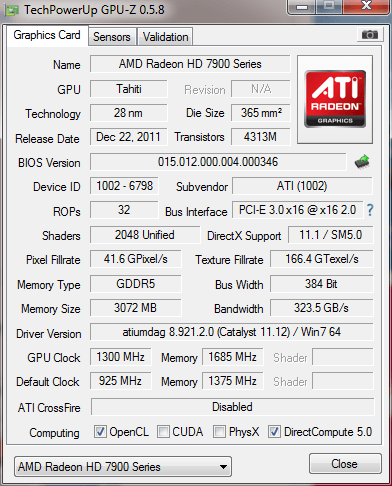
user posted image


MSI Afterburner (1300/1685MHz @ 1.3v):
user posted image


Benchmark at stock clock(925/1375):
3DMark Vantage (P32383):
http://3dmark.com/3dmv/3832180
user posted image


VANTAGE SCORE with single HD7970 rclxm9.gif
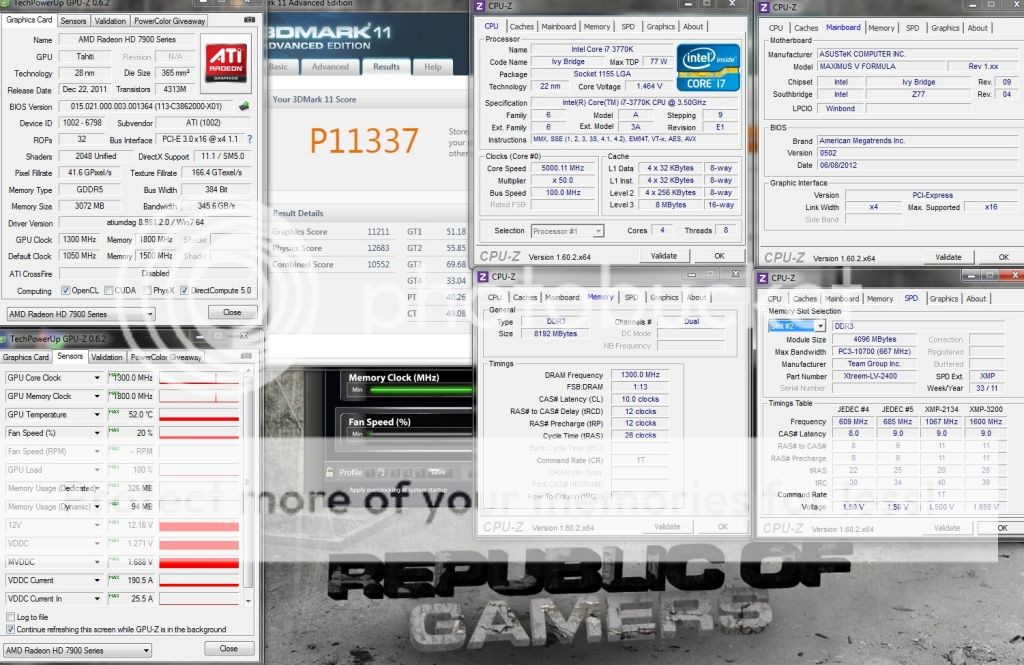
HD7970 @ 1300MHz/1750MHz - P40058 Wow!!
CPU 2600k @ 4.85GHz
http://3dmark.com/3dmv/4035482
Attached Image


3DMark11 stock (925/1375) - P8003
http://3dmark.com/3dm11/2592460
user posted image

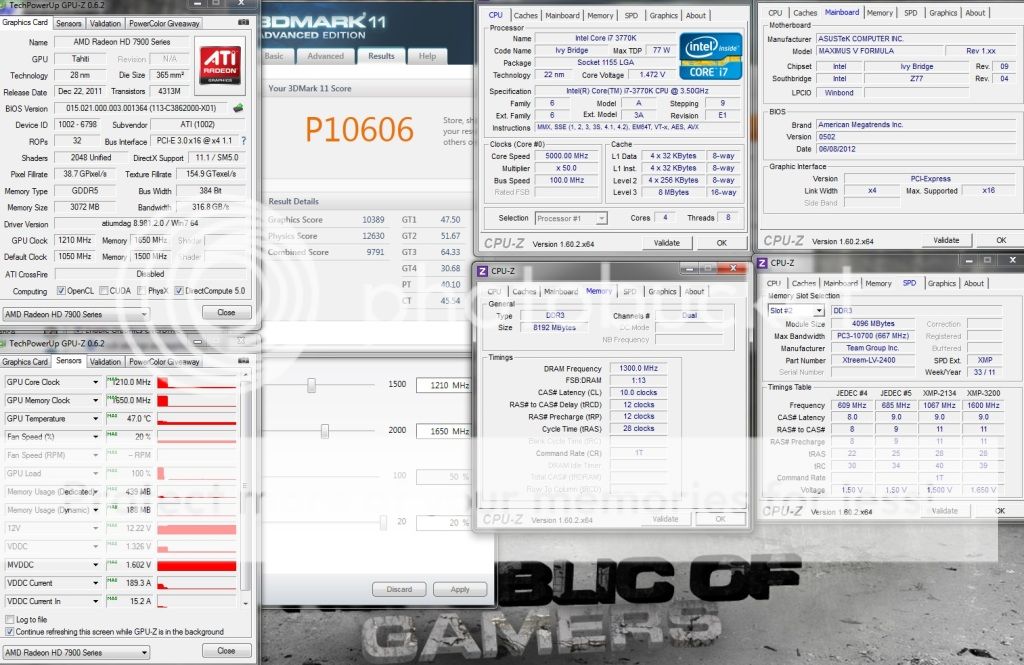
3DMark11 - HD7970@ (1300/1685) - P10636
http://3dmark.com/3dm11/3239426
Attached Image

This post has been edited by shepard: Oct 31 2013, 06:13 AM
kolong
post Jan 10 2012, 07:22 PM

Getting Started
**
Junior Member
78 posts

Joined: Nov 2007
From: Borneo HeadHunterz


wow! bro..can put up ur 7970 pics?
goodseeder
post Jan 10 2012, 07:22 PM

New Member
*
Junior Member
43 posts

Joined: Mar 2011
Are you serious?

Overclock it to play what game? If I were you I will not reduce the life of my expensive GPU for a few fps
clawhammer
post Jan 10 2012, 07:27 PM

///M
Group Icon
VIP
8,788 posts

Joined: Jan 2003
From: Kuala Lumpur


QUOTE(goodseeder @ Jan 10 2012, 07:22 PM)
Are you serious?

Overclock it to play what game? If I were you I will not reduce the life of my expensive GPU for a few fps
*
Actually 7970 is only a tad faster than the GTX 580 smile.gif If you're talking about high resolutions like 2560 x 1600 on certain games, you still need a Crossfire setup to get a good 60 fps. Overclock does reduce life span but it will be years before it does. I don't think anyone would mind if their 7970 dies 10 years later.
TSshepard
post Jan 10 2012, 07:39 PM

We shall overcome
*****
Senior Member
849 posts

Joined: May 2010
From: Penang Island


QUOTE(goodseeder @ Jan 10 2012, 07:22 PM)
Are you serious?

Overclock it to play what game? If I were you I will not reduce the life of my expensive GPU for a few fps
*
bro, when you play latest games with all eye candy sets to the maxed possible, you'll know that even the most powerful single GPU also struggling to maintain a playable fps especially when you play at 1080p or higher res. That's where GPU OC taking its part to produce more fps = smooth gameplay. You're right about the life span, but to me as long as we monitor the temps and control it wisely everything should be fine, believe me.. I may not an expert when it comes to overclocking CPU/GPU but from what I read and learnt from OC old timers all over the net, and with some experience in overclocking GTX8800s, HD5850s, 6970s before..i believe as long as we know what we did, the GC should be fine.

Most importantly, we didn't use highest achieved OC for 24/7 but instead just for benching purpose and try to get a highest score possible. same goes with those who OC'ed their CPU using subzero/LN2 etc...they didn't do that for 24/7 usage but just for the score and to exceed the limit+ for fun...just my 10cents though biggrin.gif .


Added on January 10, 2012, 7:43 pm
QUOTE(kolong @ Jan 10 2012, 07:22 PM)
wow! bro..can put up ur 7970 pics?
*
sorry bro, i dont have a decent camera so i didn't capture any photo. maybe tonight I'll capture some and upload it. This is a MUST HAVE card for all 'extreme pc gamers' nod.gif .
1. fan really silent
2. the design is superb
3. this card is really cold
4. easy to OC, can OC up to 300MHz+ on core and up to 250MHz on memory easily, just need a small bump on voltage.
5. very stable OC

This post has been edited by shepard: Jan 10 2012, 07:50 PM
wesley1987
post Jan 10 2012, 08:03 PM

Getting Started
**
Junior Member
268 posts

Joined: Mar 2005
From: Bastard Planet


thumbs up for the "very stable OC"
goodseeder
post Jan 10 2012, 08:47 PM

New Member
*
Junior Member
43 posts

Joined: Mar 2011
QUOTE(shepard @ Jan 10 2012, 07:39 PM)
bro, when you play latest games with all eye candy sets to the maxed possible, you'll know that even the most powerful single GPU also struggling to maintain a playable fps especially when you play at 1080p or higher res. That's where GPU OC taking its part to produce more fps = smooth gameplay. You're right about the life span, but to me as long as we monitor the temps and control it wisely everything should be fine, believe me.. I may not an expert when it comes to overclocking CPU/GPU but from what I read and learnt from OC old timers all over the net, and with some experience in overclocking GTX8800s, HD5850s, 6970s before..i believe as long as we know what we did, the GC should be fine.

Most importantly, we didn't use highest achieved OC for 24/7 but instead just for benching purpose and try to get a highest score possible. same goes with those who OC'ed their CPU using subzero/LN2 etc...they didn't do that for 24/7 usage but just for the score and to exceed the limit+ for fun...just my 10cents though  biggrin.gif .
I see. Thanks for clarifying bro smile.gif
TSshepard
post Jan 10 2012, 10:05 PM

We shall overcome
*****
Senior Member
849 posts

Joined: May 2010
From: Penang Island


3DMark11 score:

stock: 7885
http://3dmark.com/3dm11/2518044

1125/1575: 9109
http://3dmark.com/3dm11/2518097

1285/1615: 9938
http://3dmark.com/3dm11/2518309

will try to up some more since I am now at 1.25v with 1285clock...maybe can get past 1300MHz with 1.3v, hopefully can get a 10k+ score rclxm9.gif . Btw, the temps never exceed 75degC with 70% fan speed.

owikh84
post Jan 10 2012, 10:08 PM

i7 Clan
Group Icon
Elite
8,711 posts

Joined: Nov 2007
From: Butterworth, PG / Machang, Kelantan


QUOTE(shepard @ Jan 10 2012, 10:05 PM)
3DMark11 score:

stock: 7885
http://3dmark.com/3dm11/2518044

1125/1575: 9109
http://3dmark.com/3dm11/2518097

1285/1615: 9938
http://3dmark.com/3dm11/2518309

will try to up some more since I am now at 1.25v with 1285clock...maybe can get past 1300MHz with 1.3v, hopefully can get a 10k+ score  rclxm9.gif . Btw, the temps never exceed 75degC with 70% fan speed.
*
amazing!
very nice clocks especially on air cooling. thumbup.gif
go go 7970!
CyntrixTech
post Jan 11 2012, 12:57 AM

Distributor
*******
Senior Member
2,583 posts

Joined: Sep 2011
From: Kuala Lumpur
As usual the reference hsf is quite noisy. Can't wait for the blocks.
OC4/3
post Jan 11 2012, 02:42 AM

.
Group Icon
Elite
4,746 posts

Joined: Dec 2007
From: Speed rule


QUOTE(goodseeder @ Jan 10 2012, 07:22 PM)
Are you serious?

Overclock it to play what game? If I were you I will not reduce the life of my expensive GPU for a few fps
*
Just warranty your graphic card if anything went wrong laugh.gif
That's what it is for brows.gif
TSshepard
post Jan 11 2012, 02:43 AM

We shall overcome
*****
Senior Member
849 posts

Joined: May 2010
From: Penang Island


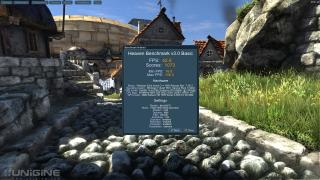
Unigine heaven 2.5 all settings maxed out @ 1920x1080.

user posted image

not quite impressive as i imagine since min fps still below 30fps.

This post has been edited by shepard: Jan 11 2012, 02:45 AM
hilmiangah
post Jan 11 2012, 02:58 AM

Kongsi Gelap Elite Ramadass
Group Icon
Elite
5,602 posts

Joined: Jul 2007
From: The Holiest Of Hole


wait for the driver and then this thing will fly
TSshepard
post Jan 11 2012, 11:08 AM

We shall overcome
*****
Senior Member
849 posts

Joined: May 2010
From: Penang Island


successfully get a bit more juice from this lovely beast .

HD7970 @ 1300/1650, voltage 1.275v.
3DMark11 score: 10055
http://3dmark.com/3dm11/2522568

3DMark Vantage score: 37129
http://3dmark.com/3dmv/3805782
user posted image


This post has been edited by shepard: Jan 11 2012, 11:26 AM
Riddhy
post Jan 11 2012, 11:33 AM

Regular
******
Senior Member
1,956 posts

Joined: May 2008


wow on ref cooler 1300 mhz!!!! thats insane bench some games dude like bf3 crysis 2 arkham city lost planet 2 metro 2033 avp using all maxed out settings please

also whats your noise/temp??


leoyew
post Jan 11 2012, 11:34 AM

Don't suffer your limited life ; Enjoy every moment!
*******
Senior Member
2,021 posts

Joined: May 2009
From: Kℓαทg 吧生


after overclock you will face overheat?
Riddhy
post Jan 11 2012, 11:45 AM

Regular
******
Senior Member
1,956 posts

Joined: May 2008


really looking forward to my queries some guys here got it to 11500 with 1230 on the core that beats asus mars II dual 580s

http://www.xtremesystems.org/forums/showth...rd-Post-It-Here!
TSshepard
post Jan 11 2012, 12:15 PM

We shall overcome
*****
Senior Member
849 posts

Joined: May 2010
From: Penang Island


QUOTE(Riddhy @ Jan 11 2012, 11:33 AM)
wow on ref cooler 1300 mhz!!!! thats insane  bench some games dude like bf3 crysis 2 arkham city lost planet 2 metro 2033 avp using all maxed out settings please

also whats your noise/temp??
*
I'll do some game benches and update here later on. at 65% fan speed, this card is quite noisy but still acceptable if compared to HD6970...temps are up to 75degC but in a/c'ed (24degC) room.

QUOTE(leoyew @ Jan 11 2012, 11:34 AM)
after overclock you will face overheat?
*
yes, definitely but as long as you manage it with fan speed etc everything should be under control smile.gif.

QUOTE(Riddhy @ Jan 11 2012, 11:45 AM)
really looking forward to my queries some guys here got it to 11500 with 1230 on the core that beats asus mars II dual 580s

http://www.xtremesystems.org/forums/showth...rd-Post-It-Here!
*
no wonder he got 11700 only at 1230..he's using a top end cpu/mobo/ram with very high physics score and this will affect graphics score as well. Nice score & nice system over there.
hilmiangah
post Jan 11 2012, 12:42 PM

Kongsi Gelap Elite Ramadass
Group Icon
Elite
5,602 posts

Joined: Jul 2007
From: The Holiest Of Hole


QUOTE(Riddhy @ Jan 11 2012, 11:45 AM)
really looking forward to my queries some guys here got it to 11500 with 1230 on the core that beats asus mars II dual 580s

http://www.xtremesystems.org/forums/showth...rd-Post-It-Here!
*
just compare the graphic score and ignore the physics
coolice
post Jan 11 2012, 02:16 PM

Team OCD!
******
Senior Member
1,857 posts

Joined: Sep 2004
From: ocdrift.com


few hundred more mhz in cpu only contribute single digit improvement in final score wink.gif
TSshepard
post Jan 11 2012, 05:00 PM

We shall overcome
*****
Senior Member
849 posts

Joined: May 2010
From: Penang Island


QUOTE(coolice @ Jan 11 2012, 02:16 PM)
few hundred more mhz in cpu only contribute single digit improvement in final score wink.gif
*
forgive me but that's not quite true if base on my OC'ed results. Even if I upped my cpu clock to 100MHz, the final result in 3dmark11 increased for about 120points. So to me, cpu play its own important part in contributing a best final score for 3dmark11 and vantage. But really its just a number..if let say we run it 5x at 4.0GHz and 5x at 4.3GHz then we may have different POV on the final score smile.gif.

GPU - 1300/1650, CPU 4.4GHz - 3dmark11 score 9938 , Graphics score 10106
http://3dmark.com/3dm11/2518309

GPU - 1300/1650, CPU 4.5GHz - 3dmark11 score 10055, Graphics score 10216
http://3dmark.com/3dm11/2522568


Added on January 11, 2012, 10:38 pmAlien Vs Predator HD7970@1225/1600:

AvP D3D11 Benchmark Report
==========================

**************************************************
* Report Created: 2012-01-11 @ 22:35:22
**************************************************
* Executable Build: V1.03, Apr 19 2010
**************************************************

*DX11 Hardware Detected*

Using Default Video Settings:

Resolution: 1920 x 1080
Texture Quality: 2
Shadow Quality: 3
Anisotropic Filtering: 16
SSAO: ON
Vertical Sync: OFF
DX11 Tessellation: ON
DX11 Advanced Shadows: ON
DX11 MSAA Samples: 1

Benchmark Summary:

Number of frames: 11869
Average Frame Time: 8.8ms
Average FPS: 113.1

This post has been edited by shepard: Jan 11 2012, 10:38 PM
coolice
post Jan 12 2012, 11:41 AM

Team OCD!
******
Senior Member
1,857 posts

Joined: Sep 2004
From: ocdrift.com


interesting wink.gif
lamjunrong
post Jan 12 2012, 12:26 PM

Richelle
******
Senior Member
1,169 posts

Joined: Sep 2010


would really like to compare the gaming physics performance with nvidia physx...
TSshepard
post Jan 12 2012, 06:01 PM

We shall overcome
*****
Senior Member
849 posts

Joined: May 2010
From: Penang Island


QUOTE(lamjunrong @ Jan 12 2012, 12:26 PM)
would really like to compare the gaming physics performance with nvidia physx...
*
Not even close. AMD card's physics definitely cannot compared to NVIDIA physX no matter how powerful its raw power performance. I hope this is what you mean..smile.gif
lamjunrong
post Jan 13 2012, 08:58 AM

Richelle
******
Senior Member
1,169 posts

Joined: Sep 2010


i would really hard to imaging playing batman arkham city using AMD Radeon without physx...eventhough the FPS rock steady...
owikh84
post Jan 13 2012, 10:20 AM

i7 Clan
Group Icon
Elite
8,711 posts

Joined: Nov 2007
From: Butterworth, PG / Machang, Kelantan


QUOTE(shepard @ Jan 12 2012, 06:01 PM)
Not even close. AMD card's physics definitely cannot compared to NVIDIA physX no matter how powerful its raw power performance. I hope this is what you mean..smile.gif
*

QUOTE(lamjunrong @ Jan 13 2012, 08:58 AM)
i would really hard to imaging playing batman arkham city using AMD Radeon without physx...eventhough the FPS rock steady...
*
What to do.. physx-like Havok feature is not implemented on AMD card yet sweat.gif
but i don't know whether u could use a hacked driver to enable physx on this 7000 series with the latest driver + games. hmm.gif

primaroti
post Jan 13 2012, 10:22 AM

Mess With Me Die Like Rest
*******
Senior Member
3,706 posts

Joined: Jul 2011
From: Taiping


already buy hd 7970 ????......................nice....... rclxms.gif biggrin.gif

This post has been edited by primaroti: Jan 13 2012, 10:23 AM
law1777
post Jan 13 2012, 11:41 AM

DreamMan
*******
Senior Member
2,654 posts

Joined: Dec 2007


imagine what this beast can do when the driver is mature!!
TSshepard
post Jan 13 2012, 12:41 PM

We shall overcome
*****
Senior Member
849 posts

Joined: May 2010
From: Penang Island


QUOTE(owikh84 @ Jan 13 2012, 10:20 AM)
What to do.. physx-like Havok feature is not implemented on AMD card yet sweat.gif
but i don't know whether u could use a hacked driver to enable physx on this 7000 series with the latest driver + games.
*
Yes master Kevin, i need to do some googling to find out whether this card already supported with physX card to play latest games like batman arkham city etc..but i guess it'll take some time for the work around smile.gif.

QUOTE(primaroti @ Jan 13 2012, 10:22 AM)
already buy hd 7970 ????......................nice.......
*
haha ya lorr, cannot resist anymore as I found those reviews on this card was sooooo charming hahaha biggrin.gif..if got more money sure will grab another one, then I'll sit tight for maybe 1-2years enjoying new games smile.gif

QUOTE(law1777 @ Jan 13 2012, 11:41 AM)
imagine what this beast can do when the driver is mature!!
*
hopefully by time, AMD driver support team are working hard to satisfy their 7970's customer after what they've paid. I believe there's much more potential in this card, only time will tell smile.gif. thanks for drop by..


This post has been edited by shepard: Jan 13 2012, 01:01 PM
CyntrixTech
post Jan 13 2012, 01:17 PM

Distributor
*******
Senior Member
2,583 posts

Joined: Sep 2011
From: Kuala Lumpur
Our brother Kevin already got 2 cards on the way to him tongue.gif
TSshepard
post Jan 13 2012, 01:49 PM

We shall overcome
*****
Senior Member
849 posts

Joined: May 2010
From: Penang Island


QUOTE(CyntrixTech @ Jan 13 2012, 01:17 PM)
Our brother Kevin already got 2 cards on the way to him tongue.gif
*
That's good to hear, I will no longer doing OC'ing and Benching alone here then rclxm9.gif .

I take leave today just to play around with this card haha laugh.gif , got some scores to be shared and to compare 3xhd5850s performance with single hd7970 in some games/benchmarks.
Now for a start Unigine Heaven 2.5 with everything maxed out...hd7970@ 1225/1625 stable for 24/7 usage on air

user posted image


ok now i7 920@4.3GHz with 3xhd5850s @ 950/1200 scores with unigine heaven 2.0 all settings maxed out:
user posted image

i7 2600k@4.5GHz with HD7970 @ 1225/1625 - scored even higher than 3x5850s OC'ed above..great tessellation power INDEED!!
user posted image

Since I've kept some benchmark scores of my old 3x5850s system, I can at least compare those results with 7970 scores in a chart later and share with you guys here... hope to see a good score.

______________________________________________________________________________________________________________________________________________

3DMark Vantage comparison ( 3x5850s vs 7970)
3x5850s OC'ed @ 1025/1200 + i7 920@4.4GHz

user posted image


hd7970 OC'ed @ 1300/1650 + i7 2600k@4.5GHz

user posted image

HD7970 is a true winner against mighty 3x5850s nod.gif thumbup.gif


This post has been edited by shepard: Jan 13 2012, 02:18 PM
law1777
post Jan 13 2012, 02:44 PM

DreamMan
*******
Senior Member
2,654 posts

Joined: Dec 2007


wanna see u 3x7970s so badly!! haha
primaroti
post Jan 13 2012, 03:34 PM

Mess With Me Die Like Rest
*******
Senior Member
3,706 posts

Joined: Jul 2011
From: Taiping


monster gc........................hhahahahhahaha
clawhammer
post Jan 13 2012, 09:29 PM

///M
Group Icon
VIP
8,788 posts

Joined: Jan 2003
From: Kuala Lumpur


QUOTE(shepard @ Jan 13 2012, 12:41 PM)
hopefully by time, AMD driver support team are working hard to satisfy their 7970's customer after what they've paid. I believe there's much more potential in this card, only time will tell smile.gif. thanks for drop by..
To be honest, there's a limit what the drivers can do. What's important here is the support of drivers for that particular game. It doesn't mean that 6 months down the road with Catalyst version 25 coming out, we will get extra 10-20 FPS with it smile.gif
TSshepard
post Jan 13 2012, 11:23 PM

We shall overcome
*****
Senior Member
849 posts

Joined: May 2010
From: Penang Island


QUOTE(clawhammer @ Jan 13 2012, 09:29 PM)
To be honest, there's a limit what the drivers can do. What's important here is the support of drivers for that particular game. It doesn't mean that 6 months down the road with Catalyst version 25 coming out, we will get extra 10-20 FPS with it smile.gif
*
haha..true bro alvin, what i mean is their support, and also possible if the new driver will make this card even more stable in OC that'll be great as well. Actually the improve in FPS is subjective and only applied to some games/ apps upon new driver release..we dont get an overall 10fps for all games..new driver means better games optimization but not for all games. Right now I'm playing Skyrim with hd7970 and microstutter is there all the times, this won't happen with nvidia cards though..this is where we need AMD support to improve on their driver in games etc, in terms of FPS...this card serve me more than I need already..no complaints at all biggrin.gif.

Update: After ran through a couple of benchmarks and games tests...I dare to declare that HD7970 is even more powerful than 3x5850s in terms of overall raw power(fps) and of course tessellation power. However, I just compared my HD7970 with my old Trifire setup that use an old driver. But as bro Alvin mentioned, new driver wont produce an extra 10-20fps so there's no doubt already. I believe this card also able to beat 2xHD5870 when it comes to OC'ed vs OC'ed. IF at stock, maybe those Trifire and CFx is better. Thanks to HD7970's huge OC headrooms thumbup.gif .

This post has been edited by shepard: Jan 14 2012, 03:43 AM
TSshepard
post Jan 14 2012, 04:22 PM

We shall overcome
*****
Senior Member
849 posts

Joined: May 2010
From: Penang Island


This is how Hd5850s scales, just for sharing smile.gif.

user posted image


This post has been edited by shepard: Jan 14 2012, 07:15 PM
clawhammer
post Jan 14 2012, 06:54 PM

///M
Group Icon
VIP
8,788 posts

Joined: Jan 2003
From: Kuala Lumpur


That's a good one boss smile.gif You should start writing reviews.
owikh84
post Jan 17 2012, 07:16 AM

i7 Clan
Group Icon
Elite
8,711 posts

Joined: Nov 2007
From: Butterworth, PG / Machang, Kelantan


QUOTE(CyntrixTech @ Jan 13 2012, 01:17 PM)
Our brother Kevin already got 2 cards on the way to him tongue.gif
*
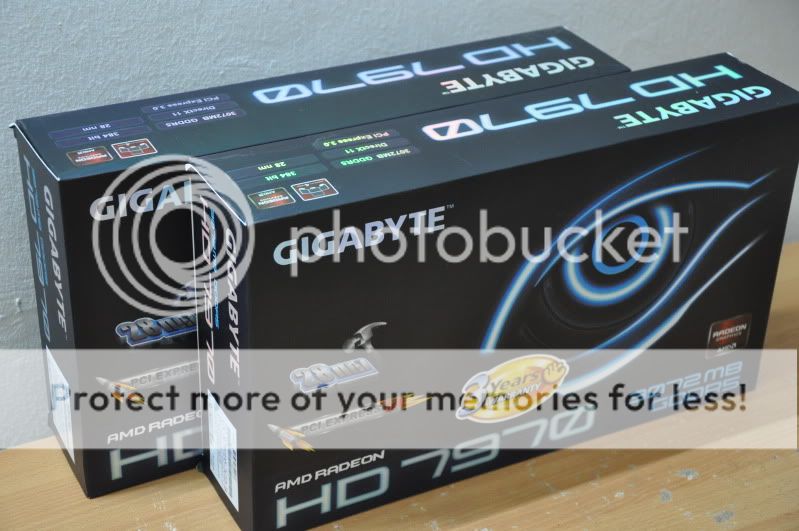
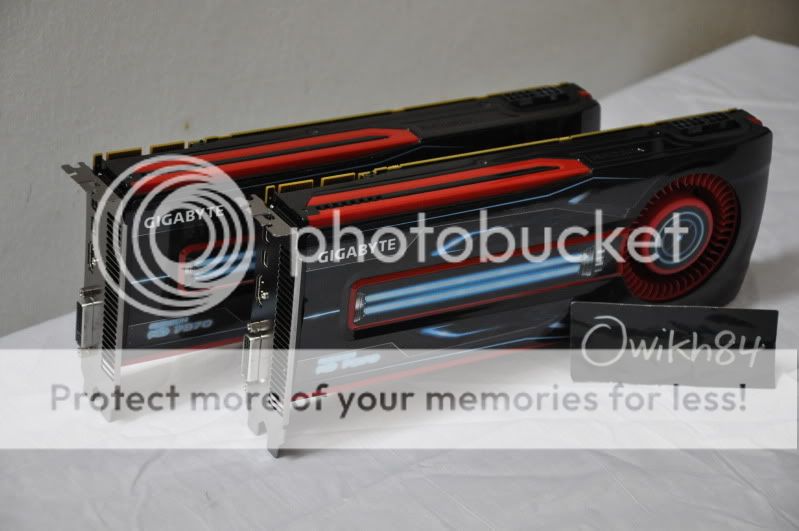
Bought 2pcs of this beasty card from CyntrixTech recently.

user posted image
user posted image

will grab another one for tri-fire + wb wub.gif wub.gif


Added on January 17, 2012, 9:00 amKoolance 7970 block is now in stock: Link

user posted image

This post has been edited by owikh84: Jan 17 2012, 09:01 AM
antonio
post Jan 17 2012, 10:45 AM

AMD Phenom II & Intel i7 Overclocker
Group Icon
VIP
4,032 posts

Joined: Jan 2003
From: MSR Headquaters
QUOTE(owikh84 @ Jan 17 2012, 07:16 AM)
Bought 2pcs of this beasty card from CyntrixTech recently.

*snip snip

will grab another one for tri-fire + wb wub.gif  wub.gif


Added on January 17, 2012, 9:00 amKoolance 7970 block is now in stock: Link
*snip snip
*
Wahhh...got new toys lagi ahh... brows.gif

I wanted to get this but after seeing this chart its like a step backwards in terms of relative performance...haihh...1 year more to live with it...

user posted image

I have 5970 yeah...so not worth the hassle of upgrade...for now sad.gif

This post has been edited by antonio: Jan 17 2012, 10:45 AM
CyntrixTech
post Jan 17 2012, 11:28 AM

Distributor
*******
Senior Member
2,583 posts

Joined: Sep 2011
From: Kuala Lumpur
It's not a step backwards. The 7970 is literally the best GPU AMD every created. There's only "one" gpu in the 7970 as opposed to the 6990 which is 2 x 6970 (crippled), and the 590 (2 x 580). An OCed 7970 is very close to a 6990. The benefit of 7970 is that you can run 4 pieces of them which is equivalent to almost 8 pieces of 6970's performance. On the 6 series card, the best you can to is 2 pieces of 6990 and that is only equivalent to 4 pieces of 6970.
antonio
post Jan 17 2012, 12:10 PM

AMD Phenom II & Intel i7 Overclocker
Group Icon
VIP
4,032 posts

Joined: Jan 2003
From: MSR Headquaters
QUOTE(CyntrixTech @ Jan 17 2012, 11:28 AM)
It's not a step backwards. The 7970 is literally the best GPU AMD every created. There's only "one" gpu in the 7970 as opposed to the 6990 which is 2 x 6970 (crippled), and the 590 (2 x 580). An OCed 7970 is very close to a 6990. The benefit of 7970 is that you can run 4 pieces of them which is equivalent to almost 8 pieces of 6970's performance. On the 6 series card, the best you can to is 2 pieces of 6990 and that is only equivalent to 4 pieces of 6970.
*
I know what u meant, but as it turns out, I don't do benches nor do I play games just because of the need for higher frame rates to appear...All the games that I 'play' runs smoothly and ditch my current card and fork out money on 1 or maybe 2 pieces of the 7970 card which might only better 10-30 fps doesn't really floats my boat...

Sure if I currently am on a mid range 2 generation back GPU I might think of getting 7000-series GPU but it turns out, I'm getting more than enough frames on my games, I'll probably skip the 7970 and either fork out for the 7990 or some other card after the 7-series...

7970 is probably the best single GPU out there nonetheless...
TSshepard
post Jan 17 2012, 07:08 PM

We shall overcome
*****
Senior Member
849 posts

Joined: May 2010
From: Penang Island


QUOTE(owikh84 @ Jan 17 2012, 07:16 AM)
Bought 2pcs of this beasty card from CyntrixTech recently.
will grab another one for tri-fire + wb wub.gif  wub.gif


Added on January 17, 2012, 9:00 amKoolance 7970 block is now in stock: Link

*
Great, hope we can see your OC results for both cards. dont forget to update us on 7970s CF & TF performance as I am looking forward to add 1 or 2 more of this beast and then watercooled them...haha I'm so excited!

btw bro Kevin, do we have any reviews on those 7970s WB in the net? so far couldn't find them.
owikh84
post Jan 17 2012, 07:48 PM

i7 Clan
Group Icon
Elite
8,711 posts

Joined: Nov 2007
From: Butterworth, PG / Machang, Kelantan


QUOTE(shepard @ Jan 17 2012, 07:08 PM)
Great, hope we can see your OC results for both cards. dont forget to update us on 7970s CF & TF performance as I am looking forward to add 1 or 2 more of this beast and then watercooled them...haha I'm so excited!

btw bro Kevin, do we have any reviews on those 7970s WB in the net? so far couldn't find them.
*
afaik no review yet & i think i'd grab the EK plexi-Ni blocks coz i like see-through.
i will switch to 7970 right after CNY. now i'm very2 busy with CNY preparation etc lol.
TSshepard
post Jan 18 2012, 12:55 AM

We shall overcome
*****
Senior Member
849 posts

Joined: May 2010
From: Penang Island


Alright,

here's some update on the 7970's OC potential and performance gain OVER STOCK that we could get in some of the latest/old games once we OC'ed this card.
Resolution:1920x1080
AA: 4x MSAA
Anisotropic: 16x
Graphics Details: All Maxed out except for unigine 2.5 with Normal tessellation.

user posted image

FPS gain plotted in pareto:
» Click to show Spoiler - click again to hide... «


Another chart for Vantage and 3DMark11 results:
» Click to show Spoiler - click again to hide... «


Performance gain(%) pareto:
» Click to show Spoiler - click again to hide... «


So I would say that we can easily achieve 20% more performance out of this card ONLY IF we are lucky enough to get a good 7970 chip. I'd say this because I read a lot of complaints from 7970's users in the net on how their card cannot OC'ed beyond 1100/1150 and heck, some cannot even past 1070MHz neither at stock nor higher voltage. It's like a lucky draw I guess, and maybe this is the reason why AMD set their 7970's stock core clock as low as 925MHz even though most chips can go beyond 1250MHz stable on air.

By watercooled this beast, i think we can even get a 30+% performance gain out of this beast, amazing!! flex.gif thumbup.gif

This post has been edited by shepard: Jan 19 2012, 08:44 PM
law1777
post Jan 18 2012, 10:42 AM

DreamMan
*******
Senior Member
2,654 posts

Joined: Dec 2007


Give some good cooling to it sure can oc more n stable!
clawhammer
post Jan 18 2012, 08:42 PM

///M
Group Icon
VIP
8,788 posts

Joined: Jan 2003
From: Kuala Lumpur


QUOTE(shepard @ Jan 18 2012, 12:55 AM)
Alright,

here's some update on the 7970's OC potential and performance gain OVER STOCK that we could get in some of the latest/old games once we OC'ed this card.
Resolution:1920x1080
AA: 4x MSAA
Anisotropic: 16x
Graphics Details: All Maxed out except for unigine 2.5 with Normal tessellation.
Nice reviews again smile.gif Btw, what are the temps like at 1275/1675 during gaming?
TSshepard
post Jan 18 2012, 10:15 PM

We shall overcome
*****
Senior Member
849 posts

Joined: May 2010
From: Penang Island


QUOTE(clawhammer @ Jan 18 2012, 08:42 PM)
Nice reviews again smile.gif Btw, what are the temps like at 1275/1675 during gaming?
*
Thanks bro Alvin, I love to spend time play around with GC biggrin.gif . max temps when I play crysis 2 and metro 2033 at 1275/1675 is 71degC but I am in A/C'ed room(22degC). I set the fan profile to inrease the speed in linear from 40deg=25% to 70Deg=60% but 7970 stock fan was less audible compared to my previous 6970. furthermore I always play games with loud speaker or headphone so the fan's sound is not a concern here smile.gif.

Anyway bro Alvin, got any plan going Red again? or waiting for GTX680/780? brows.gif


QUOTE(law1777 @ Jan 18 2012, 10:42 AM)
Give some good cooling to it sure can oc more n stable!
*
Definitely! no doubt about that nod.gif

This post has been edited by shepard: Jan 18 2012, 10:22 PM
owikh84
post Jan 19 2012, 10:08 AM

i7 Clan
Group Icon
Elite
8,711 posts

Joined: Nov 2007
From: Butterworth, PG / Machang, Kelantan


MSI Afterburner 2.2.0 Beta 11 Released (01/18/2012)

Attached Image

QUOTE
Changes list includes:
    * Added memory voltage control for reference design AMD RADEON 7970 graphics cards with CHL8228 voltage regulators
    * Now MSI Afterburner displays target VID instead of real voltage sensor reading on "GPU voltage" graph on graphics cards equipped with CHL8228 voltage regulators. These changes are implemented to avoid confusing the beginners and prevent the hysteria about voltage drop on AMD RADEON 7970 series graphic cards spreading across different discussion forums. Experienced users, understanding the difference between target and real voltages, may still unlock the previous real voltage monitoring mode via editing the hardware profiles
    * Core and memory clock limits have been extended to 180% on AMD RADEON 7970 graphics cards in unofficial overclocking mode
    * Now MSI Afterburner's startup daemon routine precaches VRM I2C registers state at the first Windows startup. Precached VRM state is being used to detect default voltage instead of hardcoding default voltages into the database. Please take a note that you may forcibly perform precaching later with command line switch or disable the precaching at all via configuration file if necessary and force MSI Afterburner to use the previous hardcoded database based default voltage detection
    * MSI On-Screen Display server has been upgraded to version 4.3.1. New version gives you the following improvements:
      o Added workaround for AMD OpenGL driver context switching issues causing abnormally low framerate in ID Software Rage when OSD is enabled
      o Added workaround for AMD OpenGL driver PBO issues causing the driver to crash or perform abnormally slow during videocapture


Source & Download

This post has been edited by owikh84: Jan 19 2012, 10:09 AM
CyntrixTech
post Jan 20 2012, 09:22 PM

Distributor
*******
Senior Member
2,583 posts

Joined: Sep 2011
From: Kuala Lumpur
user posted image

Having some funny issues when booting into windows. No did not forget those CF cables laugh.gif

Nvm, needed double reboot to go in. Weird.

This post has been edited by CyntrixTech: Jan 20 2012, 09:28 PM
kambing69
post Jan 21 2012, 09:07 PM

Getting Started
**
Junior Member
195 posts

Joined: Nov 2010


The fan really anoying at 65%++ >.<

I want water block!!!
TSshepard
post Jan 21 2012, 09:08 PM

We shall overcome
*****
Senior Member
849 posts

Joined: May 2010
From: Penang Island


QUOTE(CyntrixTech @ Jan 20 2012, 09:22 PM)
Having some funny issues when booting into windows. No did not forget those CF cables laugh.gif

Nvm, needed double reboot to go in. Weird.
*
Bro, hope you can share your 7970s Trifire experiences with us soon. If it scales well, I might need to consider for Trifire as well. Last time when using Trifire 5850s it scales very2 nice with performance gain about 2.6x-2.9x over a single 5850. If this card does scale around 2.5x above in games/benches then without hesitation it is a MUST BUILD setup biggrin.gif
TSshepard
post Jan 21 2012, 09:12 PM

We shall overcome
*****
Senior Member
849 posts

Joined: May 2010
From: Penang Island


QUOTE(kambing69 @ Jan 21 2012, 09:07 PM)
The fan really anoying at 65%++ >.<

I want water block!!!
*
Welcome my friend 7970's owner rclxms.gif . if you going to water cool this card first, kindly share your OC experience later ya? I might need to wait until march to build a fully WC setup due to budget constraint now haha...

btw, there's no need to set the fan up to 65% speed lol...are you doing benching with those fan setting? but yeah, at 60% above the fan start to annoys me.

This post has been edited by shepard: Jan 22 2012, 02:42 AM
kambing69
post Jan 21 2012, 09:37 PM

Getting Started
**
Junior Member
195 posts

Joined: Nov 2010


Sure... but i dont know why my 3Dmark score is 0 >.< tongue.gif

Its been about 5 years since im benching my rig ahahahah

help here~

here the pic...


and why my score really low ? icon_question.gif or is it because i max all the setting.....


This post has been edited by kambing69: Jan 21 2012, 09:45 PM


Attached thumbnail(s)
Attached Image
CyntrixTech
post Jan 21 2012, 10:03 PM

Distributor
*******
Senior Member
2,583 posts

Joined: Sep 2011
From: Kuala Lumpur
QUOTE(shepard @ Jan 21 2012, 09:08 PM)
Bro, hope you can share your 7970s Trifire experiences with us soon. If it scales well, I might need to consider for Trifire as well. Last time when using Trifire 5850s it scales very2 nice with performance gain about 2.6x-2.9x over a single 5850. If this card does scale around 2.5x above in games/benches then without hesitation it is a MUST BUILD setup biggrin.gif
*
Yeah will do some benching. Maybe 10% OC on each card to see how well they fair. If someone wanna donate a 3930k + RIVE to me, I can do 4 cards. brows.gif

Oh btw, BF3 ultra everything on the cards with 60fps (vsync on). I'd like to disable a pcie slot to see if 2 cards can do the same. Do you know if I need to remove the CFX cable after disabling the pcie slot?

This post has been edited by CyntrixTech: Jan 21 2012, 10:05 PM
DrBlueBox
post Jan 21 2012, 10:46 PM

Enthusiast
*****
Senior Member
789 posts

Joined: Sep 2011


QUOTE(CyntrixTech @ Jan 21 2012, 10:03 PM)
Yeah will do some benching. Maybe 10% OC on each card to see how well they fair. If someone wanna donate a 3930k + RIVE to me, I can do 4 cards. brows.gif

Oh btw, BF3 ultra everything on the cards with 60fps (vsync on). I'd like to disable a pcie slot to see if 2 cards can do the same. Do you know if I need to remove the CFX cable after disabling the pcie slot?
*

I am more interested with VSync off tho since it does force the game to run in a constant framerate and can be misleading
TSshepard
post Jan 22 2012, 02:38 AM

We shall overcome
*****
Senior Member
849 posts

Joined: May 2010
From: Penang Island


QUOTE(kambing69 @ Jan 21 2012, 09:37 PM)
Sure... but i dont know why my 3Dmark score is 0 >.< tongue.gif

Its been about 5 years since im benching my rig ahahahah

help here~

here the pic...
and why my score really low ?  icon_question.gif  or is it because i max all the setting.....
*
Yes, you cannot manually set the settings or you'll get 0 3DMark score. Just go to option tab and select one preset setting either "Entry, Performance, High, or Extreme" but normally people will use "performance" preset to compare the scores. Try do this first and see how much you can get. Thanks for sharing smile.gif.

QUOTE(CyntrixTech @ Jan 21 2012, 10:03 PM)
Yeah will do some benching. Maybe 10% OC on each card to see how well they fair. If someone wanna donate a 3930k + RIVE to me, I can do 4 cards. brows.gif

Oh btw, BF3 ultra everything on the cards with 60fps (vsync on). I'd like to disable a pcie slot to see if 2 cards can do the same. Do you know if I need to remove the CFX cable after disabling the pcie slot?
*
Whoa!!..cant wait to see how those Trifire beasts perform in games/benches. It's even good to know how far it can go when you start to OC all of them. I dont prefer quad CFx tbh because to me it's too hassle and from what I read on QuadCfx of HD58xx last time it scales very bad but not sure how it perform on newer generation of AMD cards though. But yeah, I do need those killer combination of RIVE + 3930k/3960x LOL drool.gif . You think better grab these or wait for ivy bridge later in Apr, any idea?

I wonder why you enable vsync when you're using 3 powerful cards for gaming/benching? rclxub.gif . We wanted to see how powerful your Trifire setup performed so i guess it's good if you just turn off vsync on any games/benches or we might end up with constant 60fps all the time from your setup biggrin.gif sweat.gif .. I'm saying this because my single 7970 can almost do a constant 60fps on ultra settings in BF3 as well maybe in heavy firefight it will drop to <60fps like when there's and explosions etc. I'm gaming at 1920x1080 btw, are you gaming with eyefinity setup? res?

I am not so sure about removing CFx bridge but from my experience with my Trifire 5850s. You just need to disable one of the card if you plan to run only 1 or 2 cards and no need to remove the CFx bridge. That's what I did last time when benching single and dual cards and it works that way. give it a try first and see, i dont really think you need to remove the bridge though.

This post has been edited by shepard: Jan 22 2012, 02:49 AM
CyntrixTech
post Jan 22 2012, 02:50 AM

Distributor
*******
Senior Member
2,583 posts

Joined: Sep 2011
From: Kuala Lumpur
vsync is important to prevent screen tearing. My screen is the u3011. I disabled vsync earlier and in huge open areas with lots of effects it was lowest at 58 fps but 95% of the time it is 60-130 fps. Indoors i get about 160+ fps. But i think there is some cpu bottleneck with my 2500k running at stock speed.

Nah don't bother with 3930k, it doesnt perform any better than 2x00k for what matters to most people. It is not easy to get every 3930k core to 5ghz so it performs worse in gaming than a highly clocked 2500k priced 3 times less. Just like e8400 vs q6600 back then. I am waiting for IB or x79 quadcore K series.
TSshepard
post Jan 22 2012, 05:44 AM

We shall overcome
*****
Senior Member
849 posts

Joined: May 2010
From: Penang Island


Yeah I know vsync purpose, what i meant is that it is not needed if you want to benchmark your setup to see how powerful it is. Vsync is important if you're gaming though. So are you going to benchmark your trifire say for crysis2, metro2033, far cry 2, warhead, 3dmark11, 3dmark vantage etc?

cant wait to see those scores..thanks for your update
CyntrixTech
post Jan 22 2012, 01:55 PM

Distributor
*******
Senior Member
2,583 posts

Joined: Sep 2011
From: Kuala Lumpur
PC Mark:
http://3dmark.com/pcm7/257420

Stock speed on everything


Added on January 22, 2012, 4:08 pmdid some further test. stock speed on 2500k is bottle necking BF3. There are many areas where I git 100% CPU usage.

This post has been edited by CyntrixTech: Jan 22 2012, 04:08 PM
kambing69
post Jan 23 2012, 04:43 PM

Getting Started
**
Junior Member
195 posts

Joined: Nov 2010


QUOTE(CyntrixTech @ Jan 22 2012, 01:55 PM)
PC Mark:
http://3dmark.com/pcm7/257420

Stock speed on everything


Added on January 22, 2012, 4:08 pmdid some further test. stock speed on 2500k is bottle necking BF3. There are many areas where I git 100% CPU usage.
*
WTF with this scores!! tongue.gif


QUOTE(shepard @ Jan 22 2012, 02:38 AM)
Yes, you cannot manually set the settings or you'll get 0 3DMark score. Just go to option tab and select one preset setting either "Entry, Performance, High, or Extreme" but normally people will use "performance" preset to compare the scores. Try do this first and see how much you can get. Thanks for sharing smile.gif.
*
Owh ... thanks for the info

Here's the latest OC at 1000mhz


PS: OC'ed @ GPU:1000mhz + CPU:5ghz (i5 2500k)

This post has been edited by kambing69: Jan 23 2012, 05:08 PM


Attached thumbnail(s)
Attached Image Attached Image
TSshepard
post Jan 27 2012, 01:29 AM

We shall overcome
*****
Senior Member
849 posts

Joined: May 2010
From: Penang Island


nice score right there m8! later will try to benchmark at EXTREME preset for both Vantage and 3DMark11.

Tried MSI Afterburner beta 11. Set the card core voltage to 1.3v with 1325,1320,1315,1310,1305MHz but all crash during benchmark. looks like this card really need a water block only then it can surpass 1.3GHz clock speed I guess.

Now looking for WB for this card and will update here my 7970 OC experience under water soon drool.gif

This post has been edited by shepard: Jan 27 2012, 01:29 AM
owikh84
post Jan 29 2012, 10:10 AM

i7 Clan
Group Icon
Elite
8,711 posts

Joined: Nov 2007
From: Butterworth, PG / Machang, Kelantan


back to Penang after long holidays..
so here's my very first benchmark with CF 7970 stock cooler/clocks on 2560x1600

Dirt3 MSAAx8

CF 7970
user posted image
* pls ignore the PCIE 1.1 lol it's extension power saving mode.

GC1 idle 55C, load 76C
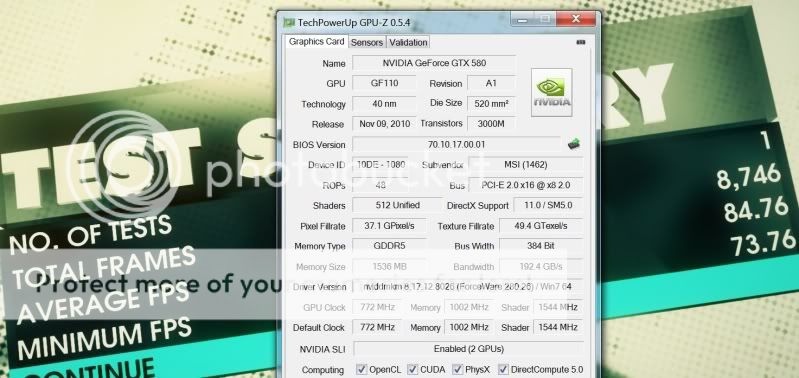
GC2 idle 0C, load 56C

SLI GTX580
user posted image

This post has been edited by owikh84: Jan 30 2012, 12:07 PM
owikh84
post Jan 29 2012, 10:41 AM

i7 Clan
Group Icon
Elite
8,711 posts

Joined: Nov 2007
From: Butterworth, PG / Machang, Kelantan


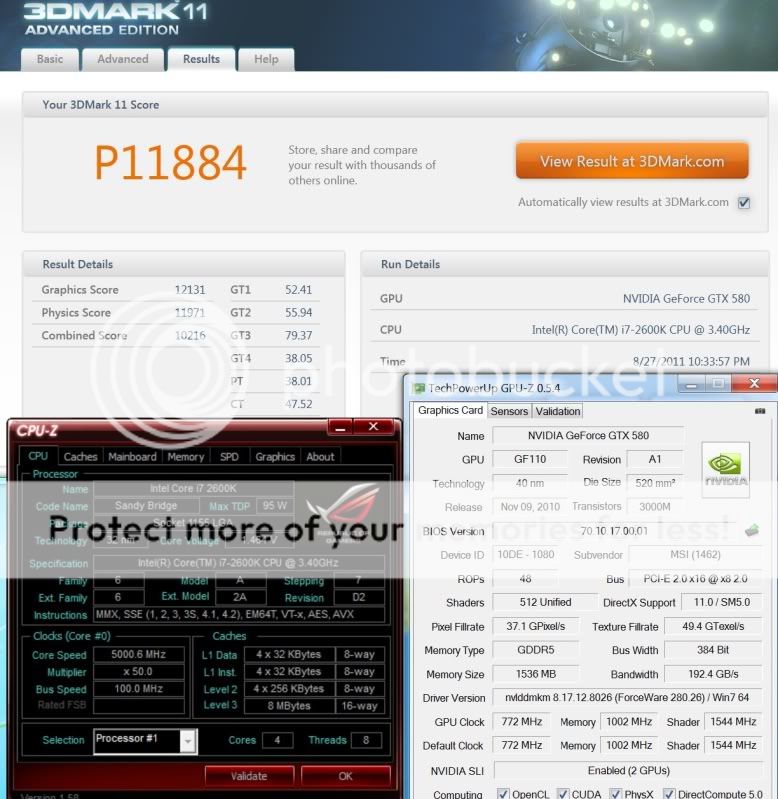
3DMark11, compare the graphic scores

CF 7970
user posted image
* 3930K @ 5GHz 4C/8T, 2333MHz dram

GTX580 SLI
user posted image
TSshepard
post Jan 29 2012, 01:35 PM

We shall overcome
*****
Senior Member
849 posts

Joined: May 2010
From: Penang Island


Very good one Kevin! Nice apple to apple comparison with a nice score on both setup especially CFx 7970s rclxms.gif . Now I cannot wait any longer for another 7970 drool.gif . Those scores and Dirt 3 FPS is truly an Overkill, furthermore benched at 2560x1600!! Woww..Impressive!

Thanks for sharing.
kambing69
post Jan 31 2012, 07:14 PM

Getting Started
**
Junior Member
195 posts

Joined: Nov 2010


NICE score..!!!

I cant even make it for 1150/1575 for stable OC now... it seems it really need water block >.< ... because i ran graphic test for straight 3 hours and it seems there 2 error detected (with temp avrg:78 max 82)

PS: and when i increase the cvolt it crash .... tongue.gif

This post has been edited by kambing69: Jan 31 2012, 07:14 PM
TSshepard
post Jan 31 2012, 08:02 PM

We shall overcome
*****
Senior Member
849 posts

Joined: May 2010
From: Penang Island


QUOTE(kambing69 @ Jan 31 2012, 07:14 PM)
NICE score..!!!

I cant even make it for 1150/1575 for stable OC now... it seems it really need water block >.< ... because i ran graphic test for straight 3 hours and it seems there 2 error detected (with temp avrg:78 max 82)

PS: and when i increase the cvolt it crash ....  tongue.gif
*
Which brand of 7970 you r using right now, Gigabyte or Sapphire? could you please share with us which benchmark you're running above, is it 3dm11, Vantage or Furmark?

I wonder how come some 7970's cards cannot even past 1150MHz even after bumping the coreV..this is not a good news sad.gif since I'm going to grab another 7970 soon...hopefully my 2nd card will be as good as my 1st card.

This post has been edited by shepard: Jan 31 2012, 09:13 PM
kambing69
post Jan 31 2012, 08:41 PM

Getting Started
**
Junior Member
195 posts

Joined: Nov 2010


Mine was gigabyte version . . . it can be OC'ed at 1150 but the heat was #$%^&, unless i manual set the fan... i tried bum volt . . . but ntg happen, its kinda weird because i still can only max OC it up till 1150/1575 or do i need to restart PC to adjust it further?


BTW i share my OC result in this thread before
sam sam
post Jan 31 2012, 10:26 PM

Enthusiast
*****
Senior Member
814 posts

Joined: May 2011
QUOTE(kambing69 @ Jan 31 2012, 08:41 PM)
Mine was gigabyte version . . . it can be OC'ed at 1150 but the heat was #$%^&, unless i manual set the fan... i tried bum volt . . . but ntg happen, its kinda weird because i still can only max OC it up till 1150/1575 or do i need to restart PC to adjust it further?
BTW i share my OC result in this thread before
*
what software do you used to overclock the HD7970?
looking to do some overclocking
CyntrixTech
post Jan 31 2012, 11:17 PM

Distributor
*******
Senior Member
2,583 posts

Joined: Sep 2011
From: Kuala Lumpur
no program is needed. Just the AMD Overdrive will do. MSI Afterburner may be compatible.
owikh84
post Jan 31 2012, 11:43 PM

i7 Clan
Group Icon
Elite
8,711 posts

Joined: Nov 2007
From: Butterworth, PG / Machang, Kelantan


Driver and Software:

Latest driver:

Beta Drivers (8.921.2 RC11)

Software:

Atiman Uninstaller v.6.2.0 (used to clean out older Catalyst drivers)
ASUS GPU Tweak 2.0.3.0 (requires the ASUS BIOS to enable voltage tweaking and higher clocks)
MSI Afterburner 2.2 Beta 11 (latest beta version)
OCCT 3.1 (newer versions don't quite stress the card as much)
OCCT 4.1

BIOS Files:

Automated Xtreme OC BIOS flashing tool: Tahiti_XT_C3860100_X00_BIOS_Dec20_2011.zip (420k. zip file)
Please note this BIOS is only for the reference design (PCB) HD7970.

This post has been edited by owikh84: Feb 1 2012, 06:54 AM
kambing69
post Feb 1 2012, 06:47 AM

Getting Started
**
Junior Member
195 posts

Joined: Nov 2010


OCCT is for GPU or CPU??
owikh84
post Feb 1 2012, 06:52 AM

i7 Clan
Group Icon
Elite
8,711 posts

Joined: Nov 2007
From: Butterworth, PG / Machang, Kelantan


QUOTE(kambing69 @ Feb 1 2012, 06:47 AM)
OCCT is for GPU or CPU??
*
Both GPU & CPU
Attached Image

link updated!

kambing69
post Feb 1 2012, 08:16 AM

Getting Started
**
Junior Member
195 posts

Joined: Nov 2010


For the OCCT how much shader and what resolution should i use.. the default?
owikh84
post Feb 2 2012, 06:55 AM

i7 Clan
Group Icon
Elite
8,711 posts

Joined: Nov 2007
From: Butterworth, PG / Machang, Kelantan


QUOTE(kambing69 @ Feb 1 2012, 08:16 AM)
For the OCCT how much shader and what resolution should i use.. the default?
*
the higher the more stressful.
TSshepard
post Feb 2 2012, 09:54 AM

We shall overcome
*****
Senior Member
849 posts

Joined: May 2010
From: Penang Island


So Bro Kevin, are you going to share your CF/TF OC experience and benchmark results on those cards?

Just ran Lost Planet 2 DX11 benchmark this morning with HD7970 @ 1275/1685MHz:
Test B
1920x1080
DX11
AA: 8x
Everything Maxed out!

user posted image


This post has been edited by shepard: Feb 2 2012, 11:47 AM
owikh84
post Feb 3 2012, 06:36 AM

i7 Clan
Group Icon
Elite
8,711 posts

Joined: Nov 2007
From: Butterworth, PG / Machang, Kelantan


QUOTE(shepard @ Feb 2 2012, 09:54 AM)
So Bro Kevin, are you going to share your CF/TF OC experience and benchmark results on those cards?

Just ran Lost Planet 2 DX11 benchmark this morning with HD7970 @ 1275/1685MHz:
Test B
1920x1080
DX11
AA: 8x
Everything Maxed out!

just got the wb's & single slot I/O plates & another 7970 for TF so in this weekend I'm going to torture the cards under water. biggrin.gif
kambing69
post Feb 3 2012, 06:38 AM

Getting Started
**
Junior Member
195 posts

Joined: Nov 2010


Nice marks...but i dont play lost planet, dint like FPS actually... playing skyrim now >.<

Quick question, CCC version 12.1 dint support 7900 series right? so we using 11.12?
owikh84
post Feb 3 2012, 07:01 AM

i7 Clan
Group Icon
Elite
8,711 posts

Joined: Nov 2007
From: Butterworth, PG / Machang, Kelantan


QUOTE(kambing69 @ Feb 3 2012, 06:38 AM)
Nice marks...but i dont play lost planet, dint like FPS actually... playing skyrim now >.<

Quick question, CCC version 12.1 dint support 7900 series right? so we using 11.12?
*
12.1 is fine for 7970 but 12.2 doesn't work right.
SOS
TSshepard
post Feb 3 2012, 08:32 AM

We shall overcome
*****
Senior Member
849 posts

Joined: May 2010
From: Penang Island


QUOTE(owikh84 @ Feb 3 2012, 06:36 AM)
just got the wb's & single slot I/O plates & another 7970 for TF so in this weekend I'm going to torture the cards under water.  biggrin.gif
*
Great! let's see what it can do under water drool.gif

QUOTE(kambing69 @ Feb 3 2012, 06:38 AM)
Nice marks...but i dont play lost planet, dint like FPS actually... playing skyrim now >.<

Quick question, CCC version 12.1 dint support 7900 series right? so we using 11.12?
*
Haha me too..I didn't play Lost planet tbh just ran the benchmark. Same like you enjoying skyrim, Batman AC and BF3 currently smile.gif.

QUOTE(owikh84 @ Feb 3 2012, 07:01 AM)
12.1 is fine for 7970 but 12.2 doesn't work right.
SOS
*
I stick with 11.12 RC11 since it performs well compared to 11.12_7970 and 12.1 WHQL...Other forumer compared the results between these drivers and help us to choose which driver performing better.. but I might lack some of the CCC new features.
louislkw
post Feb 3 2012, 10:28 AM

Casual
***
Junior Member
434 posts

Joined: Jul 2010
From: ^Newbie^


It is a Gigabyte Windforce HD7970, flashed to asok bios for the memory voltage adjustment..

user posted image
TSshepard
post Feb 3 2012, 04:29 PM

We shall overcome
*****
Senior Member
849 posts

Joined: May 2010
From: Penang Island


QUOTE(louislkw @ Feb 3 2012, 10:28 AM)
It is a Gigabyte Windforce HD7970, flashed to asok bios for the memory voltage adjustment..
Nice score on a single card bro! Mine cannot even past 11k even with 2600k clocked at 4.8GHz. Your 3930k SB-E at 4.5GHz got more juice than my SB @4.8GHz...but i doubt the FPS in games will be much differ compared to your system am I correct?
smile.gif


Edit: Wow!! I just saw your mem clock...it's 2000MHZ shocking.gif ?? are you running your card on air or under water?

This post has been edited by shepard: Feb 3 2012, 07:43 PM
TSshepard
post Feb 4 2012, 10:11 PM

We shall overcome
*****
Senior Member
849 posts

Joined: May 2010
From: Penang Island


Another 3D Benchmark at 1920x1080, cpu at 4.6GHz / HD7970 clocked to 1300/1685 at 1.3v. Average 195.05 FPS.

Download link:
http://www.iryoku.com/separable-sss-released

user posted image


This post has been edited by shepard: Feb 4 2012, 10:12 PM
Faith94
post Feb 7 2012, 09:34 PM

Getting Started
**
Junior Member
65 posts

Joined: Jul 2011
From: Kuala Lumpur


lol , my asus hd7970 only can be overclocked to 1075/1525 =(.. higher than that my screen will freeze

This post has been edited by Faith94: Feb 7 2012, 11:06 PM
TSshepard
post Feb 8 2012, 11:42 AM

We shall overcome
*****
Senior Member
849 posts

Joined: May 2010
From: Penang Island


QUOTE(Faith94 @ Feb 7 2012, 09:34 PM)
lol , my asus hd7970 only can be overclocked to 1075/1525 =(.. higher than that my screen will freeze
*
That will be something really disappointing as most of the reviews on 7970 can easily achieved 1125/1575 at stock volt. It appears purchasing this card and hoping to get a decent OC headroom is like a gamble thing, some outside forumers also stuck at your speed. Btw, which PSU brand u r using right now and wattage?
Faith94
post Feb 8 2012, 04:21 PM

Getting Started
**
Junior Member
65 posts

Joined: Jul 2011
From: Kuala Lumpur


QUOTE(shepard @ Feb 8 2012, 11:42 AM)
That will be something really disappointing as most of the reviews on 7970 can easily achieved 1125/1575 at stock volt. It appears purchasing this card and hoping to get a decent OC headroom is like a gamble thing, some outside forumers also stuck at your speed. Btw, which PSU brand u r using right now and wattage?
*
My PSU brand is Silverstone strider gold 750w. I tried to increase the gpu voltage but still fail to increase the overclock

This post has been edited by Faith94: Feb 8 2012, 04:22 PM
TSshepard
post Feb 8 2012, 05:05 PM

We shall overcome
*****
Senior Member
849 posts

Joined: May 2010
From: Penang Island


QUOTE(Faith94 @ Feb 8 2012, 04:21 PM)
My PSU brand is Silverstone strider gold 750w. I tried to increase the gpu voltage but still fail to increase the overclock
*
750W gold is plenty enough.hmmm...

I wonder what application you're using to OC your 7970? if MSI AB, then which version (beta 11 or 12?). Did you set your GPU chip default voltage in MSI AB?

Maybe you can share your system with us? I hope we can somehow get your card to achieve at least max OC in CCC overdrive..
Faith94
post Feb 8 2012, 05:45 PM

Getting Started
**
Junior Member
65 posts

Joined: Jul 2011
From: Kuala Lumpur


QUOTE(shepard @ Feb 8 2012, 05:05 PM)
750W gold is plenty enough.hmmm...

I wonder what application you're using to OC your 7970? if MSI AB, then which version (beta 11 or 12?). Did you set your GPU chip default voltage in MSI AB?

Maybe you can share your system with us? I hope we can somehow get your card to achieve at least max OC in CCC overdrive..
*
I used 3 application , 3 also can't.. CCC,ASUS GPU tweak,Sapphire TRIXX..

i7-2700k 3.5ghz
ASUS HD7970 3GB
1TB HDD
120 GB SSD
750W gold
ASUS P8Z68-V/GENE3
8GB Ram

Haven't try to OC with MSI afterburner..

Need to hard reset my comp when i max the overclock..

Btw, if keep failing will the GC spoil ?

This post has been edited by Faith94: Feb 8 2012, 05:50 PM
TSshepard
post Feb 8 2012, 06:59 PM

We shall overcome
*****
Senior Member
849 posts

Joined: May 2010
From: Penang Island


QUOTE(Faith94 @ Feb 8 2012, 05:45 PM)
I used 3 application , 3 also can't.. CCC,ASUS GPU tweak,Sapphire TRIXX..

i7-2700k 3.5ghz
ASUS HD7970 3GB
1TB HDD
120 GB SSD
750W gold
ASUS P8Z68-V/GENE3
8GB Ram

Haven't try to OC with MSI afterburner..

Need to hard reset my comp when i max the overclock..

Btw, if keep failing will the GC spoil ?
*
Please download MSI Afterburner beta 12 first, install it and from there I will try to help you to set the default voltage of your chip using MSI AB. Do you know your GPU chip default voltage? I'm asking this because 7970 chip's default voltage are varies due to low leakage and high leakage chips used.

I'm not sure how this will help you in any way but can you check the ASIC score of your card using GPU-Z 0.5.8? just right click at the top bar of GPU-z and select ASIC score...let's see how your 7970 scored. Btw, have you OC'ed your CPU?

MSI AB beta 12 Link: http://downloads.guru3d.com/MSI-Afterburne...nload-2850.html
GPU-Z 0.5.8 Link: http://www.techpowerup.com/downloads/SysInfo/GPU-Z/


Faith94
post Feb 8 2012, 07:05 PM

Getting Started
**
Junior Member
65 posts

Joined: Jul 2011
From: Kuala Lumpur


QUOTE(shepard @ Feb 8 2012, 06:59 PM)
Please download MSI Afterburner beta 12 first, install it and from there I will try to help you to set the default voltage of your chip using MSI AB. Do you know your GPU chip default voltage? I'm asking this because 7970 chip's default voltage are varies due to low leakage and high leakage chips used.

I'm not sure how this will help you in any way but can you check the ASIC score of your card using GPU-Z 0.5.8? just right click at the top bar of GPU-z and select ASIC score...let's see how your 7970 scored. Btw, have you OC'ed your CPU?

MSI AB beta 12 Link: http://downloads.guru3d.com/MSI-Afterburne...nload-2850.html
GPU-Z 0.5.8 Link: http://www.techpowerup.com/downloads/SysInfo/GPU-Z/
*
I am downloading the MSI Afterburner beta 12, I don't know what is my GPU chip default volage.. I did not OC my CPU before. And I cant find the ASIC score lol

This post has been edited by Faith94: Feb 8 2012, 07:07 PM
sam sam
post Feb 8 2012, 07:14 PM

Enthusiast
*****
Senior Member
814 posts

Joined: May 2011
QUOTE(Faith94 @ Feb 8 2012, 07:05 PM)
I am downloading the MSI Afterburner beta 12, I don't know what is my GPU chip default volage.. I did not OC my CPU before. And I cant find the ASIC score lol
*
stock clock i can max the settings on the catalyst. I bought my gigabyte hd7970 from cyntrix.
With the asus bios can go higher. maybe should do an RMA, since in catalyst should be able to max the settings
Faith94
post Feb 8 2012, 07:16 PM

Getting Started
**
Junior Member
65 posts

Joined: Jul 2011
From: Kuala Lumpur


I downloaded MSI Afterburner, what's next?
TSshepard
post Feb 8 2012, 07:16 PM

We shall overcome
*****
Senior Member
849 posts

Joined: May 2010
From: Penang Island


How come you cannot find the ASIC score? Just right click at the blue top bar of GPU-Z 0.5.8 and you can find it "Read ASIC quality.." at 2nd bottom before 'About..".
Anyway I'll reply you back once I return home tonight...I'd be really disappointed if my ~RM2000 HD7970 cannot even OC'ed at least to 1125MHz..Gud Luck bro!

Yeah, maybe need to RMA but no harm in trying first right? biggrin.gif

This post has been edited by shepard: Feb 8 2012, 07:17 PM
Faith94
post Feb 8 2012, 07:23 PM

Getting Started
**
Junior Member
65 posts

Joined: Jul 2011
From: Kuala Lumpur


QUOTE(shepard @ Feb 8 2012, 07:16 PM)
How come you cannot find the ASIC score? Just right click at the blue top bar of GPU-Z 0.5.8 and you can find it "Read ASIC quality.." at 2nd bottom before 'About..".
Anyway I'll reply you back once I return home tonight...I'd be really disappointed if my ~RM2000 HD7970 cannot even OC'ed at least to 1125MHz..Gud Luck bro!

Yeah, maybe need to RMA but no harm in trying first right? biggrin.gif
*
Oh.. I found it , My ASIC quality is 86.4%. Btw, I just bought it last week sweat.gif Kinda dissapointed lol..

This post has been edited by Faith94: Feb 8 2012, 07:32 PM
TSshepard
post Feb 8 2012, 11:47 PM

We shall overcome
*****
Senior Member
849 posts

Joined: May 2010
From: Penang Island


make sure you didnt run any other OC apps(Asus/Trixx etc..) before installing MSI Afterburner beta 12. close all of them and better disable CCC Overdrive.

Install MSI AB, check at the look at the Core voltage(mV) value...let me know the value okay?
Faith94
post Feb 8 2012, 11:58 PM

Getting Started
**
Junior Member
65 posts

Joined: Jul 2011
From: Kuala Lumpur


QUOTE(shepard @ Feb 8 2012, 11:47 PM)
make sure you didnt run any other OC apps(Asus/Trixx etc..) before installing MSI Afterburner beta 12. close all of them and better disable CCC Overdrive.

Install MSI AB, check at the look at the Core voltage(mV) value...let me know the value okay?
*
1175mv
owikh84
post Feb 9 2012, 12:08 AM

i7 Clan
Group Icon
Elite
8,711 posts

Joined: Nov 2007
From: Butterworth, PG / Machang, Kelantan


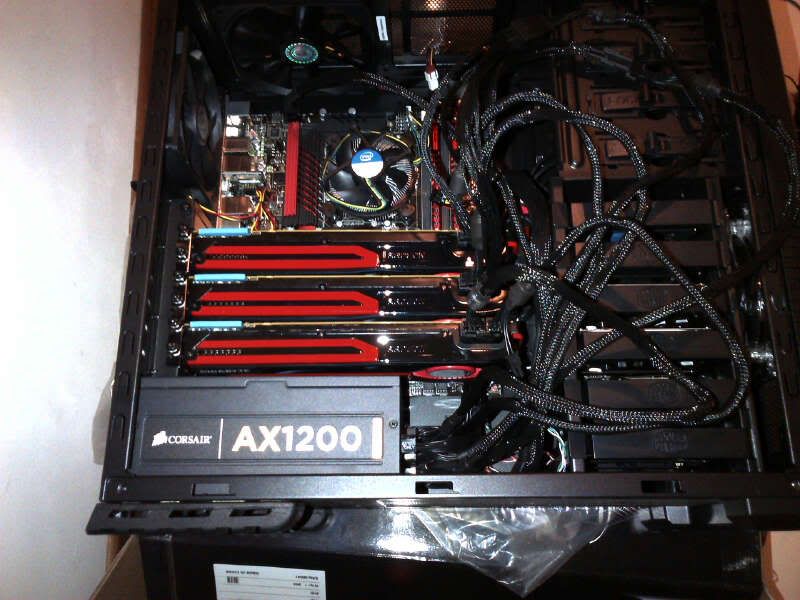
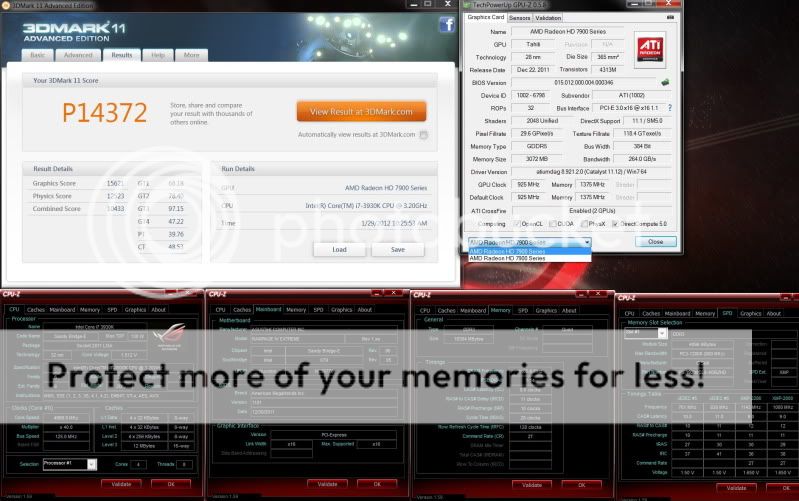
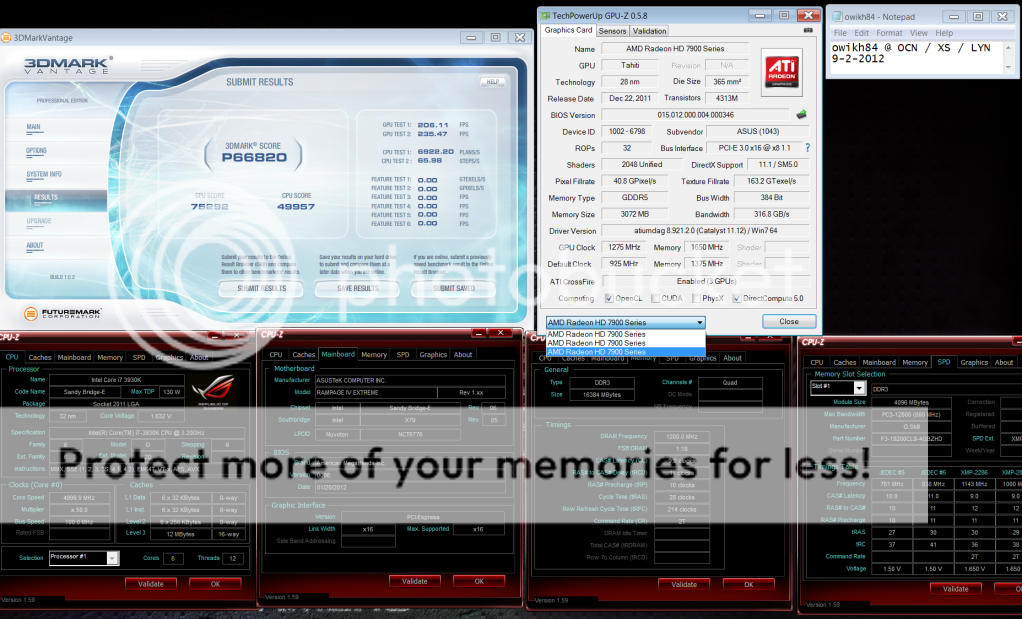
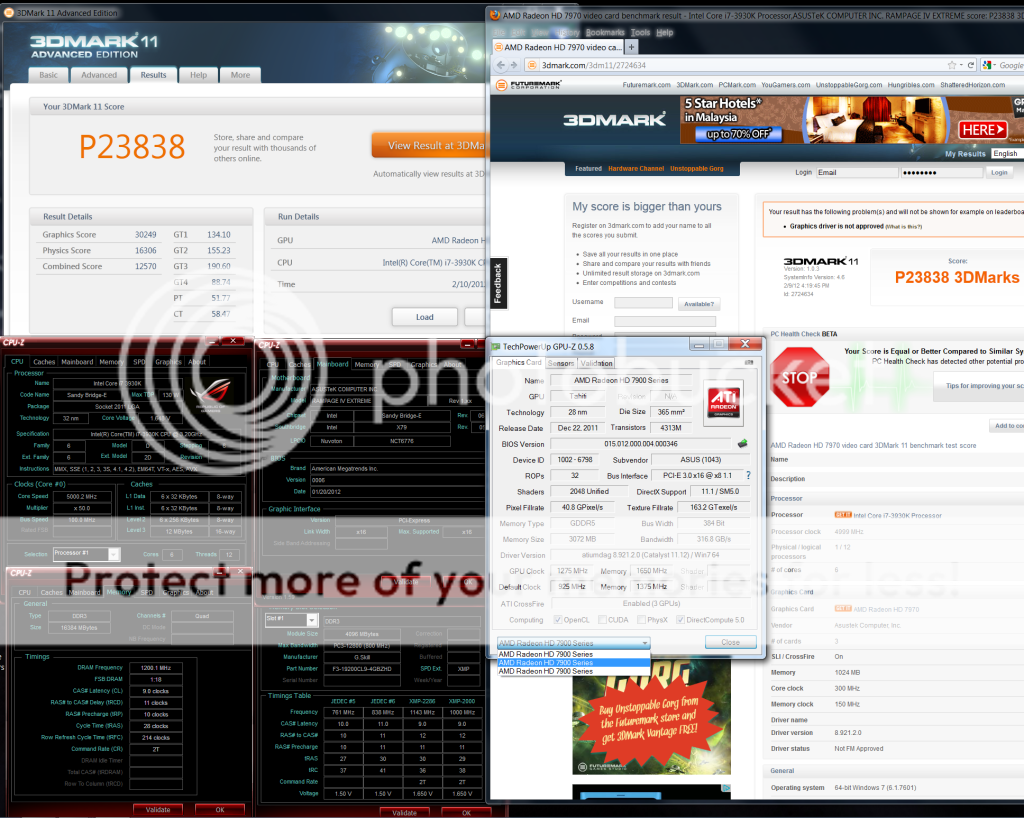
7970 x3 @ 1275Mhz 1.25v

user posted image
TSshepard
post Feb 9 2012, 12:10 AM

We shall overcome
*****
Senior Member
849 posts

Joined: May 2010
From: Penang Island


can you try to lower the value to 1050mv and run any graphic benchmark? let's see whether it's stable at 1050mV or not. you may use 3dmark11 or Vantage GPU test only to check..set to extreme test. and don't forget to monitor the max voltage either using GPU-Z or MSI AB after running the GPU test. Maybe Bro Kevin can help here? I'm also a beginner in Overclocking LOL biggrin.gif


Added on February 9, 2012, 12:22 am
QUOTE(owikh84 @ Feb 9 2012, 12:08 AM)
7970 x3 @ 1275Mhz 1.25v
22k 3DMark11?? OMG I wish I have the $$ Now and grab an x79 system plus two more 7970s drool.gif . Nice score bro Kevin rclxms.gif . You running your system only with AX1200 alone? Btw, why you didn't OC your 7970s Mem? I assume all three cards are now utilized under water right? What's the temps reading on all three cards btw?

Nice sharing, thanks!

This post has been edited by shepard: Feb 9 2012, 12:23 AM
Faith94
post Feb 9 2012, 12:28 AM

Getting Started
**
Junior Member
65 posts

Joined: Jul 2011
From: Kuala Lumpur


QUOTE(shepard @ Feb 9 2012, 12:10 AM)
can you try to lower the value to 1050mv and run any graphic benchmark? let's see whether it's stable at 1050mV or not. you may use 3dmark11 or Vantage GPU test only to check..set to extreme test. and don't forget to monitor the max voltage either using GPU-Z or MSI AB after running the GPU test. Maybe Bro Kevin can help here? I'm also a beginner in Overclocking LOL biggrin.gif


Added on February 9, 2012, 12:22 am

22k 3DMark11?? OMG I wish I have the $$ Now and grab an x79 system plus two more 7970s  drool.gif . Nice score bro Kevin  rclxms.gif . You running your system only with AX1200 alone? Btw, why you didn't OC your 7970s Mem? I assume all three cards are now utilized under water right? What's the temps reading on all three cards btw?

Nice sharing, thanks!
*
Hey , Im new in benchmarking , sorry for troubling you lol.. I downloaded the 3dmark11 but only I only can set preset to Performance , the other 2 (entry and extreme) need to upgrade (pay).. sweat.gif
TSshepard
post Feb 9 2012, 12:35 AM

We shall overcome
*****
Senior Member
849 posts

Joined: May 2010
From: Penang Island


no problem bro, just run performance test and wait for the score... make sure you monitor the GPU temps and voltage and let me know max temps/voltage once completed the benchmark.

i think you should know where to look for current voltage and temps in MSI AB right?
Faith94
post Feb 9 2012, 12:50 AM

Getting Started
**
Junior Member
65 posts

Joined: Jul 2011
From: Kuala Lumpur


QUOTE(shepard @ Feb 9 2012, 12:35 AM)
no problem bro, just run performance test and wait for the score... make sure you monitor the GPU temps and voltage and let me know max temps/voltage once completed the benchmark.

i think you should know where to look for current voltage and temps in MSI AB right?
*
Max temp 79 degrees .. GPU voltage 1.050

score : P7911
TSshepard
post Feb 9 2012, 12:59 AM

We shall overcome
*****
Senior Member
849 posts

Joined: May 2010
From: Penang Island


score looks alright to me, I think you need to set the fan speed to custom profile using afterburner..click on the setting in MSI AB, once the settings window appear, click the 'Fan' Tab. Tick the "enable user defined.." Box. Set your profile like this:

set the fan to 35% for temps <45DegC. Then set another fan 'point' at 80% for temps <70degC. Set another fan "point' to 100 for temps >80degC. see below pictures as an example on how it looks like.

user posted image

I guess you never set custom fan profile before Is it? try this first, apply it! Next thing to do is set the core voltage back to 1175mV and set the core clock to 1100Mhz. leave the ram clock at default first...run 3dmark11 again at 1100MHz with voltage set to 1175mV. If 3dmark11 freeze, and you have to hard reset..restart and try to manually set the fan constant at 70% with core at 1100MHz and voltage at deafault 1175mv..rerun the 3dmark11 once more.

tbh, overclocking and benchmarking is really time consuming and we have to be patient enough to find a stable OC with the lowest voltage possible to reduce heat and power consumption also k.a reducing TNB bills nod.gif .

This post has been edited by shepard: Feb 9 2012, 01:36 AM
Faith94
post Feb 9 2012, 01:06 AM

Getting Started
**
Junior Member
65 posts

Joined: Jul 2011
From: Kuala Lumpur


QUOTE(shepard @ Feb 9 2012, 12:59 AM)
score looks alright to me, I think you need to set the fan speed to custom profile using afterburner..click on the setting in MSI AB, once the settings window appear, click the 'Fan' Tab. Tick the "enable user defined.." Box. Set your profile like this:

set the fan to 35% for temps <45DegC. Then set another fan 'point' at 80% for temps <70degC. Set another fan "point' to 100 for temps >80degC. see below pictures as an example on how it looks like.

user posted image

I guess you never set custom fan profile before Is it? try this first, apply it! Next thing to do is set the core voltage back to 1175mV and set the core clock to 1100Mhz. leave the ram clock at default first...run 3dmark11 again at 1100MHz with voltage set to 1175mV.
*
Yes, I never set before. I'll set the core voltage now


Added on February 9, 2012, 1:20 amscore :P8948

max gpu temp : 72 degrees
Max gpu voltage : 1.175v

Btw, my screen did not freeze

http://3dmark.com/3dm11/2718132

This post has been edited by Faith94: Feb 9 2012, 01:23 AM
TSshepard
post Feb 9 2012, 01:33 AM

We shall overcome
*****
Senior Member
849 posts

Joined: May 2010
From: Penang Island


yeah great..that's why..i guess it could be becoz of your temps too high that cause a freeze. I suggest you to play games at high resolution first...maybe play crysis/crysis2 or battlefield 3 at those clock first maybe play for half an hour or longer first.

i you want to skip also can, just try to OC to 1125MHz at 1175mv voltage and you should be able to run the benchmark again without any issue....
kambing69
post Feb 9 2012, 01:41 AM

Getting Started
**
Junior Member
195 posts

Joined: Nov 2010


shepard... i got question...
with default voltage, i can get 1125 core clock but i need to set the memory clock at default clock (1375) if i want to do it more, it seems i need to add volt(havent tried to increase volt yet)....

So the question is... core clock or mem clock better set higher?


note: last time i said i cant OC beyond 1050 right? it's because i dint increase the volt and the power limit (set it at 0%)...

right now already tested 1200/1550 with 1175cvolt.... seems stable but the heat was #@$%T^Y around 80~88 icon_question.gif so i readuce back to stock volt..

This post has been edited by kambing69: Feb 9 2012, 01:51 AM
Faith94
post Feb 9 2012, 01:47 AM

Getting Started
**
Junior Member
65 posts

Joined: Jul 2011
From: Kuala Lumpur


QUOTE(shepard @ Feb 9 2012, 01:33 AM)
yeah great..that's why..i guess it could be becoz of your temps too high that cause a freeze. I suggest you to play games at high resolution first...maybe play crysis/crysis2 or battlefield 3 at those clock first maybe play for half an hour or longer first.

i you want to skip also can, just try to OC to 1125MHz at 1175mv voltage and you should be able to run the benchmark again without any issue....
*
what about the memory clock?
TSshepard
post Feb 9 2012, 01:49 AM

We shall overcome
*****
Senior Member
849 posts

Joined: May 2010
From: Penang Island


for performance wise, it is core clock which is more important..however mem clock can also increase your GPU performance but not as significant as core clock. You can also OC both but i advice you to OC the Mem not more than 1650MHz since you're using stock cooler.

If your PC now stable at 1125MHz without any freeze in games/benches..you may try to OC even higher maybe 1175/1200Mhz at 1.2v but please keep in mind, once you upped the voltage, the temps will goes up as well so the most important thing in OC'ing is to ALWAYS WATCH & MONITOR YOUR TEMPS...we dont want to spoil our RM2k card don't we? haha...


Added on February 9, 2012, 1:53 am
QUOTE(kambing69 @ Feb 9 2012, 01:41 AM)
shepard... i got question...
with default voltage, i can get 1125 core clock but i need to set the memory clock at default clock (1375) if i want to do it more, it seems i need to add volt(havent tried to increase volt yet)....

So the question is... core clock or mem clock better set higher?
note: last time i said i cant OC beyond 1050 right? it's because i dint increase the volt and the power limit (set it at 0%)...

right now already tested 1200/1550 with 1175cvolt.... seems stable but the heat was #@$%T^Y around 80~82  icon_question.gif  so i readuce back to stock volt..
*
bro,

i think ur stock volt is 1175 so keep that maintain while overclocking unless the OC is not stable/freeze. then you might need to up the voltage as well. I suggest not to let your card goes >80degC while gaming..watch the temp, run background monitoring apps like msi ab or gpu-z to regularly check the temps.

I think above you mean reduce back the core clock right? not voltage...because 1175mv is your stock voltage already bro smile.gif.. btw, power limit wont help you much especially on mild OC. last time your PC freeze because of GPU overheating, that's what i believe since you're running 3dmark11 at only 1050mv and getting 79degC its really hot to me..I take a good care of my card to never surpass 70degC all the time either in gaming or benching...set the fan profile wisely...fan not too loud and GPU not too hot.

This post has been edited by shepard: Feb 9 2012, 01:56 AM
kambing69
post Feb 9 2012, 01:53 AM

Getting Started
**
Junior Member
195 posts

Joined: Nov 2010


QUOTE(shepard @ Feb 9 2012, 01:49 AM)
bro,

i think ur stock volt is 1175 so keep that maintain while overclocking unless the OC is not stable/freeze. then you might need to up the voltage as well. I suggest not to let your card goes >80degC while gaming..watch the temp, run background monitoring apps like msi ab or gpu-z to regularly check the temps.

I think above you mean reduce back the core clock right? not voltage...because 1175mv is your stock voltage already bro smile.gif..
*
Aik???? is 1175 the stock voltage??? because before this using MSI burner my voltage was set at 1049 (core voltage <---in MSI burner). . . so the stock was 1175 ? not 1050/1049? sweat.gif (with 1050cvolt i can use around 1025/1450 stable OC'ed..

This post has been edited by kambing69: Feb 9 2012, 01:58 AM
Faith94
post Feb 9 2012, 01:58 AM

Getting Started
**
Junior Member
65 posts

Joined: Jul 2011
From: Kuala Lumpur


biggrin.gif I ran benchmark with 1125 mhz without freezing .. score :P9100

is the score ok ?

Max gpu temp : 73 degrees
Max gpu voltage : 1.175v

http://3dmark.com/3dm11/2718384

This post has been edited by Faith94: Feb 9 2012, 02:00 AM
TSshepard
post Feb 9 2012, 01:58 AM

We shall overcome
*****
Senior Member
849 posts

Joined: May 2010
From: Penang Island


QUOTE(kambing69 @ Feb 9 2012, 01:53 AM)
Aik???? is 1175 the stock voltage??? because before this using MSI burner my voltage was set at 1049 (core voltage <---in MSI burner). . . so the stock was 1175 ? not 1050/1049?
*
Haha sorry bro..i thought it was faith94 who'se asking me..got confuse already becoz I'm helping him right now..adoiii doh.gif ..sure different card comes with different stock voltage. let me read again your question.

This post has been edited by shepard: Feb 9 2012, 02:00 AM
kambing69
post Feb 9 2012, 02:00 AM

Getting Started
**
Junior Member
195 posts

Joined: Nov 2010


QUOTE(shepard @ Feb 9 2012, 01:58 AM)
Haha sorry bro..i thought it was faith94 who'se asking me..got confuse already becoz I'm helping him right now..adoiii  doh.gif
*
O.o


Okok2 let straigten thing now... what the default volt for the GPU actually icon_question.gif Now im confuse too


QUOTE(Faith94 @ Feb 9 2012, 01:58 AM)
biggrin.gif I ran benchmark with 1125 mhz without freezing .. score :P9100

is the score ok ?

Max gpu temp : 73 degrees
Max gpu voltage : 1.175v

http://3dmark.com/3dm11/2718384
*
Good Job!!! thumbup.gif

This post has been edited by kambing69: Feb 9 2012, 02:01 AM
TSshepard
post Feb 9 2012, 02:03 AM

We shall overcome
*****
Senior Member
849 posts

Joined: May 2010
From: Penang Island


QUOTE(Faith94 @ Feb 9 2012, 01:58 AM)
biggrin.gif I ran benchmark with 1125 mhz without freezing .. score :P9100

is the score ok ?

Max gpu temp : 73 degrees
Max gpu voltage : 1.175v

http://3dmark.com/3dm11/2718384
*
That's great Man, your score also sit tight in the 7970 league...now you can OC even higher but when your pc freeze or there's an artifact on the screen..try to increase the volt slowly and steady..be patient and pls do not rushing in overclocking...and watch your temp closely smile.gif..Happy overclocking, just let me know if you need my help again.
Faith94
post Feb 9 2012, 02:05 AM

Getting Started
**
Junior Member
65 posts

Joined: Jul 2011
From: Kuala Lumpur


QUOTE(shepard @ Feb 9 2012, 02:03 AM)
That's great Man, your score also sit tight in the 7970 league...now you can OC even higher but when your pc freeze or there's an artifact on the screen..try to increase the volt slowly and steady..be patient and pls do not rushing in overclocking...and watch your temp closely smile.gif..Happy overclocking, just let me know if you need my help again.
*
thanks alot bro ! biggrin.gif But my memory clock is still at stock , should i OC it ?
kambing69
post Feb 9 2012, 02:08 AM

Getting Started
**
Junior Member
195 posts

Joined: Nov 2010


>.< dont OC'ed it over 1200/1550 because with stock cooler even set at 95% my temp jump too 80~85....

right now using 1125/1525 with 1100 core volt..

used this to test stability .. Tech GPUTool or OCCT stability test

This post has been edited by kambing69: Feb 9 2012, 02:10 AM
Faith94
post Feb 9 2012, 02:11 AM

Getting Started
**
Junior Member
65 posts

Joined: Jul 2011
From: Kuala Lumpur


QUOTE(kambing69 @ Feb 9 2012, 02:08 AM)
>.< dont OC'ed it over 1200/1550 because with stock cooler even set at 95% my temp jump too 80~85....

right now using 1125/1525 with 1100 core volt..

used this to test stability .. Tech GPUTool or OCCT stability test
*
lol, mine is 1125/1375 currently..
TSshepard
post Feb 9 2012, 02:11 AM

We shall overcome
*****
Senior Member
849 posts

Joined: May 2010
From: Penang Island


QUOTE(kambing69 @ Feb 9 2012, 02:00 AM)
O.o
Okok2 let straigten thing now... what the default volt for the GPU actually  icon_question.gif  Now im confuse too
We'll from what i learnt..there's a low leakage and high leakage GPU chip manufactured and built in our GPU including our HD7970. Due to this reason, some GPU needs more volt to stable at certain clock while some other needs lower voltage at similar clock. So it is typical to have a GPU with 1175mV, 1125mV, 1050mV or even lower voltage at stock clock for 7970s card. Since you mentioned that your card stock voltage was at 1050mv then it shouldn't be a problem.

To me, as long as you can OC this card stable at 1200MHz+ with voltage <1.2v it is good enough smile.gif. you can try google if you need more info on these so called 'low leakage' and 'high leakage' chips.


Added on February 9, 2012, 2:13 am
QUOTE(Faith94 @ Feb 9 2012, 02:05 AM)
thanks alot bro !  biggrin.gif But my memory  clock is still at stock , should i OC it ?
*
Yes, try to OC to 1125/1600 at stock volt(1175mv)..run the benchmark again and your score should increase smile.gif..try it.

This post has been edited by shepard: Feb 9 2012, 02:13 AM
kambing69
post Feb 9 2012, 02:14 AM

Getting Started
**
Junior Member
195 posts

Joined: Nov 2010


QUOTE(shepard @ Feb 9 2012, 02:11 AM)
We'll from what i learnt..there's a low leakage and high leakage GPU chip manufactured and built in our GPU including our HD7970. Due to this reason, some GPU needs more volt to stable at certain clock while some other needs lower voltage at similar clock. So it is typical to have a GPU with 1175mV, 1125mV, 1050mV or even lower voltage at stock clock for 7970s card. Since you mentioned that your card stock voltage was at 1050mv then it shouldn't be a problem.

To me, as long as you can OC this card stable at 1200MHz+ with voltage <1.2v it is good enough smile.gif. you can try google if you need more info on these so called 'low leakage' and 'high leakage' chips.


Added on February 9, 2012, 2:13 am

Yes, try to OC to 1125/1600 at stock volt(1175mv)..run the benchmark again and your score should increase smile.gif..try it.
*
Owh... that's why i saw diffrent ppl with diff stock voltage.. dint get it before..
Thanks for the info~
TSshepard
post Feb 9 2012, 02:20 AM

We shall overcome
*****
Senior Member
849 posts

Joined: May 2010
From: Penang Island


QUOTE(kambing69 @ Feb 9 2012, 02:14 AM)
Owh... that's why i saw diffrent ppl with diff stock voltage.. dint get it before..
Thanks for the info~
*
Interesting enough, my card stock volt was 1175mv...just now I ran furmark burn In test at 1080p at stock clock(925MHz) but I undervolt the voltage to 1000mv and the card can still pass furmark burn in test biggrin.gif. I will try to lower it down a little bit and see what's the lowest core voltage value for my card in order to stable in games/stress test. this will help us in electricity and reduce the heat on the GPU.
kambing69
post Feb 9 2012, 02:29 AM

Getting Started
**
Junior Member
195 posts

Joined: Nov 2010


Why my score really low eh ??

OC'ed @

1150/1525 @ 1125volt.... need to retune... but dont have time... now its time for Skyrim!!!! tongue.gif


Edited: dint see it was P scoring.... (max temp running 3dmark 63)


Added on February 9, 2012, 2:39 am
QUOTE(Faith94 @ Feb 8 2012, 07:23 PM)
Oh.. I found it , My ASIC quality is 86.4%. Btw, I just bought it last week  sweat.gif Kinda dissapointed lol..
*
Dont be because your ASIC value really high >.< mine was 84.9% only


This is the description about the ASIC value "Lower % = higher leakage chip = easier to overclock because it can take a higher voltage. But a higher leaking chip requires a higher voltage to operate at the same frequency (a low leakage chip may require only 1.05V to operate at 925Mhz while a high leakage chip requires 1.125V), so power consumption and heat are increased. " taken from GPU-Z page

This post has been edited by kambing69: Feb 9 2012, 02:45 AM


Attached thumbnail(s)
Attached Image
TSshepard
post Feb 9 2012, 02:44 AM

We shall overcome
*****
Senior Member
849 posts

Joined: May 2010
From: Penang Island


My score almost similar with yours, little bit higher becoz mine clocked at 1160/1600MHz.

user posted image

This post has been edited by shepard: Feb 9 2012, 02:57 AM
Faith94
post Feb 9 2012, 03:51 AM

Getting Started
**
Junior Member
65 posts

Joined: Jul 2011
From: Kuala Lumpur


Benchmark again 1125/1575

Max GPU temp : 74 degrees
Max GPu voltage :1.175

Hmm , is my voltage ok ? or do I need to lower it , electricity bill very expensive ?

Score : P9164

http://3dmark.com/3dm11/2719087

This post has been edited by Faith94: Feb 9 2012, 03:52 AM
TSshepard
post Feb 9 2012, 03:59 AM

We shall overcome
*****
Senior Member
849 posts

Joined: May 2010
From: Penang Island


QUOTE(Faith94 @ Feb 9 2012, 03:51 AM)
Benchmark again 1125/1575

Max GPU temp : 74 degrees
Max GPu voltage :1.175

Hmm , is my voltage ok ? or do I need to lower it , electricity bill very expensive ?

Score : P9164

http://3dmark.com/3dm11/2719087
*
If you want to run at those clocks for 24/7..better keep it at 1175mv. You can OC more once you enable unofficial overclocking for MSi AB. I'm going to sleep now.. yawn.gif.

Edit: Well, just ignore my post on saving electricity...if you can afford a $600USD card, then RM100 monthly shouldn't be aproblem to you right? haha biggrin.gif

This post has been edited by shepard: Feb 9 2012, 04:02 AM
Faith94
post Feb 9 2012, 06:01 AM

Getting Started
**
Junior Member
65 posts

Joined: Jul 2011
From: Kuala Lumpur


QUOTE(shepard @ Feb 9 2012, 03:59 AM)
If you want to run at those clocks for 24/7..better keep it at 1175mv. You can OC more once you enable unofficial overclocking for MSi AB. I'm going to sleep now.. yawn.gif.

Edit: Well, just ignore my post on saving electricity...if you can afford a $600USD card, then RM100 monthly shouldn't be aproblem to you right? haha  biggrin.gif
*
I just played a game for 2 hours .. Max temp with the OCed card 81 degrees.. is this ok ? blink.gif

How to enable unofficial overclocking ?

This post has been edited by Faith94: Feb 9 2012, 12:33 PM
TSshepard
post Feb 9 2012, 05:52 PM

We shall overcome
*****
Senior Member
849 posts

Joined: May 2010
From: Penang Island


QUOTE(Faith94 @ Feb 9 2012, 06:01 AM)
I just played a game for 2 hours .. Max temp with the OCed card 81 degrees.. is this ok ?  blink.gif

How to enable unofficial overclocking ?
*
TBH, I wont let my GPU reach even 70degC while gaming. Try to increase the fan speed a little bit and undervolt your core voltage..try 1150mV at 1125MHz core and 1575MHz Mem and see if no problem arises then check again your max temps...I think your gpu is hotter then mine..because with my current fan profile, gpu temps never reach 70degC while gaming (Crysis2, crysis warhead, BF3, metro 2033, skyrim etc..at highest settings).

What casing you're using and what is your 7970's idle temp at stock clock/voltage?
Faith94
post Feb 9 2012, 06:06 PM

Getting Started
**
Junior Member
65 posts

Joined: Jul 2011
From: Kuala Lumpur


QUOTE(shepard @ Feb 9 2012, 05:52 PM)
TBH, I wont let my GPU reach even 70degC while gaming. Try to increase the fan speed a little bit and undervolt your core voltage..try 1150mV at 1125MHz core and 1575MHz Mem and see if no problem arises then check again your max temps...I think your gpu is hotter then mine..because with my current fan profile, gpu temps never reach 70degC while gaming (Crysis2, crysis warhead, BF3, metro 2033, skyrim etc..at highest settings).

What casing you're using and what is your 7970's idle temp at stock clock/voltage?
*
My GPU reached 83 degrees max just now, but after like 4 hours of gaming..

I am using Lian Li PC-8FIB casing

7970 idle temp below around 40-50 degrees.

My fan is really loud like 100% sometimes.

I undervolted the core voltaga to 1150mV , 1125/1575 benchmark again..

max gpu temp : 73

rclxub.gif

the score increased lol , p9232


This post has been edited by Faith94: Feb 9 2012, 06:21 PM
TSshepard
post Feb 9 2012, 06:25 PM

We shall overcome
*****
Senior Member
849 posts

Joined: May 2010
From: Penang Island


maybe it's your casing, the airflow might not be that good. I dunno..but like i suggest, try to undervolt or increase fan speed at lower temps..

update: great, if you can gaming at 1150mv with that clock maybe 2-3hours non stop then you may want to save the profile with lower voltage(1150mv). but it's your call whether to use 1150mv or going with even lower voltage to reduce the heat from GPU. your score is considered high already at that clock speed..congrats

This post has been edited by shepard: Feb 9 2012, 06:31 PM
Faith94
post Feb 9 2012, 06:32 PM

Getting Started
**
Junior Member
65 posts

Joined: Jul 2011
From: Kuala Lumpur


QUOTE(shepard @ Feb 9 2012, 06:25 PM)
maybe it's your casing, the airflow might not be that good. I dunno..but like i suggest, try to undervolt or increase fan speed at lower temps..

update: great, if you can gaming at 1150mv with that clock maybe 2-3hours non stop then you may want to save the profile with lower voltage(1150mv). but it's your call whether to use 1150mv or going with even lower voltage to reduce the heat from GPU. your score is considered high already at that clock speed..congrats
*
above 80 degrees is dangerous ?


This post has been edited by Faith94: Feb 9 2012, 06:32 PM
TSshepard
post Feb 9 2012, 07:00 PM

We shall overcome
*****
Senior Member
849 posts

Joined: May 2010
From: Penang Island


I think for GPU should be fine...but i advice you to always monitor your temps maybe let it settle at max 80-82degC only but not for a longer period of time. However, to me I wont let my CPU & GPU to ever reach 70degC in daily apps/games smile.gif.
Faith94
post Feb 9 2012, 07:11 PM

Getting Started
**
Junior Member
65 posts

Joined: Jul 2011
From: Kuala Lumpur


QUOTE(shepard @ Feb 9 2012, 07:00 PM)
I think for GPU should be fine...but i advice you to always monitor your temps maybe let it settle at max 80-82degC only but not for a longer period of time. However, to me I wont let my CPU & GPU to ever reach 70degC in daily apps/games smile.gif.
*
thanks for the advice ! biggrin.gif will see what to do next
owikh84
post Feb 9 2012, 11:55 PM

i7 Clan
Group Icon
Elite
8,711 posts

Joined: Nov 2007
From: Butterworth, PG / Machang, Kelantan


7970 x3 @ 1275/6600 1.25v/1.6v

user posted image

user posted image

Peak power consumption hit 1364W

This post has been edited by owikh84: Feb 10 2012, 12:28 AM
TSshepard
post Feb 10 2012, 06:47 PM

We shall overcome
*****
Senior Member
849 posts

Joined: May 2010
From: Penang Island


What a superb score with triple 7970s! How's your temps on all 3 cards if OC'ed to 1275MHz, 1.25V?
Faith94
post Feb 10 2012, 07:23 PM

Getting Started
**
Junior Member
65 posts

Joined: Jul 2011
From: Kuala Lumpur


edited

This post has been edited by Faith94: Feb 10 2012, 07:34 PM
owikh84
post Feb 10 2012, 10:44 PM

i7 Clan
Group Icon
Elite
8,711 posts

Joined: Nov 2007
From: Butterworth, PG / Machang, Kelantan


QUOTE(shepard @ Feb 10 2012, 06:47 PM)
What a superb score with triple 7970s! How's your temps on all 3 cards if OC'ed to 1275MHz, 1.25V?
*
max temp recorded by Asus GPUTweak hit 61C; somehow i find it inaccurate as MSI AB & TRIXX reporting 51C
ambient here is 35C at night.

This post has been edited by owikh84: Feb 11 2012, 11:12 AM
kambing69
post Feb 11 2012, 02:08 AM

Getting Started
**
Junior Member
195 posts

Joined: Nov 2010


QUOTE(owikh84 @ Feb 10 2012, 10:44 PM)
max temp recorded by Asus GPUTweak hit 61C
ambient here is 35C at night.
*
You are AWESOME!!!! . .. rclxms.gif rclxms.gif rclxms.gif


one more thing WTF with my score... i cant even get pass 9k marks in Performance benching... icon_question.gif


PS: already clock at 1150/1600 vmad.gif vmad.gif vmad.gif vmad.gif

edited: is CPU contribute that much for score because im using 2500k running at 4.8

This post has been edited by kambing69: Feb 11 2012, 02:09 AM


Attached thumbnail(s)
Attached Image
TSshepard
post Feb 11 2012, 02:20 AM

We shall overcome
*****
Senior Member
849 posts

Joined: May 2010
From: Penang Island


QUOTE(kambing69 @ Feb 11 2012, 02:08 AM)
You are AWESOME!!!! . ..  rclxms.gif  rclxms.gif  rclxms.gif
one more thing WTF with my score... i cant even get pass 9k marks in Performance benching... icon_question.gif
PS: already clock at 1150/1600  vmad.gif  vmad.gif  vmad.gif  vmad.gif

edited: is CPU contribute that much for score because im using 2500k running at 4.8
*
If I'm not mistaken, 3dmark utilize all cpu threads during benchmark. Since your cpu dont support HT, you only have 4 cores that's why your score is lower compare to others using 2600k or 2700k with 8 threads...someone expert pls correct me if I'm wrong.

btw, P scores is a combination of both CPU and GPU, that's why you cannot past p9k score at 1150/1600. My score with 2600k at 4.7GHz and 7970@ 1170/1600 was ~P9600 simply because of higher cpu scores.

This post has been edited by shepard: Feb 11 2012, 02:22 AM
kambing69
post Feb 11 2012, 03:17 AM

Getting Started
**
Junior Member
195 posts

Joined: Nov 2010


QUOTE(shepard @ Feb 11 2012, 02:20 AM)
If I'm not mistaken, 3dmark utilize all cpu threads during benchmark. Since your cpu dont support HT, you only have 4 cores that's why your score is lower compare to others using 2600k or 2700k with 8 threads...someone expert pls correct me if I'm wrong.

btw, P scores is a combination of both CPU and GPU, that's why you cannot past p9k score at 1150/1600. My score with 2600k at 4.7GHz and 7970@ 1170/1600 was ~P9600 simply because of higher cpu scores.
*
damn!! i though soo

thanks for the info~
Faith94
post Feb 11 2012, 03:34 AM

Getting Started
**
Junior Member
65 posts

Joined: Jul 2011
From: Kuala Lumpur


QUOTE(kambing69 @ Feb 11 2012, 03:17 AM)
damn!! i though soo

thanks for the info~
*
if i wanna overclock my i7-2700k to 4.8ghz what voltage do i need?
kambing69
post Feb 11 2012, 03:37 AM

Getting Started
**
Junior Member
195 posts

Joined: Nov 2010


QUOTE(Faith94 @ Feb 11 2012, 03:34 AM)
if i wanna overclock my i7-2700k to 4.8ghz what voltage do i need?
*
No idea... what your current volt right now? You better ask in intel 1155 OC room for this...
Faith94
post Feb 11 2012, 03:39 AM

Getting Started
**
Junior Member
65 posts

Joined: Jul 2011
From: Kuala Lumpur


QUOTE(kambing69 @ Feb 11 2012, 03:37 AM)
No idea... what your current volt right now? You better ask in intel 1155 OC room for this...
*
Auto , i oc-ed it to 4.2ghz it's stable now.. around 1.2v
But I ran Linx stability test the temps are quite high around the 70s

I tried oc to 4.8 with 1.4v .. Blue screen cry.gif maybe need better cooling ?

sweat.gif

This post has been edited by Faith94: Feb 11 2012, 07:20 AM
owikh84
post Feb 11 2012, 07:32 AM

i7 Clan
Group Icon
Elite
8,711 posts

Joined: Nov 2007
From: Butterworth, PG / Machang, Kelantan


QUOTE(Faith94 @ Feb 11 2012, 03:39 AM)
Auto , i oc-ed it to 4.2ghz it's stable now.. around 1.2v
But I ran Linx stability test the temps are quite high around the 70s
I tried oc to 4.8 with 1.4v .. Blue screen  cry.gif  maybe need better cooling ?
sweat.gif

1.4v at load or idle?
BSOD has nothing to do with cooling.
If it's code x101 & x124, your CPU needs more joice, increase vcore till you get rid of that BSOD.
For further discussion pls proceed to the SB OC thread.
TSshepard
post Feb 11 2012, 12:05 PM

We shall overcome
*****
Senior Member
849 posts

Joined: May 2010
From: Penang Island


QUOTE(owikh84 @ Feb 10 2012, 10:44 PM)
max temp recorded by Asus GPUTweak hit 61C; somehow i find it inaccurate as MSI AB & TRIXX reporting 51C
ambient here is 35C at night.
*
bro kevin, 61degC is too good already for trifire setup thumbup.gif . what's the cost of 1pcs 7970 waterblock? and how do I get it from here? I wish to add 1 more 7970 and watercool them later in march. But If GTX680 really 45% faster than 7970 maybe need to change the plan laugh.gif haha
owikh84
post Feb 11 2012, 12:06 PM

i7 Clan
Group Icon
Elite
8,711 posts

Joined: Nov 2007
From: Butterworth, PG / Machang, Kelantan


7970 x3 @ 1275/6800MHz 1.25v/1.65v

user posted image

max temp recorded by MSI AB = 52C
TSshepard
post Feb 11 2012, 12:21 PM

We shall overcome
*****
Senior Member
849 posts

Joined: May 2010
From: Penang Island


Bro Kevin,

Have you tried benching some games with your setup lately? I would love to see the FPS in games with your monster setup. Maybe crysis 2, metro 2033, warhead and how about your Unigine Heaven 2.5 result/FPS in extreme tessel settings at 1920x1080?
owikh84
post Feb 11 2012, 01:11 PM

i7 Clan
Group Icon
Elite
8,711 posts

Joined: Nov 2007
From: Butterworth, PG / Machang, Kelantan


QUOTE(shepard @ Feb 11 2012, 12:21 PM)
Bro Kevin,

Have you tried benching some games with your setup lately? I would love to see the FPS in games with your monster setup. Maybe crysis 2, metro 2033, warhead and how about your Unigine Heaven 2.5 result/FPS in extreme tessel settings at 1920x1080?
*
I hv run Dirt3, Unigine, AvP, Lost Planet, Batman AC all on stock clocks at 2560x1600. I still dont hv much time to bench on OCed clocks as well as 4800x2560 with triple U3011 lol.
Faith94
post Feb 11 2012, 05:45 PM

Getting Started
**
Junior Member
65 posts

Joined: Jul 2011
From: Kuala Lumpur


Today I tried 1200/1625 at 1.2v.. Can I reach 1275 with 1.3v? I tried 1275 with 1.25v my screen freeze
TSshepard
post Feb 11 2012, 05:55 PM

We shall overcome
*****
Senior Member
849 posts

Joined: May 2010
From: Penang Island


QUOTE(Faith94 @ Feb 11 2012, 05:45 PM)
Today I tried 1200/1625 at 1.2v.. Can I reach 1275 with 1.3v? I tried 1275 with 1.25v my screen freeze
*
I think shouldn't be aproblem to run 1275MHz at 1.3v. Just watch the temps closely, but at that clock you've to crank up the fan speed manually to >80% all the time + a very loud noise...For benchmark it shouldnt be a problem smile.gif.
ALeUNe
post Feb 11 2012, 06:20 PM

I'm the purebred with aristocratic pedigree
Group Icon
VIP
9,692 posts

Joined: Jan 2003
From: Mongrel Isle
owikh84 has waterblocks on the GPUs, I think there is little concern on the temperature issues.
TSshepard
post Feb 11 2012, 06:40 PM

We shall overcome
*****
Senior Member
849 posts

Joined: May 2010
From: Penang Island


Yeah, I just wondering how good those EK WBs performed at highly OC'ed GPUs and high core voltage..but it's proven to be able to handle those heats easily smile.gif
owikh84
post Feb 11 2012, 07:14 PM

i7 Clan
Group Icon
Elite
8,711 posts

Joined: Nov 2007
From: Butterworth, PG / Machang, Kelantan


QUOTE(ALeUNe @ Feb 11 2012, 06:20 PM)
owikh84 has waterblocks on the GPUs, I think there is little concern on the temperature issues.
*
QUOTE(shepard @ Feb 11 2012, 06:40 PM)
Yeah, I just wondering how good those EK WBs performed at highly OC'ed GPUs and high core voltage..but it's proven to be able to handle those heats easily smile.gif
*

+1
Water is always more efficient than air in heat dissipation. These are my EK FC7970 plexi-nickel blocks:

user posted image
TSshepard
post Feb 11 2012, 08:47 PM

We shall overcome
*****
Senior Member
849 posts

Joined: May 2010
From: Penang Island


QUOTE(owikh84 @ Feb 11 2012, 07:14 PM)
+1
Water is always more efficient than air in heat dissipation. These are my EK FC7970 plexi-nickel blocks:
tempting..Wanted to get those but I am in dilemma now since I read in guru3d.com that GTX680 will be 45% faster than 7970(maybe rumours)..hope that wasn't real. Maybe it's wiser to wait for kepler before upgrading to 2nd 7970? Btw, what's your highest score with 3x OC'ed 580s in 3dmark11/Vantage? I'm sure 3x7970s beat the 3x580s with a good margin..can you share with us? hehe..

This post has been edited by shepard: Feb 11 2012, 08:48 PM
owikh84
post Feb 11 2012, 11:12 PM

i7 Clan
Group Icon
Elite
8,711 posts

Joined: Nov 2007
From: Butterworth, PG / Machang, Kelantan


QUOTE(shepard @ Feb 11 2012, 08:47 PM)
tempting..Wanted to get those but I am in dilemma now since I read in guru3d.com that GTX680 will be 45% faster than 7970(maybe rumours)..hope that wasn't real. Maybe it's wiser to wait for kepler before upgrading to 2nd 7970? Btw, what's your highest score with 3x OC'ed 580s in 3dmark11/Vantage? I'm sure 3x7970s beat the 3x580s with a good margin..can you share with us? hehe..
*

I believe GTX680 will be faster than 7970 just don't know by how far. Just wait and see. hmm.gif
7970 X3 is surely better than GTX580 x3 on these benchmarks.

GTX580 x3 @ 950/4100MHz 1.212v
user posted image

GTX580 x3 @ 960/4100MHz 1.212v
user posted image


TSshepard
post Feb 11 2012, 11:37 PM

We shall overcome
*****
Senior Member
849 posts

Joined: May 2010
From: Penang Island


QUOTE(owikh84 @ Feb 11 2012, 11:12 PM)
I believe GTX680 will be faster than 7970 just don't know by how far. Just wait and see.  hmm.gif
7970 X3 is surely better than GTX580 x3 on these benchmarks.

GTX580 x3 @ 950/4100MHz 1.212v

GTX580 x3 @ 960/4100MHz 1.212v
Thanks for sharing thumbup.gif . It appears the difference between OC'ed 3x580s vs OC'ed 3x7970s was sooo obvious:
3dmark Vantage: 13k better GPU score (21% faster)
3dmark11 : 9k better GPU score (43% faster)

shocking.gif

I think with 7970s either 2x or 3x can keep anyone happy for at least 2years ahead..so maybe not going back to the green team yet atm smile.gif.

This post has been edited by shepard: Feb 11 2012, 11:39 PM
owikh84
post Feb 12 2012, 12:07 AM

i7 Clan
Group Icon
Elite
8,711 posts

Joined: Nov 2007
From: Butterworth, PG / Machang, Kelantan


QUOTE(shepard @ Feb 11 2012, 11:37 PM)
Thanks for sharing  thumbup.gif . It appears the difference between OC'ed 3x580s vs OC'ed 3x7970s was sooo obvious:
3dmark Vantage: 13k better GPU score (21% faster)
3dmark11 : 9k better GPU score (43% faster)
shocking.gif
I think with 7970s either 2x or 3x can keep anyone happy for at least 2years ahead..so maybe not going back to the green team yet atm smile.gif.
*
But AMD should really improve their driver department leh...
Some games ie. LoTR WotN got serious stuttering issues.
Sometimes my windows taskbar flickered said to be caused by conflict between 2D/3D profiles.

AMD,
WE
NEED
A
NEW
DRIVER
!!!
TSshepard
post Feb 12 2012, 12:17 AM

We shall overcome
*****
Senior Member
849 posts

Joined: May 2010
From: Penang Island


QUOTE(owikh84 @ Feb 12 2012, 12:07 AM)
But AMD should really improve their driver department leh...
Some games ie. LoTR WotN got serious stuttering issues.
Sometimes my windows taskbar flickered said to be caused by conflict between 2D/3D profiles.

AMD,
WE
NEED
A
NEW
DRIVER
!!!
*
Ya ya... +100 rep! Totally agree on above. They built a lovely hardware no doubt but they really need to improve on their software department. The bad thing is that, we heard these sentences since HD5xxx series or even before that since my Green days laugh.gif .

This post has been edited by shepard: Feb 12 2012, 12:18 AM
Faith94
post Feb 12 2012, 05:35 AM

Getting Started
**
Junior Member
65 posts

Joined: Jul 2011
From: Kuala Lumpur


I ran benchmark at 1200mhz , 1.2v.. no problem , after i play for quite long then my screen freeze =.=. because not enough voltage?

i lower the core to 1175mhz, also screen freeze..


This post has been edited by Faith94: Feb 12 2012, 05:50 AM
TSshepard
post Feb 12 2012, 05:53 AM

We shall overcome
*****
Senior Member
849 posts

Joined: May 2010
From: Penang Island


QUOTE(Faith94 @ Feb 12 2012, 05:35 AM)
I ran benchmark at 1200mhz , 1.2v.. no problem , after i play for quite long then my screen freeze =.=. because not enough voltage?

i lower the core to 1175mhz, also screen freeze..
*
what's the max GPU temperature under load?
Faith94
post Feb 12 2012, 05:53 AM

Getting Started
**
Junior Member
65 posts

Joined: Jul 2011
From: Kuala Lumpur


QUOTE(shepard @ Feb 12 2012, 05:53 AM)
what's the max GPU temperature under load?
*
77 degrees .. sigh , i lower it back to 1125 lol

benchmark , the temperature is 73 only

This post has been edited by Faith94: Feb 12 2012, 05:54 AM
owikh84
post Feb 12 2012, 08:34 AM

i7 Clan
Group Icon
Elite
8,711 posts

Joined: Nov 2007
From: Butterworth, PG / Machang, Kelantan


QUOTE(Faith94 @ Feb 12 2012, 05:53 AM)
77 degrees .. sigh , i lower it back to 1125 lol
benchmark , the temperature is 73 only
*
your gc needs more juice.
kambing69
post Feb 13 2012, 06:07 PM

Getting Started
**
Junior Member
195 posts

Joined: Nov 2010


QUOTE(shepard @ Feb 11 2012, 12:05 PM)
bro kevin, 61degC is too good already for trifire setup  thumbup.gif . what's the cost of 1pcs 7970 waterblock? and how do I get it from here? I wish to add 1 more 7970 and watercool them later in march. But If GTX680 really 45% faster than 7970 maybe need to change the plan laugh.gif  haha
*
Im thinking about this too... Will wait for gtx680 review 1st. . Then i decide.. but but..i already order one waterblock !!... aish.. Hope 680 will out late late later this year.. ahaha


This post has been edited by kambing69: Feb 13 2012, 06:12 PM
Faith94
post Feb 14 2012, 12:48 AM

Getting Started
**
Junior Member
65 posts

Joined: Jul 2011
From: Kuala Lumpur


Just to ask , if my card keep failing earlier when I overclock ( blue screen , screen freeze , etc ) will it affect my GC's performance?

I feel laggy in games although high fps.
kambing69
post Feb 14 2012, 10:51 AM

Getting Started
**
Junior Member
195 posts

Joined: Nov 2010


What game? my skyrim yesterday lagging very very bad.... 5fps only..

ahaha, well that because of my graphic mod dint go well.... btw, i got BSOD many time when trying to OC before...
Posibilities if your GC performance down because of the software/forceware/ccc . . i dont think BSOD can make hardware performance down... maybe abit but not noticable..
This post has been edited by kambing69: Feb 14 2012, 10:51 AM
TSshepard
post Feb 14 2012, 02:36 PM

We shall overcome
*****
Senior Member
849 posts

Joined: May 2010
From: Penang Island


QUOTE(kambing69 @ Feb 14 2012, 10:51 AM)
What game? my skyrim yesterday lagging very very bad.... 5fps only..

ahaha, well that because of my graphic mod dint go well.... btw, i got BSOD many time when trying to OC before...
Posibilities if your GC performance down because of the software/forceware/ccc . . i dont think BSOD can make hardware performance down... maybe abit but not noticable..
*
This ^. I recommend 7970 users to use catalyst 11.12 RC11 that I put up the link in my 1st post. That's what recommended by AMD themselves. So for now, we just wait for AMD to release an official HD7970 driver cool2.gif .
Faith94
post Feb 14 2012, 03:24 PM

Getting Started
**
Junior Member
65 posts

Joined: Jul 2011
From: Kuala Lumpur


kambing69, what's ur max gpu temp when playing games? and one weird thing, i overclock my cpu to 4.2ghz then i benchmark again with 1125/1600 my points drop to 9000 sweat.gif

This post has been edited by Faith94: Feb 14 2012, 11:53 PM
hilmiangah
post Feb 15 2012, 05:51 AM

Kongsi Gelap Elite Ramadass
Group Icon
Elite
5,602 posts

Joined: Jul 2007
From: The Holiest Of Hole


QUOTE(Faith94 @ Feb 14 2012, 03:24 PM)
kambing69, what's ur max gpu temp when playing games? and one weird thing, i overclock my cpu to 4.2ghz then i benchmark again with 1125/1600 my points drop to 9000  sweat.gif
*
ECC at work

try lowering down the gpu memory clock
Faith94
post Feb 16 2012, 08:39 AM

Getting Started
**
Junior Member
65 posts

Joined: Jul 2011
From: Kuala Lumpur


1125/1575 @ 1.75v ,Screen freezes, and then this comes out "ATI graphic card stop working and recovered..."

sweat.gif

What should I do ?

No bluescreen.

Normally it run fine but just now it stop working and recover.

GPU Load Temp : 62degrees.

Benchmark also runs fine.

This post has been edited by Faith94: Feb 16 2012, 08:43 AM
kambing69
post Feb 16 2012, 09:17 AM

Getting Started
**
Junior Member
195 posts

Joined: Nov 2010


right now my voltage @ 1046 clocked at 1040/1450 this is the most stable i can get with stock voltage... i dont want to add voltage now because the heat, need to wait for my Water block from cyntrix >.< then il add 1.2 volt....for 24/7 hours...

owh my temp when playing game around 73' with customize fan speed (afterburner) . .
I find that the stock fan speed too slow and because my room doesn't have ac, i really need to customize the fan speed....make it around 50~80 at 60c and above...

sry for late reply, kinda bzy yesterday ..

Faith, you dont need to clock higher than 1040 for crysis2 or other for most of the game... because 7970 already fast enough even at stock clock~(unless you using more than one monitor) . .



QUOTE(shepard @ Feb 14 2012, 02:36 PM)
This ^. I recommend 7970 users to use catalyst 11.12 RC11 that I put up the link in my 1st post. That's what recommended by AMD themselves. So for now, we just wait for AMD to release an official HD7970 driver  cool2.gif .
*
im using 11.12 CCC already... just waiting for the officiall ccc for 7970.... arghhh cant wait, because skyrim +enb +SAOO max + FXAA max = crash >.< ahahaha


This post has been edited by kambing69: Feb 16 2012, 09:22 AM
TSshepard
post Feb 16 2012, 12:42 PM

We shall overcome
*****
Senior Member
849 posts

Joined: May 2010
From: Penang Island


QUOTE(Faith94 @ Feb 16 2012, 08:39 AM)
1125/1575 @ 1.75v ,Screen freezes, and then this comes out "ATI graphic card stop working and recovered..."

sweat.gif

What should I do ?

No bluescreen.

Normally it run fine but just now it stop working and recover.

GPU Load Temp : 62degrees.

Benchmark also runs fine.
*
try download HWinfo64 v3.93-1530 (latest) and monitor max VRM temp during full load.
Link: HWinfo64

This post has been edited by shepard: Feb 16 2012, 12:43 PM
pili
post Feb 16 2012, 06:44 PM

New Member
*
Junior Member
16 posts

Joined: Feb 2012
Although this is a 7970 OC thread. I hope this is quite a good info for guys who wants to know how 7970 vs 6990.

ASUS HD6990 - 11350 3DMark11 (OCed)
Core: 940MHz, Memory: 1320MHz

CPU: Intel i7-2600K @ 5.2GHz
Mainboard: ASUS Maximus IV Extreme-Z
Memory: Avexir 4GB 2000 CL9 x 2
PSU: Seasonic X-850


Attached thumbnail(s)
Attached Image
kambing69
post Feb 16 2012, 09:51 PM

Getting Started
**
Junior Member
195 posts

Joined: Nov 2010


Have you guys download the new CCC ?

GPU-Z detect 2D clock >.<

I dint test the result yet...


EDIT: but it seem it OC'ed well, i mean my afterburner still working~


Added on February 16, 2012, 9:58 pmGood news!!! i hit 9k mark with the new driver update!!!

before this i get 89xx (oh well got about 150~250 more point ) dint know about other application (game) will try it out to see... hope no more crash for skyrim~

This post has been edited by kambing69: Feb 16 2012, 09:58 PM


Attached thumbnail(s)
Attached Image Attached Image Attached Image
pennykia
post Feb 16 2012, 11:55 PM

Casual
***
Junior Member
438 posts

Joined: Mar 2008
From: Klang


just got my 7970 today smile.gif
minor oc to 20%,
1110 clock with no voltage rise smile.gif
but temp shot to 93c lol....after 40mins furmark
waterblock plz !!!

This post has been edited by pennykia: Feb 17 2012, 12:02 AM
TSshepard
post Feb 17 2012, 12:07 AM

We shall overcome
*****
Senior Member
849 posts

Joined: May 2010
From: Penang Island


QUOTE(pennykia @ Feb 16 2012, 11:55 PM)
just got my 7970 today smile.gif
minor oc to 20%,
1110 clock with no voltage rise smile.gif
*
nice bro...your default voltage is 1175mv? i believe at stock cvolt you can OC your card to at least 1150MHz thumbup.gif . The Most Powerful single graphics card in the planet flex.gif


Added on February 17, 2012, 12:10 am
QUOTE(pili @ Feb 16 2012, 06:44 PM)
Although this is a 7970 OC thread. I hope this is quite a good info for guys who wants to know how 7970 vs 6990.

ASUS HD6990 - 11350 3DMark11 (OCed)
Core: 940MHz, Memory: 1320MHz

CPU: Intel i7-2600K @ 5.2GHz
Mainboard: ASUS Maximus IV Extreme-Z
Memory: Avexir 4GB 2000 CL9 x 2
PSU: Seasonic X-850
Nice score on 6990 but its a dual GPU so its fair enough biggrin.gif . Can you try benching your card at that clock with heaven 2.5 everything maxed out and extreme tessel? just to compare with 7970...

This post has been edited by shepard: Feb 17 2012, 12:30 AM
kambing69
post Feb 17 2012, 12:21 AM

Getting Started
**
Junior Member
195 posts

Joined: Nov 2010


QUOTE(pennykia @ Feb 16 2012, 11:55 PM)
just got my 7970 today smile.gif
minor oc to 20%,
1110 clock with no voltage rise smile.gif
but temp shot to 93c lol....after 40mins furmark
waterblock plz !!!
*
NICE!!!! . . . yeah the temp really let you down right? same as me... it shoot around 85~89 (playing crysis2 for 3 hours) @ 1150/1600 : 1175mvolt and my pc will automatically restart because of the temp when running OCCT for about 30 min >.<
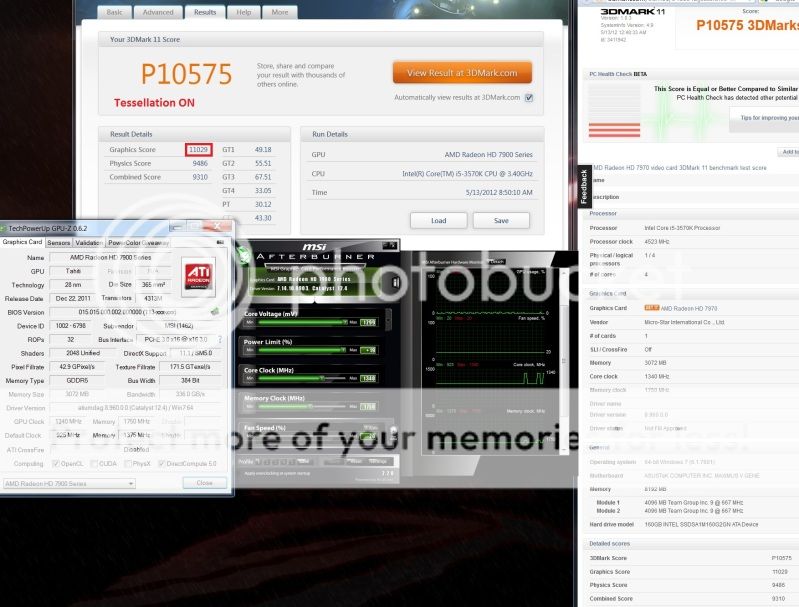
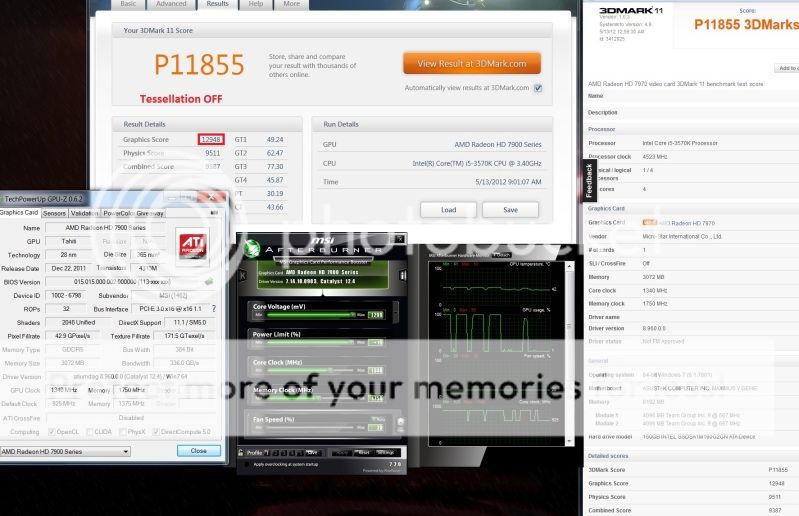
This post has been edited by kambing69: Feb 17 2012, 12:21 AM
pennykia
post Feb 17 2012, 12:23 AM

Casual
***
Junior Member
438 posts

Joined: Mar 2008
From: Klang


yeap... all stock only slide the clock speed in overdrive....
will report back after tomorrow if my wb reach smile.gif

This post has been edited by fariz: Feb 19 2012, 10:22 PM
ALBHmiri
post Feb 19 2012, 01:22 PM

Getting Started
**
Junior Member
51 posts

Joined: Feb 2012
HD radeon 7970 minimum power supply how many watt? 650W true power?
TSshepard
post Feb 19 2012, 09:21 PM

We shall overcome
*****
Senior Member
849 posts

Joined: May 2010
From: Penang Island


650 watt should be enough for average user. Unless if you plan to extremely OC'ed your CPU and GPU, then you might need a high quality 750W or higher PSU.
laurelgt
post Feb 21 2012, 07:59 PM

LEARN & SHARE
******
Senior Member
1,160 posts

Joined: Jun 2011
From: Sabah


QUOTE(ALBHmiri @ Feb 19 2012, 01:22 PM)
HD radeon 7970 minimum power supply how many watt? 650W true power?
*
Just a recommendation , try TX series ( Corsair ) / Seasonic. U wont regret it. I hope you dont skimp on the PSU if you can afford the 7970. smile.gif Just my 2 cents. Good luck.
Notoxic
post Feb 22 2012, 09:08 AM

New Member
*
Junior Member
12 posts

Joined: Feb 2012
Hi guys,

I have some problem over clocking my Club3D HD7970.
I went for 1073 / 1542 with 20% power boost and no voltage changes. I went to play BF3 and after few hours of game play PC shut down by itself.
I wanted to fire up my PC again but no reaction , black screen ,and power button's diode wont light up. Few minutes later the PC boots up by itself again.
So i went to test the card with Furmark. 15min burn-in test brought the card to 94c and just at 99% of the test bam! Again the same problem .. pc goes off and wont turn on for next 4-5 minutes and then boots up again.
Can anyone tell me why is this happening? Is this some thermal protection kicking in on the 7970 and turns whole system off to prevent damage? Or does the card need more voltage to get this stable? Or is my PSU failing? The last option is really unlikely because i have no problems otherwise on stock settings. I really hope somebody can clear it up for me. Thanks!
sam sam
post Feb 22 2012, 09:24 AM

Enthusiast
*****
Senior Member
814 posts

Joined: May 2011
QUOTE(Notoxic @ Feb 22 2012, 09:08 AM)
Hi guys,

I have some problem over clocking my Club3D HD7970.
I went for 1073 / 1542 with 20% power boost and no voltage changes. I went to play BF3 and after few hours of game play PC shut down by itself.
I wanted to fire up my PC again but no reaction , black screen ,and power button's diode wont light up. Few minutes later the PC boots up by itself again.
So i went to test the card with Furmark. 15min burn-in test brought the card to 94c and just at 99% of the test bam! Again the same problem .. pc goes off and wont turn on for next 4-5 minutes and then boots up again.
Can anyone tell me why is this happening? Is this some thermal protection kicking in on the 7970 and turns whole system off to prevent damage? Or does the card need more voltage to get this stable? Or is my PSU failing? The last option is really unlikely because i have no problems otherwise on stock settings. I really hope somebody can clear it up for me. Thanks!
*
sounds like you are overloading the card in terms of heat. Not to sure about the brand. I remember when i used stock cooler and set the settings to something like yours did not shut down after playing games but temp was around 85C. Not much use to increase the voltage because it would get heated up faster.

what psu are you using.
I think this card you really need to invest in either the AC triple fan 7970 cooler or get it watercooled.
I remember my stock temp was around 72-75C playing 3rd person games. This is with a high flow chassis.
with water cooling overclocking to 1200/6600, temp is around 38C after games
Notoxic
post Feb 22 2012, 10:34 AM

New Member
*
Junior Member
12 posts

Joined: Feb 2012
QUOTE(sam sam @ Feb 22 2012, 09:24 AM)
sounds like you are overloading the card in terms of heat. Not to sure about the brand. I remember when i used stock cooler and set the settings to something like yours did not shut down after playing games but temp was around 85C. Not much use to increase the voltage because it would get heated up faster.

what psu are you using.
I think this card you really need to invest in either the AC triple fan 7970 cooler or get it watercooled.
I remember my stock temp was around 72-75C playing 3rd person games. This is with a high flow chassis.
with water cooling overclocking to 1200/6600,  temp is around 38C after games
*
I'm using Zalman 850watt PSU and got Antec 180p case with 3 intake and 2 outtake fans.
I have ordered : ARCTIC Accelero Xtreme 7970 VGA but have to wait for it to ship about 3 weeks :S http://hexus.net/tech/reviews/cooling/3480...970-vga-cooler/
owikh84
post Feb 22 2012, 11:43 AM

i7 Clan
Group Icon
Elite
8,711 posts

Joined: Nov 2007
From: Butterworth, PG / Machang, Kelantan


Increase voltage & fan speed would it help?
sam sam
post Feb 22 2012, 12:26 PM

Enthusiast
*****
Senior Member
814 posts

Joined: May 2011
QUOTE(Notoxic @ Feb 22 2012, 10:34 AM)
I'm using Zalman 850watt PSU and got Antec 180p case with 3 intake and 2 outtake fans.
I have ordered : ARCTIC Accelero Xtreme 7970 VGA but have to wait for it to ship about 3 weeks :S http://hexus.net/tech/reviews/cooling/3480...970-vga-cooler/
*
Mean time run the fan like jet engine only. THat helps. 50% is already way to loud for me.
But its better to set to 50% straight away so that the temp takes a longer time to reach 80C.

Want to ask does overclocking help much with BF3? i don;t play much FPS so don't notice much difference when i overclock.

This post has been edited by sam sam: Feb 22 2012, 12:27 PM
Notoxic
post Feb 22 2012, 06:26 PM

New Member
*
Junior Member
12 posts

Joined: Feb 2012
QUOTE(owikh84 @ Feb 22 2012, 11:43 AM)
Increase voltage & fan speed would it help?
*
I don't think i want to try it out with standard cooler, its running really hot already.


Added on February 22, 2012, 6:35 pm
QUOTE(sam sam @ Feb 22 2012, 12:26 PM)
Mean time run the fan like jet engine only. THat helps. 50% is already way to loud for me.
But its better to set to 50% straight away so that the temp takes a longer time to reach 80C.

Want to ask does overclocking help much with BF3? i don;t play much FPS so don't notice much difference when i overclock.
*
It's about 10 -15 FPS more when overclocked on my settings. Is it much? Yes and no. 10 - 15 FPS is not much when you already running at 60 or more FPS. But it is something when your non OC card drops to 40 FPS.
Basically it helps me to stay at or near 60 FPS at all times. And with proper cooling i can push it even further, so to answer your question real simple : Yes it helps much to OC the card and play any game witch is as demanding as BF3.


Added on February 22, 2012, 6:39 pmSo is here anyone who can give me an clear answer on this? :

1. Can HD7970 when getting to hot, turn whole system off and keep it off for like 4 - 5 minutes?
2. If video card can not do that , what components can?

This post has been edited by Notoxic: Feb 22 2012, 06:39 PM
sam sam
post Feb 22 2012, 07:40 PM

Enthusiast
*****
Senior Member
814 posts

Joined: May 2011
I think this problem happen to me too, this was before the waterblock
what i did was turn off the power and pull out the cord and plug it back in and reset
power supply was okay.

I think you should not overclock for now
change of damage is very high. electronics at 80C tend to fail very fast.
especially the capacitors. Even though they should be rated at 105C but as you are close to the temp it would fail faster
At that level any transient can spoilt the board. I work with electronics everyday

Good to know on the fps jump on bf3.
Notoxic
post Feb 22 2012, 08:36 PM

New Member
*
Junior Member
12 posts

Joined: Feb 2012
Thats what i was thinking myself sam sam. I wont OC until i get my Arctic cooler and see some acceptable temperatures.
TSshepard
post Feb 22 2012, 08:38 PM

We shall overcome
*****
Senior Member
849 posts

Joined: May 2010
From: Penang Island


QUOTE(Notoxic @ Feb 22 2012, 06:26 PM)
I don't think i want to try it out with standard cooler, its running really hot already.


Added on February 22, 2012, 6:35 pm

It's about 10 -15 FPS more when overclocked on my settings. Is it much? Yes and no. 10 - 15 FPS is not much when you already running at 60 or more FPS. But it is something when your non OC card drops to 40 FPS.
Basically it helps me to stay at or near 60 FPS at all times. And with proper cooling i can push it even further, so to answer your question real simple : Yes it helps much to OC the card and play any game witch is as demanding as BF3.


Added on February 22, 2012, 6:39 pmSo is here anyone who can give me an clear answer on this? :

1. Can HD7970 when getting to hot, turn whole system off and keep it off for like 4 - 5 minutes?
2. If video card can not do that , what components can?
*
I suggest you to try this out:

run your system like usual with an OC'ed GPU but this time with custom fan profile. use MSI afterburner ot Trixx to do that. DO NOT use default fan profile from AMD especially when you overclock your 7970. this time you play again BF3 at max settings like 3-5hours and see if your PC will shut off like before. If not then the answer is YES it is because of your GPU overheating issue. If your PC still shut down could be your PSU/CPU/RAM etc and this will need further down troubleshoot to figure out which hardware causing the shutdown.

For gaming, do not let your GPU exceed 75degC so pls increase your fan speed...
Notoxic
post Feb 22 2012, 09:02 PM

New Member
*
Junior Member
12 posts

Joined: Feb 2012
QUOTE(shepard @ Feb 22 2012, 08:38 PM)
I suggest you to try this out:

run your system like usual with an OC'ed GPU but this time with custom fan profile. use MSI afterburner ot Trixx to do that. DO NOT use default fan profile from AMD especially when you overclock your 7970. this time you play again BF3 at max settings like 3-5hours and see if your PC will shut off like before. If not then the answer is YES it is because of your GPU overheating issue. If your PC still shut down could be your PSU/CPU/RAM etc and this will need further down troubleshoot to figure out which hardware causing the shutdown.

For gaming, do not let your GPU exceed 75degC so pls increase your fan speed...
*
Shepard,

I have been running this card from the moment i have installed it on MSI Afterburner, so it is using the fan profiles from it already.
With the card not being OC´ed i reach 82c in BF3 , with oc i get 85/86c.
Im pretty sure its not caused by RAM or CPU i have tested them already like crazy. Yesterday 8h of prime 95 no problems. Could be PSU but then again i turned on prime95 + and furmark to test the PSU. At stock speeds of video card there are no problems detected. I could increase the fan speed manually to try to stay at 75c just as test but of course the sound will be just to overwhelming to keep it for normal use.
My idle temp at this moment is already 63c keeping this card under 75c on BF3 will be probably mission impossible.

This post has been edited by Notoxic: Feb 22 2012, 09:06 PM
TSshepard
post Feb 22 2012, 09:08 PM

We shall overcome
*****
Senior Member
849 posts

Joined: May 2010
From: Penang Island


QUOTE(Notoxic @ Feb 22 2012, 09:02 PM)
Shepard,

I have been running this card from the moment i have installed it on MSI Afterburner, so it is using the fan profiles from it already.
With the card not being OC´ed i reach 82c in BF3 , with oc i get 85/86c.
Im pretty sure its not caused by RAM or CPU i have tested them already like crazy. Yesterday 8h of prime 95 no problems. Could be PSU but then again i turned on prime95 + and furmark to test the PSU. At stock speeds of video card there are no problems detected. I could increase the fan speed manually to try to stay at 75c just as test but of course the sound will be just to overwhelming to keep it for normal use.
My idle temp at this moment is already 63c keeping this card under 75c on BF3 will be probably mission impossible.
*
have you set the fan profile on MSI AB manually or you're using auto fan profile? you can balance the noise and GPU heat manually using MSI AB. i dont think 60% speed to be that noisy..at least not for me.

mate..63degC on idle is unacceptable!...what casing you're using? rclxub.gif

This post has been edited by shepard: Feb 22 2012, 09:13 PM
Notoxic
post Feb 22 2012, 09:12 PM

New Member
*
Junior Member
12 posts

Joined: Feb 2012
QUOTE(shepard @ Feb 22 2012, 09:08 PM)
have you set the profile on MSI AB manually or you're using auto fan profile? you can balance the noise and speed manually using MSI AB. i dont think 60% speed to be that noisy..at least not for me.
*
I was using auto fan speeds of MSI afterburner. Let me try this out now. I will play some BF3 with OC'ed card and try to keep it under 75c. I will tell you if its possible to achieve and what fan speeds i been need to use.
Unfortunately i have only like 2 more hours then i have to go to work so i cant test it all the way today.
TSshepard
post Feb 22 2012, 09:21 PM

We shall overcome
*****
Senior Member
849 posts

Joined: May 2010
From: Penang Island


QUOTE(Notoxic @ Feb 22 2012, 09:12 PM)
I was using auto fan speeds of MSI afterburner. Let me try this out now. I will play some BF3 with OC'ed card and try to keep it under 75c. I will tell you if its possible to achieve and what fan speeds i been need to use.
Unfortunately i have only like 2 more hours then i have to go to work so i cant test it all the way today.
*
No wonder..use manual fan profile in setting. make it increase based on GPU temps. well, try this as this is what I'm currently set using AB:

first, enable user defined fan profile in MSI AB setting, set the fan at 40% for GPU temp <45DegC. Set another point at 65% at 70DegC and lastly set the fan speed to 80% at GPU temp of 8odegC. Dont worry about the noise if you want to find out what's causing your PC to suddenly shut down and takes 4-5 minutes to be able to turn on again.

tbh, i dont have any problem gaming when I set the profile myself...no heat and noise issue. one thing i need to know though, at idle what is your GPU and Memory clock? it should be 300MHz/150MHz in default.
Notoxic
post Feb 22 2012, 09:42 PM

New Member
*
Junior Member
12 posts

Joined: Feb 2012
QUOTE(shepard @ Feb 22 2012, 09:21 PM)
No wonder..use manual fan profile in setting. make it increase based on GPU temps. well, try this as this is what I'm currently set using AB:

first, enable user defined fan profile in MSI AB setting, set the fan at 40% for GPU temp <45DegC. Set another point at 65% at 70DegC and lastly set the fan speed to 80% at GPU temp of 8odegC. Dont worry about the noise if you want to find out what's causing your PC to suddenly shut down and takes 4-5 minutes to be able to turn on again.

tbh, i dont have any problem gaming when I set the profile myself...no heat and noise issue. one thing i need to know though, at idle what is your GPU and Memory clock? it should be 300MHz/150MHz in default.
*
Ok , i will try that in a minute. On stock settings and on Idle my core clock stays at 350mhz and Memory at 1375mhz
sam sam
post Feb 22 2012, 09:51 PM

Enthusiast
*****
Senior Member
814 posts

Joined: May 2011
QUOTE(Notoxic @ Feb 22 2012, 09:42 PM)
Ok , i will try that in a minute. On stock settings and on Idle my core clock stays at 350mhz and Memory at 1375mhz
*
did it work?

Notoxic
post Feb 22 2012, 10:07 PM

New Member
*
Junior Member
12 posts

Joined: Feb 2012
QUOTE(sam sam @ Feb 22 2012, 09:51 PM)
did it work?
*
Setting the fan profile user defined software automatic fan control, yes it did work.
I don't know yet if it did solve the problem. Simply don't have time to test it the proper way right now. I'll let you know what the results are when i have more time. Tomorrow perhaps.


Added on February 22, 2012, 11:17 pmOK, so i did int want to wait till tomorrow so what i did is this:

Furmark Burn-in test, windows open to went my room better lol. Speed fan 100%.
This is what i got : 80c gpu , VRM1 92c , VRM2 62c.
After 30 minutes PC shuts down.

Dunno but i think this temps aren't to high really. Maybe its the PSU after all, anyone know good way to test PSU?


This post has been edited by Notoxic: Feb 22 2012, 11:17 PM
kambing69
post Feb 23 2012, 03:53 AM

Getting Started
**
Junior Member
195 posts

Joined: Nov 2010


I dont think it's the PSU... it's the test, and maybe because of the VRAM temp was high the GPU automatically shut down.....
sam sam
post Feb 23 2012, 08:44 AM

Enthusiast
*****
Senior Member
814 posts

Joined: May 2011
QUOTE(Notoxic @ Feb 22 2012, 10:07 PM)
Setting the fan profile user defined software automatic fan control, yes it did work.
I don't know yet if it did solve the problem. Simply don't have time to test it the proper way right now. I'll let you know what the results are when i have more time. Tomorrow perhaps.


Added on February 22, 2012, 11:17 pmOK, so i did int want to wait till tomorrow so what i did is this:

Furmark Burn-in test, windows open to went my room better lol. Speed fan 100%.
This is what i got : 80c gpu , VRM1 92c , VRM2 62c.
After 30 minutes PC shuts down.

Dunno but i think this temps aren't to high really. Maybe its the PSU after all, anyone know good way to test PSU?
*
your power supply is a 850Watt, recommended for 7970 is 500Watts. You should have quite a lot of headroom for overclocking

THat's really hot for 100% fan. Have you check with the seller
it may be the card. Not heard much about club3d cards. ANother way is open the side panel run the card with 100% and then place a house fan directly blowing into the gc. That would help to cool the card faster. VRM1 92C may have cause the card to reset.
BUt if i would you check the card first eventhough its reference card, not sure the grade

maybe this card is not made for overclocking. ALso would be good to compared the card at stock speed 100% fan running furmark. DO this for benchmarking the difference in temps and to make sure its stable
TSshepard
post Feb 23 2012, 02:46 PM

We shall overcome
*****
Senior Member
849 posts

Joined: May 2010
From: Penang Island


Something's not right with Notoxic's card. I cant believe 7970 at stock and idle state end up at 63degC unless his ambient temp is at 40+deg but that was impossible for us in MYS.

if possible please post your MSI AB screenshot so that we can clearly see the min/max on each subcategory of your card which should include voltage, temp, GPU clock, mem clock, fan speed etc...
sam sam
post Feb 23 2012, 04:18 PM

Enthusiast
*****
Senior Member
814 posts

Joined: May 2011
QUOTE(shepard @ Feb 23 2012, 02:46 PM)
Something's not right with Notoxic's card. I cant believe 7970 at stock and idle state end up at 63degC unless his ambient temp is at 40+deg but that was impossible for us in MYS.

if possible please post your MSI AB screenshot so that we can clearly see the min/max on each subcategory of your card which should include voltage, temp, GPU clock, mem clock, fan speed etc...
*
i think mine was around 40+ idling with stock cooler

problem is the new brand of 7970 he is using not sure about it, sounds dodgy but the pricing was cheaper
was thinking of getting the same brand but now lots of reservation about it luckily did not get a reply from the seller so did not proceed with the purchase


kambing69
post Feb 23 2012, 04:35 PM

Getting Started
**
Junior Member
195 posts

Joined: Nov 2010


Hmmmm... if you say around 40 then it should be normal...

But really bro i suspect your VRAM because you saying it reach 92 right? maybe it reach 95 BOOM! your GPU shut down.... not blow....

sam sam
post Feb 23 2012, 04:50 PM

Enthusiast
*****
Senior Member
814 posts

Joined: May 2011
QUOTE(kambing69 @ Feb 23 2012, 04:35 PM)
Hmmmm... if you say around 40 then it should be normal...

But really bro i suspect your VRAM because you saying it reach 92 right? maybe it reach 95 BOOM! your GPU shut down.... not blow....
*
its not mine that is the problem its the user notoxic club3d card that idles at 65C
from day one my gigabyte has been great.
With aircon on my idle with waterblock is 28 C with stock cooler was 45C. The air con is my place is all 2HP
so i have no issues at all.

kambing69
post Feb 23 2012, 06:26 PM

Getting Started
**
Junior Member
195 posts

Joined: Nov 2010


OIC..... seems like the GPU from that dev have something wrong.... beucase at idle 65C was way tooo hot i think...

Mine at idle (no AC room, only fan) temp around 45~48 idle... full load 72~78 (custom profile FAN, stock fan... waiting for my water block >.<)
sam sam
post Feb 23 2012, 07:14 PM

Enthusiast
*****
Senior Member
814 posts

Joined: May 2011
QUOTE(kambing69 @ Feb 23 2012, 06:26 PM)
OIC..... seems like the GPU from that dev have something wrong.... beucase at idle 65C was way tooo hot i think...

Mine at idle (no AC room, only fan) temp around 45~48 idle... full load 72~78 (custom profile FAN, stock fan... waiting for my water block >.<)
*
where are you getting your waterblock from?
hope its not pp-tek.


kambing69
post Feb 23 2012, 07:46 PM

Getting Started
**
Junior Member
195 posts

Joined: Nov 2010


still decide which brand either EK or Aqua something... get from cryntix
Faith94
post Feb 23 2012, 07:57 PM

Getting Started
**
Junior Member
65 posts

Joined: Jul 2011
From: Kuala Lumpur


Hey all,

If my game freeze / artifact shown, is it the 7970 problem? even using default clock ==

but once in a while only freeze for few sec

temperature max only 68 degrees when gaming
sam sam
post Feb 23 2012, 07:59 PM

Enthusiast
*****
Senior Member
814 posts

Joined: May 2011
QUOTE(kambing69 @ Feb 23 2012, 07:46 PM)
still decide which brand either EK or Aqua something... get from cryntix
*
Cyrintrix sells waterblock?
EK i think they get from PP-tek
Notoxic
post Feb 23 2012, 08:55 PM

New Member
*
Junior Member
12 posts

Joined: Feb 2012
Hi guys,

I will post the screens of my MSI afterburner. Keep in mind this temps are AFTER i swapped to user defined software automatic fan control. So the temps i am idling at are lower now as well.

http://imageshack.us/photo/my-images/256/msiafb.png/

Last night i went to play BF3 on 1125 / 1575 no voltage tweaks. I played it for 4.5- 5 hours, and i had no problems. Normally my PC would not survive 3,5h on this settings.
My max temps during that session were: gpu 75c , VRM1 66c , VRM2 59c.

My guess is that we probably have solved my problem by changing the fan control settings to user defined.
The fact that this card is from Club 3D probably have nothing to do with my problem. It is after all an reference card, only thing that is different from (example Asus) will be the sticker on it and maybe some stuff like cables in the package. I'm actually surprised that the manufactures still dare to mount this kind of coolers on high-end cards. It's not only bad cooling but also way to loud. Who wants to sit whole evening next to a "vacuum cleaner" for 500+ euro? My PC is really a quiet machine , or actually it was before this card. Hopefully both the temps and sound will improve with the Arctic Cooler Acelero i have ordered.


kintsuchi
post Feb 25 2012, 11:10 AM

cumel kan
*****
Senior Member
916 posts

Joined: Dec 2008
From: nippon
the driver 12.3 not mature yet =(

not certificate in win7


linux_osx
post Feb 25 2012, 02:56 PM

Casual
***
Junior Member
356 posts

Joined: Sep 2010
From: old trafford


already sold my current gc 560ti to 7970 sapphire..will come home this tuesday.hehe
Notoxic
post Feb 26 2012, 11:49 PM

New Member
*
Junior Member
12 posts

Joined: Feb 2012
Hi guys,

Currently i walked in to some problem.
I upgraded my Catalyst driver to the latest and i wanted to unlock the unofficial over-clock mode in MSI afterburner.
All went well, but after i unlocked it, the MSI afterburner was not memorizing the new settings for the core and memory.
I was thinking that the problem was caused by MSI afterburner but i was wrong. After i searched the Internet i found that the problem was caused by the latest Catalyst driver. They blocked the unofficial over-clock ranges trough the driver. The solution is to install custom Bios for your HD7970. The process is made as easy as possible and is just actually one click operation. Keep in mind this Bios is for reference HD cards only.
After the Bios flash, your MSI afterburner will gain over-clock ranges far beyond the standard 1125 / 1575. You don't even have to touch the CFG file to change to unofficial over-clock mode.

so, what you need to do is:

1. register at http://www.overclock.net/t/1196856/officia...970-owners-club
2. download Tahiti_XT_C3860100_X00_BIOS_Dec20_2011.zip
3. unzip it.
4. runt it.
5. restart your PC.
6. thank Notoxic :>

This post has been edited by Notoxic: Feb 27 2012, 03:38 AM
kambing69
post Feb 27 2012, 12:36 AM

Getting Started
**
Junior Member
195 posts

Joined: Nov 2010


Yup... done that.. my MSI now can be OC max 1300/2475 . . . but i never tried that out because my no waterblock yet ahahah~
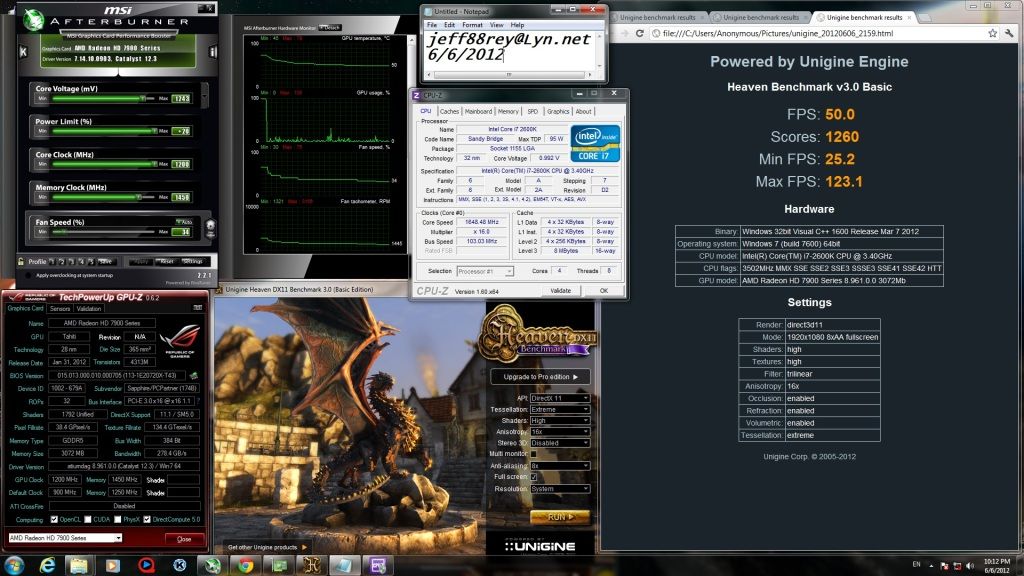
PS: i really hate the stock fan..
Notoxic
post Feb 27 2012, 02:01 AM

New Member
*
Junior Member
12 posts

Joined: Feb 2012
QUOTE(kambing69 @ Feb 27 2012, 12:36 AM)
Yup... done that.. my MSI now can be OC max 1300/2475 . . . but i never tried that out because my no waterblock yet ahahah~
PS: i really hate the stock fan..
*
Yeah i hate the stock fan as well , an horrible thing. The manufacturers should really change something, and put real cooling solutions on cards like this.
Of course i'm aware of few cards that come with better coolers , like Powercolor. But those are hard to get at release.
I'm waiting for Arctic Accelero Xtreme, hope it gets much better then.
sam sam
post Feb 28 2012, 04:50 PM

Enthusiast
*****
Senior Member
814 posts

Joined: May 2011
QUOTE(Notoxic @ Feb 27 2012, 02:01 AM)
Yeah i hate the stock fan as well , an horrible thing. The manufacturers should really change something, and put real cooling solutions on cards like this.
Of course i'm aware of few cards that come with better coolers , like Powercolor. But those are hard to get at release.
I'm waiting for Arctic Accelero Xtreme, hope it gets much better then.
*
Actually in my opinion the reference 7970 is almost a pure rip off if you have no plans to upgrade to water cooling
The card is noisy and unbearable, my pc is 14feet away and its still very audible when i was using the stock fan in a hall enviroment

THe non reference is the way to go for 7970. I think the asus dc2 is cheaper than the Artic cooler Xtreme + reference 7970 card not to mention you need to assemble the artic cooler yourself.

This post has been edited by sam sam: Feb 28 2012, 04:51 PM
owikh84
post Mar 1 2012, 12:01 AM

i7 Clan
Group Icon
Elite
8,711 posts

Joined: Nov 2007
From: Butterworth, PG / Machang, Kelantan


3x 7970 @ 1300/1700 1.3v/1.65v

3DMark11:
user posted image

3DMark06
user posted image

Alien vs Predator:
user posted image

Batman AC:
user posted image

Metro 2033:
user posted image

* 2560x1600, max settings
TSshepard
post Mar 3 2012, 06:35 PM

We shall overcome
*****
Senior Member
849 posts

Joined: May 2010
From: Penang Island


Trifire HD7970s performance is very powerful no doubt, but the lack of games optimization and some drivers issues on trifire really annoys most of the users.

Kevin, do you have any issues with Alan Wake(crash), skyrim(Flickering & low performance) and in BF3 MP(Low perf) using trifire 7970s? just curious...

This post has been edited by shepard: Mar 3 2012, 06:36 PM
sam sam
post Mar 5 2012, 10:57 AM

Enthusiast
*****
Senior Member
814 posts

Joined: May 2011
7970 has problems with crossfire when playing games
i guess for benchmark is not an issue but it is different in games
micro stuttering,
ITs kind of a bad card for crossfire as the drivers are just bad. Many people selling the cards now in the garage perhaps reflective of the true value of the cards. The card is great for benchmarking only and not for its real purpose gaming
Useds are going for around RM1500
owikh84
post Mar 5 2012, 11:52 AM

i7 Clan
Group Icon
Elite
8,711 posts

Joined: Nov 2007
From: Butterworth, PG / Machang, Kelantan


QUOTE(shepard @ Mar 3 2012, 06:35 PM)
Trifire HD7970s performance is very powerful no doubt, but the lack of games optimization and some drivers issues on trifire really annoys most of the users.

Kevin, do you have any issues with Alan Wake(crash), skyrim(Flickering & low performance) and in BF3 MP(Low perf) using trifire 7970s? just curious...
*

oops just saw your post. blush.gif
yes, better avoid CF as AMD's driver is still unstable.
Alan Wake - crashed, i'm stuck on the boat while taking photo.
Skyrim - flickering, but now i'm on MSI special bios so no more flickering issue or at least minimized
BF3 - crashed on startup
Serious Sam 3 - crash
Syndicate - ok
Crysis 2 - ok

eyefinity on 3x 30" is even worse more crashes & BSOD 116

QUOTE(sam sam @ Mar 5 2012, 10:57 AM)
7970 has problems with crossfire when playing games
i guess for benchmark is not an issue but it is different in games
micro stuttering,
ITs kind of a bad card for crossfire as the drivers are just bad. Many people selling the cards now in the garage perhaps reflective of the true value of the cards. The card is great for benchmarking only and not for its real purpose gaming
Useds are going for around RM1500
*

Can't agree more with this. My experience on GTX580 tri-SLI is far far better than tri-CF. I think I'm done with AMD from now.

This post has been edited by owikh84: Mar 5 2012, 10:26 PM
sam sam
post Mar 5 2012, 06:46 PM

Enthusiast
*****
Senior Member
814 posts

Joined: May 2011
QUOTE(owikh84 @ Mar 5 2012, 11:52 AM)
oops just saw your post.  blush.gif
yes, better avoid CF as AMD's driver is still unstable.
Alan Wake - crash, i'm stuck on the boat while taking photo.
Skyrim - flickering, but now i'm on MSI special bios so no more flickering issue or at least minimized
BF3 - haven't tried on 7970s
Serious Sam 3 - crash
Syndicate - ok
Crysis 2 - ok

eyefinity on 3x 30" is even worse more crashes & BSOD 116

Can't agree more with this. My experience on GTX580 tri-SLI is far far better than tri-CF. I think I'm done with AMD from now.
*
Now really need to hope come wednesday the stupid 7970 would not give problems with Mass Effect 3
May have to play without CF
TSshepard
post Mar 5 2012, 07:07 PM

We shall overcome
*****
Senior Member
849 posts

Joined: May 2010
From: Penang Island


QUOTE(sam sam @ Mar 5 2012, 06:46 PM)
Now really need to hope come wednesday the stupid 7970 would not give problems with Mass Effect 3
May have to play without CF
*
I guess If I'm about to stick with AMD then just forget about CF or TF. just buy their fastest single card and that should be enough for single display at 1080p. I think high end kepler will not be around anytime soon also. So yeah, just stick with single 7970 at the moment since it can hold its ground pretty well. however, still no news from the green team sad.gif

This post has been edited by shepard: Mar 6 2012, 07:33 PM
sam sam
post Mar 5 2012, 07:12 PM

Enthusiast
*****
Senior Member
814 posts

Joined: May 2011
QUOTE(shepard @ Mar 5 2012, 07:07 PM)
I guess If I'm about to stick with AMD then just forget about CF or TF. just buy their fastest single card and that should be enough for single display at 1080p. I think high end kepler will not be around anytime soon also. So yeah, just stick with single 7970 at the moment since it can hold its ground pretty well.
*
IF the 680 comes out it would have all the same problems like the 7970. Bad driver, noisy since its stock and slow waterblock supply. Waterblock for 7970 is still in short supply considering the launch date was 2 months already. Driver is the same
Change to 680 i think is not viable if you are using it for games, ME3 is in 2 days, diablo end of q2. I think by diablo launch 7970 should be stable
Nvidia is in a tight squeze to just launch a competitor to the 7970 and i think like AMD do not come up with drivers for it

Actually if you have not upgrade the 580 is would be best
TSshepard
post Mar 6 2012, 07:33 PM

We shall overcome
*****
Senior Member
849 posts

Joined: May 2010
From: Penang Island


I just read the 7870 review and it is obvious a true winner if compared to 7970 in terms of price, performance & cooling capability. What a great card,it can be OC'ed to be on par with 7970 in some games and only priced at $349. However, there's still NO NEWS from the green team sad.gif.

This post has been edited by shepard: Mar 6 2012, 07:34 PM
sam sam
post Mar 7 2012, 01:11 PM

Enthusiast
*****
Senior Member
814 posts

Joined: May 2011
Playing ME3, with CF 7970 there is some micro tear and some times some funny graphic issues
but with CF is noticeable much better, can't do without
owikh84
post Mar 10 2012, 01:28 PM

i7 Clan
Group Icon
Elite
8,711 posts

Joined: Nov 2007
From: Butterworth, PG / Machang, Kelantan


This special MSI bios allows my trifire 7970 to bench 3DM11 @ 1300 @ 1.29v, although artifacts. Gaming is stable at 1.3v. With Giga stock bios & Asus highest could achieve was 1275 only with whatever voltage.
Thus I think this MSI bios has better vdroop & more stable than the others. Works with any driver version + CAP.
Add: The only drawback is this bios make your card to stay at load clock during idle. But no worries as load clock doesn't mean GPU load 100%

This post has been edited by owikh84: Mar 10 2012, 01:30 PM
owikh84
post Mar 10 2012, 01:35 PM

i7 Clan
Group Icon
Elite
8,711 posts

Joined: Nov 2007
From: Butterworth, PG / Machang, Kelantan


QUOTE(sam sam @ Mar 7 2012, 01:11 PM)
Playing ME3, with CF 7970 there is some micro tear and some times some funny graphic issues
but with CF is noticeable much better, can't do without
*
I enabled Vsync to get rid of this screen tearing & box pixels.
other than that i enjoy this game, the sound effects is very nice. wub.gif
kintsuchi
post Mar 11 2012, 01:17 AM

cumel kan
*****
Senior Member
916 posts

Joined: Dec 2008
From: nippon
any 1 use 7970 have problem with driver crash and blue screen with latest AMD driver 12.2
owikh84
post Mar 11 2012, 08:38 AM

i7 Clan
Group Icon
Elite
8,711 posts

Joined: Nov 2007
From: Butterworth, PG / Machang, Kelantan


QUOTE(kintsuchi @ Mar 11 2012, 01:17 AM)
any 1 use 7970 have problem with driver crash and blue screen with latest AMD driver 12.2
*

in what occasion the BSOD actually happened? during gaming & what game?
I'm using the official 12.2 released on 8/3. Tested on ME3, GTA4, Unigine 3 so far so good no BSOD nor crash.
kintsuchi
post Mar 11 2012, 05:45 PM

cumel kan
*****
Senior Member
916 posts

Joined: Dec 2008
From: nippon
QUOTE(owikh84 @ Mar 11 2012, 08:38 AM)
in what occasion the BSOD actually happened? during gaming & what game?
I'm using the official 12.2 released on 8/3. Tested on ME3, GTA4, Unigine 3  so far so good no BSOD nor crash.
*
its driver crash and unable to recover


found solution i reinstall the driver with driver sweeper and install back now ok edy
sam sam
post Mar 11 2012, 08:53 PM

Enthusiast
*****
Senior Member
814 posts

Joined: May 2011
QUOTE(owikh84 @ Mar 10 2012, 01:35 PM)
I enabled Vsync to get rid of this screen tearing & box pixels.
other than that i enjoy this game, the sound effects is very nice.  wub.gif
*
where can i enable vsync for the 7970 with the mass effect 3 game
owikh84
post Mar 11 2012, 09:21 PM

i7 Clan
Group Icon
Elite
8,711 posts

Joined: Nov 2007
From: Butterworth, PG / Machang, Kelantan


QUOTE(sam sam @ Mar 11 2012, 08:53 PM)
where can i enable vsync for the 7970 with the mass effect 3 game
*
user posted image
TSshepard
post Mar 12 2012, 06:21 PM

We shall overcome
*****
Senior Member
849 posts

Joined: May 2010
From: Penang Island


QUOTE(owikh84 @ Mar 10 2012, 01:28 PM)
This special MSI bios allows my trifire 7970 to bench 3DM11 @ 1300 @ 1.29v, although artifacts. Gaming is stable at 1.3v. With Giga stock bios & Asus highest could achieve was 1275 only with whatever voltage.
Thus I think this MSI bios has better vdroop & more stable than the others. Works with any driver version  + CAP.
Add: The only drawback is this bios make your card to stay at load clock during idle. But no worries as load clock doesn't mean GPU load 100%
*
Thanks Kevin, downloading now and will apply once back home. If let say I flash MSI bios and something bad happen to my card, can I roll back to my previous BIOS? not sure whether it's a sapphire or AMD BIOS but mine was sapphire card..
owikh84
post Mar 12 2012, 07:34 PM

i7 Clan
Group Icon
Elite
8,711 posts

Joined: Nov 2007
From: Butterworth, PG / Machang, Kelantan


QUOTE(shepard @ Mar 12 2012, 06:21 PM)
Thanks Kevin, downloading now and will apply once back home. If let say I flash MSI bios and something bad happen to my card, can I roll back to my previous BIOS? not sure whether it's a sapphire or AMD BIOS but mine was sapphire card..
*
7970 has dual bioses
there is a bios switch so if shit happened upon flashing u might switch to the 2nd bios
to roll back i'm afraid u will need to "blind" flash it or grab a backup GC to flash.
TSshepard
post Mar 28 2012, 01:31 PM

We shall overcome
*****
Senior Member
849 posts

Joined: May 2010
From: Penang Island


Just read GTX 680 review, thought it will outclass 7970 around 40% advantage but so far not quite impress with the performance boost. Will stick with current HD7970, maybe wait for GTX 7xx or HD89xx later on.
kambing69
post Mar 29 2012, 02:48 AM

Getting Started
**
Junior Member
195 posts

Joined: Nov 2010


>.< i think i will go for 680, just waiting new asus ext max mobo that compatible with IB~

This post has been edited by kambing69: Mar 29 2012, 02:49 AM
CyntrixTech
post Mar 29 2012, 03:03 AM

Distributor
*******
Senior Member
2,583 posts

Joined: Sep 2011
From: Kuala Lumpur
QUOTE(shepard @ Mar 28 2012, 01:31 PM)
Just read GTX 680 review, thought it will outclass 7970 around 40% advantage but so far not quite impress with the performance boost. Will stick with current HD7970, maybe wait for GTX 7xx or HD89xx later on.
*
Don't bother. If you've committed to either one of them, stick to it.

7990 is coming, so all will be history within a month brows.gif No news about gtx690 but Nvidia will likely release it as well.
owikh84
post Mar 29 2012, 07:18 AM

i7 Clan
Group Icon
Elite
8,711 posts

Joined: Nov 2007
From: Butterworth, PG / Machang, Kelantan


QUOTE(kambing69 @ Mar 29 2012, 02:48 AM)
>.< i think i will go for 680, just waiting new asus ext max mobo that compatible with IB~
*
So far there's no news about Extreme yet.
Only Formula.

QUOTE(shepard @ Mar 28 2012, 01:31 PM)
Just read GTX 680 review, thought it will outclass 7970 around 40% advantage but so far not quite impress with the performance boost. Will stick with current HD7970, maybe wait for GTX 7xx or HD89xx later on.
*
QUOTE(CyntrixTech @ Mar 29 2012, 03:03 AM)
Don't bother. If you've committed to either one of them, stick to it.
7990 is coming, so all will be history within a month brows.gif No news about gtx690 but Nvidia will likely release it as well.
*
Can't agree more with that. The OC efficiency is more towards 7970 than gtx680, mostly due to the "what you set is what you get" clock speeds and that many games produce performance drops in multi-monitor mode while gaming with gtx680 due to the lack of vram. CF efficiency is another winning point for 7970 against gtx680 SLI, almost perfect 100% gain. 7970 just need a better driver especially for CF, really need a huge improvement on this department cool2.gif

» Click to show Spoiler - click again to hide... «

TSshepard
post Mar 30 2012, 12:00 AM

We shall overcome
*****
Senior Member
849 posts

Joined: May 2010
From: Penang Island


Yes, better stick with 7970 or add another one later once have enough cash smile.gif. Btw you're right bro Kevin, GTX680 OC result wasn't as good as 7970 OC result in terms of FPS gain over stock clock and per core clock. So to me 7970 is still my choice...

Have anyone try out the 12.3 WHQL driver? I put up the link in my first post here just in case, maybe someone can share if there's any performance boost even a little bit?
owikh84
post Mar 31 2012, 10:46 PM

i7 Clan
Group Icon
Elite
8,711 posts

Joined: Nov 2007
From: Butterworth, PG / Machang, Kelantan


QUOTE(shepard @ Mar 30 2012, 12:00 AM)
Yes, better stick with 7970 or add another one later once have enough cash smile.gif. Btw you're right bro Kevin, GTX680 OC result wasn't as good as 7970 OC result in terms of FPS gain over stock clock and per core clock. So to me 7970 is still my choice...

Have anyone try out the 12.3 WHQL driver? I put up the link in my first post here just in case, maybe someone can share if there's any performance boost even a little bit?
*

Dirt3 still crashed since previous 12.x
anyway here's 3DM11 result

user posted image


Added on April 4, 2012, 12:16 amrevert to RC11 & turn off tessellation

user posted image


This post has been edited by owikh84: Apr 4 2012, 12:16 AM
TSshepard
post Apr 4 2012, 12:08 PM

We shall overcome
*****
Senior Member
849 posts

Joined: May 2010
From: Penang Island


QUOTE(owikh84 @ Mar 31 2012, 10:46 PM)
Dirt3 still crashed since previous 12.x
anyway here's 3DM11 result


Added on April 4, 2012, 12:16 amrevert to RC11 & turn off tessellation

Hmm...AMD,AMD..they need to work harder on SW dept. The score above is absolutely outstanding, however between the 24k and 26k score above, have you turn on and off the tessellation since you mentioned using RC11 and turn off the tessellation above? I guess if RC11 driver with tessellation, the score would be lower than 24k?

I also read somewhere that CFx or TFx still got issue(flickers etc) with Skyrim using 12.3 WHQL, is that true? thanks for sharing bro smile.gif. I'm still funding for 2nd 7970 now haha...can't wait.
owikh84
post Apr 4 2012, 01:44 PM

i7 Clan
Group Icon
Elite
8,711 posts

Joined: Nov 2007
From: Butterworth, PG / Machang, Kelantan


QUOTE(shepard @ Apr 4 2012, 12:08 PM)
Hmm...AMD,AMD..they need to work harder on SW dept. The score above is absolutely outstanding, however between the 24k and 26k score above, have you turn on and off the tessellation since you mentioned using RC11 and turn off the tessellation above? I guess if RC11 driver with tessellation, the score would be lower than 24k?

I also read somewhere that CFx or TFx still got issue(flickers etc) with Skyrim using 12.3 WHQL, is that true? thanks for sharing bro smile.gif. I'm still funding for 2nd 7970 now haha...can't wait.
*

I didnt really play with the 12.3 except for this benchmark. Afaik the score RC11 to 12.3 is about the same, no significant difference. I revert to RC11 coz 12.3 CCC crashed on me after a failed OC & reboot. Same thing for 12.4 beta.
I'm afraid i cant continue Skyrim d, as all the villagers keep contronting with me could be due to trainer used. I have to replay right from the start huhu...
Now playing with ME3 & Alan Wake only...
TSshepard
post Apr 5 2012, 09:08 AM

We shall overcome
*****
Senior Member
849 posts

Joined: May 2010
From: Penang Island


QUOTE(owikh84 @ Apr 4 2012, 01:44 PM)
I didnt really play with the 12.3 except for this benchmark. Afaik the score RC11 to 12.3 is about the same, no significant difference. I revert to RC11 coz 12.3 CCC crashed on me after a failed OC & reboot. Same thing for 12.4 beta.
I'm afraid i cant continue Skyrim d, as all the villagers keep contronting with me could be due to trainer used. I have to replay right from the start huhu...
Now playing with ME3 & Alan Wake only...
*
Owh, then i guess 12.3 WHQL wasn't that bad as claimed by other forumers. Anyway, I'd love to stick with the driver that cause me less trouble so I wont upgrade unless there's a proven significant improvements in performance or my current driver has compatibility issues on latest games smile.gif.

ME3...what a great games but also what an ending sad.gif...sigh.

This post has been edited by shepard: Apr 5 2012, 05:45 PM
Notoxic
post Apr 5 2012, 09:21 PM

New Member
*
Junior Member
12 posts

Joined: Feb 2012
Hey guys ,

Its been a while since my last forum visit.
As some may remember i have been waiting for the Arctic cooling accelero for HD7970.
After waiting for almost 2 months, they finally managed to ship the thing yesterday.

The installation is not easy if you do it first time. If i would do it again i would say its quite easy it just take some time to do it.
The install manual is not concluded in the package and need to be downloaded from the manufacturers site. The manual itself is not what i would call really easy to follow.

Ok, but what we want to know it how the temps and noise level are.
The temps i recorded the day before with standard cooler on my video card ( 1125 / 1575)

Idle:
GPU= 60c
VRM= 44c
27% RPM
CPU= 38c I recorded the CPU temps because i excepted to see increased temperatures with the new cooler due to the open design of it.

Stress:
GPU= 78c
VRM= 75c
77% RPM no need to explain how this sounds like , but if it say not much to you i will compare it to vacuum cleaner. Just horrible to play like that.
CPU= 66c

VERSUS the Arctic Accelero Xtreme

Idle:
GPU= 43c
VRM=44c
20% RPM
CPU= 38c

Stress:
GPU=61c
VRM=75c
100% RPM
CPU=70c

Conclusion: I am simply blown away by the performances of the Accelero. I have been reading many good things about it, before i bought it, but i haven't been excepting this!
17c decrease on Idle , 17c decrease under stress! And the most important to me the noise.. noise? What noise? There is none! Yeah thats right , i choose to cool during the games on 100% RPM because i hear almost nothing.
In fact i think the Arctic cooler is quieter on 100%RPM than the standard cooler on Idle witch was 27% RPM in my case.
I think this cooler is worth every penny you pay for it! For me its clear, from now on i will always use this coolers on my video cards.
If you have cooling problems or cant stand the noise of standard cooler , i definitely recommend this 1!

This post has been edited by Notoxic: Apr 5 2012, 09:22 PM
TSshepard
post Apr 9 2012, 09:46 AM

We shall overcome
*****
Senior Member
849 posts

Joined: May 2010
From: Penang Island


Thanks bro for great review on Accelero xtreme 7970. The GPU temp drops was tremendous and no doubt about the noise as well, very silent it seem. The only letdown was the increase in CPU temp. 4degC increase looks quite much to me, However this GPU cooler has done its job well.


sam sam
post Apr 9 2012, 10:18 PM

Enthusiast
*****
Senior Member
814 posts

Joined: May 2011
QUOTE(Notoxic @ Apr 5 2012, 09:21 PM)
Hey guys ,

Its been a while since my last forum visit.
As some may remember i have been waiting for the Arctic cooling accelero for HD7970.
After waiting for almost 2 months, they finally managed to ship the thing yesterday.

The installation is not easy if you do it first time. If i would do it again i would say its quite easy it just take some time to do it.
The install manual is not concluded in the package and need to be downloaded from the manufacturers site. The manual itself is not what i would call really easy to follow.

Ok, but what we want to know it how the temps and noise level are.
The temps i recorded the day before with standard cooler on my video card ( 1125 / 1575)

Idle:
GPU= 60c
VRM= 44c
27% RPM
CPU= 38c  I recorded the CPU temps because i excepted to see increased temperatures with the new cooler due to the open design of it.

Stress:
GPU= 78c
VRM= 75c
77% RPM no need to explain how this sounds like , but if it say not much to you i will compare it to vacuum cleaner. Just horrible to play like that.
CPU= 66c

VERSUS the Arctic Accelero Xtreme

Idle:
GPU= 43c
VRM=44c
20% RPM
CPU= 38c

Stress:
GPU=61c
VRM=75c
100% RPM
CPU=70c

Conclusion: I am simply blown away by the performances of the Accelero. I have been reading many good things about it, before i bought it, but i haven't been excepting this!
17c decrease on Idle , 17c decrease under stress! And the most important to me the noise.. noise? What noise? There is none! Yeah thats right , i choose to cool during the games on 100% RPM because i hear almost nothing.
In fact i think the Arctic cooler is quieter on 100%RPM than the standard cooler on Idle witch was 27% RPM in my case.
I think this cooler is worth every penny you pay for it! For me its clear, from now on i will always use this coolers on my video cards.
If you have cooling problems or cant stand  the noise of standard cooler , i definitely recommend this 1!
*
actually won't it be cheaper to wait for the after market cards which come with better thermal systems like the asus dc2 or the msi lightning. Cheaper without the hassle of the additional taking the old unit out and install the new cooler in.

TSshepard
post Apr 10 2012, 01:02 PM

We shall overcome
*****
Senior Member
849 posts

Joined: May 2010
From: Penang Island


QUOTE(sam sam @ Apr 9 2012, 10:18 PM)
actually won't it be cheaper to wait for the after market cards which come with better thermal systems like the asus dc2 or the msi lightning. Cheaper without the hassle of the additional taking the old unit out and install the new cooler in.
*
That's one of the solution but I believe even DC2 or lightning won't be able to beat this Accelero xtreme performance. Furthermore, once you've purchased reference 7970, you dont have any other choice to upgrade for better GPU cooler unless you watercool it or find aftermarket cooler like Accelero etc.
sam sam
post Apr 10 2012, 03:22 PM

Enthusiast
*****
Senior Member
814 posts

Joined: May 2011
QUOTE(shepard @ Apr 10 2012, 01:02 PM)
That's one of the solution but I believe even DC2 or lightning won't be able to beat this Accelero xtreme performance. Furthermore, once you've purchased reference 7970, you dont have any other choice to upgrade for better GPU cooler unless you watercool it or find aftermarket cooler like Accelero etc.
*
on the dc2 not sure but i recall my matrix 580 temp was around 62C, so should not be too far since accelero fan was at 100%

that's the problem with reference boards. Basically early adopters of the new cards are screwed, you get all the problems of a new card, its more expansive plus you need to buy a cooler for it. i guess not much hype yet on the gtx680 due to this issue.

TSshepard
post Apr 11 2012, 03:16 PM

We shall overcome
*****
Senior Member
849 posts

Joined: May 2010
From: Penang Island


Guys,

I have a question on how do we check our 7970's RAM temperature? Any application that allow us to read those values? I' using HWinfo64 and saw 2 CHLL.... with a temps VRM temp1 and VRM temp2, what does it mean by that? can anyone explain, TQ.
sam sam
post Apr 11 2012, 05:41 PM

Enthusiast
*****
Senior Member
814 posts

Joined: May 2011
QUOTE(shepard @ Apr 11 2012, 03:16 PM)
Guys,

I have a question on how do we check our 7970's RAM temperature? Any application that allow us to read those values? I' using HWinfo64 and saw 2 CHLL.... with a temps VRM temp1 and VRM temp2, what does it mean by that? can anyone explain, TQ.
*
asus software shows the temp of the ram. i think it should be the highest temp of all the ram. I guess if you are running stock should be of concern
most of the time at full load under waterblock ram is about 5C more than gpu. for max load CF is 48C first card
TSshepard
post Apr 12 2012, 01:24 PM

We shall overcome
*****
Senior Member
849 posts

Joined: May 2010
From: Penang Island


QUOTE(sam sam @ Apr 11 2012, 05:41 PM)
asus software shows the temp of the ram. i think it should be the highest temp of all the ram. I guess if you are running stock should be of concern
most of the time at full load under waterblock ram is about 5C more than gpu. for max load CF is 48C first card
*
Thanks bro, will try to download and use it if possible. anyway, here's my latest benchmark at 1300MHz core and 1750MHz Memory, CPU only at 4GHz. try out extreme preset and scored X3624. I think the Memory and Core clock can be OC'ed even higher but will do it later.

user posted image


http://3dmark.com/3dm11/3174641

This post has been edited by shepard: Apr 12 2012, 01:25 PM
Desmond61
post Apr 12 2012, 03:27 PM

New Member
*
Newbie
3 posts

Joined: Mar 2012


If I were you I will not reduce the life of my expensive GPU for a few fpsuser posted image

This post has been edited by Desmond61: Apr 12 2012, 03:28 PM
TSshepard
post Apr 12 2012, 04:06 PM

We shall overcome
*****
Senior Member
849 posts

Joined: May 2010
From: Penang Island


QUOTE(Desmond61 @ Apr 12 2012, 03:27 PM)
If I were you I will not reduce the life of my expensive GPU for a few fpsuser posted image
*
Thanks for your kind advice bro, Like I said in my earlier post, Extreme OC is only for benchmark and not for 24/7 or during Gaming. Furthermore, we dont need to OC the HD7970 to play any games smoothly at 1080p right now. It will not cause your card to die immediately or significantly reduce it's lifespan if only for benchmark since we're taking a good care on heat dissipation and max temps on our card which we also bought it with our hard earned money smile.gif.

FYI, i even downclock my hd7970 to 700MHz core and 1000mV vcore to play games and temps never past 60degC during daily gaming...but thanks anyway.

This post has been edited by shepard: Apr 12 2012, 05:54 PM
owikh84
post Apr 12 2012, 10:54 PM

i7 Clan
Group Icon
Elite
8,711 posts

Joined: Nov 2007
From: Butterworth, PG / Machang, Kelantan


QUOTE(Desmond61 @ Apr 12 2012, 03:27 PM)
If I were you I will not reduce the life of my expensive GPU for a few fpsuser posted image
*
then you're not supposed to post here in OCers United forum. wink.gif
kelvin_hata
post Apr 14 2012, 01:56 AM

V.S.O.P
*******
Senior Member
2,696 posts

Joined: Jan 2003
From: Butterworth,Penang Status: Available

INCOMING!!! laugh.gif


» Click to show Spoiler - click again to hide... «


TSshepard
post Apr 14 2012, 02:06 AM

We shall overcome
*****
Senior Member
849 posts

Joined: May 2010
From: Penang Island


QUOTE(kelvin_hata @ Apr 14 2012, 01:56 AM)
INCOMING!!!  laugh.gif 
» Click to show Spoiler - click again to hide... «

*
No problem bro, for the time being you can post your OC exp and bencmark results here so that we can compare between these 2 products ourselves. welcome aboard to the graphics enthusiast's organization biggrin.gif, maybe u can share with us your rig/new gpu photos brows.gif

This post has been edited by shepard: Apr 14 2012, 02:08 AM
kelvin_hata
post Apr 14 2012, 02:22 AM

V.S.O.P
*******
Senior Member
2,696 posts

Joined: Jan 2003
From: Butterworth,Penang Status: Available

I think soon wil be hav gtx6xx thread gua... Lol


TSshepard
post Apr 14 2012, 02:31 AM

We shall overcome
*****
Senior Member
849 posts

Joined: May 2010
From: Penang Island


yea..why dont u create one then? since you're the pioneer here for GTX680 owners nod.gif

This post has been edited by shepard: Apr 14 2012, 02:31 AM
kelvin_hata
post Apr 14 2012, 02:42 AM

V.S.O.P
*******
Senior Member
2,696 posts

Joined: Jan 2003
From: Butterworth,Penang Status: Available

QUOTE(shepard @ Apr 14 2012, 02:31 AM)
yea..why dont u create one then? since you're the pioneer here for GTX680 owners nod.gif
*
no time to take care lo... let other ba.. tongue.gif

ocing now... biggrin.gif
owikh84
post Apr 14 2012, 08:02 AM

i7 Clan
Group Icon
Elite
8,711 posts

Joined: Nov 2007
From: Butterworth, PG / Machang, Kelantan


QUOTE(kelvin_hata @ Apr 14 2012, 01:56 AM)
INCOMING!!!  laugh.gif 
» Click to show Spoiler - click again to hide... «

*
try to hit 10k
3570K spotted! biggrin.gif


Isabel412
post Apr 14 2012, 11:06 AM

New Member
*
Newbie
3 posts

Joined: Mar 2012


user posted imageI don't think anyone would mind if their 7970 dies 10 years later.

This post has been edited by Isabel412: Apr 14 2012, 11:06 AM
TSshepard
post Apr 14 2012, 11:49 AM

We shall overcome
*****
Senior Member
849 posts

Joined: May 2010
From: Penang Island


QUOTE(owikh84 @ Apr 12 2012, 10:54 PM)
then you're not supposed to post here in OCers United forum.  wink.gif
*
+1, this is a place for overclockers after all hahaha laugh.gif

QUOTE(Isabel412 @ Apr 14 2012, 11:06 AM)
user posted imageI don't think anyone would mind if their 7970 dies 10 years later.
*
True, I dont think any of us here still using the same SYSTEM after 10years, lol.
kelvin_hata
post Apr 14 2012, 11:52 AM

V.S.O.P
*******
Senior Member
2,696 posts

Joined: Jan 2003
From: Butterworth,Penang Status: Available

QUOTE(owikh84 @ Apr 14 2012, 08:02 AM)
try to hit 10k
3570K spotted!  biggrin.gif
*
Cannot go 10k ler. Stop at 9.6k sad.gif
TSshepard
post Apr 14 2012, 12:07 PM

We shall overcome
*****
Senior Member
849 posts

Joined: May 2010
From: Penang Island


QUOTE(kelvin_hata @ Apr 14 2012, 11:52 AM)
Cannot go 10k ler. Stop at 9.6k sad.gif
*
I wonder why your CPU name and speed got erased, so it's a 3570k after all (New cpu?? rclxub.gif ). Btw, I think you should be able to hit 11k+ once your GTX680 OC'ed. How come only 9.6k since my 7970 can achieve 10.3k on stock HSF? Maybe its a cpu bottleneck?
kelvin_hata
post Apr 14 2012, 12:18 PM

V.S.O.P
*******
Senior Member
2,696 posts

Joined: Jan 2003
From: Butterworth,Penang Status: Available

QUOTE(shepard @ Apr 14 2012, 12:07 PM)
I wonder why your CPU name and speed got erased, so it's a 3570k after all (New cpu?? rclxub.gif ). Btw, I think you should be able to hit 11k+ once your GTX680 OC'ed. How come only 9.6k since my 7970 can achieve 10.3k on stock HSF? Maybe its a cpu bottleneck?
*
Dunno ler.. Haha... Cpu on stock.
TSshepard
post Apr 15 2012, 02:44 PM

We shall overcome
*****
Senior Member
849 posts

Joined: May 2010
From: Penang Island


Ran 3dmark11 performance preset again today with HD7970 clocked at 1300/1750 and 2600k at 4.8GHz, my best 3D11 score so far:
http://3dmark.com/3dm11/3198932

Attached Image


Now 3DMark Vantage with HD7970 @ 1295/1750, 2600k at 4.8GHz, somehow Vantage crash at 1300MHz so I've to lower the core to 1295MHz and it survived smile.gif. Best Vantage score so far:
http://3dmark.com/3dmv/4024925

Attached Image

This post has been edited by shepard: Apr 15 2012, 03:55 PM
skeleton123
post Apr 16 2012, 08:48 AM

Getting Started
**
Junior Member
206 posts

Joined: Aug 2010


Nice! Thanks for the info biggrin.gif
TSshepard
post Apr 16 2012, 10:03 PM

We shall overcome
*****
Senior Member
849 posts

Joined: May 2010
From: Penang Island


Good News!! biggrin.gif

AMD has officially announced lower prices for their HD 7970, HD 7950 and HD 7770

HD 7970: $479

HD 7950: $399

HD 7770: $139

http://www.hardwarecanucks.com/news/...ee-game-promo/

So in RM, HD7970 will be priced around RM1500+ only...now it's time for CFx rclxm9.gif

This post has been edited by shepard: Apr 16 2012, 10:06 PM
sam sam
post Apr 16 2012, 10:09 PM

Enthusiast
*****
Senior Member
814 posts

Joined: May 2011
QUOTE(shepard @ Apr 16 2012, 10:03 PM)
Good News!! biggrin.gif

AMD has officially announced lower prices for their HD 7970, HD 7950 and HD 7770

HD 7970: $479

HD 7950: $399

HD 7770: $139

http://www.hardwarecanucks.com/news/...ee-game-promo/

So in RM, HD7970 will be priced around RM1500+ only...now it's time for CFx  rclxm9.gifr
*
great if the sellers here follow the pricing drop
2nd cards will be cheaper too
owikh84
post Apr 16 2012, 10:18 PM

i7 Clan
Group Icon
Elite
8,711 posts

Joined: Nov 2007
From: Butterworth, PG / Machang, Kelantan


EK-FC7970 DCII

user posted image

Package included two-slot I/O bracket thumbup.gif
TSshepard
post Apr 16 2012, 10:35 PM

We shall overcome
*****
Senior Member
849 posts

Joined: May 2010
From: Penang Island


QUOTE(sam sam @ Apr 16 2012, 10:09 PM)
great if the sellers here follow the pricing drop
2nd cards will be cheaper too
*
Yeah, we have to wait alittle longer for that to happen in Malaysia I guess..but the good thing is that we can save more while waiting for the price drop for another 2x7970s WB smile.gif


QUOTE(owikh84 @ Apr 16 2012, 10:18 PM)
EK-FC7970 DCII

user posted image

Package included two-slot I/O bracket  thumbup.gif
*
Nice stuff there drool.gif , surely will grab 2pcs later. Btw where can I get this, anyone selling in Lowyat?

This post has been edited by shepard: Apr 16 2012, 10:35 PM
owikh84
post Apr 16 2012, 11:33 PM

i7 Clan
Group Icon
Elite
8,711 posts

Joined: Nov 2007
From: Butterworth, PG / Machang, Kelantan


QUOTE(shepard @ Apr 16 2012, 10:35 PM)
Yeah, we have to wait alittle longer for that to happen in Malaysia I guess..but the good thing is that we can save more while waiting for the price drop for another 2x7970s WB smile.gif
Nice stuff there  drool.gif , surely will grab 2pcs later. Btw where can I get this, anyone selling in Lowyat?
*

You might contact ezzydamvp for inquiry.
or import from FrozenCPU nod.gif
kelvin_hata
post Apr 17 2012, 01:57 AM

V.S.O.P
*******
Senior Member
2,696 posts

Joined: Jan 2003
From: Butterworth,Penang Status: Available

i love 0000 wub.gif laugh.gif


Attached thumbnail(s)
Attached Image
sam sam
post Apr 17 2012, 10:20 AM

Enthusiast
*****
Senior Member
814 posts

Joined: May 2011
QUOTE(owikh84 @ Apr 16 2012, 10:18 PM)
EK-FC7970 DCII

user posted image

Package included two-slot I/O bracket  thumbup.gif
*
from the pic there is connection at the back of the card so can't use d-plug when doing cf
TSshepard
post Apr 21 2012, 03:26 AM

We shall overcome
*****
Senior Member
849 posts

Joined: May 2010
From: Penang Island


QUOTE(kelvin_hata @ Apr 17 2012, 01:57 AM)
i love 0000  wub.gif   laugh.gif
*
Whoa..what a NICE score P10000, congrats!


At last, 40k vantage score is achievable with single hd7970 biggrin.gif

HD7970 @ 1300MHz/1750MHz
CPU 2600k @ 4.85GHz

http://3dmark.com/3dmv/4035482

Attached Image

Bro Kevin,
Could you please help to list down what games are currently having issues with CFx 7970s? Thanks in advance..

btw, here are the games that I currently played:
- Mass Effect 3, Alan Wake, Skyrim, Batman Arkham City, Rage, BF3, MW3, Crysis 2, The Witcher 2 & Fable III


BY THE WAY, WHERE ARE THE OTHER 7970 OVERCLOCKERS?? THIS GPU IS BUILT FOR OVERCLOCKING, COME ON 7970 OWNERS post your score as well smile.gif

This post has been edited by shepard: Apr 21 2012, 03:36 AM
owikh84
post Apr 21 2012, 08:38 AM

i7 Clan
Group Icon
Elite
8,711 posts

Joined: Nov 2007
From: Butterworth, PG / Machang, Kelantan


QUOTE(shepard @ Apr 21 2012, 03:26 AM)
Whoa..what a NICE score P10000, congrats!
At last, 40k vantage score is achievable with single hd7970 biggrin.gif
HD7970 @ 1300MHz/1750MHz
CPU 2600k @ 4.85GHz
Bro Kevin,
Could you please help to list down what games are currently having issues with CFx 7970s? Thanks in advance..
btw, here are the games that I currently played:
- Mass Effect 3, Alan Wake, Skyrim, Batman Arkham City, Rage, BF3, MW3, Crysis 2, The Witcher 2 & Fable III
BY THE WAY, WHERE ARE THE OTHER 7970 OVERCLOCKERS?? THIS GPU IS BUILT FOR OVERCLOCKING, COME ON 7970 OWNERS post your score as well smile.gif
Alan Wake will crash on 7970 CF, but I think at one scene only as now it didn't crash on me with 12.4 beta + 12.3 CAP.
ME3, Skyrim, Batman AC, BF3, MW3, Crysis2, GTA4, Portal2 - no crash on single display.
On eyefinity most of them will crash into BSOD. sweat.gif


sam sam
post Apr 21 2012, 11:06 AM

Enthusiast
*****
Senior Member
814 posts

Joined: May 2011
QUOTE(owikh84 @ Apr 21 2012, 08:38 AM)
Alan Wake will crash on 7970 CF, but I think at one scene only as now it didn't crash on me with 12.4 beta + 12.3 CAP.
ME3, Skyrim, Batman AC, BF3, MW3, Crysis2, GTA4, Portal2 - no crash on single display.
On eyefinity most of them will crash into BSOD.  sweat.gif
*
how is the stability of the 12.4 beta?
is it good.
using 12.3

This post has been edited by sam sam: Apr 22 2012, 10:38 AM
TSshepard
post Apr 21 2012, 07:49 PM

We shall overcome
*****
Senior Member
849 posts

Joined: May 2010
From: Penang Island


Alright thanks, so it seems AMD still have some works to do with their crossfire/trifire/quadfire customers. It make me sick to decide whether to get another 7970 or not because of so many issues icon_question.gif
sam sam
post Apr 21 2012, 08:39 PM

Enthusiast
*****
Senior Member
814 posts

Joined: May 2011
QUOTE(shepard @ Apr 21 2012, 07:49 PM)
Alright thanks, so it seems AMD still have some works to do with their crossfire/trifire/quadfire customers. It make me sick to decide whether to get another 7970 or not because of so many issues  icon_question.gif
*
this is based on pure gaming
7970 cf is not really good. It works, but sometimes you get crashes. If it works sometimes you get some funny artifacts even at stock speed

TSshepard
post Apr 22 2012, 12:38 AM

We shall overcome
*****
Senior Member
849 posts

Joined: May 2010
From: Penang Island


QUOTE(sam sam @ Apr 21 2012, 08:39 PM)
this is based on pure gaming
7970 cf is not really good. It works, but sometimes you get crashes. If it works sometimes you get some funny artifacts even at stock speed
*
ohh...thanks sad.gif , I guess better to forget my plan for CFx 7970 this time. Last time when using 3x5850s I dont have any issues with latest games during that time...but now I just have to wait a little longer for the driver fix or just wait for 8970/780.
sam sam
post Apr 22 2012, 10:17 AM

Enthusiast
*****
Senior Member
814 posts

Joined: May 2011
QUOTE(shepard @ Apr 22 2012, 12:38 AM)
ohh...thanks  sad.gif , I guess better to forget my plan for CFx 7970 this time. Last time when using 3x5850s I dont have any issues with latest games during that time...but now I just have to wait a little longer for the driver fix or just wait for 8970/780.
*
if you are not greedy on graphics then you can forgo CF
if you are very greedy and want to play max settings even single screen, CF is a must

Playing Kingdoms of Amalur going CF has noticeable difference. Graphics is simple with this game

Playing Witcher very noticeable

TSshepard
post Apr 23 2012, 06:01 PM

We shall overcome
*****
Senior Member
849 posts

Joined: May 2010
From: Penang Island


QUOTE(sam sam @ Apr 22 2012, 10:17 AM)
if you are not greedy on graphics then you can forgo CF
if you are very greedy and want to play max settings even single screen, CF is a must

Playing Kingdoms of Amalur going CF has noticeable difference. Graphics is simple with this game

Playing Witcher very noticeable
*
Of course I'm a greedy graphics user, that's why 1piece of hd7970 is not enough even though practically it is more than enough biggrin.gif. tbh, aside from greedy I wanted to keep my system for at least 1 year ahead and I believe new games will comes out with even higher requirements sooner or later. I'm talking about crysis3, far cry3, max payne 3, bioshock infinite etc... drool.gif

Ok, from what i read in guru3d forum, the 12.4 beta resolved most of the CF 7970 issues and maybe I just need to wait until 12.4 WHQL released and observe the results then only can decide whether to go for CFx. Thanks bro..
sam sam
post Apr 23 2012, 06:06 PM

Enthusiast
*****
Senior Member
814 posts

Joined: May 2011
QUOTE(shepard @ Apr 23 2012, 06:01 PM)
Of course I'm a greedy graphics user, that's why 1piece of hd7970 is not enough even though practically it is more than enough biggrin.gif. tbh, aside from greedy I wanted to keep my system for at least 1 year ahead and I believe new games will comes out with even higher requirements sooner or later. I'm talking about crysis3, far cry3, max payne 3, bioshock infinite etc... drool.gif

Ok, from what i read in guru3d forum, the 12.4 beta resolved most of the CF 7970 issues and maybe I just need to wait until 12.4 WHQL released and observe the results then only can decide whether to go for CFx. Thanks bro..
*
i tried the 12.4beta i must say it seems to be much better almost there already
now even i am tempted to get another card for a 3 card action
FiragaZ
post Apr 24 2012, 01:46 PM

No Pain No Gain
******
Senior Member
1,745 posts

Joined: Aug 2010
From: Kuala Lumpur


QUOTE(shepard @ Apr 21 2012, 03:26 AM)
Whoa..what a NICE score P10000, congrats!
At last, 40k vantage score is achievable with single hd7970 biggrin.gif

HD7970 @ 1300MHz/1750MHz
CPU 2600k @ 4.85GHz

http://3dmark.com/3dmv/4035482

Attached Image

Bro Kevin,
Could you please help to list down what games are currently having issues with CFx 7970s? Thanks in advance..

btw, here are the games that I currently played:
- Mass Effect 3, Alan Wake, Skyrim, Batman Arkham City, Rage, BF3, MW3, Crysis 2, The Witcher 2 & Fable III
BY THE WAY, WHERE ARE THE OTHER 7970 OVERCLOCKERS?? THIS GPU IS BUILT FOR OVERCLOCKING, COME ON 7970 OWNERS post your score as well smile.gif
*
Hi shepard, what's the temp of your 7970 before/after oc? idle & load?
TSshepard
post Apr 24 2012, 02:36 PM

We shall overcome
*****
Senior Member
849 posts

Joined: May 2010
From: Penang Island


QUOTE(FiragaZ @ Apr 24 2012, 01:46 PM)
Hi shepard, what's the temp of your 7970 before/after oc? idle & load?
*
Hi Bro,

Stock 925/1375@ 1.05V(downclock the voltage):
idle: 38degC
load: 62degC

when OC to 1240/1650@ 1.25V (xtreme gaming)
idle: 38degC
load: 73degC

When OC to 1300/1750 @ 1.3v (Benchmark only)
idle: 37degC
load: 75degC
Fan: 100% - as loud as a vacuum biggrin.gif

I didn't use the default AMD fan profile but instead setup the fan profile using MSI AB with higher fan speed thus the sounds coming from the 7970 fan is quite annoying smile.gif.
JeffreyYap
post Apr 24 2012, 02:47 PM

Anti lowballers & noob drivers since 2010
******
Senior Member
1,232 posts

Joined: Jun 2008
From: ¯\(º_o)/¯


Shepard, did you try to turn on HypePerformance on VirtuMVP and benchmark before? 7970+ Intel HD3000.

This post has been edited by JeffreyYap: Apr 24 2012, 02:48 PM
TSshepard
post Apr 24 2012, 03:34 PM

We shall overcome
*****
Senior Member
849 posts

Joined: May 2010
From: Penang Island


QUOTE(JeffreyYap @ Apr 24 2012, 02:47 PM)
Shepard,  did you try to turn on HypePerformance on VirtuMVP and benchmark before? 7970+ Intel HD3000.
*
I dont use VirtuMVP eventhough I've read somewhere that It can boost up our graphics performance. If Im not mistaken, either tomshardware, tweaktown or techpowerup site has already performed the comparison between GPU alone vs GPU+VirtuMVP and after going thru a benchmark sessions in those sites, I dont think it's really helping so I never really try it.

Have you try it and found something interesting? maybe can share with us...
JeffreyYap
post Apr 24 2012, 06:12 PM

Anti lowballers & noob drivers since 2010
******
Senior Member
1,232 posts

Joined: Jun 2008
From: ¯\(º_o)/¯


QUOTE(shepard @ Apr 24 2012, 03:34 PM)
I dont use VirtuMVP eventhough I've read somewhere that It can boost up our graphics performance. If Im not mistaken, either tomshardware, tweaktown or techpowerup site has already performed the comparison between GPU alone vs GPU+VirtuMVP and after going thru a benchmark sessions in those sites, I dont think it's really helping so I never really try it.

Have you try it and found something interesting? maybe can share with us...
*
Im still choosing between green or red sweat.gif . I luv green's adaptive vsync and the new anti aliasing though.
sam sam
post Apr 24 2012, 06:16 PM

Enthusiast
*****
Senior Member
814 posts

Joined: May 2011
QUOTE(JeffreyYap @ Apr 24 2012, 06:12 PM)
Im still choosing between green or red  sweat.gif .  I luv green's adaptive vsync and the new anti aliasing though.
*
Single screen buy green
Triple screen buy red
JeffreyYap
post Apr 24 2012, 08:28 PM

Anti lowballers & noob drivers since 2010
******
Senior Member
1,232 posts

Joined: Jun 2008
From: ¯\(º_o)/¯


QUOTE(sam sam @ Apr 24 2012, 06:16 PM)
Single screen buy green
Triple screen buy red
*
Alright, if i go for red, i will choose MSI 7970 Lightning, and will post the OC result here brows.gif
TSshepard
post Apr 24 2012, 09:58 PM

We shall overcome
*****
Senior Member
849 posts

Joined: May 2010
From: Penang Island


either way is good, but if you're into having a great overclocking experience i suggest go for 7970. Lightning is a good choice, just wait for a price drop first and grab one..You'll love it smile.gif
TSshepard
post Apr 26 2012, 12:20 PM

We shall overcome
*****
Senior Member
849 posts

Joined: May 2010
From: Penang Island


New AMD driver 12.4 WHQL released, link in the 1st post..to me overall performance is better than 12.3 WHQL. Will perform some benchmark later to compare these new drivers.

Kevin, I've heard that trifireX 7970+eyefinity+dx11 games = BSOD. Is that true? btw, which driver version u r using right now?

TQ


sam sam
post Apr 26 2012, 12:31 PM

Enthusiast
*****
Senior Member
814 posts

Joined: May 2011
QUOTE(shepard @ Apr 26 2012, 12:20 PM)
New AMD driver 12.4 WHQL released, link in the 1st post..to me overall performance is better than 12.3 WHQL. Will perform some benchmark later to compare these new drivers.

Kevin, I've heard that trifireX 7970+eyefinity+dx11 games = BSOD. Is that true? btw, which driver version u r using right now?

TQ
*
thanks must try. using the 12.4 beta
and seems to be much more stable
owikh84
post Apr 26 2012, 12:39 PM

i7 Clan
Group Icon
Elite
8,711 posts

Joined: Nov 2007
From: Butterworth, PG / Machang, Kelantan


QUOTE(shepard @ Apr 26 2012, 12:20 PM)
New AMD driver 12.4 WHQL released, link in the 1st post..to me overall performance is better than 12.3 WHQL. Will perform some benchmark later to compare these new drivers.

Kevin, I've heard that trifireX 7970+eyefinity+dx11 games = BSOD. Is that true? btw, which driver version u r using right now?

TQ
*
thanks for the WHQL link. I'm using 12.4 beta right now & I feel a bit laggy when playing avi with WMClassic.

3x 7970 + 3x U3011 + DX11 games
not all games will crash
SeriousSam3, Dirt3 = BSOD 116
BF3, Crysis2, MW3 no BSOD
munlok30
post Apr 26 2012, 02:25 PM

PinkyBoyDays
******
Senior Member
1,073 posts

Joined: Oct 2011


is cool - but u are trying to break the warranty - and for my opinion if u hv this kind of card den u no nd to overclock anymore -- currently there is no game that nd so high requirment to run the game T.T
law1777
post Apr 26 2012, 02:26 PM

DreamMan
*******
Senior Member
2,654 posts

Joined: Dec 2007


QUOTE(JeffreyYap @ Apr 24 2012, 06:12 PM)
Im still choosing between green or red  sweat.gif .  I luv green's adaptive vsync and the new anti aliasing though.
*
if u r not playing 3D, or u want to save alot of money when your GC idle(AMD ZeroCore), u wanna play with overclocking, cheaper card = get 7970

if u wanna play 3D, dont mind electricity bill(in Idle state), abit overclocking, few more fps in game = get 680

This post has been edited by law1777: Apr 26 2012, 02:35 PM
TSshepard
post Apr 26 2012, 06:04 PM

We shall overcome
*****
Senior Member
849 posts

Joined: May 2010
From: Penang Island


QUOTE(owikh84 @ Apr 26 2012, 12:39 PM)
thanks for the WHQL link. I'm using 12.4 beta right now & I feel a bit laggy when playing avi with WMClassic.

3x 7970 + 3x U3011 + DX11 games
not all games will crash
SeriousSam3, Dirt3 = BSOD 116
BF3, Crysis2, MW3 no BSOD
*
Thanks for the info. Hope they fix it soonest possible, though I will never go 3 screens. My wife will scold me when she saw it haha..but trifire7970 is something that she cant know laugh.gif
JeffreyYap
post Apr 28 2012, 02:40 PM

Anti lowballers & noob drivers since 2010
******
Senior Member
1,232 posts

Joined: Jun 2008
From: ¯\(º_o)/¯


QUOTE(law1777 @ Apr 26 2012, 02:26 PM)
if u r not playing 3D, or u want to save alot of money when your GC idle(AMD ZeroCore), u wanna play with overclocking, cheaper card = get 7970

if u wanna play 3D, dont mind electricity bill(in Idle state), abit overclocking, few more fps in game = get 680
*
I used 6970 before, the screen tearing is awful.
I don't like tearing, but if i on Vsync, it got a bit "lag".
Nvidia has new Vsync calls Adaptive Vsync, which i like(Not sure it can use on all game though).

But z77 board has VirtuMVP which has a good Vsycn technology too, so maybe i will go for 7970OC, since Sapphire 7970OC Dual X only RM1599 drool.gif

This post has been edited by JeffreyYap: Apr 28 2012, 02:41 PM
owikh84
post May 13 2012, 09:08 AM

i7 Clan
Group Icon
Elite
8,711 posts

Joined: Nov 2007
From: Butterworth, PG / Machang, Kelantan


7970 @ 1340/1750

user posted image

user posted image

TSshepard
post May 13 2012, 09:33 AM

We shall overcome
*****
Senior Member
849 posts

Joined: May 2010
From: Penang Island


Nice score on ivy Bridge Kevin! Hope those ivy can get past 5GHz and benched with 3dm11/vantage. Mine at 1300/1750 with catalyst 12.x (8.97) and 2600k at 4.85GHz got P10636 on 3DMark11(tessel On), should be about the same as yours smile.gif.
Link: http://3dmark.com/3dm11/3239426

Attached Image

BTW, latest Catalyst Application Profile 12.4 CAP1 download link added in the first post.

This post has been edited by shepard: May 13 2012, 09:49 AM
owikh84
post May 13 2012, 10:16 AM

i7 Clan
Group Icon
Elite
8,711 posts

Joined: Nov 2007
From: Butterworth, PG / Machang, Kelantan


QUOTE(shepard @ May 13 2012, 09:33 AM)
Nice score on ivy Bridge Kevin! Hope those ivy can get past 5GHz and benched with 3dm11/vantage. Mine at 1300/1750 with catalyst 12.x (8.97) and 2600k at 4.85GHz got P10636 on 3DMark11(tessel On), should be about the same as yours smile.gif.
Link: http://3dmark.com/3dm11/3239426
BTW, latest Catalyst Application Profile 12.4 CAP1 download link added in the first post.
*

Thanks shepard
that's the max core clock my 7970 can achieve, 1350 results in lock up/ black screen. but of course artifacts during test.
3DM11 is not as stressful as other benchmarks. Tried AvP, instant crash. sweat.gif
I'm using 12.4 OpenCL 1.2 (8.960 March 15) beta + no CAP. Will try 12.4 WHQL + 12.4 CAP1 later, later bro
TSshepard
post May 15 2012, 06:41 PM

We shall overcome
*****
Senior Member
849 posts

Joined: May 2010
From: Penang Island


^^ Yeah, mine also the same..1300MHz ok on 3dm11 but crash during crysis warhead benchmark, metro 2033 & AvP. What voltage did you set when OC to 1340MHz btw? I guess it'll be more than 1.3v shocking.gif .
sam sam
post May 15 2012, 06:43 PM

Enthusiast
*****
Senior Member
814 posts

Joined: May 2011
QUOTE(shepard @ May 15 2012, 06:41 PM)
^^ Yeah, mine also the same..1300MHz ok on 3dm11 but crash during crysis warhead benchmark, metro 2033 & AvP. What voltage did you set when OC to 1340MHz btw? I guess it'll be more than 1.3v  shocking.gif .
*
if you are planning to play diablo no need to overclock, game rather lame in the graphic requirement
even stock 7970 is super over power for the game


Shepard manage to sell your card?
owikh84
post May 15 2012, 06:59 PM

i7 Clan
Group Icon
Elite
8,711 posts

Joined: Nov 2007
From: Butterworth, PG / Machang, Kelantan


QUOTE(shepard @ May 15 2012, 06:41 PM)
^^ Yeah, mine also the same..1300MHz ok on 3dm11 but crash during crysis warhead benchmark, metro 2033 & AvP. What voltage did you set when OC to 1340MHz btw? I guess it'll be more than 1.3v  shocking.gif .
*

Set 1.299v in AB. That's the max before volt modding.
TSshepard
post May 15 2012, 09:04 PM

We shall overcome
*****
Senior Member
849 posts

Joined: May 2010
From: Penang Island


QUOTE(sam sam @ May 15 2012, 06:43 PM)
if you are planning to play diablo no need to overclock, game rather lame in the graphic requirement
even stock 7970 is super over power for the game
Shepard manage to sell your card?
*
True laugh.gif , I can play diablo III using my laptop shouldnt be a problem hehe. Yeah, I trade with galaxy tablet 8.9 plus that guy topup to me, 1st time wanna try android biggrin.gif

QUOTE(owikh84 @ May 15 2012, 06:59 PM)
Set 1.299v in AB. That's the max before volt modding.
*
owh, I thought you're doing the volt mod. Still, your card is a monster overclock if It can go up to 1340 with only 1.3v targeted volt thumbup.gif . I might wait until AMD comes out with HD89xx for the next build, so playing with android for a while lol.
sam sam
post May 15 2012, 09:19 PM

Enthusiast
*****
Senior Member
814 posts

Joined: May 2011
QUOTE(shepard @ May 15 2012, 09:04 PM)
True laugh.gif , I can play diablo III using my laptop shouldnt be a problem hehe. Yeah, I trade with galaxy tablet 8.9 plus that guy topup to me, 1st time wanna try android biggrin.gif
owh, I thought you're doing the volt mod. Still, your card is a monster overclock if It can go up to 1340 with only 1.3v targeted volt  thumbup.gif . I might wait until AMD comes out with HD89xx for the next build, so playing with android for a while lol.
*
my laptop has a gt425 i play high settings and slightly laggy compared to hd7970. Kind of disappointed with DIablo3. Graphics is just so bad.
jeff88rey
post Jun 6 2012, 11:37 PM

Getting Started
**
Junior Member
187 posts

Joined: Apr 2011
From: Kota Kinabalu


managed to play for 4 hours only.. sad..

2600k @ 4.4 Ghz, P8P67 Pro, G.Skill 1600C9 ram


» Click to show Spoiler - click again to hide... «

Qavs
post Jun 10 2012, 04:51 AM

Casual
***
Junior Member
355 posts

Joined: Dec 2011


QUOTE(shepard @ Apr 24 2012, 02:36 PM)
Hi Bro,

Stock 925/1375@ 1.05V(downclock the voltage):
idle: 38degC
load: 62degC

when OC to 1240/1650@ 1.25V (xtreme gaming)
idle: 38degC
load: 73degC

When OC to 1300/1750 @ 1.3v (Benchmark only)
idle: 37degC
load: 75degC
Fan: 100% - as loud as a vacuum biggrin.gif

I didn't use the default AMD fan profile but instead setup the fan profile using MSI AB with higher fan speed thus the sounds coming from the 7970 fan is quite annoying smile.gif.
*
Bro ref design card?
If it's ref, then you got yourself a golden card. thumbup.gif thumbup.gif
sam sam
post Jun 10 2012, 08:54 AM

Enthusiast
*****
Senior Member
814 posts

Joined: May 2011
QUOTE(Qavs @ Jun 10 2012, 04:51 AM)
Bro ref design card?
If it's ref, then you got yourself a golden card.  thumbup.gif  thumbup.gif
*
Many cards can play games at 1.2k
1.3k is for benchmarking normally this is where the artifacts are out in full force
TSshepard
post Jun 10 2012, 11:30 PM

We shall overcome
*****
Senior Member
849 posts

Joined: May 2010
From: Penang Island


QUOTE(Qavs @ Jun 10 2012, 04:51 AM)
Bro ref design card?
If it's ref, then you got yourself a golden card.  thumbup.gif  thumbup.gif
*
Yes, reference design...I believe it's really a golden card laugh.gif unfortunately I've solt it out due to cannot contain myself from gaming haha...now no more gaming rig for me cry.gif .

Anyone who has the $$ can get this card as its a monster OC card....highly recommended!! thumbup.gif thumbup.gif
TSshepard
post Jun 10 2012, 11:33 PM

We shall overcome
*****
Senior Member
849 posts

Joined: May 2010
From: Penang Island


QUOTE(sam sam @ Jun 10 2012, 08:54 AM)
Many cards can play games at 1.2k
1.3k is for benchmarking normally this is where the artifacts are out in full force
*
Yes, almost true...my card can play most of the latest games at 1275MHz core without any artifacts but when I tried 1290MHz playing crysis2 or BF3 it start to artifacted and then later hang up laugh.gif / driver reset
Qavs
post Jun 11 2012, 12:49 AM

Casual
***
Junior Member
355 posts

Joined: Dec 2011


QUOTE(shepard @ Jun 10 2012, 11:30 PM)
Yes, reference design...I believe it's really a golden card laugh.gif unfortunately I've solt it out due to cannot contain myself from gaming haha...now no more gaming rig for me  cry.gif .

Anyone who has the $$ can get this card as its a monster OC card....highly recommended!!  thumbup.gif  thumbup.gif
*
QUOTE(shepard @ Jun 10 2012, 11:33 PM)
Yes, almost true...my card can play most of the latest games at 1275MHz core without any artifacts but when I tried 1290MHz playing crysis2 or BF3 it start to artifacted and then later hang up laugh.gif / driver reset
*
Yeah, I already got it. Now in Cyntrix hand, am watercooling it, hopefully I have your luck to get a golden card. If everything goes well on my 5670x1080, I might just give up cross firing it. tongue.gif
AceKendy
post Jun 11 2012, 09:58 AM

Getting Started
**
Junior Member
230 posts

Joined: Nov 2011
From: The Benthic Zone


QUOTE(Qavs @ Jun 11 2012, 01:49 AM)
Yeah, I already got it. Now in Cyntrix hand, am watercooling it, hopefully I have your luck to get a golden card. If everything goes well on my 5670x1080, I might just give up cross firing it.  tongue.gif
*
Can't wait for your result, if it's good.

I'll be on the queue for 7970 (Probably wait for the Ghz edition though.)
sam sam
post Jun 11 2012, 10:54 AM

Enthusiast
*****
Senior Member
814 posts

Joined: May 2011
For a single 7970 never an issue for high clocks. BUt for gaming 1.2Ghz is very suitable. Above that occasionally you would have artifacts

If you do a CF 7970 then you may need to individually set the clock for each card. your results would vary.
Hence the asic score is cruical when doing CF if you are lazy and like to same settings for all. Also normally the lower the asic the lower the voltage you need to set the card when overclocking

For 5780x1080 depends on your settings and your eye. If you like to play at high settings would not be possible
New games are full utilizing the max capablity of the new top end cards

Max payne pushs the limits on the graphic card same with witcher 2

for max payne if you are using 1920 x 1080 on max settings, without AA , you would need 2890 Mb of graphic ram
if you are playing max settings with 8x ( max aa) you would need 6100 mB of graphic ram

Max payne in the settings menu has a readout that reads you memory needs

7970 cards has various issues but its a really good buy if you are going for full block watercooling.
standard has too many issues, too hot, noisy, and above 60C the cards is not so stable when overclocking. You can read on the forums and experience it your self. also memory heat is really important hence the full block. chances for artifacts to happen increase exponentialy with memory. If you overclock it, higher chance of artifacts same with the heat.

using trifire 7970 so i am full aware of the limitations of the cards. So far until before max payne, the card is quite crap versus the 680. After max payne it starts to really shine. 680 still beats it on frames per second.

If you are buying a 7970 don't buy the reference card unless you want to overclock. actually don't buy would be best. Just buy like the dc2. The reference card is way too noisy and hot. Now with dc2 cards there are waterblocks for it. Plus resale value for reference cards are super low

i bought my last 7970 at rm1200. brand new was 1750.
PA70
post Jun 11 2012, 11:06 AM

New Member
*
Junior Member
7 posts

Joined: Apr 2012
Just bought a sapphire for rm1200 too. Great card for the price. Really noisy though. BUt happy with it since its so cheap
AceKendy
post Jun 11 2012, 01:49 PM

Getting Started
**
Junior Member
230 posts

Joined: Nov 2011
From: The Benthic Zone


QUOTE(sam sam @ Jun 11 2012, 11:54 AM)
For a single 7970 never an issue for high clocks. BUt for gaming 1.2Ghz is very suitable. Above that occasionally you would have artifacts

If you do a CF 7970 then you may need to individually set the clock for each card. your results would vary.
Hence the asic score is cruical when doing CF if you are lazy and like to same settings for all. Also normally the lower the asic the lower the voltage you need to set the card when overclocking

For 5780x1080 depends on your settings and your eye. If you like to play at high settings would not be possible
New games are full utilizing the max capablity of the new top end cards

Max payne pushs the limits on the graphic card same with witcher 2

for max payne if you are using 1920 x 1080 on max settings, without AA , you would need 2890 Mb of graphic ram
if you are playing max settings with 8x ( max aa) you would need 6100 mB of graphic ram

Max payne in the settings menu has a readout that reads you memory needs

7970 cards has various issues but its a really good buy if you are going for full block watercooling.
standard has too many issues, too hot, noisy, and above 60C the cards is not so stable when overclocking. You can read on the forums and experience it your self. also memory heat is really important hence the full block. chances for artifacts to happen increase exponentialy with memory. If you overclock it, higher chance of artifacts same with the heat.

using trifire 7970 so i am full aware of the limitations of the cards. So far until before max payne, the card is quite crap versus the 680. After max payne it starts to really shine. 680 still beats it on frames per second.

If you are buying a 7970 don't buy the reference card unless you want to overclock. actually don't buy would be best. Just buy like the dc2. The reference card is way too noisy and hot. Now with dc2 cards there are waterblocks for it. Plus resale value for reference cards are super low

i bought my last 7970 at rm1200. brand new was 1750.
*
Was planning to play Battlefield 3 multiplayer with 5760x1080p on ultra settings, I have seen very outstanding result from many benchmark but only found out that those were based on Single player campaign mode.

Such as the GTX 680 SLI, they have very outstanding overall score of "70 to 80 FPS" while playing on Ultra settings 5760x1080p (Nvidia Surround) on Single player mode. But base on my source, it was a total different score when playing the "actual" game on multiplayer, 64 players, ultra settings, B2K maps mode...even with two of these beast (GTX 680 SLI), it could only support the game with an average 40~50FPS. Sometimes, during intense battle...it (680 SLI) could barely keep up with only 20~30FPS.

I heard that AMD always have the upper hands on Multiple Display Setup, that is why I'm willing to take my chances on my next build with it (HD7970 Ghz Edition). Hope that it could live up to its reputation (Eyefinity).
sam sam
post Jun 11 2012, 02:19 PM

Enthusiast
*****
Senior Member
814 posts

Joined: May 2011
QUOTE(AceKendy @ Jun 11 2012, 01:49 PM)
Was planning to play Battlefield 3 multiplayer with 5760x1080p on ultra settings, I have seen very outstanding result from many benchmark but only found out that those were based on Single player campaign mode.

Such as the GTX 680 SLI, they have very outstanding overall score of "70 to 80 FPS" while playing on Ultra settings 5760x1080p (Nvidia Surround) on Single player mode. But base on my source, it was a total different score when playing the "actual" game on multiplayer, 64 players, ultra settings, B2K maps mode...even with two of these beast (GTX 680 SLI), it could only support the game with an average 40~50FPS. Sometimes, during intense battle...it (680 SLI) could barely keep up with only 20~30FPS.

I heard that AMD always have the upper hands on Multiple Display Setup, that is why I'm willing to take my chances on my next build with it (HD7970 Ghz Edition). Hope that it could live up to its reputation (Eyefinity).
*
Got to do with the vram. the 680 does not have enough for vram, multiples scenes do stress out the card without sufficient vram
AceKendy
post Jun 11 2012, 04:17 PM

Getting Started
**
Junior Member
230 posts

Joined: Nov 2011
From: The Benthic Zone


QUOTE(sam sam @ Jun 11 2012, 03:19 PM)
Got to do with the vram. the 680 does not have enough for vram, multiples scenes do stress out the card without sufficient vram
*
Thanks, I certainly hope that I could at least get a decent game play on Eyefinity with everything max out on Battlefield 3 multiplayer. nod.gif

Still awating Qavs for the final confirmation about HD7970 CFX performance on Eyefinity with everything max out. drool.gif
sam sam
post Jun 11 2012, 04:54 PM

Enthusiast
*****
Senior Member
814 posts

Joined: May 2011
QUOTE(AceKendy @ Jun 11 2012, 04:17 PM)
Thanks, I certainly hope that I could at least get a decent game play on Eyefinity with everything max out on Battlefield 3 multiplayer.  nod.gif

Still awating Qavs for the final confirmation about HD7970 CFX performance on Eyefinity with everything max out.  drool.gif
*
i can tell you now straight away you can't play full max out at 5780 x 1920, you have to accept some lower settings at high instead of ultra when using crossfire
Qavs
post Jun 11 2012, 06:49 PM

Casual
***
Junior Member
355 posts

Joined: Dec 2011


QUOTE(sam sam @ Jun 11 2012, 04:54 PM)
i can tell you now straight away you can't play full max out at 5780  x 1920, you have to accept some lower settings at high instead of ultra when using crossfire
*
Yeah, that's for sure, the killer is actually the AA. The higher your AA is, the lower FPS you get.
Without AA, the single card can actually run above 45fps most of the time, and averagely 30fps on 64p maps. But for some, less than 60fps is consider unplayable already.

OMG, where do you get RM1200 7970?
If the price is that low I will crossfire it !! LOL
Since I'm watercooling it I don't mind if it's ref or not.


This post has been edited by Qavs: Jun 11 2012, 06:52 PM
sam sam
post Jun 11 2012, 07:09 PM

Enthusiast
*****
Senior Member
814 posts

Joined: May 2011
QUOTE(Qavs @ Jun 11 2012, 06:49 PM)
Yeah, that's for sure, the killer is actually the AA. The higher your AA is, the lower FPS you get.
Without AA, the single card can actually run above 45fps most of the time, and averagely 30fps on 64p maps. But for some, less than 60fps is consider unplayable already.

OMG, where do you get RM1200 7970?
If the price is that low I will crossfire it !! LOL
Since I'm watercooling it I don't mind if it's ref or not.
*
Without AA already you can't max out.

Look at the garage sales.

There were 2 cards sold at that price. Mine came from a non forum member

You need 1000 watts though
Qavs
post Jun 11 2012, 07:44 PM

Casual
***
Junior Member
355 posts

Joined: Dec 2011


QUOTE(sam sam @ Jun 11 2012, 07:09 PM)
Without AA already you can't max out.

Look at the garage sales.

There were 2 cards sold at that price. Mine came from a non forum member

You need 1000 watts though
*
sapphire right?
How is sapphire quality?
Because the shorter warranty kinda bugs me.
Already, gonna grab the HX1050w

This post has been edited by Qavs: Jun 11 2012, 07:45 PM
sam sam
post Jun 11 2012, 08:42 PM

Enthusiast
*****
Senior Member
814 posts

Joined: May 2011
QUOTE(Qavs @ Jun 11 2012, 07:44 PM)
sapphire right?
How is sapphire quality?
Because the shorter warranty kinda bugs me.
Already, gonna grab the HX1050w
*
Just started using so cant tell.
Should be the same it's a reference card. Will know once the waterblock comes in

For crossfire, ax850 had issues. Some how not so good, random shut downs
Qavs
post Jun 28 2012, 02:13 PM

Casual
***
Junior Member
355 posts

Joined: Dec 2011


Any tips pls,
I can't do anything more than 1125 / 1575 (stock voltage)
upping the voltage by 0025 and try to run at 1150 can see artifacts already.

Why la both my CPU and GPU also no luck in overclocking hard. sad.gif


Added on June 28, 2012, 2:14 pmStock voltage 1.17
both my cpu and gpu stock voltage are damn high lol

This post has been edited by Qavs: Jun 28 2012, 02:36 PM
sam sam
post Jun 28 2012, 03:32 PM

Enthusiast
*****
Senior Member
814 posts

Joined: May 2011
QUOTE(Qavs @ Jun 28 2012, 02:13 PM)
Any tips pls,
I can't do anything more than 1125 / 1575 (stock voltage)
upping the voltage by 0025 and try to run at 1150 can see artifacts already.

Why la both my CPU and GPU also no luck in overclocking hard. sad.gif


Added on June 28, 2012, 2:14 pmStock voltage 1.17
both my cpu and gpu stock voltage are damn high lol
*
why don't you up to 1.25 and clock to 1200
almost all cards can do this clock with this voltage

what is your asic score
Qavs
post Jun 28 2012, 05:16 PM

Casual
***
Junior Member
355 posts

Joined: Dec 2011


QUOTE(sam sam @ Jun 28 2012, 03:32 PM)
why don't you up to 1.25 and clock to 1200
almost all cards can do this clock with this voltage

what is your asic score
*
64.4% sad.gif sad.gif

Update: No luck, can't even pass 10 second of heaven bench. Even 1299 can't help.


Added on June 28, 2012, 7:12 pmaiks, disappointments.
The best I could do with my 7970 even with water.
Don't know I'm too noob or what..
After some tuning manage to get it to 1150 but anything above can see errors d.
user posted image

user posted image


Added on June 29, 2012, 8:21 amRan into some problem with my morning battlefield 3 session. The game just freeze for no reason all of sudden, around 10-15 minutes gameplay. No sigh of driver crashing, no need of PC resetting. Just end BF3.exe and can run the game again. Reset the clock back to 1125 still same. Drivers issue? But don't have this problem previously.


Added on June 29, 2012, 8:24 amDownloading 12.6 beta driver now

This post has been edited by Qavs: Jun 29 2012, 08:24 AM
sam sam
post Jun 29 2012, 08:55 AM

Enthusiast
*****
Senior Member
814 posts

Joined: May 2011
QUOTE(Qavs @ Jun 28 2012, 05:16 PM)
64.4%  sad.gif  sad.gif

Update: No luck, can't even pass 10 second of heaven bench. Even 1299 can't help.


Added on June 28, 2012, 7:12 pmaiks, disappointments.
The best I could do with my 7970 even with water.
Don't know I'm too noob or what..
After some tuning manage to get it to 1150 but anything above can see errors d.
user posted image

user posted image


Added on June 29, 2012, 8:21 amRan into some problem with my morning battlefield 3 session. The game just freeze for no reason all of sudden, around 10-15 minutes gameplay. No sigh of driver crashing, no need of PC resetting. Just end BF3.exe and can run the game again. Reset the clock back to 1125 still same. Drivers issue? But don't have this problem previously.


Added on June 29, 2012, 8:24 amDownloading 12.6 beta driver now
*
Did you flash yours to the asus bios?
I have forggotten how to flash my last card, tried atiwinflash didn't work
For now it's 1125 until I get help to do the asus bios
Qavs
post Jun 29 2012, 09:30 AM

Casual
***
Junior Member
355 posts

Joined: Dec 2011


QUOTE(sam sam @ Jun 29 2012, 08:55 AM)
Did you flash yours to the asus bios?
I have forggotten how to flash my last card, tried atiwinflash didn't work
For now it's 1125 until I get help to do the asus bios
*
What do you mean?
What will flashing help?
Can achieve higher OC ?
Anyway you also stuck at 1125 even with WC?

This post has been edited by Qavs: Jun 29 2012, 09:39 AM
sam sam
post Jun 29 2012, 10:30 AM

Enthusiast
*****
Senior Member
814 posts

Joined: May 2011
QUOTE(Qavs @ Jun 29 2012, 09:30 AM)
What do you mean?
What will flashing help?
Can achieve higher OC ?
Anyway you also stuck at 1125 even with WC?
*
I can do 1250 after I flash the cards to asus bios that was for my 2 other cards

Now I seem to have lost the option to do voltage control after updating the catalyst driver
There is no voltage in the Msi afterburner.

This post has been edited by sam sam: Jun 29 2012, 10:34 AM
Qavs
post Jun 29 2012, 10:43 AM

Casual
***
Junior Member
355 posts

Joined: Dec 2011


QUOTE(sam sam @ Jun 29 2012, 10:30 AM)
I can do 1250 after I flash the cards to asus bios that was for my 2 other cards

Now I seem to have lost the option to do voltage control after updating the catalyst driver
There is no voltage in the Msi afterburner.
*
What exacly is the difference between flashing and unlock voltage control in MSI Afterburner?
I did some google they say you can change voltage, aren't we able to do that already in MSI afterburner after enabling EULA and unofficial mode?
rclxub.gif
sam sam
post Jun 29 2012, 11:05 AM

Enthusiast
*****
Senior Member
814 posts

Joined: May 2011
QUOTE(Qavs @ Jun 29 2012, 10:43 AM)
What exacly is the difference between flashing and unlock voltage control in MSI Afterburner?
I did some google they say you can change voltage, aren't we able to do that already in MSI afterburner after enabling EULA and unofficial mode?
rclxub.gif
*
I am missing some files in the afterburner which i need to download it's some .dll files
Tried the Eula and unofficial mode still do not work
Qavs
post Jun 29 2012, 12:44 PM

Casual
***
Junior Member
355 posts

Joined: Dec 2011


QUOTE(sam sam @ Jun 29 2012, 11:05 AM)
I am missing some files in the afterburner which i need to download it's some .dll files
Tried the Eula and unofficial mode still do not work
*
Bro can you teach me how to flash my bios?
And to which version is better?
Briefly explain to me what is the difference / improvement comparing overclocking with afterburner only?
sam sam
post Jun 29 2012, 01:34 PM

Enthusiast
*****
Senior Member
814 posts

Joined: May 2011
QUOTE(Qavs @ Jun 29 2012, 12:44 PM)
Bro can you teach me how to flash my bios?
And to which version is better?
Briefly explain to me what is the difference / improvement comparing overclocking with afterburner only?
*
i am not sure why it did not work for me
but here is the steps

need to get the asus bios, msi bios

get the atiwinflash
then do cmd prompt and then atiwinflash the card

Atiwinflash -unlockrom 1
Atiwinflash -f -p 1 bios.bin

Qavs
post Jun 29 2012, 02:20 PM

Casual
***
Junior Member
355 posts

Joined: Dec 2011


Okay, but can I know what's the main purpose other than unlock voltage? Because isn't the afterburner can do that already?
sam sam
post Jun 29 2012, 02:26 PM

Enthusiast
*****
Senior Member
814 posts

Joined: May 2011
QUOTE(Qavs @ Jun 29 2012, 02:20 PM)
Okay, but can I know what's the main purpose other than unlock voltage? Because isn't the afterburner can do that already?
*
as i recall it unlocks higher voltages and faster speeds.
going to try afterburner later today again.
hopefully it works. Has been awhile since i overclock. only DId the over clock when i had my first card
after my 2nd onwards did not need to overclock anyway


Qavs
post Jun 29 2012, 02:33 PM

Casual
***
Junior Member
355 posts

Joined: Dec 2011


QUOTE(sam sam @ Jun 29 2012, 02:26 PM)
as i recall it unlocks higher voltages and faster speeds.
going to try afterburner later today again.
hopefully it works. Has been awhile since i overclock. only DId the over clock when i had my first card
after my 2nd onwards did not need to overclock anyway
*
Yeah true also, no point overclocking when you crossX since enough power to max all games d.
diaBoliQu3
post Jun 29 2012, 02:42 PM

☆ Untitled ☆
*******
Senior Member
5,631 posts

Joined: Aug 2011
From: ☆ Kuching ☆


Anyone using Accelero for HD 7970 here? How is the temp? And for wc, how much is the temp if compare to stock or Accelero? Thinking of getting Accelero. If wc, need to change case, and start from scratch for wc cpu and gpu >_<"

Edit: Just use the search topic tab for Accelero sweat.gif BTW, I think it's best to put all the benchmark and temp at front page so it's more easy to compare the benchmark, voltage, temp and cooler type. But I know it's hard to maintain thread icon_rolleyes.gif Jangan marah ek TS.

This post has been edited by diaBoliQu3: Jun 29 2012, 02:51 PM
Qavs
post Jun 29 2012, 02:51 PM

Casual
***
Junior Member
355 posts

Joined: Dec 2011


QUOTE(diaBoliQu3 @ Jun 29 2012, 02:42 PM)
Anyone using Accelero for HD 7970 here? How is the temp? And for wc, how much is the temp if compare to stock or Accelero? Thinking of getting Accelero. If wc, need to change case, and start from scratch for wc cpu and gpu >_<"

Edit: Just use the search tab for Accelero sweat.gif  BTW, I think it's best to put all the benchmark and temp at front page so it's more easy to compare the benchmark, voltage, temp and cooler type. But I know it's hard to maintain thread  icon_rolleyes.gif  Jangan marah ek TS.
*
Brother, you should know almost no fan can compete with WC in term of temp tongue.gif
If you want to WC, might as well just stick to reference.
Also note that, benchmark are mostly comparing performance, not cooling.
For overclocking any card, if you have luck, you can overclock a reference card to 1300mhz, like TS did here.
no luck, like me, even wc, 1125 also hard to pass not due to temp but instability of the card.
Well I still left the last solution to flash the bios, see how thing goes after my work.

This post has been edited by Qavs: Jun 29 2012, 02:53 PM
diaBoliQu3
post Jun 29 2012, 02:54 PM

☆ Untitled ☆
*******
Senior Member
5,631 posts

Joined: Aug 2011
From: ☆ Kuching ☆


QUOTE(Qavs @ Jun 29 2012, 02:51 PM)
Brother, you should know almost no fan can compete with WC in term of temp tongue.gif
If you want to WC, might as well just stick to reference.
*
I know ac are wet by wc but I just want to see the difference. Going for wc gonna cost me some damage cry.gif Maybe around RM 1.5, including need to change casing. doh.gif Already buy reference card.


Added on June 29, 2012, 2:55 pmCard arrive tomorrow, psu arrived next week. Epic fail... How to oc like this. Haha...

This post has been edited by diaBoliQu3: Jun 29 2012, 02:55 PM
Qavs
post Jun 29 2012, 02:55 PM

Casual
***
Junior Member
355 posts

Joined: Dec 2011


QUOTE(diaBoliQu3 @ Jun 29 2012, 02:54 PM)
I know ac are wet by wc but I just want to see the difference. Going for wc gonna cost me some damage cry.gif Maybe around RM 1.5, including need to change casing.  doh.gif Already buy reference card.


Added on June 29, 2012, 2:55 pmCard arrive tomorrow, psu arrived next week. Epic fail... How to oc like this. Haha...
*
Like I edited my post above
QUOTE
For overclocking any card, if you have luck, you can overclock a reference card to 1300mhz, like TS did here.
no luck, like me, even wc, 1125 also hard to pass not due to temp but instability of the card.
Well I still left the last solution to flash the bios, see how thing goes after my work.


Added on June 29, 2012, 3:01 pmI can assure you, cooling solution will not boost up your performance by much, it's the chip potential that matters. If you have to put high volt for a card to perform that great, yes, watercooling will do its role, but if your chip is not a chip that can overclock high, no matter how good is your WC setup, it still won't do.

This post has been edited by Qavs: Jun 29 2012, 03:01 PM
diaBoliQu3
post Jun 29 2012, 03:05 PM

☆ Untitled ☆
*******
Senior Member
5,631 posts

Joined: Aug 2011
From: ☆ Kuching ☆


QUOTE(Qavs @ Jun 29 2012, 02:55 PM)
Like I edited my post above

Added on June 29, 2012, 3:01 pmI can assure you, cooling solution will not boost up your performance by much, it's the chip potential that matters. If you have to put high volt for a card to perform that great, yes, watercooling will do its role, but if your chip  is not a chip that can overclock high, no matter how good is your WC setup, it still won't do.
*
Okay, I get it boss. Let's see how much I can go when I have this card in hand.
sam sam
post Jun 29 2012, 03:25 PM

Enthusiast
*****
Senior Member
814 posts

Joined: May 2011
QUOTE(diaBoliQu3 @ Jun 29 2012, 02:42 PM)
Anyone using Accelero for HD 7970 here? How is the temp? And for wc, how much is the temp if compare to stock or Accelero? Thinking of getting Accelero. If wc, need to change case, and start from scratch for wc cpu and gpu >_<"

Edit: Just use the search topic tab for Accelero sweat.gif  BTW, I think it's best to put all the benchmark and temp at front page so it's more easy to compare the benchmark, voltage, temp and cooler type. But I know it's hard to maintain thread  icon_rolleyes.gif  Jangan marah ek TS.
*
temp is around 61C
TSshepard
post Jul 1 2012, 04:30 PM

We shall overcome
*****
Senior Member
849 posts

Joined: May 2010
From: Penang Island


QUOTE(diaBoliQu3 @ Jun 29 2012, 02:42 PM)
Anyone using Accelero for HD 7970 here? How is the temp? And for wc, how much is the temp if compare to stock or Accelero? Thinking of getting Accelero. If wc, need to change case, and start from scratch for wc cpu and gpu >_<"

Edit: Just use the search topic tab for Accelero sweat.gif  BTW, I think it's best to put all the benchmark and temp at front page so it's more easy to compare the benchmark, voltage, temp and cooler type. But I know it's hard to maintain thread  icon_rolleyes.gif  Jangan marah ek TS.
*
No problem, I'll do that soon. I bought a HD7770 for my kids PC and I cant even overclock the core 30MHz above the default(1020MHz), PC will hang/black screen..Guess i'm very lucky to have a good chip in my 7970 hehe.

This post has been edited by shepard: Jul 1 2012, 04:31 PM
diaBoliQu3
post Jul 1 2012, 04:46 PM

☆ Untitled ☆
*******
Senior Member
5,631 posts

Joined: Aug 2011
From: ☆ Kuching ☆


QUOTE(shepard @ Jul 1 2012, 04:30 PM)
No problem, I'll do that soon. I bought a HD7770 for my kids PC and I cant even overclock the core 30MHz above the default(1020MHz), PC will hang/black screen..Guess i'm very lucky to have a good chip in my 7970 hehe.
*
Yup... For those who buy your card, I so envy biggrin.gif You already sell your gpu right?
sam sam
post Jul 1 2012, 09:49 PM

Enthusiast
*****
Senior Member
814 posts

Joined: May 2011
QUOTE(shepard @ Jul 1 2012, 04:30 PM)
No problem, I'll do that soon. I bought a HD7770 for my kids PC and I cant even overclock the core 30MHz above the default(1020MHz), PC will hang/black screen..Guess i'm very lucky to have a good chip in my 7970 hehe.
*
Wc temp is 42c standard speed
Overclock to 1250 is 47c
Qavs
post Jul 3 2012, 01:41 AM

Casual
***
Junior Member
355 posts

Joined: Dec 2011


QUOTE(sam sam @ Jul 1 2012, 09:49 PM)
Wc temp is 42c standard speed
Overclock to 1250 is 47c
*
Bro, your load temp is 47?
I think something is wrong with mine, my load temp can go upto 80 when stress test, I'm using universal block tho. Does it really make that much difference?
sam sam
post Jul 3 2012, 08:24 AM

Enthusiast
*****
Senior Member
814 posts

Joined: May 2011
QUOTE(Qavs @ Jul 3 2012, 01:41 AM)
Bro, your load temp is 47?
I think something is wrong with mine, my load temp can go upto 80 when stress test, I'm using universal block tho. Does it really make that much difference?
*
That is really high.
At what speed are you running your card

Perharps it was not seated properly
Most full block temp is around temp under50c
If it is over60c it is worst than the ac triple fan
Should ask your seller why is it so high
What software do you stress your card with
Qavs
post Jul 3 2012, 11:50 AM

Casual
***
Junior Member
355 posts

Joined: Dec 2011


QUOTE(sam sam @ Jul 3 2012, 08:24 AM)
That is really high.
At what speed are you running your card

Perharps it was not seated properly
Most full block temp is around temp under50c
If it is over60c it is worst than the ac triple fan
Should ask your seller why is it so high
What software do you stress your card with
*
MSI Kombusator.
Furmark.
Around > 1.25v
owikh84
post Jul 3 2012, 12:03 PM

i7 Clan
Group Icon
Elite
8,711 posts

Joined: Nov 2007
From: Butterworth, PG / Machang, Kelantan


Agree with sam that 80C is too high for water.
Becareful you might damage the O-ring with such temps.
Better check your loop whether it's fully bled, that's free of bubbles.
By rights should get about the same as full cover block (FC cools VRM as well). My 7970 FC OCed to 1250 @ 1.25v wont go above 60C on Furmark/OCCT.


Added on July 3, 2012, 12:12 pmAlso eyefinity tends to run hotter than single display, but wont be this high.
If ambient/room temp is hot like sauna you wont get a decent temp.
You might try to resit and reapply the TIM just in case if the GPU block is not seated properly smile.gif

This post has been edited by owikh84: Jul 3 2012, 12:12 PM
sam sam
post Jul 3 2012, 12:54 PM

Enthusiast
*****
Senior Member
814 posts

Joined: May 2011
QUOTE(Qavs @ Jul 3 2012, 11:50 AM)
MSI Kombusator.
Furmark.
Around > 1.25v
*
mine is 1.25Volts 47-48Cspeed at 1250
do note this is temp is for three cards of heat
room temp is 21C
if room temp is 30C card is around 54C

something is wrong
just tested this weekend after i flash my last card to asus bios
did not want to do the msi bios

using Furmark, kombusator is lower temps then furmark
gpu load is 99%

do note check you asic score. Its really important
the lowest asic score is a difference of 1-2C between highest card and lowest card for mine. HIghest is 84 and lowest is 81.3

This post has been edited by sam sam: Jul 3 2012, 12:55 PM
Qavs
post Jul 3 2012, 04:00 PM

Casual
***
Junior Member
355 posts

Joined: Dec 2011


QUOTE(sam sam @ Jul 3 2012, 12:54 PM)
mine is 1.25Volts 47-48Cspeed at 1250
do note this is temp is for three cards of heat
room temp is 21C
if room temp is 30C card is around 54C

something is wrong
just tested this weekend after i flash my last card to asus bios
did not want to do the msi bios

using Furmark, kombusator is lower temps then furmark
gpu load is 99%

do note check you asic score. Its really important
the lowest asic score is a difference of 1-2C between highest card and lowest card for mine. HIghest is 84 and lowest is 81.3
*
Mine are 64% IIRC, does that explain the heat? If not I think I'll resend it back to Cyntrix for diagnose / or just change to full block.
sam sam
post Jul 3 2012, 04:29 PM

Enthusiast
*****
Senior Member
814 posts

Joined: May 2011
QUOTE(Qavs @ Jul 3 2012, 04:00 PM)
Mine are 64% IIRC, does that explain the heat? If not I think I'll resend it back to Cyntrix for diagnose / or just change to full block.
*
not really on the asic socre
but its just way too high
full block is a bit better but that does not explain the 20C difference. ITs way too much
perhaps either the
1) the card is semi faulty
2) the block was not set properly

i think resend back is your best bet
Qavs
post Jul 3 2012, 06:04 PM

Casual
***
Junior Member
355 posts

Joined: Dec 2011


QUOTE(sam sam @ Jul 3 2012, 04:29 PM)
not really on the asic socre
but its just way too high
full block is a bit better but that does not explain the 20C difference. ITs way too much
perhaps either the
1) the card is semi faulty
2) the block was not set properly

i think resend back is your best bet
*
Okay. Thank you for the advice. Will plan.
sam sam
post Jul 3 2012, 07:12 PM

Enthusiast
*****
Senior Member
814 posts

Joined: May 2011
Before you do anything els
What is your idle temp at normal speeds and over lock speeds
Qavs
post Jul 3 2012, 08:44 PM

Casual
***
Junior Member
355 posts

Joined: Dec 2011


QUOTE(sam sam @ Jul 3 2012, 07:12 PM)
Before you do anything els
What is your idle temp at normal speeds and over lock speeds
*
stock speed idle temps is 41 load around 70 too. (load is gaming, not stress temp)
I'm suspecting the mount bracket is not fitting my block properly.

sam sam
post Jul 3 2012, 09:24 PM

Enthusiast
*****
Senior Member
814 posts

Joined: May 2011
QUOTE(Qavs @ Jul 3 2012, 08:44 PM)
stock speed idle temps is 41 load around 70 too.  (load is gaming, not stress temp)
I'm suspecting the mount bracket is not fitting my block properly.
*
idle seems to be on the high side
i was told the raystorm does not fit the 7970 properly do more checking on this. If it does not fit properly then nothing much you can do except ask for a refund
but do check this out properly.

70C load is worst than artic cooler 7970 aftermod using fans

can you take apart your loop and check out your card?

did a check universal blocks needs a 0.5mm spacer so that contact is made, eventhough it is screwed tighthly. You should check whether the spacer is there.

This post has been edited by sam sam: Jul 3 2012, 09:48 PM
CyntrixTech
post Jul 3 2012, 10:43 PM

Distributor
*******
Senior Member
2,583 posts

Joined: Sep 2011
From: Kuala Lumpur
Raystorm GPU doesn't come with the copper shim. Buy it from APES and install it in between the core and the block as suggested. This is used in the Supreme HF unviersal block on the 7970.
sam sam
post Jul 3 2012, 10:56 PM

Enthusiast
*****
Senior Member
814 posts

Joined: May 2011
QUOTE(CyntrixTech @ Jul 3 2012, 10:43 PM)
Raystorm GPU doesn't come with the copper shim. Buy it from APES and install it in between the core and the block as suggested. This is used in the Supreme HF unviersal block on the 7970.
*
here is the webpage on how it looks
http://www.ekwaterblocks.com/shop/ek-vga-s...cu-adapter.html


Qavs
post Jul 3 2012, 11:33 PM

Casual
***
Junior Member
355 posts

Joined: Dec 2011


QUOTE(sam sam @ Jul 3 2012, 09:24 PM)
idle seems to be on the high side
i was told the raystorm does not fit the 7970 properly do more checking on this. If it does not fit properly then nothing much you can do except ask for a refund
but do check this out properly.

70C load is worst than artic cooler 7970 aftermod using fans

can you take apart your loop and check out your card?

did a check universal blocks needs a 0.5mm spacer so that contact is made, eventhough it is screwed tighthly. You should check whether the spacer is there.
*
So my case now is the contact is not properly made?
sam sam
post Jul 3 2012, 11:45 PM

Enthusiast
*****
Senior Member
814 posts

Joined: May 2011
QUOTE(Qavs @ Jul 3 2012, 11:33 PM)
So my case now is the contact is not properly made?
*
Yes you need to get the extra plate.
The installer of your unit should have done it for you. If it is not there that you need to do it

Qavs
post Jul 3 2012, 11:56 PM

Casual
***
Junior Member
355 posts

Joined: Dec 2011


QUOTE(sam sam @ Jul 3 2012, 11:45 PM)
Yes you need to get the extra plate.
The installer of your unit should have done it for you. If it is not there that you need to do it
*
Yup it's not there. I will get it when I got the time, but no rush la since GC can withstand more heat than that. Just feel bottleneck when wc can achieve much lower temps.
sam sam
post Jul 4 2012, 09:05 AM

Enthusiast
*****
Senior Member
814 posts

Joined: May 2011
QUOTE(Qavs @ Jul 3 2012, 11:56 PM)
Yup it's not there. I will get it when I got the time, but no rush la since GC can withstand more heat than that. Just feel bottleneck when wc can achieve much lower temps.
*
Actually if you don't have proper seating it is more adviseable to avoid using the gc for load
The card can go into thermal runaway or spoil itself. When the gpu is hot it would draw more power which in turn gives of more heat and the cycle continues
Qavs
post Jul 5 2012, 06:25 AM

Casual
***
Junior Member
355 posts

Joined: Dec 2011


QUOTE(sam sam @ Jul 4 2012, 09:05 AM)
Actually if you don't have proper seating it is more adviseable to avoid using the gc for load
The card can go into thermal runaway or spoil itself. When the gpu is hot it would draw more power which in turn gives of more heat and the cycle continues
*
Do you know anyone who sell the copper plate?
sam sam
post Jul 5 2012, 09:30 AM

Enthusiast
*****
Senior Member
814 posts

Joined: May 2011
QUOTE(Qavs @ Jul 5 2012, 06:25 AM)
Do you know anyone who sell the copper plate?
*
Look for Jibek or ezzy here in the forum
They should sell the plate.
availyboy
post Jul 8 2012, 01:46 AM

So Prettay!
*****
Senior Member
786 posts

Joined: Dec 2007
From: 192.168.1.1


Hi there guys,i know that ref cards are loud and also kinda hot too biggrin.gif thinking of aftermarket cooler.
Anyways lets get back to the overclocking part.
I was able to get 1100mhz core and 1575mhz memory OC stable
Coreclock : 925 to 1100mhz
Memoryclock : 1375 to 1575mhz
Voltage : 1.174(remains stock)

Card model : sapphire hd7970 reference cooler.

Okay,about this, tried bumping to 1125mhz which voltage still stays on 1.174v,seems to me that other cards were able to do this,so i thought voltage limited,tried to bump to 1.2v and raise to 1125mhz,still the kombuster just crashed that way.

Somehow,i let coreclock remain at 1100mhz,and bumped my memory clock to 1750mhz,it seems still stable,haven't tried higher though,voltage is on 1.174v still.
I was wondering,is it okay to play 24/7 with this memory clock @ 1750mhz? Or i should lower it..or isit okay to raise more.
Because i scare i fried the memory chips or something this will be a problem for me.

And about the coreclock,anyone have any idea i can reach higher? ...seems i'm stuck at 1100mhz,Heard some people told me to flash XFX Black Edition Bios.Kinda blur here,anyone mind to guide me with this too? haha Cheers!!....

Do let me know your setup if you have a 7970 ...voltage,coreclock memoryclock etc for 24/7

Btw...guys what's the 24/7 voltage can be maxed for 7970 ah?
Thanks! haheh

-----------
Added questions
-----------
Hey...btw guys,about the graphic card,i am about to run eyefinity with it though.
Planning to add one more card in the future,but then during this time,i wanted to ask
Why is my GPU load only about 30% or 40%?
But then in furmark and etc all 99% ...just wondering.
Or maybe it's my processor that haven't really overclock properly...maybe it's bottleneck?
Using i7 920 here whistling.gif

This post has been edited by availyboy: Jul 8 2012, 01:48 AM
jeff88rey
post Jul 8 2012, 05:34 PM

Getting Started
**
Junior Member
187 posts

Joined: Apr 2011
From: Kota Kinabalu


here's my 7970 result smile.gif

CPU @ 4.6Ghz HT on, 2260 9-11-9-28-1T
GPU @ 1180/1850, 1.143v

3DMark11
» Click to show Spoiler - click again to hide... «


3DMark Vantage
» Click to show Spoiler - click again to hide... «


Unigine Heaven (all maxed out)
» Click to show Spoiler - click again to hide... «


Added on July 8, 2012, 5:40 pm
QUOTE(availyboy @ Jul 8 2012, 01:46 AM)
Hi there guys,i know that ref cards are loud and also kinda hot too biggrin.gif thinking of aftermarket cooler.
Anyways lets get back to the overclocking part.
I was able to get 1100mhz core and 1575mhz memory OC stable
Coreclock : 925 to 1100mhz
Memoryclock : 1375 to 1575mhz
Voltage : 1.174(remains stock)

Card model : sapphire hd7970 reference cooler.

Okay,about this, tried bumping to 1125mhz which voltage still stays on 1.174v,seems to me that other cards were able to do this,so i thought voltage limited,tried to bump to 1.2v and raise to 1125mhz,still the kombuster just crashed that way.

Somehow,i let coreclock remain at 1100mhz,and bumped my memory clock to 1750mhz,it seems still stable,haven't tried higher though,voltage is on 1.174v still.
I was wondering,is it okay to play 24/7 with this memory clock @ 1750mhz? Or i should lower it..or isit okay to raise more.
Because i scare i fried the memory chips or something this will be a problem for me.

And about the coreclock,anyone have any idea i can reach higher? ...seems i'm stuck at 1100mhz,Heard some people told me to flash XFX Black Edition Bios.Kinda blur here,anyone mind to guide me with this too? haha Cheers!!....

Do let me know your setup if you have a 7970 ...voltage,coreclock memoryclock etc for 24/7

Btw...guys what's the 24/7 voltage can be maxed for 7970 ah?
Thanks! haheh

-----------
Added questions
-----------
Hey...btw guys,about the graphic card,i am about to run eyefinity with it though.
Planning to add one more card in the future,but then during this time,i wanted to ask
Why is my GPU load only about 30% or 40%?
But then in furmark and etc all 99% ...just wondering.
Or maybe it's my processor that haven't really overclock properly...maybe it's bottleneck?
Using i7 920 here whistling.gif
*
if the memory is at default voltage, juz keep an eye on the temp and i think you wont fry your memory so easy..

regarding the bios flashing, you can search around.. mayb you can try this:
http://forums.overclockers.co.uk/showthread.php?t=18417060

what do you mean by gpu load? is it gaming?

This post has been edited by jeff88rey: Jul 8 2012, 05:40 PM
availyboy
post Jul 9 2012, 12:31 AM

So Prettay!
*****
Senior Member
786 posts

Joined: Dec 2007
From: 192.168.1.1


QUOTE(jeff88rey @ Jul 8 2012, 05:34 PM)
here's my 7970 result  smile.gif

CPU @ 4.6Ghz HT on, 2260 9-11-9-28-1T
GPU @ 1180/1850, 1.143v

3DMark11
» Click to show Spoiler - click again to hide... «


3DMark Vantage
» Click to show Spoiler - click again to hide... «


Unigine Heaven (all maxed out)
» Click to show Spoiler - click again to hide... «


Added on July 8, 2012, 5:40 pm

if the memory is at default voltage, juz keep an eye on the temp and i think you wont fry your memory so easy..

regarding the bios flashing, you can search around.. mayb you can try this:
http://forums.overclockers.co.uk/showthread.php?t=18417060

what do you mean by gpu load? is it gaming?
*
Bro! YOUR RESULT IS AWESOME!...
I was wondering how come u can hit 1180 1850 so easily one even lower some more 1.143v >_<
I tried mine tho,and i am at default voltage 1100/1575 only,i tested 3DVantage earlier,GPU scored only 30k<,prolly my CPU bottleneck..planning on changing CPU to 950 or 960 lol better overclocking with D0 rather than C0 then >_<

About the GPU load,yes during gaming,i am on 1920x1080 it seems that the load never reach 99%,rather than only about 30%,some more during 3D Vantage only 80% more or less.Could it be CPU bottleneck?

I am trying to raise the memory even much higher though,but its on stock voltage for the memory too
Bro what brand are you using and cooler too? thumbup.gif

My 3DMARK VANTAGE
CODE
[attachmentid=2936481]

>_< 3.33ghz only,thinking of how to push to 4.0ghz now hmmmmm

This post has been edited by availyboy: Jul 9 2012, 01:09 AM


Attached thumbnail(s)
Attached Image
jeff88rey
post Jul 9 2012, 09:26 AM

Getting Started
**
Junior Member
187 posts

Joined: Apr 2011
From: Kota Kinabalu


QUOTE(availyboy @ Jul 9 2012, 12:31 AM)
Bro! YOUR RESULT IS AWESOME!...
I was wondering how come u can hit 1180 1850 so easily one even lower some more 1.143v >_<
I tried mine tho,and i am at default voltage 1100/1575 only,i tested 3DVantage earlier,GPU scored only 30k<,prolly my CPU bottleneck..planning on changing CPU to 950 or 960 lol better overclocking with D0 rather than C0 then >_<

About the GPU load,yes during gaming,i am on 1920x1080 it seems that the load never reach 99%,rather than only about 30%,some more during 3D Vantage only 80% more or less.Could it be CPU bottleneck?

I am trying to raise the memory even much higher though,but its on stock voltage for the memory too
Bro what brand are you using and cooler too?  thumbup.gif

My 3DMARK VANTAGE
CODE
[attachmentid=2936481]

>_< 3.33ghz only,thinking of how to push to 4.0ghz now hmmmmm
with default voltage of 1.113v, i can push mine to 1100 already.. i wonder how come ur voltage so high.. hmm.gif

is ur game settings set to the max already?

gaming wouldnt stress the gpu as high as those synthetics if u have v-sync on.. the gpu only needs to generate 60fps..
availyboy
post Jul 9 2012, 10:55 AM

So Prettay!
*****
Senior Member
786 posts

Joined: Dec 2007
From: 192.168.1.1


Ahhh!! No wonder,i turned on my vsync...hmm
whoahhh..that's some nice card you have there bro..hmmm
My score is unusual low =/
jeff88rey
post Jul 9 2012, 01:09 PM

Getting Started
**
Junior Member
187 posts

Joined: Apr 2011
From: Kota Kinabalu


QUOTE(availyboy @ Jul 9 2012, 10:55 AM)
Ahhh!! No wonder,i turned on my vsync...hmm
whoahhh..that's some nice card you have there bro..hmmm
My score is unusual low =/
*
not really nice actually, i dont like the card's design tongue.gif

to my experience, too high or too low voltage will affect its scores.. mayb u should find the sweet spot blush.gif


Added on July 10, 2012, 12:38 pmguys.. can u share ur overclocked temp using air cooling?

mine seems abit high on the 80s.. sad.gif

This post has been edited by jeff88rey: Jul 10 2012, 12:38 PM
TSshepard
post Jul 10 2012, 04:08 PM

We shall overcome
*****
Senior Member
849 posts

Joined: May 2010
From: Penang Island


Latest catalyst driver 12.6 WHQL and 12.7 CAP1 application profile links updated on the 1st post..sorry for late.

MSI Afterburner 2.2.2(Latest) link also has been updated.
sam sam
post Jul 10 2012, 04:19 PM

Enthusiast
*****
Senior Member
814 posts

Joined: May 2011
QUOTE(shepard @ Jul 10 2012, 04:08 PM)
Latest catalyst driver 12.6 WHQL and 12.7 CAP1 application profile links updated on the 1st post..sorry for late.

MSI Afterburner 2.2.2(Latest) link also has been updated.
*
Out of a while
Catalyst 12.7 beta has issues with some games. But performance on bench better
WaKor
post Jul 10 2012, 04:54 PM

New Member
*
Junior Member
30 posts

Joined: Jan 2012


QUOTE(jeff88rey @ Jul 9 2012, 01:09 PM)


Added on July 10, 2012, 12:38 pmguys.. can u share ur overclocked temp using air cooling?

mine seems abit high on the 80s..  sad.gif
*
mine max 76C.. about the same as yours..
btw, is your 7970 reference or custom?
sam sam
post Jul 10 2012, 04:57 PM

Enthusiast
*****
Senior Member
814 posts

Joined: May 2011
QUOTE(WaKor @ Jul 10 2012, 04:54 PM)
mine max 76C.. about the same as yours..
btw, is your 7970 reference or custom?
*
Air cool load 76c, idle 45c
Over lock load 85c, idle 50c
AceKendy
post Jul 10 2012, 05:43 PM

Getting Started
**
Junior Member
230 posts

Joined: Nov 2011
From: The Benthic Zone


load 63c, idle 43c @ 1200/1575MEM (MSI HD7970 Reference card)

Can push higher de...let me try a few more days first.

This post has been edited by AceKendy: Jul 10 2012, 05:44 PM
diaBoliQu3
post Jul 15 2012, 12:24 PM

☆ Untitled ☆
*******
Senior Member
5,631 posts

Joined: Aug 2011
From: ☆ Kuching ☆


http://www.overclock.net/t/1281425/amd-rel...ference-hd-7970

Some claim with Ghz vbios, can oc higher than they previous bios... Someone want to try? Hehe...
EdwinCodec
post Jul 17 2012, 05:45 PM

Anonymous
******
Senior Member
1,430 posts

Joined: Apr 2012
From: Malaysia


Hi guys,

Card: Club3D hd 7970 Royalking (975mhz)

Under universal block wc: Stress test using OCCT is 65-66 degree celcius.

Voltage: 1.197v
Idle: 41 degree.

Is this normal? I don't dare to go OC yet.

sam sam
post Jul 17 2012, 07:00 PM

Enthusiast
*****
Senior Member
814 posts

Joined: May 2011
QUOTE(EdwinCodec @ Jul 17 2012, 05:45 PM)
Hi guys,

Card: Club3D hd 7970 Royalking (975mhz)

Under universal block wc: Stress test using OCCT is 65-66 degree celcius.

Voltage: 1.197v
Idle: 41 degree.

Is this normal? I don't dare to go OC yet.
*
For standard speed seems to be fine
But load is on a high side. Single card , dual rad rx240 was 46c


Also did you use the 7970 adapter for your card. This is a must to use with universal cards
EdwinCodec
post Jul 17 2012, 07:13 PM

Anonymous
******
Senior Member
1,430 posts

Joined: Apr 2012
From: Malaysia


QUOTE(sam sam @ Jul 17 2012, 07:00 PM)
For standard speed seems to be fine
But load is on a high side. Single card , dual rad rx240 was 46c
Also did you use the 7970 adapter for your card. This is a must to use with universal cards
*
I did apply the copper shim by ek. Hmm, the load is actually under a stress test.
sam sam
post Jul 17 2012, 07:18 PM

Enthusiast
*****
Senior Member
814 posts

Joined: May 2011
QUOTE(EdwinCodec @ Jul 17 2012, 07:13 PM)
I did apply the copper shim by ek. Hmm, the load is actually under a stress test.
*
My Load is 46 c full load and using full block. I think the universal blocks seem to be much higher. But seriously at 65 is high we are talking air cooling territory? Ac7970 cooler hits 61c
Idle for me 31c
EdwinCodec
post Jul 17 2012, 07:25 PM

Anonymous
******
Senior Member
1,430 posts

Joined: Apr 2012
From: Malaysia


QUOTE(sam sam @ Jul 17 2012, 07:18 PM)
My Load is 46 c full load and using full block. I think the universal blocks seem to be much higher. But seriously at 65 is high we are talking air cooling territory? Ac7970 cooler hits 61c
Idle for me 31c
*
Damn. Wondering what's the problem. Gonna look for ezzy to check for me. cry.gif
sam sam
post Jul 17 2012, 07:27 PM

Enthusiast
*****
Senior Member
814 posts

Joined: May 2011
QUOTE(EdwinCodec @ Jul 17 2012, 07:25 PM)
Damn. Wondering what's the problem. Gonna look for ezzy to check for me.  cry.gif
*
You are the 2nd guy having the high temp maybe it did not seat well.
The first guy temp was even higher but didn't have the plate
EdwinCodec
post Jul 17 2012, 10:58 PM

Anonymous
******
Senior Member
1,430 posts

Joined: Apr 2012
From: Malaysia


QUOTE(sam sam @ Jul 17 2012, 07:27 PM)
You are the 2nd guy having the high temp maybe it did not seat well.
The first guy temp was even higher but didn't have the plate
*
The best thing is I even facing a bluescreen now. No idea what's up with my comp.
sam sam
post Jul 17 2012, 11:03 PM

Enthusiast
*****
Senior Member
814 posts

Joined: May 2011
QUOTE(EdwinCodec @ Jul 17 2012, 10:58 PM)
The best thing is I even facing a bluescreen now. No idea what's up with my comp.
*
that one sounds like a driver issue not heat
CyntrixTech
post Jul 17 2012, 11:21 PM

Distributor
*******
Senior Member
2,583 posts

Joined: Sep 2011
From: Kuala Lumpur
It's actually the CPU OC part that's instable. The BSOD has nothing to do with the GPU
sam sam
post Jul 18 2012, 12:06 AM

Enthusiast
*****
Senior Member
814 posts

Joined: May 2011
QUOTE(CyntrixTech @ Jul 17 2012, 11:21 PM)
It's actually the CPU OC part that's instable. The BSOD has nothing to do with the GPU
*
had the bsod too while playing games its a gpu thing before when the drivers were not matured

Faith94
post Jul 18 2012, 08:40 AM

Getting Started
**
Junior Member
65 posts

Joined: Jul 2011
From: Kuala Lumpur


If PC auto shutdown during 3dmark11 test(overclocked 1125/1575), What does it mean? Temps are fine. Volt 1.175 (stock). Last time can pass the test but now can't lol

This post has been edited by Faith94: Jul 18 2012, 08:42 AM
sam sam
post Jul 18 2012, 08:45 AM

Enthusiast
*****
Senior Member
814 posts

Joined: May 2011
QUOTE(Faith94 @ Jul 18 2012, 08:40 AM)
If PC auto shutdown during 3dmark11 test(overclocked 1125/1575), What does it mean? Temps are fine. Volt 1.175 (stock). Last time can pass the test but now can't lol
*
Experience that too with fur mark. Most of the time over clock fail, not enough voltage
If I bump it higher than no issues
Faith94
post Jul 18 2012, 09:55 AM

Getting Started
**
Junior Member
65 posts

Joined: Jul 2011
From: Kuala Lumpur


QUOTE(sam sam @ Jul 18 2012, 08:45 AM)
Experience that too with fur mark. Most of the time over clock fail, not enough voltage
If I bump it higher than no issues
*
Oh I see, if I increase the voltage higher maybe temps will be very high cause using stock cooler. doh.gif

sam sam
post Jul 18 2012, 09:58 AM

Enthusiast
*****
Senior Member
814 posts

Joined: May 2011
QUOTE(Faith94 @ Jul 18 2012, 09:55 AM)
Oh I see, if I increase the voltage higher maybe temps will be very high cause using stock cooler.  doh.gif
*
bump it up and see whether it still crashes
if not then its confirm you need more voltage

Also i notice memory overclocking gives more issue than speed clocking
owikh84
post Jul 21 2012, 08:30 AM

i7 Clan
Group Icon
Elite
8,711 posts

Joined: Nov 2007
From: Butterworth, PG / Machang, Kelantan


Flashed my normal 7970 to 7970 GHz bios
so these are the best clocks in CCC overdrive w/o Afterburner.

user posted image

* i don't have data for max clocks on stock bios though
sam sam
post Jul 21 2012, 08:35 AM

Enthusiast
*****
Senior Member
814 posts

Joined: May 2011
QUOTE(owikh84 @ Jul 21 2012, 08:30 AM)
Flashed my normal 7970 to 7970 GHz bios
so these are the best clocks in CCC overdrive w/o Afterburner.

user posted image

* i don't have data for max clocks on stock bios though
*
Are you using the cc12.7 driver?
How is the new bios performance compared with the asus version

Wanted to flash this ghz bios but requires 12.7, for now skyrim has issues with 12.7beta
owikh84
post Jul 21 2012, 09:47 AM

i7 Clan
Group Icon
Elite
8,711 posts

Joined: Nov 2007
From: Butterworth, PG / Machang, Kelantan


QUOTE(sam sam @ Jul 21 2012, 08:35 AM)
Are you using the cc12.7 driver?
How is the new bios performance compared with the asus version

Wanted to flash this ghz bios but requires 12.7, for now skyrim has issues with 12.7beta
*

Dunno how to compare this bios against others but i'm more interested on the max clocks it could yield which i'd try it later.

It's 12.7 beta but i dont play Skyrim anymore since the enemies keep beating me without reason lol.
sam sam
post Jul 21 2012, 10:13 AM

Enthusiast
*****
Senior Member
814 posts

Joined: May 2011
QUOTE(owikh84 @ Jul 21 2012, 09:47 AM)
Dunno how to compare this bios against others but i'm more interested on the max clocks it could yield which i'd try it later.

It's 12.7 beta but i dont play Skyrim anymore since the enemies keep beating me without reason lol.
*
i am bored so playing skyrim

keep us updated on which is a better bios
jeff88rey
post Jul 21 2012, 12:12 PM

Getting Started
**
Junior Member
187 posts

Joined: Apr 2011
From: Kota Kinabalu


QUOTE(owikh84 @ Jul 21 2012, 08:30 AM)
Flashed my normal 7970 to 7970 GHz bios
so these are the best clocks in CCC overdrive w/o Afterburner.

* i don't have data for max clocks on stock bios though
*
vddc at 1.3.. Tats pretty high isn't it?
AB not needed already blink.gif

This post has been edited by jeff88rey: Jul 21 2012, 12:14 PM
owikh84
post Jul 21 2012, 02:41 PM

i7 Clan
Group Icon
Elite
8,711 posts

Joined: Nov 2007
From: Butterworth, PG / Machang, Kelantan


QUOTE(jeff88rey @ Jul 21 2012, 12:12 PM)
vddc at 1.3.. Tats pretty high isn't it?
AB not needed already  blink.gif
*
yeah 1.326v is pretty high for such clocks.
It fluctuates randomly on every run.
sometimes i got lower VDDC down to 1.217v on load sometimes shot up to 1.326v.
that's how the LLC of the 7970 GHz bios works. Huge vdrop. sad.gif
diaBoliQu3
post Jul 23 2012, 08:04 PM

☆ Untitled ☆
*******
Senior Member
5,631 posts

Joined: Aug 2011
From: ☆ Kuching ☆


Aduh... Only can achieve 1159/ 1375/ 1.174v... Increasing the memory will reduce 3Dmark 11 score... Will flash again to Ghz and see if any improvement... Hehe...
owikh84
post Jul 23 2012, 08:57 PM

i7 Clan
Group Icon
Elite
8,711 posts

Joined: Nov 2007
From: Butterworth, PG / Machang, Kelantan


QUOTE(owikh84 @ May 13 2012, 09:08 AM)
7970 @ 1340/1750
» Click to show Spoiler - click again to hide... «


The GHz bios maxed out at 1300/1800, yeah an 50MHz improvement on mem OC but 42Mhz decrement on core clock.
user posted image

temp wise dunno.

diaBoliQu3
post Jul 23 2012, 09:11 PM

☆ Untitled ☆
*******
Senior Member
5,631 posts

Joined: Aug 2011
From: ☆ Kuching ☆


Hi guys... I think my HD 7970 first bios is bricked. Unable to boot and VGA LED keep on blinking. Second bios no problem. At firs, no problem in flashing however after my fourth attempt with Asus bios, the bios seems unsuccessful. Then, there the story goes... Help me guys...
jeff88rey
post Jul 23 2012, 09:24 PM

Getting Started
**
Junior Member
187 posts

Joined: Apr 2011
From: Kota Kinabalu


QUOTE(diaBoliQu3 @ Jul 23 2012, 09:11 PM)
Hi guys... I think my HD 7970 first bios is bricked. Unable to boot and VGA LED keep on blinking. Second bios no problem. At firs, no problem in flashing however after my fourth attempt with Asus bios, the bios seems unsuccessful. Then, there the story goes... Help me guys...
*
easy bro.. find a working second card or integrated graphics to flash the bad bios smile.gif

btw, having issue flashing asus bios too..
diaBoliQu3
post Jul 23 2012, 09:36 PM

☆ Untitled ☆
*******
Senior Member
5,631 posts

Joined: Aug 2011
From: ☆ Kuching ☆


QUOTE(jeff88rey @ Jul 23 2012, 09:24 PM)
easy bro.. find a working second card or integrated graphics to flash the bad bios smile.gif

btw, having issue flashing asus bios too..
*
How to use the igpu? Now googling blind flashing but hard to find yo...
jeff88rey
post Jul 23 2012, 09:40 PM

Getting Started
**
Junior Member
187 posts

Joined: Apr 2011
From: Kota Kinabalu


boot it up without gc first.. after set it in bios then plug in gc..

blind flash needs correct command to do it.. u nid to create an autoexec.bat file.. try refer to bjorn3d.com
diaBoliQu3
post Jul 23 2012, 09:47 PM

☆ Untitled ☆
*******
Senior Member
5,631 posts

Joined: Aug 2011
From: ☆ Kuching ☆


QUOTE(jeff88rey @ Jul 23 2012, 09:40 PM)
boot it up without gc first.. after set it in bios then plug in gc..

blind flash needs correct command to do it.. u nid to create an autoexec.bat file.. try refer to bjorn3d.com
*
Any link for the guid? I did read bjorn3d.com but I don't get it... Damn...
jeff88rey
post Jul 23 2012, 10:23 PM

Getting Started
**
Junior Member
187 posts

Joined: Apr 2011
From: Kota Kinabalu


QUOTE(diaBoliQu3 @ Jul 23 2012, 09:47 PM)
Any link for the guid? I did read bjorn3d.com but I don't get it... Damn...
*
hmm.. u want blind flash or u hav igpu?

1. u must create a bootable usb drive first..
2. if u wan u can paste the rest of the win98 files into it..
3. paste the atiflash n bios into it
diaBoliQu3
post Jul 23 2012, 10:28 PM

☆ Untitled ☆
*******
Senior Member
5,631 posts

Joined: Aug 2011
From: ☆ Kuching ☆


QUOTE(jeff88rey @ Jul 23 2012, 10:23 PM)
hmm.. u want blind flash or u hav igpu?

1. u must create a bootable usb drive first..
2. if u wan u can paste the rest of the win98 files into it..
3. paste the atiflash n bios into it
*
Done! Hehe... It's not that hard. Reading the instruction is the hardest part! doh.gif I was shock to see the long instruction, but surprise how easy it is. Now I feel more secure to brick any gpu. drool.gif
jeff88rey
post Jul 23 2012, 10:49 PM

Getting Started
**
Junior Member
187 posts

Joined: Apr 2011
From: Kota Kinabalu


QUOTE(diaBoliQu3 @ Jul 23 2012, 10:28 PM)
Done! Hehe... It's not that hard. Reading the instruction is the hardest part! doh.gif I was shock to see the long instruction, but surprise how easy it is. Now I feel more secure to brick any gpu. drool.gif
*
tats gud to hear! i bricked mine before too biggrin.gif
damn panic the first time biggrin.gif it was actually so easy

btw, does asus use custom pcb? i wonder why it doesnt work hmm.gif

This post has been edited by jeff88rey: Jul 23 2012, 10:49 PM
diaBoliQu3
post Jul 23 2012, 10:51 PM

☆ Untitled ☆
*******
Senior Member
5,631 posts

Joined: Aug 2011
From: ☆ Kuching ☆


QUOTE(jeff88rey @ Jul 23 2012, 10:49 PM)
tats gud to hear! i bricked mine before too  biggrin.gif
damn panic the first time  biggrin.gif  it was actually so easy

btw, does asus use custom pcb? i wonder why it doesnt work  hmm.gif
*
According to OCN senior member, he pm me this:
QUOTE
look at the back ports on your card, when you look online at other cards the back ports usually have to be the same or similar as well as the vrm design in order for the bios to work, ex say your card has a dvi a hdmi and a mini hdmi, and the next card has two dvi's only in 99% cases the bios flash wont work, find one that looks similar to your card.


Added on July 23, 2012, 10:58 pmMeh! I didn't save my old bios. Now with bios from net, I can't flash to Ghz. Luckily owikh84 attached the bios at AMD thread. And it work. Will doing some benchies now.


Added on July 24, 2012, 12:09 amWith Ghz bios, can push up to 1205/ 1500/ 1162mv and achieve P9434 for 3dMark11. CPU at stock setting. Temp never reach 80c with fan speed 50%. This flashing really benefit me. Enough for tonight, gnite!

P/s: Lazy for screenshot as I online from my lappy. Will attach screenie for final stable oc'ing.


Added on July 24, 2012, 12:24 am
QUOTE(owikh84 @ Jul 23 2012, 08:57 PM)
The GHz bios maxed out at 1300/1800, yeah an 50MHz improvement on mem OC but 42Mhz decrement on core clock.
user posted image

temp wise dunno.
*
How much is the voltage? I can't see doh.gif

This post has been edited by diaBoliQu3: Jul 24 2012, 12:24 AM
owikh84
post Jul 24 2012, 06:45 AM

i7 Clan
Group Icon
Elite
8,711 posts

Joined: Nov 2007
From: Butterworth, PG / Machang, Kelantan


QUOTE(diaBoliQu3 @ Jul 23 2012, 10:51 PM)
According to OCN senior member, he pm me this:

Added on July 23, 2012, 10:58 pmMeh! I didn't save my old bios. Now with bios from net, I can't flash to Ghz. Luckily owikh84 attached the bios at AMD thread. And it work. Will doing some benchies now.


Added on July 24, 2012, 12:09 amWith Ghz bios, can push up to 1205/ 1500/ 1162mv and achieve P9434 for 3dMark11. CPU at stock setting. Temp never reach 80c with fan speed 50%. This flashing really benefit me. Enough for tonight, gnite!

P/s: Lazy for screenshot as I online from my lappy. Will attach screenie for final stable oc'ing.


Added on July 24, 2012, 12:24 am
How much is the voltage? I can't see doh.gif
*
GPU-Z VDDC = 1.271v on load... AB set to 1.3v
so that means there's a bad vdroop on the GHz bios
diaBoliQu3
post Jul 24 2012, 10:34 AM

☆ Untitled ☆
*******
Senior Member
5,631 posts

Joined: Aug 2011
From: ☆ Kuching ☆


QUOTE(owikh84 @ Jul 24 2012, 06:45 AM)
GPU-Z VDDC = 1.271v on load... AB set to 1.3v
so that means there's a bad vdroop on the GHz bios
*
Uh? How to check those thingy? rclxub.gif Did Ghz bios allow you to clock higher? In my case, yes... Better than stock bios... BTW, can someone with Sapphire Radeon HD 7970 who able to flash to Ghz share their stock bios backup here? I forgot to backup mine. Now with bios frow Techpowerup, I can't flash to Ghz anymore. And by the way guys, how to know if the powertune is really working?

One more thing... Something wrong with my driver. I installed 12.7, but it's "not detected". No Catalyst version in CCC, GPUZ, and MSI Kombuster. Tried to uninstall and change to 12.6, detected correctly. But on 12.7, no stability issue during 3DMark 11. Haven't tried with any game yet... So, though my driver not detected correctly, is it okay if I keep using this driver right?
owikh84
post Jul 24 2012, 12:59 PM

i7 Clan
Group Icon
Elite
8,711 posts

Joined: Nov 2007
From: Butterworth, PG / Machang, Kelantan


QUOTE(diaBoliQu3 @ Jul 24 2012, 10:34 AM)
Uh? How to check those thingy? rclxub.gif Did Ghz bios allow you to clock higher? In my case, yes... Better than stock bios... BTW, can someone with Sapphire Radeon HD 7970 who able to flash to Ghz share their stock bios backup here? I forgot to backup mine. Now with bios frow Techpowerup, I can't flash to Ghz anymore. And by the way guys, how to know if the powertune is really working?

One more thing... Something wrong with my driver. I installed 12.7, but it's "not detected". No Catalyst version in CCC, GPUZ, and MSI Kombuster. Tried to uninstall and change to 12.6, detected correctly. But on 12.7, no stability issue during 3DMark 11. Haven't tried with any game yet... So, though my driver not detected correctly, is it okay if I keep using this driver right?
*

As mentioned earlier, GPU-Z & AB recorded the voltages.
Custom MSI bios vs GHz
max clocks: 1342/1750 vs 1300/1800
As mentioned earlier, again, GHz is better on mem OC, but can't go above 1300 due to load volt downed to 1.271v although AB set to 1.3v

The missing CCC version is a known issue, something wrong with the registry entry during installation.
Apparently this won't affect the performance of 12.7 beta as it is still there.
12.7 beta is 8.981.2.0.
diaBoliQu3
post Jul 24 2012, 02:19 PM

☆ Untitled ☆
*******
Senior Member
5,631 posts

Joined: Aug 2011
From: ☆ Kuching ☆


QUOTE(owikh84 @ Jul 24 2012, 12:59 PM)
As mentioned earlier, GPU-Z & AB recorded the voltages.
Custom MSI bios vs GHz
max clocks: 1342/1750 vs 1300/1800
As mentioned earlier, again, GHz is better on mem OC, but can't go above 1300 due to load volt downed to 1.271v although AB set to 1.3v

The missing CCC version is a known issue, something wrong with the registry entry during installation.
Apparently this won't affect the performance of 12.7 beta as it is still there.
12.7 beta is 8.981.2.0.
*
What version is your card? Can I try your custom bios with my Sapphire HD 7970? Mind to share? And how to know the powerboost is working?

And for oc'ing, which benchmarking apps that similar to real world? I tried Furmark and Kombustor, both apps only heat up my gpu even on 100% fan but no artifacts or crash on 1220/ 1500, infact I can up the core again. But for 3DMark 11, the temp is far lower than those apps but will crash "driver not responding" on same clock. So, I think 3DMark 11 are the best for me now. I haven't installed any game yet and downloading the demo for benchmarking is troubling due to my slow internet and big download size...

And after 3DMark 11 crash on 1220, running 1215 will cause driver crash happen again. But if I restart my pc and run again 1215 for 3 times, no driver crash but the P Score is might lower or higher. So, do we need to restart pc everytime there is a crash? And in my case 1215 is stable or not? What say you boss? This one quite confused me... Never do serious card oc'ing like this. This card is a poison for me.
owikh84
post Jul 24 2012, 03:48 PM

i7 Clan
Group Icon
Elite
8,711 posts

Joined: Nov 2007
From: Butterworth, PG / Machang, Kelantan


» Click to show Spoiler - click again to hide... «

This bios will work on any brand as long as it's a ref 7970.

And PowerTune’s new “Boost” feature, which allows the GPU to dynamically OC itself up to 1050MHz if the GPU has thermal headroom. Unless if your taking about stock clocks 1050/1500, manual OCing will override the Powertune feature so i dont think what benefit.

Extremed Unigine Heaven 3.0 is more stressful. Your card seems to be unstable & needs more volts at 1215.
diaBoliQu3
post Jul 24 2012, 04:31 PM

☆ Untitled ☆
*******
Senior Member
5,631 posts

Joined: Aug 2011
From: ☆ Kuching ☆


QUOTE(owikh84 @ Jul 24 2012, 03:48 PM)
» Click to show Spoiler - click again to hide... «

This bios will work on any brand as long as it's a ref 7970.

And PowerTune’s new “Boost” feature, which allows the GPU to dynamically OC itself up to 1050MHz if the GPU has thermal headroom. Unless if your taking about stock clocks 1050/1500, manual OCing will override the Powertune feature so i dont think what benefit.

Extremed Unigine Heaven 3.0 is more stressful. Your card seems to be unstable & needs more volts at 1215.
*
I will test Unigine Heaven tonight since my monitor just arrived. Thanks for the bios. I'm looking for bios that have the highest oc on stock voltage. Gonna use for 24/7. Hehe... So, what do you mean is, those boost are useless if we clock higher than 1050? Wow... Thanks a lot mate...


Added on July 24, 2012, 4:36 pmDo I have rename "v2772d.102" to .rom?

This post has been edited by diaBoliQu3: Jul 24 2012, 04:36 PM
owikh84
post Jul 25 2012, 09:34 AM

i7 Clan
Group Icon
Elite
8,711 posts

Joined: Nov 2007
From: Butterworth, PG / Machang, Kelantan


QUOTE(diaBoliQu3 @ Jul 24 2012, 04:31 PM)
I will test Unigine Heaven tonight since my monitor just arrived. Thanks for the bios. I'm looking for bios that have the highest oc on stock voltage. Gonna use for 24/7. Hehe... So, what do you mean is, those boost are useless if we clock higher than 1050? Wow... Thanks a lot mate...


Added on July 24, 2012, 4:36 pmDo I have rename "v2772d.102" to .rom?
*

rename & give it a shot smile.gif

diaBoliQu3
post Jul 25 2012, 09:55 AM

☆ Untitled ☆
*******
Senior Member
5,631 posts

Joined: Aug 2011
From: ☆ Kuching ☆


QUOTE(owikh84 @ Jul 25 2012, 09:34 AM)
rename & give it a shot smile.gif
*
Okay, after I get back from work... With Ghz bios, stable at 1205/1500/1162mv. Tested with Heaven benchmarking. At 1210 no crash but 1 out of 3 run, artifacts appear. Seems like this is a great tool to test stability for a short time.


Added on July 25, 2012, 1:52 pmIf PC freeze during Heaven benchmark, what does it indicate for? Bad oc'ing or Seasonic 620w S12II is not good enough to oc this monster?

This post has been edited by diaBoliQu3: Jul 25 2012, 02:05 PM
owikh84
post Jul 25 2012, 11:35 PM

i7 Clan
Group Icon
Elite
8,711 posts

Joined: Nov 2007
From: Butterworth, PG / Machang, Kelantan


MSI Afterburner 2.2.3

QUOTE
MSI Afterburner Version 2.2.3 (2012/7/24)

    Revised I2C access API for NVIDIA 301.xx and newer display drivers
    Added core, memory and auxiliary PEXVDD voltage control for custom design MSI N680GTX Lightning series graphics cards with CHL8318+uP6262 voltage regulators
    Added memory and VRM temperature monitoring for custom design MSI N680GTX Lightning series graphics cards with NCT7718W thermal sensors
    Added core, memory and auxiliary PEXVDD voltage control for custom design MSI N670GTX Power Edition series graphics cards with uP6262 voltage regulators
owikh84
post Jul 28 2012, 12:27 PM

i7 Clan
Group Icon
Elite
8,711 posts

Joined: Nov 2007
From: Butterworth, PG / Machang, Kelantan


flashed my CF 7970 to GHz bios
Can't even stable @ 1275/1700 which is pretty bad sweat.gif
Going back to special MSI bios...
rudolfjie
post Sep 26 2012, 06:38 PM

Casual
***
Junior Member
350 posts

Joined: Oct 2006


Waiting for my Sapphire 7950..will joining you guys for great OC happy.gif
saturn85
post Sep 26 2012, 10:08 PM

Folding@home
*******
Senior Member
8,686 posts

Joined: Mar 2009


not bad: notworthy.gif
Arctic Accelero Hybrid 7970 Liquid Cooling System review
user posted image
user posted image
sam sam
post Sep 27 2012, 10:13 AM

Enthusiast
*****
Senior Member
814 posts

Joined: May 2011
was told this is expansive to buy around rm600
but temps are almost close to water cooling

TSshepard
post Sep 27 2012, 11:26 PM

We shall overcome
*****
Senior Member
849 posts

Joined: May 2010
From: Penang Island


QUOTE(sam sam @ Sep 27 2012, 10:13 AM)
was told this is expansive to buy around rm600
but temps are almost close to water cooling
*
what are you waiting for bro? brows.gif , Just grab 2 or 3 units for your 7970s CFx/TFx hehe...good product but the price rclxub.gif


Added on September 28, 2012, 12:31 am
QUOTE(rudolfjie @ Sep 26 2012, 06:38 PM)
Waiting for my Sapphire 7950..will joining you guys for great OC happy.gif
*
Welcome to the proud AMD HD7xxx owner biggrin.gif . Please share your HD7950 OC results/exp with us all

This post has been edited by shepard: Sep 28 2012, 12:31 AM
TSshepard
post Sep 28 2012, 12:34 AM

We shall overcome
*****
Senior Member
849 posts

Joined: May 2010
From: Penang Island


Everyone,

I have updated 1st post with latest driver page and OC utilities download page...Feel free to explore and download but dont forget to share your OC results biggrin.gif
sam sam
post Sep 28 2012, 09:15 AM

Enthusiast
*****
Senior Member
814 posts

Joined: May 2011
QUOTE(shepard @ Sep 27 2012, 11:26 PM)
what are you waiting for bro?  brows.gif , Just grab 2 or 3 units for your 7970s CFx/TFx hehe...good product but the price  rclxub.gif


Added on September 28, 2012, 12:31 am

Welcome to the proud AMD HD7xxx owner  biggrin.gif . Please share your HD7950 OC results/exp with us all
*
Already using waterblocks for the tri cards
Temps are 30c ambient and load 42c
TSshepard
post Sep 28 2012, 11:04 AM

We shall overcome
*****
Senior Member
849 posts

Joined: May 2010
From: Penang Island


QUOTE(sam sam @ Sep 28 2012, 09:15 AM)
Already using waterblocks for the tri cards
Temps are 30c ambient and load 42c
*
Whoa..good for you bro, I dont have enough budget to build such a monster gaming rig like you or owikh blush.gif .

btw, I read somewhere that 12.9 beta driver fixes trifire+eyefinity configuaration is it reliable source?
rudolfjie
post Oct 2 2012, 01:29 AM

Casual
***
Junior Member
350 posts

Joined: Oct 2006


QUOTE(shepard @ Sep 27 2012, 11:26 PM)
what are you waiting for bro?  brows.gif , Just grab 2 or 3 units for your 7970s CFx/TFx hehe...good product but the price  rclxub.gif


Added on September 28, 2012, 12:31 am

Welcome to the proud AMD HD7xxx owner  biggrin.gif . Please share your HD7950 OC results/exp with us all
*
Received my Sapphire 7950 last Saturday, but unfortunately it's not a dual fan version as promise.
So I return the GC and now still waiting my Dual fan OC version to arrive.
But anyhow, I think worth additional RM60 for a dual fan, cos I don't want heat issue to stop my overclocking result
TSshepard
post Oct 2 2012, 01:38 AM

We shall overcome
*****
Senior Member
849 posts

Joined: May 2010
From: Penang Island


QUOTE(rudolfjie @ Oct 2 2012, 01:29 AM)
Received my Sapphire 7950 last Saturday, but unfortunately it's not a dual fan version as promise.
So I return the GC and now still waiting my Dual fan OC version to arrive.
But anyhow, I think worth additional RM60 for a dual fan, cos I don't want heat issue to stop my overclocking result
*
Last time using HD7970 reference the noise also become a problem bro..but my current HD7850 using Dual-x dual fan even at 70% also the noise is still acceptable. And yeah its cooler too, good decision and choice from you I would say smile.gif
rudolfjie
post Oct 2 2012, 10:18 AM

Casual
***
Junior Member
350 posts

Joined: Oct 2006


QUOTE(shepard @ Oct 2 2012, 01:38 AM)
Last time using HD7970 reference the noise also become a problem bro..but my current HD7850 using Dual-x dual fan even at 70% also the noise is still acceptable. And yeah its cooler too, good decision and choice from you I would say smile.gif
*
From all the review, I should say I don't like the reference noise.
Beside, the heatsink also different
I wonder what's the different between this two in terms of material and overclockbility
http://www.sapphiretech.com/presentation/p...sn=&lid=1&leg=0
primaroti
post Oct 2 2012, 11:10 AM

Mess With Me Die Like Rest
*******
Senior Member
3,706 posts

Joined: Jul 2011
From: Taiping


QUOTE(rudolfjie @ Oct 2 2012, 01:29 AM)
Received my Sapphire 7950 last Saturday, but unfortunately it's not a dual fan version as promise.
So I return the GC and now still waiting my Dual fan OC version to arrive.
But anyhow, I think worth additional RM60 for a dual fan, cos I don't want heat issue to stop my overclocking result
*
reference design got heat problem cause the fan is small ( for me)..if that custom like dual fan i think if we throttle fan manually tp 60-70% don't give d*mn loud noise..my 7970 reference i throttle 50% is already bising...if throttling to 60-70% sure "sakit hati" (bising)..
rudolfjie
post Oct 2 2012, 04:59 PM

Casual
***
Junior Member
350 posts

Joined: Oct 2006


QUOTE(primaroti @ Oct 2 2012, 11:10 AM)
reference design got heat problem cause the fan is small ( for me)..if that custom like dual fan i think if we throttle fan manually tp 60-70% don't give d*mn loud noise..my 7970 reference i throttle 50% is already bising...if throttling to 60-70% sure "sakit hati" (bising)..
*
I don't care much about noise, what I can hear is from my speakers. (I always play games in hi volume) brows.gif
rudolfjie
post Oct 2 2012, 08:27 PM

Casual
***
Junior Member
350 posts

Joined: Oct 2006


Got my Sapphire HD 7950 OC today, here's some benchmark compare to my previous HD6870

(from left to right)1=6870ref, 2=6870@980mhz, 3=7950ref(900mhz), 4=7950ref(900mhz) Max setting


Attached thumbnail(s)
Attached Image
TSshepard
post Oct 2 2012, 09:49 PM

We shall overcome
*****
Senior Member
849 posts

Joined: May 2010
From: Penang Island


QUOTE(rudolfjie @ Oct 2 2012, 08:27 PM)
Got my Sapphire HD 7950 OC today, here's some benchmark compare to my previous HD6870

(from left to right)1=6870ref, 2=6870@980mhz, 3=7950ref(900mhz), 4=7950ref(900mhz) Max setting
*
The performance was almost double up from your previous HD6870. Once you OC kaw kaw the HD7950, I believe it can perform even better than stock HD7970 thumbup.gif
rudolfjie
post Oct 2 2012, 11:07 PM

Casual
***
Junior Member
350 posts

Joined: Oct 2006


QUOTE(shepard @ Oct 2 2012, 09:49 PM)
The performance was almost double up from your previous HD6870. Once you OC kaw kaw the HD7950, I believe it can perform even better than stock HD7970  thumbup.gif
*
Ya, I think so..currently working on stable OC (1Ghz/6Ghz +20%power ctrl)
Not dare to try TriXXX to increase voltage, but I'm happy with what I've achieve

Update OC result for Furmark 1080p benchmark
900mhz/1250mhz = 2325 (57c)
1Ghz/1500mhz = 3267 (63c)

Increase about 25% (but I only increase 10% frequency, how come? hmm.gif )


Added on October 2, 2012, 11:25 pmI have a question, hopefully sifu(s) here can answer.
In CCC overdrive, power control.

7950 is a 160W TDP card, by increasing toward 20% setting means allowing 200W TDP for the GC.
Question: Does this means the GC are always working on 200W? Or the 20% means the extra voltage given only when the card need it?

Thanks in advance


Added on October 3, 2012, 12:27 amHD 7950 1Ghz/6Ghz Setup (20% Power Control)
3dmark11 = P7960


Finally Achieve HD 7970 reference (at least in 3dmark11)
Unable to Run in game benchmark, no idea why..

Now looking forward for higher level

This post has been edited by rudolfjie: Oct 3 2012, 12:27 AM
primaroti
post Oct 3 2012, 09:10 AM

Mess With Me Die Like Rest
*******
Senior Member
3,706 posts

Joined: Jul 2011
From: Taiping


QUOTE(rudolfjie @ Oct 2 2012, 08:27 PM)
Got my Sapphire HD 7950 OC today, here's some benchmark compare to my previous HD6870

(from left to right)1=6870ref, 2=6870@980mhz, 3=7950ref(900mhz), 4=7950ref(900mhz) Max setting
*
bro may i asking wat soft ur using to benchmark that gpu..???

the difference from 6870 to 7950 so huge...
rudolfjie
post Oct 3 2012, 09:57 AM

Casual
***
Junior Member
350 posts

Joined: Oct 2006


QUOTE(primaroti @ Oct 3 2012, 09:10 AM)
bro may i asking wat soft ur using to benchmark that gpu..???

the difference from 6870 to 7950 so huge...
*
Currently benched with 3dmark11, 3dmark Vantage, Heaven 3.0, Furmark, Batman: arkham (Can't get this right, as ref higher than OC)
I believe the improvement from 6870 to 7950 is close to 100%
primaroti
post Oct 3 2012, 10:01 AM

Mess With Me Die Like Rest
*******
Senior Member
3,706 posts

Joined: Jul 2011
From: Taiping


QUOTE(rudolfjie @ Oct 3 2012, 09:57 AM)
Currently benched with 3dmark11, 3dmark Vantage, Heaven 3.0, Furmark, Batman: arkham (Can't get this right, as ref higher than OC)
I believe the improvement from 6870 to 7950 is close to 100%
*
btw bro welcome to 7800/7900 series OC thread and becoming new member rclxms.gif ..hehehhe

can u give the link that software to me..???
rudolfjie
post Oct 3 2012, 10:09 AM

Casual
***
Junior Member
350 posts

Joined: Oct 2006


QUOTE(primaroti @ Oct 3 2012, 10:01 AM)
btw bro welcome to 7800/7900 series OC thread and becoming new member rclxms.gif ..hehehhe

can u give the link that software to me..???
*
http://www.guru3d.com/files_categories/benchmarks_demos.html
You can download lots of benchmark from here thumbup.gif FREE
primaroti
post Oct 3 2012, 10:13 AM

Mess With Me Die Like Rest
*******
Senior Member
3,706 posts

Joined: Jul 2011
From: Taiping


QUOTE(rudolfjie @ Oct 3 2012, 10:09 AM)
http://www.guru3d.com/files_categories/benchmarks_demos.html
You can download lots of benchmark from here  thumbup.gif FREE
*
ok thanks... biggrin.gif
rudolfjie
post Oct 3 2012, 10:14 AM

Casual
***
Junior Member
350 posts

Joined: Oct 2006


QUOTE(primaroti @ Oct 3 2012, 10:13 AM)
ok thanks... biggrin.gif
*
No worries. Please share some benchmark once you have the result
primaroti
post Oct 3 2012, 10:21 AM

Mess With Me Die Like Rest
*******
Senior Member
3,706 posts

Joined: Jul 2011
From: Taiping


QUOTE(rudolfjie @ Oct 3 2012, 10:14 AM)
No worries. Please share some benchmark once you have the result
*
sure..why not???..i will post after i benchmark..
rudolfjie
post Oct 3 2012, 10:24 AM

Casual
***
Junior Member
350 posts

Joined: Oct 2006


Yesterday I try to Run Splinter Cell Conviction
And switch on SSAA (which i believe only AMD offering this Anti-Aliasing) in 4X
The graphic is phenomenal, even the leaf and many background detail is anti-aliased. However, this take a huge punch on performance, give it a try
primaroti
post Oct 3 2012, 11:27 AM

Mess With Me Die Like Rest
*******
Senior Member
3,706 posts

Joined: Jul 2011
From: Taiping


this is my screenshot benchmark...

This post has been edited by primaroti: Oct 3 2012, 11:29 AM
rudolfjie
post Oct 3 2012, 11:43 AM

Casual
***
Junior Member
350 posts

Joined: Oct 2006


QUOTE(primaroti @ Oct 3 2012, 11:27 AM)
this is my screenshot benchmark...
*
Nice drool.gif
Why don't you try some extreme setting? Your card deserve for a Max test
primaroti
post Oct 3 2012, 11:57 AM

Mess With Me Die Like Rest
*******
Senior Member
3,706 posts

Joined: Jul 2011
From: Taiping


QUOTE(rudolfjie @ Oct 3 2012, 11:43 AM)
Nice  drool.gif
Why don't you try some extreme setting? Your card deserve for a Max test
*
kabaBOOMM!!!...

rudolfjie
post Oct 3 2012, 12:07 PM

Casual
***
Junior Member
350 posts

Joined: Oct 2006


QUOTE(primaroti @ Oct 3 2012, 11:57 AM)
kabaBOOMM!!!...
*
Impressive rclxms.gif
May I know your CPU & GPU frequency?

primaroti
post Oct 3 2012, 12:11 PM

Mess With Me Die Like Rest
*******
Senior Member
3,706 posts

Joined: Jul 2011
From: Taiping


QUOTE(rudolfjie @ Oct 3 2012, 12:07 PM)
Impressive  rclxms.gif
May I know your CPU & GPU frequency?
*
just using default clock 925/1375 and 50% speed fan...
rudolfjie
post Oct 3 2012, 12:12 PM

Casual
***
Junior Member
350 posts

Joined: Oct 2006


QUOTE(primaroti @ Oct 3 2012, 12:11 PM)
just using default clock 925/1375 and 50% speed fan...
*
Thanks, how about CPU? did you OC your CPU?
primaroti
post Oct 3 2012, 12:16 PM

Mess With Me Die Like Rest
*******
Senior Member
3,706 posts

Joined: Jul 2011
From: Taiping


QUOTE(rudolfjie @ Oct 3 2012, 12:12 PM)
Thanks, how about CPU? did you OC your CPU?
*
nope bro..using like u i5 2500k with stock cooler..
rudolfjie
post Oct 3 2012, 12:20 PM

Casual
***
Junior Member
350 posts

Joined: Oct 2006


QUOTE(primaroti @ Oct 3 2012, 12:16 PM)
nope bro..using like u i5 2500k with stock cooler..
*
LOL, It's a waste if you didn't OC a K processor.
Mine working at 4.5Ghz, with stock coller you can achieve 4Ghz no doubt
Higher clock will mininize the bottle neck of your GPU, you should try
primaroti
post Oct 3 2012, 12:23 PM

Mess With Me Die Like Rest
*******
Senior Member
3,706 posts

Joined: Jul 2011
From: Taiping


QUOTE(rudolfjie @ Oct 3 2012, 12:20 PM)
LOL, It's a waste if you didn't OC a K processor.
Mine working at 4.5Ghz, with stock coller you can achieve 4Ghz no doubt
Higher clock will mininize the bottle neck of your GPU, you should try
*
btw can i know wat ur temp after OC??
rudolfjie
post Oct 3 2012, 12:29 PM

Casual
***
Junior Member
350 posts

Joined: Oct 2006


QUOTE(primaroti @ Oct 3 2012, 12:23 PM)
btw can i know wat ur temp after OC??
*
I'm using Xigmatek S1283W, 4.5Ghz Run prime95 around 60c
I always keep my eye on the temperature, make sure it doesn't exceed 75c

For i5 2500K OC guide visit, lots of sifu there can help you out, I learn a lot from there
http://forum.lowyat.net/topic/2469498
primaroti
post Oct 3 2012, 12:32 PM

Mess With Me Die Like Rest
*******
Senior Member
3,706 posts

Joined: Jul 2011
From: Taiping


QUOTE(rudolfjie @ Oct 3 2012, 12:29 PM)
I'm using Xigmatek S1283W, 4.5Ghz Run prime95 around 60c
I always keep my eye on the temperature, make sure it doesn't exceed 75c

For i5 2500K OC guide visit, lots of sifu there can help you out, I learn a lot from there
http://forum.lowyat.net/topic/2469498
*
ok thanks for sharing info...
rudolfjie
post Oct 3 2012, 12:36 PM

Casual
***
Junior Member
350 posts

Joined: Oct 2006


QUOTE(primaroti @ Oct 3 2012, 12:32 PM)
ok thanks for sharing info...
*
No worries smile.gif
However it's good for you to track the record before and after OC your CPU.
Feel free to share some if you can achieve higher score brows.gif
Good luck bro
TSshepard
post Oct 3 2012, 11:07 PM

We shall overcome
*****
Senior Member
849 posts

Joined: May 2010
From: Penang Island


QUOTE(primaroti @ Oct 3 2012, 11:57 AM)
kabaBOOMM!!!...
*
Nice score bro...let me try benching my HD7850 OC and see the score smile.gif
sam sam
post Oct 4 2012, 10:23 AM

Enthusiast
*****
Senior Member
814 posts

Joined: May 2011
i see shepard you are looking for a 7970 again.
how come want to jump back into the Red camp again?
primaroti
post Oct 4 2012, 12:58 PM

Mess With Me Die Like Rest
*******
Senior Member
3,706 posts

Joined: Jul 2011
From: Taiping


QUOTE(shepard @ Oct 3 2012, 11:07 PM)
Nice score bro...let me try benching my HD7850 OC and see the score smile.gif
*
bring it on bro..hehhehe...btw it is safe if me using FurMark software???
rudolfjie
post Oct 4 2012, 02:20 PM

Casual
***
Junior Member
350 posts

Joined: Oct 2006


QUOTE(primaroti @ Oct 4 2012, 12:58 PM)
bring it on bro..hehhehe...btw it is safe if me using FurMark software???
*
No problem, as long as you monitoring the GC temperature.
TSshepard
post Oct 4 2012, 05:59 PM

We shall overcome
*****
Senior Member
849 posts

Joined: May 2010
From: Penang Island


Alright,

here's the score for HD7850 @ 1050MHz core:
Attached Image

And this is the score for HD7970 at stock (1000mv):
Attached Image

This post has been edited by shepard: Oct 4 2012, 06:04 PM
rudolfjie
post Oct 4 2012, 07:37 PM

Casual
***
Junior Member
350 posts

Joined: Oct 2006


QUOTE(shepard @ Oct 4 2012, 05:59 PM)
Alright,

here's the score for HD7850 @ 1050MHz core:
Attached Image

And this is the score for HD7970 at stock (1000mv):
Attached Image
*
So fast received your 7970? how much you bought? brows.gif


Added on October 4, 2012, 7:49 pm
QUOTE(rudolfjie @ Oct 4 2012, 07:37 PM)
So fast received your 7970? how much you bought?  brows.gif
*
I can only achieve 1093 point with 1000mhz/6000mhz OC
But temperature around 50c+, now have to push some limit

This post has been edited by rudolfjie: Oct 4 2012, 07:49 PM
TSshepard
post Oct 4 2012, 11:41 PM

We shall overcome
*****
Senior Member
849 posts

Joined: May 2010
From: Penang Island


QUOTE(rudolfjie @ Oct 4 2012, 07:37 PM)
So fast received your 7970? how much you bought?  brows.gif


Added on October 4, 2012, 7:49 pm

I can only achieve 1093 point with 1000mhz/6000mhz OC
But temperature around 50c+, now have to push some limit
*
Later will try 1000MHz/6000MHz but I guess 1093score for HD7950 is good already bro. Almost as fast as stock 7970 nod.gif . Try to OC some more and see how high your card can be pushed to the limit.
jjliew95
post Oct 5 2012, 12:23 AM

Getting Started
**
Junior Member
119 posts

Joined: Jan 2012


wow 1300. Isn't an easy job on air cooling !Keep up biggrin.gif
rudolfjie
post Oct 5 2012, 01:54 AM

Casual
***
Junior Member
350 posts

Joined: Oct 2006


QUOTE(shepard @ Oct 4 2012, 11:41 PM)
Later will try 1000MHz/6000MHz but I guess 1093score for HD7950 is good already bro. Almost as fast as stock 7970  nod.gif . Try to OC some more and see how high your card can be pushed to the limit.
*
I'm working on what's the Max clock I can go within 80C
Cos current Max is about 60C, So I think still a lot of room for me to OC
TSshepard
post Oct 5 2012, 04:45 AM

We shall overcome
*****
Senior Member
849 posts

Joined: May 2010
From: Penang Island


ok now going up to 1225MHz core & 1400MHz Mem..heaven 3.0 score is up to 1329 (52.8Fps) rclxm9.gif

Attached Image
rudolfjie
post Oct 5 2012, 06:31 PM

Casual
***
Junior Member
350 posts

Joined: Oct 2006


QUOTE(shepard @ Oct 5 2012, 04:45 AM)
ok now going up to 1225MHz core & 1400MHz Mem..heaven 3.0 score is up to 1329 (52.8Fps)  rclxm9.gif

Attached Image
*
Wow!! that's impressive !!
How much voltage you increase?
TSshepard
post Oct 5 2012, 08:17 PM

We shall overcome
*****
Senior Member
849 posts

Joined: May 2010
From: Penang Island


QUOTE(jjliew95 @ Oct 5 2012, 12:23 AM)
wow 1300. Isn't an easy job on air cooling !Keep up biggrin.gif
*
Yeah really...but 1300MHz is for sure not for gaming, artifacts appeared sometimes biggrin.gif


QUOTE(rudolfjie @ Oct 5 2012, 06:31 PM)
Wow!! that's impressive !!
How much voltage you increase?
*
Voltage in AB set to 1.2V, I will push it to 1.299v later and see how far this card can go..hopefully can reach 1300MHz biggrin.gif . Let's wait for your Max OC results then hehe

This post has been edited by shepard: Oct 5 2012, 08:19 PM
rudolfjie
post Oct 6 2012, 01:04 AM

Casual
***
Junior Member
350 posts

Joined: Oct 2006


QUOTE(shepard @ Oct 5 2012, 08:17 PM)
Yeah really...but 1300MHz is for sure not for gaming, artifacts appeared sometimes biggrin.gif
Voltage in AB set to 1.2V, I will push it to 1.299v later and see how far this card can go..hopefully can reach 1300MHz  biggrin.gif . Let's wait for your Max OC results then hehe
*
Mine without Voltage tweaking, so far can reach 1050/1525mhz
Score = 1140
FSP = 45.2
Temp = 64c

Next step voltage tweaking, wondering how far I can go hmm.gif
primaroti
post Oct 6 2012, 10:56 AM

Mess With Me Die Like Rest
*******
Senior Member
3,706 posts

Joined: Jul 2011
From: Taiping


QUOTE(shepard @ Oct 4 2012, 11:41 PM)
Later will try 1000MHz/6000MHz but I guess 1093score for HD7950 is good already bro. Almost as fast as stock 7970  nod.gif . Try to OC some more and see how high your card can be pushed to the limit.
*
already got hd 7970??? so fast..btw it is reference???

how about the temp???..
TSshepard
post Oct 7 2012, 02:04 AM

We shall overcome
*****
Senior Member
849 posts

Joined: May 2010
From: Penang Island


QUOTE(primaroti @ Oct 6 2012, 10:56 AM)
already got hd 7970??? so fast..btw it is reference???

how about the temp???..
*
at 1225MHz, max temp was 79degC with Fan set at 60% loud as a vacuum cleaner. Later will share the temps comparison once AC accelero xtreme 7970 arrived and installed brows.gif
primaroti
post Oct 7 2012, 10:05 AM

Mess With Me Die Like Rest
*******
Senior Member
3,706 posts

Joined: Jul 2011
From: Taiping


QUOTE(shepard @ Oct 7 2012, 02:04 AM)
at 1225MHz, max temp was 79degC with Fan set at 60% loud as a vacuum cleaner. Later will share the temps comparison once AC accelero xtreme 7970 arrived and installed brows.gif
*
nice after that please post it with pic..then can teach how to install that custom cooler...heheheh

60%...???..that's so loud...
bayagong
post Oct 8 2012, 09:09 AM

Casual
***
Junior Member
311 posts

Joined: Jun 2012


hello guys
want to ask something
i have sapphire hd7870 OC
i want to try oc my card
it is 550watt 80+ bronze enough power to use?
how safe if i want oc?
and what is VDDC in Trixx tweak utility?
can guide me notworthy.gif

This post has been edited by bayagong: Oct 8 2012, 09:30 AM
TSshepard
post Oct 8 2012, 08:12 PM

We shall overcome
*****
Senior Member
849 posts

Joined: May 2010
From: Penang Island


QUOTE(sam sam @ Oct 4 2012, 10:23 AM)
i see shepard you are looking for a 7970 again.
how come want to jump back into the Red camp again?
*
Sorry I missed your reply earlier..yeah from my personal exp...the graphic details, sharpness etc using AMD HD7xxx is much2 better than GTX 670/GTX680. Not to mention its overclockability, some more i dont have any issue with the driver as I'm gaming at single monitor and single GPU so yeah..HD7970 is the best choice for me smile.gif
owikh84
post Oct 8 2012, 08:39 PM

i7 Clan
Group Icon
Elite
8,711 posts

Joined: Nov 2007
From: Butterworth, PG / Machang, Kelantan


QUOTE(shepard @ Oct 8 2012, 08:12 PM)
Sorry I missed your reply earlier..yeah from my personal exp...the graphic details, sharpness etc using AMD HD7xxx is much2 better than GTX 670/GTX680. Not to mention its overclockability, some more i dont have any issue with the driver as I'm gaming at single monitor and single GPU so yeah..HD7970 is the best choice for me smile.gif
*
+1, well said. I strongly agreed with the bold parts. smile.gif
TSshepard
post Oct 9 2012, 07:55 AM

We shall overcome
*****
Senior Member
849 posts

Joined: May 2010
From: Penang Island


QUOTE(bayagong @ Oct 8 2012, 09:09 AM)
hello guys
want to ask something
i have sapphire hd7870 OC
i want to try oc my card
it is 550watt 80+ bronze enough power to use?
how safe if i want oc?
and what is VDDC in Trixx tweak utility?
can guide me  notworthy.gif
*
550W 80+ I think should be fine to OC your 7870. But at least let us know your PC full spec first, did you OC your CPU?
About Trixx from Sapphire, I believe Vddc should be your GPU Vcore as in the GPU-z.

to OC, just increase your GPU core speed by 10-25MHz step depends on you. Then for each increment, try to run stress test/benchmark like Furmark or Heaven 3.0 extreme couple of times for stability test. If no hang/artifacts/driver reboot etc then you may increase the clock speed again..repeat the step but make sure you monitor your GPU temps and control your fan speed accordingly to balance out the temps/noise level. If you want higher OC, might need to increase the voltage as well..but do this only if you're familiar with OC.

You can also OC your GPU Mem by using above method..do it slowly and steady to find the best stable perf from your GPU. It will take some time for sure..

QUOTE(owikh84 @ Oct 8 2012, 08:39 PM)
+1, well said. I strongly agreed with the bold parts. smile.gif
*
thumbup.gif Seriously I can clearly see the difference in terms of graphics quality between HD78xx/HD79xx compared to GTX670/GTX680..glad that its not just me biggrin.gif


p/s: I'm not AMD fanboy but I'll choose whicever is the best out there. That's why we need to test it out once new gen GC released sweat.gif
bayagong
post Oct 10 2012, 09:29 PM

Casual
***
Junior Member
311 posts

Joined: Jun 2012


QUOTE(shepard @ Oct 9 2012, 07:55 AM)
550W 80+ I think should be fine to OC your 7870. But at least let us know your PC full spec first, did you OC your CPU?
About Trixx from Sapphire, I believe Vddc should be your GPU Vcore as in the GPU-z.

to OC, just increase your GPU core speed by 10-25MHz step depends on you. Then for each increment, try to run stress test/benchmark like Furmark or Heaven 3.0 extreme couple of times for stability test. If no hang/artifacts/driver reboot etc then you may increase the clock speed again..repeat the step but make sure you monitor your GPU temps and control your fan speed accordingly to balance out the temps/noise level. If you want higher OC, might need to increase the voltage as well..but do this only if you're familiar with OC.

You can also OC your GPU Mem by using above method..do it slowly and steady to find the best stable perf from your GPU. It will take some time for sure..
thumbup.gif Seriously I can clearly see the difference in terms of graphics quality between HD78xx/HD79xx compared to GTX670/GTX680..glad that its not just me  biggrin.gif
p/s: I'm not AMD fanboy but I'll choose whicever is the best out there. That's why we need to test it out once new gen GC released  sweat.gif
*
this my current spec rig
i5 3450
asus P8Z77 VL-K
8gb ram
CM 550wat 80+ bronze
sapphire hd7870 256bit oc
for CPU i still using stock cooler
if i oc my card how to maintain temp?
do i need custom cooler?
TSshepard
post Oct 10 2012, 11:27 PM

We shall overcome
*****
Senior Member
849 posts

Joined: May 2010
From: Penang Island


QUOTE(bayagong @ Oct 10 2012, 09:29 PM)
this my current spec rig
i5 3450
asus P8Z77 VL-K
8gb ram
CM 550wat 80+ bronze
sapphire hd7870 256bit oc
for CPU i still using stock cooler
if i oc my card how to maintain temp?
do i need custom cooler?
*
Yes, should be okay for you to OC your GC since you're running CPU at stock..anyhow you may try it first and if your PC remain stable after OC'ing your GC, then should be good to go for further OC. I believe your HD7870 OC comes with a dual fan cooler right? If so, no need to purchase a cooler anymore as its a good cooler already.

You just have to increase your GPU fan speed & monitor you card's temp using either gpu-z, msi afterburner, trixx etc...


FLampard
post Oct 14 2012, 05:09 AM

On my way
****
Junior Member
590 posts

Joined: Jun 2008
guys may i ask...only desktop can overclock graphic card right? how bout laptop?
TSshepard
post Oct 15 2012, 12:29 AM

We shall overcome
*****
Senior Member
849 posts

Joined: May 2010
From: Penang Island


QUOTE(FLampard @ Oct 14 2012, 05:09 AM)
guys may i ask...only desktop can overclock graphic card right? how bout laptop?
*
Hmm, I'm not sure about that but let me try on my laptop first and update you again. Maybe someone can advise here?


Ok, here's the AC accelero extreme 7970 in action...will update the temps, fan noise experience with this later on biggrin.gif. Installation wise...I would say DONT BUY this, in term of cooling performance thumbup.gif

» Click to show Spoiler - click again to hide... «


This post has been edited by shepard: Oct 15 2012, 12:30 AM
primaroti
post Oct 15 2012, 09:38 AM

Mess With Me Die Like Rest
*******
Senior Member
3,706 posts

Joined: Jul 2011
From: Taiping


whooohhhh nice shepard....how the temp??...can share it???
TSshepard
post Oct 21 2012, 01:41 AM

We shall overcome
*****
Senior Member
849 posts

Joined: May 2010
From: Penang Island


QUOTE(primaroti @ Oct 15 2012, 09:38 AM)
whooohhhh nice shepard....how the temp??...can share it???
*
I would rate this Accelero Extreme 7970 a (9/10). I would give 10 but the lack of installation guide and support as well as very hassle is truly a downside for this great product. Below is some benchmark that I've run thru in order to assess its cooling performance versus noise level.

ok 1 thing i want to highlight is that. We dont have to worry about the noise anymore once we use this product. at 100% fan speed, you can barely hear the sound from those 3 fans on AC cooler. This is indeed astounding and unbelievable..its like you're using water cooling and a low noise fans on Radiator.

I'd say the noise comes from AC Accelero Xtreme 7970 at 100% speed was equal to Stock HSF on referance HD7970 set at 20% speed or even lower than that I believe.

So here's the best part:

Radeon HD7970 at Stock speed. Stock cooler set at 50% very loud indeed...accelero 7970 at 80% (virtually silent):
user posted image

HD7970 Overclocked to 1125MHz core. Stock cooler at 65% (VERY VERY LOUD and ANNOYING), AC 7970 at 80% and 100% once the temps reach 50degC( from 80% to 100% , no change on the noise that I heard)
user posted image


And I just tried quick OC at 1250MHz/1500MHz at 1.275v and here's the temps using Accelero Xtreme 7970. Stable for benches and gaming 24/7, no artifacts, corrupted graphics whatsoever thumbup.gif
user posted image


Seriously its a very nice product from Arctic Cooling, for those who dont have enough budget for WC or who dont want to play with WC you can opt to this cooler. A warning though that you'll need a solid 2hour+ to install this on your HD7970 as its not an easy job..really laugh.gif

This post has been edited by shepard: Oct 21 2012, 01:43 AM
owikh84
post Oct 21 2012, 07:59 AM

i7 Clan
Group Icon
Elite
8,711 posts

Joined: Nov 2007
From: Butterworth, PG / Machang, Kelantan


QUOTE(shepard @ Oct 21 2012, 01:41 AM)
Seriously its a very nice product from Arctic Cooling, for those who dont have enough budget for WC or who dont want to play with WC you can opt to this cooler. A warning though that you'll need a solid 2hour+ to install this on your HD7970 as its not an easy job..really laugh.gif
*

Nice feedback in the heart bro.
The results seem promising although installation is pain in the ass. 2 hours+ shocking.gif
Arctic does make awesome products for tight budget users.
primaroti
post Oct 21 2012, 11:14 AM

Mess With Me Die Like Rest
*******
Senior Member
3,706 posts

Joined: Jul 2011
From: Taiping


need 1 more question.. that artic cooling is sell like sebijik mcm fan gpu cooler lain atau kena install part by part at gpu fan???
TSshepard
post Oct 21 2012, 12:43 PM

We shall overcome
*****
Senior Member
849 posts

Joined: May 2010
From: Penang Island


QUOTE(owikh84 @ Oct 21 2012, 07:59 AM)
Nice feedback in the heart bro.
The results seem promising although installation is pain in the ass. 2 hours+  shocking.gif
Arctic does make awesome products for tight budget users.
*
Thanks Kevin biggrin.gif ..its taking a long time to finish the job because you have to mix up the thermal paste and glue(i guess)..kacau for couple of minutes like when you kacau telur bagi kembang laugh.gif , and wait another 15-20mins before we can use it on RAMs and VRMs to stick those tiny heatsinks one by one haha...tough job really and those tiny heatsinks always fall off from those chips so need to be careful and redo again and again...really a pain in the axx sweat.gif

QUOTE(primaroti @ Oct 21 2012, 11:14 AM)
need 1 more question.. that artic cooling is sell like sebijik mcm fan gpu cooler lain atau kena install part by part at gpu fan???
*
For GPU itself, the installation is easy peasy because it comes seketul like cpu cooler but you need to install RAMs and VRMs heatsinks one by one its really annoying and time consuming, but so far from my quick observation VRMs temperature never get past 90degC during extreme gaming or benching.

Later will try to OC the RAM and see if it can reach 1700MHz or 1800MHz.. If you dont mind the hassle, Just buy it bro as its really silent and makes your HD7970 much2 cooler thumbup.gif

oh yea, the price is also reasonable at RM260 only.
TSshepard
post Oct 22 2012, 06:26 PM

We shall overcome
*****
Senior Member
849 posts

Joined: May 2010
From: Penang Island


GOOD NEWS biggrin.gif...Just read the news, AMD is going to release its 12.11 Catalyst with performance improvement up to 20% in most of the latest games especially battlefield 3 and those recent titles

source : http://www.guru3d.com/articles_pages/amd_c...formance,1.html
huzzLEE_82
post Oct 23 2012, 06:42 AM

MHaF
******
Senior Member
1,301 posts

Joined: Feb 2010
From: FSN9 CenTToll


alamak terliurnyer Accelero Xtreme 7970..xdop pitih lagik..sedey

primaroti
post Oct 23 2012, 09:00 AM

Mess With Me Die Like Rest
*******
Senior Member
3,706 posts

Joined: Jul 2011
From: Taiping


QUOTE(shepard @ Oct 22 2012, 06:26 PM)
GOOD NEWS biggrin.gif...Just read the news, AMD is going to release its 12.11 Catalyst with performance improvement up to 20% in most of the latest games especially battlefield 3 and those recent titles

source :  http://www.guru3d.com/articles_pages/amd_c...formance,1.html
*
shepard i don't understand... if we buy 7970 ghz edition will can get 3 games for free rite????
TSshepard
post Oct 23 2012, 09:09 AM

We shall overcome
*****
Senior Member
849 posts

Joined: May 2010
From: Penang Island


QUOTE(primaroti @ Oct 23 2012, 09:00 AM)
shepard i don't understand... if we buy 7970 ghz edition will can get 3 games for free rite????
*
From what I understand, if we buy the HD79xx Tahiti GPU you will get 3 free downloadable games + 20% discount to purchase another games(medal of honor). Whether you purchase a HD7950, HD7970 or HD7970 GHz youy will still get those games..but I think need to wait until those bundles get into malaysia first. I dont think if we buy current HD79xx in the market now we'll entitle to download these games yet.

We have to wait first and start survey the market. CFx HD7970 is what I dreamt of blush.gif
primaroti
post Oct 23 2012, 09:13 AM

Mess With Me Die Like Rest
*******
Senior Member
3,706 posts

Joined: Jul 2011
From: Taiping


QUOTE(shepard @ Oct 23 2012, 09:09 AM)
From what I understand, if we buy the HD79xx Tahiti GPU you will get 3 free downloadable games + 20% discount to purchase another games(medal of honor). Whether you purchase a HD7950, HD7970 or HD7970 GHz youy will still get those games..but I think need to wait until those bundles get into malaysia first. I dont think if we buy current HD79xx in the market now we'll entitle to download these games yet.

We have to wait first and start survey the market. CFx HD7970 is what I dreamt of  blush.gif
*
ok we will until as soon it's arrived....thanks shepard..
TSshepard
post Oct 23 2012, 10:43 AM

We shall overcome
*****
Senior Member
849 posts

Joined: May 2010
From: Penang Island


QUOTE(huzzLEE_82 @ Oct 23 2012, 06:42 AM)
alamak terliurnyer Accelero Xtreme 7970..xdop pitih lagik..sedey
*
haha, bro yang first tanya2 at last I'm the one who grab it first..try it u wont regret buying thumbup.gif

QUOTE(primaroti @ Oct 23 2012, 09:13 AM)
ok we will until as soon it's arrived....thanks shepard..
*
hehe sure bro, no problem biggrin.gif

This post has been edited by shepard: Oct 23 2012, 10:44 AM
owikh84
post Oct 23 2012, 11:56 AM

i7 Clan
Group Icon
Elite
8,711 posts

Joined: Nov 2007
From: Butterworth, PG / Machang, Kelantan


Catalyst 12.9
» Click to show Spoiler - click again to hide... «


Catalyst 12.11 thumbup.gif
» Click to show Spoiler - click again to hide... «


Unigine Heaven 3.0
» Click to show Spoiler - click again to hide... «


This post has been edited by owikh84: Oct 25 2012, 12:07 AM
TSshepard
post Oct 23 2012, 08:43 PM

We shall overcome
*****
Senior Member
849 posts

Joined: May 2010
From: Penang Island


QUOTE(owikh84 @ Oct 23 2012, 11:56 AM)
Catalyst 12.9
» Click to show Spoiler - click again to hide... «


Catalyst 12.11  thumbup.gif
» Click to show Spoiler - click again to hide... «

*
Whoa shocking.gif , there's nothing to say anymore...Im gonna install and try it tonight..cant wait to see the result drool.gif
huzzLEE_82
post Oct 24 2012, 09:10 AM

MHaF
******
Senior Member
1,301 posts

Joined: Feb 2010
From: FSN9 CenTToll


QUOTE(shepard @ Oct 23 2012, 10:43 AM)
haha, bro yang first tanya2 at last I'm the one who grab it first..try it u wont regret buying thumbup.gif
hehe sure bro, no problem biggrin.gif
*
erm bro RM260 from which seller bro?any link? notworthy.gif

TSshepard
post Oct 24 2012, 11:26 AM

We shall overcome
*****
Senior Member
849 posts

Joined: May 2010
From: Penang Island


QUOTE(huzzLEE_82 @ Oct 24 2012, 09:10 AM)
erm bro RM260 from which seller bro?any link? notworthy.gif
*
This link, from Cex Computer smile.gif

http://forum.lowyat.net/index.php?showtopic=2248795&hl=cex
primaroti
post Oct 24 2012, 12:16 PM

Mess With Me Die Like Rest
*******
Senior Member
3,706 posts

Joined: Jul 2011
From: Taiping


QUOTE(huzzLEE_82 @ Oct 24 2012, 09:10 AM)
erm bro RM260 from which seller bro?any link? notworthy.gif
*
someone already got poisoning....nice shepard...
huzzLEE_82
post Oct 24 2012, 12:33 PM

MHaF
******
Senior Member
1,301 posts

Joined: Feb 2010
From: FSN9 CenTToll


QUOTE(primaroti @ Oct 24 2012, 12:16 PM)
someone already got poisoning....nice shepard...
*
hantu ler ko ni hahahahhahahaha
btw if i dun wan use tat G1 paste,if i opt for thermal pad (like APES,niclasteoh sell)
would it effect the cooling performance?
from my reading attaching that particular G1 paste is a little hassle step to work with...
if thermal pad just peel it off then we're gud to go....hehehehe rolleyes.gif

btw how about VRAM cooling....compared to stock cooler,accelero a bit high in temp...
one thing comes to my concern is that the aesthetics look of this card...is it decent look having this on top? it's like a buffy fleet on sea...hahaha
do enlighten me yar? notworthy.gif

This post has been edited by huzzLEE_82: Oct 24 2012, 12:40 PM
TSshepard
post Oct 24 2012, 06:25 PM

We shall overcome
*****
Senior Member
849 posts

Joined: May 2010
From: Penang Island


QUOTE(huzzLEE_82 @ Oct 24 2012, 12:33 PM)
hantu ler ko ni hahahahhahahaha
btw if i dun wan use tat G1 paste,if i opt for thermal pad (like APES,niclasteoh sell)
would it effect the cooling performance?
from my reading attaching that particular G1 paste is a little hassle step to work with...
if thermal pad just peel it off then we're gud to go....hehehehe rolleyes.gif

btw how about VRAM cooling....compared to stock cooler,accelero a bit high in temp...
one thing comes to my concern is that the aesthetics look of this card...is it decent look having this on top? it's like a buffy fleet on sea...hahaha
do enlighten me yar? notworthy.gif
*
yes bro, you can try phobya thermal pad first..According to Alvin's sales thread, G1 Glue is better than thermal pad in terms of heat transfer or in other words cooling performance. to be honest i dont like the look of it in my Rig..I'd prefer stock HSF, dual-X sapphire cooler or DCUII Asus cooler if its about a good looking rig hehehe, but I am into overclocking so I dont really mind all those things smile.gif.

This post has been edited by shepard: Oct 25 2012, 04:11 PM
TSshepard
post Oct 30 2012, 05:27 PM

We shall overcome
*****
Senior Member
849 posts

Joined: May 2010
From: Penang Island


Just tried Virtu MVP and really shocked with the result on Heaven 3.0 shocking.gif

MVP Off = 54.7Fps Ave
MVP On = 104.5Fps Ave

Setting:
Tess: Extreme
AA: 8x
AF: 16x
Everything on Max already

Is this real or what? I thought the score will at least increase about 10-20% avg but now its almost 100% like I'm using a CFx 7970 shocking.gif
Attached Image

Will try Vantage, 3D11 and some other bencmarks later to see and confirm if this is a real deal smile.gif


Update: Most of the games crash with Virtu MVP except BF3 so far with a nice boost on FPS. Well, this means MVP needs to be ON OFF depends on the games that we play. I'm not impress at all sad.gif

This post has been edited by shepard: Oct 30 2012, 09:10 PM
primaroti
post Nov 1 2012, 01:20 PM

Mess With Me Die Like Rest
*******
Senior Member
3,706 posts

Joined: Jul 2011
From: Taiping


QUOTE(shepard @ Oct 30 2012, 05:27 PM)
Just tried Virtu MVP and really shocked with the result on Heaven 3.0  shocking.gif

MVP Off = 54.7Fps Ave
MVP On = 104.5Fps Ave

Setting:
Tess: Extreme
AA: 8x
AF: 16x
Everything on Max already

Is this real or what? I thought the score will at least increase about 10-20% avg but now its almost 100% like I'm using a CFx 7970  shocking.gif
Attached Image

Will try Vantage, 3D11 and some other bencmarks later to see and confirm if this is a real deal smile.gif
Update: Most of the games crash with Virtu MVP except BF3 so far with a nice boost on FPS. Well, this means MVP needs to be ON OFF depends on the games that we play. I'm not impress at all sad.gif
*
anything problem??...can u give more explanation about this???
TSshepard
post Nov 1 2012, 01:59 PM

We shall overcome
*****
Senior Member
849 posts

Joined: May 2010
From: Penang Island


^^

with Hyperperformance MVP on, metro2033 crash, 3dmark Vantage max FPS capped at 90fps = low score, Far Cry 2 crash, and I believe other games also got compatibility issue with MVP. So better not using it if it caused so much trouble.

Maybe other system dont have this issue with MVP, but for sure mine got problem with certain games.
owikh84
post Nov 1 2012, 02:45 PM

i7 Clan
Group Icon
Elite
8,711 posts

Joined: Nov 2007
From: Butterworth, PG / Machang, Kelantan


MVP is good for 3D11

MVP OFF:
» Click to show Spoiler - click again to hide... «


MVP ON:
» Click to show Spoiler - click again to hide... «


But I don't think I'm gonna use it for gaming. Compatibility issue still need improvement.
TSshepard
post Nov 3 2012, 12:42 AM

We shall overcome
*****
Senior Member
849 posts

Joined: May 2010
From: Penang Island


QUOTE(owikh84 @ Nov 1 2012, 02:45 PM)
MVP is good for 3D11

But I don't think I'm gonna use it for gaming. Compatibility issue still need improvement.
*
Ya kevin, Mvp is good for 3DMark 11 only so far. my score was up from 11k to 14k when MVP is ON. However, today I manage to squeeze a little more power from HD7970 and successfully scored a 12k 3dmark11 without MVP biggrin.gif. Unfortunately I cannot push my cpu clock higher due to average cpu cooling sad.gif

» Click to show Spoiler - click again to hide... «


This post has been edited by shepard: Nov 3 2012, 12:45 AM
arerife
post Nov 3 2012, 03:46 AM

so far away
******
Senior Member
1,173 posts

Joined: Apr 2008
From: Malaysia


hello, im using saphhire hd 7870 OC
i want to ask if i change the thermal paste with arctic mx-4 to the hsf will be reduce the temp of gpu or just the same?
TSshepard
post Nov 3 2012, 08:16 AM

We shall overcome
*****
Senior Member
849 posts

Joined: May 2010
From: Penang Island


QUOTE(arerife @ Nov 3 2012, 03:46 AM)
hello, im using saphhire hd 7870 OC
i want to ask if i change the thermal paste with arctic mx-4 to the hsf will be reduce the temp of gpu or just the same?
*
From my past experience replacing stock thermal paste to MX-4, Yes you can see the change in load temps especially but not that much I would say more or less ~1-3degC cooler than before. I guess there's no harm to try it for yourself and feel the experience..if this is the first time you're doing this, be careful with the board and components there just as precaution.

After all we dont want to damage our expensive card just to reduce 1-2degC in load temps. Do it slowly and carefully smile.gif. Good luck bro..
arerife
post Nov 6 2012, 06:37 AM

so far away
******
Senior Member
1,173 posts

Joined: Apr 2008
From: Malaysia


QUOTE(shepard @ Nov 3 2012, 08:16 AM)
From my past experience replacing stock thermal paste to MX-4, Yes you can see the change in load temps especially but not that much I would say more or less ~1-3degC cooler than before. I guess there's no harm to try it for yourself and feel the experience..if this is the first time you're doing this, be careful with the board and components there just as precaution.

After all we dont want to damage our expensive card just to reduce 1-2degC in load temps. Do it slowly and carefully smile.gif. Good luck bro..
*
Thanks bro.
And I want to ask here who using CCC 12.11 beta and crash in battlefield 3?
Not so frequent but 1 day sure 1 crash happen to the system.
Plus I can't see any different when playing bf3 tongue.gif


This post has been edited by arerife: Nov 6 2012, 06:38 AM
huzzLEE_82
post Nov 8 2012, 05:24 PM

MHaF
******
Senior Member
1,301 posts

Joined: Feb 2010
From: FSN9 CenTToll


QUOTE(arerife @ Nov 6 2012, 06:37 AM)
Thanks bro.
And I want to ask here who using CCC 12.11 beta and crash in battlefield 3?
Not so frequent but 1 day sure 1 crash happen to the system.
Plus I can't see any different when playing bf3 tongue.gif
*
mine got bsod when running heaven benchmark on 12.11
after revert to 12.10 then ok..dunno wat happen... sweat.gif
TSshepard
post Nov 8 2012, 06:52 PM

We shall overcome
*****
Senior Member
849 posts

Joined: May 2010
From: Penang Island


^ Are you both using 12.11beta4 or the earlier beta driver? Since I dont have any issue with 12.11 beta4. No crash in BF3 and no BSOD when running heaven 3.0, All games running just fine with a new boost in performance thumbup.gif
primaroti
post Nov 8 2012, 07:07 PM

Mess With Me Die Like Rest
*******
Senior Member
3,706 posts

Joined: Jul 2011
From: Taiping


QUOTE(shepard @ Nov 8 2012, 06:52 PM)
^ Are you both using 12.11beta4 or the earlier beta driver? Since I dont have any issue with 12.11 beta4. No crash in BF3 and no BSOD when running heaven 3.0, All games running just fine with a new boost in performance thumbup.gif
*
already try on new 12.11 beta6..???
owikh84
post Nov 8 2012, 07:21 PM

i7 Clan
Group Icon
Elite
8,711 posts

Joined: Nov 2007
From: Butterworth, PG / Machang, Kelantan


QUOTE(huzzLEE_82 @ Nov 8 2012, 05:24 PM)
mine got bsod when running heaven benchmark on 12.11
after revert to 12.10 then ok..dunno wat happen... sweat.gif
*

No prob with 12.11 beta4 and 12.11 non beta4. Heaven 3.0 is running smooth w/o BSOD on OC and non OC. What's the BSOD code?
huzzLEE_82
post Nov 8 2012, 09:06 PM

MHaF
******
Senior Member
1,301 posts

Joined: Feb 2010
From: FSN9 CenTToll


QUOTE(owikh84 @ Nov 8 2012, 07:21 PM)
No prob with 12.11 beta4 and 12.11 non beta4. Heaven 3.0 is running smooth w/o BSOD on OC and non OC. What's the BSOD code?
*
if not mistaken 0x00000010 error...really lost coz it happened during my sleepy hour...crap...
might b sumtin on ram or gpu from mr.google

2 Pages  1 2 >Top
Topic ClosedOptions
 

Change to:
| Lo-Fi Version
0.2643sec    0.57    6 queries    GZIP Disabled
Time is now: 1st December 2025 - 07:55 AM