2600k @ 4.4 Ghz, P8P67 Pro, G.Skill 1600C9 ram
» Click to show Spoiler - click again to hide... «
Overclocking AMD Radeon R9-200 & HD7xxx, Share your OC and bencmark Scores here
|
|
 Jun 6 2012, 11:37 PM Jun 6 2012, 11:37 PM
Return to original view | Post
#1
|
 
Junior Member
187 posts Joined: Apr 2011 From: Kota Kinabalu   
|
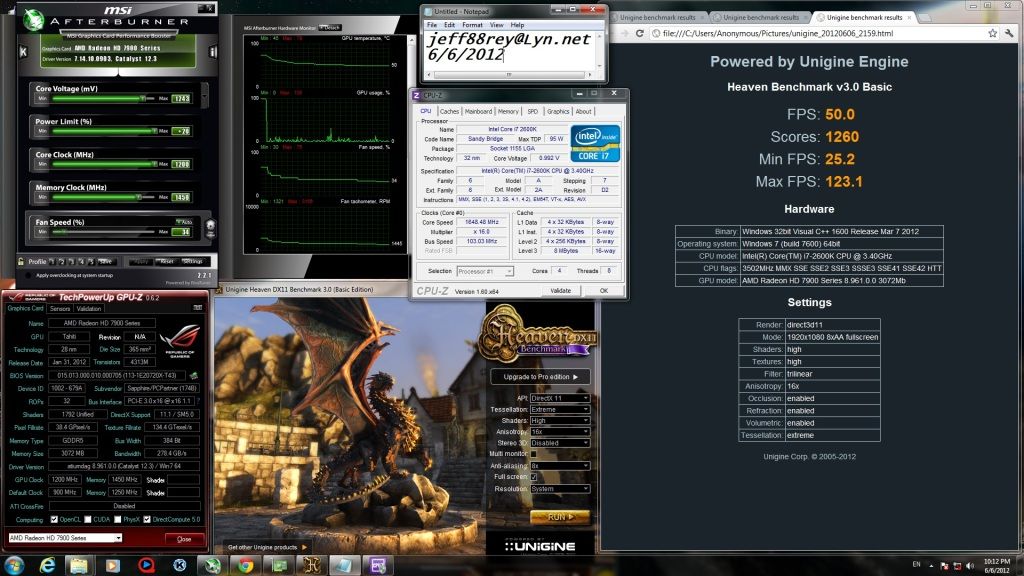
managed to play for 4 hours only.. sad..
2600k @ 4.4 Ghz, P8P67 Pro, G.Skill 1600C9 ram » Click to show Spoiler - click again to hide... « |
|
|
|
|
|
Jul 8 2012, 05:34 PM
Return to original view | Post
#2
|
|
Junior Member
187 posts Joined: Apr 2011 From: Kota Kinabalu
|
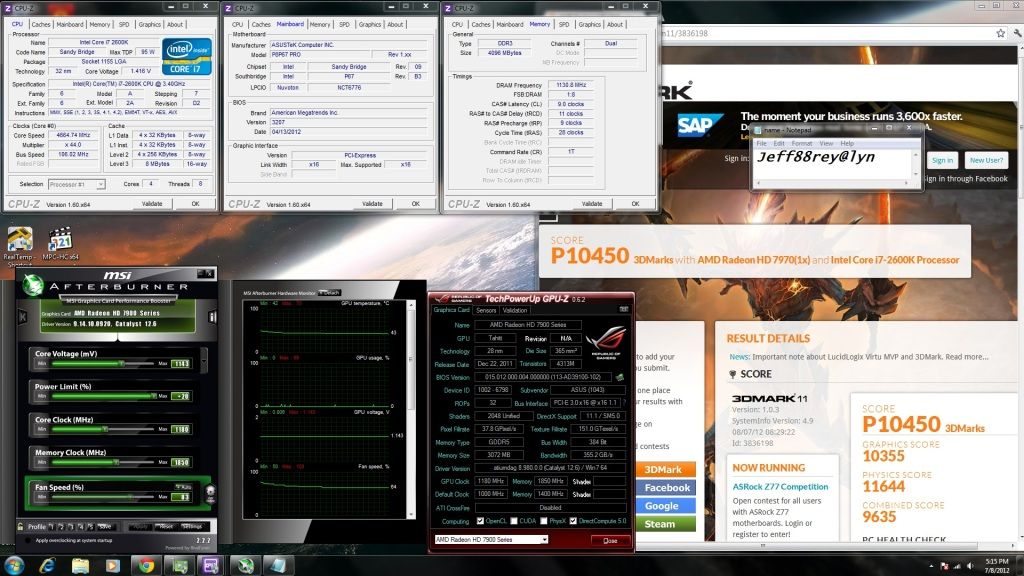
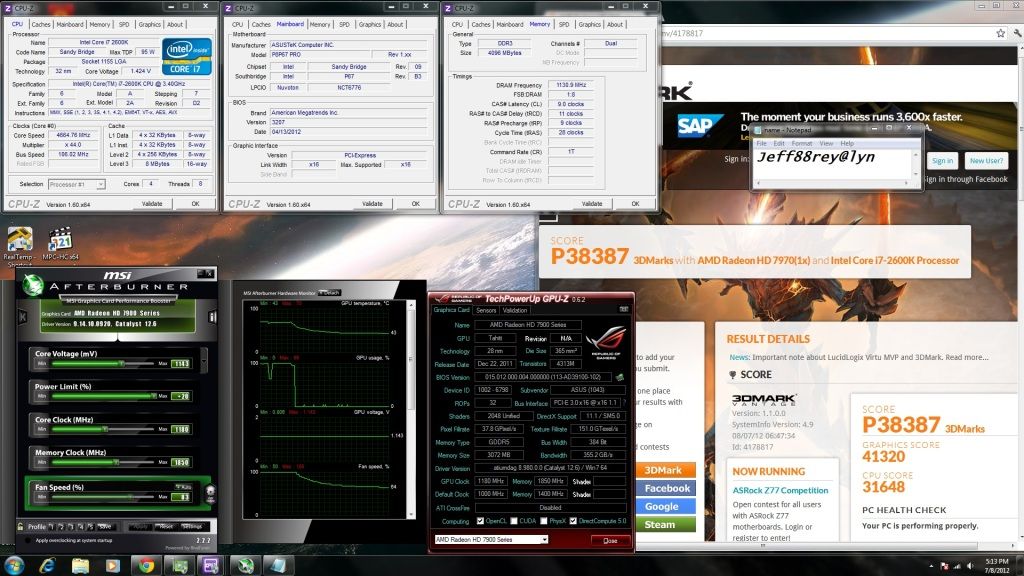
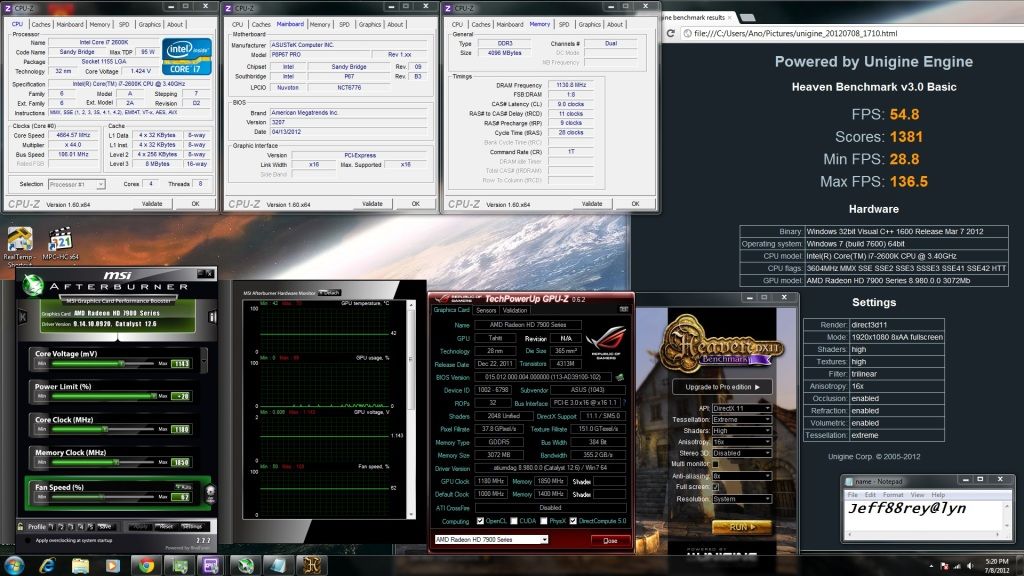
here's my 7970 result
 CPU @ 4.6Ghz HT on, 2260 9-11-9-28-1T GPU @ 1180/1850, 1.143v 3DMark11 » Click to show Spoiler - click again to hide... « 3DMark Vantage » Click to show Spoiler - click again to hide... « Unigine Heaven (all maxed out) » Click to show Spoiler - click again to hide... « Added on July 8, 2012, 5:40 pm QUOTE(availyboy @ Jul 8 2012, 01:46 AM) Hi there guys,i know that ref cards are loud and also kinda hot too biggrin.gif thinking of aftermarket cooler. if the memory is at default voltage, juz keep an eye on the temp and i think you wont fry your memory so easy.. Anyways lets get back to the overclocking part. I was able to get 1100mhz core and 1575mhz memory OC stable Coreclock : 925 to 1100mhz Memoryclock : 1375 to 1575mhz Voltage : 1.174(remains stock) Card model : sapphire hd7970 reference cooler. Okay,about this, tried bumping to 1125mhz which voltage still stays on 1.174v,seems to me that other cards were able to do this,so i thought voltage limited,tried to bump to 1.2v and raise to 1125mhz,still the kombuster just crashed that way. Somehow,i let coreclock remain at 1100mhz,and bumped my memory clock to 1750mhz,it seems still stable,haven't tried higher though,voltage is on 1.174v still. I was wondering,is it okay to play 24/7 with this memory clock @ 1750mhz? Or i should lower it..or isit okay to raise more. Because i scare i fried the memory chips or something this will be a problem for me. And about the coreclock,anyone have any idea i can reach higher? ...seems i'm stuck at 1100mhz,Heard some people told me to flash XFX Black Edition Bios.Kinda blur here,anyone mind to guide me with this too? haha Cheers!!.... Do let me know your setup if you have a 7970 ...voltage,coreclock memoryclock etc for 24/7 Btw...guys what's the 24/7 voltage can be maxed for 7970 ah? Thanks! haheh ----------- Added questions ----------- Hey...btw guys,about the graphic card,i am about to run eyefinity with it though. Planning to add one more card in the future,but then during this time,i wanted to ask Why is my GPU load only about 30% or 40%? But then in furmark and etc all 99% ...just wondering. Or maybe it's my processor that haven't really overclock properly...maybe it's bottleneck? Using i7 920 here   regarding the bios flashing, you can search around.. mayb you can try this: http://forums.overclockers.co.uk/showthread.php?t=18417060 what do you mean by gpu load? is it gaming? This post has been edited by jeff88rey: Jul 8 2012, 05:40 PM |
|
|
Jul 9 2012, 09:26 AM
Return to original view | Post
#3
|
|
Junior Member
187 posts Joined: Apr 2011 From: Kota Kinabalu
|
QUOTE(availyboy @ Jul 9 2012, 12:31 AM) Bro! YOUR RESULT IS AWESOME!... with default voltage of 1.113v, i can push mine to 1100 already.. i wonder how come ur voltage so high.. I was wondering how come u can hit 1180 1850 so easily one even lower some more 1.143v >_< I tried mine tho,and i am at default voltage 1100/1575 only,i tested 3DVantage earlier,GPU scored only 30k<,prolly my CPU bottleneck..planning on changing CPU to 950 or 960 lol better overclocking with D0 rather than C0 then >_< About the GPU load,yes during gaming,i am on 1920x1080 it seems that the load never reach 99%,rather than only about 30%,some more during 3D Vantage only 80% more or less.Could it be CPU bottleneck? I am trying to raise the memory even much higher though,but its on stock voltage for the memory too Bro what brand are you using and cooler too?  My 3DMARK VANTAGE CODE [attachmentid=2936481] >_< 3.33ghz only,thinking of how to push to 4.0ghz now hmmmmm  is ur game settings set to the max already? gaming wouldnt stress the gpu as high as those synthetics if u have v-sync on.. the gpu only needs to generate 60fps.. |
|
|
Jul 9 2012, 01:09 PM
Return to original view | Post
#4
|
|
Junior Member
187 posts Joined: Apr 2011 From: Kota Kinabalu
|
QUOTE(availyboy @ Jul 9 2012, 10:55 AM) Ahhh!! No wonder,i turned on my vsync...hmm not really nice actually, i dont like the card's design whoahhh..that's some nice card you have there bro..hmmm My score is unusual low =/  to my experience, too high or too low voltage will affect its scores.. mayb u should find the sweet spot  Added on July 10, 2012, 12:38 pmguys.. can u share ur overclocked temp using air cooling? mine seems abit high on the 80s..  This post has been edited by jeff88rey: Jul 10 2012, 12:38 PM |
|
|
Jul 21 2012, 12:12 PM
Return to original view | Post
#5
|
|
Junior Member
187 posts Joined: Apr 2011 From: Kota Kinabalu
|
QUOTE(owikh84 @ Jul 21 2012, 08:30 AM) Flashed my normal 7970 to 7970 GHz bios vddc at 1.3.. Tats pretty high isn't it?so these are the best clocks in CCC overdrive w/o Afterburner. * i don't have data for max clocks on stock bios though AB not needed already  This post has been edited by jeff88rey: Jul 21 2012, 12:14 PM |
|
|
Jul 23 2012, 09:24 PM
Return to original view | Post
#6
|
|
Junior Member
187 posts Joined: Apr 2011 From: Kota Kinabalu
|
QUOTE(diaBoliQu3 @ Jul 23 2012, 09:11 PM) Hi guys... I think my HD 7970 first bios is bricked. Unable to boot and VGA LED keep on blinking. Second bios no problem. At firs, no problem in flashing however after my fourth attempt with Asus bios, the bios seems unsuccessful. Then, there the story goes... Help me guys... easy bro.. find a working second card or integrated graphics to flash the bad bios btw, having issue flashing asus bios too.. |
|
|
|
|
|
Jul 23 2012, 09:40 PM
Return to original view | Post
#7
|
|
Junior Member
187 posts Joined: Apr 2011 From: Kota Kinabalu
|
boot it up without gc first.. after set it in bios then plug in gc..
blind flash needs correct command to do it.. u nid to create an autoexec.bat file.. try refer to bjorn3d.com |
|
|
Jul 23 2012, 10:23 PM
Return to original view | Post
#8
|
|
Junior Member
187 posts Joined: Apr 2011 From: Kota Kinabalu
|
QUOTE(diaBoliQu3 @ Jul 23 2012, 09:47 PM) Any link for the guid? I did read bjorn3d.com but I don't get it... Damn... hmm.. u want blind flash or u hav igpu? 1. u must create a bootable usb drive first.. 2. if u wan u can paste the rest of the win98 files into it.. 3. paste the atiflash n bios into it |
|
|
Jul 23 2012, 10:49 PM
Return to original view | Post
#9
|
|
Junior Member
187 posts Joined: Apr 2011 From: Kota Kinabalu
|
QUOTE(diaBoliQu3 @ Jul 23 2012, 10:28 PM) Done! Hehe... It's not that hard. Reading the instruction is the hardest part! tats gud to hear! i bricked mine before too  I was shock to see the long instruction, but surprise how easy it is. Now I feel more secure to brick any gpu. I was shock to see the long instruction, but surprise how easy it is. Now I feel more secure to brick any gpu.   damn panic the first time it was actually so easybtw, does asus use custom pcb? i wonder why it doesnt work This post has been edited by jeff88rey: Jul 23 2012, 10:49 PM |
|
Topic ClosedOptions
|
| Change to: |  0.0461sec 0.0461sec
 0.50 0.50
 7 queries 7 queries
 GZIP Disabled GZIP Disabled
Time is now: 5th December 2025 - 12:48 PM |
 Quote
Quote